Specs are compiled from manufacturer listings and verified buyer reviews and can change over time — please confirm the key details on the product page before buying.
Most people buy a USB video recorder expecting their footage to look like the game on their TV, then discover the card quietly drops to a slideshow the moment the action starts. The fix is almost never more money — it is checking the card’s real capture resolution and frame rate against what you actually record. A quick note on how this list was built: it uses flexible, human-like matching for “records or captures video through a USB connection to a computer,” so not every pick is the exact model number you typed into the search bar. The nearest same-type device that serves the same purpose made the cut.
This guide is built by comparing the manufacturers’ published specifications and the patterns across verified customer reviews, so you get each pick’s real strengths and trade-offs instead of marketing spin.
Some cards here pass 4K through to your monitor while recording a clean 1080p file, and some skip the computer entirely. Below you will find the honest differences between them, so you can pick the right usb video recorder without paying for a feature your setup will never use.
Top Picks
How To Choose The Best USB Video Recorder
Start with the source, not the card. If you are recording a modern console or a gaming PC, you need a capture device with HDMI input and enough bandwidth over USB 3.0 to carry an uncompressed-looking picture. If you are digitising a box of VHS tapes, you need analog inputs — composite RCA or S-Video — which most gaming capture cards simply do not have. Buying the wrong one of these two is the single most common mistake in this category.
Know your input resolution versus your recording resolution
A card that accepts a 4K signal does not automatically record in 4K. Many devices here take a 4K input and save a 1080p file, which keeps file sizes sane and keeps your CPU from choking. That is fine for streaming to Twitch or YouTube, where the platform caps you anyway. It matters only if you plan to archive raw gameplay at full 4K, so check the recording spec line before you commit.
Loop-out saves your sanity
A loop-out is a second HDMI port that passes the signal straight through to your TV or monitor while the card captures. Without one, you are usually watching the preview inside OBS on your PC, and that preview always lags a beat behind. With one, you play on your normal screen at full speed and the recording happens off to the side. For console players this is close to essential.
Side-by-Side Comparison
| Model | Best For | Max Recording | Inputs | Computer Needed | Amazon |
|---|---|---|---|---|---|
| Magewell USB Capture HDMI Gen 2★ Best Overall | Reliable daily streaming | 1080p60 | HDMI | Yes | Amazon |
| UGREEN 2K@30Hz Capture CardBudget Champion | Cheap console streaming | 2K@30Hz / 1080p60 | HDMI | Yes | Amazon |
| Acer USB 3.0 HDMI Capture CardCommentary Ready | Commentary and teaching | 1080p60 | HDMI, 3.5mm mic | Yes | Amazon |
| SoundBeast AV to HDMI Converter 2.0 | VCR and camcorder rescue | 640×480 | RCA composite | No | Amazon |
| ClearClick Video to USB | Mixed tape and HDMI archive | 1080p | HDMI, RCA, S-Video | Yes | Amazon |
| PORTTA DX20R | High-refresh console play | 4K input / 1080p240 passthrough | HDMI | Yes | Amazon |
| UNISHEEN UR-M2 Recorder | Phone and set-top capture | 1080p60 | HDMI, DisplayPort | No | Amazon |
| GUERMOK 4K144 USB Capture Card | Esports and dual-PC streams | 4K@144 MJPEG | HDMI 2.1, 3.5mm | Yes | Amazon |
| UNISHEEN UR500A Recorder | Tape archiving without a PC | 1080p60 | DVI, HDMI, CVBS, VGA, YPBPR | No | Amazon |
Detailed Reviews
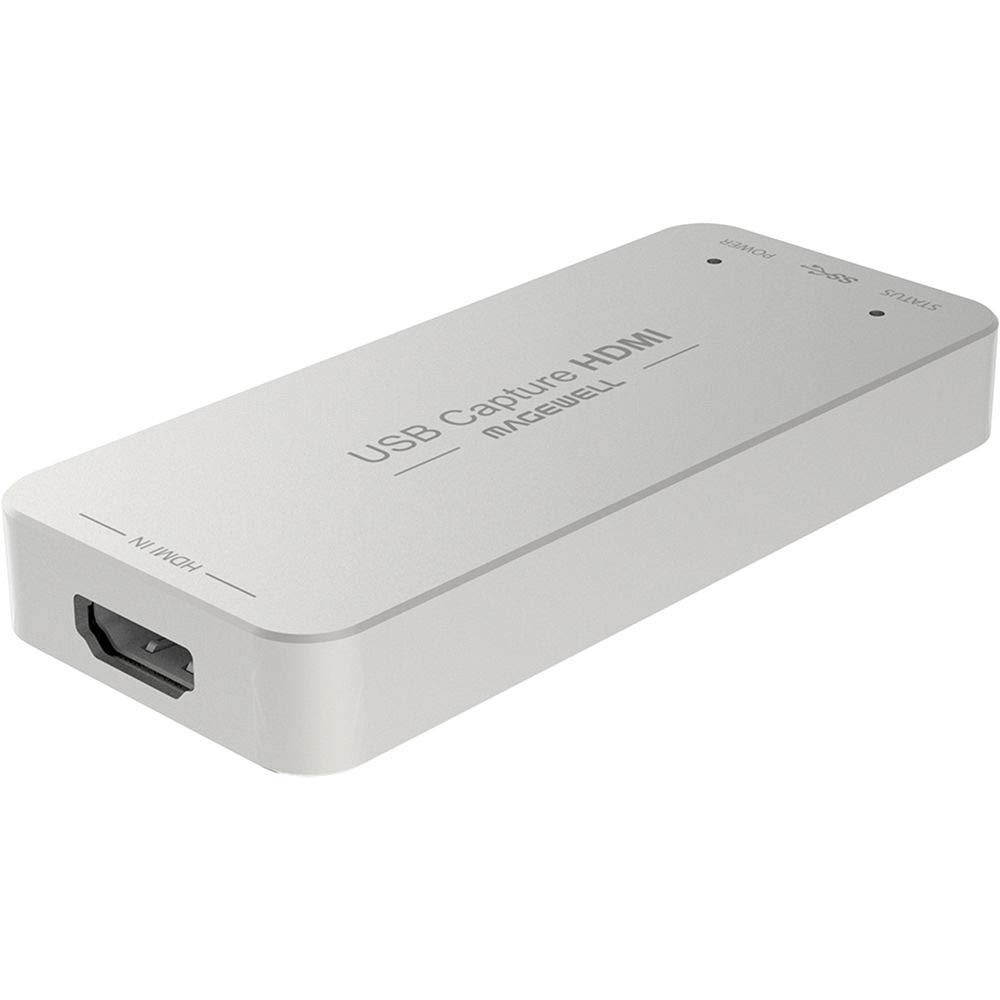
1. Magewell USB Capture HDMI Gen 2
Our pick — 4.5+★ from 600+ verified ratings; the strongest balance of quality and price.
A plug-and-play capture box that handles scaling and de-interlacing on-board, so your CPU does not have to.
For anyone who records week in and week out and cannot afford a card that flakes out mid-session, this is the pick to beat. It takes an HDMI signal up to 2048×1080 at 60fps in 4:4:4 (full colour detail on every pixel, with no colour subsampling) and saves it as a clean 1080p60 file. It measures 3.32 x 1.69 x 0.5 inches and weighs 3.2 ounces, so it disappears behind your desk rather than sitting on it.
The part that earns the premium is what happens inside the box. A chip called an FPGA handles cropping, scaling, de-interlacing (turning old interlaced video into smooth progressive frames), colour conversion and flip or mirror — all on the device itself. That means your processor is not sweating through those jobs while you stream. It also runs on Windows, macOS, Linux and Chrome OS with no driver install, and falls back to USB 2.0 on an older machine. Here is a direct comparison: against the much larger Acer card at 6.3 x 5.2 x 0.6 inches, this one takes up far less desk space for the same 1080p60 capture job.
What wins owners over is reliability: it boots first time, every session, on any of the four supported operating systems. The honest catch is that you are paying premium money for 1080p60, not 4K recording, and the small metal shell does run warm during long recordings. Some owners also find the price a hard swallow for a box that tops out where cheaper cards now do the same. Buy it if uptime matters more than headline resolution.
What You’re Paying For
- On-board FPGA processing keeps CPU load low during scaling and de-interlacing
- Driver-free on Windows, macOS, Linux and Chrome OS
- Built for 24/7 operation with thermal protection and status LEDs
- 3-year limited warranty and a USB Capture Utility for EDID and firmware control
Where It Stings
- Records at 1080p60, not 4K, at a premium-tier outlay
- The compact shell warms up during long sessions
- Value is the most debated point among owners
Reach for this if: you stream or record often and need a card that boots first time, every time, on any operating system.
Look elsewhere if: 4K recording is your actual goal — this one stops at 1080p60.
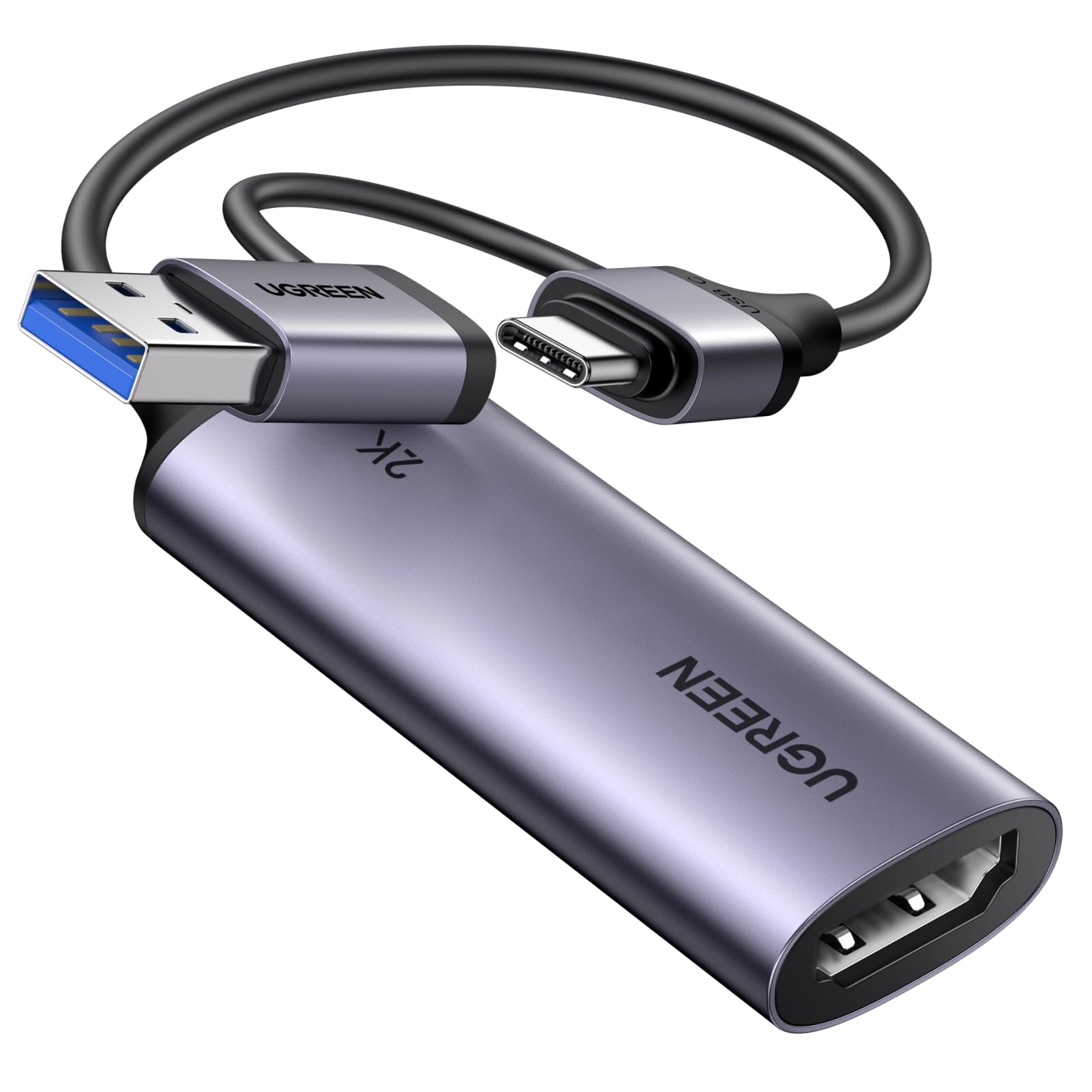
2. UGREEN 2K@30Hz 1080P 60FPS Video Capture Card
Budget-priced gaming capture that gets you on Twitch without the sticker shock.
The UGREEN takes a 4K@30Hz input and pushes 2K@30Hz out, with 1080p60 as the everyday fallback — so your source keeps its detail for editing while the recorded file stays manageable. Data runs at 5 Gbps over USB 3.0, which is the bandwidth that keeps the delay low enough to stream Switch, PS4 or PS5 gameplay to Twitch, YouTube or Facebook. OBS, XSplit, PotPlayer and VLC all pick it up.
Both a USB-A and a USB-C port are built into the body, so it fits a modern laptop, a desktop tower, a tablet or a Quest 3 without an adapter hunt. The casing is aluminium alloy, which spreads heat and shields against interference for a steadier signal. At 50 g it is a pocket-sized accessory you can throw in a bag. It is the cheapest card on this list, yet the aluminium shell and dual USB-A/USB-C ports read as anything but budget.
Two honest notes before you buy. A few owners notice lag in certain setups, so test your chain before a live broadcast. And compatibility has caveats: it captures HDMI input only, in one direction, and an iPad needs iPadOS 17 or later to work with it. Consoles need HDCP turned off. Compared with the Magewell above, you give up onboard processing but keep 1080p60 capture at a fraction of the outlay.
The value read: an aluminium-shell card with dual USB ports and 5 Gbps throughput is a lot of hardware for entry-level money.
The catch: HDMI in, USB out, one direction only — no analog tape inputs here.
Best fit: a first-time streamer on a console who wants clean 1080p60 and does not need a loop-out.
Think twice if: you are capturing a copyrighted source or an older iPad — HDCP and OS version both need checking first.
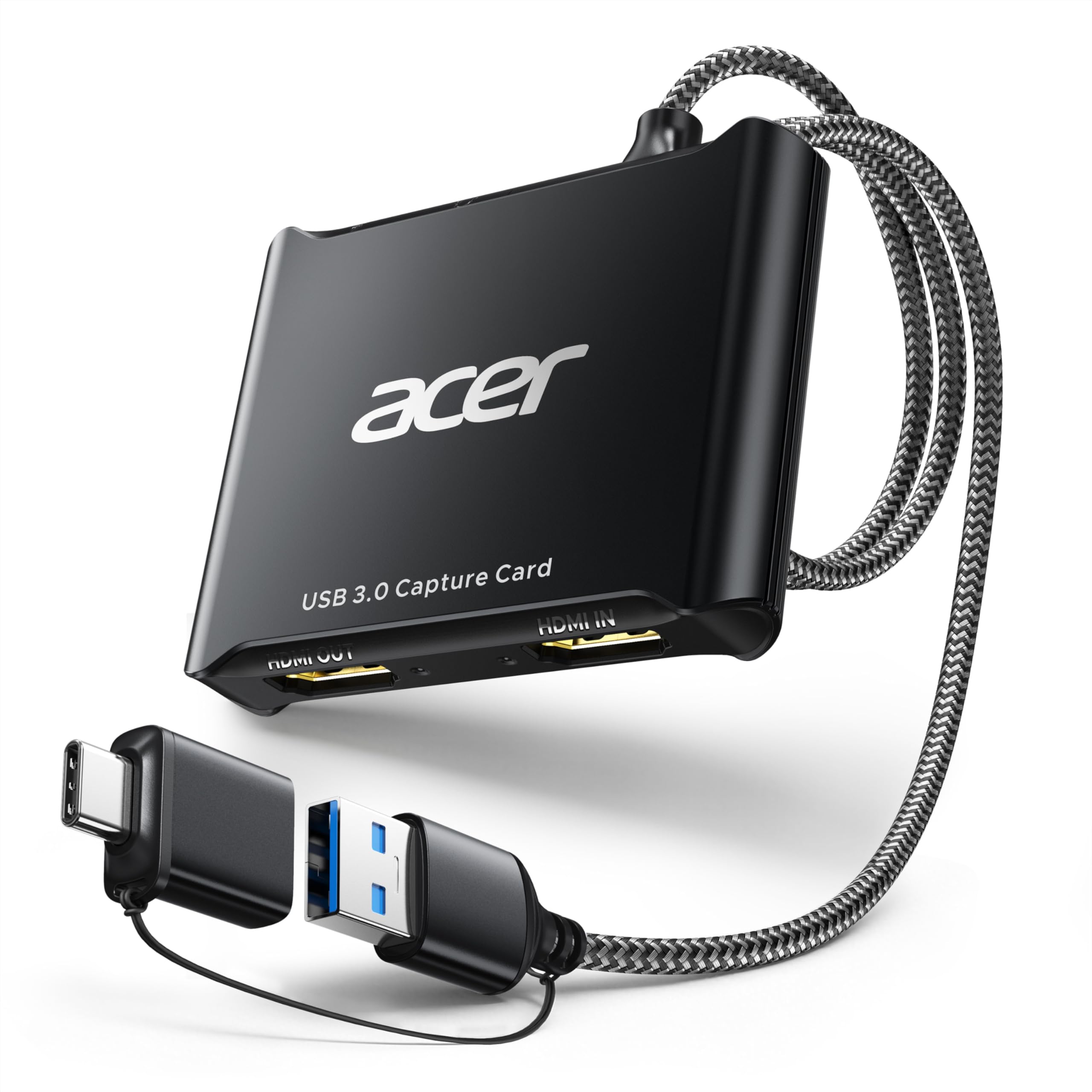
3. Acer USB 3.0 HDMI Capture Card
Plug a headset straight in and commentate live — no mixer, no adapter, no post-editing sync.
Acer’s card takes a 4K input and records at 1080p60, and it uses YUY2 encoding rather than MJPEG. In plain terms, YUY2 keeps more of the original colour information in each frame, so your stream looks richer and less washed out. It also ships with a 3.5mm mic input on the body, which means you can run a headset or microphone directly into the card and keep your voice locked to the video with no separate audio interface.
The built-in 3.5mm mic input is the point here: your headset plugs straight into the card, so commentary stays locked to the video with no mixer or sync pass. No drivers, no external power — plug in and capture. Both USB-A and USB-C ports are on board, and it works with OBS, XSplit, VLC, YouTube, Facebook and Twitter, plus Switch, Switch 2, PS5, PS4, Xbox, DSLR cameras, PC, macOS and Android. At 6.3 x 5.2 x 0.6 inches it is the widest footprint in this group — noticeably bigger than the fingertip-sized Magewell — so budget a little desk room.
For teachers running online classes and creators doing vlog dubbing, that built-in mic port saves a real step. Across owners the picture that emerges is a card that sets up cleanly and holds a stable 1080p60 image without lag. If you already own a dedicated audio interface, though, the mic input is a feature you are paying for and not using.
Worth it for: anyone who talks over their footage — teachers, commentators, vlog dubbers — where the mic port does real work.
Skip the upgrade if: you already capture audio separately; the larger footprint buys you nothing extra then.
4. SoundBeast AV to HDMI Converter & Recorder 2.0

Built for the shoebox of VHS tapes in the attic, not for your gaming PC — RCA composite in, USB out at 640×480.
This is a converter first and a capture device second. It takes analog video through the yellow, white and red RCA cables, upscales it to HDMI at 720P or 1080P for your TV, and — the useful part — records that footage to your PC or Mac at 640×480 pixels over USB with no drivers. That resolution matches what a VHS tape actually holds, so you are not losing detail you never had.
The 4:3 aspect ratio control is the new bit worth knowing about. Older versions stretched your old videos horizontally to fill a widescreen; this one adds black bars on the left and right so the picture keeps its original proportions. You can still choose 16:9 if you prefer the full screen filled. It works with VCRs, camcorders, Hi8, DVD players and retro game systems, in both PAL and NTSC. At 5 ounces it is the heaviest device here — noticeably chunkier than the 3.2-ounce Magewell — but it is the only one on this list built around RCA plugs.
Owners use it mainly to move old family tapes onto a computer, and the reports describe it as simple to connect and a strong value. The limit is baked into the design: it converts one direction, RCA in to HDMI out, and it will not work in reverse. If you want to feed a modern HDMI source into an old TV, this is the wrong box entirely.
Who it’s built for: families with a stack of VCR and camcorder tapes and no idea where to start.
Don’t buy it for: console streaming — it has no HDMI input at all, only RCA.
This one earns its place if: your footage lives on tapes and needs a clean path to a hard drive.
Keep looking if: you need HDMI recording or any two-way conversion.
5. ClearClick Video to USB 1080P Capture & Streaming Device

One box that takes HDMI, RCA composite and S-Video, covering VHS, Video8, Hi8, camcorders, DVDs and retro consoles.
ClearClick’s device is the analogue Swiss army knife of this list. It captures HDMI sources up to 4K 30 FPS at a 1080P recording, and it also takes RCA and S-Video from VCRs, VHS tapes, camcorders, Video8, Hi8, DVDs and retro consoles. S-Video is the input most white-label capture boxes skip, and it is the one that keeps old camcorder footage looking cleanest, since it carries brightness and colour on separate wires.
It runs over a modern USB-C plug-and-play port, with a full-size USB-A adapter in the box for older laptops. Video capture and live streaming software is included, along with step-by-step instructions — handy if you have never touched OBS in your life. It works with Windows 10/11/12, OS X 11.0 or higher and Ubuntu 14.04 or higher, and it comes from a USA-based small business with a 1-year warranty and tech support.
The one rule to know: copyrighted or content-protected HDMI sources will not pass through, which rules out most commercial streaming apps and rentals. Old home tapes and game consoles are the target. Owners lean on it for 8mm and VHS conversion and describe the process as approachable, with the analog side upscaled automatically to HD. If all you ever record is a game console over HDMI, you are overbuying here.
The Wide-Net Advantage
- HDMI plus AV, RCA and S-Video in a single device
- Software and step-by-step instructions included for newcomers
- USB-C with a full-size USB-A adapter in the box
- Works with Windows, macOS and Linux
Know Before You Plug In
- Copyrighted or content-protected HDMI sources will not pass
- Oversized for a pure HDMI console setup
- The analog inputs are the reason to buy — skip it if you only need HDMI
Pick it when: your archive mixes tapes, camcorders and the odd HDMI source and you want one box to cover all of it.
Pass on it when: every source you own is HDMI and unprotected — a simpler card does the job.
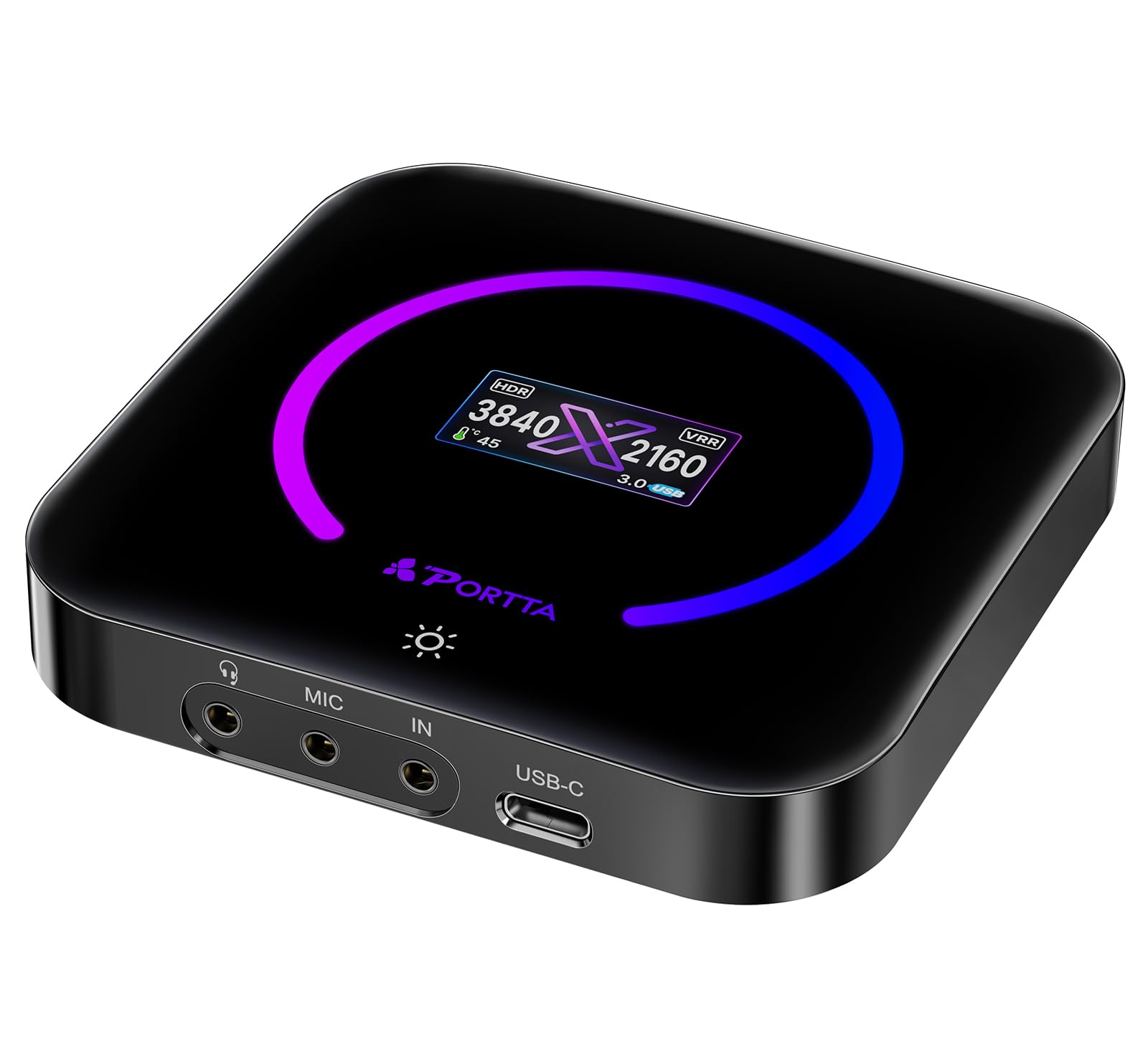
6. PORTTA DX20R HDMI Video Capture Card
Passes a 1080p@240Hz signal to your monitor while it captures — for players who hate letting go of frames.
The DX20R’s headline is its passthrough: it will feed your display at 1080p@240Hz or 2K@120Hz while it records, so the competitive player does not have to sacrifice the smooth picture they are used to. It supports VRR (variable refresh rate, which matches the screen’s refresh to the game’s output to cut tearing) and HDR for punchier contrast. No driver install is needed on Windows, macOS or Linux.
It weighs 68 g and measures 3.78 x 3.78 x 0.91 inches — small enough to live behind a monitor. The optional CapHub Utility lets you tweak video settings, adjust audio mixing, update firmware and manage EDID and VRR modes. There is a smart switch on the body and a ring light you toggle by pressing and holding for 2-3 seconds, plus real-time operation readouts.
This is a niche pick, and honestly the smoothest-feeling one for high-refresh gamers in this group. The thing to weigh is that a small body of owners means documented experience is thin — the functional reports are positive and OBS recognised it without fuss, but this is a newer, less-travelled device than the Magewell above. Buy it for the 1080p@240Hz passthrough; that is the whole reason it exists.
The reason to choose it: 1080p@240Hz and 2K@120Hz passthrough in a 68 g shell — rare at this tier.
The honest limit: a niche pick with a smaller track record, so check return terms before you make it your only card.
Built for: high-refresh-rate gamers who refuse to drop below 240Hz on their own monitor while capturing.
Not the one if: you just want a simple plug-and-play capture card and never touch 240Hz.
7. UNISHEEN UR-M2 Standalone Video Recorder
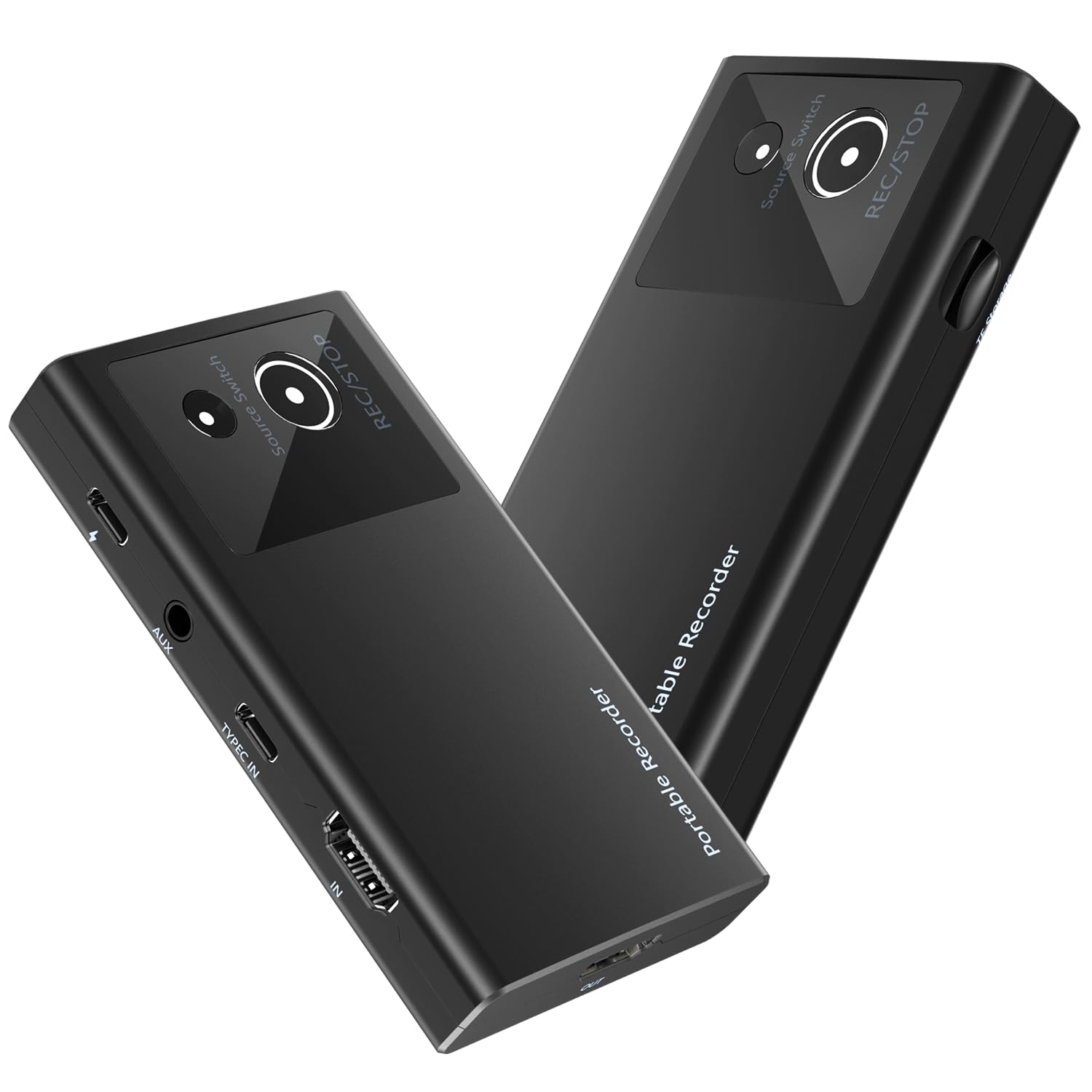
Records to a memory card and previews on your phone — no laptop required on set.
The UR-M2 takes a 4K60FPS input through either HDMI or DisplayPort over USB-C and records at 1080p60 in H.264. That H.264 encoding is a big practical win: it keeps video quality high while holding file size down, so a modest TF card holds hours rather than minutes. The included Type-C to C cable lets you run it straight from a smartphone or a computer with DisplayPort output.
Files save to a TF card, and you can preview and play them back instantly on your phone — a real convenience when you need to check the take before you pack up. The AUX earphone port lets you plug in headphones or a microphone to fold commentary or ambient sound into the recording without extra gear. At 4.21 x 2.36 x 0.71 inches and 0.07 kg it is genuinely pocketable, which is the point of a standalone recorder.
Note there are no published owner reviews on this one yet, so you are buying on the spec sheet alone — the port list is broad (phones, media players, TV sticks, set-top boxes, cameras, game consoles, camcorders) and the plug-and-play claim is clear. Consider it a forward bet rather than a proven workhorse.
Good match for: field recordists, streamers working away from a PC, and anyone capturing a set-top box or phone screen to a card.
Hold off if: you need a proven track record — this model is new enough that owner reports are still thin.
8. GUERMOK 4K144 HDMI 2.1 USB Capture Card

The heavyweight card for dual-PC streamers who need 4K passthrough and 240fps capture at once.
On Windows this card pushes MJPEG up to 4K@144FPS, NV12 up to 2K@144FPS or 1080P@240FPS, YUY2 up to 4K@50FPS, RGB24 up to 4K@30FPS and 10-bit P010 up to 2K@120FPS. On macOS it captures up to 4K@60FPS. That is a lot of format flexibility, and it means you can pick the codec that best balances frame rate against file size for your workflow. HDMI 2.1 passthrough runs up to 4K@144Hz, 3440×1440@120Hz, 2560×1440@240Hz and 1920×1080@360Hz, with HDR10 and VRR for smoother, tear-free gameplay.
It is built for extended sessions, with a PD 3.0 input that keeps a compatible laptop or tablet charged while you stream, and a USB-C capture port over USB 3.2 Gen2 for stable, low-latency transmission. Audio control is unusually complete — HDMI audio, mic in, line in, line out and speaker out — plus a touch-sensitive logo you tap to switch the lighting on or off. It comes with a USB-C to USB-A/C cable and an 8K HDMI 2.1 cable. At 168.5 g it is the heaviest card here by a wide margin, so it is a desk fixture, not a pocket accessory.
One quirk to expect: plugging or unplugging PD power can briefly make a host re-check its USB-C connection and momentarily lose the card. Reconnecting the capture cable clears it. Most owners find it works smoothly with a Switch 2 and streams cleanly at 1080p60 on a Mac, though the 60fps recording ceiling is a fair complaint on lower-end rigs. Check the minimum-spec list — this one wants a real gaming machine behind it.
What It Brings To A Dual-PC Rig
- Windows capture up to 4K@144FPS in MJPEG and 1080P@240FPS in NV12
- HDMI 2.1 passthrough up to 1080p@360Hz with HDR10 and VRR
- PD 3.0 input charges a compatible laptop during streaming
- Full audio stack: HDMI, mic in, line in, line out, speaker out
The Demanding Side
- High-spec PC recommended for top capture modes
- PD disconnect can momentarily drop the card from the host
- 168.5 g and 5.03 x 2.91 x 0.83 inches — a desk-bound unit
Choose it if: you run dual-PC esports streams and want 4K passthrough plus 240fps capture without swapping cards.
Look past it if: your rig is a mid-range laptop — the top capture modes need serious hardware.
9. UNISHEEN UR500A Video Recorder with 7″ Screen

A standalone recorder with its own screen — plug in a tape deck, press one button, walk away.
The UR500A is the most flexible archiving tool here. It takes DVI, HDMI, CVBS (the analog RCA video standard), VGA and YPBPR inputs, capturing HD video with audio up to 1080P60 from sources up to 4K30. It records straight to SD cards, USB flash drives or external hard drives — none included — in MP4 format. You can also live-stream it through USB to OBS or other software on Windows 10, Mac OS or Linux.
The built-in 7-inch preview screen is the feature that makes it stand apart. You see what you are recording in real time without a laptop open beside you. One-click start and stop recording means a tape digitising session does not need any technical fiddling. A remote control lets you trigger recording from across the room, which is handy for weddings, church services, parties and sports events where you are camera-adjacent but not wired to the device.
Battery power is the flex: it accepts F550, F750 and F970 batteries (sold separately) so you can record where no outlet exists. The honest caveat is that it costs premium money and the drive options are all external. If you only need to pipe HDMI into a PC, a capture card does that for less.
The standout: a 7-inch LCD, one-click recording and remote control in a single unit — a genuinely self-contained station.
The one cost to know: memory cards, USB drives and the optional batteries are all bought separately.
Made for: events teams and tape archivists who want to record without dragging a laptop along.
Not worth it if: you only ever feed HDMI into a PC — the standalone screen adds cost you will not use.
Know the Specs
Input resolution versus recording resolution
These are two separate numbers and buyers confuse them constantly. The input is the ceiling the card will accept — the Acer and the UGREEN both take a 4K signal — while the recording resolution is what actually lands in your file. Most cards here record at 1080p60, which is enough for YouTube and Twitch and far lighter on your hard drive. Only the GUERMOK card reaches higher capture modes, and those demand a strong PC behind them.
Encoding: YUY2, MJPEG and H.264
Encoding is how the card shrinks each frame before it travels down the USB cable. YUY2 keeps more colour information, so the picture looks richer — the Acer uses it. MJPEG compresses each frame more aggressively, which helps at high frame rates like the GUERMOK’s 4K@144FPS but shows its limits in fine detail. H.264, used by the UNISHEEN recorders, is a software encoder that keeps file sizes small and is the format most editing apps prefer to eat.
Common Questions
Does a USB video recorder need a separate power supply?
Will a capture card work with my PS5 or Xbox?
Can I record old VHS tapes with a USB capture card?
What does loop-out actually do?
What is the difference between 2K and 1080p recording?
Do I need a fast computer to use a capture card?
Will an M1 or M2 Mac work with these cards?
Can I preview what I’m recording without a computer?
Why does my capture card occasionally drop off mid-session?
Is a dedicated recorder better than a capture card for tape transfers?
The Bottom Line
The strongest pick in this run is the Magewell USB Capture HDMI Gen 2 — it does the scaling and de-interlacing on the device so your PC stays cool and your stream stays steady. If you want a first capture card on a console budget, the UGREEN gives you aluminium build, dual USB ports and 1080p60 for entry money. For a stack of VHS and camcorder tapes, the ClearClick covers HDMI, RCA and S-Video in one box without fuss. And if you play competitive games and want your own monitor at 240Hz while you capture, the PORTTA DX20R keeps the frame rate where you like it.
How we choose
We do not accept paid placement. Every pick is matched to a real buyer and a real use-case; we do not hands-on test units.
Sources
Specifications: manufacturer listings and product documentation. Review insights: verified customer reviews, as of November 2026. Pricing: not shown on this page (it changes often); check the current price via the retailer link.
As an Amazon Associate, Tactical Gear Guy earns from qualifying purchases. This does not affect which products we feature.