Specs are compiled from manufacturer listings and verified buyer reviews and can change over time — please confirm the key details on the product page before buying.
You are tired of propping a camera on a stack of books and hoping nobody bumps the desk. A wall mountable webcam fixes that by bolting the picture where it belongs — up high, aimed at the room, and out of the way of coffee cups and elbow knocks. The real question is which one gives you a sharp image, a stable mount, and the cables and brackets you actually need, without a tripod living in the middle of your floor.
This guide is built by comparing the manufacturers’ published specifications and the patterns across verified customer reviews, so you get each pick’s real strengths and trade-offs instead of marketing spin.
Most of these cameras are built for rooms, not desks — pan-tilt head, optical zoom, and a bracket in the box. The picks below sort into value, mid-range, and premium tiers so you can match one to your space. Here is what separates a genuinely good wall mountable webcam from a shelf filler.
Top Picks
How To Choose The Best Wall Mountable Webcam
The camera body is only half the decision. What actually determines whether a wall mountable webcam works in your room is where you hang it, how much of the room it must see, and whether the box gives you the bracket and cabling to finish the job.
Optical zoom versus digital zoom
Optical zoom moves glass to pull a distant face closer without smearing detail. Digital zoom just crops and enlarges the already-taken picture, so it blurs fast. For a camera bolted high on a back wall, optical zoom is the number that matters — the 20X head here out-reaches the 3X models by a wide margin, and that 20X vs 3X gap is the difference between reading a speaker’s expression and guessing at it.
Field of view in degrees
Field of view tells you how wide a slice of the room lands in frame. A 93° lens pulls in a wider mid-sized group than a 63° one, which helps when your camera sits in a corner and the room is tight. Narrower lenses reach further but demand a straighter line to the subject.
Mounting and power
Check that the box includes a wall bracket and screws — several picks here do, and one premium model expects you to supply hardware. If the camera supports PoE (Power over Ethernet, a single cable that carries both power and data), a wall or ceiling run gets much cleaner because you stop hunting for a power outlet near the screw holes.
Who is actually on the other end
These cameras are built for rooms with people, not solo desk calls. If you are one person at a laptop, a simple clip webcam does fine. If you are streaming a service, teaching a class, or framing a conference table, a pan-tilt head with presets earns its keep every single meeting.
Side-by-Side Comparison
| Model | Best For | Max Resolution | Optical Zoom | Connection | Amazon |
|---|---|---|---|---|---|
| iuZee 4K PTZ 20X★ Best Overall | Long-reach room coverage | 4K@30fps | 20X | USB 3.0 / HDMI / LAN | Amazon |
| TONGVEO Wireless AI PTZCable-Free Pick | Cable-free church and classroom | 1080P 60fps | 3X | 5.8GHz wireless / USB | Amazon |
| NexiGo Conference PTZMost Ratings | Big-room value streaming | 1080P 30fps | 10X | USB | Amazon |
| TONGVEO 4K 3X PTZ | 4K on a mid-range budget | 4K@30fps | 3X | USB 3.0 / HDMI | Amazon |
| TONGVEO 3X HDMI/USB | Plug-and-play meetings | 1080P 60fps | 3X | USB 3.0 / HDMI | Amazon |
| KATOVJJTS 4K PTZ 20X | Large-venue 4K streaming | 4K@30fps | 20X | USB 3.0 / HDMI / LAN | Amazon |
| Logitech MeetUp | Small huddle rooms with audio | 4K UHD | 5x HD zoom | Bluetooth / USB | Amazon |
| Logitech Rally Camera | Premium professional rooms | UHD up to 4K | — | USB | Amazon |
Detailed Reviews
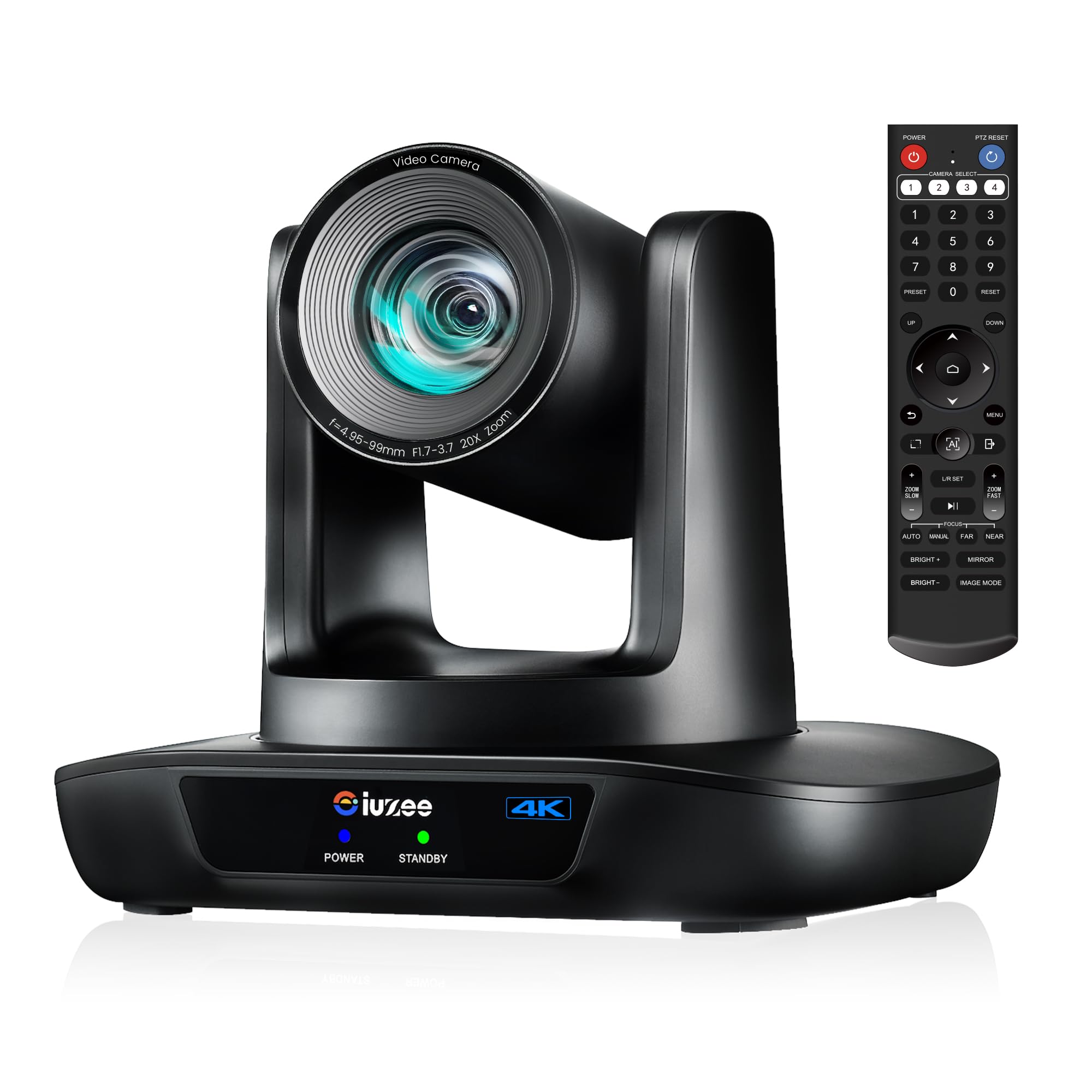
1. iuZee 4K UHD PTZ Camera with 20X Optical Zoom
Our pick — 4.5+★ from 100+ verified ratings; the strongest balance of quality and price.
The long-reach specialist that keeps a speaker’s face sharp from the back of a sanctuary.
If your camera hangs far from the stage, reach is everything — and 20X of optical glass is the reason this one takes the top spot. That is roughly six and a half times the zoom pull of the TONGVEO 3X models: 20X versus 3X. From a back wall, that gets you a crisp close-up instead of a soft, cropped one. The 63° lens is the trade-off on the wide end, narrower than the 93° TONGVEO, so tight small rooms will feel cramped.
The image chain backs up the glass. A 1/2.8 inch 8.29 megapixel sensor (the light-catching chip inside) delivers 4K at 30fps, with 1080P at 60fps when you want smoother motion. AI face and figure tracking follows the presenter around the room, and there are 255 preset positions so a single tap snaps the camera back to the pulpit or the whiteboard. Gesture control is the clever touch — an OK sign toggles AI mode, a peace sign flips presenter mode on, and the tracking stays responsive enough to keep up.
Where it earns its keep for a wall install is the wiring. Three outputs run at once — USB 3.0, HDMI, and LAN — and PoE support means one Ethernet cable carries both power and data to the mounted unit. You also get an IR remote, DC 12V adapter, USB cable, and a wall mount with screws in the box, so nothing extra to buy. The catch is gesture control: your hand must be 30cm or more from your face and within roughly 5-8m, so a shuffling crowd can trip the tracking. And the remote handset draws lukewarm notes — treat it as a backup to the browser controls, not your daily driver.
What sets it ahead
- 20X optical zoom locks facial detail from across a hall
- PoE, LAN, HDMI, and USB 3.0 all run together
- Wall bracket, screws, and cables included — nothing else to buy
- Up to 255 presets for one-key camera recall
Where it asks more of you
- 63° lens is tighter than the 93° TONGVEO in a cramped room
- Gesture control needs clear hand spacing and a steady subject
- Remote handset feedback is mixed
Go for this if: you are mounting high and far from the action in a church, lecture hall, or large meeting space.
Think twice if: your room is small and you need the widest possible sweep — the 63° lens will feel narrow.
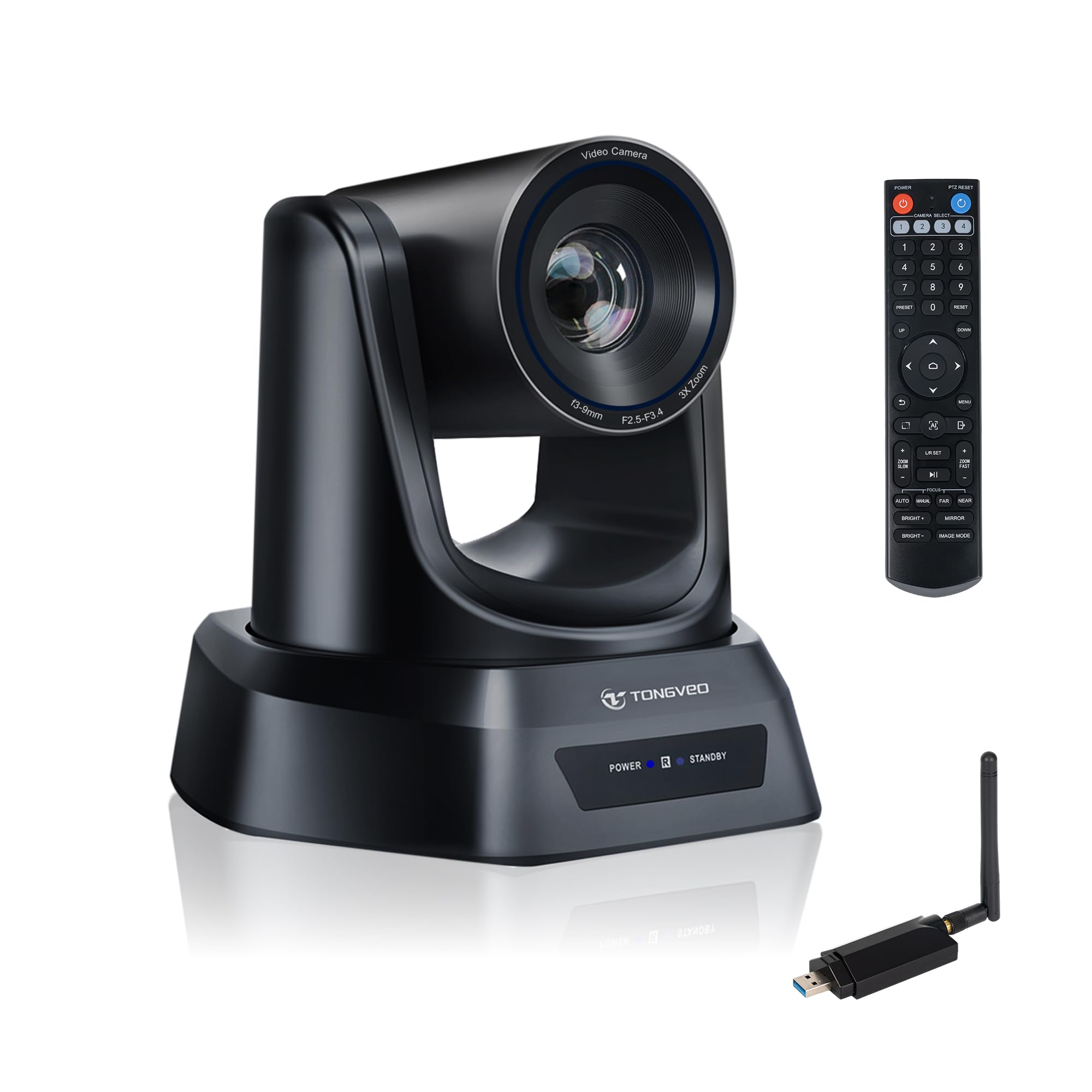
2. TONGVEO Wireless AI PTZ Camera
Cut the long cable run and let a 5.8GHz link do the heavy lifting.
Running a USB cable from a wall-mounted camera to a computer is the headache this camera was designed to remove. A built-in receiver on the camera side pairs with a small USB dongle plugged into your machine, forming a 5.8GHz wireless bridge rated up to 50 ft. That means you can hang it on a wall or ceiling in a church or classroom far from the front-of-room tech, with no trench-and-tape cable job.
Picture quality is a solid Full HD 1080P at 60fps, and the 3X optical zoom pulls the speaker or presentation area into frame without the smearing digital zoom causes. Automatic white balance keeps skin tones natural as the room’s light shifts through the day. The dongle indicators are a handy touch — red solid means power on, flashing red is searching, flashing white is connecting, solid white means you are live. No drivers, no complicated configuration, just plug in and pick the camera in your software.
The honest limitation is the wireless itself — 50 ft is the ceiling in the listing and the spec sheet also notes a 10m (33 ft) range, so treat it as line-of-sight and test before you drill. The remote is another mixed bag, with usability depending on your angle to the camera.
Worth noting: the built-in receiver cuts setup time compared with older external-receiver wireless systems, and the package still includes an IR remote, USB cable, wall bracket with screws, and a 12V adapter.
Keep in mind: radio links want a clean line between dongle and camera, so a thick wall or dense crowd shortens your usable distance.
Best fit: any room where dragging a cable to the mount is the real obstacle.
Pass if: you need 4K detail or sit beyond the wireless range of the dongle.
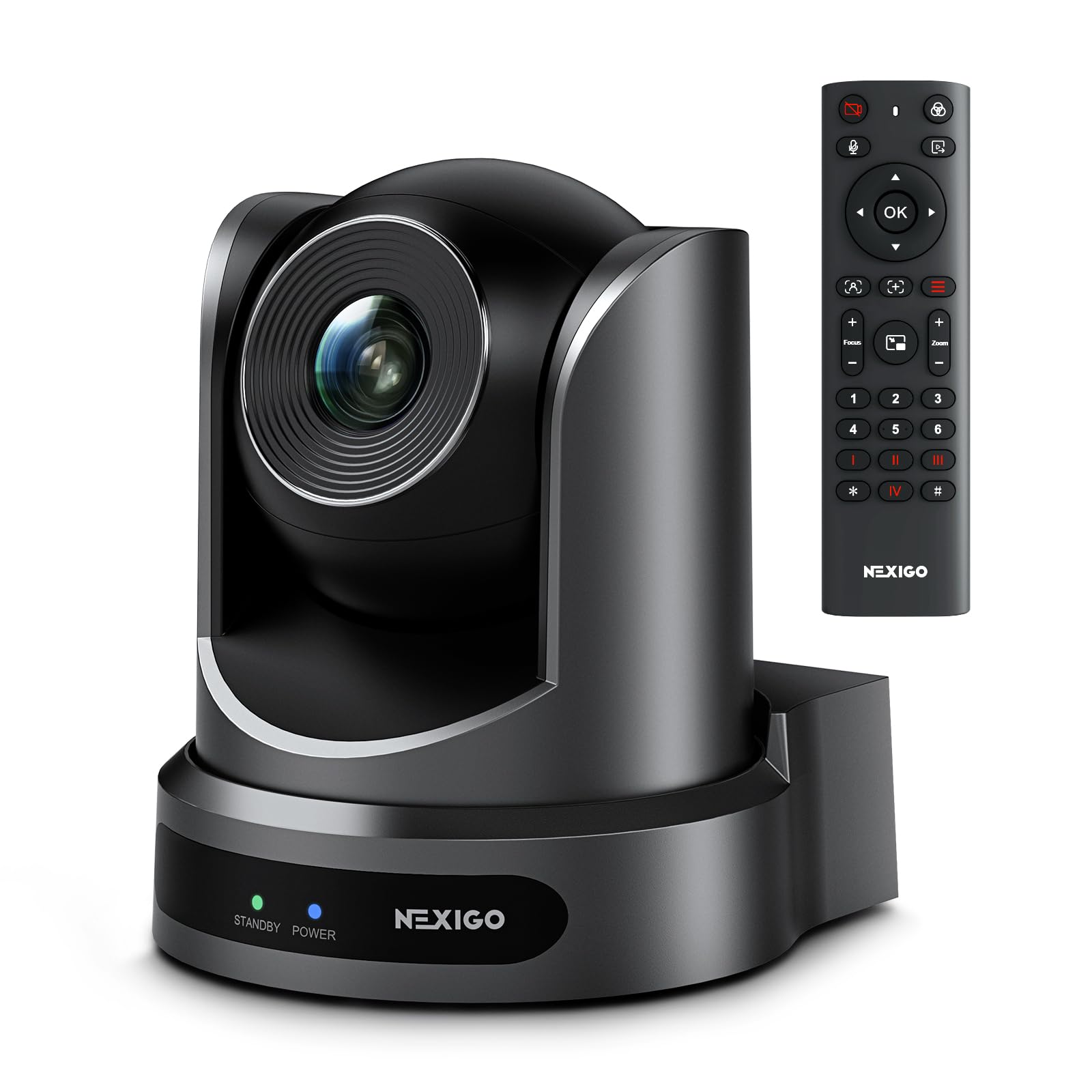
3. NexiGo Conference Room PTZ Camera System
The crowd-tested middleweight that puts a 10X lens on a slim budget.
With 5,000+ reviews, this is the most-reviewed camera here and the lineup’s value pick. Owners rate it 4.0+ stars, and the 10X optical zoom — glass that moves to magnify a distant speaker — sits between the 3X and 20X heads here. Ten-to-one reach lets you frame a whole table wide, then punch in on the person talking, without the image falling apart.
Owners praise the wide shot that keeps every participant in frame, plus a real choice between autofocus and manual focus. The 1/2.8 inch CMOS sensor serves up 1080p at 30fps, and 3DNR noise reduction (a processing trick that scrubs grain) keeps the picture clean past 55 dB signal-to-noise — which means a dim sanctuary or a softly lit classroom still reads clearly instead of turning to mush.
Mounting is where you need to slow down. The camera supports wall, hanging, and tripod setups, but no mounting hardware comes in the box, so budget a separate bracket and screws. It also does not have a built-in microphone — plan a separate mic or the room’s audio system. The pan and tilt range is wide (-170° to +170° pan, -30° to +90° tilt), and 255 presets via RS232 keep your favorite angles a click away.
Why it wins people over
- 10X optical zoom balances reach and price
- Autofocus or manual focus, your pick
- 3DNR noise reduction holds up in low light
- Wide pan and tilt keeps a whole room in reach
The catches to plan around
- No wall bracket or mounting hardware included
- No built-in microphone
- 1080p only, versus the 4K models higher up the list
Great for: the buyer who wants proven reliability and 10X reach without overspending — just add a bracket.
Not your match if: you need 4K capture or a mic built into the camera body.
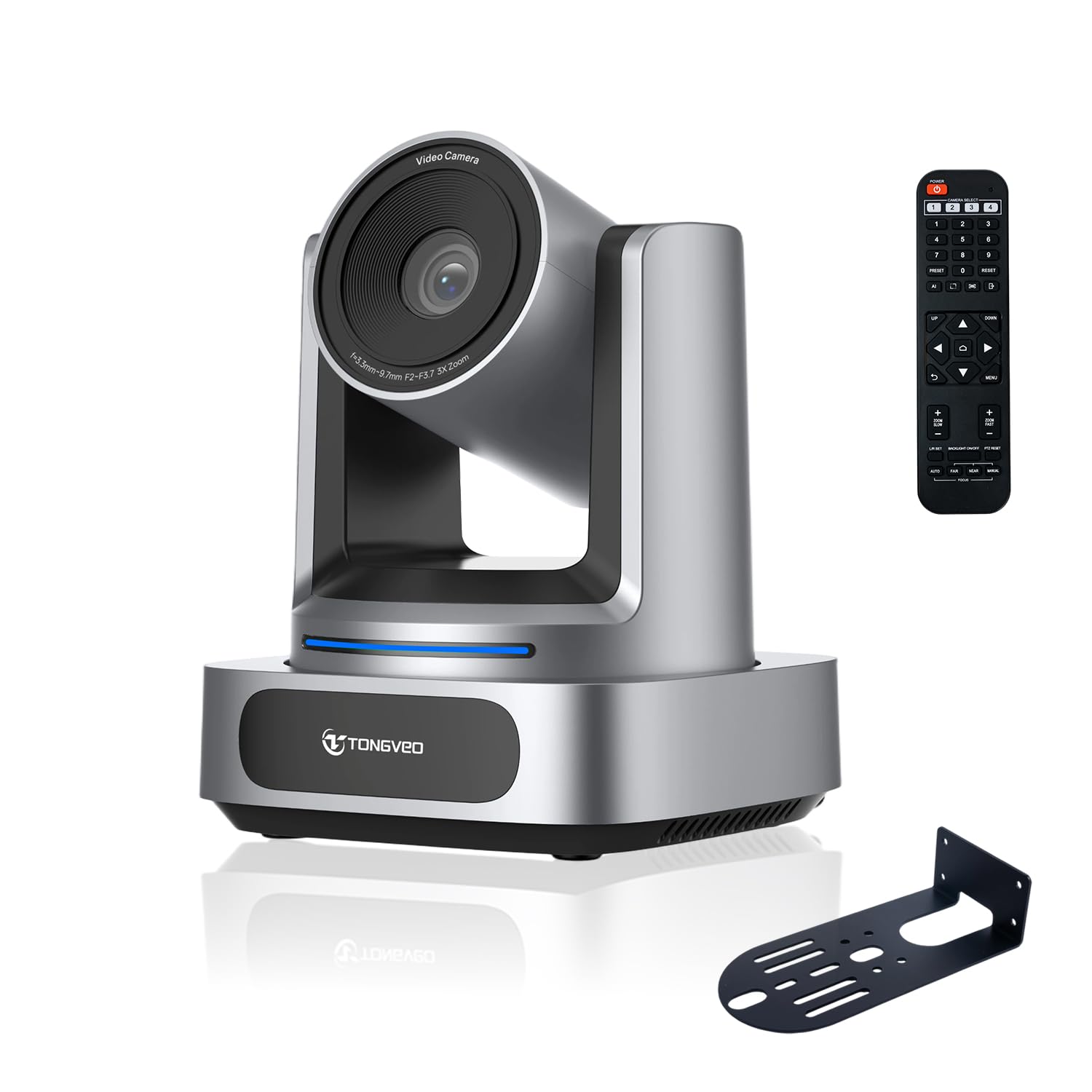
4. TONGVEO 4K PTZ Camera with 3X Optical Zoom
Real 4K resolution without leaping to the premium tier.
4K detail is the headliner here: a 1/2.8 inch CMOS sensor (the image chip) with 8.0 megapixels pushes out 3840×2160 at 30fps. That is four times the pixel grid of a 1080p camera, which means tiny facial cues during a sermon or lecture stay visible. It is the value route to UHD, and compared with the 1080p NexiGo it leads on raw resolution even though both come from similar money territory.
The 92° wide-angle lens is a genuinely useful spec for a wall or ceiling corner, pulling in a broad sweep so a mid-sized group fits without you backing into the hallway. From that wide shot, 3X optical zoom lets you punch in on a speaker minus the distortion digital cropping introduces. You get uncompressed 4K over HDMI 2.0, while USB 3.0 sends a clean 1080P feed straight to a laptop or desktop. A built-in OSD menu, IR remote, and 9 presets handle everyday camera moves; 255 presets open up through the RS232 and RS485 serial ports if you add a control keypad.
The AI tracking follows a talker’s face and body using the camera’s own algorithm, which suits a room where one person roams. The catch worth flagging: USB tops out at 1080P, so the full 4K only reaches your laptop if it is HDMI-equipped. PTZ movement covers 340° pan and 90° tilt for broad coverage. A wall bracket with screws, an IR remote, a 9.8ft USB 3.0 cable, and a 12V/2A adapter all ship in the package.
The standout: 4K/30fps at this tier is the reason to pick it, backed by a 92° lens that handles groups and a full mounting kit in the box.
The honest limit: if your workflow is laptop-only, UHD stays locked behind the HDMI port.
Reach for this if: you want UHD detail and a wide 92° frame for a modest spend, with an HDMI display at the end of the run.
Look elsewhere if: you feed everything through a single USB laptop and never use HDMI.
5. TONGVEO 3X Optical Zoom PTZ Camera (1080P 60fps)

The widest lens of the group, built to fit an entire small room in one shot.
Where the iuZee reaches far, this one reaches wide. Its 93° field of view is the widest lens in this lineup — the iuZee’s 63° is noticeably tighter, so in a snug boardroom the TONGVEO sees more of the table at once. That makes it the one to pick when you have less wall distance to work with. Pair it with 3X optical zoom and you can still jump from a group shot to a decent close-up.
Motion is smooth at 1080P with 60fps, which keeps a walking speaker from smearing across the frame. Two AI modes — auto-tracking and auto-framing — keep the presenter centered without you riding the remote. The PTZ head sweeps 350° horizontally and 180° vertically, and 255 presets make one-key recalls easy. The honest caveat from the maker: it tracks one person at a time and struggles with high-speed motion, so it suits a single talking head, not a fast-moving demo.
Setup is genuinely plug-and-play — USB 3.0 or HDMI, both live simultaneously, and the camera shows up as a normal webcam in Zoom, Teams, Skype, YouTube, and OBS. The box is fully stacked: the camera, a 9.8ft USB 3.0 cable, IR remote, wall mount bracket with screws, power adapter, and manual. That included bracket is a real convenience you will notice the moment you start planning the install.
Grab this if: your room is smaller and you need the widest sweep, plus a complete install kit from the start.
Skip if: your scene needs dynamic 4K, or several people moving at once — it frames one subject at a time.
6. KATOVJJTS 4K UHD PTZ Camera with 20X Optical Zoom
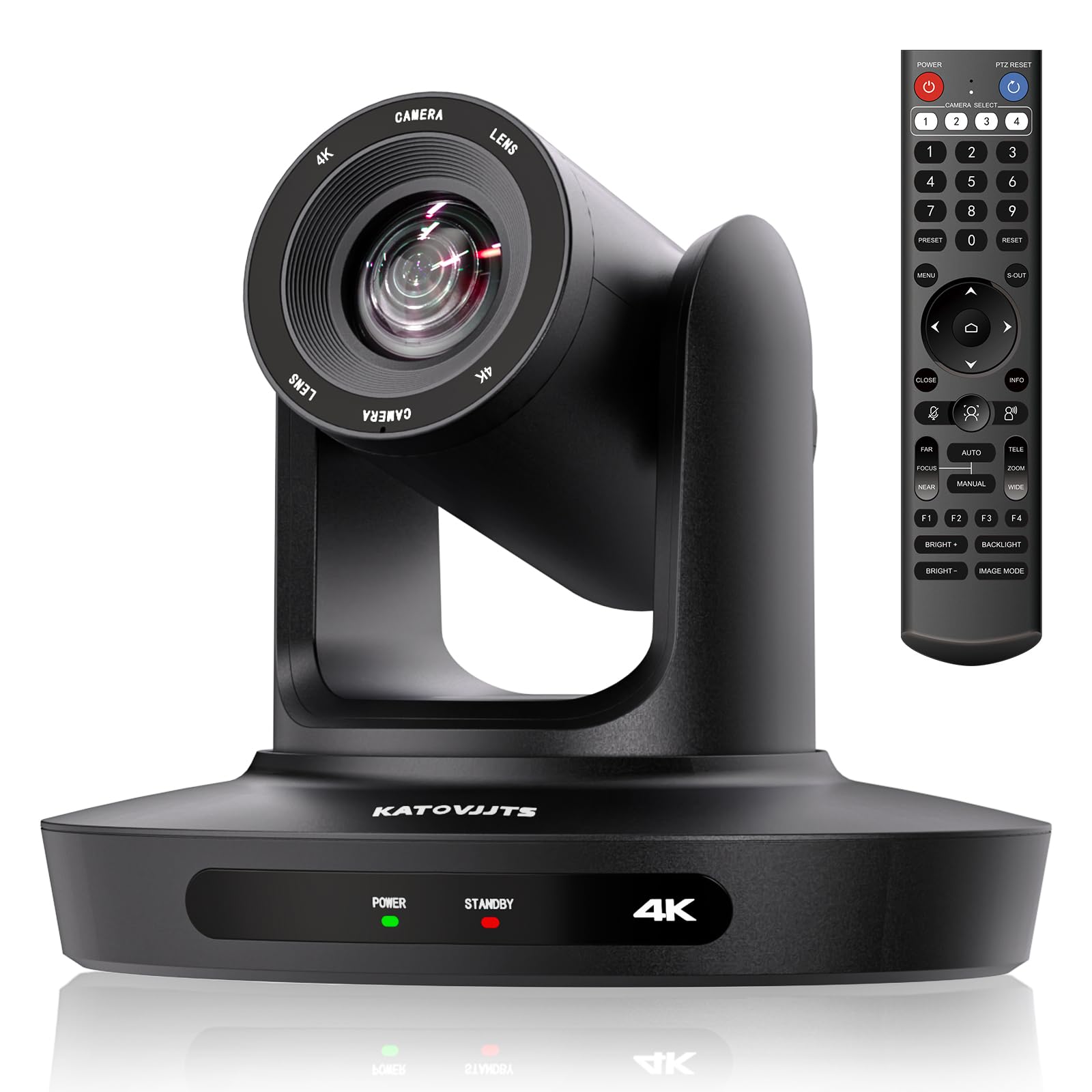
A long-throw 4K head built for sprawling halls and hard-to-reach walls.
This is the second 20X optical zoom camera in the group, and it pairs that long reach with full 4K UHD at 3840 x 2160 pixels and 30fps. The 58.7° lens is narrower than the 63° on the iuZee, so it is the more telephoto of the two long-throw options — good for a deep sanctuary, less forgiving in a tight room. Its standout spec is a 320-foot (100-meter) transmission distance, so even a big venue keeps a clean signal to the network.
The PTZ head sweeps 340° pan and 120° tilt, letting you cover a whole stage from a single wall perch. IP/LAN, HDMI, and USB 3.0 outputs all run, and PoE with RTSP, RTMP, and H.264/H.265 encoding makes this the pick for squeezing into an existing network setup. 2D/3D noise reduction keeps the image usable when light drops, and the low-bandwidth handling lets it perform even on a crowded network.
Setup is stated as plug-and-play across Windows and Mac, with broad Zoom, Skype, WebEx, Teams, and YouTube support. The remote pans and zooms from up to 60-70 feet per the listing, which matters when the camera is bolted high and out of reach. The honest trade-off is lens width: the 58.7° frame is the narrowest here, so plan a straight line to the subject.
Where it shines: 20X reach, 4K detail, and a 320-foot signal run make it a natural fit for large venues that already speak PoE and networking.
What to accept: that narrow 58.7° lens wants a clear line to the speaker and less clutter in the frame.
Perfect for: a big room, a long throw, and a network-ready streaming rig behind it.
Second-guess it if: your space is small and you need a wide frame rather than a long zoom.
7. Logitech MeetUp Video Conferencing System

The one-camera answer for a huddle room that also needs a built-in mic.
Most cameras on this list need a companion microphone; this one brings the audio rig with it. A 4K UHD sensor, a very wide 120° field of view, and 5x HD zoom pack a whole small room into one shot. Where the 92° and 93° TONGVEO lenses reach mid-sized groups, this 120° sweep grabs a huddle room’s full width without a second unit. Motorized pan and tilt then extend your reach up to 170°, so you can swing over to the whiteboard mid-call.
The audio is the real differentiator. Beamforming microphones (an array that steers toward a voice) pick up speakers up to 4 meters away, and an optional Expansion Mic pushes that pickup to 5m. Owners consistently praise the beamforming mics for picking up conversations from across the room. On the video side, a wall-or-credenza mount is included, and the optional TV Mount lets you hang it above or below the display for a tidy install.
This is the pick when you want one box to handle a small meeting space rather than assembling separate camera and mic. The honest reality: it is built for huddle and small rooms, so a big auditorium is beyond its reach. Picture and functionality draw a mixed read in practice, and the occasional unit can underperform after extended use — treat it as a well-supported small-room tool, not an auditorium workhorse.
What the box solves for you
- Built-in beamforming mics capture voices up to 4m away
- 120° field of view fits a whole huddle room
- Motorized pan to 170° reaches the whiteboard
- Wall or credenza mount included
Honest limits
- Designed for small rooms, not large venues
- Image and feature feedback is mixed across owners
- Expansion Mic for 5m pickup is sold separately
Choose it for: a small or huddle room where one device handling both picture and sound is the goal.
Think twice if: your venue is large enough to need a long-throw zoom — this is a short-room specialist.
8. Logitech Rally Camera
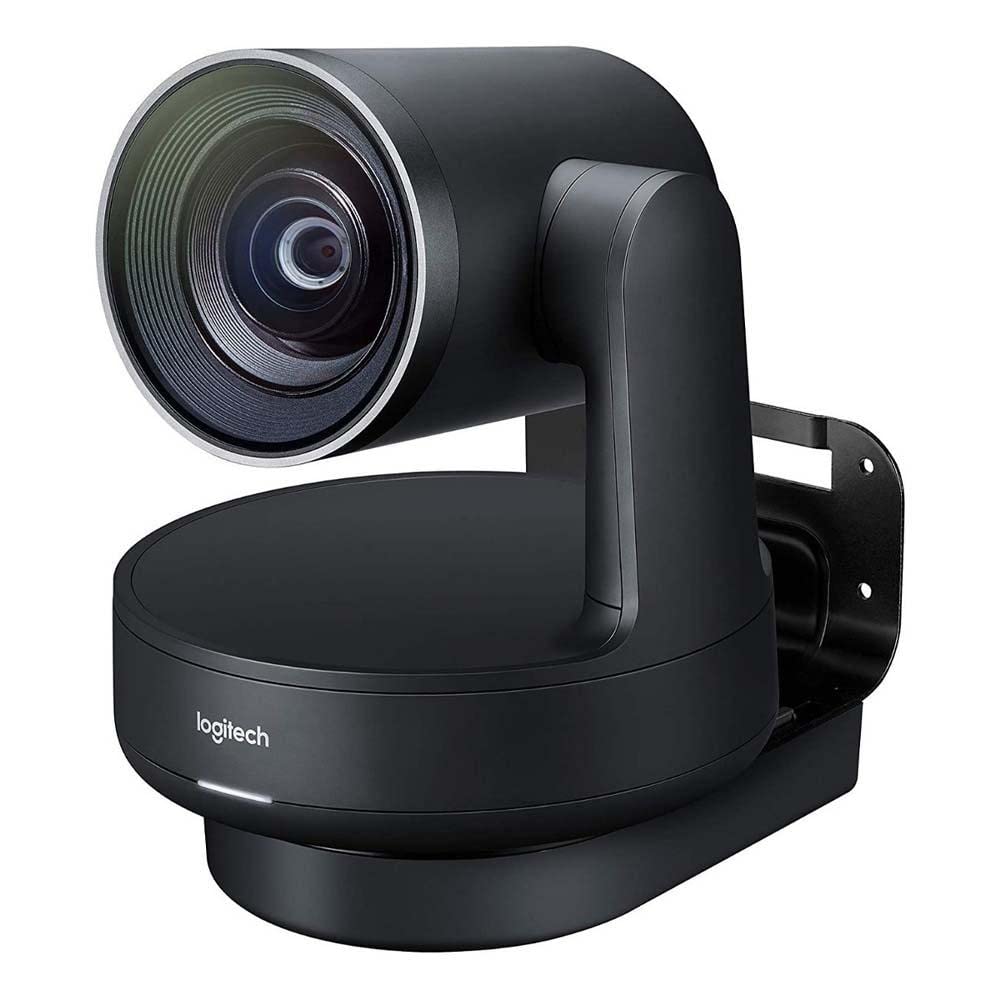
The professional-grade option that fixes its own orientation when hung inverted.
For a room where the camera lives on a ceiling or high wall, the small detail that matters most is the one that handles odd mounting angles automatically. This camera detects when it is upside down and corrects the image orientation and its controls on its own — no fiddling with flipped picture settings after you climb the ladder. An Ultra-HD imaging system serves up sharp video and accurate color at resolutions up to 4K, backed by advanced optics.
Mounting is flexible across the board: tabletop, tripod, or a wall install with the included hardware, and the overhead option is exactly where that auto-correct earns its keep. A 15x digital zoom adds reach on top of the optical head, and automatic exposure keeps the picture steady as light shifts through a long meeting day. The controls are automatic, so the camera largely frames and adjusts itself while you run the room.
This is the top of the tier and priced to match, so weigh it as a long-term meeting-room fixture rather than a quick add-on. The honest trade-off: it is a camera body first, and its ecosystem expects a full conference room around it — plan the rest of your setup accordingly. At 4.0+ stars it is the lowest-rated here, though for a niche professional unit that usually reflects specific room requirements rather than hardware flaws.
The headline: automatic orientation correction for inverted overhead installs is a genuinely rare, install-saving feature.
Weigh this: it costs like professional infrastructure, so it makes sense only if the room is a permanent, high-stakes meeting space.
Built for: a professional room that gets a permanent ceiling or high-wall install and wants the camera to handle its own flip.
Not the pick if: you want a simple bolt-on for a small space — this is infrastructure-tier gear.
Know the Specs
Optical Zoom
Optical zoom is glass that physically moves to magnify a distant person without blurring the picture. It is the number to watch when the camera hangs far from the action — a 20X lens pulls a speaker’s face much closer than a 3X one. Digital zoom, by contrast, just enlarges a slice of the existing image and softens fast, so it never replaces real optical reach.
Field of View
Field of view is the width of the room the camera captures, measured in degrees. A wide lens like 120° fits a whole huddle room; a 93° one suits a mid-sized group; a 63° one is narrower and better for reaching down a long room. Match the degrees to your room’s size and where you can mount the camera.
PoE and LAN Output
PoE (Power over Ethernet) sends electricity and data down one network cable, so a wall or ceiling camera needs no separate power outlet near the mount. Combined with LAN streaming and HDMI or USB, that keeps a professional install tidy and lets you place the camera wherever the view is best.
Presets and PTZ
PTZ means pan, tilt, and zoom — the camera’s motorized head that turns and aims. Presets are saved aim points, so one button snaps the lens back to the pulpit, the whiteboard, or the head of the table. More presets mean faster switching between fixed views during a meeting or service.
Common Questions
Can a wall mountable webcam work if my computer only has USB ports?
Do I need to buy a wall bracket separately?
Is a 20X optical zoom better than a 3X for a large room?
Will these cameras pick up sound on their own?
Can I mount one of these on a ceiling instead of a wall?
How far can a wireless PTZ camera be from my computer?
Does optical zoom change the field of view when I zoom in?
Do these wall cameras work with Zoom, Teams, and OBS?
Will the camera track me around the room automatically?
Is PoE worth choosing for a wall or ceiling install?
The Bottom Line
For most rooms that need a camera on the wall and a speaker in sharp focus, the iuZee 4K PTZ with 20X optical zoom is the pick to beat — the long reach plus PoE and a bundled wall mount cover the whole install in one order. If a cable run is your real roadblock, the TONGVEO wireless PTZ cuts the wire and still gives you smooth 1080P 60fps. Want proven, budget-friendly 10X reach and do not mind buying a bracket, and the NexiGo is the safe call. And if a small huddle room needs picture and sound in one body, the Logitech MeetUp is purpose-built for exactly that.
How we choose
We do not accept paid placement. Every pick is matched to a real buyer and a real use-case; we do not hands-on test units.
Sources
Specifications: manufacturer listings and product documentation. Review insights: verified customer reviews, as of November 2026. Pricing: not shown on this page (it changes often); check the current price via the retailer link.
As an Amazon Associate, Tactical Gear Guy earns from qualifying purchases. This does not affect which products we feature.