Specs are compiled from manufacturer listings and verified buyer reviews and can change over time — please confirm the key details on the product page before buying.
The quick answer: for most people, a mid-range convertible with a real OLED or high-res touchscreen beats a cheaper machine that only folds flat. The hinge is the part that breaks, the screen is what you actually stare at, and the processor is what decides whether tablet mode feels smooth or sluggish. This guide sorts eleven real 2-in-1 laptops by what they genuinely do well, from budget foldables to dual-screen workstations.
This guide is built by comparing the manufacturers’ published specifications and the patterns across verified customer reviews, so you get each pick’s real strengths and trade-offs instead of marketing spin.
Every pick below was checked for a true 360-degree hinge or a detachable tablet mode, so you never end up with a plain clamshell that happens to have a touchscreen. Here is the honest breakdown of 2-in-1 laptops worth your money.
Top Picks


How To Choose The Best 2-in-1 Laptops
A 2-in-1 is really two devices sharing one body, and that double duty is where the buying decisions get made. You are paying for a hinge that survives daily folding and a touchscreen that stays responsive through thousands of taps. Get those two right and the rest is detail. Get them wrong and you are carrying a fragile laptop with a screen you never flip.
Hinge type: flip versus detach
A 360-degree hinge lets the screen rotate all the way around into tablet, tent, and stand modes. That makes it a self-contained convertible — no part left on the desk. A detachable design, like the Surface Pro, separates the tablet from the keyboard entirely, which is lighter in tablet mode but means the keyboard is a separate piece to carry. Detachables often need the keyboard and pen bought separately.
The screen is the daily-use spec
Touch work lives or dies on the panel. An OLED screen gives deeper blacks and higher contrast, which matters when you sketch or watch video. An IPS panel tends to run cooler and cheaper. Resolution tells you how sharp text looks at close range: a 2880×1800 panel is finer than a 1920×1080 one, so small type and stylus strokes look cleaner. Refresh rate in hertz (how many times the screen redraws each second) affects smoothness — 120Hz scrolling feels notably slicker than 60Hz.
Memory, storage, and the AI chip
More RAM means more browser tabs and apps open at once without stutter, because RAM is your short-term workspace. A bigger SSD means fewer trips to external drives, since storage is where your files live. The NPU (neural processing unit, a chip tuned for on-device AI tasks) is the newest spec race; a higher TOPS figure is a maker’s claim about AI throughput, and you will mostly feel it through faster background features rather than a headline jump.
Side-by-Side Comparison
| Model | Best For | Display | RAM / Storage | Battery Life | Amazon |
|---|---|---|---|---|---|
| Samsung Galaxy Book5 Pro 360 (16”, Core Ultra 7 256V)★ Best Overall | Best Overall | 3K AMOLED, 120Hz | 16GB DDR4 / 512GB | 25 hours | Amazon |
| ASUS Chromebook Flip CX1Budget Champion | Budget ChromeOS pick | 14″ FHD, 60Hz | 8GB / 128GB eMMC | 11 hours | Amazon |
| HP OmniBook 5 Flip 14″Stylus Value | Stylus bundle value | 1920×1200 touch, 60Hz | 8GB DDR5 / 512GB SSD | — | Amazon |
| Lenovo IdeaPad Flex 5i Chromebook Plus 14″ | ChromeOS performance | 14″ WUXGA IPS, 300 nits | 8GB DDR5 / 256GB | 10 hours | Amazon |
| HP OmniBook X Flip 16″ | Big-screen OLED workhorse | 16″ OLED, 1920×1200 | 16GB LPDDR5X / 1TB SSD | Up to 30h 45m | Amazon |
| Lenovo Yoga 7a 16″ | 16-inch creative canvas | 16″ WUXGA IPS, 400 nits | 16GB LPDDR5X / 1TB SSD | — | Amazon |
| Samsung Galaxy Book5 Pro 360 (Gray) | Premium Samsung ecosystem | 2880×1800, 120Hz, Gorilla Glass | 16GB / 1TB | — | Amazon |
| Microsoft Surface Pro | Lightest tablet-first pick | 13″ OLED, 120Hz | 16GB / 1TB SSD | 15.5 hours | Amazon |
| ASUS Zenbook Duo | Dual-screen multitasking | Dual 14″ OLED 3K, 120Hz | 32GB LPDDR5X / 1TB SSD | 16h laptop / 9h dual | Amazon |
| ASUS ROG Flow Z13 | Portable gaming convertible | 13.4″ 2.5K, 180Hz, 3ms | 32GB LPDDR5X / 1TB SSD | Up to 10 hours | Amazon |
| Omnica 15.6″ Convertible | Budget Windows multitasker | 15.6″ FHD touch, 16:9 | 16GB DDR4 / 512GB SSD | — | Amazon |
Detailed Reviews
1. Samsung 16” Galaxy Book5 Pro 360 (Core Ultra 7 256V)
Our pick — 4.5+★ from 200+ verified ratings; the strongest balance of quality and price.
A 3K AMOLED 360-degree flip rated for 25 hours off the charger.
The headline number is the battery: up to 25 hours, enough to skip the charger for a workday and an evening. Compare that to the ASUS Chromebook Flip CX1’s 11 hours and you can see how wide the gap is. The screen is the other reason this sits at the top — a 2880×1800 3K AMOLED touchscreen at up to 120Hz. In plain terms, that resolution is finer than the 1920×1080 panel on the Omnica below, so text and S Pen strokes look noticeably crisper.
Inside sits an Intel Core Ultra 7 256V from the 15th Gen Lunar Lake family, with 16GB of RAM and 512GB of storage. That RAM is twice what the budget ASUS Chromebook offers, so heavy multitasking has more breathing room. The included S Pen gives you tilt sensitivity and multi-touch gestures, meaning drawing and note-taking feel closer to pen-on-paper than a plain finger-touch screen. Ports are generous for a thin convertible: HDMI, USB-A, two Thunderbolt 4 ports, a headphone jack, and a microSD slot, so you can leave the dongle bag at home.
What wins people over is the raw performance — it is the most-praised aspect of this machine by a wide margin, and owners describe it keeping up with far pricier rivals in daily work. The display is the clear second favorite. The honest catch is reliability: a run of buyers report the occasional freeze, so this is a superb daily driver rather than a machine you leave running a render unattended overnight. It is the crowd favorite at 4.5+ stars across 200+ owners, a strong signal for most buyers.
What buyers keep raving about
- Up to 25 hours of rated battery life — the longest figure in this guide
- 3K AMOLED panel at 2880×1800 with 120Hz smoothness
- S Pen included with tilt sensitivity for drawing
- Thunderbolt 4, HDMI, USB-A, and microSD all built in
Where it asks for patience
- A minority report occasional freezing under load
- AMOLED brightness and color pull more power than a plain IPS panel
Best fit for: anyone who wants a single machine that flips into a sketchpad and lasts a full day off the charger.
Think twice if: you need rock-solid reliability for unattended long jobs — give it a lighter workload instead.
2. ASUS Chromebook Flip CX1 Convertible Laptop
The ChromeOS flip that shrugs off a backpack and boots in seconds.
If you want the simplest, most affordable way into a real 360-degree convertible, this is it. The 14-inch FHD 1920×1080 NanoEdge touchscreen flips through all four modes — clamshell, tent, stand, and tablet — so it works as a reading tablet in bed or a stand for a video call. It weighs 3.59 lbs and is built to US Military Grade standard MIL-STD 810H, which is a durability claim about surviving bumps and drops rather than a waterproof guarantee.
The internals are modest on purpose: an Intel Celeron N4500 processor, 8GB of RAM, and 128GB of eMMC storage. That storage is the one number worth pausing on — compare it to the 512GB SSD on the Omnica below and it is a quarter of the space, so plan on cloud storage or the microSD reader. The upside is a claimed 11-hour battery and, being a Chromebook, it runs the Google apps and can open Microsoft Office files in Google Docs, Sheets, and Slides. Wi-Fi 6 and Bluetooth 5.2 keep the connection current, and you get two USB-C, two USB-A, and a microSD reader.
Owners mention it is easy to set up and genuinely good value, and it has proven a steady fit for Google Classroom-style schoolwork. Keep your expectations honest on the Celeron (Intel’s budget processor line): it handles browsing and documents comfortably, but heavy multi-app editing is not its territory. At 4.0+ stars it stands among the best-rated picks in this guide.
The real trade-off: 128GB of eMMC storage fills fast if you keep video or photo libraries on-device. Since it has a microSD reader, a cheap card closes the gap without touching the internals.
Pick this when: your day is browser tabs, docs, and video, and you want tablet mode without spending much.
Look elsewhere if: you run desktop-grade apps or keep large local files.
3. HP OmniBook 5 Flip 2-in-1 14″
A Windows flip that ships with a stylus you never have to charge.
This one earns its spot on the everyday Windows side. The 14-inch touchscreen runs 1920×1200 resolution with 178-degree wide-viewing angles and edge-to-edge glass, and the multi-touch IPS panel means you can rotate into tent or tablet mode and take notes without a wobble. The bundled stylus is the nice touch: it is made of aluminum alloy, needs no Bluetooth pairing, and never needs charging, so it is always ready — no dead-pen surprise mid-meeting.
The engine is an Intel Core 5 120U with 8GB of DDR5 RAM and a 512GB SSD. That 512GB is the same capacity as the Omnica below and far roomier than the 128GB on the Chromebook above, so local files are not a worry. Windows 11 Home brings Microsoft Copilot, and Wi-Fi 6E plus Bluetooth 5.3 keep the connection quick. The 5MP IR camera with an HDR switch handles video calls with a bit of extra polish.
Build quality is what people praise most here, with functionality close behind — it is the kind of machine that just works across study, work, and streaming. Worth flagging honestly: a handful of buyers reported arriving without the stylus in the box, so confirm the pen is present on arrival. At 4.0+ stars it is a solid, well-liked generalist.
Why it fits the everyday buyer: a full Windows machine with a real storage upgrade path via the SSD and a pen that costs nothing to run.
The right call if: you want a mid-range Windows 2-in-1 with a no-charge stylus and plenty of local storage.
skip it if: a missing accessory would derail your setup — verify the pen at unboxing.
4. Lenovo IdeaPad Flex 5i Chromebook Plus 14″
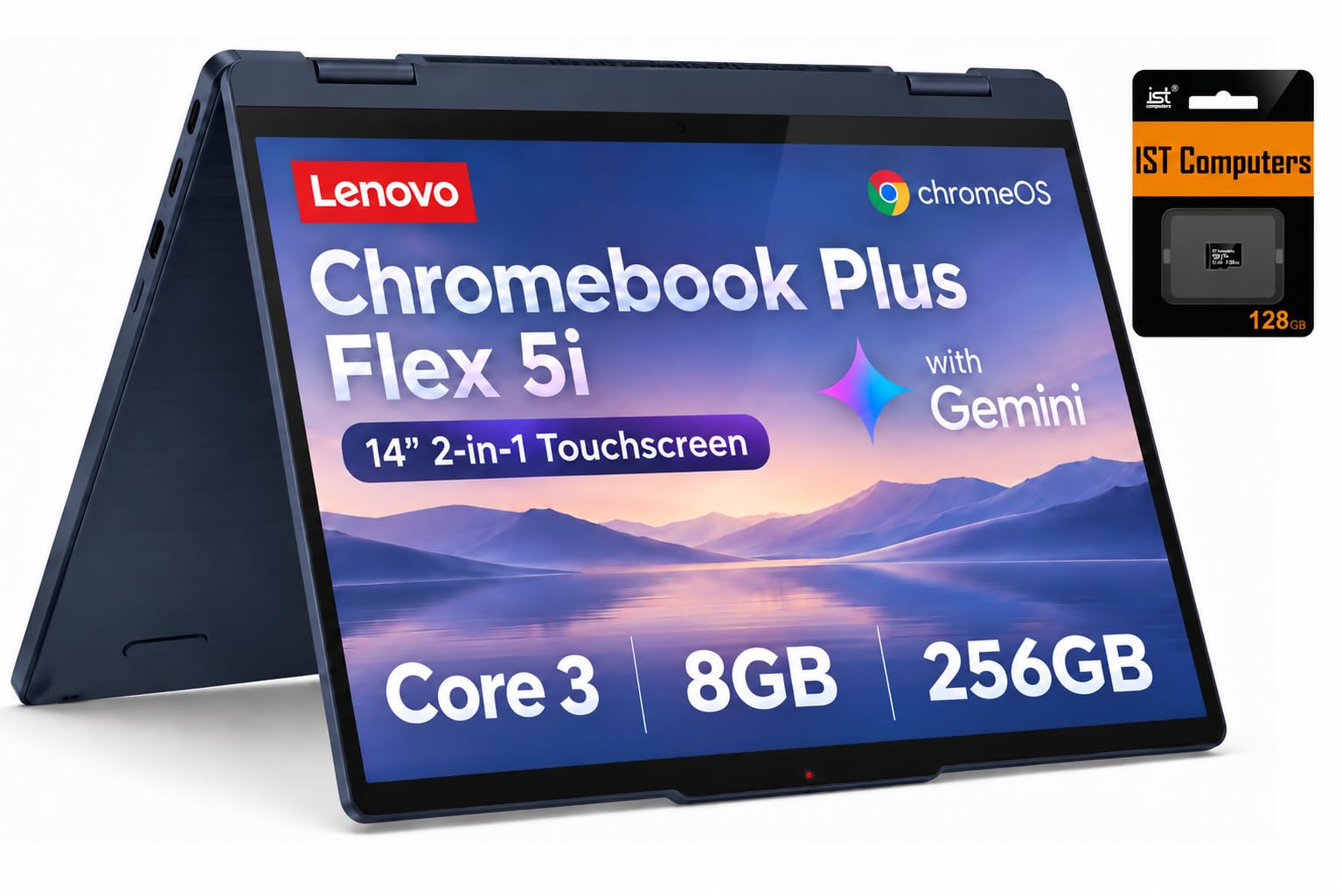
The Chromebook flip with a laptop-class processor and 3.9GHz headroom.
Here is a direct contrast worth knowing: this Flex 5i runs an Intel Core 3 N355 (8 cores, up to 3.9GHz), while the ASUS Chromebook Flip CX1 tops out at 2.8 GHz on a Celeron. For a ChromeOS machine, that is a genuine step up in responsiveness. The 14-inch WUXGA 1920×1200 IPS touchscreen at 300 nits brightness flips through laptop, tent, stand, and tablet modes on the 360-degree hinge, and MIL-STD 810H durability backs the slim, lightweight build.
Memory is 8GB of DDR5 with 256GB of storage made up of 128GB UFS plus a 128GB SD card, so unlike the ASUS Chromebook it ships with expansion already inside. You can drive three external monitors through the USB-C ports and HDMI 1.4b, which is a lot of real estate for a 14-inch machine. A 5MP camera with a privacy shutter keeps calls sharp and private, the keyboard is backlit for dim rooms, and Wi-Fi 6E with Bluetooth 5.3 keeps you connected. Battery is rated at 10 hours, and ChromeOS auto-updates run through June 2035.
Build quality is what people love, and it comes across in the aluminum-feeling fit and finish. The mixed note is reliability — a few buyers hit software hiccups — and value is debated, largely because of how this unit is bundled and resealed with an upgrade. It’s a strong pick if ChromeOS suits your work.
Why it stands out on ChromeOS
- 8-core Core 3 N355 up to 3.9GHz beats the entry Chromebook above
- 256GB total storage including a 128GB SD card
- Drive up to three external monitors via USB-C and HDMI
- Auto-updates secured through June 2035
The honest caveats
- A few customers note software crashes
- Sold resealed after an upgrade, so check the listing details
For ChromeOS fans who want speed: this is the quickest-feeling Chromebook flip here, with room to grow.
For everyone else: confirm you are comfortable with ChromeOS and the resealed-unit disclosure before committing.
5. HP OmniBook X Flip 16″ 2K OLED
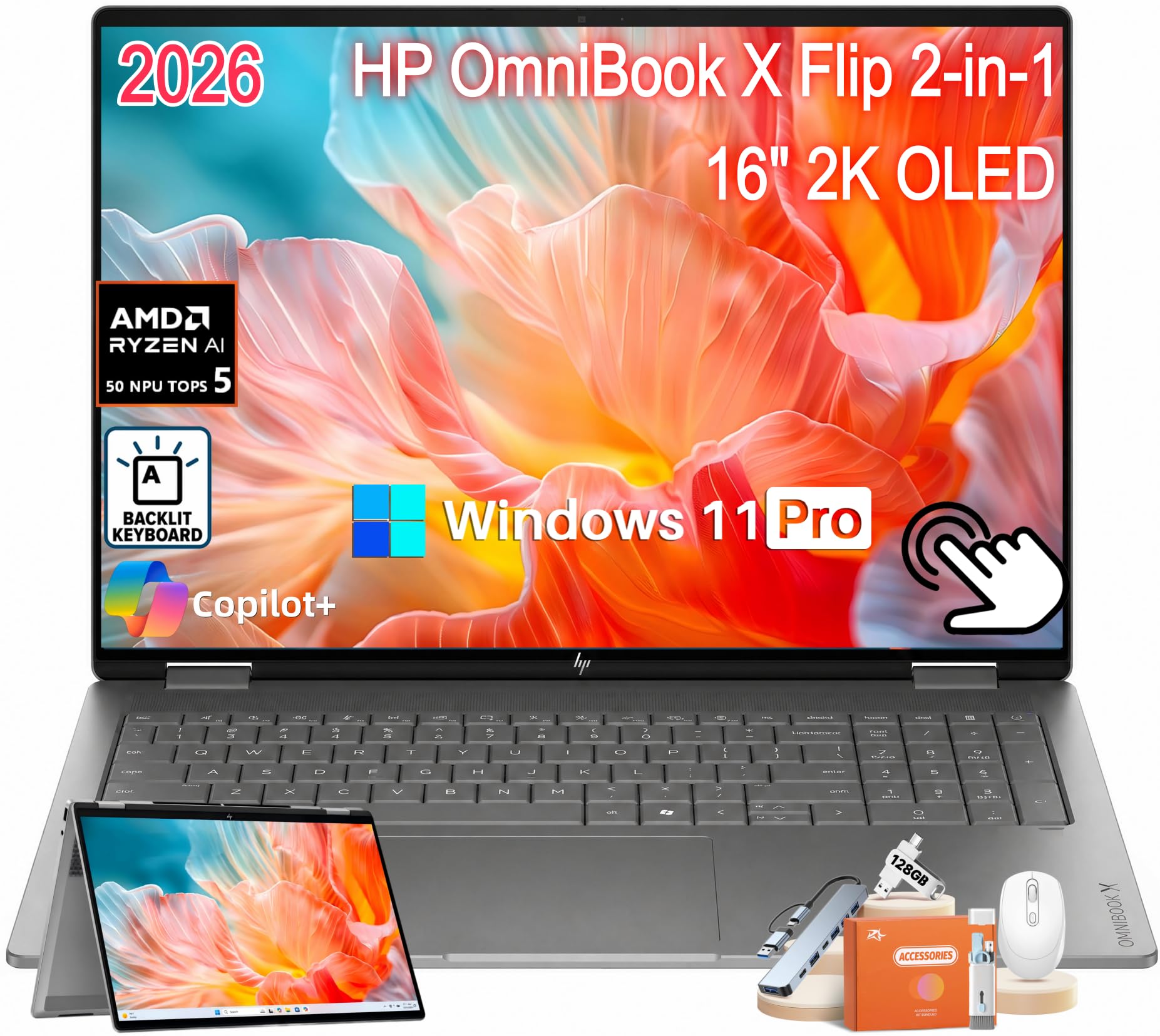
A 16-inch OLED flip with 1TB of storage and a travel-ready body.
The draw here is a 16-inch 1920×1200 OLED touchscreen in a 16:10 shape — that extra vertical height means more lines of text and less scrolling when you work. Inside is an AMD Ryzen AI 5 430 processor with up to 50 TOPS of NPU performance (that TOPS figure is the maker’s claim about on-device AI throughput), 16GB of LPDDR5X RAM, and a full 1TB SSD. At roughly 4.09 lbs and 0.60″ thin it stays a genuine carry-around machine, and the 65W USB-C GaN charger is described as about half the size of a traditional laptop brick.
Battery is rated up to 30 hours and 45 minutes under specified testing, which on paper tops the 25 hours on the Samsung above. Wi-Fi 7 and Bluetooth 6.0 are as current as it gets, and you get two Thunderbolt 4 USB-C ports, two USB-A, HDMI 2.1, and a headphone/mic combo jack. A 5MP IR HDR camera with AI noise reduction and Poly Studio dual speakers round out the video-call setup.
What this buys you over the 14-inch OmniBook below is screen acreage and storage in one jump — a much larger canvas for spreadsheets and creative work. The one thing to weigh is that its 1920×1200 resolution is the same pixel count as that smaller 14-inch HP, so on a bigger panel the image is less dense per inch. It’s the spacious choice, not the sharpest one.
Where it shines: a huge OLED panel plus 1TB of storage plus a 30-hour-plus battery rating all in one sub-0.6-inch frame.
The fit note: if fine-detail sharpness matters more than screen size, a higher-resolution 16-inch panel like the 3K AMOLED Samsung will read crisper.
Reach for this if: you want the most screen real estate and storage in a convertible that still travels well.
Consider the smaller HP instead if: pixel density on a big panel is your priority.
6. Lenovo Yoga 7a 16″ 2-in-1
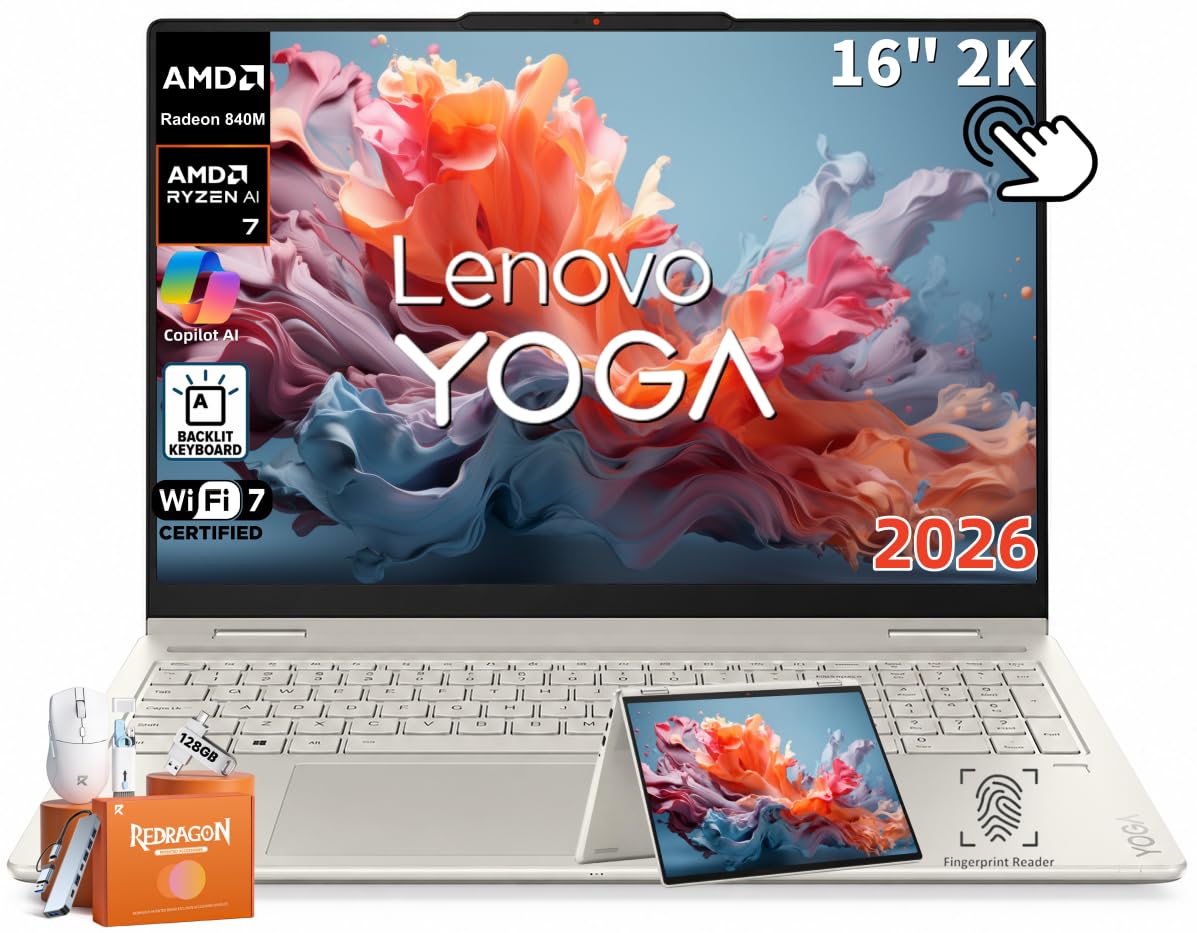
A 16-inch aluminum flip built for note-takers who like a bright screen.
Start with the panel: a 16-inch WUXGA 1920×1200 IPS touchscreen at 400 nits brightness. That brightness figure is note because it is higher than the 300 nits on the Lenovo Flex 5i above, so it fights glare better in a bright room. The 16:10 aspect ratio gives you more vertical lines, 10-point multitouch makes the screen respond to several fingers at once, and Dolby Vision support handles the color. The glossy, anti-fingerprint glass keeps daily smudges in check.
The engine is an AMD Ryzen AI 7 445 with 6 cores and 12 threads, boosting up to 4.6GHz, backed by 16GB of LPDDR5X memory and a 1TB PCIe 4.0 NVMe SSD. The memory is soldered to the board (so plan on 16GB for life), while the SSD can be upgraded. The integrated NPU is rated up to 50 TOPS for supported AI features. Each of those specs translates to a machine that keeps several apps open smoothly and stores a serious media library without external drives.
Connectivity is modern and complete: Wi-Fi 7, Bluetooth 5.4, HDMI 2.1, two USB-C with DisplayPort support, one USB-A, a headphone/mic combo jack, a microSD reader, a 5MP IR camera with privacy shutter, and a fingerprint reader. Dolby Atmos audio and Seashell aluminum construction give it a refined feel. It runs Windows 11 Pro with supported Copilot+ features. Optional pen input means the stylus is a separate choice here, not a pack-in.
What the specs deliver: a bright 400-nit 16-inch panel, 1TB of fast NVMe storage, and a full modern port set on a fingerprint reader as standard.
Best for: a student or creative who wants a large, bright touch display and room to store everything locally.
Know before you buy: RAM is soldered and the pen is not included, so decide on 16GB and a stylus up front.
7. Samsung 16” Galaxy Book5 Pro 360 (Gray, Core Ultra 7 256V)

The Samsung flip that turns your phone, tablet, and TV into extensions of the PC.
You get the same Galaxy Book5 Pro 360 chassis as our top pick, wrapped in CNC Aluminum at 12.7mm thick and 3.72 lbs, with an anti-reflective Corning Gorilla Glass DX screen at 2880×1800 and 120Hz (a fast refresh rate that keeps scrolling smooth). Where it separates itself is ecosystem glue: you can drive your phone, Galaxy Tab, Samsung TVs, and Smart Monitors from the touchpad and keyboard, sync a Galaxy phone through Phone Link, and even use your phone’s camera as a webcam. The dedicated AI key and Transcript Assist (which turns recorded lectures into notes) lean on that Galaxy AI layer.
The engine is an Intel Core Ultra 7 256V at the 15th Gen with an Intel Arc graphics and an NPU rated as high as 47 TOPS for Copilot+. Vision Booster adaptive brightness and the anti-reflective glass keep content readable in bright light, and the subdivided palm-rejection touchpad cuts accidental clicks. A 65W adapter is in the box and the S Pen is included with the multi-touch display.
People treat this as a top-tier productivity device that looks good and performs fast, and the battery earns specific praise — including the small practical win that the pen is never unavailable because it needs charging. If you are already inside Samsung’s phone-and-tablet world, this is the convertible that ties it all together. An S Pen that never needs charging matters more day to day than a flashier spec sheet.
What the ecosystem open up
- Control your phone, tablet, and TV from the laptop
- 2880×1800 120Hz screen with anti-reflective Gorilla Glass
- Included S Pen with no charging to worry about
- 47 TOPS NPU for Copilot+ tasks
Worth knowing
- Most of its magic is reserved for other Samsung Galaxy devices
- A 16-inch AMOLED panel is a thirsty component on battery
This one is for you if: an all-Samsung household is the plan and you want one screen to rule the lot.
Better to skip if: you carry an iPhone and non-Samsung gear — you would be paying for features you cannot reach.
8. Microsoft Surface Pro (13-inch, Snapdragon X2 Elite)
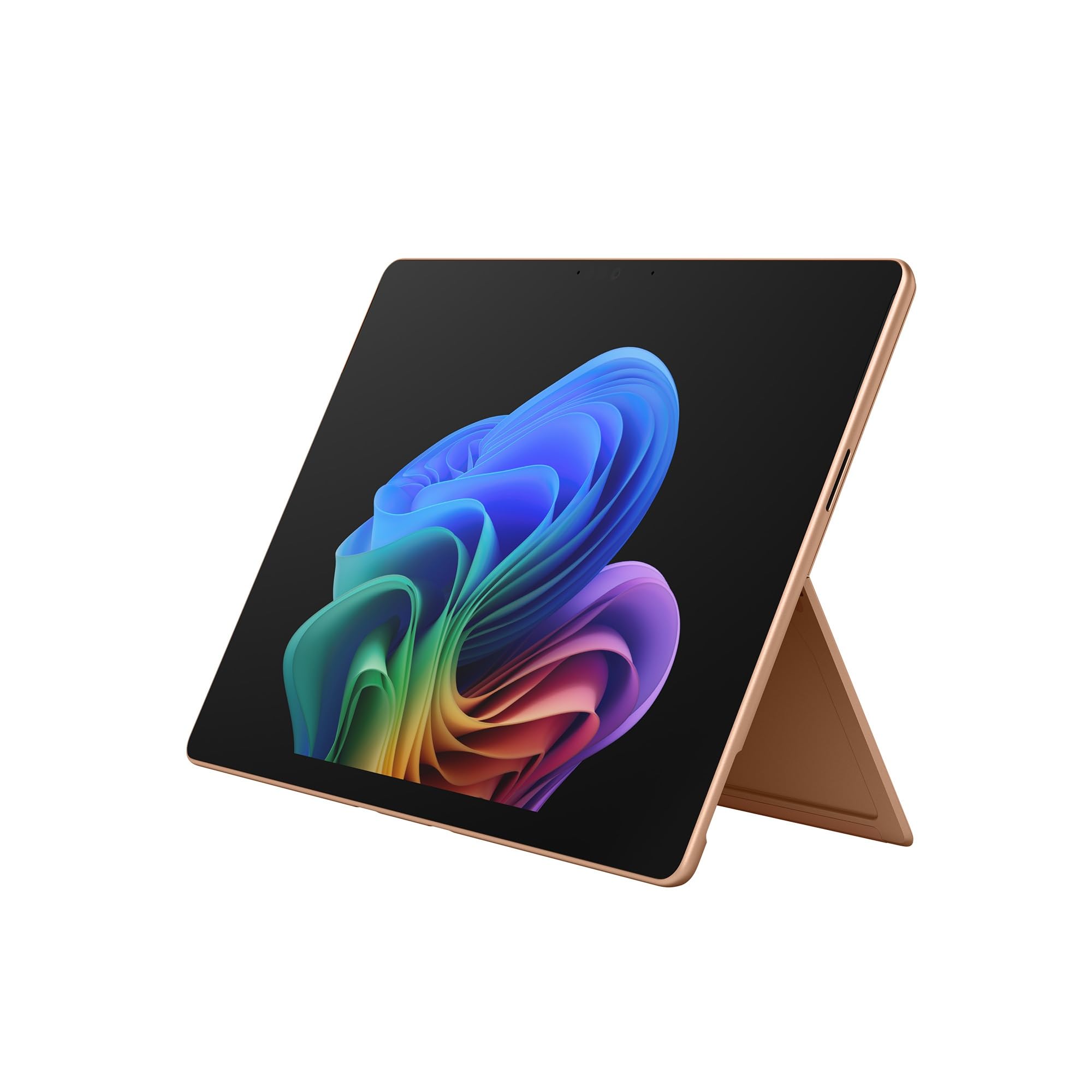
At 1.97 lbs, this is the tablet-first detachable that genuinely feels like a tablet.
Carrying it is the whole story: 1.97 lbs (895 g), which is lighter than any flip in this guide. Where the 360-degree machines fold, this one detaches — the tablet lifts off and the keyboard comes back on when you need to type. A 165-degree kickstand props it for drawing or movies. The 13-inch OLED PixelSense touchscreen runs 2880×1920 at 120Hz, so scrolling is smooth and colors are vivid. Powering it is a Qualcomm Snapdragon X2 Elite with 16GB of RAM and a 1TB SSD.
Battery is rated at up to 15.5 hours of video playback, so it can leave the charger at home on a travel day. Two USB-C / USB4 ports handle fast charging, big file transfers, and up to three 4K monitors. Wi-Fi 7 keeps it online. The body is premium anodized aluminum, and it comes in Black, Platinum, or this warm Dune finish.
Quality is the thing people rave about most — it feels like a well-made piece of hardware in the hand. Two honest catches: the keyboard and Surface Slim Pen are sold separately, so budget for both, and a minority of reviewers point out a unit that would not start up. Running Windows software and Office is praised, but this is a tablet you assemble, not a box with everything in it.
The tablet reality: nothing here matches it for pure tablet weight and OLED sharpness at this size.
The hidden cost: a detachable is only a laptop once you add the keyboard — and the pen is a separate line item too.
Choose this for: tablet-first work — sketching, reading, streaming — where you only occasionally need a keyboard.
Not the one if: you want a laptop that arrives complete, keyboard and pen in the box.
9. ASUS Zenbook Duo (Dual 14” OLED 3K)

Two 14-inch 3K OLED touchscreens in one 3.64 lb body.
Two screens is the spec that rewrites how you work: dual 14-inch Lumina OLED displays, each 2880×1800, at 120Hz with 500-nit peak brightness and Pantone validated 100% DCI-P3 color. Spread it into Dual Screen or Desktop Mode and you have the workspace of a much larger setup in a body that weighs 3.64 lbs and measures 0.57″ thin. A detachable Bluetooth keyboard and built-in kickstand mean it travels like a normal laptop. The engine is an Intel Core Ultra 9 285H with Intel Arc graphics, paired with a full 32GB of LPDDR5X RAM and a 1TB SSD — double the memory of most picks here.
Battery is a 75Wh cell rated for up to 16 hours of video playback in Laptop mode and up to 9 hours in Dual Screen mode, and it fast-charges over Thunderbolt 4 USB-C. Military-grade MIL-STD 810H durability covers the harsh-use side. Ports include two Thunderbolt 4, USB 3.2 Gen 1 Type-A, HDMI 2.1, and a combo audio jack, with Wi-Fi 7 and Bluetooth 5.4 for wireless. The box includes an ASUS Sleeve, an ASUS Pen 2.0, and a 65W USB-C charger.
The dual display is what people love, and the machine’s build quality is its most-praised trait overall. The honest trade-offs: performance and battery life draw mixed reactions, because running two big OLED panels is thirsty work — expect the dual-screen battery to fall well short of the laptop-mode figure. It is also the heaviest and priciest flip in the group. For split-screen multitaskers, the extra display more than carries the weight.
Why two screens earn their keep: code on one panel, docs on the other; spreadsheet on one, video call on the other — without a second monitor.
The cost of that second panel: dual-screen mode drains the battery roughly as fast as you would expect, so plan a charge in a full day away from the wall.
Reach for it if: your day is split between windows and one screen feels like a bottleneck.
Think twice if: you rarely multitask across windows — one big screen will serve you fine for less heft.
10. ASUS ROG Flow Z13

A 13-inch tablet that games like a desktop and flips on a 170° kickstand.
You can game on the move with this one. The ROG Nebula display is a 13.4-inch 16:10 WQXGA PANTONE-validated touchscreen running 180Hz with a 3ms response — in plain terms, the high refresh rate makes fast motion look smooth and the low response time cuts ghosting in quick games. The processor is an AMD Ryzen AI MAX+ 395 with 16 cores, up to 50 TOPS of NPU power (a maker’s claim about AI throughput), and RDNA 3.5 graphics, all inside a 13-inch chassis. That is a serious chip for a body this small.
Memory is 32GB of LPDDR5X 8000MHz quad-channel, which shares bandwidth dynamically between the integrated CPU and graphics to keep demanding games smooth, paired with a 1TB SSD. A 170° kickstand lets it stand in tablet and tent modes, catching the standout spec you feel immediately — the whole thing is built around portability without giving up frames. Cable clutter is handled by the 3.5mm combo jack and modern wireless.
Performance is what buyers prize most here, with raw power second — it earns its “gaming tablet” reputation for frame rates that rival portable gaming machines. The cost is honest: battery life sits at up to 10 hours and is the gripe that recurs, with stability and value both getting mixed reaction at the premium end. It is the pick that games like a desktop rig in a 13-inch tablet body.
Built for frame rates
- 180Hz ROG Nebula touchscreen with 3ms response
- Ryzen AI MAX+ 395 with 16 cores and RDNA 3.5 graphics
- 32GB of 8000MHz quad-channel memory
- 170° kickstand for tablet and console-style play
The gaming trade-off
- Battery tops out around 10 hours and shortens fast under load
- Stability and value draw mixed reactions at the premium tier
Best for: gamers who want a convertible that performs, and who value portability over all-day battery.
Hold off if: you need the 25-hour endurance of the Samsung for work — this one is built for frames, not marathons.
11. Omnica 15.6″ Convertible (16GB / 512GB)
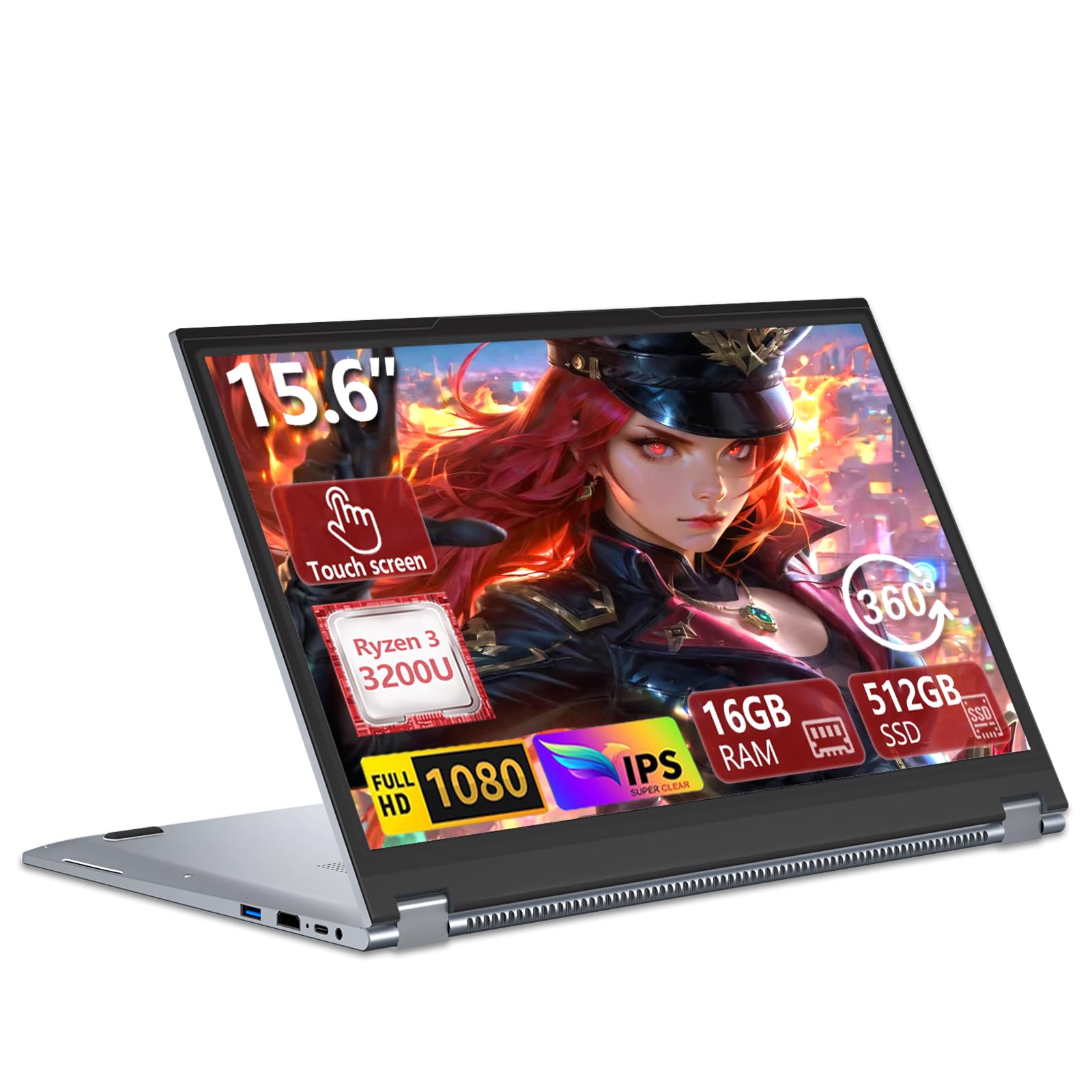
A 15.6-inch Windows flip that pairs 16GB of RAM with a 512GB SSD on a budget.
On paper this is the value play of the group. A 15.6-inch FHD 1920×1080 touchscreen in a 16:9 shape, a processor that is the Ryzen 3 3200U (up to 3.5GHz) with Radeon Graphics, and — crucially — 16GB of DDR4 RAM with a 512GB SATA SSD. That RAM figure is double the 8GB on the two Chromebooks above, and the 512GB matches the mid-range HP OmniBook 5 Flip. For the money, that is a lot of memory-and-storage for the shelf.
The 360° hinge switches between laptop, tablet, tent, and stand modes, and the backlit keyboard (toggled with Fn+F9) keeps nighttime typing comfortable. Windows 11 Pro is the OS. Connectivity is broad for a budget unit: USB 3.0, two USB 2.0, USB-C (3.2 Gen1), HDMI 1.4, RJ45 Ethernet, and a 3.5mm audio jack, plus Wi-Fi 5 (802.11ac) and Bluetooth 5.1. That Ethernet port is genuinely useful for a stable wired link at a desk.
Value is what people appreciate most, with the bright 15.6-inch touchscreen and the backlit keyboard close behind. The performance story is honest and mixed — impressions range from delighted to disappointed depending on workload, and battery draws the same split reaction. Treat it as a roomy multitasker for browsing, docs, and streaming rather than a speed machine. It is the budget Windows flip that gives you plenty of RAM and storage to start with.
The value math: 16GB of RAM and 512GB of SSD at the entry tier is a strong combination, and the FHD touch panel plus backlit keys make it comfortable day to day.
What to keep in mind: the Ryzen 3 3200U is an older-generation chip, so expect it to handle light-to-moderate work well and stumble on heavy creative apps.
This is your fit if: you want a large touchscreen Windows convertible with lots of RAM and storage for the least spend.
Go a tier up if: you edit video or run demanding software routinely — a newer processor will serve you better.
Know the Specs
Display: OLED vs IPS, resolution, and refresh rate
An OLED panel lights each pixel on its own, which is why it shows deep blacks and punchy contrast — great for sketch and video work. An IPS panel tends to run cooler and cheaper, which iswhy budget convertibles lean on it. Resolution (like 2880×1800 or 1920×1200) sets how sharp text and stylus lines look up close. Refresh rate in hertz is how often the screen redraws each second; 120Hz feels smoother than 60Hz when you scroll or draw. Higher numbers cost battery, so match them to your real use.
Processor, RAM, storage, and the NPU
The processor does the thinking, and its boost speed (in GHz) hints at how snappy it feels moment to moment. RAM is your open-tabs workspace — 8GB handles browsing and docs, while 16GB or 32GB keeps heavy multitasking fluid. Storage (SSD or eMMC) is where files live, and SSD reads and writes are quicker than eMMC. The NPU is a chip tuned for on-device AI; a TOPS rating is the maker’s claim about AI throughput rather than a guarantee of everyday speed.
Hinge, weight, and battery
A 360-degree hinge folds the screen through laptop, tent, stand, and tablet modes in one piece. A detachable splits the tablet from the keyboard, which is lighter in hand but leaves you carrying the keyboard separately. Weight matters because you flip a tablet-mode device in your hands, not on a desk. Battery figures are rated hours under specified testing, so real-world time drops with bright screens, dual panels, and heavy load.
Ports and wireless connectivity
Look for the ports you actually plug in: USB-C for charging and displays, USB-A for older drives, HDMI for a monitor, and a microSD reader for cheap extra storage. Wi-Fi 6E and Wi-Fi 7 are newer wireless standards with more capacity than Wi-Fi 5, and Bluetooth 5.3 or newer keeps accessories like styluses and headphones stable. Thunderbolt 4 ports do fast charging, big transfers, and external displays over one cable.
Common Questions
Will a 2-in-1 laptop work for drawing with a stylus?
What is the difference between a 360-degree flip and a detachable 2-in-1?
How long does the battery last on a 2-in-1 compared to a regular laptop?
Is 8GB of RAM enough for a 2-in-1 laptop?
Can I upgrade the RAM or storage on a 2-in-1 convertible?
Do I need Wi-Fi 7 on a 2-in-1 laptop?
Is an OLED touchscreen worth it on a 2-in-1?
What does the NPU and TOPS rating actually mean for me?
Will a cheap Chromebook 2-in-1 run Microsoft Office?
How important are the ports on a thin 2-in-1?
The Bottom Line
For most people, the 2-in-1 laptops winner is the Samsung Galaxy Book5 Pro 360 because it pairs the longest rated battery in this guide — up to 25 hours — with a 3K AMOLED 120Hz touchscreen and an S Pen in the box, so it flips from typing to sketching without a single accessory purchase. If you want the biggest screen and the most storage for the money, grab the HP OmniBook X Flip 16″ with its 1TB SSD and 16-inch OLED. And for tablet-first work where a 1.97 lb body matters more than a keyboard in the box, the Microsoft Surface Pro is the one to reach for.
The one thing worth acting on now: with a 3K AMOLED screen, an S Pen, and up to 25 hours of battery on the table, the Galaxy Book5 Pro 360 is the machine that gives you the most of a convertible’s promise in a single purchase — just give it a lighter workload if you need rock-solid reliability for unattended jobs.
How we choose
We do not accept paid placement. Every pick is matched to a real buyer and a real use-case; we do not hands-on test units.
Sources
Specifications: manufacturer listings and product documentation. Review insights: verified customer reviews, as of November 2026. Pricing: not shown on this page (it changes often); check the current price via the retailer link.
As an Amazon Associate, Tactical Gear Guy earns from qualifying purchases. This does not affect which products we feature.