Specs are compiled from manufacturer listings and verified buyer reviews and can change over time — please confirm the key details on the product page before buying.
A wall-mounted switch has to do three jobs well: move data without stalling, run silent because it sits near a bedroom or closet, and hang on two screws with a power brick pulling on it. Most handle the first job. Plenty fail the second. And a surprising number of wall-mount switches are really desktop boxes with keyhole slots (slotted holes that let the case hang on screw heads) added as an afterthought. The picks below are the ones where the mounting, the fanless housing, and the port count all line up — so you can mount it once and leave it alone.
This guide is built by comparing the manufacturers’ published specifications and the patterns across verified customer reviews, so you get each pick’s real strengths and trade-offs instead of marketing spin.
You will see 2.5G and 10G units sitting next to plain Gigabit boxes, because your router and your NAS (network-attached storage — a drive box on your network) decide which tier earns its place. Every pick here hangs on a wall. Pick by two numbers: how many devices need a cable, and how fast each link must run.
Top Picks


How To Choose The Best Wall Mount Ethernet Switch
Start with the cable you already own. If your internet comes in at a gigabit or less and your devices are ordinary laptops and TVs, a 1G switch handles everything and costs the least. If you run a NAS, a WiFi 6/6E router, or a gaming PC that copies large files, a 2.5G switch is the upgrade you will actually notice day to day — a large file copy finishes in a fraction of the time a 1G link needs. Match the switch to your slowest bottleneck, not your fastest device.
Does it really mount on a wall?
Keyhole slots are the difference between a switch that hangs flush and one that dangles off a zip tie. Every pick here lists desktop or wall-mount placement in its own specs. The practical detail is the power brick: a switch on a wall needs a nearby outlet, and the smaller the housing, the easier it sits in a closet corner. Metal cases (like the TP-Link TL-SG108-M2 at 8.9 inches long) give you a rigid back to screw into. Plastic cases are lighter but more prone to flex when you tighten the screws.
When PoE is worth paying for
PoE+ (the newer Power over Ethernet standard that pushes up to 30W per port) lets a single Cat5e or Cat6 cable carry both data and power to a security camera, a WiFi access point, or a VoIP phone (a phone that makes calls over your internet line) — no separate power adapter at the device end. The number to check is the total PoE budget: a switch with 63W can run a couple of cameras comfortably, while 58W covers a lighter load. If you have no powered devices, skip PoE entirely and put the money into port speed.
Silence and heat
Every switch on this list is fanless, which matters most when the switch lives in a bedroom, a home office, or a media cabinet. Fanless means no whine and no dust intake, but it also means the heat leaves through vents and the case itself. That is why 6kV lightning protection and ventilation holes appear in the specs — they keep a wall-mounted switch stable through summer heat and power spikes.
Side-by-Side Comparison
| Model | Best For | Ports | Top Speed | PoE Budget | Amazon |
|---|---|---|---|---|---|
| NETGEAR GS316v3★ Best Overall | Big home or small office wiring closet | 16 | 1 Gbps | — | Amazon |
| TP-Link TL-SG108S-M2Premium Pick | Silent 2.5G upgrade in a tidy housing | 8 | 2.5 Gbps | — | Amazon |
| UGREEN 8-Port 2.5GbMetal Build Pick | Full 2.5G on every port with a metal case | 8 | 2.5 Gbps | — | Amazon |
| TP-Link TL-SG108-M2 | 2.5G on a budget with rigid metal build | 8 | 2.5 Gbps | — | Amazon |
| NETGEAR GS305P | Powering cameras and access points | 5 | 1 Gbps | 63W | Amazon |
| TRENDnet TEG-S381 | Government and compliance-sensitive installs | 8 | 2.5 Gbps | — | Amazon |
| NICGIGA 6-Port 10G | 10G NAS and WiFi 7 routers | 6 | 10 Gbps | — | Amazon |
| UGREEN 5-Port 2.5Gb | Tight closet runs that need fast links | 5 | 2.5 Gbps | — | Amazon |
| Tenda 5-Port PoE+ | First PoE setup on a tight wallet | 5 | 1 Gbps | 58W | Amazon |
Detailed Reviews
1. NETGEAR GS316v3 16-Port Gigabit Ethernet Switch
Our pick — 4.5+★ from 54,500+ verified ratings; the strongest balance of quality and price.
Sixteen gigabit ports in a fanless metal box you can hang on the wall in a closet and forget for years.
This is the one you buy when the house has more cable ends than the router has spare ports. Sixteen autosensing ports at 1 Gbps run off your existing Cat5e or Cat6 cable, and each one detects the right speed for whatever you plug in — a printer, a pair of desktops, a couple of laptops. Set it on a shelf or screw it to the wall. The fanless metal housing means no whine, and 802.3az Energy Efficient Ethernet (a power standard that dials down usage when a port is idle) keeps the electric draw low. It reads 2.9 pounds with a maximum power spec of 8.1 watts. Plug it into power and it works — no software, no config page to fight.
For the money, nothing in this group moves that many cables at once. Reliability is where buyers are mostly happy but not unanimous: some units run for years, and a few stop working around the six-month mark. That is a risk worth naming on any switch with this many ports. Its rating is among the strongest in this group, and most units run for years.
What earns it the top slot
- Sixteen 1 Gbps ports versus five on the Tenda 5-port below.
- Fanless metal housing stays silent and keeps heat away from the case.
- Plug-and-play — no software install, no config file.
- Works with existing Cat5e or Cat6 cable.
- 802.3az reduces power draw without dropping speed.
Nothing is perfect — know these
- 1 Gbps per port; high-throughput NAS owners may want 2.5G instead.
- No PoE, so cameras or access points need their own power.
- A few units reportedly fail after several months.
- At 11.3 inches long, the housing takes real closet real estate.
Reach for this if: you have a closet full of cable ends and want them all live on one wall-mounted box without configuring anything.
Look elsewhere if: your NAS or gaming PC is already pushing more than a gigabit — the 2.5G TP-Links below move more data per port.
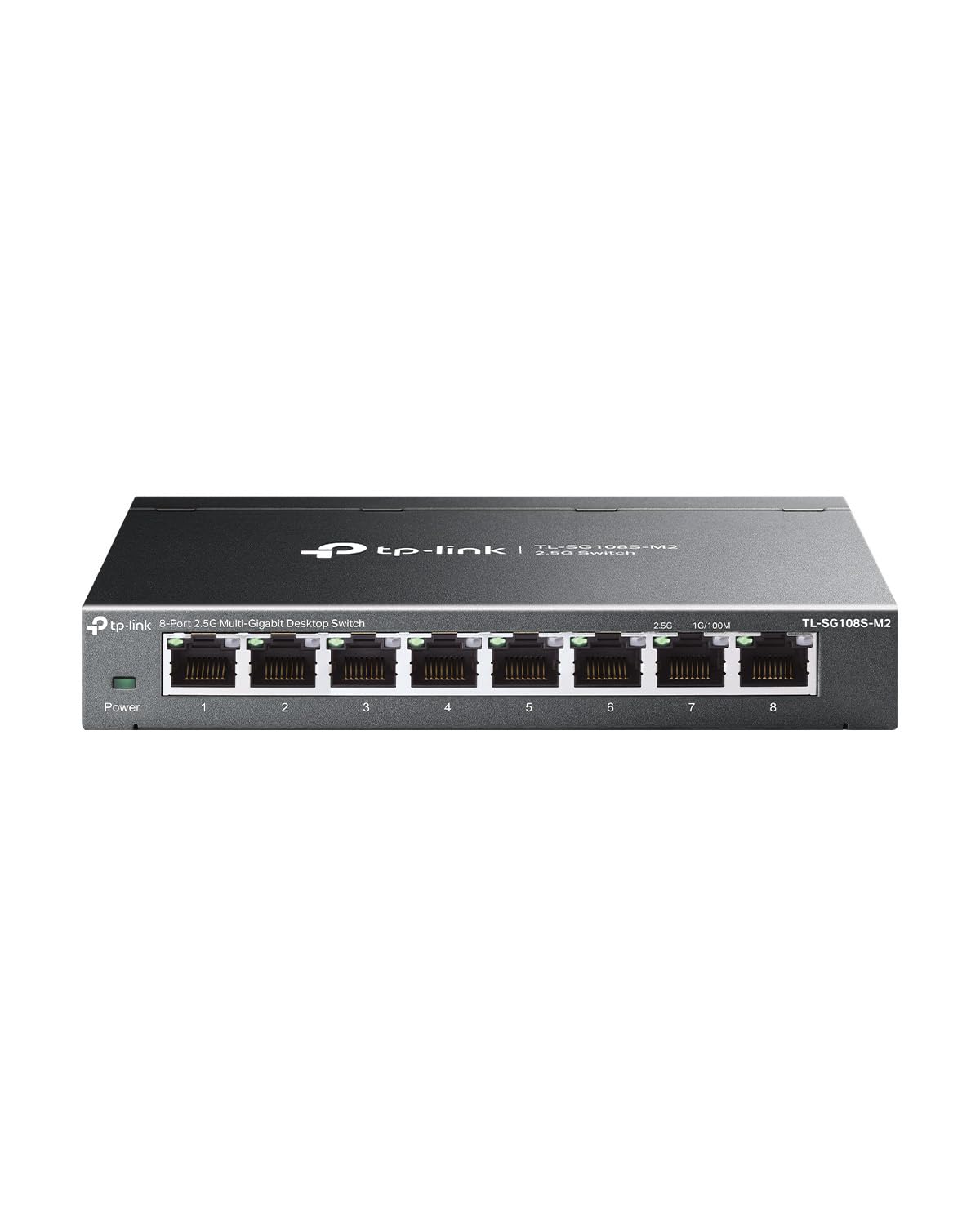
2. TP-Link TL-SG108S-M2 8-Port 2.5G Ethernet Switch
Eight 2.5-gigabit ports and a silent plastic shell small enough for a living-room media cabinet.
Eight 2.5G ports, 40 Gbps of switching capacity, and no fan to hear. That combination is what makes this the premium 2.5G pick: it delivers the same multi-gig throughput as the metal TP-Link below, but in a lighter plastic housing that mounts flush on a wall without bowing. Auto-negotiation covers 100Mb, 1G, and 2.5G in one move, so a WiFi 6 access point, a 2.5G NAS, and an older printer all coexist on the same box — each gets the fastest link it can handle. Plug-and-play means no setup screen on the day it goes up.
The bigger draw is the upgrade path: you can run 2.5G over your current Cat5e cable, so you get faster transfers without a re-wiring bill. Toss in 4K video and the switch has headroom to spare. The noise argument is the one most buyers mention — the fanless housing puts it near the top of the heap for quiet. What people flag is occasional dropouts; for most, it settles in and runs, but a stable link is not guaranteed for every unit in every setup.
Where the silence pays off: the fanless design and 8-port count make this the one to bolt up in a bedroom or a lounge where any hum is audible. It handles 2.5G WiFi 6 APs and 2.5G adapters without a bottleneck, and the plastic case keeps the weight down when it hangs.
The honest caveat: some buyers report constant disconnects. That is a small slice out of a strong rating, but if your network has to be rock-solid 24/7, test the link before you trust it with critical devices.
Wins when space is tight: 8 × 2.5G ports in a light plastic shell make it the one to wall-mount in a lounge or bedroom where fan noise would drive you mad.
Second-guess it if: you need PoE to power cameras, since none of these ports carry power.
3. UGREEN 8-Port 2.5Gb Ethernet Switch
Eight full 2.5G ports, a metal shell, and heatsinks inside — built for the NAS crowd that keeps the switch hot.
If your router already does 2.5G and your NAS wants it on every port, this is the one to wall-mount. Eight 2.5Gbps ports give you speed on all eight, not a couple of uplinks and the rest gigabit — and the metal housing plus heatsinks and thermal pads keep those high-speed links cool through long transfers. That is the architectural difference between this and the NETGEAR 16-port above: that one runs 1 Gbps per port, this runs 2.5 Gbps, which is the whole reason to pay up when your devices support it.
Speed is the pitch: UGREEN advertises it as 2.5× faster than standard gigabit switches, and with the right router and adapters, a large file copy finishes noticeably quicker. Auto-negotiation falls back to 100M/1G cleanly, so older gear still plugs in. The plug-and-play setup means no config screen. The catch is the build. Buyers are split on the metal quality — some call it solid, others cheap — and port spacing gets tight when all eight are filled with stiff cables. If you plan to swap cables often, give yourself room.
Why the NAS crowd picks it
- 2.5G on all eight ports, not just a couple of uplinks.
- Metal case with heatsinks and thermal pads to stay cool under load.
- Fanless, silent, and wall-mountable with non-slip feet for desk use.
- Auto-negotiation falls back to 1G and 100M for older devices.
The trade-offs to weigh
- Build-quality opinions split — some call the metal cheap.
- Port spacing feels tight with thick cables plugged into all eight.
- No PoE, so cameras still need local power.
Built for: NAS owners and multi-gig households who want every port at 2.5G and a metal case that shrugs off heat.
Only complaint to expect: the metal quality divides opinion and the ports feel snug with all eight filled — fine for a set-and-forget install, less fun if you patch cables weekly.
4. TP-Link TL-SG108-M2 8 Port Ethernet Switch
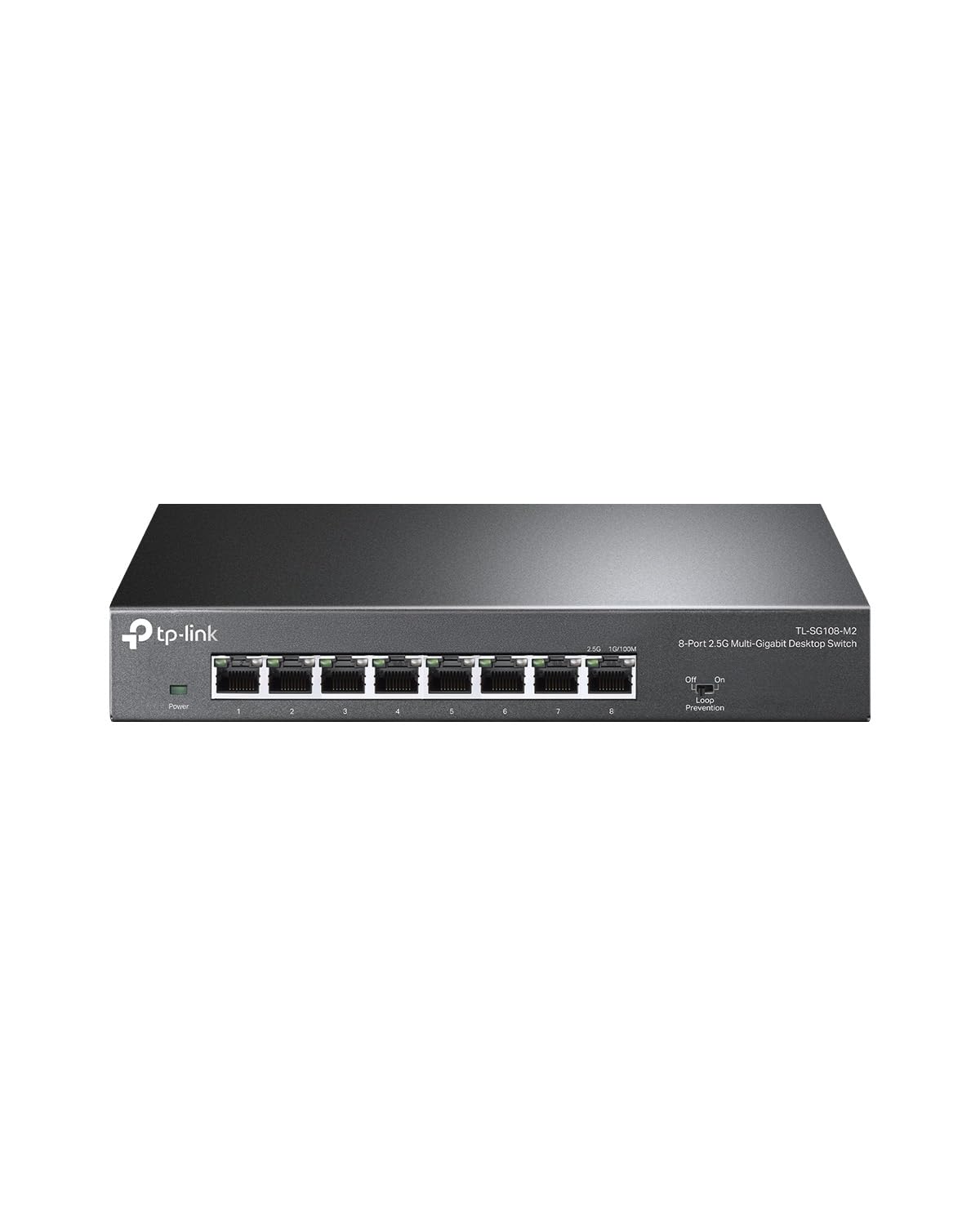
The rugged-metal 2.5G workhorse — 40 Gbps of switching capacity on eight ports with a three-year warranty behind it.
Eight 2.5G ports, 40 Gbps of switching capacity, and a metal case that measures 8.9 inches long by 5.2 inches wide — enough rigid back to screw into a joist and leave hanging. Auto-negotiation senses each device and picks between 100Mb, 1G, and 2.5G, so a 2.5G WiFi 6 access point gets its full link while a 2.5G PCIe adapter in a gaming rig does too. You do not need to re-run your cable: 2.5G works over existing Cat5e, which keeps the upgrade path short and practical.
At 0.93 kg and fanless, it sits quiet on a wall or desk. Buyers describe the quality as decent and as advertised, and the 3-year warranty plus free technical support gives you a safety net. The honest note is that reliability is a mixed bag — basic unmanaged switches like this generally run fine, but a handful of units reportedly stopped working entirely. It has sold in volume for years, so the odds of a good unit are strong, and the rigid metal case is why it takes the value slot over the plastic alternatives.
Why the metal matters: the rigid steel back and 3-year warranty make this the one to wall-mount with confidence — no flex when you tighten the screws, no fan to whine, and no risk of a cheap plastic shell cracking under the power brick cord.
Fair warning: a small batch reports units that died. If reliability is non-negotiable, test the link before trusting critical gear.
Suits: anyone who wants 2.5G on eight ports, a sturdy metal housing, and a 3-year warranty without spending premium-tier money.
Rather not: if you expect a rock-solid unit from the start and no returns, factor in the occasional dead unit.
5. NETGEAR GS305P 5-Port PoE Gigabit Switch

Four PoE+ ports with 63W of headroom — enough to power cameras and access points from one wall outlet.
The job here is simple: send power and data down a single cable to cameras, phones, and access points, so no device needs its own power brick at the far end. Dynamic PoE allocation moves unused power around, so a light device can free up watts for a hungrier one. The fifth port is plain 1G gigabit with no power, good for a desktop or a printer. Fanless metal housing, plug-and-play setup, wall-mount ready.
Owners mention it runs straight from the start with Polycom phones and Aruba access points, no config required. It is the switch you buy for an office or home-lab shelf where PoE matters and port speed does not. The limit is speed, not reliability: this runs 1 Gbps per port, so it will not match the 2.5G units above for large transfers. If your entire load is cameras and phones, that is irrelevant. If you also plan to copy huge files through it, look higher up the list.
Grab it for: powering four PoE+ devices — cameras, WiFi access points, VoIP phones — off one cable each, with a 63W budget that covers a typical home or small office load.
Not for you if: you also need fast file transfers, because this switch tops out at 1 Gbps per port.
6. TRENDnet 8-Port 2.5Gb Switch, TEG-S381, Lifetime Protection
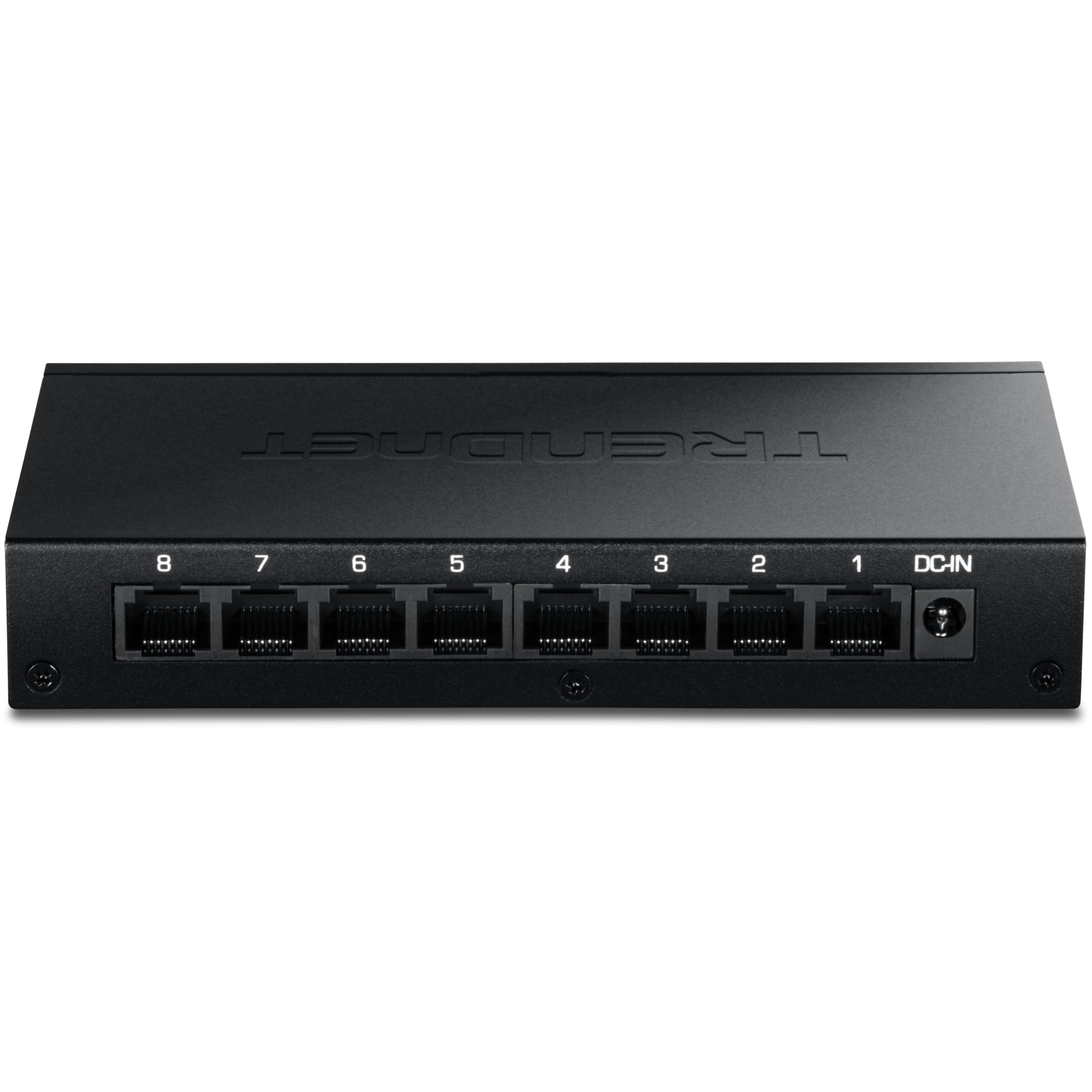
NDAA and TAA compliant, metal-housed, and covered by lifetime protection — the one you can spec for government work.
This is the switch that answers a specific question before you ask it: NDAA and TAA compliance, meaning it meets the procurement rules U.S. government and contractor buyers have to clear. Eight 2.5GBASE-T RJ45 ports run at 2.5G over existing Cat5e or better cable, with a 40Gbps switching capacity. The metal housing mounts on a wall, the fanless design keeps it silent, and it draws a maximum of 6.85 watts — the lowest power draw of any switch on this list. At 332 grams, it is also the lightest of the 8-port metal units here.
Technical support is English-speaking and available during normal business hours, and the lifetime manufacturer protection is the long-term backstop no other pick offers. Buyers describe it as perfect for small office use and worth the money, with the 2.5Gbit performance holding up when 2.5G and 1.0G devices share the same box. The trade-off is quiet maturity: it ships with no PoE, so cameras and access points need their own power, and the firmware is set-and-forget rather than feature-rich.
What makes it unique: only this switch on the list carries NDAA and TAA compliance plus lifetime protection — two things you cannot retrofit later.
Plan around: no PoE and no extra configuration, so powered cameras still need their own adapters.
Made for: government, contractor, and compliance-sensitive installs where NDAA/TAA clearance and lifetime protection matter as much as 2.5G speeds.
Think twice if: you need PoE for cameras — assign that job to the NETGEAR or Tenda picks.
7. NICGIGA 6 Port 10Gb Ethernet Switch

Two 10-gigabit ports to feed a fast NAS, four 2.5G ports for everything else — a 60Gbps core for a serious home network.
Most switches here stop at 2.5G. This one gives you two 10G RJ45 ports (standard ethernet jacks that run at 10 gigabits per second) for a 10G NAS, a WiFi 7 router, a 10G adapter, or a server, plus four 2.5G ports for the rest of the room. That combination fills the gap between a plain multi-gig switch and a full enterprise box. The 60Gbps switching capacity is the spec to notice — it keeps data flowing non-blocking (no port waits on another) when both 10G links and all four 2.5G ports are busy at once. Auto MDI/MDIX means no crossover cables to worry about. Ports 1-4 step down to 2.5G, 1G, or 100M, while ports 5-6 run 10G, 2.5G, 1G, or 100M.
The case is metal, with 6kV lightning protection and a fanless layout that stays quiet. Ventilation on both sides, a temperature range that runs from -10 to 50°C, and simple indicator lights keep it running in a closet through summer. Customers note 9+ Gbps throughput through the 10G ports and full 2.5Gbps speeds through the lower ones. Heat is the one honest split in opinion — some units run cool, others get hot to the touch. It handles it, but give it breathing room on the wall.
What ten-gig gets you
- Two 10G RJ45 ports and four 2.5G ports on one wall-mountable box.
- 60Gbps switching capacity handles heavy, simultaneous traffic.
- 6kV lightning protection and fanless metal housing.
- Runs from -10 to 50°C for garages and hot closets.
Give it room to breathe
- Some units get hot in prolonged use.
- Only two 10G ports — device count matters.
- No PoE, so powered devices need local adapters.
Your pick if: you own a 10G NAS, a WiFi 7 router, or a 10G-equipped server and need a wall-mounted handoff to four 2.5G devices.
Watch out: heat builds with the 10G ports under sustained load, so mount it where air can move around the vents.
8. UGREEN 5-Port 2.5Gb Ethernet Switch
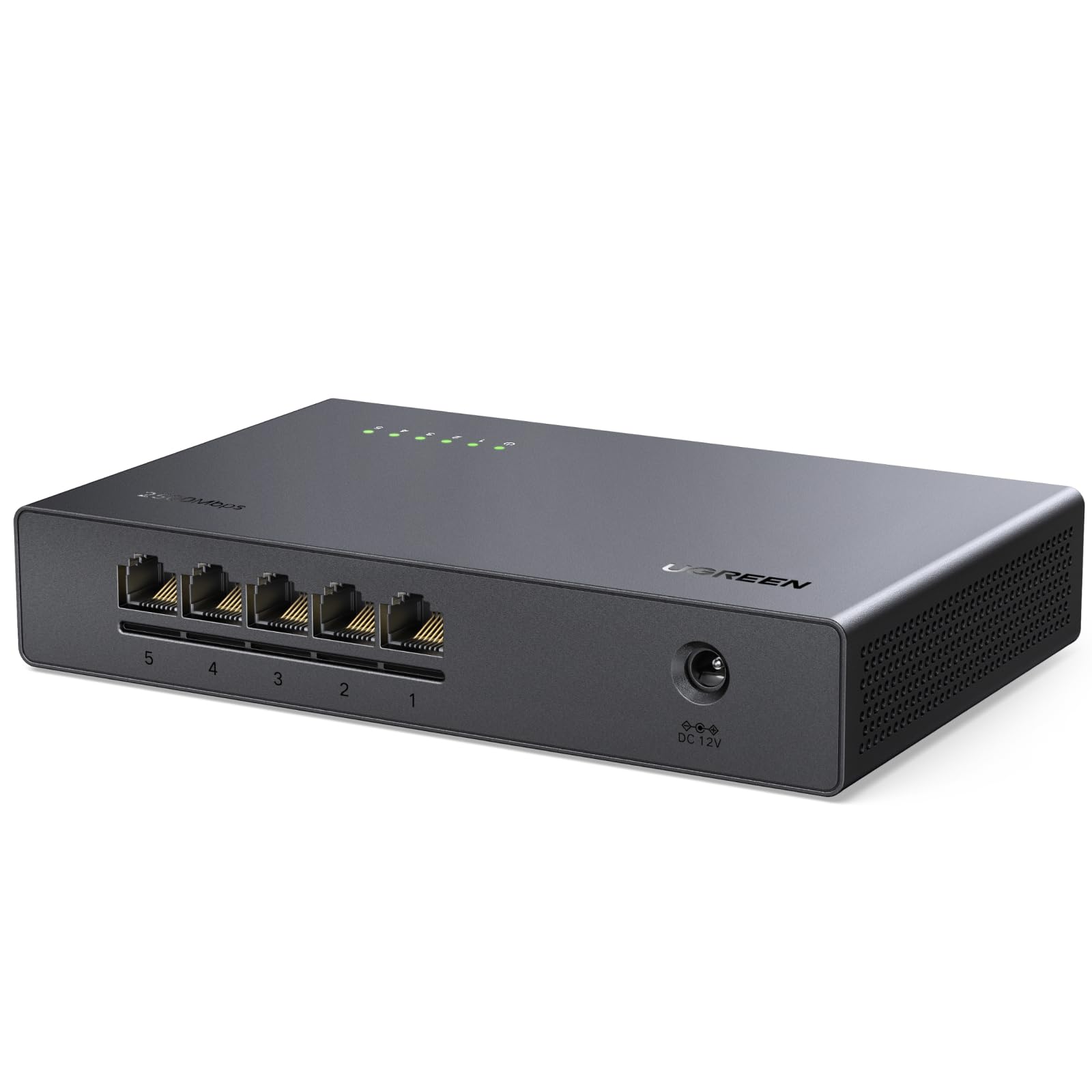
Five 2.5-gigabit ports in a slim plastic box that tucks behind a media console or onto a tight closet wall.
Five ports is the number that covers a gaming PC, a NAS, a TV console, and a WiFi 6 router with one spare — all at 2.5G, with 25Gbps of switching capacity holding non-blocking performance when every port is live. The plastic housing keeps it light, and the small footprint makes it the easiest of the 5G units to wall-mount where space is cramped. A 2.5G chipset inside handles low-latency traffic for gaming and a NAS, and fanless cooling runs no noise.
Ventilation on the bottom and sides lets it run under load without overheating, and the no-slip feet keep it steady on a shelf. The honest catch is that build quality is a split point — some see a solid unit, others see plastic — and port spacing gets snug with all five filled. Auto-negotiation brings 1G and 100M devices to speed, so older gear plugs in fine. Speed is up from the 1G units above, but it is not a match for the 10G NICGIGA. For tight spaces and a modest device count, it does the job.
Best angle: 5 × 2.5G ports with 25Gbps switching capacity in the most compact housing on this list — ideal when a closet or media shelf leaves no room for a metal monster.
The honest limit: plastic build splits opinion and port spacing tightens when all five cables are in.
Ideal for: gaming PC, NAS, and WiFi 6 router setups that need 2.5G on five ports and cannot spare extra wall space.
Skip the plastic if: you want a heavy metal case you can torque down hard on the wall screws.
9. Tenda 5 Port PoE Gigabit Ethernet Switch

The cheapest way to hand four cameras or access points power and data over one cable each.
Four PoE+ ports at 10/100/1000Mbps with up to 30W each, plus one gigabit uplink, running on a 58W total budget. That is the entire pitch for anyone wiring IP cameras, WiFi 6 access points, or VoIP phones in a home or small store. The 58W budget compares with 63W on the NETGEAR GS305P above, which is the whole reason it slots in cheaper — tight but workable for a light camera load. Intelligence is built in: non-PoE devices get data only, and if the load climbs past 58W, low-priority ports cut off first while the rest stay powered. A shorted port shuts itself down without taking the others with it.
The VLAN switch is the sleeper feature — toggle it and PoE ports 1-4 isolate from each other, so broadcast storms and DHCP spoofing cannot spread across them while the uplink stays open. Built-in 6kV lightning protection guards the gear through power spikes, and the fanless metal housing runs silent for round-the-clock use. Reliable is the consensus: units run for long stretches with no issues, power a WiFi 6 access point without protest, and the build quality feels solid for a budget box. The split is durability — a few reviewers point out their units dying more than once. That durability split is the trade-off at this price.
Where it earns a spot: 58W across four PoE+ ports, a VLAN isolation toggle, and 6kV surge protection — a lot of practical wiring safety for the simplest tier.
Know this going in: a few units have died on their owners; buy one, let it prove itself, and keep the receipt.
Start here if: this is your first PoE setup and you want four ports with VLAN isolation and 6kV protection without jumping to premium-tier money.
Step up instead: if long-term reliability is the priority, the NETGEAR GS305P carries a stronger track record for a similar job.
Know the Specs
Port count and speed
Ports are the devices you can plug in; speed is how fast each one moves data. A 1 Gbps switch handles roughly 125 megabytes per second, which is enough for streaming and most home devices. A 2.5 Gbps switch is the current multi-gig standard — the step up that makes a NAS copy or a huge game download finish faster without re-running your cable. A 10G port is for high-end NAS and servers that can feed it. Count ports by how many devices you plan to cable now, plus one spare.
PoE budget in watts
PoE+ ports push power down the ethernet cable, up to 30W on a single port. The total budget is the ceiling for all powered devices combined. So the 63W in the NETGEAR GS305P and the 58W in the Tenda both cover a light camera and access point load, but not a rack of high-draw devices. If the load exceeds the budget, some switches cut power to lower-priority ports first — plan your cameras accordingly.
Wall-mount housing
Keyhole slots and a metal back are what let a switch hang flush and hold steady under a power cable. Fanless housings (all nine picks here have one) keep the switch silent and dust-free, and the metal ones shrug off heat better than plastic. Check the weight against your wall anchors: metal 8-port switches run heavier, plastic 5-port boxes lighter.
Surge protection
6kV lightning protection and IEEE 802.3az energy standards show up on several picks. 6kV guards against power spikes from summer storms or a sudden surge on the line. 802.3az is a power-saving standard that drops usage when ports are idle, keeping the switch cheap enough to leave on 24/7.
Common Questions
Can I wall-mount a switch without a bracket?
Do I need a 2.5G switch for a WiFi 6 router?
Will a PoE switch power my security camera?
What does unmanaged mean on a switch?
Is a 10G switch worth it over 2.5G?
How many ports do I actually need?
Will a 2.5G switch work over my existing Cat5e cable?
Do these switches make noise on a wall?
Can I use a wall-mounted switch in a garage or attic?
What is the difference between PoE and PoE+?
The Bottom Line
For most people wiring a home or small office, the wall mount ethernet switch winner is the NETGEAR 16-Port Gigabit Ethernet Unmanaged Network Switch because sixteen ports, a fanless metal housing, and true plug-and-play make it the easiest to hang and forget. If your devices already push past a gigabit, grab the TP-Link TL-SG108S-M2 for silent 2.5G on every port. And for cameras or access points that need power over the cable, the NETGEAR GS305P carries the stronger track record with its 63W PoE budget.
How we choose
We do not accept paid placement. Every pick is matched to a real buyer and a real use-case; we do not hands-on test units.
Sources
Specifications: manufacturer listings and product documentation. Review insights: verified customer reviews, as of November 2026. Pricing: not shown on this page (it changes often); check the current price via the retailer link.
As an Amazon Associate, Tactical Gear Guy earns from qualifying purchases. This does not affect which products we feature.