Specs are compiled from manufacturer listings and verified buyer reviews and can change over time — please confirm the key details on the product page before buying.
If your laptop has a Thunderbolt port but no Ethernet jack, you already know the pain: a Wi-Fi drop mid-transfer, a 40GB project folder crawling along at home-network speed, a NAS that feels like a mail-order catalog. The fix is a Thunderbolt to Ethernet adapter, and the market splits three ways: Gigabit dongles, multi-Gig 5G/2.5G boxes, and true 10G units that need PCIe tunneling through your port. Buy the wrong one and you pay for a 10G badge but get 1G throughput.
This guide is built by comparing the manufacturers’ published specifications and the patterns across verified customer reviews, so you get each pick’s real strengths and trade-offs instead of marketing spin.
Below you’ll find nine real adapters sorted by what they actually deliver, from a tiny Apple Gigabit unit to a fiber-ready Sonnet 10G box. Each entry names the port standard it demands, the real-world speed ceiling, and the buyer it fits — which is exactly what separates a smart thunderbolt to ethernet adapter purchase from a drawer full of regrets.
Top Picks


How To Choose The Best Thunderbolt to Ethernet Adapter
The single question that decides everything: what does your port actually support? A Thunderbolt 3, 4, or 5 port carries PCIe data alongside USB, which is what allows a real 10G Ethernet chipset to run at full tilt. A plain USB-C 3.2 port does not, so a 10G adapter plugged into one will negotiate down or refuse to work at all.
Check your port symbol before you check the spec sheet
Look for the small lightning bolt (Thunderbolt) or the USB4 logo next to your laptop’s USB-C port. If it’s a plain oval USB symbol, a Gigabit or 2.5G adapter is your realistic ceiling. This one check saves you from buying a 10G adapter that can’t deliver.
Match the adapter speed to your network, not your wish list
A 10GbE adapter needs a 10GbE router, switch, or NAS on the other end, plus a Cat6a or better cable. If your home network tops out at 1G, a 10G adapter is wasted money. A 5G or 2.5G unit on NBASE-T (a standard that lets one port auto-negotiate between speeds) will match your gear and cost less.
Decide between RJ45 copper and SFP+ fiber
RJ45 is the standard rectangular network jack — plug in a normal Ethernet cable and go. SFP+ is a slot for a fiber or copper transceiver module, used in pro studios and long cable runs. Copper RJ45 suits homes and small offices; SFP+ suits editing bays wiring into a fiber backbone.
Budget for heat and cable grade
Bus-powered adapters pull electricity from your port and cool passively through an aluminum shell. They get warm during long transfers — that’s normal. Also budget for a Cat6a cable; a Cat5e cable caps a 10G link far below its rating.
Side-by-Side Comparison
| Model | Best For | Rated Speed | Port Required | Weight | Amazon |
|---|---|---|---|---|---|
| Apple Thunderbolt to Gigabit Ethernet Adapter★ Best Overall | Mac users on a Gigabit network | 1000 Mbps | Thunderbolt | 0.32 oz | Amazon |
| Sonnet Solo5G USB-C 5Gb Ethernet AdapterBudget Multi-Gig | Multi-Gig on a budget | 5000 Mbps | Thunderbolt / USB-C | 1.6 oz | Amazon |
| ACASIS USB C to 10Gb Ethernet AdapterBest for Editing | Video editors on macOS | 10 Gbps | USB4 / Thunderbolt 3/4/5 | — | Amazon |
| WAVLINK USB4 to 10Gbps Ethernet Adapter | NAS and large-file transfers | 10 Gbps | USB4 / Thunderbolt 3/4/5 | 198 g | Amazon |
| CalDigit Connect 10G | 10GbE RAID/NAS editing | 10 Gbps | Thunderbolt / USB4 (PCIe) | — | Amazon |
| SABRENT Thunderbolt & USB4 10GbE Adapter (NT-P10G) | IT setups with WoL/PXE | 10 Gbps | Thunderbolt 3/4/5 or USB4 | 4.59 oz | Amazon |
| StarTech 10GbE USB4 Ethernet Adapter | TAA-compliant IT deployment | 10 Gbps | USB4 / Thunderbolt 3/4/5 | 186 g | Amazon |
| OWC Thunderbolt 4 10G Ethernet Adapter | Pro audio and video sync | 10 Gbps | Thunderbolt 4 | 453 g | Amazon |
| Sonnet Solo10G SFP+ Thunderbolt Adapter | Fiber backbone connections | 10000 Mbps | Thunderbolt | 9.6 oz | Amazon |
Detailed Reviews
1. Apple Thunderbolt to Gigabit Ethernet Adapter
Our pick — 4.5+★ from 5,500+ verified ratings; the strongest balance of quality and price.
The tiny Apple dongle that turns a Wi-Fi-bleeding Mac into a wired workhorse.
If you own a Thunderbolt-era Mac and just need a stable 1G wired pipe that never drops, this Apple adapter is the crowd favorite — 4.5+ stars across 5,700+ ratings. It supports 10/100/1000BASE-T networks, which covers every standard home or office switch and gives you a night-and-day speed boost over Wi-Fi for large file transfers. No software, no driver disc, no fiddling: plug it into the Thunderbolt port and the Mac sees a wired connection.
At 0.32 ounces it is by far the lightest unit on this list — a fraction of the weight of the Sonnet Solo5G at 1.6 ounces. Its footprint is modest too, with a 2.64-inch length body compared to the WAVLINK USB4 10G adapter’s 3.46-inch frame. That portability makes it a natural fit for a laptop bag, though it does mean this is a Gigabit unit, not a 10G one. If a 10GbE NAS is in your future, buy a 10G adapter instead; this one caps at 1000 Mbps no matter what you plug into it.
Reviewers praise its reliability: the adapter connects and works every time, with no driver step. The one thing to know: it requires macOS 10.7.4 or later, and it is a Thunderbolt-only adapter, not a plain USB-C dongle. Check your port symbol first; if you have only USB-C 3.2, this won’t help you.
Where this Apple pick earns its place
- Genuinely plug-and-play on Thunderbolt Macs — no driver step at all.
- 0.32 oz body disappears into a laptop bag.
- Supports 10/100/1000BASE-T — universal switch compatibility.
- Backed by the highest rating and deepest review base in this group.
Where it stops short
- Caps at 1000 Mbps — a 10GbE NAS will run far below its rating.
- Needs a Thunderbolt port, not plain USB-C 3.2.
- Requires macOS 10.7.4 or later.
Reach for this if: you’re on a Mac with Thunderbolt and a Gigabit switch, and you want a wired link that just works.
Look elsewhere if: your network has a 10GbE NAS — this adapter is a 1G ceiling.
2. Sonnet Solo5G USB-C Ethernet Adapter
A 5G multi-gig adapter priced like a 1G one, and just 0.75 inches tall.
Sonnet’s Solo5G is the value play for a half-step network upgrade: where a 10G adapter needs a 10GbE switch, this one negotiates at 5 Gbps, 2.5 Gbps, 1 Gbps, or 100 Mbps over the NBASE-T standard. That flexibility means it fits almost any switch you already own. At 5000 megabits per second rated speed against the Apple adapter’s 1000, this is the higher-throughput pick by a big margin — and at 1.6 ounces it’s still pocketable compared to the bulkier OWC 10G unit at 453 grams.
Reviewers cite long-term dependability as its strongest trait. The compact 3.25 inch body is bus-powered, so no wall brick, and Sonnet’s aluminum shell acts as a passive heatsink. Windows 11, macOS 14 Sonoma, and Ubuntu 24.04 Noble Numbat are all listed as supported OS versions.
Here’s the honest read: this is a young product with a small review base, so the quality verdict is still forming. One thing to weigh carefully — the chip inside is built for 5G, so if you plan to move to a 10GbE NAS, this won’t get you there. Buy a 10G adapter instead.
What you’re actually buying: a 5Gb-capable multi-gig adapter that rides NBASE-T down to 2.5G or 1G automatically, with a captive USB-C cable and an aluminum body.
The caveat worth knowing: it’s a 5G ceiling, not 10G, and it needs a multi-Gig switch on the other end to hit 5 Gbps. Also note that NBASE-T 5G typically needs Cat 5e or better — Sonnet specs the adapter itself and the cable is a separate choice.
Suits you if: you want 5G or 2.5G speed on a budget and don’t need 10G.
Heads-up: it needs a multi-Gig switch, and its 5G ceiling won’t push a 10GbE NAS to full speed.
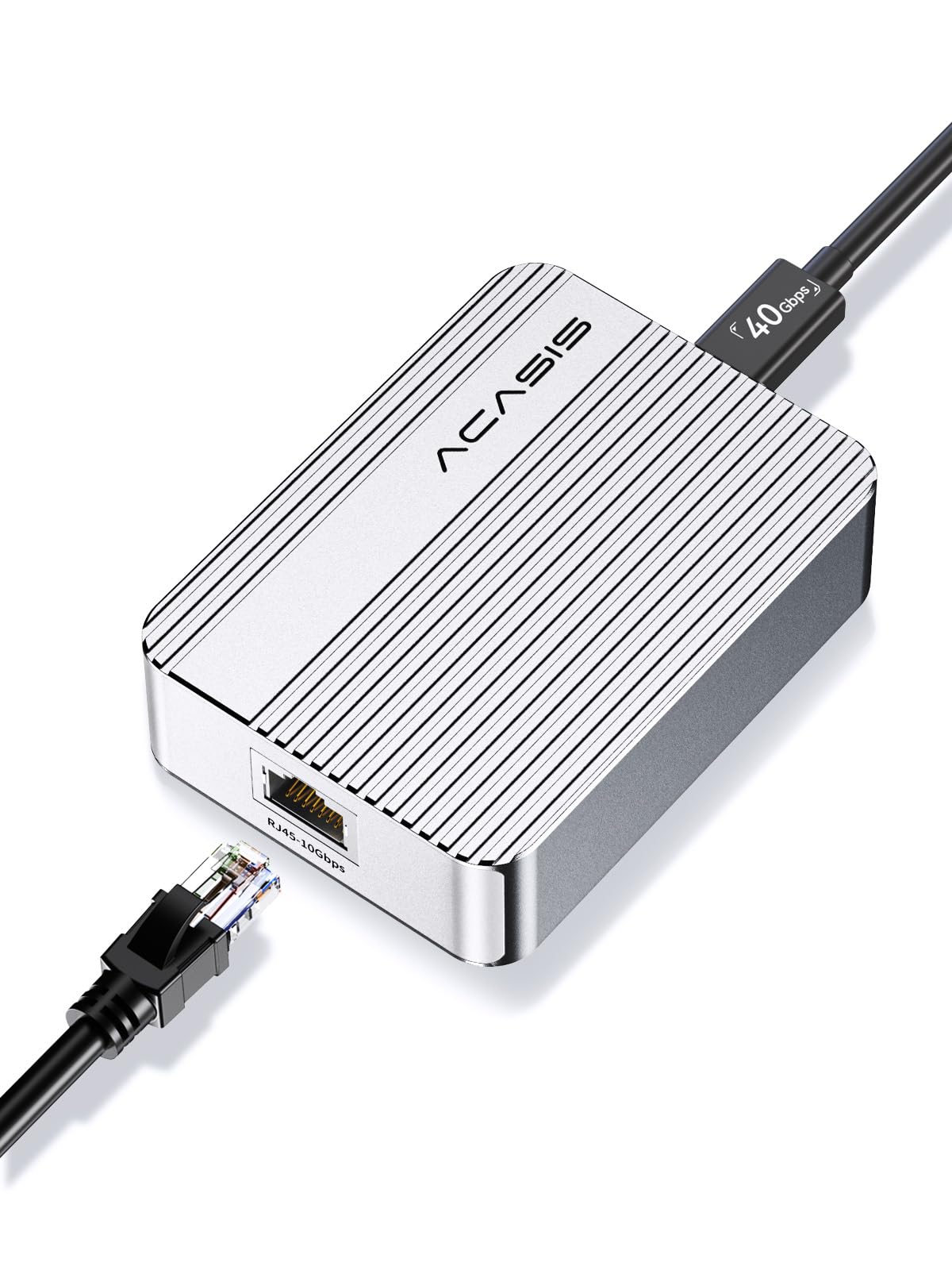
3. ACASIS USB C to 10Gb Ethernet Adapter Aluminum Housing
Built for Mac video editors moving 4K and 8K RAW footage over a 10G pipe.
The ACASIS is the only pick here explicitly pitched at editors and photographers, and it hits 10 Gbps over USB4 or Thunderbolt 3/4/5. The real-world number to hold onto: over 900 MB/s in the maker’s own testing. That’s the kind of wired speed that makes a NAS feel local when you’re scrubbing a 4K RAW timeline. It auto-negotiates at 10G, 5G, 2.5G, or 1G, so it drops to match your switch.
On macOS it is true plug-and-play — no driver step, which matters on an on-set job where every minute counts. On Windows you’ll need to download the driver. The aluminum housing handles heat passively. At 2.52 inches wide it’s a desk-friendly size, and this unit ships with a 40Gbps cable in the box.
The important caveat: the reliability picture is genuinely mixed so far, and this is the lowest-rated 10G adapter in this list at 4.0+. It is also the pick most dependent on the rest of your chain — 10G speed requires 10GbE support upstream and downstream, so a Gigabit router will leave it idling at 1G. Think of it as a specialist tool for a fully 10G-capable Mac editing setup, not a plug-into-anything adapter.
The editor’s case: over 900 MB/s in maker testing, a 40Gbps cable included, and native macOS plug-and-play make this a focused tool for RAW footage and NAS-backed timelines.
What to go in knowing: Windows requires a driver download, the reliability verdict is still mixed in the review base, and you need 10GbE on both ends to see 10G speeds.
Pick it for: a Mac-based editing or photography workflow already sitting on a 10GbE network.
Avoid it for: mixed-platform shops or anyone hoping to upgrade from a Gigabit router.
4. WAVLINK USB4 10Gbps Ethernet Adapter

A proper 10G adapter built around the AQC113-B1 controller, with the review base to back it.
The WAVLINK is the most-reviewed 10G adapter in this list, and it runs on the AQC113-B1 chipset — a controller designed for sustained throughput with low latency. It delivers up to 10Gbps over USB4 or Thunderbolt 3/4/5, and auto-negotiates from 10Gbps down to 10Mbps with no manual setting. Buyers praise its plug-and-play functionality first and its aluminum build quality second.
The catch worth knowing: speed is the mixed area in reviews, and the fix is environmental, not the adapter. A full 10G link requires your broadband speed to exceed 10G, your modem or router to output 10G, a Cat6a or higher cable, and a USB4/Thunderbolt host port — all five. Windows and Linux also require a manual driver install (the Marvell AQtion driver), while macOS has native drivers. It is not compatible with host ports that are USB 3.2/3.1/3.0/2.0 only, nor with phones or tablets.
The aluminum shell handles passive heat dissipation for long sessions. Dual LEDs show link speed and data activity at a glance, so you can confirm a 10G handshake without opening a settings panel.
The spec sheet that matters: AQC113-B1 controller, 10Gbps to 10Mbps auto-negotiation, USB4/Thunderbolt 3/4/5 compatibility, and dual link LEDs.
What you have to supply: a 10G-capable switch or router, a Cat6a or better cable, and a Thunderbolt or USB4 host port — plus a driver install on Windows and Linux.
Worth it when: your whole chain is 10G-ready and you want a proven controller doing the work.
Not worth it when: your router is Gigabit — the adapter will negotiate down and sit at 1G.
5. CalDigit Connect 10G Ethernet Adapter

The adapter that treats 10GbE like a PCIe card, not a USB accessory.
CalDigit built this one the other way round: it needs a Thunderbolt or USB4 Type-C port that supports PCIe, which is what lets it present a true 10Gb PCIe Ethernet controller to your system. The result, when paired with 10Gb switches and RAID/NAS gear, is the 10X jump over standard Gigabit the maker specs. It supports 10Gb, 5Gb, 2.5Gb, 1Gb, and 100Mb — the full NBASE-T ladder — so it fits mixed networks. It’s bus-powered and passively cooled by its aluminum enclosure.
Buyers praise its reliable connection to Thunderbolt 3 hosts above all else. File transfer speeds are the second strength, with one buyer reporting over 1000MB per second. That’s real 10G throughput.
The critical compatibility note: this is NOT compatible with the Apple Thunderbolt 3 (USB-C) to Thunderbolt 2 Adapter, and it is not backwards compatible with USB-C 5Gb or 10Gb ports that lack PCIe. The other honest point — reliability is mixed in the review base, with some units stopping altogether — and heat is a recurring note. For a tool this specialized, treat airflow and Thunderbolt-native hosts as requirements, not suggestions.
Why it belongs on a shortlist
- True PCIe-based 10GbE, not a USB chipset compromise.
- Full NBASE-T ladder: 10G, 5G, 2.5G, 1G, 100Mb.
- Bus-powered with an aluminum passively cooled shell.
- Proven on Thunderbolt 3 hosts.
Fit notes to respect
- Requires PCIe-capable Thunderbolt or USB4 — not plain USB-C 5G/10G.
- Not compatible with the Apple TB3-to-TB2 adapter.
- Reliability is a mixed area, and heat is a recurring gripe.
The right buyer: a Mac or PC workstation already wired for Thunderbolt PCIe, tied to a 10GbE NAS or RAID.
The wrong buyer: anyone on a plain USB-C port or a mixed Thunderbolt 2 chain.
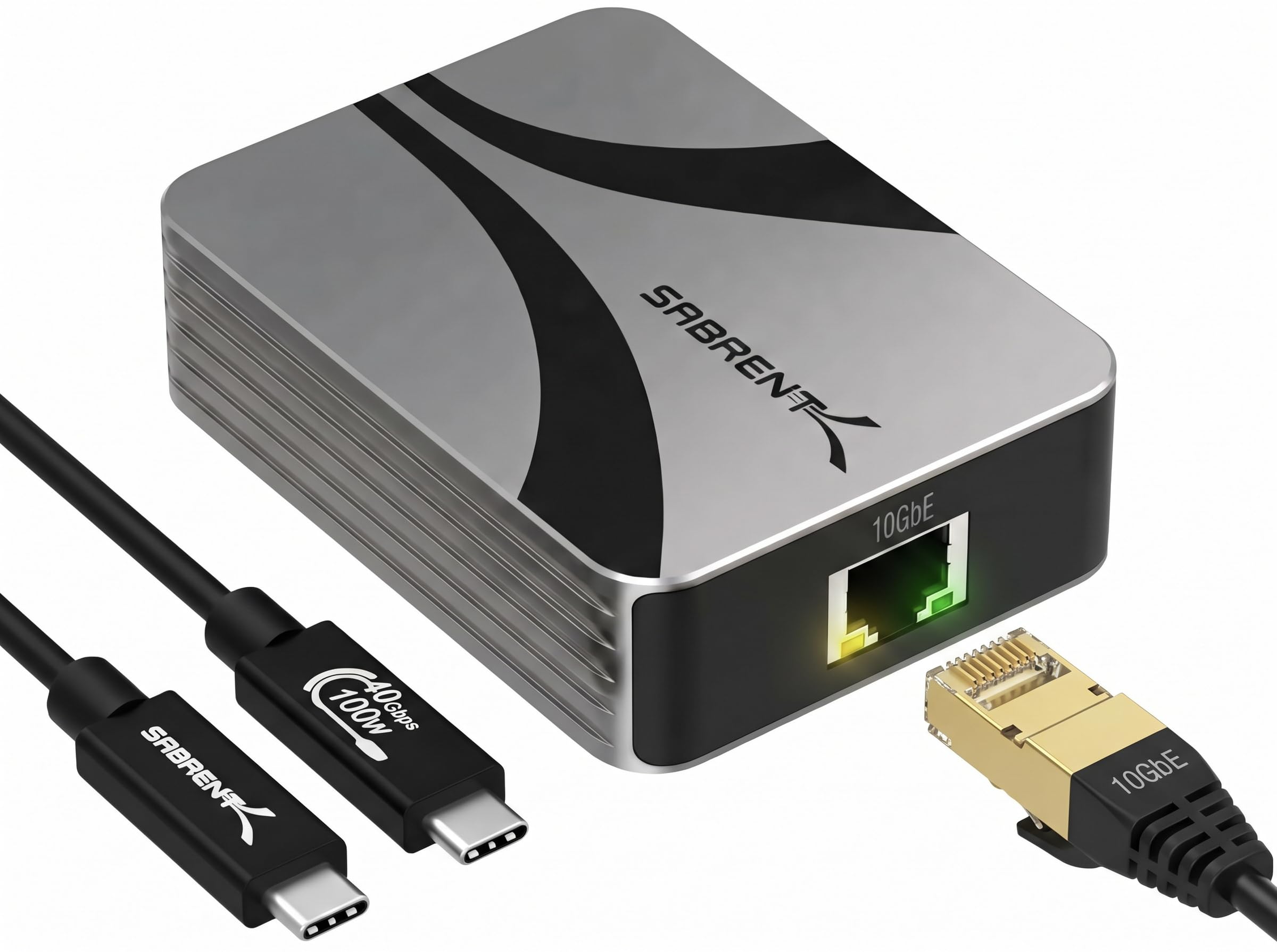
6. SABRENT NT-P10G Ethernet Adapter
The 10GbE adapter built for IT benches, remote wake, and the server closet.
SABRENT’s NT-P10G is the desktop-admin tool of the group: it supports Wake-on-LAN (WOL, so you can wake a machine remotely over the network) and PXE boot (network-based OS deployment). Those two features mean it belongs in an IT toolkit, not just a laptop bag. The RJ45 port auto-negotiates to 5GbE, 2.5GbE, 1GbE, and 100Mbps. It requires a Thunderbolt 3, 4, 5, or USB4 host — not a plain USB 3.2, 3.1, or 3.0 port.
Buyers praise speed most, citing file transfers up to 1080 MB/s, with easy installation a close second. But compatibility is the biggest theme by count, and it’s mixed: some buyers get clean Windows 11 and Mac setups, others run into problems. The reason is usually the same — the host port must actually be Thunderbolt or USB4. That’s why SABRENT tells you to look for the lightning or USB4 symbol before buying.
One design fact to plan around: the aluminum body is the heatsink, so it gets hot to the touch during sustained 10G transfers. That is normal, but you must leave it in open air — not under a laptop, in a bag, or a closed drawer. On Windows, disable Energy-Efficient Ethernet in the adapter’s Advanced settings for the most stable 10G link.
What earns the IT label: Wake-on-LAN, PXE boot, auto-negotiation down to 100Mbps, and a 4.59 oz aluminum chassis with a USB4 cable in the box.
What makes it fussy: only Thunderbolt 3/4/5 or USB4 hosts will take it, and the aluminum heatsink demands airflow. It gets hot on long jobs.
Go for it if: you manage machines remotely, deploy over PXE, or need Wake-on-LAN on a 10GbE link.
skip it if: your laptop’s USB-C is a plain 3.2 port with no Thunderbolt or USB4 symbol.
7. StarTech 10GbE USB4 Ethernet Adapter

The adapter with a detachable 19.6-inch USB4 cable — rare, and genuinely useful.
Most adapters in this category have a captive cable you can’t replace. StarTech’s doesn’t: it ships with a 50cm USB4 cable that detaches, which matters when you need extra reach across a desk or want to swap a damaged cable without replacing the whole unit. It adds a multi-Gigabit RJ45 port that connects to 100Mbps, 2.5G, 5G, and 10G networks. Around it: Wake-on-LAN, auto-negotiation, and NBASE-T support for mixed-network flexibility.
The TAA-compliant line is the big differentiator for anyone buying for government or enterprise procurement. Add to that a 50cm cable in the box, status LEDs for quick connection confirmation, and a 186-gram all-aluminum passively cooled housing. Setup is easy on Windows 10/11, and the maker lists auto-install on macOS 14.2 or newer. On the software side, the minimum listed Windows version is Windows 10.
The trade-off: this pick has a thin review base, so the reliability verdict is still forming. It also requires a USB-C port that specifically supports PCIe tunneling or USB4 — a plain USB-C port with no PCIe path won’t work. If TAA compliance is not a purchasing requirement, one of the higher-rated picks in this list gives you a more proven track record for less.
Where the design wins: a detachable 50cm USB4 cable, Wake-on-LAN, NBASE-T, and a 186 g aluminum shell — a package built for field or edge deployments.
Where to slow down: you must confirm PCIe tunneling on your USB-C port, and with only a few dozen ratings the long-term reliability picture is still forming.
Buy this one when: TAA compliance and a swap-ready cable are on your procurement checklist.
Consider the alternatives when: TAA doesn’t apply and you’d rather lean on a longer track record.
8. OWC Thunderbolt 4 10G Ethernet Adapter

For the audio and video room where syncing data streams is the whole job.
OWC’s 10G unit is the only adapter here that explicitly calls out AVB — Audio Video Bridging, a standard for synchronizing data streams across a network, which matters in pro audio and video production. It’s a Thunderbolt 4 adapter (40Gb/s) rated at over 900 MB/s real-world transfer. It auto-negotiates across 10Gb/s, 5Gb/s, 2.5Gb/s, 1Gb/s, and 100Mb/s Base-T. Cable distance is spelled out clearly: up to 100 meters with Cat6a for 10G, Cat6 for 5G, and Cat5e for 2.5G.
What makes this a good pro-room pick: it works on any Thunderbolt-equipped Mac or Windows computer, has Wake-on-LAN for remote access, and includes a 0.3M (12-inch) Thunderbolt USB-C cable. It also carries a 1-year OWC limited warranty. It’s the heaviest adapter here at 453 grams and 5 inches long — a desk or rack piece, not a travel dongle.
The honest picture: thermal performance draws mixed responses — some buyers report it stays cool, others find it runs warm. On value, some think it’s worth it and others question the cost. Functionality is what reliably wins people over, and speed is close behind. As with any 10G adapter, hitting the rating needs a 10GbE-capable network and the right cable grade.
What it does: 10G over Thunderbolt 4, rated over 900 MB/s, AVB-ready for pro audio/video sync, and a clear cable-distance chart for Cat6a, Cat6, and Cat5e.
What you give up: portability — at 453 g and 5 inches long, it stays on the desk. Warmth during use is a recurring note.
Best matched to: a pro audio or video edit room with a Mac or Windows workstation on Thunderbolt 4.
Not the one for: a travel kit — this is a permanent desktop fixture.
9. Sonnet Solo10G SFP+ Ethernet Adapter

The fiber-only Sonnet box for a studio backbone, not a home office desk.
This is the specialist of the group: a 10GbE adapter built around an SFP+ slot rather than an RJ45 copper jack. SFP+ is the module slot used for fiber (and some copper) links, and Sonnet ships it with a 10GBASE-SR optical transceiver included — so you get a fiber-ready adapter in the box, not a separate module purchase. Fiber links run up to 300 meters, and it also supports 1GbE. The file transfer rate is rated 10000 megabits per second. Compatibility is the aspect the review base points to most, and it’s a strength: it connects to host Macs and PCs, with iPad Pro listed too.
Build is a rugged aluminum enclosure with no fan — silent and bus-powered, in a pocketable 4.9-inch body at 9.6 ounces. Advanced features include Audio Video Bridging (IEEE 802.1Qav) and Energy-Efficient Ethernet (IEEE 802.3az). One speed reference worth holding: a buyer reported pulling 850 MB/s over a live link.
The honest limit: value for money is genuinely mixed here — this is the priciest adapter on the list, and if you’re not already wired into a fiber backbone, that SFP+ module is overkill. You’d pay for capacity you’ll never use. There is also a mixed tick on installation and port compatibility, so confirm your switch port matches before buying.
The fiber advantage: a 10GBASE-SR optical transceiver inside the box, fiber runs up to 300 meters, AVB and Energy-Efficient Ethernet support, and a fanless aluminum shell.
The fiber catch: it needs an SFP+ port on the other end — a plain RJ45 copper switch will not talk to it. Value is mixed, and installation compatibility is a real thing to check.
Right call for: a pro studio or long-run fiber backbone where RJ45 can’t reach.
Wrong call for: a home office with a copper switch — this adapter is the priciest and needs SFP+ input.
Know the Specs
Thunderbolt 3/4/5 vs plain USB-C
Thunderbolt versions carry PCIe data alongside USB, which is what lets a 10G Ethernet chipset reach its rated speed. A plain USB-C 3.2 port does not carry PCIe, so a 10G adapter on it will either negotiate down or refuse to work. When you buy, look for the lightning bolt or USB4 logo on your port — that’s the difference between a working 10G link and a slow one.
PCIe tunneling
PCIe tunneling is the process where a Thunderbolt or USB4 port passes PCIe data through to an external device, treating the adapter like a plug-in card. Some 10G adapters need it: the CalDigit Connect 10G and StarTech both express this requirement clearly, and skipping the check is the fastest way to a return.
NBASE-T and auto-negotiation
NBASE-T is a standard that lets one RJ45 port negotiate between 10G, 5G, 2.5G, and 1G depending on what the switch on the other end supports. Auto-negotiation means the adapter does this without you setting anything. All the 10G adapters in this list support it, which is why they drop cleanly to 2.5G or 1G on slower networks.
RJ45 vs SFP+
RJ45 is the standard copper Ethernet jack — plug in a normal network cable, and go up to 100 meters with Cat6a for 10G. SFP+ is a module slot that accepts a fiber or copper transceiver. The Sonnet Solo10G SFP+ ships with a 10GBASE-SR optical transceiver, which extends fiber runs to 300 meters — far beyond copper.
Cable grade and speed
Cable grade caps your ceiling. Cat6a carries 10G, Cat6 carries 5G, and Cat5e carries 2.5G at the distances OWC specs. Plug a Cat5e cable into a 10G link and you lose the top tier. Budget for the correct cable before you blame the adapter.
Bus power and heat
Bus-powered adapters draw electricity from your port — no wall brick. That’s convenient, but the trade-off is heat: aluminum shells on the SABRENT, ACASIS, and WAVLINK units act as passive heatsinks. Leave them in open air during long transfers; heat is how the chipset sheds energy, not a defect.
Common Questions
Will a Thunderbolt to Ethernet adapter work on a plain USB-C laptop port?
Why does my 10G adapter run at 1G speed when I plug it in?
Do I need a driver for a Thunderbolt Ethernet adapter on Windows or macOS?
Is SFP+ better than RJ45 for a home network?
Why does my aluminum adapter get hot to the touch?
What cable do I need for a 10GbE Ethernet adapter?
Will a Thunderbolt Ethernet adapter work on a Mac without an Ethernet port?
Can I use these adapters on a Linux machine or a Chromebook?
Is a Gigabit Ethernet adapter still worth buying over a 10G one?
Do these adapters support Wake-on-LAN for remote access?
The Bottom Line
For most people on a Thunderbolt-equipped Mac and a standard Gigabit network, the Apple Thunderbolt to Gigabit Ethernet Adapter remains the safe default: 0.32 ounces, true plug-and-play, and a wired link that simply holds. If your network has moved to 5G or 2.5G multi-gig, the Sonnet Solo5G is the budget-savvy step up. And for a genuine 10GbE backbone feeding a NAS or a video timeline, the proven controller in the WAVLINK USB4 to 10Gbps Ethernet Adapter is the pick with the deepest track record behind it.
One last nudge before you click buy: match the adapter to the port on your laptop first, then to the speed of your switch. If the symbol beside your USB-C port has no lightning bolt or USB4 logo, every 10G option in this list will negotiate down or not connect — so save the money and take a Gigabit or 2.5G unit instead. That port check decides whether you get a network upgrade or a return label.
How we choose
We do not accept paid placement. Every pick is matched to a real buyer and a real use-case; we do not hands-on test units.
Sources
Specifications: manufacturer listings and product documentation. Review insights: verified customer reviews, as of November 2026. Pricing: not shown on this page (it changes often); check the current price via the retailer link.
As an Amazon Associate, Tactical Gear Guy earns from qualifying purchases. This does not affect which products we feature.