Specs are compiled from manufacturer listings and verified buyer reviews and can change over time — please confirm the key details on the product page before buying.
If your Mac’s built-in Wi-Fi keeps dropping in the back room or crawls during video calls, the fix is usually a plug-in adapter with its own antennas — not a new computer. The picks below are all confirmed to work with Mac OS, and they range from a nano dongle you’ll forget is there to a removable-antenna unit built for long range. Match one to how far you sit from the router and which Mac OS version you run, and the dropouts stop.
This guide is built by comparing the manufacturers’ published specifications and the patterns across verified customer reviews, so you get each pick’s real strengths and trade-offs instead of marketing spin.
Start with how far your desk sits from the router and whether your Mac has a spare USB-A port, because those two facts narrow the field fast. Below you’ll find the current shortlist of the best USB Wi-Fi Adapter for Mac, matched to real Mac OS support and everyday use.
Top Picks


How To Choose The Best USB Wi-Fi Adapter for Mac
On a Mac, the cable is never the problem. The driver is. macOS changes its security and system-extension rules often, so an adapter that ran fine on Mac 10.14 may refuse to load on a current machine. Read the supported Mac OS range on every listing before you buy, and treat it as the first spec that matters.
Check the Mac OS version range, not just the word “Mac”
A listing that says Mac 10.9–10.15 works on those releases and nothing newer. If your Mac is running something more recent, plan on installing the vendor’s current driver from their site rather than the disc in the box. Checking the supported Mac OS range before buying prevents more returns than any speed upgrade.
Match the speed class to your router, not to the marketing
An AC1200 adapter gives you up to 867 Mbps on 5GHz and 400 Mbps on 2.4GHz. AC1300 follows the same 867/400 split. AC1900 pushes the 5GHz side to 1300 Mbps. Most home broadband never reaches any of those peaks, so buy the class that matches your router’s strongest band and spend the difference on a stable USB 3.0 connection instead.
Decide between a nano dongle and an antenna model
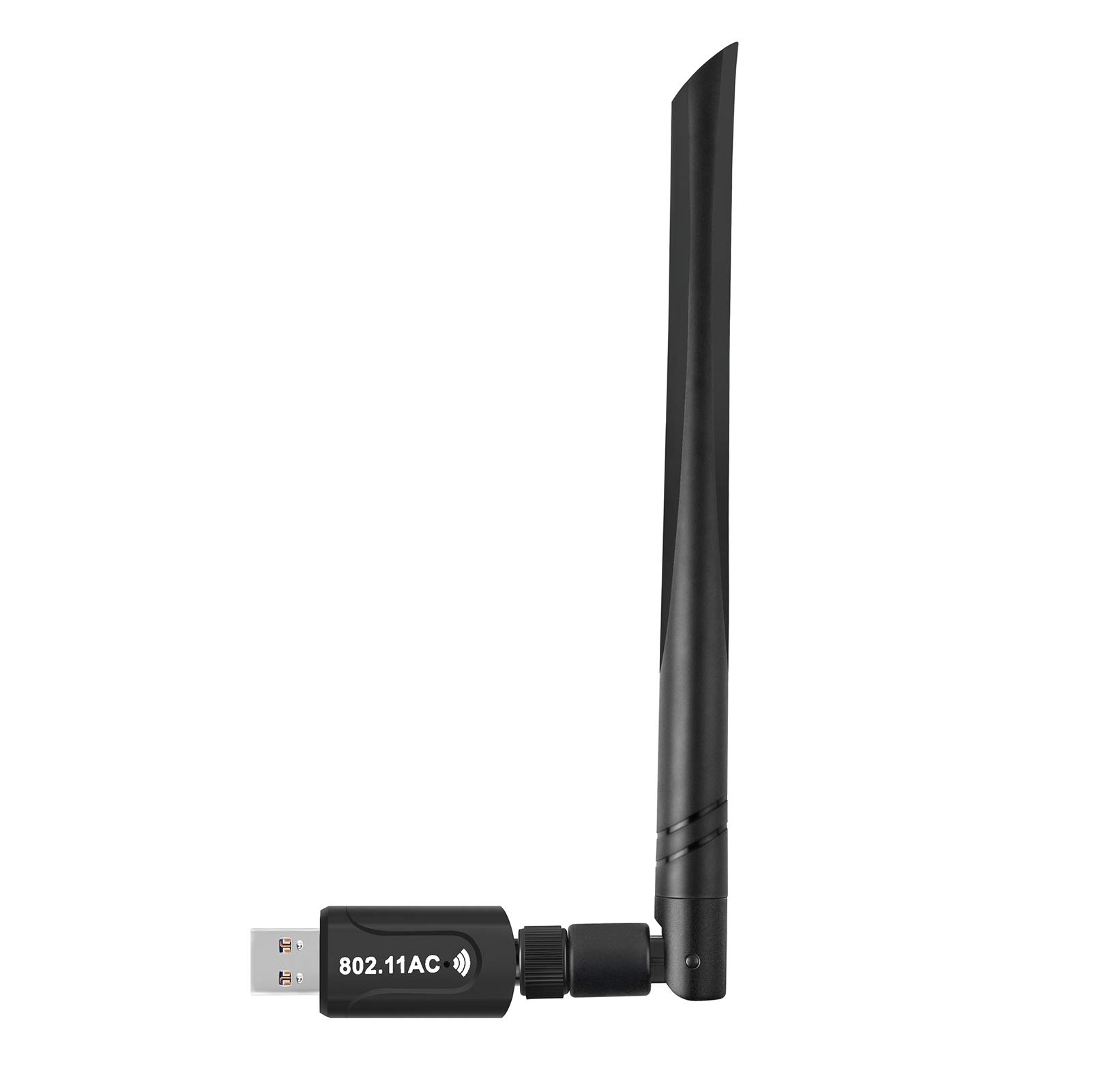
A nano adapter sits almost flush with your MacBook and travels without snagging in a bag. An adapter with 5dBi antennas reaches weaker signals and holds them, which is why it earns its bulk in a back bedroom or a metal-framed desk. Pick by distance from the router first, portability second.
Side-by-Side Comparison
| Model | Best For | Speed Class | Interface | Mac OS Support | Amazon |
|---|---|---|---|---|---|
| ASUS USB-AC53 Nano★ Best Overall | MacBooks and tight desks | AC1200 | USB | Yes (listed for Mac OS) | Amazon |
| Realtek RTL8812BU 1300 MbpsBest Coverage | Long reach with an external antenna | AC1300 | USB 3.0 | Mac supported | Amazon |
| WAVLINK AC1300 USB 3.0Most Versatile | Desktop towers and magnetic placement | AC1300 | USB 3.0 | MacOS 10.7–10.15 | Amazon |
| EELAGER 1300Mbps USB 3.0 | Dual-antenna reach in a distant room | AC1300 | USB 3.0 | Mac OS 10.6–10.14 | Amazon |
| StarTech.com AC600 | Staying out of the way in a bag | AC600 | USB 2.0 | Mac OS | Amazon |
| TP-Link TL-WN722N | Old Macs that need a long-lived driver | 150 Mbps | USB 2.0 | Mac OS 10.9–10.15 | Amazon |
| NETGEAR A7000 AC1900 | Fastest single connection on a modern router | AC1900 | USB 3.0 | Mac and Windows | Amazon |
| ALFA AWUS036ACH | Long range with swappable antennas | AC1200 | USB 3.0 | Mac 10.5 or later | Amazon |
Detailed Reviews
1. ASUS USB-AC53 Nano USB WiFi Adapter
Our pick — 4.0+★ from 2,000+ verified ratings; the strongest balance of quality and price.
The adapter small enough to plug into a MacBook and forget — until the bars jump.
The ASUS USB-AC53 Nano earns the top spot because it is built to disappear. ASUS calls it the world’s smallest dual-band 802.11ac MU-MIMO adapter (MU-MIMO means it can serve multiple devices at once without slowing down). It sits nearly flush with your machine, so you can leave it plugged into a MacBook Air all day without it catching on a sleeve. Dual-band AC1200 gives you up to 867 Mbps on the 5GHz band and also works on 2.4GHz. That speed class is enough when your laptop is the only thing on the network and you just need the signal to hold.
What wins people over is that it simply works the moment it goes in — the review consensus keeps returning to the same theme of an instant, no-setup connection. Quality and ease of use sit right behind functionality in how often they come up, which tells you the experience holds up over months rather than just at first plug-in. MU-MIMO (a router feature that serves several devices their own dedicated stream) is the bonus here: with a MIMO-enabled router, your Mac isn’t waiting in a queue behind the TV.
The catch is real-world throughput: buyers report speeds below the claimed 300–867 Mbps. Owners describe real-world throughput landing below the claimed 300–867 Mbps range, and the mixed feedback on connectivity suggests a weak-spot room can still feel weak. If your Mac sits two rooms from the router, the antenna models further down this list are the better tool.
What it delivers
- Nano body that stays out of the way in a bag or on a lap desk
- Dual-band AC1200 with up to 867 Mbps on 5GHz
- MU-MIMO support for faster sharing on a busy router
- Plug-and-play setup that most buyers describe as instant
Where it runs out of road
- No external antenna, so a far room can still drop
- Real-world speeds sit under the headline claim
- Mac support means installing ASUS’s own driver, not the disc alone
Made for: the MacBook owner who wants the dongle to vanish and the dropouts to stop, sitting a normal distance from the router.
Less ideal when: your desk is behind two walls — go for an antenna model instead.
2. Realtek RTL8812BU USB Wireless Adapter 1300 Mbps
A 5 dBi antenna on a desktop stick — reach that a nano dongle can only dream about.
This one is the reach-per-dollar pick, and the numbers make the case. The Realtek RTL8812BU chipset inside pushes up to 1300 Mbps total, split into 867 Mbps on 5.8GHz and 400 Mbps on 2.4GHz, over a USB 3.0 interface that also accepts older USB 2.0 ports. That chipset choice matters on a Mac: a known, widely documented chip is exactly what you want when you go hunting for a working macOS driver, because the community support around Realtek silicon is deep.
The 5 dBi antenna is the physical reason it beats a nano adapter in a weak spot. The 5 dBi rating describes how hard the antenna pushes and pulls signal, so it holds a connection at a range where a flush dongle starts to stutter. Compared with the ASUS nano, this stick takes the opposite approach: it has a visible 1300 Mbps ceiling versus the ASUS dual-band AC1200 figure, and it is built to sit on a desk rather than travel in a pocket. Buyers consistently mention functionality — plugged in, working, done.
The trade-off is build feel: the housing is functional rather than solid. Driver compatibility also has its sharp edges — it is a fine story on mainstream Mac setups, but niche Linux builds are where the mixed reports cluster. On a Mac, budget fifteen minutes for the Realtek driver install before you count on it.
The dBi math that counts: that 5 dBi antenna is the whole reason to pick this over a nano unit — signal held at distance, not just speed on paper.
Worth knowing: the housing is functional rather than solid, so leave it in one USB port and let the antenna do the work.
Reach for this if: your Mac sits across the house from the router and you want a single antenna doing the heavy lifting.
Think twice if: you want a plug-in-and-leave-it-for-years build — this is a desk adapter, not a tank.
3. WAVLINK USB3.0 WiFi Adapter, AC1300Mbps
The magnetic base that walks the antenna around your desk until the bars climb.
The WAVLINK solves a real desk problem: its antenna sits on a magnetic base you can park anywhere on a metal chassis. Move it up the side of your tower or across the desk and you are physically repositioning the signal pickup — something no nano dongle lets you do. The unit runs AC1300 — up to 867 Mbps on 5GHz and 400 Mbps on 2.4GHz — over a USB 3.0 port. WAVLINK says that interface offers up to 5Gbps of transfer capacity, and the adapter is backward compatible with USB 2.0.
This one earns a spot on a Mac desk for its software flexibility. It offers a Soft AP mode that turns a wired connection into a Wi-Fi hotspot for your phone, tablet or laptop. However, WAVLINK is explicit that Soft AP works on Windows 7/8/10/11 and not on Mac OS, so on your Mac this is a station-mode adapter, plain and simple. Setup is easy: it installs without drama, and owners mention a signal lift on the order of jumping from 30 Mbps to 90 Mbps. At 3.15″ by 1.97″, it is about twice the length of the smaller Realtek stick and takes up real desk space — you trade footprint for a movable antenna.
The catch is the Mac OS ceiling: listed support stops at MacOS 10.15. WAVLINK lists MacOS 10.7–10.15, which means a Mac running anything newer needs their driver path checked before you buy. That is the same version cliff every Mac buyer hits, but it bites harder here because you are paying for a feature set partly built around Windows.
Why the base matters: a magnetic antenna you can move is signal tuning you can do with your hand — genuinely useful in a weak corner.
The Mac asterisk: listed support stops at MacOS 10.15, and Soft AP mode skips Mac entirely.
Pick this one when: you can move an antenna around to hunt a good signal and your Mac is on a supported OS version.
Look elsewhere if: you are on a recent macOS release — verify the driver first, because the listed range stops short.
4. EELAGER Wireless USB 3.0 WiFi Adapter 1300Mbps
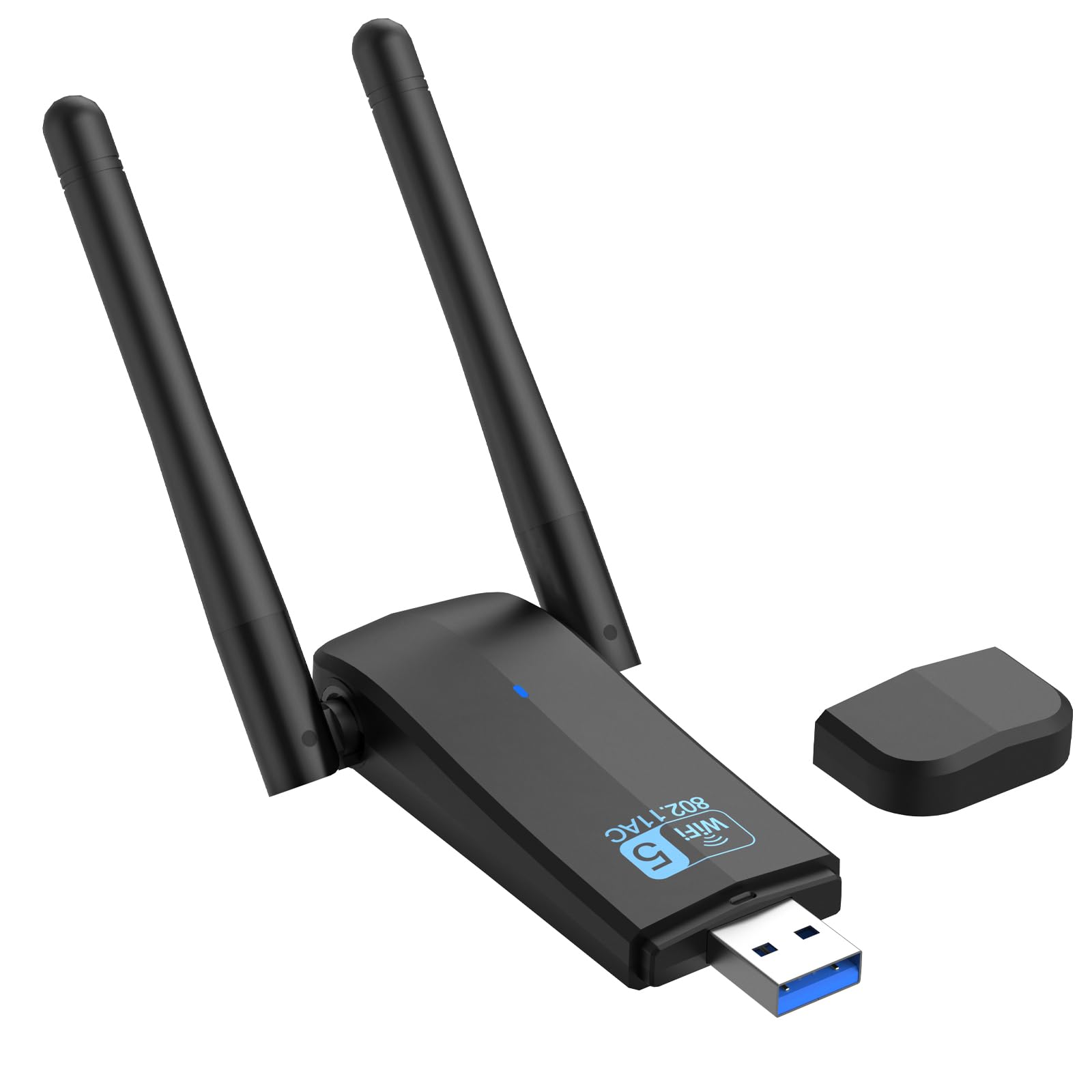
Two 5dBi antennas aimed at the far room where one antenna gives up.
If the wall between your Mac and the router is the whole problem, the EELAGER is built for that fight. Two 5dBi high-gain antennas are specified to boost both receiving and transmitting, which is how it claims a stable connection in distant rooms. The speed side is AC1300 — up to 867 Mbps on 5GHz and 400 Mbps on 2.4GHz — on a USB 3.0 interface that EELAGER says moves data up to 10 times faster than USB 2.0 and still accepts an older USB 2.0 port.
Its USB 3.0 link gives it a real edge on sustained throughput versus the USB 2.0-based adapters elsewhere on this list, which top out at far lower transfer rates. Against the WAVLINK above it is the same AC1300 class, but here you get two fixed antennas instead of one movable base — more raw reception surface, less fiddling. On setup, Windows 11 and 10 are driver-free, while everything else, Mac OS 10.6–10.14 included, runs on the driver disc that ships in the box.
The caveat you need to weigh is connection consistency. Owners split on it — some get a great connection, others describe frequent disconnections, and that mixed pattern is the most-discussed thing about the adapter. Before you blame the hardware, treat the driver and the antenna angle as adjustable: physical placement of a dual-antenna stick does change the outcome. Buy it for the antenna reach, and give yourself room to test a placement or two.
Why it lands on this list
- Two 5dBi antennas for receiving and transmitting in weak rooms
- AC1300 speeds with up to 867 Mbps on 5GHz
- USB 3.0 interface, backward compatible with USB 2.0
- Driver-free on Windows 11 and 10
What to plan around
- Connectivity reports are mixed — placement and driver matter here
- Mac support tops out at OS 10.14
- Needs the included CD driver on Mac, so an optical drive or a download
Best fit: a Mac in a distant room where you want maximum antenna surface and can experiment with positioning.
Not the one if: your Mac is on a newer OS than 10.14 — the listed support stops there.
5. StarTech.com AC600 Dual Band USB WiFi Adapter

A speck of plastic that adds Wi-Fi to a desktop without adding clutter.
The StarTech.com AC600 is the smallest thing here and the easiest to forget. It is a nano USB adapter, so it sits nearly flush and blocks almost nothing — ideal for a laptop that rides in a bag where a protruding antenna would snag. The speed split is AC600: up to 433 Mbps on 5GHz and up to 150 Mbps on 2.4GHz, and StarTech lists the whole compatibility family as MacOS with WEP, WPA and WPA2 security supported.
Reliability is the story buyers keep telling. It works from the start, and the pattern runs the same way across the reviews — plug it in, and your desktop is suddenly on Wi-Fi without opening the case for an internal card. Functionality is the aspect that dominates, with build quality right behind it, which is a good sign for something this small that lives in a port permanently. A driver CD and quick-start guide come in the box for the setups that need them.
Be clear-eyed about the ceiling. It runs on USB 2.0 and tops out at 433 Mbps on 5GHz, so against the USB 3.0 AC1300 adapters on this list it is a slower lane — fine for browsing and video calls, not the pick for pulling huge files across a local network. Some buyers also feel the value is thin compared with cheaper options. For a Mac user who cares most about leaving a port barely disturbed, the compact form is worth the speed trade.
The compact case: at nano size it is the least obtrusive way to give a Mac a Wi-Fi radio, and it stays out of the way in a bag.
The speed reality: USB 2.0 and a 433 Mbps 5GHz ceiling mean this is the browsing pick, not the big-transfer pick.
Choose this when: a nearly flush plug matters more than raw throughput and your Mac work is browsing and calls.
Skip past it if: you move large files across your own network and want USB 3.0 headroom.
6. TP-Link Nano USB WiFi Dongle 150Mbps (TL-WN722N)

A 150 Mbps workhorse with a high-gain antenna and a following that will not quit.
The TP-Link TL-WN722N is the old reliable of the group. It is a single-band 150 Mbps adapter with a high-gain antenna, and TP-Link’s pitch is range and stability rather than headline speed. The numbers are modest — 150 Mbps wireless transmission, USB 2.0, and about 25 g on the scale — but this is the adapter people reach for when they want the connection to just stay put. It even bundles a USB extension cable so you can raise the antenna away from a metal desk.
Customers note it works right from the start, installs simply, and picks up signals a weak built-in radio misses. The value verdict leans heavily positive, with plenty of comments that it beats pricier alternatives for a plain, dependable job. For a Mac user, though, read the spec sheet closely — it lists Mac OS 10.9–10.15 support, which is a specific range, and this is a USB 2.0, single-band adapter, so it will not use your router’s 5GHz band at all.
The summary is simple: this is the cheap, dependable 2.4GHz pick. Compared with the AC1200 and AC1300 adapters here, its 150 Mbps ceiling is a fraction of the throughput, and 2.4GHz-only means more interference from neighbors. If your Mac is on a supported older OS and you want a stable, no-fuss connection for light duty, it does that job well. If you stream 4K or run a modern macOS release, look up the list.
What keeps it relevant
- High-gain antenna that picks up weak signals
- Easy install with a WPS button for quick secure pairing
- USB extension cable included to reposition the antenna
- Very light at 25 g
The limits to respect
- Single-band 150 Mbps — no 5GHz at all
- USB 2.0 caps the transfer ceiling
- Mac support listed only for OS 10.9–10.15
The right call for: an older Mac on a supported OS that needs a steady 2.4GHz connection for everyday tasks.
Wrong tool if: you need 5GHz throughput or run a macOS version outside the listed range.
7. NETGEAR AC1900 Wi-Fi USB 3.0 Adapter (A7000)

When the router can pour it on, this is the adapter built to drink it all.
This is the fastest adapter on the list by the numbers, and it is not close on the 5GHz side. NETGEAR rates the A7000 at up to 600 Mbps on 2.4GHz and 1300 Mbps on 5GHz for an AC1900 total, for a data transfer rate of 1900 megabits per second — versus the 1200 Mbps ceiling of the ASUS nano at the top of this list. Add a 3×4 MIMO design (multiple antenna streams that add up to more bandwidth when uploading and downloading) and a USB 3.0 interface, and you have the pick for someone whose bottleneck is the adapter, not the router.
Setup is where it surprises people. Despite the size and the speed, owners describe install times under five minutes, and the signal reports have real substance to them — a consistent high-bandwidth connection across the 5GHz band is the recurring theme. Netgear leans on a Windows driver but lists Mac support too, and the package includes a USB 3.0 cable with a magnetic cradle so the unit can sit up off the desk. At 2.4 ounces in a 1.81″ by 0.87″ by 4.72″ body, it is a real desk accessory rather than a pocket item.
The question is whether your router and plan can actually feed AC1900. AC1900 only pays off if your router can push that much on 5GHz and your internet plan is fast enough to notice — with the wrong combination, you are paying for headroom you never use. It is also the bulkiest option here, so it lives on a desk, not in a laptop bag. For a Mac desktop near a capable router, though, it is the performance king of this group.
The performance case: 1900 Mbps combined and 1300 Mbps on 5GHz is the highest ceiling here, with 3×4 MIMO to back it up.
The honest question: it is a desk-sized adapter, so it only earns its space if your router and plan can actually feed that speed.
This one’s for: a Mac desktop on a high-speed plan with a capable 5GHz router that wants the top speed of the group.
Pass it by if: you need something portable or your router can’t approach AC1900 anyway.
8. ALFA Network AC1200 867Mbps Dual-Band WiFi USB Adapter

Screw-on antennas you can swap — the tinkerer’s answer to a dead signal corner.
The ALFA AWUS036ACH is the specialist in the room. It is AC1200, with 867 Mbps on the 5GHz band and N 300Mbps on the 2.4GHz side, over a USB 3.0 interface. What makes it different is the antenna setup: two dual-band 5dBi antennas that are removable, so you can swap them for longer-range units later — flexibility none of the fixed-antenna picks here can match. ALFA also lists a broad security spread, from WEP 64-bit and WEP 128-bit up to WPA-PSK and WPA2-PSK.
For Mac buyers, the OS story is the wordiest claim here: ALFA lists support for Mac 10.5 or later, alongside Windows XP through 8.1 and Linux. Read that as a compatibility statement to verify against your own macOS version rather than a guarantee for the newest release. The physical build supports the travel case too — ALFA specifies roughly 86.6 by 26 by 22.3mm and around 50 g, so it stows easily, and the removable antennas mean you can pack it flat.
Weigh the price of entry honestly. This is one of the pricier picks, and with the smallest owner base of the group, the consensus is thinner than on the big-volume adapters. What you get for the spend is the ability to upgrade the antenna, a removable design, and a genuinely compact travel footprint. If you want a fixed, proven plug-in, the ASUS or NETGEAR picks are the safer bet; if you like the idea of tuning range by swapping antennas, this is made for you.
What stands out: removable 5dBi dual-band antennas give you a path to more range than any fixed antenna on this list.
The trade: a broad but older Mac OS listing and a smaller track record mean you verify compatibility before you commit.
Made for the tinkerer: a Mac user who wants to swap antennas and tune range rather than accept a fixed design.
Not for the set-and-forget crowd: if you want a proven, fixed adapter and a large user base behind it, pick the ASUS or NETGEAR instead.
Know the Specs
Speed Class (AC1200 vs AC600 vs 150 Mbps)
Those numbers describe the most data each band can carry per second. AC1200 and AC1300 follow the same split — up to 867 Mbps on 5GHz and 400 Mbps on 2.4GHz. AC1900 pushes the 5GHz band to 1300 Mbps. AC600 gives up to 433 Mbps on 5GHz and 150 Mbps on 2.4GHz. A single-band 150 Mbps adapter uses only 2.4GHz. In real use these are ceilings, not promises, so match the class to your router’s strongest band rather than buying the biggest number.
USB 3.0 vs USB 2.0
The port your adapter uses sets a hard limit on throughput. USB 3.0 moves far more data than USB 2.0, which is why the fastest adapters here are USB 3.0 units — WAVLINK rates its USB 3.0 interface at up to 5Gbps and describes it as ten times faster than USB 2.0. A USB 2.0 adapter can still hold a good connection, but it cannot match a 5GHz AC1300 signal pushed at full tilt. Check your Mac’s spare port type before you fall for a top speed claim.
Antenna Gain and Design
5 dBi describes how strongly an antenna focuses its signal — higher gain reaches farther in the right direction. A nano adapter has no external antenna and lives on proximity. A fixed 5dBi antenna holds a distant signal better. A magnetic base lets you move the antenna for the cleanest spot. A removable-antenna model lets you swap in something longer later. The bigger and more adjustable the antenna, the better the adapter handles a weak corner — at the cost of portability.
Mac OS Driver Support
macOS changes its driver and system-extension rules over time, so the supported OS range is the spec that decides whether an adapter works at all. Listings here show ranges like Mac OS 10.6–10.14, MacOS 10.7–10.15, and “Mac 10.5 or later,” while a couple state Mac support more broadly. Treat the number as the boundary, and plan to download the vendor’s current driver from their site rather than rely on the bundled disc. Verifying the range before you buy avoids the most common Mac return.
Common Questions
Will a USB Wi-Fi adapter work on my Mac without a driver?
Can I use a USB 3.0 Wi-Fi adapter in a USB 2.0 port on a Mac?
Is an AC1900 adapter worth it over an AC1200 or AC1300 model?
Do external antennas actually improve reception in a far room?
Why does my Mac disconnect from Wi-Fi with an adapter plugged in?
Can a USB Wi-Fi adapter use the 5GHz band on a Mac?
What is MU-MIMO and does it help on a Mac?
Will an older Wi-Fi standard like 802.11n slow my whole network down?
How do I install a USB Wi-Fi adapter driver on a Mac?
Can I share my Mac’s wired connection as Wi-Fi through an adapter?
The Bottom Line
For most people, the usb wi-fi adapter for mac that makes the most sense is the ASUS USB-AC53 Nano — it disappears into the port, sets up in moments, and holds a dual-band AC1200 connection without fuss. If you need reach into a distant room, the NETGEAR A7000 is the speed king and the Realtek RTL8812BU is the smarter value for a single antenna that reaches. And when a tiny, nearly flush plug matters most on a portable Mac, the TP-Link TL-WN722N stays the budget workhorse for older supported systems. Choose by distance from the router and your Mac OS version, and the adapter stops being the thing you troubleshoot.
How we choose
We do not accept paid placement. Every pick is matched to a real buyer and a real use-case; we do not hands-on test units.
Sources
Specifications: manufacturer listings and product documentation. Review insights: verified customer reviews, as of November 2026. Pricing: not shown on this page (it changes often); check the current price via the retailer link.
As an Amazon Associate, Tactical Gear Guy earns from qualifying purchases. This does not affect which products we feature.