Specs are compiled from manufacturer listings and verified buyer reviews and can change over time — please confirm the key details on the product page before buying.
Most people who buy the wrong drive for an older laptop find out the hard way: the M.2 slot fits, the drive slides in, and the machine still refuses to boot. The whole problem is that M.2 is just the slot shape, not the language the drive speaks. SATA and NVMe drives share the same physical connector but run on completely different protocols, so a SATA M.2 drive needs a slot that explicitly supports SATA. This guide sorts out which SATA M.2 drives actually work, which ones hold their speed, and which ones suit a tight 2242 bay versus a full-length 2280 slot.
This guide is built by comparing the manufacturers’ published specifications and the patterns across verified customer reviews, so you get each pick’s real strengths and trade-offs instead of marketing spin.
You will see capacity, form factor, and read/write speeds laid out side by side, plus the compatibility traps that catch most first-time upgraders. The picks below cover the realistic field for a sata m.2 ssd, from a short 2242 drive for a cramped ultrabook bay to a 1TB drive that revives an older desktop.
Top Picks


How To Choose The Best SATA M.2 SSD
Before you look at a single speed number, confirm two things about your machine: that its M.2 slot supports SATA, and what length of drive it takes. Get either wrong and the drive is going back in the box.
Confirm the slot speaks SATA, not just NVMe
An M.2 slot is a physical socket, and the drive inside it can run on SATA or on NVMe (a faster protocol that runs over PCIe lanes). Many older laptops and mini-PCs have slots wired for SATA only, which is exactly why these drives still sell. A SATA M.2 drive in an NVMe-only slot will not be recognised at all. Check your device manual or the manufacturer’s spec sheet for the word “SATA” next to the M.2 slot before you order anything.
Match the length code: 2280 or 2242
The four digits in a form factor name are millimetres: 2280 means 22mm wide and 80mm long, while 2242 means 22mm wide and 42mm long. A standard 2280 drive fits most desktops and full-size laptops. Thin-and-light machines, NUCs and mini-PCs often only have room for the shorter 2242 drive, so measure your bay first. A long drive simply will not seat in a short bay.
Decide how much capacity you actually need
A boot drive for the operating system and a handful of programs does not need much room. A drive holding a game library or a photo archive needs considerably more. Pick your capacity by what will live on the drive, not by the biggest number on the shelf.
Understand what DRAM cache and SLC caching change
Some drives carry a dedicated DRAM cache chip (a small pool of fast memory that holds the drive’s address map). Others use SLC caching, where a portion of the NAND flash is written in a faster single-bit mode as a buffer. Both help keep transfers smooth; a DRAM-equipped drive tends to hold up better when the buffer runs dry on long writes.
Side-by-Side Comparison
| Model | Best For | Capacity | Form Factor | Read / Write Speed | Amazon |
|---|---|---|---|---|---|
| SAMSUNG 860 EVO 250GB M.2 SATA★ Best Overall | Everyday boot drive | 250 GB | M.2 2280 | 560 / 530 MB/s | Amazon |
| Transcend 128GB MTS430SCompact Pick | Short 2242 bays | 128 GB | M.2 2242 | 560 / 350 MB/s | Amazon |
| Silicon Power 512GB A55 | Cheap capacity | 512 GB | M.2 2280 | 560 MB/s (read) | Amazon |
| Kingston A400 240G | Budget boot drive | 240 GB | M.2 2280 | 350 MB/s (transfer) | Amazon |
| OSCOO 1TB M.2 2280 SATA | Old MacBook revival | 1 TB | M.2 2280 | 550 / 500 MB/s | Amazon |
| Bestoss M.2 SATA III 1TB | Budget mass storage | 1 TB | M.2 2280 | 550 MB/s (read) | Amazon |
| TEAMGROUP MS30 1TB | High-capacity everyday drive | 1 TB | M.2 2280 | 530 / 480 MB/s | Amazon |
Detailed Reviews
1. SAMSUNG 860 EVO SSD 250GB
Our pick — 4.5+★ from 6,000+ verified ratings; the strongest balance of quality and price.
The 2280 SATA boot drive with the fastest write speed here, at 530MB/s.
This is the one to buy when you want a boot drive that behaves the same on day one and on day five hundred. It runs on Samsung’s V-NAND flash (the maker’s own stacked-cell memory design), and pushes sequential reads up to 560MB/s and sequential writes up to 530MB/s. In plain terms, booting, opening a browser and launching a heavy app all feel immediate. That write figure is the standout: the 860 EVO’s 530MB/s beats the Transcend MTS430S at 350MB/s, so large file saves finish noticeably quicker on this drive.
What wins people over is raw day-to-day performance, and it holds that reputation across a huge crowd — 4.5+ stars across 6,000+ ratings. The same reviews describe cloning an existing drive across in about twenty minutes and apps like Photoshop CC and Lightroom snapping open. Boots land in around 12 seconds with antivirus running. It ships as an M.2 SATA 6Gb/s drive in the 2280 length, plus a user manual; cables, screws and brackets are not in the box, so check your machine’s mounting hardware before you start.
Compatibility is the honest caveat. It lists support for Windows 8 and 7, Windows Server 2003, Vista SP1 and above, XP SP2 and above, Mac OSX and Linux — a wide net, but confirm your slot handles SATA before you commit. The capacity is 250GB, which is plenty for an operating system and core programs and tight for a large game library. Think of it as the system drive, not the archive.
Why it earns the top spot
- 560MB/s read and 530MB/s write — the strongest write figure on this list
- Familiar V-NAND build with a long track record in everyday machines
- Broad operating-system support across Windows, Mac OSX and Linux
- Cloning across from an old drive is a short, simple job
Where it asks you to plan
- 250GB fills fast if you keep games or video on the same drive
- Cables, screws and brackets are not included — check your mounting kit
- 2280 length only, so it will not seat in a short 2242 bay
The right call for: anyone upgrading an older laptop or desktop that has a SATA-capable 2280 slot and wants the smoothest everyday feel.
Look past it if: your machine only takes a 42mm 2242 drive, or you need to store a big media library on one disk.
2. Transcend 128GB MTS430S M.2 SATA III 2242 SSD
A 42mm M.2 2242 drive with a DDR3 DRAM cache for bays too short for a 2280.
If your ultrabook, NUC or mini-PC has a stubby M.2 bay, this is likely the only shape that will physically go in. The MTS430S measures 42mm long in the M.2 2242 form factor, against the 80mm of the standard 2280 drives elsewhere on this list. Chassis that leave no room for a full-length stick are exactly what this drive was built for.
Short does not mean stripped. It carries a dedicated DDR3 DRAM cache (a fast memory chip that holds the drive’s address table so lookups do not wait on the slower flash). Alongside that sits SLC caching, which pushes sequential reads to 560MB/s and writes to 350MB/s. Read speed matches the Samsung 860 EVO at 560MB/s, though its 350MB/s write trails the Samsung’s 530MB/s. The endurance story is solid: a 70TB TBW rating (total bytes written before the drive’s warranty limit), 3D TLC NAND, LDPC error correction and a RAID engine. DevSleep support powers the drive down when idle to save battery in a portable.
The catch is capacity and slot fussiness. At 128GB, this is an operating-system-and-apps drive with little room to spare, so plan around it. It is also strictly M.2 SATA III 6Gb/s with a B+M key, and the maker is blunt that it will not work in NVMe or PCIe slots. Owners of small-form-factor machines have had good results — Linux setups install cleanly, and it is known to work well in an Asus Chromebox CN60. Confirm your slot is SATA before you rely on that.
Best fit: cramped mini-PCs, thin-and-light laptops and NUCs where a 2280 drive cannot physically seat.
Second thought: with 128GB on tap, buy it as a system drive only and keep your media on a second disk or external storage.
Buy it if: your bay measures 42mm and you want a DRAM-equipped drive from a maker that spells out compatibility up front.
Pass if: you have a full 2280 slot and want more room than 128GB gives you.
3. Silicon Power 512GB A55 M.2 SSD

512GB of SATA storage — four times the smallest drive here — at a budget price.
Capacity is the reason to look here. The A55 holds 512GB — four times the 128GB of the Transcend MTS430S — which means your operating system, a healthy stack of programs and a game or two can all live on one drive. It is an M.2 2280 SATA 6Gb/s drive with TRIM support and a 560 megabits-per-second transfer rating, backed by a three-year warranty once you register the product on Silicon Power’s site.
Installation is straightforward and the drive has a strong following among folks reviving Dell laptops, who value the space for the outlay. Its functionality and overall build are what earn the most goodwill from buyers. Booting is the part that shines — moving off an old spinning disk, start-up feels dramatically quicker. The A55 also comes with the free SP Toolbox software, a drive-health monitor that shows you how the flash is aging.
Here is the honest trade-off a buyer needs to weigh. While booting improves, file copying from folder to folder on the same drive does not feel as quick as you might expect from a drive of this type. There is also a durability question raised in some owner experiences, with reports of drives failing around the four-month mark — real feedback worth sizing against the three-year warranty and the sheer volume of happy users. If you want a spacious, wallet-friendly drive and can keep backups, it is a sensible pick. If your data is critical and un-backed-up, lean toward the top pick.
What makes it worth a look
- 512GB of space — four times the smallest drive on this list
- Clean installation, popular for upgrading Dell laptops
- Free SP Toolbox software to monitor drive health
- Three-year warranty once registered
What to keep in mind
- In-drive file copying is not as brisk as booting suggests
- Some buyers report drives failing around four months in, so keep a backup
- M.2 SATA only — will not work in NVMe-only slots
Worth grabbing if: you want a big-capacity boot drive on a budget and already back your important files up elsewhere.
Be cautious if: the drive will hold irreplaceable data with no second copy.
4. Kingston A400 240G Internal SSD M.2 2280

A 240GB SATA boot drive that also runs on older SATA 2.0 boards.
Think of the A400 as the sensible default for anyone whose main goal is a faster start-up. It is a 240GB M.2 2280 drive on the SATA Rev. 3.0 interface at 6Gb/s, with backwards compatibility to SATA Rev. 2.0 at 3Gb/s — so it plays nicely even in an older board that runs the slower standard. Because it has no moving parts, it is shock resistant and more durable than the spinning hard drive it usually replaces.
Owner feedback circles the same three wins: it works as a boot drive, start-up times land around ten seconds, and installation is easy. Functionality and everyday performance are what buyers value most. Several owners say the upgrade feels like a brand-new computer for very little money.
Be realistic about the durability picture, which draws mixed notes: some drives hold up fine, while others are reported failing in under six months. The transfer rating sits at 350MB/s, which is a step below the 530MB/s write of the Samsung 860 EVO, so this is a feel-faster boot drive rather than a heavy file-moving drive. Keep good backups and treat it as the value pick it is.
Plain answer: a low-cost, well-liked 240GB boot drive with SATA 2.0 backwards compatibility for older machines.
The trade-off: a 350MB/s transfer rating and mixed long-term durability reports mean it suits a budget rebuild, not a critical server.
This one suits: a budget desktop or laptop rebuild where a quick, cheap boot drive is the whole goal.
Reach elsewhere if: you need to move large files quickly or hold data you cannot afford to lose twice.
5. 1TB M.2 2280 SATA SSD B+M Key SATA III 6Gbps
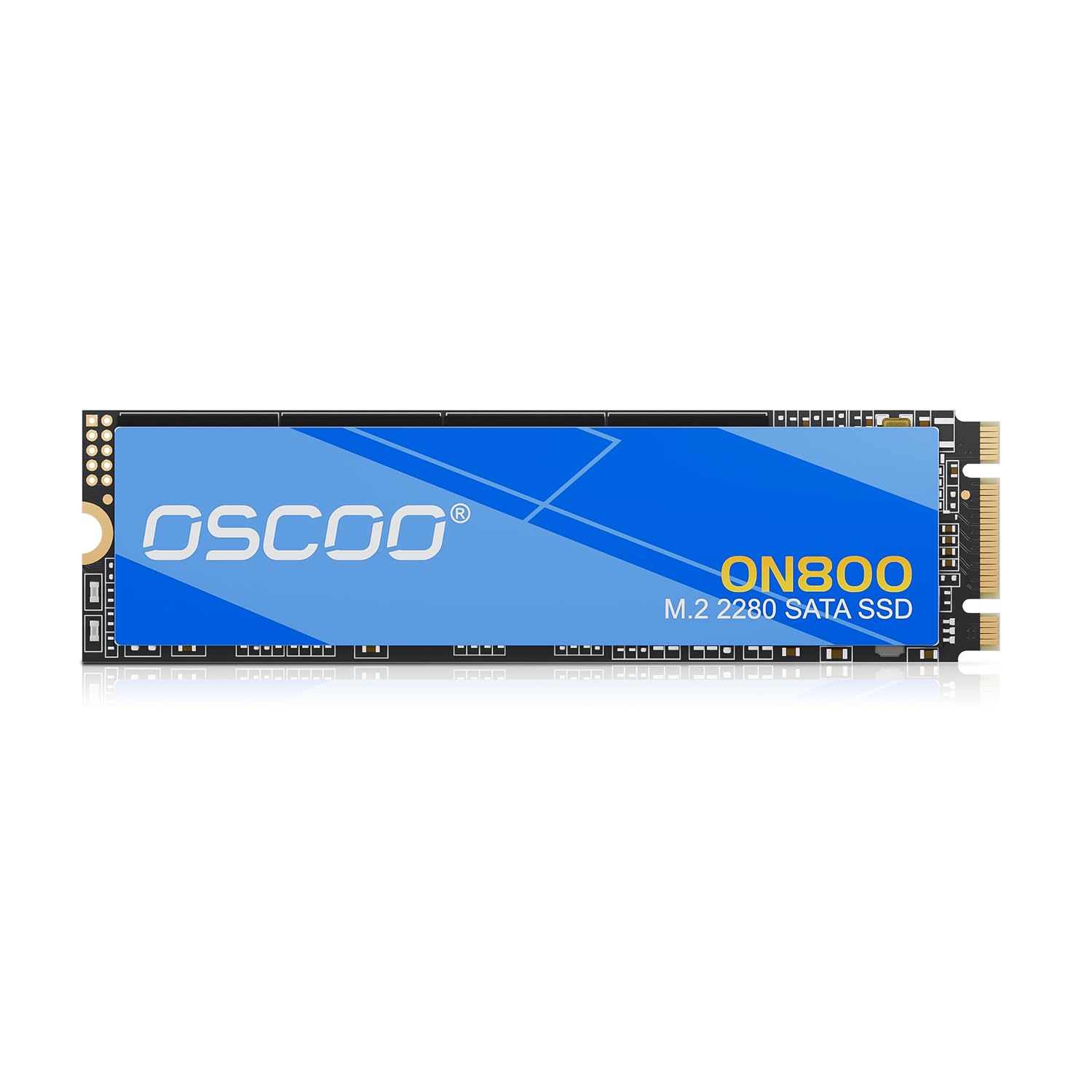
A 1TB SATA drive that revives older MacBook Airs with a SATA M.2 slot.
This drive has found its niche with aging MacBooks, and reports of it reviving machines and working well with Mid 2013 MacBook Air models say a lot about the fit. It uses 3D NAND flash with a SATA controller over the M.2 2280 form factor and B+M key, delivering up to 550MB/s read and 500MB/s write. Its read speed edges the TEAMGROUP MS30 at 530MB/s by a genuine margin, so big reads come through a touch quicker.
Endurance is spelled out clearly: up to 1.5 million hours MTBF (mean time between failures, an estimate of how long the drive runs before a fault is expected). Data protection covers TRIM, SMART monitoring, LDPC ECC (error-correction coding that catches and fixes bit errors in transit) and wear leveling, and setup is eased by included screwdrivers. Installation is easy, and the drive’s performance and speed draw positive notes.
The caveat is compatibility. It is a SATA drive, and the maker warns it will not work in NVMe slots. That matters little for an older MacBook Air with a SATA M.2 bay, but it matters a lot if you assumed any M.2 slot would take it. Check your model’s slot type before you buy.
Right for: owners of older machines — especially Mid 2013 MacBook Airs — who want a full 1TB on a SATA M.2 slot.
Wrong for: anyone with only an NVMe-capable slot, since the drive is SATA-only.
6. Bestoss M.2 SATA III 6Gb/s NGFF 1TB SSD
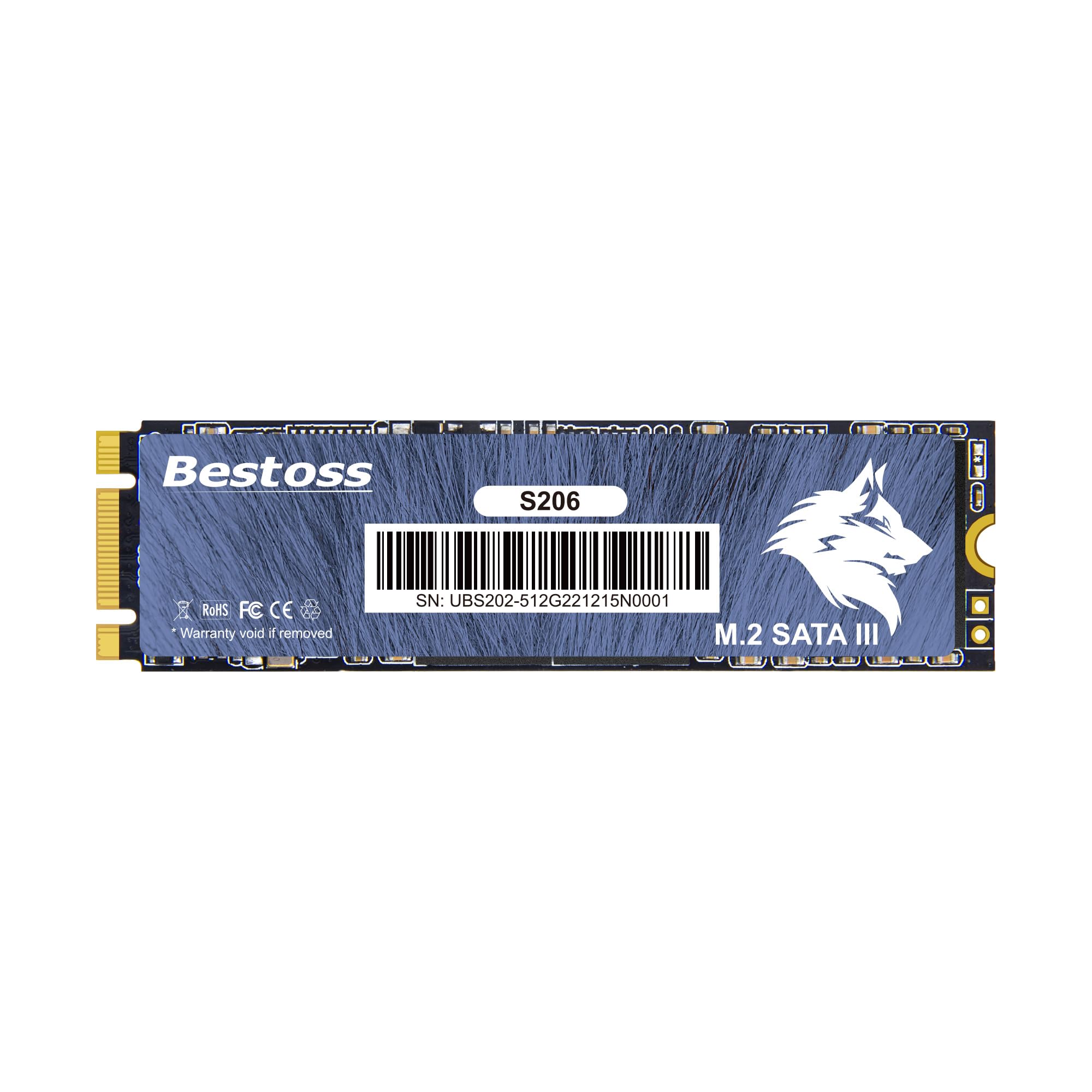
A 1TB SATA drive with S.M.A.R.T, TRIM, ECC and wear leveling at a budget price.
The headline here is straightforward: 1TB of 3D NAND flash in a standard M.2 2280 NGFF SATA form factor, hitting up to 550MB/s read over the SATA III 6Gbps interface. The maker says it runs up to seven times faster than an old mechanical hard drive — realistically that means quicker start-ups, fewer frozen programs and shorter game load screens, measured against the spinning disk you are replacing.
The data-protection package is where a budget drive often thin out, and this one does not. S.M.A.R.T self-diagnosis keeps an eye on drive health, TRIM and ECC error correction repair transmission faults, and intelligent wear leveling spreads writes evenly across the flash chips. Because there are zero moving parts, it resists shock and vibration better than a hard drive, and it runs quieter and cooler. It also ships with a three-year limited warranty and free technical support.
Two things to reconcile before you buy. The first is track record: the drive is genuinely new, and the lower rating that comes with a small pool of buyer feedback reflects that, not necessarily the hardware itself. The second is the enclosure caveat the maker spells out. If you are using it in a USB M.2 enclosure, a charging-only cable will throttle speeds down to USB 2.0. Use a proper high-speed data cable and you get the real throughput.
What you get: 1TB of storage, 550MB/s read, wear leveling and a three-year limited warranty for a wallet-friendly outlay.
Honest note: a relatively new drive with a smaller feedback base, so judge it on the specs and the warranty rather than the crowd.
Choose it if: you want the most gigabytes for the least outlay and are comfortable with an up-and-coming brand.
Spend up if: you’d rather buy into a long-established name with a deeper track record.
7. TEAMGROUP MS30 1TB SATA III M.2 2280 SSD

A 1TB SATA drive with SLC cache for people who want one big disk.
Leading with the fact that matters: 1TB in an M.2 2280 SATA III 6Gb/s drive, with sequential reads up to 530MB/s and writes up to 480MB/s. That write figure sits above the Kingston A400’s 350MB/s transfer rating, so sustained saves clear faster on this drive. It carries SLC cache and 3D NAND TLC flash, spreading the load so everyday workloads keep their pace.
The appeal here is breadth of room and easy installation, which is where the drive gathers its goodwill — quality and value come through strongly, and there is plenty of space for daily work. Reinstalling Windows 11 has been carried off without a hitch, which is the kind of thing that tells you the drive plays nicely with a fresh install. It fits laptops and desktops alike, so it suits a machine that does a bit of everything.
The honest trade-off is nothing dramatic — just know that its read and write figures (530/480MB/s) sit slightly behind the Samsung 860 EVO’s 560/530MB/s and the OSCOO’s 550MB/s read. What you trade in a little top-end speed, you make back in terabyte-class capacity.
This is for you if: you want a full 1TB of everyday storage from a known brand and value room over raw speed.
Only skip if: your priority is the fastest possible write numbers.
Know the Specs
Form Factor: 2280 vs 2242
The four digits are millimetres — 22mm wide, then 80mm or 42mm long. A 2280 drive fits most desktops and full-size laptops; a 2242 drive is for space-constrained bays in ultrabooks, NUCs and mini-PCs. Measure the slot in your machine before you buy, because a longer drive will physically not seat in a shorter bay.
SATA vs NVMe (the compatibility trap)
M.2 is the slot, and SATA or NVMe is the language the drive speaks inside it. A SATA M.2 drive needs a slot that supports SATA; put one in an NVMe-only slot and the machine will not see it. Check your device’s spec sheet for “SATA” next to the M.2 slot before ordering.
DRAM Cache and SLC Caching
A DRAM cache is a fast memory chip holding the drive’s address map, so lookups do not wait on the flash; SLC caching uses part of the flash in a faster single-bit mode as a write buffer. Both keep transfers smooth, and a DRAM-equipped drive tends to hold up better once the buffer runs dry on long writes.
TBW and MTBF Endurance Ratings
TBW (total bytes written) is how much data a drive is rated to write before its warranty limit, such as the Transcend’s 70TB TBW. MTBF (mean time between failures) estimates how long a drive runs before a fault is expected, such as the OSCOO’s 1.5 million hours. Higher numbers signal a longer-rated life.
Common Questions
How do I know if my laptop takes a SATA M.2 drive or an NVMe one?
Will a 2280 SATA M.2 drive fit in a 2242 slot?
Is a SATA M.2 SSD slower than an NVMe drive?
What does a DRAM cache do on an SSD?
How long does a SATA M.2 SSD usually last?
Can I clone my old drive to a new SATA M.2 SSD?
Will a SATA M.2 SSD work in an external USB enclosure?
Do I need a screw or bracket to install an M.2 SSD?
What is the difference between M key and B+M key on an M.2 SSD?
Is 128GB enough for a SATA M.2 boot drive?
The Bottom Line
For most people upgrading a machine with a SATA-capable 2280 slot, the SAMSUNG 860 EVO 250GB is the pick to beat — it delivers the strongest write figure here at 530MB/s and 560MB/s reads, and the crowd favorite status behind its 4.5+ star rating across thousands of owners is well earned. If your bay is the short 2242 size, the Transcend MTS430S is the drive that will actually fit, with a DRAM cache to match. And if a full terabyte of everyday storage is what you are after, the TEAMGROUP MS30 gives you the room at 530/480MB/s. Whichever you pick, confirm the slot supports SATA before you order — it is the one detail that decides whether the upgrade works at all.
How we choose
We do not accept paid placement. Every pick is matched to a real buyer and a real use-case; we do not hands-on test units.
Sources
Specifications: manufacturer listings and product documentation. Review insights: verified customer reviews, as of November 2026. Pricing: not shown on this page (it changes often); check the current price via the retailer link.
As an Amazon Associate, Tactical Gear Guy earns from qualifying purchases. This does not affect which products we feature.