Specs are compiled from manufacturer listings and verified buyer reviews and can change over time — please confirm the key details on the product page before buying.
A silent mouse is not about luxury — it is about not being the person whose clicking drives a shared office, a late-night household, or a library row up the wall. The right one tracks smoothly, sits solid in your palm, and goes months between battery swaps. The wrong one feels mushy, drops its Bluetooth link, or clicks as loudly as any normal mouse. This guide separates the nine models that genuinely pull it off, and tells you plainly which hand size, which desk, and which workflow each one suits.
This guide is built by comparing the manufacturers’ published specifications and the patterns across verified customer reviews, so you get each pick’s real strengths and trade-offs instead of marketing spin.
Quietness is only half the story — hand fit, DPI range and battery style decide whether you will actually enjoy using a mouse every day, so every pick below is weighed on those practical points too. Here is the honest shortlist for a soundless wireless mouse that suits your desk and your hand size.
Top Picks

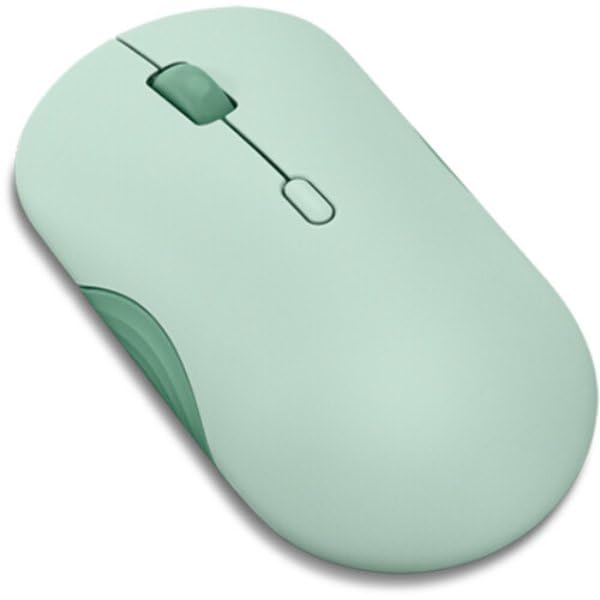

How To Choose The Best Soundless Wireless Mouse
Most buyers assume “silent” is a slider you turn on somewhere. It is not. A silent mouse uses a different physical switch under the left and right buttons — a dampened mechanism that removes the sharp plastic snap you hear on a normal mouse. That is why two mice can look identical and sound completely different. Once you accept that, four practical things decide the rest: how your hand fits the shell, how many DPI levels (cursor-speed settings) you need, if you want a rechargeable cell or a swappable battery, and how many devices you need to hop between.
Hand size and grip shape come first
A mouse that is too small forces your fingers into a claw and your wrist into a constant tense hold. A mouse that is too large leaves your palm floating above the shell, so you end up steering with your fingertips alone. Check the listing’s stated hand size before anything else. Several models here are explicitly built for small to medium hands, and at least one is built for medium to large. If your hand sits right at the boundary, read that note carefully — it is the single most common reason a buyer returns a mouse that otherwise works perfectly.
DPI levels: how much cursor speed you actually need
DPI stands for dots per inch, which is how far the cursor travels across the screen for every inch you move the mouse physically. A low DPI like 800 is precise and controlled — good for spreadsheet cells and photo retouching. A high DPI like 12800 is fast and sweeping — good for large monitors and gaming. Most people land comfortably somewhere in the middle. The useful thing is not the top number but whether you can switch levels with a button, so you can slow down for detail work and speed up for browsing without opening any settings menu.
Rechargeable cell or swappable AA
A rechargeable mouse means a charging cable and a routine. A swappable AA mouse means keeping one spare battery somewhere in a drawer and forgetting about it for a long time. Neither is better in the abstract — it depends on whether you would rather plug in occasionally or never think about it. Pay attention to the rated battery figure and whether that figure assumes a certain amount of daily use, because a month of standby is not the same as a month of eight-hour workdays.
Side-by-Side Comparison
| Model | Best For | Max DPI | Battery | Weight | Amazon |
|---|---|---|---|---|---|
| TECKNET Wireless Mouse BT 5.0/2.4G★ Best Overall | Everyday desk work on a budget | 4800 | 3 months per charge | 0.15 kg | Amazon |
| Lenovo 350 Silent ClickBattery Champion | Set-and-forget battery life | 2400 | 36 months (1 x AA) | 58 g | Amazon |
| INPHIC Upgraded Silent RechargeableTop Performer | Gaming and precision tracking | 12800 | 500mAh rechargeable | 106 g | Amazon |
| TECKNET Pro Tri-Mode | Long shifts and large hands | 6400 | 800mAh, up to 135 days | — | Amazon |
| HP 400 Quiet Wireless | Silicone comfort and color choice | 6000 | 24 months (1 x AA) | — | Amazon |
| Arteck Multi-Device MD172 | Three-device switching | — | 4 months per charge | — | Amazon |
| Logitech Signature Plus M750 L | Large hands and fast scrolling | — | 24 months (1 x AA) | — | Amazon |
| Logitech Mobi Fold | Travel and pocket carry | 4000 | 1 month per charge | 79 g | Amazon |
Detailed Reviews
1. TECKNET Wireless Mouse Grey
Our pick — 4.5+★ from 13,500+ verified ratings; the strongest balance of quality and price.
The quiet workhorse that pairs to two computers and still outlasts almost everything here.
Six DPI settings and a dual-device switch make this the safest all-rounder for a normal desk setup. The buttons run silent — TECKNET builds the quiet switch in, so you get a soft, dampened press rather than the sharp click that carries across an open office. The 6 adjustable levels run from 4800 down to 800 DPI, so you can slow the cursor right down for a spreadsheet and speed it back up for browsing with one button press. That range is wider than the Lenovo 350’s 2400 top end, which matters if you work on a large monitor.
Battery is where this one quietly wins. The rechargeable cell takes 1.5 to 2 hours to fill and then delivers a stated 3 months of use at 2 hours a day. Contrast that with the Lenovo 350’s 36 months — the Lenovo goes far longer between battery events, so if plugging in twice a year sounds like a chore, that one is the better fit. But here you never buy a battery, and a charging cable comes in the box. Connection is Bluetooth 3.0/5.0 or a USB-A receiver, and you flip between two paired devices with a slide switch on the base.
The honest catch is hand size. TECKNET states plainly that this shell suits small to medium hands, and larger-handed buyers may find their palm riding over the back edge. It is also not built for gaming-grade precision — 4800 DPI is plenty for office work and general browsing, but a competitive shooter player will want the higher ceiling of the INPHIC below. For everyday desk duty, though, this is the pick that gets out of your way: it wakes fast, pairs easily, and stays quiet while it works.
What earns its keep
- Silent dampened clicks keep shared spaces calm
- 6 DPI levels from 800 to 4800 cover detail work and browsing
- Rechargeable with cable included — no battery drawer needed
- Two-device switching by a slide on the base
Where it asks you to adapt
- Shell sized for small to medium hands only
- 3 months per charge trails the 36-month AA models here
- Side buttons do not work on macOS
Settle on this one if: you want a quiet, rechargeable two-device mouse for everyday desk work and your hands are small to medium.
Worth pausing over: the 4800 DPI ceiling is modest next to the 12800 of the INPHIC, so heavy gaming is not its job.
2. Lenovo 350 Wireless Bluetooth Mouse
One AA battery, thirty-six months, and almost nothing to think about.
The headline figure is 36 months on a single AA battery. That is three full years between battery swaps, which beats the TECKNET’s 3-month rechargeable cycle by a wide margin. If your idea of a good peripheral is one you literally forget exists, this is the mouse built for that. It runs on Bluetooth 5.3 and pairs to two devices with a push button for the mode switch and a slide for power. The buttons are silent by design, and Lenovo rates the left and right switches at up to 5 million clicks.
Its DPI tops out at 2400 across three levels — 1000, 1600 and 2400. That is well under the 12800 ceiling of the INPHIC and even below the 4800 of the TECKNET above, so treat this as a precision-tuned office mouse rather than a gaming tool. Weighing 58 g, it is the lightest full-size pick in this group, and the ambidextrous shell means left-handed buyers get a genuine option. Bluetooth 5.3 also holds a paired link through a reboot, so you are not reconnecting every morning.
The trade-off to weigh honestly: the size. Lenovo notes it suits smaller hands particularly well, and buyers with a broad palm may find the body a touch compact. There is no rechargeable cell either — you keep a spare AA around, though at 36 months that is a rare errand. If you want the longest possible gap between battery thoughts and prefer a light, low-profile shell, this is the one to reach for.
What stands out: 36 months on one AA is the longest rated battery life in this entire lineup, and 58 g keeps it featherlight in hand.
Where it asks for patience: 2400 max DPI and a compact shell will not suit broad palms or fast-paced gaming.
Reach for this if: you want to pair once, forget the battery for three years, and like a light ambidextrous body.
Look elsewhere if: you need high DPI for gaming or have extra-large hands.
3. INPHIC Silent Rechargeable Wireless Mouse
A gaming-grade sensor wrapped in silent switches — the widest DPI spread here by far.
For raw tracking range, nothing else in this group comes close. The INPHIC carries six DPI presets from 800 all the way to 12800, which is a five-times-higher ceiling than the Lenovo 350’s 2400. At the low end you get controlled document editing; at the top you get the fast, sweeping cursor speed a large monitor or a game demands. The optical sensor is built to track without jitter across desks, mouse pads and even fabric surfaces — the kind of thing that matters when you are working on a hotel desk or a sofa arm.
Yet it still clicks quietly. Silent left and right buttons keep it welcome in offices, libraries and shared rooms, and it is a right-handed ergonomic shape with a sculpted thumb rest and a matte anti-slip finish. The connection menu is the broadest here: Bluetooth 5.0 dual channel plus 2.4GHz wireless plus a USB-C wired mode, so two Bluetooth devices and one 2.4G device are all one press away. A 500mAh rechargeable cell with Type-C fast charging and a real-time three-level battery indicator keeps you ahead of shutdowns.
Two things to be honest about. At 106 g it is heavier than the 58 g Lenovo, so fast flick-style aiming feels more deliberate. And wired mode needs a separate USB-C data cable that is not in the box. Button responsiveness draws mixed reactions, so if you remap heavily for competitive play, plan on some tuning time. For anyone who wants silent clicks without giving up precision on a big screen, this is the standout.
The case for it
- 12800 DPI across six presets — the highest in this lineup
- Silent left and right clicks despite the gaming sensor
- Tri-mode: Bluetooth 5.0 dual channel, 2.4GHz, and USB-C wired
- 500mAh cell with Type-C charging and a three-level battery indicator
What it will not do
- 106 g makes it the heaviest full-size pick here
- Wired mode needs a separate USB-C data cable, sold apart
- Button responsiveness is a mixed experience
Matches best with: gamers and big-screen workers who want silent switches plus a 12800 DPI sensor and multi-device switching.
The caveat to hold: its 106 g frame and separate-cable wired mode reward buyers who plan ahead.
4. TECKNET Pro Bluetooth Mouse
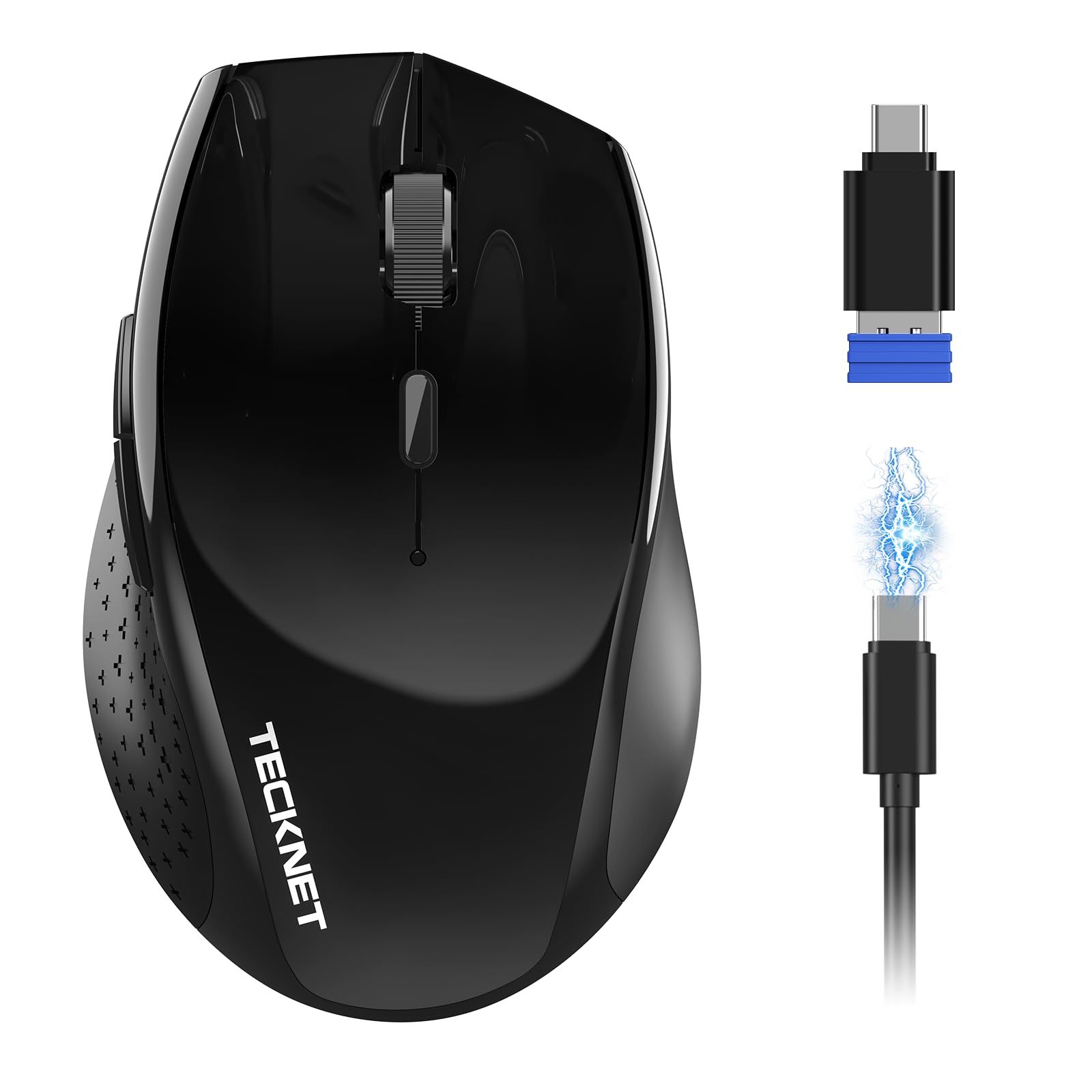
Built for full-time desks and larger hands, with a battery that stretches into months.
You charge this one about twice a year, not every week: an 800mAh cell (battery capacity) is rated for up to 135 days on a full charge, which separates it from the smaller rechargeable mice here. It also charges about three times faster than a standard charge cycle, according to the maker. The full-size shell plus a soft rubber grip is shaped for medium to large hands, and TECKNET claims the ergonomic curvature cuts wrist strain by up to 35%, a maker’s figure rather than a measured result.
You can work late at night or at a shared desk without broadcasting every press: TECKNET rates its silent switches 90% quieter than standard mice.. Six DPI settings run from 6400 down to 1000, comfortably above the Lenovo 350’s 2400 ceiling but below the INPHIC’s 12800. The tri-mode connection is the practical part: Bluetooth 5.0/3.0 (wireless pairing), a standard USB-A link, and a USB-C adapter in the box, so it plays nicely with both modern laptops that only have USB-C and older desktops that still want USB-A.
The main fit note is the size — full-size and shaped for larger hands means smaller-handed users will find it rides tall under the fingers. It is also right-handed only, so lefties should look to the ambidextrous Lenovo or HP. If you work a long shift and want a battery that will not nag you weekly, this earns its spot.
Why it holds up: a full-size body built for medium-to-large hands, an 800mAh cell rated up to 135 days, and silent clicks rated 90% quieter than standard mice.
Keep in mind: the full-size shape and right-hand-only build leave small hands and lefties out.
Built for: long-shift workers with medium to large right hands who want a months-long battery and both USB-A and USB-C adapter options.
Not the match if: your hands are small or you use your left hand as primary.
5. HP 400 Quiet Wireless Mouse
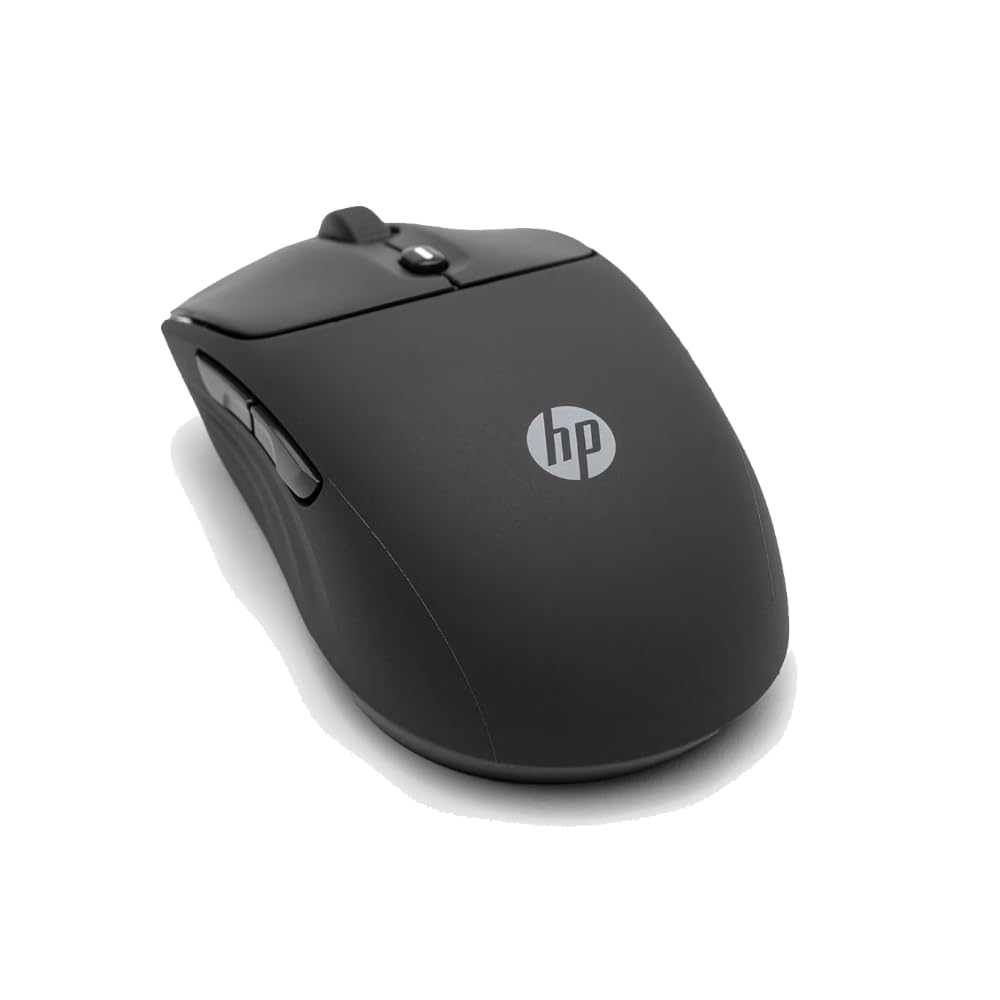
A soft silicone shell in five colors, with quiet clicks and a two-year battery.
The material is the reason to look here. The shell is silicone rubber — soft to the touch, easy to wipe clean, and ambidextrous, so it works the same in either hand. HP offers it in five color options, which is more personality than most of this lineup allows. The quiet clicks come paired with both vertical and horizontal scrolling, plus a center button that opens the Microsoft Wheel setting for quick shortcuts. The click feel is the thing that keeps people happy with it.
Tracking goes up to 6000 adjustable DPI — ahead of the Lenovo 350’s 2400 and the TECKNET’s 4800, behind the INPHIC’s 12800. A single AA gives 24 months of rated battery life, shorter than the Lenovo’s 36 but longer than the 3-month rechargeable cycles on the budget picks. You connect over Bluetooth or a 2.4GHz dongle, and the mouse is made with at least 40% post-consumer recycled materials in FSC certified packaging. Five buttons round it out.
The gap to know about is gaming. 6000 DPI is respectable but not the kind of ceiling a competitive player wants, and the soft silicone body is more comfort than speed. It is also a lighter spec sheet overall — no rechargeable cell, no top-tier sensor. For an ambidextrous desk mouse with a nice feel and a bit of color, it is a lovely match.
Why it appeals
- Silicone rubber shell that is soft and easy to wipe clean
- Ambidextrous build works in either hand
- 6000 DPI and 24-month battery on one AA
- Five color options to match a desk setup
Where it holds back
- No rechargeable cell — you swap an AA at 24 months
- 6000 DPI ceiling is modest for competitive gaming
Go with this: for a soft, washable, ambidextrous desk mouse in a color you actually like, with quiet clicks and a two-year battery.
Think again if: you want a rechargeable battery or a gaming-tier top DPI.
6. Arteck MD172 Wireless Bluetooth Mouse

Three devices, one button, and both a USB-A and a USB-C receiver in the box.
Most multi-device mice stop at two. This one connects to three at once — a 2.4G USB-A link, a 2.4G USB-C link, and Bluetooth — and you switch between them with one button press. That means a desktop, a laptop and a tablet can all share one mouse without unplugging anything. Both nano receivers store in the back of the mouse, so nothing gets lost in a bag. It handles Windows 11/10/8/7, iPadOS, Android, Mac and PC.
The battery is a rechargeable lithium cell rated for 4 months on a single charge, assuming 2 hours of non-stop use per day. That beats the 3-month cycle of the TECKNET at the top of this list and sits just above the HP’s rechargeable-free 24-month window in convenience terms. A soft, easy-grip thumb rest pushes the hand into a natural position, and the shell is shaped for medium to large hands. Silent clicking keeps it welcome in an office, cafe or library.
Two fit notes. The shape is explicitly not suited to small hands, and button placement draws mixed reactions — if you lean on side buttons for shortcuts, try to feel where they sit before committing. It is right-handed only as well. For a multi-device user who moves between machines all day, though, the three-way switching is the real selling point.
Standout spec: three-device connection across USB-A 2.4G, USB-C 2.4G and Bluetooth, switched by a single button.
Worth knowing: built for medium-to-large right hands, and the side-button placement is a love-it-or-not detail.
Pick this for: switching between a desktop, laptop and tablet all day with both a USB-A and USB-C receiver ready to go.
Pass if: your hands are small or you rely heavily on side-button shortcuts.
7. Logitech Signature Plus M750 L Wireless Mouse

The large-hand model that scrolls line by line or races down a page at a flick.
This is the “L” version of Logitech’s Signature line, shaped for larger hands with a soft thumb area and rubber side grips. The wheel is the standout: SmartWheel switches between line-by-line precision for documents and fast scrolling for long web pages with a flick of the finger. That one feature saves a lot of scroll-dragging on lengthy pages. Logitech rates its SilentTouch switches at 90 percent less click noise than a standard mouse.
Easy-Switch pairs and hops between up to three Bluetooth devices, and Flow lets you move text, images and files between Windows and macOS machines. A single AA battery runs 24 months, and the platform support covers Windows, macOS, Linux, ChromeOS, iPadOS and Android. The side buttons can be remapped through Logitech Options+ on Windows and macOS for shortcuts like back, forward, copy and paste. Six buttons in all, contoured for the right hand.
Here is the honest tension: though it is marketed for large hands, some buyers find the body narrower than expected, so the “large” sizing is worth taking with an ergonomic grain of salt. It is one of the pricier picks here, and the value question depends on whether SmartWheel (a scroll wheel that speeds up as you spin it) and Flow (Logitech’s feature for moving between computers) matter to you.
The wins
- SmartWheel toggles line-by-line and fast scrolling
- Easy-Switch across three Bluetooth devices plus Flow file transfer
- 24-month battery on one AA
- Remappable side buttons via Logitech Options+
The cost of entry
- Body can feel narrower than “large hand” suggests
- Premium positioning — worth it mainly if you want SmartWheel and Flow
Choose this when: you own a big hand, live on long documents, and want SmartWheel plus three-device switching.
Hold off if: you have broad hands expecting a genuinely wide body, or you do not need the premium scrolling.
8. Logitech Mobi Fold Foldable Wireless Mouse
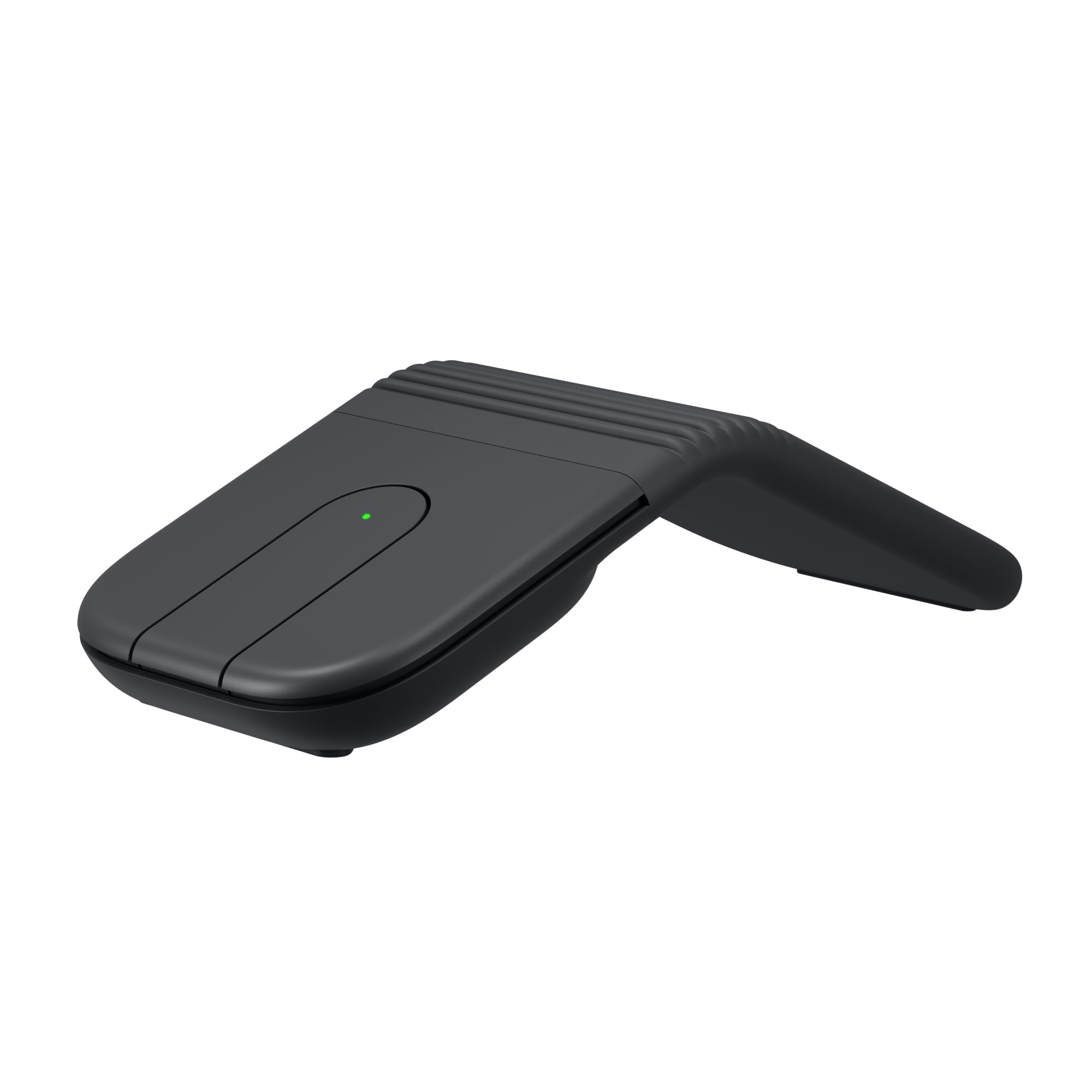
It folds flat into a puck, slides in a pocket, and unfolds to switch itself on.
The trick here is the fold. The Mobi Fold is small and ultra-thin, folding flat to slip into a pocket or bag, and it powers on as you unfold it and off as you fold it — no switch to forget. That physical trick is why it exists, and it makes this the one you actually take to a cafe or a flight. At 79 g it is the lightest mouse in this group apart from the 58 g Lenovo, and its compact body suits small hands and travel kits.
Tracking goes to 4000 DPI with Adaptive Touch Scrolling for line-by-line accuracy and fast navigation. Quiet clicks keep it welcome in shared spaces and public places. Bluetooth covers Windows, macOS, Chrome OS, Android, iPadOS and Googlebook OS, with Swift Pair and Fast Pair certification, and Easy-Switch hops across three devices. Charging is quick — up to 1 month on a full charge, with up to 22 hours from a one-minute charge, over a USB-C cable that is not included. Four buttons, right-handed.
The clear limit is endurance. One month per charge is the shortest in this lineup, a far cry from the 36-month Lenovo, so you will be plugging it in regularly if it is your main mouse. That is the price of the foldable, featherweight design. As a grab-and-go backup for a laptop bag, it earns its place.
Where it shines
- Foldable to a flat puck that fits a pocket, powering on and off as it folds
- 79 g and ultra-thin for travel
- Up to 22 hours from a one-minute charge
- Easy-Switch across three devices with Swift Pair and Fast Pair
What you give up
- 1 month per charge is the shortest battery life here
- USB-C charging cable sold separately
- Compact, right-hand shape will not suit large hands
The one for: frequent travellers and laptop-bag carriers who want a genuinely pocketable silent mouse with quick top-up charging.
Look past it if: you want a desk mouse that goes months between charges or need a large-hand fit.
Know the Specs
DPI (dots per inch)
DPI is how far the cursor travels for each inch you move the mouse. Low settings like 800 stay precise for spreadsheets and photo edits. High settings like 12800 race across a large monitor or support fast aiming in games. The number that matters most is the range — a mouse that can drop to 800 for detail and jump to 4800 or more for browsing gives you both worlds with a button press.
Silent click switches
A silent mouse uses a dampened switch under the left and right buttons that removes the sharp plastic snap of a normal mouse. It is a hardware design, not a software setting. The better ones still give you a soft tactile confirmation, so you feel the press without hearing it. If a listing only says “silent” with no mention of the switch design, look elsewhere — the quiet is either built into the switch or it is not there at all.
Battery: rechargeable vs AA
A rechargeable cell means a cable and a charging routine, but you never buy batteries. A swappable AA means keeping a spare in a drawer and forgetting about the mouse for years — the Lenovo 350 rates 36 months on one cell. Pay attention to the rated figure and its assumption: a 3-month rating at 2 hours a day is very different from a month of standby time. Match the style to your tolerance for charging.
Hand orientation and grip shape
Right-hand, ambidextrous, small, medium, large — the shell shape decides whether your wrist stays relaxed. A mouse too small forces a tense claw grip. Too large and your palm floats, so you steer with fingertips. Check the stated hand size before anything else, and if you are at the boundary, that note is the single reason a working mouse gets returned. Ambidextrous shells like the HP and Lenovo cover left-handed buyers too.
Common Questions
Is a silent mouse actually quieter than a normal one?
Which mouse is best for large hands?
Will a silent wireless mouse work with my Mac or iPad?
How long does a wireless mouse battery really last?
Can I switch between two or three devices with one mouse?
Is a high DPI number better for everyday work?
Do silent mice need a special mouse pad or surface?
Which model folds down for travel?
Are silent clicks harder to press or slower to register?
Does a palm cushion actually help during long sessions?
The Bottom Line
For most buyers, the soundless wireless mouse winner is the TECKNET Wireless Mouse BT 5.0/2.4G because it pairs to two devices, runs on a rechargeable cell with the cable included, and gives six DPI levels from 800 to 4800 for everyday desk work — all while keeping the clicks genuinely quiet. If you want the longest gap between battery events, grab the Lenovo 350 at 36 months on a single AA. And for gaming-grade precision that still clicks softly, the INPHIC and its 12800 DPI ceiling is the one to reach for.
What decides your pick is honestly simple: match the shell to your hand size, match the battery style to your tolerance for charging, and match the DPI to how much screen you cover. The rechargeable crowd keeps you off battery errands, the AA models keep you off cables, and the multi-device picks keep three machines on one desk from turning into three mice. Whichever way you lean, a silent switch is the upgrade your desk neighbors will notice most.
How we choose
We do not accept paid placement. Every pick is matched to a real buyer and a real use-case; we do not hands-on test units.
Sources
Specifications: manufacturer listings and product documentation. Review insights: verified customer reviews, as of November 2026. Pricing: not shown on this page (it changes often); check the current price via the retailer link.
As an Amazon Associate, Tactical Gear Guy earns from qualifying purchases. This does not affect which products we feature.