Specs are compiled from manufacturer listings and verified buyer reviews and can change over time — please confirm the key details on the product page before buying.
If your gaming laptop turns into a hot plate twenty minutes into a match, the fix is not a cooler pad and it is not a new desk. It is picking a machine whose cooling design was actually engineered to carry the heat away — dual fans, vapor chambers, liquid metal on the chip, or some combination of all three. That single decision keeps your frame rate from falling off a cliff when the action gets heavy, and it is the one thing every pick below has in common. The differences are in how much power each one is trying to cool, and whether the thermals can keep up.
This guide is built by comparing the manufacturers’ published specifications and the patterns across verified customer reviews, so you get each pick’s real strengths and trade-offs instead of marketing spin.
You will see the thermal designs, the panel specs, and the honest trade-offs of each machine side by side, so you can match one to your desk and your workload. That is how you end up with the coolest laptop in the room instead of the loudest one.
Top Picks

How To Choose The Best Coolest Laptop
Cooling is not one part — it is a chain. A chip generates heat, a cold plate pulls it off, heat pipes or a vapor chamber carry it across the chassis, and fans push it out through vents. Break any link and the whole thing backs off its speed to protect itself. That backing-off is what you feel as stutter, and it is why two laptops with the same graphics card can behave completely differently after an hour.
Match the cooling to the chip it has to carry
A 5.2 GHz boost clock on a Core 7 or Core i9 generates serious heat the moment it ramps up. That is why the strongest thermal designs — a full vapor chamber, three fans, liquid metal on the die — sit on the machines with the highest clocks. If you see a big processor paired with a thin single-fan chassis, expect it to get warm and loud under load.
Know what a vapor chamber actually does
A vapor chamber is a sealed metal plate with a fluid inside that boils and condenses, spreading heat across a wide area far faster than a solid block. Paired with liquid metal — a metallic paste that transfers heat better than standard thermal compound — it keeps the chip cooler so the fans do not have to scream. Several picks here lean on exactly that combination, and it is the clearest sign the maker took thermals seriously.
Refresh rate versus resolution
A 165Hz panel redraws the screen 165 times a second, which cuts motion blur in fast camera swings. A 240Hz panel goes further, but it also needs the graphics card to actually push that many frames. If the display outruns the GPU, you paid for smoothness you never see. Balance the two: a 240Hz screen makes sense beside a 5070 Ti or 5080, not beside an entry graphics chip.
Side-by-Side Comparison
| Model | Best For | Cooling Design | Refresh Rate | Weight | Amazon |
|---|---|---|---|---|---|
| ASUS ROG Strix G16★ Best Overall | Serious gaming and creation | Vapor chamber, tri-fan, liquid metal | 165Hz | — | Amazon |
| Lenovo Slim 7i Aura EditionBest for Travel | All-day portable work | 30W TDP internal blowing tech | 60Hz | 2.82 lbs | Amazon |
| Alienware 16 AuroraBest Value | Mid-range gaming value | Cryo-Chamber airflow design | 120Hz | — | Amazon |
| Acer Nitro V | Budget-friendly fast play | Dual-fan, quad-intake, quad-exhaust | 180Hz | 5.29 lbs | Amazon |
| MSI Cyborg 17 | Big-screen on a budget | Cooler Boost shared-pipe | 144Hz | 5.5 lbs | Amazon |
| MSI Katana 15 HX | High-refresh QHD gaming | Cooler Boost 5, 5 heat pipes | 165Hz | — | Amazon |
| Acer Predator Helios Neo 18 | Desktop-replacement power | Dual fans, AeroBlade 3D metal fan, liquid metal | 240Hz | 7.28 lbs | Amazon |
| Samsung Galaxy Book6 Ultra | Creative pros on the move | Vapor chamber with redesigned fans and vents | 120Hz | — | Amazon |
| Alienware 16 Area-51 | Unrestricted gaming power | Cryo-Chamber with larger air intake | — | — | Amazon |
| ASUS ROG Strix SCAR 16 | Top-shelf gaming and rendering | Vapor chamber, tri-fan, liquid metal | 240Hz | — | Amazon |
Detailed Reviews
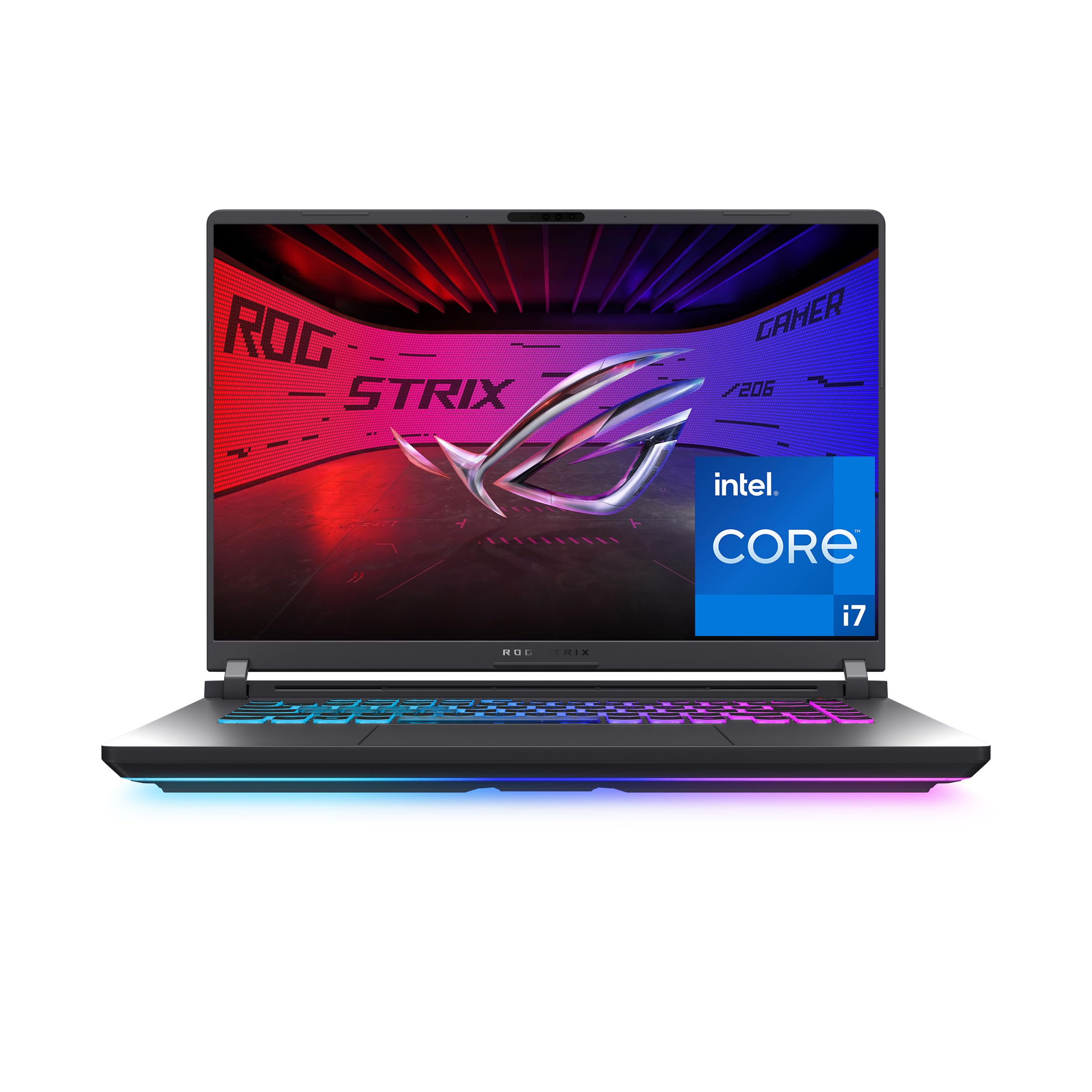
1. ASUS ROG Strix G16 (2025)
Our pick — 4.0+★ from 650+ verified ratings; the strongest balance of quality and price.
Three fans, one vapor chamber, and liquid metal where the heat starts
The thermal stack is the reason this machine tops the list. ASUS runs an end-to-end vapor chamber across the chassis, backs it with tri-fan technology, and applies Conductonaut extreme liquid metal directly to the chipset. In plain terms, heat gets lifted off the processor fast and spread wide before the fans have to deal with it, so the Core i7 14650HX can hold its 5.2 GHz boost instead of surrendering to the thermals.
That headroom matters because the internals are not modest. You get an NVIDIA GeForce RTX 5060 laptop GPU built on the Blackwell architecture with DLSS 4, plus 16GB of DDR5-5600MHz memory and a 1TB PCIe Gen 4 SSD. The 16-inch FHD+ panel runs a 165Hz refresh rate and pairs it with a new ACR film that sharpens contrast and cuts glare — the kind of thing you notice when a lobby has windows behind you.
There is a 360° RGB light bar that syncs with the keyboard and other ROG peripherals, and Stealth Mode kills every light for a less shouty look. What wins people over is how composed it stays under sustained load, because ASUS built the cooling chain to carry heat past a benchmark burst. The crowd backs it too — 4.0+ stars across 600+ owners. The honest catch is unplugged time. Battery life is listed at 2 hours, so this is a desk-and-outlet machine, and the separate 50-hour standby figure is just sleep time, not play time.
Where it earns its keep
- Vapor chamber plus tri-fan plus liquid metal — a full thermal chain, not a token heatsink
- 5.2 GHz max boost on the Core i7 14650HX with the cooling to sustain it
- 165Hz FHD+ panel with an ACR film that reduces glare
- Wi-Fi 7 and a 1TB Gen 4 SSD from the start
What to plan around
- 2 hours of battery life means it lives near a wall outlet
- The aggressive thermal tuning is not a silent-lap machine
Buy this one if: you want a gaming laptop that holds its clocks through a long session and you work at a desk with power nearby.
Think twice if: you need hours of untethered battery — the Slim 7i below runs 17 hours by comparison.
2. Lenovo Slim 7i Aura Edition
A 2.82 lb aluminum shell that goes 17 hours between charges
Seventeen hours of battery is the whole argument for this one. The Lenovo runs 17 hours of battery against the Strix G16’s 2 hours — an 8.5x gap — because it is built around a 30W TDP chip rather than a discrete gaming GPU. If your day is writing, spreadsheets, and a browser with forty tabs, this is the machine that never asks you to hunt for an outlet.
It starts at 2.82 lbs in a thin aluminum chassis with a rounded edge for easy grab-and-go. The 14-inch WUXGA OLED panel carries DisplayHDR True Black 500 and 600 nits of peak brightness, which reads as deep blacks and punchy color rather than a washed-out glare panel. Thermals come from a 30W TDP design with internal blowing tech, which is exactly right for this power class — enough to stay cool and quiet without a bulky heatsink.
The Core Ultra 7 256V is the part that makes the low heat possible, and the trade-off is raw speed. Its max boost is 2.2 GHz against the Nitro V’s 5.2 GHz below, so heavy rendering is not its lane. Reviewers call it great for writers, and the praise centers on simple, reliable everyday function. There is a mixed note on reliability, with some units that would not power on, so buy from a seller with a clean return path.
Who it actually suits: the commuter, the coffee-shop writer, anyone whose laptop leaves the house daily and comes home with charge to spare.
The trade-off to own: at 60Hz with a 2.2 GHz ceiling, this is a productivity machine — not the laptop you buy for a high-frame-rate shooter.
The long-day answer: 17 hours and 2.82 lbs is the combination most travelers actually want.
Not your pick for: gaming or GPU rendering — the RTX machines here run circles around it on frames.
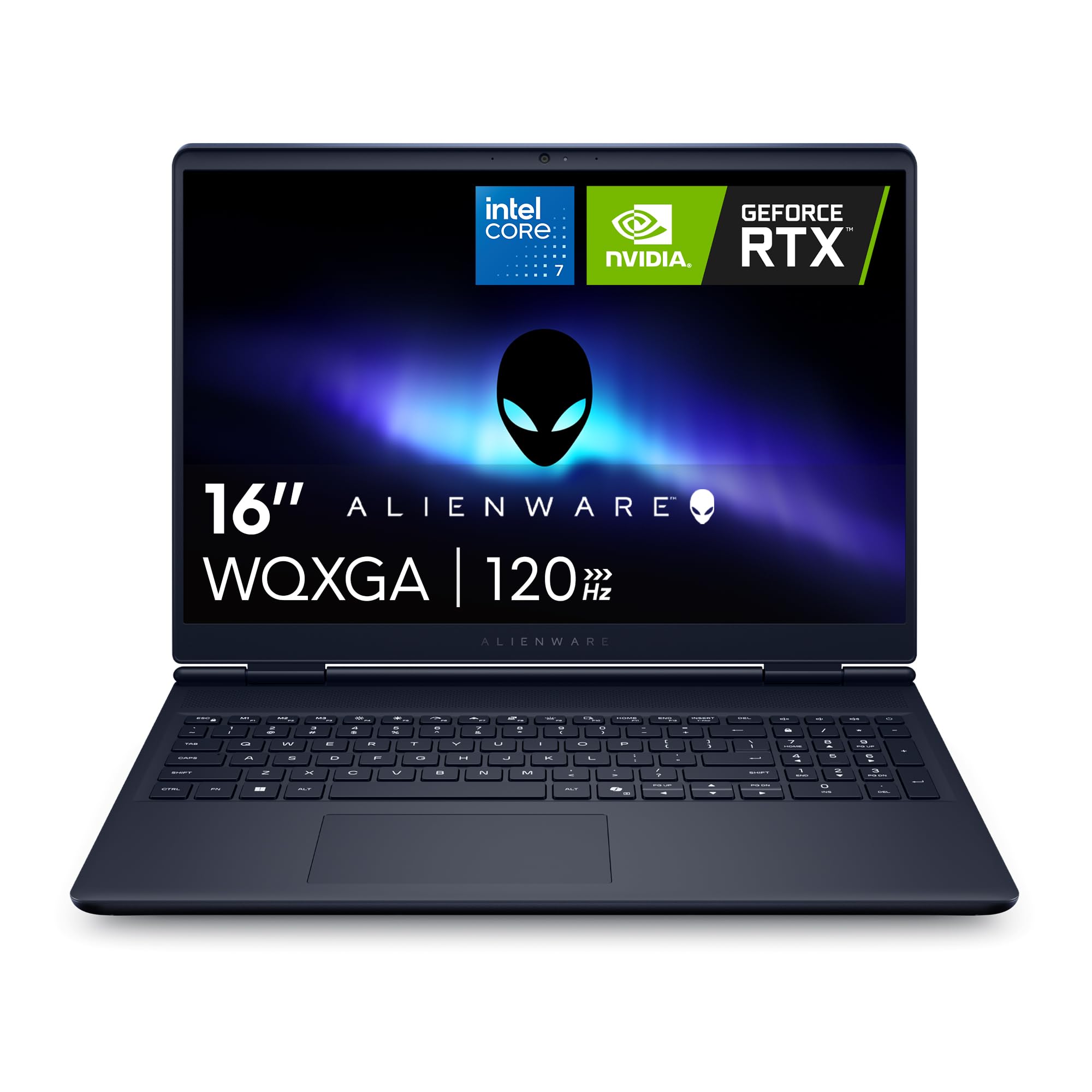
3. Alienware 16 Aurora
Alienware’s Cryo-Chamber aims the air at the parts that get hot
Most budget gaming laptops dump heat wherever the vents happen to land. The Aurora instead uses a Cryo-Chamber structure (a cooling layout that pushes airflow straight to the core components), so heat leaves without a rear thermal shelf sticking off the back — a real bonus if the machine has to fit a normal desk or bag. The RTX 5050 GPU (a graphics chip) with Blackwell and AI features carries mainstream games, so everyday titles run smoothly. The 16-inch WQXGA panel (a sharp 2560×1600-class screen) runs 120Hz at 300 nits — fast enough for smooth motion, and bright enough for indoor play.
The processor is the same 5.2 GHz Core 7 240H you will find in the Nitro V below, so the two are close on raw clock speed. Where they split is cooling philosophy: Acer goes dual-fan with four intakes and four exhausts, Alienware goes guided-airflow through a single chamber. What wins people over here is quality, and the value lands second — buyers consistently feel they got more machine than the sticker implied. Reliability gets a mixed read, with some reports of sluggish stretches, so keep an eye on fan profiles in the first week.
The understated win: no rear shelf means it slides into a standard sleeve and sits flush against a wall.
Worth knowing: 300 nits is fine indoors but will struggle beside a bright window.
Reach for this if: you want the Alienware badge and guided thermals at a mainstream tier.
Look elsewhere if: you need a 240Hz panel or the fastest GPU — that is the Helios and SCAR territory.
4. Acer Nitro V (ANV16-72-73EW)
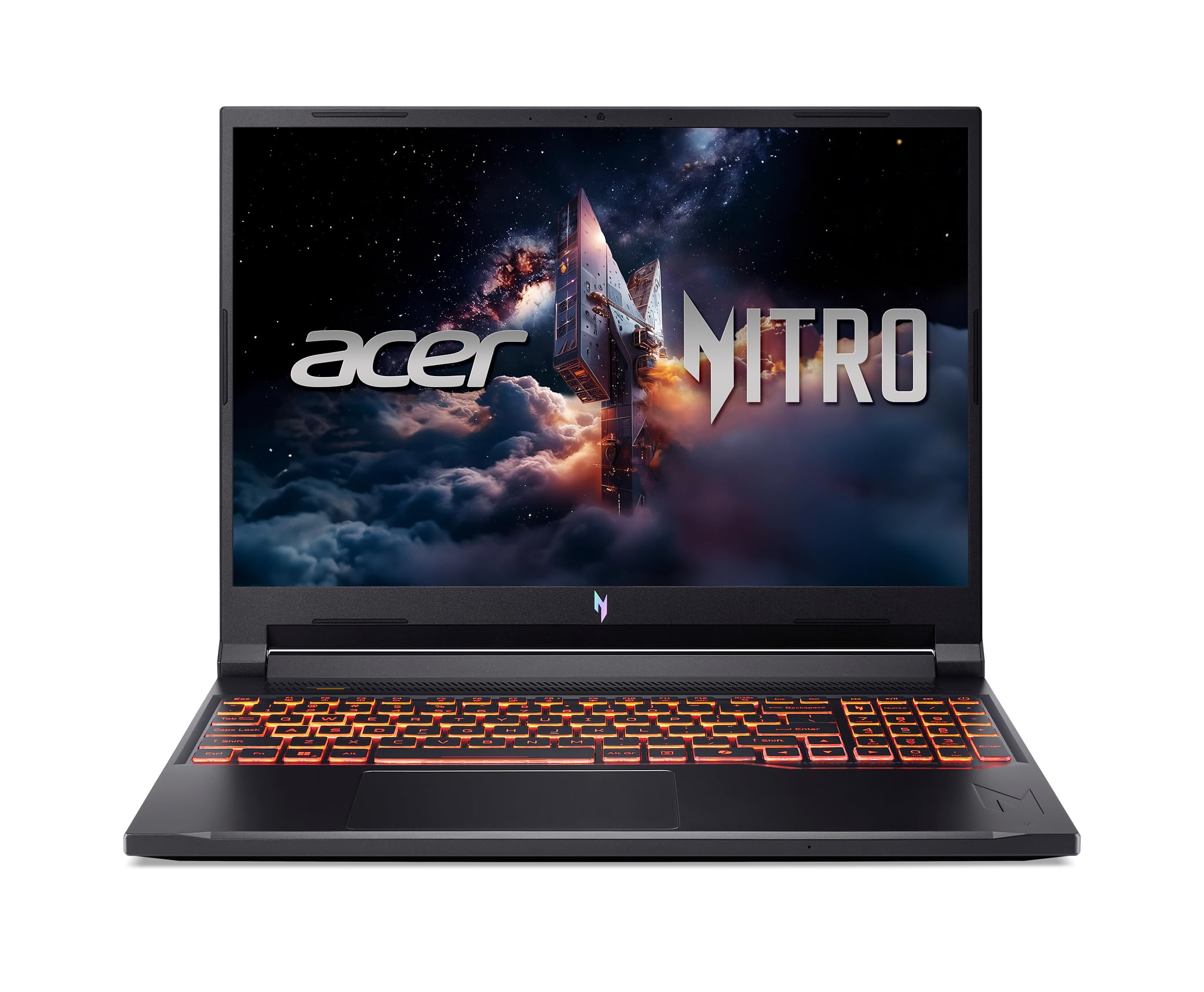
The value play with a 180Hz panel and a 5.2 GHz Core 7
Here is your sharpest frame-rate-per-dollar trade. The Nitro V pairs an Intel Core 7 240H at a 5.2 GHz max boost (its top speed when it needs the power) with a 180Hz WUXGA display at 3ms overdrive response (a fast pixel switch that cuts motion blur) — a 3.0x higher refresh than the Slim 7i’s 60Hz, and a 2.4x higher boost clock than its 2.2 GHz. That means fast games stay smooth and blur-resistant, so you get that without stepping into the premium tier. If you mostly play fast shooters on a budget, this is where the math works; if you need all-day battery, look at the Slim 7i instead.
The GPU is the GeForce RTX 5050 on Blackwell with DLSS 4 and 440 AI TOPS of horsepower, so ray-traced titles get the neural rendering lift. Cooling is a genuine dual-fan, quad-intake, quad-exhaust architecture built to push heat out during extended sessions, and NitroSense lets you track performance live and tune fan speed yourself. Memory is 16GB DDR5 with two slots supporting up to 32GB, storage is a 1TB PCIe Gen 4 SSD, and there is a microSD reader plus Thunderbolt 4 for external drives.
It weighs 5.29 lbs, against the Slim 7i’s 2.82 lbs — a difference you notice in a backpack. It also holds a 4.5+ rating, which is strong for a machine this new, though it has far fewer owners behind that score than the Alienware or the G16. Treat the number as a promising early signal rather than a long track record. The upside is a full port set and a screen that outruns almost everything else in its bracket.
The wins that show up daily
- 180Hz at 3ms overdrive keeps fast pans legible
- 5.2 GHz boost with quad-intake, quad-exhaust cooling
- Thunderbolt 4, HDMI 2.1, and a microSD reader
- Two DDR5 slots support up to 32GB later
The fine print
- 5.29 lbs is a desk-to-desk carry, not a daily commute laptop
- 300 nits brightness is modest for outdoor use
Go this way if: refresh rate and boost clock matter more to you than portability.
Skip the comparison if: you are chasing 240Hz — that belongs to the Helios 18 and SCAR 16.
5. MSI Cyborg 17
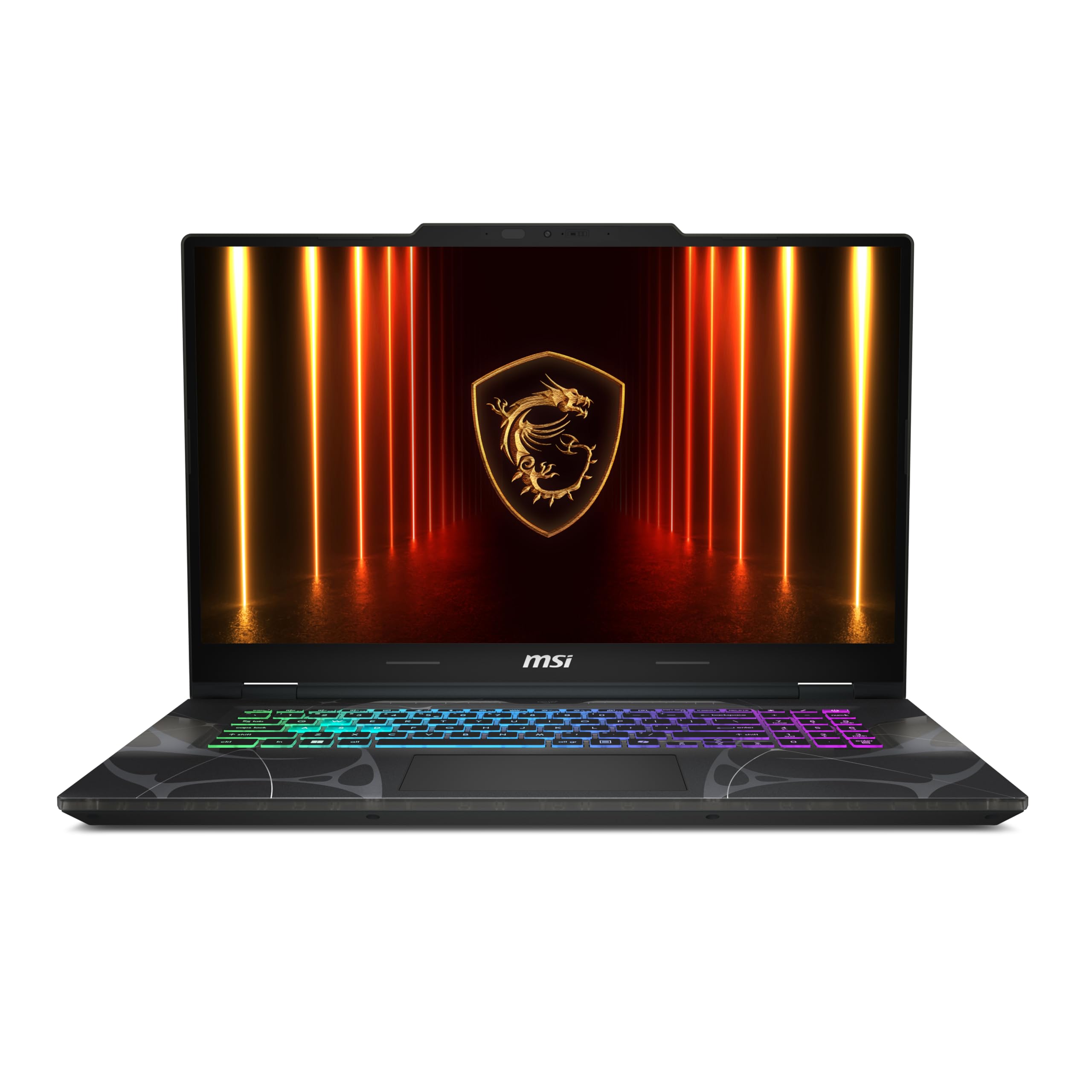
A 17.3-inch screen that stays under an inch thick
Screen real estate is the pitch. You get a 17.3-inch FHD panel at 144Hz in a body just 0.83 inches thin and 5.5 lbs — big without being a boat anchor. The translucency in the Translucent Black finish is the detail people keep pointing at, and it is the kind of look you either love on sight or pass on.
Underneath sits an Intel Core 7-240H paired with an NVIDIA GeForce RTX 5060, 16GB of DDR5, and a 1TB NVMe SSD. MSI’s Cooler Boost shared-pipe design ties the CPU and GPU to the same heat pipes, which keeps temperatures balanced between the two and lets the fans run quieter than a split design would. Wi-Fi 6E, USB-C, USB-A, HDMI, and RJ45 cover the connection side.
What wins people over is smooth, responsive gaming performance, with value a close second. The display is a noted mixed point: the 144Hz panel pleases, but it is not the brightest or sharpest in this group. At this tier that is a fair trade for the extra diagonal inches.
The big-picture read: if you game at a desk and want immersion without a separate monitor, 17.3 inches does more for you than a sharper 16-inch panel.
Fair warning: 5.5 lbs plus a 17-inch footprint is a lot of laptop to move around.
Built for: desktop-first players who want the largest screen in a mid-tier budget.
Pass on it if: you need to carry it daily — the Slim 7i is half the weight.
6. MSI Katana 15 HX

A 24-core i9 and a QHD 165Hz screen that covers full DCI-P3
This is a specs-forward machine. The Intel Core i9-14900HX brings 24-core hybrid architecture and a 5.8 GHz max boost, the highest clock in this entire list, paired with an NVIDIA GeForce RTX 5070. Add 32GB of DDR5 and a 1TB NVMe SSD and it will chew through modern titles and heavy multitasking alike.
The display is the headline: a QHD 165Hz panel with 100% DCI-P3 coverage, which means richer, more accurate color than a standard gamut screen and detail that reads clearly in fast fights. Cooling is Cooler Boost 5 — dual fans and a five-heat-pipe shared design that spreads load across both the CPU and GPU. A 4-zone RGB keyboard with highlighted WASD keys rounds out the gaming side.
What wins people over is raw performance, and it handles demanding titles without complaint. The honest picture is mixed on several fronts. Cooling is split — some run cool, others report the chassis cannot shed heat fast enough. Noise, value, and battery all draw mixed reads too, and the 2-hour battery confirms this is a plug-in machine. Get the airflow right on your desk and the thermals behave far better.
What you are buying
- 5.8 GHz Core i9-14900HX — the highest boost clock on this list
- QHD 165Hz display at 100% DCI-P3
- 32GB DDR5 and a 1TB NVMe SSD from the start
- Cooler Boost 5 with five shared heat pipes
Where to be careful
- Cooling reads mixed — give it open air, not a soft lap pad
- 2 hours of battery life keeps it desk-bound
Worth it when: you want the fastest CPU clock here and a color-accurate QHD panel for gaming and editing.
Look elsewhere when: you need quiet and cool — the G16’s thermal chain is the calmer build.
7. Acer Predator Helios Neo 18 AI

18 inches, 240Hz, and a metal fan built to outlast the marathon
If a laptop never leaves your desk, an 18-inch screen is the upgrade that actually changes your day. The Helios Neo 18 runs a WQXGA 240Hz G-SYNC panel (a sharp screen that syncs its refresh to the graphics card to stop tearing) at 3ms overdrive with 100% DCI-P3 coverage (the full color range most games and films are mastered in) — a 3.0x higher refresh than the Slim 7i’s 60Hz. It pairs that with an NVIDIA GeForce RTX 5070 Ti and an Intel Core Ultra 9 275HX at 5.4 GHz, so big open-world games look smooth and colorful. skip it if you carry your laptop to class or work daily.
Thermals are the serious part. Dual fans, one of them a custom-engineered 5th Gen AeroBlade 3D metal fan, work alongside precision-applied liquid metal thermal compound. Memory is 32GB of DDR5 6400MHz dual-channel, expandable to 64GB, with a 2TB PCIe Gen 4 SSD. Killer Wi-Fi 6E and a 2.5G Ethernet controller cover the network side, and there is Thunderbolt 4 plus HDMI 2.1 for external displays.
At 7.28 lbs it is the heaviest machine in this roundup by a clear margin — there is no pretending it is portable. That weight buys you the metal fan and the liquid metal, both of which exist to hold peak performance through long sessions. PredatorSense gives you live fan and performance control so you can tune the noise-to-cooling balance yourself.
Why it earns the spot: a metal-bladed fan and liquid metal are the two most expensive thermal moves a maker can make — and both are here.
The honest cost: 7.28 lbs means it moves between rooms, not between cities.
Made for: the player who wants desktop-class frames and a 240Hz screen at home.
Wrong fit if: you travel with your laptop — this thing is a fixture.
8. Samsung Galaxy Book6 Ultra

An AMOLED panel with six speakers and a vapor chamber underneath
Samsung built this for people who stare at a screen all day and want it to look right. The Dynamic AMOLED 2X display runs a 2880 x 1800 resolution at up to 120Hz, and the six-speaker system tuned with Dolby Atmos is a first for Galaxy PC models. A dedicated NVIDIA GeForce RTX 5070 handles 3D animation and AI-generated video, backed by the Intel Core Ultra 7 356H and 32GB of memory with a 1TB drive.
Cooling is a new vapor chamber with redesigned fans and vents working together, which is exactly the right answer for a slim chassis trying to hide a discrete GPU. Battery is listed at 30 hours, the longest in this group by a wide stretch. The two-tone keyboard, slimmer hinge, and symmetrical frame are the portability details, and a two-year warranty covers the machine.
If you already live in the Galaxy ecosystem, the phone integration is a genuine convenience — calls and texts on the PC, remote access to photos and files, and drag-and-drop between devices. The catch is that the deep integration only pays off inside Samsung’s world. On its own it is still a beautifully screened RTX 5070 machine.
The standout: AMOLED color plus a 2880 x 1800 resolution makes this the best-looking panel for photo and video work.
Worth knowing: the phone features are Samsung-only, so an iPhone owner sees far less of the value.
Choose it if: you create visually, want a top-tier display, and carry a Galaxy phone.
Choose differently if: you game competitively — 120Hz is below the 240Hz machines here.
9. Alienware 16 Area-51

The Cryo-Chamber lifts the chassis to pull in more air
Alienware took a different route to cooling here. The Cryo-Chamber props the laptop up, opens a much larger air intake, and adds a clear Gorilla Glass panel so you can actually watch the AlienFX fans spin. More air in means lower temperatures under load, and that is what lets the RTX 5070 Ti with Max-Q and the Intel Core Ultra 9 275HX at 5.4 GHz stretch their power limits without folding.
The stack is built for people who refuse to compromise: 12GB of graphics memory, 36 of cache, a 2560 x 1600 panel, and a 360-watt small form factor adapter to feed it all. The HX processor bundles CPU, GPU, and NPU in one package for AI acceleration. Ambient AlienFX lighting shifts color and movement across surfaces, and Dell’s one-year onsite service means a technician comes to you if covered hardware fails.
What wins people over is straightforward performance: it runs high-frame-rate games without breaking stride. Value lands second: buyers feel the machine justifies what it asks. Reliability draws a mixed read, which is note on a purchase this size. The performance ceiling, though, is the reason it is here.
The real reason to buy: higher power limits and a bigger intake — the two things that turn a fast laptop into a sustained one.
Fair warning: the propped-up chassis and the glass panel are part of the design, so plan desk space accordingly.
For the no-compromise player: raw power and a cooling design built around airflow volume.
Not for the minimalist: the lifted chassis and lighting are a look, not a subtle one.
10. ASUS ROG Strix SCAR 16 (2025)

A Mini LED 240Hz panel over an RTX 5080 and a triple-fan stack
The screen is what separates this from everything else here. The ROG Nebula HDR display uses Mini LED with 2,000+ dimming zones, dual ACR layers, a 240Hz refresh rate, and 100% DCI-P3 — matching the Helios 18’s 240Hz while adding Mini LED’s far deeper contrast. The display is the thing everyone raves about: Mini LED with 2,000+ dimming zones at 240Hz.
The internals are just as serious: an NVIDIA GeForce RTX 5080, an Intel Core Ultra 9 275HX at 5.4 GHz, 32GB of DDR5-5600MHz, and a 2TB PCIe Gen 4 SSD with throughput up to 7,000MB/s. Cooling runs the same end-to-end vapor chamber, tri-fan, and Conductonaut extreme liquid metal stack as the G16, so the thermal DNA is proven. A MUX Switch routes frames straight from the discrete GPU for a gaming boost, and Advanced Optimus switches back to integrated graphics for battery savings without a restart.
Tool-free access lets you slide a latch to reach the RAM, SSD, and fans — no screwdriver needed. The AniMe Vision lid and 360° RGB bar give it a look, and Stealth Mode shuts it all down. Build quality and value both read mixed here, and the overall score is the lowest in this group, so go in with clear eyes on what you are paying for: the panel and the 5080.
The case for it: Mini LED with 2,000+ dimming zones and an RTX 5080 is a rendering-and-gaming combo few machines match.
The catch: tool-free upgrades and top-tier specs do not guarantee a flawless first unit — check it on arrival.
The enthusiast’s pick: buy it for the Nebula HDR panel and the RTX 5080, both of which are class-leading here — the brightest, most color-rich screen and the strongest graphics chip on this list.
Look lower if: you want a safer, higher-rated value — the G16 is the smarter all-round buy.
Know the Specs
Vapor chamber vs heat pipes
A vapor chamber is a flat sealed plate with fluid inside that spreads heat across its whole surface, while heat pipes move heat along narrow tubes. Chambers handle concentrated hot spots better, which is why makers pair them with the fastest chips. Heat pipes are cheaper and lighter, so they show up on budget builds. Neither is bad — the question is what chip and GPU the cooling has to carry.
Liquid metal thermal compound
Liquid metal is a metallic paste applied between the chip and its cold plate. It conducts heat better than standard thermal paste, so the chip runs cooler and the fans can spin slower. It shows up mostly on premium gaming models, often alongside a vapor chamber. On a lower-power productivity laptop you rarely see it, because that chip does not produce enough heat to need it.
Refresh rate in Hz
Refresh rate is how many times per second the screen redraws — 165Hz means 165 times. Higher rates cut motion blur in fast camera movement, which matters in shooters and racing games. The catch is that the graphics card has to feed those frames; a 240Hz screen behind a weak GPU gives you nothing extra. Match the panel to the card.
TDP and boost clock
TDP is the power budget a chip is designed to run within, and boost clock is the top speed it can hit when thermal and power headroom allow. A 30W chip stays cool easily but tops out lower. An HX chip with a high boost clock runs faster but generates far more heat, which is why those machines need the heavy cooling designs. The two numbers move together.
Common Questions
Does a vapor chamber actually keep a gaming laptop cooler than heat pipes?
Why do most gaming laptops here list only two hours of battery life?
Is a 240Hz screen worth it over 165Hz?
Can I upgrade the memory or storage later?
What does the TDP number tell me about heat?
What does the TDP number tell me about heat?
Will a gaming laptop overheat if I use it on a bed or a lap pad?
Do I need liquid metal in a laptop for everyday gaming?
What is a MUX Switch and does it matter for cooling?
Is a 17.3-inch or 18-inch laptop too big to game on a normal desk?
Which of these runs coolest for pure productivity work?
The Bottom Line
For most people chasing the coolest laptop, the winner is the ASUS ROG Strix G16. Its end-to-end vapor chamber (a flat cooling plate that spreads heat across the whole chassis), tri-fan design, and Conductonaut extreme liquid metal (a heat-conducting paste that moves heat off the chip faster) form a complete thermal chain built to hold a 5.2 GHz Core i7 and an RTX 5060 through long sessions — so frame rates stay steady when you play for hours. 600+ owners back that with a 4.0+ rating. If battery life is what keeps you up at night, grab the Lenovo Slim 7i Aura Edition and its 17 hours at 2.82 lbs — light enough to carry all day and still last a full workday. And for a 240Hz Mini LED panel (a bright screen lit by tiny LEDs for deeper contrast) over an RTX 5080, the ASUS ROG Strix SCAR 16 is the one to reach for.
One last thing worth doing before you commit: read the thermal design first, the panel second, and the chip third. That order keeps you from paying for a fast processor that spends its life throttling. Pick the cooling that matches your workload, and you stop fighting your own laptop.
How we choose
We do not accept paid placement. Every pick is matched to a real buyer and a real use-case; we do not hands-on test units.
Sources
Specifications: manufacturer listings and product documentation. Review insights: verified customer reviews, as of November 2026. Pricing: not shown on this page (it changes often); check the current price via the retailer link.
As an Amazon Associate, Tactical Gear Guy earns from qualifying purchases. This does not affect which products we feature.