Specs are compiled from manufacturer listings and verified buyer reviews and can change over time — please confirm the key details on the product page before buying.
You want one small box that grabs the hotel, café, or airport WiFi once, then hands every device in your bag a private network of its own. That is the whole job of a travel router, and the picks below do it well. The trick is knowing which one fits your trip: a weekend hotel stay needs far less router than a month of remote work from an RV.
This guide is built by comparing the manufacturers’ published specifications and the patterns across verified customer reviews, so you get each pick’s real strengths and trade-offs instead of marketing spin.
The nine routers here range from pocket-sized budget units to Wi-Fi 7 models with multi-gigabit ports, and each one solves a slightly different problem. Read on for the breakdown that makes choosing a wifi travel router a quick, confident decision.
Top Picks


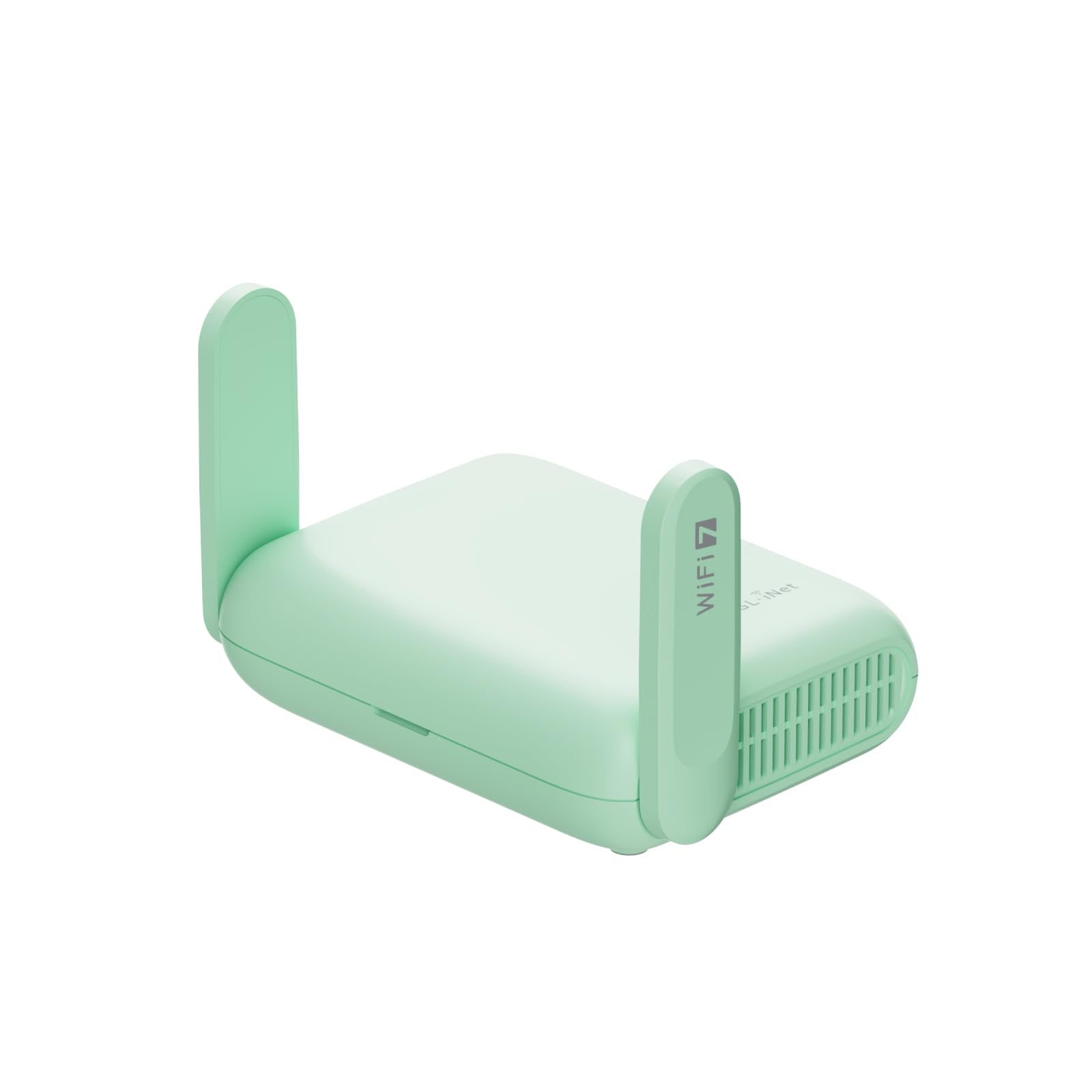
How To Choose The Best WiFi Travel Router
Most people shop for a travel router by hunting the biggest speed number on the box. That is the wrong starting point. The WiFi link between the router and your laptop is almost never your bottleneck — the hotel’s own internet feed is. What actually decides whether you are happy with the thing on day three of a trip is how cleanly it connects to a captive portal, how it handles power, and how much of your bag it eats.
Start with how you will feed it internet
Every router here needs an outside internet source — it does not make internet appear from nothing. You will either bridge it to the hotel’s WiFi, plug a cable into an Ethernet wall jack, or tether it to your phone over USB. If you stay in places with a wall socket, Ethernet bridging is the most reliable option. If you rely on cellular data, check that the model lists USB tethering. None of the picks below take a SIM card of their own, so plan around that.
The captive portal test
Hotel WiFi usually greets you with a login page — the kind where you type a room number or click “I agree.” Getting a travel router past that page is the single most common frustration in this category. Look for a model that advertises captive portal support and a one-step app login, so you authenticate once and every device behind the router rides on that connection.
Power and packability
USB-C power is the quiet hero here. A router that runs off a standard USB-C power source can share a charger with your phone or laptop, which means one less brick in the bag. Models with a fixed wall adapter work fine at home but force you to carry a dedicated plug. Weight and footprint matter too — the smallest units slip into a jacket pocket, the larger ones want a pouch.
When firmware freedom is worth paying for
Some routers run on OpenWrt, an open-source router operating system you can customize heavily — VPN setups, ad-blocking, file sharing, and plugins. If you just want a private network in a hotel room, you do not need it. If you want to run your own VPN tunnel or a small NAS drive off the router, OpenWrt support is the feature that decides the purchase.
Side-by-Side Comparison
| Model | Best For | WiFi Standard | Top Speed | Power | Amazon |
|---|---|---|---|---|---|
| GL.iNet GL-AXT1800 Slate AX★ Best Overall | Overall balance | WiFi 6 (dual-band) | 1800 Mbps | Power adapter | Amazon |
| TP-Link Roam 7 BE3600Most Trusted on the Road | Reliability on the road | WiFi 7 (dual-band) | 3600 Mbps | USB-C (5V PD) | Amazon |
| GL.iNet GL-MT3600BE Beryl 7VPN Powerhouse | VPN power users | WiFi 7 (dual-band) | 3600 Mbps | Power adapter (US/UK/EU/AU) | Amazon |
| ASUS RT-BE58 Go | Newest standard | WiFi 7 (dual-band) | 2882 Mbps (5 GHz) | USB-C PD 18W | Amazon |
| ASUS RT-AX57 Go | Tethering and security | WiFi 6 (dual-band) | 3000 Mbps | Power adapter | Amazon |
| Cudy AX3000 TR3000 | Ports and OpenWrt | WiFi 6 (dual-band) | 3000 Mbps | USB-C 5V/3A | Amazon |
| TP-Link Roam 6 AX3000 (TL-WR3002X) | Fast WiFi 6 on a budget | WiFi 6 (dual-band) | 3000 Mbps | USB-C (5V PD) | Amazon |
| Roam 6 AX3000 (TL-WR3012X) | Light packers | WiFi 6 (dual-band) | 3000 Mbps | USB-C (5V/3A PD) | Amazon |
| TP-Link WiFi Travel Router (WiFi 5) | Tight budgets | WiFi 5 (dual-band) | 750 Mbps | Micro USB | Amazon |
Detailed Reviews
1. GL.iNet GL-AXT1800 Slate AX Travel Router
Our pick — 4.0+★ from 3,500+ verified ratings; the strongest balance of quality and price.
The router that turns a hotel login page into a whole private network, with OpenWrt freedom on top.
The Slate AX takes the top spot because it does the two jobs that matter most on a trip: it connects cleanly to hotel and public WiFi, and it gives you real control over what happens on the other side. Its combined dual-band speed is 1800 Mbps, split as 600 Mbps on the 2.4GHz band and 1200 Mbps on the 5GHz band. That is more capacity than a hotel feed will ever fill, so the router can serve up to 120 devices at once without slowing down.
What wins people over is the software. It runs OpenWrt 21.02, the open-source router operating system, so you can customize settings and install applications to your taste rather than living inside a fixed menu. OpenVPN and WireGuard come pre-installed and it works with 30+ VPN service providers, so your traffic can travel encrypted even when the hotel network is not. OpenVPN runs up to 500 Mbps and WireGuard up to 550 Mbps, both fast enough that the VPN, not the router, will be the bottleneck on most connections. Buyers report download rates up to 700mbps, and the review pages sum it up as a device that is fast, easy to connect to hotel WiFi, and generous with features.
The trade-off is that this is a router for someone who enjoys a settings panel. The physical toggle switch that turns AdGuard or your VPN client on and off ships with no function assigned — you have to set it in the admin panel first. If you want a box you plug in and forget, that extra layer is friction rather than benefit. The upside is a NAS feature that supports SAMBA and WebDav: plug an external USB hard drive into the router and you have a private file store for your documents on the road.
Where the Slate AX pulls ahead
- OpenWrt 21.02 gives you deep customization and plugin installs
- Pre-installed OpenVPN and WireGuard, compatible with 30+ providers
- NAS sharing over SAMBA and WebDav with an external USB drive
- Handles up to 120 devices simultaneously with MU-MIMO and OFDMA
Where it asks more of you
- The toggle switch needs manual setup in the admin panel before it does anything
- Fixed antennas and a dedicated power adapter mean one more thing to pack
The one to grab: you want a travel router you can mold to your own network — VPN tunneling, file sharing, plugins — and you do not mind a setup screen.
Think twice if: you want zero-config simplicity and will never open the admin panel.
2. TP-Link Roam 7 BE3600 Travel Router
A Wi-Fi 7 travel router that people stop worrying about — it just keeps working trip after trip.
If you read enough travel-router reviews, a pattern forms: the boxes that frustrate people are the ones that drop a connection mid-video-call. The Roam 7 is the opposite, and reliability is the thing that carries it. It is also the newest standard on this list, with WiFi 7 handing it up to 2882 Mbps on the 5GHz band and 688 Mbps on the 2.4GHz band, enough to serve up to 90 devices at once. For a family of four with phones, tablets, and a laptop each, that headroom means nobody gets bumped.
When you plug into a fast Ethernet jack at a hotel or office, it keeps pace thanks to a 2.5 Gbps WAN port (the input that takes the internet feed) and a 1 Gbps LAN port (the output to your own devices). It also has Multi-Link Operation, a WiFi 7 feature that combines frequency bands for steadier throughput and lower latency (less lag). Power comes over USB-C, so any 5V PD source (a USB-C charger that delivers power) runs it, including a power bank, and you skip hunting for a wall outlet. The recurring gripe, fairly noted, is boot time: this unit takes a moment to come alive, so budget that pause into your routine when you first land.
On ports it sits ahead of the cheaper Roam 6 models in this list, and the 2.5 Gbps WAN port is the tell. That port is a real advantage if your hotel or Airbnb gives you a multi-gigabit feed to tap. What you give up for that headroom is the socket-free travel body of the smaller routers, plus the setup fiddliness the larger units bring. TP-Link’s Tether app handles the captive portal login (the hotel’s WiFi login page) once, so every device you attach inherits the connection.
Who it is really for: remote workers and families who need the connection to hold during calls, video, and gaming for weeks at a time, not just a night or two.
The honest cost: the value question splits the room. This is a premium-tier travel router, and owners who only use it a couple of nights a year will feel they paid for capability they never use. Owners who live out of a suitcase will not.
Choose this if: you want the most advanced standard here and can afford to skip the budget shelf.
Pass if: you only need a quick private hotspot for a single weekend trip.
3. GL.iNet GL-MT3600BE Beryl 7 Dual-Band Wi-Fi 7 Travel Router
The travel router that takes its VPN seriously enough to run client and server at the same time.
The Beryl 7 separates itself with VPN throughput (the speed you keep while running a VPN): up to 1100 Mbps over WireGuard and 1000 Mbps over OpenVPN-DCO, two common VPN protocols (the rules VPNs use to encrypt traffic). Both are pre-installed and compatible with 30+ VPN service providers. That means you can route heavy traffic through it without watching the speed collapse, the classic failure of cheap VPN routers. Its dual-band WiFi 7 network runs at 688 Mbps (2.4GHz) plus 2882 Mbps (5GHz) and carries two 2.5G Ethernet ports.
VPN cascading lets it host a VPN server and run a VPN client at the same time, so you can reach local network resources like a WiFi printer or a small web server and still browse the public internet through your client tunnel. Setup is quick enough that people are up and running in about 15 minutes, and the router supports up to 120 devices across the two bands. OpenWrt 21.02 (open-source router software you can customize) sits underneath with 512MB of storage for installing plugins. WPA3 support (the newer WiFi security standard) plus DNS over HTTPS and DNS over TLS (encrypted ways to look up web addresses) add a layer of security that cheap hotspot gadgets often skip.
Two things to know before you commit. It uses a power adapter with interchangeable US, UK, EU, and AU plugs, so it travels internationally — but it still needs a socket, not a USB-C cable. And the physical toggle switch for AdGuard Home and VPN clients ships with no function assigned until you set it in the admin panel. That is a detail to handle during setup, not after you are stuck on a hotel network.
The standout skills
- 1800 Mbps Wi-Fi 7 dual-band with two 2.5G Ethernet ports
- Up to 1100 Mbps WireGuard and 1000 Mbps OpenVPN-DCO VPN throughput
- Simultaneous VPN server and client for cascading setups
- WPA3, DNS over HTTPS, and DNS over TLS built in
Small snags to plan around
- The toggle switch needs configuring in the admin panel first
- Needs a wall socket rather than a USB-C cable
Reach for this if: VPN speed is your primary concern and you want it right out of the setup process.
Look elsewhere if: you want to run the router off a power bank instead of a wall outlet.
4. ASUS RT-BE58 Go Travel Router
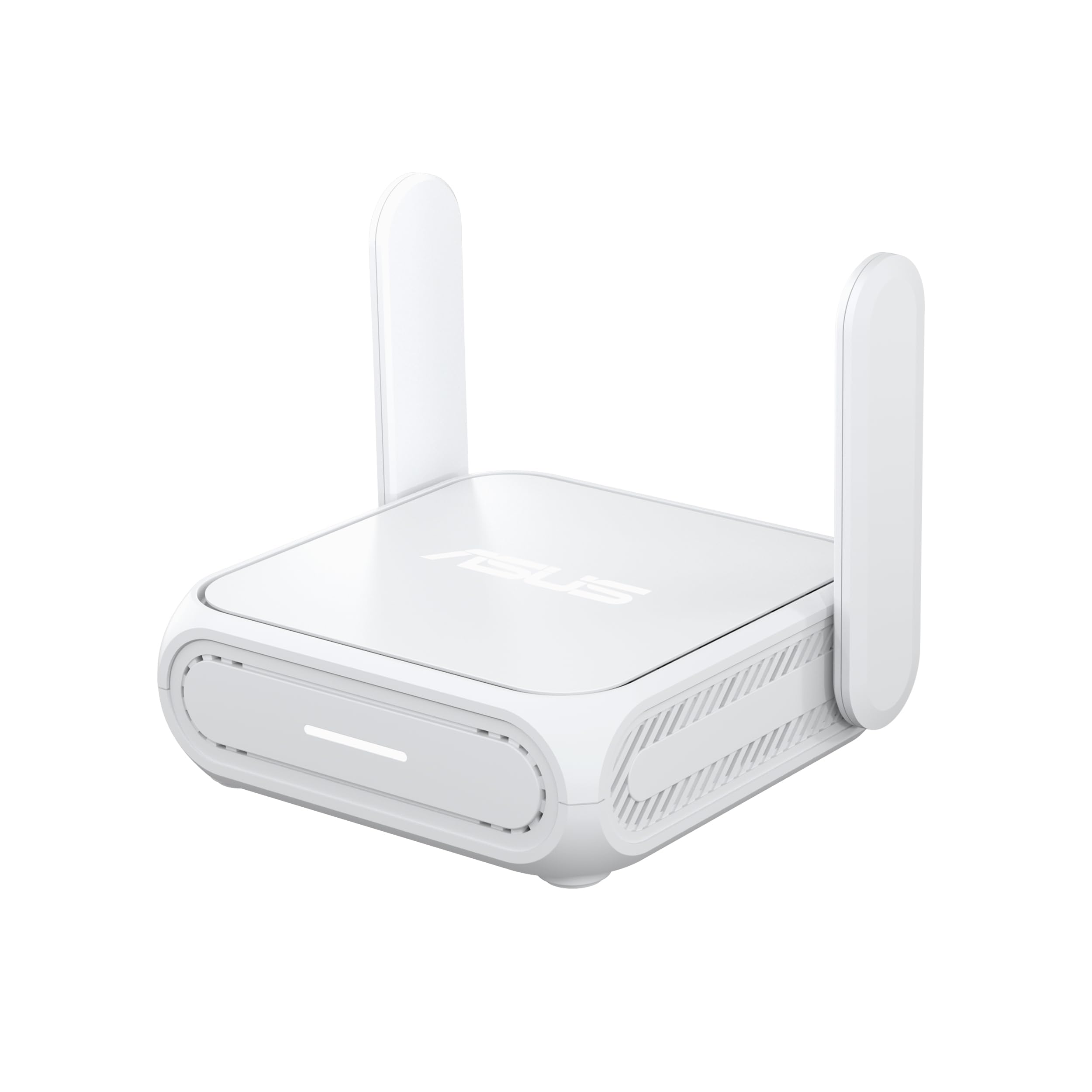
A legitimate WiFi 7 pocket router that runs off the same USB-C charger as your laptop.
The RT-BE58 Go is a next-gen router shrunk down by a big networking brand. Dual-band WiFi 7 delivers up to 3600 Mbps with Multi-Link Operation and 4K-QAM (a newer modulation standard that packs more data into each signal). For a traveler, the payoff is low-latency streaming and video calls on a connection that holds under load. It handles dense device crowds without stuttering, which is what you want at hour seven of a workday from a hotel desk.
Power is the practical win: it takes USB-C Power Delivery 18W, so your laptop charger and your router charger are the same object. That is a small thing until you are repacking in a rush. On the software side there is 4G and 5G mobile tethering (sharing your phone’s connection) for when you want to use cellular data, a WISP mode (a way to build a private hotspot over public WiFi), and plug-and-play VPN with a toggle switch for quick switching. AiMesh support means it can later slot into a larger mesh network at home if you scale up.
The RT-BE58 Go is the premium-tier pick here, and the honest catch is that WiFi 7 delivers its biggest gains over a matching WiFi 7 client on a fast local network. On a hotel feed that barely supports HD video, the newest standard will not rescue you, and it costs more for that headroom. The three-step setup and the ASUS Router app do a lot of the heavy lifting, so the barrier is the outlay, not the learning curve.
The defining advantage: the one travel router in this list that fuses WiFi 7 with USB-C PD 18W power and AiMesh scalability, giving you a single-charger travel kit that can grow into a home mesh.
Worth it for: the buyer who wants the newest standard now and plans to reuse the router as part of a home mesh later.
Not worth it for: the traveler who mostly needs a secure hotspot and will never use WiFi 7 speeds.
5. ASUS RT-AX57 GO Travel Router

A tri-mode travel router built for people who tether their phone as often as they bridge hotel WiFi.
This is the router for the traveler whose internet source changes daily. It switches between 4G LTE and 5G mobile tethering, a private hotspot over public WiFi in WISP mode, and normal home use, with a toggle switch for quick mode changes rather than a submenu hunt. WiFi 6 with a 160 MHz channel lifts network capacity to support up to 70 devices at speeds up to 3,000 Mbps. The 160 MHz channel is the wide-lane version of a WiFi channel — more room for data to travel, which shows up as a higher ceiling when several devices compete.
Security is where ASUS spent real effort. Triple-level network security with AiProtection, DNS over TLS for encrypted browsing, a one-tap security scan, and Safe Browsing all come included, alongside one-touch VPN activation supporting multiple protocols, up to 30 service providers, and site-to-site VPN. There is also a customizable guest portal, which is genuinely useful for a small business sharing its network with visitors.
The catch is that this is not the fastest player on paper. Its listed data transfer rate is 1 gigabit per second, so compared with the WiFi 7 models here it falls short on raw ceiling, and the Wi-Fi 6 standard will not be the draw if you are chasing the newest spec. For tethering-heavy trips and security-first use, though, the combination is hard to match in this group, since few travel routers pair 4G and 5G tethering with commercial-grade security controls.
What it delivers
- Tri-mode: 4G LTE, 5G tethering, and WISP public WiFi mode
- AiProtection with DNS over TLS and Safe Browsing
- One-touch VPN with site-to-site support and 30 service providers
- Guest portal for small business visitors and 70-device capacity
Where it asks more of you
- Its 1 Gbps listed rate lags the WiFi 7 picks in this list
- Needs a power adapter rather than USB-C
The match: you tether your phone regularly and want serious security features without moving to the newest standard.
Skip if: raw speed and WiFi 7 are what you prioritized in your shortlist.
6. Cudy TR3000 Travel Router

Two LAN-grade ports, six modes, and OpenWrt-ready firmware in a blue package you can flash yourself.
What sets the TR3000 apart first is a 2.5 Gbps WAN port paired with a 1 Gbps LAN port — and those are real gigabit LAN ports, not the 100Mbps ports that quietly limit some budget routers. It uses a four-stream dual-band layout for 2402 Mbps on 5GHz and 574 Mbps on 2.4GHz, with beamforming that extends signal reach up to 591 ft in open areas. It weighs 160 g, so it disappears into a backpack pocket, and it runs on USB-C 5V/3A power, which makes a power bank a legitimate way to run it.
Six modes cover most setups: Router, Access Point, Range Extender, WISP, Client, and Cudy Mesh for extending coverage. Behind them sits a 1.3 GHz dual-core CPU with capacity for 512 clients. If you are an OpenWrt tinkerer, this is the most flexible choice in the group — the OpenWrt-ready firmware flashes through files you download directly from Cudy’s website. It also handles WireGuard, OpenVPN, IPsec, ZeroTier, PPTP, and L2TP for secure connections, with the Cudy App handling management and cloud control.
The honest picture is mixed. Reliability is what buyers mention most, and it is positive, but connection stability draws mixed comments and firmware updates have drawn some complaints. The upside is that the customization is real — this is not a locked box with a shiny app. If you want to leave everything on factory defaults forever, some of these advantages are wasted on you.
What it gets right
- Genuine 2.5 Gbps WAN and 1 Gbps LAN ports, not 100Mbps
- OpenWrt-ready firmware for custom changes via Cudy’s downloads
- Supports 512 clients and a 1.3 GHz dual-core CPU
- Six modes including Cudy Mesh coverage expansion
Where it can stumble
- Connection stability splits opinion among owners
- Firmware updates have drawn complaints
The pick for: the tinkerer who wants multiple LAN ports and firmware freedom, and is comfortable reading a settings changelog.
Not for: the traveler who needs a plug-in-and-go box with zero upkeep.
7. TP-Link Roam 6 AX3000 Travel Router TL-WR3002X

TP-Link’s fastest WiFi 6 travel router, and the speed gap to the older WiFi 5 model is dramatic.
The headline is the 3000 Mbps data transfer rate. That is the figure to keep in mind when you compare it with the WiFi 5 TP-Link travel router further down this list: that one lists 750 Mbps, a four-times gap. Even granting that real-world WiFi speeds vary by source bandwidth, environment, and distance to your devices, this is the model that gives WiFi 6 headroom for multi-gigabit wired connectivity. One 2.5 Gbps WAN/LAN port and one 1 Gbps LAN port back it up, so a fast Ethernet jack turns into fast WiFi.
At a hotel or café, the one-step captive portal login through the Tether app is what makes it usable: you log in once and create a secure private network from the public WiFi without repeating the rigmarole on every device. OpenVPN and WireGuard support in both client and server modes, plus PPTP and L2TP (older VPN protocols), cover the secure-browsing side. Power comes over USB-C from the included adapter or any 5V PD source, so a power bank works. The USB 3.0 port handles an external hard drive for file backup and sharing, and the microSD slot takes cards up to 512GB.
What buyers appreciate most is how well it travels, and the speed reviews back it up. What splits opinion is performance: some units work well, others prove unreliable. One important spec note is that this model does not support OpenWrt, so if router customization is your goal, look at the Slate AX or the Cudy TR3000 instead.
What you are really buying: a 3000 Mbps WiFi 6 router with a 2.5 Gbps port, USB 3.0 file sharing, and a microSD slot for a tidy private network on the move.
The real caveat: performance reports are inconsistent, and the lack of OpenWrt support caps how far you can customize it later.
Pick it for: straightforward private WiFi with strong speed numbers and file sharing, at a mid-range spot in the list.
Choose another if: you want to run OpenWrt or need guaranteed-per-unit consistency.
8. Roam 6 AX3000 Travel Router

Retractable antennas and a 4.7-inch footprint — built for the bag that has no room to spare.
The TL-WR3012X picks up where the other Roam 6 model leaves off, trimming the physical profile for travel. It measures 4.7 by 3.6 by 1.3 inches and uses retractable antennas, which is the feature that keeps it slim enough to slide into a laptop sleeve or a jacket pocket. The wireless side is unchanged: up to 2402 Mbps on 5GHz and 574 Mbps on 2.4GHz, with support for up to 80 devices at once. That is a smaller device ceiling than the Roam 7’s 90, but for a solo traveler or a couple it is plenty.
USB-C power over any 5V/3A PD source, including a power bank, means you can run it untethered from a wall socket. The one-step Tether app login handles the captive portal, and OpenVPN and WireGuard work in both directions. Router, Access Point, Range Extender, and Client modes are all here, so it adapts to whatever network you land on.
This model does not support OpenWrt, and that is the trade-off you accept for the compact body. The other catch is the power supply: check that the 5V/3A source you plan to use actually supplies that output, because USB-C PD is not always uniform across chargers. The data package on this model is thinner than the other Roam 6, so verify the exact hardware features you rely on before you buy.
Why it fits a small bag
- Retractable antennas and a compact 4.7 x 3.6 x 1.3-inch body
- Listed 1500 square feet of coverage for RV and cabin trips
- USB-C 5V/3A power works from a power bank
- 80-device capacity with WiFi 6 speeds
What to keep in mind
- Does not support OpenWrt
- Requires a power source that can deliver 5V/3A
Best fit for: the traveler whose priority is a router that tucks away flat beside a laptop.
Look elsewhere if: OpenWrt customization is part of your plan.
9. TP-Link WiFi Travel Router (WiFi 5)

A router barely bigger than a deck of cards that covers a hotel room for a weekend.
The most-packable pick here is also the simplest. Its dual-band WiFi 5 AC750 connection delivers a listed 750 Mbps, with a connectivity range of 20 square meters and coverage sized for two-bedroom houses. On a trip, that translates to turning a hotel’s Ethernet wall jack into your own WiFi network for phones and a tablet. One switch moves it through its modes for home, hotel room, or the road. Power is flexible in an old-school way: a micro USB port takes an adapter, a portable charger, or a laptop.
The size is the real advantage. It is described as barely bigger than a deck of cards, and that is the sort of thing that means it lives permanently in a laptop bag so you never have to plan around it. As for the data rate, compare its 750 Mbps with the Roam 6 AX3000 at 3000 Mbps and the gap is wide — this is an older standard and it shows in the raw spec.
It lists a two-year warranty with 24/7 technical support. The catch you should know is that the listing centers on creating WiFi from an Ethernet connection, so if you rely on public WiFi rather than a wall jack, this is not the model designed for it. And on a trip where every device needs streaming, the older standard has less headroom. For a tight budget and a simple hotel-room job, though, it is honest and compact.
The value read: a two-year warranty and 24/7 support at the entry level, paired with a form factor that slips into a bag and disappears.
The hard choice: you give up the faster standard and the WISP-style toggling of the newer models. If that is what your trips need, upgrade.
The budget call: buy it if you need a small, reliable network from a hotel Ethernet jack and want to keep the outlay minimal.
Go upmarket if: public WiFi bridging or fast multi-device streaming is essential.
Know the Specs
WiFi Standard and Speed Numbers
Every router here lists a combined or per-band speed in Mbps — megabits per second. 1800 Mbps, 3000 Mbps, 3600 Mbps. These are theoretical ceilings for the wireless link between your devices and the router. They do not mean your hotel feed will deliver that speed; the hotel’s internet plan is the real cap. The standard matters for latency and efficiency at the router end. WiFi 6 handles crowded device loads better than WiFi 5, and WiFi 7 adds Multi-Link Operation, which combines frequency bands for steadier throughput.
VPN Throughput vs VPN Support
“Supports OpenVPN and WireGuard” tells you the protocols exist. The VPN throughput number tells you what speed you can actually push through the tunnel. The distinction matters: a router that supports a protocol but chokes at low throughput is not much use if you want to stream through the tunnel. Numbers like 1100 Mbps over WireGuard describe the ceiling for encrypted traffic on that device. For casual browsing, any of these is fine. For heavy encrypted traffic, read the throughput number.
Captive Portal and WISP Mode
A captive portal is the login page hotels and cafés put in front of their WiFi. WISP mode (Wireless Internet Service Provider mode) is how a router accepts that page, lets you authenticate once, and then shares the connection with all your devices. If the router does not manage portal pages well, you will be doing the login dance on every phone and tablet, among the most common travel-router frustrations.
Power Options and Ports
Power divides into two camps: USB-C PD ports and dedicated wall adapters. USB-C PD lets you reuse a charger you already carry, and in some cases run the router from a power bank. Wall adapters are reliable but take up more kit. Ports matter too. A 2.5 Gbps WAN port lets you use a fast wired feed at the source. USB 3.0 ports enable file sharing or tethering. Check that your router has the port your source needs before you commit.
Common Questions
Will a travel router work with hotel WiFi that has a login page?
Can a travel router work without a wall outlet?
Do these travel routers support a SIM card or eSIM?
Is WiFi 7 worth it for a travel router?
What does OpenWrt support actually get me?
How many devices can a travel router handle?
Do I need a VPN on a travel router?
Will a travel router slow down my connection?
Can I use a travel router at home as my main router?
What is the difference between router mode and WISP mode?
Do travel routers come with a warranty?
The Bottom Line
For most travelers shopping for the best wifi travel router, the GL.iNet GL-AXT1800 Slate AX is the pick. It connects cleanly to hotel and public WiFi, runs on OpenWrt so you can customize it, and handles VPN traffic at speeds up to 500 Mbps over OpenVPN and 550 Mbps over WireGuard, the combination that makes it the most complete travel router on this list. Buyers back it too: it holds 4.0+ stars across 3,000+ ratings. If reliability over long trips is what you need most, the TP-Link Roam 7 BE3600 is the one that never seems to need a second thought. And for pure portability, the TP-Link WiFi Travel Router (WiFi 5) is the size of a deck of cards and covers a hotel room without fuss.
One honest nudge: the Slate AX does not carry the highest review count in this group, but it holds the higher score. Spend a minute checking whether the OpenWrt learning curve suits you before you commit, since that is the only reason a simpler model would beat it for your trip.
How we choose
We do not accept paid placement. Every pick is matched to a real buyer and a real use-case; we do not hands-on test units.
Sources
Specifications: manufacturer listings and product documentation. Review insights: verified customer reviews, as of November 2026. Pricing: not shown on this page (it changes often); check the current price via the retailer link.
As an Amazon Associate, Tactical Gear Guy earns from qualifying purchases. This does not affect which products we feature.