Specs are compiled from manufacturer listings and verified buyer reviews and can change over time — please confirm the key details on the product page before buying.
The short answer: a 360mm radiator is the size most builders should aim for, and the be quiet! Light Loop 360mm is the one to buy if you want the quietest, best-loved all-in-one liquid cooler in this group. It combines a triple-fan radiator, a pump built to keep its own noise down, and an RGB hub that runs your fans and lights from a single motherboard header. If your case only fits a 240mm unit, or you want a big LCD screen on the pump, the NZXT Kraken Plus picks cover that instead.
This guide is built by comparing the manufacturers’ published specifications and the patterns across verified customer reviews, so you get each pick’s real strengths and trade-offs instead of marketing spin.
A water cooler’s radiator length, fan airflow, and pump noise decide whether your CPU stays cool and your room stays quiet. The picks below sort that out for you, so read on for the water cooled cpu cooler that fits your case and your chip.
Top Picks


How To Choose The Best Water Cooled CPU Cooler
Start with your case, not the cooler. An all-in-one (AIO) liquid cooler is a sealed loop: a pump sits on your CPU, two hoses carry heat to a radiator, and fans blow that heat out of the case. If the radiator does not physically fit, nothing else about the spec sheet matters. So measure first, then pick the biggest radiator your case accepts.
Match the radiator length to your case
Radiators come in 240mm (two 120mm fans), 280mm, 360mm (three 120mm fans), and 420mm (three 140mm fans) lengths. A 240mm unit fits most mid-tower cases in the top or front. A 360mm unit needs a longer mounting rail, so check your case manual for “360 radiator support” before buying. A 420mm radiator like the ARCTIC Liquid Freezer III Pro 420 is the biggest here at 18.03 inches long — confirm your case has the room, because it will not squeeze into a compact build.
Read airflow and static pressure, not just fan size
Airflow, measured in CFM (cubic feet per minute), tells you how much air a fan moves. Static pressure, in mmH₂O, tells you how hard it can push that air through a radiator’s dense fins. A radiator is a restriction, so a fan with solid static pressure keeps cooling even when the fins resist. Higher CFM helps, but a fan that cannot push through fins wastes its airflow number.
Understand pump noise and fan bearings
The pump is the one part that runs all the time, so its noise is what you live with at idle. A progressive IC in the pump motor, or a ceramic bearing, reduces the switching whine you hear in cheap units. For fans, fluid dynamic bearings (FDB) cut vibration versus plain sleeve bearings. Together these decide whether your build hums quietly or buzzes at your desk.
Check socket compatibility before you commit
Every cooler here lists its supported sockets. Intel’s newer boards use LGA 1700 and LGA 1851; AMD’s current chips use AM5 and AM4. Most of these coolers support both Intel and AMD from the start, but a few need the right bracket. Confirm your socket is named on the box so you are not hunting for a separate mount.
Side-by-Side Comparison
| Model | Best For | Radiator Length | Max Fan Speed | Noise Level | Amazon |
|---|---|---|---|---|---|
| be quiet! Light Loop 360mm★ Best Overall | Quietest overall build | 360mm (15.62 in) | 2100 rpm | 36.8 db | Amazon |
| Cooler Master 360L CoreBest Value | Best value 360mm | 360mm (15.5 in) | 1800 rpm | 27.2 db | Amazon |
| MSI MAG Coreliquid A13 360Top Performer | Fastest-spinning fans | 360mm | 5200 rpm | 14.4 db | Amazon |
| ID-COOLING FX360 PRO | Most airflow per dollar | 360mm | 2900 rpm | 35.2 db | Amazon |
| PCCOOLER DC360 Pro | LCD screen on a budget | 360mm (15.51 in) | 2500 rpm | 15 db | Amazon |
| ARCTIC Liquid Freezer III Pro 420 | Biggest radiator here | 420mm (18.03 in) | 2500 rpm | — | Amazon |
| NZXT Kraken Plus 240 RGB | Small-case screen build | 240mm | — | 30 db | Amazon |
| NZXT Kraken Plus 360 | 360mm with LCD | 360mm (14.17 in) | 2800 rpm | 30 db | Amazon |
| ASUS ROG Ryujin III Extreme 360 | Premium showpiece build | 360mm | — | 16 db | Amazon |
Detailed Reviews
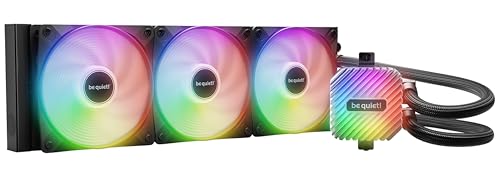
1. be quiet! Light Loop 360mm
Our pick — 4.5+★ from 400+ verified ratings; the strongest balance of quality and price.
The quiet operator: a 360mm loop tuned to keep the pump and fans below the threshold where you notice them.
What makes this the top pick is the noise work inside the pump, not just the fan count. Be quiet! fits a progressive IC (a small control chip) in the motor to cut switching noise, so the pump stays at a low level while it runs. The metal jet plate speeds up coolant flow through the loop, and a high-density fin stack on the cold plate — the flat plate that touches your CPU — pulls more heat on modern flagship and high-end chips. You get genuinely low temperatures without a constant buzz sitting under your desk.
Three Light Wings LX 120mm PWM high-speed fans do the moving, rated at 61.8 cfm of airflow with 16 LEDs per fan across 9 airflow-tune blades shaped to reduce noise-making turbulence. They top out at 2100 rpm — noticeably slower than the MSI MAG Coreliquid A13 360’s 5200 rpm — and that is the trade: less peak blast, more calm. The whole unit’s stated noise level is 36.8 db. For a workstation where you hear yourself think, that restraint is the whole point. All 64 LEDs, including the illuminated cooling block, run from a single ARGB-PWM-Hub that can drive up to 6 PWM fans and 6 ARGB parts off one header each.
The catch is the fit and the room it wants. At 15.62 inches long and 1.5 kg, this 360mm radiator needs a case with proper top or front clearance — it will not drop into a compact build. The illuminated block and fans also mean more cable ends to route, even if the hub simplifies the headers. And if you want the absolute lowest possible noise at idle, the zero-RPM fan-stop feature on the NZXT Kraken Plus 360 goes a step further by stopping its fans entirely at low load.
Where it earns top spot
- Pump built to suppress switching whine — low noise even under sustained load
- Metal jet plate plus high-density cold-plate fins target heat on flagship CPUs
- Single ARGB-PWM-Hub runs up to 6 fans and 6 ARGB components from one header each
- Refill port lets you top up coolant over the cooler’s life
- Supports Intel LGA 1851/1700/1200/1151/1150/1155 and AMD AM5/AM4
What to weigh first
- 15.62-inch radiator and 1.5 kg mass demand a case with real clearance
- 2100 rpm fan ceiling trades peak airflow for quiet running
- Fans stop completely on the Kraken Plus 360 but not here — this one always spins
Reach for this if: you run a high-end CPU in an overclocked build and value a machine you barely hear.
Size up your case first: a 15.62-inch radiator and 1.5 kg of mass need proper top or front clearance.
2. Cooler Master 360L Core
A full-length 360mm loop that keeps temperatures down without asking top-tier money for the privilege.
If you want a 360mm radiator and a pump with real engineering behind it, this is the sensible middle of the road. The Gen S dual-chamber pump separates its hot and cool chambers and uses an improved copper base shaped to target CPU heat spots more precisely. That design also raises water flow and pressure, which is what actually carries heat off the chip and out to the fins.
Cooling is the thing that wins people over here, and it is what owners point to most. The fans are rated at 71.93 cfm, with a PWM curve and an enhanced frame that reduces turbulent flow for a quieter push. Stated noise lands at 27.2 db, and the sealed loop includes CryoFuze thermal paste rated at 14W/mK thermal conductivity — it resists corrosion and oxidation and holds stable from -50°C up to 250°C. Against the be quiet! above, this radiator is a near-match at 15.5 inches versus 15.62, while the whole unit tips the scales at 1 kg versus the be quiet!’s 1.5 kg. That lighter mass makes overhead mounting less of a wrestling match.
Here is the honest part to check before ordering: socket fit is the one area buyers split on. Some report it not working cleanly on AM4 boards, so if you are on AM4, confirm the bracket situation rather than assuming. The pump’s dual-chamber build and the frosted ARGB blades are the other reason it looks the part in a glass-side case.
What lands well: A 360mm radiator and a dual-chamber pump at 27.2 db is a genuinely balanced package, and the included CryoFuze paste saves you a separate purchase.
The one check: AM4 owners should verify the mounting bracket suits their board before committing.
Who it beats for the money: builders who want a full 360mm loop and quiet 27.2 db fans without overspending.
Pause if: you are on an AM4 socket and want zero bracket guesswork.
3. MSI MAG Coreliquid A13 360 AIO ARGB CPU Liquid Cooler
The numbers that jump out are the loud ones on paper and the quiet ones in the specs: 5200 rpm fans, a 14.4 db noise figure.
MSI builds this around a split-flow radiator — the coolant divides through the aluminium core rather than running one path — paired with an integrated three-phase pump that also reduces motor resonance. The pump itself runs up to 3800 rpm on ceramic bearings, which is the part meant to hold up over years while staying calm. A 390mm tube set uses triple-layered netted plastic under reinforced mesh sheathing so the coolant stays sealed inside the loop.
The fan ceiling is the headline: 5200 rpm versus the Cooler Master 360L Core’s 1800 rpm. On paper that is a large gap, and it is what lets this cooler chase aggressive overclocks. The stated 14.4 db is the lowest figure on this list, though it depends how hard you drive the fans. Build quality is the part that earns the most confidence from buyers, followed closely by cooling, and MSI’s minimalist pump look keeps it clean in a build. LGA 1851 is supported from the start alongside LGA 1700 and AMD AM5/AM4, with thermal paste in the box.
The catch sits right next to the headline. A 5200 rpm fan ceiling is real capability you may never use on a normal build, and if you do push it, noise climbs with it. Also note the spec-sheet weight of 5.4 pounds — heavier than the other 360mm units here, so plan the mounting accordingly. If you want the calmest possible idle and do not overclock, a lower-rpm cooler like the be quiet! makes more sense.
Why it stands out: 5200 rpm fans and a 14.4 db noise figure give it the widest headroom here for pushing an aggressive overclock.
Never overload it: That fan ceiling and the 5.4-pound weight are built for serious load, not a quiet everyday build.
Pick it for: overclockers who want maximum fan headroom and a clean minimalist pump.
Look elsewhere if: you want the quietest possible idle and will never touch those top fan speeds.
4. ID-COOLING FX360 PRO 360mm AIO CPU Cooler

Airflow is the whole argument: 82.5 cfm from three 120mm fans, more than any other 360mm loop here.
This is the pick for a buyer who wants a high-TDP CPU handled with plenty of moving air and a no-nonsense look. The cooler is rated for 350W TDP (thermal design power — the amount of heat it is built to shed), which is a serious ceiling for a gaming or workstation chip. Its pump runs at 2900 rpm ±10%, and three 120mm fans push 82.5 cfm with 2.55 mmH₂O of static pressure. That airflow figure beats the be quiet! Light Loop’s 61.8 cfm — a real edge if pushing through a dense radiator matters more to you than the last bit of quiet.
Cooling performance is what owners praise most, and it is where this earns its keep. Buyers report it matches pricier coolers, with one keeping a 5900X under 65°C. Three 120mm fans sit on the all-black layout, while CD patterns on the water block give it a premium-looking finish. The fans daisy-chain to each other, which cuts cable clutter, and the loop fits Intel LGA1851/1700/1200/1151/1150/1155/1156 plus AMD AM4/AM5.
The trade is noise. Stated noise sits at 35.2 db, and the fan note is mixed — quiet for some, louder when it ramps up. That is the honest math of high airflow: moving 82.5 cfm of air through fins makes sound, and if your goal is near-silence, a lower-CFM, quieter unit suits better. If raw cooling per unit of money is your priority, this is hard to argue with.
Why it earns the spot
- 82.5 cfm airflow — the highest in this group
- 350W TDP rating handles high-heat gaming and workstation chips
- Daisy-chain fans simplify cable routing
- Works as well as pricier coolers, per buyer experience
Where the trade bites
- 35.2 db stated noise, and louder when the fans ramp
- All-black finish is subtle, not a light show
Best if: you want maximum airflow and a 350W TDP ceiling on a sensible budget.
Think twice if: silent running is your top priority over cooling headroom.
5. PCCOOLER DC360 Pro 360mm AIO CPU Cooler with 2.4″ IPS LCD
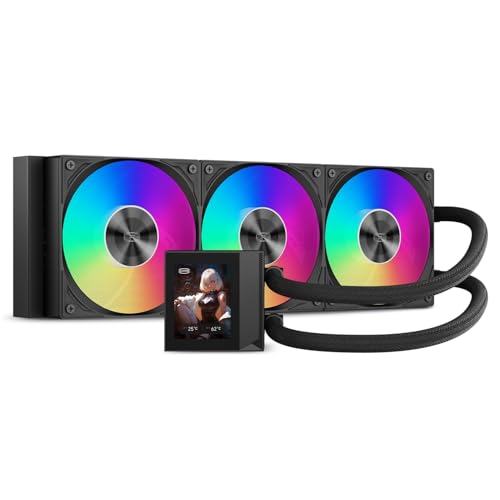
A screen in the pump housing at a price where screens usually do not appear.
Two numbers define this cooler. The first is a 310W TDP rating — plenty for a demanding gaming, streaming, or rendering processor. The second is the 2.4-inch IPS LCD at 240×320 built into the pump, a screen that shows hardware monitoring, custom images, or animated content. The orientation is adjustable so it stays readable whichever way you mount it. That kind of visual real estate normally shows up on much pricier coolers, which is why it stands out here.
The cooling hardware backs the screen up. Three 120mm PWM FDB fans (fluid dynamic bearings cut vibration and stretch fan life) run from 500–2500 rpm, pushing up to 90.56 cfm of airflow and 4.07 mmH₂O of static pressure. The ceramic pump runs at 2600 rpm ±10% with a 15 dba stated noise figure. A 394×120×27mm radiator carries the heat out, and the loop supports Intel LGA1851/1700/1200/115X and AMD AM5/AM4. Cooling performance is what owners praise most, and the display brightness earns specific praise alongside it.
The honest follow-up question is software and noise. Performance and noise both draw mixed reactions — a bright screen and high airflow do not guarantee a whisper-quiet build, and the display needs the companion software to do its customization. An adjustable-orientation screen is a nice touch, but if you never look at your pump and only care about temperatures, a simpler cooler saves the fuss. For a showcase build that wants an LCD without premium pricing, this delivers.
The draw: A 2.4-inch IPS screen plus 90.56 cfm of airflow makes this a showpiece at a mid-range reach.
Check the software: The display relies on its companion app, and performance and noise both draw mixed views.
Go here if: you want a bright LCD in the pump without stepping up to premium money.
Skip if: you want guaranteed whisper-quiet running and never glance at the pump.
6. ARCTIC Liquid Freezer III Pro 420 AIO CPU Cooler

Three 140mm fans on an 18-inch radiator: the biggest cooling surface in this group.
If your case can fit a 420mm radiator, this cooler uses that space to move more air. Three 140mm P14 PRO fans push 110 cfm (cubic feet per minute, a measure of airflow) — the highest airflow on this list, ahead of the ID-COOLING FX360 PRO’s 82.5 cfm. ARCTIC claims these fans deliver more power and quietness than its older P14 fan, especially at low speeds. The radiator is 18.03 inches long, the longest here, so measure your case before ordering.
ARCTIC adds two thoughtful touches. Native offset mounting shifts the cold plate center toward the CPU hotspot for more efficient heat transfer, and a contact frame for Intel LGA1851/LGA1700 spreads pressure for better dissipation. There is also an integrated VRM fan — a small PWM-controlled fan that cools the voltage converters around the socket. Buyers highlight cooling most, typically reporting about 35°C at idle and 78°C at full load.
Plan for the install. The 2370 g mass is the heaviest here, and installation draws mixed reactions — some find it easy, others wrestle with it. Noise is also split, quiet for some and loud for others depending on fan speed. And the 18.03-inch length simply will not fit many mid-towers. If your case fits it and you want maximum airflow and surface area, nothing here does more.
The size advantage: 110 cfm across three 140mm fans on an 18.03-inch radiator gives this the most cooling surface in the lineup.
The honest catch: At 2370 g with a long radiator, installation is a two-person job for some and impossible in tight cases.
Worth it when: your case fits a 420mm radiator and you want the most airflow on this list.
Not for: compact builds or anyone who wants a drop-in, tool-free install.
7. NZXT Kraken Plus 240 RGB AIO CPU Cooler with LCD
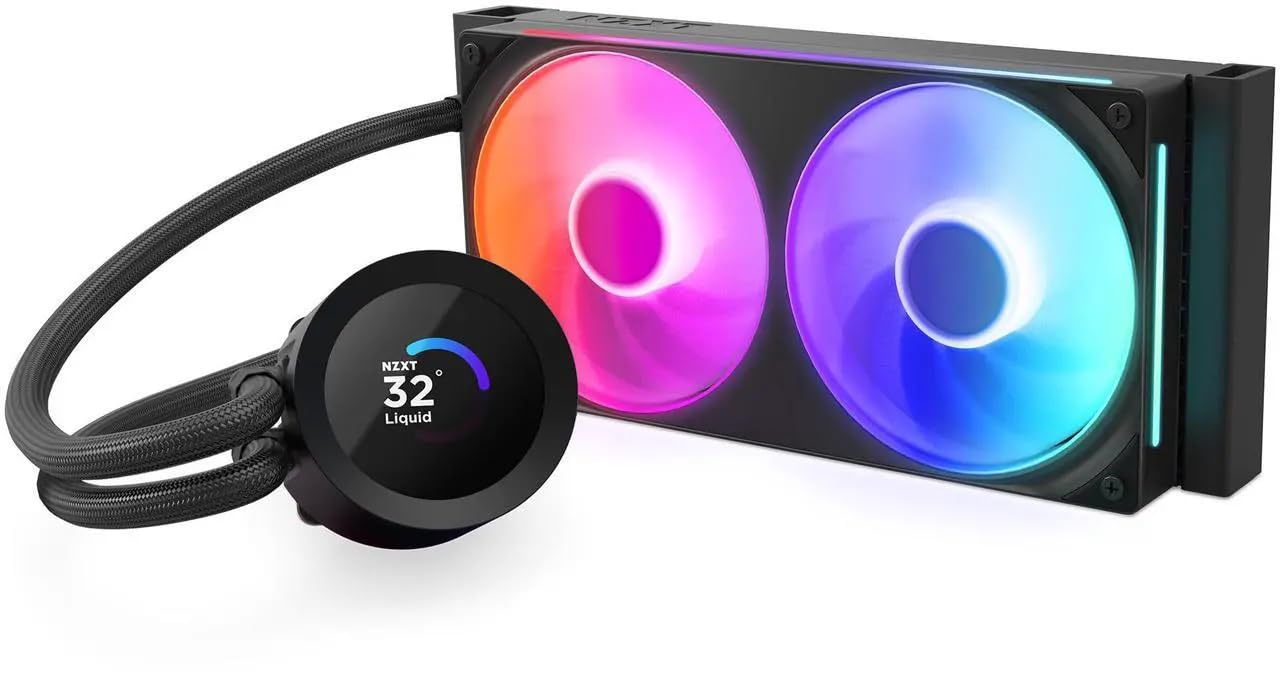
A 240mm loop for builds that cannot take a 360mm radiator but still want a screen on the pump.
A 240mm radiator is the practical choice when your case only has room for two fans up top or in front. This one pairs that shorter radiator with the NZXT Turbine pump, engineered for high flow and head pressure to keep temperatures in check under heavy workloads. The RGB Core fan is a single-frame design that combines lighting and airflow in one unit, and it needs only four screws and one cable.
The 1.54-inch square LCD is the main attraction. It shows real-time system temperatures, animated GIFs, custom images, or web integrations like Spotify and YouTube, all set through NZXT CAM software. Buyers praise cooling most, then reliability. Installation is straightforward: pre-applied thermal paste, a single breakout cable from the pump cap, and tool-free brackets for the latest AMD and Intel sockets including AM5 and LGA 1851. At 0.5 kg, it is the lightest cooler in this group by a wide margin.
The honest trade is screen size and radiator length. That 1.54-inch display is smaller than the PCCOOLER’s 2.4-inch panel and the ASUS ROG’s 3.5-inch screen, so if the screen is your centerpiece, look up the list. And a 240mm radiator has less surface area than a 360mm unit, so a seriously hot, overclocked chip belongs on a longer radiator. For a mid-tower with limited clearance and a CPU that runs warm rather than scorching, it threads the needle.
Built for: small and mid-tower cases that only fit a 240mm radiator but still want a customizable screen.
Pass if: you want the biggest possible display or cool an extreme overclock.
8. NZXT Kraken Plus 360 AIO CPU Cooler with LCD
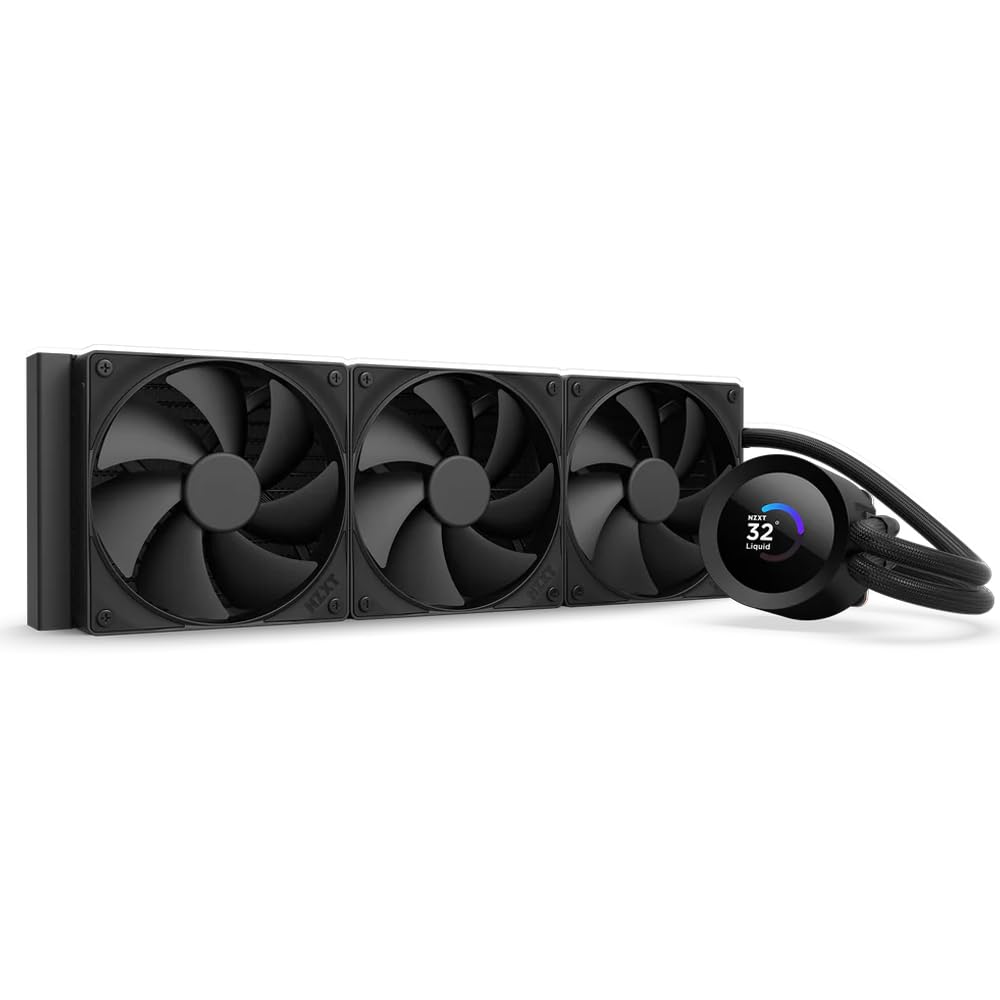
Take the 240mm Kraken formula and stretch it to a full 360mm radiator for more cooling surface.
This is the longer version of the Kraken Plus 240, so it fits the same Turbine pump and 1.54-inch square LCD into a 360mm radiator of its own. That extra radiator length gives you more surface area for a hotter CPU than the 240mm can handle. The high-static-pressure fans push air through the fins, and the loop measures 14.17 inches along the radiator. Its fans spin up to 2800 rpm.
The standout feature is Zero RPM Mode, which stops the fans completely at low loads for silent operation. That is a real idle-noise advantage the be quiet! Light Loop at the top does not have — this one goes fully quiet when the CPU is coasting, then spins back up when load arrives. Cooling is solid rather than chart-topping, with buyers reporting their CPU below 50°C. Installation is straightforward, with pre-applied paste and tool-free AMD and Intel brackets covering AM5 and LGA 1851.
The honest read is fit and expectations. The 1.54-inch screen is smaller than the PCCOOLER’s 2.4-inch and the ASUS’s 3.5-inch panels, and this is a premium-priced cooler, so you are paying for the Zero RPM silence and the display, not raw airflow records. If you want the most airflow for the money, the ID-COOLING above is the sharper value. If you want a 360mm loop that goes truly silent at idle and shows custom images on the pump, this delivers.
What this gets right
- Zero RPM Mode stops fans entirely at low load for silent idle
- 360mm radiator gives more surface area than the 240mm sibling
- Turbine pump and 2800 rpm fans handle demanding workloads
- Tool-free brackets cover AM5 and LGA 1851
Where it holds back
- 1.54-inch LCD is smaller than the 2.4-inch and 3.5-inch screens here
- Premium pricing goes to silence and display, not airflow records
Choose this if: you want a 360mm loop that goes fully silent at idle and shows custom art on the pump.
Look up the list if: raw airflow value matters more than the screen and silence.
9. ASUS ROG Ryujin III

A 3.5-inch screen and a three-phase pump: the statement piece for a showcase build.
The screen is the headline. A 3.5-inch LCD at 640×480 resolution (sharp enough to read small text) shows custom animated GIFs or live monitoring of clock frequency, voltage, temperature, fan speed, or coolant flow — the biggest and sharpest display on this list, well ahead of the 2.4-inch and 1.54-inch panels. Behind it sits the Asetek Emma Gen8 V2 pump with a 3-phase motor, built for higher flow and lower impedance (resistance to coolant movement) to move coolant efficiently. That packs a lot of showpiece into the pump housing.
The cooling hardware matches the ambition. Thickened ARGB fans push high airflow and static pressure with noise optimization, and they snap together with special magnets to streamline installation. An embedded fan in the pump housing cools the motherboard VRMs (the voltage regulators around the CPU), a detail the ARCTIC Liquid Freezer III Pro 420 also carries. Stated noise is 16 db. Buyers praise build quality and report temperatures consistently below 60°C, and the software adds pump and fan control plus AIDA64 themes.
The catch is simply that this is the top of the shelf. It is the premium-priced pick here by a wide margin, and you are paying for the 3.5-inch screen, the magnet-linked fans, and the Altek-grade pump. If you want the single best-cooling-per-unit-of-money loop, the Cooler Master or ID-COOLING do that for far less. If you are building a showcase rig where the 3.5-inch screen and ROG styling are the point, this is the one to buy.
The centerpiece: A 3.5-inch 640×480 screen plus a 3-phase Asetek pump makes this the visual and technical headliner of the group.
The premium reality: You pay top-shelf money for the biggest screen and magnetic fan assembly, not for the best cooling per dollar.
The showcase choice: a build where the display and ROG styling are the point, not the value math.
Only if the budget allows: the cooler’s own price is the top of the group, so pure cooling value sits lower down the list.
Know the Specs
Radiator length (240mm, 360mm, 420mm)
The radiator is the metal block of fins the fans blow through, and its length is the single most important fit check. A 240mm radiator holds two 120mm fans, a 360mm holds three 120mm fans, and a 420mm holds three 140mm fans. Longer radiators give more surface area to shed heat, which helps a hot CPU, but only if your case has the mounting rail and clearance for it. Always confirm the exact length your case supports before buying — an 18-inch 420mm unit like the ARCTIC will not fit a compact build.
Airflow (CFM) and static pressure (mmH₂O)
Airflow in CFM tells you how much air a fan moves per minute. Static pressure in mmH₂O tells you how hard it pushes that air against resistance. A radiator’s dense fins are a restriction, so a fan with solid static pressure keeps cooling even when the fins fight back. High airflow numbers help, but a fan that cannot push through fins wastes them. In this group, airflow ranges from the ID-COOLING’s 82.5 cfm to the ARCTIC’s 110 cfm.
Pump speed and bearing type
The pump runs all the time, so its quality and noise are what you live with. Pump speeds here run from 2600 rpm on the PCCOOLER to 3800 rpm on the MSI. Ceramic bearings and progressive ICs in the motor cut switching whine. A three-phase motor, like the one in the ASUS, targets flow and lower impedance. These design details decide whether your desk hears a hum or nothing at all.
Socket compatibility (Intel and AMD)
Your motherboard’s CPU socket dictates which mounting bracket you need. Intel’s newer boards use LGA 1700 and LGA 1851; AMD’s current chips use AM5 and AM4. Most coolers in this group support both brands from the start, but some owners mention bracket trouble on specific sockets, so confirm your exact socket is named before ordering. The ASUS, MSI, PCCOOLER, ID-COOLING, ARCTIC, and both NZXT units list AM5/AM4 and modern Intel sockets.
Common Questions
Will a 360mm AIO fit my mid-tower case?
Is a 420mm radiator better than a 360mm one?
Can a water cooler work with both Intel and AMD sockets?
How loud is an AIO water cooler under load?
Do I need to refill an AIO cooler?
What does TDP mean on a liquid cooler?
Is a 240mm AIO enough for a gaming CPU?
Can I mount an AIO radiator in the front of my case?
Do AIO coolers need special software?
What is static pressure and why does it matter on a radiator?
The Bottom Line
For most builders, the best water cooled CPU cooler is the be quiet! Light Loop 360mm — it pairs a triple-fan 360mm radiator with a pump tuned to keep its own noise down, and the ARGB-PWM-Hub runs up to 6 fans and 6 ARGB parts from one motherboard header each. It is the calmest all-rounder here for an overclocked build.
If airflow and value matter more than silence, grab the ID-COOLING FX360 PRO with its 82.5 cfm of airflow and 350W TDP rating. And for a showcase rig where the screen is the star, the ASUS ROG Ryujin III Extreme 360 and its 3.5-inch 640×480 display is the one to reach for.
One last nudge: the be quiet! is the crowd favorite in this group on rating, while the Cooler Master 360L Core carries the most owner feedback of any pick here. Both are safe bets, and either will keep a demanding CPU cool without turning your desk into a wind tunnel.
How we choose
We do not accept paid placement. Every pick is matched to a real buyer and a real use-case; we do not hands-on test units.
Sources
Specifications: manufacturer listings and product documentation. Review insights: verified customer reviews, as of November 2026. Pricing: not shown on this page (it changes often); check the current price via the retailer link.
As an Amazon Associate, Tactical Gear Guy earns from qualifying purchases. This does not affect which products we feature.