Specs are compiled from manufacturer listings and verified buyer reviews and can change over time — please confirm the key details on the product page before buying.
If your game audio arrives a beat late, you lose the fight before you see it. Wireless earbuds for PC gaming fix that with a small USB dongle that runs its own private radio link, usually cutting delay to around 20 to 30 milliseconds — fast enough that footsteps and reload clicks land in sync with the screen. Bluetooth alone is the wrong tool for that job, and it is the single most common mistake buyers make here. Below are nine pairs that actually solve the delay problem, sorted by what each one does best.
This guide is built by comparing the manufacturers’ published specifications and the patterns across verified customer reviews, so you get each pick’s real strengths and trade-offs instead of marketing spin.
You will see which pairs use a 2.4GHz dongle, how low their stated latency goes, and what each microphone setup means for team chat. The crowd favorite here is the AOC Gamebuds, sitting at 4.5+ stars across 1,700+ owners, and it anchors this list of wireless earbuds for pc gaming.
Top Picks

How To Choose The Best Wireless Earbuds for PC Gaming
Start with the connection, not the driver size. A pair that connects over a 2.4GHz dongle gives you a dedicated radio link to your PC, and that link is what keeps audio locked to the picture. Bluetooth is fine for music and calls, but it is the slower path for competitive play.
The dongle is the whole point
A 2.4GHz dongle is a tiny USB transmitter that plugs into your PC and pairs directly with the earbuds. Because it does not share the crowded Bluetooth band the same way, it can hold delay down — the AOC Gamebuds and both Middle Rabbit models list 20 milliseconds, while the Cleer ARC 3 and Sony INZONE Buds list 30 milliseconds. Lower is better when you are tracking a sound cue.
Match the dongle to your ports
Most of these pairs ship with a USB-C dongle plus a USB-C to USB-A adapter, which covers both newer and older desktops and laptops. Check that adapter is in the box before you buy — plug-and-play matters more than any spec sheet claim. Every pair here is a true wireless set with a built-in microphone, so none of them needs a separate desk mic for chat.
Microphones and chat clarity
Microphone counts range widely across this list, from a single built-in array to four dedicated mics on the Middle Rabbit SW4 Pro and SW5. More mics generally means better noise rejection, but the real test is whether your teammates can hear you over game audio. Noise-reducing and ENC (environmental noise cancelling) designs aim at exactly that problem.
Battery and fit for long sessions
Single-charge playtime runs from 6 hours on the Middle Rabbit SW4 Pro up to 10 hours on the SteelSeries Arctis GameBuds, with charging cases stretching total time into the 30-hour and 40-hour range. If you play marathon sessions, look at total playtime with the case, not just the buds. Fit matters too: an in-ear shape that seals well keeps bass and blocks room noise.
Side-by-Side Comparison
| Model | Best For | Latency | Connectivity | Battery | Amazon |
|---|---|---|---|---|---|
| AOC Gamebuds★ Best Overall | Most buyers | 20 ms | 2.4GHz + Bluetooth 5.3 | 8 hrs (32 hrs w/ case) | Amazon |
| Middle Rabbit SW5Best Multitasker | Dual-device multitasking | 20 ms | 2.4GHz + Bluetooth 5.4 | — | Amazon |
| Middle Rabbit SW4 ProFPS Tuned | FPS footstep cues | 20 ms | 2.4GHz + Bluetooth 5.4 | 6 hrs gaming (32+ hrs w/ case) | Amazon |
| ASUS ROG Cetra True Wireless SpeedNova | Hi-res audio fans | — | 2.4GHz + Bluetooth 5.3 | 46 hrs (Bluetooth, RGB off) | Amazon |
| SteelSeries Arctis GameBuds | Console-to-PC switchers | — | 2.4GHz + Bluetooth 5.3 | 10 hrs (40 hrs w/ case) | Amazon |
| Cleer ARC 3 Gaming | Open-ear comfort | Under 30 ms | 2.4GHz + Bluetooth 5.4 | 10 hrs (50 hrs w/ case) | Amazon |
| JBL Quantum TWS | Surround sound on PC | — | 2.4GHz + Bluetooth 5.2 | — | Amazon |
| Razer Hammerhead HyperSpeed | RGB style | — | 2.4GHz + Bluetooth 5.2 | 30 hrs | Amazon |
| Sony INZONE Buds | PS5 spatial audio | 30 ms | 2.4GHz + Bluetooth 5.2 | — | Amazon |
Detailed Reviews
1. AOC Gamebuds Wireless Gaming Earbuds
Our pick — 4.5+★ from 1,500+ verified ratings; the strongest balance of quality and price.
The default pick for PC players: plug in the dongle, get 20 ms audio, and stop thinking about it.
Twenty milliseconds is the number to hold onto here. That is the stated latency on the dedicated 2.4GHz link, which is roughly the blink between your mouse click and the shot registering on screen. In practice it means you stop hearing a delay and start trusting the sound. The included USB-C dongle also ships with a USB-C to USB-A adapter, so the same pair covers a modern laptop and an older desktop tower without an extra purchase.
Battery is where it pulls ahead of the cheaper Middle Rabbit pair. You get up to 8 hours on a single charge and up to 32 hours total with the case, and a 10-minute quick charge hands back up to 4 hours — enough to rescue a session when you forgot to top up. The ergonomic in-ear shape is built for long wear, and an 8 mm dynamic driver (the moving part that produces sound) paired with a built-in hardware amplifier keeps vocals clear and bass present.
The catch is the platform list. These are explicitly marked as not supporting Xbox consoles, so if you split time between a PC and a Series X, plan for a second headset. There is also no ANC here, though the noise-reducing microphones still work to keep your voice clear in team chat. For anyone whose gaming life lives on a PC, that trade-off is easy to accept.
Where it earns its keep
- 20 ms latency on 2.4GHz keeps audio matched to the action
- Up to 8 hours per charge and 32 hours with the case
- 10-minute quick charge returns up to 4 hours of play
- USB-C to USB-A adapter covers old and new ports
- Noise-reducing mics keep team chat clear
What you give up
- No Xbox support
- No active noise cancelling
The straight answer: If you game on a PC and want one pair that just works, buy this one.
Hold off if: You need Xbox compatibility — it is not on the list.
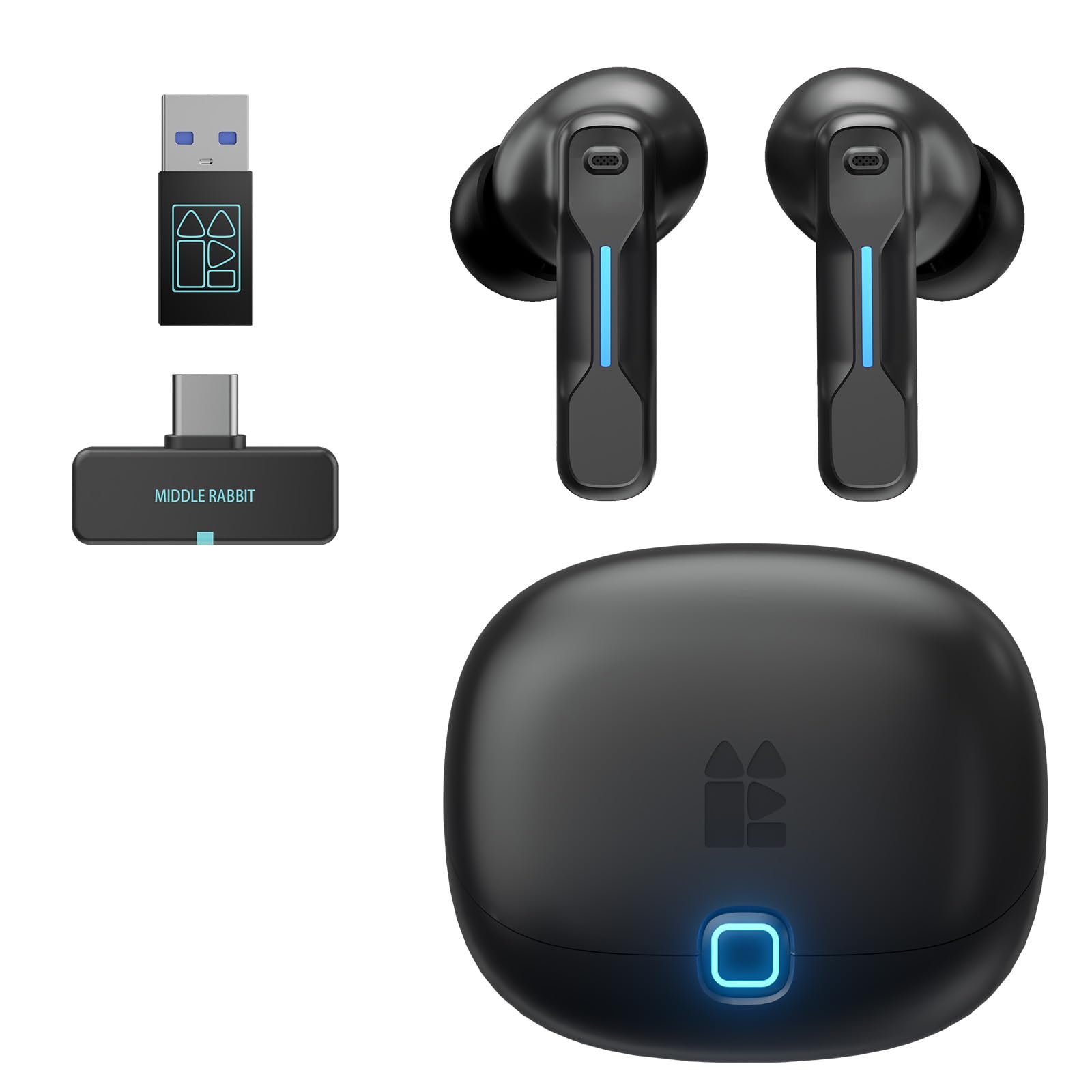
2. Middle Rabbit SW5 Wireless Gaming Earbuds with Mic
Holds a 2.4GHz link to your PC and a Bluetooth link to your phone at once, so calls don’t cost you the match.
Dual-device connection is the reason to look here. The SW5 holds a link to two devices at once — your PC on one and your phone on the other — so an incoming call does not force you to quit the game. Latency sits at 20 milliseconds on the 2.4GHz link, the same low figure as the AOC above, and it runs on Bluetooth 5.4, the newer of the versions on this list. A 33-foot Bluetooth range gives you room to move off the desk.
Four built-in microphones handle voice chat, with AI enhancement aimed at keeping your voice clear over game audio. Multiple EQ modes — Music, Game and Podcast — plus custom EQ in the Middle Rabbit app let you tune the sound to what you are doing. The same app handles OTA firmware upgrades (over-the-air updates) and battery monitoring, and the set carries surround sound and touch controls.
Audio and comfort are what land with people; the pairing side is the part to go in with eyes open. Some users hit connection trouble, and a few runs end with an earbud cutting out. If you want a dependable two-device switcher and can accept a bit of pairing fiddling, it delivers. If your priority is a link that never drops, the AOC above is the safer first pick.
The two-device magic: Juggling a phone call and a match without unplugging anything is exactly what this pair was built to do.
Where it can stumble: The reliability and connectivity feedback is mixed, so treat pairing as something you may need to redo now and then.
Reach for this if: You want one pair for game audio and phone calls without swapping dongles.
Think twice if: You want the most bulletproof connection first and multitasking second.
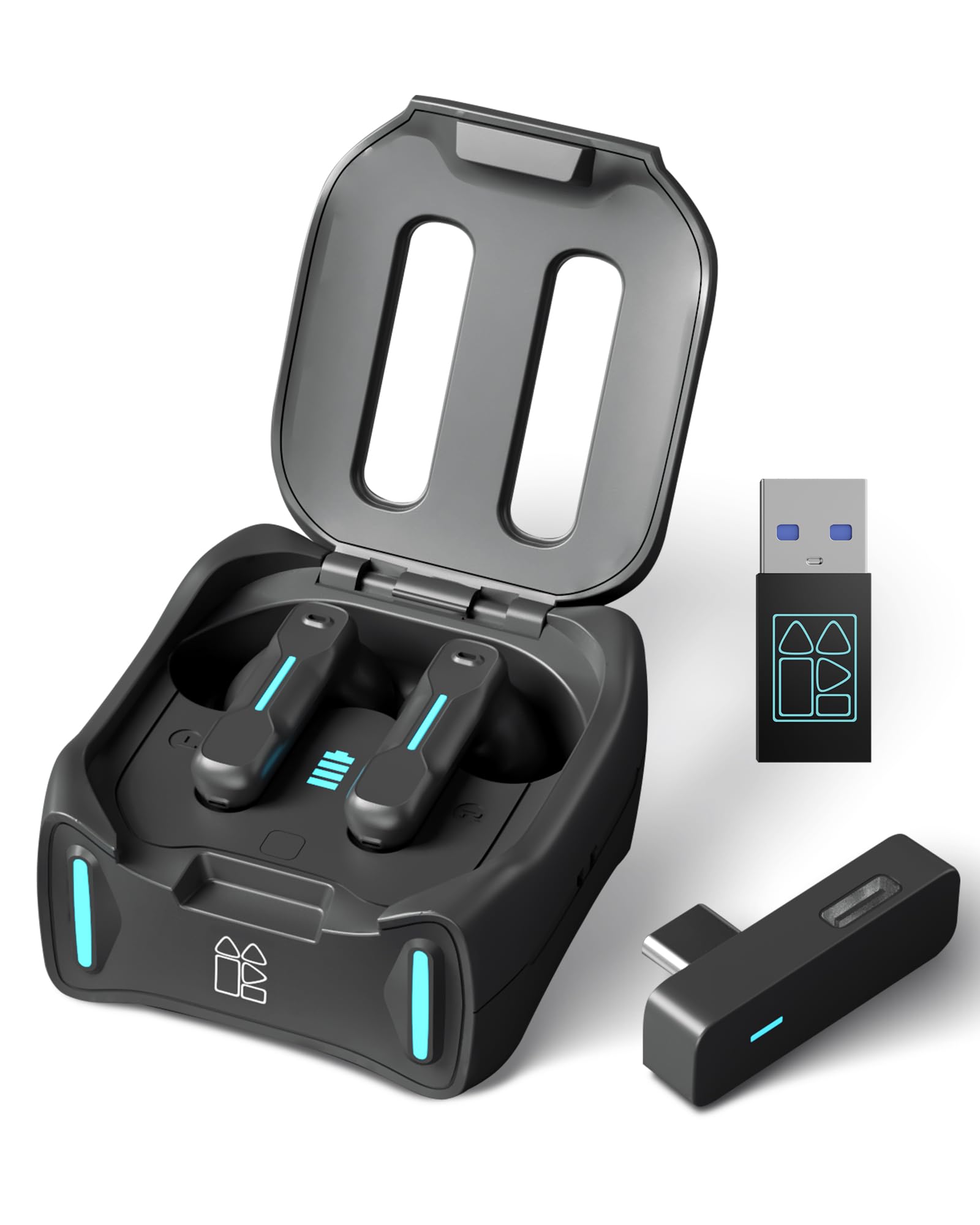
3. Middle Rabbit SW4 Pro Gaming Earbuds with Mic Wireless
A dedicated Footstep Boost EQ mode that lifts quiet enemy movement in the mix for FPS play.
Four EQ modes make this the most gameplay-aware pair on the list. Footstep Boost lifts the quiet sounds that give away enemy movement in FPS titles, while Game Balance, Music Mode and a custom profile cover everything else. The Middle Rabbit app lets you build your own EQ curve and adjust touch controls. It also runs OTA firmware updates, so the tuning can improve after you buy.
The hardware side is solid for the money. A 10 mm dynamic driver is the largest here apart from the Cleer ARC 3, and with four HD mics plus LC3 codec support (a newer, more efficient Bluetooth audio format) over the 2.4GHz link, latency holds at 20 milliseconds. It carries Bluetooth 5.4 as well. Playtime runs up to 6 hours of gaming or 8 hours of music per charge, with the case adding three more full recharges for 32+ hours total, and a full charge takes about 1.5 hours.
Compatibility is genuinely broad: Meta Quest 3, 3s and 2, PS5, PS4, desktop and laptop PC, Steam Deck and Switch all work, and the dongle is plug-and-play with no driver install. Xbox is the one omission. Sound quality is what carries it, along with value — people find it a lot of earbud for the money. A one-year warranty backs the set.
Why shooters like it: The Footstep Boost mode is a genuinely useful tuning choice, not a gimmick label.
The honest limit: 6 hours of gaming per charge is the shortest single-charge figure here, so long sessions will lean on the case.
Pick it for: Competitive shooters where hearing movement decides the round.
Not your pair if: Marathon sessions without a charging break are the norm.
4. ASUS ROG Cetra True Wireless SpeedNova Gaming Earbuds

24-bit/96kHz audio over 2.4GHz plus bone-conduction AI mics, with up to 46 hours in Bluetooth mode.
It is the only pair on this list that states high-resolution 24-bit/96kHz audio in 2.4 GHz mode. That figure describes how much detail the audio stream can carry, and paired with Dirac Opteo technology it means finer treble and more separation between sounds. Bone-conduction AI microphones (mics that pick up vibration through your head alongside your voice) work to isolate you from room noise — a real help when your teammate needs to hear callouts over background sound.
Battery is the standout spec. Up to 46 hours in Bluetooth mode with RGB off, and fast in-case charging returns up to an hour of use from just a 5-minute charge. The charging case works wirelessly or over USB-C, and USB-C dongle mode covers PC, Mac, Android, Nintendo Switch, PS4 and PS5. Hybrid Multipoint holds a 2.4GHz link and a Bluetooth link at once, so a call can come in without you dropping the game.
Adaptive ANC adjusts to your ear shape and canal and matches itself to the room, and Aura RGB lighting adds a look you can switch up. The honest note is that sound splits opinion — some people find it rich and others find it flat, and Bluetooth disconnections are the recurring gripe. Treat this as the pick for someone who values detail and battery headroom over a guaranteed rock-solid link.
What stands out on paper
- 24-bit/96kHz audio in 2.4 GHz mode is the highest resolution here
- Up to 46 hours in Bluetooth mode with RGB off
- 5-minute charge delivers up to an hour of use
- Hybrid Multipoint keeps two devices live at once
- Adaptive ANC tunes itself to your ear
Where it asks patience
- Sound quality is split — some find it flat
- Bluetooth dropouts show up in feedback
Made for: Detail hunters who want hi-res output and a huge battery figure.
Look past it if: You want an unshakably stable wireless link above all else.
5. SteelSeries Arctis GameBuds for PlayStation/PC/Switch/Mobile

Over 100 per-game audio presets in the Arctis Companion App, so you tune to the title, not the genre.
Over 100 game audio presets in the SteelSeries Arctis Companion App are the headline. Instead of one generic “game” mode, you pick the title you are playing and let the app push critical sounds forward. A quick-switch dual wireless design runs 2.4GHz for PS5 gaming or Bluetooth 5.3 for mobile, so you can move between your desk and your phone without re-pairing. Four-mic hybrid ANC adds real noise cancelling, with a transparency mode when you need to hear the room.
Battery is 10 hours for a long session, and the Qi charging case adds three extra charges for up to 40 hours of total use. The pair carries an IP55 water-resistance rating, meaning it is protected against dust and splashes — useful if you keep a drink at the desk. 360° spatial audio with custom neodymium magnetic drivers aims at directional awareness in game. This listing is a renewed unit, so expect refurbished packaging.
Sound is the split point here. Feedback on audio quality is genuinely mixed, with a fair share of people saying it did not land as expected, and connection drops come up as the recurring complaint. When it works, it works across PC and PlayStation. Go in treating sound as the thing to audition rather than the thing to assume.
Best feature by far: The 100+ preset library is a real difference-maker if you play a narrow rotation of titles.
What to weigh: Audio quality feedback is mixed and dropouts recur, so buy with the return window in mind.
Your match if: You bounce between PS5 and PC and want per-game tuning on tap.
Skip if: You want sound you can take for granted from the first listen.
6. Cleer ARC 3 Gaming Earbuds — Open Ear, Dolby Atmos

Open-ear fit with 16.2 mm drivers — the largest here — and up to 50 hours with the case.
Open-ear means the earbuds rest around your ear rather than sealing into the canal, so you stay aware of the room while you play. The 16.2 mm dynamic drivers are the largest on this list, and with Dolby Atmos audio, Snapdragon Sound and head tracking they push spatial audio hard. Latency is stated as under 30 milliseconds, and the 2.4GHz dongle plus Bluetooth 5.4 dual connection covers PS4, PS5, Switch, Meta Quest 2/3, phones, laptops and PCs.
The battery figure is the headline. Up to 50 hours from one complete charge breaks down as 10 hours per earbud plus 40 hours of recharge in the case, and 5 minutes of charging returns up to 1.5 hours of play. Bluetooth 5.4 multipoint lets two devices stay paired and switch as your day moves. There is no setup required — plug the dongle in and game.
The honest trade-off is audio consistency. Battery life is the thing people love, and the around-ear fit earns praise, but sound quality divides sharply — some love it, others find it thin compared with sealed in-ear designs.
Reasons it earns a spot
- Up to 50 hours total with the case
- 16.2 mm drivers — the largest on this list
- Open-ear fit keeps you aware of your surroundings
- Multipoint Bluetooth 5.4 for two devices
- 5 minutes of charge gives up to 1.5 hours
The trade-off
- Sound quality draws mixed reactions
- Open-ear design means less isolation
Go with it for: All-day play sessions where charging is a nuisance.
Leave it if: Sealed-in bass and isolation are what you want from game audio.
7. JBL Quantum TWS Gaming Earbuds

QuantumSURROUND spatial processing via JBL QuantumENGINE, PC-only, plus six beamforming mics.
QuantumSURROUND is the reason to consider this pair. It runs through the JBL QuantumENGINE software on PC and wraps sound around you, so directional cues come from the right place. Note the platform lock: that surround processing is PC-only. The low-latency 2.4GHz connection runs through the included USB-C dongle, and the dongle fits inside the charging case so you do not lose it between sessions.
Six beamforming microphones aim your voice at whoever is listening, and JBL Dual Source lets you take a Bluetooth call while the 2.4GHz link stays live, then jump straight back into the game. True Adaptive Noise Cancelling re-calibrates on the fly, and Ambient Aware lets the room back in when you need it. The earbuds also work with any Bluetooth-enabled device.
Sound and comfort are the strong suits here. Battery is the part to plan around: a charging-case figure of 16 hours is modest next to the Cleer or ASUS pairs, so heavy users will be reaching for the cable more often. If you want JBL’s spatial processing and sit at a PC for most sessions, it earns its place.
The draw: QuantumSURROUND on PC plus six beamforming mics is a strong combination for online shooters and calls.
The catch: A 16-hour case total is short next to the top battery performers on this list.
Built for: PC players who want surround processing and clear callouts in one set.
Best skipped by: Anyone who wants to go days between charges.
8. Razer Hammerhead HyperSpeed Gaming Earbuds

Chroma lighting and 30 hours of battery in a pair aimed at competitive play.
Sixteen point eight million colors of Chroma RGB is the attention-grabber, and it is a genuine reason to pick these if you are building a desk setup around a look. Under that, HyperSpeed Wireless runs a 2.4GHz link through the included USB-C dongle for low-latency audio, and Bluetooth 5.2 covers everything else with automatic reconnection to your last paired device. Compatibility spans PS5, PS4, PC, Mac, smartphones, tablets and handhelds with a USB-C or USB-A port.
ANC detects and nullifies ambient noise, and dual ENC microphones (environmental noise cancelling, meaning they reduce background sound on your voice) work to make chat clearer. Battery runs up to 30 hours with tune power management. Touch controls handle media, and the set ships with a charging case.
Here is the honest read: this is a style-forward pair and the feedback reflects that. Sound quality and connectivity both split opinion, with some players reporting a muffled, underwater-like quality and trouble connecting on PS5, while phone and PC pairing goes smoothly. Buy it for the design language and the 30-hour figure, and audition the sound early.
What it brings to the desk
- Chroma RGB with 16.8 million colors
- Up to 30 hours of battery
- 2.4GHz HyperSpeed dongle for low latency
- Dual ENC mics for clearer chat
- Broad PS5, PC, Mac and mobile compatibility
Where it splits opinion
- Sound quality draws both praise and complaint
- PS5 connection issues come up in feedback
Right call if: You want your gear to look as good as it sounds on the desk.
Wrong call if: You need reliable PS5 pairing and neutral sound from the start.
9. Sony INZONE Buds Wireless Noise Cancelling Gaming Earbuds

Sony’s spatial audio engine custom-tuned to your ear shape — with on-screen status on PS5.
Sound is the reason people rate this pair so highly. Sony’s 360 spatial sound algorithm adapts to your ear shape, and on PS5 you get Tempest 3D Audiotech with on-screen status for volume, battery and mic mute plus game/chat balance. The 8.4 mm dynamic drivers are among the smallest on this list, but the tuning does the heavy lifting. A 2.4GHz USB-C dongle handles PC, PlayStation, Switch and mobile, and Bluetooth LE Audio with the LC3 codec covers compatible devices.
Comfort holds up for long play, with owners reporting hours of wear without discomfort — useful given the in-ear design. Tap controls are customizable through the INZONE Hub app, where you can adjust EQ, spatial sound, volume, game/chat balance and tap behavior. The set was designed with FNATIC, an esports organization. ANC and transparency switch on tap for awareness.
The big caveat is Bluetooth compatibility. LE Audio with the LC3 codec is not supported on iPhone or iPad, and standard Bluetooth codecs like SBC, AAC, aptX and LDAC are not supported at all — so this is a dongle-first pair. Connectivity complaints also come up, particularly with one earbud dropping. If your gaming anchor is a PC or PS5, that is a fair trade for the audio quality.
The standout: Sound quality is the strongest signal in the feedback by a wide margin, and the PS5 on-screen integration makes it feel native.
The honest blocker: With no standard Bluetooth codec support and no iPhone LE Audio, this pair really wants a dongle in the port.
Choose it when: Audio quality tops your list and you game mainly on PC or PlayStation.
Pass on it when: You want to pair straight to an iPhone over Bluetooth.
Know the Specs
Latency in Milliseconds
Latency is the delay between the action on screen and the sound reaching your ears, measured in milliseconds. Lower is better for gaming: at 20 to 30 milliseconds, audio stays close to the picture, so footsteps and gunfire land where you expect. Bluetooth alone tends to run higher, which is why a 2.4GHz dongle exists. Pick the lowest stated figure you can find if competitive play is the goal.
2.4GHz Dongle vs Bluetooth
A 2.4GHz dongle is a tiny USB transmitter that creates a private link between your PC and the earbuds, tuned for low delay. Bluetooth is the general-purpose wireless standard you use for phones and music, with connection handled automatically but less control over timing. Most pairs here run both modes, letting you game on the dongle and take calls over Bluetooth. Check the box includes any USB-C to USB-A adapter you need.
Driver Size
The driver is the speaker component that produces sound, measured in millimeters across its diaphragm. Larger drivers can move more air, which often helps bass, while tuning matters just as much as raw size. On this list, driver figures run from 8 mm up to 16.2 mm, and the differences show up in how much low end and spatial width you get. Do not choose on size alone — the processing behind it counts.
Battery and Case Playtime
Battery is listed two ways: hours per single charge, and total hours with the charging case. A 6-hour figure means you will mid-session charge on a long night, while a 10-hour figure covers most play sessions. Quick-charge features add convenience — a short top-up can return several hours of play. Match the numbers to how long you actually sit down to game, not to the biggest number on the page.
Common Questions
Do I need a 2.4GHz dongle for PC gaming earbuds, or is Bluetooth enough?
Will these PC gaming earbuds work with my PS5 or Nintendo Switch?
Is 20 ms latency low enough to stop the audio feeling delayed?
Can I take a phone call without taking these earbuds out?
How long do these gaming earbuds last on a charge?
Are open-ear earbuds like the Cleer ARC 3 good for gaming?
Do these earbuds have a microphone for team chat?
Can I use these gaming earbuds with a VR headset like Meta Quest?
Will a USB-C dongle fit my older desktop with only USB-A ports?
Does active noise cancelling matter on gaming earbuds?
The Bottom Line
For most PC players, the wireless earbuds for pc gaming answer is the AOC Gamebuds because 20 milliseconds of latency, 8 hours per charge and a 32-hour case total cover the everyday basics with nothing to fiddle with. If you want a footstep-focused tuning for shooters, grab the Middle Rabbit SW4 Pro. And for long-session players who hate charging, the Cleer ARC 3 is the one to reach for with its 50-hour case total.
The AOC pair also holds 4.5+ stars across 1,700+ owners, the highest score on this list. If you want the safest bet and a 2.4GHz dongle in the box, start there.
How we choose
We do not accept paid placement. Every pick is matched to a real buyer and a real use-case; we do not hands-on test units.
Sources
Specifications: manufacturer listings and product documentation. Review insights: verified customer reviews, as of July 2026. Pricing: not shown on this page (it changes often); check the current price via the retailer link.
As an Amazon Associate, Tactical Gear Guy earns from qualifying purchases. This does not affect which products we feature.