Specs are compiled from manufacturer listings and verified buyer reviews and can change over time — please confirm the key details on the product page before buying.
If your desktop is still wired to the router with a cable, or limping along on a USB dongle that drops every ten minutes, an internal card is the fix. A wireless adapter card for PC slots straight into a PCIe port on your motherboard, brings its own antennas and Bluetooth, and turns a wired-only tower into a machine that pulls fast Wi-Fi without a cable snaking across the floor. Below are nine cards that actually fit that slot — no USB sticks pretending to be upgrades.
This guide is built by comparing the manufacturers’ published specifications and the patterns across verified customer reviews, so you get each pick’s real strengths and trade-offs instead of marketing spin.
The biggest fork in the road is the Wi-Fi generation: a Wi-Fi 6E card like the GIGABYTE GC-WBAX210 needs only a 6GHz-capable router, while a Wi-Fi 7 card is wasted unless your router speaks the same language. You do not need to spend the most to get a rock-solid link — you need the card that matches your router and your Windows version. Everything below is sorted by what you actually get, so you can pick the right wireless adapter card for pc on the first try.
Top Picks


How To Choose The Best Wireless Adapter Card for PC
The short version: match the card to your router first, then to your Windows version, then worry about the rest. A top-shelf card on an old router performs like a cheap one, and a Wi-Fi 7 card on Windows 10 simply will not run at all.
Your router sets the ceiling
A Wi-Fi 6E card pulls its extra speed from the 6GHz band, a slice of airwaves that only 6E and Wi-Fi 7 routers broadcast. If your router is older Wi-Fi 5, the card still works, but you will see Wi-Fi 5 speeds. Buy the generation that matches what is already in your house, or plan to upgrade the router too.
The Windows version decides compatibility
Several Wi-Fi 7 cards in this list run only on Windows 11 — the TP-Link Archer TBE400E and Archer TBE550E both say so plainly, and the UGREEN BE6500 adds a Windows 11 21H2 exception. If your PC is on Windows 10, stick with a card that lists Windows 10 in its requirements.
Antennas: stick-on or screw-on
Most cards ship with two antennas that screw onto the back bracket. Some add a magnetized base on a cable, which lets you park the antennas on top of the desk instead of behind a metal case. In a room with thick walls, that repositioning can matter more than the card’s rated speed.
Side-by-Side Comparison
| Model | Best For | Max Data Rate | Wireless Standard | Bluetooth | Amazon |
|---|---|---|---|---|---|
| GIGABYTE GC-WBAX210★ Best Overall | Most people | 2400 Mbps | Wi-Fi 6E | 5.2 | Amazon |
| WAVLINK AXE5400Best Value | Tight budgets | 5400 Mbps | Wi-Fi 6E | 5.3 | Amazon |
| ASUS PCE-AX1800Compact Pick | Small cases | 1800 Mbps | Wi-Fi 6 | 5.2 | Amazon |
| UGREEN BE6500 | Windows 11 gamers | BE6500 tri-band | Wi-Fi 7 | 5.4 | Amazon |
| TP-Link Archer TBE400E | Wi-Fi 7 on a budget | 6500 Mbps | Wi-Fi 7 | 5.4 | Amazon |
| ASUS PCE-AXE5400 | 6E with headroom | 5400 MB/s | Wi-Fi 6E | 5.2 | Amazon |
| GIGABYTE GC-WIFI7 | Future-proofing | 5800 Mbps | Wi-Fi 7 | 5.3 | Amazon |
| Cudy WE4000 | Plug-and-play Windows | 5400 Mbps | Wi-Fi 6E | 5.3 | Amazon |
| TP-Link Archer TBE550E | Top throughput | 9300 Mbps | Wi-Fi 7 | 5.4 | Amazon |
Detailed Reviews
1. GIGABYTE WiFi 6E GC-WBAX210
Our pick — 4.5+★ from 3,500+ verified ratings; the strongest balance of quality and price.
The plug-and-play 6E card that turns an ordinary tower into a fast wireless machine.
This is the card to buy if you want the whole job finished in one go. It carries Intel’s WiFi 6E AX210 module, which is the chip that lets your PC tune into the 6GHz band — the newer, less-crowded airwaves where a busy apartment building stops fighting itself. Rated for high-speed wireless up to 2400Mbps, it is more than enough for 4K streaming, big game downloads and a household of phones competing for bandwidth.
The installation story is the reason it sits at the top. It is plug-and-play on Windows 10, so there is no driver hunt across the manufacturer’s website, no USB stick to dig from the start. Owners consistently call the setup straightforward. What wins people over above everything else is that it simply works — functionality is the thing that dominates the conversation, with quality and speed close behind. Buyers report download speeds clearing 550Mbps on a 1Gb ethernet connection, and the same card carries Bluetooth 5.2 alongside Wi-Fi, so your headset and controller share one PCIe slot.
The honest catch: the connection quality draws mixed reactions, and a small handful of buyers never get the speed they expected. Those stories usually trace back to a router that does not broadcast 6GHz — the card cannot invent a band that is not there. If your router predates Wi-Fi 6E, expect Wi-Fi 5-level performance and plan the upgrade. At 4.5+ stars across 3,700+ owners, it is among the most-reviewed 6E cards in the category.
Where it earns its keep
- Intel AX210 module inside — genuine 6GHz access, not a rebadged older chip.
- 2400Mbps ceiling covers 4K streaming and large game downloads with room.
- Plug-and-play on Windows 10, so no separate driver download.
- Wi-Fi and Bluetooth 5.2 from a single PCIe slot.
The honest trade-offs
- Needs a 6GHz-capable router to show its real speed.
- Signal strength draws mixed reports in homes with dense walls.
- Antennas mount at the case, so placement is less flexible than a magnetic base.
Reach for this if: you run a 6E router and want the simplest install that reliably delivers Wi-Fi 6E speeds.
Look elsewhere if: your router is still Wi-Fi 5 — pick a cheaper card and spend the difference on a router that broadcasts 6GHz.
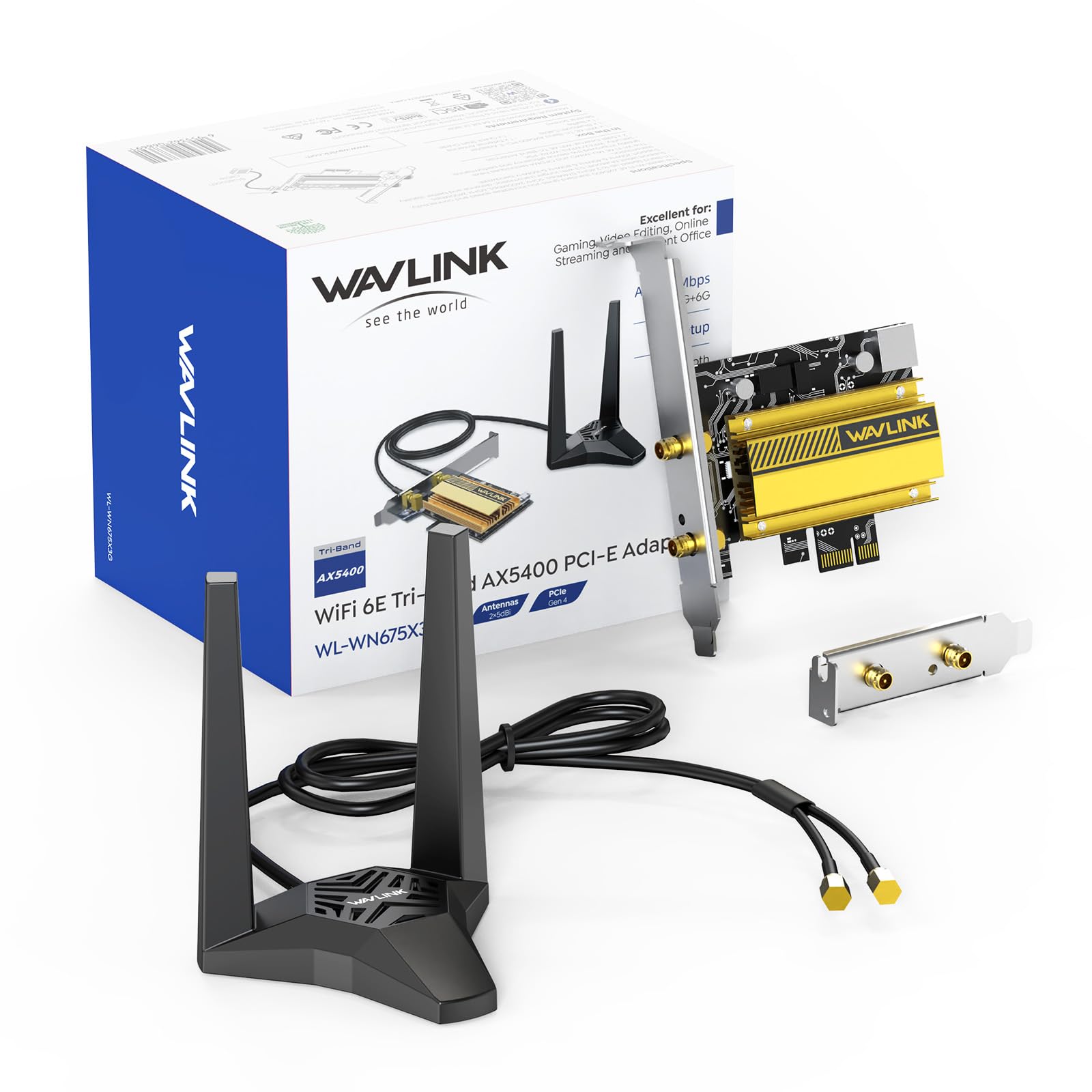
2. WAVLINK AXE5400 PCIe WiFi 6E Card
Magnetic antennas and a 5400Mbps 6E card for the price of a decent pizza night.
The spec sheet reads far above the entry-level tier. It claims tri-band speeds up to 574Mbps on the 2.4GHz band, 2400Mbps on 5GHz and 2400Mbps on 6GHz, for a total rated 5400 megabits per second. It also adds Bluetooth 5.3 for longer-range headset and controller connections, WPA3 encryption, OFDMA and MU-MIMO — the noise-reduction tech that keeps busy networks from choking. Under the heat sink is the same Intel AX210 chip that costs a lot more elsewhere.
Where this one breaks from the pack is the antenna setup. The two 5dBi antennas sit on a separate magnetized base you place on top of the desk, so the signal is not trapped behind a metal case. In a corner room with the router two walls away, moving the antennas up and out can be the difference between a steady stream and a buffering bar. The card also comes with a low-profile bracket, which matters if you are cramming it into a slim case.
The one thing to know before you order: this is a newer listing, so the track record is short. The feedback so far circles on functionality and how easy it is to install — plug-and-play is the theme — but you are buying nearer the launch than with a card that has been in thousands of builds. It is compatible with Linux as well as Windows 10 and 11, which makes it a rare pick for the dual-boot crowd.
Why the magnet earns its place: the separate base lifts the two 5dBi antennas clear of the case and lets you aim them — a real advantage when the router sits in another room.
The short track record: a newer arrival with a small review base, so you are leaning on the spec sheet more than a mountain of long-term user reports.
Pick this when: you want 6E and Bluetooth 5.3 on a tight allowance, and your case can take the standard or low-profile bracket.
Wait up if: you want years of user reports behind the model before committing.
3. ASUS AX1800 PCIe WiFi Adapter (PCE-AX1800)
A small-footprint Wi-Fi 6 card built for tight cases and older routers.
If your tower is a mini-ITX box or you are upgrading an older machine that will never see a Wi-Fi 6E router, this is the honest answer. It is a WiFi 6 (802.11ax) card rated at 1800 Mbps, which is plenty for everyday browsing, video calls and gaming on a solid Wi-Fi 5 or Wi-Fi 6 network. The physical size is the killer detail: it measures 4.74″ long by 3.46″ wide by 0.85″ high and weighs 2.72 ounces — a full 74% less volume than the GIGABYTE GC-WBAX210 at 8.27″L x 5.83″W x 2.16″H — a real edge in a tightly packed mini-ITX case.
Asus tucked in the features that matter for a daily driver: OFDMA and MU-MIMO keep the connection stable when the rest of the household is streaming, and Bluetooth 5.2 lets you wire up a headset or controller. WPA3 encryption is on board for the network password side. The feedback that comes back is largely about things working from the start and connecting cleanly to Bluetooth and Wi-Fi 6 alike — the kind of quiet reliability that does not make headlines but does make a desktop pleasant to use.
The trade-off is speed ceiling. On a Wi-Fi 5 or basic Wi-Fi 6 router that gap rarely shows up in real use. On a fast Wi-Fi 6E connection, it will be the bottleneck. Windows 10 is the minimum listed operating system.
Size is the whole pitch: at 0.85″ tall with a low-profile-friendly footprint, it slides into builds where a bigger card will not fit.
The speed ceiling: 1800 Mbps is enough for a Wi-Fi 5 or entry Wi-Fi 6 network, but it caps what a fast 6E router can deliver.
Suits you if: you are fitting out a compact case or an older Windows 10 build and mostly stream and browse.
Step up if: your router already pumps 6E speeds and you want the card to keep up.
4. UGREEN WiFi 7 BE6500 PCIe WiFi Card
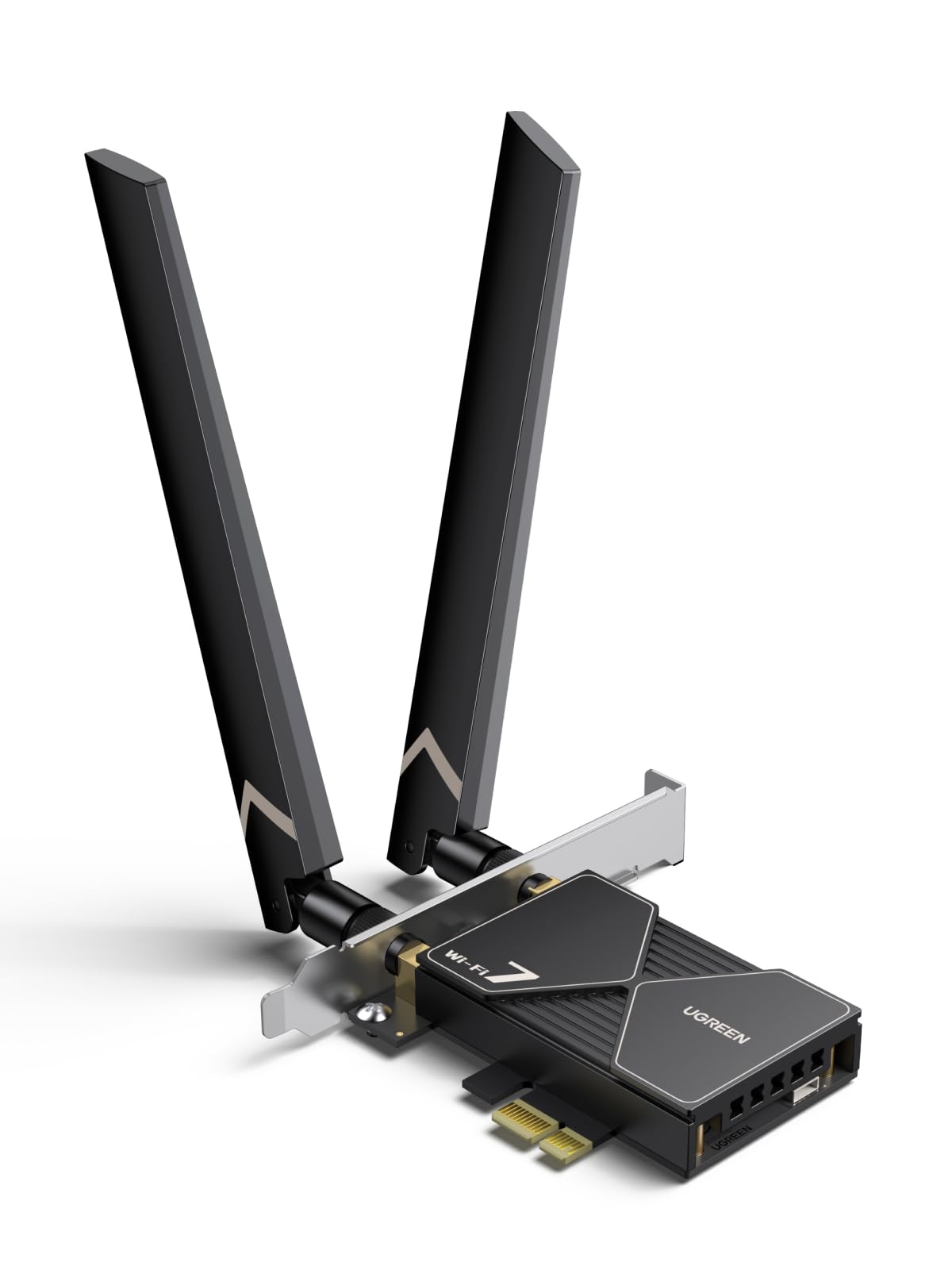
A Wi-Fi 7 card that pairs a 6GHz band with flexible 6dBi antennas and Bluetooth 5.4.
Wi-Fi 7 is the new generation, and this card leans into it hard. It offers up to 2882Mbps on both the 6GHz and 5GHz bands, with 688Mbps on the 2.4GHz long-range band. The MLO (Multi-Link Operation) feature lets the card stitch two bands together at once, which is the Wi-Fi 7 trick that cuts the sudden freezes in online play. Bluetooth 5.4 rounds it out. The driver ships on a USB stick in the box, so you plug that in first and follow the prompts.
Two things set this card apart from the other Wi-Fi 7 options. The 6dBi high-gain antennas are flexible, so you can bend them to aim at the router rather than accepting whatever angle the bracket gives you. And the install feedback is positive — easy setup is the theme, since the driver is already on the included stick instead of a scavenger hunt on the maker’s site.
Now the part you need to read twice. It supports Windows 11 only, with Windows 11 21H2 excluded. It also asks you to disable your motherboard’s built-in Bluetooth before use to avoid a clash. Reliability is the most-discussed subject in the feedback, and it splits both ways — some owners mention it running beautifully, others report a dead card. Treat that as a fit note: if you have a Windows 10 machine, skip this entirely, and if you buy it, install on a clean system and test early while a return window is open.
What it brings to the build
- Wi-Fi 7 with MLO, so two bands carry data at once for lower lag.
- Flexible 6dBi antennas you can angle toward the router.
- Bluetooth 5.4 for current headsets and controllers.
- Driver pre-loaded on a USB stick — no download hunt.
Before you commit
- Windows 11 only — no Windows 10, no Linux.
- You must disable your PC’s built-in Bluetooth to avoid a clash.
- Reliability splits both ways in feedback; test it early.
Good match for: a Windows 11 gaming tower on a Wi-Fi 7 router where every millisecond of lag counts.
Not for you if: you are on Windows 10 or Linux, or you want a card with a long proven track record.
5. TP-Link WiFi 7 BE6500 PCIe WiFi Card (Archer TBE400E)

The Wi-Fi 7 card that hits 6500 Mbps without the flagship price.
Here is where the Wi-Fi 7 class gets interesting. This card is rated for 6500 megabits per second in total, spread as 2882 Mbps on 6GHz, 2882 Mbps on 5GHz and 688 Mbps on 2.4GHz. Put that next to the ASUS AX1800 above at 1800 megabits per second and you are looking at a big step in rated throughput — the ASUS covers everyday browsing, this one is built for heavy game downloads and simultaneous 4K streams. It pairs with a Wi-Fi 7 router to open up MLO, Multi-RUs and 4K-QAM, the features that tighten throughput and cut latency.
What comes through strongest in the feedback is reliability — this card simply stays connected, and some owners say it performs better than the onboard module their motherboard shipped with. Customers note a steady 600 Mbps in busy real-world conditions, and setup stays simple with the included driver. Bluetooth 5.4 is included for controllers and headsets, and the box contains both a standard and a low-profile bracket for mini-tower cases.
The line you cannot cross: Windows 11 only, 64-bit, no Windows 10. That single requirement decides half the buyers. A few owners also question the value at this tier versus the cheaper Wi-Fi 6E cards, which is fair — if your router is not Wi-Fi 7, you pay for speed the card cannot reach. On a matching router, though, this is one of the strongest-balanced cards on the list.
The staying-connected story: reliability is the loudest theme in the feedback, and owners who came from flaky onboard Wi-Fi notice the difference on day one.
Windows 11 or the highway: no Windows 10 support means older builds are ruled out entirely, and the value case only closes if your router speaks Wi-Fi 7.
Buy it if: you have a Wi-Fi 7 router and a Windows 11 PC, and you want top-tier throughput at the mid-tier.
Hold off if: you are still on Windows 10 or a Wi-Fi 5/6 router — a 6E card will do the same job for less.
6. ASUS PCE-AXE5400 Wi-Fi 6E PCIe Adapter

Asus’s own 6E card, built as a matched set for the rest of its network gear.
This is a Wi-Fi 6E tri-band adapter rated at 5400 Mbps, with OFDMA and MU-MIMO doing the work of keeping the connection steady when a dozen devices are talking at once. It has Bluetooth 5.2 on board and, at 0.05 kg, it weighs about as close to nothing as a PCIe card gets — no sag on a horizontal slot. The selling point Asus leans on is the “Wi-Fi 6E total solution” framing: it is designed to talk to other Asus networking gear without much coaxing.
Feedback here is sparse, and what little there is tends to be on the tepid side rather than glowing. That is not a knock on the hardware — the spec sheet is solid 6E territory, and Asus has a long track record in wireless gear. But the strength of this card is quieter than the GIGABYTE above, where owners are loud about functionality and easy install. If you already run an Asus router, the compatibility argument is real and the “good product for use” simplicity of the listing reflects a card that does not need selling.
The honest caveat: this is a 6E card at premium-tier pricing, and the value story is thin next to the cheaper 6E options. You are paying for the Asus ecosystem match and the mid-tier 5400 Mbps ceiling. If your router is not an Asus and not 6E, there is little here over a cheaper card.
The quiet Asus advantage: designed as part of a 6E family, it asks little of you if the rest of your network is already Asus.
Thin value case: it sits at premium-tier cost for a 5400 Mbps 6E ceiling, so the Asus-owning buyer gets the most out of it.
Best fit: an Asus-heavy home where everything already speaks 6E and you want the ecosystem to stay in step.
Think twice if: your router is a different brand or Wi-Fi 5 — the premium here goes unrewarded.
7. GIGABYTE WiFi 7 GC-WIFI7

GIGABYTE’s Wi-Fi 7 step-up, built around 4K-QAM and dual-band MLO.
This is the newer-generation successor to the GC-WBAX210 at position one, and the spec sheet shows it. It is rated at 5800Mbps with 4K-QAM — the denser signal packing that moves more data in the same airwaves — and 320MHz bandwidth support across 2.4GHz, 5GHz and 6GHz. MLO handles two bands at once, MRU helps the router sort congestion, and Bluetooth 5.3 is on board. That is a fair bit of forward-looking tech in one PCIe x1 slot.
The feedback pattern is what you would want for a card like this: quality and speed lead the way, with owners reporting gigabit peaks and 300-320 Mbps in everyday use. Installation stays straightforward. What you are really buying is runway. On a Wi-Fi 7 router, this card will age well; on an older one, it falls back to whatever your router broadcasts.
Two caveats. The 5800 Mbps ceiling sits below the TP-Link Archer TBE550E’s 9300 Mbps, and given GIGABYTE’s plain-language listing, it is a straightforward card without flashy extras. Windows 10 is the minimum operating system it lists, which makes it more forgiving than the Windows 11-only options — note if you are upgrading a Windows 10 tower and still want Wi-Fi 7 hardware inside.
Runway for the next upgrade: Wi-Fi 7 features today mean the card keeps pace when you move to a next-gen router.
Below the top ceiling: 5800 Mbps trails the 9300 Mbps flagship card, so buy this for the features rather than the headline number.
Choose this: if you want Wi-Fi 7 internals but are not ready to leave Windows 10 behind.
Skip if: your priority is the absolute highest rated throughput, which lives with the flagship card.
8. Cudy Wi-Fi 6E Bluetooth 5.3 PCIe Adapter AX5400 (WE4000)

The most-reviewed card on this list, and the easiest to get running on Windows 10.
If you want the safety of a card thousands of people have already lived with, this is the one. It uses the Intel AX210 chip and a heat sink, rated at 5400 Mbps across the tri-band spread, with Bluetooth 5.3 and WPA3. The 6E access comes free of fuss: plug it in and Windows 10 picks it up, installs the driver on its own, and you are online.
The real-world numbers hold up. Reviewers point out over 400Mbps with low ping and smooth 720p and 1080p 60fps streaming. Signal reception is a consistent bright spot. What owners talk about most is simply that it functions — with installation and speed close behind. The box also ships with a low-profile bracket, so it fits slim cases without a second purchase.
The honest fit note: connectivity and reliability draw mixed reports. That is the usual Wi-Fi-card story — a card that is fussy about your router’s band setup or an older Windows 10 build can behave unpredictably. Here the mixed notes are a minority against a very large base of happy owners, so treat them as “check your router” not “avoid the card”. Windows 10 is the minimum listed OS.
A safe bet for: Windows 10 builders who want a card that installs itself and has a long, deep record of owners behind it.
Consider a step up if: you already run a Wi-Fi 7 router and want the newer generation inside.
9. TP-Link WiFi 7 BE9300 PCIe WiFi Card (Archer TBE550E)
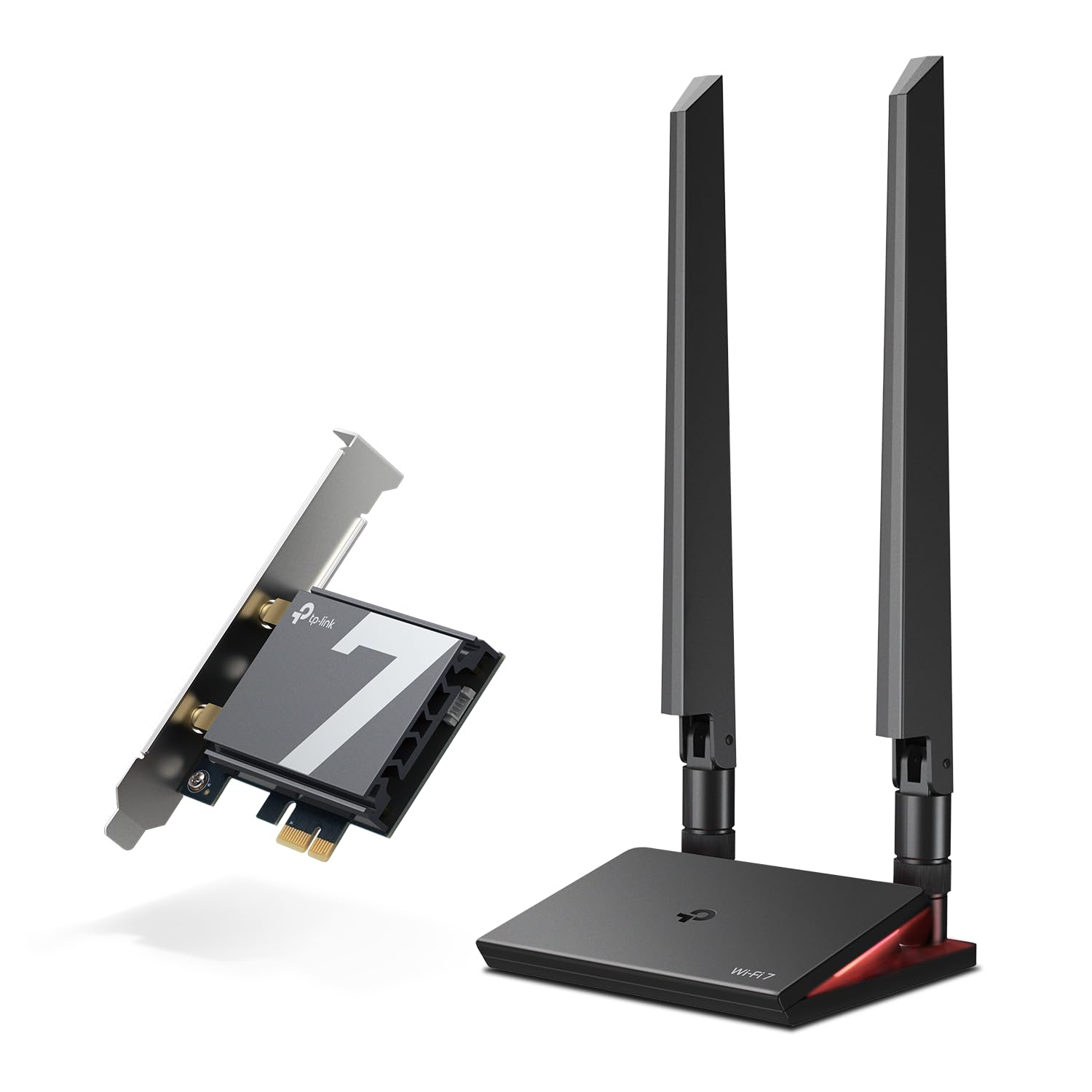
The brute-force option: 9300 Mbps, a magnetic LED antenna base, and a Windows 11 lock.
This is the highest rated speed in the whole list — 9300 megabits per second in total, split as 5760 Mbps on 6GHz, 2880 Mbps on 5GHz and 688 Mbps on 2.4GHz. It uses 4096-QAM and 320MHz to pack more data into each signal, and MLO to cut lag across bands. If you want the last word in wireless throughput from a PCIe slot, this is where the number peaks.
The physical design is the other draw. Two adjustable high-gain antennas sit on a magnetized base connected by a 1m braided RF cable, so you can park the antennas on the desk where the signal is cleanest instead of behind a metal case. That base also carries an LED status display with a touch switch, which tells you at a glance whether you are connected. A USB drive is included to make the driver install quick.
The catch is the same as the rest of the Wi-Fi 7 class, plus one extra: it is Windows 11 only, with no Windows 10 and no Linux support. Shoppers say 700-900 Mbps, but reliability splits both ways — some units run for months, others stop working. Treat that as a fit note and test on delivery. If you have a Windows 11 machine and a Wi-Fi 7 router, the combination is about as fast as a PCIe card gets today.
The signal you can move: a 1m braided cable on a magnetized base frees the antennas from the back of the case — the biggest real-world lever on speed you can pull without changing the router.
Test it early: reliability splits both ways in reports, so install and run a speed test the day it arrives while a return window is open.
The pick for: a Windows 11 tower on a Wi-Fi 7 router where the headroom of 9300 Mbps and a resettable antenna base are worth the flagship tier cost.
Look elsewhere if: you are on Windows 10, want Linux support, or prefer a longer proven track record over raw speed.
Know the Specs
Wireless Generation (6E vs Wi-Fi 7)
The generation label tells you which airwaves the card can tune into. Wi-Fi 6E and Wi-Fi 7 both open the 6GHz band — a newer slice with less traffic, which is where the low-latency benefit comes from. Wi-Fi 7 goes a step further with MLO (Multi-Link Operation), which lets the card use two bands at once, and 4K-QAM, which packs more data into each signal. A Wi-Fi 7 card on a Wi-Fi 5 router falls back to Wi-Fi 5 speeds, so match the card to the router you actually own.
Rated Data Rate vs What You Get
The Mbps figure on the box is the theoretical ceiling on a perfect connection. In a real home with walls, other devices and a router in another room, speeds come in lower — that is normal. A 5400Mbps card is not promising 5400Mbps at your desk, it is giving the connection headroom so heavy downloads and streams do not bottleneck. Choose a rate above what your internet plan delivers and you will rarely need a faster card.
Bluetooth Version
The card does double duty as your PC’s Bluetooth radio. Bluetooth 5.3 and 5.4 offer more bandwidth and better range than 5.2, which helps current headsets, controllers and keyboards. If your motherboard already has Bluetooth, disable the built-in radio before you install a card that adds its own — two active Bluetooth radios on one PC can clash.
Antenna Setup
Two screw-on antennas at the back bracket are standard. A magnetic base on a cable lets you move the antennas clear of the case and aim them at the router, which is the single biggest lever on real-world speed. If the router is down a hallway or behind a wall, a card with a movable base will usually beat a higher-rated card with fixed antennas in the same room.
Common Questions
Will a Wi-Fi 7 PCIe card work on my older router?
Which PCIe slot do I need free on my motherboard?
Can a Wi-Fi 7 card run on Windows 10?
Does this card replace my onboard Wi-Fi or add to it?
Why does my new card show slower speeds than the box claims?
Do I need Wi-Fi 6E on my router to use a 6E card?
Is a magnetic antenna base worth choosing a card for?
How much does a fitted wireless adapter card weigh in my build?
Can I use one of these cards for gaming without a cable?
The Bottom Line
For most people, the wireless adapter card for pc winner is the GIGABYTE GC-WBAX210 because it nails the essentials — Intel’s AX210 chip, plug-and-play on Windows 10, 2400Mbps, and Bluetooth 5.2 in one slot. If you have a Wi-Fi 7 router and a Windows 11 build, the TP-Link Archer TBE400E is the throughput-to-value pick, and its 6500 Mbps ceiling leaves plenty of headroom. And for a Windows 10 tower that wants a proven, self-installing card, the Cudy WE4000 is the one to reach for — it has been in more PCs than any other card here. One last nudge: with thousands of owners behind the top pick and a rating that stays at 4.5+, the GIGABYTE is the low-risk order if you want it right the first time.
How we choose
We do not accept paid placement. Every pick is matched to a real buyer and a real use-case; we do not hands-on test units.
Sources
Specifications: manufacturer listings and product documentation. Review insights: verified customer reviews, as of November 2026. Pricing: not shown on this page (it changes often); check the current price via the retailer link.
As an Amazon Associate, Tactical Gear Guy earns from qualifying purchases. This does not affect which products we feature.