Specs are compiled from manufacturer listings and verified buyer reviews and can change over time — please confirm the key details on the product page before buying.
You want keys you can actually read in a dark room, without a cable snaking across your desk. That is the whole promise of a wireless lighted keyboard. The catch is that “backlit” means wildly different things from one board to the next — some glow bright enough to light a whole row, others barely tick the box. This guide separates boards whose backlight actually helps you read keys in the dark from ones that just glow, and names the one that fits your desk.
This guide is built by comparing the manufacturers’ published specifications and the patterns across verified customer reviews, so you get each pick’s real strengths and trade-offs instead of marketing spin.
Battery life and backlight brightness pull against each other on almost every board here, and knowing which one you can live with is half the decision. The picks below walk that line honestly, which is what makes this the most useful shortlist of the wireless lighted keyboard options you can lean on before you spend.
Top Picks


How To Choose The Best Wireless Lighted Keyboard
Most buyers chase the brightest glow and end up with a board that needs charging every few days. The smarter order is to decide how you actually type first — dark room, shared office, or couch — then pick the lighting and battery that fit that reality.
Backlight brightness versus battery drain
A backlight is a small lamp behind every keycap, and it is the single biggest battery cost on a cordless board. The GravaStar Mercury K1 Pro shows the trade plainly: it runs up to 470 hours with the lighting off but about 40 hours with it on. If you type in the dark every night, budget your charging around the lit number, not the headline one.
Switch types and what they sound like
Under each keycap sits a switch, and its type decides feel and noise. A linear switch (one that presses straight down with no bump) feels smooth and quick. A scissor switch is the flat laptop-style mechanism, and the SABLUTE board claims it cuts typing noise by up to 95%. If a quiet house or open office matters, that number is worth more than any lighting spec.
Layout size and desk space
A “75%” board trims the number pad and some keys to free desk room for your mouse. A full-size board keeps all 104 keys plus a number pad. Measure your desk before you fall for a compact frame — a 75% like the Corsair K65 PLUS sits at 12.59 inches long, while a full-size Logitech MX Keys stretches to 17.7 inches.
Connection modes and device switching
2.4GHz is a dedicated USB dongle link that tends to be the most stable for gaming. Bluetooth pairs without a dongle and lets you hop between a laptop, tablet, and phone. Triple-mode boards give you both plus a wired USB-C fallback. If you juggle several devices, a Bluetooth multi-pair board earns its keep; if you game, favor the 2.4GHz dongle.
Side-by-Side Comparison
| Model | Best For | Connection | Backlight | Layout / Keys | Amazon |
|---|---|---|---|---|---|
| GravaStar Mercury K1 Pro★ Best Overall | Gamers who want a desk centerpiece | 2.4GHz / Bluetooth / USB-C | Dual RGB, 13 modes | 75% / 79 keys | Amazon |
| SABLUTE Wireless KeyboardQuietest Pick | Quiet travel and shared spaces | 2.4GHz USB receiver | 7 colors, 3 brightness levels | Full-size / low-profile | Amazon |
| Large Print Backlit ComboBest for Low Vision | Low-vision typing in dim rooms | 2.4GHz USB receiver | Single color, 3 brightness levels | Full-size / 104 keys | Amazon |
| Redragon S101M-KS | Budget-conscious gamers | 2.4G / Bluetooth / Wired | RGB, 8 patterns | Full-size gaming | Amazon |
| EPOMAKER TH108 | All-day typists and gamers | 2.4GHz / Bluetooth / USB-C | RGB, adjustable | Full-size / 108 keys | Amazon |
| Satechi Slim X3 | Mac-focused desks | Bluetooth / USB-C | 10 brightness levels | Full-size / 104 keys | Amazon |
| CORSAIR K65 PLUS | Compact gaming with a dial | 2.4GHz / Bluetooth / USB | RGB | 75% / 84 keys | Amazon |
| Logitech MX Keys | Multi-computer productivity | Bluetooth / USB | Auto backlight, hand-detects | Full-size / 104 keys | Amazon |
| Logitech MX Keys S | Low-profile quiet office work | Wireless | Single color | Full-size / 104 keys | Amazon |
Detailed Reviews
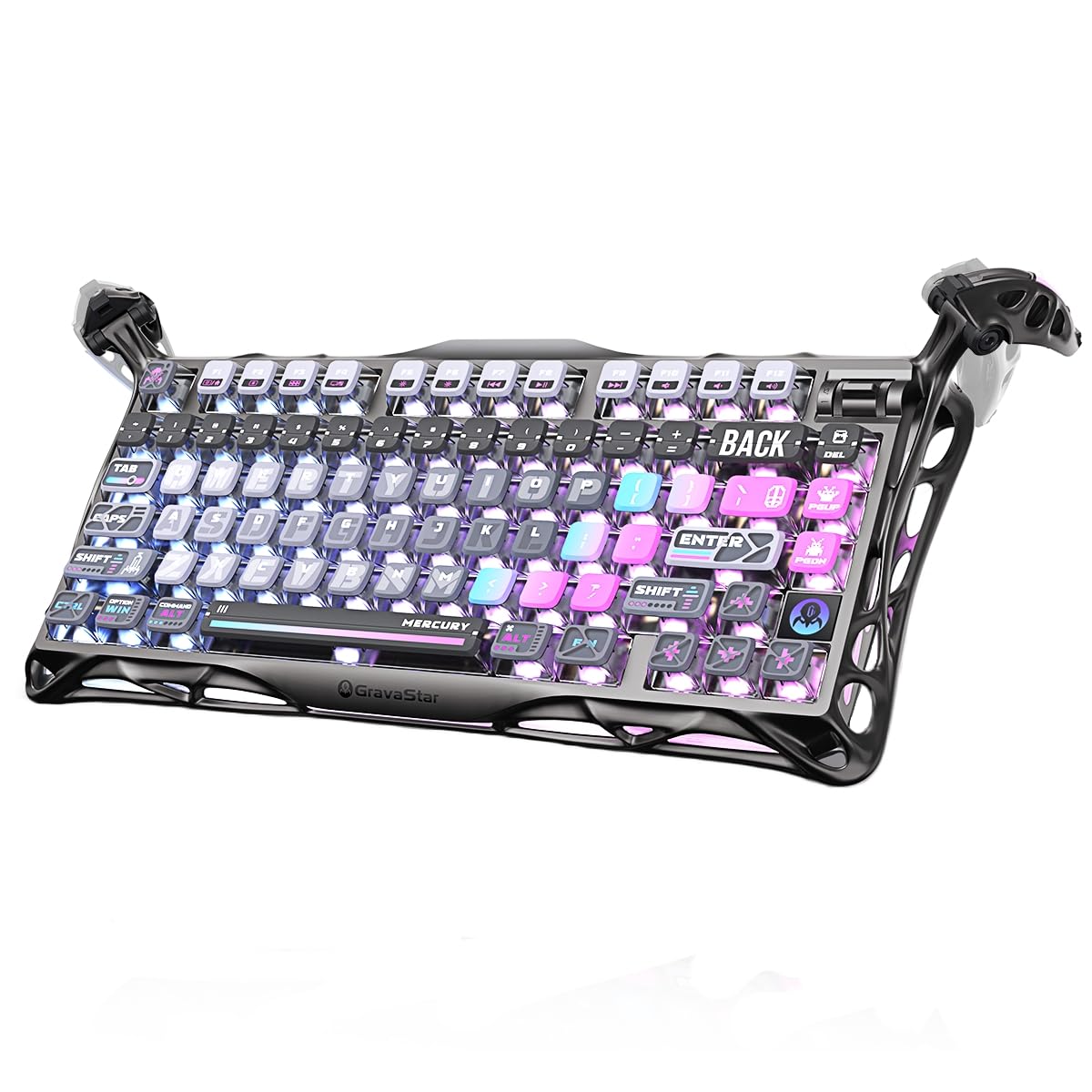
1. GravaStar Mercury K1 Pro Keyboard
Our pick — 4.5+★ from 900+ verified ratings; the strongest balance of quality and price.
A skeletal aluminum frame with two independent RGB systems and 470 hours of light-off battery.
If you want a backlit board that looks like a piece of furniture rather than a peripheral, this is it. The enclosure is an aluminum alloy exoskeleton with an open skeletal frame, so the keys sit in a metal cradle that gives a steady, solid feel under heavy typing. At 7.38 inches wide and 16.34 inches long, it carves out a real centerpiece spot on a gaming desk rather than disappearing into it.
The lighting is the headline. Two separate RGB systems push 16.8 million colors across 13 modes, and you tune them through a web-based driver instead of a desktop download. That flexibility matters because you can run vivid effects for a game session and dial to a soft glow for a dim office. The flip side is battery: you get up to 470 hours with lighting off, but only about 40 hours with it on. Plan on a charging rhythm if you always type lit.
Under the caps are GravaStar x Kailh Speedy Mint linear switches at a 45gf actuation force and 1.2mm pre-travel, rated for 70,000,000 keystrokes. A linear switch presses straight down smoothly, so gaming and long typing both feel quick and clean. The 75% layout drops to 79 keys plus a control knob for volume and mute. At 79 keys, the 75% layout keeps the essentials while freeing desk space for a mouse.
What earns the top spot
- Two independent RGB systems with 16.8 million colors and 13 modes give you ranges from subtle to full-spectrum.
- 470 hours of battery with lighting off stretches across multi-day work trips.
- Hot-swappable sockets let you change switches without soldering.
- Triple-mode 2.4GHz, Bluetooth, and wired USB-C covers PC, tablet, and laptop.
Worth weighing before you buy
- Lit runtime drops to about 40 hours, so heavy night typists will charge more often.
- The metal frame adds heft, which is great on a desk but not for carrying around.
Made for: gamers and desk-setup devotees who want lighting they can tune and a metal build that stays put.
Think again if: you type in the dark nightly and refuse to charge — the light-off 470-hour figure will not survive that habit.
2. SABLUTE Wireless Keyboard
A slim scissor-switch board that claims to cut typing noise by up to 95% and slips into a bag.
Picture a hotel room at midnight and a report due in the morning. That is the scenario this board is built for. The scissor switches keep clatter down — the maker claims up to 95% less typing noise than standard keys — and the 14.55 x 5.5 x 0.8-inch plastic body is thin enough to slide into a laptop sleeve. Set beside the GravaStar above at 16.34 x 7.38 inches, this one measures 14.55 x 5.5 x 0.8 inches, so it sits somewhere in the middle on footprint.
Lighting comes in 7 selectable colors with 3 brightness levels, and the rechargeable 1600mAh battery runs up to 350 hours with the backlight off. The lighting is the honest weak point: buyers consistently find it dim even at the brightest setting, so treat it as a soft glow for finding keys at night rather than a room-lightener. The upside is that a soft glow sips power, and this board paired with a light-off number this long is a quiet-space favorite.
There is a real compatibility catch. This is a 2.4GHz-only board — no Bluetooth — and it comes with a USB receiver you plug into a laptop or PC. Some shortcuts will not work fully on iOS, iPadOS, or macOS. So if you are Mac- or iPad-first, look instead at the Satechi or Logitech boards; if you are Windows and want silence, this one does the job.
Who it clicks with: writers and travelers on Windows who need quiet keys, an ON/OFF switch, and auto-sleep to stretch a charge.
Reach for this if: you type late in shared spaces and value silence over a bright glow.
Look elsewhere if: you need Bluetooth or Mac shortcuts — the dongle-only link and dim lighting will frustrate you.
3. Large Print Backlit Wireless Keyboard and Mouse Combo
Big printed letters and a bright single-color glow for anyone who cannot read a normal keycap in dim light.
Not every keyboard is a lighting flex. This one exists for a specific frustration: squinting at tiny legends in a room with the lights down. The keycaps carry large letters and numbers, the single-color backlight has 3 brightness levels, and the mouse adds a big scroll wheel for easy page turning. For a lot of people this is the difference between productive and painful after dark. What wins people over here is squarely the large print and brightness — the legends are the whole point.
Both the keyboard and mouse are rechargeable via the supplied USB-C cable, and both drop into sleep mode after 10 minutes of no activity to save power. A single nano receiver runs them both at 2.4GHz up to 33ft, and the full-size layout keeps a number pad plus 12 multimedia hotkeys. Nothing needs software — you plug the dongle in and both come to life.
The honest trade-off is durability and reliability, where feedback is mixed — some boards keep working for months, others reportedly quit early. It is not a gaming-grade build, and the single-color lighting is functional rather than flashy. If you want a sturdy aluminum deck or full RGB, spend up; if you want readable keys and a matching mouse today, this is the practical pick.
The value read: you get a keyboard, a mouse, a big-print layout, and rechargeable batteries in one bundle — the combo angle is where it earns its place.
The caveat to own: reliability feedback is mixed, so buy it for the readability rather than expecting a decade of service.
Best for: low-vision users and night-shift typists who need bright large legends and a matching mouse.
Not for: gamers chasing RGB effects or anyone who wants heavy-duty hardware — the single-color glow and mixed reliability are the tells.
4. Redragon S101M-KS Keyboard

A tri-mode RGB keyboard and 4800 DPI mouse that share one receiver and run up to 300 hours with the lights off.
For a first gaming setup on a tight budget, this keyboard-and-mouse combo covers the most ground for the least money. The keyboard is RGB backlit with 8 backlight patterns, and a 2-in-1 receiver drives both keyboard and mouse off one dongle — fewer ports, less clutter. The rechargeable keyboard stands up to 300 hours with RGB off, and a battery indicator tells you when to plug in.
The mouse carries 5 DPI levels (800, 1200, 1600, 3200, 4800), so you can drop to fine aim or jump to fast sweep with the DIP button. The board adds 10 independent multimedia keys and 12 combination keys, plus splash resistance, a WIN lock, and a 6-foot detachable USB-C cable for wired spells. A 36-month warranty covers it. Where the GravaStar above flexes metal and dual RGB, this one flexes coverage and price.
The feel is soft with good tactile feedback, and the RGB effects land as nice rather than spectacular. It is a full-size 1.06 kg board, so it stays put on a desk. Nothing here pretends to be premium — it is the gamer’s value bundle, and it asks you to accept that at the outset.
What it does well
- One 2-in-1 receiver controls both keyboard and mouse, so you free up a USB port.
- 300 hours with RGB off keeps the board alive across a work week.
- 5 DPI steps on the mouse go from 800 up to 4800 for fine aim or fast movement.
- 36-month warranty gives confidence for a budget gaming set.
Where it settles for less
- Full-size 1.06 kg frame takes real desk space.
- Lighting is 8 patterns of RGB, not a deep customizable system.
Pick it if: you want a keyboard-plus-mouse gaming start with a warranty, without stretching the budget.
skip it if: you prize a dial, hot-swap sockets, or metal build — that is where the pricier picks pull ahead.
5. EPOMAKER TH108 Keyboard
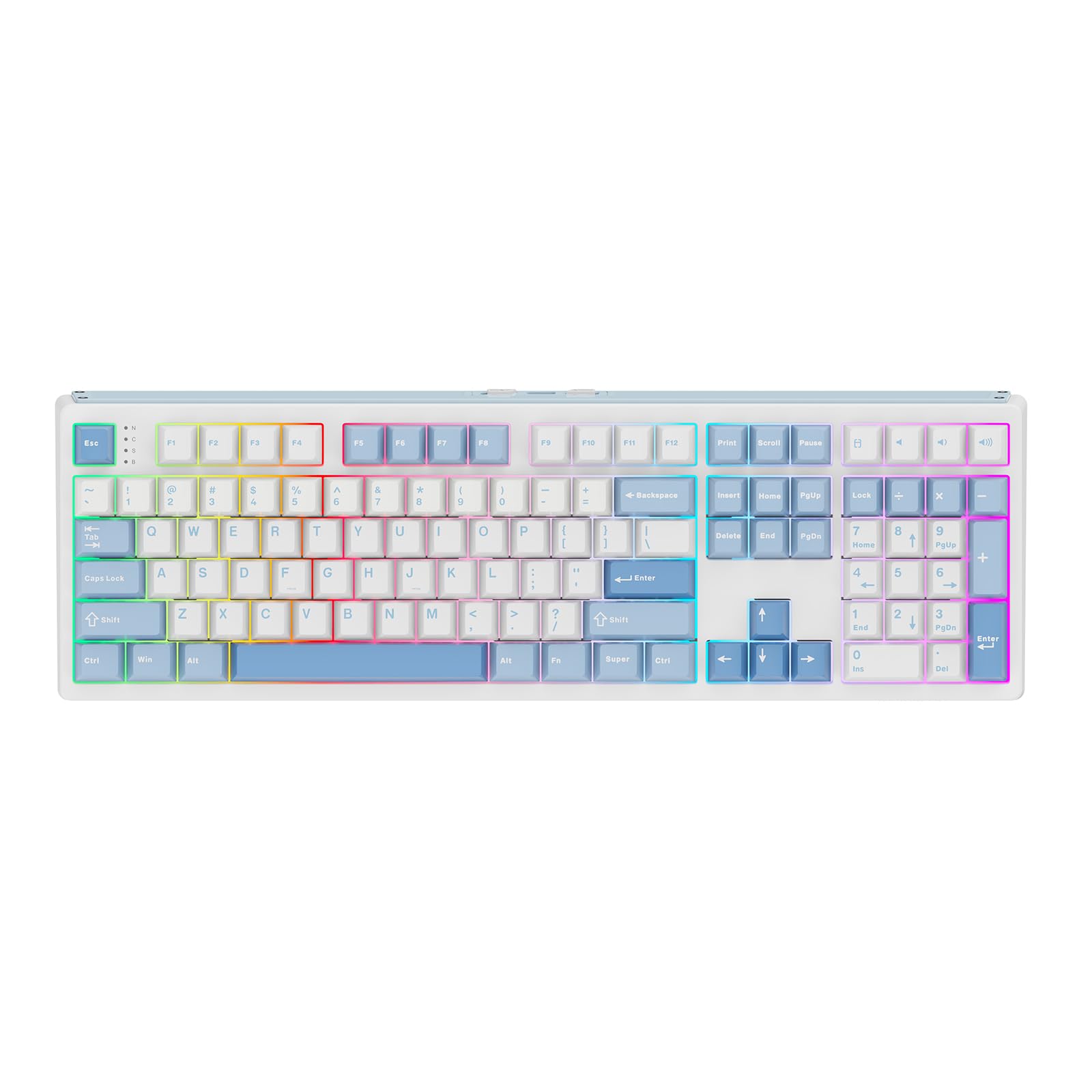
A 10000mAh battery and a 5-layer gasket build that make a full-size deck sound creamy and stay charged for 160 hours.
For the person who types all day and games at night, the draw here is the 160-hour battery. The 10000mAh battery gives 160 hours of wire-free use, which is a long way past charging-every-few-days territory. The tri-mode connection pairs up to 5 devices across 2.4GHz, Bluetooth, and USB-C, and it delivers 2ms low latency in cable mode plus 1k polling in 2.4GHz wireless mode.
The typing experience is where it surprises. A 5-layer padded gasket mount with sandwich foam, IXPE switch pad, PET, PORON socket foam, and bottom silicone cushions each bottom-out and gives a soft, creamy sound. The 108 double-shot PBT keycaps resist fading, and the plastic body weighs over 1.2kg for stable, un-moving typing. As owners describe it, the keys are buttery smooth and the sound is creamy — the acoustic feel is the thing everyone raves about.
It is a full-size deck, though. At 17.5 inches long and 5.5 inches wide it commands a lot of desk, unlike the compact 75% Corsair below. The RGB is bright and adjustable for dim gaming dens, and hot-swap sockets let you try 5-pin switches without soldering. Customize layout, macros, and lighting in the driver and you have a board tuned to your workflow.
Why it stands out: a 160-hour wireless runtime plus a full-size gasket-mounted typing feel is a rare mix at this tier.
What to expect: the big frame and 1.2kg weight mean it is a desk loyalist, not a travel companion.
Made for: heavy typists and gamers who want a full-size mechanical with a battery that outlasts the workweek.
Consider the Corsair instead if: desk space is tight — this one asks for room.
6. Satechi Slim X3 Keyboard
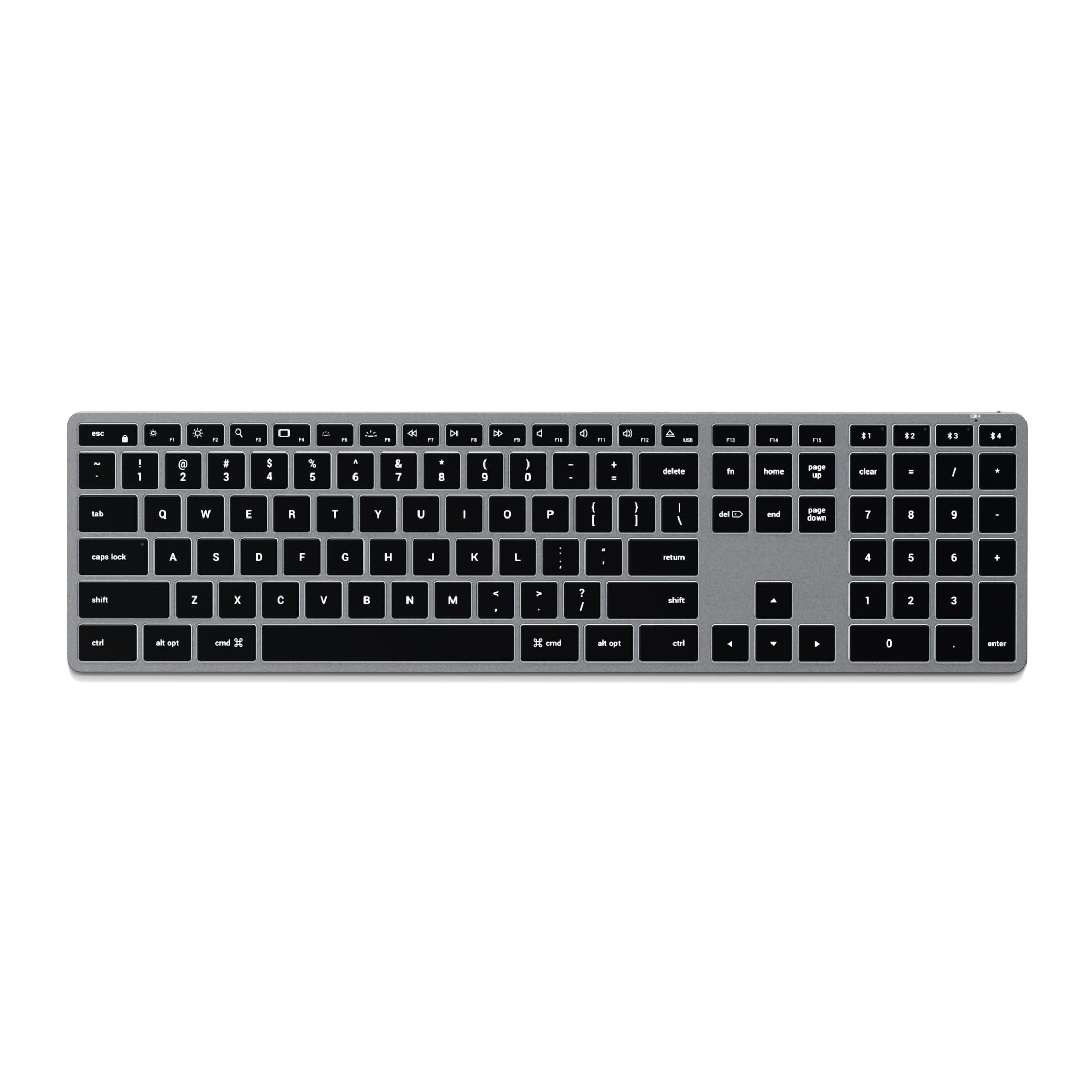
An aluminum Mac-first board with 10 backlight levels and Bluetooth switching between your devices.
Mac owners know the frustration of a Windows board whose shortcut keys do nothing. This one is built the other way around: a full-size aluminum deck with a numeric keypad and macOS-dedicated shortcut keys. The Space Gray finish and low-profile keys echo Apple’s own keyboards, and buyers repeatedly note it looks like a Magic Keyboard — which sums up the aesthetic pitch in a sentence.
The typing feel is the second draw. Low-profile keys with a spherically-dished shape give a crisp, shallow press that reviewers describe as close to Apple’s own feel. Ten levels of adjustable backlighting keep the legends readable in any room, and Bluetooth lets you switch between a Mac, iPad, and other compatible devices with dedicated keys.
The honest caveats sit on reliability and Bluetooth where feedback is mixed — some pairings stay solid, others need a re-connect now and then. Backlight and battery also draw mixed word-of-mouth, so treat the lighting as a comfort layer rather than a showstopper. It ships with 2 rubber risers, a USB-C cable, and a 2-year limited warranty against defects.
Desktop match: if your desk is already all Apple, the Space Gray aluminum and Mac shortcut row make this the natural fit.
Best for: MacBook, iMac, and iPad users who want a familiar layout and a keyboard that looks the part.
Not for: committed Windows gamers — the Mac-first key layout and mixed Bluetooth reports suit productivity better than play.
7. CORSAIR K65 PLUS WIRELESS RGB 75% Mechanical Gaming Keyboard

A 75% RGB board with a multi-function dial, sturdy PBT caps, and 266 hours of wireless life with RGB off.
If the GravaStar is a showpiece, this Corsair is the tidy professional’s 75%. The layout holds 84 keys in a 12.59 x 5.35 x 1.37-inch frame — noticeably shorter on the desk than the full-size EPOMAKER, which leaves room for a wide mouse swing. A multi-function rotary dial plus FN shortcuts handle volume and media without a separate app, and the PBT dye-sublimated keycaps resist fading, wear, and shine.
Underneath sit pre-lubricated CORSAIR MLX Red linear switches — smooth, quick, no bump — for both gaming and typing. The battery punches above its frame at up to 266 hours with RGB off, and connection is low-latency 2.4GHz, Bluetooth, or USB wired with AES encryption. Reviewers prize the quiet typing sound and ergonomic feel, so it is the rare gaming board that also suits a shared office.
The honest wrinkle is wireless stability, where feedback splits — some connections hold rock-solid, others drop and need re-pairing. RGB lighting also draws mixed word-of-mouth. Neither makes it a bad board; it just means you should try the 2.4GHz dongle before trusting Bluetooth for a ranked match.
Reasons it earns a spot
- 266 hours of wireless battery with RGB off keeps a week of gaming on one charge.
- A multi-function rotary dial controls volume and media without leaving the game.
- PBT dye-sublimated keycaps resist shine after years of use.
- The compact 75% frame frees desk space for the mouse.
The catches to size up
- Wireless connectivity draws mixed reports — the dongle is the safest link.
- RGB effects are functional rather than a deep lighting system.
Go for it if: you want a compact, quiet 75% with a dial and long battery for mixed gaming and office use.
Hold off if: rock-solid Bluetooth is a must — favor the 2.4GHz dongle or look at a triple-mode board with steadier wireless word-of-mouth.
8. Logitech MX Keys Advanced Wireless Illuminated Keyboard

A metal-bodied board whose backlight wakes as your hands approach and pairs with three devices at once.
This is the board for a desk shared by a PC, a Mac, and a tablet, with no KVM box needed. Smart illumination uses hand-proximity detection to fade the backlight in as your hands near the keys, so the glow arrives when you need it. Spherically-dished keys are shaped to the fingertip, and the metal build gives a solid, stable press that reviewers consistently praise as solid construction.
The real productivity feature is FLOW cross-computer control — you move the cursor between computers in one workflow, on top of pairing up to three devices across Windows, macOS, Linux, iOS, and Android. A 104-key full-size layout sits at 17.7 x 6.6 x 1.6 inches in a 1.8-pound metal-and-plastic body. A USB-C charge gives up to 10 days lit, or up to 5 months with the backlight off.
The trade-off buyers hit is the auto-backlight timing — it turns off too quickly for some, cutting the glow mid-thought on a dark desk. It is a comfort feature with a mind of its own, and lighting draws mixed word-of-mouth for exactly that reason. Build and typing feel, by contrast, land almost universally strong.
Why productivity desks like it: hand-sensing light plus three-device pairing plus cross-computer FLOW control is a workhorse combination.
The one gripe: the backlight’s quick time-out can turn the glow off before you are done reading the keys.
Best for: multi-device professionals juggling a PC, Mac, and tablet who want a metal board with smart lighting.
Think twice if: you want the backlight to stay lit unattended — proximity sensing and the fast time-out are the compromise.
9. Logitech MX Keys S Wireless Keyboard Low Profile
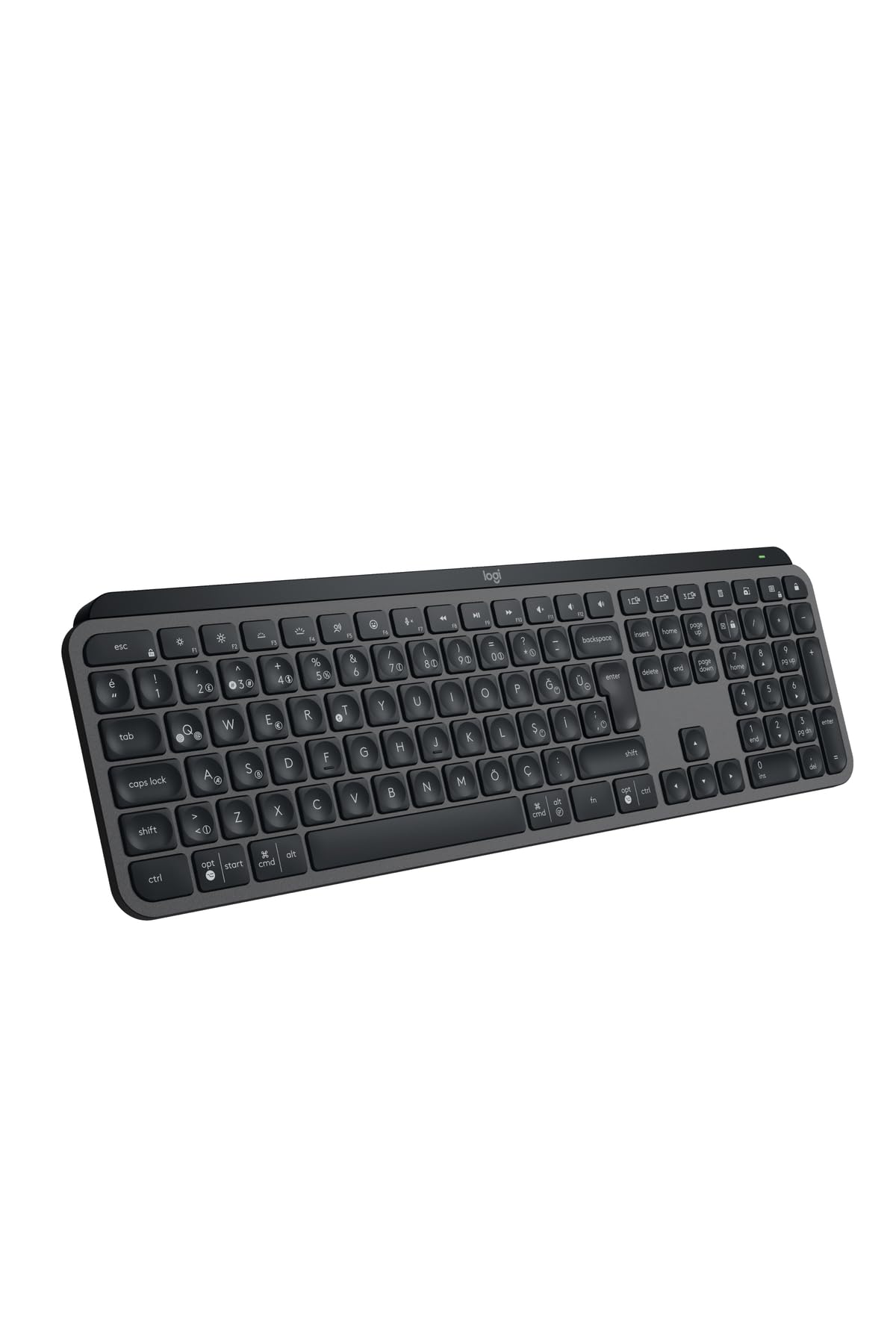
A low-profile quiet deck with a single-color backlight and quick switching between three devices.
This is the quieter, more stripped-down MX Keys, built for smooth low-profile typing and a clean look on a light-colored desk. The slim frame and low keys make for a quick, precise press without the deep travel of a mechanical board. Single-color backlighting keeps the keys readable in a dim room without becoming a light show, and you can jump between 3 devices with dedicated pairing.
The pitch is familiarity — if you have used a Logitech MX deck before, this is the refined low-profile version of that experience. At 0.3 kg it stays light enough to shift around the desk, and the plastic build keeps the price more grounded than the metal MX Keys above. Where the MX Keys sells cross-computer FLOW control and hand-sensing light, this one sells simplicity.
The obvious limit is defined by what it leaves out: single-color lighting means no RGB spectrum, and the feature list is slim. If you want rainbow effects or a rigid metal body, the MX Keys or the Satechi suit you better. If you want a quiet, low-profile typing deck with backlighting and multi-device switching, this is the streamlined pick.
Simple value: quiet low-profile typing, a single-color glow, and three-device switching — nothing more, nothing less.
Reach for this if: you want a slim, quiet, backlit productivity board with easy device switching.
Look elsewhere if: you want RGB or a metal chassis — this one favors simplicity over spectacle.
Know the Specs
Backlight hours vs. total battery hours
Every lit keyboard quotes two runtimes, and they can be far apart. The GravaStar Mercury K1 Pro runs up to 470 hours with lighting off but about 40 hours with it on. A backlight is a small light behind each keycap, and it drains battery fast. Read the lit figure as your real-world number if you type in the dark; the lit-off number is what you get in daylight.
Switch type: linear vs. scissor
A switch is the mechanism under each keycap. A linear switch presses straight down smoothly with no bump — the GravaStar and Corsair both use linear switches for quick, clean presses. A scissor switch is the flat laptop-style mechanism; the SABLUTE board uses it and claims up to 95% less typing noise. Linear tends to be tactile and satisfying; scissor tends to be quiet and shallow.
Connection: 2.4GHz, Bluetooth, and triple-mode
2.4GHz is a dedicated USB dongle link that is typically the most stable for gaming. Bluetooth pairs without a dongle and enables multi-device switching. Triple-mode boards give you both plus a wired USB-C fallback — the GravaStar, Redragon, EPOMAKER, and Corsair all offer that trio. If you just need one PC, a 2.4GHz-only board like the SABLUTE does the job cleanly.
Layout: 75% vs. full-size
Layout percentages describe how much of a standard keyboard you keep. A 75% board trims the number pad and some keys to save desk room — the GravaStar holds 79 keys, the Corsair 84. Full-size keeps all 104 keys plus a number pad, as on the Logitech MX Keys and Satechi. Smaller saves space; full-size saves you from a number-pad workaround.
Common Questions
How long does a wireless lighted keyboard battery actually last?
Will a 2.4GHz-only keyboard work with my Mac or iPad?
What does a 75% layout actually remove from the keyboard?
Is a mechanical switch louder than a low-profile laptop-style board?
Can I use one keyboard with several devices at once?
Do hot-swappable keyboards require soldering to change switches?
Is a higher DPI gaming mouse worth it on a budget bundle?
What does PBT mean on keycaps and why does it matter?
How many backlight brightness levels do these keyboards offer?
Should I pick a lighted keyboard for typing or for gaming?
The Bottom Line
For most desks, the wireless lighted keyboard winner is the GravaStar Mercury K1 Pro — dual RGB across 13 modes, 470 hours of battery with the lights off, and a sturdy aluminum build in a compact 75% frame. The one honest nudge: if you type in the dark every night, charge on a routine, because that lit runtime drops to about 40 hours.
Want a full-size mechanical that outlasts a workweek? The EPOMAKER TH108 pairs a 10000mAh battery with a creamy gasket typing feel. Sliding a board into a bag for travel? The SABLUTE keeps things quiet and slim. And if your desk is all Apple, the Satechi Slim X3 is the layout that finally feels at home.
How we choose
We do not accept paid placement. Every pick is matched to a real buyer and a real use-case; we do not hands-on test units.
Sources
Specifications: manufacturer listings and product documentation. Review insights: verified customer reviews, as of November 2026. Pricing: not shown on this page (it changes often); check the current price via the retailer link.
As an Amazon Associate, Tactical Gear Guy earns from qualifying purchases. This does not affect which products we feature.