Specs are compiled from manufacturer listings and verified buyer reviews and can change over time — please confirm the key details on the product page before buying.
When your laptop’s built-in Wi-Fi card fails, a thumb-drive-sized dongle can get you back online. This article covers nine USB Wi-Fi adapters for laptops and desktops, sorted by what matters: whether the chipset (the chip that handles Wi-Fi) speaks your router’s language, whether the antenna reaches the room you work in, and whether the drivers install without a fight. For most people, the NETGEAR A6150 is the one to buy: it handles 867 Mbps on 5 GHz (fast enough for smooth 4K streaming), works with WPA3 (the latest Wi-Fi security standard), and is small enough to leave plugged in.
This guide is built by comparing the manufacturers’ published specifications and the patterns across verified customer reviews, so you get each pick’s real strengths and trade-offs instead of marketing spin.
Below you’ll find the plain-English version of every spec that matters, a quick table you can scan in under a minute, and nine honest write-ups covering the trade-offs each adapter brings. Every pick here has one job: making your WiFi connection behave like it is supposed to, and the best Wireless USB Wi-Fi Adapter for Laptop is the one whose specs match your router and your rooms.
Top Picks

How To Choose The Best Wireless USB Wi-Fi Adapter for Laptop
The biggest mistake people make is buying the adapter with the largest speed number on the box and expecting it to fix a weak signal. Those two things are related but not the same. Speed comes from the chipset and the band it talks on, while a strong signal comes from the antenna and where you sit relative to the router. Get both right and the adapter vanishes into daily use — you stop thinking about it.
Match the WiFi generation to the router you actually own
An adapter is only as fast as the router it connects to. If you are still running an older WiFi 5 router, buying a WiFi 7 adapter gets you a dongle that will simply fall back to the older standard. If you recently upgraded to a WiFi 6 router, choose an adapter that also speaks WiFi 6 — otherwise you cap yourself below what your router already delivers. WiFi 6E adds a third band at 6 GHz, a less crowded slice of air that can be quieter in apartment buildings. Just check that your router can actually broadcast on it before paying extra for it.
Decide between a nano dongle and an external antenna
A nano dongle is about the size of a fingernail and stays plugged in without blocking the port next to it — great for laptops that travel. An adapter with external antennas is bulkier and often works better when the router is in another room or on the other side of a wall. Both send and receive WiFi, but the antenna version is the one you pick when you have been living with bad signal for a while.
Confirm the operating system before you buy
Nearly every adapter here supports Windows 10 and 11. Far fewer support macOS or Linux, and the ones that do usually list them plainly. This is the single most common reason buyers return an adapter — it is not a broken product, it is simply the wrong operating system on the box. Read the compatible systems line before anything else if you are running a Mac, a Linux machine, or a Raspberry Pi.
Look for WPA3, then look for the USB port
WPA3 is the current WiFi security standard, and every adapter here supports it. That matters if your router uses it and less if it uses WPA2. Plug your adapter into a USB 3.0 port if you have one available — it moves data through faster than an older USB 2.0 port and many adapters are built around it. A USB 3.0 port is also physically deeper blue inside, so it is easy to spot.
Side-by-Side Comparison
| Model | Best For | WiFi Standard | Top Speed | Antenna Type | Amazon |
|---|---|---|---|---|---|
| NETGEAR A6150★ Best Overall | Most people, everyday use | WiFi 5 (AC1200) | 1200 Mbps | Built-in nano | Amazon |
| 1800Mbps with 4×8dBi AntennasLong-Range Pick | Weak-signal rooms | WiFi 6 (AX1800) | 1800 Mbps | 4 external 8dBi | Amazon |
| TP-Link Archer TX20U NanoBest Nano Pick | Travel and tight ports | WiFi 6 (AX1800) | 1201 Mbps | Built-in nano | Amazon |
| TP-Link Archer TX10UB Nano | WiFi plus Bluetooth in one port | WiFi 6 (AX900) | 900 Mbps | Built-in nano | Amazon |
| Nineplus N16 | Linux and older Windows | WiFi 5 (AC1300) | 1300 Mbps | 2 external 5dBi | Amazon |
| ASUS USB-AX55 Nano | Windows and Linux WiFi 6 | WiFi 6 (AX1800) | 1800 Mbps | Built-in nano | Amazon |
| Panda PAU0F | 6 GHz on a Linux machine | WiFi 6E (AXE3000) | 1200 Mbps | Dual adjustable | Amazon |
| UGREEN AXE5400 | Heavy work over 6 GHz | WiFi 6E (AXE5400) | 5400 Mbps | Dual high-gain | Amazon |
| BrosTrend BE6500 | Newest standard, top speed | WiFi 7 (BE6500) | 6500 Mbps | Dual external | Amazon |
Detailed Reviews
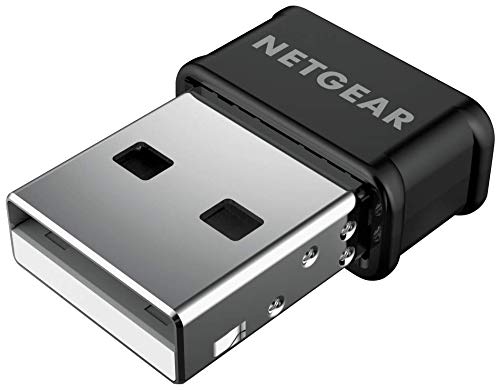
1. NETGEAR USB WiFi Adapter A6150
Our pick — 4.0+★ from 750+ verified ratings; the strongest balance of quality and price.
A 1200 Mbps dual-band dongle that gets a laptop with a dead internal card back online.
What you get first is a speed ceiling of 1200 Mbps split across two bands: 867 Mbps on 5 GHz for streaming and video calls, and 300 Mbps on 2.4 GHz for basic browsing. On the 5 GHz band that 867 Mbps figure is what most home internet plans in the US run under, so the adapter is not what slows you down. It supports WPA2 and WPA3 mixed mode, which means it can join whichever security your router broadcasts without you changing a setting.
The internal beamforming feature focuses the signal in your direction, and MU-MIMO lets the router serve your laptop alongside other devices rather than one at a time. It connects to any router — mesh, ISP-supplied, or an older 802.11 a/b/g/n unit — so the adapter does not force you to replace the rest of your network. It is 3.2 ounces and measures 4 x 2 x 8 inches, so it takes a spot on the desk but does not fight the port next to it for space.
The honest catch is a mixed one on the connectivity and speed side. The compact build sometimes cannot pull the same reach as a dongle with external antennas, and the setup is plain enough to cause few complaints. Windows and macOS are both on the compatibility sheet, though the minimum macOS version listed is 10.15 Catalina, so an older Mac needs checking first. The adapter is a natural pick for anyone who wants the driver install to just work and needs a speed tier that matches the average home plan.
Where it wins
- 867 Mbps on 5 GHz covers most home plans without bottlenecking
- WPA2 and WPA3 mixed mode lets it join modern and legacy routers
- Works with any router, including mesh setups and older standards
- Compact 3.2-ounce body that does not block adjacent ports
Where it asks more
- No external antenna, so reach is limited compared to high-gain picks
- Mac support requires macOS 10.15 Catalina or newer
Reach for it if: you run Windows 10/11 or a recent Mac and want a USB Wi-Fi adapter that installs without a driver hunt.
Think about alternatives if: your router lives two rooms away and you already know the built-in nano design struggles for reach.
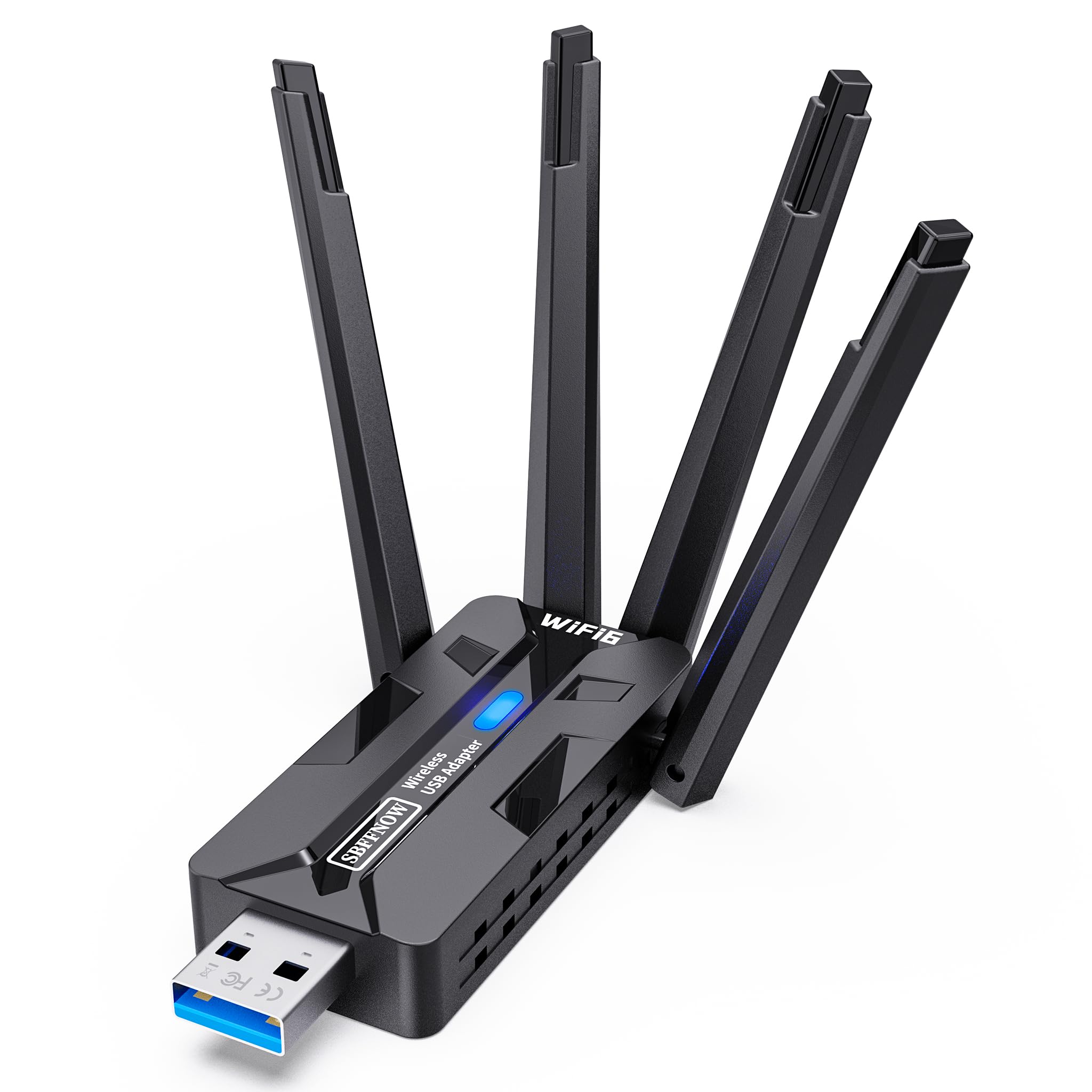
2. USB WiFi Adapter with 4×8dBi Antennas (AX1800)
Four 8dBi external antennas on a USB plug: the pick for a room your router barely reaches.
Where this one separates itself is reach. Four external 8dBi high-gain antennas are the largest antenna setup on this list, and they exist to pull in a signal the tiny nano dongles simply cannot hear. The speed bands are 1201 Mbps on 5 GHz for gaming, 4K streaming, and video calls, plus 576 Mbps on 2.4 GHz for browsing and smart home devices.
At 1.42 ounces, this adapter feels lighter in your hand than the NETGEAR’s 3.2 ounces, but its four antennas make the footprint larger, so it will stick out in a crowded laptop port. USB 3.0 support moves data faster than a USB 2.0 port would, and it is backward compatible with USB 2.0 if your machine only has the older port. WPA3 encryption (the latest Wi-Fi security) is included, and MU-MIMO plus OFDMA (features that keep multiple devices running smoothly) help when several gadgets share the network.
The real-world reports back the antenna claim: buyers report a dramatic signal improvement, going from one bar to five. The installation is handled as a plain plug-and-play affair, and the Windows 10/11 support is wide. The genuine limit is the operating system list — macOS, Linux, PlayStation 5, and Xbox are not on it, so this is a Windows-only adapter. The other catch is the size: four antennas on a desk look conspicuous and take a bit of arranging.
What owners get: a weak-signal fix with four 8dBi antennas and a 1800 Mbps WiFi 6 ceiling that beats the NETGEAR’s 1200 Mbps on raw numbers.
The payback: the antenna bulk and Windows-only support mean it earns its place in a fixed desktop setup rather than a travel bag.
Pick it for: a desktop or laptop stuck in the far bedroom where the router’s reach fades.
Leave it if: you are on a Mac, Linux, or a console — this adapter does not cover those systems.
3. TP-Link Archer TX20U Nano
1201 Mbps WiFi 6 in a 1.06-inch nano body you can leave plugged in and forget about.
TP-Link stuffs 1201 Mbps on 5 GHz and 574 Mbps on 2.4 GHz into a dongle measuring 1.06 x 0.62 x 0.3 inches. That is small enough that you can leave it plugged into a laptop port and close the lid without thinking twice. The WiFi 6 chipset handles MU-MIMO so multiple devices can share bandwidth at once, and OFDMA splits transmission time so your data arrives alongside other traffic rather than waiting in line.
WPA3 is on the feature list, and the adapter arrives with a pre-loaded driver so Windows 10 and 11 machines recognize it as soon as it is plugged in. It connects on the USB 3.0 interface, which moves data faster than the older USB 2.0 port some laptops still carry. The MU-MIMO and OFDMA combination is what separates WiFi 6 adapters like this one from the WiFi 5 generation.
The catch worth knowing is durability. A minority of owners find the adapter stops working after a few months, and the compatibility notes float between working well with WiFi 6 networks and being finicky on older routers. For anyone buying this as a low-cost way to get a laptop onto a WiFi 6 router, the pre-loaded driver and the tiny footprint carry the day. It does not have external antennas, so the range is what you would expect from a nano body rather than a high-gain unit.
Go TP-Link if: you travel with the laptop and want a WiFi 6 adapter that won’t snag in your bag.
Go bigger if: you are chasing signal through walls — the nano form factor trades reach for portability.
4. TP-Link Archer TX10UB Nano (WiFi + Bluetooth)
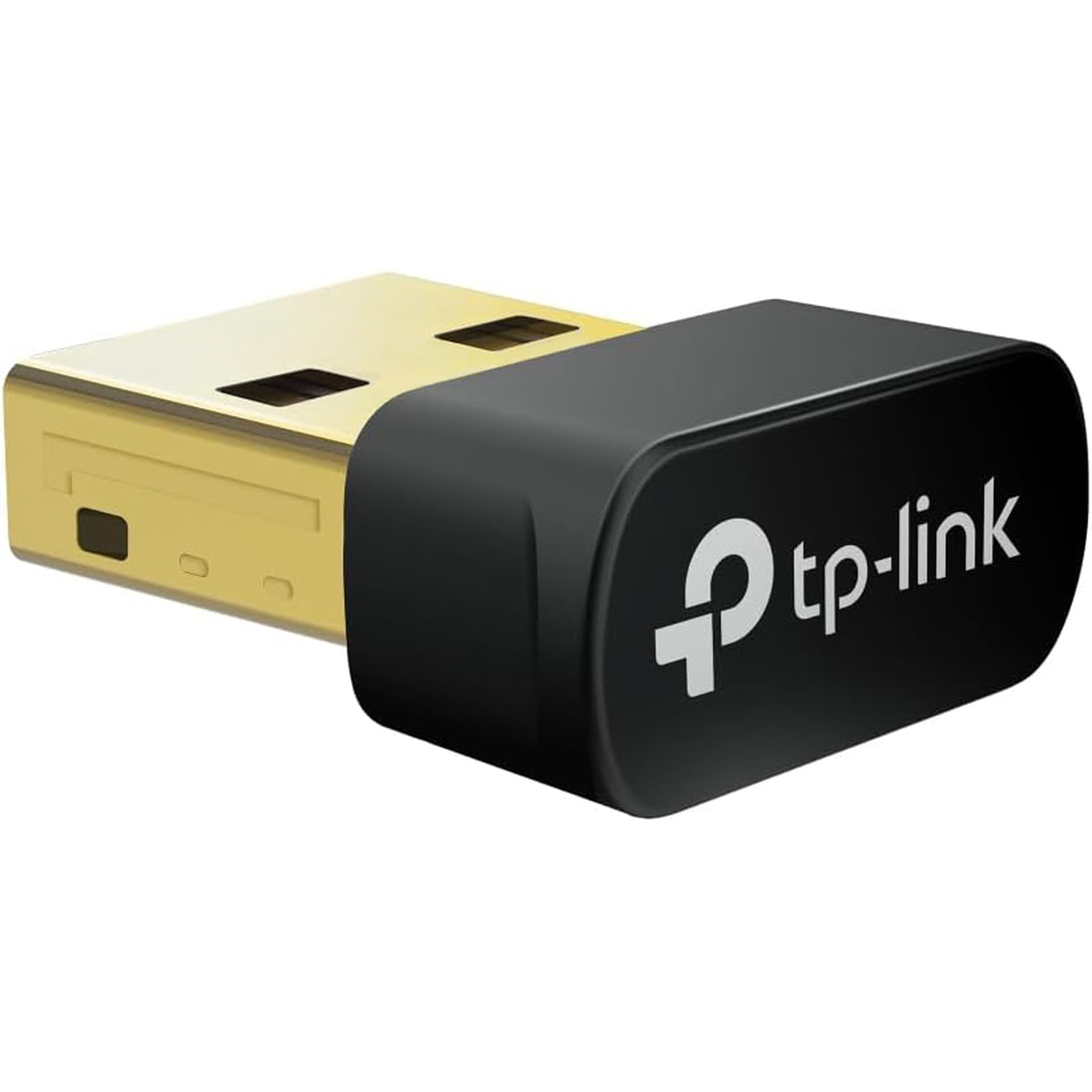
One USB port, two radios: 900 Mbps WiFi 6 for the network and Bluetooth 5.3 for controllers and headphones.
This adapter does something none of the other eight picks do — it pairs WiFi with Bluetooth. The WiFi side delivers 900 Mbps total: up to 287 Mbps on 2.4 GHz and up to 600 Mbps on 5 GHz. Bluetooth 5.3 is the newer version of the wireless protocol that connects game controllers, headphones, keyboards, and mice. If your laptop’s built-in Bluetooth died alongside the WiFi card, this is the one pick that repairs both at once.
The footprint is tiny at 0.76 x 0.62 x 0.29 inches — the smallest overall dimension footprint on this list, versus the NETGEAR’s much bulkier 4 x 2 x 8 inches. It uses a USB 2.0 hardware interface, which is slower than USB 3.0 but sufficient for the 900 Mbps WiFi 6 ceiling on this unit. The driver is pre-loaded and it is plug and play on Windows 10 and 11. OFDMA and MU-MIMO on the WiFi side and WPA3 encryption round out the package.
Two honest limits. First, the speed tier is lower than the WiFi 6 adapters with 1200+ Mbps ceilings, so it is not the pick if you have a gigabit internet plan and expect to hit it. Second, some owners see the connection drop and occasionally report it capping near 250 Mbps in mixed conditions. The Bluetooth side has its own compatibility rules — it is not compatible with Mac, Linux, TV, or Windows Vista/8/7, and it is designed for PC use rather than plugging directly into a console.
What sold me on it
- Only adapter here that handles WiFi and Bluetooth 5.3 in one port
- Smallest dimensional footprint on this list at 0.76 inches long
- Pre-loaded drivers and plug-and-play setup on Windows 10/11
- WPA3 encryption plus OFDMA and MU-MIMO for clean multi-device traffic
Where it limits you
- 900 Mbps WiFi ceiling is below the 1200+ Mbps picks here
- Bluetooth side does not support Mac, Linux, TV, or Windows Vista/8/7
- USB 2.0 interface rather than USB 3.0
Suits you if: your laptop lost both WiFi and Bluetooth and you want one dongle to restore both.
Look past it if: you are already on a fast plan and need the highest WiFi speed available.
5. Nineplus N16 USB WiFi Adapter (AC1300)

A 1300 Mbps dual-antenna adapter that supports Linux alongside Windows 11, 10, and 7.
The headline spec is support for three Windows generations — 11, 10, and 7 — plus Linux, which is a combination most adapters on this list skip. Speed sits at 1300 Mbps through a WiFi 5 chipset: up to 867 Mbps on 5.8 GHz and 400 Mbps on 2.4 GHz. It ships with two 5dBi high-gain antennas that extend signal reach, and it connects over USB 3.0 for faster data than USB 2.0. On Windows 10 and 11 the driver is auto-detected, and older systems can pull drivers from the manufacturer’s site.
The dual-antenna design and the USB 3.0 port stack make it a practical choice for a desktop tower tucked under a desk or a Raspberry Pi setup that needs external WiFi. It measures 2.3 x 0.6 x 0.9 inches, so the antennas add reach without hogging the entire port bay. WPA3 encryption protects the connection, and the dual 5dBi antennas specifically target weak-signal rooms like bedrooms set back from the router.
Owners mention this adapter works with Linux and Raspberry Pi setups without the usual driver hunt, which is the standout point. Speed reports are healthy: 100 MB downloads and 40 MB uploads are real-world numbers that track well. On the honest side, the WiFi 5 chipset (an older Wi-Fi generation) means it will not hit the top speeds a WiFi 6 or 6E router can deliver, so it pairs better with an older router than with a brand-new WiFi 6E access point.
Why it stands out: Linux and Raspberry Pi support in an external-antenna adapter is a rarer combination than the spec sheet suggests.
Where it trades off: the WiFi 5 ceiling means it lives behind a newer router’s top speeds.
Buy it when: you are on Linux, an older Windows install, or a Raspberry Pi and want a dual-antenna adapter that plays friendly with those systems.
Skip when: you need the WiFi 6 or 6E generation to match a newer router.
6. ASUS USB-AX55 Nano (WiFi 6, Windows & Linux)

1800 Mbps WiFi 6 in a 4.54-gram nano body, with Linux on the compatibility list alongside Windows 10.
The speed is 1800 Mbps through a WiFi 6 chipset that uses OFDMA and MU-MIMO to keep a crowded house from choking your connection. The nano body measures 1 x 0.63 x 0.35 inches and weighs 4.54 grams, which keeps it out of the way in a laptop port. Windows 10 and Linux are both on the compatibility list, so it is one of the few picks that handles a straight Windows-to-Linux upgrade path without a driver swap.
WPA3 encryption protects the connection on newer routers, and the beamforming/MU-MIMO combination is the same approach several adapters on this list use for keeping multi-device traffic moving. The nano form factor means it lives in the port rather than on the desk. If you carry the laptop to a coffee shop or a co-working space, the ASUS stays plugged in and out of sight.
Reviews are split on this one: some customers note flawless operation, while others say it stops working after about 10 minutes, and notes on connecting to 5 GHz networks are mixed. The WiFi 6 speed ceiling is real, and cross-platform support is a genuine advantage. Still, the reliability record means it suits someone who wants WiFi 6 in a nano size and does not need the strongest long-range reach.
Pick this for: a Linux machine or a Windows laptop that needs WiFi 6 in a body you can leave plugged in.
Think twice if: you cannot tolerate the possibility of a unit that needs returning — the reliability record here is uneven.
7. Panda Wireless PAU0F (WiFi 6E, Tri-Band)

A 1200 Mbps WiFi 6E adapter with a 6 GHz radio and Linux support spanning Kali, Ubuntu, Fedora, and Raspbian.
The main event is the 6 GHz frequency band — a slice of WiFi spectrum that newer WiFi 6E routers use for less crowded traffic. The Panda PAU0F pulls 1200 Mbps peak across its bands and pairs it with dual adjustable antennas. The operating system list is where this pick separates itself: Windows 11 (not Windows 10), plus Zorin, MX Linux, EndeavourOS, Mint, Ubuntu, Manjaro, openSUSE, Fedora, Kali, and Raspbian.
That Linux list is unusually broad. The adapter connects over USB 3.0 for faster data transfer, and it weighs 1 ounce at 2.75 x 1 x 0.81 inches. The dual adjustable antennas can be positioned to locate the best signal and strongest range. It supports WEP, WPA, WPA2, and WPA3 security, which spans both older networks and modern WPA3-only ones.
The catch is the Windows story. Windows 10 is not on the compatible list — the adapter is Windows 11 only on the Windows side, so anyone still on Windows 10 needs to factor that in. The 6 GHz band specifically is where this adapter shines, and the reports on Linux reliability back up the intent. If you already have a WiFi 6E router and want to reach it from a Linux machine or a Windows 11 desktop, this is the pick most likely to just work.
Why Linux users reach for it
- WiFi 6E chipset adds the 6 GHz band for less crowded traffic
- Longest Linux distro support list on this page, from Kali to Raspbian
- Dual adjustable antennas target strongest signal and best range
- Supports WEP, WPA, WPA2, and WPA3 across older and newer networks
Where it narrows
- Windows 10 is not supported — Windows 11 only on the Windows side
- 6 GHz benefit requires a WiFi 6E router to open up
Best fit for: a Linux desktop or a Windows 11 laptop that connects to a WiFi 6E router.
Not your pick if: you are still running Windows 10 or your router only broadcasts on 5 GHz and 2.4 GHz.
8. UGREEN AXE5400 WiFi 6E Adapter
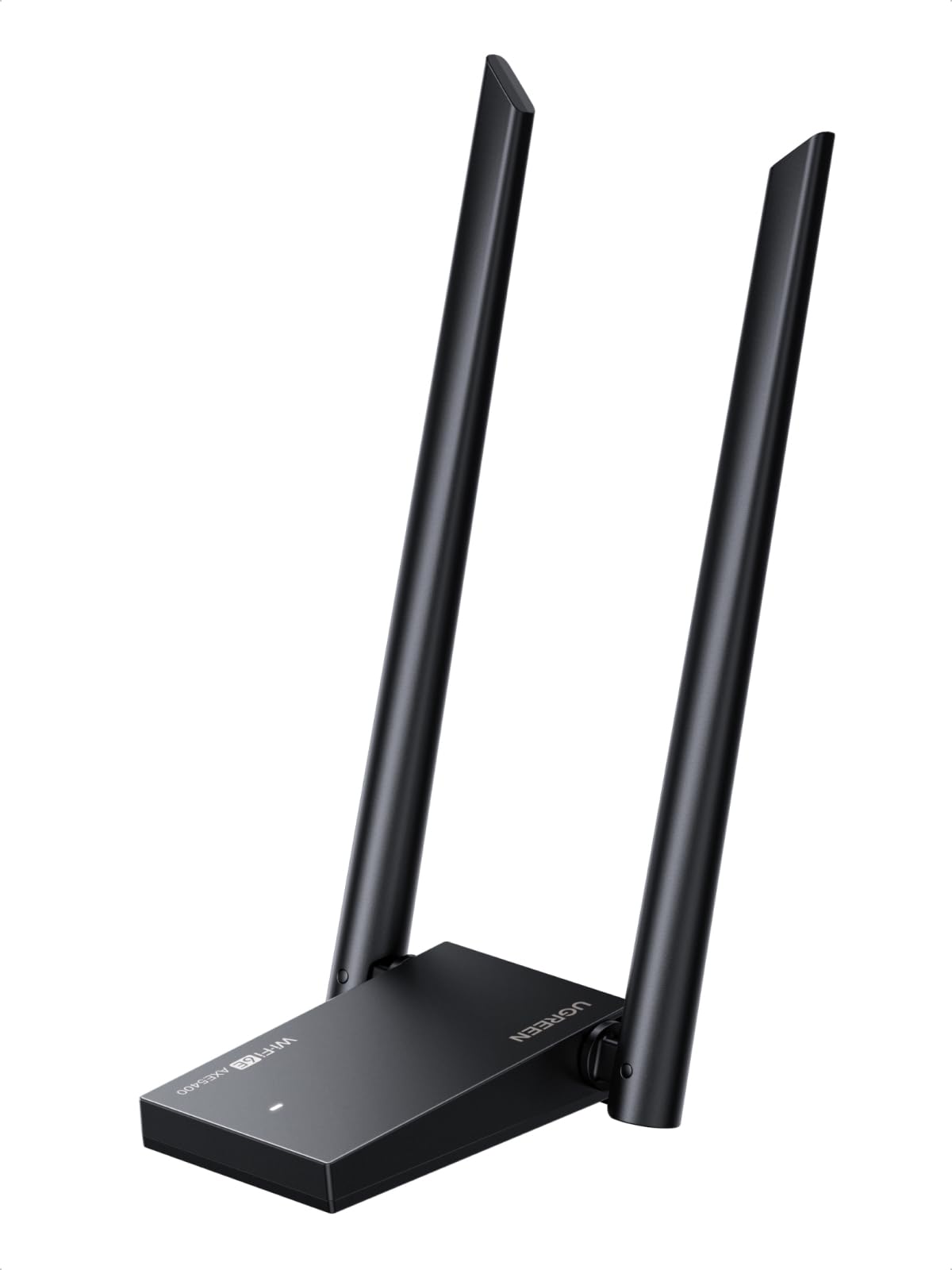
A 5400 Mbps tri-band adapter with dual high-gain antennas for a desk that streams, games, and downloads at once.
UGREEN splits 5400 Mbps across three bands: 2400 Mbps on 6 GHz, 2400 Mbps on 5 GHz, and 574 Mbps on 2.4 GHz. The 6 GHz band is the quieter slice of air newer WiFi 6E routers can broadcast on, and it is where this adapter sits ahead of the WiFi 5 and WiFi 6 picks on this list. Dual high-gain antennas handle transmission and reception, and OFDMA plus MU-MIMO manage the traffic across multiple devices.
WPA3 is on the spec sheet, and the connection side uses a USB 3.0 interface. Windows 10 and 11 are the supported systems, and the package includes Windows drivers on the media. The dual high-gain antenna design widens coverage, so a longer room or a desktop that sits a little further from the router is the intended use case rather than a small travel bag.
This adapter fits fewer buyers than its spec list suggests. Windows is the only supported operating system, so Mac, Linux, and Chromebook owners need a different pick. And 6 GHz (the newest, fastest Wi-Fi band) only works if your router is a WiFi 6E unit; on a WiFi 5 or WiFi 6 router it falls back to older bands and caps below its 5400 Mbps peak. That is not a defect but the nature of WiFi 6E, and it is the point most buyers miss when they buy up to a faster tier.
The real draw: 5400 Mbps tri-band ceiling with dual high-gain antennas, which puts it well above the WiFi 5 and WiFi 6 adapters here.
The trade you make: Windows-only support and a 6 GHz requirement mean you need the matching router to get the full speed.
Buy this when: you have a WiFi 6E router and a Windows 10/11 desktop that needs high throughput for gaming and 4K work.
Do not choose it for: a Mac or Linux machine, or a router that cannot broadcast on 6 GHz.
9. BrosTrend BE6500 USB WiFi 7 Adapter

The only WiFi 7 pick here — a 6.5 Gbps ceiling for a desktop that wants to live ahead of the curve.
WiFi 7 is the newest WiFi standard, and BrosTrend puts it in a USB adapter with a 6500 Mbps ceiling: 2882 Mbps on 6 GHz, 2882 Mbps on 5 GHz, and 688 Mbps on 2.4 GHz. Underneath the speed number are the technologies that make WiFi 7 different: 4K-QAM, 160 MHz channels, Multi-RU, and Preamble Puncturing. In plain words, those are techniques for delivering more data per second and cutting through network congestion instead of waiting in line behind other traffic.
Two external antennas handle the receiving side, and beamforming pulses the router for a stronger connection through walls. The pre-loaded driver means no CD and no download hunt on setup. The important compatibility note is software, not hardware: Windows 11 is required to reach the 6 GHz band, while Windows 10 can only use 5 GHz and 2.4 GHz. And MLO (Multi-Link Operation) — one of WiFi 7’s headline features — is currently not supported on this unit, which is worth knowing before paying the WiFi 7 premium.
At 28.5 grams, this adapter is heavier than most nano adapters on this list, and its 3.62 x 2.28 x 3.66-inch dimensions mean the external antennas sit on your desk rather than tuck into a laptop port. Reviewers point out it delivers full internet speed, dramatically increases wireless reception, and in at least one setup performs better than the network card it replaced. The one recurring gripe is compatibility: like every WiFi 7 adapter here, its reach is limited by how new your router is.
what separates it
- WiFi 7 (BE6500) with a 6500 Mbps tri-band ceiling — the highest here
- 4K-QAM, 160 MHz channels, Multi-RU, and Preamble Puncturing for congestion handling
- Pre-loaded driver and plug-and-play Windows 11/10 setup
- Beamforming plus dual external antennas for reach through walls
What to know first
- MLO (Multi-Link Operation) is not currently supported
- 6 GHz requires Windows 11 — Windows 10 stays on 5 GHz and 2.4 GHz
- Not compatible with macOS, Linux, or Bluetooth
- Windows 10/11 only — no older OS support
Yes to this if: you own a WiFi 7 router, run Windows 11, and want a USB adapter whose speed ceiling won’t need replacing next year.
Hold off if: you are on a WiFi 5 or WiFi 6 router — you will pay for a standard you cannot fully use.
Know the Specs
Dual-band vs tri-band
A dual-band adapter works on 2.4 GHz and 5 GHz. Tri-band adds 6 GHz on WiFi 6E and WiFi 7 adapters. The 2.4 GHz band reaches farther but handles less data — good for browsing and smart-home devices. The 5 GHz band moves more data over a shorter distance — good for streaming and calls. The 6 GHz band on WiFi 6E and WiFi 7 routers is less crowded and faster still, but only reachable when your router broadcasts on it.
The Mbps number on the box
The top speed is the sum of the bands’ theoretical rates — 1200 Mbps on an AC1200 adapter means 867 Mbps on 5 GHz plus 300 Mbps on 2.4 GHz. Your real download speed will be lower because WiFi carries overhead, the router may not support the same standard, and your internet plan has its own ceiling. That is why an adapter with a 1200 Mbps rating still feels fast on a normal home plan — the adapter is not the bottleneck.
Gain antennas and range
Antenna gain is measured in dBi, which is a way of describing how strongly the antenna sends and receives in a preferred direction. A 5dBi antenna is directional and a 8dBi antenna focuses further. Four 8dBi antennas — like the pick with the four external ones — capture a weaker signal that a small built-in nano antenna misses. More gain usually means more reach but also a bigger physical footprint.
MU-MIMO and OFDMA
MU-MIMO lets the router serve multiple devices at the same time instead of one after another. OFDMA splits a channel into smaller sub-channels so different devices can share it in the same moment. Together they matter when you have phones, tablets, and a streaming TV on the same network — they keep your laptop from being starved of bandwidth when the house is active.
WPA3 security
WPA3 is the current WiFi encryption standard, replacing WPA2. It protects the connection between your adapter and the router with stronger password handling than WPA2. Every adapter on this list supports WPA3, so a WPA3 router can hand out a stronger connection without you downgrading the encryption. The one catch is that some older routers use WPA2 only — mixed-mode support like the NETGEAR A6150’s means the adapter can join either type without changing settings.
USB 3.0 vs USB 2.0 port
USB 3.0 moves data faster than USB 2.0. For a high-speed WiFi adapter (6500 Mbps or a 5400 Mbps ceiling), plugging into a USB 3.0 port matters. For a 900 Mbps nano adapter, USB 2.0 is enough. Some laptops only carry USB 2.0 ports; most adapters here include backward compatibility for that case.
Common Questions
Will a USB Wi-Fi adapter replace my laptop’s dead built-in WiFi card?
Do I need a WiFi 6 router to use a WiFi 6 adapter?
Will any of these adapters work on Linux?
Can I use a USB WiFi adapter on a Mac?
Will a WiFi adapter with external antennas get better range than a nano dongle?
What is the difference between WiFi 6 and WiFi 7 on a USB adapter?
Does Bluetooth on the TP-Link TX10UB Nano work on a Mac?
Will a USB WiFi adapter interfere with my laptop’s existing WiFi card?
Does a USB WiFi adapter need any extra software installed?
Can I leave a USB WiFi adapter plugged in all the time?
Will an adapter with external antennas work on a laptop or only a desktop?
The Bottom Line
For most buyers, the pick that balances speed, security, and setup is the NETGEAR A6150. Its 867 Mbps on 5 GHz covers the average US home internet plan, and its WPA2/WPA3 mixed-mode support means it does not fight your router over security. If your problem is a weak signal in a far room, the USB adapter with four 8dBi antennas is the reach king here, with the highest antenna count on the page and a 1800 Mbps WiFi 6 ceiling. And if you have already upgraded to a WiFi 7 router, the BrosTrend BE6500 is the only pick that speaks that standard.
Two more you should know about. The TP-Link TX10UB Nano is the single adapter here that fixes WiFi and Bluetooth at the same time, which makes it the right call for a laptop that has lost both. And for a Linux machine, an older Raspberry Pi, or a Windows install older than 10, the Nineplus N16 has the broadest legacy support on this list. Whatever you pick, match the WiFi generation on the box to the router you actually own — that one check keeps you from paying for a standard you cannot reach.
How we choose
We do not accept paid placement. Every pick is matched to a real buyer and a real use-case; we do not hands-on test units.
Sources
Specifications: manufacturer listings and product documentation. Review insights: verified customer reviews, as of November 2026. Pricing: not shown on this page (it changes often); check the current price via the retailer link.
As an Amazon Associate, Tactical Gear Guy earns from qualifying purchases. This does not affect which products we feature.