Specs are compiled from manufacturer listings and verified buyer reviews and can change over time — please confirm the key details on the product page before buying.
If your laptop is the one device in the house that always drops to one bar, the fix is not a more expensive internet plan — it is an extender placed between your router and the spot where you actually work. The catch most people miss is that extenders repeat an existing signal, so the pick that works for your laptop depends on whether you are close enough to the router for the extension to hold up.
This guide is built by comparing the manufacturers’ published specifications and the patterns across verified customer reviews, so you get each pick’s real strengths and trade-offs instead of marketing spin.
Below you will find nine picks split by price tier, coverage, and whether they can feed a wired connection to a desktop or console. Every one of them can put a stronger signal on your laptop, but they do it in very different ways, which is why the right Wi-Fi extender for laptop use is the one that matches your room, not the one with the biggest number on the box.
Top Picks

How To Choose The Best Wi-Fi Extender for Laptop
Start with where your laptop sits, not with the extender’s headline speed. An extender has to receive a usable signal from your router before it can pass anything on to your laptop, so a unit placed in a dead corner just repeats a weak connection. The useful rule is to put the extender roughly halfway between the router and the room where you work.
Match the band count to your laptop’s Wi-Fi card
Dual-band means the extender works on 2.4 GHz (the slower, longer-reaching band) and 5 GHz (the faster, shorter-reaching one). Tri-band adds a second 5 GHz lane, which matters when several devices are streaming at once and your laptop is competing for airtime. A laptop with an older Wi-Fi card will not gain anything from a Wi-Fi 7 extender’s newest tricks, so check what your machine actually supports before paying for the newest standard.
Decide if you need an Ethernet port
A Gigabit Ethernet port on the extender lets you run a cable straight into a laptop, dock, or desktop for a steadier link than wireless can give you. If your laptop lives on a desk and never moves, that wired handoff removes the wireless hop between extender and machine entirely. If you work from the couch or the garden, the port is a nice extra rather than a reason to buy.
Check the mesh compatibility before you commit
EasyMesh is a shared standard, so an EasyMesh extender pairs with any EasyMesh router regardless of brand. Proprietary mesh systems are the exception — a Deco mesh network only accepts another Deco unit, and a TP-Link OneMesh router only accepts a OneMesh extender. Buying the wrong camp is the single most common reason an extender never gets used, so match it to the router you already own.
Side-by-Side Comparison
| Model | Best For | Stated Speed | Coverage | Bands | Amazon |
|---|---|---|---|---|---|
| Deco 7 Outdoor BE5000 Mesh Add-On★ Best Overall | Backyard and patio laptops | 5000 Mbps | 2,800 sq.ft | Dual-Band (5 GHz / 2.4 GHz) | Amazon |
| ASUS RP-BE58 BE3600Mesh-Ready Pick | Any router, AiMesh homes | 2882 Mbps | — | Dual-Band (5 GHz / 2.4 GHz) | Amazon |
| TP-Link RE223BE BE3200Best Value | Budget Wi-Fi 7 with a LAN port | 3200 Mbps | 2,400 sq.ft | Dual-Band (5 GHz / 2.4 GHz) | Amazon |
| TP-Link RE815X AX5400 | Big houses, many devices | 5400 Mbps | 2,800 sq.ft | Tri-Band | Amazon |
| NETGEAR Nighthawk EXS27 | Garage and basement offices | 5 Gbps | 1,500 sq.ft | Dual-Band (2.4 GHz / 5 GHz) | Amazon |
| WAVLINK AX3000 Outdoor | Farm, yard, shop coverage | 3000 Mbps | — | Dual-Band (2.4 GHz / 5 GHz) | Amazon |
| Tenda AX3000 A33 | Tight-budget apartment upgrades | 2976 Mbps | 1,800 sq.ft | Dual-Band (2.4 GHz / 5 GHz) | Amazon |
Detailed Reviews
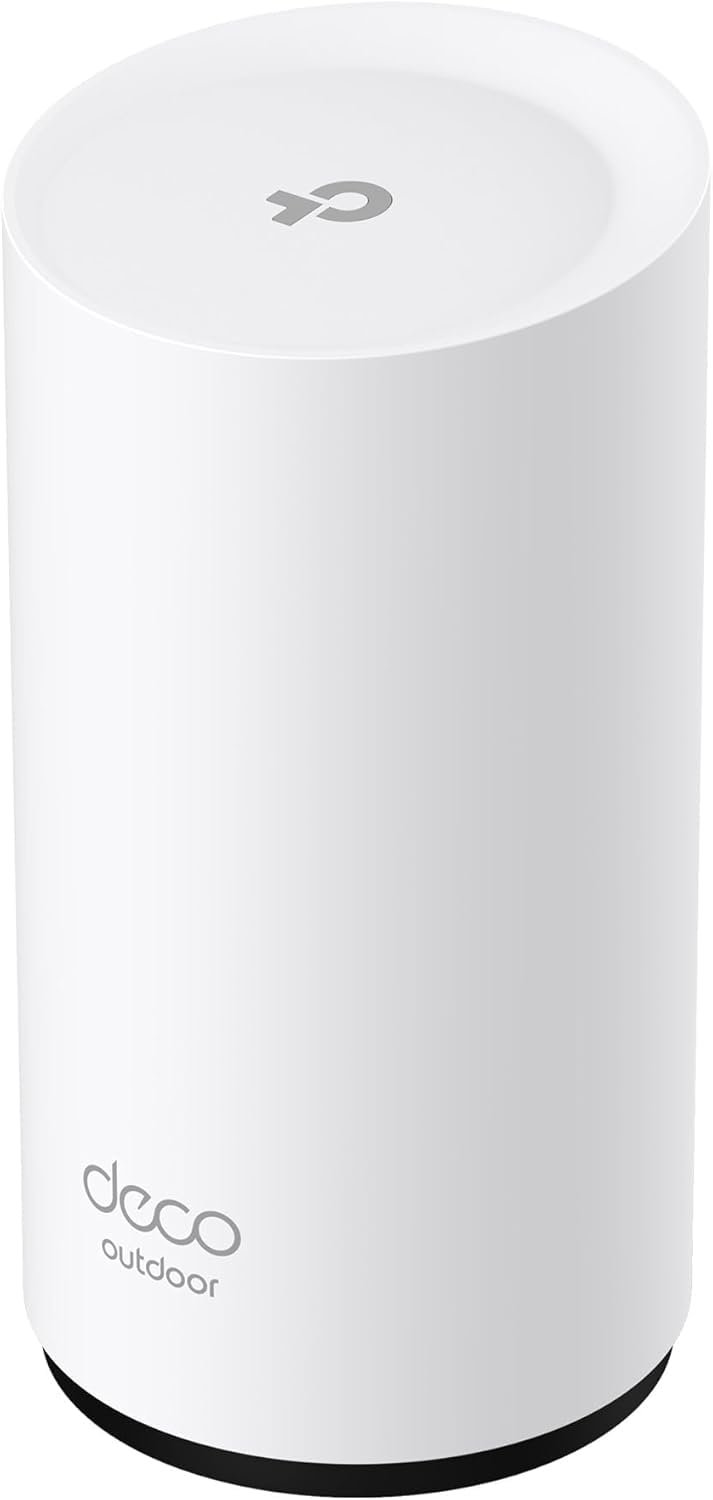
1. Deco 7 Outdoor BE5000 Dual-Band Wi-Fi 7 Mesh Add-On Extender
Our pick — 4.5+★ from 350+ verified ratings; the strongest balance of quality and price.
The pick for laptops that follow you onto the patio, with a weather-sealed shell and full-strength signal through the yard.
The number that carries this one is 2,800 sq. ft of added coverage, and that figure is what makes it the best overall here — it is the same stated area as the top TP-Link indoor models while adding a weather-sealed body your laptop can work beside. It also throws a genuinely wide net, handling up to 150 devices across that space. If your household is a laptop, two phones, a tablet, and a smart TV or two, you are nowhere near that ceiling.
Where it separates from the cheaper picks is the plumbing. Two 2.5 Gbps PoE+ ports mean you can power it over an Ethernet cable instead of hunting for an outlet, and the same cable can carry data back to the router. That is a real difference from the Tenda below, which relies on a single Gigabit port. Stated throughput hits 4,324 Mbps on the 5 GHz band and 688 Mbps on 2.4 GHz, and the total rating sits at 5000 Mbps. One honest limit: this is a dual-band unit, so it does not support the 6 GHz band at all.
What buyers keep coming back to is how well it holds up outdoors — the review pages are full of properties where the far end of the backyard finally registers at full strength, and outdoor cameras stop stuttering. Coverage across the whole property is the recurring story. The trade-offs are the ones TP-Link itself flags: it is a Deco mesh add-on, so it will not join a network built on a different brand’s mesh system, and Connectivity drew a mixed read in the buyer breakdown. Think of it as a mesh add-on first and a standalone repeater second.
What earns the top spot
- 2,800 sq. ft of added coverage, on par with the best indoor units
- Two 2.5 Gbps PoE+ ports for power and data over one cable
- IP65 sealing against dust and water for patio and wall mounting
- Handles up to 150 connected devices
Where it asks you to commit
- Deco-only — it will not join another brand’s mesh network
- No 6 GHz band support
- Buyer feedback on connectivity is mixed rather than unanimous
Go for it if: your laptop regularly moves outside, or you want one mesh network that reaches the fire pit without a second login.
Look elsewhere if: you already run a mesh system from another brand — this unit cannot join it.
2. ASUS RP-BE58 BE3600 Dual Band WiFi 7 Range Extender
The one that walks into almost any network uninvited, from a rental router to an AiMesh setup.
Router compatibility is the headache with extenders, and the RP-BE58 is built to erase it. ASUS states it works with virtually all Wi-Fi routers, modems, and cable routers, which means an apartment router you do not control and a hand-me-down modem are both fair game. It also supports AiMesh, so if you already run an ASUS router, it folds into that network with one name instead of becoming a second one your laptop has to chase.
On paper it reaches 3600 Mbps under the Wi-Fi 7 standard, with a stated data transfer rate of 2882 Mbps — noticeably short of the Deco’s 5000 Mbps, which is the clearest spot where it gives ground. It is also the lighter of the two at 8 ounces versus the TP-Link RE223BE’s 9.92 ounces, so hanging it high on a wall is less of a balancing act. Setup runs through the ASUS Router or Extender app in a few taps.
Here is the honest part: signal strength and connectivity are the two areas buyer feedback splits on, with some owners getting a rock-steady link and others fighting dropouts and slow speeds. That is a fair warning rather than a reason to walk away — this unit shines hardest in an ASUS household where AiMesh (ASUS’s mesh system that hands your laptop from one node to another) handles the handoff, and it is less predictable as a standalone repeater in a mixed-brand setup. If your router brand is ASUS, it is the easiest join in this list.
The compatibility case: works with any router you can name, and folds into AiMesh if you already own ASUS gear.
The fair caution: buyer experience on connection stability is genuinely divided, so test it in your own room before the return window closes.
Right choice when: you want a Wi-Fi 7 extender that will not start a turf war with the router you already pay for.
Second-guess it if: you need guaranteed stable throughput and cannot gamble on the mixed connectivity reports.
3. TP-Link BE3200 Wi-Fi 7 Dual-Band Range Extender RE223BE
The value play for laptops that need Wi-Fi 7 signal and a real Ethernet jack without the premium markup.
Steady beats flashy, and this 4.0+ rated unit sells steady. It is rated 4.0+ and carries the largest review base of the TP-Link models here at 500+ ratings, which tells you plenty of people have plugged it in and left it running. Reliability is the trait reviewers keep returning to, and “less than 5 minutes to configure” is the phrase that sums up the setup experience buyers describe. For a laptop that just needs to stop buffering in the back bedroom, that quiet consistency is the whole job.
The spec sheet is honest about its ceiling. Stated bandwidth tops out at 3.2 Gbps total, split into 2594 Mbps on 5 GHz and 688 Mbps on 2.4 GHz, across 2,400 sq. ft for up to 64 devices. It carries four antennas and Beamforming, which focuses the signal toward your laptop instead of spraying it evenly. One thing TP-Link says outright and most buyers miss: an extender improves coverage, not raw speed, and actual speeds will land at 50% or less of what your router currently delivers. Buy it to fix dead zones, not to chase a faster number.
Coverage reaches 2,400 sq. ft here versus the Deco’s 2,800 sq. ft, and it sits 9.92 ounces on the scale against the ASUS’s 8 ounces. It runs on EasyMesh (a standard that lets extenders from different brands work together), so it pairs with any EasyMesh router, and it also has an Ethernet port for the laptop that never leaves the desk. Connectivity and value ratings in the buyer breakdown come back mixed rather than glowing. It is not the fastest extender in this guide at 3.2 Gbps, but it is the one most likely to just sit there and work.
What you are buying: 2,400 sq. ft of Wi-Fi 7 coverage, a Gigabit port, and a setup most people finish in under five minutes.
What you give up: 3.2 Gbps total bandwidth is the lowest stated figure among the Wi-Fi 7 picks, and many owners will never notice the difference on a single laptop.
Best fit for: a laptop in a back office or spare room where you want coverage fixed once and forgotten.
Skip the upgrade if: your laptop still runs an older Wi-Fi standard — the Wi-Fi 7 tricks this unit offers will go unused.
4. TP-Link RE815X AX5400 WiFi 6 Tri-Band Range Extender

A tri-band workhorse for a laptop that shares a busy house with phones, TVs, and game consoles.
Most extenders divide their effort between two lanes; this one spreads the load across three. Tri-band means it runs a second 5 GHz band alongside the first, so a laptop on a video call is not stuck fighting the kids’ streams for the same slice of airtime. Total stated bandwidth is 5.4 Gbps, split into 2402 Mbps across the dual 5 GHz bands and 574 Mbps on 2.4 GHz, covering up to 2,800 sq. ft and up to 96 devices. Four high-gain directional antennas with Beamforming push that signal toward the room where you work.
There is a wired escape hatch too. The Gigabit Ethernet port lets you plug a laptop or dock straight in for a steadier connection than wireless can offer, and AP mode turns any wired drop into a fresh hotspot. TP-Link is blunt about the ceiling: extenders improve coverage, not speed, and real-world throughput will land at 50% or less of the router’s current output. On a crowded home network, though, a stronger signal often feels faster simply because it stops dropping packets.
What stands out in owner feedback is the build and the reach — the hardware feels substantial and the signal genuinely carries across a full house. Reliability is the most-discussed topic in the buyer breakdown, and it reads mixed, which is worth knowing before you commit: this is a strong option for a house that needs range, but it is not a guaranteed fire-and-forget install in every building. It also will not join a Deco mesh network (TP-Link’s own mesh system), so check which camp your router lives in first.
Where it pulls ahead
- Tri-band design keeps a second 5 GHz lane open
- 2,800 sq. ft of coverage for up to 96 devices
- Gigabit Ethernet port plus AP mode for wired backhaul
What to weigh first
- Wi-Fi 6 rather than Wi-Fi 7
- Reliability feedback is mixed across buyers
- OneMesh only — incompatible with Deco systems
The right call when: your laptop is one of many devices and you want a third band to keep it out of the traffic jam.
Think again if: you want a direct wired handoff to a laptop dock for the fastest possible link.
5. NETGEAR Nighthawk WiFi 7 Extender EXS27
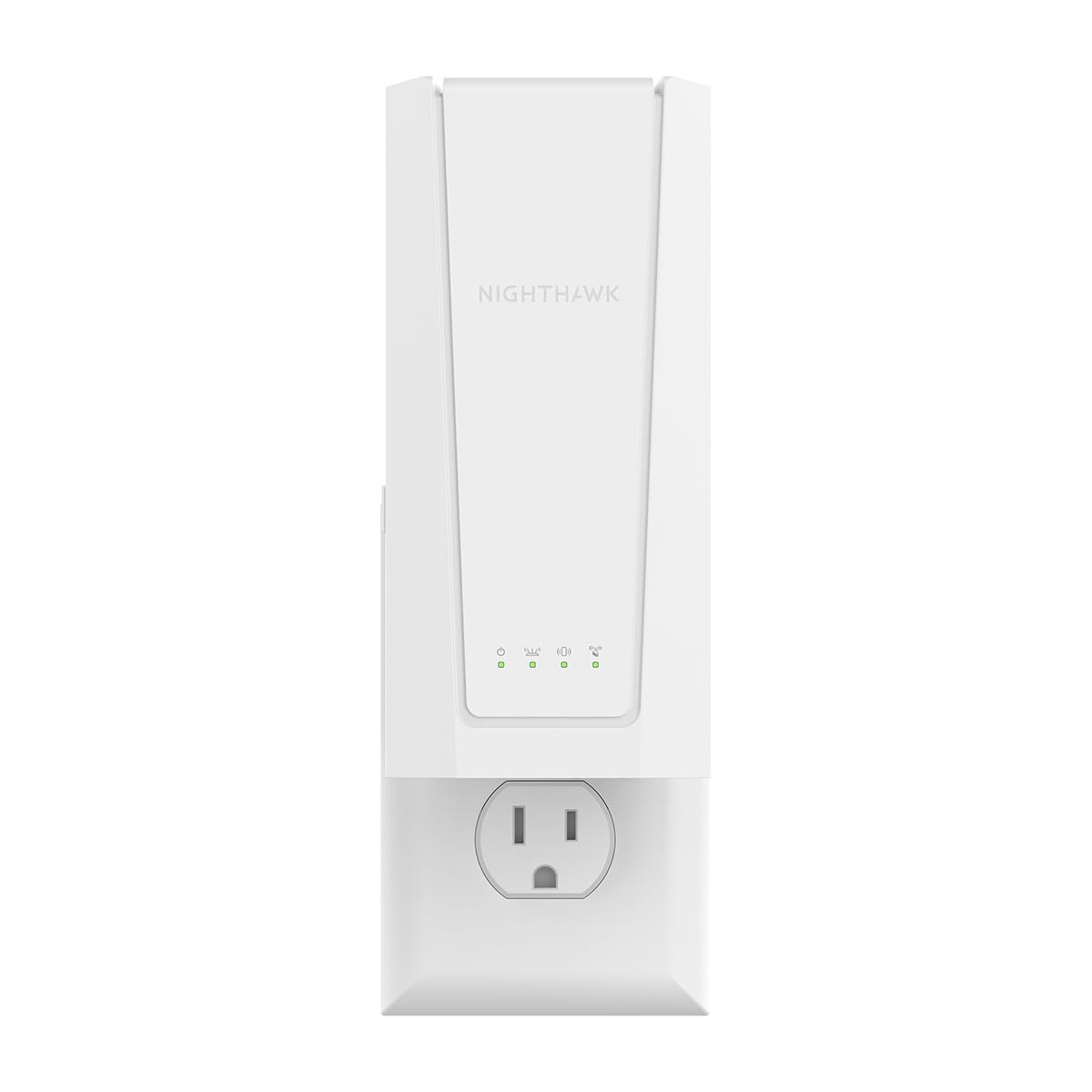
For laptops banished to garages and basements, a plug-in unit that brings Wi-Fi 7 to the room your router forgot.
The pitch here is simple: plug it into a wall outlet in the room that keeps dropping, and the extender handles the rest. Stated coverage is up to 1,500 sq. ft for up to 45 devices, which is a smaller net than the TP-Link RE815X’s 2,800 sq. ft — but 1,500 sq. ft is more than enough for one basement office. Speed is listed at up to 5 Gbps (BE5000), and the extender keeps your existing network name with Smart Roaming, so your laptop switches over on its own with no second login to remember.
There is a 2.5 Gigabit Ethernet port for a smart TV, console, or desktop that wants a full-speed wired link instead of wireless. Setup runs through the NETGEAR Nighthawk app, or you can press WPS on the router and the extender and let them find each other. It is rated 4.0+ and carries a few hundred ratings, and the recurring concern in buyer feedback is durability — some report it stopping within months. For almost everyone that will not happen, but it is a fair thing to know going in.
The range story is what buyers praise most, and 1,500 sq. ft is the number that keeps coming up. At around 1.1 pounds it sits between the lighter ASUS unit and the chunkier TP-Link RE403BE’s 14.4 ounces, so it is reasonably easy to slot into a shelf or outlet. If you want the biggest possible reach, the Deco’s 2,800 sq. ft and the RE815X’s 2,800 sq. ft both beat it. If you just want your basement desk back online, 1,500 sq. ft and 45 devices cover it.
Where it lands best: rooms separated from the router by floors or walls, where you want one outlet-plugged unit to fix the dead zone.
The trade-off: 1,500 sq. ft is the smallest stated coverage among the mid-tier picks, so it is not the right tool for covering a whole house.
Pick this if: your laptop desk lives in a garage, basement, or back bedroom and you want one plug to wake the room up.
Pass if: you need whole-home coverage — the larger TP-Link units in this guide reach farther.
6. TP-Link BE6300 Wi-Fi 7 Dual-Band Range Extender RE403BE

An IP67 weatherproof bridge for the backyard and the outbuilding, with enough ports and power modes to survive the elements.
When the room your laptop needs to reach is technically outside, the rules change. This unit is built for outdoor installations with an IP67 waterproof enclosure, 15kV ESD protection, and 6kV lightning protection, plus an operating range from -4 to 122°F. Six 7dBi omnidirectional antennas and two built-in amplifiers push dual-band speeds up to 2402 Mbps on 5 GHz and 573 Mbps on 2.4 GHz — 3000 Mbps total. It handles up to 256+ devices, which is why shops, parks, and farm setups show up among the buyers.
Modes cover Mesh, AP (access point, which turns a wired connection into Wi-Fi), Router, Repeater, and AP+Repeater, and there is optional PoE support (power over Ethernet, which sends power and data through one cable) that works with 802.3AF/AT active and passive PoE — though the PoE converter itself is not waterproof, so you will want that indoors or under cover. It works with Starlink and any standard Wi-Fi device, which matters for a backyard setup where the laptop is the only thing that needs to be online. Setup is the aspect buyers mention most favorably, and getting it onto the network is straightforward. Performance and range, by contrast, come back mixed.
Durability is where the feedback clouds up a little — the weather sealing gets exercised hard in real outdoor installations and some buyers have found it wanting. This is the heaviest extender in the guide at 1 kg, which is expected for outdoor hardware. Note also that its operating temperature and weatherproofing assume a properly grounded install. Mount it right, with a grounded install and the PoE converter under cover, and it can bridge a yard; mount it casually and the weather will find the weak spots.
Where it earns its keep: IP67 sealing, lightning and ESD protection, and a cold-weather floor down to -4°F make it a genuine outdoor unit.
The honest caveat: outdoor buyers report a mixed experience on performance and range, so expect to tune your placement rather than plug in and forget.
Reach for it if: your laptop workspace is a yard, garage, farm building, or shop that sees real weather.
skip it if: the laptop lives indoors — this hardware is overbuilt for a single interior dead zone.
7. Tenda AX3000 WiFi 6 Dual-Band WiFi Range Extender
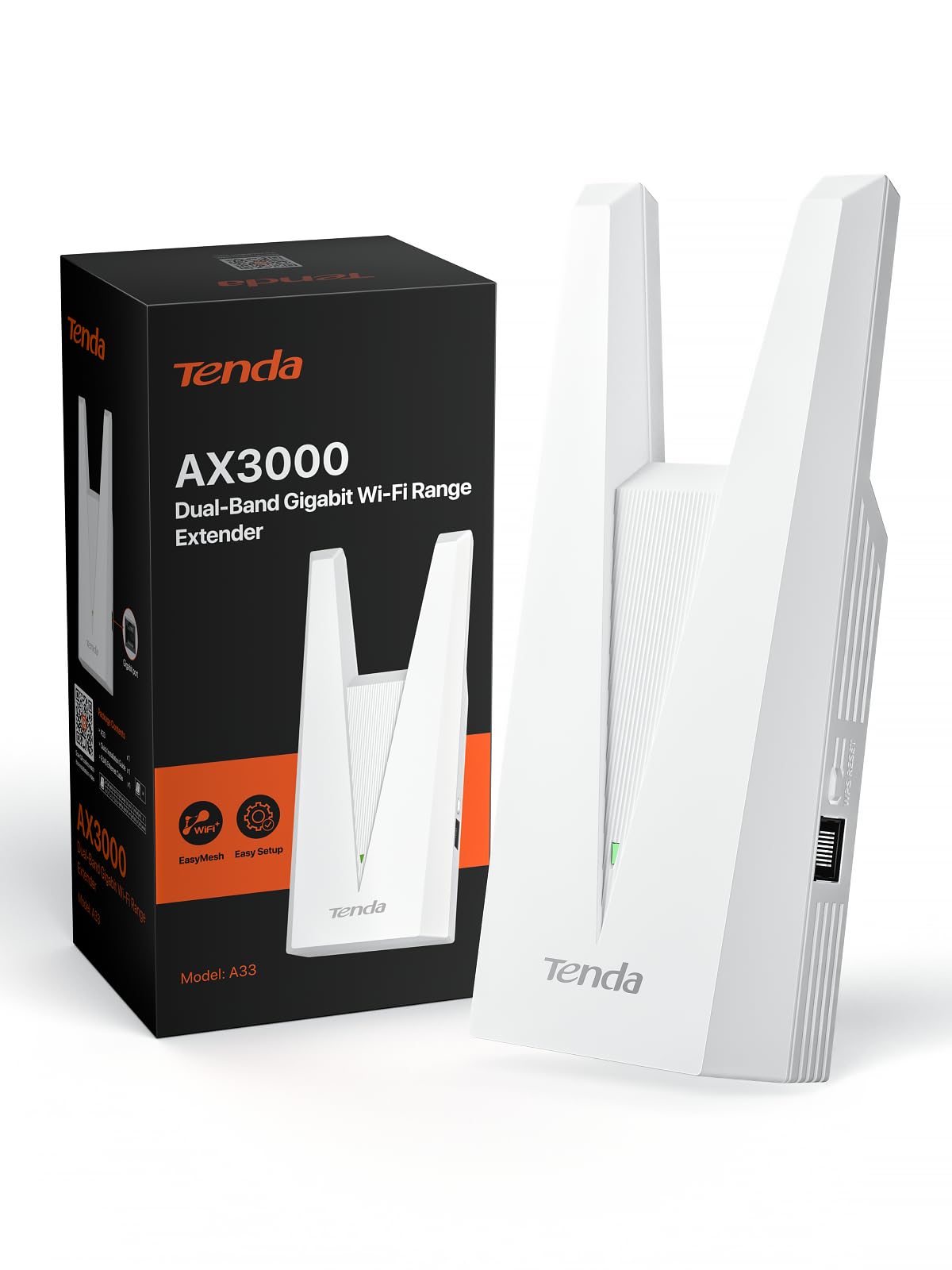
The budget-friendly starter that still packs Wi-Fi 6, a Gigabit port, and WPA3 security.
If you are working with the tightest budget and just need your laptop to stop dropping in the next room, this is the entry point. It is rated 4.8, though the sample base is small enough that it is worth treating as promising rather than proven. It delivers Wi-Fi 6 speeds up to 2976 Mbps, split into 2402 Mbps on 5 GHz and 574 Mbps on 2.4 GHz, and it covers up to 1,800 sq. ft for up to 32 devices. That is the smallest coverage area among the indoor picks compared to the RE815X’s 2,800 sq. ft, but it is still enough for a typical apartment.
There is a Gigabit Ethernet port and a 1.2 GHz dual-core processor under the hood, plus WPA3 encryption. It runs in either Repeater mode for extending wireless coverage or Access Point mode for turning a wired drop into a fresh hotspot, and the smart LED indicator helps you find the best spot. EasyMesh compatibility means it will pair with any EasyMesh router without brand lock-in, though it will not join a proprietary system like Deco. Setup runs through the app, and the small footprint (about 3.3 inches deep, 7.7 inches tall) means it slips onto a shelf or a wall outlet easily.
The limitation is straightforward: 32 devices is the narrowest ceiling in the guide, and 1,800 sq. ft is a single-floor number. For an apartment or a small house where the laptop is the main device, that is plenty. For a family home with a dozen smart devices, you will want the RE815X above. Note also that the Tenda’s review base is thin, so the 4.5+ rating is a good sign rather than a long track record.
The value case: Wi-Fi 6 speeds, a Gigabit port, and WPA3 at the entry point of the market — enough to fix one room without overspending.
The scaling ceiling: 32 devices and 1,800 sq. ft is right for an apartment and short for a busy family home.
Choose it when: you want Wi-Fi 6 and a wired port at the lowest outlay and the laptop is the main device on the network.
Go bigger if: a dozen smart devices share the house — the 32-device ceiling will arrive faster than you expect.
Know the Specs
Stated Speed in Mbps vs Real Laptop Speed
The Mbps number on the box (megabits per second) is the theoretical ceiling the extender can pass through, not what your laptop will actually see. Nearly every manufacturer here states that an extender improves coverage rather than raw speed, and actual throughput will typically land well below the stated figure. For a laptop in a dead zone, the win is not a bigger number — it is a connection that stops dropping. Buy for coverage first, speed second — the Mbps figure on the box is a ceiling, not what your laptop will see.
Coverage in Square Feet
Coverage figures assume open, unobstructed space, so a wall, a floor, or a microwave between router and extender will cut the effective number down. A stated 1,500 sq. ft can be plenty for one basement office, while a stated 2,800 sq. ft may still struggle through two solid walls. Treat the number as a relative ranking, not a guarantee, and place the extender roughly halfway between the router and the room you are trying to reach.
Dual-Band, Tri-Band, and 6 GHz
Dual-band works on 2.4 GHz (slower, longer range) and 5 GHz (faster, shorter range). Tri-band adds a second 5 GHz lane so busy homes have more room. The 6 GHz band is newer still and less crowded, but it requires a laptop with a Wi-Fi 7 card to use at all. Paying for a 6 GHz extender with an older laptop wastes the feature, so match it to the machine.
Ethernet Ports and Backhaul
A Gigabit Ethernet port on the extender lets you plug in a laptop, dock, or console for a wired link that is steadier than wireless. A 2.5 Gigabit port is faster still and worth it if your setup includes a multi-gig modem. Backhaul is the connection between the router and the extender — wired backhaul through a port is more stable than wireless, but it requires a cable run.
Common Questions
Will a Wi-Fi extender make my laptop faster?
Can I use any extender with any router?
Where should the extender go for the best laptop signal?
Do I need a Wi-Fi 7 extender if my laptop is older?
Is a wired connection to the extender better than wireless?
How many devices can these extenders handle?
Will an extender work through brick and concrete walls?
Can an older laptop use a Wi-Fi 7 extender without problems?
Do outdoor extenders need special installation?
What does MLO mean on a Wi-Fi 7 extender?
Final Thoughts: The VerdictFor the strongest overall pick, the Deco 7 Outdoor BE5000 Mesh Add-On Extender earns the top spot because 2,800 sq. ft of added coverage, up to 150 devices, and two 2.5 Gbps PoE+ ports make it the most flexible unit in this guide. If you want the easiest join to any router you already own, the ASUS RP-BE58 is the pick, and for the best-value way to bring Wi-Fi 7 to a back-bedroom laptop, the TP-Link RE223BE is the one to reach for.
If your laptop is a newer Wi-Fi 7 machine and you want the cleanest lane available, the TP-Link RE653BE is the only pick here with a 6 GHz band. And if your setup lives outside, the WAVLINK AX3000 Outdoor brings IP67 weather sealing to the party. The one honest nudge: the Tenda AX3000 is the budget-friendly starter, but its 32-device ceiling and 1,800 sq. ft of coverage make it a better match for an apartment than a busy family home.
How we choose
We do not accept paid placement. Every pick is matched to a real buyer and a real use-case; we do not hands-on test units.
Sources
Specifications: manufacturer listings and product documentation. Review insights: verified customer reviews, as of November 2026. Pricing: not shown on this page (it changes often); check the current price via the retailer link.
As an Amazon Associate, Tactical Gear Guy earns from qualifying purchases. This does not affect which products we feature.