Specs are compiled from manufacturer listings and verified buyer reviews and can change over time — please confirm the key details on the product page before buying.
If you want one straight answer: the Samsung T7 in 1TB is the drive to buy for most people, because it balances real transfer speed with a pocketable shape and a sturdy aluminum body. The trouble with shopping this category is that the boxes flash huge read speeds while the port on your laptop quietly caps everything. Add a cable that looks identical to three others in your drawer, and the numbers on the package stop meaning much. This guide cuts through that by showing which drive matches which device, and where the speed claims actually hold up on a normal USB-C port.
This guide is built by comparing the manufacturers’ published specifications and the patterns across verified customer reviews, so you get each pick’s real strengths and trade-offs instead of marketing spin.
You will see which drives need a special high-speed port to hit their top figures, which ones run from a plain laptop slot, and which survive a drop into a bag. Below are nine drives that connect over USB Type-C, matched to the jobs they do best, so you can pick the one that fits your week. My full breakdown of every usb type-c external ssd here pairs each spec with the everyday task it actually changes.
Top Picks


How To Choose The Best USB Type-C External SSD
The most common mistake is buying the fastest number on the box and plugging it into a port that cannot feed it. Read speed figures like 2,000MB/s only appear on a USB 3.2 Gen 2×2 or Thunderbolt connection. Plug the same drive into an older USB-C port and it drops back to a slower standard. So your first question is not “which drive is fastest” but “what port does my laptop or phone actually have”.
Match the drive to the port you own
A plain USB-C laptop slot usually runs at USB 3.2 Gen 2, which tops out around 1,050MB/s — that is the ceiling for drives like the Samsung T7 and the Crucial X9. To reach 2,000MB/s on a drive such as the Samsung T9 or the Lexar D70E, your computer needs a USB 3.2 Gen 2×2 port or a Thunderbolt 5 port. If you are filming ProRes video on an iPhone, the phone’s own port speed sets the real limit, not the drive.
Work out how much space you actually need
A 1TB drive does not show a full 1TB on screen. Windows counts storage differently, so the drive typically appears as around 931GB, while macOS often shows closer to the full figure. That is a counting difference, not a fault. If you shoot 4K footage or archive a photo library, plan around the smaller number you will see on your desktop.
Check the body, not just the badge
Portable drives live in bags, pockets, and camera cases. A metal shell such as the aluminum case on the Samsung T7 or the SSK 1050MB/s model sheds heat better than plastic, and some drives come with an IP65 or IP55 rating — a code that tells you how well the body resists dust and water spray. Drop protection ratings matter too, and they range from a modest fall to a hard knock. If the drive stays on a desk, durability matters less. If it travels, it matters more than a 200MB/s speed difference you will rarely notice.
Side-by-Side Comparison
| Model | Best For | Capacity | Top Read Speed | Interface | Amazon |
|---|---|---|---|---|---|
| Samsung T7 1TB★ Best Overall | Everyday all-rounder | 1TB | Up to 1,050MB/s | USB 3.2 Gen 2 | Amazon |
| MOVE SPEED SP20 512GBFastest Read | Fast transfers on a 2×2 port | 512GB | Up to 2,100MB/s | USB 3.2 Gen 2×2 + USB-A | Amazon |
| SSK 550MB/s 1TBBudget Stable | Budget backups and Pi builds | 1TB | Up to 550MB/s | USB 3.2 Gen 2 (6Gbps) | Amazon |
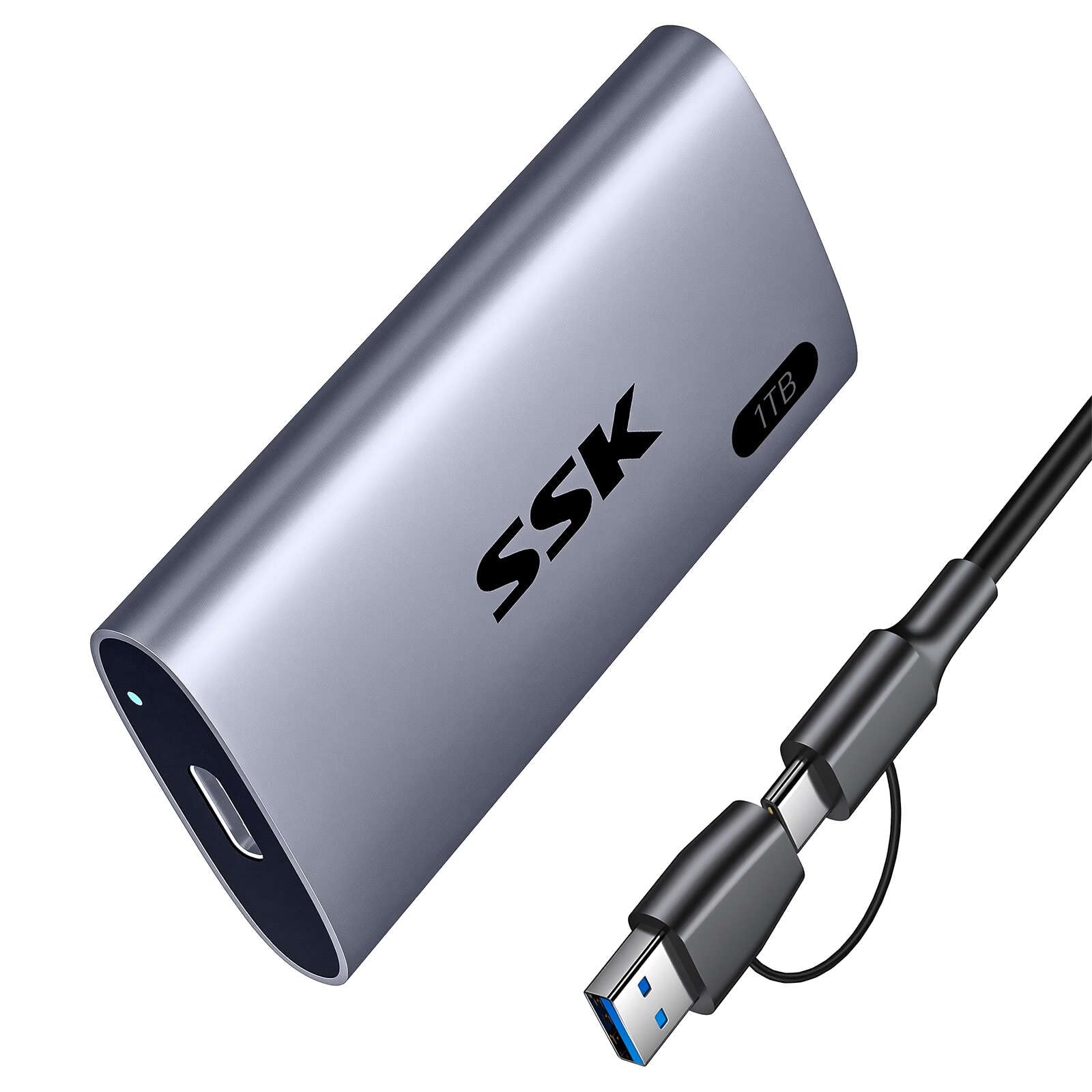
| SSK 1050MB/s 1TB | Light, cool-running travel drive | 1TB | Up to 1,050MB/s | USB 3.2 Gen 2 | Amazon |
| SanDisk 1TB Portable SSD | Simple plug-and-go storage | 1TB | Up to 1,000MB/s | USB-C | Amazon |
| Lexar D70E 1TB | Cable-free dual connector | 1TB | Up to 2,000MB/s | USB 3.2 Gen 2×2 + USB-A | Amazon |
| SanDisk Extreme 1TB | Rough handling outdoors | 1TB | Up to 2,000MB/s | USB-C | Amazon |
| Samsung T9 1TB | Sustained speed for big projects | 1TB | Up to 2,000MB/s | USB 3.2 Gen 2×2 | Amazon |
| Crucial X9 1TB | Weatherproof everyday backup | 1TB | Up to 1,050MB/s | USB 3.2 USB-C | Amazon |
Detailed Reviews
1. Samsung T7 Portable SSD 1TB
Our pick — 4.5+★ from 12,000+ verified ratings; the strongest balance of quality and price.
A card-sized aluminum drive that copies at 1,050MB/s and survives a bag.
This is the safest pick in the entire group because it gets the basics right and never asks you to think about them. It runs on USB 3.2 Gen 2, which is the standard port on most modern laptops, so read speeds up to 1,050MB/s and write speeds up to 1,000MB/s arrive without any special hardware. That 10 gigabits per second connection is roughly double the 5 gigabits per second the SSK 550MB/s drive works with, and the difference shows up the moment you drag a folder of RAW photos across.
The build is where it earns its keep. A solid aluminum unibody surrounds the drive, rated for shock resistance and fall protection up to 6 feet. The shape is compact enough to slip into a jacket pocket, which is why so many people treat it as a daily carry rather than a drawer device. Compatibility runs across PC, Mac, smartphone, tablet, and both PlayStation 4 and PlayStation 5. It also records 4K 60fps ProRes video from an iPhone 15 Pro straight to the drive.
What wins people over is simply how consistently it delivers — the performance and reliability of this drive come up again and again in owner feedback, and a full phone backup of 108GB has been reported to move across in half an hour. The honest catch is compatibility, which is the one area that draws mixed notes: a handful of setups need a cable swap or a settings tweak before the drive appears. Buyers report it performs just as advertised, and the credit-card footprint is the detail that keeps coming back. For a 4.5+ star drive backed by 12,000+ owners, that is an unusually clean record.
What earns the top spot
- Reads up to 1,050MB/s and writes up to 1,000MB/s on a standard Gen 2 port — no special hardware needed
- Aluminum unibody with shock resistance and fall protection up to 6 feet
- Records 4K 60fps ProRes from an iPhone 15 Pro and works with PS4 and PS5
- Pocketable card-sized shape that people actually carry daily
Where it asks a little patience
- Compatibility is the one mixed area — some setups need a cable swap or setting change
- You pay premium-tier money for the brand’s track record here
Reach for this if: you want one drive that works on your laptop, your phone, and your console without studying port specs.
Look elsewhere if: your machine has a USB 3.2 Gen 2×2 port and you want to use all of its speed — this drive tops out at Gen 2.
2. MOVE SPEED 512GB External SSD
The speed headline of the group — 2,100MB/s reads, but only if your port can feed it.
Here is the number that defines this drive: a 2,100MB/s read speed over USB 3.2 Gen 2×2, paired with a 1,800MB/s write. Put that next to the Samsung T7’s 1,000MB/s write and the gap is real — this one writes 1,800MB/s against the T7’s 1,000MB/s. It also reads at 2,100MB/s where the SSK 550MB/s drive manages 550MB/s. The catch sits in the fine print, and MOVE SPEED prints it plainly: the drive only hits 2,100MB/s on a USB 3.2 Gen 2×2 interface or a Thunderbolt 5 port, on a device that supports those speeds, like an iPhone 15 Pro. On the USB-A connector it reads at 1,000MB/s instead.
The 512GB capacity is the other trade-off you need to weigh. What you actually see on screen will land somewhere near 465GB to 476GB, because manufacturers count in decimal and computers count in binary. The maker calls that normal, and it is — every drive in this list does the same thing. The TLC flash inside is designed to hold a steady pace through long transfers rather than sagging partway through a 100GB file, and a zinc alloy shell gives it a rigid feel in the hand.
Owners lean on the storage and the speed in roughly equal measure, and the practical test that keeps getting mentioned is copying a whole movie in about three seconds on the right hardware. Cross-device work is the other draw — the dual connectors mean you can move between an iPhone, a Mac, and a Windows machine without hunting for an adapter. What you should know before buying is that a docking station will drag it down to the slowest link in the chain, so plug it straight into the machine whenever you care about speed.
The Gen 2×2 payoff: if you own a machine with the right port, this is the fastest-reading drive in the group by a wide margin, and the included USB-A route keeps older machines in play.
The half-terabyte reality: 512GB is the smallest capacity here, so archive-heavy shooters should budget for external cleanup or look at the 1TB drives below.
Built for: creators on a modern laptop or a recent iPhone who want the quickest copy times available and can live with 512GB.
Pass it by if: your ports are standard USB-C or you routinely move files larger than the drive can hold.
3. SSK 1TB Portable SSD
A full terabyte that asks for half the speed and none of the fuss.
If you back up a laptop once a week and mostly want the files off your machine, 550MB/s is plenty. This SSK runs on a 6Gbps connection and reads up to 550MB/s, roughly half the 1,050MB/s the Samsung T7 delivers. On a 50GB folder that difference is measured in minutes, but the work still gets done. The drive leans on SLC caching, with 25% of the current available capacity set aside as high-speed cache, so transfers inside that window stay steady instead of stuttering.
The reliability story is the real reason to consider it. S.M.A.R.T. monitoring lets you check the drive’s health, and TRIM support keeps write speeds from drifting over time — the same maintenance features the pricier drives carry. An aluminum enclosure and an included USB-A adapter widen compatibility to older machines. A LED light shows activity, and an OTG (on-the-go) function lets it talk to phones and tablets.
Owners consistently land on quality and reliability as the reasons they stay happy, and the drive has a following among people running a Raspberry Pi 5 as a boot drive — a job that punishes unstable storage. Expect the usual Windows capacity display of around 931GB on the 1TB label. The honest trade-off is speed: compared with the MOVE SPEED, which reads at 2,100MB/s, this one plods at 550MB/s, and the mixed notes on connectivity suggest a cable or port swap can occasionally be needed to get it recognized.
Where the value sits: a full terabyte, S.M.A.R.T. health checks, and TRIM support make this a sensible archive drive for the money.
Where the patience goes: at 550MB/s, large video projects will feel noticeably slower than the Gen 2×2 drives in this list.
A fair fit for: students, tinkerers, and anyone who wants dependable storage for photos, documents, and a Pi project.
Better left alone if: you edit video straight off the drive and need the fastest copy times.
4. SSK Portable SSD 1TB

Light enough to forget it is in your pocket, cool enough to leave plugged in all day.
At 36.6g, this SSK is the lightest drive on the list, and the 2mm thick aluminum case does more than trim weight — it pulls heat away from the board. The manufacturer rates the case temperature peaking at 105.58°F, so it warms up without becoming uncomfortable to hold. That matters if the drive sits plugged into a laptop during a long editing session. Speed lands at up to 1,050MB/s read and up to 1,000MB/s write over 10Gbps, level with the Samsung T7.
The feature that earns it a place for iPhone shooters is ProRes support: it captures 4K 60Hz ProRes HDR video from an iPhone, drawing less than 2.4 Watts while doing it. That low draw is what makes the drive usable on a phone without draining the battery quickly. You also get S.M.A.R.T. diagnostics and adaptive TRIM, the same maintenance tools the bigger names rely on. Both a USB-C and a USB-A cable come in the box, so the drive bridges new laptops and older desktops without an adapter hunt.
Reliability and performance are the two things owners praise most, and the drive has built a strong following among people downloading large games — titles like Starfield and FIFA arriving within 15 minutes is the kind of result that keeps getting repeated. The aluminum shell stays cool under load, and the 1TB capacity leaves room for a real library. The one soft spot is compatibility, which draws mixed notes — a small share of buyers hit a hiccup getting the drive to appear on a particular device. At 4.5+ stars with nearly four thousand owners, that is a rare outlier rather than a pattern.
The travel case for it: 36.6g, a 105.58°F peak case temperature, and a bundled USB-C and USB-A cable make it an easy carry for shoots and commutes.
Worth knowing: the ProRes recording only matters if you shoot on a recent iPhone; otherwise you are paying for a feature you will not touch.
Suits you when: you travel with a camera or phone and want the lightest drive that still hits full Gen 2 speed.
Skip it when: you need the absolute highest read speeds — this one matches, not beats, the standard Gen 2 drives above.
5. SANDISK 1TB Portable SSD
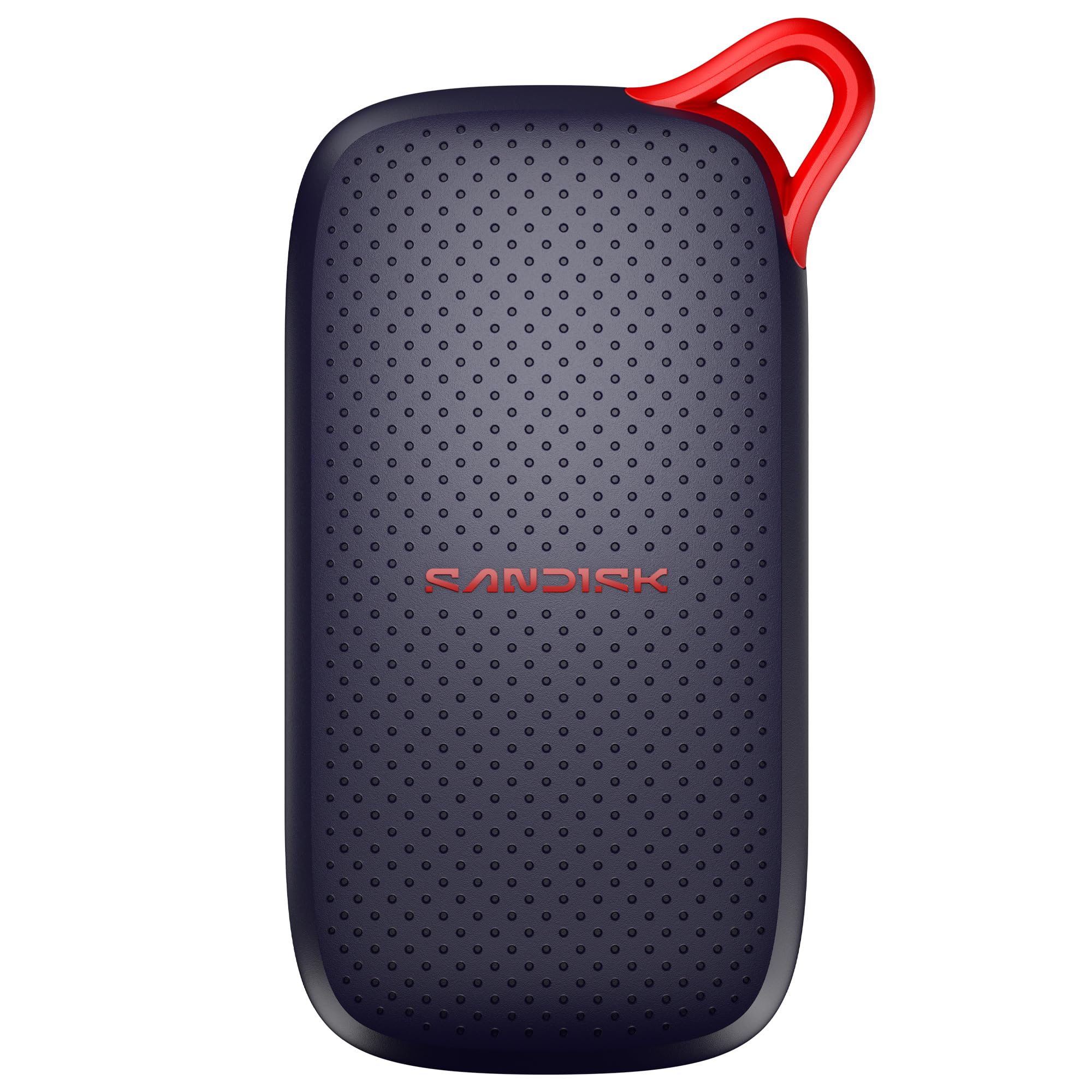
Plug it in and start moving files — no drivers, no app, no setup.
This SanDisk is for buyers who want a drive that disappears into the workflow. It reads up to 1,000MB/s, and the maker states it is up to 5x faster than an old-school portable hard drive. There is no software to install and no setup screen — the USB-C connection is recognized by the machine and you start transferring. The body has no moving parts, which is the core reason these drives survive the shuffle of daily life, and the drop protection is rated up to 2 meters.
What makes it practical for a bag is the slim shape. It fits in a pocket or a side compartment without adding bulk, and the dust and water resistance adds a layer of insurance against a spilled drink or a dusty desk drawer. The 1TB capacity holds photos, video, backups, and game data, and the maker points it directly at modern workloads like AI-generated edits. On paper the speed sits just under the 1,050MB/s of the Samsung T7, which is a difference you would struggle to feel in a normal copy.
Quality is the thing that keeps appearing in feedback, along with speed, and gamers in particular rate it highly. It also tends to stay connected reliably, which is the quiet make-or-break detail on a portable drive — a drive that drops mid-transfer is worse than a slower one that holds. The catch to weigh is that this model has the lightest review history in the group, so you are trusting a solid SanDisk formula rather than years of accumulated user track record on this exact unit.
The appeal: 1,000MB/s reads, 2-meter drop protection, and a no-driver setup that works the moment you plug it in.
The honest gap: it offers no speed advantage over the T7 or the SSK 1050MB/s drive, so buy it for simplicity and the SanDisk name rather than raw speed.
The right call for: someone who wants a sturdy, no-thought backup drive and values plug-and-play over headline numbers.
Think twice if: you are chasing the fastest available copy times — the Gen 2×2 drives above get you there.
6. Lexar D70E 1TB Dual Drive External SSD

Two connectors built into the body, so the adapter you forgot at home is never the problem.
The detail that sets this drive apart is that it carries both a USB-C and a USB-A connector on its own body — no cable to lose, no dongle to hunt for. Plug the USB-C side into a modern laptop or a phone, or flip to the USB-A side for an older desktop. On USB 3.2 Gen 2×2 it reads up to 2,000MB/s and writes up to 1,800MB/s. On the USB-A side it reads up to 1,000MB/s and writes up to 900MB/s. That 2,000MB/s figure sits level with the Samsung T9 and the SanDisk Extreme, while the write speed of 1,800MB/s trails only the MOVE SPEED in this group.
Lexar states plainly that performance may drop on Macs and other systems that do not support USB 3.2 Gen 2. That is the same port dependency every fast drive here shares, and it is worth reading twice before you buy. The body is a 55g metal housing with an integrated lanyard loop, which makes it easy to clip to a bag and harder to leave behind. The Lexar App can back up photos and videos automatically from your phone once the drive is connected.
Transfers of 4K video in under a minute are the practical benchmark owners keep returning to, and the drive holds up well for video editing work. The mixed notes are on size and value — a few people expected a different physical footprint, and some found the price steep for the capacity. Neither is a defect; they are expectations that did not match. The capacity thing to know is that 1TB is the label here, while the D70E line scales up to 2TB if you need more room later.
Why it earns its slot: dual built-in connectors, 2,000MB/s reads, and a 55g metal body with a lanyard loop make it the most travel-friendly fast drive here.
The honest trade: you need a USB 3.2 Gen 2×2 port to see 2,000MB/s, and the USB-A route caps at 1,000MB/s.
Made for: people who bounce between devices and refuse to carry a cable — the connectors are in the drive.
Not the pick if: you want the biggest capacity for the money or the longest track record in this group.
7. SANDISK 1TB Extreme Portable SSD
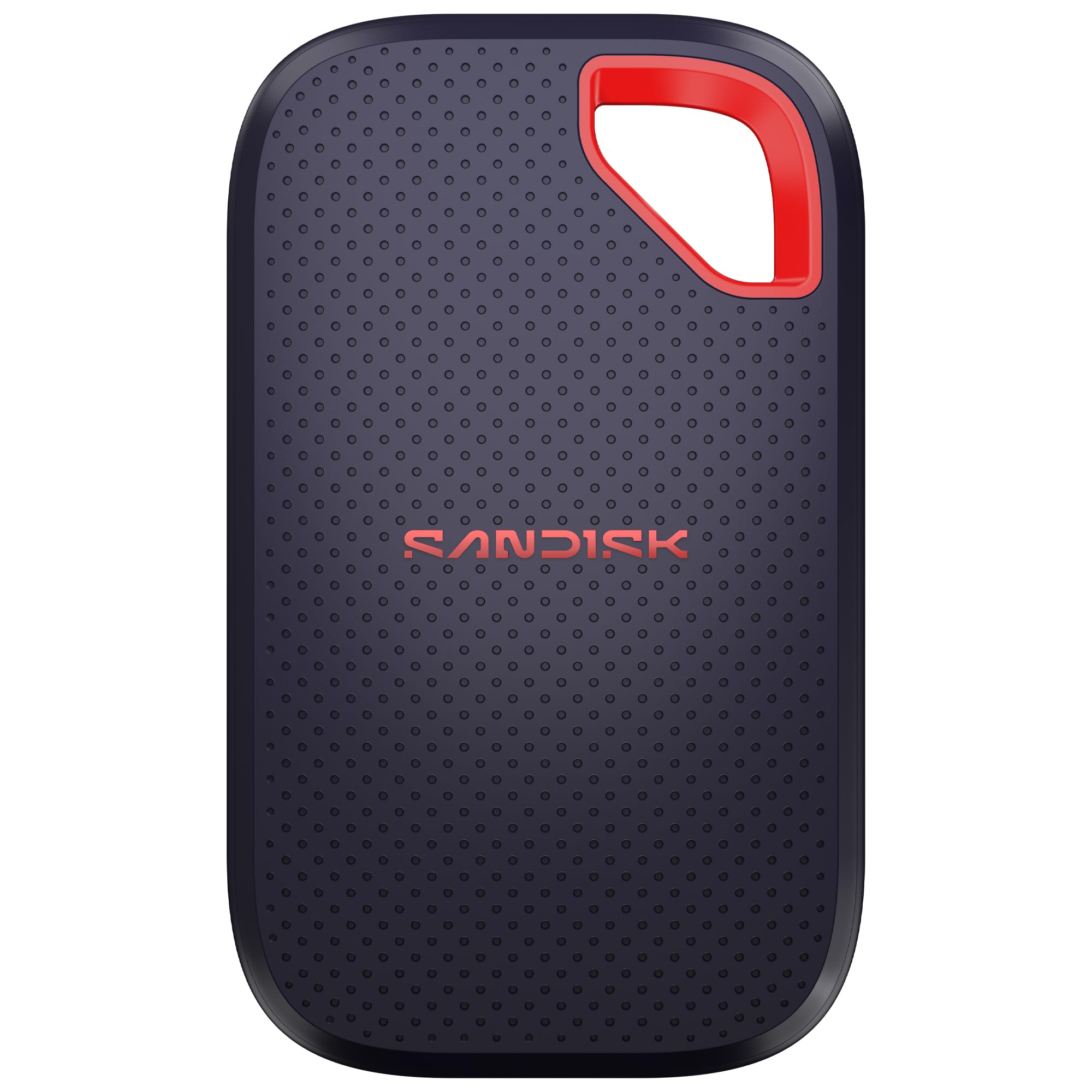
Built for the camera bag that gets thrown in a truck bed, with speed and armor in the same case.
This is the drive you buy when the conditions get rough. An IP65 rating means it is sealed against dust and protected against water spray, and the body is rated for drops up to 3 meters — compared with the 2-meter rating on the standard SanDisk above, this is the tougher member of that family. Transfer speeds reach up to 2,000MB/s, and the maker states it is nearly 2x faster than the previous generation. In practice, 1,000 high-res photos move in under 60 seconds.
Speed aside, the shape is the second reason people pick it. It is pocket-sized — owners liken it to the size of a credit card — so it rides alongside a camera rather than in a separate pouch. For anyone dealing with sensitive material, 256-bit AES encryption with password protection is built in. The drive also pairs with the PlayStation 5, which opens it up as extra game storage as well as a field backup.
Performance is the aspect owners praise most, and the drive’s reliability and transfer speed follow close behind. The one thing that draws mixed feelings is price — some find it good value, others want more for what they spend. That is worth weighing if your budget is tight. The connectivity area also carries a few mixed notes, so expect the usual reminder that the port on your machine decides the real speed.
The field case: IP65 dust and spray protection, 3-meter drop protection, and 256-bit AES encryption make this the drive that travels hardest.
The budget note: it asks premium money for a 1TB capacity that other drives here match at a lower tier.
Choose it if: your drive lives in a camera bag, rides in a truck, or needs to survive a spilled coffee.
Leave it if: it will sit on a desk and never leave — the armor is money you would not spend.
8. Samsung T9 Portable SSD 1TB

When the transfer is long and the deadline is short, this drive stays quick instead of throttling.
The headline is up to 2,000MB/s read and write over USB 3.2 Gen 2×2, and Samsung describes it as their fastest SSD for creators. The story that matters more is what happens after ten minutes of continuous copying. A Dynamic Thermal Guard controls heat so the drive holds its pace through longer processes instead of slowing as it warms. That makes it the pick for anyone moving 4K footage, large game files, or a fat photo archive in one go.
Ruggedness comes in at up to 9.8 feet of drop protection, which is a generous figure for a drive that also packs 256-bit AES hardware encryption. Compatibility stretches across Mac, PC, tablets, and iPhone 15 and 16, and it is listed for PlayStation 4, PlayStation 5, and both Xbox Series S and Series X. The Magician software handles firmware updates and drive health monitoring, so you can keep an eye on the drive over time. With the included cable, it also records iPhone ProRes video at 4K 60fps.
Owners talk about speed and performance first, and the compact credit-card footprint is a recurring detail. The mixed notes land on price — some feel the premium is steep — and on compatibility, where a few people found it would not work with their iMac. Both are setup mismatches rather than build faults, but they are worth checking against your own gear. On a machine without a Gen 2×2 port, this drive will not show its 2,000MB/s figure, so the speed you pay for depends on the port you plug into.
Where it shines: sustained 2,000MB/s with thermal control, 9.8 ft drop protection, and AES 256-bit hardware encryption in one body.
Where to be careful: it needs a USB 3.2 Gen 2×2 port to hit its rated speed, and a few buyers found older iMacs did not cooperate.
For you if: your work involves long, heavy transfers and you cannot afford the drive to slow halfway through.
Not needed if: your laptop tops out at standard Gen 2 speed — you would pay for a ceiling you cannot reach.
9. Crucial X9 1TB Portable SSD
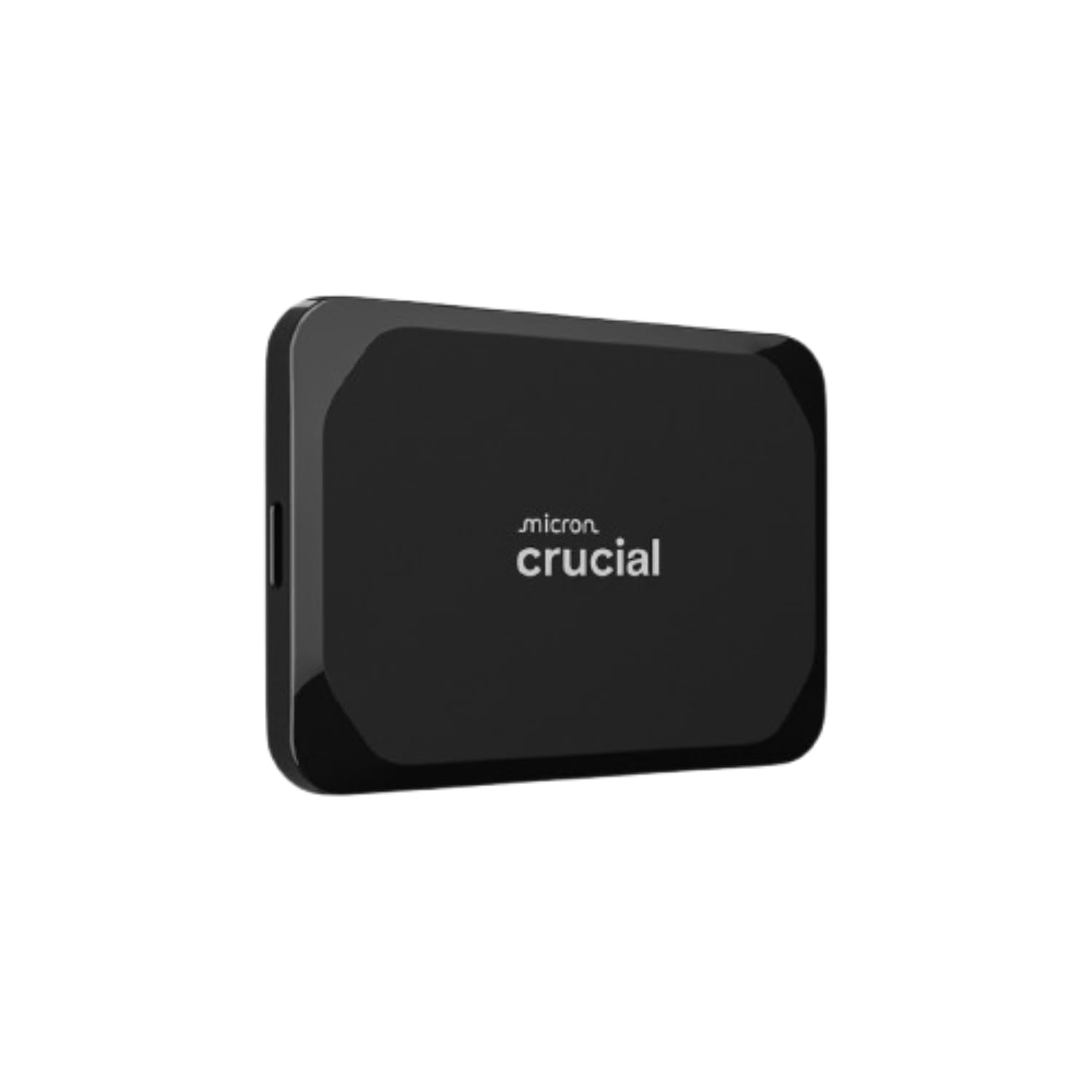
An IP55-rated drive that shrugs off rain and dust while copying at 1,050MB/s on a standard Gen 2 port.
Durability is the angle here. An IP55 rating covers water and dust resistance, and the body is drop resistant up to 7.5 feet — a tough spec for a drive this small. It reads up to 1,050MB/s, which matches the Samsung T7 and the SSK 1050MB/s model on a standard Gen 2 port. It is built for casual gamers and everyday use, so the target is a clean, fast backup rather than the extreme sustained transfers of the Gen 2×2 drives above.
Compatibility is broad by design: Windows, Mac, iPad Pro, Chromebooks, Android, Linux, PS4, PS5, and Xbox all connect through USB-C or USB-A. That reach is why it suits a household with devices from several ecosystems. Crucial also bundles bonus software — three months of Mylio Photos+ and Acronis True Image, both activated when you register the drive. The polycarbonate shell keeps the weight down, and the compact shape means it packs as easily as a phone charger.
Owners emphasize how easy it is to use and how small it is to carry, and it holds a strong record across a large number of reviews. The honest caveat is speed: it offers no advantage over the other Gen 2 drives here, so if you want to feel a jump you would have to move up to a Gen 2×2 model. Buy this one for the weatherproofing and the wide device support, not for a speed upgrade.
The practical wins: IP55 water and dust resistance, 7.5 ft drop resistance, and support for nearly every platform you might own.
The limit to accept: at 1,050MB/s it is matched by several cheaper drives, so the value sits in the armor and the compatibility list.
Picks itself for: mixed-device households that want one sturdy drive for backups and game libraries.
Look up the list if: you want the highest speed — the T9 and the Extreme Portable climb higher.
Know the Specs
USB 3.2 Gen 2 vs Gen 2×2
USB 3.2 Gen 2 is the common laptop port, moving data at 10 gigabits per second, which is where the 1,050MB/s drive figures come from. USB 3.2 Gen 2×2 doubles that lane and is what open up the 2,000MB/s and 2,100MB/s readings on the fastest drives here. The practical takeaway is simple: a Gen 2×2 drive on a Gen 2 port behaves like a Gen 2 drive, so check your machine’s port before paying extra for speed you cannot use.
Why 1TB Shows Up as 931GB
Drive makers count a gigabyte as 1,000 megabytes, while Windows counts it as 1,024. That mismatch is why a 1TB drive usually appears as around 931GB on a Windows machine, while macOS often shows closer to the full figure. On a 512GB drive, the visible space can land near 465GB to 476GB. Nothing is missing — the same drive holds the same files. Just plan your storage around the smaller number you will actually see.
Common Questions
Will a USB-C external SSD work with my iPhone?
Why does my 2,000MB/s drive only copy at about 1,000MB/s?
Is a portable SSD better than a portable hard drive for travel?
Do I need to format a USB-C external SSD before using it?
How much space should I expect from a 1TB drive?
Can I use these drives with a PlayStation 5 or Xbox?
What does IP65 or IP55 actually mean on a portable SSD?
Are these drives encrypted if I lose one?
Will a dual-connector drive save me from carrying a cable?
Does a faster SSD make a real difference for video editing?
The Bottom Line
For most people, the usb type-c external ssd to buy is the Samsung T7 1TB, because it pairs 1,050MB/s read and 1,000MB/s write with a 6-foot drop-rated aluminum body that fits in a pocket — and it works on the standard USB-C port most laptops already have. If you want the fastest copy times and own a machine with a USB 3.3.2 Gen 2×2 port, reach for the Samsung T9 1TB, which holds up to 2,000MB/s through long transfers thanks to its Dynamic Thermal Guard. And for a camera bag that sees rain and rough handling, the SanDisk Extreme 1TB is the one to grab, with its IP65 rating and 3-meter drop protection.
The one nudge worth making: the T7 and the T9 sit at 4.5+ and 4.6 stars respectively, but the T7 carries a far deeper history of owners behind it, which is exactly why it takes the top slot despite the T9’s higher speed ceiling. Whichever drive you pick, check your port first — that single detail decides how much of the advertised speed you will ever actually feel.
How we choose
We do not accept paid placement. Every pick is matched to a real buyer and a real use-case; we do not hands-on test units.
Sources
Specifications: manufacturer listings and product documentation. Review insights: verified customer reviews, as of November 2026. Pricing: not shown on this page (it changes often); check the current price via the retailer link.
As an Amazon Associate, Tactical Gear Guy earns from qualifying purchases. This does not affect which products we feature.