Specs are compiled from manufacturer listings and verified buyer reviews and can change over time — please confirm the key details on the product page before buying.
The modem sitting in your living room right now is probably rented, and you are paying for it every single month whether you notice or not. Buying your own pays for itself, but only if the modem matches both your cable speed tier and your provider’s approved-modem list. Get that match right and the internet runs at the speed you already pay for. Get it wrong and you are on the phone with support wondering why your new modem never came online.
This guide is built by comparing the manufacturers’ published specifications and the patterns across verified customer reviews, so you get each pick’s real strengths and trade-offs instead of marketing spin.
Before you buy any modem, check two things about your home internet. First, confirm your service is cable, not fiber or DSL (two other internet types that use different equipment). Second, decide if you want a modem only or a modem with WiFi built in (a router inside the same box). That one choice splits this whole list in two. Here is the honest shortlist of the top rated modems worth your money.
Top Picks


How To Choose The Best Top Rated Modems
A cable modem is a translator. It takes the signal riding on the coax cable coming out of your wall and turns it into internet your router and devices can use. Your provider has to approve the exact model, so the model number on the box matters more than the brand name on the front. That approval list is public on most provider websites, and checking it before you buy saves you a return.
Match the modem to your speed plan, not to the biggest number
A modem rated for 1 Gbps downstream (1,000 megabits per second) is built to handle plans up to that ceiling. If your plan is 300 Mbps, a 1 Gbps modem leaves headroom and runs comfortably. If your plan is 1.2 Gbps, a 1 Gbps modem becomes the bottleneck and you never see the speed you pay for. Look at your plan’s advertised download speed first, then pick a modem rated at or above it.
Decide if you want a modem only or a modem-router combo
A modem-only box gives you one Ethernet port and needs a separate WiFi router to broadcast a signal. A combo unit does both jobs in one chassis, which means fewer boxes and fewer cables but also fewer choices if you later want better WiFi. If you already own a router you like, a modem-only pick is the cleaner purchase. If you are starting from nothing, a combo saves you a second device.
Check the Ethernet port, because it can cap your speed
Most modems ship with a Gigabit Ethernet port, which tops out around 1 Gbps. A modem with a 2.5 Gbps port can pass more than that through to a matching router, which matters on multi-gig plans. If you are on a standard plan under 1 Gbps, the port type will not change your daily experience. If you are paying for faster, the port is the first thing to verify.
Confirm your service type before anything else
These boxes work on cable internet. They do not work on fiber, DSL, satellite, or fixed wireless, and no setting changes that. Check your provider and your connection type first, then shop. A modem that is perfect for one household is a paperweight in another, and that mismatch is the single most common reason a new modem gets returned.
Side-by-Side Comparison
| Model | Best For | Max Downstream | Max Upstream | Type | Amazon |
|---|---|---|---|---|---|
| Motorola MB7621★ Best Overall | Most cable households | 1000 Mbps | 246 Mbps | Modem only | Amazon |
| Netgear CM1000 (Renewed)Best Budget Entry | Budget DOCSIS 3.1 entry | 1 Gbps | 1 Gbps | Modem only | Amazon |
| Arris SBG8300-RB (Renewed)Best Combo Pick | One-box modem and WiFi | 1000 Mbps | 1000 Mbps | Modem + WiFi combo | Amazon |
| Hitron CODA (Renewed) | Simple gigabit modem | 1000 Mbps | 350 Mbps | Modem only | Amazon |
| Motorola B12 | Compact multi-gig | 2500 Mbps | 800 Mbps | Modem only | Amazon |
| ARRIS SBV3202 | Xfinity voice plans | 800 Mbps | — | Modem with voice | Amazon |
| Hitron CODA56 | Multi-gig gaming and streaming | 2500 Mbps | 700 Mbps | Modem only | Amazon |
| NETGEAR Nighthawk CAX80 (Renewed) | Whole-home WiFi 6 in one box | — | 300 Mbps | Modem + WiFi 6 combo | Amazon |
Detailed Reviews
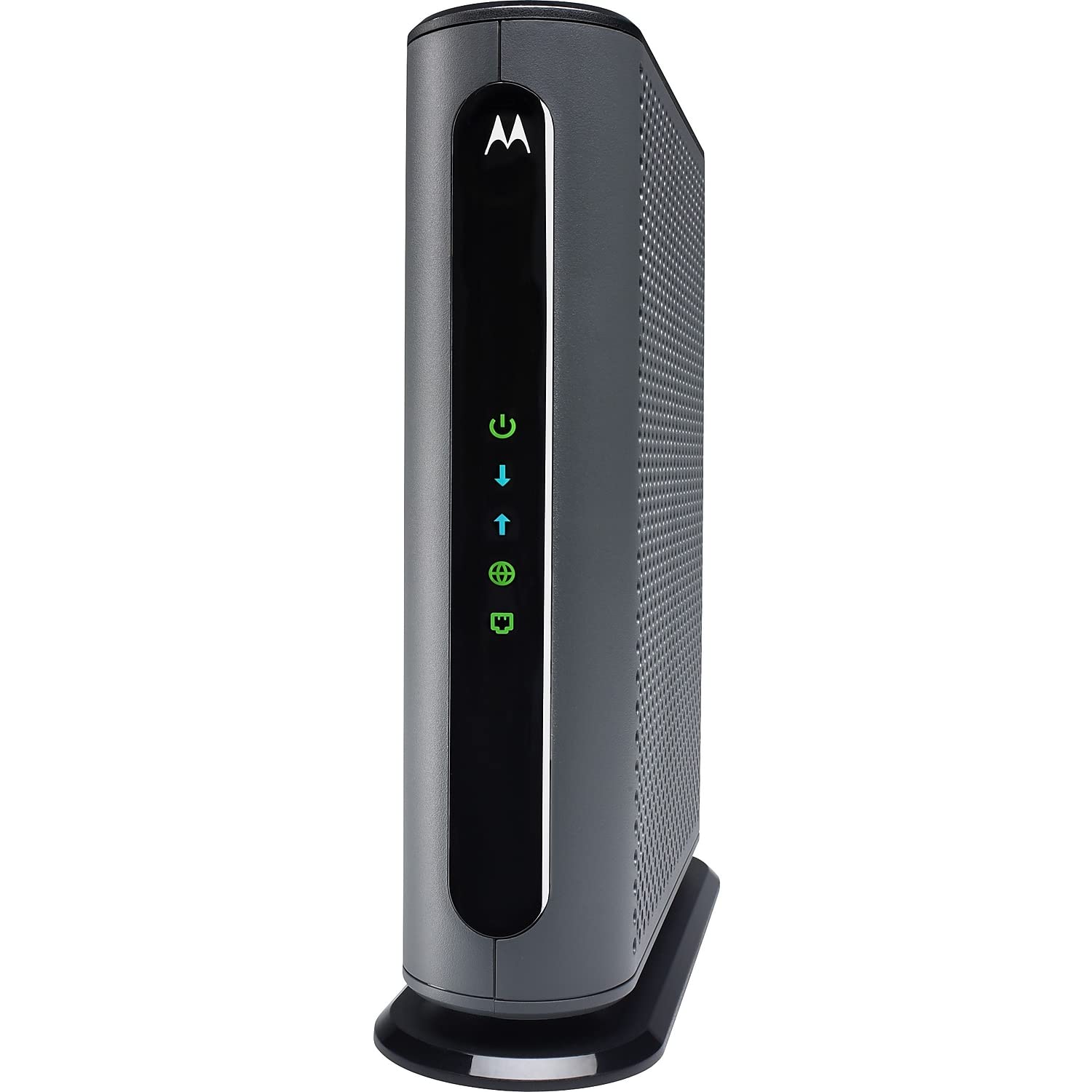
1. Motorola MB7621 Cable Modem
Our pick — 4.5+★ from 11,500+ verified ratings; the strongest balance of quality and price.
The plainest box here, and the one most cable households should buy.
One number decides this modem for most people: the MB7621 is rated for cable plans up to 900 Mbps (megabits per second, the speed unit your provider sells). That covers a standard Xfinity, Cox, or Spectrum tier comfortably. It tops out at 1000 megabits per second downstream (data coming to you) and 246 megabits per second upstream (data you send out). So a big upload moves slower than a download — worth knowing if you stream your own gameplay or work in large files all day.
What wins people over is the uneventful setup: buyers report full subscribed speed within about ten minutes of plugging it in. Buyers describe it outperforming the modem their provider supplied and reaching their full subscribed speed within about ten minutes of plugging it in. It uses DOCSIS 3.0, which is the older cable standard, but that is exactly why the price stays sensible and why the setup is so uneventful. There is no built-in WiFi and no phone port — you pair it with whatever router you already own.
The honest math on owning versus renting is the real draw here. The trade-off is speed ceiling: the Motorola B12 higher up this list reaches 2500 Mbps downstream against this modem’s 1000 Mbps, so a multi-gig plan will outrun the MB7621. For a normal cable plan, that gap never shows up.
Where it earns its keep
- Rated to handle cable plans up to 900 Mbps, covering standard tiers
- DOCSIS 3.0 setup is short — owners mention full speed inside about ten minutes
- Pairs with any WiFi router, so you keep the network gear you already trust
- Replaces the monthly rental fee with a one-time purchase
What to weigh first
- No WiFi and no telephone port — a router is a separate purchase
- DOCSIS 3.0 ceiling means multi-gig plans cannot run at full speed
- Upstream tops out at 246 Mbps, so huge uploads take longer
Reach for this if: you have a cable plan under a gigabit and already own a router you like.
Look elsewhere if: your provider is selling you a multi-gig tier that needs DOCSIS 3.1 headroom.
2. Netgear CM1000 Cable Modem
A refurbished DOCSIS 3.1 modem for buyers who want the newer standard on a tight budget.
This is a renewed unit, which means it has been through a prior owner and comes back at a lower entry point than a new box. The spec sheet still reads modern: DOCSIS 3.1, with a maximum downstream rate of 1 gigabit per second and a matching upstream rate of 1 gigabit per second. That symmetry is unusual at this end of the list — many modems here upload far slower than they download.
The thing to understand about buying renewed is that the hardware is the same hardware; what changes is the price and the warranty situation. Buyers describe their units as reliable and see no downside from the refurbished status, and several call it a strong deal against the cost of a new model. Setup is described as straightforward, and connectivity holds up once it is online.
There is one thread worth knowing before you commit. A few units start dropping their connection to the net after a while, which is the kind of thing that shows up in any modem pool and is harder to resolve on a renewed box. Netgear’s own note about keeping the coax cable seated securely is worth taking seriously — a loose connector causes more dropouts than any firmware ever will. If you want the lowest entry into DOCSIS 3.1 and can handle a possible support call, this is the one.
The value read: DOCSIS 3.1 with 1 Gbps in both directions at renewed pricing is a genuinely useful combination, especially if you upload as much as you download.
The catch: it is a refurbished unit, and dropping connections come up among buyers, so budget a little patience for the first week of ownership.
Suits you if: the newer cable standard matters and you want the least expensive way in.
Think twice if: a stable, no-questions connection matters more than the entry price.
3. Arris SBG8300-RB Cable Modem Router Combo (Renewed)
One box that handles both the cable signal and the WiFi, so you can retire two pieces of gear at once.
If your current setup is a rented modem plus a router you bought years ago, this replaces both. It runs DOCSIS 3.1 with AC2350 dual-band WiFi 5 built in, passes up to 1000 megabits per second downstream and 1000 megabits per second upstream, and carries four OFDM channels for the newer cable signalling. Arris is a long-standing name in this space, and the combo format means one power cable instead of two.
Compared with the Motorola MB7621 at the top of this list, the Arris pushes the same 1000 Mbps downstream but also handles 1000 Mbps upstream against the Motorola’s 246 Mbps. That headroom matters if you run a home office with constant video calls or back up large files. It is also noticeably bigger hardware — 11 by 4 by 12 inches and 2 pounds — so give it a shelf with some room rather than tucking it behind a couch.
Speed is where this box draws its praise, with buyers describing the jump from their old equipment as a night-and-day difference. The mixed feedback sits on setup and consistency: some units come online easily, others take fiddling or never settle. Note the compatibility limit too, because it is strict. This is a cable modem for Cox, Spectrum, Xfinity and similar providers, and it will not work on AT&T, CenturyLink, Verizon, or Frontier fiber and DSL lines. It also does not support cable digital voice.
Best for two-in-one buyers: anyone who wants to stop renting and stop juggling a separate router in the same purchase.
Set expectations on: a renewed combo where setup success varies, and the WiFi inside is WiFi 5, not the newer WiFi 6 found on a couple of picks further down.
Pick this one if: you are replacing both a rented modem and an aging router in a single move.
Leave it if: you are on fiber or DSL, or you already have a WiFi 6 router worth keeping.
4. Hitron CODA DOCSIS 3.1 Modem (Renewed)

The small white box for people who want the modem part done and dusted in an afternoon.
Setup takes three steps: coax cable (the round TV-style cable) into the wall outlet, power supply in, Ethernet cable out to your router. That is the whole installation. It handles cable plans up to 1 Gbps (gigabits per second, or 1000 megabits per second), with 1000 megabits per second downstream and 350 megabits per second upstream. It works on DOCSIS 3.1 networks (the newest cable internet standard) or steps down to DOCSIS 3.0 if that is what your provider runs.
The footprint is the quiet advantage here. At 6.73 by 6.73 by 2.03 inches and 1.8 pounds, it sits flat on a shelf or fits beside a router without a fight. Compare that to the Arris combo above, which needs roughly twice the shelf space in every direction. Owner experience favors reliability above all — the trait buyers single out most — followed by speed once it is activated.
There is a compatibility caveat you should read twice. It is certified for Comcast Xfinity, Charter Spectrum, Cox Gigablast, CableOne Sparklight and a handful of smaller cable providers, and it will not work with AT&T, Verizon, CenturyLink, DISH, DirecTV, or any DSL, fiber, or satellite service. A few buyers hit a provider mismatch despite that list, so check your specific provider’s approved-modems page first. The rental math is the payoff: Hitron cites annual savings in avoided Comcast Xfinity rental fees, which is what makes owning worthwhile.
Why it fits a simple setup
- Three-step install — coax, power, Ethernet — with an included cable for each
- Compact footprint beside a router instead of a shelf hog
- Runs on both DOCSIS 3.1 and DOCSIS 3.0 networks
- Reliability is the trait buyers point to most
Read before you buy
- Upstream sits at 350 Mbps, well below the downstream rate
- Certified for a defined provider list — verify yours before checkout
- Renewed unit, so check the warranty terms on the listing
The right fit: a cable household on a gigabit plan that wants a small, quick-install modem only.
Not the right fit: fiber or DSL homes, or anyone whose provider falls outside Hitron’s certified list.
5. Motorola B12 Advanced Compact Cable Modem
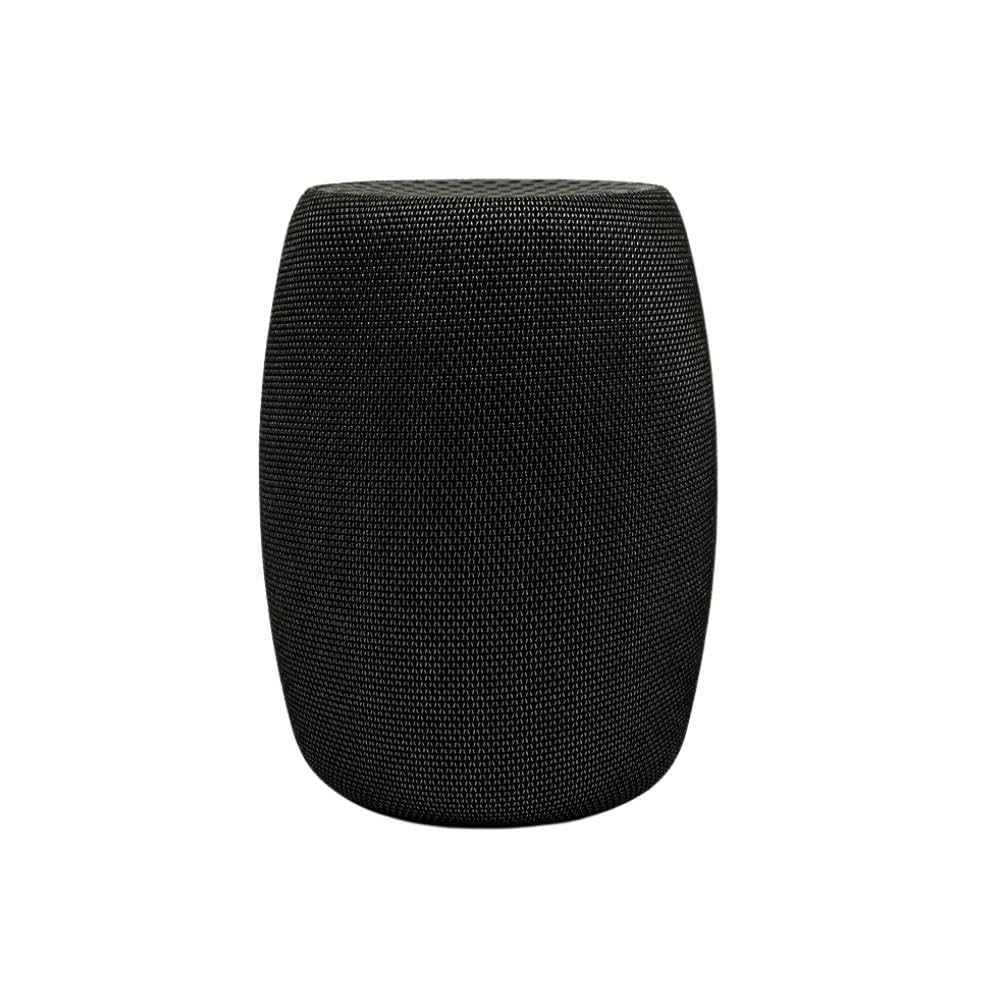
Multi-gig speeds in a box that barely covers a coaster — the specs and the reality do not fully agree.
Start with the ceiling, because it is the reason to look here at all. The B12 is rated at 2500 megabits per second downstream, and its 2.5 Gbps Ethernet port is what lets that speed actually leave the box. Compare that with the Motorola MB7621 at the top of this list, which caps at 1000 megabits per second. On a fast multi-gig plan, the B12 is the one that keeps up; on a standard plan, you will never touch the difference.
Size is the other headline. At 3.5 by 3.5 by 5.5 inches it is the smallest modem on this list by a wide margin, and it disappears next to a router. It also runs Active Queue Management for lower latency on gaming and video calls, a feature the cheaper picks here skip, and it comes with a 2-year warranty and US technical support.
Now the honest part. Connectivity and speed are the mixed areas — some customers note flawless performance and full 1000 Mbps download speeds, while others hit connection trouble or speeds short of what was promised. That variance is why this pick is not higher on the list despite the biggest downstream rating. Before you buy, confirm your provider is on the approved list, which covers Comcast Xfinity, Cox, Spectrum, RCN and Astound, and check that your plan is genuinely fast enough to need a 2.5 Gbps port.
The standout spec: 2500 Mbps downstream through a 2.5 Gbps port, which is more ceiling than most of this list offers.
The real trade-off: consistent performance is the weak spot, so a multi-gig plan buy comes with some setup risk.
Best matched to: fast cable plans where you need multi-gig throughput and desk space.
Look past it if: you want the most predictable connection, since reviewers point out inconsistent results.
6. ARRIS SURFboard SBV3202 DOCSIS 3.0 Cable Modem with Voice

The rare modem with phone jacks, for homes that still run a landline off Xfinity.
Most modems on this list have no telephone port at all, which is why this one exists. The SBV3202 carries two telephony ports plus one Gigabit Ethernet port, so it can run your Xfinity Internet and Voice service from a single box. It is rated for cable internet plans up to 800 Mbps, with 800 megabits per second as its maximum downstream rate. If your plan sits behind that number, it does the job.
Setup runs through the SURFboard Central app: plug the modem in, download the app, and follow the activation steps. From there you connect your own WiFi router for wireless. Buyers describe it as reliable and easy to set up, with internet speeds that test at the levels they subscribe to. It is also a natural fit for a house that works from home and runs online classes all day, since the connection stays steady under constant use.
The compatibility note is the one to read carefully. This is an Xfinity modem — it is built and approved for Xfinity Internet and Voice, and that is the whole list. Some shoppers say activation trouble with the service despite that, so a quick chat with Xfinity before ordering is worth the five minutes. It is also DOCSIS 3.0, so it will not stretch to multi-gig plans, and it carries a 2-year warranty. For an Xfinity household with a phone line, it is the only pick here that answers the phone.
what separates it
- Two telephony ports for Xfinity Voice — no other pick here has them
- Handles internet and phone service from one box
- App-guided activation through SURFboard Central
- 2-year warranty and a 2.4-pound footprint
Limits to accept
- Xfinity only — no use on other cable providers
- 800 Mbps ceiling rules out faster plans
- DOCSIS 3.0, so no multi-gig headroom
Worth it for: Xfinity homes that keep a voice line and want to stop renting the modem that runs it.
Skip the search if: your provider is not Xfinity, since the box will not activate elsewhere.
7. Hitron CODA56 Cable Internet Modem
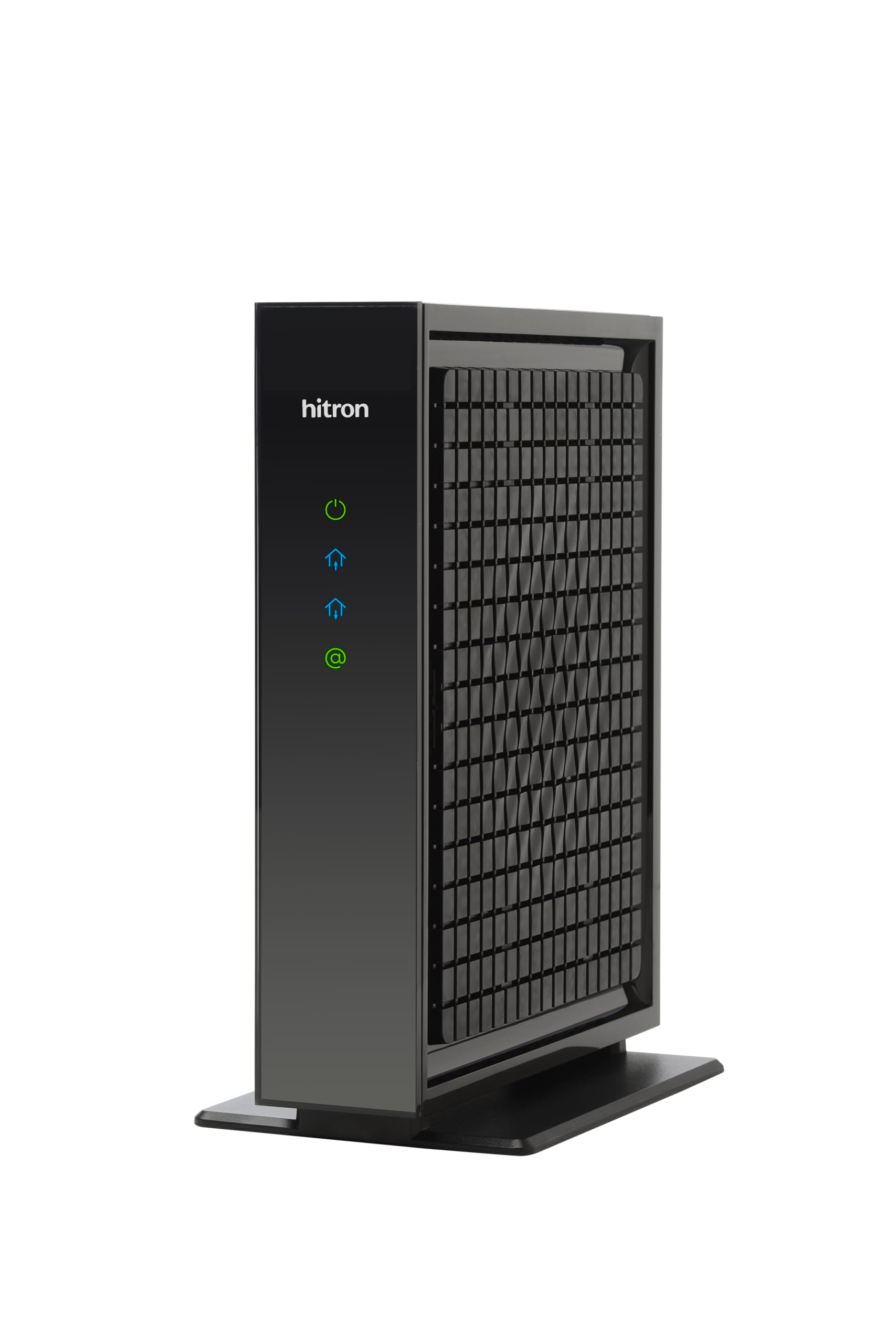
Built for the fast tier, with a 2.5 Gbps port and the low latency that gaming actually feels.
The CODA56 is the modem-only sibling of the CODA above, and it stretches the ceiling. It handles internet plans up to 2.5 Gbps through a 2.5 Gbps Ethernet port, with 2500 megabits per second downstream and 700 megabits per second upstream. Hitron lists supported tiers of up to 2.33 Gbps on Xfinity, 1 Gbps on Spectrum, and 2 Gbps on Cox, so know your provider before you commit. It is backward compatible with DOCSIS 3.0 networks too.
There are two hard requirements that catch people out. This is a modem only — it creates no WiFi, and without a router exactly one device connects over Ethernet. You also need a router with a 2.5 Gbps port to see the full speed on a multi-gig plan; a standard router will cap you lower. Owner experience favors functionality — the box holding up under a demanding multi-gig plan — backed by solid build quality and short app-based setup. Downloads complete quickly, and speeds at the top of the plan are reachable.
Understand the provider firewall before anything else. This is cable only. It will not work with Verizon FiOS, AT&T Fiber, CenturyLink DSL, satellite, or fixed wireless, and no configuration changes that. On the right cable line, it is one of the strongest picks here — gaming and 4K streaming are what the low-latency DOCSIS 3.1 signalling is for. The monthly saving against a rental fee is the justification, and it is real if you stay on cable.
On speed: 2500 Mbps downstream through a 2.5 Gbps port is the top end of this list, and it is built for plans that fast.
On equipment: you must supply your own router with a 2.5 Gbps port, or the speed is wasted, and fiber or DSL homes are excluded entirely.
Ideal for: cable homes on a 1 Gbps or faster plan with a router that can keep up.
Wrong for: anyone on fiber, DSL, or fixed wireless, and anyone without a separate router already in place.
8. NETGEAR Nighthawk CAX80 Cable Modem

A modem and a WiFi 6 router fused into one tall box, aimed at whole-home coverage.
This is the biggest job on the list, and the easiest to describe: it replaces both your cable modem and your WiFi router. The WiFi side is dual-band AX6000, rated for coverage up to 2,500 square feet and up to 30 concurrent devices. Ports are generous — four Gigabit Ethernet plus a 2.5 Gbps multi-gig LAN or internet port and a USB 3.0 port — and two-port aggregation can reach up to 2 Gbps. It is compatible with Xfinity, Spectrum, Cox and similar cable providers on plans up to 6 Gbps.
Setup is the part buyers warm to. The Nighthawk app handles it, and owners describe the process as simple, with faster movie downloads as the visible payoff. DOCSIS 3.1 with 32×8 channel bonding sits underneath, and compared with the single-band modem-only picks here, this one covers the whole house without a second device. If your router is old enough that WiFi drops in the back bedroom, this is the upgrade path.
The reliability story is the one to weigh. It is a renewed unit, and while some buyers report it running for the long haul, a portion of them hit a unit that stops working around the eight-month mark. That is the risk with any renewed networking gear, and it is why the warranty terms on the listing matter. The other limit is scope: cable providers only, no Verizon, AT&T, CenturyLink, DSL, DirecTV, DISH, or bundled voice, and a 300 megabits per second upstream ceiling that caps uploads even when the download side has room to spare.
What you gain: a single box for modem and WiFi 6, with 2,500 square feet of claimed coverage and 30-device capacity — the most complete setup here.
What you risk: renewed hardware that can fail after several months, plus a 300 Mbps upstream ceiling that limits heavy uploaders.
Most useful if: you want to consolidate an old modem and router into one WiFi 6 unit and free up shelf space.
Hold off if: you are not on cable, or steady long-term reliability outweighs the convenience of one box.
Know the Specs
DOCSIS versions explained
DOCSIS is the set of rules your cable provider uses to send internet down the coax line. DOCSIS 3.0 is the older, widely available standard and covers most everyday plans. DOCSIS 3.1 is the newer one, and it is what opens up gigabit and multi-gig speeds with lower latency. A 3.1 modem can often run on a 3.0 network, but a 3.0 modem cannot reach the fast tiers a 3.1 plan offers.
Downstream and upstream in Mbps
Downstream is the speed coming toward you — downloads, streaming, browsing. Upstream is the speed going out — uploads, video calls, cloud backups. A modem is typically rated much higher downstream than upstream, and that gap is normal. Match both numbers to your plan so the modem is never the thing holding you back.
Ethernet port speed
The port on the back of the modem sets the maximum speed it can hand to your router. A Gigabit port tops out around 1 Gbps. A 2.5 Gbps port passes more, which only matters if you are on a multi-gig plan and your router has a matching port. On a standard plan, the port type will not change what you feel day to day.
Modem only vs combo
A modem-only box gives you one Ethernet port and needs a separate WiFi router. A combo unit builds the router inside, so it broadcasts WiFi on its own. Modem only gives you freedom to choose your router; a combo gives you fewer boxes and fewer cables. Decide which trade you prefer before you shop.
Common Questions
Will a cable modem work on fiber or DSL internet?
Do I need a separate router with a modem-only box?
How do I know my provider approves a specific modem?
Does a DOCSIS 3.1 modem work on a DOCSIS 3.0 network?
What is the difference between a 1 Gbps port and a 2.5 Gbps port?
Should I buy a refurbished or renewed cable modem?
Will owning a modem actually save me money each month?
Why does a modem need a phone port for Xfinity Voice?
Can a modem cap the upload speed on my plan?
Do I need to activate a new modem with my provider?
The Bottom Line
For most cable households, the modem to buy is the Motorola MB7621. It handles plans up to 900 Mbps, pairs with any router you already own, and cuts out the rental charge with a setup most people finish in minutes. If you are on a faster plan and want a 2.5 Gbps port (a high-speed Ethernet jack) for multi-gig headroom, the Hitron CODA56 is the stronger choice. And if you need a voice line or a single-box modem-and-WiFi setup, the ARRIS SBV3202 and the NETGEAR CAX80 each answer that call. Match the model to your provider and your plan speed first, and the rest of the decision gets a lot easier.
How we choose
We do not accept paid placement. Every pick is matched to a real buyer and a real use-case; we do not hands-on test units.
Sources
Specifications: manufacturer listings and product documentation. Review insights: verified customer reviews, as of November 2026. Pricing: not shown on this page (it changes often); check the current price via the retailer link.
As an Amazon Associate, Tactical Gear Guy earns from qualifying purchases. This does not affect which products we feature.