Specs are compiled from manufacturer listings and verified buyer reviews and can change over time — please confirm the key details on the product page before buying.
If your video calls freeze in the back bedroom and the smart TV buffers while everyone else is online, the fix is a mesh system built on Wi-Fi 7 with three radio bands working at once. That third band — the 6 GHz one — is the whole point: it carries the traffic, so your phone and laptop stop competing for the same lane. Below you’ll find nine systems that genuinely qualify, sorted by what each one does best for a real house, not by marketing claims.
This guide is built by comparing the manufacturers’ published specifications and the patterns across verified customer reviews, so you get each pick’s real strengths and trade-offs instead of marketing spin.
Some of these cover a small apartment in a single box, others blanket a multi-storey house from the basement up, and a few are better left to buyers with very specific needs. The trick is matching square-foot coverage and WAN port speed to your floor plan and internet plan, not buying the biggest number on the box. Every pick here earns its place as a genuinely capable tri band Wi-Fi 7 mesh system for a different kind of home.
Top Picks
How To Choose The Best Tri Band Wi-Fi 7 Mesh System
Buying a mesh system is really three separate decisions bundled into one: how much house you need to cover, how fast your internet plan actually is, and how many devices are on the network at 9 p.m. on a Sunday. Get those three right and almost any mesh system on this list will serve you well. Get them wrong and the most expensive mesh kit on the shelf still leaves you with a dead corner.
Start with coverage, then add nodes rather than buying bigger
Every system here quotes a square-foot figure for the whole pack, and those numbers assume open space with few walls. A three-pack rated for 8,000 square feet will not magically punch through a thick brick wall into a converted garage. Mesh works by placing a second and third unit closer to the far rooms, so a smaller pack with nodes you can position beats a louder single router every time.
The 6 GHz band is the reason you are buying Wi-Fi 7 at all
Tri-band means three radios inside the unit — 2.4 GHz for long range and smart-home gadgets, 5 GHz for everyday speed, and 6 GHz as a wide, quiet lane for the devices that can use it. Wi-Fi 7 hardware also runs multi-link operation (MLO), which lets a capable device hold two bands at once so a hiccup on one does not drop the connection. That is the practical benefit: fewer dropped video calls when you walk from the kitchen to the office mid-call.
Match the WAN port to your internet plan, not to the spec sheet
The WAN port is the single socket that connects the router to your modem, and its speed caps everything downstream. If your plan tops out well below that port’s rating, the extra headroom sits unused — but it does keep you from rebuying the system when fiber upgrades arrive. Look at the port rating as future-proofing, and the wired LAN ports as what feeds a gaming PC or a network drive.
Side-by-Side Comparison
| Model | Best For | Coverage | Top 6 GHz Speed | WAN/LAN Port | Amazon |
|---|---|---|---|---|---|
| Amazon eero Pro 7 (3-pack)★ Best Overall | Set-and-forget reliability | 6,000 sq. ft. | Up to 3.9 Gbps wireless | Two 5 GbE | Amazon |
| Cudy BE11000 M11000 (2-pack)Best Value | Wired gaming and NAS | 2,700 sq. ft. | 5.7 Gbps | Four 2.5G | Amazon |
| TP-Link Deco 7 Pro BE63Everyday All-Rounder | Everyday family homes | 5,800 sq. ft. | 5,188 Mbps | Four 2.5G + 10G | Amazon |
| NETGEAR Orbi RBE773 | Big houses on a budget | 8,000 sq. ft. | Up to 11 Gbps | 2.5 Gig internet | Amazon |
| TP-Link Deco 7 Pro BE17000 | Raw speed and device count | 6,300 sq. ft. | 11,530 Mbps | 10 Gbps WAN/LAN | Amazon |
| Deco 7 Pro BE67 (3-pack) | Sprawling single-level homes | 8,100 sq. ft. | 8,647 Mbps | 10 Gbps WAN/LAN | Amazon |
| Linksys Velop Pro 7 | Family safety controls | 9,000 sq. ft. | 10 Gbps speeds | Ethernet | Amazon |
| ASUS ZenWiFi BT6 | Security-first networks | 7,600 sq. ft. | 9.4 Gbps MLO | 2.5G WAN | Amazon |
| NETGEAR Orbi 870 Series | Whole-estate coverage | 9,000 sq. ft. | Up to 21 Gbps | 10 Gig internet | Amazon |
Detailed Reviews
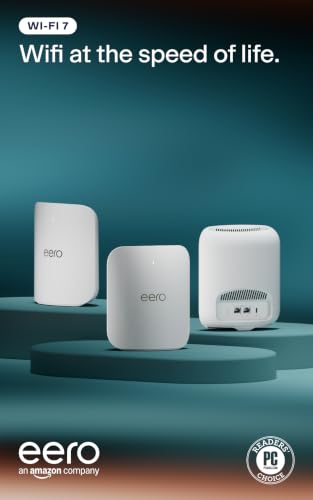
1. Amazon eero Pro 7 tri-band mesh Wi-Fi 7 router (3-pack)
Our pick — 4.0+★ from 1,500+ verified ratings; the strongest balance of quality and price.
Three nodes, one app, and a network that simply stays up when the whole house is streaming.
What sets this one apart is that it does the boring part better than anything else here: it stays connected. Owners keep coming back to that in the reviews — reliability is what wins people over by a wide margin, ahead of raw speed. The three nodes together blanket up to 6,000 sq. ft. and carry 600+ devices, so a house full of phones, laptops, doorbells and a games console all fit without shuffling anyone off.
On paper it is not the fastest thing on this list: wireless speeds reach up to 3.9 Gbps, with support for internet plans up to 5 Gbps and two auto-sensing 5 GbE ports on each unit. In real homes that is plenty — buyers routinely report sitting in the 1 to 1.2 Gbps range with latency they barely notice. The patented TrueMesh software, plus TrueRoam and TrueChannel, quietly shuffles you onto the best node and channel as you move around, which is why the drop-outs you used to get walking upstairs mostly vanish.
The catch worth knowing: the fancier security tools — ad blocking, parental controls, VPN — sit behind an optional eero Plus subscription, not in the box. It is also backward compatible with every earlier eero generation and works with eero Built-in on select Echo devices, so it slots into an existing setup cleanly. A fair knock in the reviews is that connectivity can be mixed for a few, usually tied to awkward wall layouts rather than the units themselves.
Why it takes the top spot
- Reliability is what owners praise most — it is the backbone of this pick
- Three nodes cover 6,000 sq. ft. and 600+ devices
- Two auto-sensing 5 GbE ports per unit handle plans up to 5 Gbps
- Three-year warranty, backed by phone and email support
Where it gives ground
- Security extras need an eero Plus subscription
- Up to 3.9 Gbps wireless is behind the speed leaders here
Reach for this if: you want a system you set up once and then forget about, across a large multi-room home.
Look elsewhere if: you already have a multi-gig fiber plan and want the fastest advertised 6 GHz throughput on the list.
2. Cudy M11000 2-Pack
Four 2.5G ports per node for desk gaming, at a price that undercuts the big names.
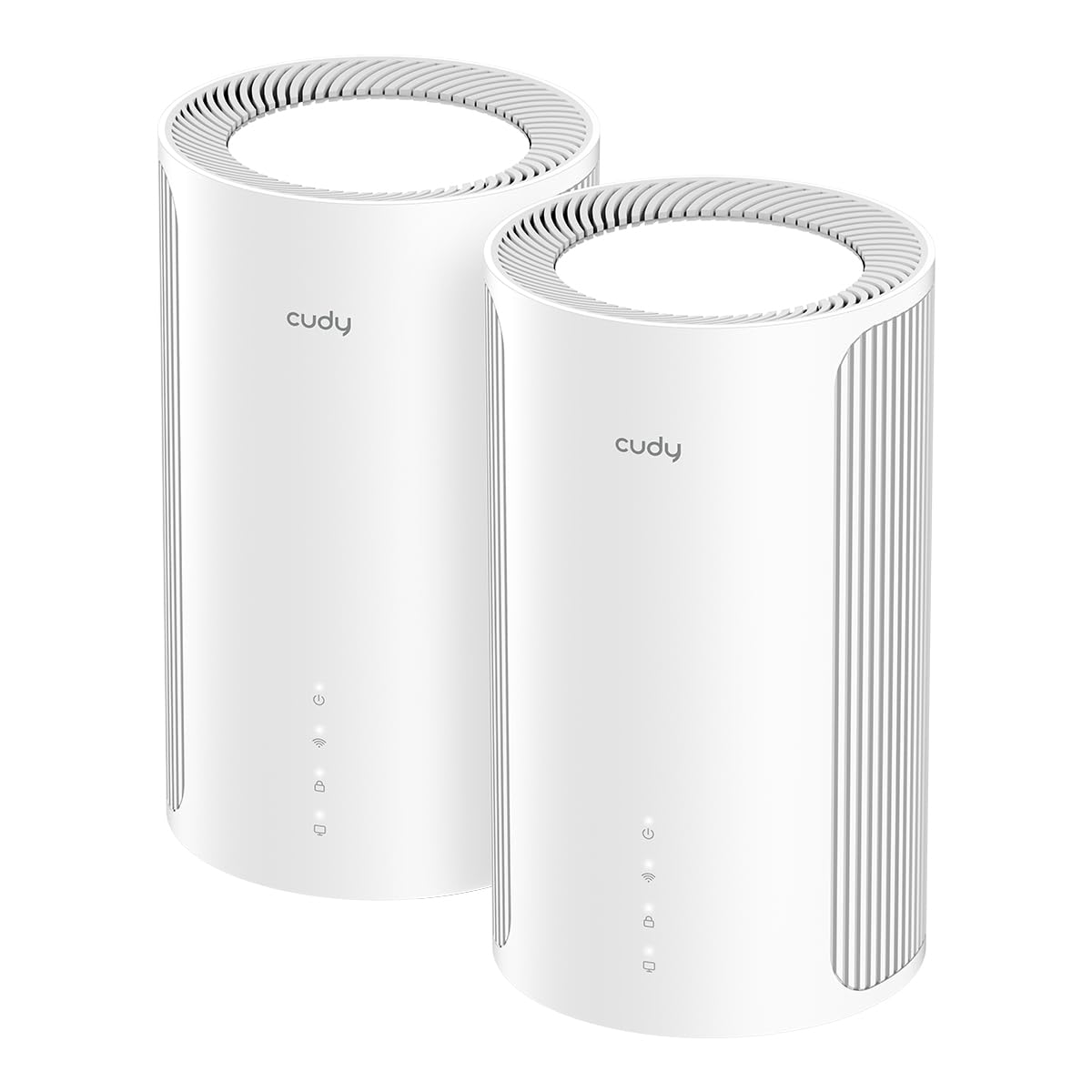
If your priority is wired speed for a gaming PC or a network drive, this is the smart buy. Each unit carries four 2.5G RJ45 Ethernet ports — one WAN and three LAN — so you can plug a console and a NAS straight into the mesh without a separate switch. The two-pack covers 2,700 sq. ft., which is a genuinely compact footprint compared to the roomier packs here: the Orbi RBE773 quoted above covers 8,000 sq. ft. against this system’s 2,700 sq. ft. If your home is small or you plan to wire the backhaul, that gap does not matter.
The internals do the heavy lifting: a Qualcomm 1.5 GHz quad-core CPU and 512 MB RAM push traffic for streaming, video calls and gaming, and the unit handles up to 200 connected devices, with a 384 maximum. Tri-band speeds run 5.7 Gbps on 6 GHz, 4.3 Gbps on 5 GHz and 688 Mbps on 2.4 GHz. Wi-Fi 7 features like MLO, MRU, Puncturing, OFDMA and BSS Color help it cope when neighbors are hammering the same channels. You can also run a VPN server or client right on the router, with WireGuard, OpenVPN, ZeroTier, IPsec, PPTP and L2TP all supported.
Set expectations honestly: this is a smaller-coverage pack, and you would add a third unit or wire the backhaul if the far end of the house is the trouble spot. The Cudy App does the managing, with cloud control and WPA/WPA2/WPA3 security, so day-to-day use stays simple.
Best for the desk builder: four 2.5G ports per node means you skip the switch and plug gaming gear straight in.
One note on range: at 2,700 sq. ft. for the pair, this suits compact homes or a wired-backhaul setup rather than a sprawling floor plan.
Suits you if: a wired gaming PC or NAS needs multi-gig Ethernet on every node.
Skip the pairing if: you need a three-storey house blanketed straight from the start.
3. TP-Link Deco 7 Pro BE63
A two-node system that covers 5,800 square feet and plays nicely with a multi-gig fiber line.
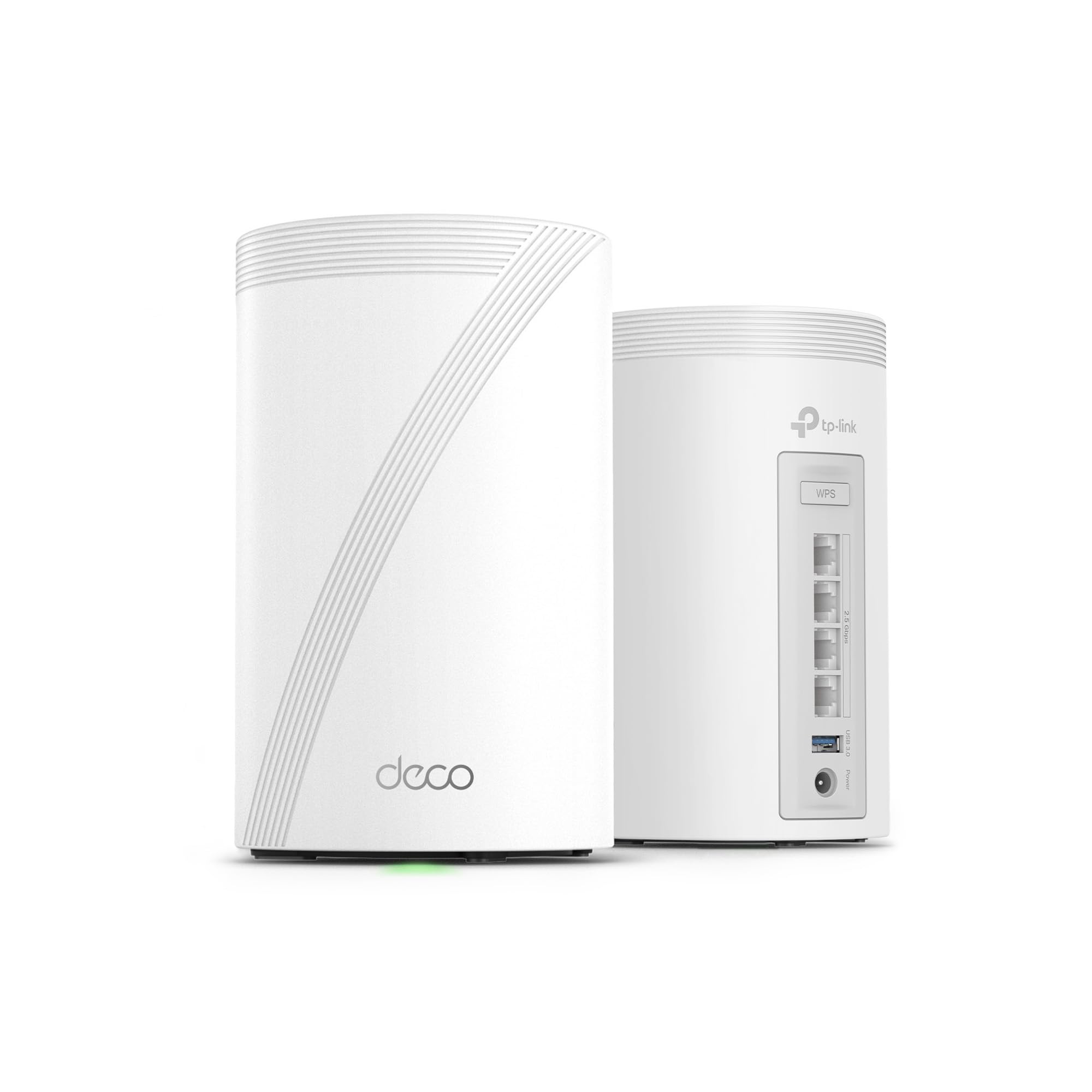
Here is a system aimed squarely at the standard family home that still wants headroom. Two nodes cover up to 5,800 sq. ft. and support over 200 devices, which comfortably accounts for several TVs, tablets, consoles and a pile of smart plugs. The 10G WAN/LAN port is the standout: it stays out of the way of a fast fiber plan instead of throttling it at the door. Tri-band BE10000 speeds run 5,188 Mbps on 6 GHz, 4,324 Mbps on 5 GHz and 574 Mbps on 2.4 GHz.
Setup is the part owners talk about most approvingly — home networks get running in under an hour through the Deco app, and the speed jump over an older router is obvious. Where the BE17000 model below quotes 11,530 Mbps on 6 GHz and 200 devices, this BE63 steps down to 5,188 Mbps on 6 GHz and 574 Mbps on 2.4 GHz, which is the honest trade for the lower price. In practice 5,188 Mbps is still far ahead of what most gadgets will pull.
You also get a USB 3.0 port, four 2.5G WAN/LAN ports, simultaneous wired and wireless backhaul, AI-driven roaming under one network name, and TP-Link HomeShield with parental controls and real-time IoT security. A VPN client and server are built in. Keep one realistic point in mind: the 6 GHz speed is well below what the pricier BE17000 offers, so if bragging-rights throughput is your aim, plan accordingly.
The case for it: a 10G WAN port plus 5,800 sq. ft. of coverage is a tidy fit for a fiber-connected family home.
The honest trade: its 5,188 Mbps 6 GHz ceiling trails the BE17000 model, so speed chasers should look up the list.
Pick this one for: a modern home with over 200 devices and a plan fast enough to reward the 10G port.
Think twice if: you specifically want the highest 6 GHz figure here.
4. NETGEAR Orbi Tri-Band WiFi 7 Mesh System (RBE773)

A router plus two satellites that push coverage out to 8,000 square feet and 11 Gbps.
Want to cover a genuinely large home without paying flagship money? This pack is the standout on that front — it quotes up to 8,000 sq. ft. against the Cudy two-pack’s 2,700 sq. ft. on this same list. That is a lot more floor, and the data rate climbs to 11 Gbps with 2.5 Gig internet port on the back. Enhanced Backhaul on the tri-band radios keeps the link between router and satellites fast while your devices get their own lanes.
Performance is where the reviews land strongest — it holds up well under real traffic, set up is straightforward, and the 360-degree antennas are designed to reach into awkward layouts rather than a tidy rectangle. The 2.5 Gig upstream also matters for anyone whose plan is climbing. It ships as a full kit: router, two satellites, three power adapters and a 2m Ethernet cable. Note this is a renewed unit, so cosmetically it may show signs of prior life.
What to weigh: max speed sits at 11 Gbps while the Orbi 870 Series further down reaches up to 21 Gbps, so this is the value path to a big house rather than the absolute peak. Value for money is the one area the opinion splits — many find it well worth it given the coverage, others want more speed per node. Made for use in the U.S. only.
What you are really buying
- 8,000 sq. ft. from a router plus two satellites
- 11 Gbps data rate with a 2.5 Gig internet port
- 360-degree antenna design for odd room layouts
- Automatic firmware updates and built-in router protection
Trimmed-down realities
- It is a renewed unit, not a factory-new box
- Topped out at 11 Gbps versus the 870 Series’ 21 Gbps
Go here for: a large home where coverage reach outweighs peak throughput.
Look up-list instead if: you want a sealed new unit or the fastest raw speed on the market.
5. TP-Link Deco 7 Pro BE17000
The speed machine, quoting 11,530 Mbps on 6 GHz versus the BE63’s 5,188 Mbps.
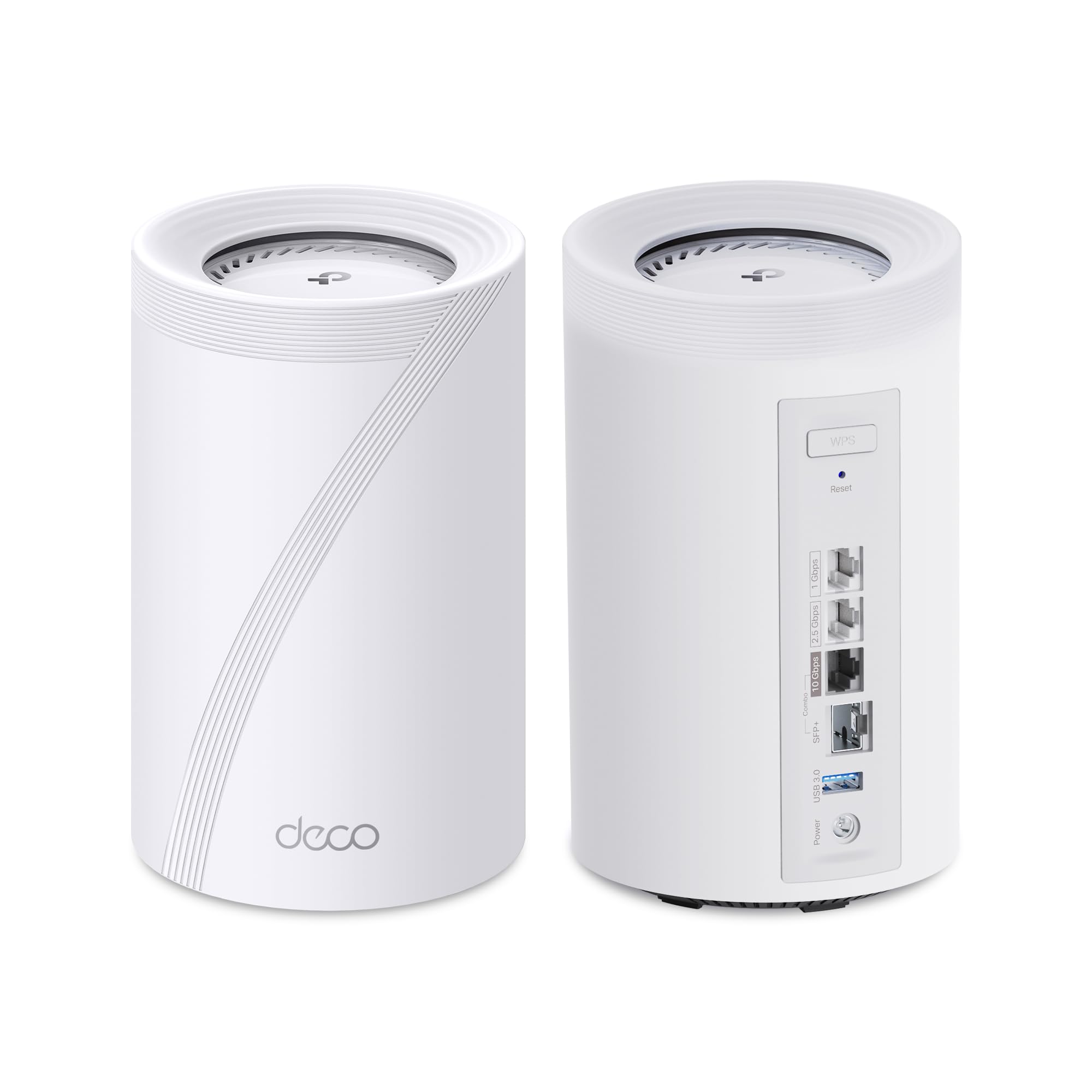
For raw throughput, nothing else here comes close to this figure. It quotes 11,530 Mbps on 6 GHz versus the BE63’s 5,188 Mbps on this list, and pairs that with coverage up to 6,300 sq. ft. for over 200 devices. The 2.4 GHz band runs 688 Mbps against the BE63’s 574 Mbps, and the 5 GHz band sits at 4,324 Mbps. Combine that with a 10 Gbps WAN/LAN port plus a 2.5G LAN, a 1G LAN and a USB 3.0 port, and you have a network built for 8K streaming, AR/VR gaming and multi-gig fiber.
Multi-Link Operation is the practical star here: it bundles several Wi-Fi bands into a single stream so a connection holds steady as you move. That is what makes the difference for the latest Wi-Fi 7 laptops and phones that support it. Setup runs through the Deco app, HomeShield adds basic network security, a private IoT network and parental controls, and TP-Link is one of the CISA Secure-by-Design pledge signatories.
Weigh it carefully though. Coverage at 6,300 sq. ft. is smaller than the 8,100 sq. ft. of the BE67 three-pack further down, and more devices and walls put pressure on real-world reach. Owners who have made the jump report solid performance, good coverage and easy setup, though your mileage depends on your plan and layout. If your internet plan is modest, you are buying headroom you will not tap into.
Speed, plainly: 11,530 Mbps on 6 GHz is the biggest 6 GHz number on this list, against the BE63’s 5,188 Mbps.
What you give up: 6,300 sq. ft. of coverage is less than the BE67 pack’s 8,100 sq. ft., so very large homes may need another node.
The one for: speed-chasers with a multi-gig plan and a mix of the newest Wi-Fi 7 devices.
Not for: homes where sheer floor area trumps raw throughput.
6. Deco 7 Pro BE14000 3 Pack
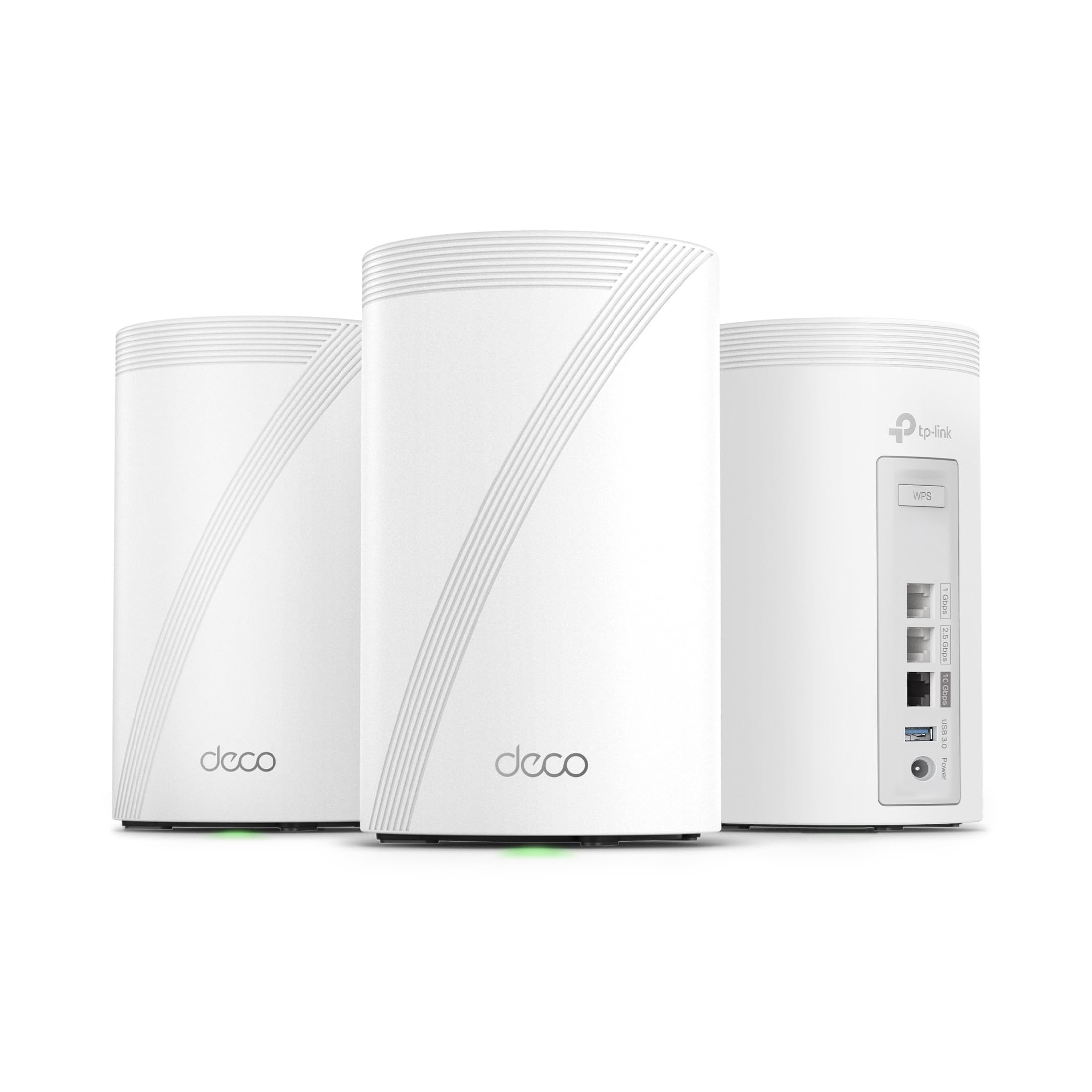
Three nodes of 8-stream tri-band, built for a long floor plan and a house full of devices.
Three units in the box is the whole reason this one exists. Coverage stretches to 8,100 sq. ft. for over 200 devices, which is more floor than the BE17000 two-pack above manages at 6,300 sq. ft. — the difference between a sprawling single-level ranch and a property that keeps going out into a converted garage. It runs 8-stream tri-band with 8,647 Mbps on 6 GHz, 4,324 Mbps on 5 GHz and 688 Mbps on 2.4 GHz.
Each node gives you a 10 Gbps, 2.5 Gbps and 1 Gbps WAN/LAN port plus a USB 3.0 port, and the 10 Gbps wired backhaul keeps the satellites talking fast. Wi-Fi 7 extras — MLO, Multi-RUs and 4K-QAM — are aimed at the newest laptops, phones and consoles. AI-Roaming moves you between nodes under one network name, and a built-in VPN client and server mean you can skip installing that app on every device.
Owners on practical wired setups report strong results, but not everything lands cleanly for everyone — performance feedback is mixed, so it is worth reading the fine print on coverage in your own home. Modem is bought separately, as with every system here. Set it up in the app and expect it to suit a long, single-level property better than a vertical one.
Built for reach
- 8,100 sq. ft. of coverage across three nodes
- 8,647 Mbps on 6 GHz with 8 streams
- 10 Gbps WAN/LAN plus a 10 Gbps wired backhaul
- USB 3.0 and VPN client/server support built in
Where it needs care
- Performance feedback is mixed for some setups
- Wants a modem supplied separately
Best matched to: a long or multi-wing single-level home that needs three points of presence.
Consider elsewhere if: your home is compact — the extra node is overkill.
7. Linksys Velop Pro 7

Three cognitive routers spreading Wi-Fi across 9,000 square feet, with parental controls baked in.
This is the pick for parents who want content filtering without a subscription tucked onto the bill. Safe browsing and internet bedtime schedules are built in and need no ongoing fee — a rare thing in this category. Coverage runs to 9,000 sq. ft. for 200+ devices, and speeds reach 10 Gbps across the tri-band radios. Setup is quick, running through the app and getting you online in under ten minutes, and it comes with a 42-month extended warranty.
The Cognitive Mesh design wants the cognitive node set as the parent unit connected to your modem, with the intelligent mesh nodes as children — that is the layout that gives best results. Linksys is clear on privacy: the system does not track your browsing or app usage, and does not collect data for AI. The design leans eco-friendly too, with 60% recycled plastic, 60% recycled paper, soy-based ink on the packaging and a foam-free box.
Honesty time: reliability opinions split — for some this thing runs like a champ, for others the connection drops and needs attention. Coverage and setup get consistent praise, but connectivity is where this pick asks you to be patient or lean on support. It is worth weighing against the Cudy above if raw connection stability outranks family controls for your household.
The real hook: free built-in safe browsing and bedtime schedules — no subscription required.
The one to watch: mixed reliability reports mean this is best picked when you value the parental tools enough to troubleshoot with support.
Turn to it when: no-subscription parental controls and 9,000 sq. ft. of coverage top your list.
Step past it if: rock-solid reliability is your single most important quality.
8. ASUS ZenWiFi BT6 3 PK

Seven internal antennas and commercial-grade protection running around the clock.
Security is the headline, and it is not a bolt-on: AiProtection Pro watches the network 24/7, and advanced VPN support is built in from day one. Seven internal antennas and eight high-power front-end modules are the hardware answer to dead zones, with the three-pack rated for up to 7,600 sq. ft. of coverage. Tri-band Wi-Fi 7 speeds reach up to 9.4 Gbps with MLO and 4K-QAM.
The setup side is genuinely thought-through for a busy household: Smart Home Master SSIDs let you carve out a separate IoT network for smart devices and set up parental controls and VPNs across multiple devices, all from the app. Coverage tends to reach well beyond the house itself — the reviews describe WiFi holding up into the yard and surrounding outdoor space. Devices link up quickly, and the wireless backhaul between units moves fast.
The real caution is performance stability: some setups run well and others report failures, so it rewards a careful placement and a clean starting configuration. It is also tri-band, so the 6 GHz lane is shared work rather than a dedicated channel. AI-powered Smart AiMesh also lets you extend with compatible ASUS routers if you grow the home later.
Worth the look: AiProtection Pro plus eight front-end modules and seven internal antennas is real security and real reach.
Watch for: mixed reports on long-term stability, so lean on a careful setup.
A match for: a security-conscious home that also wants the yard covered.
Think again if: consistent uptime matters more to you than the protection suite.
9. NETGEAR Orbi 870 Series 3 Pack

The peak of the Orbi line: 21 Gbps, a 10 Gig port, and coverage out to the yard.
This is the flagship of the group, and its speed figure towers over the rest — 21 Gbps against the RBE773’s 11 Gbps above. Coverage is 9,000 sq. ft. from a router plus two satellites, with a 10 Gig internet port on the router and 2.5 Gig LAN ports on the satellites for gaming PCs, NAS drives and a home office. Tri-Band with Enhanced Backhaul means the link between units keeps pace, and up to 150 devices stay online at once.
Setup runs through the Orbi app with guided steps, and the router connects to any cable or fiber modem. It works with plans up to 10 Gbps. Security is on by default with Advanced Router Protection and automatic firmware updates. If the footprint is still tight, you can add a satellite to stretch coverage further. NETGEAR Armor is available on a 30-day free trial, through a separate subscription afterwards.
The honest caveat: reliability and connectivity feedback is mixed, with several accounts of satellites needing reconnection, and the price puts it firmly in the premium tier. It is made for use in the U.S. only. Buy it for the best-case throughput and floor coverage; pair that with realistic patience on the maintenance side.
Headline strengths
- Up to 21 Gbps — the highest speed on this list
- 9,000 sq. ft. coverage and up to 150 devices
- 10 Gig internet port plus 2.5 Gig LAN ports
- Security enabled from the start with automatic updates
Buyer be-aware
- Satellite connectivity needs attention for some owners
- NETGEAR Armor subscription after the 30-day trial
Go big here: a very large property that needs the highest speed and widest coverage available.
Look cheaper instead: if the premium tier and its upkeep expectations are more than your home needs.
Know the Specs
Tri-Band and the 6 GHz Radio
Tri-band means three radios per unit: 2.4 GHz for range and smart-home gear, 5 GHz for general speed, and 6 GHz as a wide, less-crowded lane for capable devices. The 6 GHz figure on each spec sheet is the headline speed for that band, and it climbs sharply with a wider 320 MHz channel. In practice, a wider 6 GHz channel means smoother 8K streaming and VR, and more devices sharing the fast lane without stutter.
Coverage Numbers and Node Count
Every square-foot figure covers the whole pack, and those numbers assume a fairly open space. A two-pack rated for 2,700 sq. ft. and a three-pack rated for 9,000 sq. ft. both exist on this list, so coverage is the truest differentiator. In real homes, an extra node positioned near the far rooms usually beats a louder single router. Pick the pack that matches the floor area, and add a satellite later if the layout demands it.
WAN Ports and Multi-Gig Internet
The WAN port is the one socket that takes the feed from your modem, and its rating caps the whole home. A 2.5 Gig port handles moderate fiber plans; a 10 Gig port leaves room for a fast line to grow into. If your plan is modest, a 10 Gig port is future-proofing rather than a performance boost today — but it saves you from replacing the system when fiber arrives.
Device Capacity and Backhaul
Device capacity — the “200+ devices” or “600+ devices” figures — is how many gadgets the system is built to host, and larger households with cameras, consoles, phones and smart plugs need more of it. Backhaul is how the nodes talk to one another; a wired or dedicated enhanced backhaul keeps the mesh fast and stable as more devices connect. If reliability matters most, a strong backhaul design often matters more than the top 6 GHz speed figure.
Common Questions
Do I need a modem separately when I buy a tri-band Wi-Fi 7 mesh system?
Is tri-band Wi-Fi 7 actually faster than my old router?
How many nodes do I need for a two-storey house?
Will Wi-Fi 7 devices work with my older Wi-Fi 6 and Wi-Fi 5 gadgets?
Does a 10G WAN port matter if my internet plan is slow?
Do these mesh systems charge a subscription for security features?
Can I mix a tri-band Wi-Fi 7 mesh unit with another model in the same house?
Will a mesh system get through thick walls and reach my garage?
Is a wired backhaul better than a wireless one for a mesh system?
Can I run a VPN on the mesh router itself?
The Bottom Line
The winner for most households is the Amazon eero Pro 7 — three nodes, 6,000 sq. ft., 600+ devices, and a design built to simply stay up. Owners rate it 4.0+ stars across 1,500+ reviews, with reliability the most-praised trait. If you need a wired gaming or NAS setup on a budget, the Cudy BE11000 gives you four 2.5G ports per node in a compact pair. And for a big, sprawling property where coverage reach outstrips raw speed, the NETGEAR Orbi RBE773 is the pick that stretches to 8,000 sq. ft. with a solid tri-band backbone.
How we choose
We do not accept paid placement. Every pick is matched to a real buyer and a real use-case; we do not hands-on test units.
Sources
Specifications: manufacturer listings and product documentation. Review insights: verified customer reviews, as of November 2026. Pricing: not shown on this page (it changes often); check the current price via the retailer link.
As an Amazon Associate, Tactical Gear Guy earns from qualifying purchases. This does not affect which products we feature.