Specs are compiled from manufacturer listings and verified buyer reviews and can change over time — please confirm the key details on the product page before buying.
You want your monitor at eye level without drilling a hole in your desk. A freestanding VESA mount stand does exactly that: it sits on your desktop and bolts to the four holes on the back of your screen (the VESA pattern — either 75x75mm or 100x100mm spacing). Then you can raise, tilt and turn the display without a single tool mark on your furniture. The catch is that these stands look identical online while their weight limits range from 15.4 lbs to 77 lbs. Pick a stand rated below your monitor’s weight and the tilt joint droops within hours.
This guide is built by comparing the manufacturers’ published specifications and the patterns across verified customer reviews, so you get each pick’s real strengths and trade-offs instead of marketing spin.
Below you will find the weight ceiling, VESA pattern support and tilt range for each stand spelled out plainly, so you can match one to your screen in a couple of minutes. Every stand here is a genuine freestanding desk mount, and this breakdown of the vesa mount stand category tells you which one matches your screen’s weight and size.
Top Picks


How To Choose The Best VESA Mount Stand
Four numbers decide whether a freestanding stand works for you: VESA pattern, weight capacity, screen size range, and how much height you can actually get. Everything else — glass versus steel, cable clips, tilt degrees — is preference. Match all four and the stand holds your screen at the angle you set without drifting.
Start with your monitor’s VESA hole spacing
Flip your monitor around and measure the distance between the four screw holes. If they form a square 75mm apart, you need a stand that lists 75x75mm. If they sit 100mm apart, you need 100x100mm support. Every stand on this list handles both, but a few budget listings elsewhere only do one. Suptek goes further and also covers the smaller 50x50mm pattern, which matters if you run a compact screen.
Then check the weight ceiling, not just the screen size
Screen size is a rough guide; weight is the hard limit. A 32-inch panel can weigh anywhere from a slim 10 lbs to a heavy older unit, and the stand has to hold whichever one you own. Capacity across this list runs from 15.4 lbs on the VIVO up to 77 lbs on the AX WABER. Leave headroom: if your monitor is close to the ceiling, the arm will drift and the tilt joint will creep downward over a long workday.
Decide if you need real height travel
Some stands give you a sliding pole you can raise and lock. WALI offers height adjustment up to 18 inches, MOUNT PRO uses an 18.19-inch center pole, and VIVO gives nine locking settings from 12.5 to 19.5 inches. Others, like the MOUNT PRO PR4011, fix the bracket to the pole so the height change happens at assembly rather than mid-session. If you stand and sit through the day, buy the sliding pole.
Match the base to your desk surface
Tempered glass bases spread weight over a wide footprint and look tidy on a wooden desk. Steel bases are smaller and taller. Both sit on anti-slip pads in most listings here, which keeps the stand from skating when you swing the screen. If your desk is glass, a wide padded base is the safer pairing.
Side-by-Side Comparison
| Model | Best For | Weight Capacity | Screen Size Range | Max Tilt | Amazon |
|---|---|---|---|---|---|
| WALI Freestanding MF001★ Best Overall | Everyday single-monitor desks | 22 lbs | 13″–32″ | 45° | Amazon |
| Suptek Single LCD StandBiggest Screen Reach | Heavy screens and 43″ panels | 44 lbs | 13″–43″ | 15° | Amazon |
| AX WABER AX05TB01Heaviest Load | Maximum load on a glass base | 77 lbs | 13″–32″ | 15° | Amazon |
| ErgoFocus Single Stand | Wide tilt range for tall users | 17.6 lbs | 13″–32″ | 30° | Amazon |
| MOUNT PRO PR1006 | Long-pole height travel | 17.6 lbs | 17″–32″ | 45° | Amazon |
| MOUNT PRO PR4011 | Fast tool-free assembly | 17.6 lbs | 13″–32″ | 30° | Amazon |
| MOUNTUP MU1003 | Portrait and curved screens | 19.8 lbs | 13″–32″ | 30° | Amazon |
| VIVO STAND-V001V | Locking height settings | 15.4 lbs | 17″–32″ | 20° | Amazon |
| HUANUO Dual HNDMA76B-DM | Two screens, one base | 22 lbs per arm | 13″–32″ | 80° up / 50° down | Amazon |
Detailed Reviews
1. WALI Freestanding VESA Monitor Stand
Our pick — 4.5+★ from 5,000+ verified ratings; the strongest balance of quality and price.
The widest tilt on this list at 45 degrees, and the best-reviewed stand here.
WALI gives you 45 degrees of tilt — triple the 15 degrees on the Suptek stand. That extra range lets you angle a screen downward for a low chair or show something to someone sitting beside your desk. Add 90 degrees of swivel and full 360-degree rotation, and you can flip the monitor to portrait with one hand.
Height runs up to 18 inches on the center pole, and the mounting plate slides onto an open top slot, so you hang the monitor on the bracket rather than threading screws blind. The VESA plate detaches entirely, which makes a two-person job into a one-person job. That steel base measures 15.4 by 11 inches and sits at 0.8 inches thick, so it slides under the monitor’s own footprint and takes up less desk real estate than the panel above it.
Buyers like that it fits the common 24- or 27-inch panel and stays steady while you type. The honest limit is the 22 lb ceiling: a heavy 32-inch panel with a thick chassis will leave this stand looking nervous, and that is where the Suptek and AX WABER models earn their place. For a normal single-monitor desk, though, the balance of tilt range, height travel and footprint is hard to argue with — It averages 4.5+ stars across 5,000+ ratings..
Where it pulls ahead
- 45 degrees of tilt — the widest downward angle worth paying for in this group.
- Height adjusts up to 18 inches on the pole without tools.
- Detachable VESA plate with an open top slot makes hanging the monitor a solo job.
- Slim 0.8-inch steel base takes up less desk depth than glass slabs.
What to plan around
- 22 lb capacity is fine for most 27-inch panels but tight for heavy full-size units.
- Swivel is 90 degrees, so it will not swing flat against a wall the way a 180-degree arm does.
Buy this one if: you run a single 27-inch or smaller panel and want the most adjustable tilt on a stand that leaves your desk unmarked.
Think twice if: your monitor’s chassis is genuinely heavy — the 22 lb rating leaves little margin.
2. Suptek Single LCD Monitor Stand Mount
If your screen is bigger than 32 inches, almost every stand on this page stops before you do. This one does not.
Suptek supports displays up to 43 inches and 44 lbs — 11 inches of extra screen beyond the 32-inch ceiling that the WALI and most of this group share. It also stretches down to a 50x50mm VESA pattern alongside the usual 75x75mm and 100x100mm, so compact secondary panels fit too. That combination makes it the pick for a TV-sized desktop display or a heavy older panel nobody else will carry.
Build quality is what carries it with buyers — a steel column on a wooden base, with anti-slip pads under the feet to protect the desk surface. Cable management runs down through the column rather than dangling behind. Five height settings span 9.27 inches to 15.16 inches, so you can line the screen up with your seated eye level instead of stacking books under it.
Here is the trade-off you should know about before ordering: tilt is only 15 degrees, so this stand keeps a screen fairly upright. It swivels 50 degrees for sharing and rotates 360 degrees into portrait, but the adjustment range is narrower than the WALI’s 45-degree tilt and reviewers flag the side tilt and rotation as the fussiest part of the setup. Suptek also warns that off-center VESA holes can affect how the monitor sits in vertical orientation. Buy it for the capacity and the 43-inch reach, not for gymnastics.
Best-matched buyer: someone mounting a 40-inch-plus panel or a monitor heavy enough that a 17 lb stand would sag, who wants a stable fixed viewing angle rather than constant repositioning.
Reach for this if: your screen outstrips the size or weight limits of every other stand here.
Look elsewhere if: you want to angle the monitor down steeply — 15 degrees will not get you far.
3. AX WABER Single Monitor Desk Stand AX05TB01
A 77 lb rating on a freestanding glass base is an unusual thing to see in this group.
Seventy-seven pounds is the headline, and it is far beyond the 17.6 lb ceiling on the MOUNT PRO stands and the 15.4 lb cap on the VIVO. The load sits on a 1/3-inch piece of tempered safety glass, which is where that ceiling comes from — glass spreads heavy weight across a wide footprint instead of concentrating it on a small steel plate. If you own a chunky older 32-inch display or a small TV you want to put on the desk, this is the stand that will not flinch.
Usefully, AX WABER covers the 13-inch floor as well, so nothing is wasted if you later swap down to a smaller screen. Movement is a familiar mix: plus or minus 15 degrees of tilt, 90 degrees of swivel, and 360-degree rotation into portrait or landscape, with the bracket sliding up and down the center pole. Cable management is built into the design, and the open top slot VESA plate means the monitor hooks on rather than being screwed on blind.
The tilt range is the compromise. Fifteen degrees is shallow next to the WALI’s 45 degrees, so this is a stand for holding a heavy screen at a sensible fixed angle, not for dramatic re-angling. Buyers consistently flag one more thing in the same breath — the height adjustment is set on the pole but does not glide, so set it once and leave it. Treat it as a set-and-stay stand and it delivers exactly what its capacity promises.
4. ErgoFocus Single Monitor Stand Fits Max 32″ Screen
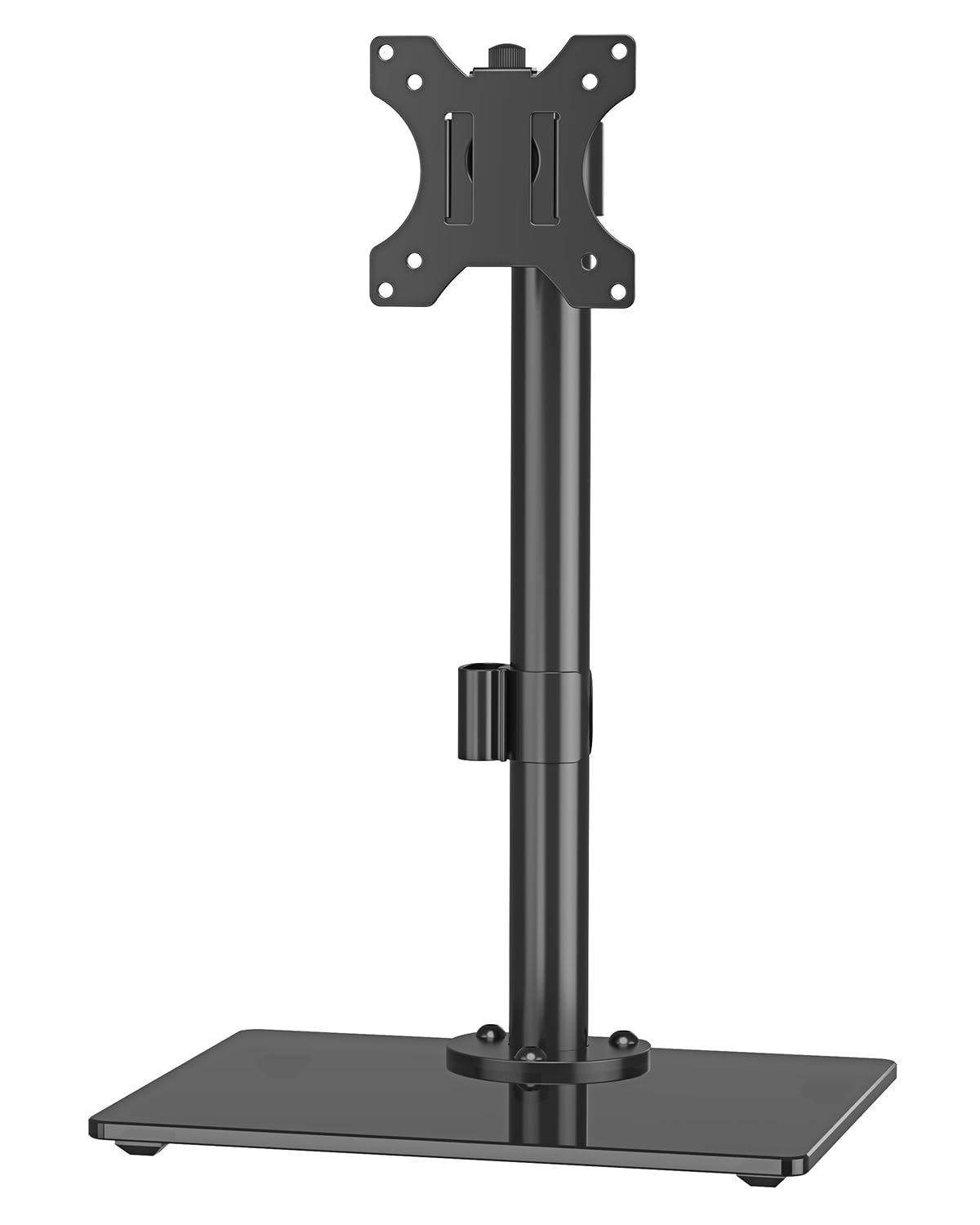
The thinnest adjustment budget on this page, spent on the angles that matter most.
ErgoFocus gives you plus or minus 30 degrees of tilt — double the shallow 15 degrees on the AX WABER — plus plus-or-minus 45 degrees of swivel and 360-degree rotation. Height adjustment runs up to 6.89 inches on the bracket, which is enough to line a 27-inch panel up with your seated eye level without tilting your head. The bracket covers 13 to 32 inches and up to 17.6 lbs on VESA 75x75mm and 100x100mm patterns.
The base is solid tempered glass, and every part of the stand sits on foot pads that grip the desk surface without scratching it. Setup time is quoted at 10 minutes and the hardware comes in the box. Between the swivel range and that bracket height travel, it suits a desk where two people share one screen through the day.
What this does not do is carry a heavy panel. The 17.6 lb rating puts it in the same bracket as the MOUNT PRO stands and well under the AX WABER, so a thick-chassis 32-inch monitor is not the right pairing. Buyers point out it handles a 32-inch curved screen well — that is the size ceiling with a current-gen panel’s weight, which is the realistic target for this stand.
The real strength: 30 degrees of tilt plus 45 degrees of swivel covers nearly every viewing angle you would actually use at a desk. The height travel lets you tune the stand to your chair, not the other way around.
Choose it when: a slim-to-mid 32-inch curved or flat panel is what sits on your desk.
Pass on it when: the monitor’s spec sheet sits near 17.6 lbs or above.
5. MOUNT PRO Free Standing Single Monitor Stand PR1006
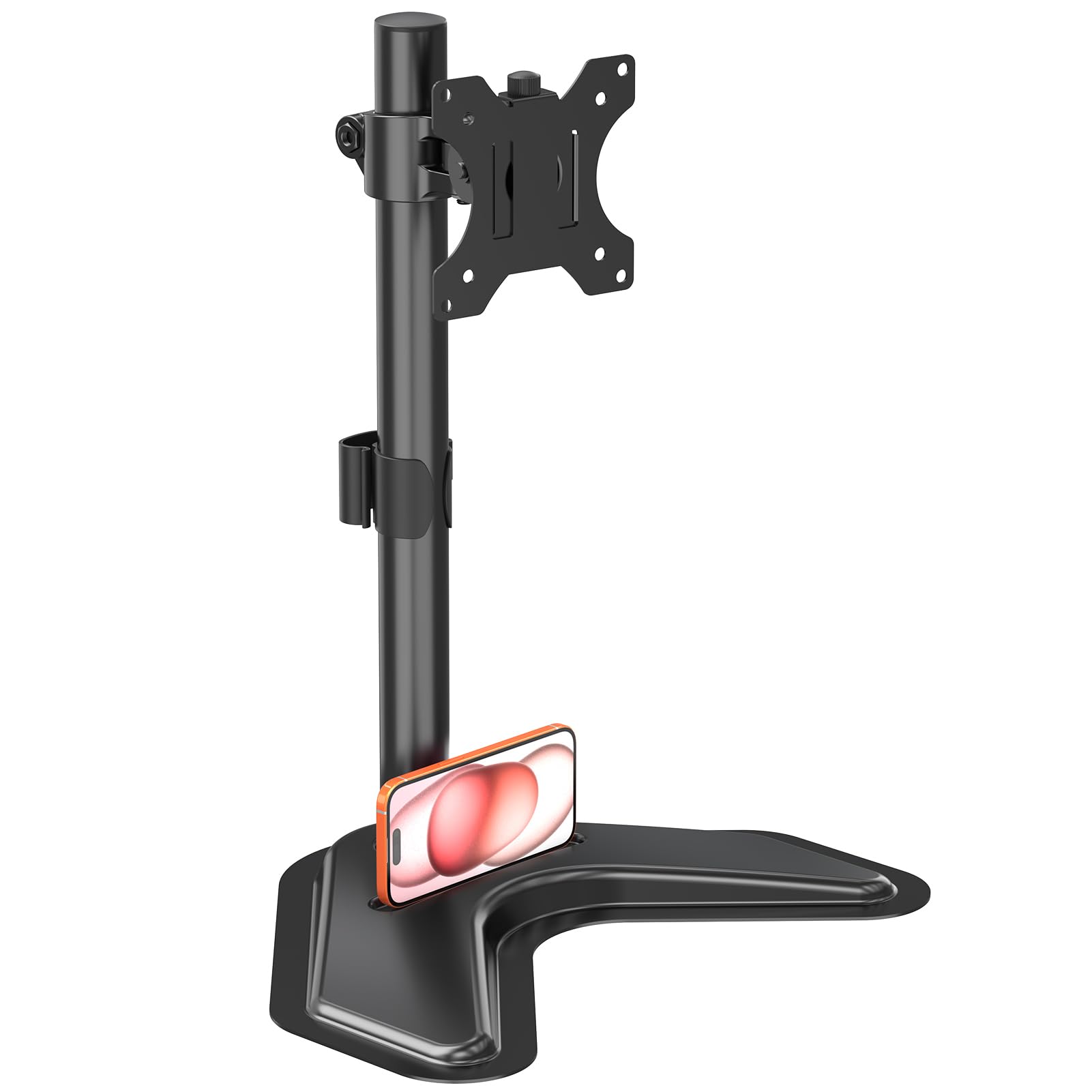
An 18.19-inch pole, a 45-degree tilt, and a height range built for standing desks.
The 18.19-inch center pole is the number to focus on. It means the bracket travels far enough to raise a screen well above the desk for standing sessions and lower it again when you sit — the biggest practical gap between this and the MOUNTUP’s 6.89-inch bracket travel. Tilt is plus or minus 30 degrees and swivel plus or minus 25 degrees, with 360-degree rotation, and MOUNT PRO rates the tilt joint to 10,000 adjustment cycles..
Weight ceiling lands at 17.6 lbs for a 17- to 32-inch panel on 75x75mm or 100x100mm VESA holes. The 17-inch floor is the widest minimum screen on this page — useful for compact panels. Cable clips run up the pole. Setup takes about 10 minutes with the included hardware and guide, and the frame is alloy steel and aluminium rather than a glass slab.
The honest limitation is that this stand will not suit a curved monitor with a deep 1000R, 1500R or 1800R curve — MOUNT PRO states that outright. The adjustability also draws mixed feelings from buyers in one specific area: the tilt mechanism can be stiff to set to the exact angle you want. Set it once when the monitor goes on, and neither issue gets in the way of the rest of the stand’s reach.
Why the reach wins
- 18.19-inch center pole gives a taller height window than most of this group.
- 45-degree tilt is among the widest here — the AX WABER and Suptek offer 15 degrees.
- 17-inch floor means a compact monitor is a valid match.
The fine print
- Not compatible with 1000R, 1500R or 1800R curved panels.
- Tilt joint needs a firm hand to set precisely.
6. MOUNT PRO Single Monitor Stand PR4011
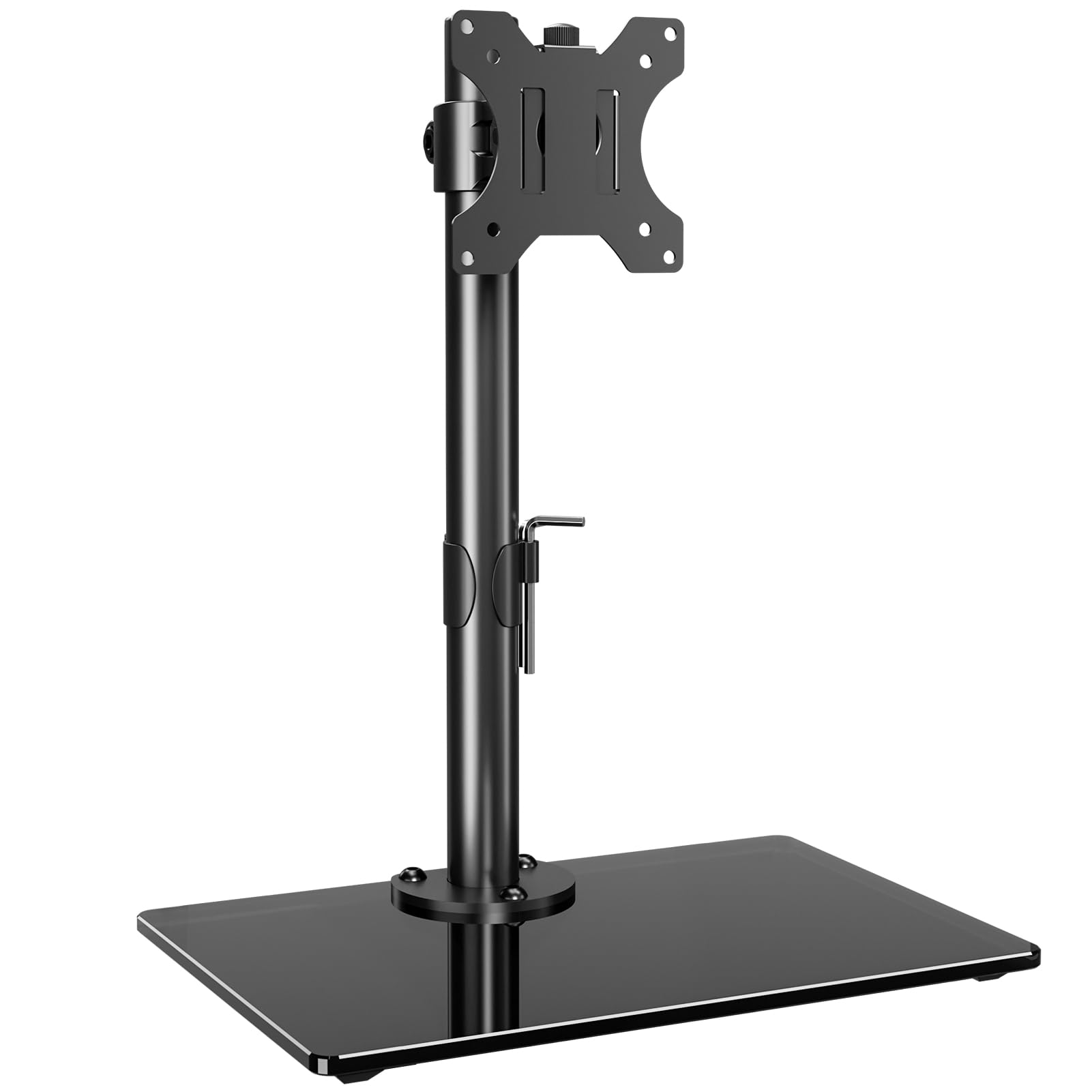
Five minutes from box to finished setup, with no clamp and no drill in sight.
This stand is free-standing by design — no clamp to bolt to your desk edge and no grommet hole to drill. You drop the tempered glass base, slide the pole into it and hang the VESA plate with the monitor attached. Setup is quoted at no more than five minutes. The lack of clamping steps is why it works on a beautiful desk you would rather not scratch.
The adjustment set is plus or minus 30 degrees of tilt, plus or minus 45 degrees of swivel, and 360-degree rotation, with a 17.3-inch pole for height. The weight ceiling sits at 17.6 lbs across a 13- to 32-inch range on 75x75mm and 100x100mm patterns. Foot pads under the base prevent skidding while protecting the desk, and cable management clips tame the cords.
The catch with a fixed-pole design is that you change height by loosening the bracket at the pole, not by gliding a slide up mid-session. Buyers report the height cannot be adjusted while the stand is in use. If you sit in one chair at one desk, that is a non-issue. If you stand and sit through the day, go for the PR1006 with its sliding pole instead. Also note the same curved-screen warning MOUNT PRO applies to its other stand here.
Who this fits: the buyer who wants a stable glass-base stand set up before their coffee cools and never thought about it again.
The one niggle: adjust the bracket height before you put the monitor on, because doing it after the fact is fiddly.
7. MOUNTUP Freestanding Monitor Mount MU1003
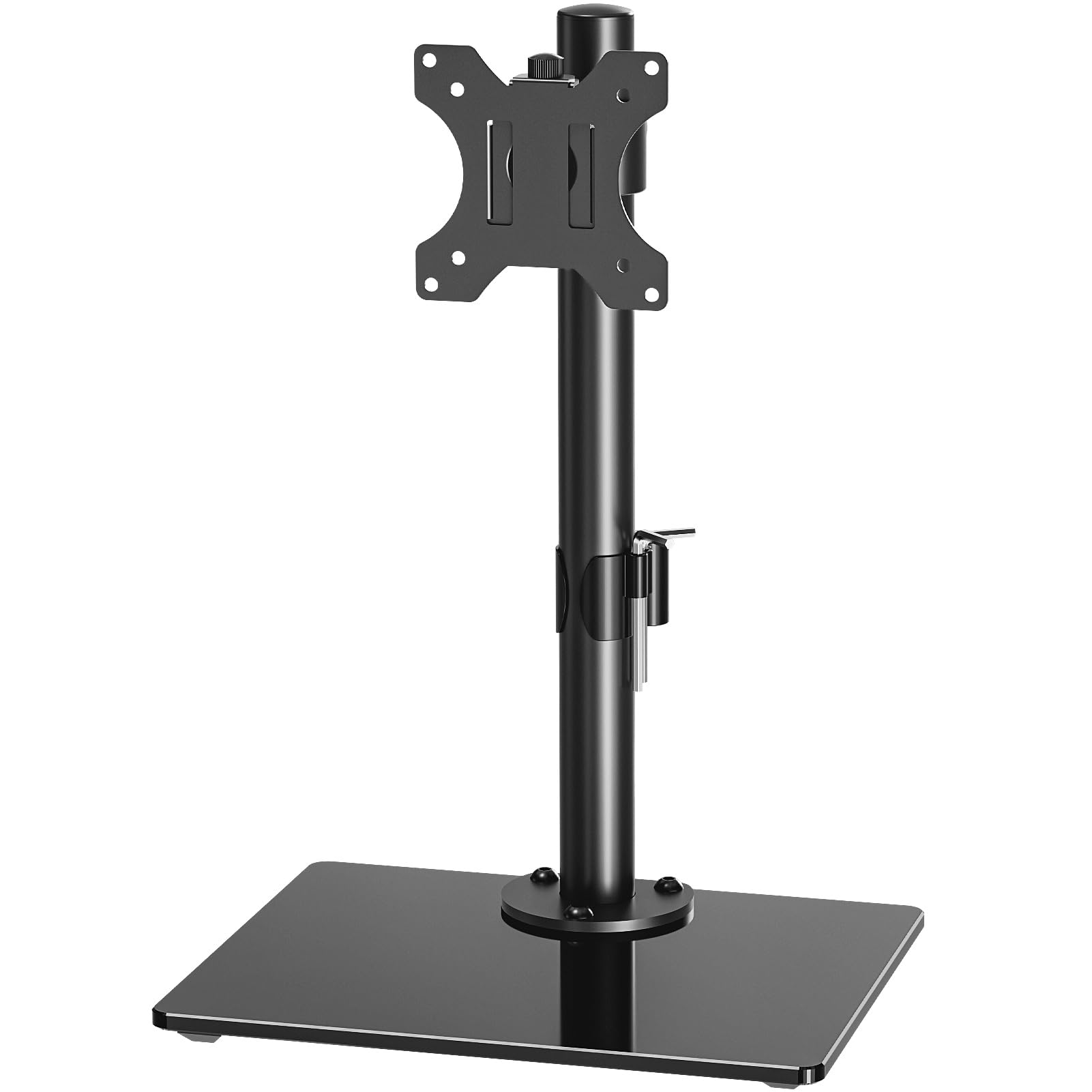
The stand people reach for when the screen lives sideways.
Portrait mounting is the thing this stand is known for, and there is a structural reason it works. More headroom means the tilt joint holds its angle when the wide side of the monitor is pointing up, which is exactly where portrait setups tend to drift.
Tilt runs plus or minus 30 degrees, swivel plus or minus 45 degrees, and rotation 360 degrees, so flipping from landscape to portrait is one twist rather than a remount. Height adjustment covers up to 6.89 inches on the bracket. The tempered glass base is padded, which keeps it from skating, and cable management clips route the cords up the pole. Setup is quoted at five minutes, MOUNTUP also backs it with a three-year warranty, the longest here..
The limitation to plan around is that 6.89 inches of bracket travel is not much, so a standing-desk user should not expect this stand to lift the screen from seated height to standing height without compromise. That is the concession you accept in exchange for a stronger base plate, portrait-friendly stability, and a warranty that outlasts the rest of the group.
Built for: a vertical secondary screen, a portrait code window, or a slim curved panel that needs a base with more margin.
Not the pick for: someone who needs the stand to climb through a wide height range during the day.
8. VIVO Single Monitor Desk Stand STAND-V001V

Nine clicks of height you cannot knock out of place with a coffee mug.
Most stands let you slide the bracket up and down a pole and trust friction to hold. VIVO replaces that with nine locking height settings from 12.5 inches to 19.5 inches. Pull the pole up until it clicks into the position you want, and it stays there until you deliberately lift it past the ninth setting and release. For a two-person desk or a household with kids moving around it, that positive lock is the difference between a stable screen and one that sags after lunch.
Fits are 17- to 32-inch monitors on 75x75mm and 100x100mm VESA holes, up to 15.4 lbs — the lowest ceiling on this list, so it is a stand for slim panels rather than chunky older displays. The frame is high-grade steel with a 12-inch by 8-inch base. Tilt runs plus 20 to minus 20 degrees, swivel covers 180 degrees, and rotation reaches 360 degrees. The removable VESA plate speeds up mounting.
The 15.4 lb ceiling is the thing to check against your monitor’s spec sheet before you order. A slim 27-inch panel is comfortable; anything heavier belongs with the AX WABER or Suptek. Also note that this is a tall stand — the lowest setting still sits at 12.5 inches measured to the center of the VESA bracket, so a very low desk chair is not the right pairing.
The standout: 180 degrees of swivel is the widest on this page and lets you share the screen without moving your chair.
Worth it for: the positive height lock and the 180-degree swivel, especially on a shared desk where the screen must stay put.
Avoid it for: a panel near or above 15.4 lbs — the rating is the tightest here.
9. HUANUO Free Standing Dual Monitor Stand, Glass Base
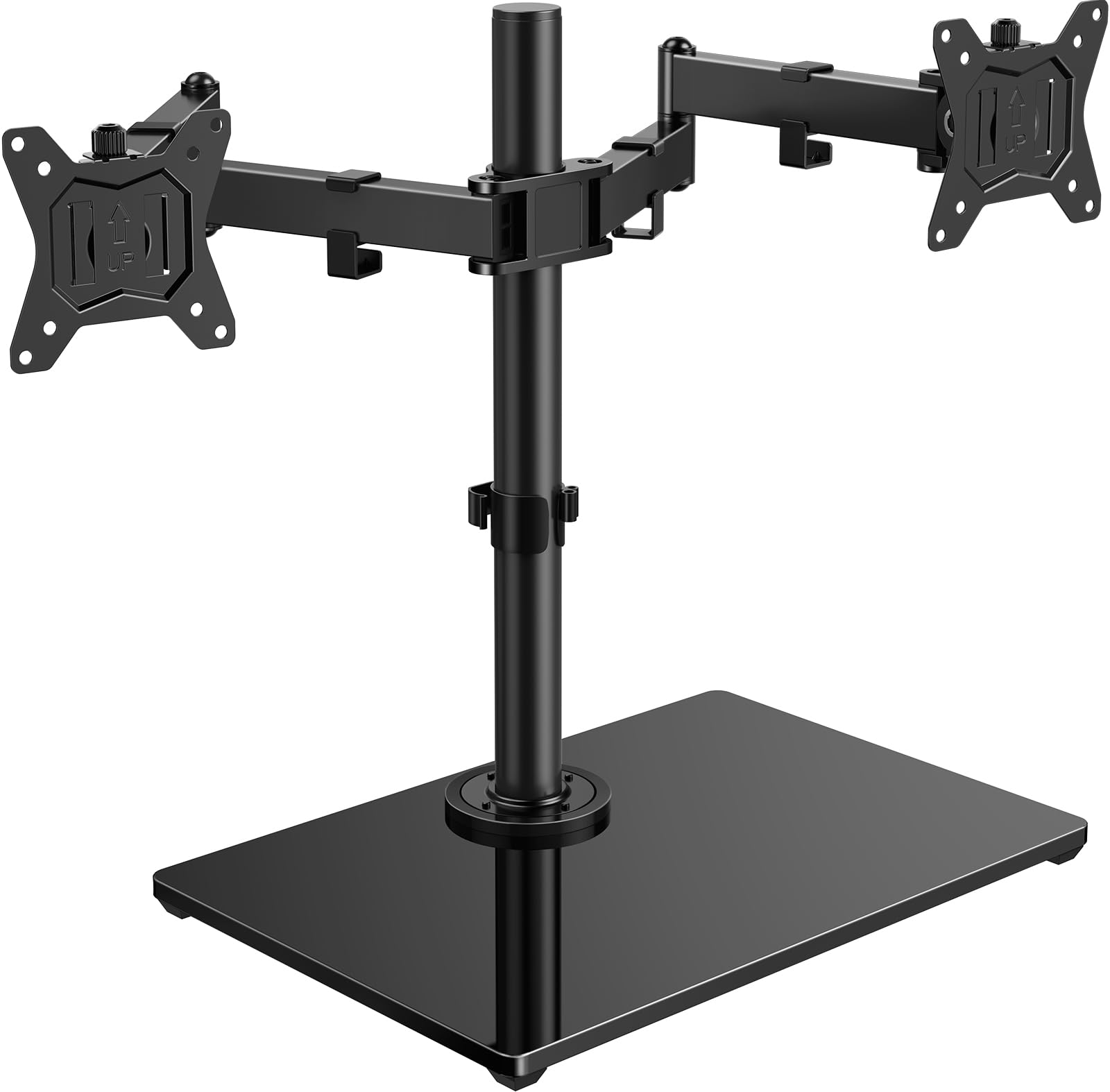
Two screens on one glass slab, and a grommet kit if you later decide to bolt it down.
The only dual-screen stand here, HUANUO supports two 13- to 32-inch monitors with each arm holding up to 22 lbs on 75x75mm and 100x100mm VESA holes. That is the same per-arm ceiling as the WALI, so a pair of 27-inch panels is a realistic fit. It ships with two setup paths: drop the glass base on the desktop for a no-drill install, or use the included grommet kit to fix it in place so the arms can swing through a wider range.
The tempered glass base measures 11.8 by 16.5 inches, spreads weight broadly and sits on five anti-slip pads. The arms use 180-degree swivel, 80-degree upward tilt and 50-degree downward tilt with 360-degree rotation, so landscape, portrait or a mixed setup all work on the same stand. The 18.7-inch pole is adjusted with the included hex key, and upper and lower arm sections give the screens room to rotate vertically without catching the desk. At 11.8 lbs, it is the beefiest stand here.
The stability is the part to weigh honestly. A wide glass base helps, but a dual-arm design carries more leverage than any single-monitor stand on this list, and forward tilt under a heavy screen is where that shows up. Pair it with panels whose weight leaves margin under 22 lbs, and put it on a desk that does not flex. The grommet option is there if you want the extra rigidity.
The two-screen case
- Two 13- to 32-inch screens on one stand, 22 lbs per arm.
- Free-standing now, grommet-mounted later — two install paths in one box.
- Five anti-slip pads and an 11.8 x 16.5 inch glass base.
- 80-degree upward and 50-degree downward tilt on each arm.
Worth knowing first
- Dual arms put more forward leverage on the base than a single stand does.
- The 11.8 lb stand itself needs a firm desktop underneath.
Know the Specs
VESA Pattern (75x75mm and 100x100mm)
VESA is simply the industry-standard spacing for the four screw holes on the back of your monitor. A 75x75mm pattern means the holes sit 75mm apart in a square; 100x100mm means 100mm apart. If the stand’s spec sheet lists that same number as your monitor’s, the plate bolts straight on. Some compact screens use a smaller 50x50mm pattern, which only the Suptek stand on this list also covers. Check the back of your panel before you order and you avoid the whole returns process.
Weight Capacity
This is the ceiling the stand is built to hold, measured in lbs. A rating that sits far above your monitor’s actual weight is stable, drift-free and quiet through a workday. A rating only barely over your monitor’s weight means the tilt joint creeps downward and the pole flexes. Capacities across this group run from 15.4 lbs on the VIVO to 77 lbs on the AX WABER — a wide enough spread that matching it to your screen matters. Find your monitor’s weight on the maker’s page first, then pick a stand with margin.
Common Questions
How do I know my monitor will fit a VESA mount stand?
Will a freestanding stand damage my desk?
What happens if I put a monitor on a stand rated below its weight?
Can I mount a curved monitor on a freestanding stand?
How much height can a freestanding stand actually give me?
Is a freestanding stand as stable as a clamped one?
Can I switch the monitor to portrait orientation?
Can one freestanding stand hold two monitors?
Do I need to drill or clamp anything to fit a freestanding stand?
What tools do I need to set one up?
The Bottom Line
For most desktops, the vesa mount stand winner is the WALI MF001 because 45 degrees of tilt, 18 inches of height travel and a slim steel base cover the everyday 27-inch setup without a scrap of drilling. If your screen is heavier or larger than 32 inches, go with the Suptek for its 43-inch reach and 44 lb capacity. For the heaviest panel in the room, the AX WABER carries 77 lbs on its tempered glass base. And if two screens share one desk, the HUANUO is your stand.
None of these stands needs a clamp or a drill. Match the VESA pattern, give yourself weight headroom, and step up to a higher capacity only if your panel demands it. That is the whole buying decision in three numbers.
How we choose
We do not accept paid placement. Every pick is matched to a real buyer and a real use-case; we do not hands-on test units.
Sources
Specifications: manufacturer listings and product documentation. Review insights: verified customer reviews, as of November 2026. Pricing: not shown on this page (it changes often); check the current price via the retailer link.
As an Amazon Associate, Tactical Gear Guy earns from qualifying purchases. This does not affect which products we feature.