Specs are compiled from manufacturer listings and verified buyer reviews and can change over time — please confirm the key details on the product page before buying.
Buying an HDMI Wi-Fi adapter for your TV is mostly an exercise in reading past the box. Almost every stick in this category claims 4K, and almost none of them will play Netflix, because DRM-protected apps block screen mirroring at the hardware level. What actually decides whether you are happy is narrower: does it wake up on the first try, does the picture hold steady across the room, and does it work with the phone you already own. That is what this guide sorts out.
This guide is built by comparing the manufacturers’ published specifications and the patterns across verified customer reviews, so you get each pick’s real strengths and trade-offs instead of marketing spin.
Some units are iOS-only, some need a router, and a few mirror in 1080P rather than 4K. Below you will find the models that handle those limits cleanly, plus the plain-English spec notes that make the differences obvious at a glance. This breakdown of the best HDMI Wi-Fi Adapter for TV focuses on what each dongle actually does once it is plugged into your port.
Top Picks

How To Choose The Best HDMI Wi-Fi Adapter for TV
Start with the phone in your hand, not the adapter’s spec sheet. Most of these dongles are built for one ecosystem or the other, and a mismatch is the single most common reason a return gets processed. Confirm your device first, then read the rest of the listing.
Check the ecosystem before anything else
An iOS-only stick mirrors from an iPhone or iPad over AirPlay, and it simply will not talk to an Android phone or a Windows laptop. Cross-platform models support AirPlay, Miracast and DLNA in one unit, which is what you want if more than one person in the house casts from different devices. Read the compatibility line twice — it is the one claim these listings usually get right.
Understand what HDCP blocks
HDCP is a copyright lock built into paid streaming apps. When an app enables it, the picture cannot be mirrored by an adapter, so Netflix, Prime Video, Hulu and Disney+ stay on your phone screen. Free and open platforms — YouTube, TikTok, Instagram, photo galleries, browser pages, slideshows — mirror without trouble. Every pick here carries that same limit, so plan around it rather than shopping for a dongle that beats it.
Decide if you want a hotspot or your router
Some adapters create their own Wi-Fi signal, so they work in a hotel room with no network at all. Others, including models built around Chromecast and AirPlay protocols, want your home Wi-Fi configured before they will cast. A self-contained hotspot is the better fit for travel and presentations; a router-based unit is fine if it never leaves the living room.
Judge range and latency honestly
These devices broadcast over 2.4GHz and 5GHz radio bands — the same frequencies your home Wi-Fi uses. A dual-band unit can dodge a congested 2.4GHz channel, which is what keeps the picture from stuttering. Latency, measured in milliseconds, is the delay between your phone’s screen and the TV’s. A dongle that publishes a low latency figure is telling you it is built for live mirroring rather than buffered video.
Side-by-Side Comparison
| Model | Best For | Max Output | Wireless Bands | Device Support | Amazon |
|---|---|---|---|---|---|
| 2026 Upgrade Wireless Display Dongle Adapter★ Best Overall | All-round pick for mixed households | 4K decoding | 5G | iOS, Android, Windows, macOS | Amazon |
| True 4K Wireless Display Adapter (MpioLife)Longest Range | Long-range casting across a large room | 4K | 2.4G + 5G dual band | iOS, Android, Windows, macOS | Amazon |
| 2027 Upgraded Wireless HDMI Display DongleLowest Latency | Low-latency mirroring in a meeting room | 1080P/60Hz | 2.4G + 5G dual band | AirPlay, Miracast | Amazon |
| AIMIBO 4K Wireless HDMI Display Dongle | Business presentations and classrooms | 4K | 2.4G/5G auto-switching | iOS, Android, Windows, macOS | Amazon |
| j5create ScreenCast 4K | Secure presentations with a PIN lock | 4K | Wi-Fi (external antenna) | Miracast, AirPlay, Chromecast | Amazon |
| Ture 4K Wireless HDMI Dongle (SOCLLLife) | Outdoor movie nights and travel | 4K x 2K @ 30Hz | 2.4G (external antenna) | iOS, Android, Mac, Windows | Amazon |
| 4K/1080P Anycast M100 | Budget-friendly first dongle | 4K and 1080P | Wi-Fi with OTA updates | Android 4.4+, iOS 9.0+, Windows 8.1+, macOS 10+ | Amazon |
| iShare iOS Wireless HDMI Adapter | iPhone-only households on a budget | 1080p | 5GHz | iOS and iPadOS only | Amazon |
| Wireless HDMI Adapter for iPhone iPad (lulaven) | Entry-level iPhone mirroring | 1080P 30Hz | Wi-Fi hotspot | iOS only (Lightning and USB-C) | Amazon |
Detailed Reviews
1. 2026 Upgrade Wireless Display Dongle Adapter
Our pick — 4.0+★ from 50+ verified ratings; the strongest balance of quality and price.
The cross-platform dongle that handles the widest spread of phones and laptops.
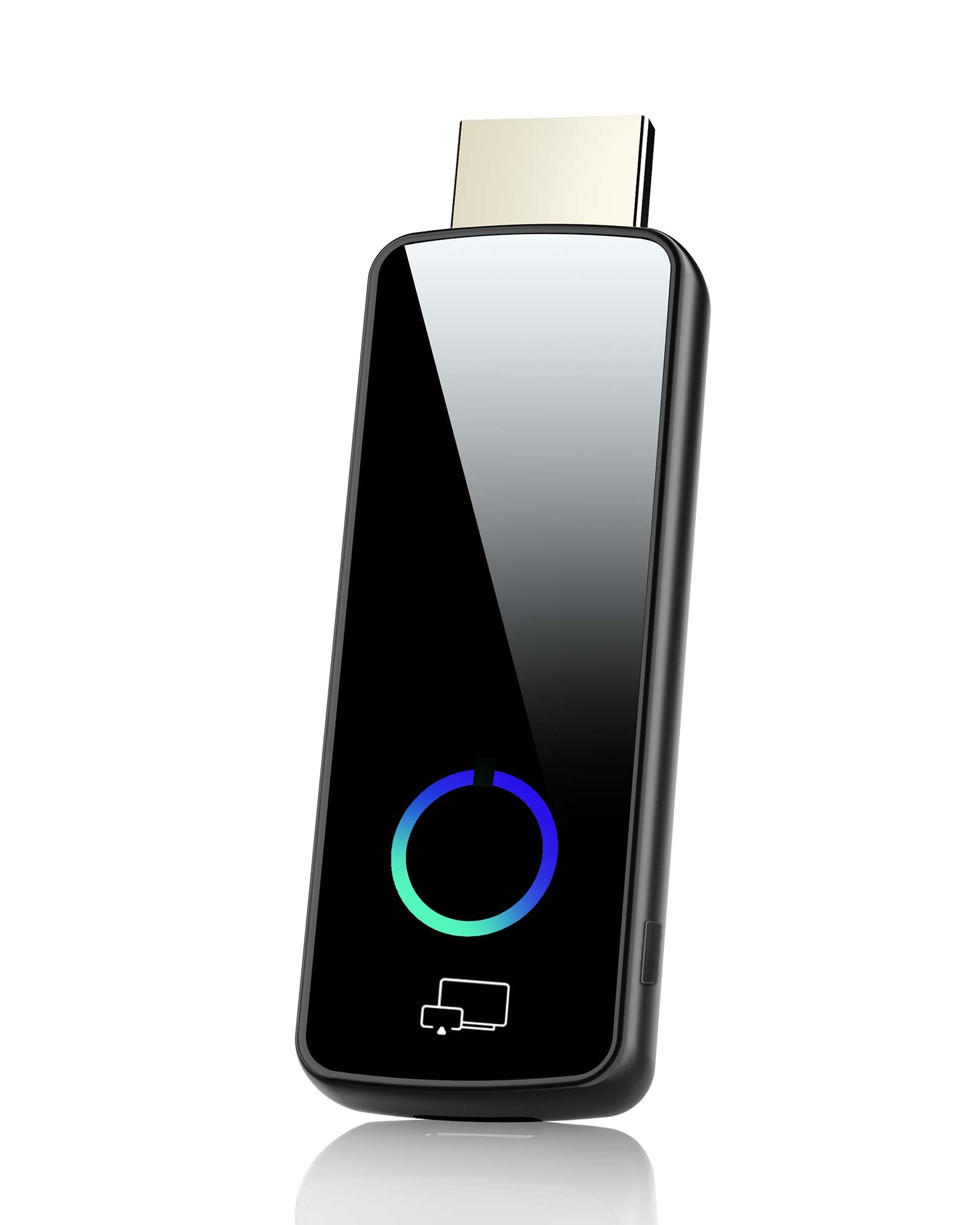
Four wireless protocols in one stick is the reason this one takes the top slot. It speaks AirPlay (Apple’s mirroring standard), DLNA, Miracast and Cast, so an iPhone, an Android phone and a Windows laptop can all reach the same TV without a second purchase. The unit connects through the HDMI port and hangs like a TV stick, which means no cable trailing across the room.
Picture output is the other half of the pitch: the dongle decodes 4K and pushes a 4K Full HD signal, so photos and video stay sharp on a large panel. It broadcasts on the 5G band for a fast, low-latency link — latency being the lag between your phone’s screen and the TV picture. In a conference room or a living room, that translates to a slideshow that keeps pace with your clicks rather than trailing behind them.
What wins people over is the setup: no app install, no Bluetooth pairing, no router login. No app install, no Bluetooth pairing, no router login — the compatibility side is what owners talk about most, followed closely by the overall build quality. The catch is worth saying plainly: paid streaming apps that carry HDCP copyright protection, Netflix and Prime Video among them, will not mirror through this or any dongle here. The listing also advises against using it for gaming.
What earns the top slot
- Four protocols — AirPlay, DLNA, Miracast and Cast — from one HDMI stick
- 5G band transmission for a low-latency, stable link
- 4K decoding with 4K Full HD output for sharp photos and video
- Mirror mode and off-screen mode, switched with the middle button
Where it stops
- HDCP-protected apps like Netflix, Hulu and Prime Video will not mirror
- The manufacturer advises against gaming use
- Not compatible with some Google-based devices, including Pixel phones
Reach for it if: your household mixes iPhones, Android phones and laptops and you want one adapter to serve all of them.
Look past it if: your main goal is streaming Netflix from your phone — no wireless HDMI dongle can do that.
2. True 4K Wireless Display Adapter (MpioLife)
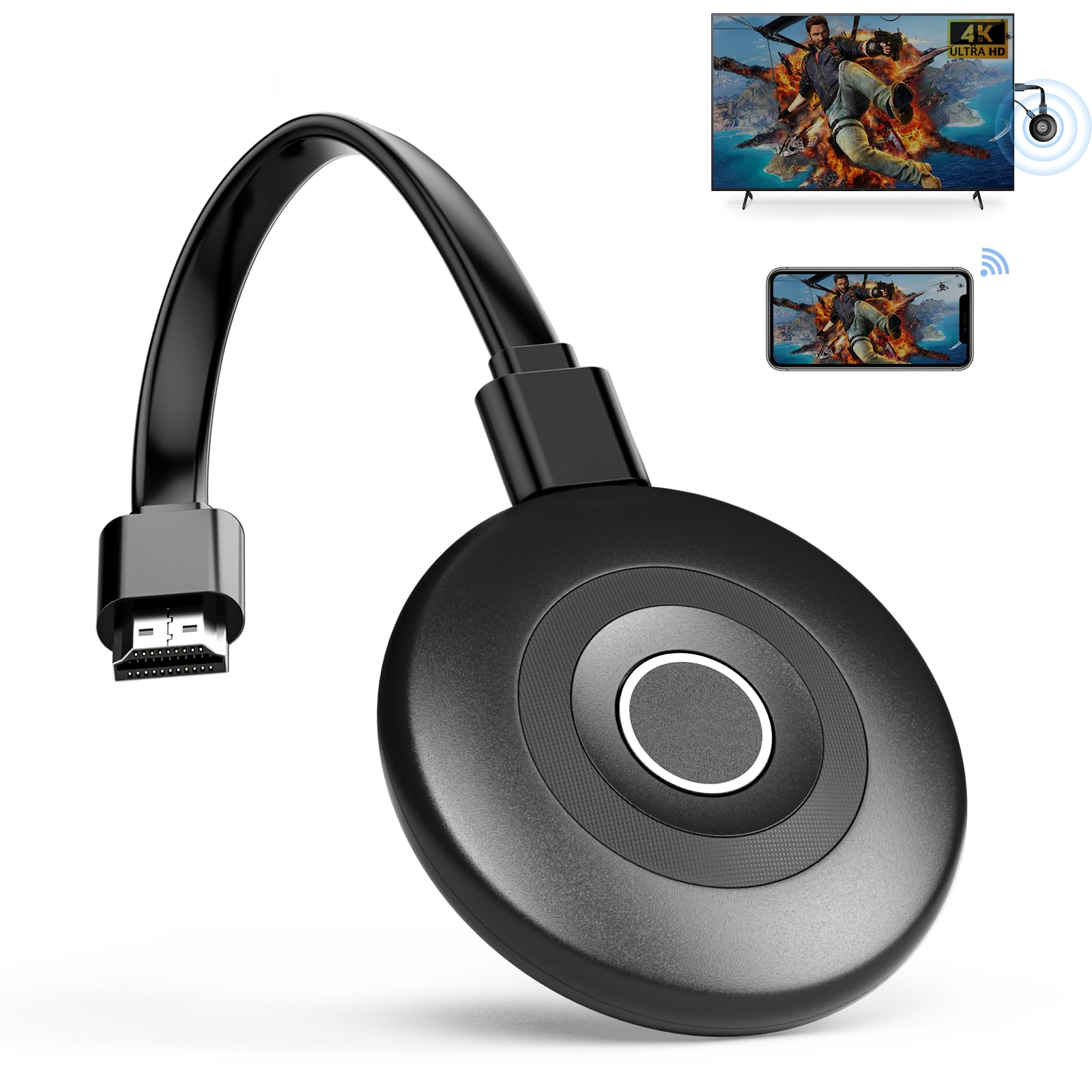
Sixty-five feet of clean signal is the number that separates this dongle from the pack.
Most of these adapters top out somewhere near a single room’s width. This one publishes a 65-foot, 20-meter transmission distance off a high-sensitivity antenna, so you can leave the phone on the kitchen counter and still drive the TV in the next room over. That is roughly four times the 16-foot reach of the 2027 Upgraded dongle further down this list, and it is the sort of margin that matters in an open-plan house.
Under the hood it runs dual-band Wi-Fi on both 2.4GHz and 5GHz, which gives it a second lane to move to when the 2.4GHz band gets crowded by neighbours’ routers and microwaves. Output is 4K, and the package includes the dongle, an HDMI cable, a USB cable and a manual — everything needed on day one. Two modes are on offer: Mirror for straight duplication, and Extend so you can keep browsing on the phone while a movie plays on the big screen.
The honest footnote is the same one every product here shares: HDCP-restricted apps like Netflix will not mirror. There is also a firmware note for Google Pixel owners, who may need an online update before mirroring behaves. At 23 grams the dongle is light enough to leave hanging from a TV port without sagging.
The range story: a 65-foot ceiling beats every other pick’s stated distance, and the Extend mode adds a second-screen workflow most budget sticks leave out.
Worth knowing: Pixel phones may need a firmware update first, and the iOS/macOS path still cannot touch DRM-protected streaming apps.
The fit: large rooms, long sightlines, and anyone who wants to walk around with the phone while the TV keeps mirroring.
The limit: a Pixel phone means an extra firmware step before it works.
3. 2027 Upgraded Wireless HDMI Display Dongle Adapter
A 100-millisecond delay figure is what makes this the meeting-room pick.
Latency is the gap between tapping your phone and seeing the result on the TV. This dongle publishes 100ms, which is the kind of figure that keeps a live demo feeling live rather than buffered. It pairs that with dual-band 2.4GHz and 5GHz antennas and a stated 16-foot, 5-meter working distance — enough for a conference table, not enough for a whole floor.
Output reaches 1080P at 60Hz, and 60Hz is the part worth understanding: it means the picture refreshes sixty times a second, which is what makes motion and cursor movement look smooth rather than stepped. There is also a privacy mode and a one-click disconnect, and the orientation flips between landscape and portrait without a menu dive. Owners appreciate how straightforward it all is — the setup and the connection come in for steady praise in the review pages.
Two constraints to plan around. The 16-foot range is the tightest on this list, well short of the 65 feet the MpioLife unit claims, so this one wants you sitting near the screen. And the usual HDCP block applies, with Netflix and Prime Video among the named exclusions.
The case for it: 1080P/60Hz, a published 100ms latency and a privacy mode combine into a dongle built for presentations rather than couch streaming.
The trade-off: 16 feet of range means it is a same-room device, not a whole-house one.
Best used for: pitching from a phone or laptop to a boardroom display where you are sitting within a few paces.
Think twice if: you want to cast from across a large living room — the range will not reach.
4. AIMIBO 4K Wireless HDMI Display Dongle

Dual modes and a 65-foot range, aimed squarely at classrooms and slides.
Two separate casting paths sit inside this adapter. Direct mode mirrors instantly off the dongle’s own signal, while DLNA mode routes through Wi-Fi for a different kind of handoff — useful when the Direct link is fighting for air in a crowded office. Switching between them happens on the adapter itself, no app required.
The range figure reads 65 feet, and 4K output is on the spec sheet with 2.4GHz and 5GHz bands auto-switching to whichever is clearer. Mirror and Extend modes round out the options: duplicate your laptop for a presentation, or stretch the desktop across two screens so slides sit on the TV while your notes stay on the laptop. The AIMIBO ships with both a USB power cable and a USB Type-C power cable, which covers most of what a modern bag carries.
Where it earns its keep is the working day: presentations, lectures and photo sharing rather than movie night. Business presentations, classroom lectures and photo sharing are the listed use cases, and the package reflects that focus. The Blue finish and the remote-style controller are small details, but they make it easy to spot in a bag of black dongles.
Built for sharing screens
- Direct and DLNA modes give you two ways to connect
- 4K output with auto-switching between 2.4GHz and 5GHz
- 65-foot stated range suited to a lecture hall or open office
- Ships with both USB and USB Type-C power cables
Know before you plug in
- DLNA mode needs Wi-Fi configured before it will cast
- Still no mirroring for HDCP-protected streaming apps
- No published latency figure to judge live-demo smoothness by
Pick it for: classrooms, conference rooms and any space where a laptop needs to reach a wall-mounted display from a distance.
Skip the idea if: you were hoping to mirror a paid streaming app — the copyright lock still applies here.
5. j5create ScreenCast 4K HDMI Wireless Adapter

The only dongle here with a PIN code gate and a custom background screen.
Walk into a shared conference room and the last thing you want is someone else grabbing your display. The ScreenCast 4K adds a PIN code function — Miracast only, per the listing — plus a customizable background so the idle screen shows your logo instead of a generic splash. It is a small feature that quietly separates it from every other adapter reviewed here.
Three wireless standards are supported: Miracast, AirPlay and Chromecast, covering Windows, macOS, iOS and Android devices already in the building. A stated 50-foot, 15-meter open-air transmission distance and an external antenna work together to hold the signal, and the listing is candid that you should stay in the same room to avoid walls blocking the link. At 2.72 ounces it is heavier than the 2-ounce lulaven stick, but still sits comfortably in a laptop bag.
Setup splits by protocol. Miracast connects after you plug in the adapter and power, while AirPlay and Google Cast each want Wi-Fi configured first. The overall word from owners is that it is easy to set up, and PowerPoint presentations come in for particular praise.
what separates it: a PIN code gate (a passcode you must enter before the screen shows your content) and a custom background make it the pick for a shared display, so only people you trust can project.
The honest caveat: connectivity is the weak spot, with frequent disconnections coming up in the review pages — keeping it in one room and away from wall obstructions is the practical fix.
Suits you if: you present in shared rooms and want a lock on who can cast to the screen.
Not the one for: casting between rooms — the maker itself recommends staying in the same room.
6. Ture 4K Wireless HDMI Dongle for TV (SOCLLLife)

An external antenna cable is the answer to a weak signal in a backyard setup.
Most dongles bury their antenna inside the casing. This one runs it out on a cable, which lets you reposition the aerial for a better grip on the radio signal — a meaningful advantage when your projector is at the far end of a garden. The 2.4G chip works alongside it for low-latency mirroring, and the maker lists outdoor movie nights, trade shows and presentations among the intended uses.
Resolution support is broad: 4K x 2K at 30Hz, 1080P at 60Hz, 1080P at 30Hz, 3D and 720P. That spread means the dongle can match whatever your source device and display can handle rather than forcing one output. Mirror mode duplicates in real time; Extend mode lets you watch a movie on the TV while browsing on the phone. The unit weighs 80 grams, so it is the heftiest on this list and will want a firm HDMI port or a short extension to hang from.
Compatibility stretches across iPhone, iPad, MacBook, Samsung, Huawei, laptops and PCs, with Miracast, AirPlay and DLNA all supported. As with every wireless HDMI adapter, DRM-protected paid apps stay off the mirror list.
The outdoor angle: an external antenna on a cable (a separate aerial you can position away from the TV) is a genuine fix for a signal that has to cross open space, so you can aim it toward your source. The broad resolution ladder — up to 4K x 2K at 30Hz (3840 by 2160 pixels, redrawing 30 times a second) — covers most source devices.
One to note: 80 grams is three and a half times the weight of the 23-gram MpioLife stick, so it hangs heavier from the port.
Go this way if: the projector lives outside and you need an antenna you can aim.
Consider the lighter pick instead if: the dongle will dangle from a wall-mounted TV and you would rather it weighed next to nothing.
7. 4K/1080P Anycast M100 Wireless Display Adapter
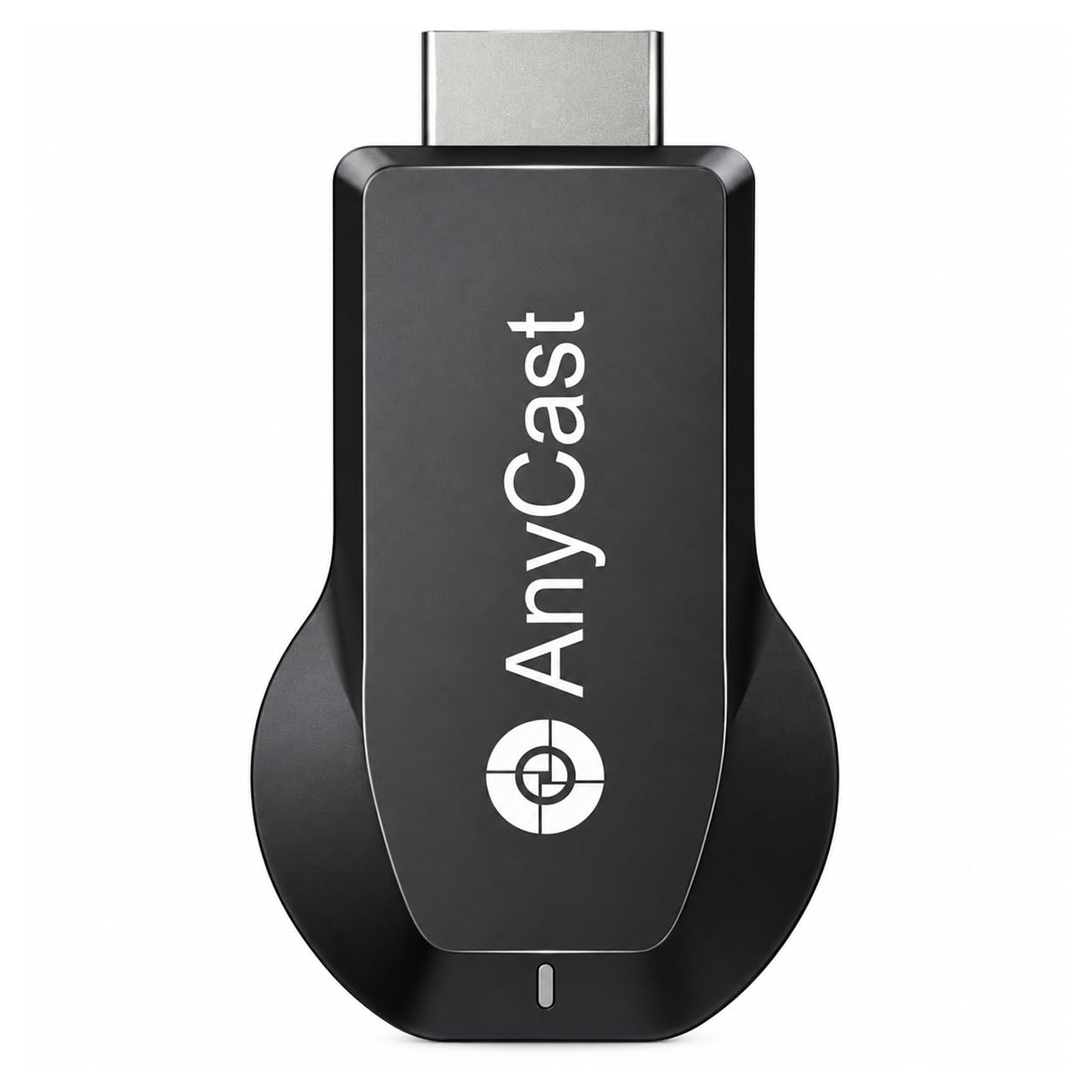
A 128MB dual-core stick that keeps itself updated over the air.
The M100 runs a dual-core chipset with an H.265/HEVC decoder — that is a compression standard that lets the dongle unpack high-efficiency video without stuttering — and handles both 4K (3840 x 2160) and 1080P. Its convenience point is that you do not switch modes manually: Miracast, AirPlay and DLNA are negotiated automatically, so you just cast and let the stick sort out the protocol.
The feature that ages best is the OTA firmware update. The dongle pulls firmware from the cloud server over your Wi-Fi, so when Apple or Android ships a new system version, compatibility gets patched in rather than stranded. The maker states it is designed to push firmware within a week of a system release. It weighs 2.39 ounces, sits at 128MB of storage, and works with Android 4.4+, iOS 9.0+, macOS 10+ and Windows 8.1+ (the last one only if Miracast is enabled on the PC).
Where it asks for patience is reliability. Experiences run from working perfectly to never getting off the ground, and the software, picture quality and compatibility sides all draw a mixed read. Set expectations accordingly: this is a budget stick that does the basics when it cooperates.
Why it earns a slot: automatic Miracast/AirPlay/DLNA switching and cloud firmware updates keep an older design current.
Be realistic about: reliability is the recurring theme — this is the least predictable dongle on the list, and it wants a stable power source.
Worth a look if: you want a low-cost first dongle for photos and presentations and can live with some trial and error.
Look elsewhere if: the adapter needs to work first time, every time, for someone who will not troubleshoot it.
8. iShare iOS Wireless HDMI Adapter for iPhone iPad

A three-step setup that never asks for a Wi-Fi password.
The appeal here is how little it demands. Plug the receiver into the HDMI port, connect the USB power cable, pick that HDMI input, then open screen mirroring on your iPhone or iPad. No home router, no password, no app, no Bluetooth pairing, no account. It runs on 5GHz for the wireless link and outputs 1080p, and it works over cellular data — which means it functions in a hotel room with no network at all.
It keeps the phone’s charging port free while it mirrors, so a long presentation does not end when the battery does. Compatibility is deliberately narrow: Lightning and USB-C iPhones and iPads running iOS or iPadOS 9.0 or later, and nothing else. One detail worth knowing is that its listed dimensions read 0.1 by 0.1 by 0.1 inches — a listing artifact rather than a real measurement, so judge the size by the product photos instead.
Honesty is required on reliability. Some units work flawlessly and some quit entirely, which makes this the least consistent pick on the list. When it does connect, it delivers YouTube, TikTok, Facebook, Instagram, photos, games and presentations — the free and open apps — while HDCP-protected subscription services stay excluded.
For the hotel-room caster: a genuine no-router setup with 5GHz and simultaneous charging is a rare combination at this level.
The frank warning: reliability is the most-discussed subject around this model, with working and non-working units both well represented — buy it expecting to test it quickly.
An easy yes if: you are iPhone-only, travel, and want a mirroring stick that needs no Wi-Fi network.
A harder sell if: anyone in the house owns an Android phone or you need it to be dependable from day one.
9. Wireless HDMI Adapter for iPhone iPad (lulaven)

Built for one job only: getting an iPhone screen onto a TV.
This is the narrowest adapter on the list, and it is upfront about that. It mirrors from iPhone and iPad — Lightning and USB-C models both — over AirPlay to any HDMI TV, monitor or projector, at 1080P and 30Hz with audio in sync. Nothing about it is designed for Android, Windows or Mac, and the listing says so plainly rather than burying it.
The iOS-only bet has a clear rationale behind it. The listing notes that most wireless HDMI adapters average in the low-3-star range largely because of Android compatibility complaints, so this one drops Android entirely. At 2 ounces it is the lightest unit reviewed here — lighter than the 2.39-ounce Anycast M100 and a fraction of the 80-gram SOCLLLife stick — so it hangs cleanly from a TV port without strain.
Daily use covers YouTube, TikTok, Safari, photos, games, PowerPoint and most apps in 1080P HD. Netflix, Disney+ and other DRM-protected services cannot be mirrored, the same limit that applies across this entire category. The cable bag is simple: one adapter plus a USB power cable, and power comes from a 5-volt, 1-amp source.
Where it delivers
- 1080P output at 30Hz with audio and video kept in sync
- 2-ounce body — the lightest dongle in this comparison
- Works with every Lightning and USB-C iPhone and iPad generation listed
- No app, no router login — AirPlay does the work
What you give up
- No Android, Windows or Mac support at all
- 1080P rather than 4K output
- HDCP-protected apps like Netflix and Disney+ will not mirror
The straightforward call: an iPhone or iPad owner who wants 1080P mirroring with the least possible setup fuss.
The sharp edge: an all-Apple household only — the moment an Android phone enters the room, this adapter is the wrong tool.
Know the Specs
Resolution and Refresh Rate
Resolution is how many pixels fill the screen; refresh rate is how many times per second the picture redraws, written as Hz (hertz). A 1080P/60Hz signal redraws sixty times a second, which keeps motion and cursor movement smooth, so scrolling a spreadsheet looks fluid. 1080P at 30Hz redraws half as often and can look stepped during fast action. A 4K label tells you the maximum pixels the dongle can push, but check whether the listing names the frame rate too — 4K x 2K at 30Hz and 4K x 2K at 60Hz feel quite different in use.
Wireless Bands and Range
Wi-Fi runs on 2.4GHz and 5GHz radio bands (the two radio frequencies your router broadcasts). The 2.4GHz band travels further but shares space with cordless phones and microwaves; 5GHz is faster and cleaner but shorter-reaching. A dual-band adapter can switch to whichever is less congested, which is what keeps mirroring steady in a busy building. Stated range varies widely across this category — from 16 feet in a tight meeting setup to 65 feet in an open-plan room — and walls cut every one of those figures, so treat the number as a best case in open air.
Common Questions
Will an HDMI Wi-Fi adapter let me watch Netflix on my TV from my phone?
Do I need Wi-Fi at home for a wireless display dongle to work?
What is the difference between Miracast, AirPlay and DLNA?
Why does my phone not see the adapter in the screen mirroring list?
Will a 4K wireless HDMI adapter actually show 4K on my TV?
Can I charge my phone while it is mirroring to the TV?
Do walls affect a wireless HDMI connection?
Is an iOS-only adapter better than a cross-platform one?
What power source does a wireless display dongle need?
Can I mirror from a laptop, or is this only for phones?
The Bottom Line
For most people, the hdmi wi-fi adapter for tv that makes the least sense to second-guess is the 2026 Upgrade Wireless Display Dongle Adapter, because it covers AirPlay, Miracast, DLNA and Cast in one stick instead of locking you into a single ecosystem. If range is your worry, the MpioLife True 4K adapter stretches to a stated 65 feet while the Ogzvhypl unit in this list reaches 16 — that gap decides a lot of rooms. And if the job is presenting in a shared space, the j5create ScreenCast 4K is the only one here that gates the screen behind a PIN code.
Whichever way you lean, confirm your device ecosystem and your distance from the TV before ordering — those two details predict satisfaction better than any 4K badge on the box.
How we choose
We do not accept paid placement. Every pick is matched to a real buyer and a real use-case; we do not hands-on test units.
Sources
Specifications: manufacturer listings and product documentation. Review insights: verified customer reviews, as of November 2026. Pricing: not shown on this page (it changes often); check the current price via the retailer link.
As an Amazon Associate, Tactical Gear Guy earns from qualifying purchases. This does not affect which products we feature.