Specs are compiled from manufacturer listings and verified buyer reviews and can change over time — please confirm the key details on the product page before buying.
Most foldable touchscreen laptops fail in the same boring way: the hinge loosens, the screen wobbles in tablet mode, and you end up using it as a plain clamshell forever. The picks below all survive that daily flip — a 360° hinge that turns a working laptop into a tablet, tent, or stand without the display going floppy. What separates them is not the fold; it is the panel resolution, the RAM ceiling, the processor class, and how much the whole thing weighs when you carry it in one hand.
This guide is built by comparing the manufacturers’ published specifications and the patterns across verified customer reviews, so you get each pick’s real strengths and trade-offs instead of marketing spin.
You will see which models carry a 2K or 3K panel, which ones stay under four pounds when folded, and which convertibles shine in tablet mode rather than just tolerating it. The picks that follow give you a clear answer on which touchscreen foldable laptop fits how you actually work.
Top Picks

How To Choose The Best Touchscreen Foldable Laptop
The fold is the headline, but the parts that decide whether you love this machine are the panel, the hinge, and what is inside the chassis. Get those three right and the 360° hinge becomes a daily convenience instead of a novelty you stop using.
Panel quality: why resolution and refresh rate beat “it has a touchscreen”
Every laptop here has touch, so touch alone tells you nothing. What matters is the panel behind the glass. A 1920 x 1200 display is sharp enough for spreadsheets and note-taking.
A 2880 x 1800 or 3K panel makes stylus work and photo editing noticeably cleaner. A 120Hz refresh rate keeps scrolling smooth in tablet mode, where you drag with a finger instead of a trackpad. If you plan to sketch or annotate, weigh the panel more heavily than the processor.
Processor class: the real limit on how long this laptop stays useful
Foldable laptops span a huge performance range. A low-power Intel Celeron or Core m3 chip handles browsing, documents, and video fine, but it will feel slow once you pile on browser tabs and video calls.
A Core Ultra 7 or Ryzen AI 9 chip with a dedicated AI processor (an NPU, a small chip built for on-device AI tasks) keeps heavy multitasking comfortable for years. Match the chip to your workload — a Celeron for browsing, a Core Ultra 7 for heavy multitasking — not to the spec sheet’s biggest number.
Hinge and weight: what tablet mode really demands
A 360° hinge lets the screen fold all the way back into tablet, tent, and stand positions. That flexibility is only pleasant if the whole machine is light enough to hold in one hand. A convertible above four pounds gets tiring to hold in tablet mode, so check the weight figure before you buy.
Battery hours and storage: the specs that age fastest
Published battery life ranges from 10 hours up to 14 hours. A bigger, higher-resolution screen pulls that number down in real use. Storage matters too — a 128GB drive fills quickly with apps and downloads, while a 512GB or 1TB SSD leaves room for years of files.
Side-by-Side Comparison
| Model | Best For | Display | Memory / Storage | Processor | Amazon |
|---|---|---|---|---|---|
| Lenovo Yoga 7i 2-in-1 16″★ Best Overall | Everyday all-rounder | 16″ 2K (1920 x 1200) IPS touch | Core Ultra 7 155U / 4.8 GHz | Wi-Fi 6E, 360° hinge | Amazon |
| Lenovo Chromebook Plus 2-in-1 14″Featherweight Pick | Light travel and study | 14″ WUXGA (1920 x 1200) IPS touch | 8GB RAM / 256GB UFS | Intel N355 / 2.9 GHz | Amazon |
| HP OmniBook X Flip 16″Creative Workhorse | Heavy multitasking | 16″ FHD+ OLED (1920 x 1200) touch | 32GB LPDDR5x / 3TB total | Ryzen AI 9 465 / up to 5.0 GHz | Amazon |
| Samsung Galaxy Book5 Pro 360 16″ | Stylus creativity | 16″ 2880 x 1800, 120Hz touch | Ultra 7 258V / 4.8 GHz | S Pen included, 3.72 lbs | Amazon |
| Microsoft Surface Pro 11 13″ | Tablet-first portability | 13″ 2880 x 1920, up to 120Hz | 16GB RAM / 2TB SSD | Snapdragon X Plus (10 core) | Amazon |
| ASUS Vivobook 16 Flip | OLED on a budget | 16″ WUXGA OLED (1920 x 1200) | 32GB LPDDR5x / 1TB SSD | Core Ultra 7 258V / 4.8 GHz | Amazon |
| HP OmniBook 7 Flip 16″ | Business with stylus | 16″ WUXGA (1920×1200) IPS, 400 nits | 32GB DDR5 / 1TB SSD | Core Ultra 7 258V / 4.8 GHz | Amazon |
| Tylvx 15.6″ 2-in-1 (Deep Purple) | Big-screen value | 15.6″ FHD (1920×1080) touch | 20GB RAM / 512GB SSD | Intel Core m3-8100Y / up to 3.4 GHz | Amazon |
| ASUS Chromebook Flip CX1 14″ | Long battery on ChromeOS | 14″ FHD (1920 x 1080) NanoEdge touch | 8GB RAM / 128GB eMMC | Intel Celeron N4500 / 2.8 GHz | Amazon |
| Omnica 15.6″ Convertible | Budget multitasking | 15.6″ FHD (1920×1080) touch, 16:9 | 16GB DDR4 / 512GB SSD | Ryzen 3 3200U / up to 3.5 GHz | Amazon |
| Samsung Chromebook Plus V2 360 12.2″ | Students and light Chrome work | 12.2″ FHD+ (1920 x 1200) touch | Celeron 3965Y / 10-hr battery | Stylus + mouse included | Amazon |
Detailed Reviews
1. Lenovo Yoga 7i 2-in-1 Laptop
Our pick — 4.5+★ from 250+ verified ratings; the strongest balance of quality and price.
A 12-core Ultra 7 chip behind a 2K touch panel — the foldable that does serious work.
For the buyer who wants one machine for lectures, spreadsheets, and evening streaming, this Lenovo is the safest fold to buy. The 16-inch 1920 x 1200 panel is an IPS display (a screen with wide viewing angles, so the picture holds up when you tilt it into tent mode for two people). Windows 11 handles finger-touch navigation here, so tablet mode is a real mode rather than a fallback.
The engine under the glass is a 12-core Intel Core Ultra 7 155U that reaches 4.8 GHz with Turbo Boost (a temporary speed bump when a task needs a burst). That 4.8 GHz peak sits well above the Samsung Chromebook Plus V2 360’s 1.5 GHz, and it is why heavy multitasking feels easy here. You also get Wi-Fi 6E for lower latency in crowded networks, plus 2x USB Type-A, 2x Type-C, HDMI, a Micro SD reader, and a headphone/mic combo — enough to run a monitor and a headset without a dongle.
The one recurring note is bulk. Portability earns consistent approval, but the chassis reads as slightly heavy for tablet mode, so people who mostly flip the screen back and hold it should factor that in. The hinge itself holds firm across laptop, tablet, tent, and stand positions, and Lenovo Transition auto-fills apps to full screen as you switch. The crowd favorite here is 4.5+ stars from 250+ owners, and that score is the highest of any full Windows machine on this list.
Where it earns its keep
- 12-core Core Ultra 7 155U hitting 4.8 GHz keeps big workloads moving
- 2K 1920 x 1200 IPS touch panel with wide viewing angles for tent and stand use
- Wi-Fi 6E plus HDMI and a Micro SD reader on board
- Fingerprint reader for a fast, password-free start
The honest friction
- It is the heavier side of a convertible, so tablet mode asks for two hands
- Windows on a foldable carries the usual touch-app caveats versus ChromeOS
Buy this one: it is the best all-rounder for anyone who needs a real Windows workhorse that also folds into a tablet.
Step back if: you plan to hold the screen in tablet mode for long stretches — the weight shows up there.
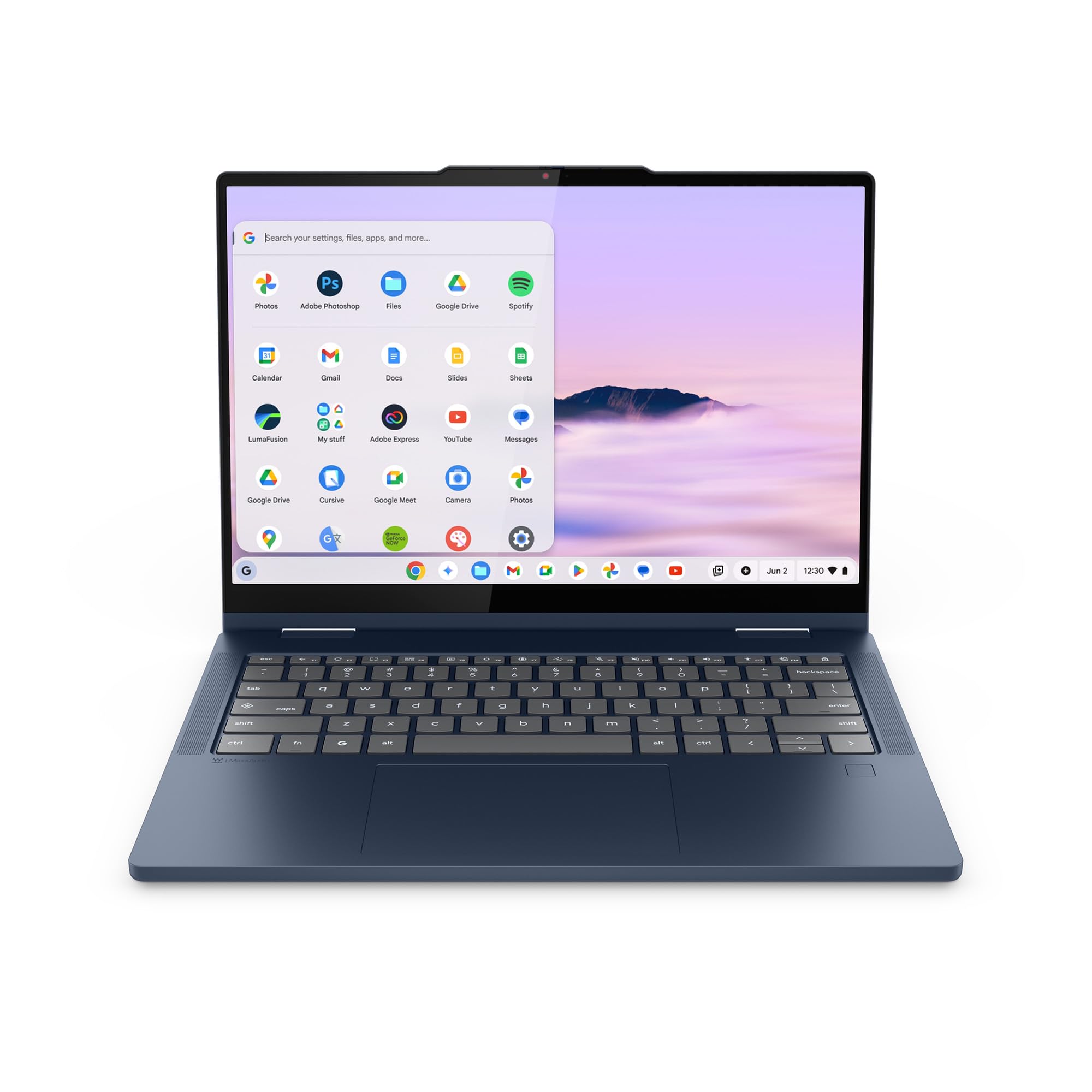
2. Lenovo Chromebook Plus 2-in-1
Folds thin enough to forget, boots before the coffee finishes brewing.
Carrying a laptop all day changes what you are willing to tolerate. This is the pick for the commuter, the seminar-hopper, and the traveler who resents every gram. At 0.69 inches thick and 3.3 pounds, it slips into a tote the way a folded tablet would. That measured footprint is why tablet mode actually feels natural here instead of like lifting a folder full of bricks.
The 14-inch WUXGA 1920 x 1200 IPS touch panel is the working surface — crisp text, honest color, and touch that responds to a fingertip on the fold. Lenovo claims a boot in under 10 seconds, which matters on a class or meeting schedule. Battery life is rated at 11 hours, and military-grade durability plus a 65W USB-C charger come in the box.
ChromeOS is the real deciding line. It runs Google apps and handles Office files through Google Docs and Sheets, and it adds Google Gemini on the home screen for drafting and planning. If your work lives in a browser, there is nothing missing. What wins people over beyond the weight is the quiet practicality — the physical webcam shutter and fingerprint reader make it feel secure without ceremony. It runs the Intel N355 at 2.9 GHz, which is smooth for apps and tabs but not a machine for local video editing.
The trade you accept: you trade raw power for true portability. If you live in Chrome, that is no loss at all — it is a saving.
Made for: the daily carrier who wants a foldable that disappears into a bag and boots instantly.
Wrong fit for: anyone needing Windows-only desktop apps or heavy creative software.
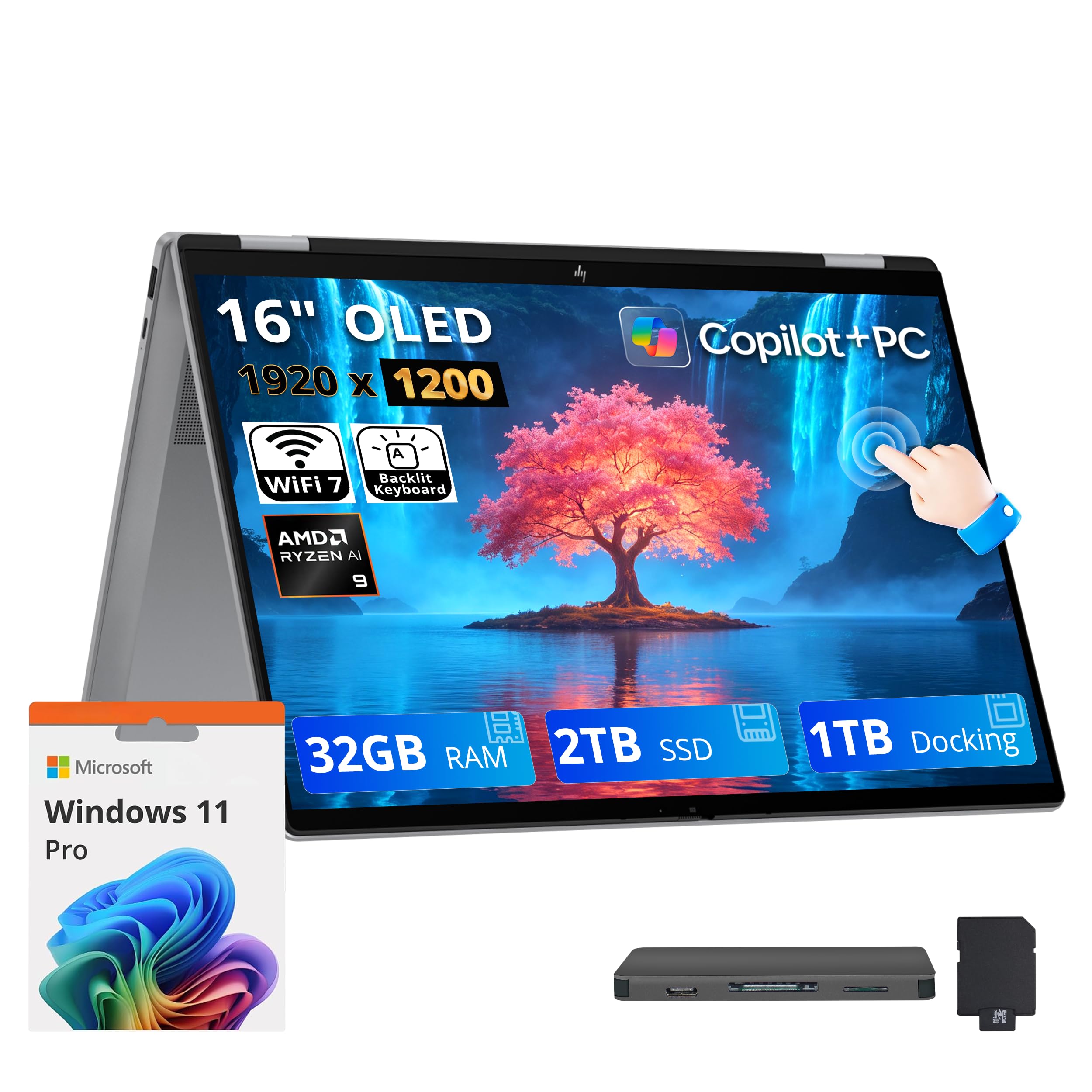
3. HP OmniBook X Flip 16″ 2-in-1
A 20-thread Ryzen and 3TB of storage — this foldable was built for heavy lifting.
If your day means twenty browser tabs, a spreadsheet model, and a video call running at once, this is the OmniBook to look at. The AMD Ryzen AI 9 465 processor runs 10 cores and 20 threads with a max boost clock up to 5.0 GHz and a 24 MB L3 cache. That cache is a chunk of fast memory the chip keeps close for repeat tasks, and it is part of why apps here feel snappy rather than polite.
The 16-inch FHD+ OLED panel is the star of tablet mode. OLED means each pixel lights itself, so blacks go truly dark and color stays rich — a real difference for photo work and streaming. The 1920 x 1200 panel covers 100% DCI-P3 (a wide color range) with a 0.2ms response time, and the edge-to-edge glass touch stays responsive. It folds on a 360° hinge from laptop to tablet in one motion, and the 32GB LPDDR5x RAM keeps the whole thing responsive under pressure.
Storage is the headline: 2TB SSD plus a 1TB docking station set, for 3TB total. The dock adds ports and an SD reader, and Wi-Fi 7 plus Bluetooth 6.0 keep the wireless side current. What buyers keep circling back to is how well it runs things and how quickly apps load. The practical ceiling is weight — at 4.09 pounds it is a desk-and-table machine, not a one-hand tablet.
Best for power users: this is the convertible for people who run real workloads, with the OLED panel to match.
What to weigh: 4.09 lb is honest weight for this much hardware, and you feel it when the screen is folded back.
Right call when: you need a foldable that doubles as a creative and multitasking workstation.
Look elsewhere when: portability is the priority — this one earns its place on the desk.
4. Samsung Galaxy Book5 Pro 360

The 3K 120Hz panel that makes every other foldable screen look soft.
Draw, annotate, and sketch — this is the foldable that treats a stylus as a first-class tool. The 16-inch 2880 x 1800 touchscreen reaches 120Hz (refreshing 120 times a second, so scrolling in tablet mode glides). Corning Gorilla Glass with DX and Vision Booster adaptive brightness keep the image readable in bright rooms. The included S Pen brings multi-touch gestures and enhanced tilt sensitivity, so line weight responds to how you hold it.
Compare the display with the Samsung Chromebook Plus V2 360 at 12.2 inches and the size gap is obvious at a glance — 16 inches versus 12.2. The Ultra 7 258V processor hits 4.8 GHz versus the Celeron 3965Y’s 1.5 GHz in that same 12.2-inch Chromebook. The chassis is CNC aluminum at 12.7mm thick and 3.72 pounds, so it stays a portable machine despite the big screen.
The battery is the honest caveat. Some owners describe it as lasting all day, while others report three hours or less under heavy load — a wide spread that means your workload decides. Screen stability is also a point worth knowing before you buy: a few note a wobble in some positions. The screen quality is what people praise most after performance — that 3K AMOLED panel is the reason to choose this over the HP OmniBook 7 Flip.
Why the panel wins
- 2880 x 1800 resolution at 120Hz — the sharpest, smoothest screen on the list
- S Pen included with tilt sensitivity for natural writing and drawing
- CNC aluminum build at just 12.7mm thick
Know before you buy
- Battery life swings widely depending on the load you put on it
- Galaxy AI features lean heavily on other Samsung devices to shine
The pick for: artists, note-takers, and anyone who judges a laptop by its screen first.
Think twice if: you need dependable all-day runtime away from a charger.
5. Microsoft Surface Pro 13″ 3K 120Hz 2-in-1, Snapdragon X Plus

A tablet that becomes a laptop — not a laptop that tolerates being a tablet.
This one flips the usual script. Instead of folding a laptop’s screen back, you get a 13-inch tablet and a detachable keyboard, so tablet mode is the default and laptop mode is the accessory. For reading, sketching, and couch browsing, that is the more natural arrangement. The 13-inch PixelSense Flow touchscreen runs 2880 x 1920 with a 1200:1 contrast ratio and a dynamic refresh rate up to 120Hz.
The Snapdragon X Plus is a 10-core processor paired with a Qualcomm Adreno GPU. It tops out at 3.4 GHz, so it is not chasing the Ultra 7 chips on raw clock speed — it is built for efficient, all-day use. Battery life is rated up to 14 hours, the longest figure of any premium machine here. The bundle includes a backlit keyboard, a stylus, and a 12-month Microsoft 365 Personal subscription, so it works as a laptop on day one.
A Copilot+ PC label means this machine runs on-device AI features, and the Ultra-wide Studio Camera with automatic framing keeps you centered on video calls. The honest trade-off: a 3.4 GHz ceiling means heavy local rendering is not its job, and the kickstand-plus-keyboard setup is roomier on a tray table than a hinged clamshell. For tablet-first buyers, neither is a problem.
Why it stands out: 14 hours of rated battery and a 120Hz 3K panel make it the best tablet-first choice on this list.
Choose it for: a slate-first device that turns into a working laptop when you need keys.
Not your pick if: you want a one-piece clamshell that folds, not a tablet that docks.
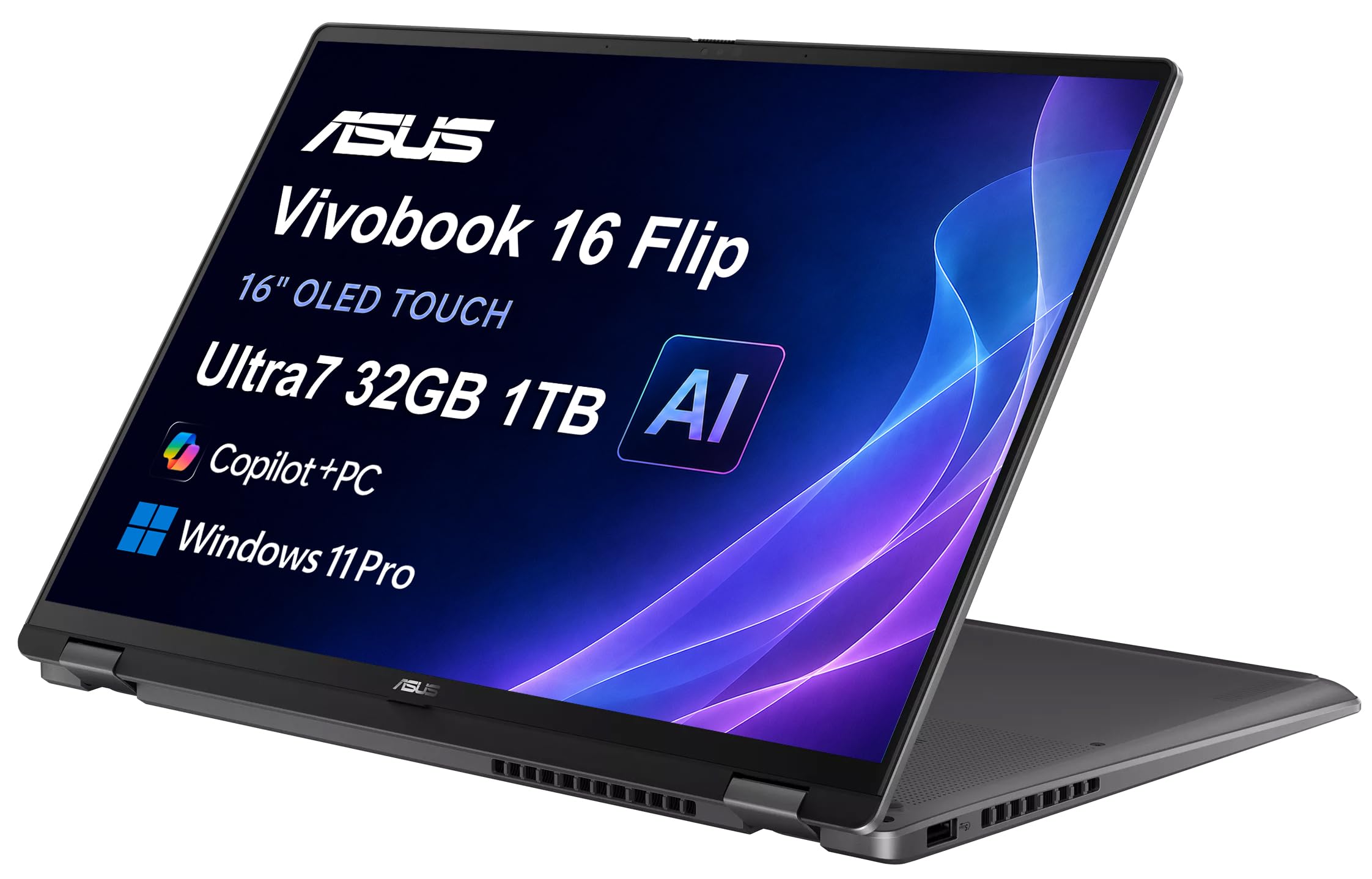
6. ASUS Vivobook 16 Flip, 16″ WUXGA OLED, Ultra 7 258V
An OLED foldable with workstation innards, priced like a mid-range notebook.
The first thing you notice is the screen. The 16-inch WUXGA 1920 x 1200 OLED panel covers 95% DCI-P3 (a broad color range), so photos and video look richer than on a standard LCD. Narrow borders keep the image large without a bulky frame. Fold it back on the 360° hinge and the color holds up in tablet mode.
Under the glass sits an Intel Core Ultra 7 258V with 8 cores up to 4.8 GHz and an integrated NPU (a dedicated AI chip) rated at up to 47 TOPS of AI performance. That figure is the headline for buyers who want Copilot+ features running locally. Paired with 32GB LPDDR5x memory and a 1TB PCIe SSD, apps load quickly and files stay put. Build quality is the thing people praise most, and it reads as a solid, well-finished chassis rather than a creaker.
Connectivity keeps pace, with Thunderbolt 4, Wi-Fi 7, and Bluetooth 5.4. The port selection is the bigger win for multi-monitor setups. The catch is setup: it ships resealed with the system upgraded, and warranty service runs through the seller rather than the brand. Confirm that arrangement fits how much support you expect before you commit.
The trade you make: you get OLED color and 32GB of memory at a mid-range position, and you accept a seller-backed warranty instead of first-party support.
Suits you if: you want OLED visuals and serious memory without stepping into flagship territory.
Reconsider if: first-party warranty coverage matters more to you than the panel.
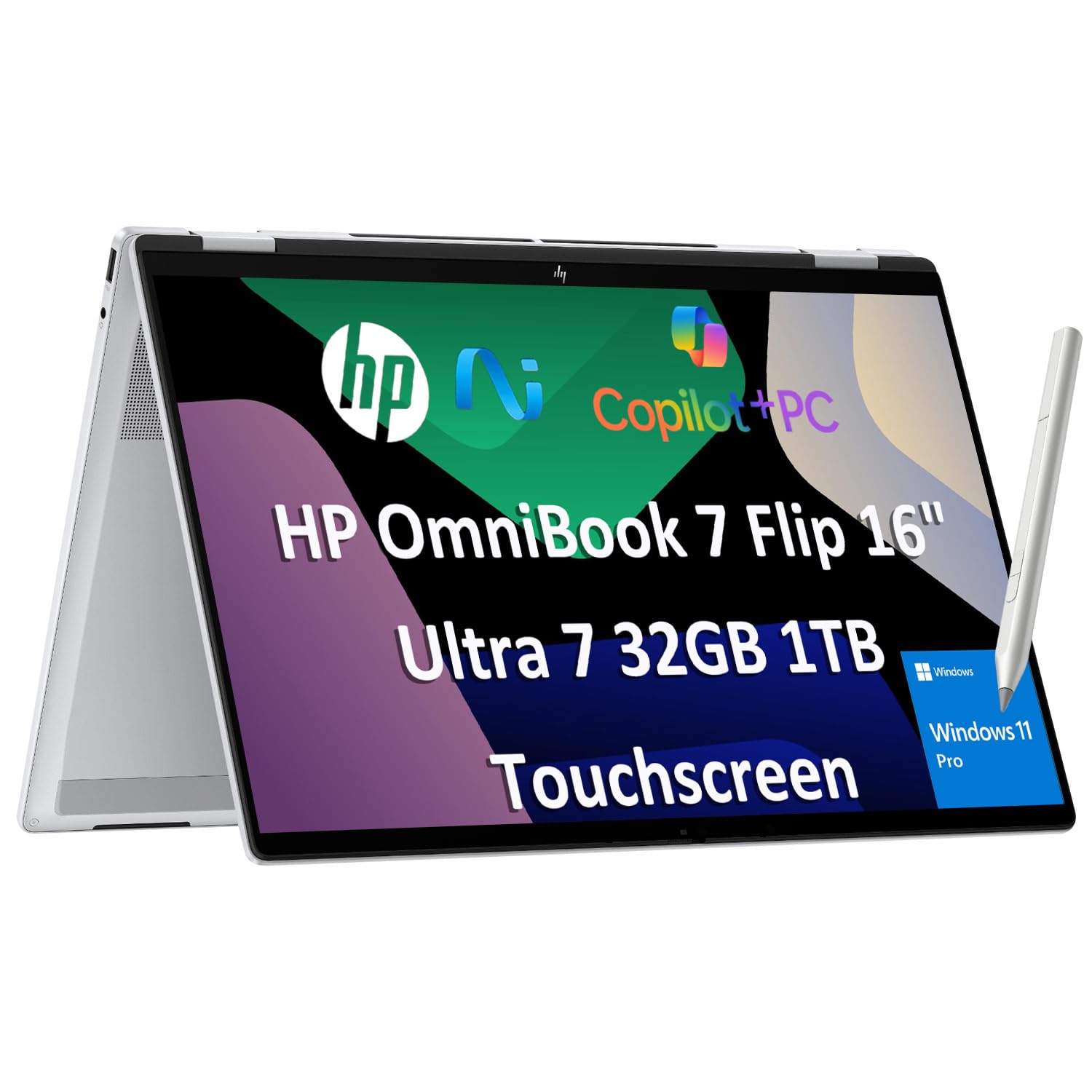
7. HP OmniBook 7 Flip 16″ 2-in-1, Ultra 7 258V, Stylus Included
A flip that ships with a 4096-level stylus and a 47 TOPS AI chip for client work.
Consultants, remote teams, and business travelers get the most from this one. It converts on a 360° hinge through laptop, tent, stand, and tablet modes, and it lands with an HP USB-C Rechargeable MPP2.0 stylus with 4096 levels of pressure sensitivity. That means a light stroke draws a thin line and a firm press draws a thick one — the accuracy that matters for whiteboarding and field annotations.
The 16-inch WUXGA 1920 x 1200 IPS panel hits 400 nits of brightness, which keeps it usable in a bright conference room. Under the hood, the Intel Core Ultra 7 258V with a 47 TOPS NPU pairs with 32GB DDR5 RAM and a 1TB PCIe SSD for multi-app work and local AI tools. The 5MP IR camera with temporal noise reduction reads clean on video calls, and face recognition logs you in without typing. Ports run to Thunderbolt 4, USB-C, USB-A, and HDMI 2.1, and it drives up to three external monitors.
The touchpad is where the mixed signals show up. Performance is what gets praised most, and the display and stylus hold up, but the trackpad draws more complaints than anything else on this machine. Test it early and decide whether a mouse is your daily companion. Windows 11 Pro brings BitLocker and Remote Desktop for a managed work setup.
Built for the road warrior
- Stylus with 4096 pressure levels ships in the box
- 32GB DDR5 and 1TB SSD handle heavy multitasking
- Face recognition plus a 5MP IR camera for sharp calls
The caveat to note
- The touchpad draws more gripes than any other part of the machine
- Battery is rated 10 hours, which is modest for a travel machine
Pick this if: you want a stylus-first convertible for meetings, annotations, and multi-monitor work.
Weigh it if: you rely on a trackpad for hours a day instead of a mouse.
8. Tylvx 15.6″ 2-in-1 Laptop/Tablet
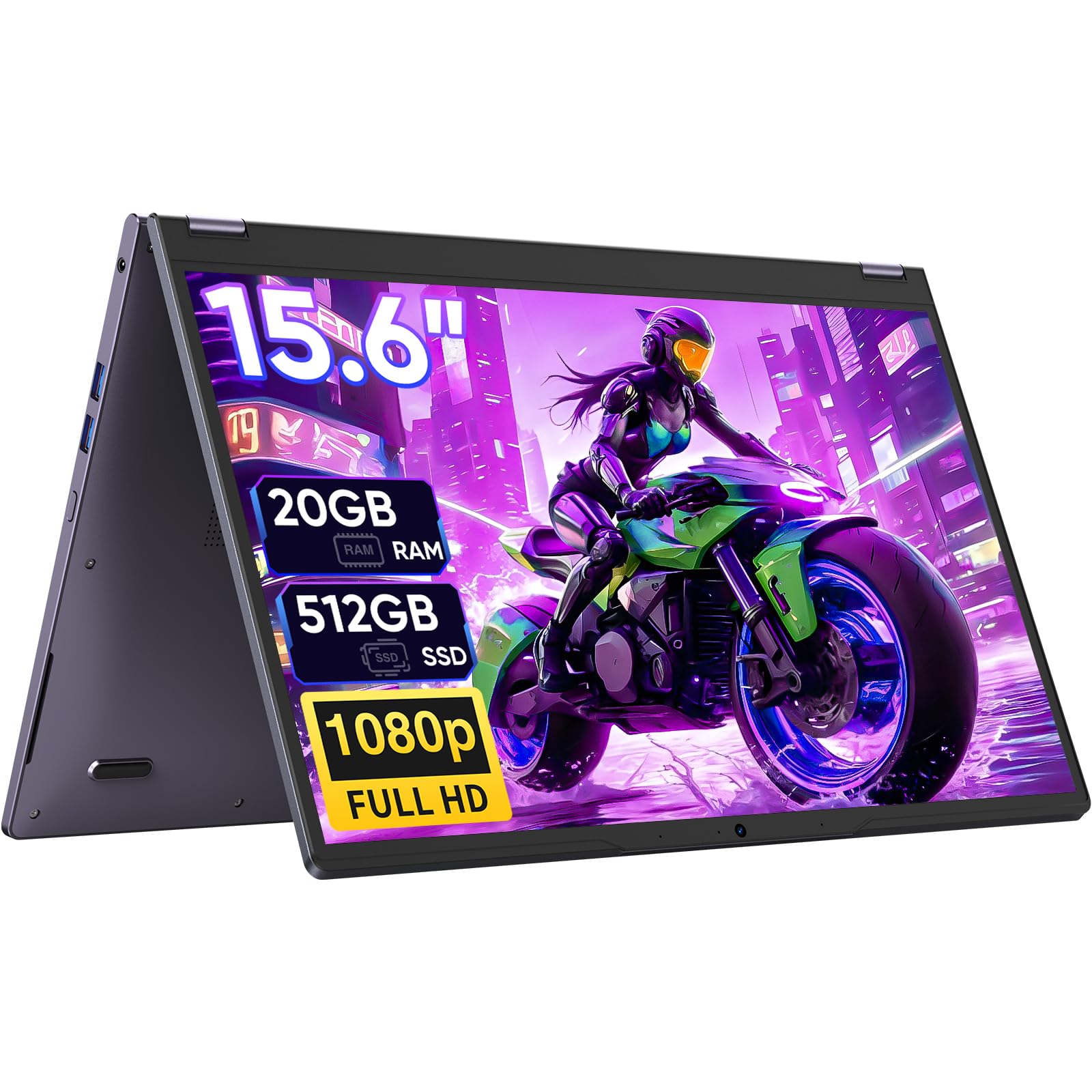
A 15.6-inch screen and 20GB of memory in a finish that does not look budget.
Students, note-takers, and designers on a tighter budget get a lot here. The 15.6-inch FHD 1920 x 1080 touchscreen is big enough to sketch on and comfortable to browse. It uses the same 360° hinge, so laptop, tablet, tent, and stand modes all work for video sharing and calls.
The memory is where it separates itself. It carries 20GB of RAM versus the 8GB in the ASUS Chromebook Flip CX1, and a 512GB SSD versus that model’s 128GB eMMC. For a buyer keeping a dozen tabs and a notes app open, that headroom is the difference between smooth and stutter.
Performance is the thing to understand before buying. The Intel Core m3-8100Y reaches up to 3.4 GHz, paired with Intel UHD 615 graphics — fine for classes, browsing, documents, and streaming, not a machine for heavy editing. The 38Wh battery supports hours of use, and the Deep Purple chassis stands out in a crowd of silver laptops. Touch sensitivity reads positively, so finger navigation is smooth.
Where the value sits: 20GB RAM and a 512GB SSD at a budget position — the memory is the reason to choose it.
What to weigh: the processor is a daily-tasks chip, so keep heavy creative software off it.
Go for it when: you want a large foldable screen and generous memory for school or light design.
Skip it for: demanding editing or gaming, where the graphics fall short.
9. ASUS Chromebook Flip CX1, 14″ FHD NanoEdge Touchscreen

Eleven hours of rated runtime on a fold that weighs 3.59 pounds.
For a classroom or a long flight, battery is the spec that decides your day. ASUS rates the Flip CX1 at up to 11 hours, and at 3.59 pounds it is light enough to flip into tablet mode without a struggle. The 14-inch FHD 1920 x 1080 NanoEdge touchscreen flips through four modes — clamshell, tent, stand, and tablet.
The processor is an Intel Celeron N4500 reaching 2.8 GHz, paired with 8GB RAM and 128GB eMMC storage. That combination is built for browsing, Google Classroom, and documents. The 128GB drive is the number to watch: it fills faster than a 512GB SSD, so plan on cloud storage or an SD card for big files. Durability gets a boost from the US Military Grade MIL-STD 810H standard, and Wi-Fi 6 plus Bluetooth 5.2 keep the wireless side current.
ChromeOS makes setup simple and brings Google apps, and you can edit Office files through Docs and Slides. If you want a machine that boots fast and does not need antivirus babysitting, this is a calm choice. Just know that 8GB of RAM and a Celeron chip place it firmly in the light-work lane.
The quick read: the Flip CX1 wins on runtime and light weight — 11 hours and 3.59 pounds are its two real calling cards.
Best matched to: students and travelers who want a foldable that stays charged through a full day.
Check first if: you need to install Windows software or store large local files.
10. Omnica 15.6″ Convertible Touchscreen Laptop, Ryzen 3 3200U
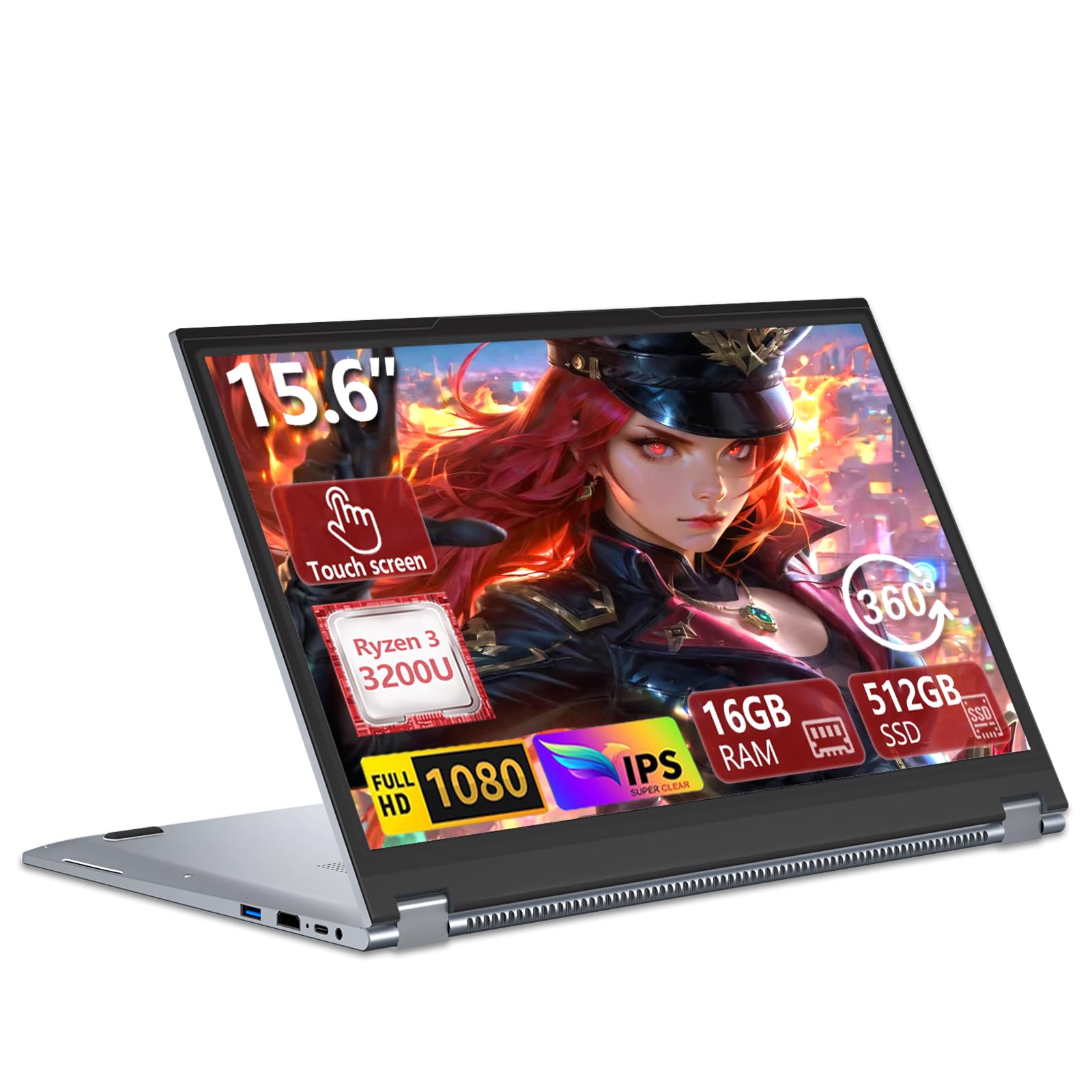
Sixteen gigs of RAM and a backlit board — the budget fold that covers the basics.
This is the pick for the buyer who wants a big folding touchscreen and does not want to pay flagship money. The 15.6-inch FHD 1920 x 1080 panel at a 16:9 ratio is bright and easy to read, and the 360° hinge swings through laptop, tablet, tent, and stand modes. The backlit keyboard works well in low light, which makes evening study or late emails easier on the eyes.
Inside, 16GB of DDR4 RAM and a 512GB SATA SSD give you fast boot-ups and room for documents and media. That memory is 16GB versus the 8GB in the ASUS Chromebook Flip CX1. The Ryzen 3 3200U processor reaches up to 3.5 GHz with Radeon graphics and handles student and office work reliably. Ports include USB 3.0, two USB 2.0, USB Type-C, HDMI 1.4, Ethernet, a 3.5mm jack, Wi-Fi 5, and Bluetooth 5.1 — the wired Ethernet port is rare on a convertible.
Performance is the honest middle ground. It performs well for everyday tasks, but demanding software will make it work hard, and the same applies to battery endurance. Value for money is what buyers praise most, and the backlit keyboard is a close second. Buy it as a capable student or office machine and it will serve you well.
Where it lands: strong on memory, screen, and keyboard lighting; modest on the very heaviest workloads.
Worth a look if: you want a large touchscreen foldable with 16GB RAM and a backlit keyboard for study or office work.
Not the one for: you if heavy software and long battery are your top priorities.
11. Samsung Chromebook Plus V2 360, 12.2″ 2-in-1, Celeron 3965Y
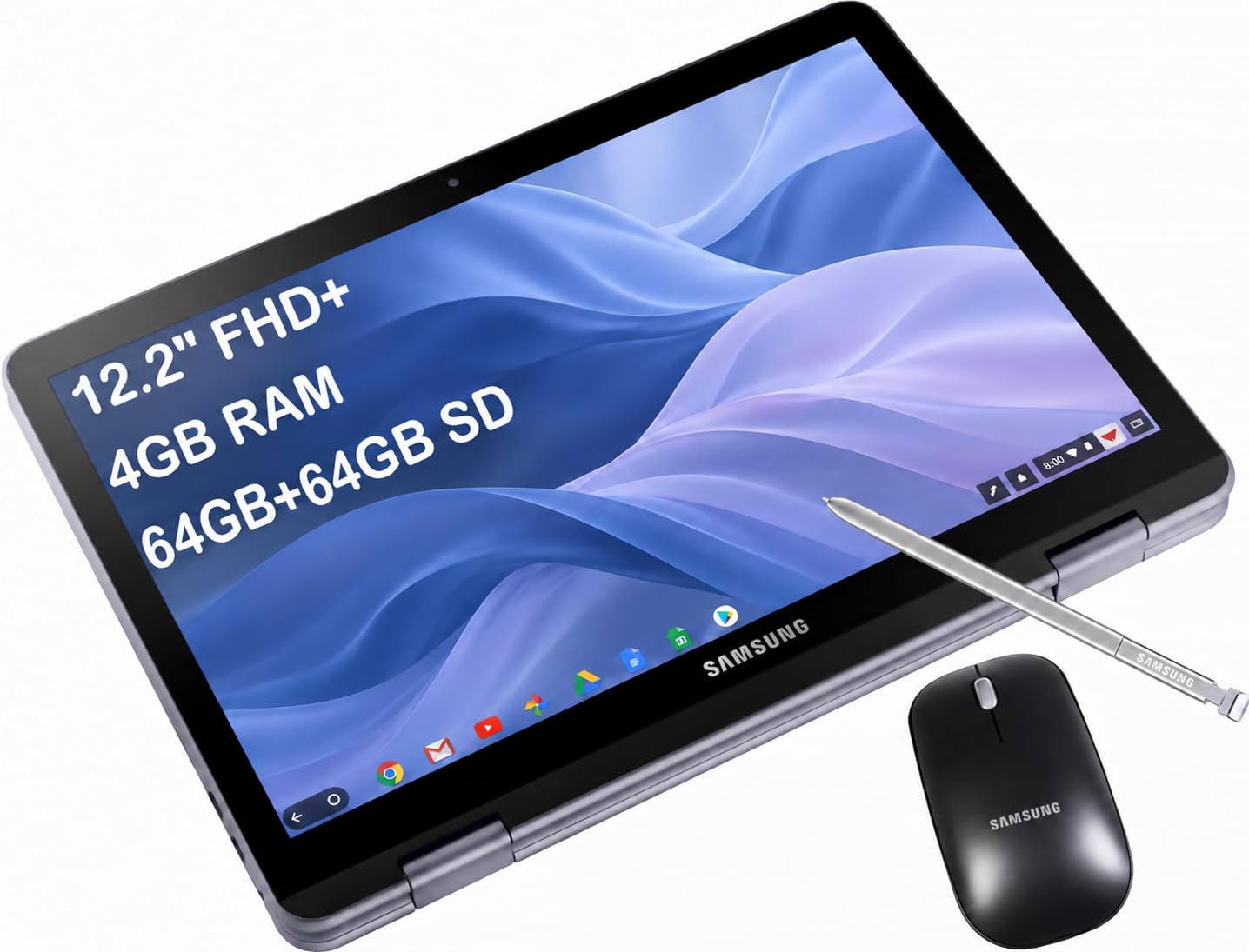
A small, stylus-ready fold for students who mostly live in Chrome.
The 12.2-inch FHD+ 1920 x 1200 touchscreen is the smallest on this list, and that is the point. It folds on an x360-degree hinge into laptop, Yoga, Flip, and Tablet modes, and the full-metal body carries a rated 10 hours of battery. Samsung builds in stylus support, and a Samsung Stylus and wireless mouse are in the box, so it works as a note-taking tablet out of the gate.
Set against the Galaxy Book5 Pro 360, the difference is plain: 12.2 inches versus 16, and a Celeron 3965Y at 1.5 GHz versus the Ultra 7 258V at 4.8 GHz. This is a light-work machine, and Google Chrome OS fits that role with thousands of apps and cloud backups. Wi-Fi 5 and Bluetooth v4.0 are older standards, so the wireless here is basic rather than current.
The honest picture is mixed. Performance and touch hold up for schoolwork, but reliability and battery draw more divided feedback — some find the battery impressive, while others notice it draining even while asleep. Screen durability is also a point to treat gently. Buy it as a capable starter convertible for coursework and streaming, and size your expectations to the price tier.
The balance point: a stylus and mouse in the box plus a rated 10 hours make it a sensible starter for Chrome-based study.
A fit for: students and casual users who want a small folding touchscreen at a friendly tier.
Look past it if: you need Windows, newer wireless, or a screen that shrugs off knocks.
Know the Specs
The 360° hinge vs detachable keyboard
A 360° hinge folds the screen all the way back, so the keyboard ends up underneath as a base. That keeps everything in one piece and works well in tent and stand modes for video. A detachable design, like the Surface Pro, splits the keyboard off so the slate can travel alone. Choose the hinge for a single piece that lives on a desk; choose the detachable when tablet mode should be the default.
Resolution and refresh rate explained
Resolution is how many pixels the panel packs. A 1920 x 1200 panel is sharp for documents and browsing, while a 2880 x 1800 or 3K panel makes stylus lines and photos crisper. Refresh rate measures how many times the screen updates each second. A 120Hz panel keeps finger scrolling in tablet mode smooth, while a 60Hz panel is fine for typing and reading.
RAM, SSD, and eMMC storage
RAM is the desk space apps work on. More RAM means more apps and browser tabs stay open without slowing down — 20GB and 32GB machines handle heavy multitasking, while 8GB is enough for light Chrome work. Storage comes as a fast SSD or a slower eMMC drive. An SSD opens files and boots quicker, and a 512GB or 1TB drive leaves far more room than a 128GB one.
Processor class and the NPU labelA processor’s clock speed is the ceiling on how hard it can work — a Celeron or Core m3 chip handles documents and video calls, while a Core Ultra 7 or Ryzen AI 9 chip keeps heavy multitasking comfortable. The NPU (neural processing unit) is a small dedicated chip for on-device AI tasks, listed in TOPS, which measures how many AI operations it can run each second.
Battery hours and weight in tablet mode
Rated battery life tells you roughly how long you can work away from a charger, and it ranges from 10 hours up to 14 hours across this list. Weight decides how pleasant tablet mode feels, since you hold the whole machine in your hands. A convertible around 3.3 to 3.7 pounds flips back comfortably, while one near four pounds is best used on a desk or lap.
Common Questions
Is a foldable touchscreen laptop as sturdy as a regular clamshell?
Can I use a stylus on these touchscreen laptops?
Do I need Windows, or is ChromeOS enough on a 2-in-1?
How much RAM should a foldable laptop have?
Is a higher display resolution worth it on a foldable?
Will tablet mode drain the battery faster?
Can a foldable laptop drive an external monitor?
Is a 128GB drive enough on a convertible laptop?
Do these laptops come with a keyboard when the screen detaches?
Which matters more, processor speed or battery life?
The Bottom Line
For most buyers, the touchscreen foldable laptop to buy is the Lenovo Yoga 7i. It handles work, study, and entertainment in one folding machine, thanks to a 12-core Core Ultra 7 155U processor (a chip with 12 processing cores that runs up to 4.8 GHz, a speed measure) and a 1920 x 1200 IPS touch panel (a screen with wide viewing angles). If drawing on the screen matters most, pick the Samsung Galaxy Book5 Pro 360. Its 2880 x 1800 120Hz panel (a sharper screen that refreshes 120 times a second, so scrolling and pen strokes look smooth) comes with an S Pen (a stylus you write and draw with). For a tablet-first device that gains a keyboard when you need one, reach for the Microsoft Surface Pro 11, rated for up to 14 hours of battery.
Pick the panel and hinge that match how you actually use the machine, then let the processor and battery numbers settle the rest. Buy for the mode you will use most — laptop, tablet, tent, or stand.
How we choose
We do not accept paid placement. Every pick is matched to a real buyer and a real use-case; we do not hands-on test units.
Sources
Specifications: manufacturer listings and product documentation. Review insights: verified customer reviews, as of November 2026. Pricing: not shown on this page (it changes often); check the current price via the retailer link.
As an Amazon Associate, Tactical Gear Guy earns from qualifying purchases. This does not affect which products we feature.