Specs are compiled from manufacturer listings and verified buyer reviews and can change over time — please confirm the key details on the product page before buying.
You will actually use your tablet in your hand, not on a spec sheet. Most people buy far more screen and storage than they ever touch. Then they find the real deciding factors: weight in the hand, how readable the screen stays in daylight, and whether the battery survives a full day away from a socket. This guide breaks down eleven tablets across every budget tier. It explains, in plain words, which one suits note-taking, which one suits streaming in bed, and which one is genuinely worth the extra spend.
This guide is built by comparing the manufacturers’ published specifications and the patterns across verified customer reviews, so you get each pick’s real strengths and trade-offs instead of marketing spin.
You will see exactly where a cheap panel cuts corners and where a premium screen earns its keep. Every pick below is judged on the things that matter once the box is open, which is the whole point of a serious look at top tablet computers.
Top Picks

How To Choose The Best Top Tablet Computers
Start with the size of the thing in your bag, not the chip inside it. A 13-inch slab is a desk companion; a 10-inch one rides in a tote without a second thought. Get the physical size wrong and no amount of processing power rescues the purchase.
Match the screen resolution to the job
Resolution is the count of tiny dots that make up the picture, written as width times height in pixels. A 1920 x 1200 panel (often called FHD) packs more dots into the same space than a 1280 x 800 panel, so small text in a PDF or a spreadsheet stays crisp instead of fuzzy. If you mainly watch video and browse, the lower-resolution panel is perfectly usable and often the budget-friendly route.
Understand what the RAM number is really saying
RAM is the short-term workspace where open apps live. Several budget listings quote a big figure like 24GB or 36GB, but part of that is virtual memory — storage borrowed to act like RAM when the real chips fill up. The physical figure is the one that dictates how many apps stay open without reloading. Check the breakdown before you assume a cheap tablet outmuscles an expensive one.
Battery capacity versus real screen time
Battery capacity, measured in mAh (milliamp-hours — roughly how much charge the cell holds), tells you the size of the tank. It does not tell you the mileage, because the screen and processor decide how fast that tank drains. A 6000mAh cell paired with a low-power chip can stretch to a full day of mixed use, while a brighter, faster panel burns through more. Look for stated video-playback hours when a maker provides them.
Decide if you need a pen in the box
A stylus turns a tablet into a notebook replacement, and handwriting latency — the delay between your pen tip and the ink appearing — is what separates a natural feel from a frustrating one. Some picks here ship with a pen and folio included, others sell them separately. Factor that into what you are actually getting.
Side-by-Side Comparison
| Model | Best For | Display | Memory and Storage | Battery | Amazon |
|---|---|---|---|---|---|
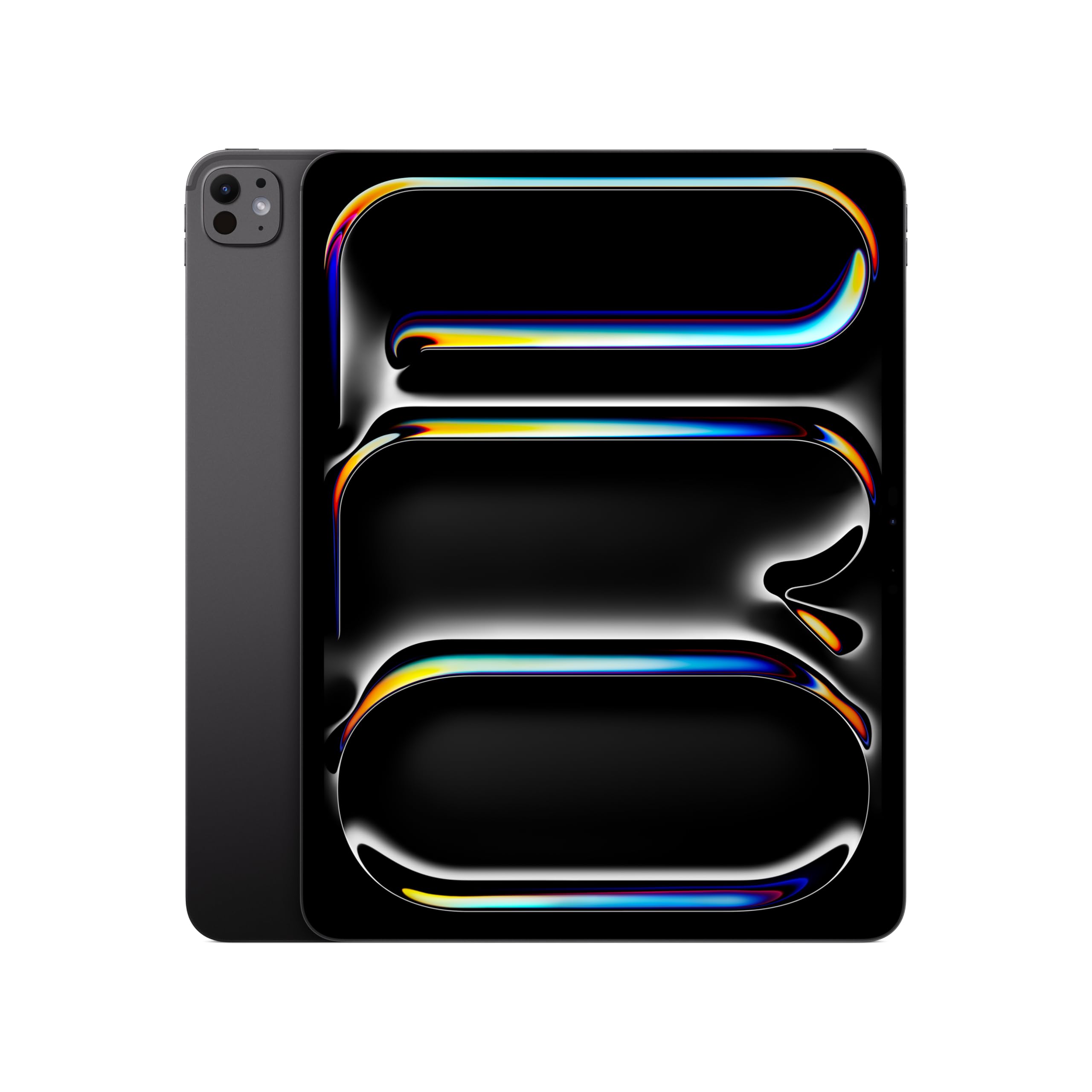
| Apple iPad Pro 13-inch (M5)★ Best Overall | Creative and pro workloads | 13-inch Ultra Retina XDR | 256GB storage | All-day battery life | Amazon |
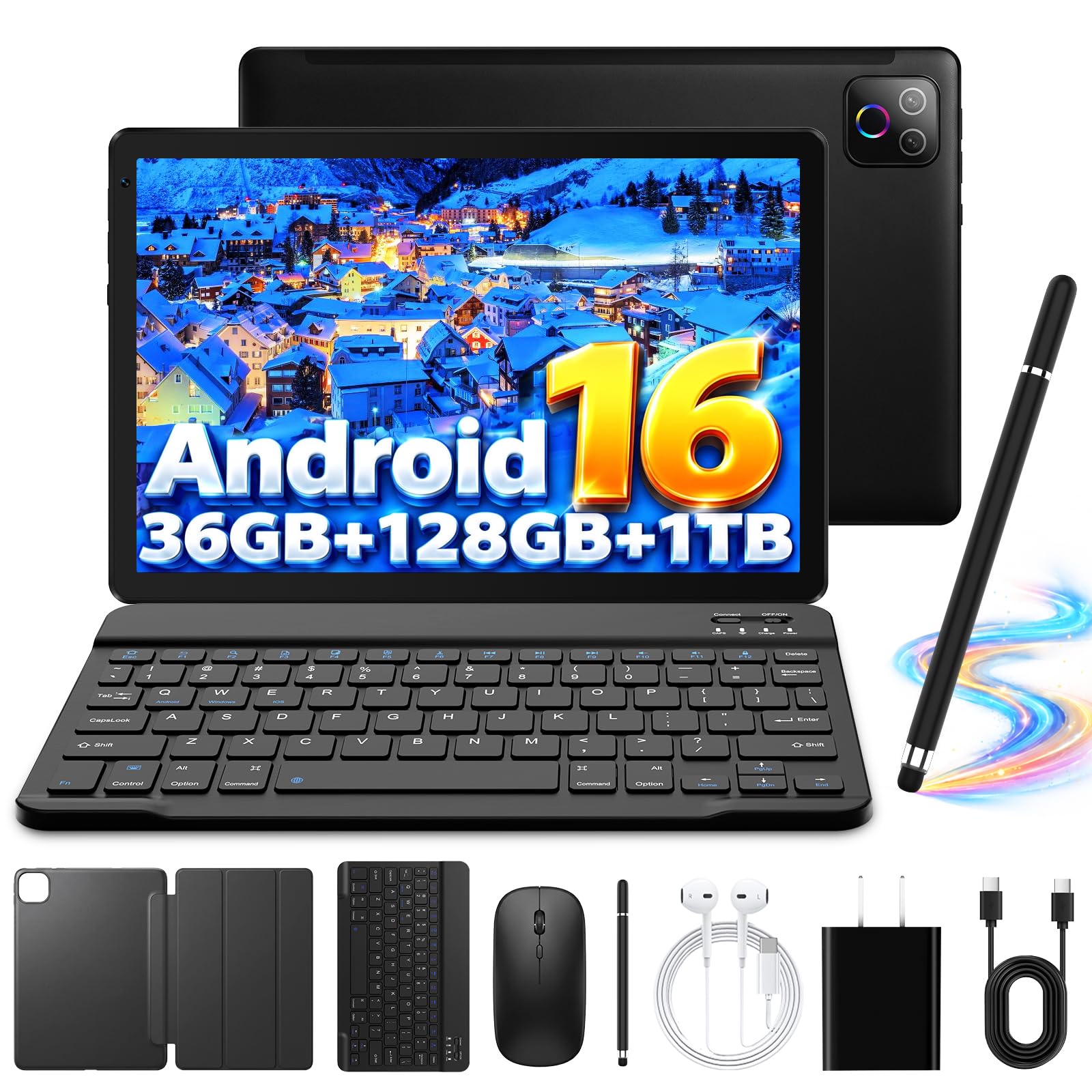
| Evermyth Android 16 Tablet 10 InchBudget Champion | Budget everyday use | 10-inch 1280*800 IPS | 36GB RAM / 128GB ROM | 6000mAh | Amazon |
| TABWEE 11 Inch Android 16 TabletBest Full Kit | Students needing a full kit | 11-inch 1920 x 1200 | 24GB RAM / 128GB ROM | 8000mAh | Amazon |
| TCL TAB 10 Gen 4 | Family and travel use | 10.1-inch 1920×1200 | 4GB RAM + 8GB expansion / 128GB | 6000mAh | Amazon |
| Lenovo Idea Tab Plus | Note-taking and study | 12.1-inch 2560 x 1600, 90Hz | 8GB RAM / 128GB | Up to 13 hours streaming | Amazon |
| Lenovo Idea Tab Pro | Students and media fans | 12.7-inch 2944 x 1840, 90Hz | 8GB RAM / 128GB | 10200mAh, 11 hours video | Amazon |
| Samsung Galaxy Tab S9 FE+ | Outdoor and on-the-go use | 12.4-inch 2560×1600, 90Hz | 8GB RAM / 256GB | 10090mAh, 18 hours | Amazon |
| Amazon Alexa Tablet 12 Pro | Reading and smart home | 12-inch 2.8K Nanomatte, 120Hz | 16GB RAM / 256GB | Up to 16 hours video | Amazon |
| Apple iPad Air 13-inch (M4) | The do-everything middle | 13-inch Liquid Retina | 256GB storage | All-day battery life | Amazon |
| Samsung Galaxy Tab S10+ | Big-screen productivity | 12.4-inch 2800 x 1752 AMOLED, 120Hz | 512GB | — | Amazon |
Detailed Reviews
1. Apple iPad Pro 13-inch (M5)
Our pick — 4.5+★ from 850+ verified ratings; the strongest balance of quality and price.
A 1.28-pound slab that renders like a studio monitor and barely taxes your wrist.
If you draw, edit video, or run design software, the 13-inch Ultra Retina XDR panel is the reason to buy this one. Extreme brightness, precise contrast, ProMotion (a screen that refreshes up to 120 times a second for smoother motion) and P3 wide color (a wider color range) together keep fine colour work accurate on screen. The M5 chip inside is what sells it to the crowd. The raw responsiveness shows in everything from scrubbing a timeline to flicking between three open windows in iPadOS. Even at 1.28 pounds, the enclosure stays rigid enough that you can hold it one-handed while sketching with the other.
The storage on this configuration is 256GB, and higher capacities climb toward 2TB with 16GB of memory. Set that against the TABWEE 11-inch, which lands at 128GB: this iPad doubles the built-in room. If your library is mostly cloud-streamed, 256GB is plenty; if you keep raw camera files on-device, plan ahead before you buy.
The camera kit is unusually complete for a tablet. A landscape 12MP Center Stage front sensor keeps you framed during calls, a 12MP Wide back camera with adaptive True Tone flash handles document capture, and a LiDAR Scanner reads depth for augmented-reality apps. Four studio-quality microphones and a four-speaker system mean you can record a decent voice memo or watch a film without reaching for headphones. Wi-Fi 7 with Apple N1 and Face ID round out the everyday basics.
The undeniable wins
- 13-inch Ultra Retina XDR display with ProMotion and P3 wide color for accurate creative work
- M5 chip with Neural Accelerators keeps heavy pro apps fluid
- LiDAR Scanner, four speakers and four microphones built in
- 1.28 pounds — genuinely manageable for a 13-inch tablet
What wears on owners
- Battery life draws split opinions — some call it excellent, others find it short of expectations
- Premium tier spending, and the Pencil and Magic Keyboard are separate purchases
- 256GB fills fast if you store video projects locally
Made for: creative professionals and anyone whose tablet replaces a drawing desk or editing rig — this is the strongest all-round performer on the list at 4.5+ stars.
Think twice if: your day is browsing, email and streaming; a mid-range pick below covers that for far less.
2. Evermyth Android 16 Tablet 10 Inch
The entry ticket that still hands you Wi-Fi 6 and an octa-core chip.
The number that jumps off the listing is 36GB of RAM, and it is worth slowing down on it. That figure is 6GB physical memory plus 30GB of virtual expansion borrowed from storage — the real workspace is 6GB, which is modest. Compare it with the TCL TAB 10 Gen 4 at 4GB, and this Evermyth still leads on physical memory, but the headline figure oversells what the hardware does day to day.
Where it genuinely delivers for the money is connectivity. Wi-Fi 6 and Bluetooth 5.4 are both current-generation wireless standards, so pairing earbuds and pulling down files happens without the stutter older budget tablets show. The 10-inch IPS panel runs 1280×800 at 60Hz, which is fine for video and web pages but soft on dense text — a real step down from the 1920 x 1200 panel on the TABWEE below.
Battery is a 6000mAh cell with a low-power processor behind it. Evermyth quotes up to 8 hours of mixed use and up to 3 days of standby, which covers a day of reading and streaming with room to spare. Store more with a TF card up to 1TB, since the built-in 128GB will not hold a large film collection. The 5MP front and 8MP rear cameras are basic, fine for video calls and quick snaps.
What the buyers get: owners warm to the size and the look of the thing, and it does the everyday jobs — video, reading, online classes — without fuss.
The honest caveat: the same people split on speed, with some finding it quick and others calling it slow; treat it as a light-duty machine rather than a multitasker.
Matches up if: you want a second screen for the sofa, a kid’s first tablet, or a gift that does not sting — the software is current and the wireless standards are modern.
Mismatches if: you plan to keep a dozen apps open or read dense documents all day on that 1280×800 panel.
3. TABWEE 11 Inch Android 16 Tablet
A keyboard, mouse and stylus in the box — the student bundle that needs nothing extra.
The 11-inch FHD panel here is the headline upgrade over the Evermyth. It gives you 1920 x 1200 pixels against 1280 x 800, roughly half again more dots in the same space, so lecture slides and PDFs read sharply instead of soft. The fully laminated TDDI screen (touch and display layers bonded into one) keeps touch response tight and the colours natural. Widevine L1 support (a DRM level that open up full-quality streams) means Netflix-style apps stream at full quality rather than a downgraded feed. An 84.9% screen-to-body ratio keeps the bezels thin, and 380-nit brightness (a measure of screen brightness) handles indoor watching comfortably.
Storage expansion is where this model pulls ahead of just about everything. The TF card slot takes up to 2TB — double the 1TB ceiling on the Evermyth — so downloaded lectures, films, and family photos can pile up without you deleting things. Internal memory is 24GB RAM, made up of 8GB physical plus 16GB virtual expansion, and 128GB of storage. Be clear-eyed about the split: 8GB physical is the working figure.
An 8000mAh battery backs the Unisoc T615 octa-core chip, quoted at up to 11 hours of video playback, 8 hours of daily entertainment, or 40 hours of music. The 13MP rear camera pairs with Google Lens for scanning documents and translating text, while a 5MP front sensor handles video calls and face recognition. Dual-band 5G Wi-Fi, Bluetooth 5.0 and support for GPS, GLONASS, Galileo and Beidou cover connectivity and travel navigation.
Proof in the ownership: build quality is the thing people single out most, with value for money right behind it — this kit reads as more than the sum of its parts.
The fair warning: functionality, speed and connectivity all draw mixed reactions, so it is a dependable daily companion rather than a performance machine; a two-year warranty and 24/7 support soften that.
Buy it when: you or a student needs a ready-to-go 2-in-1 with keyboard shortcuts, a pen and a mouse already in the box.
Hold off when: you expect iPad-level smoothness from every app — the T615 chip keeps things steady, not swift.
4. TCL TAB 10 Gen 4
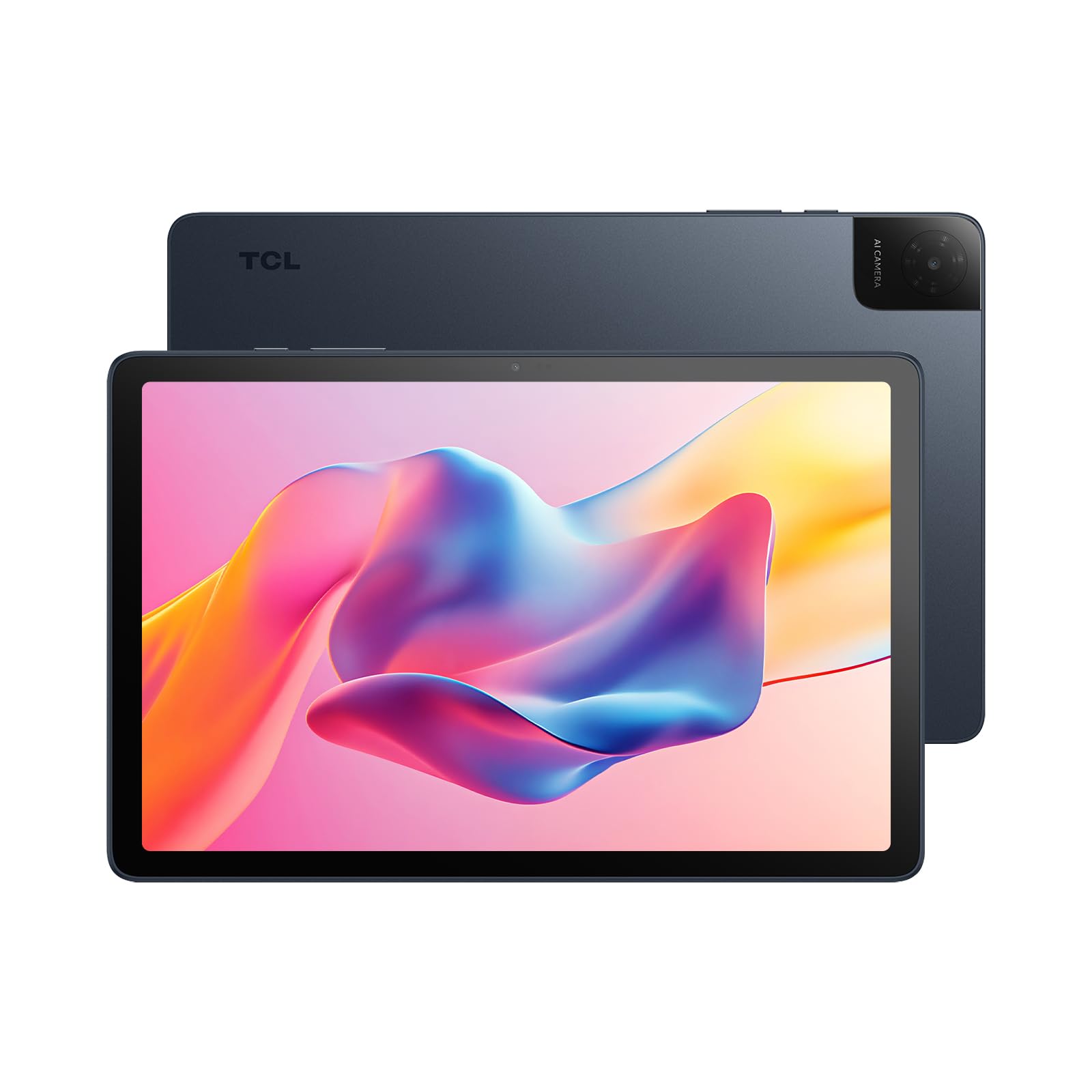
A 0.87-pound metal-bodied slate built for backpacks, road trips and shared family use.
Weight is the practical win here. At 395g (0.87 lb) and 7.55mm (0.30 in) thin, it slips into a work bag or a school backpack without the dead weight you feel from a 12-inch slab. The unibody metal construction adds a solid feel that most budget tablets miss, and commuters can read one-handed on a train without their wrist complaining.
The screen is a 10.1-inch IPS FHD running 1920×1200 in a 16:10 shape, with TCL’s NXTVISION processing sharpening picture quality. Dual speakers with Sound Booster claim up to 200% more audio volume — note that the boost does not apply in headphone mode, so late-night watching stays quiet. Memory is 4GB physical RAM with 8GB of expansion, plus 128GB of storage and microSD support up to 1TB for downloaded shows and family photos.
A 6000mAh cell pairs with an MTK MT8786V/N octa-core processor and NXTURBO optimisation that trims power draw and heat. Compatible 18W fast charging shortens top-up time, though the charger itself is sold separately. Face open up gets you in quickly, the 5MP front camera handles calls, the 8MP rear captures school projects, and Kids Space with Google Family Link lets parents filter content and cap screen time.
Why it earns its place
- 395g (0.87 lb) and 7.55mm thin in a metal unibody — genuinely easy to carry
- 10.1-inch 1920×1200 IPS panel with NXTVISION processing
- Kids Space and Family Link parental controls built in
- USB-C plus a 3.5mm headphone jack, which is increasingly rare
Worth knowing before you buy
- 4GB physical RAM is the smallest here — reflective of a light-work machine
- The 18W fast charger is not in the box
- Performance draws mixed reactions, with some owners finding it merely okay
Reach for it if: you need a durable, light tablet the whole family shares — reading, video and homework all land within its comfort zone at 4.0+ stars.
Leave it if: you want a heavy multitasker or a gaming screen; the 4GB base memory will show its limits.
5. Lenovo Idea Tab Plus
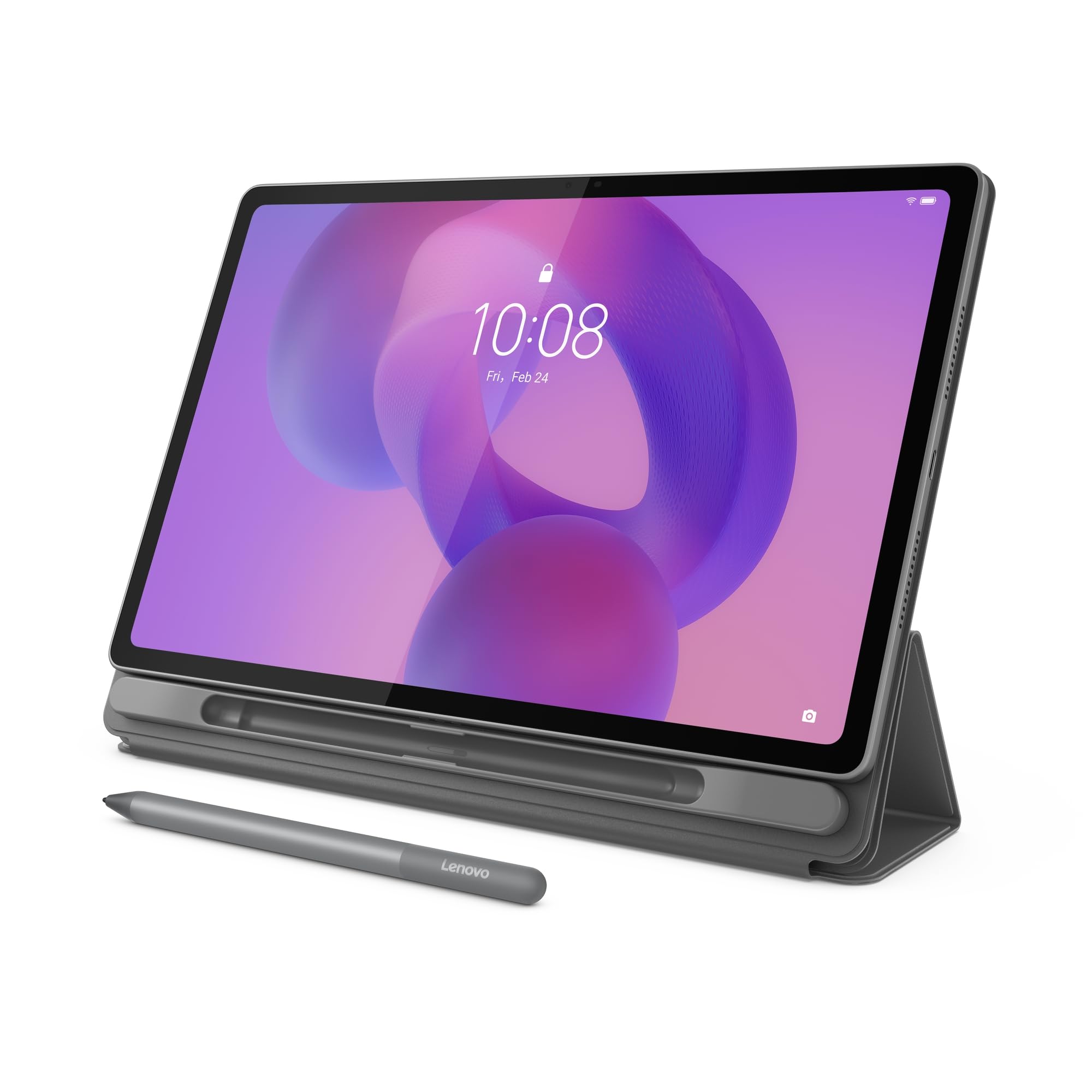
The study desk that fits between two notebooks and ships with its own pen.
What you notice first is the panel: a 12.1-inch 2.5K IPS touchscreen running 2560 x 1600 at 90Hz (a refresh rate of 90 times a second). It is bright enough at up to 800 nits (a measure of screen brightness) to stay readable in a sunny room. It is certified to TÜV Rheinland Low Blue Light (a filter that reduces blue light) for long reading sessions. The 90Hz refresh rate is the difference you feel rather than see — scrolling a long document is smoother than on the 60Hz panels elsewhere on this list. Weighing just over a pound, it slides between notebooks in a backpack.
Lenovo includes the Tab Pen and a folio case, which changes the maths against rivals that sell accessories separately. Circle to Search, powered by Google, lets you loop an item on screen with the pen or a fingertip for an instant lookup or translation without switching apps. Four learning apps — Lenovo Notepad, Squid, Nebo and MyScript Calculator — cover handwriting, sketching and maths. The MediaTek Dimensity 6400 drives it all alongside 8GB of memory and 128GB of storage.
Battery is quoted at up to 13 hours of YouTube streaming, and quick charge tops it back up when you are short on time. Quad Dolby Atmos-tuned speakers give films some body, and file sharing lets you drag documents and photos between devices without cables. Performance is the attribute that wins the most approval, including owners who say it handles all their daily tasks with ease. Speed and interface reactions split opinion, so treat it as a smooth all-rounder rather than a heavy hitter.
Where the value sits: pen, folio, 2.5K screen and 90Hz together for a mid-range outlay — very few rivals pack the same in the box.
The check to make: 128GB of storage fills quickly with downloaded video, though microSD support gives you an escape hatch.
Best suited to: students and note-takers who want handwriting and sketching without buying a stylus afterward — 4.5+ stars and quietly competent at everything.
Pass if: gaming frame rates are your priority; the Dimensity 6400 is built for study, not shooters.
6. Lenovo Idea Tab Pro

Bigger than the Idea Tab Plus, faster, and tuned for hours of lectures and games.
Where the Plus gives you a 12.1-inch 2.5K panel, this Pro steps up to 12.7 inches at 3K, running 2944 x 1840 with the same 90Hz refresh — sharper text and more screen to spread notes across. The MediaTek Dimensity 8300 behind it is the faster chip, and Wi-Fi 6E means less congestion when everyone in the house is streaming. Quad JBL Dolby Atmos speakers give lectures and films real separation, and the display carries Low Blue Light certification for late-night study.
Gaming is not an afterthought here. The tablet is PUBG certified for first-person-shooter performance, with a 360Hz touch sampling rate (how often the screen registers your finger or pen, measured in times per second) and lightning-fast 90fps. The included Tab Pen Plus makes Circle to Search a one-motion job — press home, draw a circle, get an answer.
The battery is a 10200mAh cell, quoted at 11 hours of unplugged video streaming, and 45W quick charge gets you back into the day quickly. Google Gemini is built in as an AI assistant for study help. That combination of 10200mAh and 11 hours of playback is the metric that puts it ahead of the Idea Tab Plus, which is rated at up to 13 hours of YouTube streaming on a smaller cell. Performance and value are the two things owners praise most loudly, and resolution gets consistent credit.
The case for the Pro
- 12.7-inch 3K display at 2944 x 1840 with 90Hz
- PUBG-certified with 360Hz touch sampling for gaming
- 10200mAh battery and 45W quick charge
- Pen and folio case included, plus Gemini and Circle to Search
The trade-offs you accept
- 128GB of internal storage is modest for a media-heavy owner
- Battery and weight both draw mixed feedback
- A larger footprint than a 10-inch tablet when packed for travel
The right tool for: students and gamers who want a big, sharp screen and a pen in the box — 4.5+ stars with performance that carries it.
Less ideal for: anyone who needs to travel with the tablet in a small bag or store a large offline library on-device.
7. Samsung Galaxy Tab S9 FE+
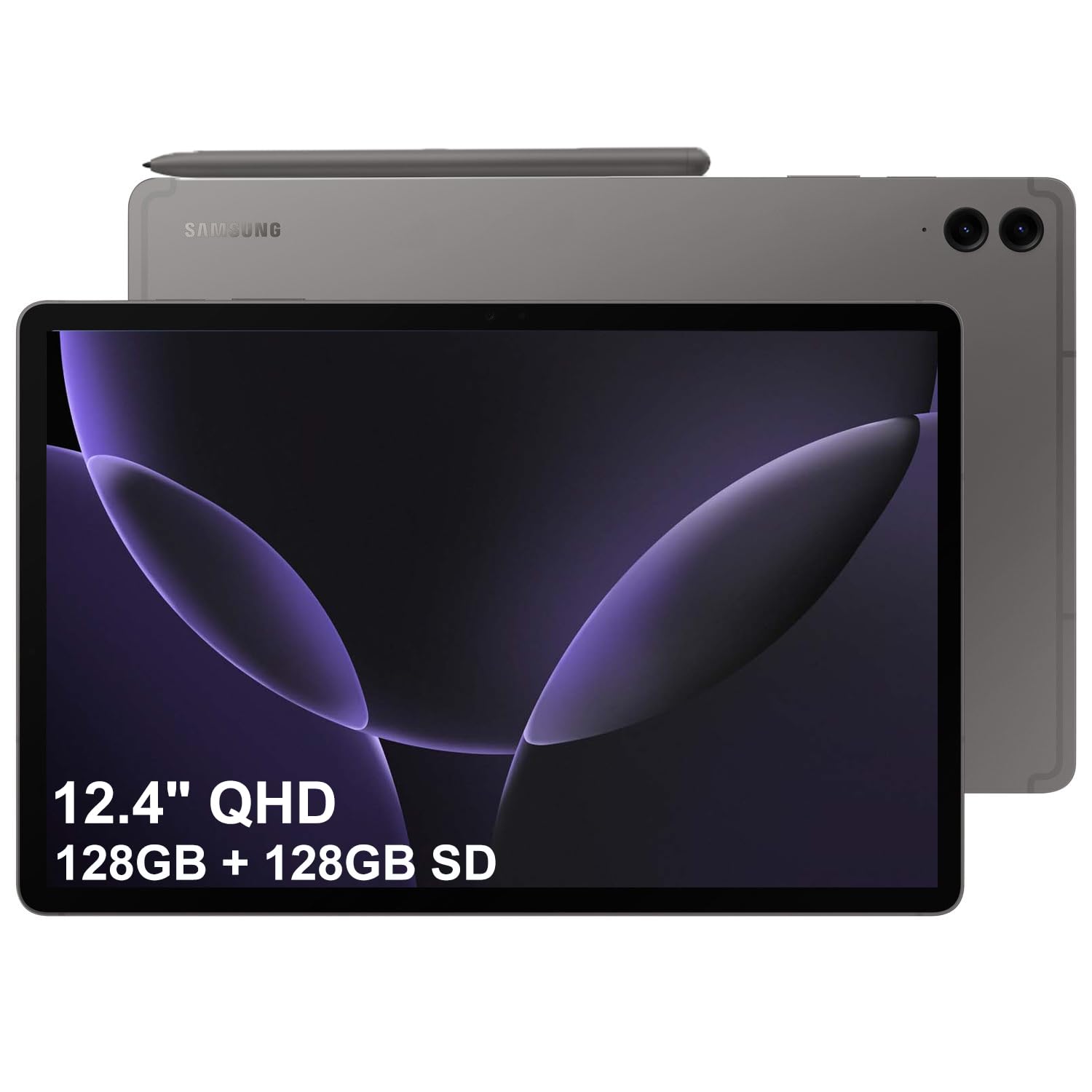
Dustproof, water-resistant, and rated for 18 hours — the one that survives the beach.
The IP68 rating is the reason to pick this over everything else here. That is an ingress-protection rating covering dust and water resistance, which matters if the tablet lives in a rucksack, on a kitchen bench, or near a pool. No other pick on this list publishes that rating. Add a 10090mAh cell rated at 18 hours of battery life with fast charging, and you have a device built to leave the house.
The 12.4-inch WQXGA display runs 2560×1600 at 90Hz in a glossy finish, giving crisp, vibrant visuals. The included S Pen is what makes it a creativity tool: handwriting notes, sketching, and annotating documents feel natural, mimicking paper. Underneath sits an Exynos 1380 processor at 2.4 GHz with 8GB of RAM and 256GB of storage — double the 128GB that most rivals here offer, and the difference between keeping and deleting a media library.
A 12MP front camera and dual 8.0 MP rear cameras handle video meetings and photos. Wi-Fi 6 and Bluetooth 5.3 keep connections fast and stable, and an integrated fingerprint sensor in the power button gives a quicker open up than face recognition in low light. The buyers who leave reviews describe something that performs better than their phones and feels flagship-grade without flagship outlay, with durability earning steady praise.
The standout: IP68 dust and water resistance plus an 18-hour battery — a combination you cannot find elsewhere on this page.
The caveat: the Exynos 1380 is a capable mid-tier chip, and 8GB of RAM is adequate rather than spacious for heavy gaming.
Take it travelling if: you want a big-screen Samsung with a free S Pen, 256GB of storage and weather protection — 4.5+ stars of mostly satisfied owners.
Choose elsewhere if: you demand the fastest chip and a true high-end display for colour-critical work.
8. Amazon Alexa Tablet 12 Pro
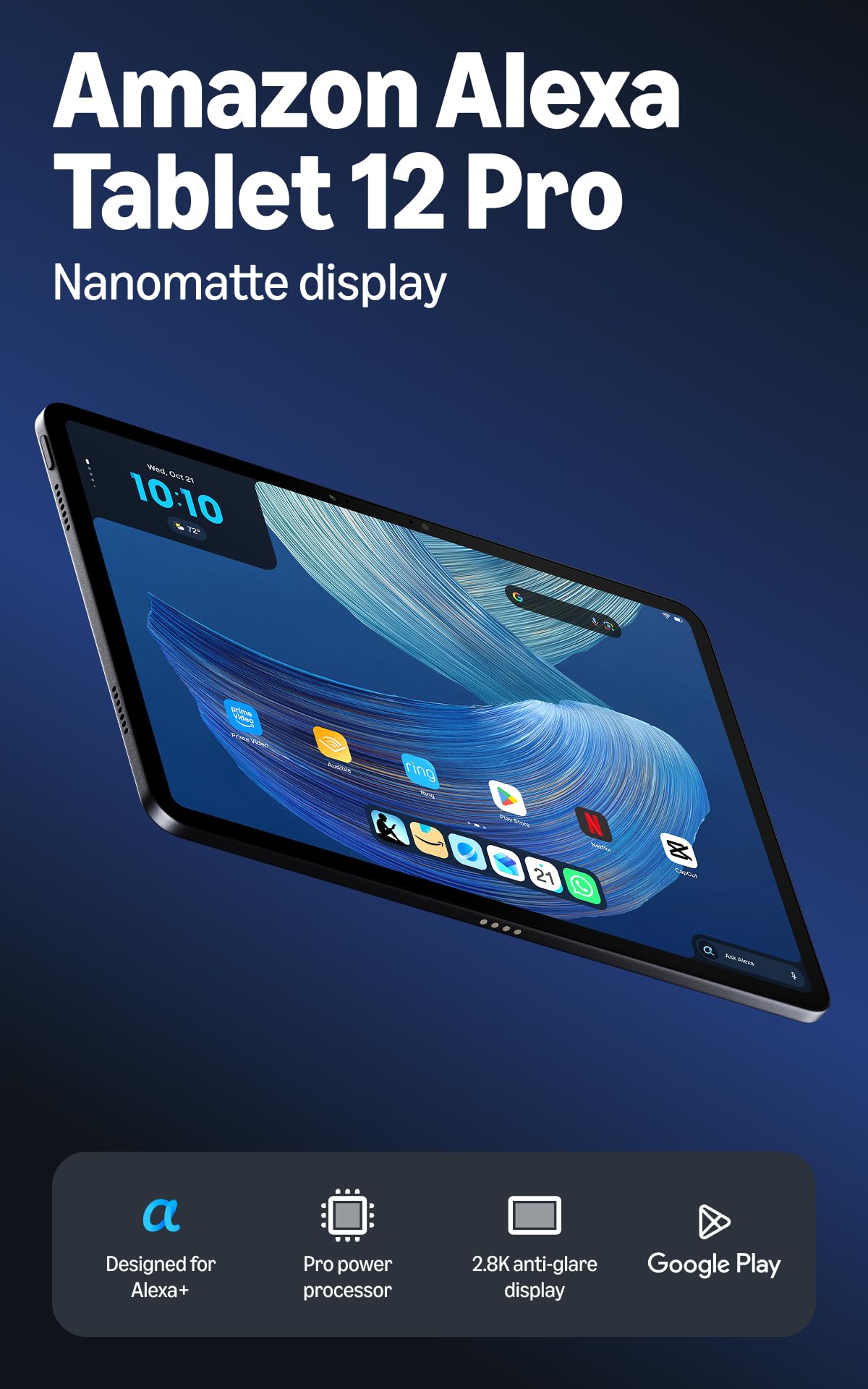
An anti-glare 12-inch canvas that turns a page instead of reflecting a lamp.
The anti-glare Nanomatte finish is the whole point. It is a 12-inch 2.8K display at 280ppi (pixels per inch — the density measure that decides how sharp small text looks) with a 3:2 aspect ratio, which suits documents and books better than a wide 16:10. Add 120Hz scrolling and reading a long article is genuinely smooth. A dedicated Kindle reading mode silences notifications and adjusts for your eyes, which is where this tablet earns its keep over a general-purpose device.
Underneath sits an 8-core chip with 16GB of RAM and 256GB of storage on this configuration, backed by an aluminium unibody that stays thin and light. Quad speakers with Dolby Atmos and Wi-Fi 6E cover the media side, and a 13MP rear camera with an 8MP front handles calls and snaps. Amazon quotes up to 16 hours of video playback.
Google Play access means over a million apps are available without leaving the Amazon ecosystem, and Prime Video, Kindle, Audible and Amazon Music come preinstalled and sync across your devices. Alexa+ acts as a personal assistant, and smart-home controls let you dim lights and check cameras from the same screen. The tablet quality and the display are what win the most approval, with anti-glare comfort a frequent talking point.
Built around a habit: if you read for hours, the matte finish and the notification-silencing mode are worth more than a brighter panel.
Worth knowing: performance and usability draw mixed feedback, and the Pro Pen and keyboard are sold separately if you want laptop-style typing.
Plays to your strengths if: you are a heavy reader or a Prime household that wants books, films and smart-home control on one anti-glare screen.
Skip the idea if: you need top-tier processing for games or creative apps — that is not this tablet’s brief.
9. Apple iPad Air 13-inch (M4)
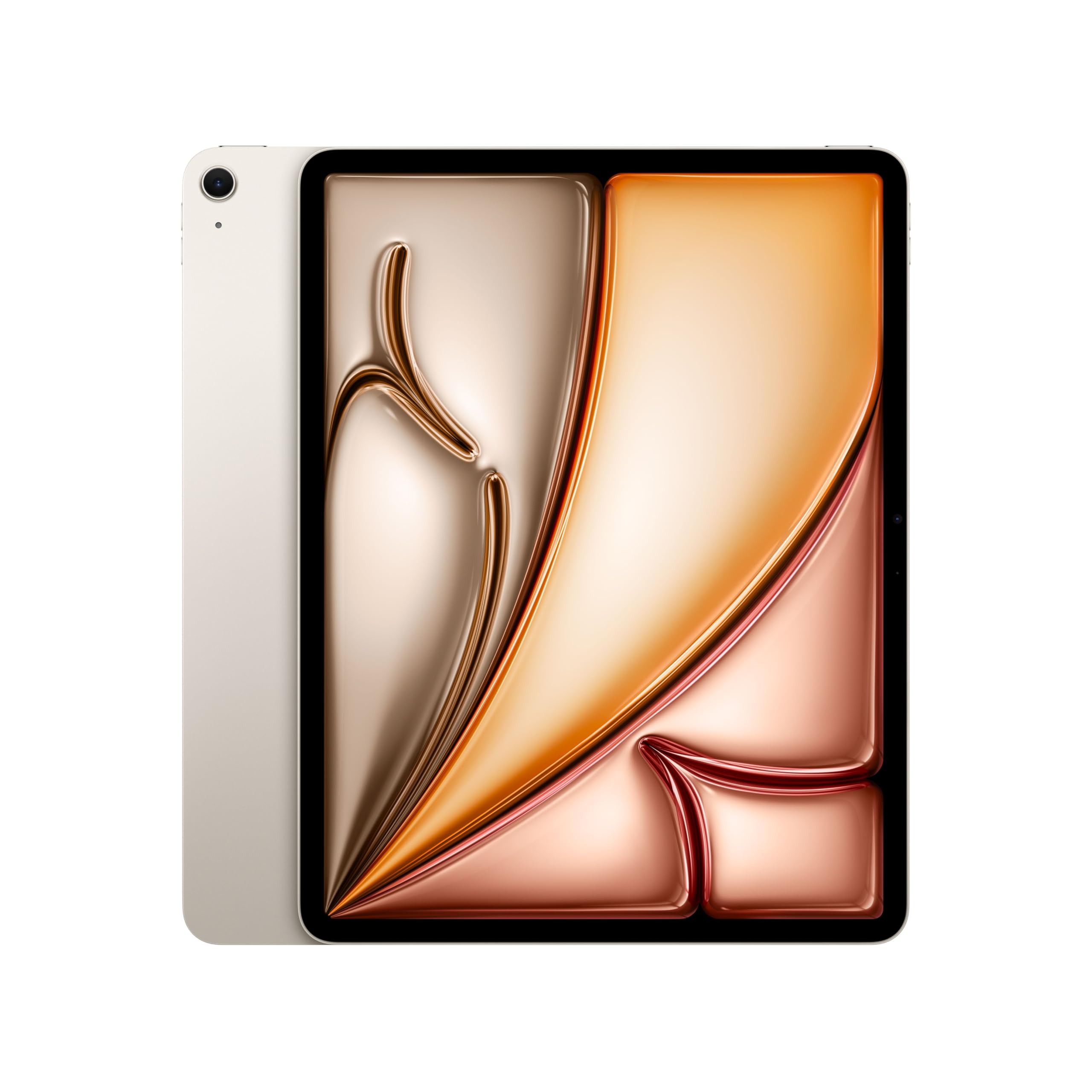
Most of the Pro’s joy, in a 1.36-pound frame that still slips in a tote.
This is the sensible Apple. The M4 chip brings advanced graphics and enough headroom for complex AI tasks. The 13-inch Liquid Retina display uses P3 wide color (a wider color range), True Tone (adjusts white balance to room light) and ultralow reflectivity so it stays legible in most lighting. Where the iPad Pro goes further with an Ultra Retina XDR panel and a LiDAR Scanner (a sensor that maps depth), this Air lands at 1.36 pounds against the Pro’s 1.28 — the Pro is the lighter of the two, and the sharper of the two on paper.
You still get Wi-Fi 7 with Apple N1, a 12MP Center Stage front camera for calls, a 12MP Wide back camera for document scanning and 4K video, and Touch ID for fingerprint open up and Apple Pay. Storage on this model is 256GB. Apple Pencil Pro, Apple Pencil (USB-C) and the Magic Keyboard all work with it, though they are separate purchases.
What pushes buyers toward the Air is the everyday experience rather than the spec sheet. Owners describe it as a joy to use, with solid performance and a big screen that stays clear in changing light. Battery life holds up across a long day of work, and fast charging helps between sessions. For most people who want a large Apple tablet but cannot justify the Pro, this is the one that balances everything.
The reasons it wins people over
- 13-inch Liquid Retina display with P3 wide color and True Tone
- M4 chip handles multitasking and AI work without strain
- Wi-Fi 7 with Apple N1 and Touch ID built in
- 256GB storage and a full day of battery
Where it gives ground
- Pencil Pro and Magic Keyboard cost extra
- No LiDAR Scanner and no XDR panel — the Pro keeps both
- Premium-tier spend for what is still a mid-range Apple
Worth stretching for when: you want a big Apple screen and M4 power for everyday creative and office work — 4.5+ stars and plenty of satisfied owners.
Step up to the Pro when: your work depends on XDR brightness, LiDAR, or the very fastest iPad available.
10. Samsung Galaxy Tab S10+
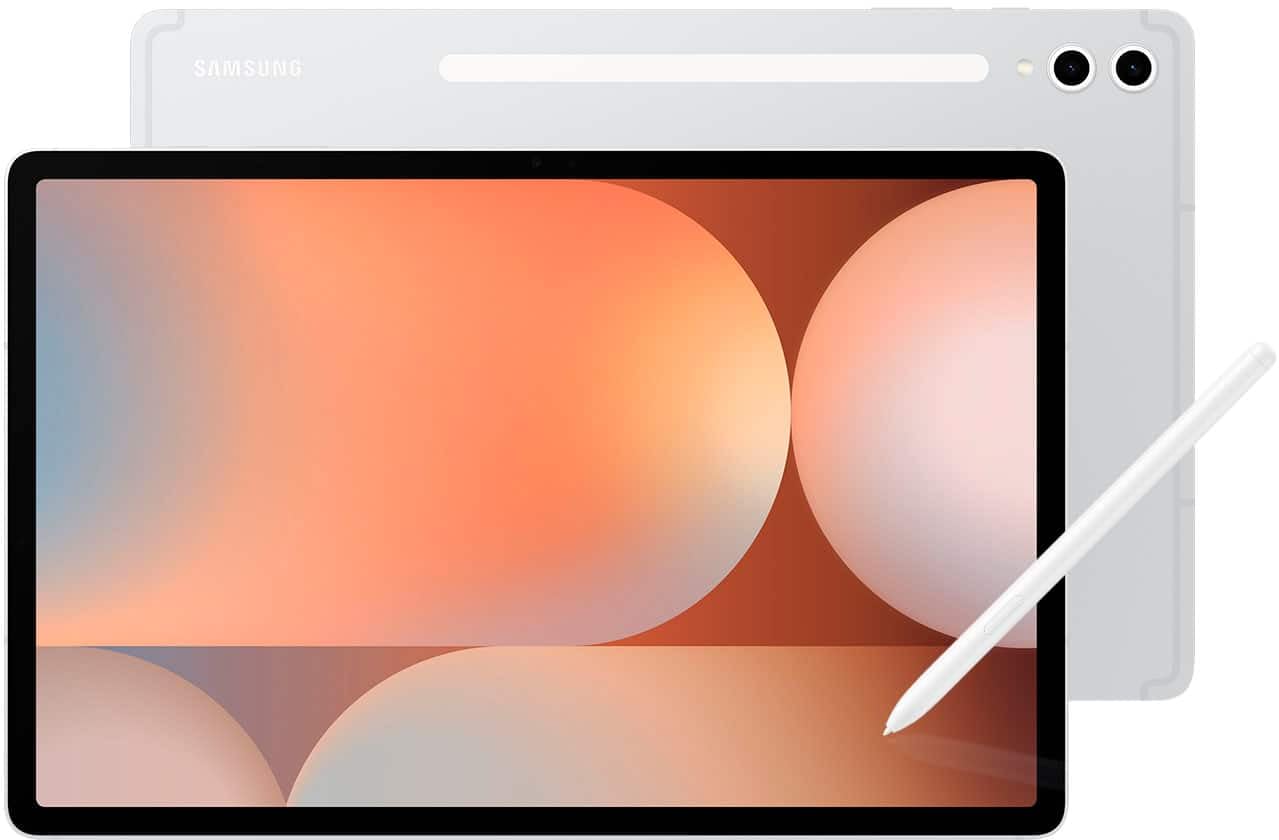
Half a terabyte of room behind a 12.4-inch AMOLED running at 120Hz.
Storage is the differentiator most people overlook until it bites. This model carries 512GB, double the 256GB on the Galaxy Tab S12+ above — enough for a large video library, offline coursework and photo archives without a microSD card. The 12.4-inch AMOLED panel runs 2800 x 1752 at 120Hz, and the smoother refresh is something you feel every time you flick through a home screen.
A MediaTek Dimensity 9300+ processor (a fast mobile chip) drives it, and a fingerprint scanner handles open up. The S Pen (a stylus) is compatible with the AMOLED surface (a screen type with deep blacks) for sketching and note-taking. Galaxy AI tools carry the workload: Sketch to Image turns simple drawings into finished artwork, Circle to Search finds whatever you spot on screen without leaving the app, and Note Assist summarises and organises your notes so you spend less time tidying them.
The experience owners describe is one of a fast, responsive tablet with a bright, high-resolution display that holds up as an entertainment device. Performance and display are what people love most about it. Reliability is a fair question mark, with some owners reporting units that failed and others finding the build sturdy — so check the seller’s return terms before you commit.
Why the storage matters: 512GB against 256GB on the S12+ is the practical difference between a device you fill and one you manage.
What to weigh: the 120Hz AMOLED and fast chip are excellent, but durability feedback is genuinely mixed, so buy from a seller with a clear returns policy.
Picks up where others stop if: you need serious on-device storage and a 120Hz AMOLED canvas for sketching and streaming — 4.5+ stars from owners.
Consider the S12+ instead if: you want the newer OLED panel and the longest battery figure published on this page.
Know the Specs
Resolution and pixel density
Resolution counts the dots across and down the screen. A 1920 x 1200 panel puts more dots into the same space than a 1280 x 800 one, which is why small print stays clean on the former and softens on the latter. Pixel density, measured in ppi, condenses that into one number — the 280ppi on the Alexa Tablet 12 Pro tells you fine text stays crisp on a 12-inch canvas. Higher resolution also costs battery, since more pixels need more light.
Refresh rate in Hz
Refresh rate is how many times per second the picture redraws, measured in hertz. A 60Hz screen refreshes sixty times a second; a 90Hz or 120Hz screen redraws more often, so scrolling and motion feel smoother. You notice it most when flicking through long pages or fast games. It is a comfort upgrade rather than a picture-quality one, so it is the first spec to trade away if the budget is tight.
Physical versus virtual memory
Physical RAM is the chip that holds open apps;virtual memory is storage borrowed to act like RAM when physical memory fills. Listings that quote 24GB or 36GB usually mean a smaller physical figure plus expansion — the TABWEE splits 24GB into 8GB physical and 16GB virtual, and the Evermyth splits 36GB into 6GB physical and 30GB virtual. Always find the physical number before you judge how many apps will stay open.
Battery capacity in mAh
Milliamp-hours measure how much charge a battery holds — a rough size-of-tank figure. It sets the ceiling on runtime, not the actual result, because the screen brightness and processor decide how fast that charge drains. A 10200mAh cell in the Idea Tab Pro pairs with 11 hours of stated video, and a 6000mAh cell in the TCL TAB 10 Gen 4 covers a mixed day. Look for stated playback hours when the maker gives them.
Ingress protection ratings
An IP rating grades how well a device keeps out solid particles and water. The first digit covers dust and the second covers liquid, so IP68 means dust-tight and resistant to water immersion. This matters if the tablet travels in a backpack, sits near a pool, or gets used in a kitchen. Only two picks on this list publish an IP68 rating, so check the rating before you plan to take a tablet outdoors.
Widevine L1 and streaming quality
Widevine is the copy-protection standard streaming apps check before they serve high-definition video. L1 is the highest tier, meaning services like Netflix will send you the full-quality stream rather than a downgraded one. A tablet without it can look fine in the store and then serve softer video at home. The TABWEE 11-inch lists Widevine L1 support, which is worth looking for on any budget tablet.
Common Questions
Does a tablet with 36GB RAM really run faster than one with 8GB?
Can I add a microSD card to expand tablet storage?
Will a tablet work with a stylus I already own?
How long does a tablet battery actually last on a full charge?
Is an OLED tablet worth it over an LCD one?
What does an IP68 rating mean on a tablet?
Do budget tablets support Netflix in high definition?
Can I use a tablet as a laptop replacement for study or work?
What is the difference between the Galaxy Tab S12+ and the Galaxy Tab S10+?
Do I need to buy a charger separately for these tablets?
The Bottom Line
For most people, the top tablet computers winner is the Apple iPad Pro 13-inch (M5) because the M5 chip and the 13-inch Ultra Retina XDR display handle pro creative work without a compromise. If you want a huge, sharp screen and a pen in the box for study, grab the Lenovo Idea Tab Pro and its 12.7-inch 3K panel. And for a family tablet that survives the school run, the TCL TAB 10 Gen 4 is the one to reach for, at 395g with Kids Space built in.
The iPad Pro tops this list on raw creative power. But the mid-range Galaxy Tab S9 FE+ is the only pick here with an IP68 dust and water rating (protected against dust and water immersion). If your tablet leaves the house more than it sits on a desk, that single spec outweighs a lot of processing power. Buy for the day you will actually have, not the spec sheet you will admire once.
How we choose
We do not accept paid placement. Every pick is matched to a real buyer and a real use-case; we do not hands-on test units.
Sources
Specifications: manufacturer listings and product documentation. Review insights: verified customer reviews, as of November 2026. Pricing: not shown on this page (it changes often); check the current price via the retailer link.
As an Amazon Associate, Tactical Gear Guy earns from qualifying purchases. This does not affect which products we feature.