Specs are compiled from manufacturer listings and verified buyer reviews and can change over time — please confirm the key details on the product page before buying.
Hotel WiFi hands you one login, then boots your second device off the network. That is the exact problem a travel router fixes — you log in once, and the router re-shares that connection privately to your phone, laptop, tablet and handheld console at the same time. Below you get nine pocket-sized models compared on the things that actually decide a trip: real wireless speed, VPN support, port speeds and how much room each one takes in your bag.
This guide is built by comparing the manufacturers’ published specifications and the patterns across verified customer reviews, so you get each pick’s real strengths and trade-offs instead of marketing spin.
Some of these boxes are simple repeaters that get you online in two minutes, and others are full OpenWrt machines you can run a VPN server on from a café table. The trick is matching the box to your trip, which is what the picks below are sorted to do for the best WiFi hub for travel.
Top Picks


How To Choose The Best WiFi Hub for Travel
Start with the question that decides everything else: does this box need to log in to someone else’s WiFi and share it? If yes, you want a router that supports WISP or Repeater mode, because that is the mode that accepts a hotel captive portal and then re-broadcasts a private network of your own. A router that only takes an Ethernet cable is a paperweight in a lobby with no wall jack.
Wireless speed and the band you actually use
A “dual-band” router splits its traffic across a 2.4 GHz band (the slow, long-range one) and a 5 GHz band (the fast, short-range one). Speed figures are always quoted per band, so the headline number only describes the fast lane. The TP-Link Roam 6 reaches 2402 Mbps on 5 GHz and 574 Mbps on 2.4 GHz, while the Cudy TR1200 tops out at 867 Mbps on 5 GHz and 300 Mbps on 2.4 GHz. On a hotel connection that hands you maybe 100 Mbps, neither ceiling is your bottleneck — but two devices streaming at once in a room with a weak signal is where the faster band pays you back.
Ports, power and what you plug in
WAN is the port that takes internet in; LAN is the port that sends it out to a wired device, like a laptop or a smart TV. Gigabit ports move 1000 Mbps, 2.5G ports move more, and older 10/100 ports cap you well below what a good hotel link can deliver. Power is the other half of the story — USB-C powered routers can run off the same charger as your phone or a power bank, which removes one adaptor from the bag. Weigh that convenience against a router with a dedicated barrel adaptor and retractable antennas, which is bulkier but keeps its own power supply.
VPN support: client versus server
A VPN client on a travel router makes every connected device appear to be wherever your VPN provider sits, without installing an app on each one. A VPN server lets you reach your home network’s printers or files from the road. WireGuard and OpenVPN are the two common protocols, and their rated speeds differ sharply — GL.iNet quotes 300 Mbps for WireGuard and 150 Mbps for OpenVPN on the Beryl AX. If you only need privacy on public WiFi, any listed model with client support will do it.
Side-by-Side Comparison
| Model | Best For | Wireless Speed | Ports | Power | Amazon |
|---|---|---|---|---|---|
| GL.iNet GL-MT3000 Beryl AX★ Best Overall | Full control in a pocket | 574 Mbps (2.4G) + 2402 Mbps (5G) | 2.5G WAN, 1G LAN, USB 3.0 | Included adapter (US/UK/EU plug) | Amazon |
| Cudy AC1200 TR1200Budget Champion | Tightest travel budget | 300 Mbps (2.4G) + 867 Mbps (5G) | 10/100 WAN, 10/100 LAN, USB 2.0 | USB-C | Amazon |
| GL.iNet GL-SFT1200 OpalMost Popular | First-time travel router | 300 Mbps (2.4G) + 867 Mbps (5G) | Gigabit WAN, 2x Gigabit LAN | Included US-plug adapter | Amazon |
| TP-Link Roam 6 AX3000 (TL-WR3002X) | Fastest hotel WiFi 6 link | 574 Mbps (2.4G) + 2402 Mbps (5G) | 2.5G WAN/LAN, 1G LAN, USB 3.0 | USB-C or 5V PD source | Amazon |
| Roam 6 AX3000 (TL-WR3012X) | Many devices, one room | 574 Mbps (2.4G) + 2402 Mbps (5G) | Ethernet, USB tethering | USB-C or 5V/3A PD source | Amazon |
| Ubiquiti UniFi UTR | Thinnest body, cleanest desk | WiFi 5, dual-band, 1 Gbps data rate | 2x GbE RJ45 + WiFi uplink | USB-C 5V/2A (adapter not included) | Amazon |
| TP-Link Roam 7 BE3600 | WiFi 7 with a 2.5G port | 688 Mbps (2.4G) + 2882 Mbps (5G) | 2.5G WAN, 1G LAN, USB 3.0 | USB-C or 5V PD source | Amazon |
| ASUS RT-BE58 Go | Phone tethering plus mesh | 3600 Mbps dual-band WiFi 7 | 2.5G port x1, USB-C PD 18W power | USB-C Power Delivery 18W | Amazon |
Detailed Reviews
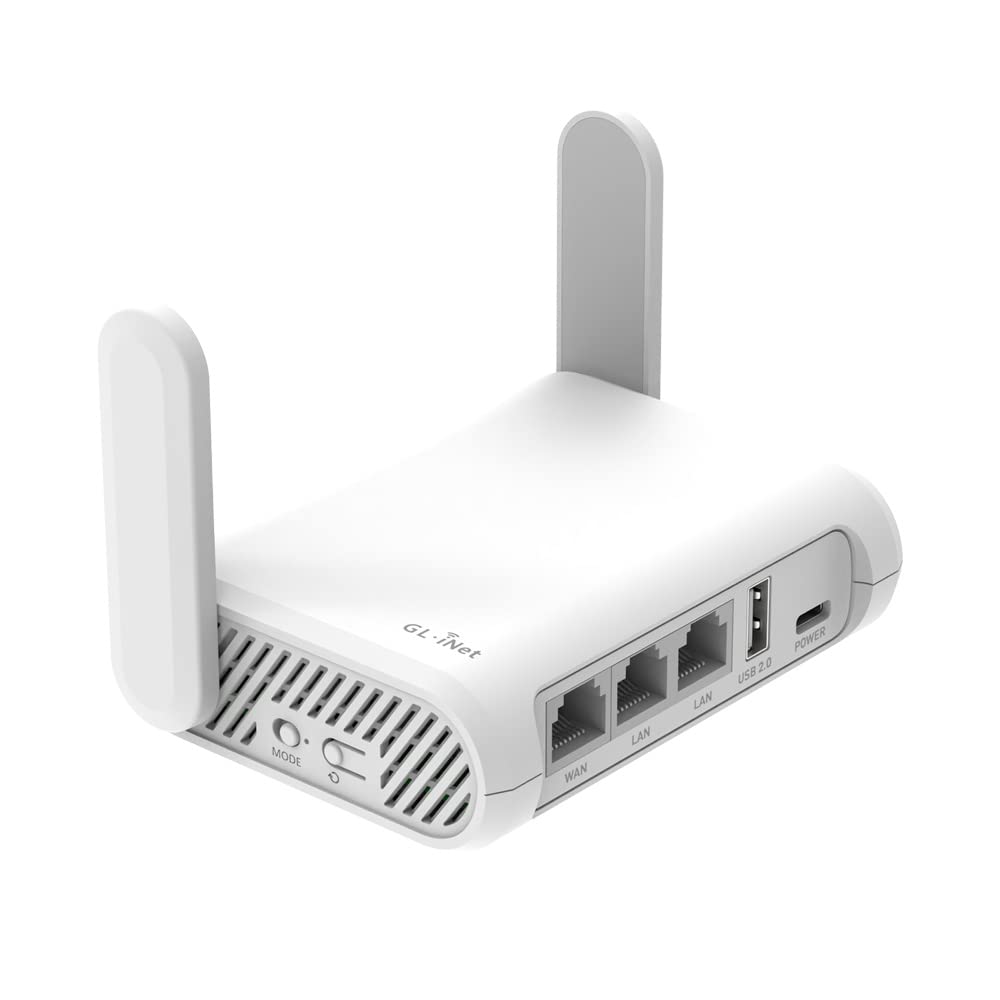
1. GL.iNet GL-MT3000 Beryl AX Wi-Fi 6 Travel Router
Our pick — 4.5+★ from 5,500+ verified ratings; the strongest balance of quality and price.
A pocket box that runs a full operating system and still fits beside your passport.
The Beryl AX is rated at 574 Mbps on 2.4 GHz and 2402 Mbps on 5 GHz, a 3000 Mbps total. Put plainly, that is enough that the router never becomes the slow part of a hotel link.
What wins people over is reliability, and it is not a small thing here — the “works in the hotel room, works from the start” pattern shows up again and again in the review pages. Setup leans on GL.iNet’s no-code admin panel, and you can flip a physical toggle switch on the side to fire up WireGuard, OpenVPN or AdGuard Home without opening a laptop. The catch is that the switch ships with no function assigned, so you have to set the behaviour in the admin panel before the trip.
The VPN numbers are worth understanding if you work abroad: 300 Mbps for WireGuard and 150 Mbps for OpenVPN, both rated on a local network. WireGuard at that speed carries most remote-work traffic without you noticing the tunnel. There is also a 2.5G WAN port for a fast wired uplink, a 1G LAN port for a laptop, and a USB 3.0 port for storage or tethering — and the included power adaptor covers US, UK and EU plugs so you can leave the converter at home.
Why it holds the top spot
- 2402 Mbps on 5 GHz leaves plenty of headroom over any hotel link
- Hardware toggle fires up WireGuard or OpenVPN without an app
- OpenWrt 21.02 firmware opens 5,000+ ready-made plug-ins
- 2.5G WAN plus USB 3.0 covers fast wired uplinks and tethering
- VPN server and client can run on the same device at once
What to plan around
- skip it if you want a two-screen app setup — you get an admin panel
- The toggle switch does nothing until you configure it first
- Connectivity draws mixed feedback; treat hotel portal quirks as a real possibility
Reach for this: remote workers and frequent flyers who want a real router with a VPN client, a VPN server and plugin freedom in a bag-ready shell.
Think twice: if you want a one-tap smartphone setup — the Beryl AX rewards someone willing to open the admin panel once.
2. Cudy AC1200 Mini VPN Travel Router (TR1200)
The featherweight that covers four jobs on a USB-C cable.
Weighing 99 grams — 3.49 ounces — this is the one you can forget is in the bag. It runs from USB-C power, so the same cable that tops up your phone can keep the network alive. Four modes cover the usual travel situations: Router, Access Point, Range Extender and WISP, and WISP is the one that grabs a hotel or café network and turns it into your own private WiFi.
The honest trade-off is the ports: both Ethernet jacks are 10/100 Mbps, not Gigabit. Both Ethernet jacks are 10/100 Mbps, not Gigabit, so if you plug into a fast hotel wall jack you are capped well below what that connection can carry. Wireless is rated up to 867 Mbps on 5 GHz and 300 Mbps on 2.4 GHz — compared with the Roam 6’s 2402 Mbps on the faster band, this is the leaner lane, and it is fine for email and browsing rather than 4K streaming.
Functionality is what carries it. Reviewers get it working and keep it working, and it is genuinely the cheapest way onto a private hotel network here. The recurring asterisk is VPN behaviour — WireGuard, OpenVPN, IPsec, ZeroTier, PPTP and L2TP are all listed as supported, but the VPN side is the part buyers struggle with, and speeds reported vary widely. Budget for this as a simple shared-WiFi box rather than a workhorse tunnel machine.
Best value read: at 99 g with USB-C power and four operating modes, it does the core travel job with the least weight and the least fuss about charging.
The wire to watch: 10/100 Ethernet ports will bottleneck a fast wired hotel connection, and OpenWrt is an optional manual firmware install from the Cudy site, not a pre-installed system.
Pick it for: a carry-on-only traveler who needs hotel WiFi shared to a phone and a tablet and never plugs into anything faster.
Leave it on the shelf: if wired speed, a Gigabit port or a smooth VPN tunnel is part of the plan.
3. GL.iNet GL-SFT1200 Opal Travel Router
The crowd favorite — 4.0+ stars across 8,000+ owners, and the easiest place to start.
If you have never owned a travel router, this is the model to cut your teeth on. Setup is what carries it, and by a wide margin — the Opal is the most forgiving box in this group for someone opening a router admin page for the first time. It ships with OpenVPN and WireGuard pre-installed and works with 30+ VPN services, and a physical toggle on the unit switches your chosen VPN client on and off once you assign it in the panel.
Gigabit is where it separates from the cheaper Cudy above: one Gigabit WAN port plus two Gigabit LAN ports, so a wired hotel jack or an Ethernet-only Airbnb connection feeds through without the speed cap. Wireless is rated 300 Mbps on 2.4 GHz and 867 Mbps on 5 GHz. At 145 grams it still disappears in a daypack, and the retractable antennas extend for better reception when you point them vertically.
Reviewers praise how much the Opal packs into a small box, but some report dropouts on stubborn public networks. Free hotel WiFi often logs you out on a timer — the fix is simply to reconnect the router to that network, which is an annoying habit of the venue rather than the hardware. Buy it understanding that and you will be pleased; expect a flawless link first time at every property and you may be reconnecting once.
Standout for first-timers: three Gigabit ports, pre-installed WireGuard and OpenVPN, and a 145 g body make it the most straightforward “plug in, log in, share” experience here.
Where it stumbles: public-network time limits can boot you off, and reconnecting the router is the workaround rather than a fix.
Who it suits: the traveler who wants Gigabit wired ports and a VPN client without learning OpenWrt first.
Who should look further: anyone who needs the fastest 5 GHz band or a heavier-duty VPN tunnel — the Beryl AX and Beryl 7 both go faster on both counts.
4. TP-Link Roam 6 AX3000 Travel Router (TL-WR3002X)

A one-login hotel fix that gets your whole room online at once.
The pitch here is the captive portal, and it is the single most useful feature on this list if you stay in chain hotels. You log in once through the Tether app, and the Roam 6 turns that public login into a private network for every device you have with you — no re-authenticating the tablet, the laptop and the console separately. That is 2402 Mbps on 5 GHz and 574 Mbps on 2.4 GHz of wireless capacity behind it, which compares with the Cudy TR1200’s 867 Mbps on the same band as a much wider lane.
Around the back you get a 2.5 Gbps WAN/LAN port and a 1 Gbps LAN port, plus a USB 3.0 port that takes external drives and microSD cards up to 512GB for backing up photos over your own network. Power runs through USB-C off the included adapter or any 5V PD source — meaning a power bank can run it in an airport with no free socket.
Owners talk most about speed on the Roam 6, with reported throughput well above a typical hotel link. The friction is configuration: the compact body and the app-first setup land as mixed notes in the review pages, so this is a router that wants a few minutes of patience the first evening. Also know that it does not support OpenWrt, so the plugin freedom of the GL.iNet boxes is not on the menu here.
Where it pulls ahead
- One captive-portal login covers every device in the room
- 2.5 Gbps WAN/LAN plus a 1 Gbps LAN port on a pocket router
- USB 3.0 with microSD up to 512GB for moving files
- Runs off USB-C or any 5V PD power source
Set your expectations
- No SIM or eSIM slot — it needs an existing internet source
- No OpenWrt support, unlike the GL.iNet picks
- The app-driven setup has a learning curve before it settles
Choose it if: your trips mean a hotel network, several devices, and a login screen you would rather type once.
Skip past it if: you need cellular independence — there is no SIM slot, so a dead WiFi network means a dead router.
5. TP-Link Roam 6 AX3000 Portable Wi-Fi 6 Router (TL-WR3012X)

Built for the family room that arrives in a suitcase.
Eighty. That is the device count the TL-WR3012X is rated to carry at once, on 2402 Mbps of 5 GHz and 574 Mbps of 2.4 GHz.
Connection options are broader than the app-only competition. You can run it as Router mode off public WiFi, an ISP line or a phone through USB tethering, or flip it to AP, Repeater or Client mode to extend an existing network or bring a wired printer onto wireless. Power comes through USB-C from the included adapter or any 5V/3A PD source, so a power bank is a legitimate lifeline.
Two things to weigh before you commit. It does not support OpenWrt, so what you see from TP-Link is what you get — no plugin tinkering. And it carries a small review base so far, which means fewer real-world reports to lean on than the long-running Opal or Beryl AX. It is still the roomful-of-devices pick of this group on the spec sheet.
Why groups like it: an 80-device rating, three connection modes plus USB tethering, and a 1500 square foot coverage rating make it the one to hand out passwords to everyone.
What you give up: no OpenWrt, so no plugin ecosystem — and the thin review history means less field-proven ground than the veteran picks.
Right for: families and small groups who need everyone online, including consoles and tablets, from one hotel login.
Wrong for: tinkerers who want to install packages — the OpenWrt lock rules that out.
6. Ubiquiti UniFi UTR Travel Router

Half an inch thick, four-point-eight ounces, and a screen to tell you what it is doing.
The physical read is the whole story here. It measures a half inch at its thickest and weighs 4.8 ounces, and that includes a 1.14 inch status display on the front that shows you the state of the device without opening an app. Drop it in a laptop sleeve and you will not know it is there.
Under the hood this is a WiFi 5, dual-band router with a 1 Gbps data rate and two Gigabit RJ45 ports, and its uplink can be either WiFi or a wired connection. It runs WireGuard for VPN, and — unlike the GL.iNet and TP-Link boxes with account requirements — it works in stand-alone device mode with no UniFi account needed. Setup is quick and uncomplicated by the usual cloud logins.
The honest caveat is power: the UTR takes USB-C 5V/2A and ships without an adapter, so you supply your own charger. The other thing to know is that this is not a WiFi 6 or WiFi 7 router — 1 Gbps of throughput is plenty over a hotel link, but it is well below what the Roam 7 and Beryl 7 are quoted at. For a traveler who values a flat, quiet device over the fastest possible spec sheet, that trade is easy to accept.
The slim-body argument: 0.5 inches thick, 4.8 ounces, a 1.14 inch status screen, and two Gigabit ports — the tidiest travel router shape here, and no account to create.
The asterisk: the USB-C power adapter is sold separately, so budget a charger in the bag alongside it.
Go here if: you want the most packable body on the list and a hardware display instead of a mobile app.
Different pick if: you are chasing WiFi 6 or WiFi 7 speeds — this one stops at WiFi 5 and a 1 Gbps rate.
7. TP-Link Roam 7 BE3600 Portable Travel Router

WiFi 7 in a bag, with a 2.5G port and room for ninety devices.
Up to 2882 Mbps on the 5 GHz band and 688 Mbps on 2.4 GHz — that is WiFi 7 numbers in a pocket-sized chassis, and it is rated for 90 devices at once. Multi-Link Operation, the WiFi 7 feature that bonds frequency bands together, is the reason this can hold a stable connection while several people stream and game in a rented apartment. Compared with the WiFi 6 Roam 6’s 2402 Mbps on 5 GHz, this is the next rung up on the same highway.
Wired is equally forward-looking: a 2.5 Gbps WAN port and a 1 Gbps LAN port, plus USB-C power from the included adapter or any 5V PD source. The captive portal flow is the same one-login system as the rest of the Roam line — sign in once through the Tether app and every device joins your private network without repeating the dance.
Reviews lean on reliability and connectivity, but flag boot time — the Roam 7 takes a moment to come alive, which matters if you want the network up instantly. It also does not support OpenWrt, so the customization crowd should look at the GL.iNet picks instead. Value lands as a debated point; the spec sheet is what you buy on.
Why the premium lands
- 2882 Mbps on 5 GHz with Multi-Link Operation behind it
- 2.5G WAN and 1G LAN keep a fast wired uplink wide open
- Rated for 90 devices simultaneously
- One captive-portal login for every device
Weigh before you buy
- Boot time is the most-flagged annoyance in the reviews
- No OpenWrt support
- Needs an existing internet source — no SIM or eSIM slot
The fit: remote workers and RV owners who want current-generation WiFi 7 and the headroom of a 2.5G port.
The mismatch: if you want a router that is instantly live the second you power it, the boot delay will irritate you.
8. ASUS RT-BE58 Go Travel Router WiFi 7

The router that will still work when the hotel WiFi quits on you.
Every other box here needs an existing internet source. This one does not — 4G and 5G mobile tethering turns your phone or a mobile dongle into the uplink, so a dead hotel network is an inconvenience rather than a blackout. Dual-band WiFi 7 speeds reach up to 3600 Mbps with Multi-Link Operation and 4K-QAM behind it, which is about as much wireless headroom as any pocket router on this page offers.
Power is the everyday win: USB-C Power Delivery at 18W means the same charger that runs your laptop runs the router, and one less adapter goes in the bag. WISP mode handles the hotel and cruise-ship scenario by building a private hotspot over public WiFi, and a toggle switch turns the security on. There is also a 2.5G port, custom SSIDs and Guest Network Pro for carving out a separate network for IoT gear or visitors.
The scale-out option is unusual for a travel router: AiMesh support means this can become part of a larger ASUS mesh network at home rather than sitting in a drawer between trips. Setup is a three-step flow through the ASUS Router app, and the 3-year manufacturer warranty is the longest cover named on this list. The reality check is the smaller review base — fewer field reports than the veterans, so you lean more on the spec sheet than on a long history.
Why it stands apart: 4G and 5G tethering, WISP mode, a 2.5G port, AiMesh expansion and USB-C PD 18W power give it the widest set of jobs here.
What you accept: a smaller body of owner experience than the Beryl AX or Opal, and more moving parts to configure than a simple repeater.
The one for you if: you travel with a cellular data plan and want a router that survives a bad hotel network and doubles as mesh hardware at home.
Look elsewhere if: you want the most proven track record — the cheaper veterans have far more trips behind them.
Know the Specs
Wireless speed per band
Two numbers matter: the 2.4 GHz figure and the 5 GHz figure. The 2.4 GHz band travels further and pushes through walls, which is why it is the one that reaches the far bedroom; the 5 GHz band is faster but fades sooner. A rating like 574 Mbps + 2402 Mbps tells you the fast lane, not a combined single connection. Compare like for like — the Cudy TR1200’s 867 Mbps on 5 GHz against the Roam 6’s 2402 Mbps on the same band is the honest comparison, not against a headline total.
WAN, LAN and 2.5G ports
The WAN port takes the internet in from a wall jack or a modem; LAN ports hand it out to wired devices. A 10/100 port tops out well below a modern hotel link, a Gigabit port moves 1000 Mbps, and a 2.5G port moves more still. For travel, the WAN port is the one that matters most — it is what you plug the hotel’s Ethernet cable into when the wireless there is unusable.
VPN protocol and rated speed
WireGuard is the lighter, faster protocol; OpenVPN is the more widely supported one. Makers sometimes quote huge VPN figures on a local network — real speeds over an international trip will be lower. Match the protocol number to your need: a 150 Mbps OpenVPN rating is fine for email and video calls, while anyone moving big files wants the triple-digit WireGuard figures.
Power source and portability
USB-C power means one charger for phone, laptop and router; a barrel adaptor means carrying a spare. Weight tells you more than dimensions for travel — 99 g disappears, 145 g is still negligible, and 4.8 ounces is flat enough for a sleeve. Also check whether the USB-C port accepts a PD source, because that lets a power bank run the router when you cannot find a socket.
Common Questions
Will a travel router work with hotel WiFi that has a login page?
Does a travel WiFi hub need a SIM card to get online?
Can I run a VPN on a travel router for all my devices at once?
How much wireless speed do I actually need from a travel router?
What is the difference between WireGuard and OpenVPN on these routers?
Can a travel router run off a power bank instead of a wall socket?
Do these routers support OpenWrt and custom firmware?
Is WiFi 7 worth it in a travel router right now?
Can I connect a wired device like a laptop or printer to a travel router?
How many devices can one travel router share a hotel connection with?
Do I need to create an account to set up a travel router?
The Bottom Line
For most travelers, the wifi hub for travel to buy is the GL.iNet GL-MT3000 Beryl AX, because it puts 2402 Mbps of 5 GHz wireless, a 2.5G WAN port and a hardware VPN toggle in a body that fits beside your passport. It also runs OpenWrt, so the box keeps earning its keep long after the first trip. If your priority is a login screen handled once for every device in the room, the TP-Link Roam 6 AX3000 does that with the least friction. And if the hotel network dies on you, the ASUS RT-BE58 Go keeps going on 4G and 5G tethering.
One last nudge: the Beryl AX is the crowd-tested pick of this group, and that depth of real-world use is worth something when you are standing in a lobby at midnight trying to get three devices online at once. Buy it if you want the safest bet; step up to the Beryl 7 only if VPN throughput is your real bottleneck.
How we choose
We do not accept paid placement. Every pick is matched to a real buyer and a real use-case; we do not hands-on test units.
Sources
Specifications: manufacturer listings and product documentation. Review insights: verified customer reviews, as of November 2026. Pricing: not shown on this page (it changes often); check the current price via the retailer link.
As an Amazon Associate, Tactical Gear Guy earns from qualifying purchases. This does not affect which products we feature.