Specs are compiled from manufacturer listings and verified buyer reviews and can change over time — please confirm the key details on the product page before buying.
Most people buying a wireless color inkjet all-in-one printer are not really shopping for a printer. This guide sorts the real options on what actually decides that — ink cost over years, print speed in pages per minute, how much paper the tray holds, and whether the wireless connection stays put.
This guide is built by comparing the manufacturers’ published specifications and the patterns across verified customer reviews, so you get each pick’s real strengths and trade-offs instead of marketing spin.
The picks below are grouped by what each one is genuinely good at, from budget-friendly starter units to premium high-volume machines, so you can match a printer to your actual desk, workload, and patience level. Every entry is a real wireless color inkjet all-in-one printer — the kind that prints, scans, and copies — and each one is here for a reason you can check on the spec sheet before you commit. If you want the short version of how a wireless color inkjet all-in-one printer earns its place on your desk, start with the ink system — cartridge or tank — and work outward from there.
Top Picks

How To Choose The Best Wireless Color Inkjet All-in-One Printer
The single biggest decision is not brand, screen size, or how the thing looks on the shelf — it is the ink system. It is how the ink gets into the machine, because that choice sets your running cost for the entire life of the printer. Almost everything else — ppm, tray size, dual-band Wi-Fi versus Wi-Fi Direct — is a convenience you can rank after that.
Cartridges versus refillable tanks
A cartridge printer uses sealed ink cartridges you swap when they run dry. The machines are cheaper to buy, but each replacement cartridge is a small purchase you repeat forever — and the model numbers matter, because printers are built to work with their own cartridges.
A tank printer (often called a supertank or megatank) arrives with bottles of liquid ink you pour into reservoirs. You pay more up front for the hardware, then refill far less often because the bottles hold much more.
Pages per minute, and why the color number matters more
Print speed is quoted in pages per minute, usually shortened to ppm. You will see two figures: one for black text and one for color. The black number is always the faster one, so if you print color flyers or school projects, judge the machine on its color figure.
Be aware that these ratings test a simple page, not a full-color photograph on photo paper. A printer rated for fast black text can still take noticeably longer on a dense image.
Automatic duplex and the document feeder
Automatic duplex means the printer flips the page itself so you get two-sided output without re-feeding paper by hand. For anyone printing reports, contracts, or study notes, it halves the paper you buy and the stacks you file.
An automatic document feeder, or ADF, is a tray on top that pulls pages through the scanner one at a time. It is the difference between scanning a 20-page document in one pass and lifting the lid 20 separate times.
The wireless part: dual-band and Wi-Fi Direct
Dual-band Wi-Fi means the printer can join either a 2.4GHz or a 5GHz network. The 5GHz band tends to be less crowded, which often means a steadier connection in a busy home.
Wi-Fi Direct is different: the printer broadcasts its own signal so your phone or laptop connects straight to it, no router involved. That is the feature that saves you when the office router is down or you are printing from a hotel room.
Paper capacity you will actually notice
A small input tray means you are adding paper constantly. A larger tray — or a machine with two trays — means fewer interruptions in a long print run. Match the tray size — 150 sheets, 225, or 500 — to how much you print in one sitting, not to how much you print in a year.
Side-by-Side Comparison
| Model | Best For | Black ppm | Color ppm | Duplex | Amazon |
|---|---|---|---|---|---|
| Canon PIXMA TR4720★ Best Overall | Home paperwork and fax lines | — | — | Automatic | Amazon |
| Brother Work Smart 1410Top Performer | Touchscreen cloud printing | 16 | 9 | Automatic | Amazon |
| Epson WorkForce Pro WF-4930Speed King | Fast, high-volume office output | 25 | 12 | Automatic | Amazon |
| Brother INKvestment 1365 | High-yield starter cartridges | 16 | 9 | Automatic | Amazon |
| HP OfficeJet Pro 8125 | Small home office with AI cleanup | 20 | 10 | Automatic | Amazon |
| Canon Megatank G3290 | Years of ink in one fill | 11 | 6 | Automatic | Amazon |
| HP OfficeJet Pro 9125 | Busy office with duplex scanning | 22 | 18 | Automatic | Amazon |
| Epson EcoTank ET-3950 | Big-volume tank printing | 18 | 9 | Automatic | Amazon |
Detailed Reviews
1. Canon PIXMA TR4720 All-in-One Wireless Printer
Our pick — 4.5+★ from 200+ verified ratings; the strongest balance of quality and price.
The compact four-in-one that still has a fax line built in
Here is the printer to buy if your desk is a corner of the kitchen table and your paperwork still occasionally arrives by fax. The Canon PIXMA TR4720 handles print, copy, scan and fax in one compact black unit — that fax ability is genuinely rare on a modern all-in-one, and it is why this one holds the top spot for household admin rather than office volume.
What makes it liveable day to day is the boring stuff done properly. A sheet feeder pulls multi-page documents through the scanner without you lifting the lid, and automatic duplex flips pages by itself so two-sided contracts come out already collated. Setup runs through the Canon PRINT Inkjet/SELPHY app on your phone, and the ink side is refreshingly uncomplicated: a PG-275 black tank and a CL-276 color tank, both replacing through a front-loading design meant to be done without a manual.
Value is what wins people over here — that is the note that shows up most in owner feedback, with the overall build quality right behind it. The honest catch is functionality: this is the most-discussed topic in owner feedback and it splits both ways, so treat the TR4720 as a light-duty machine for homework, forms, and the odd photo rather than a print farm. If you need 40-page board packs every morning, the speed figures on this one will feel slow.
What earns it the top shelf
- Four functions in one compact footprint — print, copy, scan and fax together
- Automatic duplex saves paper on two-sided documents without re-feeding
- Built-in fax over an RJ-11 telephone line, a feature most rivals dropped
- App-based setup and easy front cartridge swaps keep maintenance simple
Where it asks patience
- Functionality feedback is divided — light-duty use suits it best
- Cartridge-based ink means repeat purchases over the machine’s life
- No published ppm figures, so heavy print runs are a gamble
Made for: a household that prints forms, school sheets, and the occasional fax, and wants all of it from one small box.
Look elsewhere if: your week includes long color print runs at speed — the higher-ppm machines below exist for exactly that.
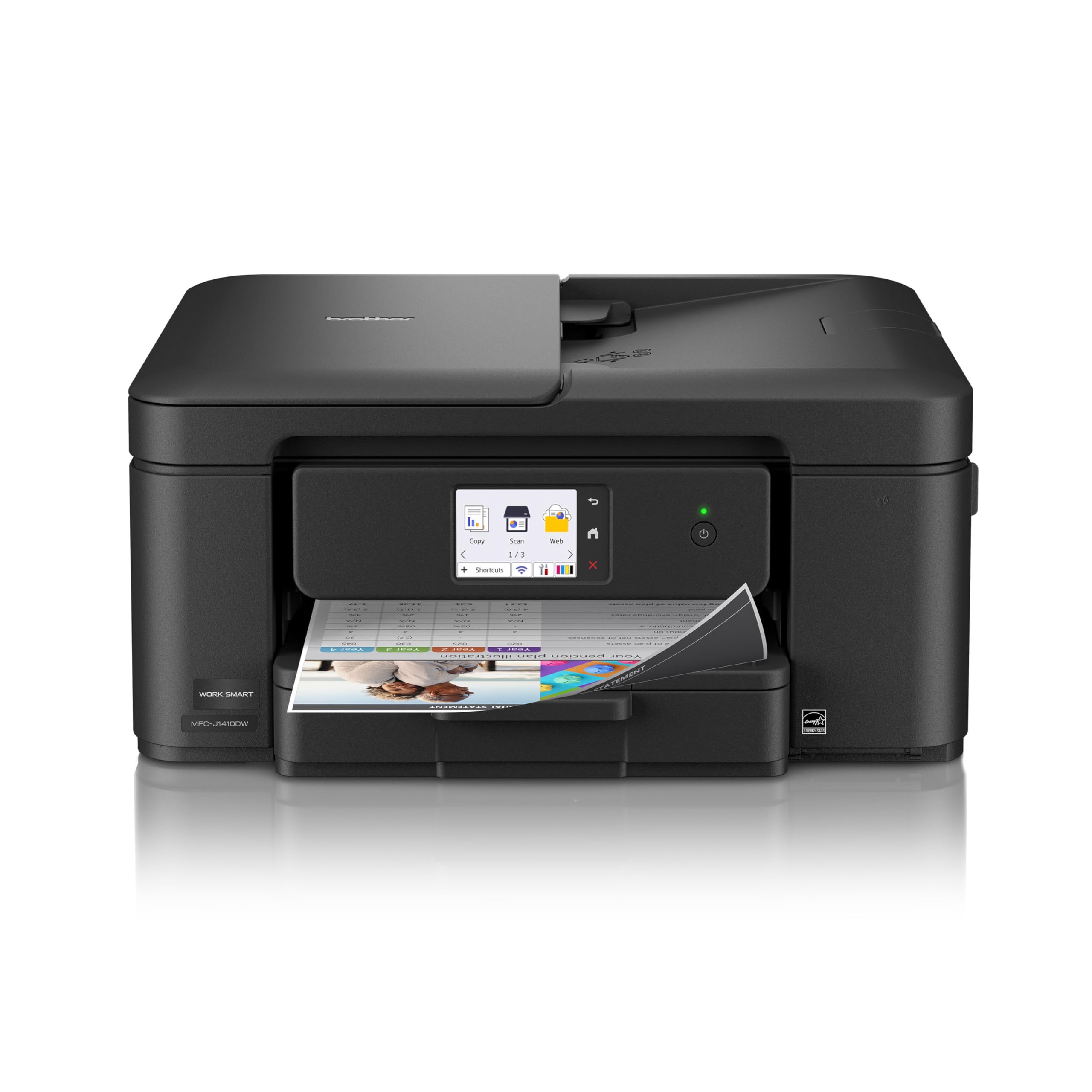
2. Brother Work Smart 1410 Printer
A 2.7-inch touchscreen that prints straight out of Google Drive and Dropbox
Walk up, tap the screen, pull the file from Dropbox, print it. That is the workflow the Work Smart 1410 is built around, and it is why a home office with cloud-stored paperwork should look here first. The 2.7-inch color touchscreen handles the whole job without opening a laptop, and it connects to Google Drive, Dropbox, Box, and OneDrive directly.
The engine underneath is quick off the mark. Brother rates it at 16 pages per minute in black and 9 in color, and the first page arrives in roughly 6.2 seconds in black or 9.6 seconds in color — the difference you notice when you are printing one page on the way out the door. A 20-sheet single-sided document feeder and a 150-sheet paper tray mean a full homework packet goes through without hand-feeding, and automatic duplex takes care of two-sided output.
Build quality is the thing buyers bring up most often, with value for money next in line, and the ink cost reputation is part of that story. The honest note is that functionality is where opinions divide — a minority describe the machine quitting after a few months of service, and some setups drag on for hours when a home network is stubborn. Choose genuine Brother LC501 cartridges; the maker states its printers are engineered for them.
What the touchscreen buys you
- Print and scan to Google Drive, Dropbox, Box, and OneDrive without a computer
- 16 ppm black / 9 ppm color with a 6.2-second first black page
- 20-sheet ADF and 150-sheet tray for unbroken multi-page jobs
- Automatic two-sided printing cuts the paper you buy in half
The setup gamble
- Connecting to a home network can take far longer than it should
- A small share of units reportedly stop working within months
- Brother LC501 genuine ink is the only recommended supply
Suits you when: your documents live in the cloud and you want to print them with two taps on the printer itself.
Not the one for: a household where nobody wants to troubleshoot a connection — the setup step is the weak link.
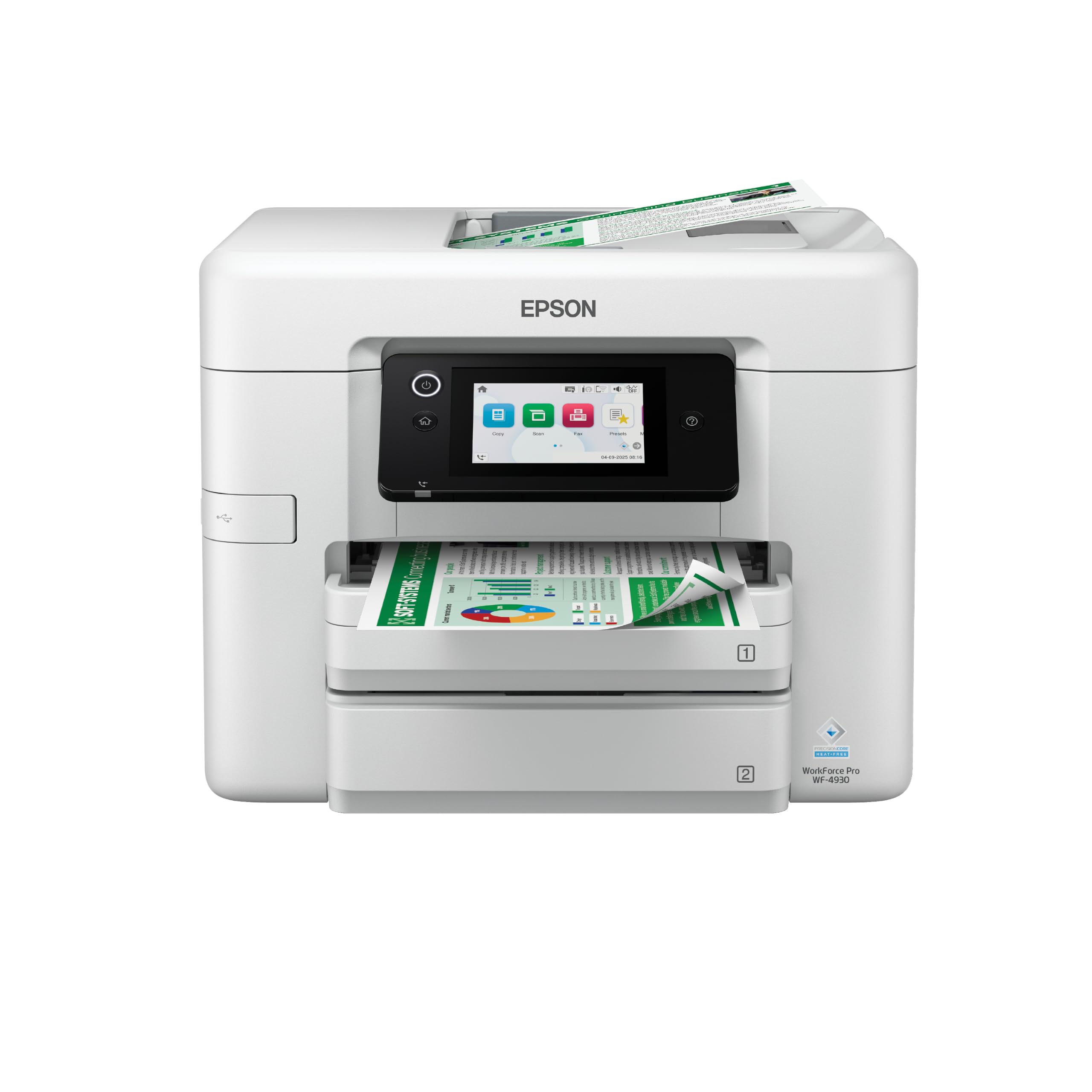
3. Epson Workforce Pro WF-4930 Wireless All-in-One Printer
Twenty-five black pages a minute and a 500-sheet paper supply to feed it
Twenty-five pages per minute in black and 12 in color is the fastest figure on this list, and it is not a small margin. The Canon PIXMA TR7120 manages 14 black and 9 color, so on a long text document the Epson is working through pages while the Canon is still counting them. PrecisionCore Heat-Free technology is what Epson credits for that pace and for the short gap before the first page appears.
Paper handling is the other half of the story. Two 250-sheet trays give you 500 sheets of capacity in total, so a full ream goes in and stays in. A 50-sheet automatic document feeder handles duplex copying and scanning, and the whole unit runs auto two-sided print, copy, scan and fax — a proper office machine rather than a desk accessory.
There is a physical price for that capability. At 23.6 pounds and 15.3″D x 16.7″W x 13″H it takes real desk space and will not slip onto a narrow shelf, so measure before you commit. On the connectivity side it covers the lot: Wi-Fi Direct for router-free printing, Apple AirPrint, Mopria Print Service and Mopria Scan, plus Siri voice commands. A 4.3-inch color touchscreen handles navigation, and Epson states the printer is designed for its own genuine 842 cartridges.
Where it wins outright: 25 black / 12 color ppm and 500 sheets of paper on board. For an office printing contracts, invoices, and reports in volume, those two numbers settle it.
Check your desk first: 23.6 pounds and a 13-inch height demand a dedicated surface. This is the machine you plan a corner for, not the one you squeeze in.
Built for: a small office or a serious home worker who prints in long runs and cannot afford to be feeding paper all day.
Wrong pick if: space is tight — the footprint and weight here are the trade-off for the speed.
4. Brother INKvestment 1365 Printer
The low-slung one that ships with a high-yield black cartridge already inside
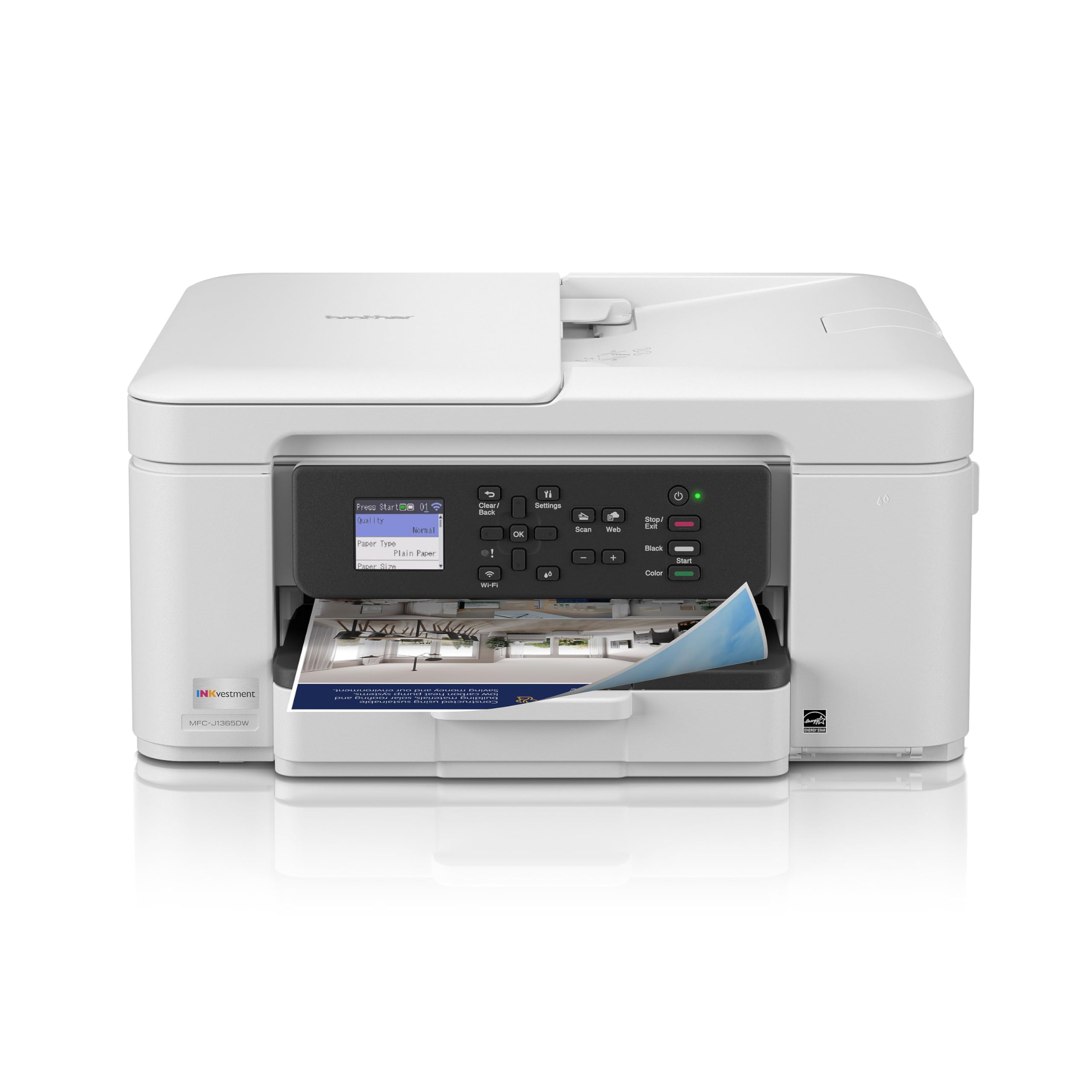
In the box, before you print a single page, this machine hands you a 1,200-page black cartridge and 500-page cartridges for cyan, yellow, and magenta. That is the INKvestment idea in one sentence, and it is aimed squarely at the buyer who is tired of a new cartridge arriving before the first month is out.
It is also the easiest of these machines to slide onto a shelf. At 13.5″D x 15.4″W x 7.2″H it is the lowest-profile unit in this group, which matters if your workspace is a counter under a cabinet rather than a dedicated desk. Output runs at 16 pages per minute black and 9 color, with the first black page out in about 6.2 seconds, and the 20-page document feeder plus 150-sheet tray keep a job moving without babysitting.
Value and color quality are the two notes that come up most in owner feedback, and the cloud support is genuinely useful — Google Drive, Dropbox, Box, and OneDrive from the 1.8-inch color display, no computer needed. Wi-Fi Direct is there for the days the network is not. The catch worth knowing: connectivity is the loudest recurring difficulty, with a meaningful share of buyers unable to get it onto their network at all, and setup splits between painless and painful. Brother’s own LC504 ink is the recommended supply.
The running-cost argument: a 1,200-page black cartridge from day one plus 500 pages per color is the closest a cartridge printer gets to tank-style economics.
The honest risk: the wireless connection is the step that fails. If your router has given other devices trouble, budget time for it — or use USB 2.0 and skip the fight.
Best for: a tight countertop and a buyer who wants the longest gap possible between cartridge changes.
Skip if: you need guaranteed easy Wi-Fi pairing on the first attempt — that is the known weak spot.
5. HP OfficeJet Pro 8125 Printer
The home-office printer that trims the junk off a web page before it prints
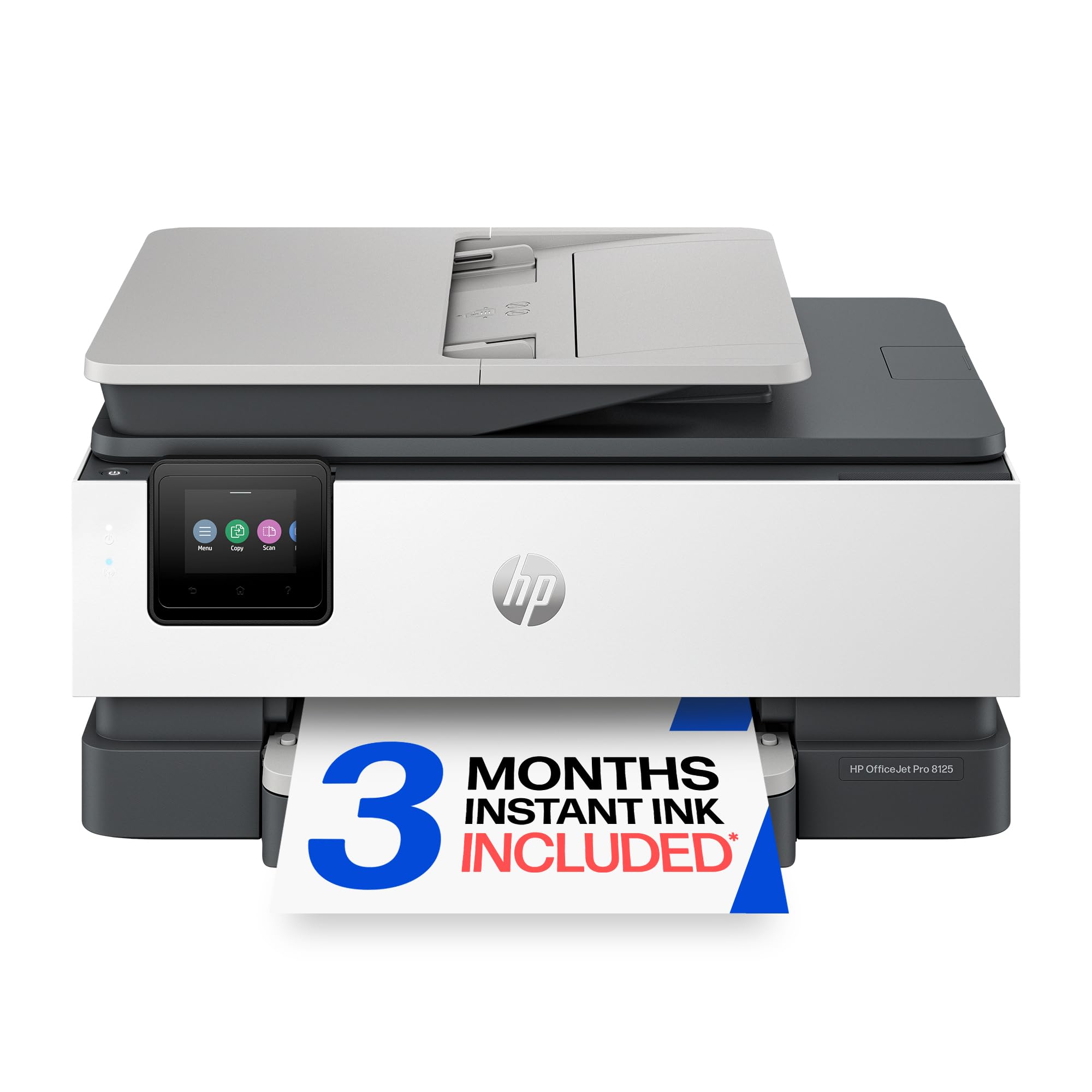
Print a web article on most printers and you get the ads, the sidebar, and three pages of empty margin. The OfficeJet Pro 8125 has an AI formatting feature that strips the unwanted furniture out of a web page or email first, so you get the content and not the clutter. For anyone who prints recipes, articles, or confirmation emails, that one feature earns its place on the shortlist.
The pace is respectable at 20 pages per minute black and 10 in color, with a first page out in 18 seconds. A 225-sheet input tray, an automatic document feeder, and automatic two-sided printing cover the standard home-office workload, and the 2.7-inch touchscreen uses a phone-like interface rather than a menu tree of cryptic codes.
The connectivity story is the strong part — HP’s dual-band Wi-Fi is designed to detect and fix connection problems on its own. There is Ethernet as well as USB if you would rather cable in, and HP Wolf Essential Security is built in to help keep the network protected. The included three-month Instant Ink trial is worth understanding before you sign up: it delivers ink to your door, but a monthly fee applies after the trial unless you cancel. Functionality and setup are the two areas where owner opinion divides, so this suits someone who wants the features and will tolerate a fiddly first afternoon.
Reasons to choose this HP
- AI print formatting removes adverts and clutter from web pages and emails
- 20 ppm black / 10 ppm color with an 18-second first page
- Dual-band Wi-Fi plus Ethernet and USB for three connection routes
- 225-sheet tray and automatic document feeder handle a real workload
Fine print to read
- Instant Ink becomes a paid monthly service once the trial ends
- The printer blocks non-HP chipped cartridges by design
- Setup and long-term function split opinion among owners
Pick this one when: you print from the web a lot and want the page to come out clean without editing it first.
Consider the alternative if: you refuse a subscription model — the cartridge lock-in is deliberate here.
6. Canon Megatank G3290 All-in-One Wireless Printer
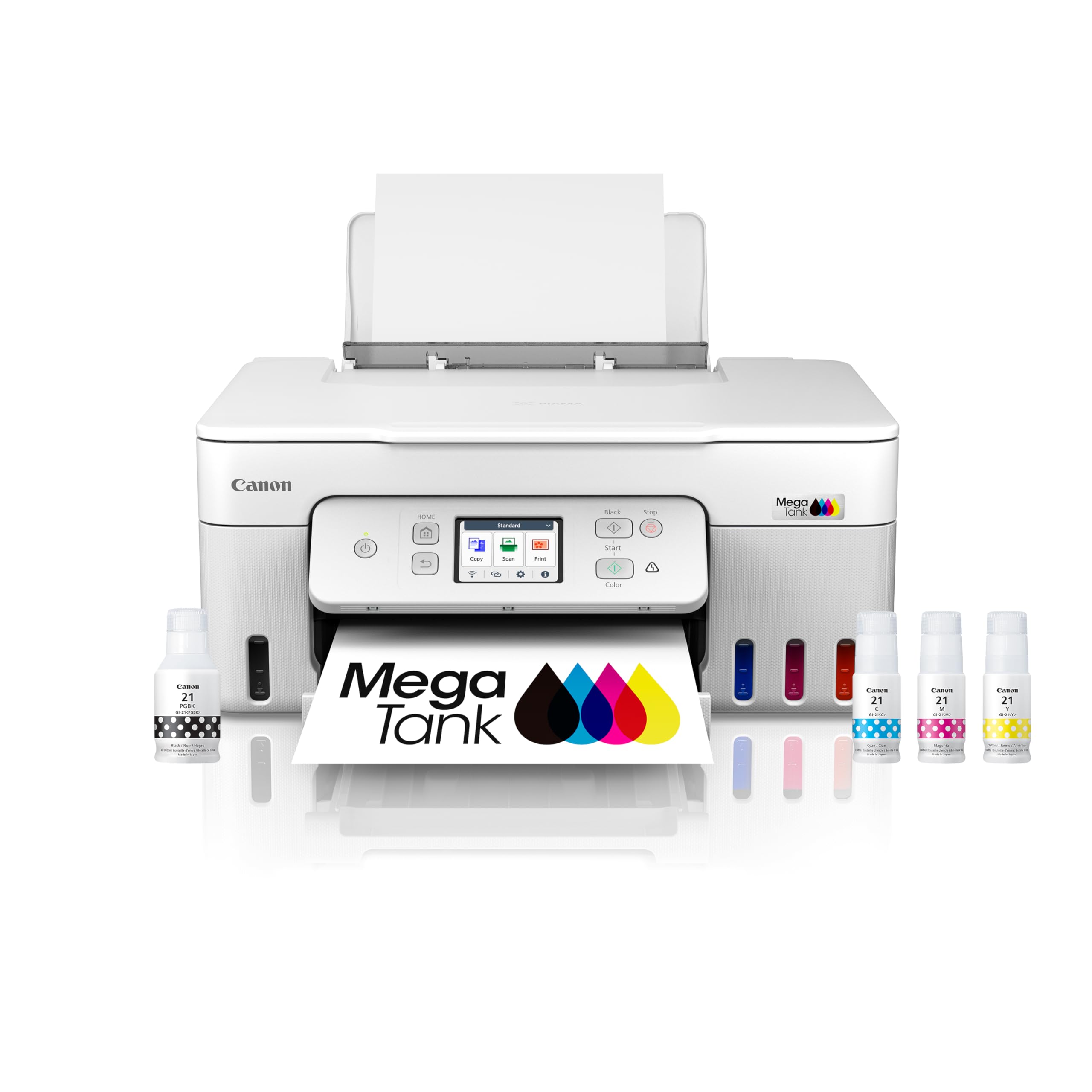
Six thousand black pages and 7,700 color from one set of ink bottles
One fill of the four ink bottles — GI-21 pigment black plus dye-based cyan, magenta, and yellow — is rated for up to 6,000 black and white pages or 7,700 color pages. That is the entire argument for a tank printer in one line, and Canon backs the claim with a stated two years of ink included. Compare that with any cartridge machine on this list and the difference is not subtle.
What you give up for it is speed. The G3290 prints at 11 pages per minute in black and 6 in color, which is the slowest full-color pace here — the Epson WorkForce Pro WF-4930 doubles that color figure at 12 ppm. If your printing is steady homework and household documents rather than deadline runs, that trade is easy to accept.
Build quality is what buyers praise most, and ease of use follows close behind, with print quality earning its own share of the credit for documents and photos alike. Automatic two-sided printing is included, and the 2.7-inch color touchscreen keeps the controls familiar. The fair warning is reliability and wireless connectivity, both of which divide owners — some connect to Wi-Fi with no trouble and print for months, others hit a wall. Treat the tank as a long-term companion and the refill economics reward you.
The math that matters: 6,000 black or 7,700 color pages from one bottle set. Refills are rare events here, not a monthly errand.
Where it slows down: 11 black / 6 color ppm is a deliberate pace. Plan around it if you print against a clock.
The right buy for: a family printer that runs for years on occasional bottle refills instead of constant cartridges.
Keep looking if: you print color in volume and need it fast — the 6 ppm color rate will test you.
7. HP OfficeJet Pro 9125 Printer
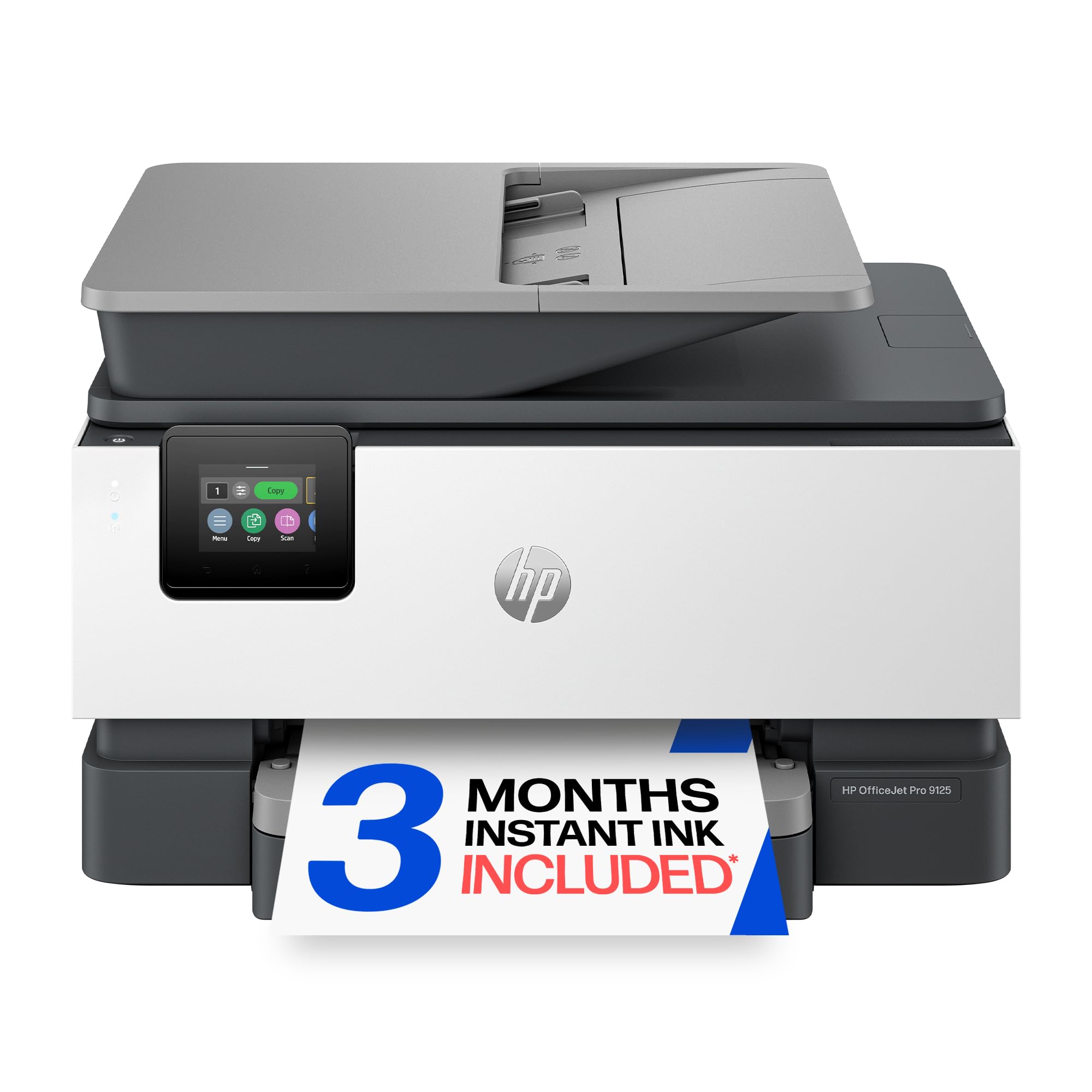
Eighteen color pages a minute and it scans both sides of the sheet too
Look at the color figure first, because it is the one that separates this machine from most of the list: 18 pages per minute in color against 22 in black. The Canon Megatank manages 6 color and the Brother Work Smart 1410 sits at 9, so a color brochure run lands in a completely different time bracket on the 9125.
Duplex is where it goes further than the others — automatic two-sided printing and scanning, so a stack of double-sided contracts images both sides without you turning a page. Add a 250-sheet input tray, an automatic document feeder, and fax, and the workflow covers a working office rather than a home desk. The first page appears in 11 seconds.
Two things to weigh before you commit. The 3-month Instant Ink trial turns into a monthly fee afterwards unless cancelled, and the printer is built to block cartridges without original HP chips. On the reliability side, print quality and long-term function divide owners — some report a machine that works well for years, others describe one that quits. HP’s dual-band Wi-Fi, HP Wolf Pro Security, and the AI formatting feature that cleans up printed web pages all come along, and the chassis uses more than 40% recycled plastic content for those keeping score on materials.
Its defining strength: 18 color ppm plus duplex scanning. When the job is color and two-sided, this is the quickest path on the list.
The subscription question: decide on Instant Ink before the trial ends — the fee is real, and non-HP cartridges will not run in it.
Choose it for: a busy office that prints color presentation material and scans double-sided paperwork daily.
Pass if: you want to buy ink once and be left alone — the cartridge and subscription model here says otherwise.
8. Epson EcoTank ET-3950 Printer
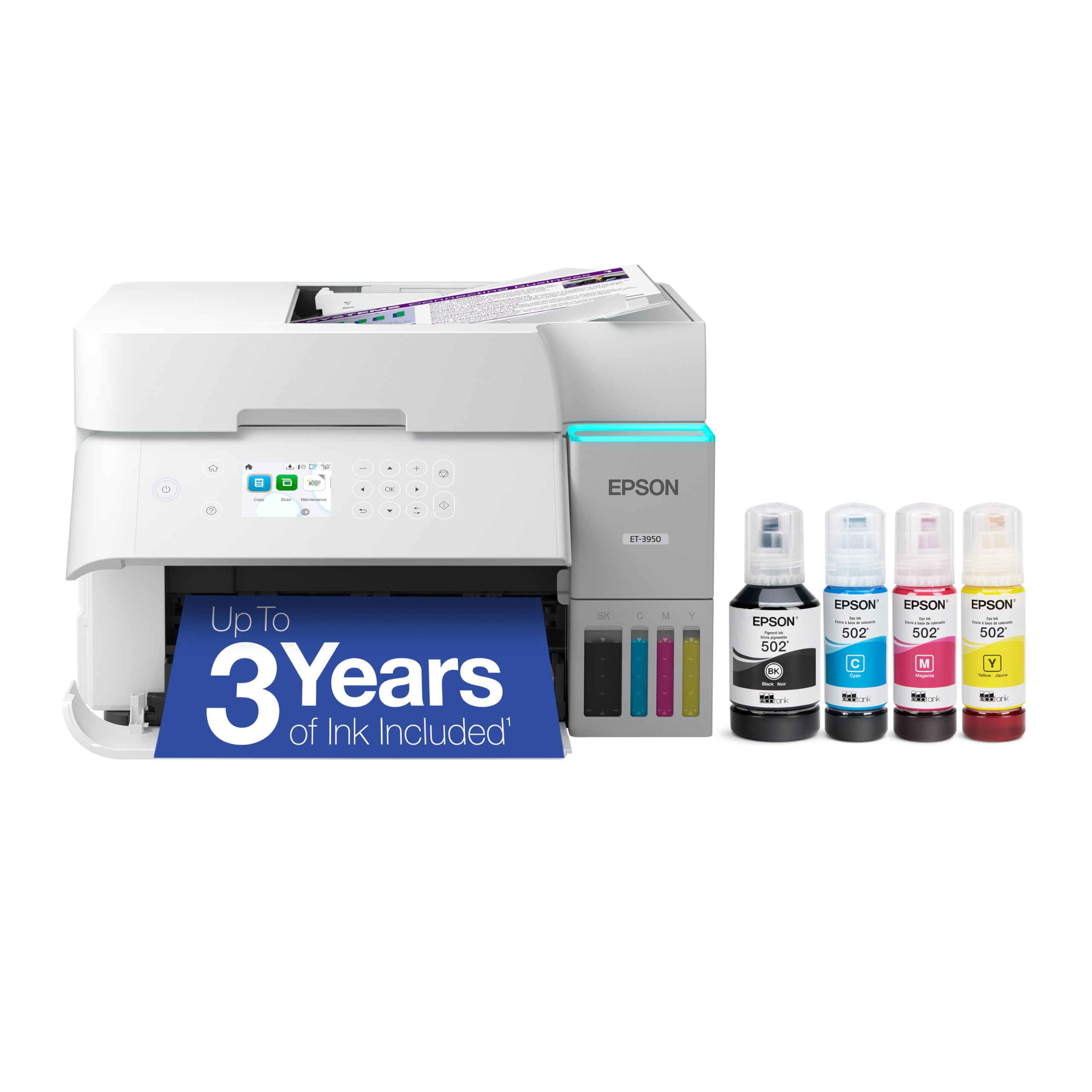
Eight thousand five hundred black pages from a bottle you pour yourself
The yield figures are the reason to read this entry carefully: four individual ink bottles rated at 8,500 pages in black and 6,500 in color. Epson ships the unit with a 127 mL bottle of 502 Black and 70 mL bottles of cyan, magenta, and yellow, so the box already contains a serious amount of printing. This is the closest thing to putting a print shop in a corner of the office.
It is not slow about it either. Output runs at 18 pages per minute black and 9 color, ahead of the Canon Megatank’s 11 and 6 on both counts. Resolution is quoted at 4800 x 1200, which is the number that matters for photo detail and fine text. Wi-Fi 5 (802.11ac) handles the network side, with Wi-Fi Direct there for router-free jobs, and automatic duplex is standard.
Print quality is the trait that earns the most praise here, particularly on plain white copy paper, and setup draws credit too along with ink that owners describe as lasting for years. What divides opinion is reliability and wireless connectivity — some run it for months without a hiccup, others hit unstable connections. It is also the priciest machine in this group and one of the larger footprints at 13.7″D x 14.8″W x 9.4″H, so it belongs on a dedicated surface. Epson’s own 502 ink is the intended supply.
Why the tank earns its keep
- 8,500 black / 6,500 color page bottle yields cut refills to rare events
- 18 ppm black and 9 ppm color beats every other tank on this list on pace
- 4800 x 1200 resolution handles photos and fine print work
- Wi-Fi 5 with Wi-Fi Direct for both networked and router-free printing
Where it costs you
- The highest outlay in this group and a footprint that wants its own table
- Wireless stability is the recurring complaint among a share of owners
- Epson 502 genuine ink is the only recommended supply
Built for: a small business or heavy home printer that runs hundreds of pages a month and wants refills measured in seasons.
Not worth it if: you print a handful of pages a week — the up-front cost only pays back through volume.
Know the Specs
Pages per minute (ppm)
Ppm is simply how many pages the printer can produce in one minute, and it is almost always quoted twice — once for black text, once for color. The black number is the faster of the two because color jobs lay down three inks instead of one. Judge a printer on the color figure if your work includes flyers, photos, or school projects with pictures. Remember these ratings test a simple page, so a dense full-color image will take longer than the number suggests.
Cartridge versus tank ink
A cartridge printer takes sealed tanks you swap out, which keeps the machine inexpensive but means repeat purchases. A tank printer, sometimes called a supertank or megatank, holds bottled ink you pour into reservoirs and refills far less often. The tank costs more up front and less over years. Watch the yield figure — it tells you how many pages one fill or cartridge is rated for, and that is the number that sets your real running cost.
Automatic duplex and the ADF
Automatic duplex flips each sheet inside the printer so you get two-sided output with no hand re-feeding. It halves the paper you buy on reports and contracts. An automatic document feeder, or ADF, is the top tray that pulls pages through the scanner one at a time — a 20-sheet or 50-sheet ADF means a full packet scans in one pass instead of one page at a time with the lid lifted between each.
Wireless standards and Wi-Fi Direct
Dual-band Wi-Fi lets the printer join either a 2.4GHz or a 5GHz network, and the 5GHz band is often quieter in a crowded home. Wi-Fi 5 (802.11ac) is a newer wireless standard than dual-band alone. Wi-Fi Direct is a separate trick: the printer broadcasts its own signal, so a phone or laptop connects straight to it without any router. That is the fallback when the network is down or you are printing somewhere unfamiliar.
Common Questions
Will a wireless color inkjet all-in-one printer connect to a 5GHz network?
How long does a tank printer actually go between refills?
Is a cartridge printer cheaper to run than a tank printer?
What does an automatic document feeder let me do that a flatbed does not?
Do I need Wi-Fi Direct if the printer is already on my home network?
Can I use third-party ink cartridges in these printers?
How much paper should the input tray hold?
What is the difference between automatic duplex printing and duplex scanning?
What is ISO ppm and why do some printers not list it?
The Bottom Line
The wireless color inkjet all-in-one printer that makes the most sense for most households is the Canon PIXMA TR4720, because it packs print, copy, scan, and fax into one compact unit with an automatic document feeder and two-sided printing, and it does it without asking for a premium outlay. If you print color in volume and want a proper engine behind it, the Epson WorkForce Pro WF-4930 leads on raw pace at 25 black and 12 color ppm with 500 sheets of paper on board. And if running cost is the whole point, the Canon Megatank G3290 turns 6,000 black or 7,700 color pages into one bottle set.
One nudge worth acting on: the WF-4930 does not have the largest review base of this group, but it holds the higher score at 4.0+ stars — so if 25 ppm black and 500 sheets of paper decide your purchase, that is the one to put at the front of the queue.
If you want the short version: pick the TR4720 for a compact household all-rounder with a fax line, the WF-4930 when 25 ppm and 500 sheets matter, and the Megatank G3290 or EcoTank ET-3950 when you are done paying for cartridges.
How we choose
We do not accept paid placement. Every pick is matched to a real buyer and a real use-case; we do not hands-on test units.
Sources
Specifications: manufacturer listings and product documentation. Review insights: verified customer reviews, as of November 2026. Pricing: not shown on this page (it changes often); check the current price via the retailer link.
As an Amazon Associate, Tactical Gear Guy earns from qualifying purchases. This does not affect which products we feature.