Specs are compiled from manufacturer listings and verified buyer reviews and can change over time — please confirm the key details on the product page before buying.
If your smart home currently means four apps, two bridges, and a voice assistant that shrugs at half your devices, the fix is one hub that speaks the languages your gear already uses. The trick is knowing which protocols (the wireless “languages” devices talk over, like Zigbee, Z-Wave, Thread, and Matter) your existing bulbs, locks, and sensors actually run on. Buy a hub that matches them and everything lands in one dashboard. Buy the wrong one and you have added a fifth app to the pile.
This guide is built by comparing the manufacturers’ published specifications and the patterns across verified customer reviews, so you get each pick’s real strengths and trade-offs instead of marketing spin.
Below you will find nine hubs sorted by what they actually do well, from local-only automation boxes to touchscreen control panels, so you can match one to your house instead of the other way around. Every pick here is a genuinely top rated smart home hub for a specific kind of home.
Top Picks


How To Choose The Best Top Rated Smart Home Hub
Start with the devices you already own, not the hub’s feature list. A hub is only useful if it can talk to the bulbs, plugs, locks, and sensors sitting in your house right now. Write down what each one uses — many budget bulbs are Zigbee, older locks are often Z-Wave, and newer gear increasingly ships with Matter or Thread. That list becomes your shopping filter.
Match the radio, not the brand
A Zigbee bulb cannot talk to a Z-Wave-only hub without a bridge, no matter how good the app looks. Look for a hub that covers the protocols you have plus one you might add later. Matter matters here because it is the cross-brand standard (a shared language that lets devices from different makers work together), and Thread is the low-power network many newer sensors ride on.
Decide how much cloud you want
Some hubs run your automations on the box itself, so lights still respond when your internet is out. Others lean on a cloud service, which can mean a delay or a dead switch during an outage. If reliability matters more than a polished app, prioritize local processing. If you want voice control and camera feeds in one place, a cloud-connected panel may suit you better.
Count your devices before you buy
Every hub has a ceiling on how many devices it can hold. A small apartment setup rarely hits it. A house with sensors in every room, plus locks, cameras, and repeaters, can. Check the supported device counts and whether the hub needs repeaters to reach the far corners of your home.
Side-by-Side Comparison
| Model | Best For | Protocols | Local Control | Weight | Amazon |
|---|---|---|---|---|---|
| Home Assistant Green★ Best Overall | Whole-home automation | Ethernet, USB (expandable) | Yes — data stays home | 12 ounces | Amazon |
| SwitchBot Hub 2Best Value | IR appliances + climate | Wi-Fi 2.4GHz, Bluetooth, Matter | Via app and scenes | 36 g | Amazon |
| SONOFF Bridge MaxCompact Pick | Matter bridging on a budget | Wi-Fi, Ethernet, Zigbee | Yes — local web console | 2.88 ounces | Amazon |
| Aqara Hub M200 | PoE + IR blasting | Zigbee, Wi-Fi, Thread, Matter | Yes — local automations | 4.6 ounces | Amazon |
| Amazon Echo Hub | Touchscreen control panel | WiFi, Bluetooth, Zigbee, Matter, Thread | Alexa-based | — | Amazon |
| Aqara Hub M3 | Big Aqara installs | Zigbee, Thread, Wi-Fi, PoE | Yes — edge hub | 0.17 kg | Amazon |
| Aeotec Smart Home Hub | SmartThings ecosystem | Matter, Z-Wave, Zigbee, Wi-Fi | Many automations run locally | 1.1 pounds | Amazon |
| Hubitat Elevation C-8 Pro | Privacy-first local automation | Z-Wave, Zigbee, Matter, Bluetooth | Yes — on-hub processing | 2.56 ounces | Amazon |
Detailed Reviews
1. Home Assistant Green
Our pick — 4.0+★ from 950+ verified ratings; the strongest balance of quality and price.
The hub that puts every other app out of a job.
This is the box for someone who is tired of juggling one app per brand and wants every light, lock, and sensor under a single roof. It arrives with Home Assistant already installed, so getting started is plugging in the included power supply and Ethernet cable. No flashing, no command line, no weekend project — that alone removes the biggest reason people bounce off Home Assistant.
The reason it earns the top slot is what’s under the shell. A quad-core processor, 32GB of storage, and 4GB of RAM (fast LPDDR4X memory) run the whole platform on the box itself, and it does so fanlessly — no whirring, no dust intake, just quiet operation. Your home’s data is kept on the device, and you can view, share, or export it whenever you like. It draws only a couple of watts, so it runs for pennies a month.
Connectivity is deliberately open rather than built in. from the start you get Ethernet, and the USB ports let you add Z-Wave, Zigbee, and Thread sticks when you need them. That means you are not locked into one radio standard. It is also the crowd favorite here — 4.0+ stars across 900+ ratings — with buyers praising its approachability for newcomers and its broad device compatibility. The catch worth knowing: you supply the radios yourself, so budget for a USB stick if you run Zigbee or Z-Wave gear, and expect to poke around settings for anything beyond the basics.
Why it wins the top spot
- Arrives with Home Assistant OS preinstalled, so setup is power plus Ethernet
- Runs entirely on the box — your data stays in your house
- Quad-core processor with 32GB storage and 4GB RAM handles big automations
- Fanless and silent, drawing just a couple of watts
Where it asks more of you
- Z-Wave, Zigbee, and Thread need separate USB sticks
- Deeper automations reward tinkering, not a plug-and-play instinct
Built for tinkerers and switchers: anyone consolidating a messy multi-app home into one local dashboard.
Think twice if: you want a hub that ships with every radio built in and a setup wizard from the first tap.
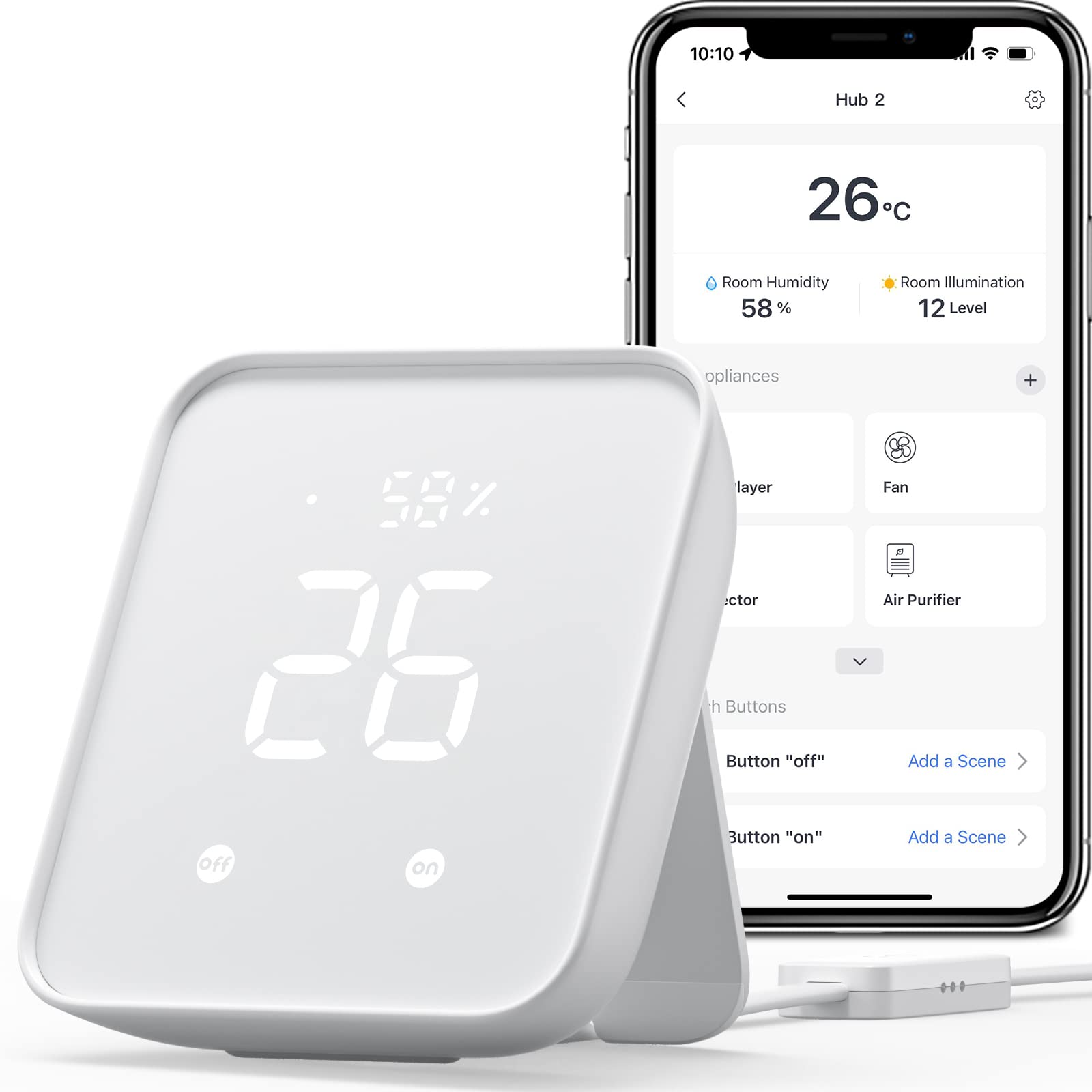
2. SwitchBot Hub 2
Turns your old remotes into one app and watches the room’s climate while it does it.
Picture a living room with a TV remote, an air-con remote, and a fan remote all fighting for space on the coffee table. This hub swallows all of them by learning their infrared signals, so you can work those appliances from your phone, your Apple Watch, or a voice command. It also packs a built-in Swiss-made sensor accurate to ±1.8% RH and ±0.36°F, plus a light sensor that dims the display to match the room.
What makes it genuinely useful rather than just a bridge is the automation angle. Temperature, humidity, and light readings can trigger scenes — for example, kicking the air conditioner on when the room climbs past your comfort point. Two included smart buttons let a child or a grandparent fire off a scene with a tap, no phone required. Setup is quick, and it supports Matter for SwitchBot locks, curtains, and blind tilts. It works over 2.4GHz Wi-Fi and plays with Alexa, Google Home, and Apple Home.
The trade-offs are real but modest. Bluetooth connectivity and a maximum range of 10 meters mean it needs to live reasonably close to the devices it serves. Its device ceiling sits at six supported devices, which is fine for a room or two but tight for a whole house. For most people chasing climate control plus remote consolidation in one small box, it is the value pick of this list.
Where it shines: the combination of an accurate climate sensor and infrared learning in one small unit is a lot of daily usefulness for a budget-tier hub.
What to know before buying: six supported devices and a 10-meter Bluetooth range keep this a room-scale hub, not a whole-home brain.
Grab it if: you want one room’s climate and remotes unified without spending much.
Pass if: you are wiring a full house of sensors and need a much larger device ceiling.
3. SONOFF Bridge Max Smart Home Hub (Bridge-M)
A thumb-sized bridge that drags your Zigbee gear onto Matter without a cloud account.
If you already own Zigbee bulbs and sensors and want them to show up in Apple Home, Alexa, or Google Home without replacing them, this is the shortest path there. It bridges Zigbee, BTHome, and eWeLink devices onto Matter platforms, so your existing hardware talks to the ecosystems you actually use. The local Matter Bridge web interface runs from your LAN directly — no app to download, no cloud dependency, and your data stays put.
Here is where the weight comparison matters. This bridge weighs 2.88 ounces versus the Home Assistant Green at 12 ounces — the SONOFF hardware essentially disappears on a shelf or tucked behind a router. It covers both Wi-Fi and Ethernet, and its Zigbee radio (operating on IEEE 802.15.4 at 2.4GHz) forms a real gateway for local automations. Pair it with Zigbee sensors and you get a local security setup with a built-in 90 dB alarm and mobile alerts on intrusion.
One clear limit you need to understand before buying: this is a Matter Bridge, not a Matter Controller. It cannot add Matter devices directly to your network — it only brings non-Matter devices across to Matter platforms. For a small bridging job at a low cost, it is a smart specialist tool, not a whole-home brain.
The smart-buyer angle
- Bridges Zigbee, BTHome, and eWeLink gear onto Matter ecosystems
- Local web console means no app and no cloud for configuration
- Only 2.88 ounces — sits unnoticed anywhere
Know exactly what it is
- Bridges devices to Matter but cannot act as a Matter Controller
- Minimal bundled extras — just the manual in the box
Right for: a homeowner who already has Zigbee devices and wants them in Matter platforms with zero cloud.
Not for: anyone looking to add fresh Matter devices directly — this bridge cannot do that.
4. Aqara Smart Hub M200

A Matter Controller that also powers itself over Ethernet and blasts infrared.
This hub does three jobs at once: it acts as a Matter Controller, a Thread Border Router, and a Matter Bridge. That means it adds third-party Matter devices, routes Thread gear, and carries Aqara’s own Zigbee devices into Home Assistant, Apple HomeKit, Alexa, and Google Home simultaneously. It supports up to 40 Aqara Zigbee devices and 40 Thread devices — a sensible ceiling for a large apartment.
The infrared blaster is the standout a neat extra. A 360° IR blaster sends commands and reads back the status of traditional remotes, so your old air conditioner can be exposed to Matter and work as a thermostat when paired with an Aqara temperature and humidity sensor. It also runs top-tier connectivity: dual-band Wi-Fi (2.4/5 GHz) with WPA3 security, plus Power over Ethernet (PoE — power and data down one cable) so it keeps running through a power blip. A USB-C port allows a power bank as a mini backup.
Compatibility is what buyers talk about most with this one, and it earns the praise by working cleanly with Home Assistant and Apple Home. Two things to weigh honestly: it handles Aqara’s Zigbee devices only, not third-party Zigbee gear, and the IR feature only exposes one AC device to Matter. Setup is also a mixed bag — straightforward for some, fiddly for others.
What wins people over: compatibility, by the widest margin of any trait on this hub, since it slots into Home Assistant and Apple Home without complaint.
What to plan for: the IR blaster only exposes a single air conditioner to Matter, and setup can take patience depending on your ecosystem.
Choose this when: you want a Matter Controller with PoE reliability and an IR blaster in one box.
Look elsewhere if: you own non-Aqara Zigbee sensors — they will not join this hub.
5. SwitchBot Hub 3
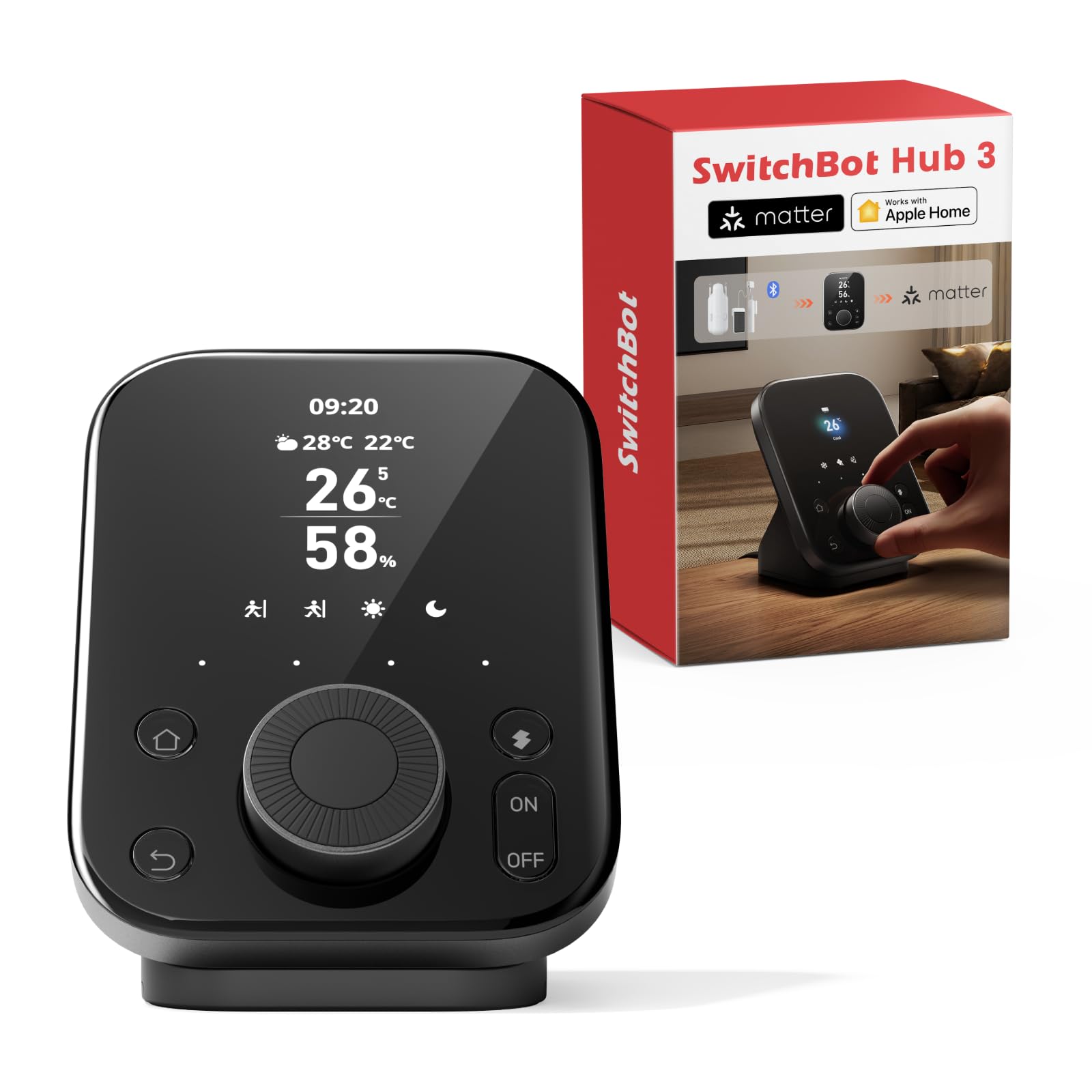
The hub with a screen and a dial the whole family can actually reach for.
Most hubs live in an app. This one sits on a shelf with a vivid IPS screen showing indoor temperature, humidity, time, weather with rain alerts, door lock status, and CO₂ levels all at a glance. It also works as an alarm clock with customizable ringtones. The uniqueness is the rotary Dial Master and physical buttons: rotate to fine-tune your air conditioner by 1°C, and map four customizable buttons to scenes like Away, Home, or Movie Mode.
Under the interface it is a serious bridge too. It controls 100,000+ infrared appliances, all SwitchBot devices, and third-party Matter gear via voice (Alexa or Google), the app, or its dial and buttons. A built-in ±0.2°C temperature and humidity sensor drives scene triggers — like firing the AC when the room heats up. A 200m Bluetooth range and 2.4GHz Wi-Fi keep it connected to devices across the house. For elderly family members or kids who never touch an app, that dial and those buttons are the reason this hub works where others simply don’t.
The honest caveat is setup polish. The screen and design are widely praised, but usability, compatibility, and setup draw more mixed chatter — some people find it finicky and slow to configure. If you want a hub that wins on family-friendliness and on-screen information rather than on a slick setup wizard, this earns its place. Just give yourself a quiet afternoon to get it talking to everything.
Why families pick it
- IPS screen shows climate, weather, lock status, and CO₂ at a glance
- Dial and four buttons let kids and seniors control scenes without an app
- ±0.2°C sensor precision for reliable scene triggers
- Works with 100,000+ infrared appliances
The setup reality
- Configuration can feel finicky and slow
- CO₂ monitoring and lock status need compatible parts sold separately
Made for: households with kids, guests, or grandparents who need physical control.
Better suited elsewhere if: you want a two-tap app setup and no patience for a fiddly install.
6. Amazon Echo Hub 8″
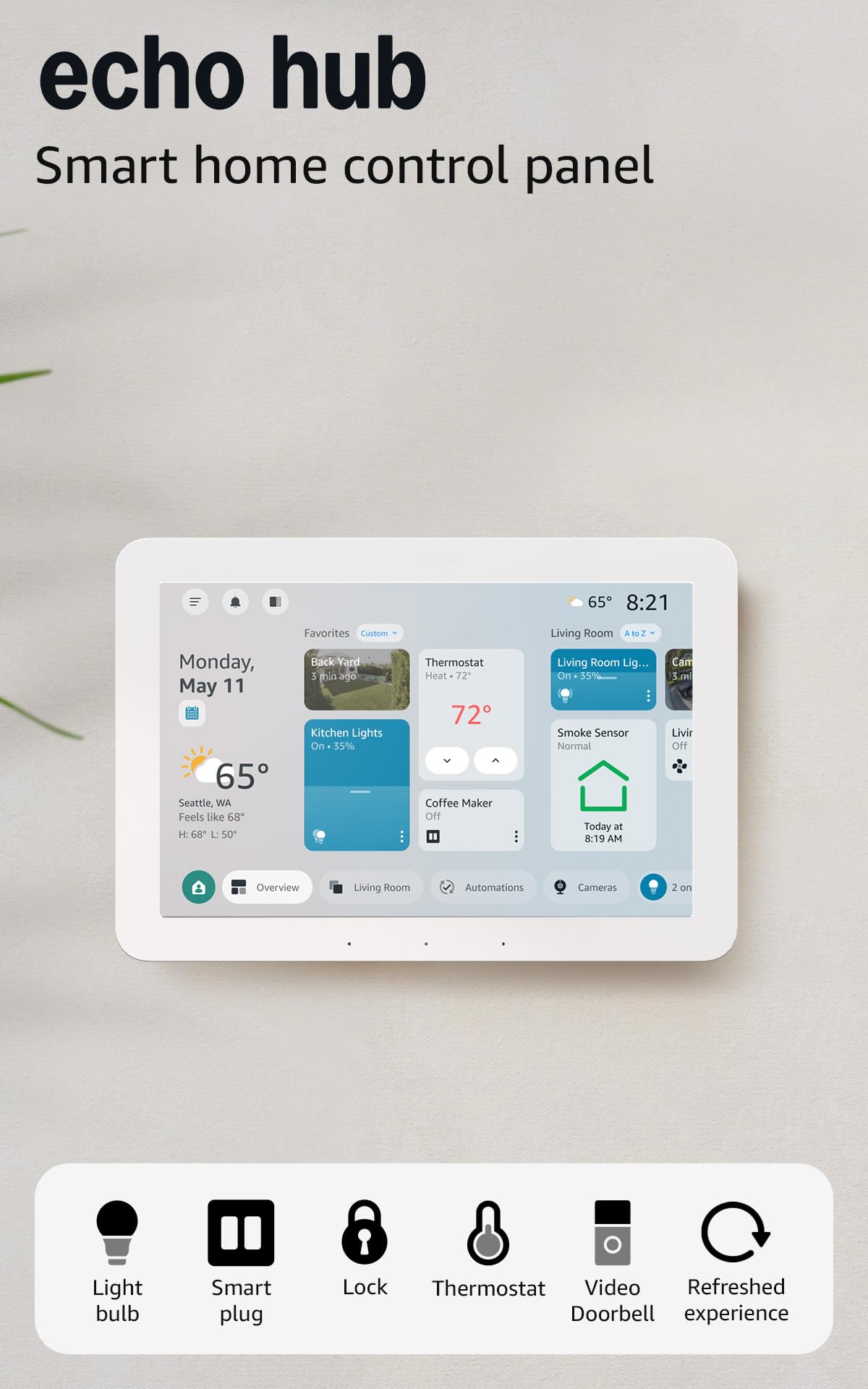
The hub that puts a touchscreen dashboard on your wall, no app switching needed.
Think of this as the family control panel rather than a hidden box. It is an 8-inch touchscreen you arrange into sections — resizing and grouping devices so the controls your family touches most sit right on the dashboard. Camera views, routines, and device toggles live on the same screen. You can arm and disarm a compatible security system from it, and manage music or podcasts with on-screen controls.
The built-in hub is broader than you might expect from a screen: it handles WiFi, Bluetooth, Zigbee, Matter, and Thread devices directly, so thousands of Alexa-compatible devices sync without a separate bridge. Wall mounting is easy wherever you have an outlet, with in-wall cable pass-throughs or a power-over-ethernet adapter to hide the cord. Privacy is handled with a mic-off button and multiple privacy controls.
Bleeding-edge caveats apply. Some of the richer features — Ring camera summaries, footage search by voice — lean on an Alexa+ and Ring subscription sold separately. And reliability draws mixed notes, with some reporting basic functions failing over time. If you want the most approachable wall panel for a family that already lives in Alexa, this is the smooth route in.
The everyday upside: a touchscreen panel plus a hub built for WiFi, Bluetooth, Zigbee, Matter, and Thread in one wall-mounted unit is uncommon in this category.
Read the fine print: some of the best functionality is locked behind subscriptions sold separately, and long-term reliability draws mixed feedback.
Pick this if: you want a wall-mounted touchscreen keeping an Alexa household in sync.
Give it a pass if: you dislike subscription add-ons or need decades-proven reliability.
7. Aqara Smart Home Hub M3

For the house so full of sensors that device count becomes the deciding spec.
If you have a whole home’s worth of Aqara door sensors, motion detectors, and switches, the M3 answers the question the smaller hubs cannot: how many devices can it hold? The figure here is significant — up to 127 Aqara Zigbee devices and 127 Thread devices, with repeaters needed for the Thread side. It works as an Edge Hub, so automations shift to local control instead of leaning on the cloud, and it supports migrating Zigbee devices from older Aqara hubs.
The M3 also brings PoE and dual-band Wi-Fi (2.4/5 GHz) with WPA3 security, plus a USB-C port for a mini-UPS or power bank so a blink in power does not take your automations offline. The 360° IR blaster reads back real remote status and can act as a thermostat with an Aqara temperature sensor. Privacy matters here too: there are no microphones or cameras, and 8GB of end-to-end encrypted local storage holds your device lists and automation data. A mount and screws are included for walls or ceilings.
The limitations are honest and worth knowing before you commit. It supports Aqara’s own Zigbee devices rather than third-party Zigbee gear, and feedback on reliability is split — plenty of smooth installs, some rougher ones. If your home runs deep on Aqara, this is the natural center of gravity.
Built to scale
- Up to 127 Aqara Zigbee and 127 Thread devices
- PoE and dual-band Wi-Fi with WPA3 security
- 8GB end-to-end encrypted local storage
- No cameras or microphones on board
Limits to respect
- Aqara Zigbee devices only — no third-party Zigbee
- Reliability feedback is genuinely mixed
Best fit: an Aqara-heavy home scaling into hundreds of Zigbee and Thread devices.
Not the one for: third-party Zigbee brands you want to keep using.
8. Aeotec Smart Home Hub

The easiest on-ramp if your household already talks to SmartThings.
This is a Z-Wave and Zigbee hub wearing a SmartThings coat. It links thousands of compatible devices from leading brands across lighting, comfort, voice assistants, and energy use, and you build automations in the SmartThings app on Android, iOS, or iPadOS. Many of those automations now run locally on the hub for faster, steadier responses — a notable upgrade over cloud-only setups. It also plays with Alexa and Google Home for voice control.
Connectivity is where it earns its keep: it is certified for Matter, SmartThings, Z-Wave Plus (on this V3 model), Zigbee, Wi-Fi, Google Home, and Alexa. Setup goes through the app and works over either wired Ethernet or Wi-Fi, so you can tuck it anywhere with a signal. It is designed for use in North America. For a home that already relies on Z-Wave locks or sensors and the SmartThings app, this is a drop-in path.
Two things to weigh. The hub itself is a box at 1.1 pounds, so it is a shelf item rather than a hidden one. And while compatibility draws positive feedback, the setup and connectivity experience splits — some installs sail, others hit bumps. If SmartThings is already your home’s operating system, that is usually worth it.
The obvious win: broad certified compatibility with Matter, Z-Wave Plus, Zigbee, Wi-Fi, Google Home, and Alexa under one SmartThings app.
The trade-off: setup and connectivity feedback is split, so budget a little patience for the first install.
Suits you if: you are already living inside the SmartThings app and want local automation across mixed protocols.
Skip if: you want a single self-contained brand ecosystem with zero app dependencies.
9. Hubitat Elevation C-8 Pro
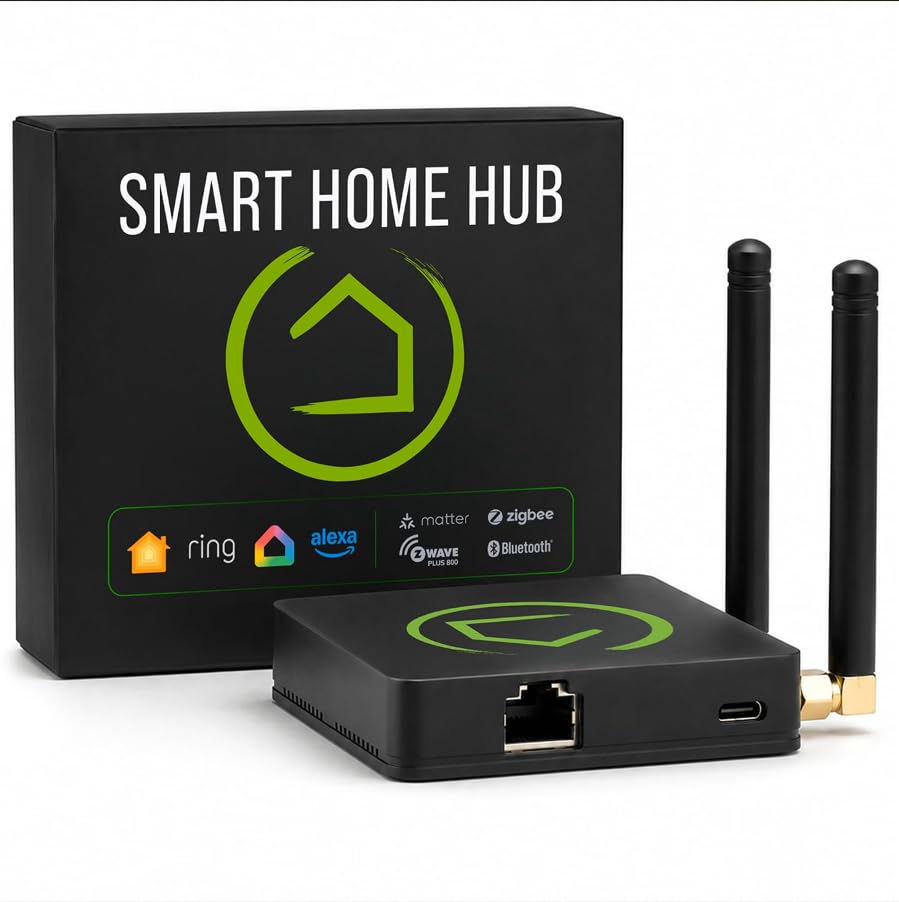
Runs your whole routine on the box, so the internet going down changes nothing.
For a security-minded tinkerer who hates the idea of a cloud server knowing when a door opens, this is the privacy-first answer. Automations process directly on the hub rather than on remote servers, so lights, locks, and thermostats keep responding even when your internet drops. Data stays at home. It covers 1,000+ devices across 100+ brands with no recurring subscription — every automation and feature is open up from setup.
The radio hardware is strong for the price tier: Matter 1.5, Z-Wave 800 Series with Long Range, Zigbee 3.0, and Bluetooth, all with two dedicated external antennas — one for Z-Wave, one for Zigbee — to push reach in larger homes. It works with Alexa, Google Home, and Apple HomeKit, and Ring camera integration adds another layer of awareness. The Rule Machine builder handles multi-condition logic, and an AI-assisted routine builder suggests automations based on what you have connected, no programming required. It even slips onto a shelf at just 2.56 ounces.
Set expectations on setup, though: ease of configuration splits sharply between homeowners — some find it simple, others describe it as complicated. It rewards the DIY mindset and punishes anyone who wants a two-tap wizard. If you want a hands-on, local, subscription-free brain for a big mixed-protocol home, it is hard to match.
The privacy-first case
- Automations run on-hub, so routines survive internet outages
- No subscription required for full functionality
- Matter, Z-Wave 800, Zigbee 3.0, and Bluetooth with two external antennas
- Rule Machine and AI-assisted routine builder for complex logic
Where it asks for effort
- Setup feedback splits between simple and complicated
- Rule-based automation is not for a plug-and-play household
The right call for: a DIY homeowner who wants local-only automation with zero subscriptions.
Wrong call for: first-timers hoping a wizard walks them through every device in ten minutes.
Know the Specs
Protocols: the languages your devices speak
Zigbee and Z-Wave are low-power mesh networks (each device also relays signals, so the network reaches further the more devices you add). Thread is a newer low-power standard that Matter devices often use. Matter itself is a shared compatibility standard, not a radio — think of it as the translator that lets devices from different brands cooperate. Check which of these your existing bulbs, locks, and sensors use before you buy a hub.
Local vs cloud control
Local control means the hub runs your automations on its own hardware, so a light still turns on when the internet is out. Cloud control sends commands through a remote server, which introduces a delay and a dependency on your connection. If a hub says it runs “local automations,” check whether the features you care about — notifications, camera feeds, voice control — still need the cloud.
Device limits and range
Every hub caps how many devices it supports. A single-room setup rarely notices, but a full house with sensors everywhere can hit the limit. Range matters too: low-power networks like Zigbee and Z-Wave benefit from mesh repeaters, while Bluetooth hubs are typically limited to shorter distances like the 10 meters on the SwitchBot Hub 2.
Power and placement
PoE (Power over Ethernet) lets one cable carry both power and data, so a hub can sit far from an outlet with one tidy run. USB-C backup ports let a power bank or mini-UPS keep the hub alive through a short outage. Fanless, low-wattage hubs can run quietly in a closet, while screen-first panels need a visible spot and an outlet nearby.
Common Questions
Do I need a smart home hub if all my devices are Wi-Fi?
What is the difference between a Matter Bridge and a Matter Controller?
Will Home Assistant Green work with my existing Zigbee bulbs?
Can a smart hub keep working when the internet is down?
How many devices can a smart hub handle?
Do I need a subscription to use a smart home hub?
What does PoE on a smart hub actually do for me?
Will a Z-Wave hub work with my Zigbee devices?
Can a hub’s infrared blaster control my air conditioner?
Is a hub with a screen worth it over an app-only hub?
The Bottom Line
The winner for most homes is the Home Assistant Green, because it runs everything on the box, keeps your data inside the house, and gives you one dashboard for every brand you own — with 4.0+ stars across 900+ ratings backing its approachability. If you want a room-friendly value hub with a climate sensor and IR control, pick the SwitchBot Hub 2. And for a wall-mounted touchscreen the family can actually tap, the Amazon Echo Hub is the natural reach. Whichever you choose, check your existing devices’ protocols first — that one step takes you from guessing to a hub that simply works.
How we choose
We do not accept paid placement. Every pick is matched to a real buyer and a real use-case; we do not hands-on test units.
Sources
Specifications: manufacturer listings and product documentation. Review insights: verified customer reviews, as of November 2026. Pricing: not shown on this page (it changes often); check the current price via the retailer link.
As an Amazon Associate, Tactical Gear Guy earns from qualifying purchases. This does not affect which products we feature.