Specs are compiled from manufacturer listings and verified buyer reviews and can change over time — please confirm the key details on the product page before buying.
If people on your calls keep asking you to repeat yourself, the problem is usually the microphone inside your laptop, not the camera. The picks below all pair a webcam with a real external microphone — either one built into the camera body or a separate mic in the box — so your voice arrives clean instead of thin and echoey. Start with the NexiGo HelloCam Lite if you want the simplest fix, then work down the list for two-mic kits, streaming bundles, and long-zoom conference cameras.
This guide is built by comparing the manufacturers’ published specifications and the patterns across verified customer reviews, so you get each pick’s real strengths and trade-offs instead of marketing spin.
A webcam and mic combo only helps if the microphone half keeps up with the video half, and most budget bundles fail that test. The list below ranks every option by how well the microphone performs in real rooms, so you can pick a webcam external microphone that makes you sound as sharp as you look.
Top Picks

How To Choose The Best Webcam External Microphone
The first question to settle is whether the microphone lives inside the camera or sits on your desk as its own device. Both work, but they solve different problems. An in-camera mic keeps your desk clear and your setup to one USB cable. A separate microphone gives you a mute button you can reach and, in the two-mic kits, a second voice that is not tied to the camera at all.
Pickup range beats raw mic count
How far a microphone can hear you matters more than how many microphones are listed. A dual-mic camera that reaches several feet will pick you up sitting back in your chair. A pair of wireless mics lets two people each hold their own. Match the pickup range to your room size before you compare mic counts.
Noise cancellation is the real upgrade
Almost every model here advertises noise-canceling or noise-reduction microphones — the processing that filters out keyboard clicks, fans, and room hum so your voice comes through. In a quiet office it is a minor bonus; in a shared kitchen or open-plan workspace it is the whole reason to buy. In a shared kitchen or an open-plan workspace it is the whole reason to buy.
Check the connection before anything else
Every camera here connects over USB, and most work as soon as you plug them in—no drivers to install. A few add ports that change what you can do: a 3.5mm audio jack (a standard round audio socket) lets you plug in your own external mic, and one model records to a microSD card (a tiny memory card) on its own. Decide if you want a plug-and-play camera or one with a 3.5mm mic jack or microSD recording that turns it into a small studio.
Side-by-Side Comparison
| Model | Best For | Video Resolution | Microphone Setup | Extra Audio Port | Amazon |
|---|---|---|---|---|---|
| NexiGo HelloCam Lite 4K★ Best Overall | Everyday calls and streaming | 4K / 1080p at 60fps | Dual noise-canceling mics | — | Amazon |
| Acer 4K Webcam (Sony Sensor)Best Build | Portable, all-metal build | 4K UHD | Dual high-sensitivity digital mics | — | Amazon |
| S980 4K WebcamTwo-Voice Pick | Two-person interviews and co-hosting | 4K at 30fps / 1080p at 60fps | Two wireless individual mics | — | Amazon |
| Live Video Streaming Kit | First-time streamers | 1080p at 30fps | Separate RGB USB microphone | USB mic input | Amazon |
| Logitech C920x + Blue Yeti | Podcasting and broadcast-style audio | 1080p at 30fps | Blue Yeti three-capsule USB mic | USB mic | Amazon |
| Insta360 Link 2C Pro | Meetings and streaming in dim rooms | 4K | Dual beamforming directional mics | — | Amazon |
| NexiGo N990 (Gen 2) 4K PTZ | Conference rooms and whole-room capture | 4K at 30fps | Dual stereo mics with noise cancellation | 3.5mm audio jack | Amazon |
| NearStream VM20 Pro | Studios, churches, and classrooms | 4K | 8-mic array with AI noise reduction | USB-C external mic input | Amazon |
Detailed Reviews
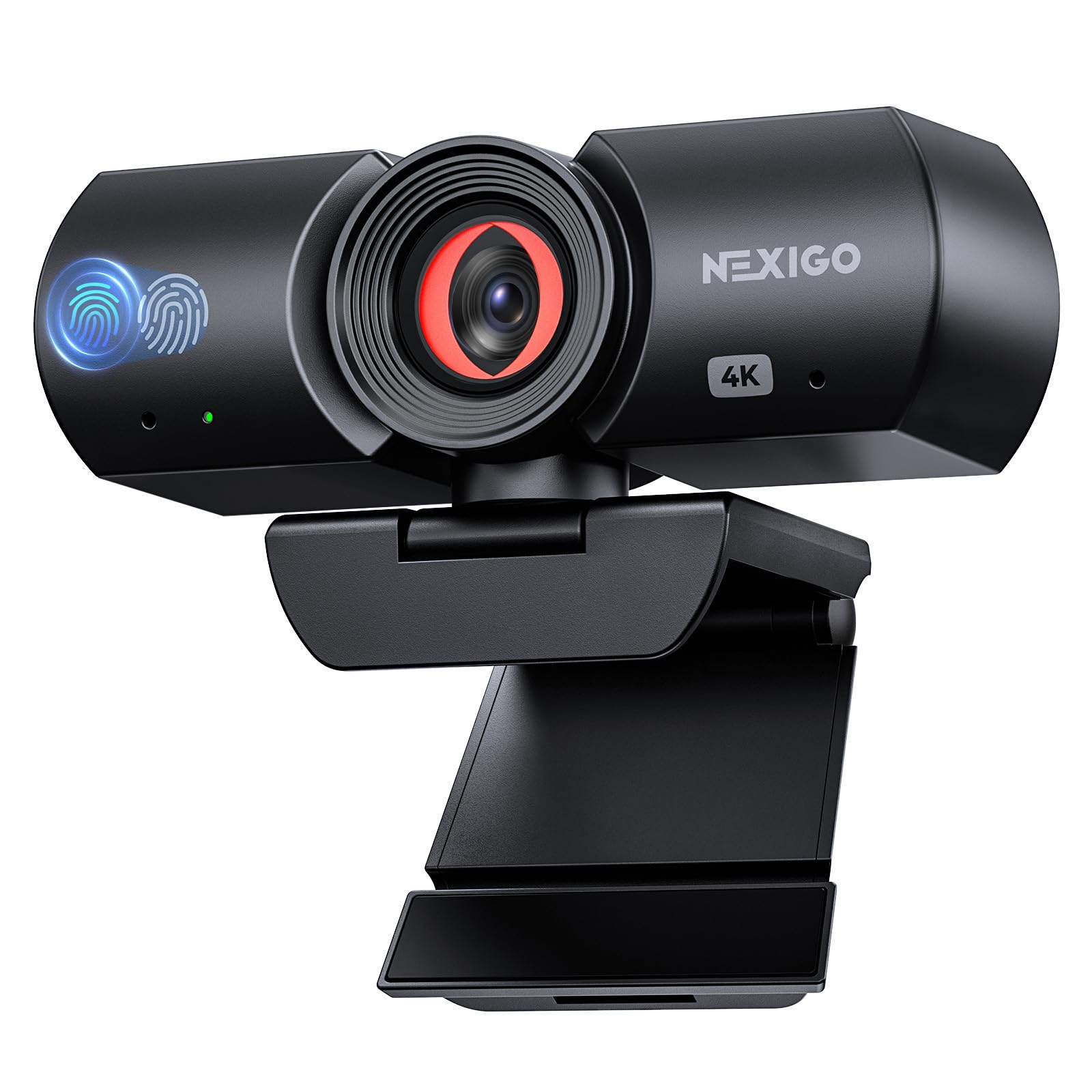
1. NexiGo HelloCam Lite 4K Webcam
Our pick — 4.5+★ from 27,500+ verified ratings; the strongest balance of quality and price.
Two noise-canceling mics and a shutter that closes itself — the everyday workhorse
The NexiGo HelloCam Lite is the one to default to if you want one USB plug to fix both halves of your call. Inside the body sit dual noise-canceling microphones — two mics that actively filter distracting background noise to isolate and lift your voice. In plain terms, the fan behind you gets pushed down and your voice gets pushed up. NexiGo pitches this as a microphone solution for Zoom, Microsoft Teams, Skype, OBS, and YouTube streaming, which tells you the target is the person who jumps between work calls and a Saturday stream.
The video half earns its place too. You get 4K visuals and 1080p at 60fps, and 60fps means motion stays smooth rather than smeary when you gesture or lean in. 3D noise reduction and chip-level thermal cooling cut the low-light grain that makes a cheap camera look grey and fuzzy in a dim room. Automatic exposure rebalances brightness in real time, so a bright window behind you stops turning your face into a silhouette.
Privacy is handled without you thinking about it. The electronic shutter opens when the camera is in use and closes when your call ends, and a manual lock pins the cover shut when you want certainty. The clip rotates 360 degrees and there is an integrated quarter-inch tripod mount — the standard screw thread most tripods use — so it sits steady on a desk stand. It runs on Windows 7 through 11, macOS 10.6 or later, Chrome OS, and gaming consoles, with no drivers to chase.
What earns it the top slot
- Dual noise-canceling mics carry your voice over room hum without a desk mic
- 1080p at 60fps keeps hand gestures and movement clean
- Automatic shutter plus a manual lock for real privacy
- 60fps and 4K from a single plug-and-play USB cable
Where it asks something of you
- Does not support Windows Hello face login
- 9-step digital zoom needs the NexiGo software installed to use
Made for: anyone who wants clearer call audio without adding a second device to the desk.
Think twice if: you rely on Windows Hello to sign in — this model will not do it.
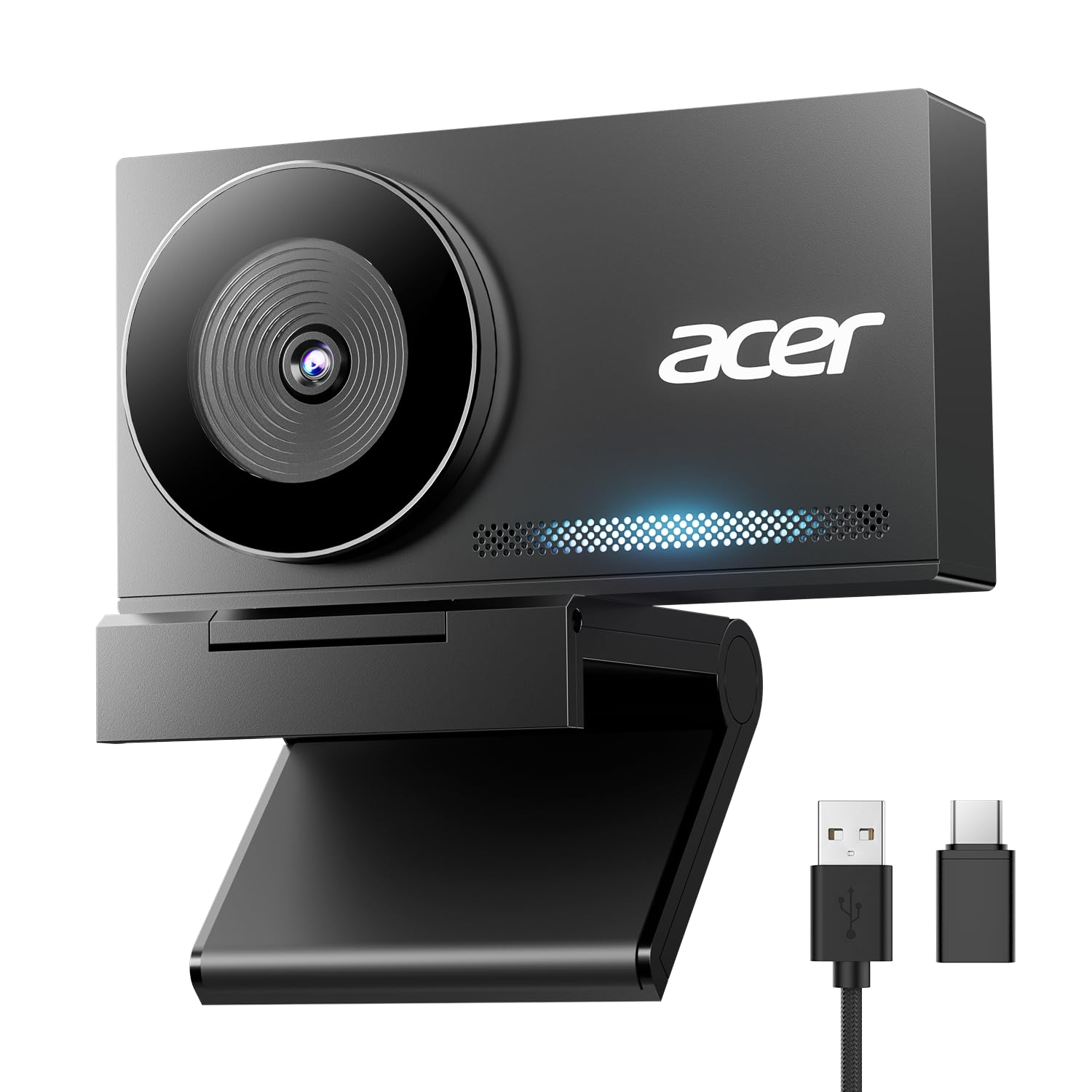
2. Acer 4K Webcam with Sony Sensor
A metal-bodied travel camera whose microphones grab your voice from across the desk
This is a camera you can toss in a laptop bag without it feeling like a plastic toy. The Acer is machined from aerospace-grade aluminum into a single smooth unibody (one solid piece of metal), sandblasted to a matte finish, and it weighs 57 grams—about the size of a pair of earbuds. That aluminum shell also pulls heat away from the sensor (the chip that captures light), which is why Acer says it delivers reliable 24/7 video for long streams.
For audio, the dual high-sensitivity digital microphones capture your voice from up to 2.5 meters away while filtering wind, keyboard clicks, and other ambient noise. That 2.5-meter range changes how you use it: you can stand and present, walk to a whiteboard, or lean back and still be heard. The sensor is a genuine Sony 1/2″ CMOS, paired with 4K UHD output and 2160-pixel effective video resolution.
Focus is handled by PDAF, short for Phase Detection Autofocus — a faster, more stable focusing method than standard autofocus, which keeps 4K footage crisp as you move. It connects over a single USB-C to A cable with a USB-A to USB-C adapter in the box, needs no drivers, apps, Wi-Fi, or Bluetooth, and the privacy cover snaps on with 12 built-in magnets. Windows, Mac, ChromeOS, Teams, Zoom, Twitch, and the Switch 2 are all covered.
The standout trait: that 2.5-meter mic pickup is what separates it from the Earbud-sized competition — a camera you can step away from and still be heard on.
The right call when: you travel between cafés and co-working desks and need a camera that survives the commute.
The trade-off: the magnetic cover is a separate piece — lose it and there is no built-in shutter to fall back on.
3. S980 4K Webcam with Wireless Mics
Two people, two mics, two mute buttons — built for interviews and co-hosted streams
Most cameras give you one microphone path no matter how many hosts are in the room. The S980 ships with two wireless individual microphones, each capturing sound on its own with its own mute control. That means one host can mute mid-sentence while the other keeps talking, without cutting the whole audio track. For interviews, co-hosted livestreams, online lessons, and two-person presentations, that changes the whole production.
The recording side is native 4K UHD at 30fps or 1080p at 60fps, using a 1/2.5-inch image sensor and PDAF autofocus to hold focus as you move. Stills top out at 8.3 megapixels, so screenshots and thumbnails hold up better. The 77-degree field of view frames a person naturally rather than stretching the room. A word of warning baked into the listing itself: 4K output requires compatible software such as OBS Studio, and actual performance depends on your system and settings.
Lighting is your call rather than a guess — a physical manual exposure control lets you tweak brightness as conditions change. A detachable magnetic cover blocks the lens, mounted by aligning it with the lens and pressing until seated; the listing is honest that a cover not fully flush can slip off. It runs driver-free on Windows 10/11, macOS 10.14 and later, and Android TV 7.0 and later, with an adjustable monitor clip and a standard quarter-inch tripod thread.
What you are really buying: microphone independence. Each speaker gets a mic and a mute, which no other camera on this list offers.
The honest limit: 4K depends on your software and your machine — check both before you plan a two-person 4K shoot.
Pair it with: an OBS workflow and a second host sitting beside you.
Look elsewhere if: you need Windows Hello sign-in — this camera does not support it.
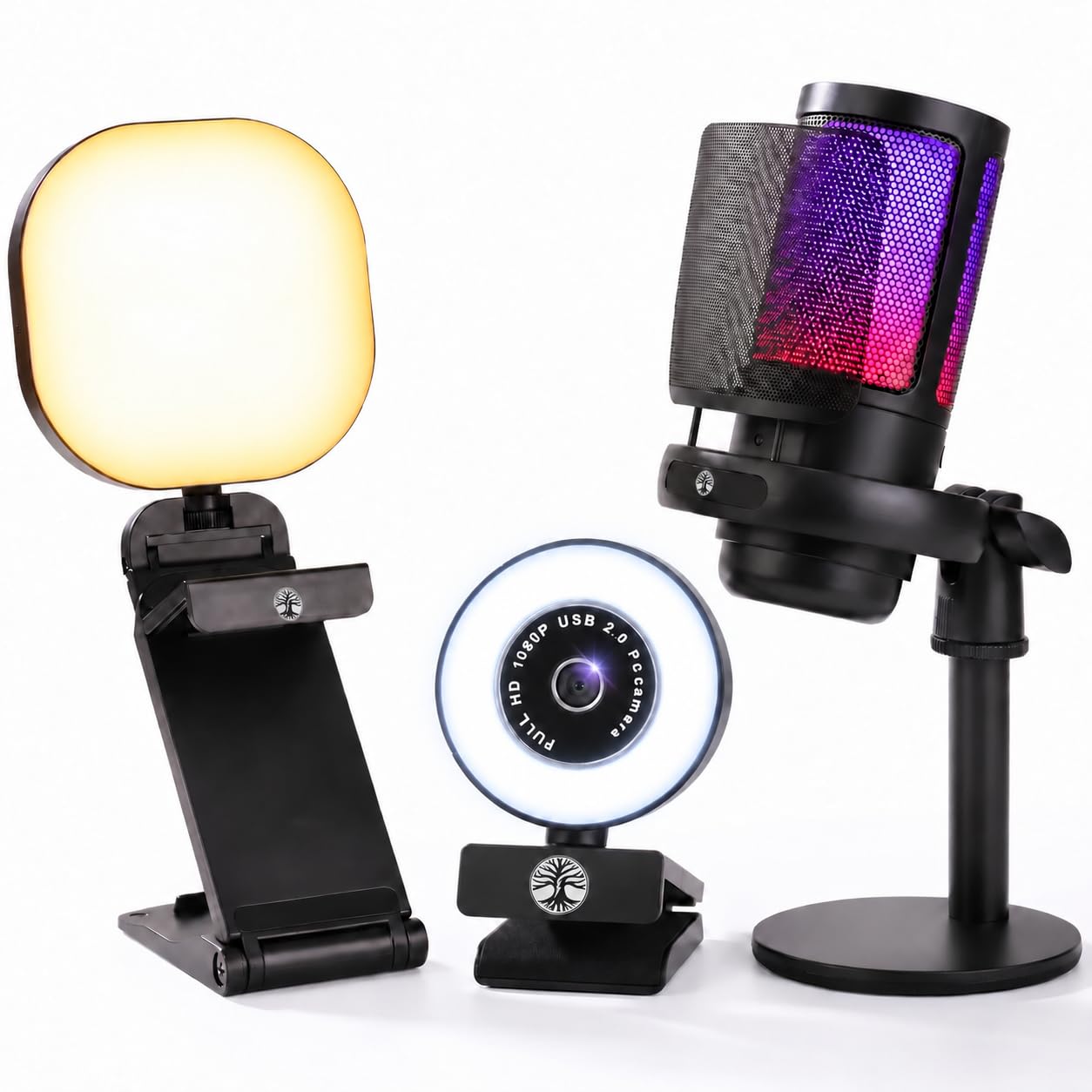
4. Live Video Streaming Kit with RGB Mic
Three boxes in one — camera, stand-alone USB microphone, and a ring of light
This is the deal for someone who owns none of the pieces yet. One purchase brings a 1080p webcam, a separate RGB USB microphone, and an adjustable LED light — the whole desk setup for a first Twitch channel, a podcast, or a work-from-home corner. The camera shoots 1080p at 30fps through a glass lens with automatic brightness adjustment, so harsh window light gets leveled out for you.
The microphone is the interesting part. It is a USB cardioid microphone — cardioid meaning it listens mainly from the front, which is why your voice beats the noise behind you. It adds a pop filter (the mesh that softens hard P and B sounds), a shock mount that reduces thumps and vibrations from the desk, and adjustable gain with RGB breathing lights. Because it is its own device rather than a mic buried in the camera, it can sit right in front of you.
The LED light gives you 3 lighting modes — warm, cool, and natural — plus 10 brightness levels, USB-powered and adjustable in position. Everything hooks up plug-and-play over USB to compatible Windows PCs and Macs. Watch the compatibility line carefully: it is not directly compatible with PS5 or Xbox consoles, so this is a computer setup, not a console one.
Read this fairly: the kit is built to a beginner price and the microphone is the piece reviewers push back on most — some get clean audio, some get a dud. Treat the mic as a decent starting point, not a broadcast instrument.
Best first purchase if: you are starting from zero and want light, camera, and a stand-alone mic in one go.
skip it if: you stream on a PS5 or Xbox — the kit does not connect directly to consoles.
5. Logitech C920x with Blue Yeti Microphone

A proven 1080p camera paired with a broadcast-style microphone and four recording patterns
Some buyers care far more about how they sound than how many pixels they push. If that is you, this bundle leads with the microphone. The Blue Yeti is a professional USB microphone built on a custom three-capsule array, and it gives you four pickup patterns — cardioid, omni, bidirectional, and stereo. Cardioid for one voice, omni for a round-table, bidirectional for a two-person interview across the desk, stereo for instruments. One mic covering jobs that would normally take several.
Blue VOICE software handles the polish: broadcast-style vocal sound with effects, modulation, and HD audio samples. The camera half is the Logitech C920x, recording full HD 1080p at 30fps with stereo audio from dual mics. That combination is the reason this pairing exists — a camera you already trust for calls, plus a mic that carries the podcast or the game stream.
The honest read is that the camera resolution trails the 4K options on this list. It is a 1080p camera at 30fps, so fast hand movement will not look as fluid as the 60fps HelloCam Lite. But nobody buys this bundle for the frames — they buy it for the Yeti. The 1920-pixel effective video resolution and JPEG file support are entirely adequate for talking-head calls and Zoom.
Why podcasters gravitate here
- Four pickup patterns — cardioid, omni, bidirectional, stereo
- Three-capsule array for broadcast-quality voice
- Blue VOICE software adds effects and vocal polish
- C920x handles 1080p at 30fps for calls and recording
What you give up
- The camera stays at 1080p rather than the 4K offered elsewhere here
- Two devices means two USB ports and some desk real estate
Step up for: recording music, interviews, or a podcast where the voice is the product.
Stay with a single-camera setup if: you only need meeting audio and would rather not run two devices.
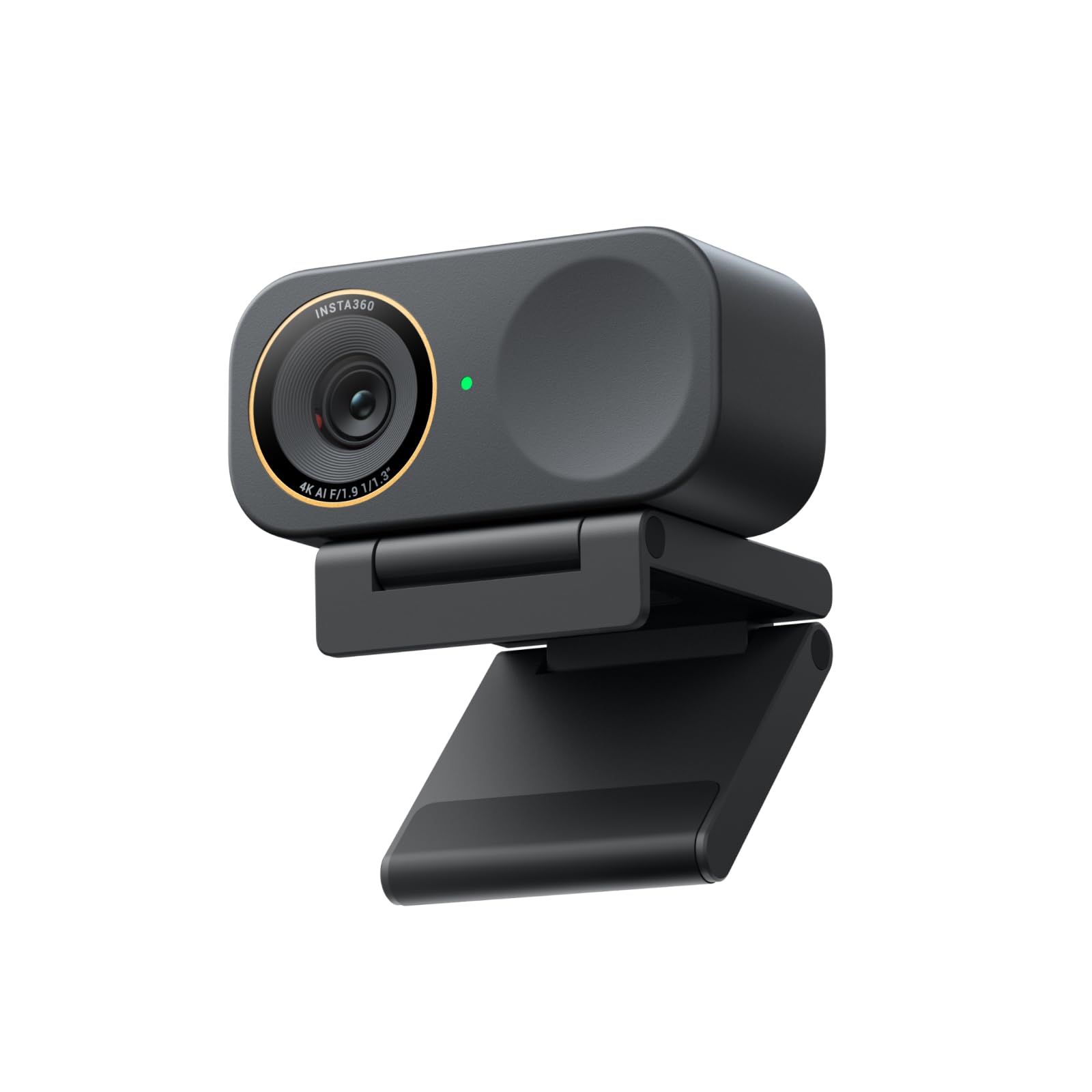
6. Insta360 Link 2C Pro 4K Webcam
The camera that still looks sharp when the room light is against you
The headline is the 1/1.3-inch sensor—large for a webcam. A bigger sensor catches more light, so the Link 2C Pro stays clean in a dim office instead of turning grainy. It shoots 4K (3840×2160 pixels) and weighs 113.5 grams, light enough for a monitor mount to hold without sagging. If your desk sits away from a window, the 1/1.3-inch sensor is the pick built for that dim room.
Audio is where a lot of 4K cameras coast; this one does not. A redesigned dual-mic system uses beamforming directional pickup — meaning the mics aim their sensitivity toward you and away from the room — to isolate your voice and reduce background noise in a busy space. In an open-plan office with a dozen conversations around you, that directionality is the difference between being understood and being asked to repeat.
The software side is unusually deep. Auto framing zooms and adjusts to keep one person or a whole group in view. Natural bokeh (a blurred background like a DSLR camera gives) comes from the Link software suite. You can control the camera from your smartphone or with hand gestures—start AI tracking, zoom, or switch to Whiteboard Mode without touching a mouse. Elgato Stream Deck integration (a physical button pad) lets you trigger presets and control multiple cameras. It carries 4x digital zoom and a magnetic mount in the box.
Where it wins: the big sensor and beamforming mics solve the two most common call problems at once — bad light and bad audio.
Check before you buy: it is not compatible with ARM-based Windows systems or Windows Hello face recognition.
Choose it for: a dark office, a busy room, and a creator who wants gesture and phone control.
Not your camera if: you are on an ARM-based Windows machine — it will not run there.
7. NexiGo N990 (Gen 2) 4K PTZ Webcam

A camera that pans the whole conference table and lets you plug your own mic straight in
PTZ stands for pan, tilt, and zoom — the motorized moves a camera makes to cover a room. The N990 does all three mechanically, with a pan range of -170 to +170 degrees and a tilt of -35 to +85 degrees, driven by a physical remote that also adjusts volume and flips or mirrors your image. Two camera presets save your favorite positions and glide back to them at a button press. In a boardroom, that means one camera can sweep the whole table without anyone getting up.
The microphone setup is what earns it a spot on this list. Built-in dual stereo mics with noise cancellation capture from every angle, and — the part that matters — there is a 1x 3.5mm audio jack on the body. That jack lets you plug in your own external microphone and route it through the camera, which no other pick here does at this level. Alongside it sit a USB 2.0 port and a USB-C port for video.
The sensor is an 8.5-megapixel Sony Starvis unit shooting 3840 x 2160 at 30 frames per second, with automatic low-light correction, a 16:9 image ratio, and 5X digital zoom at 1080p. Wall-mounting and a threaded base give you more than one way to install it. Compatibility spreads across Windows 7 through 11, Mac OS, Android 5.0, and Smart TV, so Zoom, Skype, FaceTime, YouTube, and Teams all work.
The buying logic: if you already own a good microphone, the 3.5mm jack turns this into the hub of a room setup instead of just another camera.
Reach for it when: you run meetings in a shared room and want the camera and the audio routed through one device.
Know this going in: focus is fixed rather than automatic, so you rely on the zoom and presets instead of the camera hunting for you.
8. NearStream VM20 Pro 4K Streaming Camera
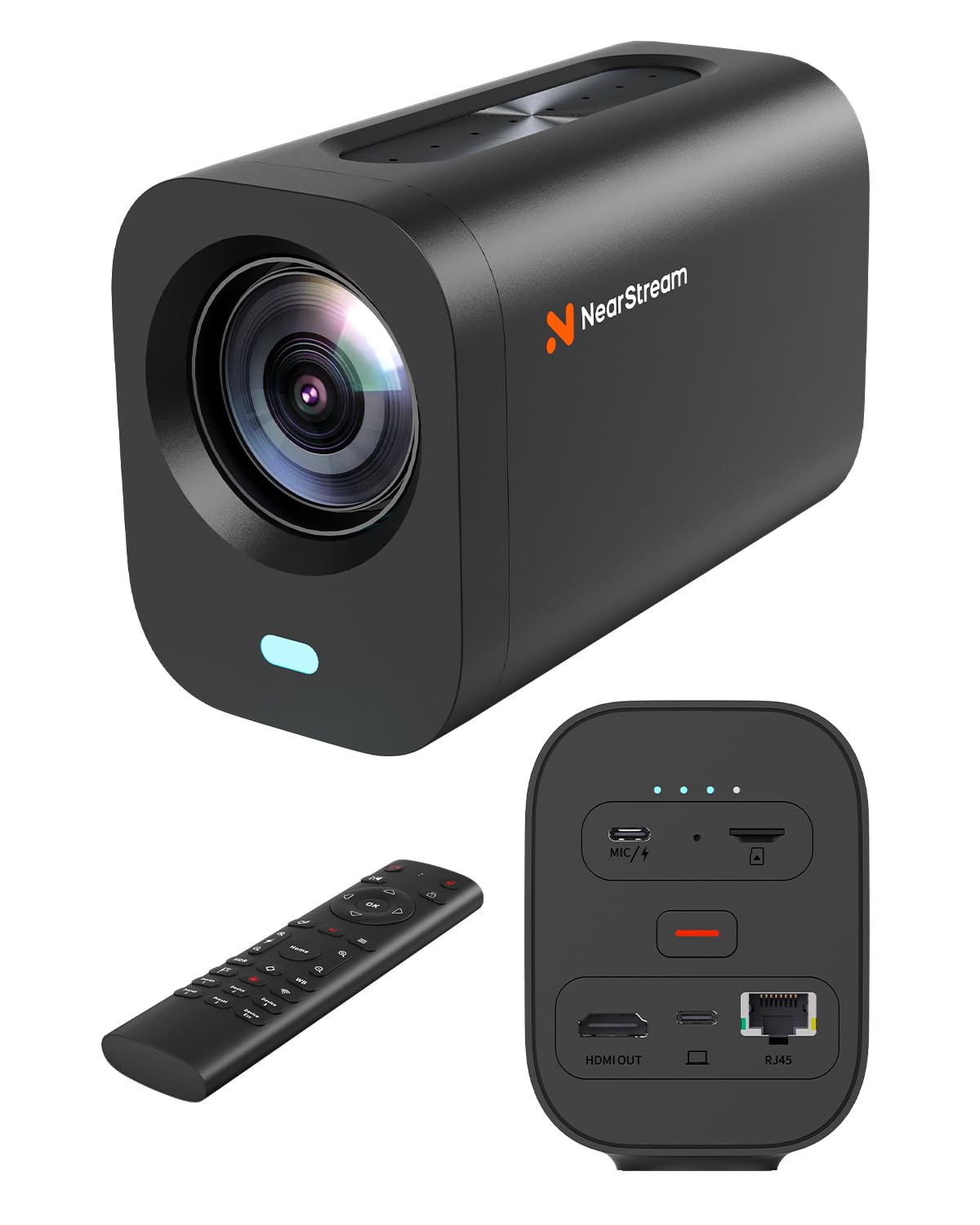
An eight-microphone array with a 16-foot reach, built for a room full of people
Every other camera here is designed for one or two people at a desk. The VM20 Pro is built for a congregation, a classroom, or a small studio. Its audio claim is the strongest on the list: an 8-microphone array with AI noise reduction, beamforming, automatic gain control, and 48kHz/16-bit audio with up to a 16-foot pickup range. Sixteen feet is the length of a small room, so a speaker at the front of a lecture hall is heard clearly at the back.
The 1/2-inch CMOS sensor delivers 4K with autofocus, HDR, and 3D noise reduction, and stills reach 50 megapixels. A 10x true optical zoom plus 4x digital zoom produces 40x hybrid zoom — optical zoom moves the glass to magnify, so a close-up stays sharp instead of turning blocky. That is a different class of reach from the NexiGo N990’s 5x digital zoom at 1080p. It also accepts an external microphone through the included USB-C Y-cable, so the array is not your only audio option.
Connections are what make it a production tool rather than a webcam. It outputs 4K over USB-C for plug-and-play. It streams RTSP (a video streaming protocol) over an RJ45 Ethernet port (a wired network jack) for network workflows. It sends 1080p out over HDMI (a standard video cable). It can go wireless AV with the optional NA20 transceiver, sold separately, which uses its own 2.4GHz/5GHz protocol rather than standard Wi-Fi. You can also record 4K MP4 straight to a microSD card up to 1TB, with a UHS-I U3/V30 card (a speed rating) or higher required. A remote handles focus, HDR (high dynamic range, which balances bright and dark areas), presets, and framing.
Why a studio would pick it
- 8-mic array with up to a 16-foot pickup range
- 10x optical plus 4x digital for 40x hybrid zoom
- 4K over USB-C, RTSP over RJ45, and 1080p over HDMI
- Records 4K MP4 to a microSD card up to 1TB
What it costs you in practice
- The NA20 wireless transceiver is optional and sold separately
- 4K recording to card needs a UHS-I U3/V30 card, with V60 recommended for best results
Built for: churches, classrooms, and multi-camera studios where one camera must cover a crowd.
Overkill if: you work alone at a desk — the array and optical zoom go to waste on one chair.
Know the Specs
Beamforming and Noise Cancellation
Beamforming means the microphones aim their sensitivity in a direction rather than hearing everything equally — usually toward whoever is speaking. Noise cancellation and noise reduction describe the processing that filters out keyboard clicks, fans, and hum. On a webcam with a dual-mic system, these two work together so the person on the other end hears your voice and not your room. It matters most in a shared space; in a quiet office, a plain mic would do.
Pickup Range and Audio Jacks
Pickup range is simply how far from the microphone you can sit and still be captured clearly — the NearStream array reaches up to 16 feet while the Acer’s digital mics reach 2.5 meters. An audio jack changes your options entirely: the NexiGo N990 carries a 1x 3.5mm jack, and the NearStream adds a USB-C external mic input through its included cable. If you already own a microphone you like, choose a camera with a jack and route your audio through it.
Common Questions
Do I need a separate microphone if my webcam already has dual mics?
Can I plug my own microphone into a webcam?
How far away can I sit and still be heard?
Will these webcams work on a Mac and a Windows PC?
Does a 4K webcam mic sound better than a 1080p one?
What does 60fps change for video calls?
Can two people each have their own microphone?
Do these cameras support Windows Hello face login?
Is a privacy shutter worth having on a webcam?
Will the streaming kit work with a PS5 or Xbox?
The Bottom Line
For most people, the winning webcam external microphone setup is the NexiGo HelloCam Lite — dual noise-canceling mics, 1080p at 60fps, and a shutter that closes on its own, all from one USB cable. If you already own a microphone you trust, the NexiGo N990 earns its spot with a 1x 3.5mm jack that routes your own mic through the camera. And for a room full of people, the NearStream VM20 Pro and its 8-mic array with up to a 16-foot pickup range is the one to reach for.
How we choose
We do not accept paid placement. Every pick is matched to a real buyer and a real use-case; we do not hands-on test units.
Sources
Specifications: manufacturer listings and product documentation. Review insights: verified customer reviews, as of November 2026. Pricing: not shown on this page (it changes often); check the current price via the retailer link.
As an Amazon Associate, Tactical Gear Guy earns from qualifying purchases. This does not affect which products we feature.