Specs are compiled from manufacturer listings and verified buyer reviews and can change over time — please confirm the key details on the product page before buying.
If your desktop PC drops to a crawl in the back bedroom, a USB Wi-Fi antenna is cheaper than a new router and far less work than running cable. The trick is knowing which adapters actually pull in a weak signal and which ones just put a bigger plastic antenna on the same weak chip. This guide covers nine real adapters — mid-range to premium — with the specs that matter written in plain English.
This guide is built by comparing the manufacturers’ published specifications and the patterns across verified customer reviews, so you get each pick’s real strengths and trade-offs instead of marketing spin.
You will see what each band delivers, which adapters need a driver disk, and where the honest limits sit. Every pick here is a real USB product with published specs, so you can match one to your machine and your walls — the practical shortlist behind the search for the Best USB Wi-Fi Antenna.
Top Picks

How To Choose The Best USB Wi-Fi Antenna
You are not replacing your router. You are giving one computer a better set of ears. That is why the antenna gain and the USB version matter more than the biggest printed speed number on the box.
Start with the band your router serves
Most home routers push two bands: 2.4GHz, which travels further through walls, and 5GHz, which is faster but fades sooner. A dual-band adapter like the Edimax EW-7811UAC covers both — 433Mbps on 5GHz and 150Mbps on 2.4GHz. If your router is newer, look for an adapter that adds 6GHz, which is a less crowded lane for gaming and 4K streaming.
Look at antenna gain in dBi
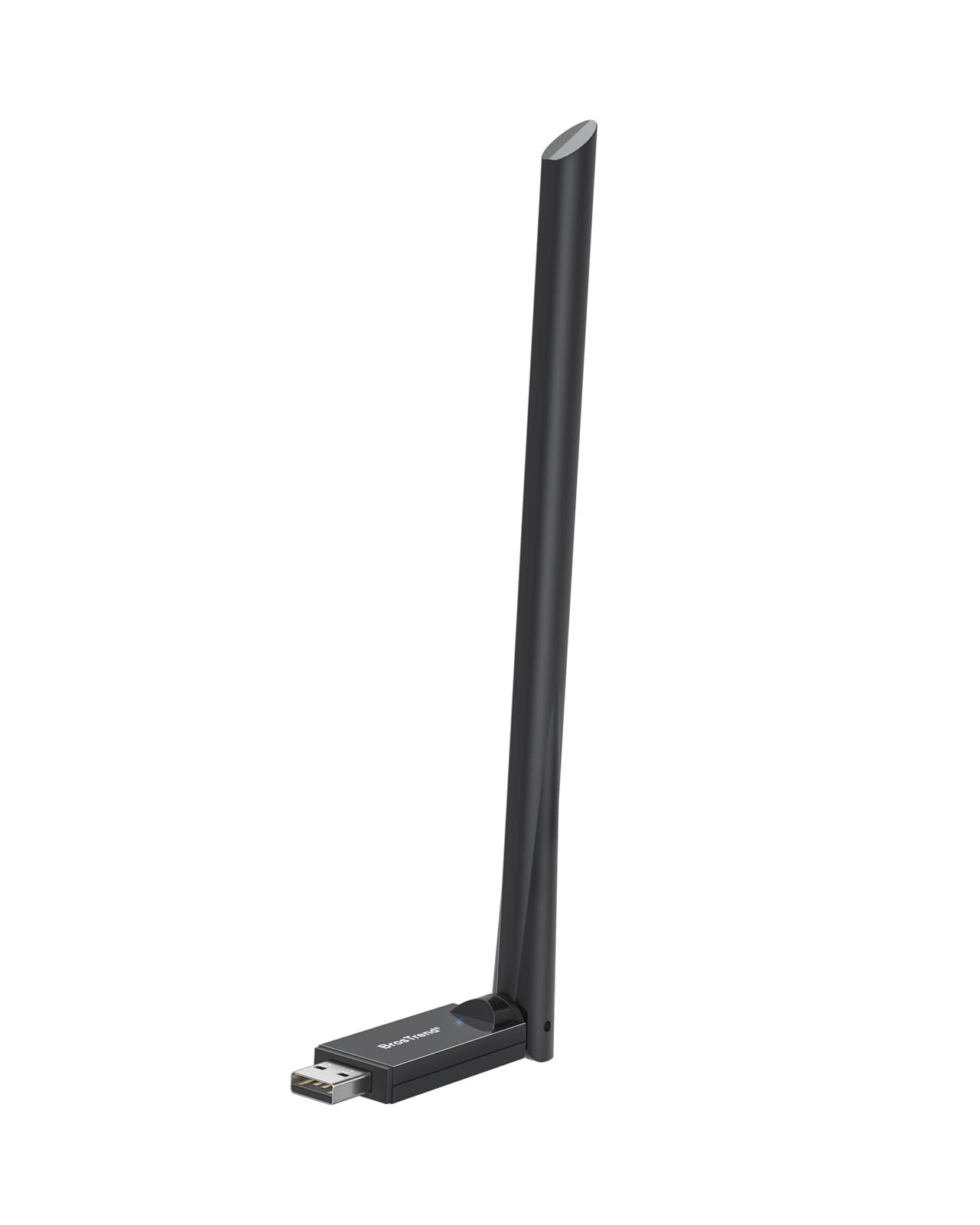
dBi (decibels relative to an isotropic radiator) is a simple score for how hard the antenna pushes signal in one direction. A 6dBi antenna like the one on the BrosTrend AX900 focuses the signal more tightly than a bare dongle. Position matters as much as the number, which is why adapters with a USB cradle, such as the Edimax or TP-Link Archer TX21UH, are easier to aim.
Check the driver situation before you buy
Windows 10 and 11 usually install by themselves for the newer adapters. Older machines, Macs, and Linux boxes are where buyers get stuck. Some adapters list Windows only; others carry Linux kernel support. Read the compatibility line in the listing and match it to the machine you actually own.
Side-by-Side Comparison
| Model | Best For | Top Speed | Bands | Interface | Amazon |
|---|---|---|---|---|---|
| ALFA AWUS036ACH★ Best Overall | Long-range pickups | 867 Mbps | 2.4 / 5 GHz | USB 3.0 Type-C | Amazon |
| BrosTrend AX900Best Value | Tight budgets, Wi-Fi 6 | 900 Mbps | 2.4 / 5 GHz | USB 2.0 | Amazon |
| Edimax EW-7811UACBest for Legacy PCs | Older PCs and Macs | 433 Mbps (5 GHz) / 150 Mbps (2.4 GHz) | 2.4 / 5 GHz | USB 2.0 | Amazon |
| Nineplus 1300Mbps | Everyday dual-band upgrade | 1300 Mbps | 2.4 / 5 GHz | USB 3.0 | Amazon |
| Nineplus N18 | Wi-Fi 6 without fuss | 1800 Mbps | 2.4 / 5 GHz | USB 3.0 | Amazon |
| TP-Link Archer TX21UH | Cable placement flexibility | 1800 Mbps | 2.4 / 5 GHz | USB 3.0 | Amazon |
| BrosTrend BE6500 | Cheapest Wi-Fi 7 door | 6500 Mbps | 2.0+ / 5 / 6 GHz | USB 3.0 | Amazon |
| WAVLINK BE6500 | Antenna count and status light | 6452 Mbps | 2.0+ / 5 / 6 GHz | USB 3.0 | Amazon |
| ALFA AWUS036AXML | Windows and Linux users | 3000 Mbps | 2.0+ / 5 / 6 GHz | USB 3.0 | Amazon |
Detailed Reviews
1. ALFA AWUS036ACH AC1200 WiFi 5 USB Adapter
Our pick — 4.0+★ from 900+ verified ratings; the strongest balance of quality and price.
Two detachable high-gain antennas for the PC that lives furthest from the router.
This is the adapter for the desk that has always gotten one bar. ALFA ships two dual-band high-gain antennas you can unscrew and angle independently — so you can aim one at the router and wrestle the other toward the window. It runs the 802.11ac standard, which is the Wi-Fi 5 generation: 2.4GHz tops out at 300 Mbps and 5GHz at 867 Mbps. That is plenty for a 4K stream or a big download while everything else in the house stays online.
What wins people over is the reach. The high-gain antennas pick up networks a tiny plug-in dongle never sees, and that signal strength is the headline of the whole listing. Unlike the ALFA AWUS036AXML below, which is a tri-band 6GHz adapter, this one keeps you on the two common bands — fine if your router does not broadcast 6GHz anyway.
The catch is the computer side. It runs Windows Vista through Windows 10 and Linux kernel 4.19 or later, but there is no driver support for macOS past 10.15, and no support for M1/M2 Macs. Buyers on Windows and Linux settle in; a modern Mac owner needs a different pick from this list. The USB-C cable in the box is included, so you are not hunting for a cord, and the body is 3.35″L x 2.48″W x 0.79″H — small enough to sit on the desk without eating space.
What earns it the top slot
- Two dual-band high-gain antennas you can angle separately
- 5GHz up to 867 Mbps and 2.4GHz up to 300 Mbps
- USB-C interface with the cable included
- WPA3 security on the supported driver set
Where it asks something of you
- No macOS driver past 10.15 and nothing for M1/M2
- Wi-Fi 5 only, so no 6GHz band on offer
- The angled antennas take a little patience to aim
Reach for this if: your desktop is the room where every other adapter cuts out, and you are on Windows 7 through 10 or Linux.
Look past it if: you are running an M1 or M2 Mac — the driver simply is not there.
2. BrosTrend AX900 USB WiFi 6 Adapter
Wi-Fi 6 on a plug-in budget, with a single 6dBi antenna that means business.
Here is the speed gap in one line: the BrosTrend AX900 moves data at 900 megabits per second, while the Edimax EW-7811UAC lower down lists 150 megabits per second. That is a 6.0x gap in rated throughput between the two adapters. The 5GHz band runs to 600 Mbps and the 2.4GHz band to 286 Mbps, which the maker says is 38% and 43% faster than an older dongle respectively — their numbers, stated as theirs.
One 6dBi antenna does the heavy lifting, with beamforming to focus the signal toward your router. It is light at 25.7 g, so it hangs off the back of a laptop without dragging. Setup is the part buyers love: drivers are pre-loaded for Windows 11/10/7, so you plug it in and go, no CD and no download hunt. Mac and Linux are not supported, so this is a Windows-only purchase.
Know where the ceiling sits. The interface is USB 2.0, not 3.0, which is a real limit on how much of that 900 Mbps you will see in practice. And you need a Wi-Fi 6 router to open up the fast lane — an older router will throttle the whole thing back. For a Windows desktop or laptop with a modern router, this is the value play.
The straight trade: you get Wi-Fi 6 and a 6dBi antenna for entry-level money, and you give up USB 3.0 headroom to get there.
Best fit: a Windows PC on a Wi-Fi 6 router where the budget is tight and the room is awkward.
Think twice: Linux or Mac machines, or a router older than Wi-Fi 6.
3. Edimax Wi-Fi 5 AC600 High Gain Dual-Band Adapter EW-7811UAC
The one that still talks to a Windows XP box and a Mac running 10.9.
Most adapters have quietly dropped the old machines. This one has not. It covers Windows XP through 10 and 11, Mac OS 10.9 through 10.15, and Linux 2.6.18 through 5.11 — a spread no other adapter on this list matches. That matters if the computer you are reviving is a decade-old tower or an old MacBook that still does its job.
The antenna is adjustable between 4dBi on 2.4GHz and 6dBi on 5GHz, and the included 1.2 meter USB cradle lets you lift the unit up and angle it toward the router. Speeds run to 433 Mbps on 5GHz and 150 Mbps on 2.4GHz. Quality is what buyers notice most, and installation is close behind — Windows 10 and 11 handle it plug-and-play, and physical WPS gives you a one-click connect. One buyer reports a 182MB download finishing in about 5 minutes.
The honest limit is the age of the design. It is a Wi-Fi 5 adapter, so there is no 6GHz band and no Wi-Fi 6 speed tier. The 150 Mbps 2.4GHz figure is the second slowest figure in this article, and durability is the mixed note in the feedback. If the machine is old enough that this is your only supported option, it does the job; if the machine is new, a faster pick below serves you better.
Why it still sells: the driver list is the widest here by a mile — XP, old Mac, and Linux all covered, which is why it earns its place on the shelf.
Worth grabbing for: a legacy Windows tower, an older Mac, or a Linux box that rejects newer adapters at the driver stage.
The one snag: on a modern machine, the 433 Mbps 5GHz ceiling leaves speed on the table.
4. Nineplus 1300Mbps USB 3.0 WiFi Adapter

Twin 5dBi antennas and USB 3.0 for the desktop stuck in the dead room.
Two external 5dBi antennas are the point of this adapter. That is double the antenna of most plug-in units, and the job is simple: catch a weak signal in a bedroom or basement office where a stub dongle fails. It runs 5.8GHz at up to 867 Mbps and 2.4GHz at up to 400 Mbps, and it is plug-and-play on Windows 10 and 11 with no driver download.
USB 3.0 is the quiet upgrade here. The maker claims it is up to 10 times faster than USB 2.0, which is why the dual-band throughput has room to breathe. It ships with WPA3 encryption, the current security standard, so a public or shared network does not leave your files exposed. Buyers report downloads around 100 Mbps and uploads around 40 Mbps, with signal and ease of use both rated well. The short body — 2.3″L x 0.6″W x 0.9″H — means it does not crowd the port.
The spec sheet lacks Wi-Fi 6 and 6GHz, so on a newer router you are capped at Wi-Fi 5 speeds. It also covers Windows 11/10 and Linux only — no macOS line in the listing — which is a fair call to make before you buy.
The case for it
- Dual 5dBi antennas for a weak-signal room
- 5.8GHz up to 867 Mbps and 2.4GHz up to 400 Mbps
- USB 3.0 interface and WPA3 encryption
- Plug-and-play on Windows 10 and 11
Read before you click
- No Wi-Fi 6 and no 6GHz band
- No macOS listed in the compatibility line
Pick this when: you want two antennas, USB 3.0, and WPA3 on a Windows or Linux desktop without paying premium money.
Keep browsing if: your router broadcasts 6GHz and you want to use it.
5. Nineplus N18 AX1800 USB WiFi 6 Adapter

AX1800 speeds with beamforming, built for a broken Wi-Fi card and a busy house.
When the built-in card in a desktop gives up, this is the replacement that climbs a generation. It runs the Wi-Fi 6 standard at a combined 1800 Mbps — 1201 Mbps on 5GHz and 567 Mbps on 2.4GHz — and the maker calls that 4 times faster than a slow built-in card. Two 5dBi high-gain antennas with beamforming aim the signal toward the router, so the reception improves instead of just the numbers.
Reliability is the part that lands with buyers. The most common buyer story is a PC that had dropped Wi-Fi for months and stabilized after this adapter went in. Owners mention downloads around 400 Mbps and uploads around 45 Mbps, with quick setup. USB 3.0 keeps the throughput moving, and it is backwards compatible with USB 2.0 if that is all your port offers.
Two things to know. It works on Windows 11 and 10 only — no Windows 7, no Mac, no Linux — and connectivity is the mixed thread in the feedback, with some units dropping out. A USB cable swap or a port change often sorts that, but it is a real thing to watch in the return window.
The read: the strongest Wi-Fi 6 value in this group for a Windows desktop that needs a card replacement, as long as you are comfortable in Windows 11 or 10.
The right buyer: Windows 11/10 owners whose internal Wi-Fi card is done, and who want AX1800 speed without a cable run.
Not for: older Windows builds, Macs, and Linux users — the driver line does not reach them.
6. TP-Link Archer TX21UH AX1800 USB WiFi 6 Adapter
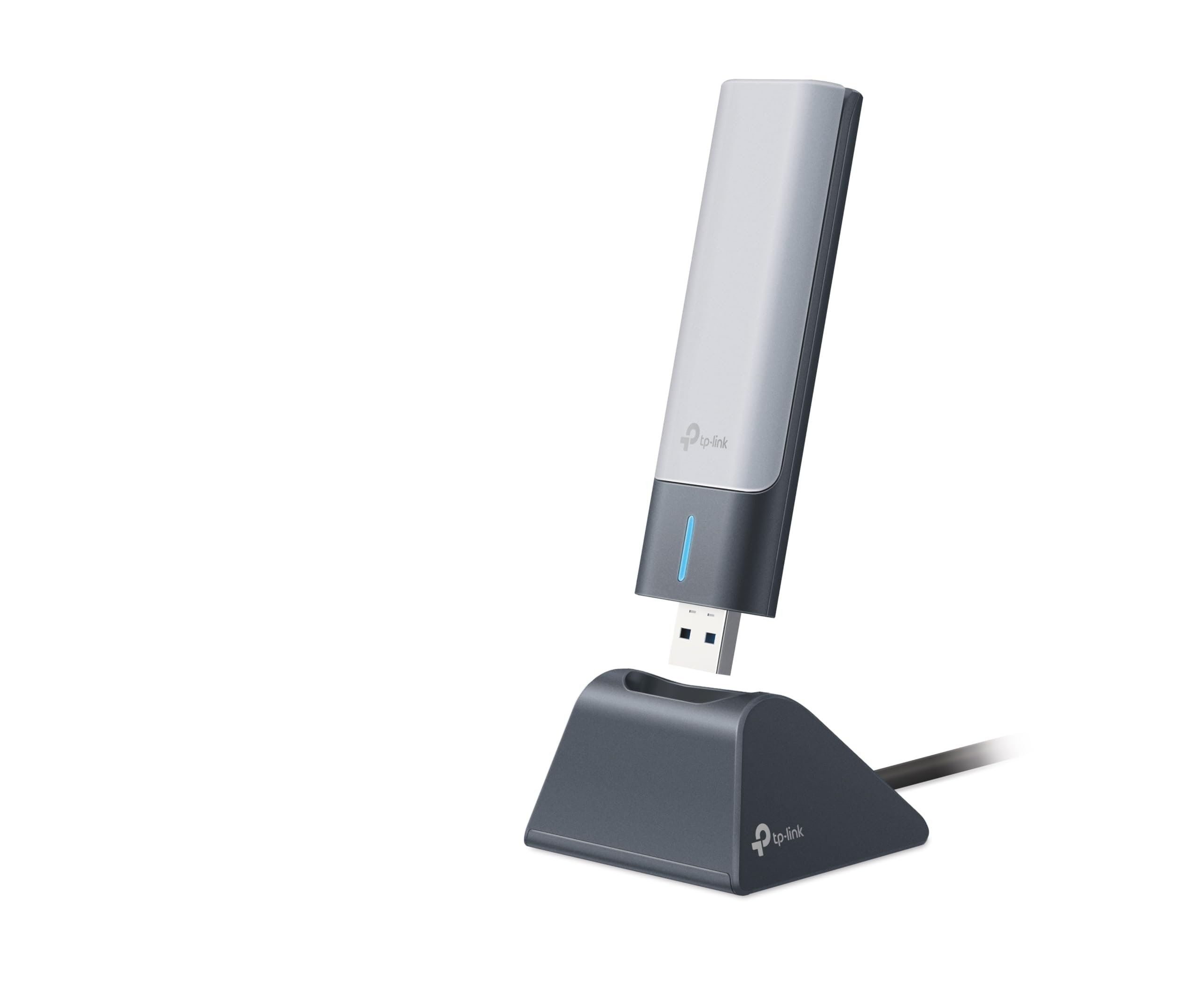
A 1.2-meter cable and a cradle, so the antenna can sit where the signal is.
Half the battle in a weak-signal room is where the antenna actually sits. This adapter comes with a 1.2-meter USB 3.0 cable and a cradle, so you can lift it off the floor, out from behind the tower, and point it at the router. That single design choice does more for real-world reception than any spec line on the box. Customers note signal strength climbing from 3 bars to 5 once the cradle is positioned.
Speed sits at AX1800: 1201 Mbps on 5GHz and 574 Mbps on 2.4GHz. That is the same 1800 Mbps class as the Nineplus N18 above, and the difference is the cable placement — the TP-Link gives you the reach, the Nineplus gives you a simpler plug-in body. Reviewers point out setup in about 3 minutes with the pre-loaded driver and consistent speed tests at 850 Mbps.
MU-MIMO (multiple data streams at once) and OFDMA (sharing one stream between devices) keep the connection steady when the house is busy. WPA3 covers the security side. The caveat: it is Windows only, and it is priced in the mid-range, so you are paying for the cradle and the cable rather than raw performance alone.
What you pay for: clean placement and a genuinely quick setup — the 1.2-meter cradle is the practical feature here, not a marketing one.
Choose it when: the USB ports on your tower are on the floor or the back panel, and you need the antenna somewhere with a view of the router.
skip it if: you want a Mac or Linux adapter — the driver is Windows only.
7. BrosTrend BE6500 USB WiFi 7 Adapter

The cheapest way onto the 6GHz band with a Wi-Fi 7 tri-band adapter.
Wi-Fi 7 is the newest standard, and this adapter is the least expensive entry point to it on this list. The three bands run 2882 Mbps on 6GHz, 2882 Mbps on 5GHz, and 688 Mbps on 2.4GHz — a combined 6500 Mbps. The 6GHz band is the reward here: it is a wider, emptier lane, which is why it clears up the stutter when the neighborhood is crowded with routers. 4K-QAM and 160 MHz channels are the mechanics that squeeze that speed out.
Two external antennas with beamforming target your router, so the signal holds through a wall rather than fading at the door. Functionality is the big win with buyers and speed is right behind it. Setup is pre-loaded for Windows, so you plug in and go, with no CD.
Two honest calls before you buy. Windows 11 is required to reach the 6GHz band at all — Windows 10 gives you only 5GHz and 2.4GHz. MLO, the Wi-Fi 7 feature that links several bands at once for lower latency, is listed as not supported on this unit. And it is Windows only, with no macOS or Linux. If you have a Wi-Fi 7 router and Windows 11, this is the budget door in.
Why it wins on paper: 6500 Mbps across three bands at the lowest premium-tier position here, and the 6GHz band is the reason to care.
Made for: a Windows 11 machine paired with a Wi-Fi 7 router, where the 6GHz band is the goal.
Not your pick if: you are on Windows 10 — the 6GHz door stays shut.
8. WAVLINK BE6500 USB WiFi 7 Adapter
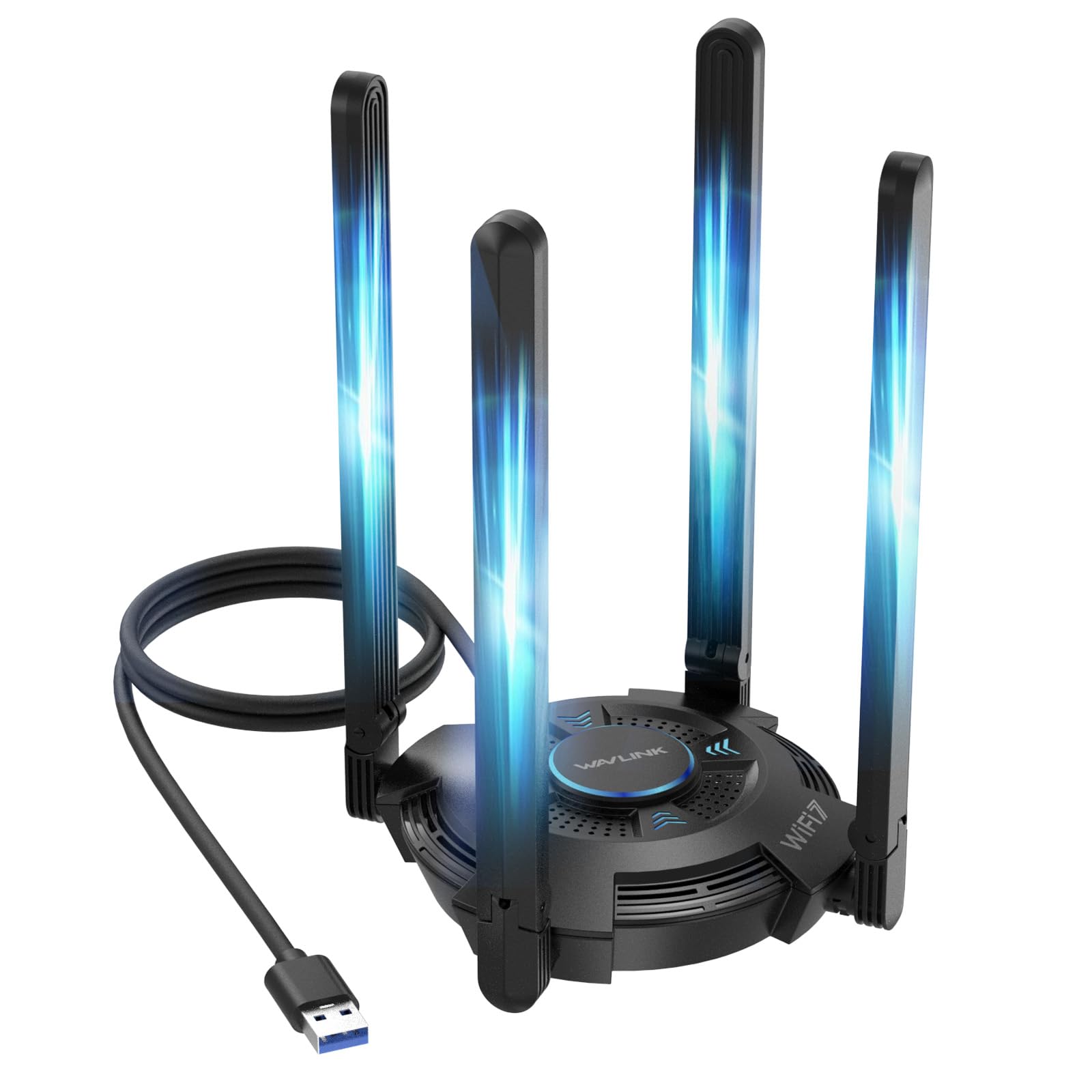
Four foldable 5dBi antennas and a status light on a tri-band Wi-Fi 7 body.
Four antennas is the story here. Where the BrosTrend BE6500 runs two, this WAVLINK runs four 5dBi high-gain antennas, all foldable for storage and positioning. More antennas mean more signal caught and more angles to aim, which is the difference in a room with a wall between you and the router. The tri-band throughput runs 2882 Mbps on 6GHz, 2882 Mbps on 5GHz, and 688 Mbps on 2.4GHz.
Quality is what buyers point to most, and functionality is right behind it. The body is 550 g — noticeably heavier than most plug-in adapters — so it sits on the desk rather than dangling from a laptop. It ships with a USB 3.0 cable, has ventilation slots on the surface and bottom for heat, and adds a multicolor LED status light (blue, pink, red) with a touch switch to change it. You can also flip it into Hotspot Mode and share your PC’s connection with phones and tablets.
Here is the thing to know: this is not a Wi-Fi extender or repeater, and it will not boost a signal your router cannot reach. It is an adapter for one computer. You also need Windows 11 for the 6GHz band and a Wi-Fi 7 router to use the speed tier, or it drops back to Wi-Fi 6 performance. The 2-year warranty and free technical support take some of the risk out.
What it does well
- Four foldable 5dBi antennas for aiming and coverage
- Tri-band to 6500 Mbps combined, with 6GHz on board
- Hotspot Mode shares the PC connection with other devices
- 2-year warranty and free technical support
What to weigh first
- It is an adapter, not an extender — it cannot amplify your router
- Heavier at 550 g, so it wants desk space
- 6GHz needs Windows 11
This one is for: a desk setup where you want the most antennas and the most aiming options, on a Windows 11 PC.
Pass on it if: you were hoping to strengthen your router’s signal rather than give one PC a better receiver.
9. ALFA NETWORK AWUS036AXML WiFi 6E USB 3.0 Adapter

A tri-band 6E adapter with a MediaTek chipset and a Linux driver that actually works.
The MediaTek MT7921AU chipset is the heart of this one, and it is the reason Linux users keep it on their shortlist. Where several adapters here stop at Windows, this one lists Linux and Windows both, plus Smart TV as a compatible device. Speed climbs to a combined 3000 Mbps across 2.4GHz, 5GHz, and the 6GHz band, and the two 5dBi detachable antennas can be swapped or angled.
Speed is the clean positive thread here, and the 6GHz band is the draw — it is a less crowded lane, which is why it feels quicker even when the raw number is not the highest on this list. The body is 0.22 kg and sits at 2.36″L x 3.46″W x 0.71″H, so it is compact on a desk.
The split is on the software side. Some units work from the start on Ubuntu and some need driver work, and that thread runs through the feedback as the recurring gripe. Buyers who like to tinker get a capable tri-band adapter; buyers who want plug-and-go on Linux should budget an evening for setup. On Windows 10 it is the simpler experience.
The honest split: a fast tri-band 6E radio with a MediaTek chipset that Linux recognizes — once the driver lands — and that is the whole decision.
Right call for: a Linux user who wants 6GHz and does not mind getting the driver sorted.
Wrong call if: you want zero setup friction on a brand-new Mac — Windows and Linux only here.
Know the Specs
Bands: 2.4GHz, 5GHz, and 6GHz
The 2.4GHz band travels further through walls but moves less data. The 5GHz band is faster and shorter in range. The 6GHz band is the newest and least crowded, which is why gaming and 4K streaming feel smoother on it. A dual-band adapter covers 2.4 and 5; a tri-band one adds 6GHz. Check which bands your router broadcasts before you pay for a band you cannot use.
Antenna gain in dBi
dBi is a score for how strongly the antenna focuses a signal. A 5dBi or 6dBi high-gain antenna pulls in weaker signals than the tiny antenna inside a plug dongle. More antennas, and detachable or foldable ones, give you more angles to aim. A USB cradle helps more than the number alone, because it lets you move the antenna off the floor and out from behind the tower.
USB 2.0 vs USB 3.0
USB 3.0 moves data far faster than USB 2.0 — makers often put the leap at up to 10 times — so a fast adapter on a USB 2.0 port is capped. Most of the faster picks here use USB 3.0. Plug into a USB 3.0 port when you can, and remember that USB 3.0 adapters are usually backwards compatible with USB 2.0 if that is all you have.
Wi-Fi generations: 5, 6, 6E, and 7
Wi-Fi 5 (802.11ac) is the older common standard. Wi-Fi 6 (802.11ax) handles busy networks better. Wi-Fi 6E adds the 6GHz band. Wi-Fi 7 (802.11be) is the newest, with wider channels and more throughput. A faster adapter is only as fast as the router on the other end — pair a Wi-Fi 7 adapter with a Wi-Fi 6 router and it runs at Wi-Fi 6 speed.
Common Questions
Will a USB Wi-Fi antenna boost the signal my router already sends?
Do I need a Wi-Fi 7 router to use a Wi-Fi 7 adapter?
Will a 6GHz adapter work on Windows 10?
Which of these adapters work on a Mac?
Does the USB port version really affect the speed?
How do I know the adapter will reach the back room?
Can two adapters conflict if I install both?
Do Wi-Fi 6 adapters need a driver disk?
Will a faster adapter make my internet faster than my plan?
Is Wi-Fi 6E the same thing as Wi-Fi 6?
The Bottom Line
For most people, the usb wi-fi antenna winner is the ALFA AWUS036ACH, because two detachable high-gain antennas reaching 867 Mbps on 5GHz solve the one problem that sent you looking — a PC that hears nothing in the back room. If you want the simplest budget upgrade and already have a Wi-Fi 6 router, the BrosTrend AX900 gives you Wi-Fi 6 at 900 Mbps for entry-level money, with the caveat that USB 2.0 caps it. And for the machine that needs placement freedom, the TP-Link Archer TX21UH puts the antenna on the end of a 1.2-meter cradle so it can sit where the signal is.
If 6GHz is your goal and your PC runs Windows 11, spend the premium-tier step up — the BrosTrend BE6500 is the least expensive way into that band on this list. One honest nudge: The ALFA AWUS036ACH holds 4.0+ stars across 900+ ratings, which is why it takes the top slot despite the value pick’s higher rated speed. Match the adapter to your router’s band and your operating system, and you will fix the dead room without touching the router at all.
How we choose
We do not accept paid placement. Every pick is matched to a real buyer and a real use-case; we do not hands-on test units.
Sources
Specifications: manufacturer listings and product documentation. Review insights: verified customer reviews, as of November 2026. Pricing: not shown on this page (it changes often); check the current price via the retailer link.
As an Amazon Associate, Tactical Gear Guy earns from qualifying purchases. This does not affect which products we feature.