Specs are compiled from manufacturer listings and verified buyer reviews and can change over time — please confirm the key details on the product page before buying.
If you want the short answer: the Creality Sermoon P1S is the one to beat, because it does the whole job — processor, screen, storage and battery — inside the scanner itself. Everything below explains why that matters and where the other six fit. The one thing that trips up most buyers is the word “wireless.” On a 3D scanner it does not always mean the same thing. Sometimes it means the scanner talks to a nearby PC over Wi-Fi but still needs a computer to actually do the work. Sometimes it means the scanner is a standalone computer with a handle. Those are very different machines, and mixing them up is how people end up disappointed.
This guide is built by comparing the manufacturers’ published specifications and the patterns across verified customer reviews, so you get each pick’s real strengths and trade-offs instead of marketing spin.
Some units here are true all-in-one machines and others are Wi-Fi bridges to your existing computer. That split decides how you will actually work, so start with it before you compare accuracy figures on any wireless 3d scanner.
Top Picks
How To Choose The Best Wireless 3D Scanner
These scanners run from a few hundred to several thousand dollars, and the wrong one sits in a drawer. The difference is almost never the brand name. It is whether the scanner’s way of working matches your bench, your computer and the objects you actually need to copy.
Decide if you want a standalone computer or a Wi-Fi bridge
A true all-in-one unit carries its own processor, memory and screen, so you scan, save and review without a PC anywhere near you. A Wi-Fi bridge unit is lighter and cheaper because your computer does the heavy lifting, but you need a laptop nearby and a stable network. Neither is better — a standalone suits site visits, a bridge suits a fixed bench with a capable PC.
Check the maker’s stated computer requirements before you buy a bridge unit. Some of these scanners want a modern multi-core processor, a discrete graphics card and a serious amount of memory, which is a hidden cost if your laptop is five years old.
Match the laser mode to the shape you need to capture
A single laser line is the detail tool. It crawls into deep holes, narrow slots and recessed ribs that a broad beam cannot reach. Parallel line arrays are the speed tool for flat and gently curved surfaces. Cross-line arrays cover a large area in one pass and cut the number of passes you need on big panels.
If your work is engine parts and machined components, the deep-hole mode matters more than raw speed. If you are scanning car bodies or furniture, the broad cross-line coverage saves you the most time.
Look at the ambient light figure if you ever work outdoors
Ambient light is measured in lux, which is simply how bright the surrounding light is. A scanner with a modest lux rating needs shade or indoor conditions. A scanner rated far higher can work under open sky. If you plan to scan on a site visit or in a yard, this single number decides whether the trip is worth making.
Weigh accuracy against scan volume
Accuracy tells you how close the digital copy sits to the real object, measured in fractions of a millimetre. Scan volume tells you the smallest and largest object the machine can handle in one job. Very small parts demand fine accuracy. Full car panels demand a large volume. Few machines are excellent at both ends.
Side-by-Side Comparison
| Model | Best For | Stated Accuracy | Scan Speed | Battery / Power | Amazon |
|---|---|---|---|---|---|
| Creality Sermoon P1S★ Best Overall | Standalone all-in-one scanning | 0.02 mm | — | Two replaceable batteries | Amazon |
| Creality CR-Scan Ferret ProBudget Entry | Budget entry with phone scanning | 0.1 mm | 30 FPS | USB / Wi-Fi 6 bridge | Amazon |
| Revopoint POP 4 Premium | Fast large-object capture | 0.03 mm single-frame | 105 fps | 5500mAh grip, up to 4 hours | Amazon |
| EINSTAR 2 | Dark and reflective parts, no spray | — | Up to 90 fps laser / 20 fps VCSEL | Swappable battery, up to 3 hours | Amazon |
| Revopoint MetroY Pro | Metrology-grade reverse engineering | 0.02 mm | Up to 2,000,000 points/s | — | Amazon |
| Shining 3D Einstar Vega | Scan and process with no PC at all | — | Up to 20 FPS fast / 15 FPS HD | Built-in battery, power bank support | Amazon |
| Einstar Rockit | Fine detail on industrial parts | 0.05 mm HDR | Up to 90 fps | Swappable battery, up to 3 hours | Amazon |
Detailed Reviews
1. Creality Sermoon P1S 3D Scanner
Our pick — 4.0+★ from 20+ verified ratings; the strongest balance of quality and price.
A whole scanning workstation built into one handle, with no laptop in sight
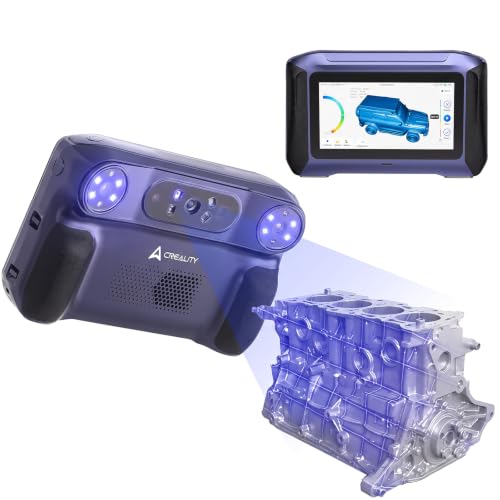
The Sermoon P1S is the only pick here that genuinely walks away from your desk. Everything a scan needs — a Qualcomm 8-core 3.36 GHz processor, an Adreno 740 graphics chip, 24GB of LPDDR5X memory and 256GB of storage — sits inside the scanner. Nothing is offloaded to a PC, so the moment you pick it up you are already working. That is why it takes the top slot: no laptop, no cable, no desk.
Then there is the accuracy, and this is where it is in a different league to the Ferret Pro. The Sermoon P1S is stated at 0.02 mm, against 0.1 mm on the Creality CR-Scan Ferret Pro — a five-times finer figure. In practice that is the difference between a scan good enough to inspect and one good enough to reverse-engineer a mounting hole. Three blue laser modes cover the work: a single line for deep holes and narrow gaps, 34 cross lines for fast coverage of large items, and a 7-line mode that delivers the 0.02 mm result. Scan volume runs from a 5×5×5 mm cube up to 4000×4000×4000 mm, so the same machine handles a tiny gear and a full car body.
The catch is what you carry. It is 1.28 pounds, which is light in the hand, but the bundle travels in packaging far bulkier than the scanner itself. Two replaceable batteries and sunlight compatibility mean a site visit is realistic rather than a compromise. The CrealityScan app handles step-by-step tutorials, one-click processing, point cloud editing and a face and body mode that turns a full human scan around in as little as two minutes. It also passes finished files straight into Geomagic Control X, Geomagic Design X and Verisurf Inspect, so inspection workflows do not need a second program.
Where the Sermoon pulls ahead
- Finer stated accuracy than any other pick at 0.02 mm, versus 0.1 mm on the Ferret Pro
- Scans completely without a PC thanks to the on-board processor, memory and 256GB storage
- Three laser modes plus a 4000×4000×4000 mm maximum volume covers tiny parts and whole panels
- Two replaceable batteries and sunlight compatibility keep outdoor sessions going
What you give up
- Heaviest in the hand here at 1.28 pounds, which you notice on long overhead passes
- The body-and-face modes assume steady hands; complex objects still want the turntable workflow
Go this way: anyone who wants to unpack one case and start scanning on a site, in a yard or at a customer’s bench with no laptop involved.
Consider the field kit: if you mostly scan at a fixed desk, the bulk of this bundle is weight you will not use.
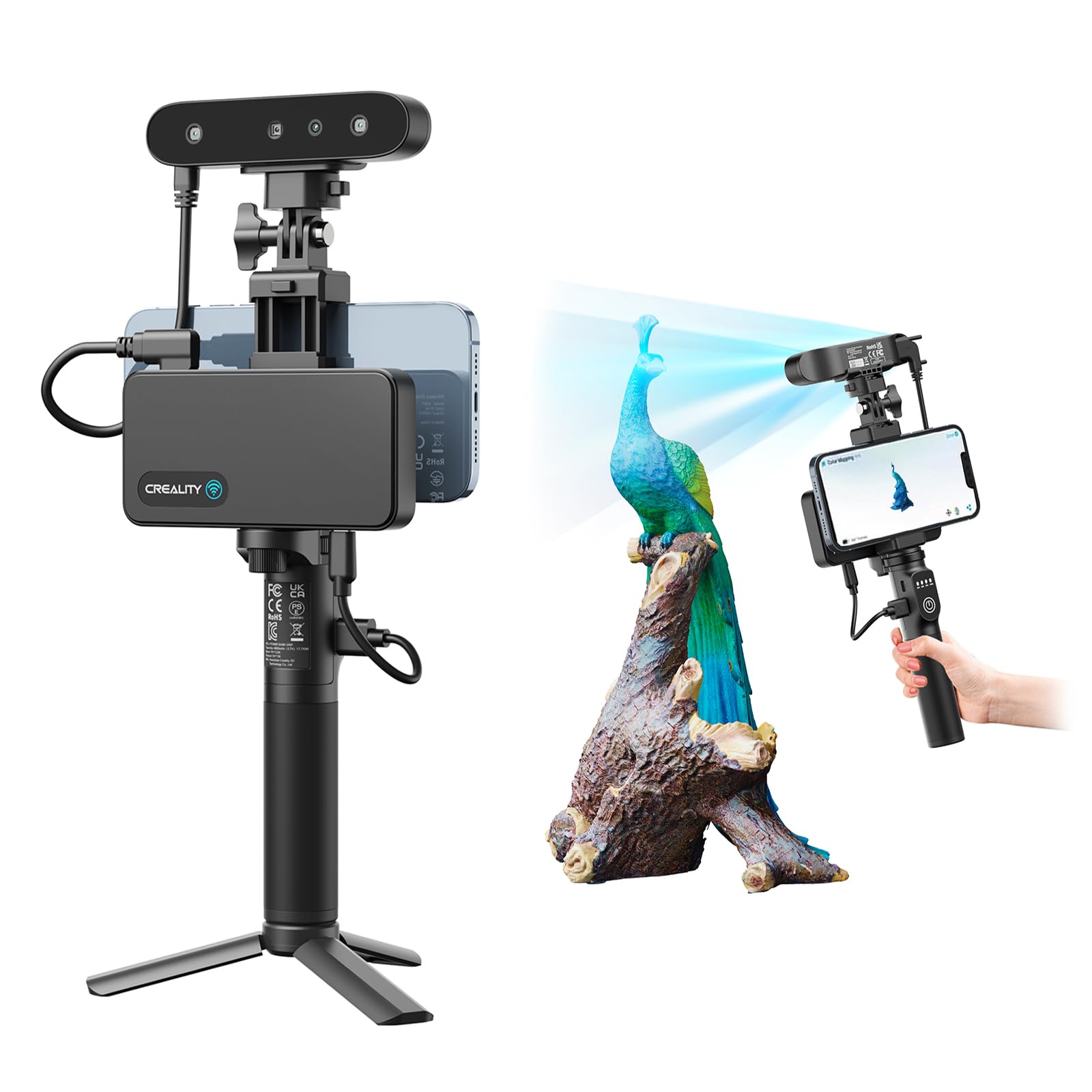
2. Creality CR-Scan Ferret Pro 3D Scanner with WiFi 6 Bridge
The cheapest way in, with a phone-friendly wireless bridge and a beginner-friendly safety net
The Ferret Pro is the scanner you buy when you want to find out whether 3D scanning fits your work before spending four figures on it. It runs at 0.1 mm accuracy and 0.16 mm resolution with 30 FPS capture, which is honest for the tier. The anti-shake tracking is the part that makes it usable: one-shot 3D imaging keeps the model locked even when your hand wobbles or the object shifts, so a first-timer is not fighting lost registration on every pass.
The wireless story deserves care, because this is the bridge type rather than the standalone type. A WiFi 6 bridge lets the scanner talk to your Android phone or an iPhone 11 or newer wirelessly while your device handles the work, and Creality states WiFi 6 moves data three times faster than WiFi 5. It also supports Android via USB, plus Windows on i5 8th-gen or later and Mac on M1 through M4. If your phone is older than an iPhone 11 or runs an Android version below 10, check that before ordering.
Now the honest part, and it is the reason this sits low on the list. Scan quality and scan performance both come back mixed in owner feedback, and usability is the weakest of the set — the software takes real learning before results look clean. Expect a few hours of calibration and practice, and avoid reflective, transparent or very dark surfaces, where the 30,000 lux outdoor rating and optical system will struggle. The external-light ceiling is also the lowest here: the Revopoint POP 4 Premium is rated to 100,000 lux with its outdoor filter, against 30,000 lux for the Ferret Pro.
Cheapest route in: a genuinely low entry point to real 3D scanning, with OBJ, STL and PLY export so your first scans drop straight into a print or modelling workflow.
Patience required: the software has a learning curve, and reflective, clear or very dark objects will fight you — this is a fit problem, not a fault.
Right call for: first-time buyers and hobby printers who want to test whether scanning earns a place in their workflow without a big commitment.
Wrong call for: anyone planning to scan shiny metal or dark rubber straight from the start.
3. Revopoint POP 4 3D Scanner with AI Segmentation
Built for big objects and bright sunlight, with a frame rate that leaves the field behind
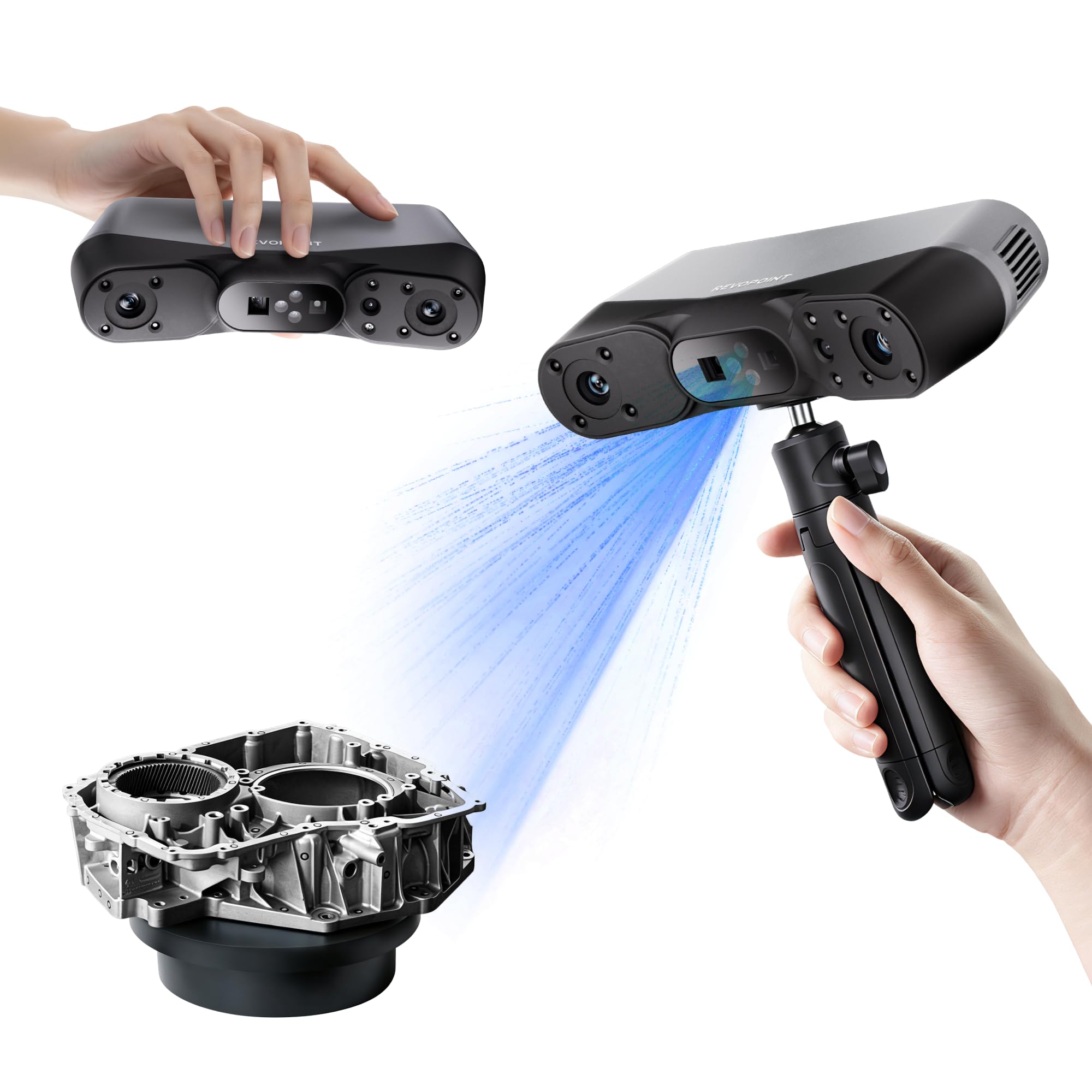
Speed is the whole personality of the POP 4 Premium. Multi-line laser mode hits 105 fps, against 30 FPS on the Ferret Pro — a 3.5-times faster capture rate. On a large object that is not a bragging number, it is the difference between a scan that stays registered and one that drifts while you reposition. Full-field structured light mode adds up to 5,000,000 points per second for dense surfaces.
The outdoor capability is the other headline. In multi-line laser mode it manages up to 50,000 lux, and with the outdoor filter attached it holds stable up to 100,000 lux, which is the highest in this group. The Creality CR-Scan Ferret Pro is rated to 30,000 lux by comparison. Volumetric accuracy is stated at 0.03 mm + 0.05 mm × L(m), with single-frame accuracy up to 0.03 mm and a minimum scan volume of 10×10×10 mm rising to a 2×2×2 m maximum. Five modes split the work cleanly: three NIR modes for general capture and two blue-light modes — 30 cross laser lines for reflective metal and dark objects, and a single line for deep holes.
Running it wirelessly is straightforward. The 5500mAh battery grip gives up to 4 hours of continuous outdoor scanning, and that is the longest stated runtime here — the EINSTAR 2 and Einstar Rockit each list up to 3 hours. Wi-Fi 6.0 beams live scan visuals to your phone or tablet so you can watch for blind spots in real time. Two things to plan for: the AI object segmentation and Gaussian splatting retopology features are Windows-only, and Revo Design and Revo Measure are paid extras on Windows. Budget for a desktop with an RTX 3060-class graphics card and at least 16GB of RAM if you want the full pipeline.
Best for moving fast outdoors: 105 fps capture plus a 100,000 lux ceiling with the outdoor filter makes this the pick for site work, archaeology and fieldwork in daylight.
The catch: the clever AI segmentation lives on Windows only, and the professional measurement and design modules are separate purchases.
Pick this when: your scanning happens outside, your objects are large, and your workstation is a Windows desktop with real graphics muscle.
Look elsewhere when: you work from a Mac or want the AI segmentation tools without a Windows machine.
4. EINSTAR 2 3D Scanner
The scanner that skips the spray bottle and takes black parts and shiny metal head on
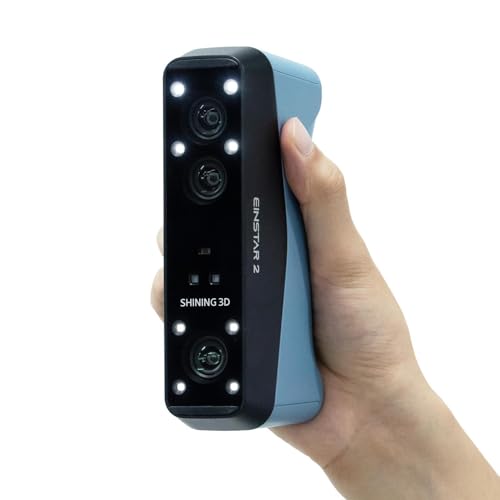
Here is the workflow problem this machine solves: most scanners force you to coat a dark or shiny part in matte spray before they can see it. The EINSTAR 2 scans black and reflective surfaces directly, no spray needed, which saves the cleanup and keeps the part in its original state. Its 17 parallel blue laser lines deliver up to 90 fps and are optimised for deep-hole scanning, so machined components with recessed features are a natural fit.
The second technology is VCSEL infrared, which is a different light source tuned for large objects and outdoor conditions at up to 20 fps. Laser HD mode is rated to 110,000 lux, which beats the Revopoint POP 4 Premium’s 50,000 lux laser figure and sits level with its filtered 100,000 lux ceiling. IR Rapid mode handles up to 70,000 lux. Between the two modes you get fine detail at close range and broad coverage at distance. Marker support covers 3mm, 6mm and 12mm sizes, so you can scale the tracking aids to the size of the job.
Where it earns a caution is stability. Scan performance comes back mixed in owner feedback, with crashes and freezes reported alongside users who say it works perfectly. The scan quality itself is the strength, and it is the aspect owners call out most. A swappable battery gives up to 3 hours of cable-free scanning, and a wired connection is available if Wi-Fi interference shows up in a crowded workshop. The EXStar Hub software runs both the Rockit and the EINSTAR 2, which keeps the learning curve short if you ever add a second Shining 3D machine.
The real-world win: no spray, no cleanup, no ruined finish on the part you are copying — dark rubber, black plastic and bare metal all scan as they are.
The honest trade-off: expect an occasional freeze mid-session, so save incrementally and keep the cable handy for interference-heavy rooms.
Fits best: shops scanning machined parts, automotive trim and dark or reflective components where spraying is impractical.
Think twice: if your jobs are long and uninterrupted and a mid-scan freeze would cost you the whole capture.
5. Revopoint MetroY Pro 3D Scanner with Five Scanning Modes
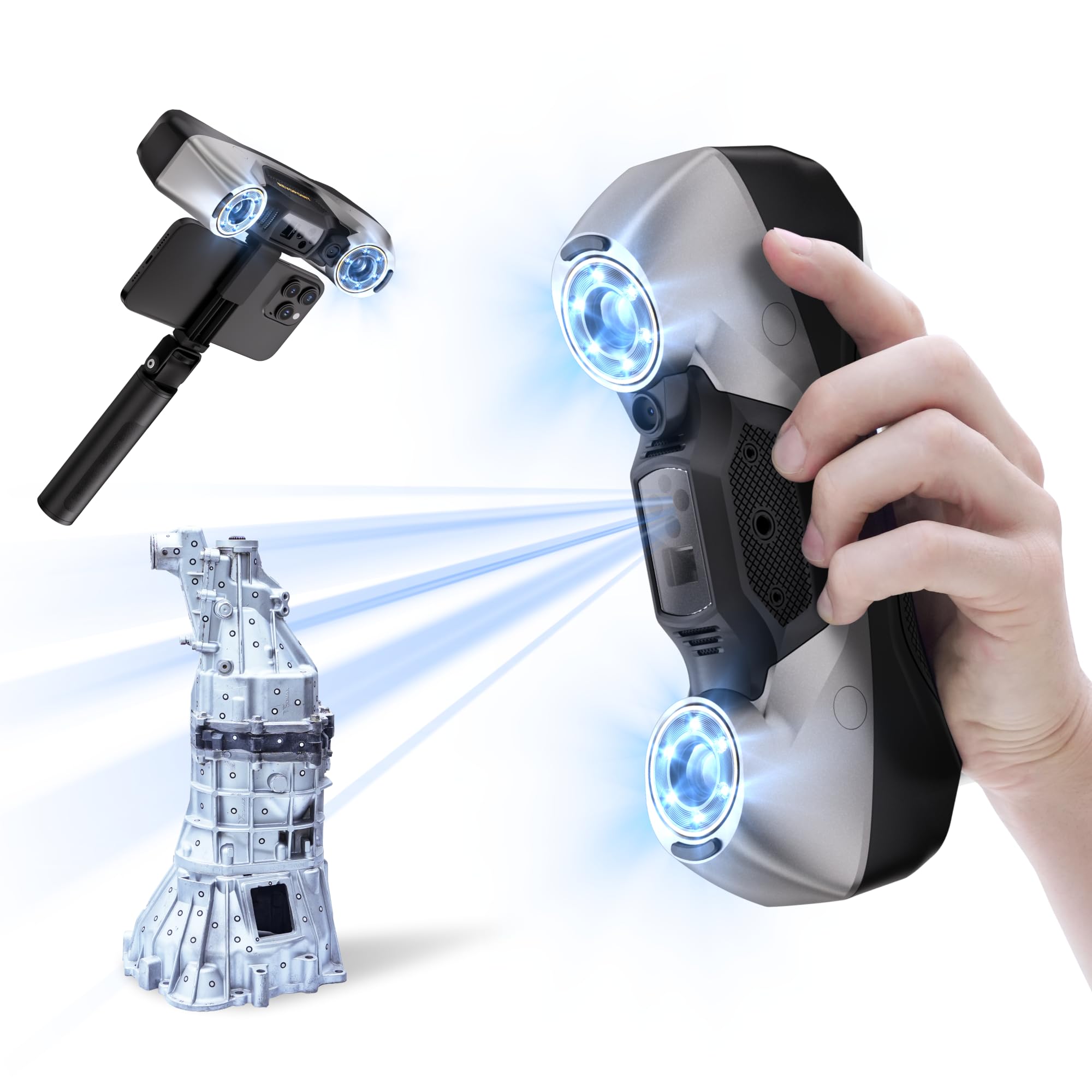
Precision at 0.02 mm, with a turntable that takes over the fiddly part for you
When the job is reverse engineering or inspection, the number that matters is accuracy, and the MetroY Pro states 0.02 mm with a volumetric figure of 0.02 mm + 0.04 mm × L(m). Blue lasers reach as fine as 0.01 mm precision, and the 0.05 mm fused point distance sets how tightly the point cloud packs. That is the same 0.02 mm plate as the Sermoon P1S, and noticeably finer than the 0.05 mm HDR accuracy on the Einstar Rockit.
You get five modes, each for a different job. The 34 cross lines grab surfaces quickly, so you can rough out a shape fast. The 15 parallel lines handle detailed features, so fine edges come through. The single line reaches into deep holes, so you can scan inside cavities. The 62-line full-field blue structured light mode captures feature-rich objects with no markers at up to 7 million points per second, so you can scan complex parts without placing stickers. The auto turntable mode handles small parts on a dual-axis table with one click, so you can set a part down and let it spin. Every laser mode works on shiny and dark surfaces with no scanning spray, so you skip the prep step. Throughput sits at up to 2,000,000 points per second for general capture, so large areas fill in quickly.
Two details separate this from the rest of the list. Built-in temperature sensors watch the unit’s heat and adjust fan speed automatically to prevent accuracy drift, which matters on long metrology sessions. Wi-Fi 6 also streams scans from your PC to a phone or second screen for live monitoring. Plan for a serious desktop, though: Windows wants an Intel i7 13th Gen or Ryzen 7 5800 with 32GB of RAM and an RTX 3060 with 8GB, and macOS wants an M2 Pro with 16GB. Revo Measure and Revo Design are paid Windows-only add-ons. The 450 g body is the lightest here by a clear margin.
Why inspectors like it: 0.02 mm accuracy with 0.01 mm laser precision, plus automatic heat compensation to hold that figure through a long session.
What to plan around: the software stack is Windows-first and the measurement and design modules cost extra on top.
Built for: metrology, quality control and reverse engineering where 0.05 mm error would show up in the finished part.
Overkill for: hobby printing and art projects, where a cheaper laser scanner will do the same job without the workstation demands.
6. Shining 3D Einstar Vega 3D Scanner

Scan it, preview it and store it on the scanner’s own screen, with no laptop in the room
The Vega is the other true all-in-one here, and it makes its case with a 6.4 inch 2K AMOLED display, an 8-core 2.4GHz processor, 32GB of RAM and 512GB of SSD plus 32GB of eMMC storage. You scan, review the model on the built-in screen, save the file and share it without ever connecting a PC. That is a different way to work from the Wi-Fi bridge units, which need a laptop and a network before they can do anything. A 48MP RGB texture camera adds realistic colour to every capture.
Two technologies sit inside. Fast mode uses VCSEL infrared over a 270 to 1500 mm working distance at up to 20 FPS for medium and large objects. HD mode uses MEMS projectors over 100 to 350 mm at up to 15 FPS for small and medium parts that need fine detail. The infrared light source is eye safe, avoids the sun’s interference for outdoor work, and picks up dark surfaces and even dark hair when you scan a person directly.
What buyers report is a split verdict, and it is worth knowing before you commit. Quality, value and ease of use all land positively, while scanning performance comes back mixed — some find it better than other models, others hit trouble with certain materials like black or shiny objects. So treat it as a fast, self-contained scanner that rewards you when you match it to the right surface. It weighs 6.45 pounds, which is heavy for handheld work, so plan on resting it rather than waving it. Shining 3D’s cloud adds 5GB of free storage, and you can power it from a power bank for long sessions.
Where it wins: the 6.4 inch 2K AMOLED screen and 512GB SSD mean you scan, review and store without any external device — a genuinely self-contained workflow.
The catch: 6.45 pounds is heavy to hold up, and black or shiny surfaces still need careful setup to scan reliably.
Made for: anyone who wants a single device that scans, displays and saves with no laptop, plus one-click processing for beginners.
Better to skip: if you plan long handheld sessions — at 6.45 pounds you will want to set it down between passes.
7. Shining3D Einstar Rockit Wireless Laser 3D Scanner
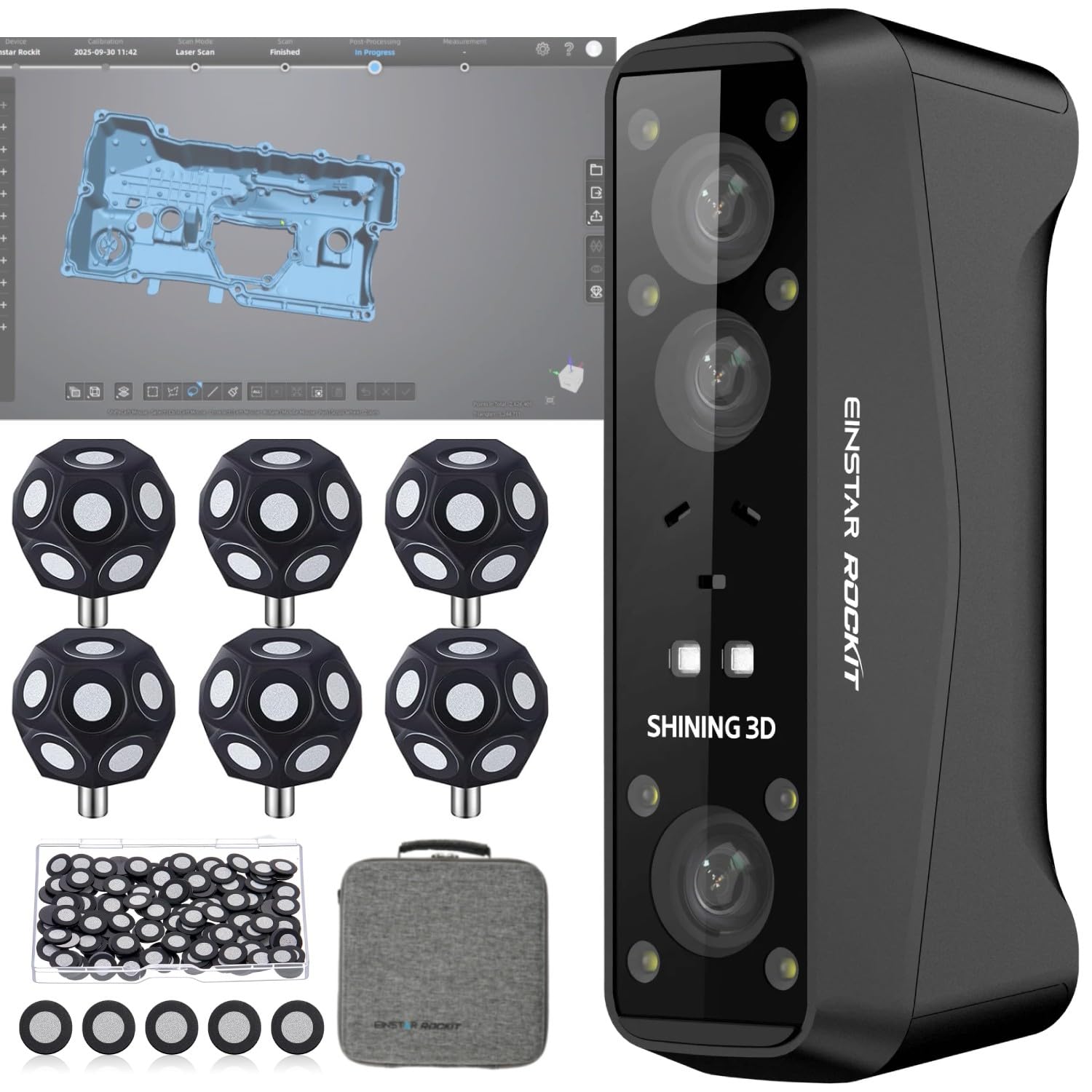
Thirty-eight laser lines for wide coverage, seven for the fine work you cannot fake
Laser line count is the spec that separates the Rockit from the crowd, and it uses two configurations for two jobs. The 38 crossed laser lines split into 19 plus 19 sweep a large area fast, which suits car panels and bulky housings. The 7 parallel laser lines then switch in for fine features, and you can swap between them mid-scan. Blue laser light also handles black and reflective surfaces without spray, and the deep-hole performance is tuned for industrial parts like automotive components.
Precision sits at 0.05 mm HDR accuracy, which is finer than the 0.1 mm on the Ferret Pro but behind the 0.02 mm of the MetroY Pro and the Sermoon P1S. Colour comes from a built-in 5MP camera that lifts textures into the model, useful for AR/VR work, digital art and custom design. Marker-free scanning means feature-rich objects go straight on the turntable without placing dots first, and with marker alignment the capture rate reaches up to 90 fps.
Wireless running is straightforward. An internal swappable battery gives up to 3 hours and syncs to your PC in real time, with a cable option if Wi-Fi interference creeps in. The EXStar Hub software is the same platform the EINSTAR 2 uses, so the interface, model processing and optimisation tools are shared across both machines. It is the lightest way to get crossed-line blue laser coverage here, and the one to consider if industrial detail matters more than sub-0.02 mm metrology.
Why it earns its place: 38 crossed laser lines plus 7 parallel lines gives you both speed on big panels and genuine fine-feature capture, with no spray on dark or shiny parts.
Where it gives ground: 0.05 mm HDR falls short of the 0.02 mm on the MetroY Pro, so it is a detail tool rather than a metrology reference.
Choose it for: automotive components, manufacturing parts and art pieces where fast wide coverage and fine detail both matter.
Pass on it: if your work demands the tightest accuracy tier, where the MetroY Pro’s 0.02 mm is the safer bet.
Know the Specs
Accuracy and Volumetric Accuracy
Accuracy is how close the digital model sits to the real object, usually quoted in fractions of a millimetre. A 0.02 mm figure means the surface can be trusted to within a hair’s width, which matters for a part that has to fit a mating hole. Volumetric accuracy adds a scaling term across the object’s length, so the error can grow on very large pieces even when the base figure is tight. Always check which type the maker is quoting before comparing two scanners.
Laser Lines and Cross Lines
Laser lines are what the scanner projects onto the object to measure its shape. A single line is slow but reaches into deep holes and narrow slots. Parallel line arrays scan flat and gently curved surfaces quickly. Cross-line arrays overlap to cover large areas in fewer passes. More lines usually means faster coverage, not better accuracy, so pick the arrangement that matches the shapes you handle most.
Ambient Light in Lux
Lux measures how bright the surrounding light is. Every scanner has a ceiling above which its own projected light gets swamped by daylight and the data goes noisy. A modest rating keeps you indoors or in shade. A high rating, especially with an outdoor filter, lets you work under open sky. If your scanning happens on site visits, this single number is worth more than a small gain in accuracy.
Wi-Fi Bridge vs Standalone Scanning
A Wi-Fi bridge means the scanner streams data to a phone or PC that does the processing, so you still need a device and a stable network nearby. A standalone scanner carries its own processor, memory, storage and screen, which is why it costs more and weighs more. Neither is superior — a bridge suits a desk-bound workflow, a standalone suits the field. Check the maker’s listed computer requirements before you buy either type.
Common Questions
What does wireless actually mean on a 3D scanner?
Do I need a powerful computer to run a wireless 3D scanner?
Can a wireless 3D scanner scan black or shiny objects without spray?
Is a higher fps number always better on a 3D scanner?
How long can I scan on battery before I need a cable?
What is the difference between parallel laser lines and cross laser lines?
How small an object can these scanners capture?
Do I need markers to scan an object?
Can these scanners work in daylight outdoors?
Is an all-in-one scanner worth it over a cheaper Wi-Fi bridge model?
The Bottom Line
For most people buying a wireless 3d scanner, the pick is the Creality Sermoon P1S, because it packs a full processor, memory, storage and two batteries into the scanner itself, so you can scan without a laptop or power cable. It states 0.02 mm accuracy — the finest here alongside the MetroY Pro — so fine details like small threads stay sharp. If outdoor fieldwork on large objects is your daily reality, the Revopoint POP 4 Premium leads on capture speed and light tolerance at 105 fps and 100,000 lux, so you can scan in bright sunlight without shading the part. And if you regularly scan dark or shiny parts without wanting a spray bottle, the EINSTAR 2 is the one to reach for, so you skip the spray step on black plastic or polished metal.
One last nudge worth knowing: the Sermoon P1S carries fewer ratings than some of the cheaper picks here, but it is the only unit that pairs true standalone operation with a 0.02 mm accuracy claim. If independence from a computer is the reason you are shopping, that combination is hard to argue with.
How we choose
We do not accept paid placement. Every pick is matched to a real buyer and a real use-case; we do not hands-on test units.
Sources
Specifications: manufacturer listings and product documentation. Review insights: verified customer reviews, as of November 2026. Pricing: not shown on this page (it changes often); check the current price via the retailer link.
As an Amazon Associate, Tactical Gear Guy earns from qualifying purchases. This does not affect which products we feature.