Specs are compiled from manufacturer listings and verified buyer reviews and can change over time — please confirm the key details on the product page before buying.
You want a mouse that wakes up when you move it, tracks on the desk you actually own, and does not click loud enough to annoy a shared room. That is the whole job. The tricky part is that most wireless optical mice look identical on the shelf, yet they differ wildly in battery life, hand size, and whether the side buttons even work on your computer. Below you get nine real picks sorted by what each one does best, so you can match a mouse to your hand and your desk instead of guessing from a product photo.
This guide is built by comparing the manufacturers’ published specifications and the patterns across verified customer reviews, so you get each pick’s real strengths and trade-offs instead of marketing spin.
Battery claims range from a few months to a full two years, and hand size decides more of your comfort than any spec sheet admits. Here is how the field shakes out when you shop for a wireless optical mouse.
Top Picks


How To Choose The Best Wireless Optical Mouse
Start with your hand, not the spec sheet. A mouse that is too small forces your fingers to curl, and one that is too tall lifts your wrist off the desk. Get the shell length and height right and almost everything else feels fine.
Connection type: receiver or Bluetooth
A 2.4 GHz USB receiver (a tiny dongle that plugs into a port and creates its own private link) is the most plug-and-play option — you insert it and the mouse works, no pairing screen. Bluetooth skips the dongle entirely, which matters if your laptop has few free ports or you switch between a laptop and a tablet. Some mice do both, so you can run a desktop on the receiver and a tablet on Bluetooth at the same time.
DPI: how much sensitivity you actually need
DPI means dots per inch — how far the cursor travels for each inch you move the mouse. A 1200 DPI setting is plenty for spreadsheets and browsing on a normal monitor. Higher settings like 1600 or 4800 help on large or high-resolution screens where you need to cross the whole display with a short hand movement. Adjustable levels let you dial it back when precision matters.
Battery life and how it is measured
Battery figures are estimates tied to average use, usually a couple of hours a day. A mouse rated for 12 months on one AA battery can drain faster if you leave it on all day, and most models sleep automatically after a few seconds of stillness to stretch the cells. Rechargeable models trade the battery swap for a cable every few months.
Silent clicks and where they help
A silent mouse dampens the click mechanism so the sound drops sharply — useful in a shared office, a library, or a bedroom where someone is asleep nearby. The trade-off is feel: some people prefer a crisp click as feedback that the press registered. Know which side of that you land on before you buy.
Side-by-Side Comparison
| Model | Best For | Connection | Battery Claim | Buttons | Amazon |
|---|---|---|---|---|---|
| TECKNET Wireless Mouse BT 5.0/2.4G★ Best Overall | Best overall all-rounder | Bluetooth 3.0/5.0 + USB-A | 3 months per charge | 6 | Amazon |
| Logitech M170 CompactBest for Travel | Travel and small hands | 2.4 GHz USB receiver | 12 months | 3 | Amazon |
| Amazon Basics 2.4 GHz OpticalSimplest Setup | Simple no-frills desk mouse | 2.4 GHz USB nano receiver | — | 3 | Amazon |
| wegear Bluetooth Silent Mouse | Longest battery between changes | Bluetooth 5.0 | 24 months on one AA | 6 | Amazon |
| KUNSI Left Handed Vertical Mouse | Left-handed vertical grip | 2.4 GHz USB receiver | 2 AAA batteries | 6 | Amazon |
| Logitech M240 Silent Bluetooth | Quiet dongle-free portability | Bluetooth | 18 months | 3 | Amazon |
| Lenovo 530 Wireless Mouse | Full-size comfort, either hand | 2.4 GHz nano USB receiver | 12 months | 3 | Amazon |
| Acer Slim Wireless Mouse | Lightest carry option | 2.4 GHz USB-A receiver | — | 3 | Amazon |
| HP X3000 G3 Wireless Mouse | Multi-surface tracking | 2.4 GHz USB-A receiver | 15 months on 1 AA | 3 | Amazon |
Detailed Reviews
1. TECKNET Wireless Mouse
Our pick — 4.5+★ from 13,500+ verified ratings; the strongest balance of quality and price.
Two devices, one mouse, and a slide switch between them — no re-pairing dance.
This is the mouse for the person running a work laptop and a home desktop on the same desk. You pair one machine over Bluetooth 3.0 or 5.0 and the other through the USB-A connection, then slide the switch to jump between them. That slide switch is the whole reason it wins here — it removes the second mouse from your desk entirely.
The battery story is rechargeable rather than disposable. A full charge takes 1.5 to 2 hours through the included USB-A to C cable, and TECKNET rates the result at 3 months of use at 2 hours a day. Set that against the wegear below, which is rated at 24 months on a single AA, and you can see the trade: this one charges, that one just keeps going on cheap batteries.
Sensitivity is adjustable across 6 levels — 4800, 3200, 2400, 1600, 1200 and 800 DPI — so you can slow it down for detailed spreadsheet work and speed it up for a big display. The clicks are silenced for shared rooms. One honest note from the maker: it is built for small to medium hands, so if your palms run large, measure before you commit. Side buttons also will not work on macOS. What wins people over is how reliably it connects and how well the ergonomic shape sits in an average hand.
What earns its keep
- Pairs to two devices at once and switches with a slide — one mouse for laptop plus desktop
- 6 DPI levels from 800 up to 4800, adjustable on the fly
- Recharges over USB-C in 1.5 to 2 hours with the included cable
- Silent buttons suit open offices and shared rooms
- 36-month registered warranty through TECKNET
Where it asks you to compromise
- Rated for small to medium hands — large palms may find it cramped
- 3 months per charge is far shorter than the multi-year AA models here
- Side buttons do not work on macOS
- Connection can wobble when the battery runs low — that is your recharge cue
Made for: anyone juggling two computers who wants one mouse and zero dongle swapping.
Measure first: the small-to-medium hand sizing is the one spec that could send you elsewhere.
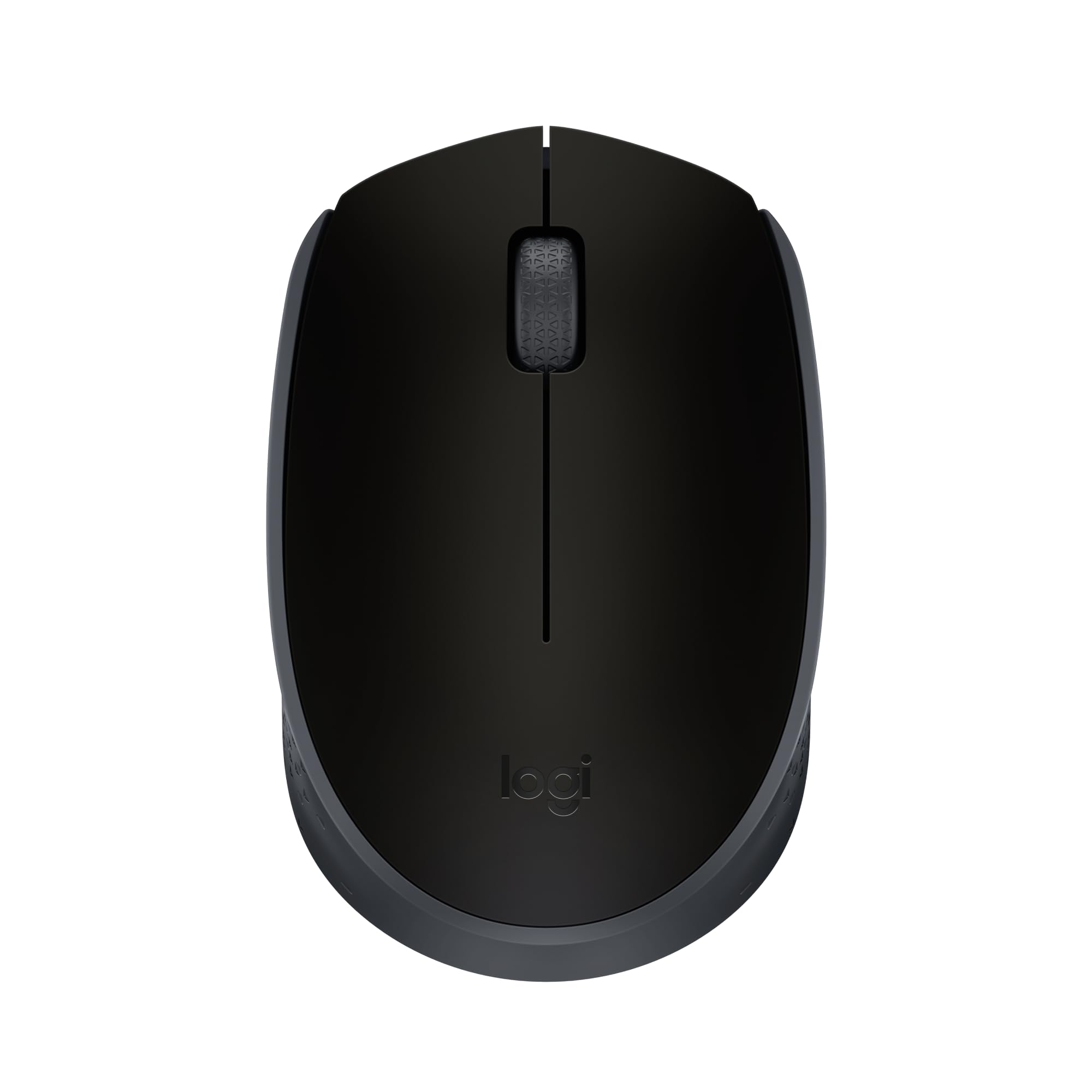
2. Logitech M170 Wireless Mouse
Twelve months on one AA, a 33-foot range, and a shape that slips into a laptop sleeve.
The spec that decides this one is the 33 ft / 10 m range. That is enough to run a projector presentation from across a room without a cable dragging behind you. Plug the USB receiver in once and you are connected in about 3 seconds, which is why it is the safe recommendation for anyone who does not want to fiddle with Bluetooth pairing menus.
Battery life is rated at 12 months on a single AA, with auto sleep stepping in when the mouse sits still. Compare that to the TECKNET above at 3 months per charge and the M170 is clearly the lower-maintenance pick for a bag that lives in a drawer. It measures 3.86 in long and 2.44 in wide, which is compact enough to toss in a bag but still a real mouse rather than a travel stub.
The ambidextrous shape works in either hand, and the optical sensor tracks on almost any surface. The one split in owner experience is sizing: the compact body suits small to medium hands well, and larger hands often find it short. The construction uses certified post-consumer recycled plastic at a minimum of 59% for this black version, if that matters to you. For a plug-and-play spare that lives in a laptop bag, this is the sensible buy.
The range argument: 33 feet of wireless reach beats the 10 m rating on the left-handed vertical pick below only in the sense that both clear a normal room — but the 3-second setup here needs no pairing at all.
Sizing caveat: 3.86 in long is deliberately compact, so treat it as a travel mouse rather than a full-desk daily driver if your hands run large.
Reach for this if: you want a cheap spare that pairs in seconds and sips a battery once a year.
Look elsewhere if: you need a full-size shell to rest a larger palm on all day.
3. Amazon Basics Wireless Optical Mouse
The nano receiver hides inside the shell, so it never goes missing in a bag.
Three buttons, one nano receiver, no software. That is the entire pitch, and for a lot of desks it is all you need. The tiny receiver can stay plugged into your laptop without blocking the neighboring ports, or it stows inside the mouse body when you pack up — one less small object to lose.
The optical sensor works on most surfaces, and the ambidextrous shell takes either hand. On raw dimensions it is the longer of the two compact options here: 4 in vs the Logitech M170 at 3.86 in, and 2.3 in wide vs 2.44 in. Those inches add up to a slightly roomier grip for medium hands.
Be clear on what you are buying: this is 2.4 GHz only and does not support Bluetooth, so it needs a free USB-A port. The compatibility list is older Windows versions, which is fine for a work PC but worth checking against a modern Mac setup. What wins people over here is simple reliability — it works the moment the receiver goes in, and it keeps working. The recurring gripe is longevity over years of heavy clicking, so treat it as an affordable workhorse rather than a forever mouse.
Why it stays on the shortlist
- Nano receiver stows inside the mouse for travel
- Works instantly on insertion — zero setup
- 4 in long, 2.3 in wide, so a touch more room than the compact Logitech
- Ambidextrous, 3-button layout for basic browsing
What to plan around
- No Bluetooth — a free USB-A port is mandatory
- Battery-life expectations are mixed, so keep a spare AA nearby
- Long-term durability is the most common knock
The no-thought option: plug it in and forget it, which is exactly what a spare desk mouse should be.
Check your ports: with no Bluetooth inside, a modern laptop with USB-C only will need an adapter.
4. wegear Bluetooth Mouse
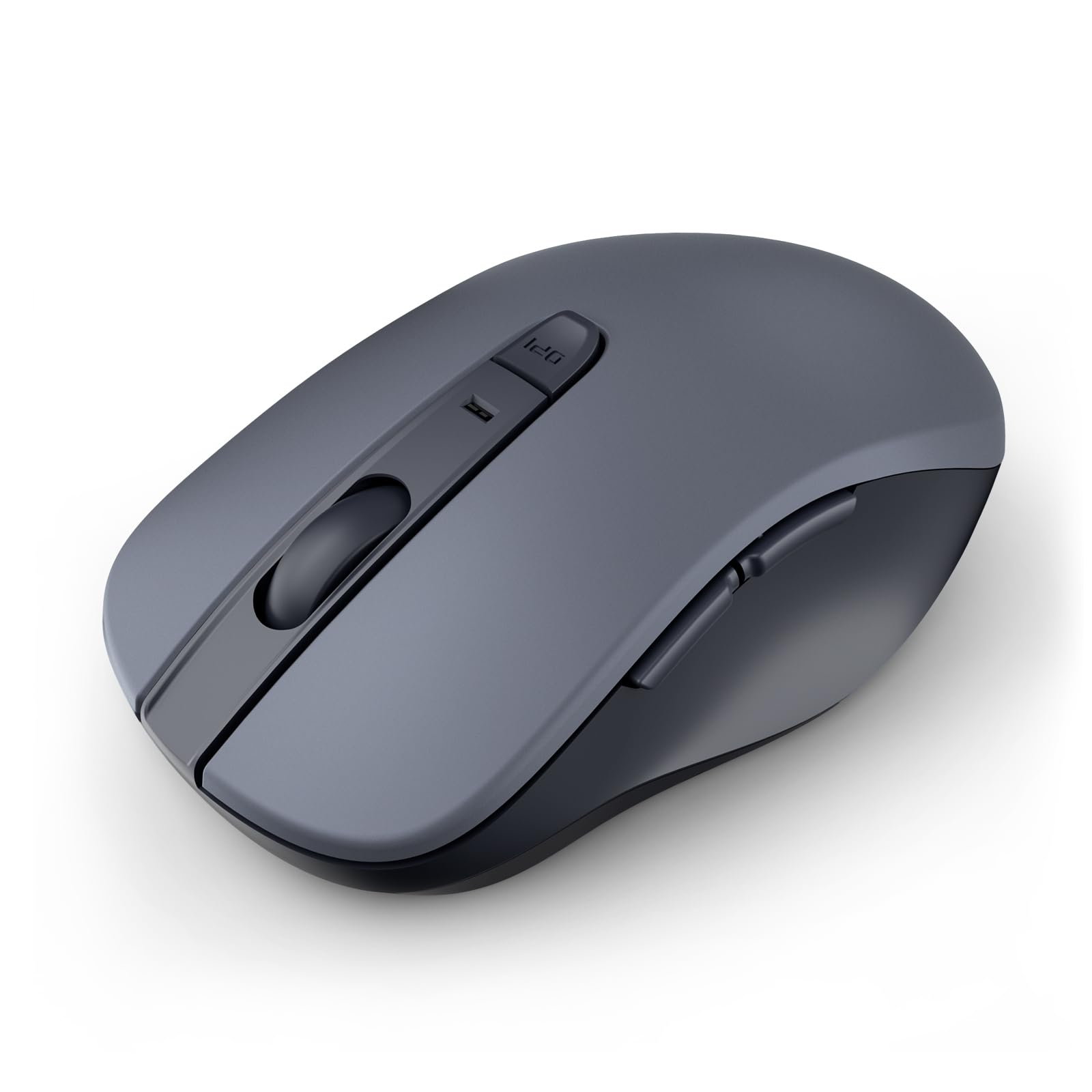
Two years on one AA battery — the mouse you can genuinely forget about.
Here is the number that separates this from nearly everything else on the list: up to 24 months of use on a single AA battery, which is not included. The TECKNET above is rated at 3 months per charge, so this is the difference between charging a mouse four times a year and changing a battery once every two years. Sleep mode kicks in after 30 seconds of stillness to make that figure hold up.
It connects over Bluetooth 5.0 with Microsoft Swift Pair, so pairing is a quick confirm rather than a menu hunt. Left, right and scroll clicks are all silent, and the optical tracking handles wood, leather, fabric, paper and resin surfaces. Durability is spelled out in clicks — left and right buttons rated to 3 million presses, the scroll wheel to 300,000 cycles.
Sensitivity runs at three levels: 800, 1200 and 1600 DPI, switched with a dedicated DPI button. You get six buttons total, including forward and back for web browsing, though those two do not register on Mac. The catch worth knowing: this is built for right-handed use only and is sized for smaller hands, so a left-handed buyer or someone with a large palm should look at the vertical left-hand model below instead. For a quiet, low-maintenance right-hand desk mouse, the quality here is what people talk about most.
The maintenance math: 24 months on one AA is the longest battery claim in this lineup by a wide margin, and the 30-second auto sleep is what makes it realistic.
Fit limitations: right-hand only, and shaped for small hands — the two specs that will disqualify it for some buyers.
Best for: a quiet right-handed desk setup where you never want to think about batteries again.
Not your pick if: you are left-handed or need a roomier shell for a bigger palm.
5. Left Handed Wireless Vertical Mouse

A vertical shell built for the left hand, shaped like a handshake rather than a flat slab.
Left-handed desk workers get the short end of almost every mouse lineup, and this is the one pick here built specifically for that hand. The vertical body holds your arm in a neutral handshake position, so your wrist sits at a steeper angle than on the flat mice above. If you have been rolling your left wrist onto a right-handed shell for years, expect the new grip to feel odd for the first week.
Connection is 2.4 GHz through a USB receiver stored in the bottom of the mouse, plug and play from the start. The working range is rated at 10 m. Sensitivity gives you three levels — 800, 1200 and 1600 DPI — and there are six buttons, including forward and back for web pages, though those do not work on Mac OS. It runs on 2 AAA batteries that are not included, and the unit weighs 3.52 ounces.
Now the honest part. Reliability and ergonomics both come in mixed in owner feedback — this is a mouse that some left-handers love and others find takes a while to get used to, and vertical grips in general have a learning curve. It is the lowest-rated pick in this lineup, so go in with realistic expectations and give yourself a week to adapt. What people do praise most is simply that it exists and works well for left-handed users.
Where it earns a spot
- Purpose-built for the left hand — rare in this category
- Vertical handshake shape shifts your wrist off the flat-desk angle
- 3 DPI levels: 800, 1200, 1600
- 10 m wireless range with the receiver stored in the base
Set expectations here
- Vertical grip takes getting used to — plan on an adjustment week
- Runs on 2 AAA batteries, not included
- Forward and back buttons do not work on Mac OS
- Reliability feedback is mixed, so buy from a seller with easy returns
Worth trying if: you are left-handed and want a vertical grip rather than another flat ambidextrous shell.
The honest caveat: it is the lowest-rated pick here and the vertical shape needs a break-in period.
6. Logitech M240 Wireless Mouse

Ninety percent less click noise and no dongle at all — pure Bluetooth, eighteen months of battery.
If you share a room with someone who flinches at every mouse click, the 90% reduced click sound is the spec to focus on. Logitech keeps the same click feel while cutting the noise, which is a harder trick than just softening the switch. It pairs over Bluetooth in seconds, so there is no USB receiver to lose and no port to give up.
Battery life is rated at 18 months with an auto sleep feature — the middle ground between the 12-month Lenovo and the 24-month wegear. The shape is slim and ambidextrous, small enough to toss in a bag, and it works across Windows, macOS, Linux, ChromeOS, iPadOS and Android. Range reaches up to 10 m from the computer.
It carries the Works with Chromebook certification, which is a useful signal if you are buying for a school-issued machine. This is three buttons only — no side buttons for forward and back — so it is a browsing and office mouse, not a power-user tool. The build uses certified post-consumer recycled plastic at 48% for this graphite color. For travel and quiet typing sessions, this is the one that disappears into your bag and into the background.
The quiet factor: 90% reduced click sound with the same click feel is the standout spec, and it is what makes this the pick for shared rooms.
Button ceiling: three buttons means no forward/back navigation, so heavy browser users should weigh the six-button TECKNET instead.
Suits you if: you want silent clicks, a dongle-free laptop connection, and a shell that vanishes into a bag.
Pass if: you rely on side buttons for fast page navigation.
7. Lenovo 530 Wireless Mouse

A full-size shell that weighs 65 g and shrugs off 8 million clicks.
The build spec is the reason to start here: left and right buttons rated for up to 8 million clicks, which is the kind of figure you want for a mouse that lives on a desk for years. A 1200 DPI optical sensor handles web browsing, slide decks and detailed design work without any fuss. The soft-touch finish on the shell feels better in the hand than bare plastic.
It weighs just 65 g (2.29 oz), light enough to toss into a laptop bag without noticing it, and still full-size when you pull it out. Connection is 2.4 GHz through a nano USB receiver, and battery life runs up to 12 months on the included batteries. The ambidextrous shape accommodates either hand, which is useful in a shared household.
Two quirks to know before you buy. Owners split on the sizing — the full-size body suits larger hands well and can feel oversized for smaller ones. And the color naming has confused some buyers, so check the actual shell color rather than trusting the label. What people praise most is that it simply functions: plug it in and it works. If you want a durable full-size desk mouse with a light touch, this is a solid mid-range pick.
Why it holds up
- Buttons rated for 8 million clicks each
- Full-size shell at just 65 g (2.29 oz)
- 1200 DPI optical sensor with soft-touch finish
- 12 months of battery life on the included cells
Worth a look before checkout
- Full-size body can feel big for smaller hands
- Color naming has tripped up some buyers — confirm the actual shade
- 2.4 GHz receiver only, no Bluetooth option
Built for: a long-term desk where the mouse takes years of daily clicking and stays light in the bag.
Check the shell: the color naming is the small snag — verify the shade before ordering.
8. Acer Wireless Mouse
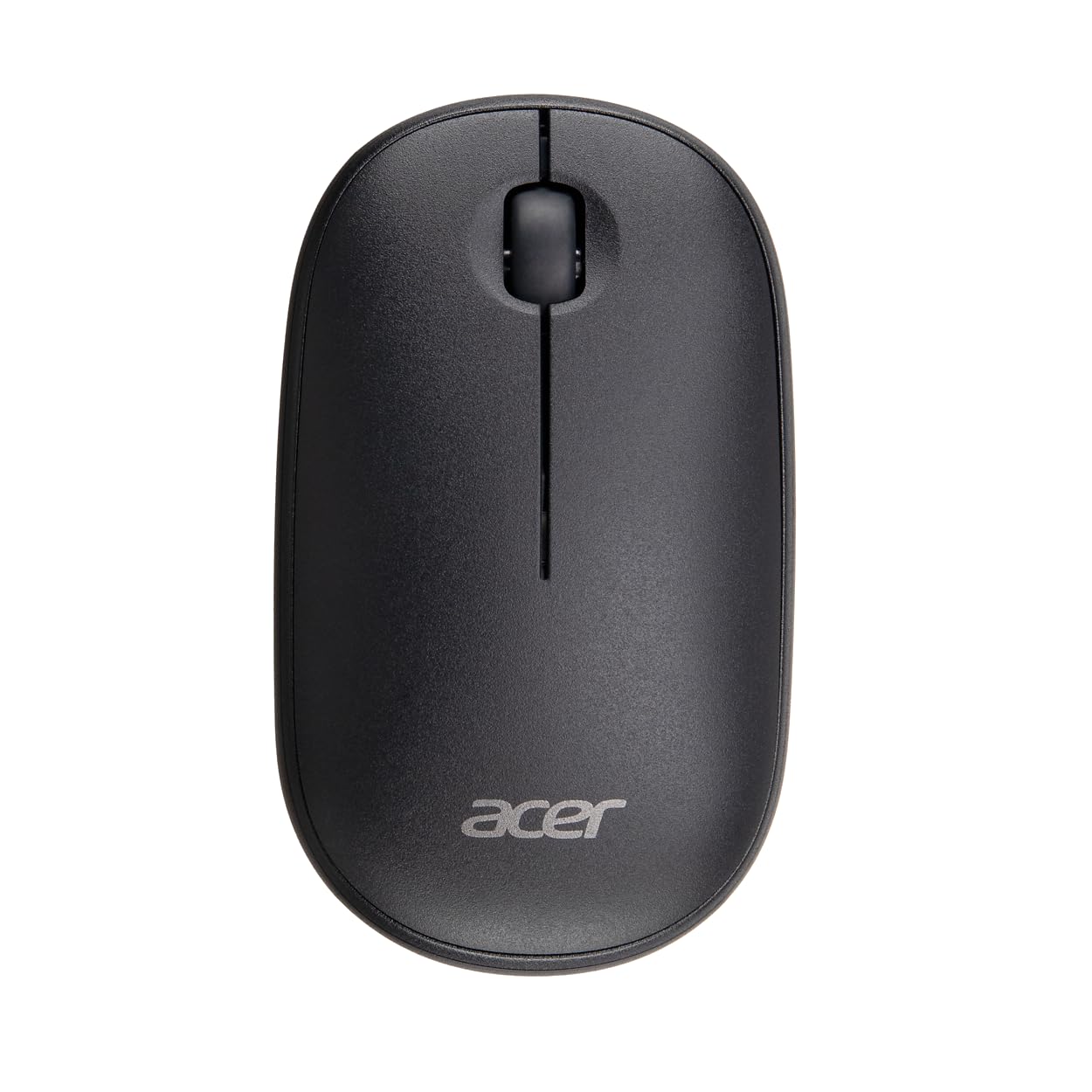
Forty-five grams of plastic that glides rather than drags across the desk.
At 45 g this is the lightest mouse in the lineup, and you feel it the moment you start moving it. At 45 g there is simply less mass to push around, which reduces wrist effort over a long workday. A 1600 DPI optical sensor gives you smooth, accurate cursor control for spreadsheets, documents and light gaming tasks.
Setup is plug and play through the USB-A receiver — insert it into a Windows, macOS or Linux machine and you are working, with no drivers or software to install. The 2.4 GHz link is rated to hold up to 20 feet away. The compact body keeps it easy to pack for travel or daily commuting.
One honest difference from the rest of the list: the click here is deliberately crisp and audible, positioned as a rhythm that keeps you focused. If you need silence, the Logitech M240 above is the better choice. The other thing to note is that this is a newer model with a smaller track record than the established picks, so you are buying on spec and brand rather than years of owner history. For a light travel mouse from a name you recognize, it fits the bill.
The weight win: 45 g is the number that matters — a lighter mouse means less wrist effort across a full workday.
The sound trade: crisp, audible clicks are part of the design here, so this is not the mouse for a silent room.
Choose this for: a featherweight travel mouse that tracks at 1600 DPI and sets up in seconds.
Keep looking if: silent clicking is a must — this one is intentionally audible.
9. HP X3000 G3 Wireless Mouse

LED tracking that keeps moving on the desk, the couch, or a hotel table.
The feature to lead with here is LED multi-surface technology, which is built to keep tracking smooth and lag-free on virtually any surface. That matters if you work away from a proper desk — a bed, a coffee table, a hotel room table with a glossy finish. The 1600 DPI optical sensor gives you reliable tracking, and HP pairs it with side grips for control.
A 2.4 GHz USB-A connection reaches up to 30 feet, and the nano receiver stores inside the mouse so it travels without getting lost. Battery life runs up to 15 months on a single AA battery, putting it between the Lenovo at 12 months and the wegear at 24. The 3-button layout with an integrated scroll wheel works in either hand.
The honest hitch: connectivity is the most split part of the owner experience — plenty of people say it connects easily from the start, while a smaller group reports regular disconnections. Durability also draws more gripes than the other HP specs. Sizing is a mild split too, so check the dimensions against your hand. When it connects cleanly, the ergonomic shape and palm fit are what people like about it.
What works in its favor
- LED multi-surface tracking for uneven or slick desks
- 30 ft wireless range with the receiver stored inside
- 15 months of battery life on one AA
- Side grips and contoured shape for either hand
Where it can disappoint
- Connection reliability splits owner opinion — some report regular dropouts
- Durability draws the most complaints of its specs
- Receiver-only connection, so no Bluetooth pairing
Fits best when: you work on surfaces that are not a tidy desk and need tracking that holds up.
Play it safe with: a seller that accepts returns, in case your unit shows the connection dropouts a few buyers hit.
Know the Specs
DPI and sensitivity
DPI (dots per inch) sets how far the cursor moves for each inch your hand travels. A 1200 or 1600 DPI sensor covers everyday work on a standard display; 4800 DPI helps on very large or high-resolution screens where you need a short hand movement to cross the whole screen. Adjustable DPI lets you change it per task — slow for image editing, faster for browsing.
Battery claims explained
Battery figures are estimates based on average daily use, not a guarantee. A 12-month rating assumes a couple of hours a day and relies on auto sleep to stretch it. Rechargeable models like the TECKNET trade battery changes for a periodic cable, while single-AA models rated at 18 or 24 months ask for almost no upkeep at all.
2.4 GHz receiver vs Bluetooth
A 2.4 GHz receiver is a small USB dongle that creates its own private link to the mouse, so it works the instant you plug it in. Bluetooth skips the dongle and pairs through the computer’s own radio, which is ideal when free ports are scarce. Some mice handle both, letting you run two devices from one shell.
Hand orientation and shape
Ambidextrous shells suit either hand. A right-handed or left-handed shell is sculpted for one side only, and a vertical design tilts your wrist into a handshake angle instead of a flat one. Match orientation to your dominant hand and the shell height to your palm size, because a mouse that fits your hand beats one with more features.
Common Questions
Does a wireless optical mouse work on a glass desk?
Do I need the USB receiver if my laptop has Bluetooth?
How long does a single AA battery really last in a wireless mouse?
Is a silent mouse better than a regular one?
Will the side buttons work on a Mac?
What is the difference between a vertical mouse and a standard one?
Can one wireless mouse control two computers?
How do I pick the right DPI for everyday work?
Will a compact mouse be comfortable for large hands?
Do rechargeable wireless mice beat battery-powered ones?
The Bottom Line
For most people, the strongest pick in this wireless optical mouse lineup is the TECKNET BT 5.0/2.4G, because its dual-device switch and rechargeable battery handle a two-computer desk without a second mouse. If you want the longest gap between battery changes, grab the wegear Bluetooth Silent Mouse at 24 months per AA. And if your count is on quiet clicks and a dongle-free laptop, the Logitech M240 Silent is the one to reach for. Check your hand size against the shell before you buy — it decides comfort more than any spec, and the TECKNET’s small-to-medium sizing is the one limit to weigh first.
How we choose
We do not accept paid placement. Every pick is matched to a real buyer and a real use-case; we do not hands-on test units.
Sources
Specifications: manufacturer listings and product documentation. Review insights: verified customer reviews, as of November 2026. Pricing: not shown on this page (it changes often); check the current price via the retailer link.
As an Amazon Associate, Tactical Gear Guy earns from qualifying purchases. This does not affect which products we feature.