Specs are compiled from manufacturer listings and verified buyer reviews and can change over time — please confirm the key details on the product page before buying.
If your laptop drops calls in the next room or buffers video while your phone streams fine, the problem is usually the tiny WiFi chip inside the laptop, not your router. A USB WiFi dongle (a thumb-sized plug-in adapter that adds or replaces your laptop’s wireless radio) fixes that for a one-time purchase and about ten seconds of setup. The trick is matching the adapter to your router and your USB port: a weak-antenna nano won’t reach the far room, and a WiFi 7 dongle on a WiFi 5 router just runs at WiFi 5 speed. These seven adapters are the ones whose rated speeds hold up against a real router and a real laptop.
This guide is built by comparing the manufacturers’ published specifications and the patterns across verified customer reviews, so you get each pick’s real strengths and trade-offs instead of marketing spin.
Below you’ll find every adapter broken down by real speed, antenna setup, and which machines it actually cooperates with. Here is the honest shortlist of the wi-fi dongle for laptop buyers and reviewers keep recommending.
Top Picks
How To Choose The Best Wi-Fi Dongle for Laptop
Most laptop WiFi problems come down to three things: how far the router sits, how many walls are between you, and how old the internal card is. A dongle can fix the third one outright and soften the first two. Here are the three specs that decide whether a dongle helps or disappoints.
Match the WiFi generation to your router, not the marketing
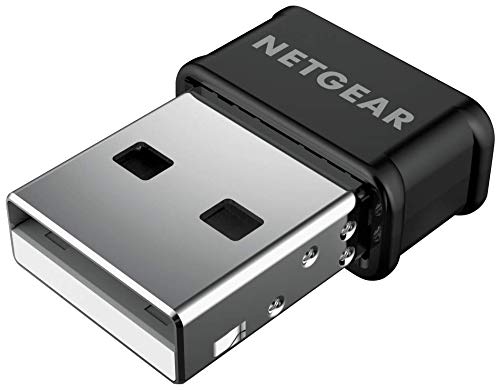
A WiFi 6 or WiFi 7 adapter only shows its full speed when your router speaks the same language. Plug a WiFi 7 dongle into an older WiFi 5 router and it drops back to whatever that router can handle. If your router is a few years old, a solid WiFi 5 adapter like the NETGEAR A6150 is the honest buy — you get the full 867 Mbps on 5 GHz and you aren’t paying for capability your router can’t deliver. Upgrade the router first, then the dongle.
Nano or antenna: pick by where the laptop sits
A nano dongle is barely bigger than a USB plug and disappears into the side of your laptop — perfect for a machine that travels. But a nano has almost no antenna inside it, so it struggles through two walls. Models with external antennas, like the Nineplus 1300Mbps with its dual 5DBi antennas or the WAVLINK BE6500 with four 5dBi antennas, pull in weak signals far better in a back bedroom. For a laptop parked two walls from the router, the external-antenna model is the only one that holds the link.
Check the port before you buy the speed
A USB 3.0 dongle in a USB 2.0 port will still work, but the transfer ceiling drops. If you’re chasing speeds above roughly 480 Mbps on 5 GHz, you want the blue USB 3.0 port on your laptop, not the black USB 2.0 one. Some adapters are USB 2.0 by design, like the two TP-Link nano models, and that’s fine for their 900 Mbps dual-band ceiling in everyday use — just know the difference when you compare numbers.
Side-by-Side Comparison
| Model | Best For | Rated Speed | WiFi Standard | Form Factor | Amazon |
|---|---|---|---|---|---|
| NETGEAR A6150★ Best Overall | Everyday laptop upgrades | 1200 Mbps | WiFi 5 (AC1200) | Nano, 3.2 oz | Amazon |
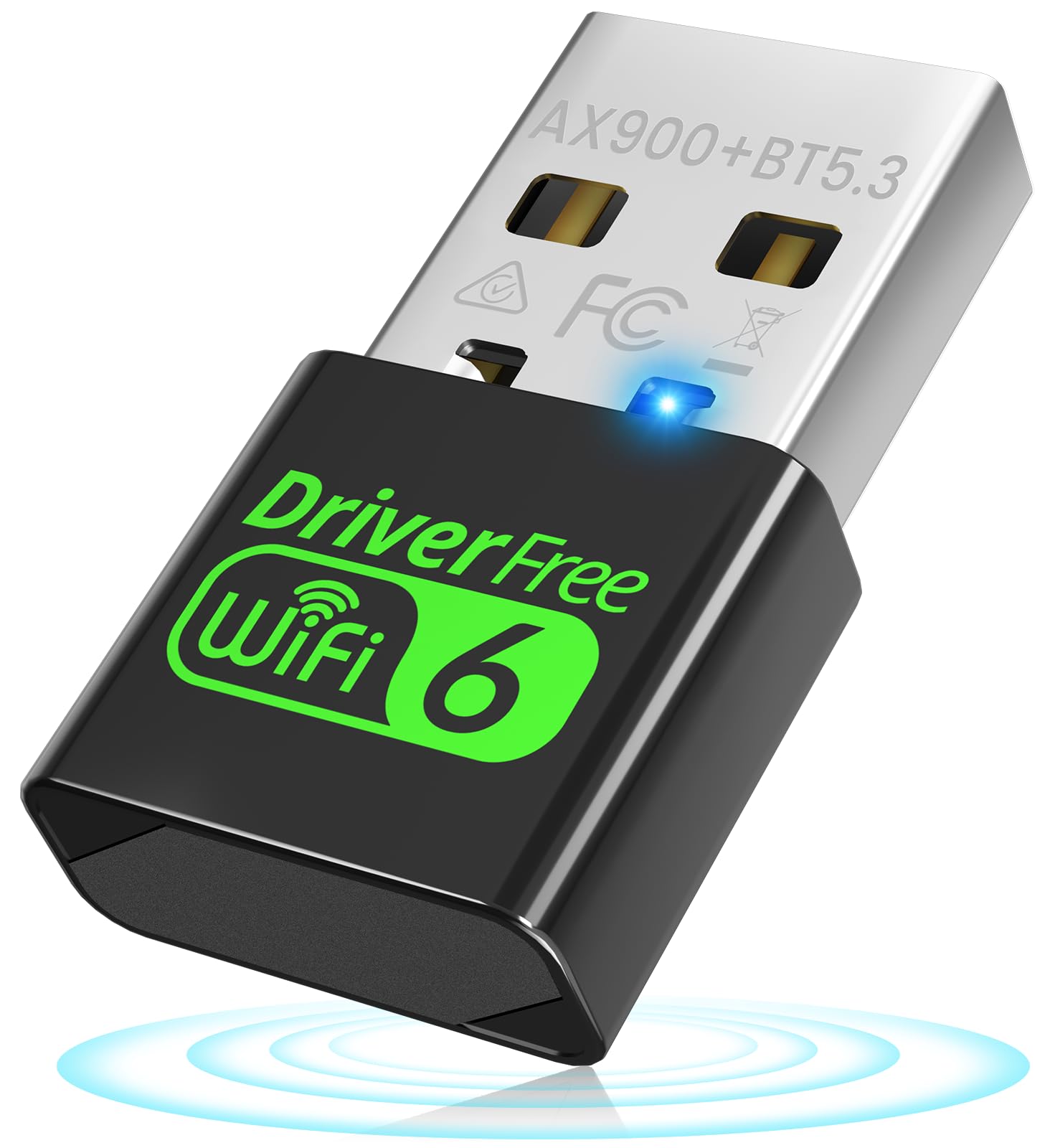
| Auscoumer AX900 BT 5.3Most Versatile | WiFi plus Bluetooth in one port | 900 Mbps | WiFi 6 (AX900) | Nano | Amazon |
| Nineplus N16 | Long-range signal in far rooms | 1300 Mbps | WiFi 5 (AC1300) | Dual 5DBi antennas | Amazon |
| TP-Link Archer TX20U Nano | Smallest WiFi 6 dongle | 1201 Mbps | WiFi 6 (AX1800) | Nano, 4.54 g | Amazon |
| ASUS USB-AX55 Nano | Linux and Windows mixed setups | 1800 Mbps | WiFi 6 (802.11ax) | Nano, 4.54 g | Amazon |
| TP-Link Archer TX10UB Nano | Gaming controllers and headsets | 900 Mbps | WiFi 6 (AX900) | Nano, USB 2.0 | Amazon |
| WAVLINK BE6500 | Top-speed WiFi 7 desks | 6452 Mbps | WiFi 7 (tri-band) | 4x 5dBi antennas, 550 g | Amazon |
Detailed Reviews
1. NETGEAR A6150 USB WiFi Adapter
Our pick — 4.0+★ from 750+ verified ratings; the strongest balance of quality and price.
The AC1200 nano plug that turns a stubborn old laptop into something that keeps up.
The headline is the dual-band split: 867 Mbps on the 5 GHz band (the wide, fast lane for HD streaming and video calls) and 300 Mbps on 2.4 GHz (the slow, long-distance lane for web browsing in a far room). That 867 Mbps is what matters for a laptop, because it’s plenty of headroom for a 4K stream plus a work call running at the same time. The adapter pulls it off in a body that measures just 4 inches by 2 inches by 8 inches and weighs 3.2 ounces, so it rides in a bag without a second thought.
Where this one separates from the pack is the radio work behind the scenes. Beamforming+ is a trick where the adapter steers the signal back toward your router instead of spraying it everywhere, which firms up the link when the router sits in another room. MU-MIMO lets the router serve several devices at once without your laptop queuing behind someone else’s tablet. It connects to any WiFi router or mesh system and steps back to older 802.11 a/b/g/n networks without complaint, so it fits a laptop from almost any era.
The honest catch is macOS. The driver set is built for Windows 7, 8, and 10 first, and Apple machines are where the rough edges show up. Windows owners are broadly the happy campers here — setup is the plug-and-play walkthrough NETGEAR advertises, and WPA2/WPA3 mixed-mode security keeps you locked down on public networks. But if your laptop is a Mac, look at a model with confirmed Linux or Unix driver support instead of forcing this one to behave. This is the safest first dongle for a Windows laptop that just needs reliable WiFi today.
What pulls ahead
- 867 Mbps on the 5 GHz band handles HD streaming and calls with room to spare
- Beamforming+ focuses the signal at your laptop instead of wasting it
- 3.2 oz and 4″L x 2″W x 8″H — it travels without a fuss
- Backward compatible with older 802.11 a/b/g/n networks
Where it asks for patience
- Windows-first design; macOS support is the weak spot
- WiFi 5 only — you need a WiFi 6 or 7 router to see bigger gains up the line
Go this way: a Windows laptop that needs sturdier WiFi for calls and streaming in a busy house.
Take the detour: an Apple or Linux machine, where driver compatibility is the fight you’ll lose.
2. USB WiFi 6 Adapter 900Mbps
One port that quietly fixes WiFi and Bluetooth at the same time, no drivers required.
Two jobs from a single USB slot is the entire pitch here, and it lands because so many laptops fail at both. WiFi 6 tops out at 600 Mbps on the 5 GHz band for streaming and file transfers, while the 2.4 GHz band runs at 287 Mbps for coverage through walls. Under the hood sits the Realtek RTL8851BU chipset, which is the part doing the long-range, low-latency work. Pair that with Bluetooth 5.3 holding seven devices at once — headsets, keyboards, mice, controllers — and a laptop with a dead Bluetooth radio gets a second life from the same plug.
There’s a second trick worth knowing: it runs in two modes. In WiFi Receiver Mode it pulls the router’s signal into your PC. Flip it to AP Hotspot Mode and it turns a wired connection into a fresh WiFi network any phone or tablet can hop onto — handy in a hotel room with one ethernet jack and three people who want in. That dual-mode design is something the NETGEAR A6150 above doesn’t attempt.
Installation is the part that wins most people over, since Windows 10 and 11 run it driver-free on plug-in, and old Dell laptops are a proven happy pairing. What keeps its rating a notch below the top pick is connection stability in some setups — a mixed bag rather than a pattern. If you’re buying primarily for a clean WiFi link and nothing else, the NETGEAR is the safer bet. Buy this one when Bluetooth is also on your list, because paying separately for a Bluetooth dongle gets you a worse result for more fuss. The pick for anyone who wants WiFi and Bluetooth from a single USB port.
Yes for: a laptop with weak WiFi and a Bluetooth stack that keeps dropping your mouse.
No for: anyone whose only goal is maximum single-band WiFi speed, where the dedicated adapters below pull ahead.
3. USB WiFi Adapter 1300Mbps

The antenna model for the back bedroom where every nano dongle gives up.
Signal is the whole reason this one exists. Two external 5DBi antennas (the number rates how hard they pull in a weak signal) reach further than a nano adapter’s internal antenna ever can, which is exactly what fixes the room two walls from the router. The dual-band split puts 867 Mbps on the 5.8 GHz side and 400 Mbps on 2.4 GHz. That 1300 Mbps on the box leads the pack here — the Auscoumer above rates 900 Mbps, and this one rates 1300 Mbps, so the speed ceiling is a full tier higher.
It’s the only pick on this list that spells out Linux support alongside Windows 11, 10, and 7, and owners running it on Linux and a Raspberry Pi report it settling in fine. The connection rides on USB 3.0, which the maker says is up to ten times quicker than USB 2.0 — worth plugging into the blue port if your laptop has one. WPA3 encryption on the wireless side wraps the network in the newest password-protection protocol. Setup needs the included driver for systems beyond Windows 10 and 11, and Nineplus backs it with a two-year replacement and a video-call install service.
The trade-off is size and shape. At 2.3 inches by 0.6 inches by 0.9 inches with antennas attached, it’s a desk fixture, not something you leave stuck in a bag. If your laptop actually travels, a nano fits better. But for a machine parked in a weak-signal room and expected to stay there, the antennas rescue connections that the slim models can only watch fail.
On the signal front: dual 5DBi antennas plus USB 3.0 and a 1300 Mbps ceiling make it the range-first pick for a fixed desk. Linux owners are covered — a rare find on this list.
Know before you buy: the antennas add bulk. This lives on a desk, not in a backpack pocket.
Grabs the win when: the laptop stays put and the router is far away.
Leaves the field when: you need a dongle that slips into a laptop sleeve for daily travel.
4. TP-Link Nano AX1800 USB WiFi 6 Adapter

Packs AX1800 WiFi 6 into a 4.54-gram chip you forget is plugged in.
The size number is almost unbelievable next to the speed number. This measures 1.06 inches by 0.62 inches by 0.3 inches and weighs 4.54 grams, small enough to leave in a laptop permanently — and it still rates 1201 Mbps on 5 GHz and 574 Mbps on 2.4 GHz for a combined AX1800. Compare that footprint to the NETGEAR A6150’s 4″L x 2″W x 8″H body: the TP-Link Nano is a dramatically more compact object, which matters if you’re plugging into a cramped USB hub on a desk.
The radio tech earns its keep on busy networks. OFDMA (a WiFi 6 technique that lets your PC’s data share a transmission with other devices instead of waiting its turn) lowers ping for gaming and video. MU-MIMO serves several devices in parallel so your laptop doesn’t idle behind the TV stream. WPA3 is on board, and the driver comes pre-loaded so setup is automatic recognition plus a quick confirm. Windows 10 and 11 only — the maker doesn’t claim anything beyond that pair.
Here’s the honest part: WiFi 6 networks are where this shines, and over time a portion of buyers report the adapter stops working after a few months — not the majority experience, but real enough to flag for a buyer who wants set-and-forget. Treat it as the compact choice for a fairly recent router, not the rugged long-haul workhorse. If you want a bigger stability cushion, the ASUS below offers the same generation and a different driver path.
Why it earns a spot
- 1201 Mbps on 5 GHz inside a 4.54-gram nano body
- OFDMA cuts ping for gaming and video calls
- WPA3 encryption and pre-loaded drivers for true plug-and-play
What to weigh
- Durability over months is the recurring gripe — a few stop working over time
- Windows 10 and 11 only; no Linux or macOS claim
Worth it if: your router already speaks WiFi 6 and you want the smallest possible adapter.
Think twice if: you need the adapter to sit unattended for years without a check-in.
5. ASUS USB-AX55 Nano WiFi 6 Adapter

The one that admits Linux exists, and rates a full 1800 Mbps doing it.
Supporting both Windows 10 and Linux is the differentiator, because most adapters on this shelf leave Linux owners out in the cold. The pace backs it up: 1800 Mbps total across both bands on the 802.11ax standard (the formal name for WiFi 6). That rated ceiling sits above the Auscoumer’s 900 Mbps and the TP-Link Nano’s 1201 Mbps on 5 GHz. A 4.54-gram body at 1 inch by 0.63 inches by 0.35 inches means it stays out of the way once plugged in.
Inside, OFDMA and MU-MIMO handle dense networks where a dozen devices compete for airtime, and WPA3 hardens password protection. The setup is the standard WiFi 6 plug-and-go — most machines recognize it and carry on. Windows and Linux coverage in one adapter makes it a sensible spare for anyone running a dual-boot laptop or a Linux desktop that has always needed a wired cable.
The honest counterpoint: owners split cleanly on reliability. Some run it flawlessly for months; others report it dropping out within minutes, and a slice of the 5 GHz connections never take at all. That’s not a rounding error worth ignoring — it’s the sort of thing worth ordering from a store with a forgiving return window so you can confirm it plays nice with your specific laptop. If your router is a known quantity and your WiFi 6 setup is clean, it earns its place. If it’s your only connection and downtime is painful, the NETGEAR above is the calmer choice.
The case for it: 1800 Mbps rated, Linux and Windows support, and WPA3 in a 4.54-gram package. For a Linux laptop that’s been tethered to ethernet, that combination is rare.
The reservation: reliability reports are split, and 5 GHz connectivity is the frequent sticking point. Buy where returns are easy.
Perfect for: a dual-boot or Linux laptop where driver support decides the purchase.
Not for: a buyer who can’t tolerate a return cycle if the 5 GHz link doesn’t connect from the start.
6. TP-Link Nano AX900 USB WiFi 6 Bluetooth 5.3 Adapter
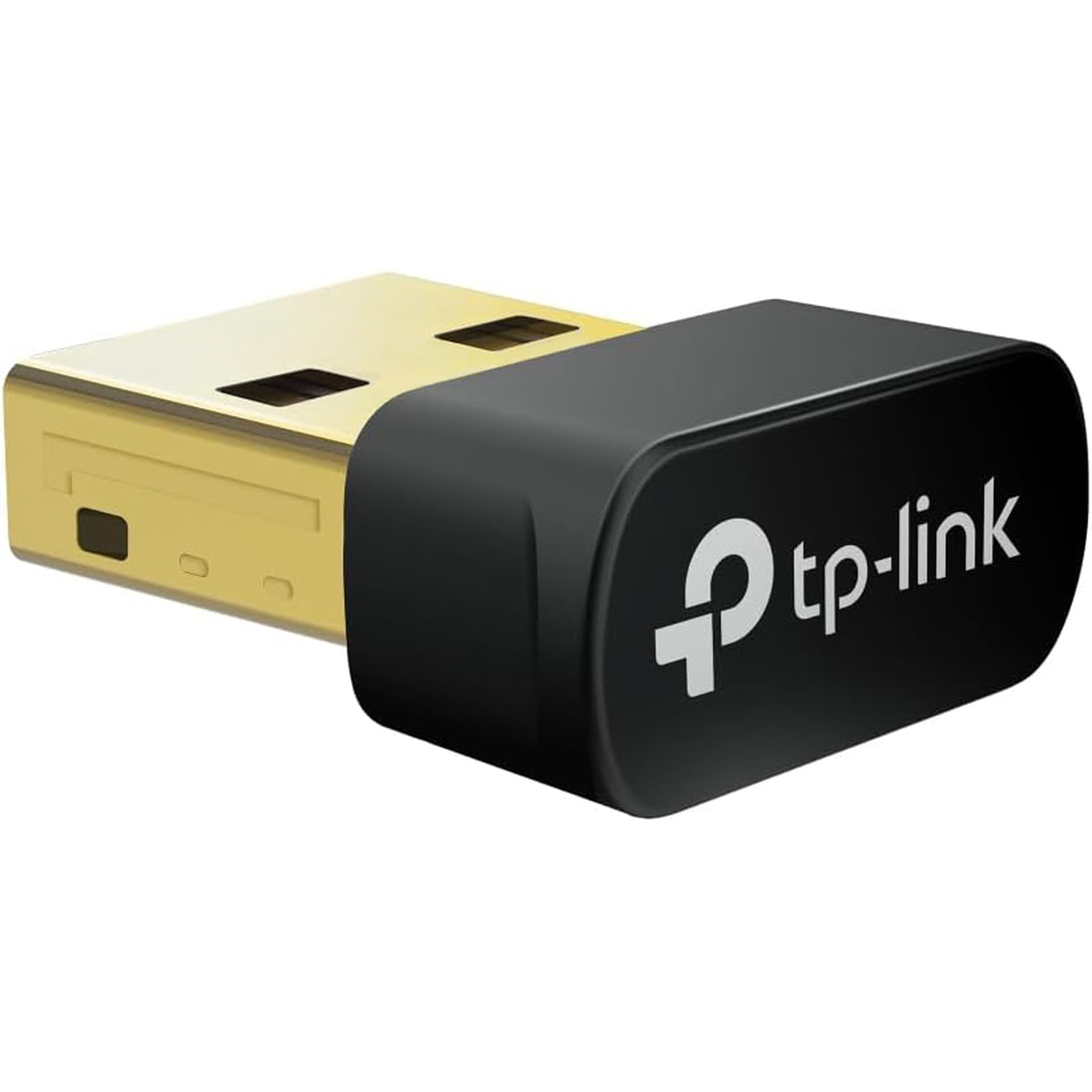
Pair a PS4 or Xbox controller with your PC from one nano plug, WiFi included.
Gamers who want to use a console controller on a PC need Bluetooth, and plenty of desktops have none. This adapter carries the Bluetooth 5.3 radio and the WiFi in the same body, at 0.76 inches by 0.62 inches by 0.29 inches — genuinely invisible once plugged in. The WiFi 6 side totals 900 Mbps, split as 287 Mbps on 2.4 GHz and 600 Mbps on 5 GHz, with OFDMA and MU-MIMO keeping multiple devices moving at once.
The controller pairing is the star. Bluetooth 5.3 connects a game controller, headphones, keyboard, or mouse straight to your PC with stable latency. TP-Link is clear on the boundaries: the Bluetooth half won’t talk to Mac, Linux, a TV, or older Windows Vista through 7. And the controller must run through the PC — plugging the adapter into an Xbox or PS4 directly isn’t supported.
One setup note matters before you buy: existing internal Bluetooth usually has to be disabled in the OS to let the external radio take over, and you may need to turn off the internal WiFi too if the two conflict. That’s a five-minute settings visit, not a deal-breaker, but worth knowing. Speed is the other honest wrinkle — some owners hit a ceiling around 250 Mbps depending on their setup. If raw speed tops your wishlist, the Nineplus above rates 1300 Mbps. Speed is the headline here, but controller and headset pairing is what most buyers actually plug it in for.
Nothing else on this list does this
- WiFi 6 and Bluetooth 5.3 in one nano plug
- Pairs game controllers, headsets, and keyboards straight to a PC
- WPA3 encryption and pre-loaded drivers for plug-and-play
Read before ordering
- Bluetooth is PC-only — not for Mac, Linux, TV, or older Windows
- You must disable internal Bluetooth (and sometimes internal WiFi) to avoid conflict
- Speed can cap around 250 Mbps in some setups
Reach for this if: your desktop has no Bluetooth and you want to game with a controller.
Look elsewhere if: you need the top WiFi speed or you run macOS or Linux, where the Bluetooth half simply won’t work.
7. WAVLINK BE6500 USB WiFi 7 Adapter
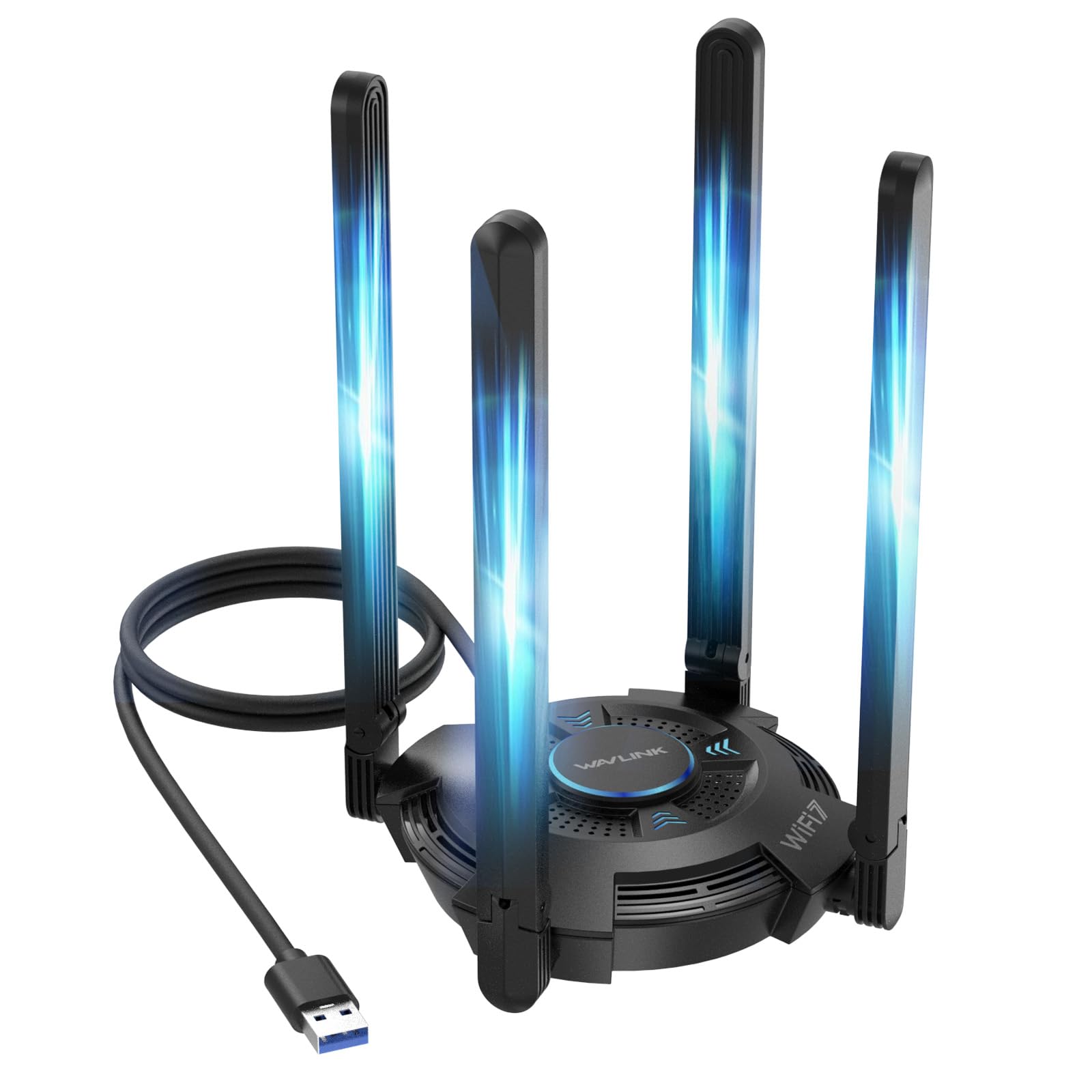
The only WiFi 7 pick here, with four antennas and a 6 GHz band nothing else on the list has.
Raw speed is the reason this sits at the top of the price ladder. The tri-band split puts 688 Mbps on 2.4 GHz, 2882 Mbps on 5 GHz, and 2882 Mbps on the ultra-fast 6 GHz band, for a combined 6452 Mbps. That rated figure towers over every other adapter here — the closest competitor, the ASUS AX55 Nano, rates 1800 Mbps. For 8K streaming, large file transfers, or a crowded network where MLO (Multi-Link Operation, a WiFi 7 trick that pulls data over two bands at once) and Multi-RU keep latency down, that headroom is real, not cosmetic.
Four 5dBi antennas fold down for storage and pull in strong signal even in a tough room. There’s a USB 3.0 interface on the cable, multicolor status LEDs, and even a touch switch to cycle the lighting. It also works in reverse as a hotspot, turning your PC’s connection into a WiFi network others can join. Ventilation slots on the surface and bottom handle heat during long sessions.
Two honest conditions come with it. First, you only open up the 6 GHz band with a WiFi 7 router on Windows 11 (version 21H2 or later) — pair it with a WiFi 6 router and the performance gets limited to what that router can do. Second, it is a WiFi adapter, not a booster or repeater, so it won’t magically strengthen a signal your router never reached. At 550 grams with the antennas, it’s a desk fixture, not a travel item. For a desktop tied to a WiFi 7 router, this is the fastest thing on the page, and setup is friendly thanks to a built-in driver that installs on plug-in.
The speed headline: 6452 Mbps tri-band, including a 6 GHz band no other pick here offers. With the right WiFi 7 router, that’s the fastest laptop WiFi you can buy in a dongle.
The requirement you can’t skip: a WiFi 7 router and Windows 11 (21H2+) are the price of admission. Without both, the numbers up top never materialize.
The right buy for: a desktop already running a WiFi 7 router that wants the maximum available throughput.
A wrong turn for: anyone on a WiFi 5 or WiFi 6 router, where the top speed is unreachable and a cheaper adapter gives the same result.
Know the Specs
Rated speed (Mbps) and what it really means
The number on the box is the theoretical peak across all bands combined, not the speed you’ll see on a download. A 1300 Mbps adapter talking to a 5 GHz band has a hard practical ceiling well below that in most homes, and your internet plan caps it too. Use the rated figure as a comparison tool — higher is a bigger ceiling for the same router — never as a promise. The band split matters more: 5 GHz for speed close to the router, 2.4 GHz for coverage in far rooms.
Nano versus antenna models
Nano adapters trade antenna size for portability, and that’s the whole reason they exist — barely wider than the USB plug so they stay in a laptop. Antenna adapters carry external 5DBi or 5dBi antennas that pull weak signals further. The rule is simple: laptop travels, buy nano; laptop stays in a far room, buy antennas. Nano for a laptop that travels, antennas for one that stays put.
USB 2.0 versus USB 3.0
The port is your speed pipe. USB 3.0 (the blue port) moves data noticeably faster than USB 2.0, which is why faster models like the Nineplus and WAVLINK both use USB 3.0. Some nano adapters, like the two TP-Link models, are USB 2.0 by design and match their 900 Mbps ceiling fine. Match the dongle’s top speed to your port, or you’re paying for a lane your laptop can’t open.
WiFi 5, 6, and 7 explained
WiFi 5 tops out around 1200 Mbps, WiFi 6 reaches AX1800 in nano bodies, and WiFi 7 pushes tri-band numbers past 6000 Mbps. Each generation only runs at full speed with a matching router. Buy according to your router’s generation — an older WiFi 5 router with a WiFi 7 dongle does nothing extra. The dongle meets the router at the router’s level, every time.
Common Questions
Will a USB WiFi dongle give my laptop faster internet?
Do I need a WiFi 6 or WiFi 7 router to use these adapters?
Can I use a USB WiFi dongle on a Mac or Linux laptop?
Does a WiFi dongle with Bluetooth free up a USB port?
Why does my dongle show a much lower speed than its rating?
Will a WiFi dongle work with a Raspberry Pi?
What is the difference between a WiFi dongle and a WiFi extender?
Do I need USB 3.0 for the fastest adapters?
Is a nano dongle or an antenna model better for gaming?
Can I use these adapters to turn a wired connection into WiFi?
The Bottom Line
For most Windows laptops that just need steady, dependable WiFi, the NETGEAR A6150 is the one to grab. It pairs 867 Mbps on 5 GHz with Beamforming+ and MU-MIMO in a 3.2-ounce nano body, handles any router you throw at it, and wraps the connection in WPA2/WPA3 security — the crowd favorite at 4.0+ stars across 700+ ratings. If you also need Bluetooth for a controller or headset, the Auscoumer AX900 covers both jobs from one port, driver-free on Windows. For a desk stuck in a weak-signal room, the Nineplus N16 and its dual 5DBi antennas reach where nano models can’t. And if you’re already running a WiFi 7 router on Windows 11, the WAVLINK BE6500 is the fastest thing on this page, with 6 GHz and 6452 Mbps to prove it.
How we choose
We do not accept paid placement. Every pick is matched to a real buyer and a real use-case; we do not hands-on test units.
Sources
Specifications: manufacturer listings and product documentation. Review insights: verified customer reviews, as of November 2026. Pricing: not shown on this page (it changes often); check the current price via the retailer link.
As an Amazon Associate, Tactical Gear Guy earns from qualifying purchases. This does not affect which products we feature.