Specs are compiled from manufacturer listings and verified buyer reviews and can change over time — please confirm the key details on the product page before buying.
Your Chromebook has a trackpad and no USB-A port worth relying on, so the mouse you pick has to connect by Bluetooth or fit a tiny receiver. The short answer: buy a mouse that pairs over Bluetooth, clicks quietly, and holds a charge through a full class or workday. Everything below is filtered for Chrome OS compatibility first, comfort second, and price tier last.
This guide is built by comparing the manufacturers’ published specifications and the patterns across verified customer reviews, so you get each pick’s real strengths and trade-offs instead of marketing spin.
Chrome OS handles Bluetooth mice without extra drivers, but scroll direction, DPI steps, and sleep timers vary wildly between models. That is why a wireless mouse for Chromebook Laptop needs a Bluetooth mode plus a real rechargeable battery, not a dongle-only design.
Top Picks

How To Choose The Best Wireless Mouse for Chromebook Laptop
A Chromebook often ships with one or two USB-C ports and maybe a single USB-A slot, so the connection type decides more than any other spec. Pick a mouse with Bluetooth first and a USB receiver as backup. That way you keep your ports free for a charger or a flash drive.
Bluetooth versus a USB receiver
Bluetooth pairs the mouse directly to your Chromebook with no dongle to lose. A 2.4GHz receiver (a small USB plug that talks to the mouse) gives a steady link but eats a port. The best picks here offer both, so you can pair by Bluetooth on the couch and use the receiver at a desk. Multi-device models let you switch between a Chromebook, a phone, and a tablet with one button.
DPI and cursor speed
DPI stands for dots per inch — how far the cursor travels per inch of hand movement. A 1000 DPI setting feels slow and precise for spreadsheets, while 1600 to 2400 DPI suits a large monitor or quick web browsing. Adjustable DPI means you press a button to cycle speeds instead of living with one fixed feel.
Battery, charging, and sleep
A rechargeable mouse saves you from hunting AA batteries mid-semester. Look at the charge time and the sleep timer: a mouse that naps after a few minutes of stillness keeps its charge for days. If you prefer standard batteries, a single AA that runs for months is the simplest option.
Shape, weight, and noise
Silent click buttons matter in a lecture hall, a library, or a shared office. Weight matters for travel — a mouse under 60 g slips into a bag unnoticed, while a vertical design trades light weight for a handshake-style grip that keeps your wrist straight. Small and medium hands do best with compact bodies; large hands need more palm support.
Side-by-Side Comparison
| Model | Best For | Connection | Weight | DPI Levels | Amazon |
|---|---|---|---|---|---|
| seenda MOU001★ Best Overall | Everyday Chromebook use | 2.4G + dual Bluetooth | 75 g | 1000/1600/2400 | Amazon |
| Wireless Mouse for ChromebookButton Workhorse | Button-heavy productivity | 2.4G USB receiver | 60 g | 1000/1600/2400 | Amazon |
| RAPIQUE R-09 | Multi-device switching | Dual Bluetooth + 2.4G | 65 g | — | Amazon |
| hunart H6 | Lightweight travel | Bluetooth + 2.4GHz | 49 g | 800/1200/1600 | Amazon |
| MOFII RGB Mouse | Desk personality | Bluetooth + USB | 65 g | — | Amazon |
| FYBC LED Mouse | Keeping the screen awake | BT 5.2 + 2.4G USB-A/C | 65 g | 800/1200/1600 | Amazon |
| Uineer Vertical Mouse | Wrist-friendly all-day work | BT 5.0/4.0 + 2.4GHz | 105 g | 800/1600/2400/3200 | Amazon |
Detailed Reviews
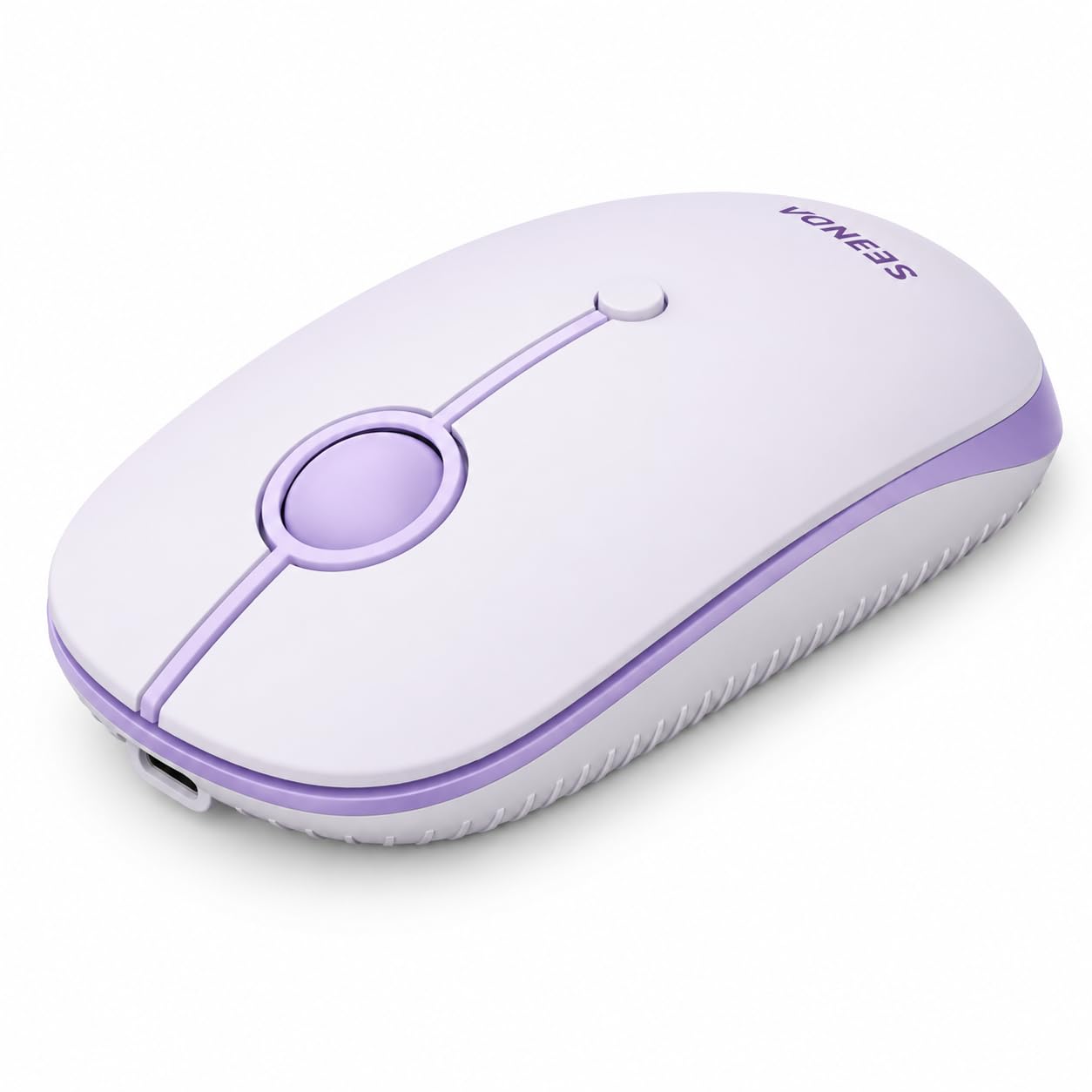
1. seenda MOU001 Bluetooth Wireless Mouse
Our pick — 4.5+★ from 300+ verified ratings; the strongest balance of quality and price.
A slim, quiet clicker that remembers three devices and charges in about an hour.
The crowd favorite on this list — 4.5+ stars across 300+ ratings — and the easiest sell for a Chromebook owner. It connects three ways: a 2.4G receiver plus two Bluetooth channels. That is your Chromebook on Bluetooth, a phone on the second channel, and a desktop on the dongle. You tap a button to swap instead of re-pairing every morning.
Reviewers single out the solid build, and the rechargeable battery seals it. A full charge is about 1-2 hours, then roughly 14 workdays of use depending on how hard you push it. Quiet buttons keep clicking low in a library or lecture hall. Three DPI steps — 1000, 1600, and 2400 — cover slow document work and fast browsing on a smaller laptop screen.
The catch is button count. The listing shows two buttons, so you get left and right clicks with no forward/back page keys. If side navigation is your workflow, the RAPIQUE below offers six buttons instead. It is also a small, slim body at 75 g — great in a backpack, but larger hands may want more palm support than it gives.
Where it shines
- Bluetooth plus 2.4G receiver, so no port stays tied up
- Rechargeable — roughly 14 workdays per charge
- Quiet buttons for shared desks and classrooms
- Three DPI steps at 1000/1600/2400
Worth knowing
- Two buttons only — no forward/back keys
- Slim body at 75 g suits small and medium hands best
- Scroll direction can default reversed on Mac and iPad
Reach for this if: you want one mouse for a Chromebook, a phone, and a tablet without swapping dongles.
Think twice if: you rely on side buttons for page navigation.
2. Wireless Mouse
Six buttons, a plug-and-play dongle, and one AA battery that lasts most of a year.
If you run spreadsheets or jump between browser tabs all day, this is the productivity pick. It packs six buttons, including forward and back keys for one-click page navigation. Three DPI steps (1000/1600/2400) let you slow the cursor for a document then speed up for web work.
Connection is 2.4GHz only, through a USB receiver stored on the back of the mouse. The listing puts the range at up to 33 feet (10m) with no drivers to install. That means you do tie up one USB-A port while it is in use. On a Chromebook with only USB-C, you will need an adapter. One AA battery is listed at up to 12 months, and a 10-minute idle sleep stretches that further.
Honest trade-off: reliability and durability draw mixed feedback, with some units reported to quit working and a few breaking within two months. Weight is 60 g, so it is light in a bag. If you want a Bluetooth fallback, the seenda above runs both Bluetooth and 2.4G; this one is receiver-only, which is the main reason it sits second.
Best for spreadsheet sessions: the six-button layout with forward/back keys speeds up heavy tab and page navigation.
The honest limit: it depends on a USB-A receiver and has a mixed reliability record, so treat it as the wired-lite option rather than a Bluetooth-first pick.
Pick this one if: your Chromebook has a spare USB-A port and you want extra buttons without paying more.
Look elsewhere if: you need Bluetooth-only pairing or a long-term reliability bet.
3. RAPIQUE R-09 Dual Bluetooth Wireless Mouse
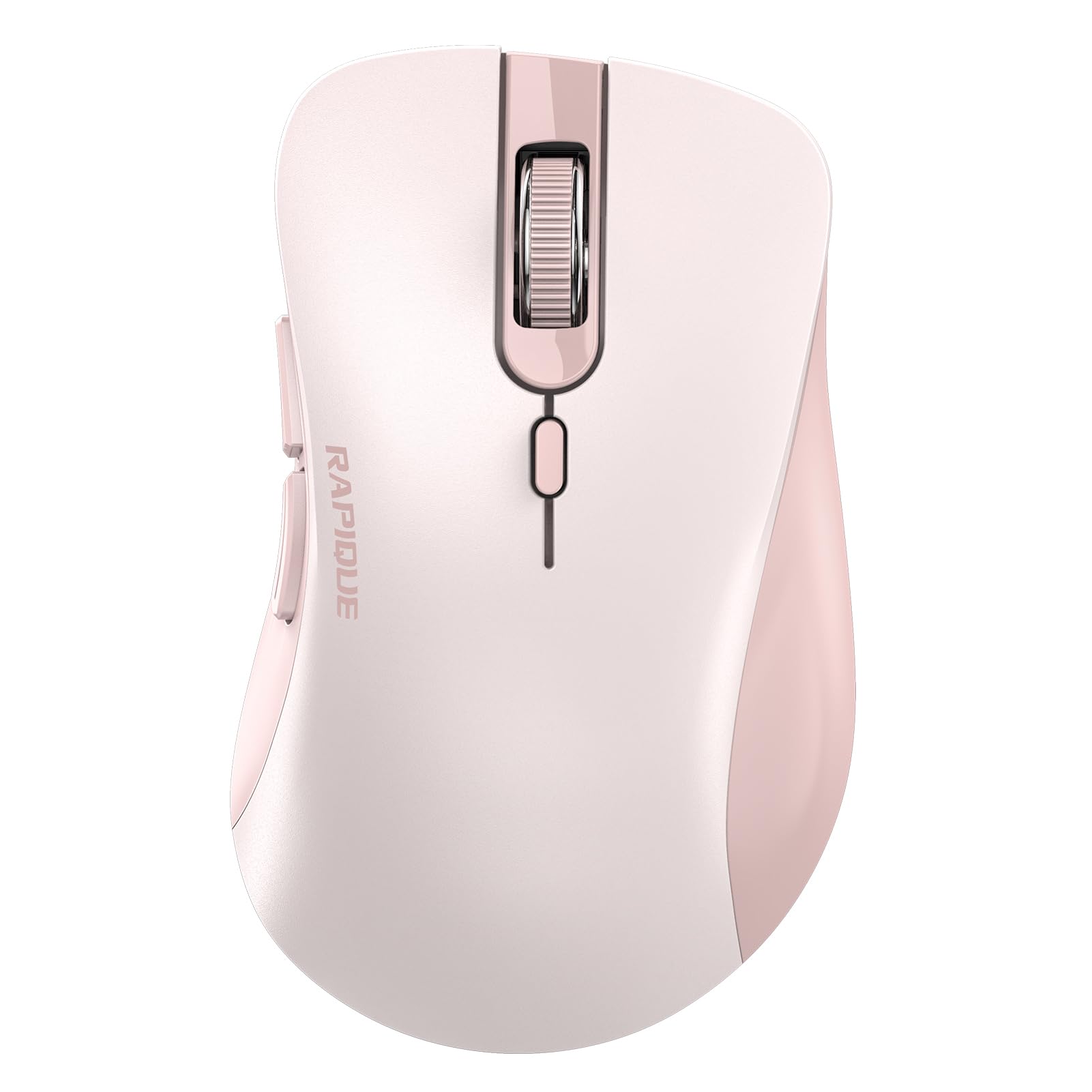
The one that hops between a Chromebook, a tablet, and a PC without re-pairing.
Chrome OS and a second device under one mouse — that is the RAPIQUE pitch. It runs dual Bluetooth plus a 2.4G USB mode, and long-pressing the mode button pairs Bluetooth. Reviewers lead with build quality and follow with the six-button layout, so it holds up over daily use. As for button count, this listing shows 6 versus 2 on the seenda — the difference you feel every time you need a back button.
Silent-clicking keeps it quiet in a library or open office, and the ergonomic shape is built for long sessions. It runs on a single AA battery, so there is no charging cable to pack. Right-hand orientation means lefties should check before buying. Scroll direction can reverse on Mac and iPad, though Chrome OS generally behaves.
Battery life is the honest soft spot — the reports split between decent runtime and draining faster than expected. Weight sits at 65 g, which is backpack-friendly. It beats the seenda on button count and multi-device design, but falls short on the rechargeable convenience the seenda offers.
What clicks: dual Bluetooth switching plus a 2.4G receiver makes it a genuine multi-device mouse for a student juggling a laptop and tablet.
The caveat: AA-powered with split battery reports, and right-hand only — lefties will want a symmetrical shape instead.
Made for device-hoppers: people who switch between a Chromebook and a tablet all day.
Weigh the trade: if you hate buying AA batteries, a rechargeable model fits you better.
4. hunart H6 49g Wireless Mouse
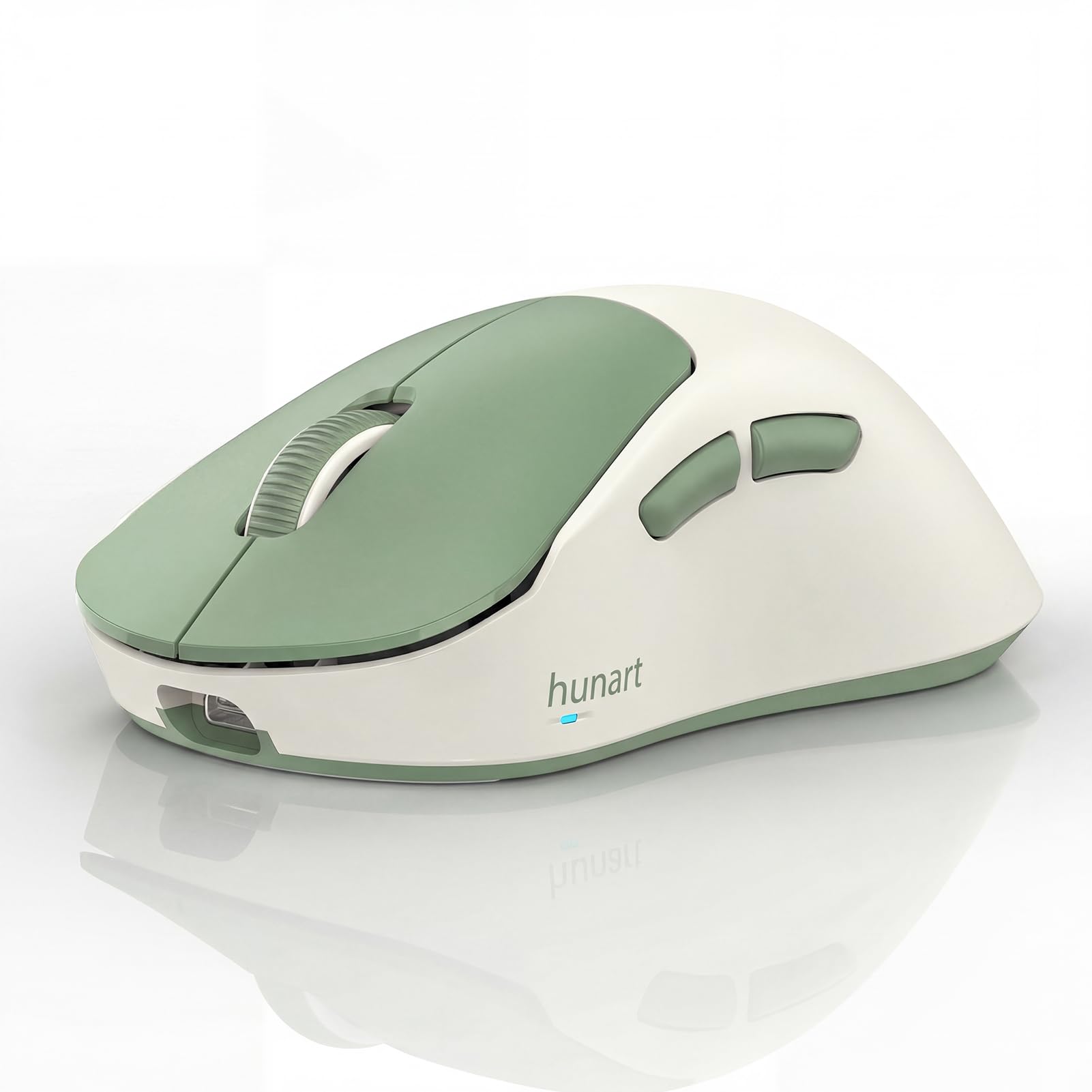
At 49 g it barely registers in your hand — or your backpack.
The defining number here is weight, and it is the lightest in the field. The hunart H6 comes in at 49 g, versus 75 g on the seenda — a real difference when you carry it all day. That lightness pairs with a compact 4.26-inch by 2.34-inch body built for small and medium hands. If your palms are large, the listing is upfront that it is not ideal.
It connects two ways: Bluetooth and 2.4GHz, with a USB receiver included. A 500mAh polymer lithium battery charges over USB-C, so one cable covers your Chromebook and your mouse. Three DPI steps (800/1200/1600) and silent click buttons round out the everyday kit. Reviewers praise the compact look and silent clicks, and the small body fits small and medium hands.
Functionality is where some units draw mixed words, with occasional reports of a mouse that stops responding. It is also right-hand oriented, so left-handed users are out. The top DPI of 1600 is lower than the 2400 offered by several picks here, which matters if you work on a big external monitor.
Reasons it travels well
- 49 g — the lightest pick on the list
- Bluetooth and 2.4GHz both included
- 500mAh battery with USB-C charging
- Silent clicks and 800/1200/1600 DPI
Before you commit
- Compact body not suited to large hands
- Right-hand shape only
- Top DPI of 1600 is modest for big screens
The carry-around choice: commuters and students who want a mouse they forget is in the bag.
Hesitate if: you have large hands or a very large monitor to cross.
5. MOFII RGB Eyes Lighting Wireless Mouse
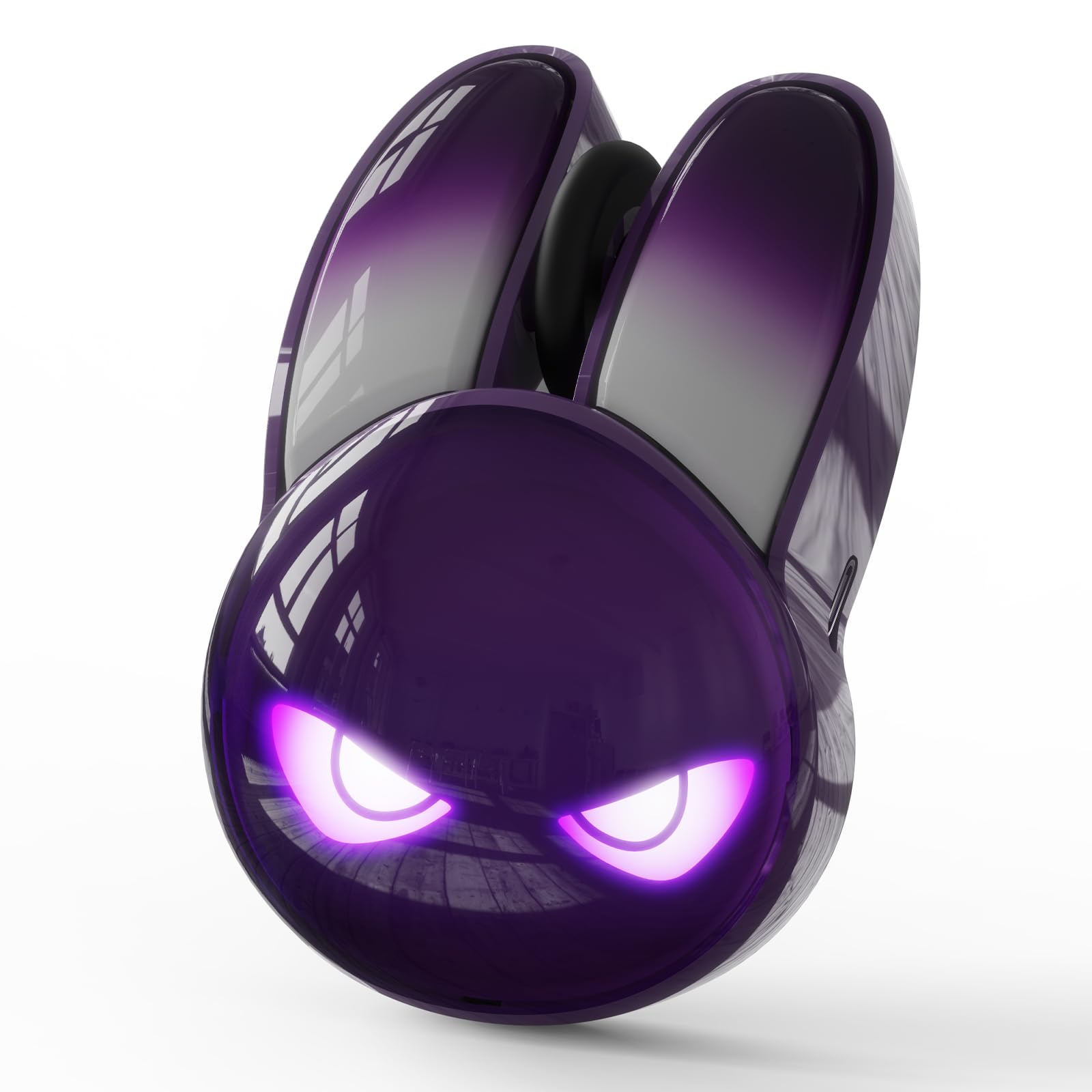
Gradient rabbit-ear glow that turns a plain Chromebook desk into something with character.
Appearance is the reason people stop scrolling on this one — the gradient rabbit ears and evil-eye light effect are genuinely different from a plain black mouse. Seven RGB modes cycle through ambient colors, and the look carries into Chrome OS, which the listing supports. It weighs 65 g and measures 94.1 by 61.9 by 36.6mm, so it fits a school bag without bulk.
A built-in rechargeable battery removes the AA-battery chore, and a smart energy-saving chip kicks in auto-sleep when you walk away. Quiet clicking keeps it polite on a shared desk. The ergonomic curve and comfy grip are what people notice second after the lights. It connects by Bluetooth and includes a USB nano receiver for backup.
Reliability and connectivity are the honest split here — some units connect easily and run fine, while a few report it stopping after a week or losing connection. Three buttons means no forward/back keys. And the RGB lighting is the draw, so if you want a stealth desk with no glow, this is not the one.
The fun factor: seven RGB modes and a rabbit-ear silhouette make it the most visually distinctive mouse here.
Straight talk: a three-button layout with mixed reports on long-term reliability — buy it for the look, not the button set.
Go for it if: you want a desk accessory that shows personality and charges by cable.
Pass if: you need extra navigation buttons or a plain, glow-free shell.
6. FYBC Bluetooth LED Wireless Mouse

A mouse that quietly nudges your Chromebook so it never locks you out mid-task.
This is the only pick with a built-in jiggler, and that is its whole reason to exist. Hold the DPI button for 3-5 seconds and the mouse moves the cursor just enough to keep your computer from locking while you step away. It is a work-from-home and remote-office trick in a single device. Bluetooth 5.2 plus a dual 2-in-1 receiver (USB-A and USB-C) means it pairs with MacBook, MacBook Air, Chromebook, iMac, and iPad Pro/Air.
Buyers praise the jiggler mode and Bluetooth 5.2 pairing most, with build quality and price close behind. Seven soft auto-cycling LED colors add a calm glow to a desk. Three DPI levels (800/1200/1600) are changed with a quick button press. Silent clicks cut noise so you can work or study without bothering anyone. It weighs just 65 g, about 2.3 oz, and fits small and medium palms.
The listed battery average life is 60 days, though customer feedback puts real-world use closer to a week per charge. Three buttons means no forward/back navigation. And the jiggler mode is a niche tool — if you never step away from the desk, it is extra you will not touch.
Why it earns a spot: a jiggler mode plus USB-A and USB-C receivers covers almost any Chromebook port situation.
The fine print: battery expectations vary between the spec sheet and owner reports, and the three-button layout skips side navigation.
Worth it for remote workers: anyone who leaves the desk and hates coming back to a locked screen.
Skip the jiggler if: you sit at the same desk all day and never fight a lockout.
7. Uineer Ergonomic Wireless Vertical Mouse
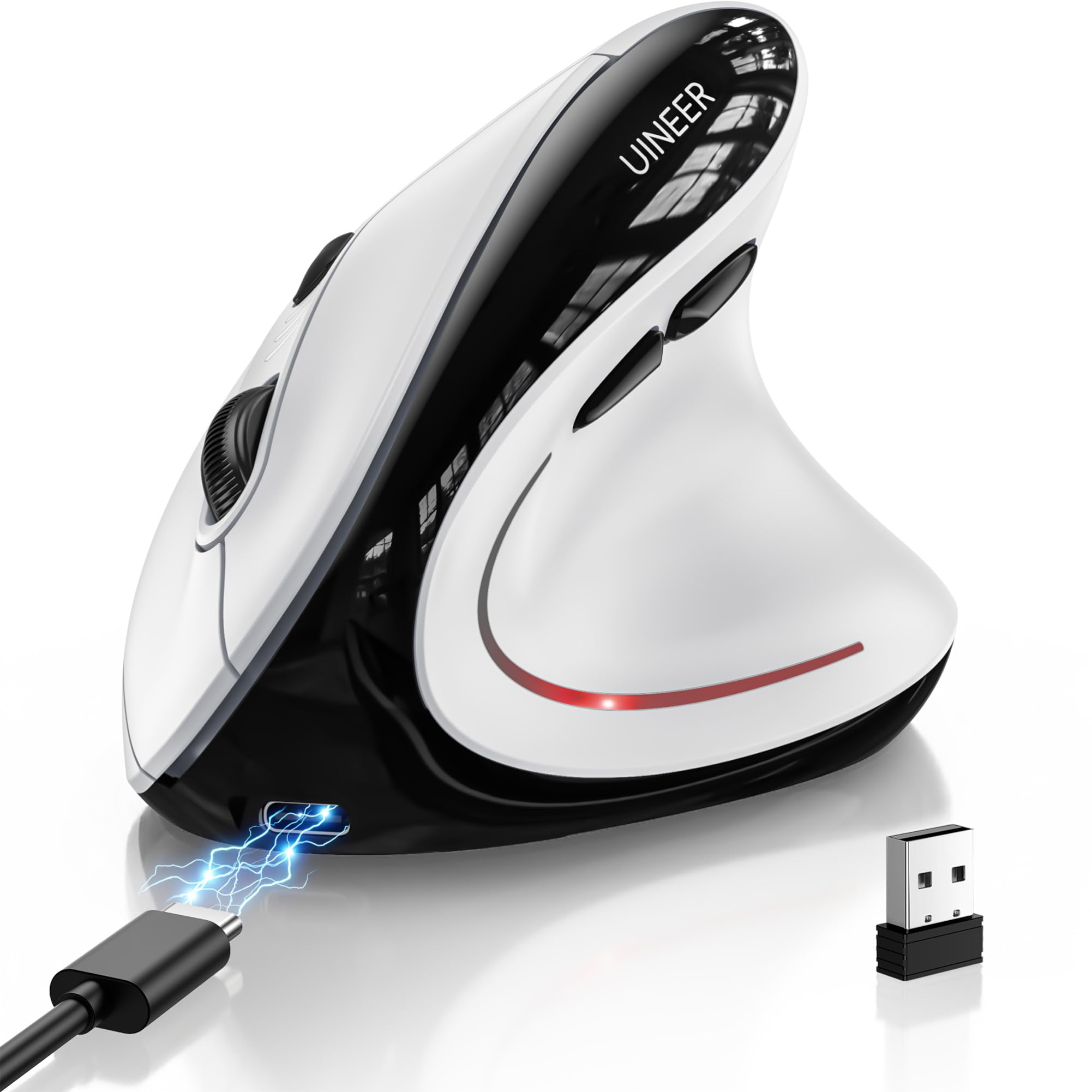
An upright handshake grip that keeps your wrist straight through long Chromebook sessions.
The vertical grip is the whole point: your wrist stays straight instead of rolling flat. The vertical shape keeps your wrist straight and your forearm relaxed, so an eight-hour day feels less punishing. Reviewers praise the wrist-friendly vertical grip most, with the four DPI steps close behind. It is the heaviest pick at 105 g — more a stay-at-home desk mouse than a travel companion. The three-mode wireless covers Bluetooth 5.0, Bluetooth 4.0, and 2.4G USB, so three devices switch at a press.
You also get four DPI steps — 800/1600/2400/3200 — the widest range on this list. A side scroll wheel moves horizontally through wide spreadsheets. Forward and back side buttons speed up page jumps, and the left and right clicks are silent. A 500mAh rechargeable battery runs for weeks with typical 8-hour daily use and fully recharges in about 2 hours over the included Type-C cable. A low-battery indicator warns you before it dies.
Two honest notes. First, a vertical mouse takes 1-2 weeks to feel natural if you have never used one. Second, responsiveness draws mixed feedback — the recurring gripe is that it sometimes does not wake up after short breaks, so a single click to wake it becomes a habit. At 105 g it also outweighs the 49 g hunart by a wide margin if you carry it daily.
The wrist-first argument
- Vertical grip keeps the wrist straight and forearm relaxed
- Widest DPI range at 800/1600/2400/3200
- Side scroll wheel plus forward/back buttons
- 500mAh battery with Type-C and low-battery warning
The adjustment period
- 1-2 weeks to adapt to the vertical shape
- 105 g is the heaviest mouse on the list
- Can need a click to wake after short breaks
Settle in with this: desk-bound office and study users who want a straighter wrist posture all day.
Not a travel mate: at 105 g and with a learning curve, it belongs on a fixed workstation rather than a backpack.
Know the Specs
Bluetooth versus 2.4GHz receiver
Bluetooth pairs the mouse straight to your Chromebook with no plug, freeing every port for charging or storage. A 2.4GHz receiver is a small USB plug that gives a steady link but occupies a port. On a Chromebook with limited ports, look for a mouse that offers both so you can pair by Bluetooth on the road and use the receiver at a desk.
DPI (cursor speed)
DPI measures how far the cursor moves per inch of your hand. A lower setting like 800 or 1000 feels slow and precise for document work. Higher settings like 2400 or 3200 suit big monitors and fast navigation. Adjustable DPI lets you cycle between speeds with a button instead of living with one fixed feel.
Battery and charging
Rechargeable mice save you from hunting AA batteries, and models with auto-sleep stretch each charge. Look at both the charge time and the sleep timer. If you prefer standard batteries, a single AA that the listing rates for months is the simplest choice.
Weight and hand fit
A mouse under 60 g travels unnoticed in a bag, while a heavier vertical design trades portability for a straighter wrist. Compact bodies suit small and medium hands; bigger palms need more support. Silent click buttons matter in shared rooms, classrooms, and libraries.
Common Questions
Will a Bluetooth mouse work on a Chromebook without a dongle?
Does my Chromebook have a USB-A port for a 2.4GHz receiver?
What DPI should I use on a small laptop screen?
How long does a rechargeable mouse last on a charge?
Is a silent mouse actually quiet enough for a library?
Can I switch one mouse between my Chromebook and my phone?
Why does my mouse scroll the wrong way on a Chromebook or Mac?
Is a vertical mouse better for long sessions?
Do I need extra software to use these mice on Chrome OS?
What is a mouse jiggler and do I need one?
The Bottom Line
For most people, the best wireless mouse for chromebook laptop is the seenda MOU001 — it pairs three devices over Bluetooth and a 2.4G receiver, recharges in about 1-2 hours, and clicks quietly. If extra navigation buttons matter, grab the RAPIQUE R-09 with its six buttons and dual Bluetooth. And for anyone who fights a locked screen all day, the FYBC LED Mouse hides a jiggler inside. Match the pick to your port situation and button needs, and the quiet clicks handle the rest.
How we choose
We do not accept paid placement. Every pick is matched to a real buyer and a real use-case; we do not hands-on test units.
Sources
Specifications: manufacturer listings and product documentation. Review insights: verified customer reviews, as of November 2026. Pricing: not shown on this page (it changes often); check the current price via the retailer link.
As an Amazon Associate, Tactical Gear Guy earns from qualifying purchases. This does not affect which products we feature.