Specs are compiled from manufacturer listings and verified buyer reviews and can change over time — please confirm the key details on the product page before buying.
A white mini keyboard for your PC should reclaim desk space without dropping the keys you actually use. The short answer: pick one that keeps arrow keys, uses a switch type that matches how you work, and connects the way your setup allows. Below, nine white compact boards are ranked by what each does best, from a serious gaming deck down to a bare-bones starter.
This guide is built by comparing the manufacturers’ published specifications and the patterns across verified customer reviews, so you get each pick’s real strengths and trade-offs instead of marketing spin.
A 60% board drops the number pad and function row to shrink your footprint, while a 75% keeps arrows and a knob in barely more space. The trade-offs that matter most for a white mini keyboard for pc are switch feel, layout, and how you connect it.
Top Picks

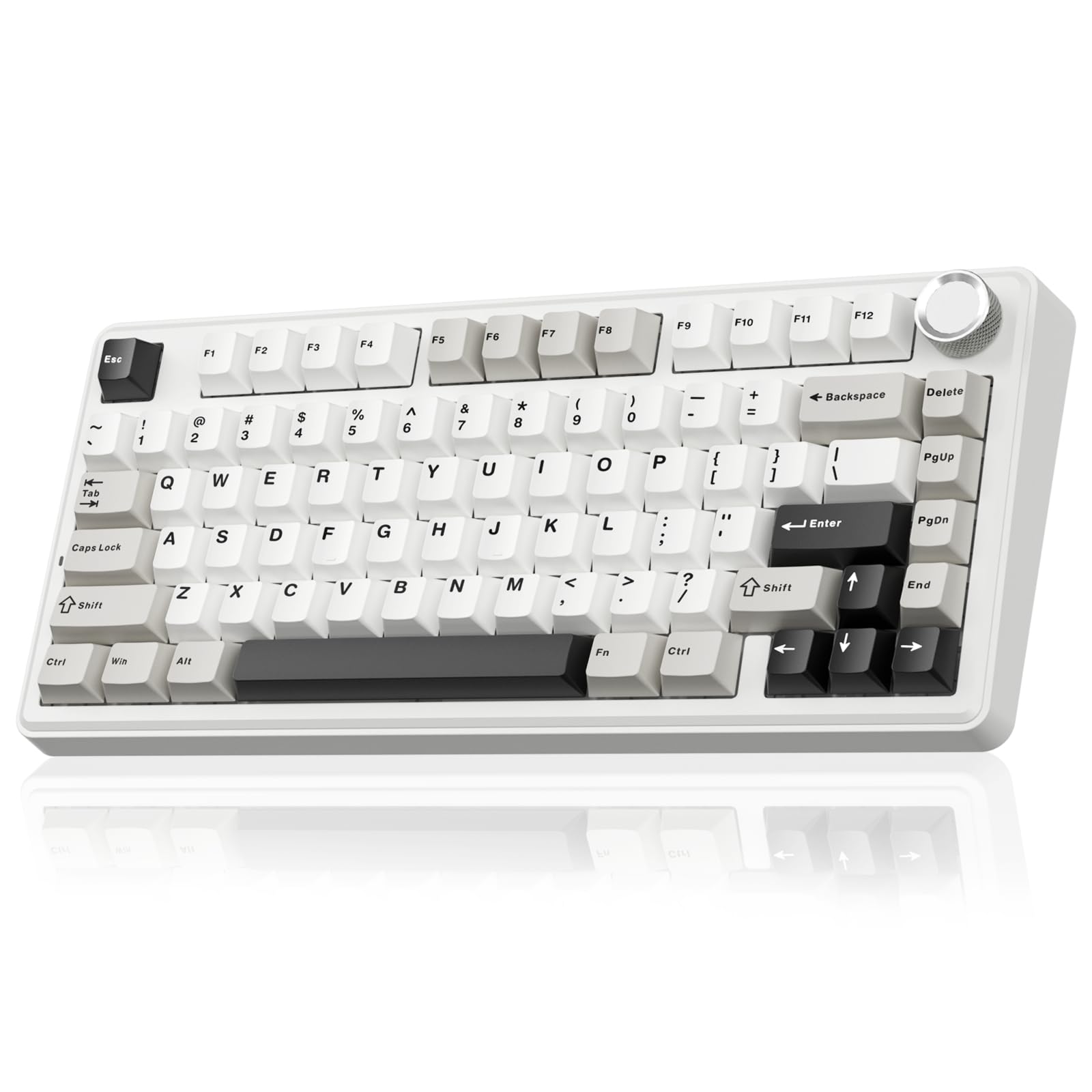

How To Choose The Best White Mini Keyboard for PC
Start with the layout, because that single choice decides how much desk you free up and how much you relearn. A 60% board usually runs 61 keys and folds the arrow cluster and function row into Fn shortcuts. A 68-key board adds those arrow keys and a Delete key back. A 75% board keeps arrows plus a knob and lands around 81 keys. If you type numbers all day, none of these replace a full number pad — that is the honest cost of going mini.
Match the switch to how you actually type
Linear red switches travel straight down with no bump, and the lighter press suits fast repeated taps. That is why budget gaming boards lean on reds. Magnetic Hall Effect switches are different again: they use a magnet and sensor instead of metal contact, so you can set how far a key must travel before it registers. On the Apex Pro that range is 40 levels between 0.1mm and 4.0mm. For plain typing and office work, a red switch is plenty.
Wired or wireless — pick by desk, not by hype
A wired USB-C board is one cable and zero charging, which suits a fixed desk. Tri-mode boards add 2.4GHz wireless (a low-latency dongle link) and Bluetooth so you can hop between a PC, laptop, and tablet. The catch with wireless is the battery: the SOLAKAKA A75 and AULA F75 Pro both carry a 4000mAh cell, so check that figure before you cut the cord.
Side-by-Side Comparison
| Model | Best For | Key Count | Switch Type | Connection | Amazon |
|---|---|---|---|---|---|
| SteelSeries Apex Pro TKL Gen 3★ Best Overall | Competitive gaming first | TKL | OmniPoint 3 analog magnetic | USB-C | Amazon |
| SOLAKAKA A75Most Versatile | Wireless desk with a knob | 81 | LEOBOG reaper, hot-swap | 2.4GHz / BT5.0 / USB-C | Amazon |
| Razer Huntsman MiniTop Performer | Fast optical switches, small | 60% | Linear optical | USB-A | Amazon |
| AULA F75 Pro | Wireless creamy sound | 81 | LEOBOG star vector, hot-swap | 2.4GHz / BT5.0 / USB-C | Amazon |
| EPOMAKER HE68 Lite | High polling on a budget | 68 | Magnetic linear, hot-swap | USB-C | Amazon |
| TMKB T68SE | Compromise layout, light price | 68 | Linear red | USB-C | Amazon |
| TMKB 60% | Quiet office use | 61 | Linear red, 45g | USB-C | Amazon |
| DIERYA DK61SE | Cheapest first mechanical | 61 | Linear red | USB-C | Amazon |
| DIERYA 68-key | Starter with arrow keys | 68 | Linear red | USB-C | Amazon |
Detailed Reviews
1. SteelSeries Apex Pro TKL Gen 3 Gaming Keyboard – White
Our pick — 4.5+★ from 550+ verified ratings; the strongest balance of quality and price.
The board that lets you set exactly how far a key must travel before it fires.
This is the pick if you care about winning fights more than saving space. Its OmniPoint 3 switches are magnetic, using a Hall Effect sensor instead of metal contact, so the press point is adjustable across 40 levels between 0.1mm and 4.0mm. In plain terms, you can set the lightest touch to fire or a deep press to register — your call, per key. The bottom-out force is 45g, so it stays light under the finger.
SteelSeries builds the tuning into the hardware, not just software. Rapid Trigger resets a key the instant you let go so your next move starts sooner. Rapid Tap snaps to your latest press so strafing and dodging feel immediate. Protection Mode cuts accidental presses on neighbouring keys, which matters when the wrong ultimate costs the round. QuickSet auto-presets can launch your pro-style config when a game loads, and the OLED display lets you change settings without alt-tabbing out.
Buyers praise the sound and feel: the keys are smooth and carry a satisfying tone. The recurring caution is value — some buyers think the premium is steep for what a casual typist gets. If you mostly write documents, the tuning tricks go unused.
TKL esports speed
- Adjustable actuation from 0.1mm to 4.0mm lets you dial the press to your own style
- Rapid Trigger and Rapid Tap cut the delay between releasing one key and pressing the next
- Onboard OLED display and saved configs keep you in-game while you change settings
- PBT keycaps and USB-C connectivity round out a solidly built deck
premium price tag
- At 3.5 pounds it stays on the desk rather than travelling
- TKL layout still takes real desk width compared with a 60% board
- The tuning features are overkill for plain typing and office work
competitive players: you want the most adjustable white board on the list and play shooters seriously.
budget shoppers: you only type documents and would rather put budget into a smaller, cheaper board.
2. SOLAKAKA A75 75% Wireless Mechanical Keyboard
One board that hops between your desktop, laptop, tablet, and phone without a re-pair dance.
The headline here is freedom of placement. This board connects three ways — 2.4GHz wireless over a dongle, Bluetooth 5.0, and a USB-C cable — and it can hold up to five devices at once. Switching systems is a shortcut away: Fn + W for Windows, Fn + E for Mac, Fn + Q for Android. A 4000mAh battery backs that wireless use, so it keeps going between charges.
The 81-key layout keeps the arrow keys you lose on a 60% board, and adds a metal rotary knob that does double duty. In gaming mode it cycles lighting patterns on a short press and changes brightness as you turn it. In office mode the same knob mutes and adjusts volume. The gasket-mount structure uses layers of foam and padding to absorb hollow noise, which is why the keystroke sound comes across creamy rather than clacky.
Hot-swap sockets take 3-pin or 5-pin switches, so you can pull the LEOBOG reaper switches and drop in something else without soldering. PBT keycaps resist sweat and fading over long use. Buyers praise the build: it feels solid, and the smooth clicking sound pairs with keycaps that read buttery under the fingers. The honest catch: its software driver is Windows-only and runs in wired mode, so Mac owners who want deep remapping are limited.
tri-mode wireless freedom: full N-key rollover registers every key you press at once, and you can lock the Windows key so a stray tap does not drop you out of a match.
cable-free desks: the best all-round white mini board if you want Bluetooth, a knob, and hot-swap in one.
metal-frame fans: custom software work stays on Windows, so plan around that if you dual-boot.
3. Razer Huntsman Mini 60% Gaming Keyboard
Optical actuation that fires at 1.0mm — noticeably less travel than a standard linear switch.
Razer’s optical switches use a beam of light instead of metal contact to register a press. The firm claims that cuts actuation distance 15-30% shorter than other linear switches, landing at 1.0mm. The practical result is a board that responds the moment your finger starts to move. For a player who wants the fastest key registration here, this board delivers it.
It is also the most pocketable of the serious boards: a 60% footprint at 11.55 inches long by 4.07 inches wide, with a detachable Type-C to Type-A cable. The aluminum top frame gives it a rigid feel, and the doubleshot PBT keycaps are textured and oil-resistant, so they stay clean-looking over months of use.
Chroma RGB syncs with games, Razer gear, Philips Hue, and more, and Hypershift lets you remap every key and combination for macros. Buyers praise the quality: it feels well made and smooth, and the compact size suits a cramped desk. One caveat worth flagging: Razer’s own materials say this board favors smaller-handed players, and a few buyers found reliability uneven over time. Treat the care of the cable and dongle connection as part of ownership.
compact optical switches
- 1.0mm optical actuation responds with less finger travel than a mechanical switch
- Aluminum top frame and oil-resistant PBT keycaps hold up to daily use
- Chroma RGB syncs across games and smart lighting
- Detachable cable makes packing and travel simple
no arrow keys
- 60% layout drops the arrow cluster and function row to Fn shortcuts
- USB-A connection only — no Bluetooth or 2.4GHz wireless option
- Razer positions the size as a fit for smaller hands, so try it if you have larger ones
tiny desk setups: small-desk gamers who want the shortest actuation distance and don’t mind learning Fn layers.
numpad users: you need wireless or rely on a dedicated arrow cluster.
4. AULA F75 Pro Wireless Mechanical Keyboard with Knob
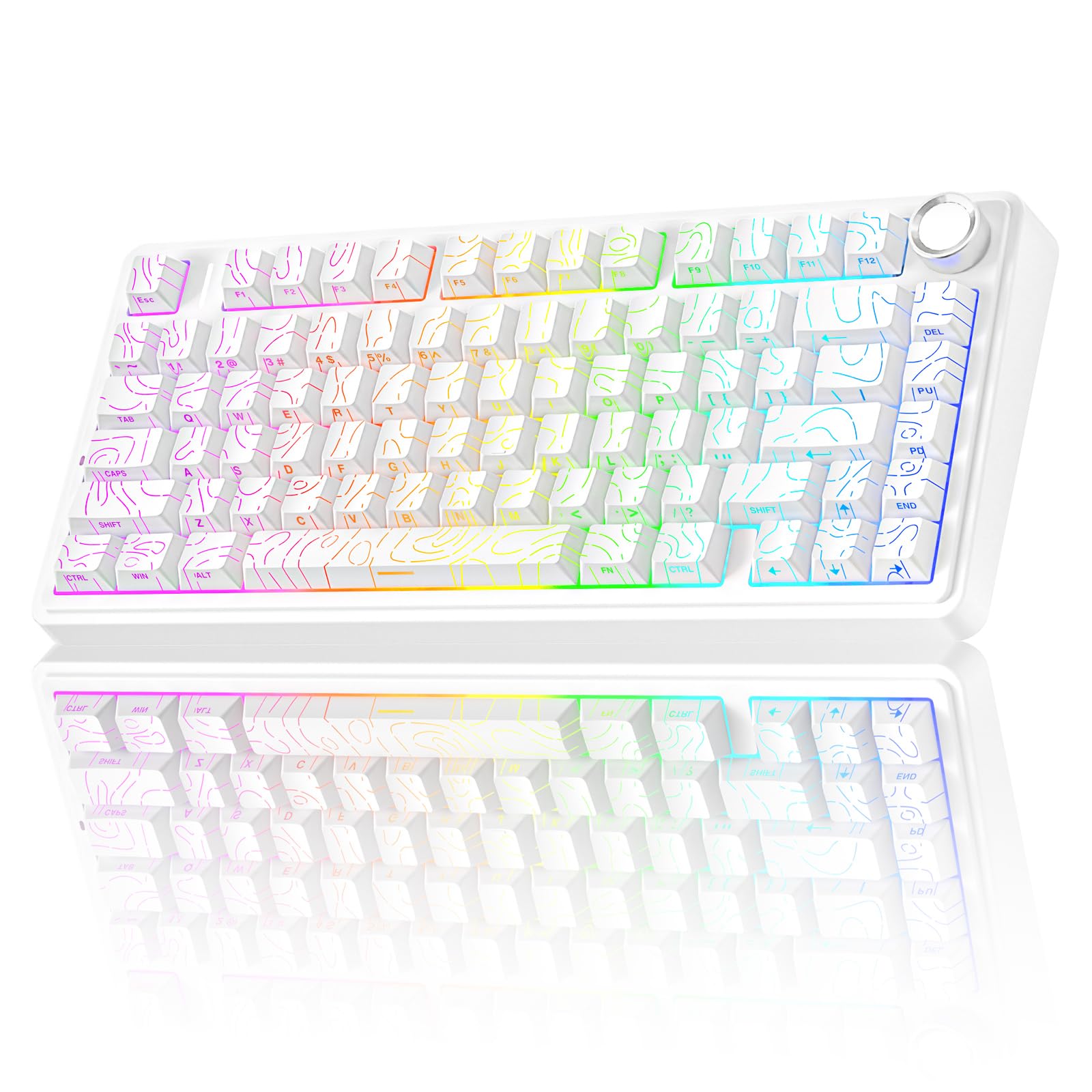
Five layers of internal damping turn every keystroke into a deep, creamy clack.
AULA builds this one around sound. The gasket structure floats the plate on padding, and five layers of filling sit between the PCB, the plate, and the switches to soak up the hollow echo. The result is that lower-pitched, thockier tone people describe as creamy. If a quiet, satisfying typing sound is what you want from a white board, this is the strongest choice on the list for it.
You can connect it three ways — Bluetooth 5.0 (the short-range wireless standard), 2.4GHz wireless (a dedicated dongle link), and USB wired — and pair it with up to five devices at once. A 4000mAh battery (milliamp-hours, a measure of charge capacity) powers the wireless modes, so you can go days between charges. The 75% layout (a compact size that drops the number pad) fits 81 keys and keeps the arrow keys gamers need. A multi-function knob handles two jobs: turn it for brightness in gaming mode or volume in office mode, click it to switch lighting effects or play/pause, and long-press about 5 seconds to swap modes.
The side-printed PBT keycaps are the other detail worth knowing. The legends sit on the side rather than the top, so the backlight shines through differently and the keys stay readable past years of use. Hot-swap sockets take 3-pin or 5-pin switches, so you can swap out the pre-lubed LEOBOG star vector switches later. Buyers praise the quality and the chonky sound, describing it as some of the best they’ve used. A few flag reliability over time, so buying from a seller with easy returns is sensible.
thocky typing fans: this board is built for creamy, dampened keystrokes, and it adds a knob for quick volume and lighting control. If you care more about how a keyboard sounds than about wireless range, this is the one to shortlist.
stiff-deck lovers: the custom driver work leans Windows-friendly, and hot-swap gives you an upgrade path — but only if you’re willing to pull keys.
5. EPOMAKER HE68 Lite Hall Effect Gaming Keyboard
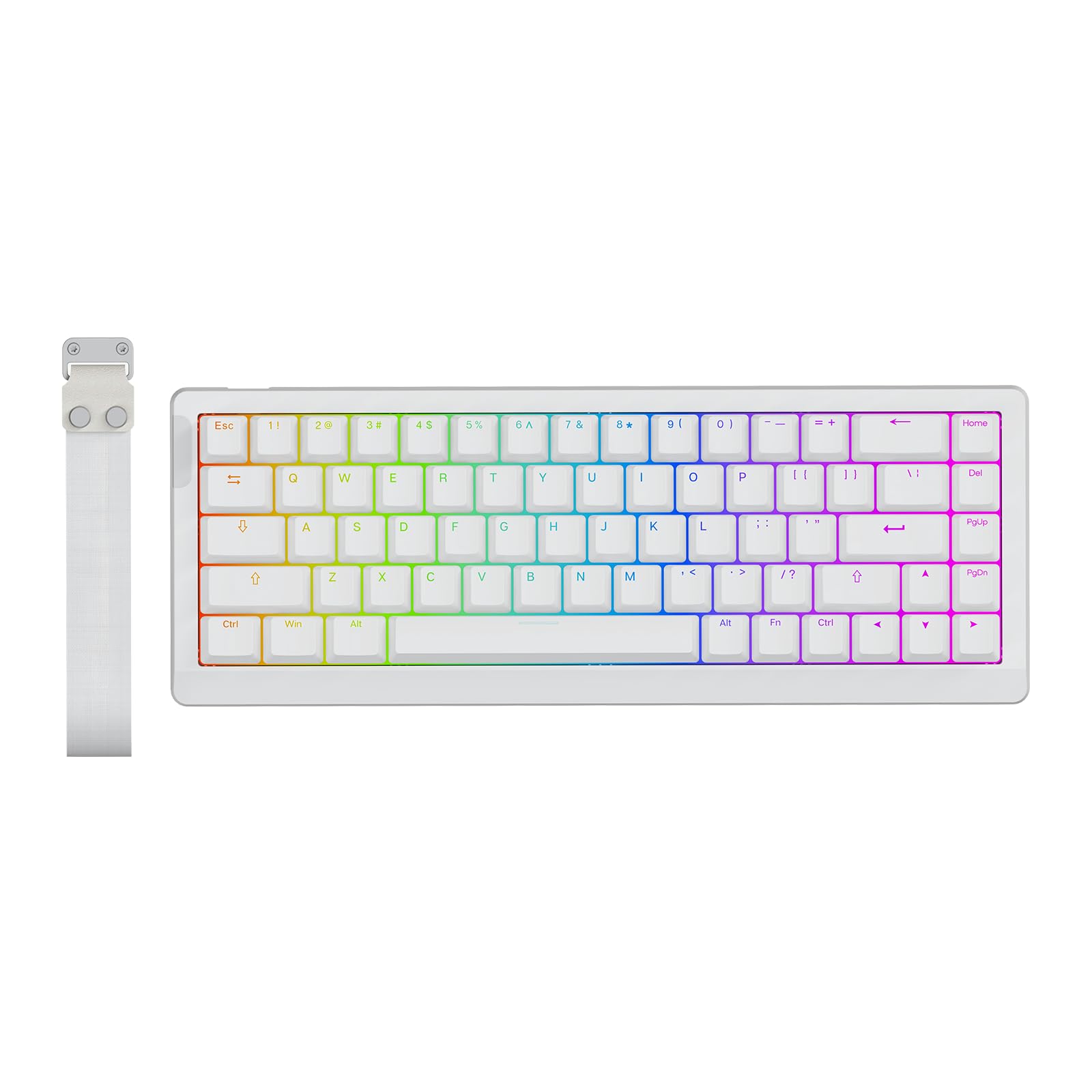
An 8,000 Hz polling rate and 0.125ms latency crammed into a budget-friendly white deck.
This board trades on speed specs. An 8,000 Hz polling rate means it reports key positions to your PC eight thousand times a second, so there is less lag between your press and what happens on screen. The per-key scan rate sits at 128,000 Hz, which catches even rapid-fire sequences accurately. It does that with magnetic Hall Effect switches, the same family the Apex Pro uses, but at a much lower tier.
You can tune the trigger down to 0.005mm steps with zero dead zone through EPOMAKER’s software, which works on Mac and Windows. Snap Key (SOCD) prioritises your latest opposing press so your character keeps moving instead of freezing. Macros can be recorded and bound, and the 5-layer acoustic design uses foam and padding layers to keep the sound creamy rather than clattery. Factory-lubed magnetic switches keep the stroke smooth.
The stock keycaps are shine-through PBT, sweat-resistant and bright enough to read in a dark room, and the 68-key layout keeps arrow keys. What wins people over is the build — the plastic casing does not feel cheap, and the typing sound stays medium-quiet. It is wired only, so there is no Bluetooth or 2.4GHz mode here; if you want a cable-free desk, the SOLAKAKA A75 is the better fit.
fps snap-tap: you want Hall Effect speed and deep software tuning without spending premium money.
wireless seekers: there’s no wireless here, so it’s tied to your desk.
6. TMKB T68SE Gaming Keyboard

Sixty-eight keys and separate arrow keys, so you don’t have to relearn navigation.
This board solves the annoyance a lot of 60% owners hit: no dedicated arrows. The T68SE fits 68 keys into a compact frame with separate arrow and control keys on board. That is 68 versus 61 on a bare 60% board, and that small difference means you stop hunting for an Fn shortcut every time you want to scroll a document or nudge a spreadsheet cell.
The switches are linear reds — no tactile bump, just a smooth straight press with light force. For gaming that means quick repeated taps; for typing it means a quiet, fatigue-free feel over long sessions. Full key anti-ghosting lets every key fire at once, so no dropped inputs mid-match. Build quality holds up too: the enclosure does not feel cheap in the hand, and the white-and-blue lighting is a clean look on a white desk. The 19 lighting modes cover static and dynamic effects, with shortcut keys to change brightness and speed.
The one thing to plan for is the lighting itself. TMKB notes the keycap legends may arrive as mixed light or single light depending on the batch, so if a uniform glow matters to you, order with that in mind. A one-year warranty backs the board. It works across Windows, Mac, and Linux, though Mac and Linux get typing and office use rather than the full feature set.
first mech buyers: you want the arrow keys a pure 60% board takes away, in a body that stays compact.
premium finish fans: lighting batch varies, so uniform backlighting isn’t guaranteed.
7. TMKB 60% Mechanical Gaming Keyboard
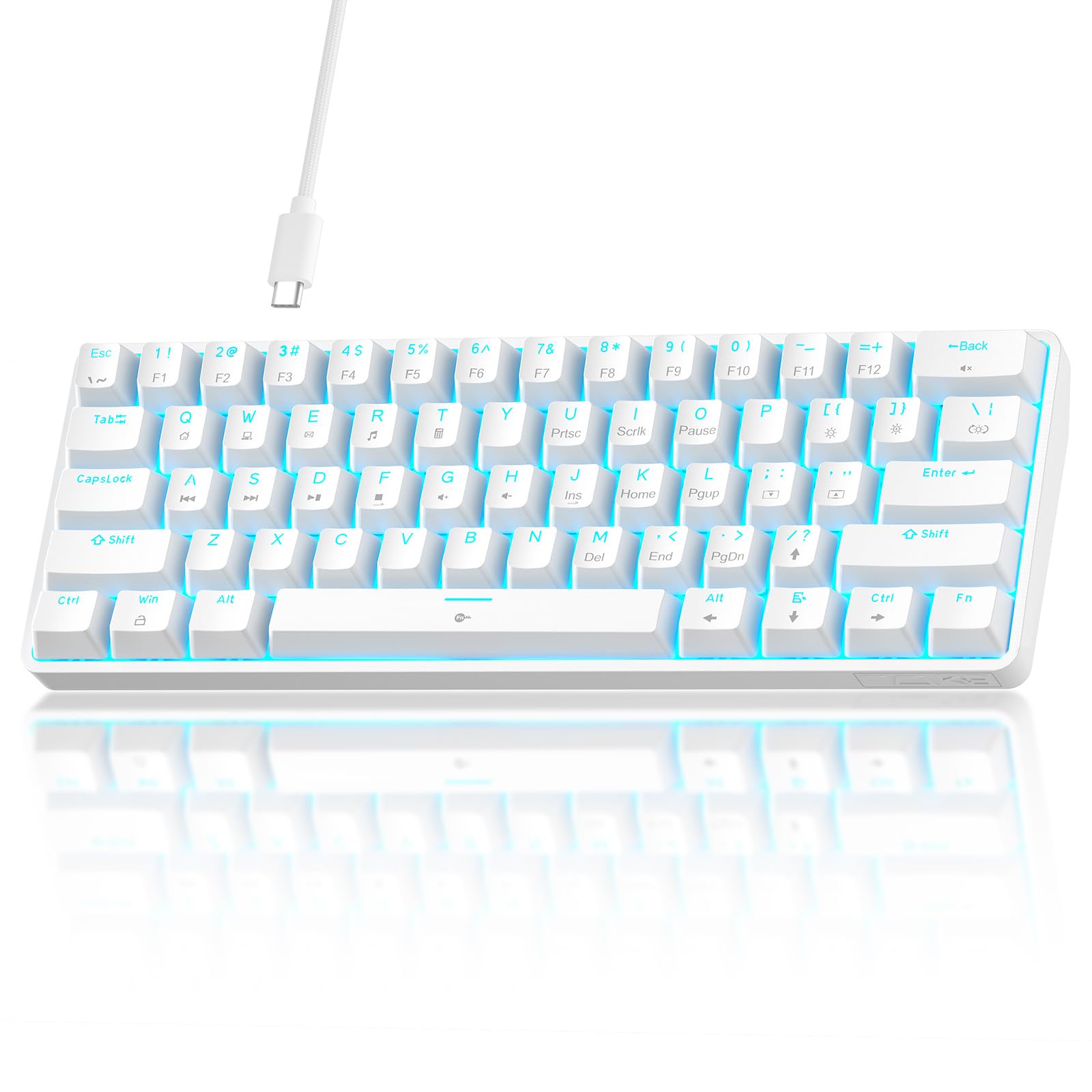
A 61-key board built to disappear into a shared office without clattering.
If you share space with other people, this is the pick worth a look. The linear red switches take 45g of force and travel straight down with no click, so the sound stays muted — buyers describe it as quiet enough to sit in an office. The compact 60% ANSI layout frees up desk and mouse space, and foldable feet angle it up for longer sessions.
The switches are rated for 50 million keystrokes, which covers years of daily typing before wear shows. Double-shot keycaps resist fading and keep the backlight readable, and there are 15 dynamic lighting modes with adjustable brightness and speed. Anti-ghosting supports 61-key rollover, so every key registers in burst gaming.
The detachable USB-C cable is reversible and easy to store or replace, and the setup is plug-and-play across Windows, Linux, and macOS. The honest catch: a 61-key layout folds the arrows and function row into Fn layers, so heavy spreadsheet or arrow-key work takes relearning. Reliability has been mixed for a small number of owners, mostly early failures, so take advantage of returns if a unit arrives faulty.
quiet linear switches: a shared desk or open office where a clicky board would earn you dirty looks.
late-night typists: a good match for office work and long typing sessions on a small footprint.
loud clack lovers: you rely on a dedicated arrow cluster or numeric entry every day.
8. DIERYA DK61SE 60% Mechanical Keyboard

The lowest-priced way to find out whether a 60% mechanical board suits you.
At 61 keys and 1.6 pounds, this board is the smallest and lightest serious option here. It folds every function into the Fn key combination, so the whole desk in front of you opens up for a mouse. The red switches have a light, straight press with no bump, which is why gamers favor them for quick repeated taps.
It ships with everything you need to start: a cap puller, a 1.5m Type-C cable, and a manual. The stair-stepped keycaps follow an ergonomic slope that keeps your hands in a natural position, taking fatigue out of long shifts. Full anti-ghosting lets all keys fire at once, and the 19 built-in lighting modes can be adjusted for brightness and speed via shortcuts.
What wins people over is the sound — the red switches produce a pleasing mechanical clack — and the value. It makes a clean, low-priced entry point. A few owners have had keys stop working over months of use, so treat the low cost as a starter board rather than a decade-long workhorse. DIERYA notes partial Mac support and full Windows compatibility.
One number worth remembering: 1.6 pounds versus the 3.5-pound Apex Pro, so this one travels easily in a backpack.
tight budgets: you want to test a 60% mechanical board without committing serious budget.
heavy daily use: long-term durability stays the unknown, so it’s best as a first cheap board.
9. DIERYA 60% Mechanical Keyboard, 68-Key, Red Linear
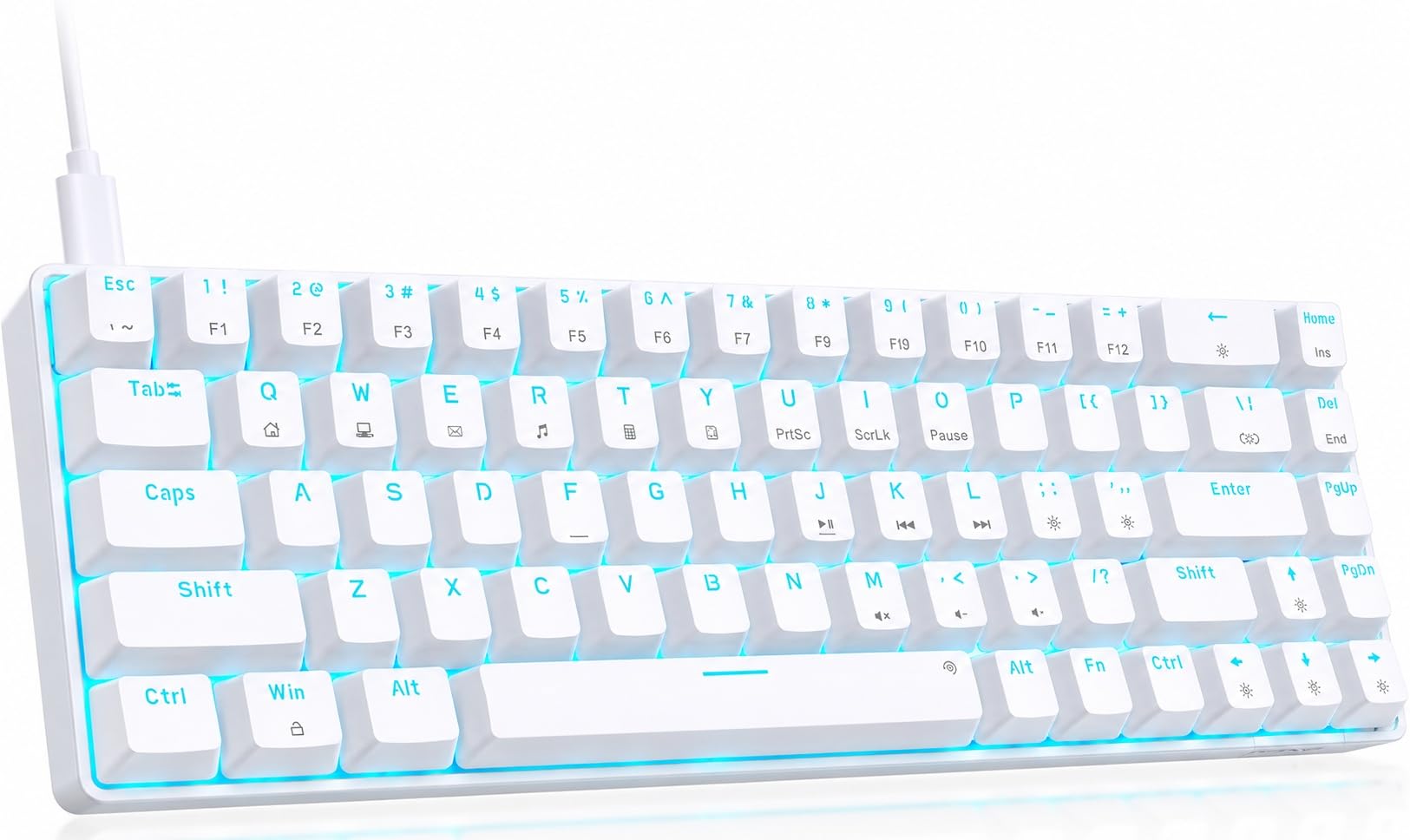
Keeps the arrows on a 60% body, keeping the layout friendly for beginners.
This one lands between the strict 61-key boards and the 75% crowd. It fits 68 keys — the 61-key base plus separate arrow keys and a Delete key — so a first-time mini buyer keeps familiar navigation. The body stays compact enough to clear desk and mouse room, and the Type-C connection keeps the link to your PC stable.
The linear red switches are smooth with no bump, so the feel is light and the sound is a soft clack. Full anti-ghosting means all 68 keys register together, and every function of a normal keyboard is reachable through the Fn key. The blue LED backlight offers 19 modes with adjustable brightness and speed through dedicated keys.
What wins people over is quality for the tier — it reads as a stronger build than its price suggests, and the typing feel and value come up again and again. Double-shot keycaps and a detachable USB-C cable complete the package. The honest catch is long-term reliability for a small minority; most units run strong, but a few report keys failing after a couple of months. Compatibility spans Windows, Mac, and Linux, with Mac partial.
linear switch fans: the friendliest first mini board — arrows intact, layout familiar, feel solid for what it is.
tactile seekers: it’s a starter deck, so buy with a return window as backup.
Know the Specs
Layout size and key count
A 60% board generally lands at 61 keys and pushes the arrows and function row onto Fn shortcuts. A 68-key board adds them back. A 75% board keeps arrows plus a knob and lands around 81 keys. Lower key counts free up desk and mouse space; higher ones cut the relearning. Pick the count by what you type, not by what sounds most minimal.
Switch type and actuation
Linear red switches travel straight down with no bump, which suits quick taps and quiet typing. Magnetic Hall Effect switches use a magnet and sensor so the press point can be adjusted — the Apex Pro lets you set 0.1mm to 4.0mm across 40 levels. Optical switches register off a light beam and, per Razer, reach 1.0mm. Fixed reds are simpler and cheaper; magnetic and optical cost more for tuning and speed.
Hot-swap sockets
A hot-swap board lets you pull switches out and press new ones in without soldering. Most here accept 3-pin or 5-pin switches, which is the difference between a board you can upgrade for years and one you replace when a switch wears out. For beginners, this is the most future-proof single feature to check.
Connection and battery
Wired USB-C boards need no charging and suit a fixed desk. Tri-mode boards add 2.4GHz wireless (a low-latency dongle link) and Bluetooth, often connecting up to five devices. The wireless SOLAKAKA A75 and AULA F75 Pro both carry a 4000mAh battery, so check that figure before you go cable-free.
Common Questions
Is a 60% keyboard good for everyday PC typing?
What’s the difference between a 60% and a 75% keyboard?
Will a mini keyboard work with my Windows PC and laptop?
Do I need hot-swappable switches?
Are Hall Effect switches better than mechanical ones?
How long does a 4000mAh keyboard battery last?
Can I use a white mechanical keyboard for office work?
Do these keyboards include the number pad?
What does polling rate mean for a gaming keyboard?
The Bottom Line
For most people who want a serious white mini board for their PC, the white mini keyboard for pc pick is the SteelSeries Apex Pro TKL Gen 3. Its adjustable 0.1mm to 4.0mm actuation (how far you press before a key registers) and Rapid Trigger tuning (keys reset the instant you lift) give you the most control of any board here — handy when a split-second press decides a round. If you want wireless plus a knob, grab the SOLAKAKA A75. And if sound is what you chase, the AULA F75 Pro delivers the creamiest keystroke here. One honest nudge: the Apex Pro leads the pack on tuning, but if you’re new to mini boards, start with a 68-key model that keeps your arrow keys — you can always size down once Fn shortcuts feel natural.
How we choose
We do not accept paid placement. Every pick is matched to a real buyer and a real use-case; we do not hands-on test units.
Sources
Specifications: manufacturer listings and product documentation. Review insights: verified customer reviews, as of November 2026. Pricing: not shown on this page (it changes often); check the current price via the retailer link.
As an Amazon Associate, Tactical Gear Guy earns from qualifying purchases. This does not affect which products we feature.