Specs are compiled from manufacturer listings and verified buyer reviews and can change over time — please confirm the key details on the product page before buying.
Your phone should not drop the call when you walk from the kitchen to the back bedroom. A mesh system beats a single router with an extender almost every time, because the nodes share a dedicated backhaul link and hand your phone off cleanly as you move. Buy the eero 6+ 3-pack if you want the easiest, most forgiving whole-home setup. Step up to TP-Link’s Deco 7 BE23 if you have a huge house or a fast fiber line that needs room to breathe. Everything below explains the differences in ordinary language — what a band is, why sq. ft. numbers mislead, and how to avoid paying for speed your internet plan cannot deliver.
This guide is built by comparing the manufacturers’ published specifications and the patterns across verified customer reviews, so you get each pick’s real strengths and trade-offs instead of marketing spin.
You will learn how many nodes a normal house really needs, which band matters for which job, and where a cheaper kit quietly matches an expensive one. A sensible home mesh starts with matching node count and band to your floor plan, not chasing the biggest headline speed on the box.
Top Picks


How To Choose The Best Wireless Mesh Network for Home
A mesh kit is a set of two or three identical units — call them nodes — that share one network name. Your phone latches onto the closest node and gets passed along as you move, so a video call does not freeze when you walk upstairs. The trick is matching the kit to your walls, your internet plan, and your device count.
Start with node count, not headline speed
One node in a hall cupboard will not fix a dead bedroom, no matter what speed it claims. Two or three nodes placed apart is what actually closes gaps. Look at the coverage figure as the total spread across all the boxes in the kit, not one box. A three-pack that covers 6,500 sq. ft. spreads that number across three rooms, which is why placement matters more than the label.
Match the kit to the internet speed you actually pay for
A gigabit mesh system and a 2.5 Gbps mesh system only feel different if your broadband plan goes that high. If your plan tops out well below the router’s ceiling, the extra speed on the box sits idle. The specs list each node’s ethernet port speed — a 2.5 Gbps port (2,500 Mbps) is the useful one if you stream or game over a cable.
Understand the bands before you pay for them
Wi-Fi travels on bands, which are simply lanes of radio spectrum. The 2.4 GHz band is slow but pushes through walls; 5 GHz is faster over shorter distances; 6 GHz is a newer lane with plenty of room and less crowding, but it fades sooner through solid walls. A tri-band kit has an extra lane and can devote one to the link between nodes, called backhaul, so your devices keep the full lane to themselves.
Wi-Fi 6, 6E, and 7 in plain terms
Wi-Fi 6 is the current everyday standard. Wi-Fi 6E adds the 6 GHz lane. Wi-Fi 7 adds features like multi-link operation (MLO), which lets a device use more than one band at once for a steadier link. None of these make your internet faster than your provider delivers — they make the device-to-node link more efficient under load.
Side-by-Side Comparison
Every row lists the same three things so you can scan trade-offs side by side: total coverage across the kit in square feet, the top advertised speed, and how many devices each kit is rated to handle.
| Model | Best For | Coverage | Top Speed | Devices | Amazon |
|---|---|---|---|---|---|
| Amazon eero 6+ (3-pack)★ Best Overall | Easiest whole-home setup | Up to 4,500 sq. ft. | Up to 1 Gbps | 75+ | Amazon |
| NETGEAR Orbi RBK752PWired-Room Pick | Gaming and wired consoles | Up to 5,000 sq. ft. | Up to 5.2 Gbps | 75 | Amazon |
| Google WiFi AC1200 (3-pack)Simple & Cheap | Simple, low-drama coverage | Up to 4,500 sq. ft. | Up to 1 Gbps | — | Amazon |
| Google Nest WiFi AC2200 (3-pack) | Parental controls and voice | Up to 3,800 sq. ft. | AC2200 | — | Amazon |
| TP-Link Deco 7 BE25 | Fast fiber on a modest budget | Up to 4,600 sq. ft. | 5,000 Mbps | 150+ | Amazon |
| TP-Link Deco 7 BE23 (3-pack) | Large houses, many devices | Up to 6,500 sq. ft. | 3,600 Mbps | 150 | Amazon |
| TP-Link Deco XE70 Pro | Tri-band 6E at mid-tier | Up to 7,200 sq. ft. | 4.9 Gbps | — | Amazon |
| Amazon eero 7 (3-pack) | Wi-Fi 7 with gentle setup | Up to 6,000 sq. ft. | Up to 1.8 Gbps | 120+ | Amazon |
| Linksys Velop Pro 6E (3-pack) | Big square footage, quiet look | Up to 9,000 sq. ft. | 5.4 Gbps | 200+ | Amazon |
| NETGEAR Orbi RBE773 | Maximum spread with 2.5G internet | Up to 8,000 sq. ft. | Up to 11 Gbps | 100 | Amazon |
| ASUS ZenWiFi BT6 (3-pack) | Security and VPN heavy homes | Up to 7,600 sq. ft. | Up to 9.4 Gbps | — | Amazon |
Detailed Reviews
1. Amazon eero 6+ mesh wifi system (3-pack)
Our pick — 4.0+★ from 10,500+ verified ratings; the strongest balance of quality and price.
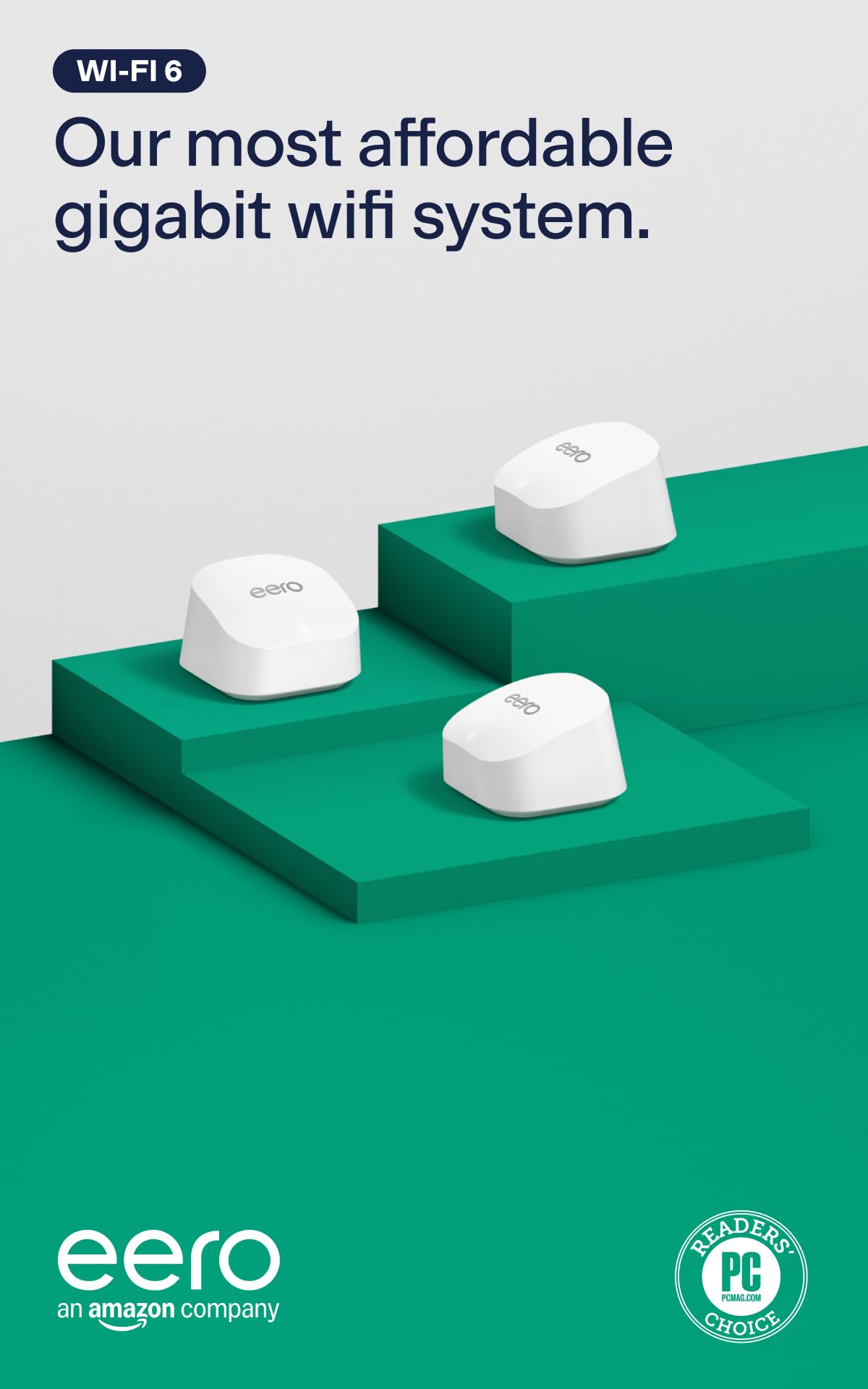
Three small white pucks that turn a spotty house into one calm, single-name network.
This is the pick for someone who does not want to become a network administrator. The eero 6+ three-pack spreads up to 4,500 sq. ft. and connects 75+ devices, which covers a normal three-bedroom home plus a garage. Setup runs through the eero app and is the part owners talk about most — far more than any other detail — because it walks you through in minutes rather than making you hunt for settings.
Speed tops out at a gigabit, which is exactly what a standard cable or fiber plan delivers. Support for the 160 MHz radio channel — a wider lane that carries more data at once — gives the whole family headroom to work, stream, and video-call together. Signal strength and coverage both draw steady praise, and the built-in smart home hub for Thread and Zigbee devices means you can skip buying a separate hub for compatible sensors and locks.
A couple of things to know before you commit. Reliability and connectivity land mixed in owner feedback, so a minority hit dropouts and crashes while most report a rock-solid connection. The 160 MHz bandwidth boost only helps devices that can use it, and security extras beyond the basics need a separate subscription. Compare it to the Orbi RBK752P: the Orbi reaches 5,000 sq. ft. against eero’s 4,500 sq. ft., but this kit is the one you hand to a non-technical household and forget about.
Where it quietly earns its keep
- Setup is the runaway strength — guided, app-led, and fast for a first-timer.
- Covers 4,500 sq. ft. across three nodes and connects 75+ devices.
- Thread and Zigbee hub built in, so smart sensors join without extra hardware.
- Gigabit speeds at the entry end of the gigabit mesh class.
The honest small print
- A minority of homes hit occasional disconnects and crashes.
- Advanced security and network tools sit behind a subscription.
- Gigabit ceiling means no headroom if you later move to a multi-gig plan.
Reach for this if: you want a whole-home mesh you can set up in an evening and never think about again.
Look elsewhere if: you already pay for internet well north of a gigabit and want ports to match.
2. NETGEAR Orbi Whole Home Tri-Band WiFi 6 Mesh (RBK752P)
A router-plus-satellite pair built for people who still plug things in.
Start with the ethernet count, because that is where the Orbi pulls ahead for gamers and desk workers. The router carries three 1 Gig ports and the satellite carries two more, so a console, a PC, and a streaming box can all stay wired. The headline data transfer rate is 5.4 Gbps, which against the Google WiFi AC1200’s 1 Gbps is a genuinely different class of throughput for local traffic between devices.
Coverage runs to 5,000 sq. ft. and up to 75 devices, and each RBS760 satellite sold separately adds up to 2,500 sq. ft. more. Owners consistently report strong speed and whole-house coverage, with one home measuring throughput well past 225 Mbps. NETGEAR Armor throws in a 30-day trial of its security suite, and the Orbi app handles management without a browser window.
The catch is the setup experience, which splits opinion — some breeze through it and others find it fussy, so budget a calm half hour and follow the app strictly. Note too that this is built for U.S. use only. If you want dead-simple installation above all else, the eero 6+ above is kinder; if you want ports and tri-band backhaul, this is the one.
The backhaul advantage: tri-band means one lane can be dedicated to chatter between router and satellite, keeping your devices on a clear channel — which is why speeds hold up when the whole house is online.
Who it beats: any kit where you would need a separate switch to wire up your gear.
Who it does not: households that want zero configuration and no app prompts beyond the first pass.
3. Google WiFi AC1200 Mesh System (3-pack)
The no-fuss three-pack for a smaller home that just needs steady signal everywhere.
Each point covers up to 1,500 square feet, and three points together form a mesh rated for 4,500 sq. ft. — a sensible match for an apartment or a compact two-storey. The data transfer rate is 1 Gbps, or one gigabit per second, which lines up with a standard plan. Quality and setup are the two things that land best with owners, and the Google Home app gets the network online in a few steps.
Parental controls are the standout extra here: you can pause WiFi to specific devices, restrict certain kinds of adult content, and manage screen time per device. That makes it a practical pick for a family house where you want a shutoff switch at dinner. Setup is quick, and the system quietly rebalances to keep browsing responsive.
Two honest limits. This is a certified refurbished unit, so it arrives manufacturer refurbished with a 90-day limited hardware warranty rather than a fresh retail box. And this is dual-band AC1200 — a Wi-Fi 5-era design — so it will not exploit a Wi-Fi 6E phone or laptop the way the Deco XE70 Pro does. For a modest home and a modest plan, neither matters much.
The family angle: per-device pausing and content restriction built into the free app is more parental control than most mesh kits give you without a paid tier. Worth flagging: it tops out at Wi-Fi 5, so newer devices fall back to an older standard.
Best fit: a smaller home or flat where signal consistency matters more than top speed.
Think twice: if you want current-generation Wi-Fi for new phones and laptops, or prefer factory-new packaging.
4. Google Nest WiFi AC2200 (3-pack)

Mesh nodes that double as smart speakers, with a router plus access point in the box.
The Nest WiFi three-pack is a router and an add-on access point, rated for up to 3,800 sq. ft. That is the smallest coverage in this group, so it fits a townhouse or a mid-size single floor better than a sprawling ranch. The 5 GHz band carries the fast traffic at up to 1,200 Mbps, and setup through the Google Home app is the part that draws the most positive attention.
The Nest and Google Assistant control is what separates it — you can talk to the nodes instead of digging through an app menu. The AC2200 rating (a combined speed figure across bands) and dual-band design put it mid-pack, behind the tri-band Deco XE70 Pro which adds a whole 6 GHz lane.
Be realistic about the trade-offs. Quality, speed, and value all land mixed in owner feedback, and a handful of homes report trouble getting the extenders to join the mesh cleanly. It is not a Wi-Fi 6 or Wi-Fi 7 kit, so it will not make the most of the newest laptops. For a Google-heavy household that wants voice control and a tidy white look, it still earns its place.
What makes it worth a look
- Google Assistant and Nest controls built into the nodes.
- Router plus access point included, covering up to 3,800 sq. ft.
- Setup draws the strongest owner feedback in its block.
What tempers that
- Smallest coverage in this lineup, so a big house may need more.
- Older dual-band design without Wi-Fi 6 or 6E.
- A few homes struggle to connect the extenders to the mesh.
If voice control is your thing: this is the pick — the nodes answer to Google Assistant on their own.
If raw spread is your thing: the Deco BE23 covers 6,500 sq. ft. against this unit’s 3,800 sq. ft.
5. TP-Link Deco 7 BE25 (2-pack)

New-standard Wi-Fi 7 speeds on a two-node kit that covers a surprising amount of floor.
This is the upgrade path for anyone whose phones and laptops are newer than their router. The BE25 splits its ceiling across 4,324 Mbps on the 5 GHz band and 688 Mbps on 2.4 GHz, and it spreads up to 4,600 sq. ft. across two units. It connects more than 150 devices, so a house full of cameras, TVs, and phones still has room.
Wi-Fi 7 here brings AI-driven roaming — the mesh hands your device between nodes using self-learning algorithms — and simultaneous wired and wireless backhaul so traffic gets balanced. The 2.5G ethernet port matters if your modem can feed it, since a faster pipe between nodes keeps speeds steady at the far end of the house.
Reliability and connectivity come in mixed in owner feedback, so the general report is great coverage in large double-storey homes with some homes hitting slower-than-expected speeds. Coverage draws solid praise and setup is friendly, though the second unit does need a home within signal range for the wireless link to work well. Compared with the Google WiFi AC1200’s 1 Gbps, the BE25’s 5,000 Mbps ceiling is a different tier entirely for local traffic.
The future-proof angle: Wi-Fi 7 with multi-link operation keeps a device on more than one band at once for a steadier link, so a newer phone does not drop when the microwave fires up. The reality check: a two-node kit means the far bedroom sits a node away, so placement does the heavy lifting.
Go for this: if you have a fast fiber plan and want Wi-Fi 7 without paying premium-tier money.
Pass on this: if your house needs three nodes to reach the back corner comfortably.
6. TP-Link Deco 7 BE23 (3-pack)

Three Wi-Fi 7 nodes built to blanket a genuinely large house with 150 devices on board.
Start with the spread, because that is the reason to buy this kit. Three nodes reach up to 6,500 sq. ft. and handle 150 devices, and each node carries four high-gain antennas plus four high-power front-end modules so the signal holds at the edges. Speeds run 2,882 Mbps on the 5 GHz band and 688 Mbps on 2.4 GHz, with Multi-Link Operation (using more than one band at once) and 4K-QAM (a denser signal that packs more data into the same airtime).
Wired performance is the other half of the story: two 2.5 Gbps WAN/LAN ports on each unit let you feed the mesh from a multi-gig modem and still wire a PC or NAS directly. A private IoT network runs on a separate WiFi name with WPA3 encryption, which keeps smart plugs and cameras apart from your laptop. Owners highlight setup and signal strength most, with one home measuring 950 Mbps both ways.
The honest note: Wi-Fi 7’s headline tricks only pay off on Wi-Fi 7 hardware like recent flagship phones, so an older laptop stays on the older standard. Even so, backward compatibility means every device still connects. As a whole-home blanket for a large, busy house, it is hard to find fault with the coverage math.
Why it leads on spread
- 6,500 sq. ft. across three nodes, rated for 150 devices.
- Two 2.5 Gbps ports per node for multi-gig wired gear.
- Private IoT network with WPA3 encryption.
What to weigh up
- Wi-Fi 7 benefits only land on Wi-Fi 7 devices.
- Tri-band topology is dual-band, so backhaul shares lanes.
The strongest match for: a sprawling multi-room home with a multi-gig internet plan.
Worth skipping for: a compact flat where three nodes would crowd the same airwaves.
7. TP-Link Deco XE70 Pro AXE4900 (3-pack)

A three-node tri-band kit that opens the 6 GHz lane for a crowded, connected house.
The reason this kit stands out is the extra band. Wi-Fi 6E adds a fresh 6 GHz lane with less congestion, so your new devices get breathing room while older 2.4 and 5 GHz gadgets keep their own space. Coverage reaches up to 7,200 sq. ft., speed tops out at 4.9 Gbps across six streams, and every unit carries a 2.5 Gbps port plus two Gigabit ports.
A dedicated lane can be used for backhaul, which keeps the node-to-node link off the same channel as your laptop. That is a real advantage over the dual-band Deco 7 BE25 above, whose two lanes are shared. Setup through the Deco app draws consistent praise for its step-by-step guidance, and coverage reaches outdoor areas in at least one home.
Connectivity lands mixed in owner feedback, so a minority hit join issues while the larger pattern is strong coverage and clean speed. One owner measured a jump from 26 Mbps to 453 Mbps after switching from a single router. Universal compatibility means it works with any ISP.
Why 6E matters: the 6 GHz band gives fast, lightly used airwaves for modern phones and laptops, and it shortens range slightly so you want all three nodes placed thoughtfully. Where it sits: below Wi-Fi 7 on paper, but the dedicated backhaul lane can feel just as steady in a crowded home.
Pick it for: a busy home packed with devices where the 6 GHz lane will actually be used.
Leave it for: a simple setup that will never touch 6 GHz — the extra band would sit idle.
8. Amazon eero 7 dual-band mesh (3-pack)

Wi-Fi 7 performance dressed in eero’s famously gentle setup and three-year backup.
Two 2.5 GbE ports on each node and support for internet plans up to 2.5 Gbps make this the eero to buy if your fiber line runs past a gigabit. Three nodes cover up to 6,000 sq. ft. and connect 120+ devices, and wireless speeds reach up to 1.8 Gbps. Setup runs about 15 minutes in owner experience, which is the eero signature.
Wi-Fi 7 here brings multi-link operation, letting a compatible device hold more than one band at once so the link stays steady when the house gets busy. TrueMesh, TrueRoam, and TrueChannel together keep you on the best node and channel automatically. Its three-year warranty is the longest of any current-generation kit here.
Downsides worth naming: it is dual-band rather than tri-band, so there is no dedicated 6 GHz lane for backhaul the way the Deco XE70 Pro has. Advanced security, ad blocking, and parental tools sit behind a separate eero Plus subscription. Backward compatibility with earlier eero gear makes it easy to extend an existing network, though, and Amazon Echo devices with eero Built-in can act as extra coverage.
The gentle-upgrade case: drop in three eero 7s and your older eero nodes still join the same mesh, so you can mix and expand over time. The honest catch: dual-band means less total airtime than a tri-band kit, which shows when many devices stream at once.
Choose it if: you want a current-standard mesh that a non-technical household can run without help.
Choose something else if: you want a dedicated 6 GHz backhaul band for max load handling.
9. Linksys Velop Pro 6E (3-pack)

The biggest coverage number here, paired with the newest 6 GHz lane and a clean look.
If square footage is your deciding factor, this kit wins — up to 9,000 sq. ft. across three tri-band nodes connecting more than 200 devices. Wi-Fi 6E opens the fresh 6 GHz band with 160 MHz channels for the fastest modern devices, and total speed hits 5.4 Gbps (AXE5400). The White design draws positive nods for blending into a room, and the free Linksys app handles setup, guest WiFi, and parental controls.
The Cognitive Mesh setup wants one node as the parent connected to the modem and the other two as children, which the app walks you through. Linksys also makes a point of not tracking browsing data or collecting it for AI. Setup and signal strength are the two things owners rate highest, and coverage in a 4+ bedroom house is the intended job.
Where it stumbles: connectivity is the most-discussed issue in owner feedback, with some homes reporting WiFi signals dropping several times a day, which no amount of coverage can fix. It also carries the lowest rating in this group. If your priorities are stability first, the eero 6+ or ASUS ZenWiFi below is the safer bet; if you need the widest spread and 6 GHz, this delivers on paper.
Strengths worth naming
- Up to 9,000 sq. ft. and 200+ devices — the widest reach in this lineup.
- Wi-Fi 6E tri-band with 160 MHz channels on the clean 6 GHz band.
- Privacy-first stance: no browsing-data tracking per Linksys.
Reasons to hesitate
- Connectivity and reliability land on the rough side in owner reports.
- Cognitive Mesh wants specific parent/child placement to perform.
- Lowest overall standing of the picks here.
Made for: very large homes where coverage distance is the whole problem.
Better avoided by: anyone who prizes a rock-steady connection above maximum spread.
10. NETGEAR Orbi Tri-Band WiFi 7 (RBE773)

Router plus two satellites tuned for a 2.5 Gig connection and the biggest rooms you own.
The 11 Gbps headline is the top figure in this article, and it comes with a 2.5 Gig internet port plus a 2,500 Mbps maximum upstream rate so a fast modem is not wasted. Coverage reaches up to 8,000 sq. ft. for up to 100 devices, and tri-band with Enhanced Backhaul keeps the node-to-node link separate so speeds hold across all devices at once.
High-performance antennas push 360° coverage, which matters in an odd-shaped or open-plan home where signal has to bend around corners. Owners describe the performance as excellent for both home and business use, and setup is straightforward. NETGEAR’s built-in security with automatic firmware updates runs in the background.
Two caveats. This unit is renewed rather than new, so it arrives manufacturer-refurbished without the fresh-box experience. And the 11 Gbps ceiling only matters if your devices and internet plan can feed it — a standard cable plan will never touch it. For a home with multi-gig fiber and a lot of floor to cover, the numbers line up.
The headroom read: an 11 Gbps system beats a gigabit kit on paper by a wide margin and pairs with a 2.5 Gig port so your modem output has somewhere to go. The honest catch: renewed stock and a ceiling your everyday plan may not reach.
Suits you if: you have a multi-gig plan and a large home that a gigabit kit cannot fill.
Not for you if: you want factory-new hardware or your internet tops out at a standard gigabit.
11. ASUS ZenWiFi BT6 WiFi 7 (3-pack)

Tri-band Wi-Fi 7 with commercial-grade security baked into every node.
The defining feature here is AiProtection Pro, a commercial-grade security suite that runs around the clock at no subscription cost, paired with advanced VPN support. Tri-band Wi-Fi 7 reaches speeds up to 9.4 Gbps using MLO and 4K-QAM, and Smart AiMesh extends coverage to 7,600 sq. ft. across three nodes. Seven internal antennas and eight high-power front-end modules are what push the signal through the dead-zone corners.
Reliability and stability are the two things owners highlight most, with coverage that reaches yards and surrounding outdoor space. Setup through the ASUS app is straightforward, and Smart Home Master SSIDs let you split out an IoT network and parental controls on their own names. Extending coverage later with compatible ASUS routers is a simple add.
Buyers report mixed value, and this is the priciest kit in the guide — your money goes into the security stack and the Wi-Fi 7 hardware. A small number of owners also question the build quality. If you want a firewall-grade layer around your whole network without a subscription, the feature set is class-leading here.
The firewall argument: 24/7 end-to-end AiProtection Pro with no subscription attached is rare, and it covers every device on the mesh, from phones to smart TVs. The value question: pay for the security layer and Wi-Fi 7 together, or split the budget across a cheaper kit and separate software.
Best matched to: a security-conscious household that wants VPNs and protection without a monthly bill.
Better steered away from: a tight budget where the security extras will go unused.
Know the Specs
These four numbers decide whether a kit feels easy or frustrating. Here is what each one actually does for you.
Coverage in Square Feet
This is the total floor area the whole kit is rated to reach, not a single box. A 6,500 sq. ft. three-pack spreads that across three nodes, so where you place them decides whether the far bedroom actually fills. Treat it as a ceiling for an open-plan home and expect walls and floors to eat into it.
Top Speed (Mbps or Gbps)
This is the fastest the system can move data on its best band, quoted in megabits or gigabits per second. A higher number helps when two devices talk to each other inside the house, like a laptop backing up to a NAS. It cannot push past the speed your internet provider delivers, so match the number to your plan.
Bands and Backhaul
A band is a lane of radio spectrum. Dual-band kits have two lanes; tri-band kits have three, and one can be reserved for the link between nodes — the backhaul. When that link has its own lane, your devices keep a clear lane to themselves, which keeps speeds steady at the far end of the house.
Wi-Fi 6, 6E, and 7
The standard name tells you what the kit can do. Wi-Fi 6 is the current baseline, 6E adds the clean 6 GHz band, and 7 adds multi-link operation so a device can use more than one band at once. Newer standards serve newer devices best; older gadgets still connect through backward compatibility.
Common Questions
How many mesh nodes do I need for a two-storey house?
Will a mesh system work with my existing cable or fiber provider?
Is Wi-Fi 7 worth it over Wi-Fi 6 for a normal home?
What is the difference between dual-band and tri-band mesh?
Does a mesh system replace my router or work alongside it?
How far apart should mesh nodes be placed?
Will a mesh system fix a dead spot in my garage or backyard?
Can I add more nodes to a mesh system later?
Do I need a subscription to use a mesh system?
Is a mesh system better than a Wi-Fi extender for a large home?
Will Wi-Fi 6E or Wi-Fi 7 make my internet plan faster?
The Bottom Line
For most homes, the wireless mesh network for home winner is the eero 6+ 3-pack, because it pairs the simplest setup in this group with 4,500 sq. ft. of coverage and 75+ device support — the kind of kit you set up once and forget. If your house is big and packed with gadgets, grab the Deco 7 BE23 3-pack, whose 6,500 sq. ft. and two 2.5 Gbps ports per node leave the most headroom. And for a security-conscious household that wants VPNs handled at the router without a monthly bill, the ASUS ZenWiFi BT6 is the one to reach for.
One honest nudge: the eero 6+ is the crowd favorite by a wide margin, holding 4.0+ stars across 10,000+ owners, and that weight of real-world feedback is exactly what makes it the safe first pick.
How we choose
We do not accept paid placement. Every pick is matched to a real buyer and a real use-case; we do not hands-on test units.
Sources
Specifications: manufacturer listings and product documentation. Review insights: verified customer reviews, as of November 2026. Pricing: not shown on this page (it changes often); check the current price via the retailer link.
As an Amazon Associate, Tactical Gear Guy earns from qualifying purchases. This does not affect which products we feature.