Specs are compiled from manufacturer listings and verified buyer reviews and can change over time — please confirm the key details on the product page before buying.
If you want a white keyboard that still looks white after a year of typing, the letters have to survive your fingertips. That is the whole buying problem in one line. Faded grey legends on a once-bright deck are what send most people shopping again. So the picks below are filtered for two things: the keyboard body itself is genuinely white, and the keycap printing is built not to rub off. Everything else — layout, switch feel, backlight, cable or Bluetooth — splits the list into very different owners.
This guide is built by comparing the manufacturers’ published specifications and the patterns across verified customer reviews, so you get each pick’s real strengths and trade-offs instead of marketing spin.
You will see full-size decks with number pads, compact 60% boards that free up desk space, and wireless models that hop between a laptop and a tablet. Each one is here because it earns its place for a specific desk. The short answer on a reliable white color keyboard is simple: match the layout and switch to how you actually type, not to how the photos look.
Top Picks

How To Choose The Best White Color Keyboard
A white keyboard is a looks decision and a durability decision at the same time. The colour is the easy part. The hard part is picking one whose white finish and white legends survive daily typing, and whose layout fits the desk you actually have.
Start with the layout, not the colour
If you spend your day in spreadsheets or invoice software, a full-size deck gives you a dedicated number pad so you can type figures without looking down. A 96% board packs that same number pad into a shorter frame, so you save desk width without losing the keys. A 60% board drops the number pad and most of the function row to free up desk space for your mouse — the DIERYA here keeps separate arrow keys and a Del key, so basic navigation stays one press away instead of buried in layers. TKL (tenkeyless, a layout with no number pad) sits between the two and keeps the arrows while cutting the number pad.
Keycap printing is what keeps it white-looking
Legends wear off through friction, not light. Double-shot injection moulds the character through the whole keycap, so there is no printed layer to rub away. PBT plastic resists the shiny, greasy look that ABS develops on heavy-use keys. If a listing does not say double-shot or PBT, assume the letters are surface-printed and treat fading as a when, not an if.
Switch feel decides whether you enjoy typing on it
Linear switches press straight down with no bump, which suits fast gaming and long typing sessions. Membrane and scissor-style keys are quieter and shorter-travel, closer to a laptop. Neither is better — the wrong one for your hands is. If you share a room, quiet matters more than clack. If you want that typewriter knock, a mechanical board with round keycaps delivers it deliberately.
Side-by-Side Comparison
| Model | Best For | Keys | Connection | Switch Type | Amazon |
|---|---|---|---|---|---|
| Apple Magic Keyboard with Numeric Keypad★ Best Overall | Mac and iPad desks | Full size with number pad | Bluetooth, rechargeable | Low-profile scissor | Amazon |
| USB Wired Computer Keyboard (Dilter)Retro Favorite | Retro typewriter feel | 104 | USB-A wired | Membrane, round keycaps | Amazon |
| DIERYA 60% Mechanical Gaming KeyboardCompact Pick | Small desk, fast gaming | 68 | USB-C wired, detachable | Red linear mechanical | Amazon |
| SEUNKWANG Wired Keyboard with White Backlit | Quiet home office | 104 | USB-A wired | Membrane, low noise | Amazon |
| Logitech MK270 Combo | Wired-free everyday set | Full size with number pad | 2.4 GHz USB receiver | Low-profile membrane | Amazon |
| HUO JI E-Yooso Creamy | Sound and customisation | 99 | USB-C wired, detachable | Hot-swap pre-lubed linear | Amazon |
| Logitech Signature Slim K950 | Three-device switching | Full size with number pad | Bluetooth or Logi Bolt | Membrane, quiet | Amazon |
| Keychron K10 HE | Adjustable actuation fans | 100% full size | Bluetooth 5.2, 2.4 GHz, USB-C | Hall Effect magnetic | Amazon |
| SteelSeries Apex Pro TKL Gen 3 | Competitive gaming | TKL (no number pad) | USB-C wired | OmniPoint 3 magnetic | Amazon |
Detailed Reviews
1. Apple Magic Keyboard with Numeric Keypad – White
Our pick — 4.5+★ from 650+ verified ratings; the strongest balance of quality and price.
The white deck that finishes the Mac setup and then gets out of your way.
Here is the one that earns the top spot: a clean white Apple keyboard that pairs over Bluetooth with a Mac, iPad, or iPhone in seconds and runs off a rechargeable internal battery. You never touch a loose battery again — the Lightning to USB cable both pairs and charges it. Apple rates the runtime at about a month or more between charges, depending on how much you type.
The extended layout is the practical draw. You get a full numeric keypad for spreadsheets and finance work, document navigation controls for fast scrolling, and full-size arrow keys rather than cramped half-height ones. The overall feel is a short-travel, precise scissor key — closer to a laptop than a clacky mechanical board. That is the crowd’s read too, and this is the one place a review figure earns a mention: it holds 4.5+ stars across 600+ owners, strong for a daily-driver deck. What wins people over is the overall keyboard quality — the thing praised more than anything else in the feedback — followed by how reliably it just works.
Now the honest part. A month of battery life means you are plugging in roughly once a month, not once a quarter. The 1-pound frame is solid on a desk but not a travel-first board. And if you are not inside Apple’s ecosystem, this is the wrong keyboard: it wants macOS 10.12.4 or later, iPadOS 13.4 or later, or iOS 10.3 or later, and there is no Windows path here. Buyers split on value — the utility is obvious, the entry cost is the thing people argue about.
What You Gain
- Instant Bluetooth pairing across Mac, iPad, and iPhone with no dongle
- Full numeric keypad plus document navigation keys for spreadsheet work
- Rechargeable battery rated for about a month or more per charge
- Precise, quiet scissor keys with full-size arrow keys
Where It Costs You
- Apple-only — no Windows support at all
- Monthly charging is part of the routine, not a once-a-year chore
- Value is the most argued-over point in the feedback
Reach for this if: your desk is Mac- or iPad-based and you want a white board with a real number pad and no cable.
Look elsewhere if: you work in Windows — you would be paying for compatibility you cannot use.
2. USB Wired Computer Keyboard
Round keycaps, a creamy white shell, and a typewriter knock you either love or loathe.
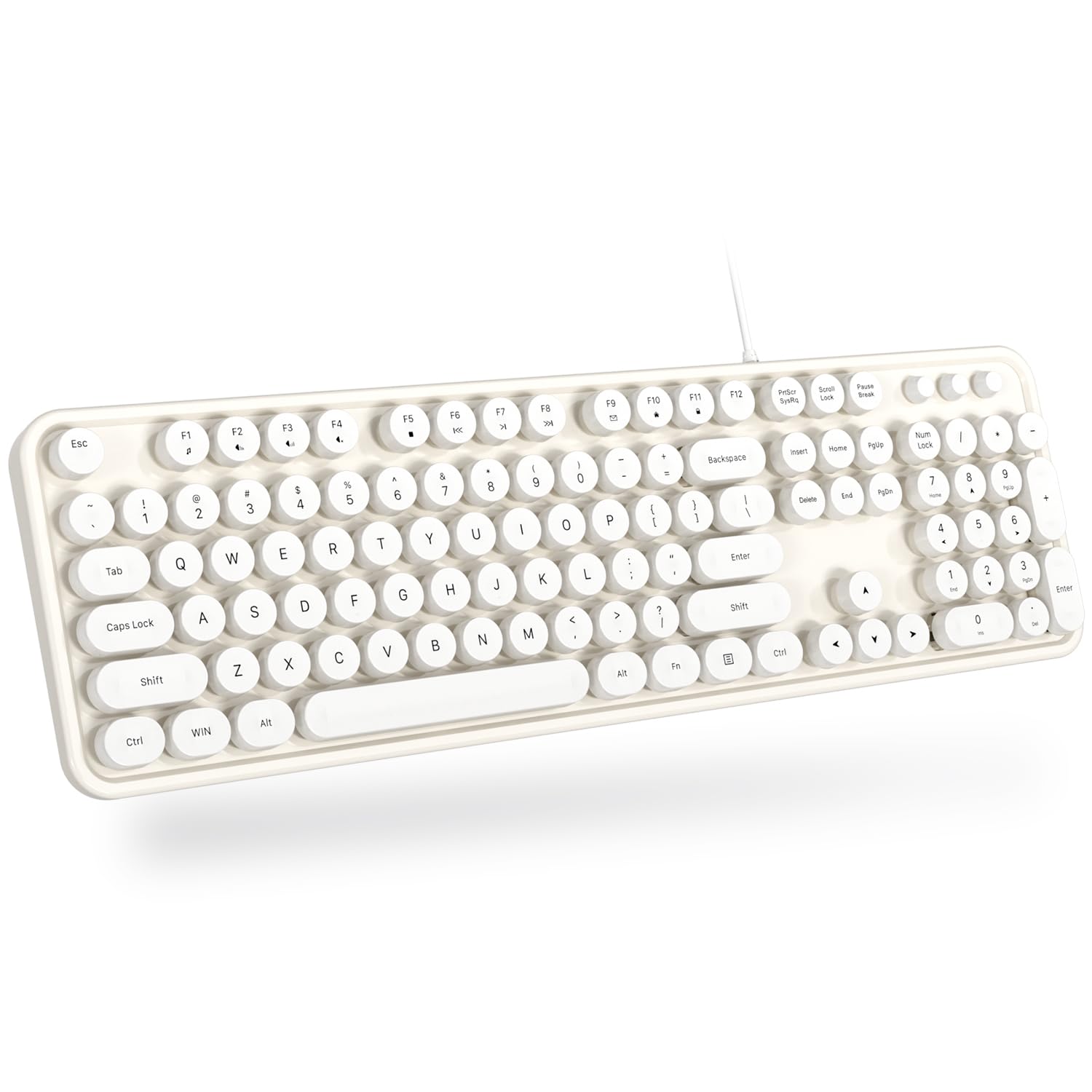
This is the fun pick. Creamy white with round keycaps, it is built to bring back the feel of a retro typewriter — a deliberate, satisfying knock rather than a flat modern thud. It carries 104 keys in a full-size QWERTY layout, so the number pad and standard function row are all there. Plug the single USB-A cable in and it works, with no software to install and no batteries to change or recharge.
What wins people over is simply how much they enjoy typing on it — that is the single most-discussed thing in its feedback, ahead of even the colour. The creamy white finish draws real praise, including the point that it does not fade with use, which matters on any white board. The sound splits into two camps: a crisp click that some owners describe as sweet, and quiet enough operation for others. It ships with a cleaning brush and a user manual in the box.
The caveat is durability, which is genuinely mixed in the feedback — plenty of units hold up well, and a troubling handful report failure inside a week. Treat that as a who-it-fits note rather than a reason to skip the category. Compatibility is broad but not complete: Windows 7, 8, 10, XP, Vista, and MAC OS are listed, though the maker notes it is not fully compatible with the Apple system. And it is a membrane board, not a mechanical one, so expect a softer bottom-out than a linear switch gives you.
Where It Shines: The retro typing feel is the whole pitch and it delivers — round keycaps, a crisp knock, and a creamy white shell that stays bright. Owners rate the fun factor above every other quality on this board.
The Trade-Off: Durability reports are split, so buy it as an affordable everyday board rather than a decade-long investment, and expect the Apple shortcut keys to behave differently.
Best suited to: anyone who wants a full-size white keyboard with personality and does not mind a membrane feel.
Think twice if: you type on a Mac all day and rely on Apple-specific shortcuts.
3. DIERYA 60% Mechanical Gaming Keyboard
Sixty-eight keys, a detachable cable, and a white frame that clears your desk for the mouse.
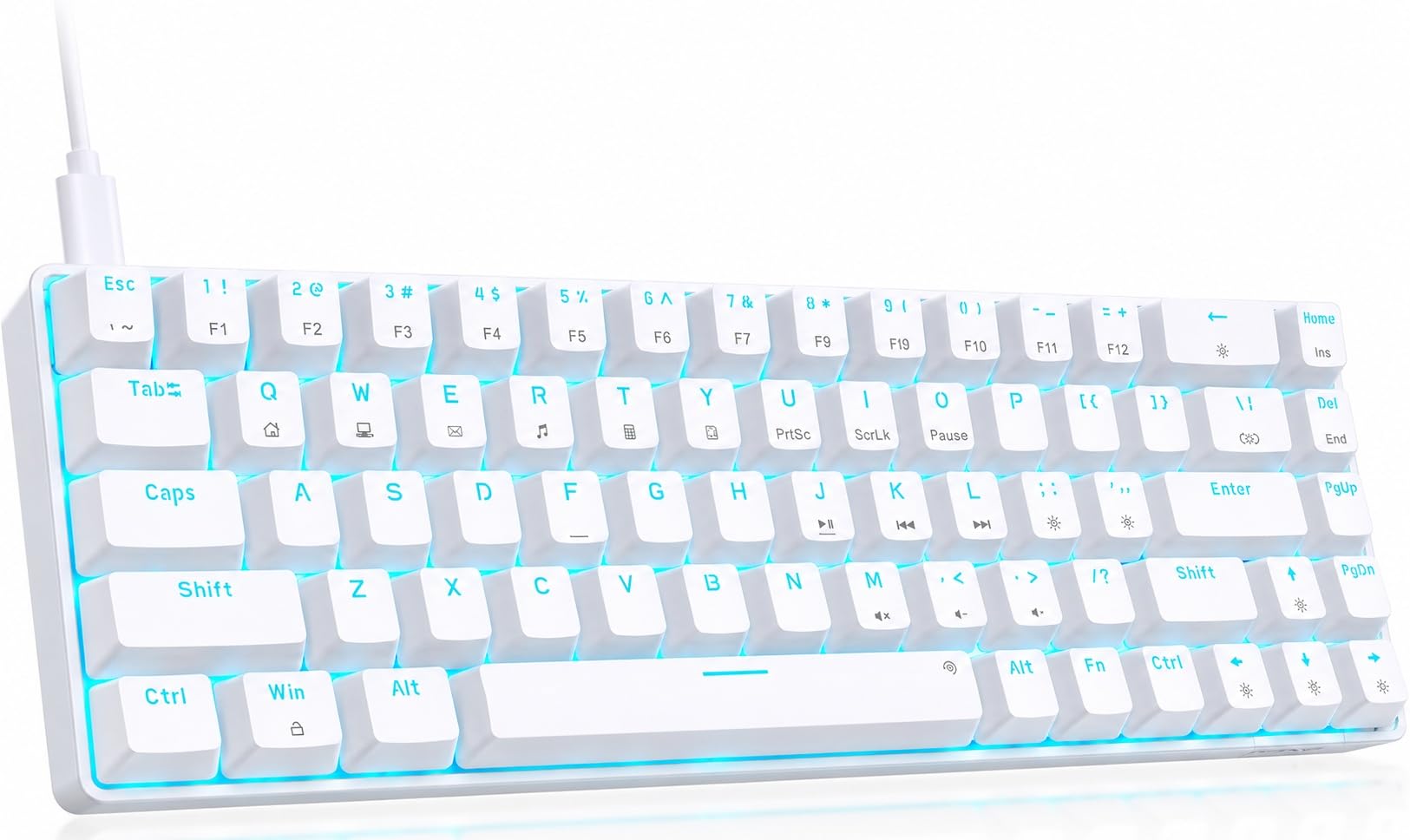
Count the keys and you understand the pitch: 68 of them, in a 60% layout that saves desk space while keeping separate arrow keys and a Del key. The comparison table makes the trade obvious — this board runs 68 keys versus the 104 on the SEUNKWANG below, the difference between a full office deck and a gaming-first compact. The detachable USB-C cable also means the cord unplugs cleanly if you pack it up.
The red linear switch is the other half of the story. It presses straight down with zero bump or tactile feedback and a light actuation force, which is what lets you spam fast in a game and keep typing for hours without hand fatigue. All 68 keys are anti-ghosting and conflict-free, so multiple presses register at once — the thing that matters when you are strafing and shooting together. There are 19 built-in lighting modes on a blue LED backlight, with brightness and speed adjustable from dedicated keys.
What owners praise most is the overall build quality, and value ranks right behind it — this is a lot of mechanical board for an entry-level spend. The honest limit is reliability, which comes back mixed: many boards are still going strong, and a few report keys stopping or failure around the 40-day mark. It is also Windows- and Linux-first, with Mac OS only partially compatible. If you need a number pad, this is not your board — the 60% layout drops it on purpose.
Why Gamers Gravitate Here
- 68-key compact layout with separate arrow and Del keys kept intact
- Red linear switches for fast, fatigue-free presses
- Full anti-ghosting across all 68 keys
- 19 blue LED lighting modes with adjustable brightness and speed
What You Give Up
- No number pad and no full function row
- Reliability feedback is mixed
- Mac OS is only partially supported
The right call for: a small desk or a gaming setup where the mouse needs room and the number pad does not.
Pass it by if: spreadsheets are your day job — you will miss the keypad within a week.
4. SEUNKWANG Wired Keyboard
Soft white glow, no RGB circus, and letters that are moulded through the cap instead of printed on it.
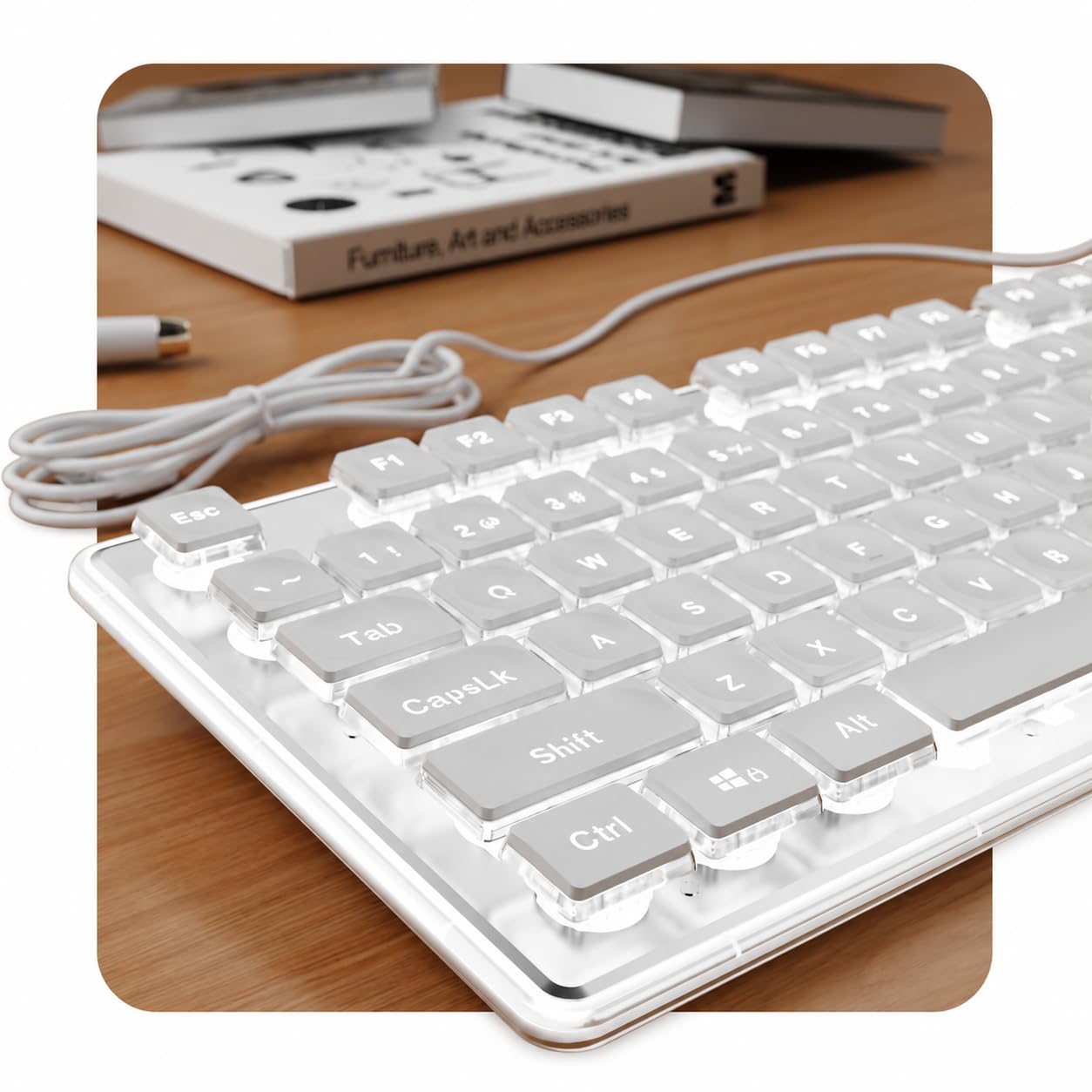
Two specs do the heavy lifting here. First, the keycaps use double-shot ABS injection moulding, meaning the character runs through the keycap rather than sitting on top — so it resists fading and wearing off through years of typing. Second, the top plate is aluminum alloy, which gives the deck a firm, scratch-resistant face instead of hollow plastic. Those two combine with a 104-key full-size layout that includes a dedicated number pad.
The lighting is deliberately calm. Water-drop pudding keycaps spread a soft, uniform white glow for late-night visibility, and you dial brightness up or down without any flashy RGB. It is a single backlight colour, not a rainbow. The typing itself is built to be quiet — the maker positions it for shared spaces, libraries, and home offices — with sculpted keycaps, a single-stage kickstand, and anti-slip foot pads to hold the angle steady.
Accuracy gets real attention too. You get 26-key anti-ghosting so fast, overlapping presses all register, and a plug-and-play USB-A connection that skips both battery anxiety and input delay. Around the community the soft, low-noise sound is the standout, described as close to mechanical keys without the racket. The catch worth knowing: Apple computers get basic typing only, with shortcut keys behaving differently, so it is a Windows, Linux, and Chrome OS board first. It is also a full-size 104-key footprint, so it needs genuine desk depth.
The Quiet Winner: Between the aluminum face, the fade-resistant double-shot caps, and the white-only glow, this is the white keyboard for someone who wants a calm, bright desk and no RGB modes to cycle through.
One Honest Limit: Mac users get typing and little else — plan on this being a Windows-family board.
Pick this when: the keyboard sits in a shared room and you want white light, quiet keys, and letters that stay readable.
Choose another board if: you need full Mac shortcut support or a compact footprint.
5. Logitech MK270 Wireless Keyboard and Mouse Combo

One USB receiver, a white keyboard and mouse, and batteries you forget about for years.
The battery numbers are the reason this combo exists. Logitech rates the keyboard at 36 months and the mouse at 12 months on a set of batteries, with on/off switches so they hold their charge between sessions. That is a different way of living than a rechargeable deck — you are not hunting for a cable every month, you are simply swapping batteries once every few years on the keyboard. A single USB-A Nano receiver handles both devices, with a wireless range rated up to 33 ft.
It is an off-white full-size keyboard with a standard layout: full-size F-keys, a number pad, arrow keys, and low-profile quiet keys. Eight multimedia hotkeys cover internet, email, play/pause, and volume without leaving your work. The keyboard has a spill-resistant design, sturdy tilt legs with adjustable height, and durable keys. Logitech also notes the plastic includes certified post-consumer recycled content — 54% for the keyboard and 49% for the mouse. The bundled mouse is compact, works for left- or right-handed users, and tracks smoothly on most surfaces.
Your real decision depends on the mouse and the wireless link. The combo is well-regarded overall, but feedback on functionality and connectivity is mixed — some setups connect easily and hold, while a few buyers report the mouse not working or the device dropping out. Ask yourself if you want a combo at all: if you already own a mouse you like, a keyboard-only pick above may suit you better.
Go here for: a full white keyboard-and-mouse set for a home or office desk where plugging in a receiver once is fine.
Reconsider if: you want rock-solid wireless and already own a mouse — the combo’s weak point is the connection, not the keyboard.
6. HUO JI E-Yooso Creamy Mechanical Keyboard

The creamy-sounding board you can pull apart and re-switch without ever touching a soldering iron.
Hot-swap is the word that matters. The PCB accepts both 3-pin and 5-pin switches, so you can pull a switch and drop in a different one with the included keycap and switch puller — no soldering, no sending it away. PBT double-shot keycaps mean the characters never fade, and the pre-lubed linear switches come set for a smooth press. The 99-key 96% layout fits a compact 39×13.5x4cm frame while keeping full functionality, and the USB-C to USB-A cable detaches and runs 5.25 feet.
The sound is engineered, not accidental. Inside, a gasket structure with five layers of thicker sound-absorbing foams plus a silicone dampener pad reduces noise and removes hollow sound — the maker cites 40% less noise and 80% less hollow tone. What you hear instead is a creamy, natural keystroke, which owners describe as the board’s signature. The RGB side offers 15 backlight effects and 8 solid colour modes, with adjustable speed and brightness. All 99 keys run 100% anti-ghosting with N-key rollover, so simultaneous presses all land in fast games.
The thing everyone raves about is that creamy typing feel — soft, satisfying, and the reason this board builds a following rather than just a purchase. It is wired only, so no Bluetooth freedom here, and hot-swap invites a rabbit hole of switch shopping if you get into it. But as a white desk board for someone who likes to tinker, that is the point.
The Creamy Case
- Hot-swap PCB accepts 3-pin and 5-pin switches with no soldering
- Gasket mount plus five layers of foam for a soft, dampened sound
- PBT double-shot keycaps with characters that do not fade
- 99-key 96% layout keeps full function in a compact frame
The Fine Print
- Wired USB-C only — no wireless option
- Hot-swap is a gateway into buying more switches
- RGB on a white deck may not suit the minimalist look
For the tinkerer: if a keyboard is something you want to personalise over time, this is the white board built for that.
For the plain typist: you are paying for hot-swap and gasket damping you may never use — a simpler wired deck covers you.
7. Logitech Signature Slim K950 Wireless Keyboard
One tap moves your typing from laptop to tablet to phone, and nobody in the room hears a thing.
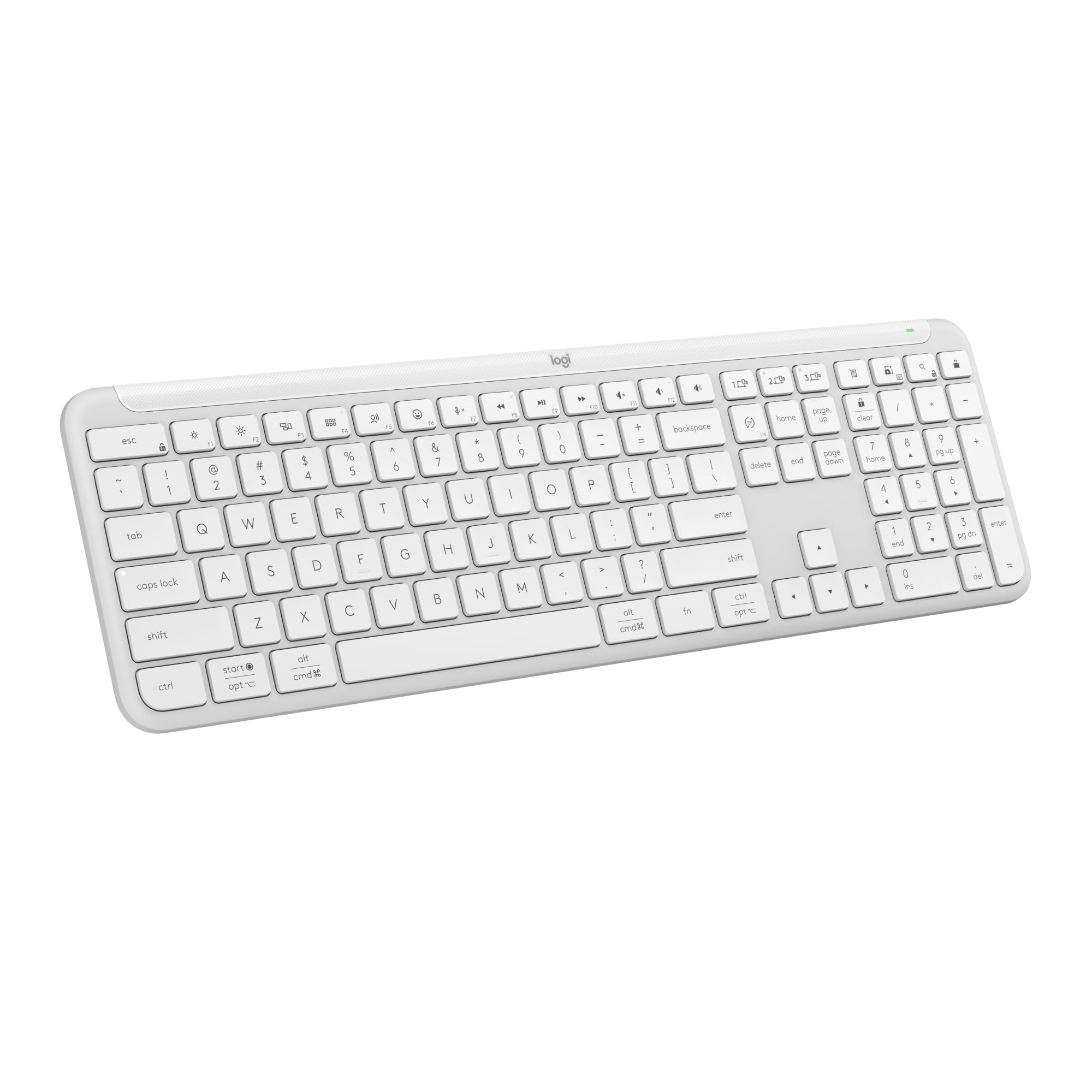
Three-device switching is the reason this board gets bought. You pair it over Bluetooth or the included Logi Bolt receiver, then hop between three machines with a single tap — helpful when a work laptop, a personal tablet, and a phone all sit on one desk. The full-size layout keeps the number pad and laptop-style keys, and the frame weighs 685 g, so it stays planted rather than skating around. Two AAA batteries come pre-installed.
Quiet is a design goal here, not an afterthought. The membrane keys are tuned for discreet typing, which is what makes this a good fit for a shared space or a busy home office. You also get one-tap work-and-home shortcuts from the start — music, mute, the snipping tool, volume — plus customisable keys through the Logi Options+ app on Windows or macOS. It works on Windows, macOS, Chrome OS, Linux, iPadOS, iOS, and Android, so most desks are covered.
What wins people over is the overall keyboard quality and the smooth, laptop-like feel of the keys, with easy Bluetooth pairing close behind in the feedback. The honest split is on responsiveness and noise: some find it responsive and quiet, and a few report keys that are not always responsive or noise issues. Compatibility across that many operating systems is the reason to pick it — the multi-device switching is what no other board on this list offers as cleanly.
The Case For It: three-device Bluetooth switching plus quiet membrane typing makes this the desk-clearing board for someone juggling a laptop, tablet, and phone at once.
Worth Knowing: responsiveness feedback is mixed, so if razor-sharp input timing is your priority, a wired mechanical board is the safer bet.
Made for: the multi-device desk where you want one white keyboard to rule a laptop, tablet, and phone.
Not for: competitive gamers who need instant, guaranteed key registration.
8. Keychron K10 HE Full-Size Hall Effect Keyboard
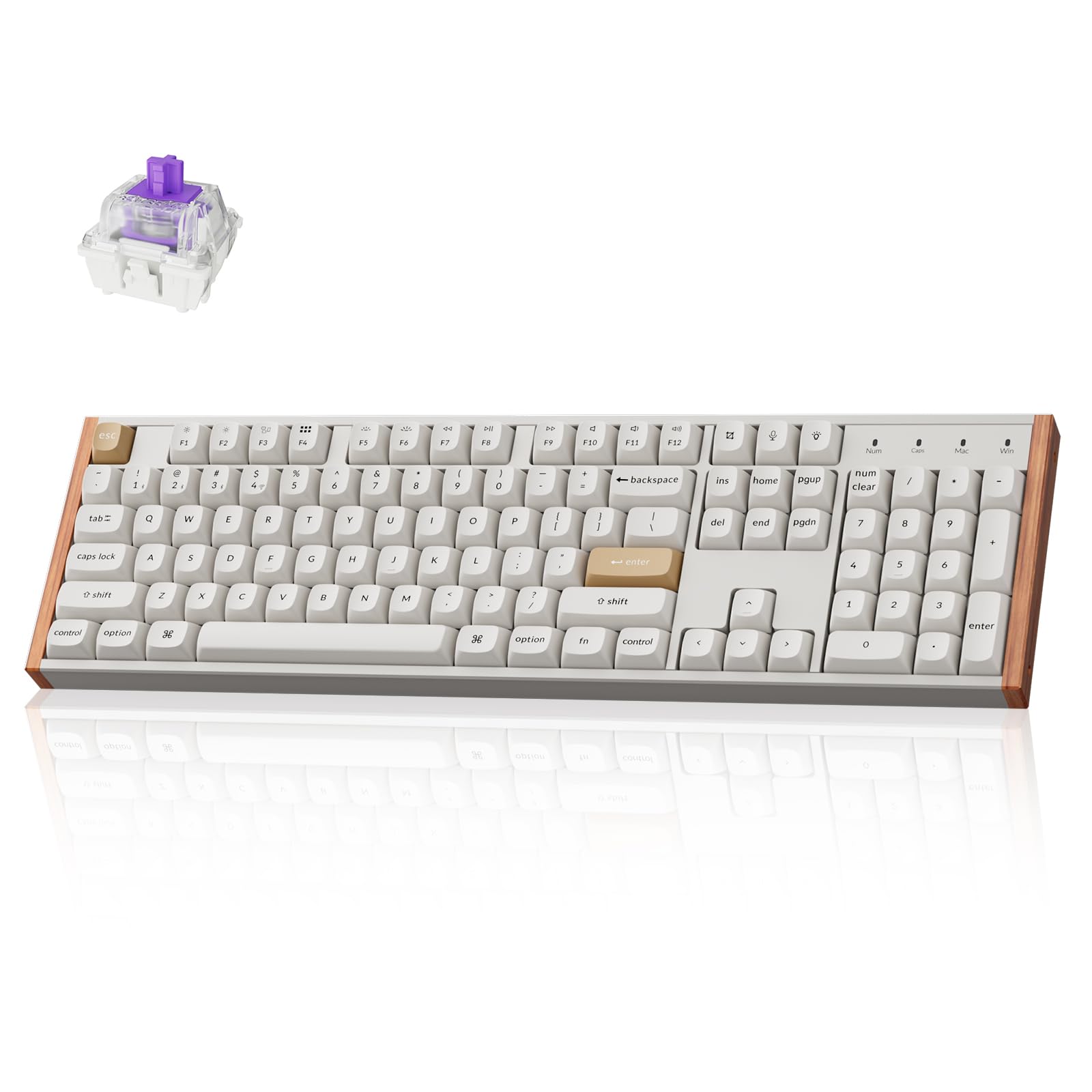
Magnetic switches you can tune from a hair-trigger to a deep, deliberate press — on a full-size white deck with wood trim.
Here is the number that defines this board: an adjustable actuation range from 0.2mm to 3.8mm with 0.1mm sensitivity. That means you can set the switches to trip the instant you touch them for gaming, or push the threshold deeper for typing that forgives a resting finger. The Hall Effect magnetic switches detect presses with magnetic sensors instead of physical contact, which reduces wear and tear, and they are hot-swappable without soldering.
Connectivity is genuinely flexible — Bluetooth 5.2 for up to three paired devices, 2.4 GHz wireless with an included receiver and extension adapter, or Type-C wired. On the software side, the Keychron Launcher web configurator lets you remap keys, build macros, fine-tune actuation points, and switch on rapid trigger and snap action. The board is 100% full-size with dedicated media keys, ships with extra keycaps for macOS and Windows, and can be remapped for Linux too.
The finish is what lifts it apart from the plastic decks elsewhere on this list. OSA-profile double-shot PBT keycaps resist shine and wear, and natural wood sidings bring a warm accent to the 1000 g frame. What owners praise most is the silky key feel and the muted, pleasant sound, with the premium build quality close behind. The catch: the wireless link comes back mixed in the feedback — some connections work perfectly and others report issues — so if you game on 2.4 GHz, the wired mode is the reliable path.
Why It Stands Out
- Adjustable actuation from 0.2mm to 3.8mm at 0.1mm sensitivity
- Tri-mode: Bluetooth 5.2, 2.4 GHz, and USB-C wired
- Hot-swappable Hall Effect magnetic switches with no soldering
- PBT double-shot keycaps and natural wood sidings on a 100% layout
The Catch
- Wireless connectivity feedback is mixed — wired mode is the safe pick for gaming
- Heavier 1000 g frame that stays put rather than travels
- Launcher setup asks you to clear browser data first, which trips some people up
The one to grab if: you want to tune exactly how far a key travels before it fires, without giving up the white-and-wood look.
Keep looking if: a plug-and-play board is all you need — the tuning depth would go unused.
9. SteelSeries Apex Pro TKL Gen 3 Gaming Keyboard – White

Forty levels of key travel, an OLED panel, and a white TKL frame built to win firefights.
This is the competitor’s board, and the switches are the reason. OmniPoint 3 analog magnetic switches use Hall Effect sensing and offer 40 levels of adjustable actuation from 0.1mm to 4.0mm, with a 45g bottom-out force. Set them shallow for instant actions in a shooter, or deeper for typing precision. The triple-threat feature set — Rapid Trigger, Rapid Tap, and Protection Mode — resets the key the moment you release it, snaps to your latest press for faster strafes, and reduces accidental presses on neighbouring keys. QuickSet auto-presets load pro-level configs when your game launches.
Unlike the Keychron above, the TKL layout drops the number pad but keeps the essentials, and the onboard OLED smart display lets you change settings without leaving a match, with configs stored on the board. It runs USB-C wired, so there is no battery or wireless lag to consider. The RGB is vibrant and adjustable, the keycaps are PBT, and the body is a metal-or-sturdy-plastic build at 3.5 pounds — heavy enough to stay put through aggressive play.
What lands hardest in the feedback is how the board sounds and feels — smooth keys with an adjustable actuation that competitive players single out as excellent. Custom profiles and the OLED display round out the appeal, and build quality and LED lighting come in for regular praise. The honest question is value: this is a premium spend, and the value debate shows up clearly in the split between people who think it earns its cost and people who do not. If you do not play competitively, that precision is money you will not feel.
The Competitive Edge: 40 actuation levels from 0.1mm to 4.0mm plus Rapid Trigger, Rapid Tap, and Protection Mode give you tuning depth no other board on this list matches.
The Cost Question: this is a big spend for a keyboard, and the feedback splits cleanly between players who feel the precision justifies it and those who do not.
Worth it for: competitive players who will actually use the actuation tuning and the OLED onboard configs.
Overkill for: casual typists who will never touch the deep settings — a simpler white board covers you.
Know the Specs
Keycap Material and Printing
Double-shot injection moulds the character through the keycap so there is no printed surface to rub away, and PBT plastic resists the shiny look ABS develops on heavy-use keys. On a white keyboard this is what keeps your legends readable after a year. If a listing does not name double-shot or PBT, treat fading as a real risk.
Switch Type
Linear mechanical switches press straight down with no bump and a light actuation force, which suits fast gaming and long typing sessions. Membrane keys have a softer, quieter bottom-out. Hall Effect magnetic switches detect presses without physical contact and let you adjust how far a key travels before it fires. Match the switch to how you type, not to how the photos look.
Layout Size
Free up desk space for your mouse with a 60% board like the DIERYA here, which keeps 68 keys and drops the number pad. Get number-pad access in a shorter frame with a 96% board such as the HUO JI, which fits 99 keys. Full-size and TKL layouts keep the number pad or the arrows in different combinations. Decide if you need number-pad access before anything else.
Wired, Wireless, and Battery
A USB cable removes the need to charge or replace batteries and rules out wireless dropouts. Bluetooth and 2.4 GHz wireless free your desk and let one board hop between devices — some models pair to three machines at once. Rechargeable decks need periodic charging, while battery-powered ones swap cells far less often. Pick the trade that fits how you work.
Common Questions
Will a white keyboard turn yellow over time?
Does the Apple Magic Keyboard work with Windows?
What is the difference between a 60% and a full-size keyboard?
Are Hall Effect keyboards better than regular mechanical ones?
How long does the Logitech MK270 battery last?
Can a white backlit keyboard show other colours?
What does hot-swappable mean on a keyboard?
Does anti-ghosting matter for typing or only gaming?
Can I connect a wireless keyboard to more than one device?
Is a TKL keyboard good for office work?
The Bottom Line
For most people, the white color keyboard winner is the Apple Magic Keyboard with Numeric Keypad — if you live inside Apple’s world. A rechargeable white full-size deck with a real number pad and Bluetooth pairing to your Mac, iPad, or iPhone, it earns top billing on 4.5+ stars across 600+ owners. Just know it is Apple-only by design.
If you want the calm, quiet white desk instead, the SEUNKWANG gives you fade-resistant double-shot caps, an aluminum face, and a soft white glow without the RGB circus. And if your priority is a creamy, customisable typing feel, the hot-swap HUO JI E-Yooso is the one to reach for.
How we choose
We do not accept paid placement. Every pick is matched to a real buyer and a real use-case; we do not hands-on test units.
Sources
Specifications: manufacturer listings and product documentation. Review insights: verified customer reviews, as of November 2026. Pricing: not shown on this page (it changes often); check the current price via the retailer link.
As an Amazon Associate, Tactical Gear Guy earns from qualifying purchases. This does not affect which products we feature.