Specs are compiled from manufacturer listings and verified buyer reviews and can change over time — please confirm the key details on the product page before buying.
Your router stops at the back door and everything past it — the patio, the pool deck, the shed camera — runs on a signal that keeps dropping. The fix is an outdoor-rated access point or extender mounted outside, broadcasting where you actually sit. This guide covers nine weather-sealed units, from budget pickups to a mesh add-on that covers up to 15,000 sq. ft.
This guide is built by comparing the manufacturers’ published specifications and the patterns across verified customer reviews, so you get each pick’s real strengths and trade-offs instead of marketing spin.
Outdoors is a harder job than indoors, because walls, rain, and distance all eat into the signal — so the enclosure rating and the antenna count matter as much as raw speed. Below are the best outdoor Wi-Fi antenna boosters for your yard, matched to the distance you actually need to cover.
Top Picks

How To Choose The Best Outdoor Wi-Fi Antenna Booster
Start with the cable, not the box. Almost every unit here gets its power and its internet down a single Ethernet cable, so where you can run that cable decides which model you can actually use. A unit that needs an outlet at the mounting point is a very different install from one that only needs a cable back to the house.
Match the device type to your existing router
A mesh add-on only works if you already own that brand’s mesh system — the TP-Link Deco units here need a Deco network to join. A standalone access point plugs into any router with a cable and broadcasts its own signal. A repeater grabs your existing Wi-Fi out of the air and re-sends it, which is the easiest install but the weakest link over long distances.
Read the weather rating, then the placement note
IP65 means the housing shrugs off dust and rain when it is mounted upright, which covers most patios and fences. IP67 adds protection against brief immersion, so it suits exposed coastal or storm-prone spots. Several units here only hold their rating when installed vertically, so check the mounting note before you drill.
Antennas and line of sight decide real range
More antennas with higher gain push a signal further, but only in open air. Trees, sheds, and slopes cut into that range sharply. Place the unit high and in clear sight of where you sit, and treat the advertised distance as a best case rather than a promise.
Side-by-Side Comparison
| Model | Best For | Speed Rating | Weather Rating | Stated Coverage | Amazon |
|---|---|---|---|---|---|
| Deco 7 Outdoor BE5000★ Best Overall | Whole-property mesh coverage | 5000 Mbps | IP65 | 2,800 sq. ft. | Amazon |
| Cudy AP1300 OutdoorBudget Champion | Budget AP with PoE flexibility | 1200 Mbps | IP65 | Up to 170 m (550 ft) | Amazon |
| BrosTrend AC1200 Outdoor APLongest Cable Reach | Long cable runs to the pool | 1200 Mbps | IP65 | Up to 656 feet | Amazon |
| Cudy RE1200 Outdoor | Wireless repeater, no cable run | 1200 Mbps | IP65 | Up to 170 m (558 ft) | Amazon |
| Deco X20-Outdoor AX1800 | Older Deco owners going outdoors | 1800 Mbps | IP65 | 2,200 sq. ft. | Amazon |
| WAVLINK AC1200 Outdoor AP | 360° coverage on open land | 1200 Mbps | IP65 | Up to 300 meters | Amazon |
| Omada EAP650-Outdoor | Managed multi-AP networks | 3000 Mbps | IP67 | 3,500 sq. ft. | Amazon |
| WAVLINK AX1800 Outdoor | Rural and Starlink setups | 1800 Mbps | IP67 | 200-300 m radius | Amazon |
| eero Outdoor 7 | Big open outdoor cover | 2.1 Gbps | IP66 | 15,000 sq. ft. | Amazon |
Detailed Reviews
1. Deco 7 Outdoor BE5000 Dual-Band Wi-Fi 7 Mesh Add-On Extender
Our pick — 4.5+★ from 350+ verified ratings; the strongest balance of quality and price.
The mesh add-on that hands your backyard the same network as your living room, with no second login.
If you already run a Deco mesh indoors, this unit is the one that extends it past the wall. It adds up to 2,800 sq. ft. of coverage for up to 150 devices, so one network name follows you from the kitchen to the far end of the garden. The speed ceiling is heavy for this group: 4,324 Mbps on the 5 GHz band and 688 Mbps on 2.4 GHz, with a combined 5000 Mbps figure. Its data transfer rate of 5000 Mbps sits well ahead of the Cudy AP1300’s 1200 Mbps, which matters if you are moving big files or running several 4K streams out there.
Two 2.5 Gbps PoE+ ports (Power over Ethernet — one cable carries both power and data) give you a serious wired backbone. You can feed it from a multi-gig modem for gigabit-plus internet, or daisy-chain it off the indoor mesh. It ships with a wall-and-pole mounting kit, runs on PoE+ or an AC adapter, and supports both wireless and wired backhaul. Physical setup is the easy part; getting the most out of it means keeping your Deco firmware current through the app.
Owners consistently praise its reach through backyards and onto the patio. The trade-off is compatibility: it is a Wi-Fi 7 add-on, not a standalone router, so it needs an existing Deco network to join, and the dual-band design does not touch the 6 GHz band. Budget the time to confirm your Deco gear is current before you buy.
Where this unit earns its keep
- Adds 2,800 sq. ft. of mesh coverage for up to 150 devices on one network name
- 5000 Mbps data transfer rate and two 2.5 Gbps PoE+ ports for a fast wired backbone
- IP65 housing, with wall and pole mounting hardware in the box
- Powers over PoE+ or AC, with wired or wireless backhaul
What to weigh first
- Requires an existing Deco mesh network — it is an add-on, not a router
- Dual-band only, so no 6 GHz band
Made for: a Deco household that wants one smooth network from the sofa to the far fence.
Think twice if: you are starting from scratch on a non-Deco router, since this cannot join your network on its own.
2. Cudy AP1300 Outdoor
A no-nonsense outdoor access point that runs five different jobs and costs a fraction of the mesh units.
You get a cheaper way into the Deco system: 867 Mbps on 5 GHz and 300 Mbps on 2.4 GHz (megabits per second, the speed your devices share), pushed out with beamforming (it aims the signal at your device) and two external antennas to a stated 170 m (550 ft) in ideal conditions. Its 1200 Mbps data transfer rate is a real step down from the 5000 Mbps Deco 7 above, so pick it for an outdoor camera, a TV, or a phone in the yard — not for a home office that lives on huge transfers. What it gives back is flexibility.
The shielded Gigabit Ethernet port takes either 802.3at/af PoE or 24-57V passive PoE, so one cable feeds power and data. It supports up to 128 clients (100 recommended) with MU-MIMO for busy networks, and it can run as a router, access point, range extender, WISP, or client. The IP65 housing works from -40 to 65°C with 4kV surge protection, which is the spec that keeps it alive through storm season. A hardware watchdog and scheduled reboot help it stay up without you babysitting it.
Reviewers consistently describe it as a solid, well-made unit that sets up without drama. The honest caveat is the weather rating: IP65 holds only when you mount it vertically, so a careless angle is on you, not the box. It also wants a cable from a powered source, so plan the run before you commit.
Trade-off worth flagging: IP65 protection depends on a vertical mount, and the wired PoE link means you need a path back to your router or switch.
Go for this: if you want one capable outdoor AP on a cable and you use a controller or just want a set-and-check setup.
Not for: someone who needs a wireless relay with no cable run at all.
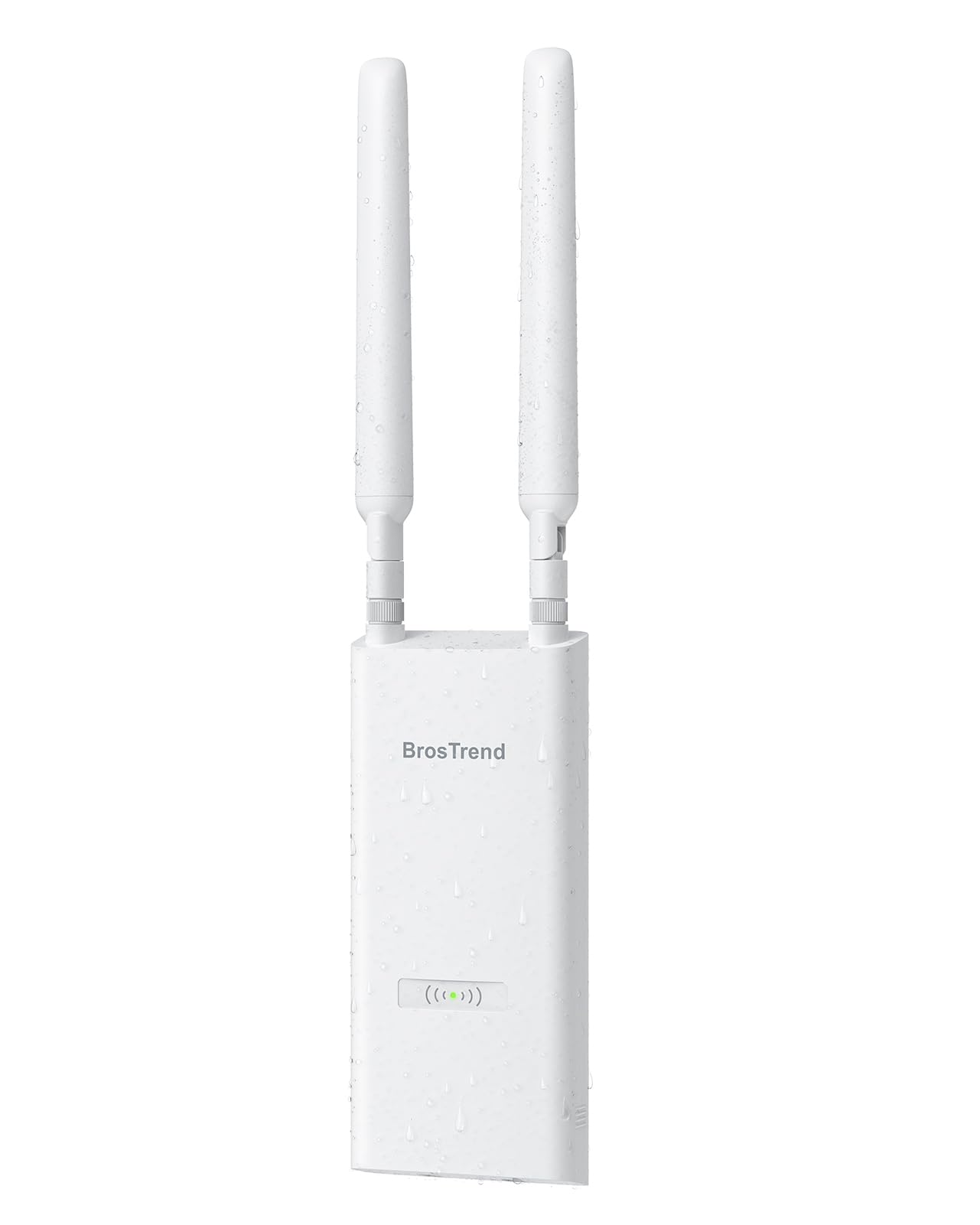
3. BrosTrend AC1200 Outdoor
Built like a small mast, with two adjustable antennas aimed wherever you actually sit.
Reach is the headline: 656 feet of stated outdoor range — the furthest cable-run reach in this group, and the reason it suits a pool at the bottom of a long garden. It runs 867 Mbps on 5 GHz and 300 Mbps on 2.4 GHz, supports up to 60 devices, and adds MU-MIMO (it serves several devices at once) plus Beamforming so the signal leans toward your phone or laptop rather than spraying evenly into the bushes. Two adjustable 5 dBi omni-directional antennas (dBi measures antenna gain, and omni-directional means it spreads in all directions) let you angle coverage by hand.
For power, it takes a single Ethernet cable — either the included Passive PoE injector up to 164 ft or a standard 802.3af/at/bt PoE switch up to 263 ft. That means no outlet at the fence post, just a cable from the house. The IP65 housing pairs with 6kV lightning protection and 8kV ESD shielding (a guard against static electricity), which is more surge headroom than most units here. Swap in a shielded, UV-resistant Cat5e-or-better cable for the outdoor run and it is built to last through winter.
The catch is a real one to plan around: this is an access point, so it needs that cable uplink to your router — no pure wireless relay. Weatherproofing assumes a proper waterproof outdoor cable, which is a separate purchase if you do not own one. Buy it for the install quality and the antenna control, not for a plug-in-and-forget job.
Aiming and protection: the two detachable waterproof antennas and 6kV lightning protection are what set it apart from the cheaper Cudy above.
Plan the cable: 656 feet is the headline, but the uplink cable and its weatherproofing are on you.
Best match: big yards where the router is far from the mount point and you can run a long outdoor cable.
Look elsewhere if: you need a repeater that catches your existing signal with no wiring.
4. Cudy RE1200 Outdoor

The one that grabs your indoor Wi-Fi out of the air and re-broadcasts it, cable optional.
For a renter or anyone who cannot drill a cable run, this repeater is the practical pick. It takes your existing Wi-Fi and re-sends it, reaching up to 170 m (558 ft) in tested conditions with beamforming and two external antennas. Speeds run 867 Mbps on 5 GHz and 300 Mbps on 2.4 GHz — a 1200 Mbps rating that is a tier below the AX1800 WAVLINK further down. Its wired port is a 10/100 Mbps Ethernet connection, so think of that port as a convenience rather than a fast backbone.
What makes it flexible is backhaul choice: it can work as a Cudy Mesh satellite, use Ethernet backhaul, or run multi-band wireless backhaul, so it adapts to what you have. The IP65 enclosure works from -40°C to 65°C with 4kV surge protection, and the box includes a 24V passive PoE adapter and wall or pole mounting kit. It is a compact 415 g unit, so it is easy to hang high on a fascia.
The reliability of a re-broadcast signal depends on how clean the source is, so position it where your indoor Wi-Fi is already decent, not somewhere it is already failing. That is the honest limit of any repeater. Everything else — the weatherproof build, the included adapter, the mesh option — lines up for a simple outdoor boost.
Why it slots in here: the 10/100 Mbps wired port keeps it honest about ambition — it is a wireless-first booster for a patio or shed.
Reach for this: if you want outdoor Wi-Fi without running cable and your source signal is already strong near the wall.
Pass on it: if you plan to build a fast wired perimeter network, since that port caps at 10/100 Mbps.
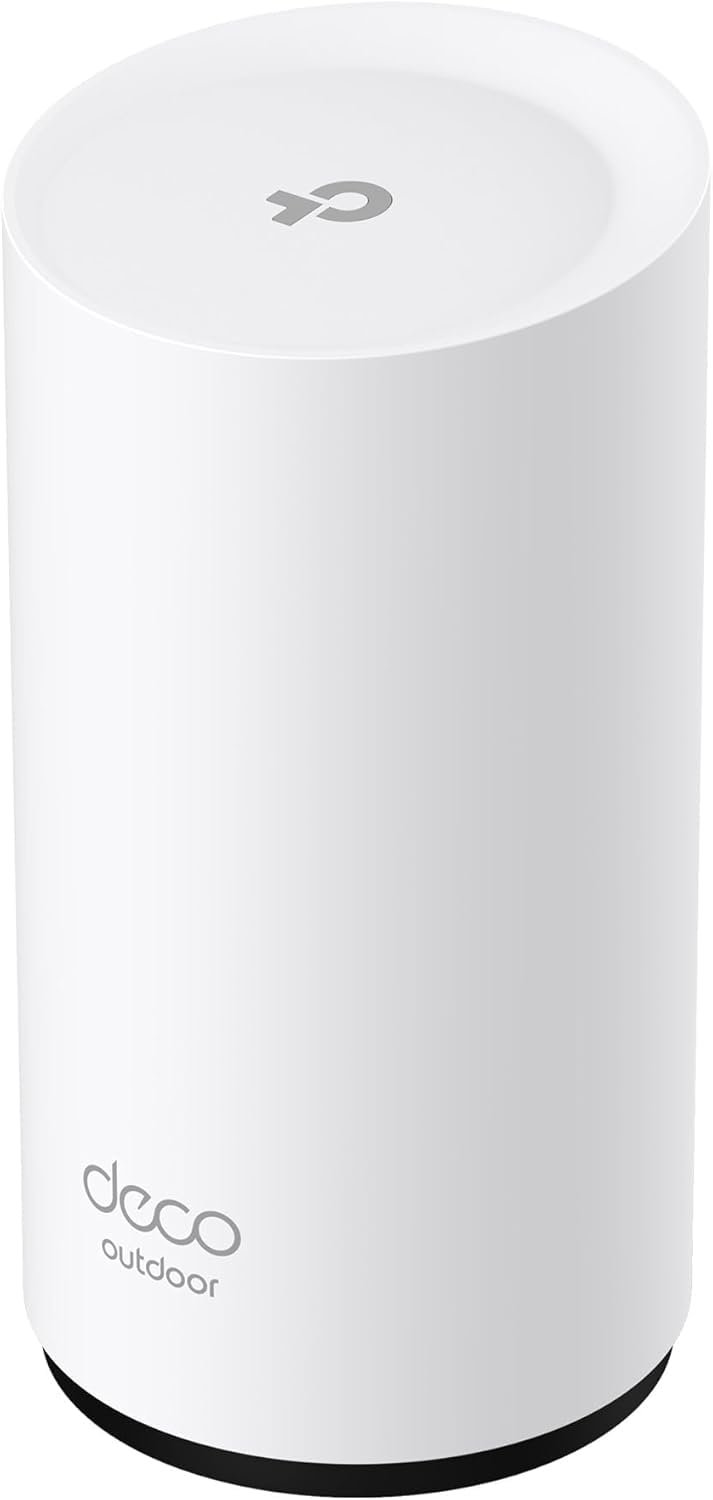
5. TP-Link Deco X20-OUTDOOR

A Wi-Fi 6 mesh add-on that saves you from replacing a working Deco setup just to get outside.
If your Deco network is Wi-Fi 6 and you are not ready to jump to Wi-Fi 7, this is the sensible piece. It reaches up to 1200 Mbps on 5 GHz and 574 Mbps on 2.4 GHz, adding 2,200 sq. ft. for up to 150 devices on one network name. That coverage figure is smaller than the 2,800 sq. ft. Deco 7 above, so it is a good match for a standard yard rather than a large estate.
Two 2 Gbps PoE ports handle the wired side, and the included kit covers pole, wall, or tabletop mounting. It powers over PoE+ or an AC adapter and can run either wired or wireless backhaul. AI-Roaming shifts your phone or laptop to the closest Deco without a drop, which is exactly the behavior you want as you carry a call from the kitchen to the garden. The IP65 housing is rated to shrug off rain, dust, moisture, shocks, and vibrations.
One requirement matters: this needs an indoor Deco system to join, so it will not work as a standalone extender for another brand’s router. Reviewers agree it delivers on coverage and setup, with strong signal well out into the yard. Update the firmware in the app and it settles into the background.
Why it earns a spot
- 2,200 sq. ft. and up to 150 devices on a single Deco network name
- Two 2 Gbps PoE ports plus PoE+ or AC power options
- AI-Roaming keeps a moving device on the strongest node
- IP65 housing with pole, wall, or tabletop mounting hardware included
The real constraint
- Needs an existing indoor Deco mesh system — not standalone
- Smaller 2,200 sq. ft. reach than the Deco 7’s 2,800 sq. ft.
Pick this one: if you own a Wi-Fi 6 Deco system and want to extend it outdoors without an upgrade.
skip it if: you run a different brand of router, since it cannot join your network alone.
6. WAVLINK AC1200 Outdoor
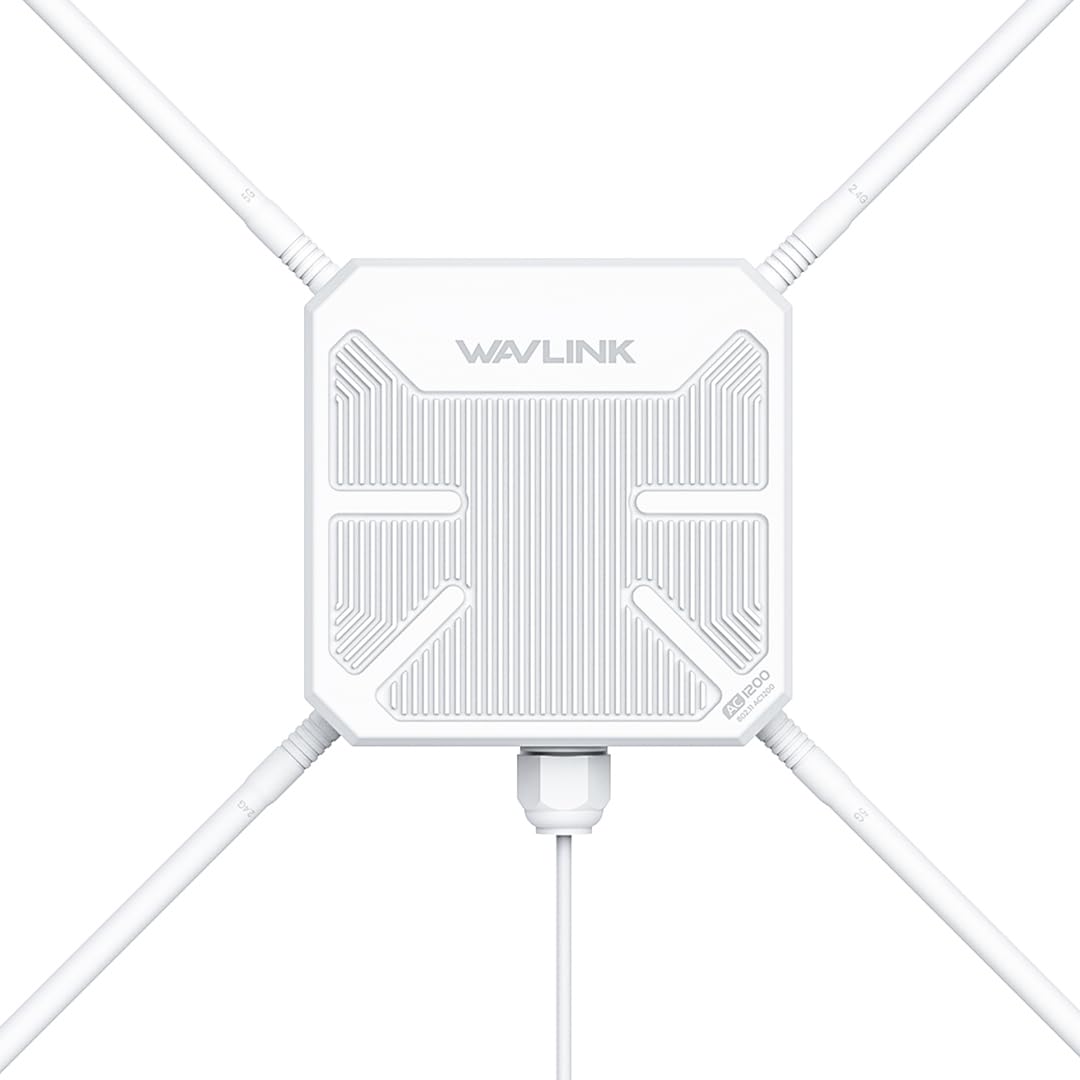
Four detachable 7dBi antennas spread a 360° signal across open ground, with surge ratings to match.
For a farm, an estate, or any wide-open plot, the antenna array is the reason to look here. Four detachable 7dBi omni-directional antennas (dBi measures antenna gain, and omni-directional means it spreads in all directions) push sturdy 360° coverage, so you are not limited to one narrow cone of signal. It runs at a 1200 Mbps data transfer rate over dual-band 5 GHz and 2.4 GHz, reaching a stated 300 meters on 5 GHz and 100 meters on 2.4 GHz. It is the most antenna-heavy unit on this list, and the coverage shows it.
The IP65 housing pairs with 15kV ESD protection and 6kV lightning protection, so it is built for exposed, storm-prone ground. It supports 802.3AT/AR active PoE and passive PoE, letting one cable carry power and data out to a spot with no outlet. Modes cover AP, repeater, and router, and it can link with Starlink and other sources. It is also compatible with a WAVLINK AC controller for running several units in a larger network.
One detail to plan for: the PoE converter is not waterproof, so the injector end has to live indoors or in a dry box. Obstacles also cut into that 300-meter figure sharply, so line of sight from the antenna to your devices is what makes the difference. Position it clean and high and it does the job.
Strong for open land: the stated 5 GHz reach of 300 meters and 15kV ESD protection suit farms and large plots better than a small garden.
Mind the injector: the PoE converter needs a dry, indoor home.
Ideal for: farms and big open sites where a 360° antenna spread and long 5 GHz reach matter.
pass on it if: your mounting spot has no dry place for the non-waterproof PoE converter.
7. Omada EAP650-Outdoor

A true Wi-Fi 6 access point that takes a beating outdoors and plugs into a managed network.
The headline here is the IP67 enclosure — the highest weather rating in the front half of this list — paired with dual-band Wi-Fi 6 speeds up to 2976 Mbps. It reaches a stated 3,500 sq. ft., the widest footprint of any single access point here. The 3000 Mbps data transfer rate puts it a tier above the 1200 Mbps units and just under the Deco 7’s 5000 Mbps. For a large deck or a commercial yard, that combination of reach and toughness is the draw.
Supporting tech includes 1024-QAM (a denser signal encoding that carries more data per transmission), HE60 (a Wi-Fi 6 standard for busy networks), and Long OFDM Symbol (a longer signal burst that holds up over distance), plus Mesh, smooth Roaming, Band Steering, Load Balancing, Airtime Fairness, and Beamforming. It can run standalone or fold into Omada’s Software Defined Networking platform (a central dashboard for your network), managed via cloud, the Omada app, or a hardware or software controller. A passive PoE adapter (power over the Ethernet cable) and mounting kit are in the box. If you run several access points, the centralized view is a genuine convenience.
The thing to understand before buying is who it is for: this is a managed networking device, not a set-and-forget extender, so a home user expecting an app wizard will find the setup deeper than expected. It is also an access point that wants a wired uplink. For someone running a small managed setup or a serious outdoor network, that depth is exactly the point.
Built for the long haul: IP67 protection and 3,500 sq. ft. of reach make it the toughest single AP in this lineup.
Fit check: it rewards someone comfortable with a managed network and a wired uplink, not a plug-in booster.
Your pick if: you want a rugged, manage-multiple-APs setup for a big outdoor space and know your way around a controller.
Not the one for: a simple app-only home install with no wired run.
8. WAVLINK AX1800 Outdoor

Wi-Fi 6 reach for the far end of a rural property, sized for a small crowd of devices.
For a farmhouse or off-grid setup, the capacity number is the one to note: up to 256 devices. Four 8dBi omni-directional detachable fiberglass antennas push coverage to 200-300 m in line-of-sight conditions. It runs Wi-Fi 6 speeds up to 1800 Mbps — 1201 Mbps on 5 GHz and 574 Mbps on 2.4 GHz. That 1800 Mbps data transfer rate puts it clearly above the 1200 Mbps units, though below the 3000 Mbps Omada. It also connects with Starlink Gen 2/3 through a Starlink Ethernet Adapter, which is what makes it a fit for remote homes.
Weather is handled: the IP67 fully sealed, heat-resistant casing (IP67 means it is dust-tight and survives brief water immersion) runs from -20°C to 50°C and resists moisture, dust, lightning (6KV), and static shock (15KV). Modes include Mesh, AP, Router, Repeater, and AP+Repeater, so it covers most outdoor setups. It powers over 802.3 AF/AT active PoE or passive PoE with the included 54V/0.3A adapter. Two notes from the maker worth planning around: the PoE adapter is not waterproof and must go indoors, and the box includes only a 1 meter Ethernet cable, so you will likely supply a longer Cat5e-or-better run under 100 m.
Reviewers report long-distance reach, with coverage stretching well past a few hundred meters in the right setup. The catch is the placement discipline: it wants clear line of sight and dry housing for the adapter, and there is no app — a configuration page is the control interface. For a property that needs the reach, that is a fair trade.
Reach and capacity
- Up to 256 devices on Wi-Fi 6 speeds up to 1800 Mbps
- Four 8dBi antennas and IP67 protection for harsh weather
- Starlink Gen 2/3 compatible via an Ethernet adapter
- Mesh, AP, Router, Repeater, and AP+Repeater modes
Setup realities
- PoE adapter is not waterproof and must sit indoors
- Ships with only a 1 m Ethernet cable — plan a longer run
- No app for setup; control is via a configuration page
Best for: rural properties with many devices and a clear line-of-sight path to the coverage area.
Look elsewhere if: you want app-guided setup or have a short, obstructed site.
9. Amazon eero Outdoor 7
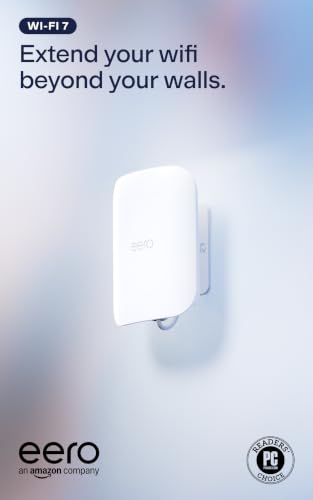
The one that covers the whole yard by the acre — up to 15,000 sq. ft. from a single unit.
If the footprint is the deciding factor, this is the outlier: up to 15,000 sq. ft. of mesh coverage, a 70 foot radius, and 100+ devices. Wi-Fi 7 delivers wireless speeds up to 2.1 Gbps. Compare that reach to the 2,800 sq. ft. of the Deco 7 above — this one is built for a genuinely large property, not a single patio. It is a mesh router in its own right, so it extends an eero network rather than tacking onto a different brand.
The IP66 weatherproof rating is tested to run from -40°F to 131°F, holding up through dust, rain, and snow all year. It powers by AC or PoE+ with the included 30W adapter. TrueMesh, TrueRoam, and TrueChannel software work together to keep devices on the best connection as you move. Setup walks you through the eero app, which also delivers automatic updates. It is backward compatible with all previous eero generations and pairs with eero Built-in on select Amazon Echo devices.
One thing to note: the advanced security features — Advanced Security, a VPN powered by Guardian, Malwarebytes, and 1Password — come through an optional eero Plus subscription, so those are add-ons, not included. And like any mesh add-on, it wants an eero network to build on. For a large open outdoor space, the coverage is the reason to pay up.
The coverage standout: 15,000 sq. ft. and a 70 foot radius make it the widest-reaching unit on this list by a wide margin.
Know before you buy: eero Plus extras need a subscription, and the unit needs an existing eero network.
The right call for: an eero household with a large yard, acreage, or a long patio space to cover.
Not your fit if: you run a non-eero router or want security extras without a subscription.
Know the Specs
Weather ratings: IP65 vs IP66 vs IP67
This two-digit code tells you how well the housing keeps out solids and liquids. IP65 handles dust and rain spray when mounted upright. IP66 steps that up against powerful water jets, and IP67 adds brief immersion protection. For a fence post or a patio wall, IP65 is often enough; for coastal or storm-prone spots, IP66 or IP67 gives you more margin. Either way, the rating usually depends on a vertical mount, so follow the manual.
PoE and PoE+ explained
PoE means Power over Ethernet — a single cable carries both the internet signal and the power, so you do not need an outlet at the mounting point. Standard 802.3af and 802.3at (PoE+) deliver power from a switch or injector, while passive PoE uses a dedicated adapter. This matters outdoors because running one weatherproof cable is far easier than running mains power to a fence. Note that some units here include their own adapter and some do not.
Antenna gain and line of sight
Antenna gain, measured in dBi, describes how tightly a signal is focused — higher gain reaches further in a straight line. This group ranges from 5 dBi up to 8 dBi, with a few units fitting four antennas for broader coverage. Gain only helps in open air, though. Trees, sheds, and slopes cut the range hard, so place the unit high and in clear sight of the area you want covered, and treat the advertised distance as a best case.
Access point vs repeater vs mesh add-on
An access point needs a cable back to your router and then broadcasts a fresh signal. A repeater catches your existing Wi-Fi and re-sends it, with no cable needed but a weaker result. A mesh add-on joins your existing mesh system as a satellite and keeps one network name across the property. Match the type to your router first — a mesh add-on will not join another brand’s system, and a repeater will not beat a wired access point over a long distance.
Common Questions
Will an outdoor booster work with my existing router?
Does an outdoor access point need a power outlet at the mounting spot?
How far will the signal actually reach outdoors?
Is IP65 enough for a fence-mounted unit?
Can I use an outdoor booster with Starlink?
Should I buy an access point or a repeater?
What does PoE+ mean and do I need it?
Will more antennas really give me more range?
Can I run several of these units on one property?
Do I need a special Ethernet cable for outdoor mounting?
The Bottom Line
For most people, the best outdoor wi-fi antenna booster is the Deco 7 Outdoor BE5000 — 2,800 sq. ft. of mesh coverage, two 2.5 Gbps PoE+ ports, and a 5000 Mbps rate, so long as you already run a Deco network. If you want a rugged standalone access point with IP67 protection and managed reach, the Omada EAP650-Outdoor is the step up. And for a large yard that needs the widest single-unit footprint, the eero Outdoor 7 pulls ahead at up to 15,000 sq. ft.
Match the type to your router first, confirm a cable path or accept a repeater’s limits, and check the weather rating against your climate. Do that, and one of these will turn your dead zone into usable Wi-Fi.
How we choose
We do not accept paid placement. Every pick is matched to a real buyer and a real use-case; we do not hands-on test units.
Sources
Specifications: manufacturer listings and product documentation. Review insights: verified customer reviews, as of November 2026. Pricing: not shown on this page (it changes often); check the current price via the retailer link.
As an Amazon Associate, Tactical Gear Guy earns from qualifying purchases. This does not affect which products we feature.