Specs are compiled from manufacturer listings and verified buyer reviews and can change over time — please confirm the key details on the product page before buying.
You bought a solid router, yet the signal dies the moment you walk into the garage, the basement, or the back bedroom. A wireless repeater fixes that: it grabs your existing WiFi and rebroadcasts it into the rooms your router cannot reach, so you stop hunting for a bar of signal. The catch is that repeaters vary wildly — one claims a huge range but is a single-band model (it only uses the slower 2.4 GHz band), another is a stripped-down plug-in that only covers a small flat — so the right pick depends entirely on how far your dead zone is and how many devices need to stay online. Below, the seven that make the cut, sorted by what each one actually does well.
This guide is built by comparing the manufacturers’ published specifications and the patterns across verified customer reviews, so you get each pick’s real strengths and trade-offs instead of marketing spin.
Range, mode support, and Ethernet all change what a repeater can do in your home, and the picks below explain each in plain English. Use this breakdown to pick the one wireless repeater that fits your dead zone.
Top Picks


How To Choose The Best Wireless Repeater
Start with the dead zone, not the box art. Measure roughly how far the weak spot sits from your router and how many walls stand between them, because that distance decides whether a compact plug-in extender is enough or you need something with bigger antennas.
Dual-band versus single-band is the first real fork
A dual-band extender (two frequency lanes — 2.4 GHz and 5 GHz) can relay the faster 5 GHz band as well as the slower, longer-reaching 2.4 GHz band. A single-band model runs 2.4 GHz only, which travels further through walls but tops out lower. If your devices sit close and want speed, dual-band wins; if you are pushing one signal through heavy walls to a far shed, single-band can still do the job.
Repeater mode, AP mode, and mesh mode
Repeater mode takes your existing WiFi and rebroadcasts it wirelessly — the simplest fix for a weak room. AP mode (access point) turns a wired Ethernet connection into a WiFi hotspot, which is the cleaner option when you can run a cable. EasyMesh lets compatible units form one network name, so your phone does not have to be told which network to join.
Check the coverage figure and the device count together
Manufacturers print a coverage number in square feet and a device count. Those two figures are best-case estimates under open conditions — walls, floors, and distance all cut into them. Use them to compare models on equal terms, then judge real expectations by how buyers report actual performance in rooms like yours.
Do not buy a repeater expecting more speed
A repeater extends coverage; it does not raise the speed your internet plan delivers. In practice, extending wirelessly often means the extended signal runs at a lower rate than the router’s own, because the data is being received and re-sent. Buy for reach and stability, and use an Ethernet port if you have a device that needs the full wired speed.
Side-by-Side Comparison
| Model | Best For | Bands | Total Rate | Coverage | Amazon |
|---|---|---|---|---|---|
| VERMEYEN WiFi Extender Signal Booster★ Best Overall | Full 360° coverage in a big home | Dual-Band | 1200 Mbps | Up to 5000 sq. ft | Amazon |
| TP-Link AC1200 RE315Best Value | Everyday dead-zone fixes with app control | Dual-Band | 1200 Mbps | Up to 1500 sq. ft | Amazon |
| HIMALU R11 2.4GHz Repeater | Budget plug-in for far, wall-heavy spots | Single-Band | 300 Mbps | — | Amazon |
| NETGEAR EX5000 | Compact bedside or garage booster | Dual-Band | 1200 Mbps | Up to 1500 sq. ft | Amazon |
| TP-Link RE515X AX1500 | WiFi 6 speed for busy homes | Dual-Band | 1500 Mbps | Up to 1800 sq. ft | Amazon |
| NETGEAR Nighthawk EXS27 | WiFi 7 growth with a 2.5G wired port | Dual-Band | 5 Gbps | Up to 1500 sq ft | Amazon |
| WAVLINK AX1800 Outdoor Extender | Yards, farms, and Starlink setups | Dual-Band | 1800 Mbps | 200-300 m line-of-sight | Amazon |
Detailed Reviews
1. WiFi Extender Signal Booster 5G 1200Mbps
Our pick — 4.0+★ from 8,500+ verified ratings; the strongest balance of quality and price.
A plug-in booster that claims every corner of the house, including the floors in between.
What earns this one the top spot is the sheer reach it advertises — up to 5000 sq. ft of coverage and 35 devices on one extender, the largest coverage number in this group.
The wireless side runs dual-band at 1200 Mbps total, splitting into up to 300 Mbps on the 2.4 GHz lane (the slow, wall-punching one) and up to 867 Mbps on 5 GHz (the fast, short-range one). It also carries an Ethernet port and switches between repeater mode and AP mode, so it can either rebroadcast your WiFi or turn a wired line into a hotspot. Setup is a single tap through WPS (a button that pairs the extender to your router without typing anything), or a phone login at 192.168.11.1.
The honest caveat sits in the fine print of the mode list: 360-degree coverage and mesh-style naming are headline features, but wireless extension still means the extended signal runs below what the router itself puts out, so do not expect this to make a slow plan feel fast. The 180-day return window and lifetime technical support give you a low-risk way to test it in your worst room.
Why it leads the group
- The widest coverage claim here — up to 5000 sq. ft and 35 devices on one unit.
- Dual-band 1200 Mbps total with 300 Mbps on 2.4 GHz and 867 Mbps on 5 GHz.
- Ethernet port plus repeater/AP switching covers both the wireless and wired fix.
- One-tap WPS pairing, or a phone login if the button route stalls.
What to plan around
- Extended wireless signal runs below the router’s own rate, like every repeater.
- Setup trips on password errors if mobile data stays on during pairing.
- The mesh label does not mean it joins your existing router’s mesh — check that first.
Go for it: a house with a genuine far-corner dead zone and a dozen-plus devices scattered around it.
Think twice: if you want the extender to merge into a router-brand mesh — this one broadcasts its own network.
2. TP-Link AC1200 WiFi Extender Dual Band 5GHz/2.4GHz (RE315)
The proven workhorse that fixes a dead room and tells you exactly where to put it.
Two adjustable external antennas push a dual-band signal rated at 1200 Mbps total — 867 Mbps on 5 GHz and 300 Mbps on 2.4 GHz — across up to 1500 sq. ft and up to 32 devices. What wins people over here is how reliably it just works: the TP-Link Tether app walks you through placement with a signal indicator, and Adaptive Path Selection keeps your phone or laptop on the strongest band as you walk around. For a couple of rooms and a normal load of gadgets, 1500 sq. ft and 32 devices is about all anyone needs.
Like every extender in this category, it does not raise your speed — TP-Link states plainly that actual throughput can land around half of your current rate or less, and the reliability that comes with the boost is the real payoff. EasyMesh compatible means it slots into a matching router for one network name, though it will not join a Deco system. And if you need one device to sit at hardwired speed, the Ethernet port on the side takes a cable straight to a smart TV or console.
Where this pick earns its keep: 1.2 Gbps total bandwidth at a price that undercuts the fine-print-free premium units, with years of crowd approval behind it. The recurring honest note in reviews is the occasional drop from a weak placement spot — the app’s signal indicator is the fix, so mount it midway between router and dead zone, not in the dead zone itself.
The real-world read: coverage and ease of setup are the two things most owners talk about, and both are the reason this stays a default recommendation for apartments and mid-size homes. It also stays stable enough for streaming and video calls in rooms the router could not reach.
Where it falls short: put it too far from the router and the rebroadcast signal weakens fast — the app tells you when, and it is worth listening.
Your pick if: you want one dead room fixed with the least fuss and a fair budget.
Look further if: your router is a Deco mesh — this extender makes a separate network name instead of joining it.
3. Fastest WiFi Extender Signal Booster
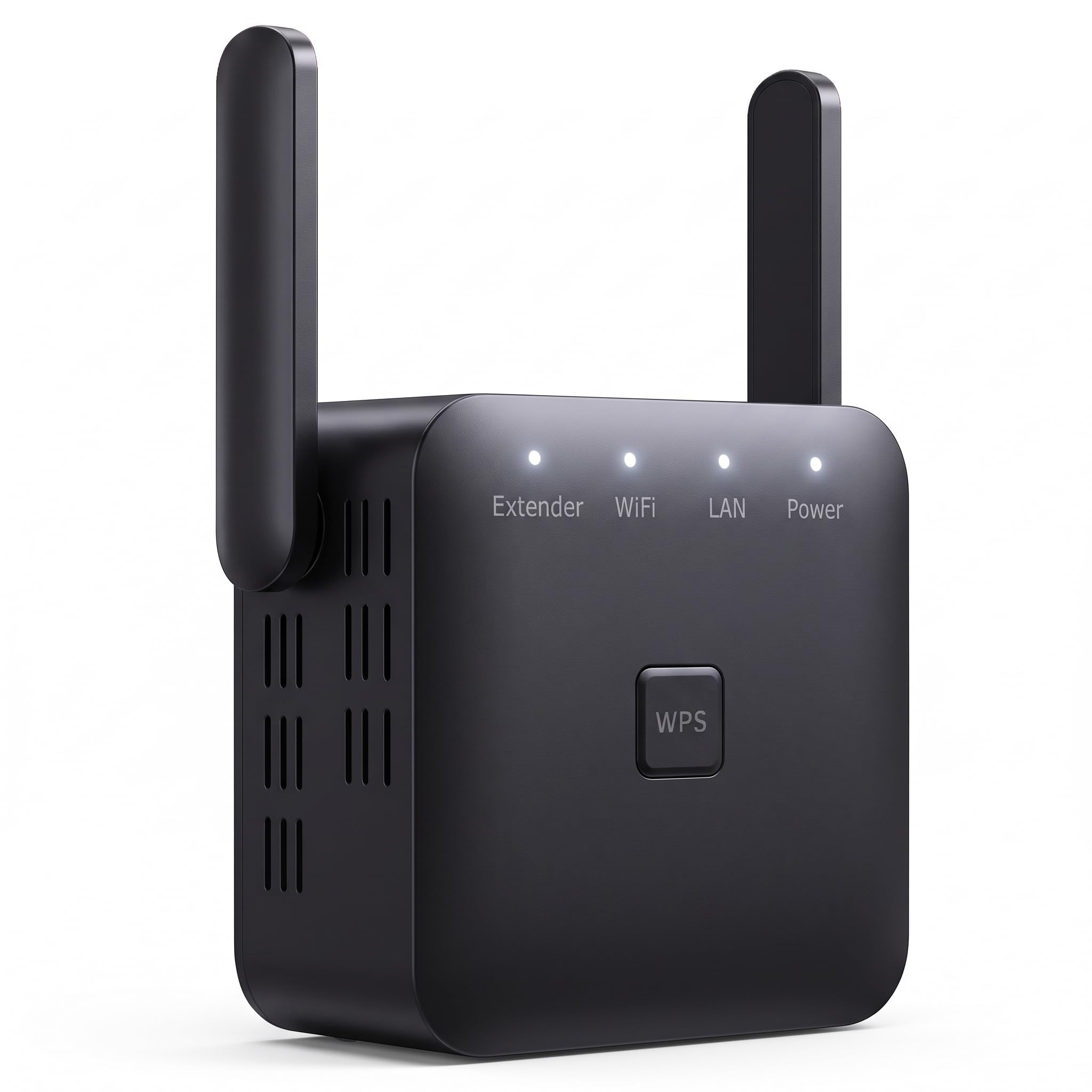
A single-band sprinter built to push one 2.4 GHz signal through walls others struggle with.
Here is the contrast that matters most: this plug-in tops out at 300 Mbps on a single 2.4 GHz band, while the NETGEAR EX5000 above moves up to 1200 Mbps across two bands. That gap is real, not a rounding error — but so is the trade. The 2.4 GHz lane is the one that travels furthest through walls, and this unit leans fully into that. It is a signal you send to a far garage or a patio, not a speed upgrade for a gaming desk.
At 3.52 ounces it is the lightest extender here, and it drops straight into a wall outlet with no cable or bracket. Setup is a step-by-step login page: default password “admin”, pick your home network, and your old WiFi name reappears with “PRO” in front. The manual spells out the whole sequence, which is more than some competitors bother with. An Ethernet port on the underside means you can hardwire a smart TV if you have run a cable out to where it sits.
The catch is the name. “10000 Sq.ft” is a marketing figure, not a measured coverage spec — real reach depends on walls and distance, and the single-band limit means the far signal will be slower than what your router alone gives you up close. Treat this as the cheapest way to get a usable signal into a stubborn far room, not as a whole-home solution.
Strong suits
- 2.4 GHz single-band reaches through walls better than shorter 5 GHz lanes.
- Lightest in this lineup at 3.52 ounces — no clutter on the outlet.
- Documented setup steps mean fewer first-hour headaches.
- Ethernet port lets one wired device ride along.
Fit notes
- 300 Mbps ceiling is the lowest advertised rate here and will feel slow for 4K and gaming.
- Single-band only — no 5 GHz lane for close-range speed.
- The 10000 sq. ft figure is a marketing headline, not a measured range.
Best for: a far shed, garage, or patio where slow-and-steady beats fast-and-short.
Skip if: speed matters at the far end — for 4K streaming or gaming, a dual-band unit is the only sensible call.
4. NETGEAR WiFi Extender EX5000, up to 1,500 sq ft, 1.2 Gbps

A coffee-table-friendly cube that turns one weak room into a usable one.
Look at the footprint first: 2.55″D x 2.85″W x 2.85″H and 5.44 ounces makes this the most compact unit in the group, so it disappears on a nightstand or bookshelf in a way the tall TP-Link and the gangly WAVLINK antennas do not. It adds up to 1500 sq. ft across two bands at 1200 Mbps total for up to 25 devices, and it works with any router or gateway — Xfinity, Spectrum, AT&T, Cox, and Verizon are named on the box.
The rates hold their own, too: it sits at 1200 Mbps on paper alongside the TP-Link RE315 and double the HIMALU’s 300 Mbps ceiling. For noise-sensitive setups, its low-profile build also makes it easier to place away from the crowd of devices on the main router, which is where extension usually works best. Setup runs through the NETGEAR Nighthawk app or a WPS button press, and WPA2 encryption plus automatic firmware updates keep the extended network locked down.
What to weigh before you commit: some owners end up in a spot where the extended signal does not cover the room they were targeting, which usually means the unit went in too far from the router rather than too close. Range and speed draw a genuinely mixed reaction in reviews even though setup and everyday function draw strong praise. If your dead spot is a long way out, a larger-coverage unit like the VERMEYEN’s 5000 sq. ft claim gives more headroom from the same outlet.
Where it shines: the smallest body in this lineup, WPA2 security with automatic updates, and WPS or app setup that gets you running in minutes. It turns a bedroom, garage, or backyard into a room with a usable signal.
The honest catch: it is a 1500 sq. ft extender at heart — push beyond that and you will feel the range taper.
Worth grabbing if: you want a near-invisible booster for one adjacent room or a small flat.
Pass on it if: your weak spot sits two floors or a long hallway away — go bigger on coverage.
5. TP-Link RE515X AX1500 WiFi 6 Range Extender w/Ethernet Port
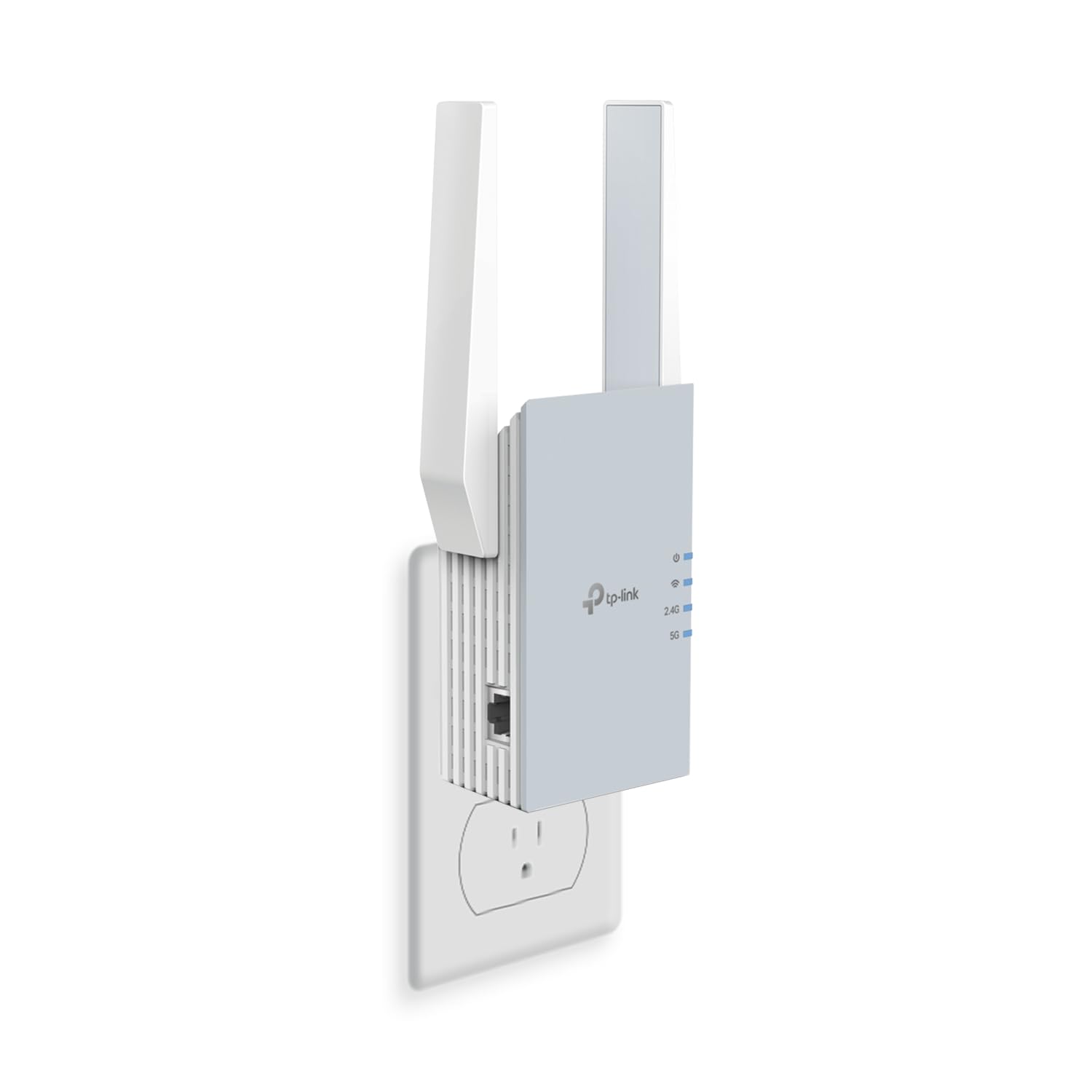
WiFi 6 on the extender side, so newer phones and laptops get the faster lane out of the dead zone.
WiFi 6 is the newer wireless standard, and it does more than pad a spec sheet — it handles many devices at once without the chug that older gear shows when the whole family streams at the same time. Here you get 1500 Mbps total, split into 1201 Mbps on 5 GHz and 300 Mbps on 2.4 GHz, across up to 1800 sq. ft and up to 64 devices. That 1800 sq. ft is the largest indoor coverage figure on this whole list, and the 64-device ceiling is the most generous indoor count too.
The build leans on two high-gain directional antennas with beamforming, which points the signal toward your devices rather than spraying it evenly. A gigabit Ethernet port turns any wired line into a safe hotspot — a real escape hatch for a home office where WiFi has proven unreliable. TP-Link’s Tether app handles setup and a signal indicator shows you where it is strongest, and it is EasyMesh compatible with a matching router for one network name.
Two things to know up front. First, the fine print is explicit that extenders improve coverage and do not boost speed. Second, reliability is the recurring honest note in the feedback, with some units giving up after a while — not the norm, but real enough that the EasyMesh offer to merge it into your router’s network should be your fallback plan. For a busy household with several WiFi 6 phones and laptops, that 1201 Mbps 5 GHz lane is the upgrade worth having.
Why newer devices like it: WiFi 6 support means phones and laptops built for it negotiate a faster, steadier connection, and the two directional antennas keep the far-room signal pointed where it is needed.
Be honest about: the “does not increase speed” caveat and the reliability pattern — buy it for reach and modern-device compatibility, not raw speed.
Reach for this: if you own WiFi 6 phones or laptops and want the extender keeping pace with them.
Don’t reach for this: if your router and devices are all WiFi 5 — the extra standard buys you little.
6. NETGEAR Nighthawk WiFi 7 Extender EXS27
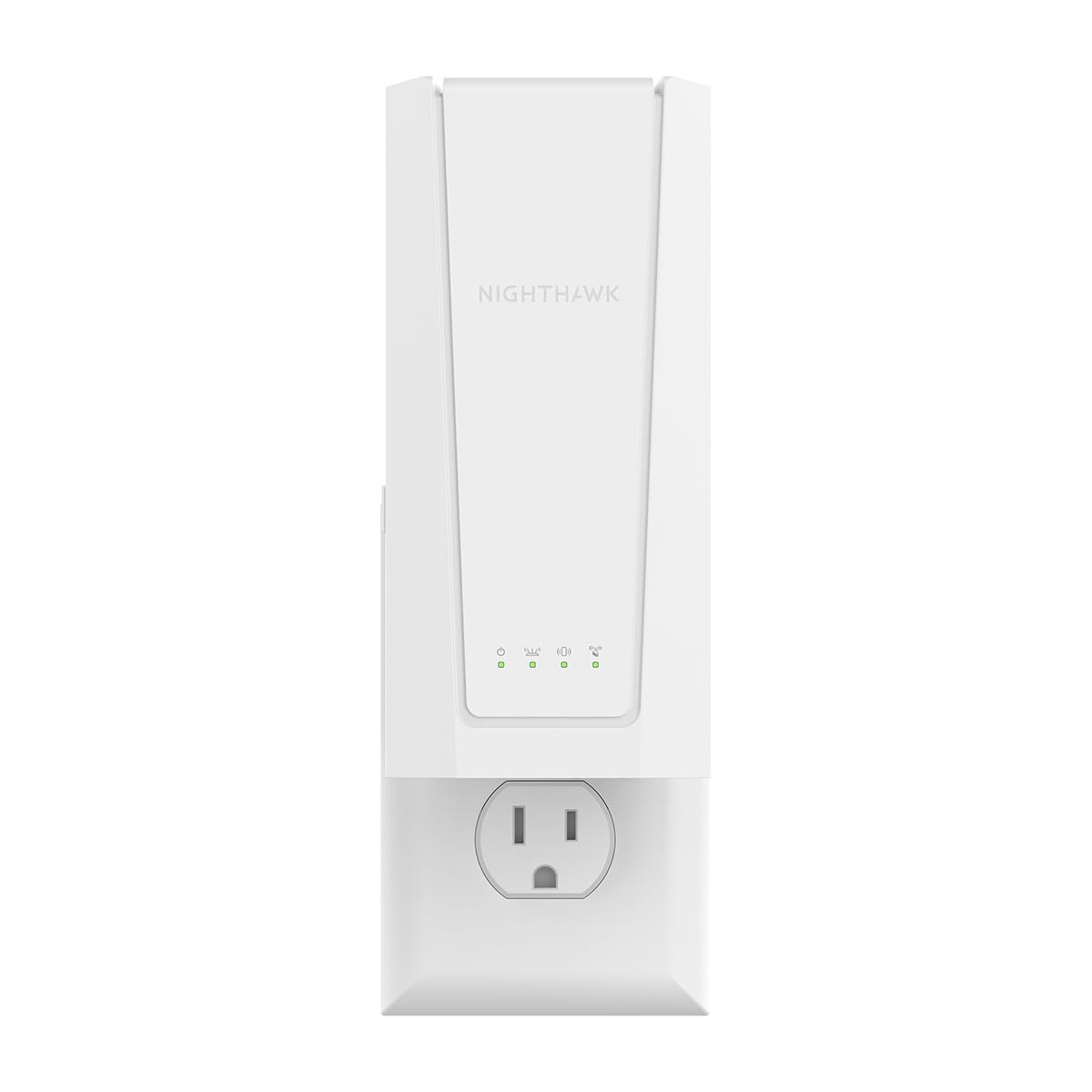
The only WiFi 7 extender here, and the only one with a 2.5 Gigabit wired port.
WiFi 7 is the newest generation of the wireless standard, and NETGEAR rates this one up to 5 Gbps, the highest advertised rate in this lineup by a clear margin. It adds up to 1500 sq. ft for up to 45 devices, and the Smart Roaming feature keeps your existing network name so devices hop to the strongest signal without you tapping a thing. That is what separates an extender you have to manage from one that just works.
The 2.5 Gigabit Ethernet port is the practical hook. Couple that to a smart TV, game console, or desktop and you can feed it a full-speed wired link right through the extender, which is the one case where extension really can equal speed. Setup runs through the Nighthawk app or a WPS press, the same straightforward route as the EX5000 below in the lineup. It also works with any router or gateway.
Should you pay for WiFi 7 now? If your router already speaks WiFi 7, yes — this extends it without dragging the network back a generation. If your router is older, the high-speed lane is wasted, and a compact dual-band unit like the EX5000 covers the dead room for far less. Still, the range and the wired port are the two things owners cheer about, and for a modern house with a PS5 or Xbox on the far side of the wall, that 2.5G port is what turns a weak corner into a gaming-grade one.
The draw
- Up to 5 Gbps (BE5000) — the highest advertised rate in this article.
- 2.5 Gigabit Ethernet port for a full-speed wired console or TV.
- Smart Roaming keeps one network name, so devices switch automatically.
- Works with any router or gateway.
The trade
- Only pays off if your router and devices support WiFi 7.
- At 1.1 pounds it is the heaviest indoor unit here, and the priciest by a wide margin.
- A few owners mention units failing within six months, so lean on EasyMesh pairing and the warranty if yours does.
- Rated coverage of 1500 sq. ft is the same as the much cheaper EX5000.
Choose this: if you already run a WiFi 7 router and want the far side of the house gaming-grade.
Look elsewhere: if your router is older — the future-proofing buys you nothing yet.
7. WAVLINK AX1800 Outdoor WiFi 6 Extender

The one that lives outside — rain, heat, snow, and all the yard beyond your walls.
Four detachable 8dBi omni-directional antennas (the gain figure rates how tightly each one focuses its signal) push coverage across 200-300 m in line of sight, for up to 256 devices. That is a yard, a farm, or an RV pad, not a bedroom. It runs WiFi 6 dual-band up to 1800 Mbps, splitting into 1201 Mbps on 5 GHz and 574 Mbps on 2.4 GHz — more total throughput than any indoor plug-in here, and it will happily chain off a Starlink dish through a Starlink Ethernet adapter.
The sealed IP67 casing handles temperatures from -20°C to 50°C and shrugs off dust, moisture, lightning at 6KV, and static shock at 15KV. Power is the clever part: it accepts 802.3 AF/AT active PoE or the included passive 54V/0.3A PoE adapter, meaning one Ethernet cable carries both power and data to a spot with no outlet nearby. Just keep the adapter itself indoors, where it stays dry.
This is the heaviest unit in the lineup by far at 2255 g, so plan on a wall mount and a helper. It also runs without any app, so setup is a browser job and every mode — Mesh, AP, Router, Repeater, AP+Repeater — is configured there. Budget for a longer CAT5E ethernet cable if the included 1 m run falls short of where you want to mount it. For a barn, a back acre, or a rural Starlink property, its 200-300 m line-of-sight reach has no rival here.
What it is built for: long-distance property coverage, with owners reporting strong reach and speeds that hold up over a genuine hundred-yard gap. The PoE power run means you are not hunting for an outlet in the middle of a field.
Mind the setup: no app, a heavy body, and a short Ethernet cable in the box — read the mounting notes before you climb a ladder.
Made for this: a yard, farm, or rural Starlink setup that no indoor plug-in could ever reach.
Not for you: an indoor dead bedroom — you would be paying for weatherproofing you never need.
Know the Specs
Dual-Band and Single-Band
Bands are frequency lanes. 2.4 GHz travels further through walls but carries less data; 5 GHz carries more data but fades faster with distance. A dual-band unit can relay both, so devices close to the extender get the fast lane while far devices fall back to the long one. A single-band 2.4 GHz unit keeps things simple and far-reaching but tops out lower — which is exactly why the HIMALU’s 300 Mbps ceiling lags the dual-band 1200 Mbps units here.
Coverage in Square Feet and Device Counts
The square-footage figure is a best-case estimate in open space, and walls, floors, and staircases cut into it. The device count tells you how many phones, TVs, and cameras the extender can juggle at once. Pair the two when comparing: a unit rated for up to 1500 sq. ft and 25 devices is a room-and-a-bit extender, while one claiming up to 5000 sq. ft and 35 devices or 1800 sq. ft and 64 devices is aiming at a whole house.
Ethernet Ports and AP Mode
An Ethernet port on the extender lets one wired device — a smart TV, console, or desktop — get a full-speed wired link from where the extender sits. AP mode (access point) goes further: it takes a wired connection and turns it into a WiFi signal, which is cleaner than rebroadcasting when you can run a cable. If your house already has a data cable in the far room, AP mode is the setting to look for.
What “Extender” Really Means for Speed
A repeater receives your existing signal and re-sends it, so the extended signal usually runs at a lower rate than the router’s own. TP-Link says plainly that actual speeds can land around half your current rate or less, and that improvement in coverage does not equal improvement in speed. Buy a repeater for reach and stability. If you need raw speed at the far end, wire a device to its Ethernet port instead of relying on the wireless link.
Common Questions
Will a repeater work with my Xfinity, Spectrum, or AT&T router?
Does a WiFi repeater actually make my internet faster?
Where should I place my repeater for the best signal?
What is the difference between repeater mode and AP mode?
How many devices can a repeater handle at once?
Can I use an outdoor extender like the WAVLINK inside my house?
Is WiFi 6 or WiFi 7 worth it if my router is older?
Will my devices switch to the repeater automatically as I walk around?
Should I buy a repeater or a full mesh system?
How long does a WiFi extender last?
The Bottom Line
For a house with a genuine far-corner dead zone, the VERMEYEN WiFi Extender Signal Booster is the pick — it leads on coverage with up to 5000 sq. ft and 35 devices, dual-band 1200 Mbps, and a one-tap WPS setup that avoids the usual first-hour headache. If your aim is simply to fix one dead room with the least fuss, the TP-Link RE315 is the better fit — EasyMesh-compatible, app-guided, and the one most home setups will never outgrow. And if the signal needs to leave the house entirely, the WAVLINK AX1800 Outdoor Extender reaches the yard, the farm, or a rural Starlink dish in a way no indoor unit can.
How we choose
We do not accept paid placement. Every pick is matched to a real buyer and a real use-case; we do not hands-on test units.
Sources
Specifications: manufacturer listings and product documentation. Review insights: verified customer reviews, as of November 2026. Pricing: not shown on this page (it changes often); check the current price via the retailer link.
As an Amazon Associate, Tactical Gear Guy earns from qualifying purchases. This does not affect which products we feature.