Specs are compiled from manufacturer listings and verified buyer reviews and can change over time — please confirm the key details on the product page before buying.
If your laptop drops the signal two rooms from the router, the fix is usually a tiny USB plug — not a new computer. A wireless adapter for laptop use adds a fresh dual-band radio that talks to your existing router, and the right one turns a stuttering video call into a steady stream. The wrong one means a driver hunt and a link that drops mid-call. This guide separates the two, with the band speeds, OS support, and antenna trade-offs that decide whether a dongle actually helps.
This guide is built by comparing the manufacturers’ published specifications and the patterns across verified customer reviews, so you get each pick’s real strengths and trade-offs instead of marketing spin.
Below you will find picks sorted by what they do best — raw speed, tiny footprint, plug-and-play simplicity, or future-proof WiFi 7 — plus the numbers behind each one. Every pick here was checked against its own spec sheet, so you can match the adapter to your router, your laptop’s ports, and your actual daily workload before you spend anything.
Top Picks

How To Choose The Best Wireless Adapter for Laptop
Most laptop WiFi problems come down to three things: an old radio inside the machine, a router that speaks a newer standard, or a physical obstruction between the two. A USB adapter fixes the first two instantly and can help with the third if you pick one with a real antenna. The trick is matching the adapter’s WiFi generation to the router you already own, because a WiFi 7 adapter on a WiFi 5 router runs at WiFi 5 speed — you pay for capability you cannot use.
Match the WiFi generation to your router first
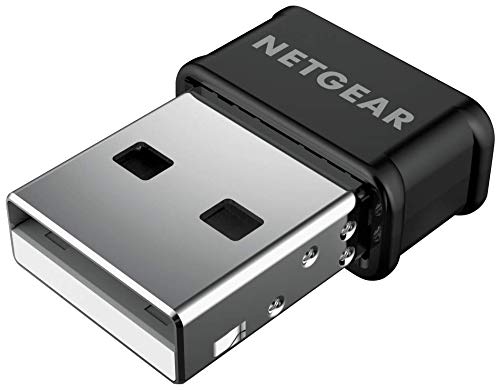
Your router’s standard sets the ceiling. If it is a WiFi 5 (AC) unit, an AC1200 adapter like the NETGEAR A6150 is the sensible pair — it delivers up to 867 Mbps on the 5 GHz band and 300 Mbps on 2.4 GHz. If you have moved to a WiFi 6 router, an AX1800 adapter such as the TP-Link Archer TX20U Nano reaches 1201 Mbps on 5 GHz. Only buy a WiFi 7 tri-band model if your router actually broadcasts on the 6 GHz band, and only if your laptop runs Windows 11 for the 6 GHz drivers.
Decide between a nano dongle and an antenna model
A nano adapter sits nearly flush with your laptop’s edge, so it survives being tossed in a bag and never blocks the neighbouring USB port. That convenience costs you signal reach. An adapter with external high-gain antennas — like the 5dBi pair on the Nineplus N16 or the four 5dBi antennas on the WAVLINK — pulls in a weak signal from further away, which matters if your desk sits at the far end of the house from the router.
Check the operating system before anything else
This is where most returns happen. Several adapters in this category are Windows-only, and a few have no macOS driver at all. If you run a Mac, verify Mac OS support on the listing — the NETGEAR publishes macOS compatibility and a minimum of Mac OS 10.15 Catalina. If you run Linux, the Nineplus N16 lists Linux among its supported systems. Windows 10 and 11 users have the widest choice, and most picks here ship with a pre-loaded driver that installs on first plug-in.
Side-by-Side Comparison
| Model | Best For | Max Speed | Interface | OS Support | Amazon |
|---|---|---|---|---|---|
| NETGEAR A6150★ Best Overall | Everyday home and office upgrades | 1200 Mbps | USB 2.0 | Windows, macOS | Amazon |
| StarTech.com AC600Tiniest Footprint | Smallest possible footprint | 433 Mbps | USB 2.0 | macOS | Amazon |
| Nineplus N16 | Weak-signal rooms and long range | 1300 Mbps | USB 3.0 | Windows, Linux | Amazon |
| TP-Link Archer TX20U Nano | WiFi 6 speed in a nano shell | 1201 Mbps | USB 3.0 | Windows 10/11 | Amazon |
| TP-Link Archer TX10UB Nano | WiFi plus Bluetooth in one port | 900 Mbps | USB 2.0 | Windows 10/11 | Amazon |
| WAVLINK BE6500 | Future-proof WiFi 7 on a desktop | 6452 Mbps | USB 3.0 | Windows 10/11 | Amazon |
| ASUS ROG USB-BE92 | WiFi 7 with both USB port types | 6500 Mbps | USB 3.0 | Windows | Amazon |
Detailed Reviews
1. NETGEAR A6150 USB WiFi Adapter
Our pick — 4.0+★ from 750+ verified ratings; the strongest balance of quality and price.
The do-it-all dongle for anyone whose laptop WiFi has quietly aged out.
The plug-and-leave-it-in option is what most people actually need, and the A6150 delivers it — a 1200 Mbps dual-band adapter that adds fast WiFi to any laptop or desktop through a single USB port. It splits that speed into up to 867 Mbps on the 5 GHz band for HD streaming and video calls, plus 300 Mbps on 2.4 GHz for everyday browsing. That is a real step up from an old built-in card, and it works with any router, including mesh systems and older 802.11 a/b/g/n networks.
Two features earn their keep on a crowded home network. Beamforming+ focuses the signal toward your laptop instead of spraying it in all directions, which helps when the router sits on another floor. MU-MIMO (multi-user, multiple-input, multiple-output — a way of serving several devices at once) keeps speed up while phones and tablets share the same router. Security is covered by WPA2 and WPA3 mixed-mode, so it works on both older and newer home and office networks without a firmware scavenger hunt.
What wins people over here is the build and the fit — the compact nano body scores highest among everything buyers talk about, and it plugs in without blocking the ports next to it. The honest catch is the software side. A Windows laptop will pick it up quickly, but Mac users have hit driver friction, and the connection quality reads split between strong and slow depending on how far the router is and how many devices are competing. This is the best all-rounder for Windows households running a WiFi 5 or mesh router, not a guaranteed fix for a weak Mac setup.
Where the A6150 earns its keep
- 1200 Mbps dual-band split into 867 Mbps on 5 GHz and 300 Mbps on 2.4 GHz
- Beamforming+ targets the signal at your laptop for a steadier link
- WPA2/WPA3 mixed-mode works on old and new networks alike
- Nano body plugs in without covering the adjacent USB port
The part to weigh before buying
- Mac users have run into driver friction despite listed macOS support
- Connection quality varies with distance and device load on the network
- USB 2.0 interface, so it cannot use the full headroom of a USB 3.0 port
Go with this if: you want a set-and-forget dual-band upgrade for a Windows laptop on a WiFi 5, WiFi 6, or mesh router.
Hold off if: your machine is a Mac — driver support is thinner than the listing implies.
2. AC600 Dual Band USB WiFi Adapter, 2.4GHz/5GHz
Barely bigger than the USB plug itself, and it skips the driver hunt.
Here is the size comparison that matters: this StarTech.com adapter measures 0.7 by 0.9 by 0.3 inches, against 4 by 2 by 8 inches for the NETGEAR A6150 above. That is a 5.7x gap in footprint, and it is the whole point. If your laptop lives in a sleeve or a crowded coffee-shop table, this one disappears into the chassis and never snags on anything.
The trade-off is speed. It tops out at 433 Mbps on the 5 GHz band and 150 Mbps on 2.4 GHz — roughly a third of the NETGEAR’s throughput, which is fine for browsing, email, and standard HD streaming but will feel tight if you move large files over the network. Setup is the other reason it sells: it is IEEE 802.11a/b/g/n/ac compliant, uses USB 2.0, and installs without hunting for a driver, which buyers single out as the thing they liked most after the build quality itself. Security covers WEP, WPA, and WPA2.
Know the ceiling before you commit. It carries no WPA3, so on a newer router locked to the latest security mode you may need to drop the network to WPA2 mixed. And while it works with laptops and desktops across a wide range of systems, macOS is the officially listed operating-system family — check your machine’s driver situation before assuming it is plug-and-go. For a travel bag and a light workload, the small footprint and instant install are worth the slower radio.
The reason to pick it: 433 Mbps on 5 GHz in a 0.3-inch-thick body with no driver download — the ideal secondary adapter for a travel laptop or a spare desktop.
What you give up: no WPA3 and a quarter of the speed of the faster dual-band picks in this list, so heavy file transfers over the network will drag.
Reach for this if: portability and instant setup beat raw throughput for your day-to-day browsing.
Look elsewhere if: your network runs WPA3-only or you regularly move big files across it.
3. USB WiFi Adapter 1300Mbps

Two screw-on antennas that drag a usable signal out of a far bedroom.
If your desk sits two walls away from the router, a nano dongle will struggle and this Nineplus N16 will not, because it carries two 5dBi (decibel-isotropic, a measure of antenna gain) antennas you point at the source. It splits 1300 Mbps into up to 867 Mbps on 5.8 GHz and up to 400 Mbps on 2.4 GHz, which is the most throughput in this list short of the WiFi 7 models. The USB 3.0 interface is the other half of the story — the maker rates it at up to ten times the connection speed of USB 2.0, so it is not throttled by a slow port.
Setup is genuinely simple on modern Windows. It is plug-and-play on Windows 10 and 11 with no additional driver needed, and drivers plus installation walkthroughs are available for other systems, including Linux. Windows 11 and 10 detect and install it automatically once you seat it in a USB 3.0 port. WPA3 encryption covers the connection, and the maker backs it with a two-year replacement service and online support.
Reliability is what this one is known for — it edges out every other pick here on that front, and it is the reason to pay attention to it over a cheaper nano model. Two things to plan around: the antennas make it a stay-put adapter rather than a travel one, and the OS list is Windows and Linux, with no macOS support published. A couple of buyers found it and Raspberry Pi a happy pairing, which tells you the Linux support is real rather than a line on a spec sheet. If you want the strongest signal in the room and you run Windows or Linux, this is the one.
Standout spec: 867 Mbps on 5.8 GHz through two 5dBi antennas on a USB 3.0 port — the most reach of any dual-band pick here.
Fit note: external antennas mean it lives on your desk, and macOS is not on the supported list.
Pick this one if: your laptop or desktop sits far from the router and you need the signal to arrive at full strength.
Think twice if: you need something pocketable, or your machine runs macOS.
4. TP-Link AX1800 USB WiFi 6 Adapter

WiFi 6 speed in a dongle small enough to forget you plugged in.
This is the speed-versus-size argument settled in one product. The Archer TX20U Nano pushes 1201 Mbps on the 5 GHz band and 574 Mbps on 2.4 GHz — 1201 megabits per second against 433 megabits per second for the StarTech.com AC600 above, a 2.8x gap — while weighing only 4.54 grams and measuring 1.06 by 0.62 by 0.3 inches. You get near-flagship throughput in a body that barely protrudes from the laptop edge.
The WiFi 6 extras are what you are really paying for. OFDMA (orthogonal frequency-division multiple access — a way of letting several devices share one transmission at once) lowers ping on videos and online gaming when paired with a compatible router. MU-MIMO lets the router serve your laptop while it is also handling phones and tablets. WPA3 encryption covers the connection, and the driver ships pre-loaded, so Windows 10 and 11 recognise it on first plug-in. It runs on USB 3.0, which is what makes the 1201 Mbps figure reachable at all.
The sensible caveat is longevity: some units have lost their connection after a few months. Ease of use and the compact size are what buyers like best, but long-term reliability reads split, with some units losing their connection after a few months. Speeds also swing between excellent and poor depending on the network. It is Windows-only, so Mac and Linux users should look elsewhere. Treat it as a strong, fast, tiny upgrade for a Windows 11 laptop on a WiFi 6 router, and buy with the expectation that you may need to re-seat it or replace it down the line rather than expecting a decade of service.
Why the nano WiFi 6 crowd likes it
- 1201 Mbps on 5 GHz and 574 Mbps on 2.4 GHz in a 4.54-gram body
- OFDMA and MU-MIMO cut lag on calls and multiplayer games
- Pre-loaded driver means Windows 10/11 setup is a single plug-in
- USB 3.0 interface keeps the fast radio fed
What to plan for
- Some units have lost their connection after a few months of use
- Speed results swing widely between networks
- Windows 10/11 only — no macOS or Linux support
The fit: a Windows 11 laptop on a WiFi 6 router where you want speed without a dongle sticking out of the side.
The mismatch: you run a Mac or Linux machine, or you need a radio you can count on for years without a hiccup.
5. TP-Link AX900 USB WiFi 6 Adapter
One port gives your laptop both WiFi 6 and a Bluetooth 5.3 radio.
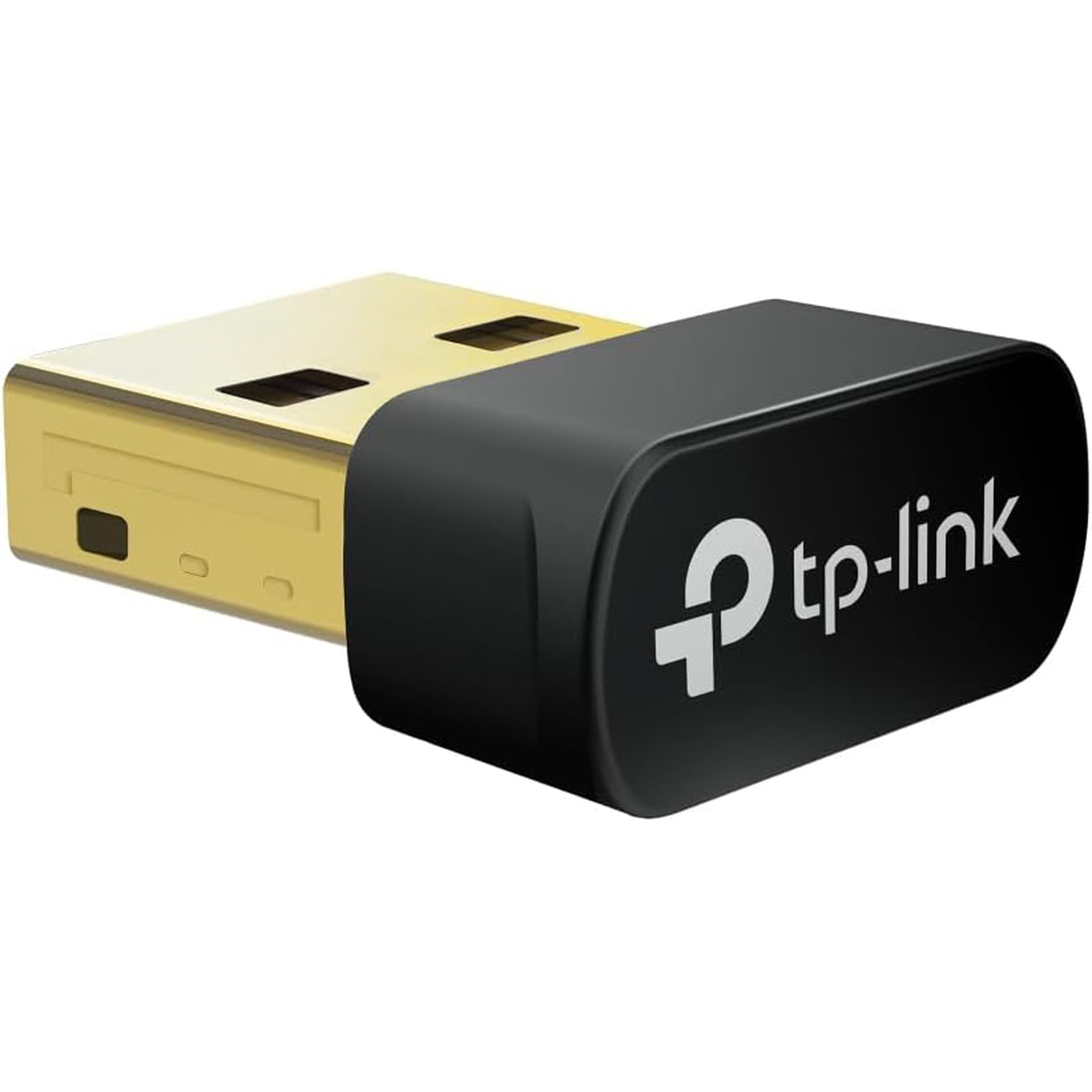
Laptops with a dead WiFi card often have a dead Bluetooth radio too, and this Archer TX10UB Nano solves both in a single USB slot. It combines a WiFi 6 adapter with Bluetooth 5.3 (the newer short-range wireless standard) so game controllers, headphones, keyboards, and mice pair with your PC. Total WiFi bandwidth lands at 900 Mbps — up to 287 Mbps on 2.4 GHz and up to 600 Mbps on 5 GHz — spread across a body that measures 0.76 by 0.62 by 0.29 inches, small enough to leave plugged in and forget.
OFDMA and MU-MIMO keep the WiFi efficient when more devices join the router, and WPA3 handles the encryption. Setup is a plug-in on Windows 10 and 11 with drivers pre-loaded. The maker states it is a signatory of the U.S. Cybersecurity and Infrastructure Security Agency’s Secure-by-Design pledge, which speaks to how the firmware is maintained rather than what it does on your desk.
Performance and build are the two things people like best about it, and it shows in daily use — the WiFi side behaves like a proper WiFi 6 radio. Read the fine print on the Bluetooth side, because it is not compatible with Mac, Linux, TV, or Windows Vista/8/7, and it is meant for PC use rather than plugging straight into a console. You also need to switch off your laptop’s internal Bluetooth and often its internal WiFi to avoid a conflict. If your machine has both radios working, this is redundant. If either is dead, it is the neatest single-plug fix in this list.
The one-port play: WiFi 6 at up to 600 Mbps on 5 GHz plus a Bluetooth 5.3 radio, both from a 0.29-inch-thick dongle.
The fine print: Bluetooth is PC-only, and you must disable the laptop’s internal radios to avoid conflicts.
Worth it when: your laptop’s built-in WiFi and Bluetooth have both given up and you want one dongle to replace both.
Not for you if: your internal radios still work, or you need this for a console rather than a PC.
6. WAVLINK BE6500 USB WiFi 7 Adapter
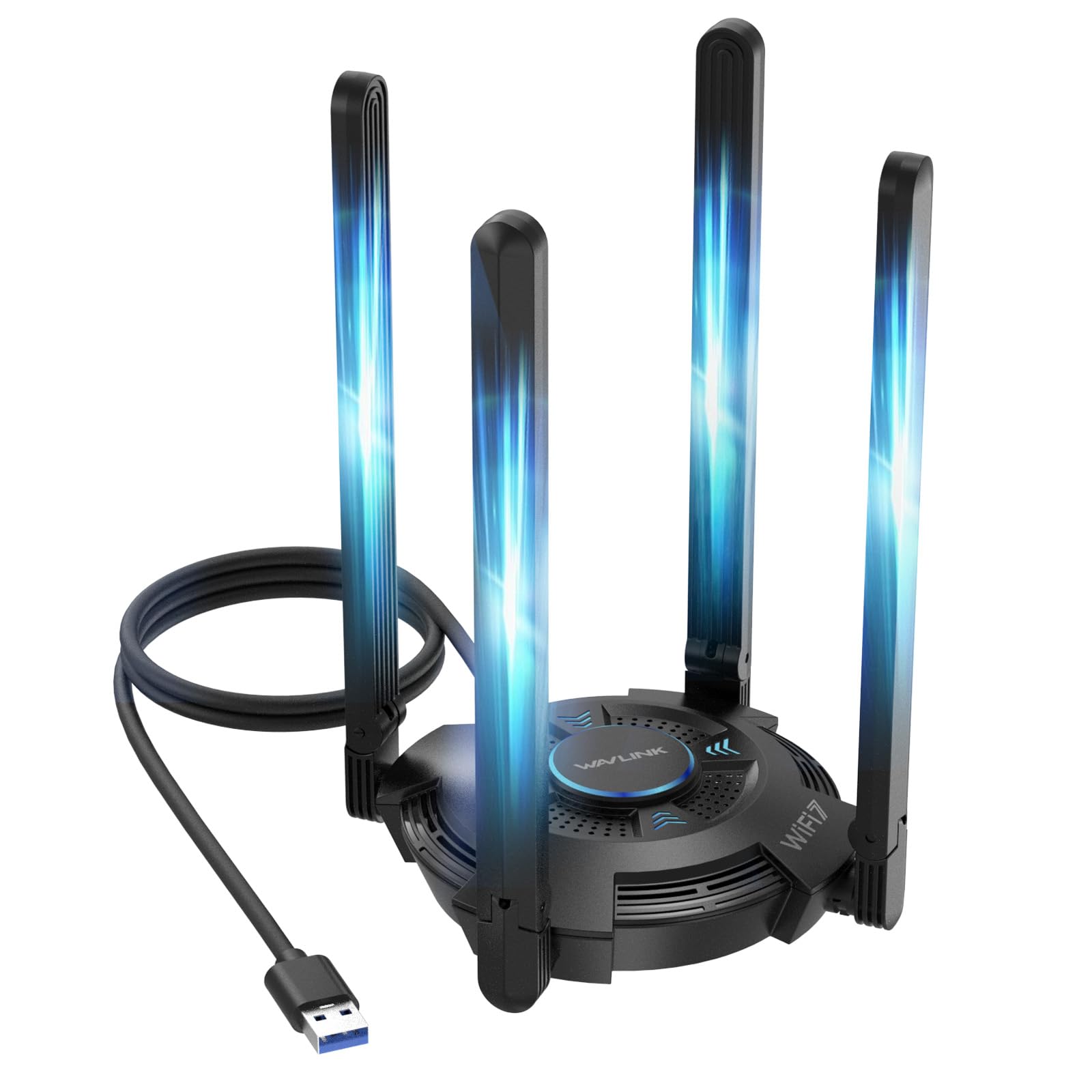
A desk-side WiFi 7 tower with four antennas and a status light show.
The headline number is the biggest in this article: 6452 Mbps of tri-band throughput split into 688 Mbps on 2.4 GHz, 2882 Mbps on 5 GHz, and 2882 Mbps on the 6 GHz band. WiFi 7 adds MLO (multi-link operation — using more than one band at once) and Multi-RU to keep latency low when the airwaves are crowded. That headroom matters for 8K streaming, large file transfers, and competitive gaming where a lag spike costs you the round.
The physical design is built for signal and for heat. Four foldable 5dBi antennas give you wide coverage and let you tuck it away when not in use, and ventilation slots on the top and bottom keep it cool during long sessions. A multicolor LED status light (blue, pink, red) with a touch switch tells you at a glance what the network is doing. It runs on USB 3.0 and offers a Hotspot Mode so the PC can share its connection back out to phones and tablets.
Getting on 6 GHz is the catch worth knowing up front. You need Windows 11 version 21H2 or later, and a USB 3.0 port, for the 6 GHz band to work — on Windows 10 you will not reach the full WiFi 7 spec. Buyers report it performing noticeably better than built-in antennas and playing nicely with mesh routers, and connectivity is the thing people praise most thanks to the antenna array. The bare size is honest too: it weighs 550 grams, so this is a desk adapter rather than something you carry to a coffee shop. If you want the fastest single connection available today and your router already broadcasts WiFi 7, this is the pick.
The case for the WAVLINK
- 6452 Mbps across 2.4, 5, and 6 GHz bands with MLO support
- Four 5dBi antennas with foldable design for coverage and storage
- Hotspot Mode lets the PC rebroadcast its connection
- Multicolor LED and touch switch for at-a-glance status
Before you commit
- Full 6 GHz WiFi 7 access needs Windows 11 version 21H2 or later
- 550 grams and a desk footprint make it a stay-put adapter
- Windows only — no macOS or Linux support
Built for: a desktop rig on a WiFi 7 router where you want the highest single-link throughput in this list without threading an Ethernet cable.
Wrong tool if: you are on Windows 10, or you want something you can slip into a laptop bag.
7. ASUS ROG USB-BE92 Tri-Band BE6500 WiFi 7 USB Adapter

WiFi 7 that fits whichever USB port your laptop happens to have.
The port problem is real on modern laptops, where USB-C has pushed USB-A off the chassis, and this ROG adapter solves it by supporting Type A and Type C at the same time. It delivers up to 6500 Mbps total across 688 Mbps on 2.4 GHz, 2882 Mbps on 5 GHz, and 2882 Mbps on the 6 GHz band. The maker rates it 3.6x faster than a WiFi 6 client, and the 160 MHz channels in the 6 GHz band give it a clean lane away from the congestion on the older bands.
The efficiency features are aimed at crowded airspace. OFDMA, MU-MIMO, and BSS Coloring (a technique that lets nearby networks share channels without talking over each other) keep the link steady in a high-density environment like an apartment block. WPA3 handles encryption, and the format is compact — 0.7 by 1.2 by 4.4 inches and 1.6 ounces, so it slips into a bag without fuss.
The thing to weigh is stability: some units have shown random disconnections and crashes on boot. Signal strength and connection speed are strong, and some setups pull very high throughput, but reliability reads mixed with reports of random disconnections and system crashes on boot. It is Windows-only, so a Mac or Linux user is out of luck. And the 6 GHz band only pays off if your router actually broadcasts WiFi 7 — on a WiFi 5 or WiFi 6 router, this becomes an expensive dual-band adapter. For a Windows gamer with a WiFi 7 router who wants both port types covered, the versatility is the reason to pick it over the WAVLINK.
The versatility win: Type A and Type C in one adapter at up to 6500 Mbps tri-band, weighing 1.6 ounces.
The caveat: some units have shown random disconnections and crashes on boot, so buy on the strength of the port flexibility rather than day-in-day-out stability.
Made for: a Windows 11 gaming laptop with only USB-C ports and a WiFi 7 router broadcasting on 6 GHz.
Choose differently if: your router is WiFi 5 or 6, or you need rock-solid long-run reliability over raw speed.
Know the Specs
WiFi generation: 5, 6, or 7
The generation tells you which router the adapter can talk to at full speed. WiFi 5 (AC) adapters like the NETGEAR A6150 reach up to 1200 Mbps total. WiFi 6 (AX) models like the TP-Link Archer TX20U Nano reach 1201 Mbps on 5 GHz with OFDMA and MU-MIMO to reduce lag. WiFi 7 (BE) models like the WAVLINK and ASUS add the 6 GHz band and MLO for lower latency, but only pay off on a WiFi 7 router and, for the 6 GHz band, on Windows 11 version 21H2 or later.
Dual-band, tri-band, and where speed actually comes from
Dual-band means the adapter talks on 2.4 GHz and 5 GHz. Tri-band adds 6 GHz, which is less congested. The 5 GHz band carries the bulk of the speed — 867 Mbps on the NETGEAR versus 433 Mbps on the StarTech.com AC600 — while 2.4 GHz reaches further and through walls. A nano adapter trades antenna reach for size; an external-antenna model like the Nineplus N16 trades size for signal. Match the band split to where your laptop sits relative to the router.
Common Questions
Will a USB WiFi adapter work if my laptop’s built-in WiFi still works?
Do I need a WiFi 7 adapter if my router is WiFi 5?
Can I use one of these adapters with a Mac?
How much speed will I actually get from a dual-band adapter?
What is the difference between a nano adapter and one with external antennas?
Is WPA3 security required, or is WPA2 still fine?
Will an adapter with antennas really fix a weak signal?
Do I need USB 3.0 for full speed?
Can I use these adapters on a desktop PC as well as a laptop?
What happens if the adapter loses its driver after a Windows update?
The Bottom Line
For most people, the best wireless adapter for laptop is the NETGEAR A6150, because it turns any Windows laptop on a WiFi 5 or mesh router into a faster machine in one plug, with Beamforming+ and WPA3 handling the connection side. If your laptop sits far from the router, the Nineplus N16 and its two 5dBi antennas reach where a nano dongle cannot. And if your router already broadcasts WiFi 7, the WAVLINK BE6500 delivers the highest single-link speed in this list — 6452 Mbps — provided you are on Windows 11 version 21H2 or later.
The one honest nudge: match the adapter’s WiFi generation to your router before anything else. A WiFi 7 adapter on a WiFi 5 router wastes the money, and a Windows-only adapter on a Mac wastes your patience. Get the generation and the OS right and setup is a single plug-in.
How we choose
We do not accept paid placement. Every pick is matched to a real buyer and a real use-case; we do not hands-on test units.
Sources
Specifications: manufacturer listings and product documentation. Review insights: verified customer reviews, as of November 2026. Pricing: not shown on this page (it changes often); check the current price via the retailer link.
As an Amazon Associate, Tactical Gear Guy earns from qualifying purchases. This does not affect which products we feature.