Specs are compiled from manufacturer listings and verified buyer reviews and can change over time — please confirm the key details on the product page before buying.
Buying a keyboard and mouse for a laptop is mostly about one thing: getting a connection that does not stutter mid-sentence and keys that do not drive your desk-mate up the wall. The catch is that most sets look identical on a listing page, so the difference between a great pick and a frustrating one hides in details like wireless range, battery type, and whether the keys are actually quiet. This guide cuts to those details so you can pick with confidence instead of guesswork.
This guide is built by comparing the manufacturers’ published specifications and the patterns across verified customer reviews, so you get each pick’s real strengths and trade-offs instead of marketing spin.
You will see exactly which set suits long typing sessions, which runs on plain batteries, and which adds a wrist rest. Here is a straight-talking look at the best wireless keyboard and mouse for laptop setups that need a dependable daily driver.
Top Picks

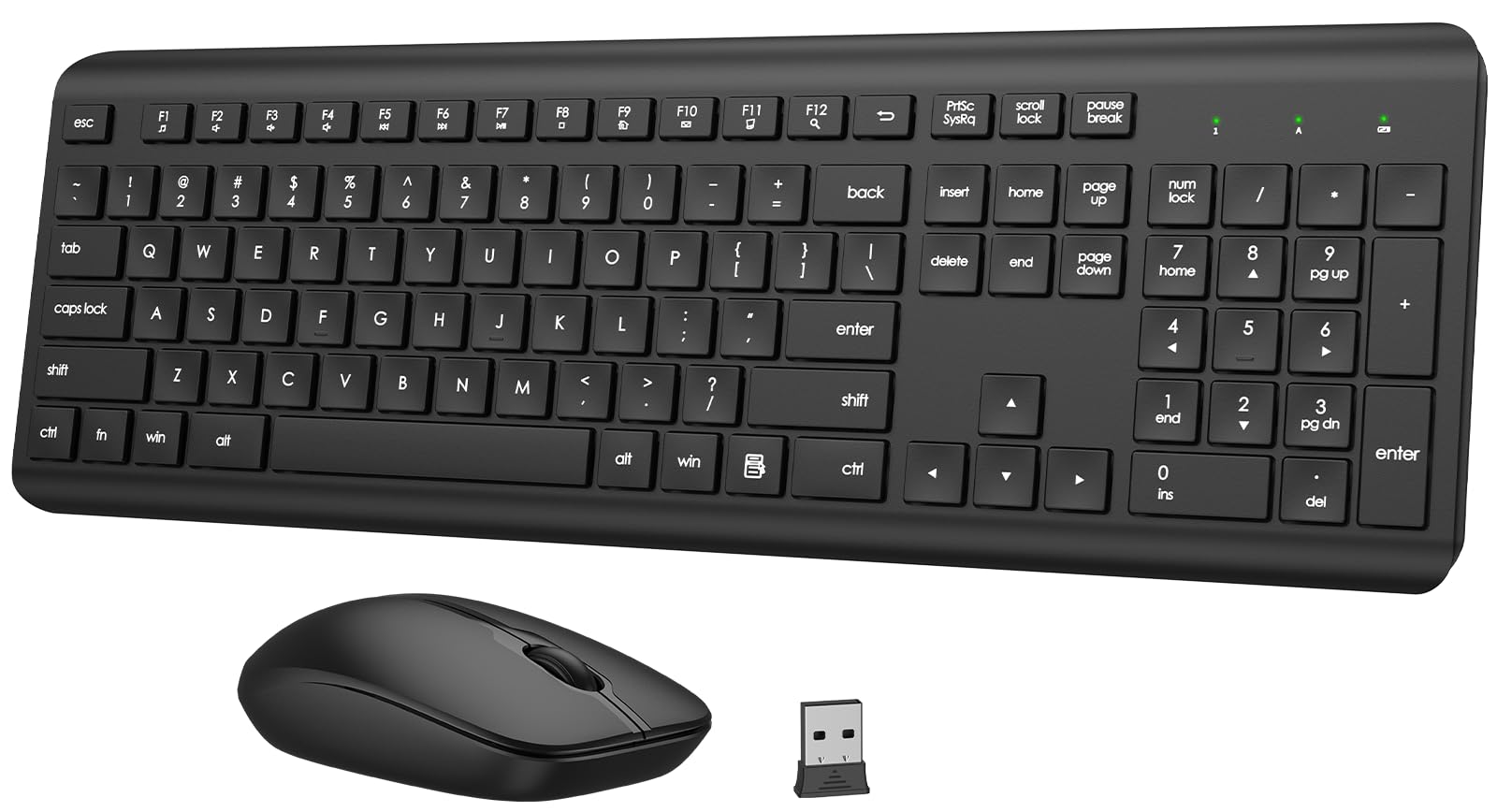
How To Choose The Best Wireless Keyboard and Mouse for Laptop
A laptop has fewer USB ports than a desktop, and that shapes almost every decision here. A combo that shares one tiny receiver (a dongle that plugs into a USB-A port) saves you a slot you will want for a hard drive or a charger. If your laptop is down to USB-C only, you need to know whether the set includes a USB-C receiver or just the older USB-A kind.
Connection type: dongle or Bluetooth
A 2.4GHz USB receiver gives you a plug-and-play link that works the moment you slide it in, with no pairing menu. Bluetooth frees up the port entirely but needs pairing first, and some sets with dual Bluetooth let you hop between three devices. If you split your day between a laptop and a tablet, the three-device switching is worth the extra setup.
Battery: replaceable cells versus rechargeable
Sets that run on AA or AAA batteries are the low-maintenance option — you swap cells when they die and never hunt for a cable. Rechargeable sets skip the battery drawer but ask you to plug in periodically. Check which cells the keyboard and mouse each take, because a set that needs two different sizes means keeping both on hand.
Key feel and noise for shared spaces
Quiet membrane keys are the norm in this category, and the noise level varies more than the listings admit. If you type in a coffee shop or a shared office, a low-noise keyboard with soft membrane keys makes a real difference. Just know that “quiet” never means silent — light key and click sounds are normal on every set here.
Side-by-Side Comparison
| Model | Best For | Connection | Battery | Notable Spec | Amazon |
|---|---|---|---|---|---|
| Logitech MK270★ Best Overall | Everyday laptop work | 2.4GHz USB | 36-month keyboard / 12-month mouse | 33 ft range | Amazon |
| QUASIO Full-Size SilentQuietest Value | Quiet typing in shared spaces | 2.4GHz USB | Up to 365 days | 12 multimedia keys | Amazon |
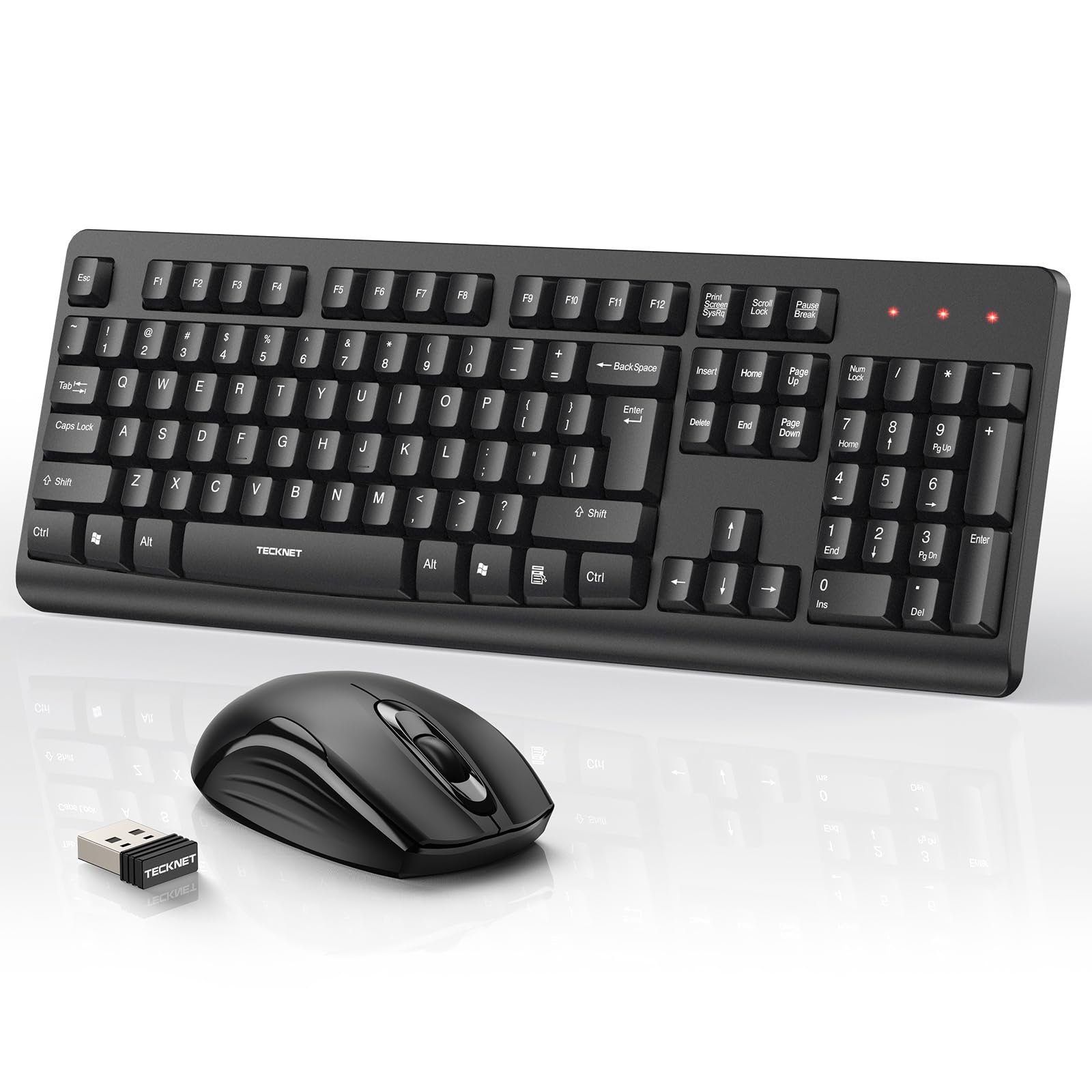
| TECKNET Full-SizeLongest Reach | Long-reach wireless | 2.4GHz USB | AA each (not included) | 42.7 ft range | Amazon |
| EDJO Plug & Play | Budget multitasking | 2.4GHz USB | 1 AA + 2 AAA (not included) | 12 multimedia hotkeys | Amazon |
| MEETION Multi-Device | Switching between devices | 2.4GHz USB + dual Bluetooth | 2 AAA + 1 AA (not included) | 3 connected devices | Amazon |
| EDJO Wrist Rest | All-day comfort + phone holder | 2.4GHz USB | Up to 12 months | 3 DPI levels | Amazon |
| Logitech MK345 | Familiar full-size typing | 2.4GHz USB | 3-year keyboard / 18-month mouse | 10 m range | Amazon |
| ProtoArc KM40 | Multi-device rechargeable | Bluetooth + 2.4GHz USB | Rechargeable | 63 g mouse | Amazon |
| SABLUTE MA31 Pro | Backlit premium comfort | 2.4GHz USB | 4000mAh rechargeable | 10M keystroke durability | Amazon |
Detailed Reviews
1. Logitech MK270 Wireless Keyboard and Mouse Combo
Our pick — 4.5+★ from 111,500+ verified ratings; the strongest balance of quality and price.
A 36-month keyboard battery and a single USB receiver that reconnects without a stutter.
The number that tells you the most about this combo is 36 months — that is how long Logitech says the keyboard holds its battery, with the mouse running 12 months on the same charge cycle. For a laptop user, that means you can pack it in a bag, type on a train, and never think about a charging cable. Both pieces have on/off switches too, so the cells last even longer between changes.
The connection is the plainest kind to live with: a single USB receiver (the little dongle that plugs into a standard USB-A port) that reaches up to 33 ft. Slide it in and the keyboard and mouse just work — no pairing screens, no software. Full-size F-keys, a number pad, and arrow keys sit where a laptop keyboard keeps squeezing them, which is the whole reason a laptop owner buys a set like this.
The quiet, low-profile keys make it a polite companion in a library or an open office, and the spill-resistant design gives you a bit of grace if a drink tips over. The mouse is ambidextrous, so lefties get the same comfortable fit as righties. The crowd is on board too — 4.5+ stars across 111,000+ ratings is the strongest track record on this list. The honesty note: connectivity is the one thing that draws the most mixed feedback on this combo, with some owners describing a disconnect and others saying it connects easily. Most of the time it is a plug-and-play affair, but treat a borderline USB port as a possible culprit before blaming the set.
Why It Holds the Top Spot
- 36-month keyboard and 12-month mouse battery life means near-zero charging chores
- 33 ft USB receiver range lets you type away from the laptop
- Full size with number pad, F-keys, and arrow keys — the layout a laptop lacks
- Ambidextrous mouse that suits left- or right-handed use
- Spill-resistant keyboard with sturdy tilt legs
What to Weigh Before Buying
- Connectivity is the recurring mixed note — some owners hit dropouts, some never do
- Windows is the listed OS family; it is not marketed as a Mac-first keyboard
- Low-profile keys cushion typing, but a heavy typist may want more travel
Go for this: laptop owners who want the least babysitting possible — long battery, one dongle, and a full layout for spreadsheets and email.
Think twice: if you split work across a Mac and a tablet, the single 2.4GHz connection will not switch devices the way Bluetooth sets do.
2. Wireless Keyboard and Mouse Combo Full-Size Silent
Up to 365 days per battery change, with silent membrane keys and a near-silent mouse click.
Up to 365 days of battery life is the headline here — a full year of daily typing and clicking before the cells need swapping, helped along by an auto-sleep mode that kicks in after 10 minutes of inactivity. Press any key to wake it back up. The keyboard takes one AAA battery and the mouse takes one AA, so you keep two sizes in a drawer rather than hunting for a charger.
What wins people over is the build — quality is the aspect owners praise most, and the response from the keys and cursor is the next thing they single out. The quiet operation is genuinely part of the design: soft membrane keys for the keyboard and silent micro-motion technology for the mouse, so shared desks stay peaceful. A contoured 1600 DPI optical mouse handles everyday work and web browsing without fuss.
One thing to expect: the key feel is a split decision. Some describe it as premium-feeling, while others find the keys too stiff under their fingers — a personality thing, not a defect. It also goes to sleep to save power, so your first keypress after a long pause is the wake-up. The ergonomic tilt legs raise the typing angle to keep your wrists neutral, and the set carries a 1-year warranty on top.
Best for late-night typists: if you share walls or a quiet office, the silent membrane keys and near-silent mouse clicks earn the spot, and the year-long battery life removes the charger from your bag entirely.
The honest trade-off: those stiff-feeling keys are the one recurring split in the feedback — if you like a soft, cushioned press, try a fuller-travel board instead.
Reach for this if: you want a full-size keyboard with multimedia shortcuts and a mouse that barely whispers, without ever thinking about charging.
Look elsewhere if: you want a Mac-first layout — some multimedia keys do not behave identically on macOS.
3. TECKNET Wireless Keyboard and Mouse Combo
A 42.7 ft 2.4GHz range that keeps the link alive when you type from across the room.
Range is where this set separates itself. The TECKNET reaches up to 42.7 ft (13 m) on 2.4GHz, compared with the 33 ft of the Logitech MK270 above — roughly a third more reach, which matters if you dock the laptop to a monitor and type from across a room. Keep the little receiver in the mouse when you pack it, so you never lose the one part that cannot be replaced off the shelf.
The full-size layout includes a numeric keypad for spreadsheets and accounting, plus 8° adjustable tilt legs and crater-shaped keycaps that follow your finger curve. Low-noise typing is the goal, though the maker is upfront that light key and click sounds are normal — this is a quiet set, not a silent one. Four drainage holes on the underside handle minor spills; wipe it off and let it dry.
Power comes from one AA in the keyboard and one AA in the mouse, both not included, with an auto-sleep mode and a low-battery indicator to warn you before a dead click. It is compatible with Windows 11/10/8/7 and Linux. The one catch: the batteries are extra, so budget for two AA cells and a quick setup before your first session.
Where it beats the pack: that 42.7 ft wireless range is the longest on this list, and the drainage holes are a smart touch for a keyboard that lives near a coffee mug.
What to plan for: no batteries in the box, and the quiet keys still click softly — a shared-space set, not a library-silent one.
Best match for: laptop owners who dock to a monitor and want to type from across the desk or room without a dropout.
Not ideal if: you expect batteries included or need full macOS shortcut support — the listed OS family is Windows and Linux.
4. Computer Wireless Keyboard and Mouse Combo

A foldable stand and anti-slip pads that hold a typing angle on a couch or hotel desk.
This EDJO set is the budget-friendly multitasker of the group, with 12 multimedia hotkeys for instant jumps to music, mail, and favorites. If you have ever fumbled for a trackpad shortcut, that row of dedicated keys saves a few seconds every hour. There are separate number, caps, and power indicator lights in the upper right so you can see your status at a glance.
What earns it a spot is the desk-friendly design — a foldable stand keeps a comfortable typing angle, and anti-slip pads stop the board from creeping while you type. The optical mouse uses a symmetrical shape that suits either hand, and is comfortable enough for standard browsing. Setup is the simple plug-in kind: one USB receiver runs both pieces, and they can also be used separately.
Battery behavior is worth noting: the keyboard sleeps after 6 minutes of inactivity and the mouse after 25 seconds, each waking on a keypress or click. You will need one AA for the keyboard and two AAA for the mouse, both not included. There is a 12-month warranty behind it, and Mac users should know that some multimedia functions are not available on macOS.
Where it earns its keep: the foldable stand and anti-slip base make it the kind of keyboard you can use on a couch or a cramped hotel desk, and 12 hotkeys add a little convenience to the daily routine.
One thing to remember: it runs on three batteries you supply yourself, and a couple of the multimedia keys go quiet on Macs.
Pick this if: you want an entry-level full-size combo with a lap-friendly stand and shortcuts for music and email.
Pass if: you rely on Mac-only media controls — a few of the hotkeys simply will not respond.
5. MEETION Wireless Bluetooth Keyboard and Mouse
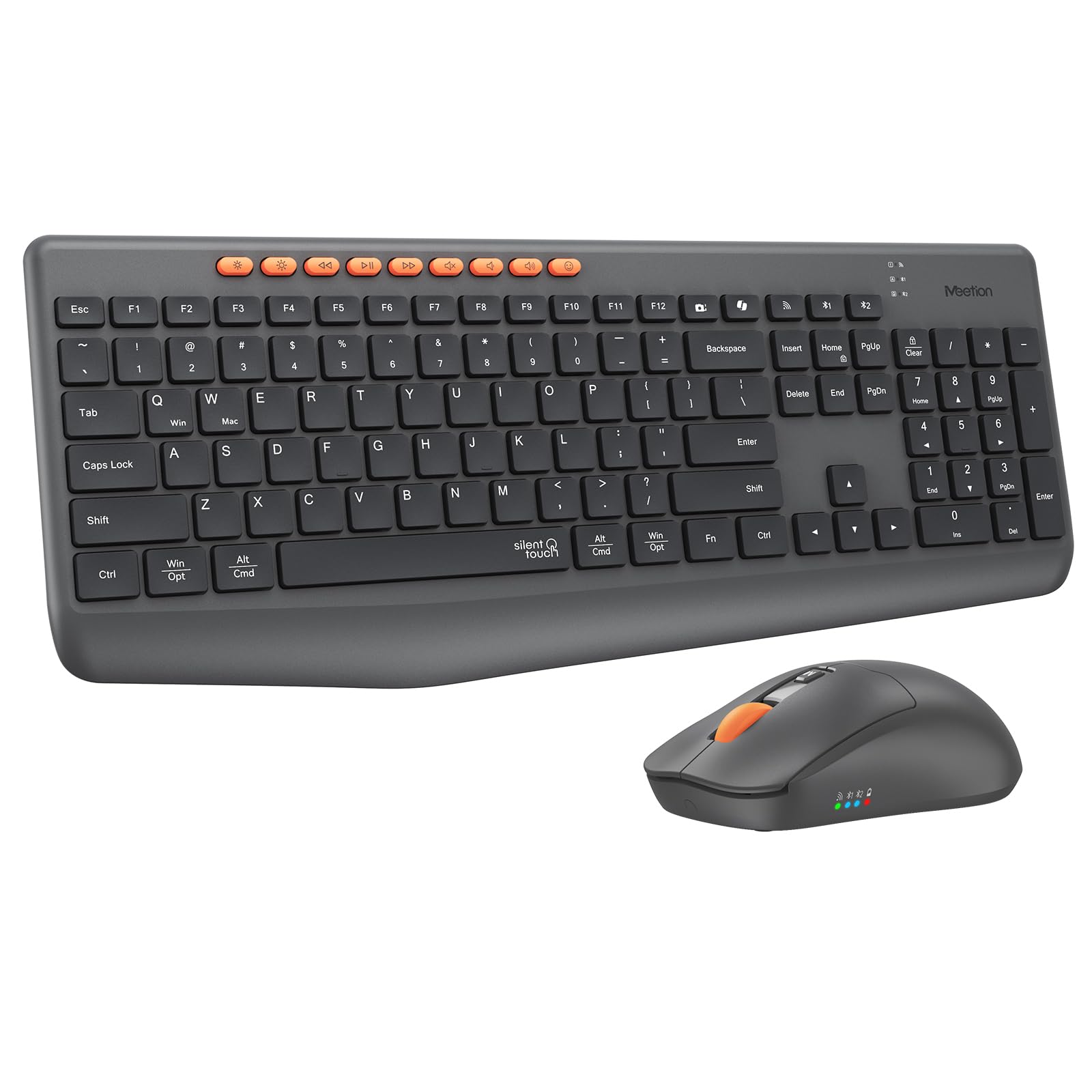
2.4GHz plus dual Bluetooth pairing for three devices, switched without replugging the receiver.
If your day jumps between a laptop and a tablet, this is the set built for that. It connects through the included 2.4GHz USB-A receiver or two Bluetooth channels, so you can pair up to 3 devices and switch between them. The 115-key full-size layout keeps the number pad and function controls you lose on a laptop. Note that the 2.4GHz link needs a USB-A receiver, and a USB-C one is not in the box.
Quiet keys make it a good fit for a shared workspace, and the responsive feel is what owners praise. The multi-system design handles Windows and macOS rather than being Mac-only, though some shortcut and multimedia functions vary by operating system. A 3200 DPI optical mouse handles the cursor work.
The keyboard takes 2 AAA batteries and the mouse takes 1 AA, and they are not included — this is a battery-powered set, not rechargeable. It is also a genuinely large board, so check the dimensions before you order if desk space is tight. The maker flags that quiet is the goal here, not complete silence. Those honest notes aside, the versatility is real, and it is a strong fit for a work-from-home desk with more than one machine on it.
Choose it when: you juggle a laptop, tablet, and desktop and want one keyboard to rule all three.
Skip it when: you are short on desk space or want a rechargeable set — this is full-size and runs on batteries you supply.
6. Ergonomic Wireless Keyboard and Mouse Combo
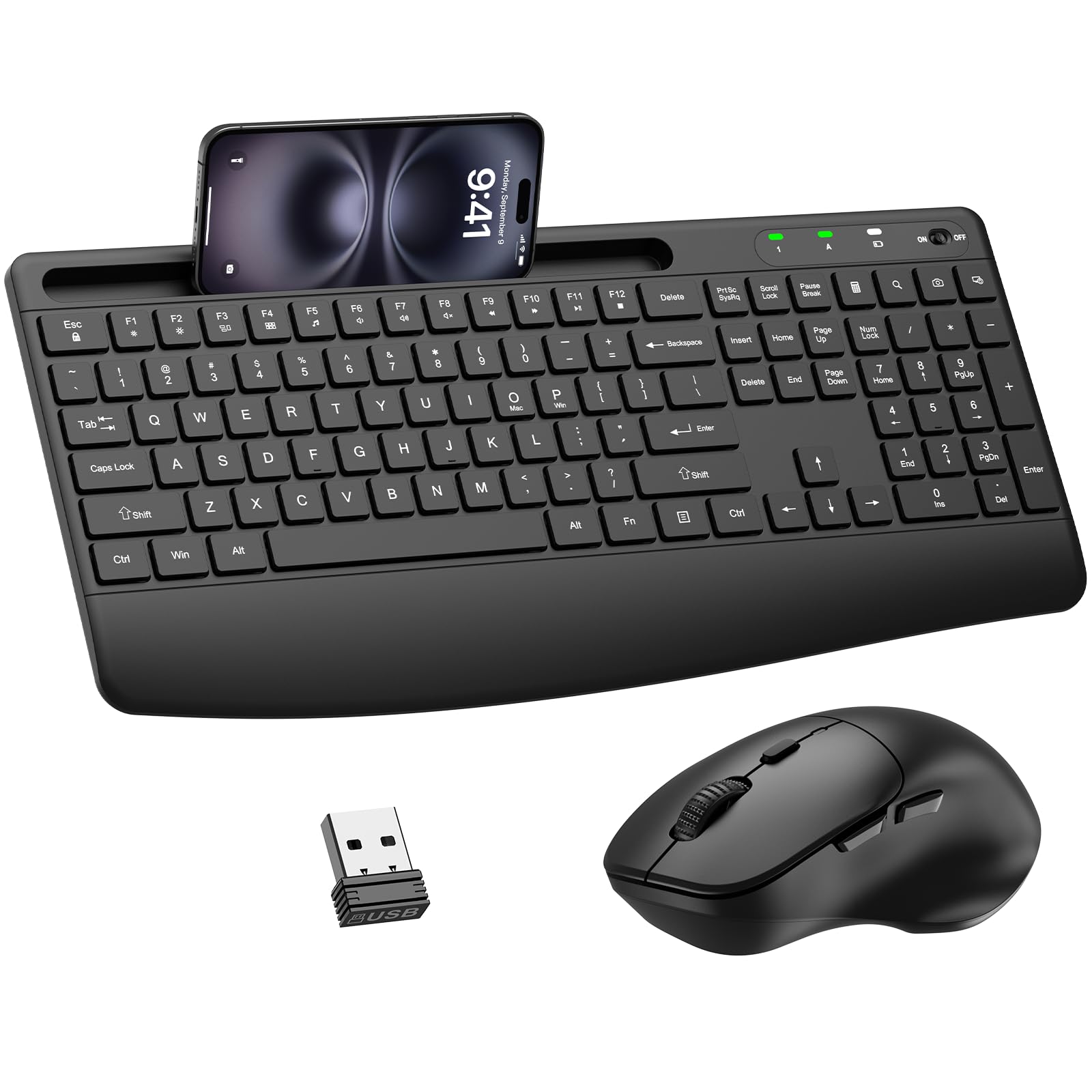
An extended palm rest, adjustable tilt legs, and a built-in phone cradle for long desk sessions.
Reliability is the thing owners talk about most with this set — a stable connection with no lag, thanks to a shared nano USB receiver that still lets you use the keyboard and mouse separately. You plug it in once and both pieces wake up ready to work, with no drivers to install. That reliability is what most buyers report back, with quality right behind it.
The comfort hook is the extended palm rest and adjustable tilt legs, which keep your wrists in a natural position during long sessions. The mouse adds a handshake-angle shape and a smooth matte finish. There is also a built-in cradle on the keyboard that holds your phone or tablet at a viewing angle, so notifications stay in sight. The mouse offers 3 adjustable DPI levels (1000/1600/2400) and forward/back buttons for web navigation.
Silent membrane keys keep typing quiet for shared spaces, and an intelligent auto-sleep function stretches the charge to up to 12 months — the keyboard and mouse both sleep after 10 minutes idle and wake on a press or click. Compatibility runs across Windows XP through 11, Mac OS, Chrome OS, and Linux, and you flip between Windows and Mac layouts with FN+O or FN+P. The trade-off: all that extra real estate makes it a big board, so measure your desk or keyboard tray before you commit.
The comfort case: wrist support plus a phone holder plus 12-month battery life make this the pick for people who spend their whole day at the keyboard and want their wrists to stop complaining.
Size it up: the palm rest and cradle add footprint, so a compact desk or shallow tray may feel crowded.
Built for: all-day typists who want wrist support, a phone cradle, and a mouse that clicks quietly.
Wrong fit for: tight desks and anyone who wants a compact, travel-light board.
7. Logitech MK345 Wireless Keyboard and Mouse Combo

A 3-year keyboard battery and 18-month mouse battery, both cells included in the box.
Three years is the number that stands out: that is how long Logitech rates the keyboard battery, with the mouse running 18 months on the same drop-in cells, which are included. Compare that with the MK270 above, whose keyboard is rated at 36 months — the MK345 eases off the battery race in exchange for a built-in palm rest and media keys. For anyone who types through a workday, the palm rest is the upgrade that matters.
Typing stays comfortable and quiet on the familiar full-size layout, and the spill-resistant design gives you the same protection against a knocked-over mug. The right-handed mouse has a contoured shape for all-day comfort, with smooth tracking and scrolling. The 2.4GHz connection reaches up to 10 meters, which is plenty for a desk or a laptop docked to a monitor.
Plug-and-play setup works across Windows, macOS, and Chrome OS. The appearance and soft-feeling keys are what buyers tend to like about this one. The honest catch: the mouse is right-handed only, so left-handed users get a less tailored fit than they would on the MK270’s ambidextrous mouse.
The Case for It
- 3-year keyboard and 18-month mouse battery life, cells included
- Integrated palm rest for longer typing sessions
- Media keys and spill-resistant design
- Plug and play across Windows, macOS, and Chrome OS
Where It Trades Off
- Right-handed mouse shape only
- 10 m range is shorter than the TECKNET and MK270
- Full-size footprint needs a roomy desk
The right call for: right-handed desk workers who want a palm rest and three-year keyboard battery they never think about.
Keep looking if: you are left-handed or need the set to switch between Bluetooth devices.
8. ProtoArc KM40 Wireless Bluetooth Keyboard Mouse
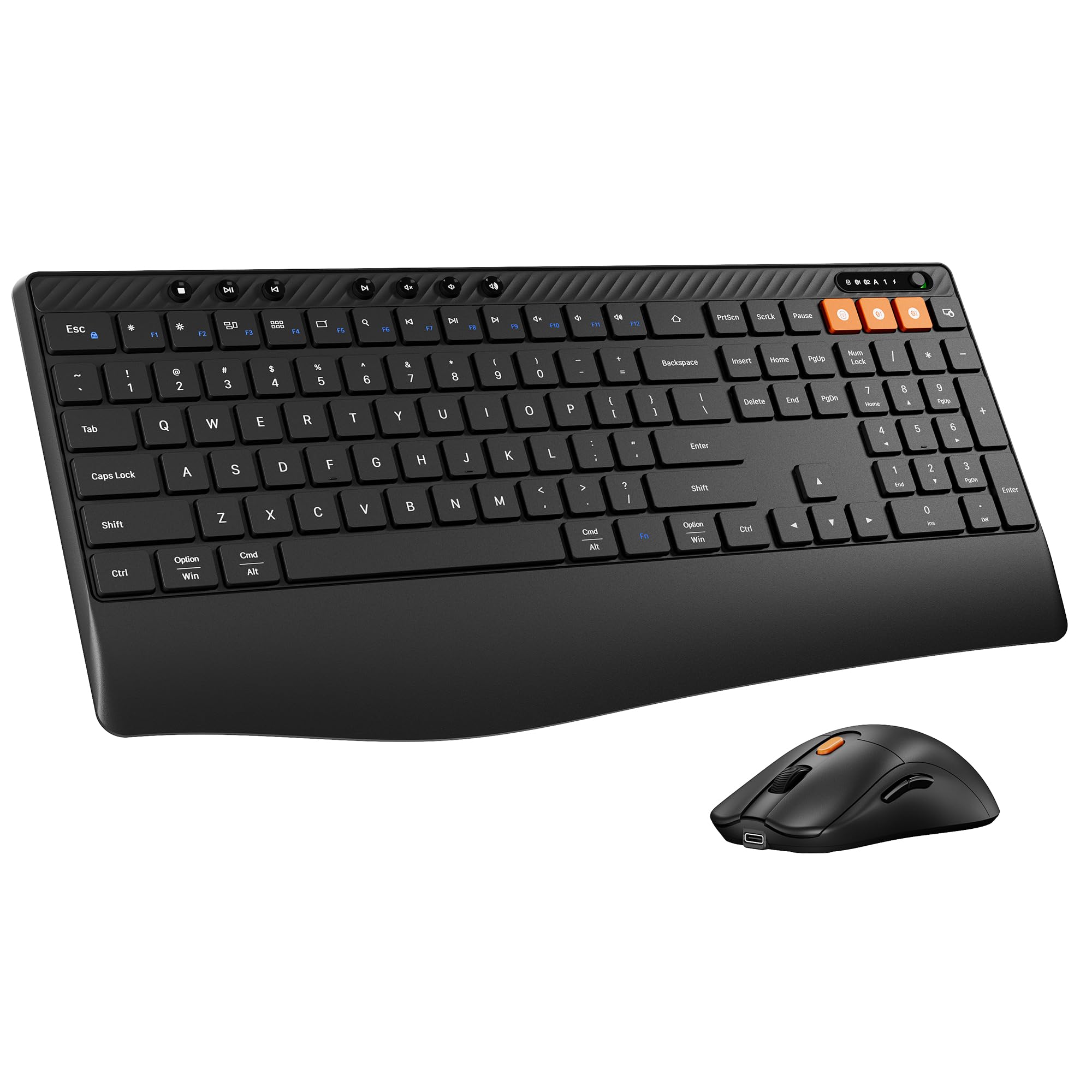
A rechargeable keyboard with a curved wrist rest and a 63 g mouse for three-device switching.
Rechargeable is the draw here — no battery drawer, no hunting for AA cells, just charge it and keep working. An auto-sleep mode after 60 minutes of inactivity protects the battery when you step away. The connection is flexible too: two modes that let you pair up to 3 devices through Bluetooth and 2.4GHz, so you can flit between an iMac, a MacBook, and a laptop.
For long work sessions, the curved wrist rest (max 2.4″ wide) adds support and matches your typing angle, paired with an adjustable tilt stand and an ergonomic mouse. The mouse itself is 63 g, a light piece that trims the weight off your hand during office hours, and it offers 3 adjustable DPI levels (1000/1600/2400). Seven dedicated multimedia keys plus F1–F12 hotkeys speed up your workflow.
Low-profile keys and the ultra-light mouse keep typing, clicking, and movement noise low so you do not disturb a shared room. Watch the Mac caveat: in 2.4G mode, the F1–F12 multimedia keys are not compatible with Mac. If you want the rechargeable convenience and three-device switching, this is a thoughtful pick for a multi-machine desk.
What makes it different: the rechargeable battery and three-device Bluetooth switching are a rare combination in this group, and the 63 g mouse is the lightest-feeling part of the package.
Plan around this: those F1–F12 multimedia keys drop off on a Mac in 2.4G mode, so rely on Bluetooth if you need them.
Ideal for: multi-device users who want a rechargeable set with a real wrist rest and a featherweight mouse.
Trade it in for: a battery-powered set if you hate remembering to charge, or a Mac-first board if you lean on those function keys.
9. SABLUTE Ergonomic Wireless Keyboard and Mouse Combo
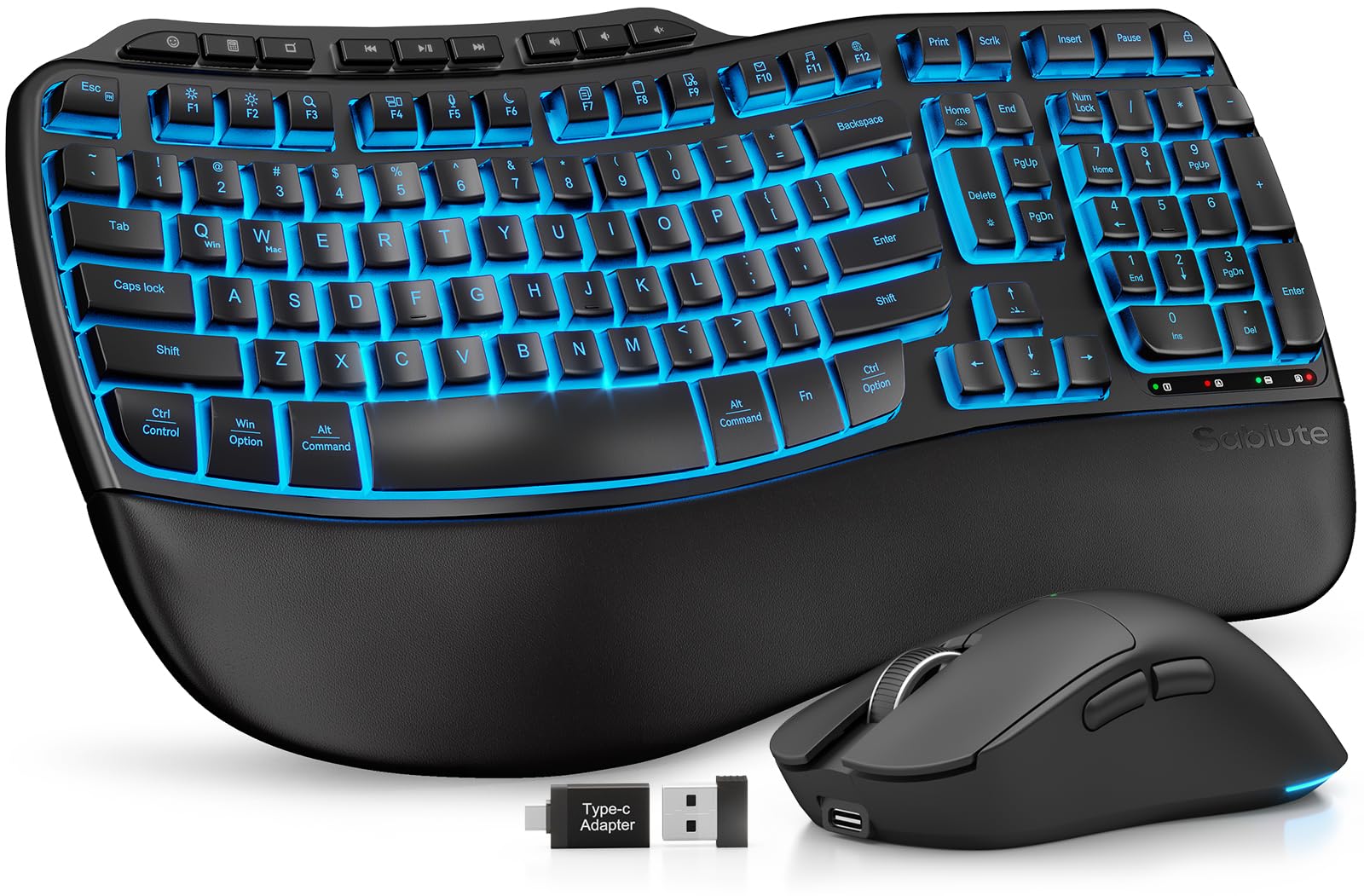
Backlit keys for late shifts, wave keys for wrists that have had enough.
Backlighting is the standout, and it is exactly what draws the most praise from owners — a glowing set of keys makes a dim room or an evening work session easier to read. With seven color choices (blue, cyan, white and bolder shades of red, green, purple, yellow) you can match your mood or keep things calm. The mouse adds its own RGB with 6 fixed colors or 5 cycle modes.
Power is serious: a 4000mAh rechargeable battery in the keyboard and a 700mAh in the mouse, both with intelligent auto-sleep. This is not a set that asks for a cable every night. The long-term durability claim is 10 million keystrokes, and wave keys are shaped to ease the strain of typing for 8 hours. A soft faux lambskin palm rest keeps your wrists comfortable and is easy to wipe clean.
One 2.4GHz USB receiver reaches 33 ft and connects both pieces, and the USB-A and USB-C combo covers PC, laptops, tablets, desktops, and Macs with plug and play. Ergonomics is another of the most-praised traits here, with the wrist support singled out. The recurring note is about lighting and value rather than function, but the honest caveat is weight: at 1 kg the keyboard is a desk fixture, not a travel companion.
Best suited to: home-office workers who type into the evening and want a lit keyboard with a soft wrist rest and weeks of battery.
Better skip if: you need something you can carry in a laptop bag daily — the 1 kg build and full footprint are desk-bound.
Know the Specs
2.4GHz Receiver vs Bluetooth
A 2.4GHz connection uses a small USB dongle (the receiver) that talks to the keyboard and mouse on a dedicated radio band, so it pairs instantly and stays stable. Bluetooth skips the dongle but needs pairing first — and on multi-device sets, it is what lets you switch between a laptop and a tablet. Many combos offer both, which is the most flexible setup for a laptop owner.
Battery Life and Sleep Modes
Battery life in this category is quoted in months or days, and the numbers vary widely — from 12 months up to 3 years on some boards, or up to 365 days. Auto-sleep is the feature that gets you there: the keyboard and mouse both go quiet after a few minutes idle and wake on the next keypress or click. Rechargeable sets trade that hands-off routine for a periodic charge.
DPI on the Mouse
DPI (dots per inch) measures how far the cursor moves for each inch you slide the mouse, so a higher figure means faster cursor travel. Adjustable levels let you pick a speed for spreadsheets versus browsing. Every mouse here is optical, which means it reads movement with a light sensor rather than a rolling ball.
Spill Resistance and Build
Spill-resistant means the keyboard is built to survive a minor liquid spill — often with drainage holes underneath so liquid can escape. It is not the same as water-proof. Keystroke ratings, where quoted, tell you how many presses the switches are tested to handle, with 10 million being a common durability figure on the higher-end boards.
Common Questions
Will a wireless keyboard and mouse work with my laptop’s USB-C-only ports?
Do I need to install software to use these combos?
How long do the batteries actually last?
Are these keyboards truly silent?
Can I use the keyboard and mouse separately or on two devices at once?
Will a full-size keyboard be too big for my laptop bag?
Do the multimedia keys work on a Mac?
What is the difference between a 2.4GHz set and a Bluetooth set?
Why do some combos list different battery sizes for the keyboard and mouse?
Does a spill-resistant keyboard mean I can spill coffee on it?
The Bottom Line
For most laptop owners, the wireless keyboard and mouse for laptop winner is the Logitech MK270 — 36 months of keyboard battery, a 33 ft receiver, and a full size layout make it the least fussy daily driver. If quiet typing and a year of battery life matter more, the QUASIO delivers both. For multi-device hopping, the MEETION connects to three devices; and if you want backlit keys for evening work, the SABLUTE is the one to reach for.
A quiet, steady pick worth knowing: the MK270 is a long-running crowd favorite with tens of thousands of owners behind it, and that kind of backing is worth weighing when you are choosing between close finalists.
How we choose
We do not accept paid placement. Every pick is matched to a real buyer and a real use-case; we do not hands-on test units.
Sources
Specifications: manufacturer listings and product documentation. Review insights: verified customer reviews, as of November 2026. Pricing: not shown on this page (it changes often); check the current price via the retailer link.
As an Amazon Associate, Tactical Gear Guy earns from qualifying purchases. This does not affect which products we feature.