Specs are compiled from manufacturer listings and verified buyer reviews and can change over time — please confirm the key details on the product page before buying.
Your feet keep finding the same snarl of power bricks, USB cables and a loose surge protector every time you sit down. A wire management tray fixes that by lifting the whole mess off the floor and tucking it under the desk where nobody sees it. The trick is picking one whose clamp actually holds, whose tray actually fits your power strip, and whose size matches your desk — and that is exactly what this guide sorts out for you.
This guide is built by comparing the manufacturers’ published specifications and the patterns across verified customer reviews, so you get each pick’s real strengths and trade-offs instead of marketing spin.
Below you will find seven trays split by how they mount and how much they carry, from clamp-on fabric baskets to screw-in metal channels. The short version: the wire management tray that suits most desks is the 36-inch Univivi, because it swallows a full power strip and installs without a single hole.
Top Picks

How To Choose The Best Wire Management Tray
Check your desktop before you buy a tray. What your desk is made of — solid wood, glass, particle board, laminate — decides whether a clamp can grip the edge or if you need screws. Pick the wrong mount and even a great tray will not stay up.
Clamp-on versus screw-in mounting
A clamp-on tray hangs from the edge of your desktop, holds on with pressure, and lifts off whenever you want to move it. That flexibility matters if you rearrange your setup often or share a desk. The catch is clearance: a clamp needs bare desk edge to bite onto, so built-in drawers or a back rod can block it entirely.
A screw-in tray is fixed with screws driven into the underside of the desk. It stays put and generally carries more weight, but it also leaves holes. Only choose it for a wood or wood-composite desktop you are happy to drill.
Load capacity: match it to your power bricks
Load ratings here run from 4 lbs on an adhesive strip up to 15 lbs on a welded metal tray. Think about what actually goes in: a surge protector is several pounds by itself, and laptop power bricks add more. Pick a tray rated well above the pile you plan to store, because ratings assume a properly installed mount.
Tray depth and length versus your power strip
Length is what determines whether a full-size power strip slides in sideways or hangs over the edge. Short trays work for cable bundles alone; long trays hold a strip plus bricks. Depth (the front-to-back measurement) decides how far the tray reaches back from the desk edge, which matters if your knees need clearance.
Side-by-Side Comparison
| Model | Best For | Mount Type | Length / Capacity | Load Rating | Amazon |
|---|---|---|---|---|---|
| Univivi 36″ No Drill Tray★ Best Overall | Most desks, full power strips | Clamp on or screw-in | 36″L x 5.5″W | — | Amazon |
| Xpatee 2 Pack 31.4″ Metal TrayBest Two-Pack Value | Long desks against a wall | Clamp on | 15.7″L each, 31.4″ joined | 10 lbs each | Amazon |
| DELAMU 2 Pack Pre-Drilled Tray | Wall or under-desk screw mounting | Screw installation | 17″L x 3.5″W | 10 lbs | Amazon |
| Coyacool 2 Pack Metal Tray | Heavy cable bundles | Screw-in | 14.5″L x 5″W x 3.4″H | 15 lbs | Amazon |
| BIWIST Extendable 31″ Tray | Desks that change width | Clamp on | Up to 31″ extended | — | Amazon |
| Delamu 2 Pack U Channel Tray | Renters and standing desks | Tape or screw-in | 15.75″L x 4.72″W | 4 lbs tape / 11 lbs screw | Amazon |
| VIVO Extra Deep 16.5″ 2 Pack | Low-profile cable routing | Screw-in | 16.5″L x 3″W | 11 lbs each | Amazon |
Detailed Reviews
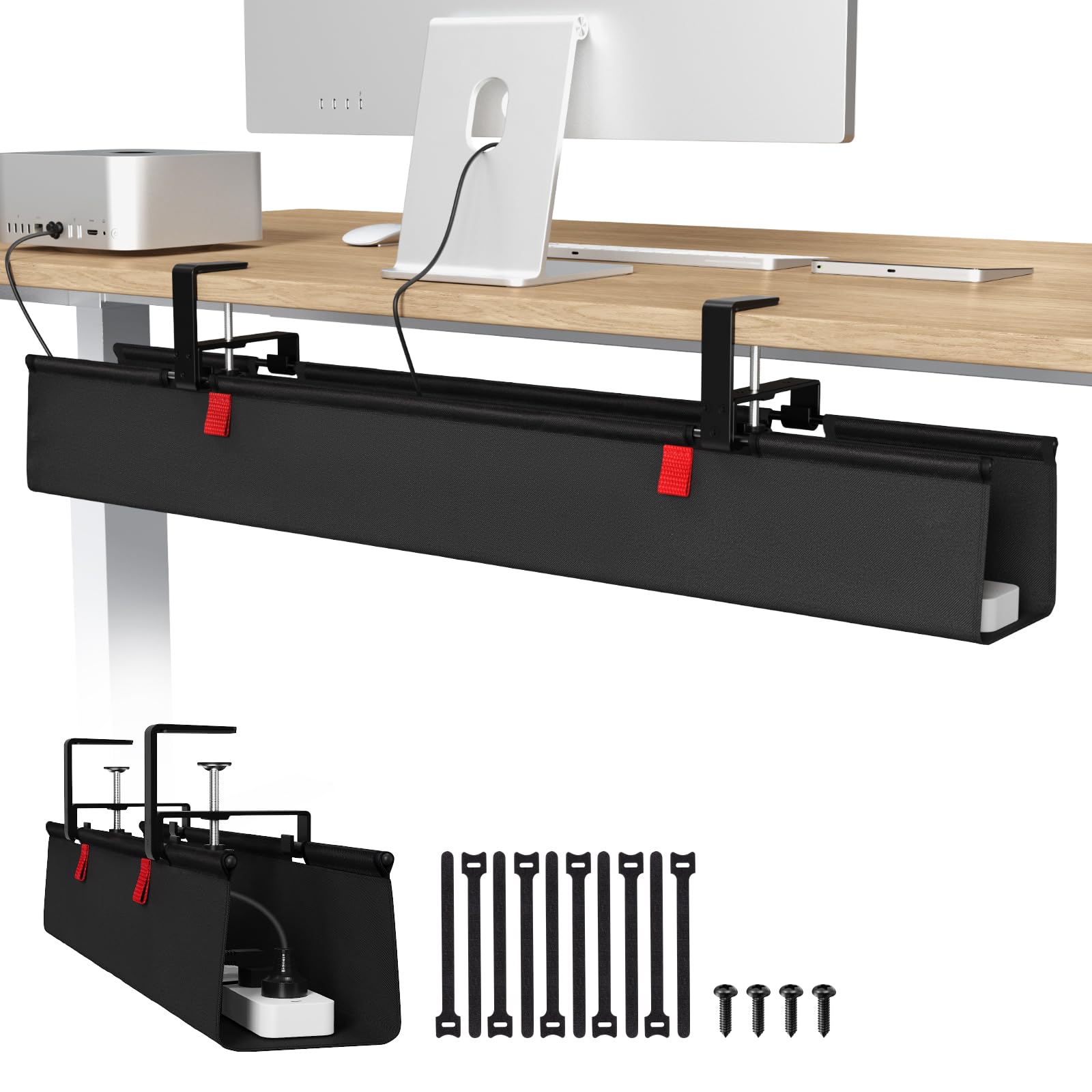
1. Univivi No Drill Under Desk Cable Management Tray, 36 inch
Our pick — 4.5+★ from 950+ verified ratings; the strongest balance of quality and price.
The extra-wide basket that hides an entire power strip without a single drilled hole.
For the desk that has accumulated a power strip, a monitor brick and a tangle of USB cables, this 36-inch tray gives you the most floor space to work with. It measures 36″L x 5.5″W x 5.5″H, so a full-size surge protector lies flat inside rather than hanging over the lip. That is more than twice the front-to-back width of the 3.5″ DELAMU trays below, which matters the moment you try to lay a strip in lengthwise.
The mount is the clever part. You can clamp it to the desk edge with no tools, or screw it in if you prefer a fixed hold — and it works on wood, glass and metal desktops either way. The fabric itself is a thick 600D oxford (the same tough woven cloth used on bags) that the maker describes as flame retardant, with a bottom panel that keeps the tray’s shape under load. Build quality is what wins people over here — the 600D oxford panels, the clamps and the stitching hold up, and the clamp mount installs in minutes.
The tray unfolds, so you can lay everything in and close it around the cables instead of threading each one through. Built-in ties pin down whatever is inside. Here is the honest catch: this tray hangs from clips, so it needs about 5.3 inches of clear space along the desk edge, and built-in drawers or a back rod can rule it out completely. It also cannot be made fully invisible from the front, because the clips sit on the desk edge.
Where it earns its keep
- 36″ of length and 5.5″ of width fit a full power strip plus adapters and sockets.
- Two install routes — clamp for no damage, screws for a permanent hold — on wood, glass or metal.
- Unfolding design plus built-in ties makes adding or removing a cable a seconds-long job.
- 600D oxford fabric with a supportive base keeps its shape instead of bowing.
Where it asks something of you
- Needs roughly 5.3 inches of clear edge, so drawer fronts and back rods can block the clamp.
- The clips stay visible on the desk edge, so it will never be completely hidden.
Go for this if: you want one wide tray that swallows a whole power strip and installs without touching a drill.
Measure first if: your desktop has drawers or a rear rod eating into that edge clearance.
2. Xpatee 2 Pack Cable Management Under Desk Tray
Two welded metal trays that butt together into one long run under a wide desk.
Buy this if your desk is broad and your cable clutter spreads across it. You get two 15.7″L x 4.7″W metal trays, and lined up end to end they form a 31.4″ organizer — twice the pack count of the single-tray Univivi. Each tray holds up to 10 lbs, so a power strip in one half and the bricks in the other is a realistic split.
Installation is the reason it ranks so high with owners. The clamp hangs straight onto the desk frame and lifts off just as easily, with anti-scratch mats under the jaws so your desktop finish survives. It grabs desks between 0.4″ and 2.4″ thick, which covers most standard and glass tops. What buyers praise most is the clamp fit — it grabs a 0.4″ to 2.4″ desktop in minutes, and the result looks far tidier than the price suggests.
You can drop a power strip in from either side, because both long sides are open — no unplugging needed, unlike a closed box. Buyers split on sturdiness: plenty find the welded steel solid, while a few say it is lighter-gauge than expected. Treat it as a tray for cables and one strip, not a shelf for heavy gear. A two-year warranty backs it up.
What buyers keep coming back to
- Two trays join into a 31.4″ run, so long desks get full coverage.
- Clamp takes desk tops from 0.4″ to 2.4″ thick, with anti-scratch mats.
- Open on both sides — slide a power strip in without unplugging it.
- Mounts facing in or out, so narrow edges and wall-side desks both work.
The fine print
- Each tray carries 10 lbs, so do not treat it as a heavyweight shelf.
- Some buyers read the metal as thinner than a premium tray.
Matches your setup if: you need cable cover across a wide desk and want the option to reposition the trays later.
Look at the metal channels instead if: you plan to pile in several heavy power bricks.
3. DELAMU 2 Pack Pre-Drilled Under Desk Cable Management Tray
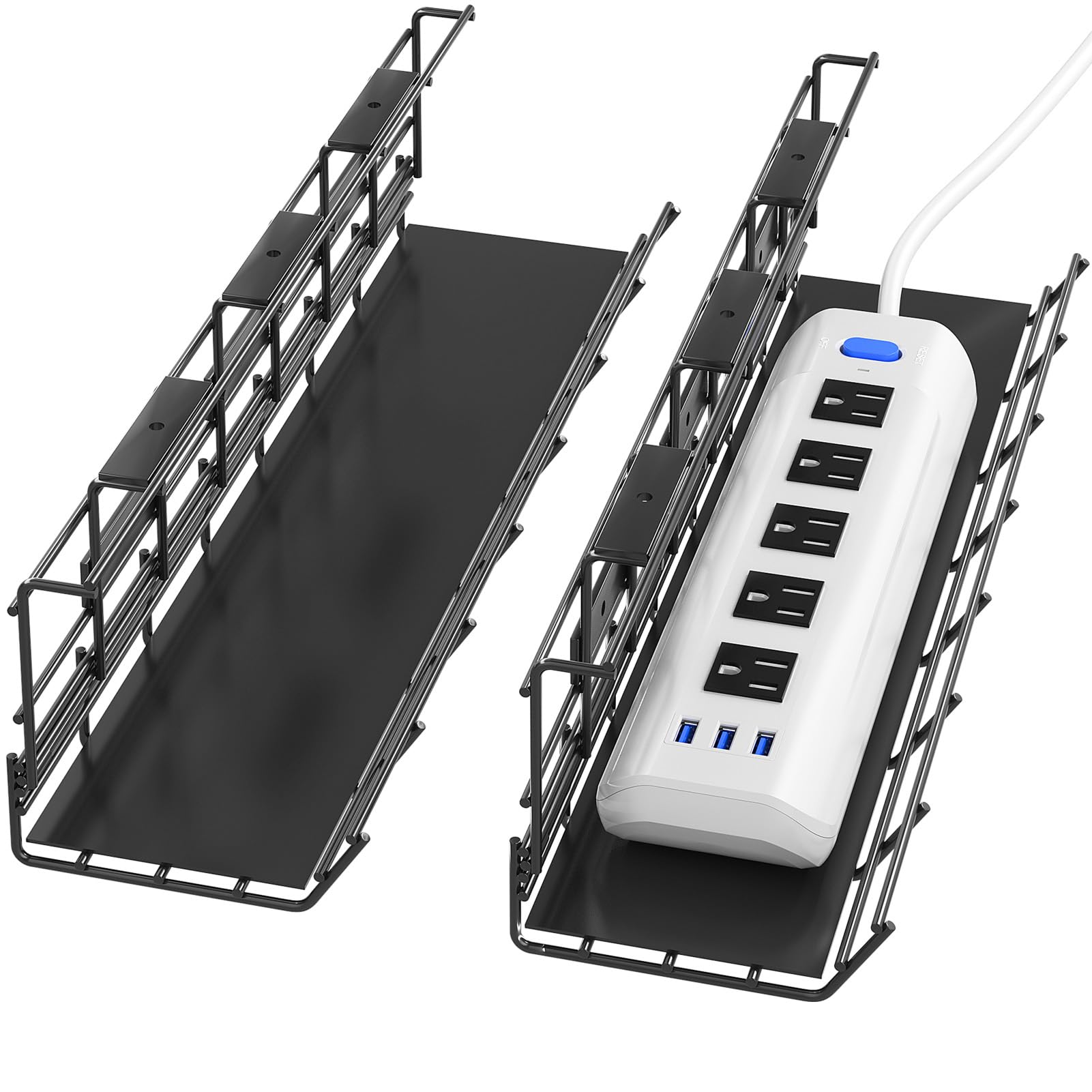
Screws to the desk or the wall — the tray that does not care where you put it.
Not everyone wants a clamp hanging off their desk edge. This pair of 17″ x 3.5″ x 4.1″ metal trays mounts with pre-drilled holes and screws, and the same holes let you fix them to a wall instead if your desk layout calls for it. Each tray bears up to 10 lbs, which comfortably covers a surge protector and a docking station.
The wide open top is the clever bit. It lets you lift a surge protector out without unplugging anything, and it lets heat rise away from your power supplies rather than trapping it. Bundled in the box are a dozen screws (each 0.6 inches long), a dozen anchors, and two plastic sheets that sit in the tray bottom. Those 0.6-inch screws are sized to hold firm without punching through your desktop, provided the top is thicker than 0.5 inches.
The trade-off is commitment. Once you have drilled, that tray lives there — no lifting it off to rearrange. It is also the narrowest deep option here at 3.5″ of width, so measure your power strip before assuming it lies flat. For a fixed home office or a wall run behind a standing desk, though, the setup is tidy, unobtrusive and quick to hang.
Why owners like it: the install is genuinely quick, and the open top makes swapping a surge protector painless. It keeps the floor clear, and the black finish fades into the background under the desk.
Think about it first: screw holes are permanent, and the 3.5″ width wants checking against a wide power strip before you commit.
Right call for: a permanent desk or wall run where you want a fixed, vented metal tray.
Not your pick if: you rent, rearrange often, or want the option to take the tray with you.
4. Coyacool Under Desk Cable Management 2 Pack Metal Tray

The 15-pound rating that laughs at a pile of laptop bricks.
If your under-desk clutter includes several power supplies, this is the one to look at. Ten screws per set spread that load across the underside of the desk rather than concentrating it on four points.
Each tray measures 14.5″L x 5″W x 3.4″H, giving you a slightly deeper footprint than the 3.5″ DELAMU while staying short enough to hang toward the back of a standard desk. It manages Ethernet, HDMI, USB, phone lines and power strips in one run, and the modern black finish keeps it from drawing the eye. Installation needs an electric drill for four small pilot holes and the included screws; wood and wood-composite desktops are the target.
What wins people over is the build — the coated steel reads sturdy, the coating resists rust and catches less dust, and each tray holds its shape up to its 15 lbs rating. The honest downside is the drill requirement and the fixed position that comes with it. If you want a tray you can move, a clamp model suits you better.
The strong point: a 15 lbs capacity per tray paired with ten mounting screws means heavy power bricks and a full strip are within its comfort zone.
The catch: it is screw-only and permanent — no clamp option, and no reclocating once the holes are drilled.
Built for you if: heavy bricks and a loaded power strip need somewhere solid to live.
Pass it by if: you cannot drill into your desk or want to move the tray later.
5. BIWIST Extendable Under Desk Cable Management Tray

The tray that slides to fit — no clamp to move when your desk changes width.
Most trays come in one fixed length. This one expands to a maximum of 31 inches, so you adjust it to the span you actually need. At full stretch it takes three 9.45 x 4.33-inch power strips side by side, which is more storage than a fixed short tray offers. It hangs from a clamp with no drilling and no instructions needed, and the whole unit weighs 3.1 pounds.
The frame is high-quality carbon steel, and the hollow structure keeps dust from collecting while letting heat escape around your wires. Owners are consistently happy with the carbon steel frame and how simply the clamp mount fits without drilling. The split opinion lands on rigidity: at full extension the middle can sag under weight, and a few describe it as less stable than a solid welded tray. Keep the weight spread out and it behaves.
Where it shines is flexibility — retract it for a small desk, extend it for a wide one, and re-clamp it when you move. That adjustability has a cost in stiffness, which is the honest trade you make for a tray that fits more than one desk.
Reasons it fits
- Expands to 31″ so one tray covers desks of different widths.
- Holds three 9.45 x 4.33-inch power strips at full length.
- Clamp mount means no drilling and easy re-positioning.
- Hollow carbon steel frame keeps dust down and lets heat out.
What to expect
- The middle can sag at full extension when loaded unevenly.
- Less rigid than a fully welded fixed tray.
Best match for: a desk owner who values adjustable width and the freedom to re-clamp without damage.
Not ideal if: you want maximum rigidity for a heavy, concentrated pile of gear.
6. Delamu 2 Pack Metal Under Desk Cable Management Tray
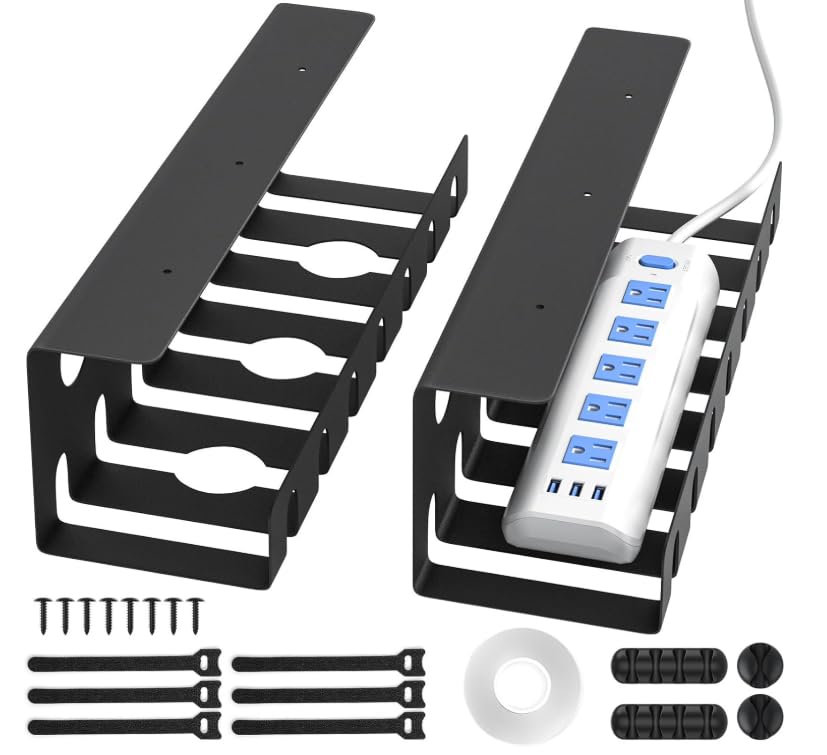
Stick it on today, screw it in later — a U channel for renters and standing desks.
Two U-shaped metal channels, each 15.75″L x 4.72″W, give you a genuinely tool-free first option. The included adhesive tape holds up to 4 lbs, so a bundle of cables and a light strip go up without a drill. Want more grip? Switch to the screws and the same channel takes up to 11 lbs. That range makes it the most flexible mount here.
The tape route asks a little patience. The surface needs to be clean, smooth and dust-free, you press for 10 seconds, and you wait a full day before loading it. Skip any step and the tray can peel free, which is the one recurring gripe owners raise. Hung properly, the rounded, smooth-finished metal keeps cables organized and out of sight, and the accessory set is generous — cable ties, screws, single-hole and four-hole cable holders all included.
It also suits desks that move. Standing and lift desks, glass tops and L-shaped setups are all listed as fits, and the U channel’s ventilation holes keep heat moving around your plugs. Treat the tape as a light-duty option and the screws as the real workhorse.
What stands out: two mounting routes in one channel — tape for a no-damage start, screws when you want up to 11 lbs of hold.
Do this first: if you use the tape, clean the surface, press firmly, and wait 24 hours before loading, or the channel may drop.
Suits you when: you rent or use a standing desk and want a no-drill start with a screw upgrade waiting.
Hold off if: you plan to hang heavy bricks on the tape alone — use the screws for that.
7. VIVO Extra Deep Under Desk Cable Management Tray
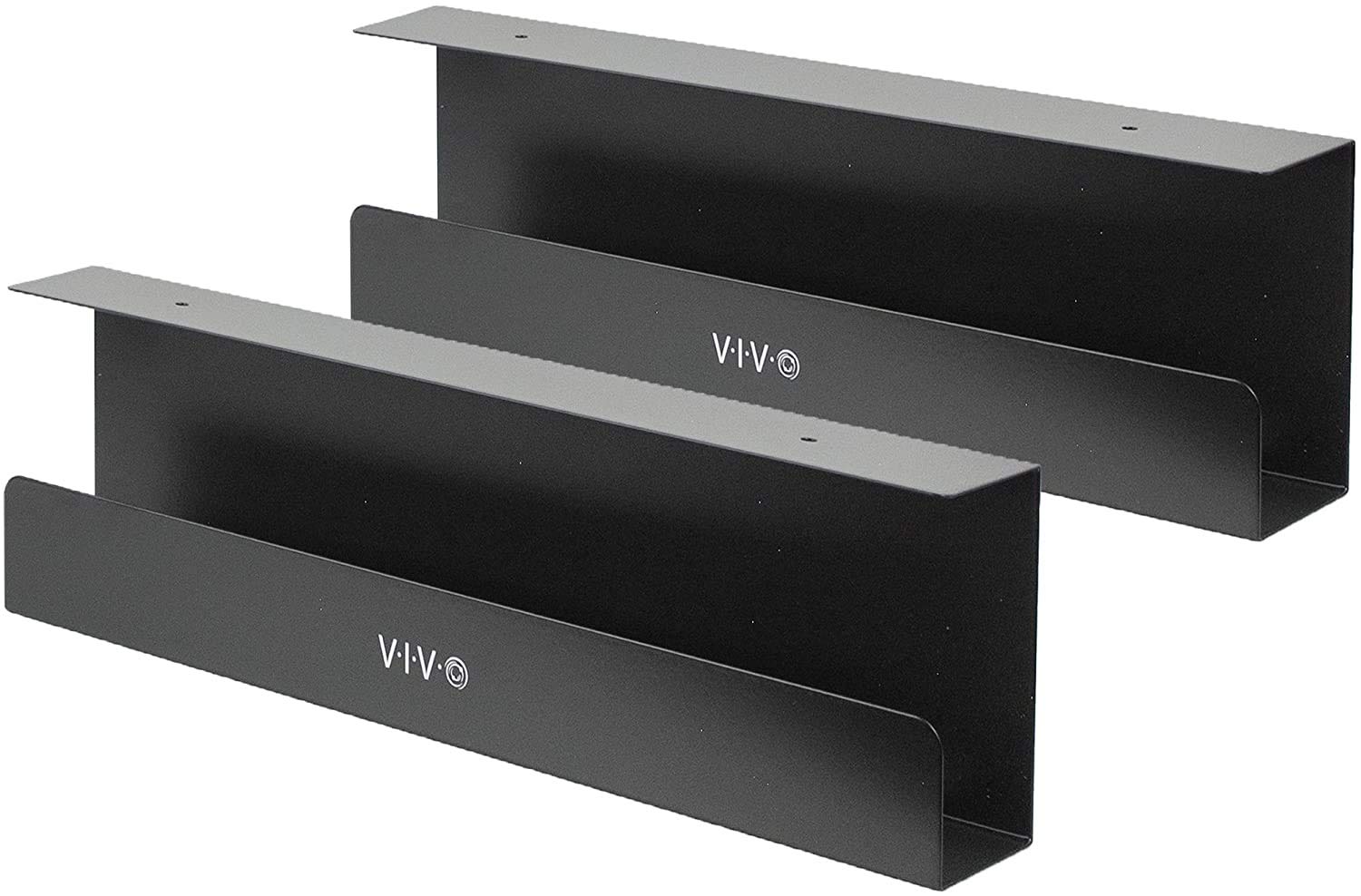
Slim steel channels that vanish under a modern desk and stay out of knee room.
If knee clearance is tight, this pair is worth a look. Each tray measures 16.5″L x 3″W — the narrowest deep footprint among the metal picks — so it sits close to the desk edge instead of reaching back. The two trays together carry 11 lbs each, and the low-profile frame is built to keep AV cables and power strips hidden without bowing.
VIVO’s trays screw into wood or particle board desktops, with mounting holes 11 inches apart on each tray. The front opening makes it easy to slide a cable out or add another without dismantling the run. They are made for VIVO standing desks in particular, and owners using those setups find them a natural fit — the install is straightforward and the cables stay off the floor.
The catch is the fixed position and the screw holes. These are permanent once set, and at 3″ wide they hold cable runs and a slim strip better than a bulky brick pile. Owners split on whether the 3″ width and the price feel right, so measure your power strip against that 3″ width before you buy.
What it brings to a desk
- 3″ depth keeps knee room clear on tight setups.
- 11 lbs per tray holds a full cable run plus a slim strip.
- Front opening for adding or removing cables quickly.
- Clean metal look that blends with modern desks.
Where it draws the line
- Screw-in only — no clamp, no tape, no easy repositioning.
- The 3″ width is snug for a wide power strip.
Worth grabbing if: you want a discreet, low-profile metal tray and knee room matters.
Skip the tape crowd: this one needs screws and stays put once installed.
Know the Specs
Load Rating
The load rating is the maximum weight a tray is designed to hold, usually stated in pounds. A 4 lbs rating suits a bundle of cables, while 11 or 15 lbs takes a power strip plus bricks. Always match it to a proper install — a clamp or tape hold only carries what its mount allows, so the screw route generally carries more than adhesive.
Tray Width and Depth
Length is the side-to-side span that decides whether a power strip lies flat. Depth is the front-to-back measurement that decides how far the tray reaches under the desk and how much it eats into knee space. A 5.5″ depth swallows a full strip; a 3″ depth keeps clearance but holds slimmer gear.
Mount Type
Clamp-on trays hang off the desk edge with pressure — movable and drill-free, but they need clear edge space. Screw-in trays fix underground for a firmer hold but leave permanent holes. Adhesive options avoid both tools and holes, yet carry less weight and demand a clean, flat surface to stay put.
Enclosure Material
Metal trays resist rust, generally hold heavier loads and radiate heat better. Fabric trays like 600D oxford are lighter, unfold for easy loading, and stay quiet when you bump them. Either way, an open or perforated design lets heat escape and reduces dust buildup around your power supplies.
Common Questions
Will a wire management tray fit under my desk without drilling?
How much weight can an under-desk cable tray hold?
Can a cable tray hold a full-size power strip?
Do I need to unplug my power strip to install it in a tray?
Is a metal cable tray better than a fabric one?
Will a cable tray work with a standing desk?
How do I stop a clamp-on tray from scratching my desktop?
Why does my tray sag in the middle when it is loaded?
Can I mount a cable tray on a glass or metal desk?
Does an open-frame tray help keep cables and adapters cool?
The Bottom Line
For most desks, the wire management tray to buy is the Univivi 36-inch. It holds a full power strip in its 5.5″ wide basket, and it mounts with a clamp or screws, so glass and wood tops both work. If your desk is wide and your clutter spreads, the Xpatee 2 Pack joins into a 31.4″ run and lifts off when you rearrange. And when you want a no-drill, no-tool start that can grow into a screw mount, the Delamu U channel gives you both routes in one tray — clear the floor today and lock it down later.
How we choose
We do not accept paid placement. Every pick is matched to a real buyer and a real use-case; we do not hands-on test units.
Sources
Specifications: manufacturer listings and product documentation. Review insights: verified customer reviews, as of November 2026. Pricing: not shown on this page (it changes often); check the current price via the retailer link.
As an Amazon Associate, Tactical Gear Guy earns from qualifying purchases. This does not affect which products we feature.