Specs are compiled from manufacturer listings and verified buyer reviews and can change over time — please confirm the key details on the product page before buying.
You want a color printer that connects to your Wi-Fi once and stays connected, and that does not drain your wallet on ink every few weeks. The nine machines below all print in color over a wireless network, and they split into two clear camps: cartridge printers that are cheap to buy and tank printers that cost more up front but run for years on refill bottles. Decide between cartridges and refillable tanks first, then pick the model within that camp.
This guide is built by comparing the manufacturers’ published specifications and the patterns across verified customer reviews, so you get each pick’s real strengths and trade-offs instead of marketing spin.
Some models here race through documents at office speed while others sip ink for years, so the right pick depends on what you actually print. This breakdown of the best wireless color printers separates the fast laser workhorses from the low-cost tank machines.
Top Picks
How To Choose The Best Wireless Color Printers
The two decisions that matter most are how you pay for ink and how fast you need pages to come out. Everything else — screen size, scanner type, paper tray depth — is a comfort feature you can trade up or down once those two are settled.
Cartridges versus refillable tanks
A cartridge printer uses sealed ink cartridges you swap out when they run dry. They are usually the cheaper machine to buy, but each replacement set adds up. A tank printer, like the Epson EcoTank or the HP Smart Tank, holds liquid ink in refillable reservoirs you top up from bottles. The machine costs more, but one bottle set covers thousands of pages instead of hundreds. If you print school packets, recipes, and forms every week, a tank printer’s bottle refills cost far less per page than cartridge swaps.
Pages per minute and what it hides
Pages per minute (ppm) measures how many plain black-text pages the printer pushes out in a minute. Color ppm is always lower, and photo prints on glossy paper take far longer than either number suggests. A laser that lists 24 ppm or 27 ppm is aimed at text documents and presentations. A 7 ppm color inkjet is fine for homework and the occasional photo but will feel slow if you are churning out a color newsletter.
Wireless setup and dual-band Wi-Fi
Dual-band Wi-Fi means the printer can join either the 2.4GHz band (longer reach, more crowded) or the 5GHz band (faster, shorter reach). Some routers handle one far better than the other, so a printer that supports both gives you a fallback when the first one drops. Look for Apple AirPrint and Mopria support too — they let a phone print without installing a driver at all.
Flatbed scanner or document feeder
A flatbed lets you lay a single page or a book page on glass and scan it. An automatic document feeder (ADF) pulls a stack of pages through one at a time, so you can copy a ten-page form without standing over it. If you scan multi-page contracts or school forms, a 20- to 50-sheet ADF saves loading each page by hand.
Side-by-Side Comparison
| Model | Best For | Black ppm | Color ppm | Duplex | Amazon |
|---|---|---|---|---|---|
| HP Envy 6155★ Best Overall | Everyday home printing | 10 ppm | 7 ppm | Automatic | Amazon |
| Canon PIXMA TR7120Best Value | Hybrid workers | 14 ppm | 9 ppm | Automatic | Amazon |
| Brother Work Smart 1410Office Workhorse | Small offices | 16 ppm | 9 ppm | Automatic | Amazon |
| Epson EcoTank ET-2900 | Low-cost ink | 11 ppm | 6 ppm | Simplex | Amazon |
| HP Smart Tank Plus 570 | High-volume tank | 11 ppm | 5 ppm | Simplex | Amazon |
| Xerox C300 | Print-only laser | 24 ppm | 24 ppm | Automatic | Amazon |
| Brother HL-L3280CDW | Fast office laser | 27 ppm | 27 ppm | Automatic | Amazon |
| Xerox C245 | Compact 3-in-1 | 26 ppm | 26 ppm | Automatic | Amazon |
| Canon imageCLASS MF753Cdw II | Heavy office use | 35 ppm | 35 ppm | Automatic | Amazon |
Detailed Reviews
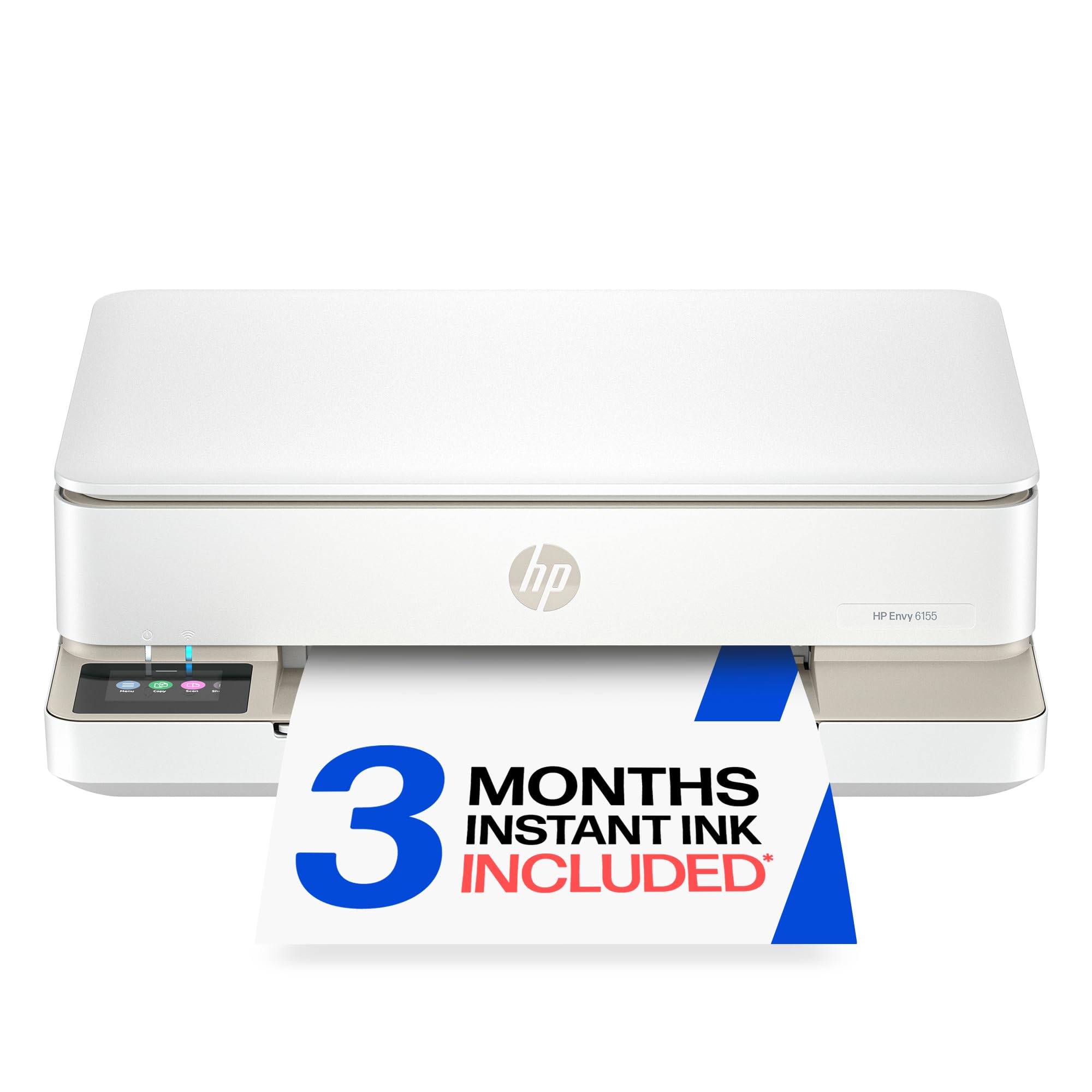
1. HP Envy 6155 Wireless All-in-One Color Inkjet Printer
Our pick — 4.0+★ from 650+ verified ratings; the strongest balance of quality and price.
The all-rounder that prints both sides, fits a corner desk, and walks you through setup on a screen.
If your printing is a mix of homework packets, boarding passes, and the odd 4×6 photo, start here. The Envy 6155 does print, scan, and copy, and it prints automatically on both sides of the page — so a two-page school form comes out as one sheet without you flipping anything by hand. That single feature saves more paper than most buyers expect over a school year.
The touchscreen is a 2.4-inch color panel, which is a hair smaller than the 2.7-inch screen on the Brother Work Smart 1410 below. It is still big enough to tap through ink levels and copy settings without hunting. Wireless runs on dual-band Wi-Fi, meaning the printer can join either the 2.4GHz or 5GHz band on your router, and HP’s software is designed to spot and fix a dropped connection on its own. HP’s P3 color handling is designed to keep a printed photo closer to what your phone screen showed. Note the build: at least 60% recycled plastic content in the chassis.
Where this printer wins people over is just how well it behaves as a printer — the everyday reliability and print output get the most praise by a wide margin, with setup ease right behind it. What you should know before buying: the ink math is contested. Some owners find the Instant Ink subscription a fine deal, others would rather buy cartridges outright. And the machine is firmware-locked to HP-branded cartridges, so third-party ink will not work. It also only takes a 100-sheet input tray, so a big print job means reloading.
Where it holds its ground
- Automatic two-sided printing comes standard, cutting paper use on long documents
- Dual-band Wi-Fi with self-correcting connection logic suits homes with crowded networks
- Print, scan, and copy in a compact white body that fits a small desk
- 3-month Instant Ink trial included, so you can test the subscription before committing
What to weigh first
- Only works with original HP chipped cartridges; third-party ink is blocked
- 100-sheet tray fills quickly on big jobs
- Color output runs at 7 ppm, so photo-heavy batches take time
Best fit for: a household printing forms, homework, and occasional photos who wants duplex printing without fuss.
Think twice if: you plan to refill with cheap third-party cartridges — this one locks them out.
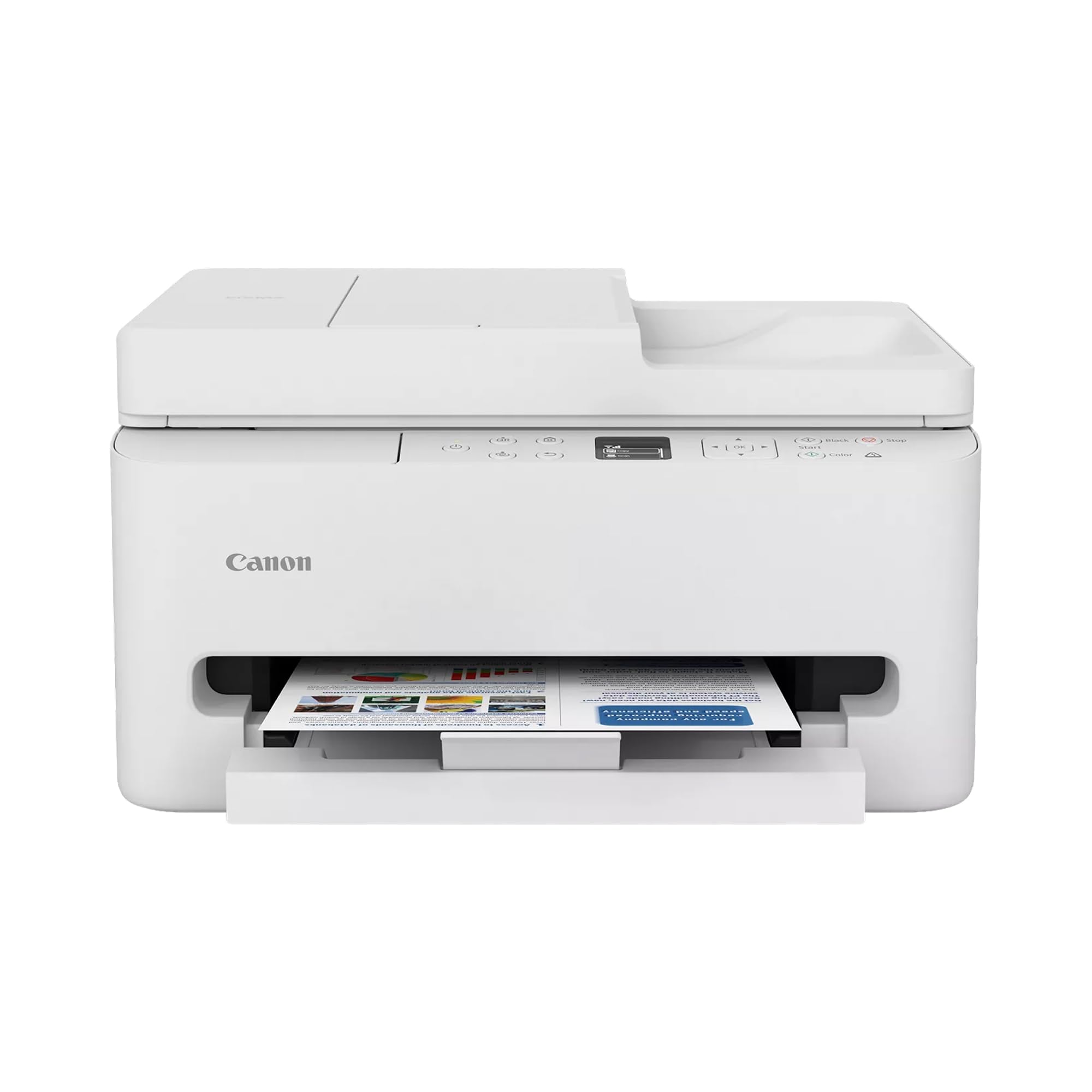
2. Canon PIXMA TR7120 Wireless Color Inkjet Printer
A compact inkjet that stacks a document feeder and alexa control onto a small desk footprint.
Hybrid workers get the most out of this one. It scans and copies a multi-page document through a 20-page automatic document feeder without you lifting the lid, and it prints at 14 ppm black and 9 ppm color, while the Brother Work Smart 1410 below prints at 16 ppm black and 9 ppm color.
The 1.42-inch monochrome OLED panel is small and text-only, so it shows ink levels and status rather than a full color menu. It also answers to Amazon Alexa, which means you can fire off a print with your voice while your hands are full. Dual-band Wi-Fi again gives you the 2.4GHz or 5GHz choice, and Canon’s 2-cartridge hybrid ink system keeps refills simple.
The parts owners rate highest are build quality and setup ease, and print quality sits close behind. What is worth knowing honestly: the reliability picture is genuinely split. Plenty of owners describe it printing flawlessly, while others hit stretches where it refuses to connect or print — a network-dependent machine, so a strong router helps. The ink-plan subscription is a cost decision you make separately, and value opinions divide along that line.
The workflow edge: that document feeder is the reason to pick this over a bare flatbed — sign a three-page form once, scan it in one pass, and move on.
The honest caveat: wireless dropout is the recurring gripe, so position it near your router rather than at the far end of the house.
Worth grabbing if: you scan paperwork often and want a feeder plus voice printing in a small box.
Pass over if: you need rock-solid wireless in a dead-zone room — this one wants a good signal.
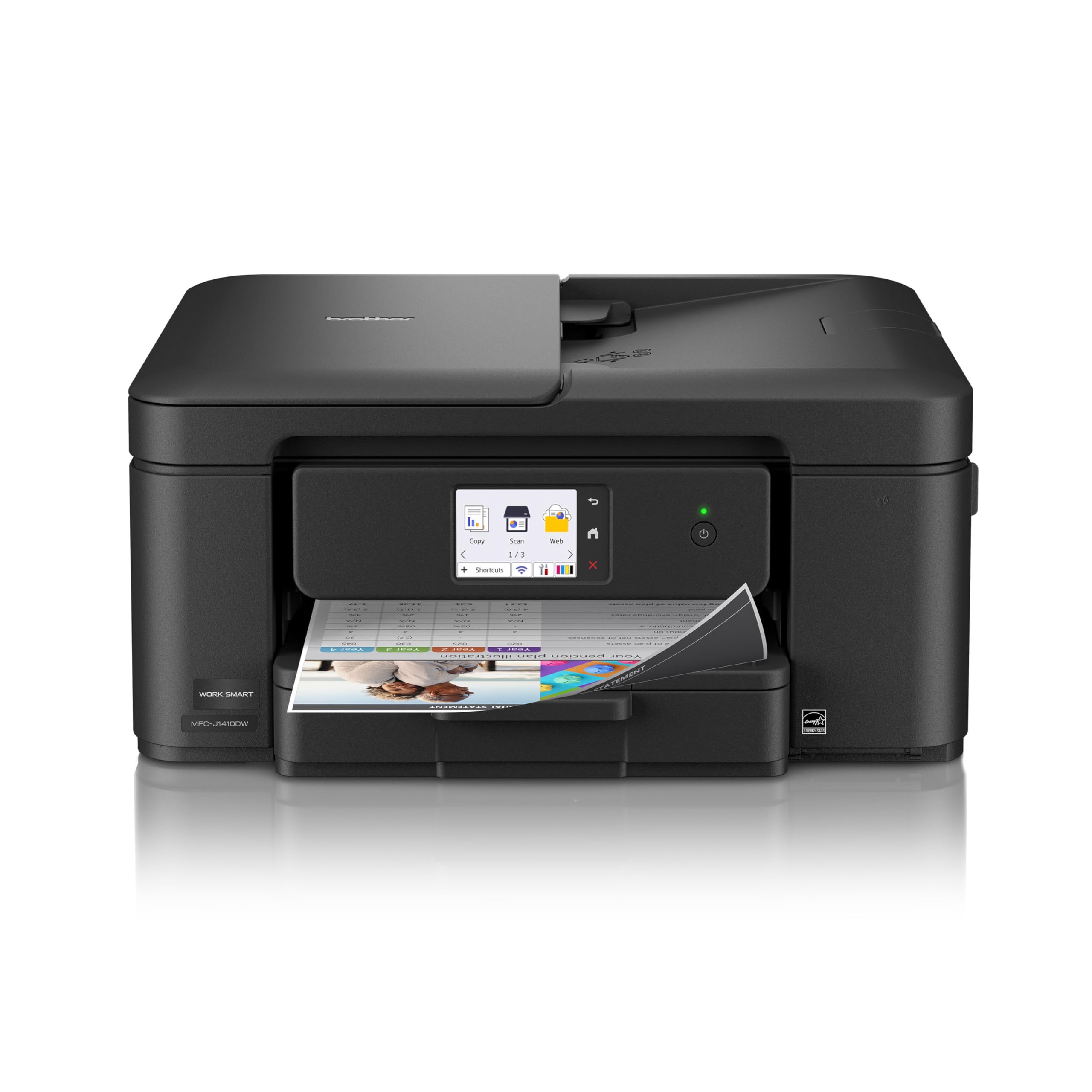
3. Brother Work Smart 1410 Printer
The fastest inkjet on this list, with the biggest screen and the deepest paper tray in its class.
Speed is where this Brother leaves the other inkjets behind. It churns out 16 ppm in black and 9 ppm in color, versus the Canon PIXMA TR7120’s 9 ppm color and the Epson EcoTank ET-2900’s 6 ppm color. Black text is 16 ppm versus the HP Envy 6155’s 10 ppm — the difference between a print job finishing while you tidy up versus standing there watching it.
The 150-sheet paper tray holds 150 sheets versus the Epson EcoTank ET-2900’s 100-sheet tray, so long reports do not force a mid-job reload. The 2.7-inch color touchscreen is the largest here and connects straight to cloud apps like Google Drive, Dropbox, and OneDrive for direct printing. There is a 20-sheet single-sided document feeder for scanning stacks, and automatic two-sided printing as standard. First page out lands at roughly 6.2 seconds in black and 9.6 seconds in color.
Owners consistently point to the printer’s build and output quality as its best trait, with running costs close behind — ink is cheap enough that heavy printing doesn’t sting. What is fair to say: the touchscreen and connectivity split opinion. Some owners master the menu instantly, others find it takes getting used to, and occasional connection hiccups appear. Print speed also draws mixed verdicts, which is surprising given the spec sheet — probably a network or driver factor rather than the engine itself.
The size squeeze: a compact body that scoots under a shelf, which matters if your “office” is a corner of the kitchen.
The thing to check: it wants Brother’s LC501 ink if you care about the lowest per-page cost.
My call for: a home office printing color documents daily and wanting the quickest inkjet turnaround.
Might not suit: anyone who needs a printer they can operate entirely without a learning curve on day one.
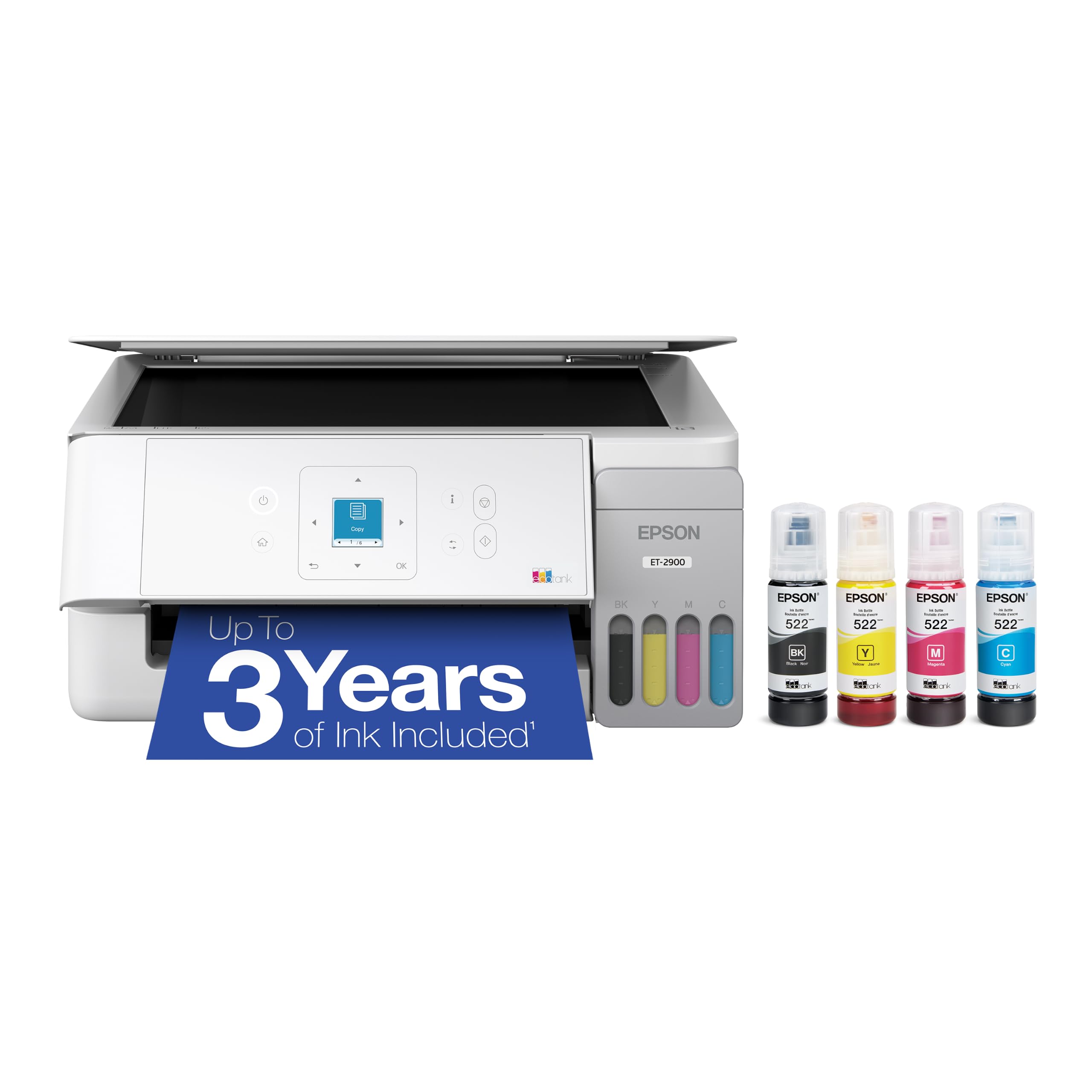
4. Epson EcoTank ET-2900 Printer
Fill it from bottles once and print for years without swapping a cartridge.
The pitch here is simple: the ink that ships in the box covers up to 3,600 pages in black and 6,500 in color, and Epson says that works out to as much as three years of printing for a typical home. Refilling means plugging a keyed EcoFit bottle into the matching tank so it drains in — color-coded so you cannot pour cyan into the black tank. One replacement bottle set is equivalent to about 80 cartridges, which is the whole reason to pay more for a tank machine.
It is also the smallest body on this list on paper, sitting at 12.5″D x 14.2″W x 6.4″H, compared with the HP Envy 6155’s 17.05″D footprint, which matters if you are squeezing it onto a narrow shelf. It runs 11 ppm black and 6 ppm color with zero warmup time and holds a 100-sheet tray.
Setup and ease of use are the standout strengths buyers notice, with the tank-refill routine and steady wireless connection praised too. Be clear-eyed on two points: this is not a duplex printer — you flip pages yourself — and print quality splits opinion rather than winning every owner over. If bright, punchy color is your priority over cost, weigh that against the running-cost win.
Why tank owners stay happy
- Up to 3,600 black / 6,500 color pages of ink in the box
- Keyed EcoFit bottles prevent color mix-ups during refill
- Compact footprint with zero warmup before the first page
- Empty cartridge waste drops dramatically versus cartridge machines
The trade-offs to own
- No automatic duplex — double-sided jobs need manual flips
- Print quality draws mixed feedback rather than outright praise
- Color output at 6 ppm is the slowest here for color pages
Reach for this if: you print regularly and want to stop thinking about ink purchases every few weeks.
Choose another if: double-sided printing is a daily need — this one makes you flip the paper.
5. HP Smart Tank Plus 570 All-in-One Tank Printer
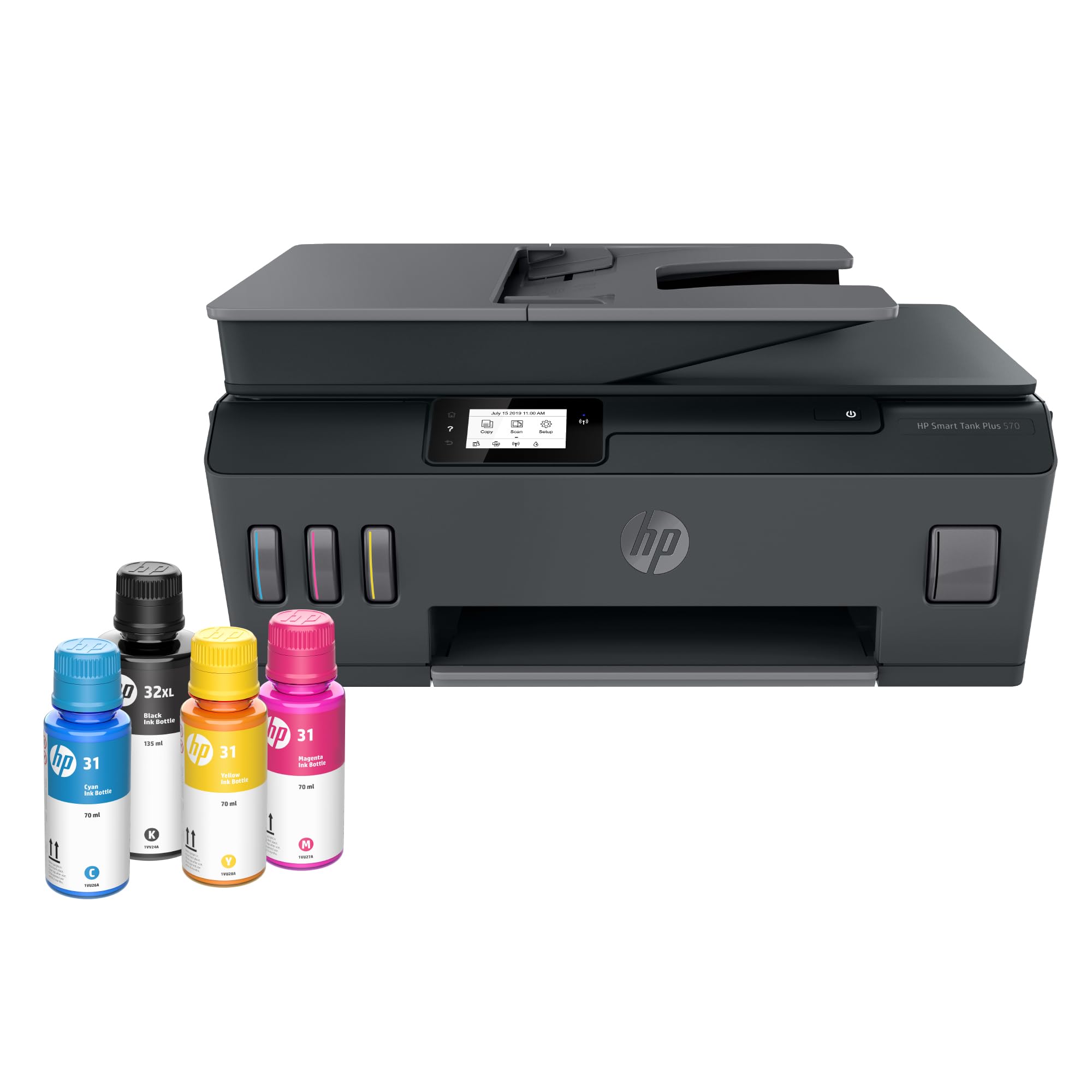
A refillable tank machine built for households that print thousands of pages a year.
If you want to load up once and forget, this HP ships with enough ink for up to 8,000 color pages or 6,000 black pages — HP frames that as about two years of printing. The refill system is the tidy kind: you plug the bottle into the tank and let gravity drain it, no squeezing and no spills. It prints, copies, and scans, does borderless prints, and connects wirelessly to phones and tablets.
The spec sheet is honest about its focus: 11 ppm black and 5 ppm color makes it the slowest color machine here, and it does not do automatic duplex. This is a volume printer, not a speed printer. Choose it when you print a lot of black-and-white paperwork and want the ink cost to nearly vanish, not when you are racing to print a color flyer five minutes before a meeting.
Here the picture is genuinely mixed, and that matters. Some owners find print quality great and setup easy; others hit a rough install or a machine that gives up after a few days. That split means it pays to keep the receipt and the packaging until you have run a solid stack of test pages. When it works — and for most it does — the ink value is the reason you bought it.
Best for the paper-heavy house: think daily worksheets, forms, and lists — the kind of volume that eats cartridges alive on a standard inkjet.
Set your expectations: high page yield is the win, low color speed is the cost, and setup can trip people up.
Top pick for: a busy household that prints heavy black-and-white volume and wants ink that lasts about two years.
Look elsewhere if: quick color prints or double-sided pages are your everyday need.
6. Xerox C300 Wireless Color Laser Printer
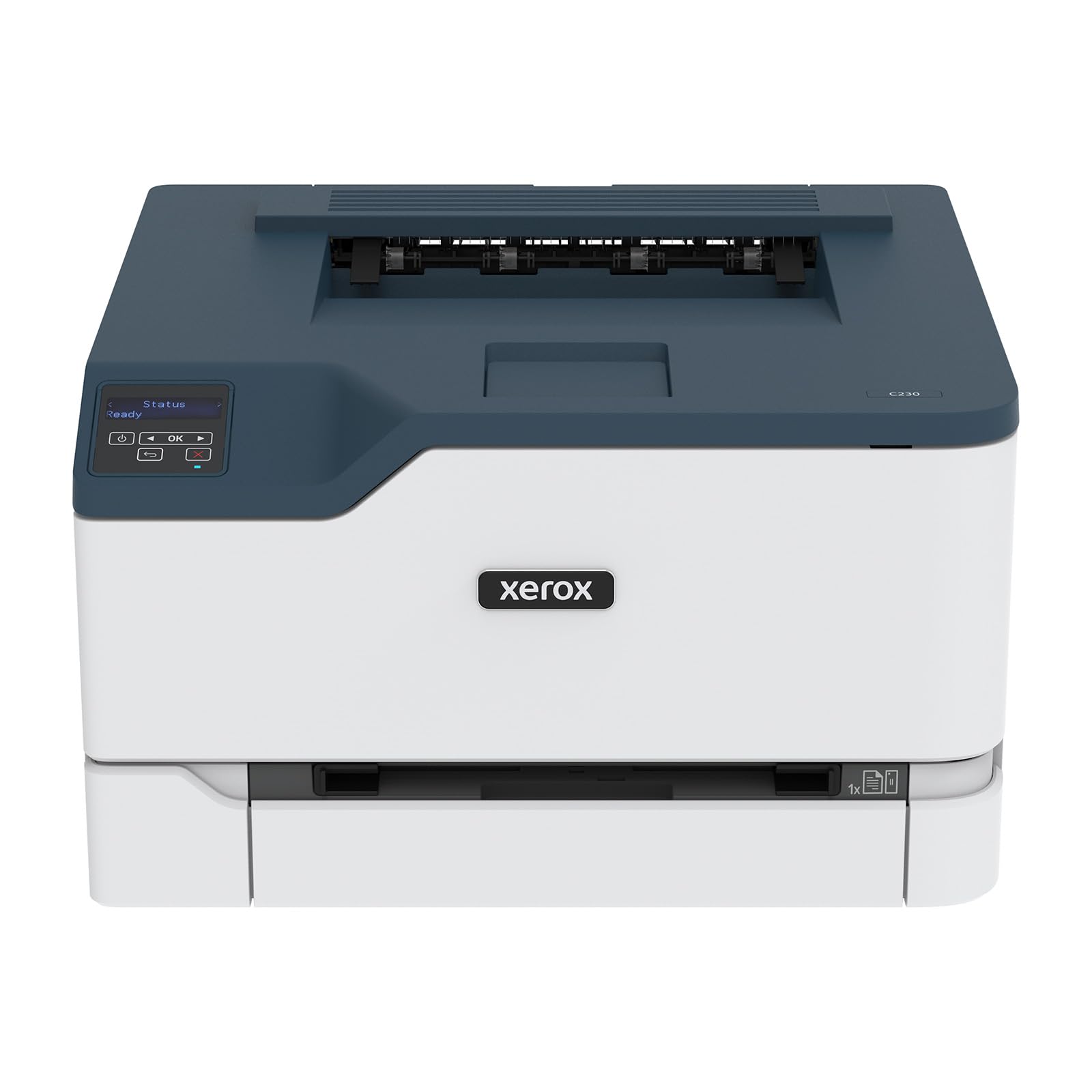
A print-only color laser that fires out 24 pages a minute without the wet-ink wait.
Laser printing means toner fused with heat, so pages come out dry and ready to hand over. This C300 runs at 24 ppm in both black and color — the same speed in both — and holds a starter toner rated for 500 pages, with high-yield cartridges available to lower the ongoing cost. Xerox targets it at small offices pushing up to 1,500 pages a month.
Setup runs through the Xerox Easy Assist app, which walks you through installation on a phone instead of a manual, and wireless includes Apple AirPrint and Mopria so an iPhone or Android device prints without a driver. The first page out lands in about 11 seconds. There is no scanner or copier here — this is a dedicated print engine.
The setup app and phone printing draw steady approval, and the speed is real. The honest caution: print quality and reliability split opinion more than you would like on a laser. Some units run for years; others arrive and refuse to print.
What the laser brings
- 24 ppm in both black and color — fast, dry pages from the start
- Apple AirPrint and Mopria for direct phone and tablet printing
- High-yield toner options keep cost-per-page low
- ENERGY STAR certified
Limits worth noting
- Print only — no scanner or copier
- Starter toner yields just 500 pages
- Reliability feedback is mixed enough to warrant testing early
Good match for: an office that only prints documents and wants laser speed at a modest tier.
Move on if: you need to scan or copy — this model cannot do either.
7. Brother HL-L3280CDW Wireless Color Laser Printer

The fastest pure printer here at 27 ppm, with a touchscreen that prints straight from the cloud.
Office speed is the whole point of the HL-L3280CDW. It prints 27 ppm in both black and color, which edges past the Xerox C300’s 24 ppm and beats every inkjet on this list for color throughput. The 2.7-inch touchscreen lets you pull files from Google Drive, Dropbox, and Evernote and print them without opening a laptop. Automatic duplex printing is standard, so double-sided documents move through without manual flips.
Toner cartridges come in a spread of yields — standard TN229, high-yield, and extra-high-yield in all four colors — so you can match the cartridge size to how much you print. Ethernet is on board if you want a wired connection, and mobile printing covers phones and tablets. It is print-only, so pair it with a separate scanner or the all-in-one options higher up the list if you also copy paperwork.
Setup and print speed earn steady praise, and laptop printing in particular is smooth once connected. The mixed note is connectivity: wireless works well with Macs for many owners, while some report trouble keeping the Wi-Fi link. Wired Ethernet is the fallback that sidesteps the issue entirely if your desk has a port nearby.
The throughput story: 27 ppm is document-processing speed — a 50-page report clears in under two minutes of engine time.
One thing to plan: no scanner or copier, so budget for a separate flatbed if you need both.
Built for: a small office grinding through color documents and wanting the fastest turnaround with a cloud-print screen.
Not the pick if: you need an all-in-one — printing is all this one does.
8. Xerox C245 Wireless Color All-in-One Printer
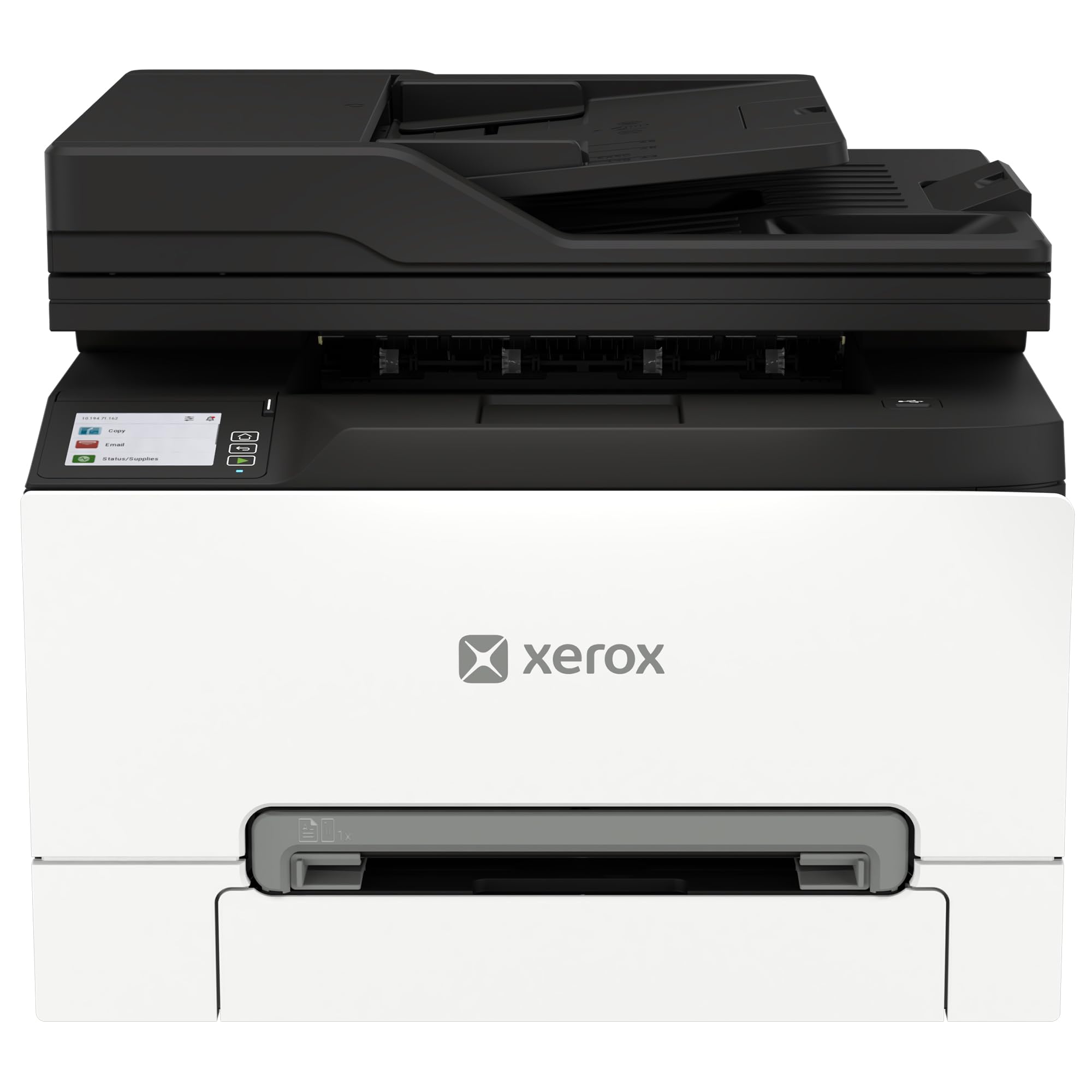
A full print-scan-copy machine that folds laser speed into a genuinely compact footprint.
Most color laser all-in-ones make you clear a shelf. This C245 packs print, scan, and copy into a body designed for small desks, made for home offices, remote teams, and consultants. It prints at 26 ppm in both black and color — about as fast as the Brother HL-L3280CDW’s 27 ppm, and fast enough that a color report is out before your coffee stops steaming. A 50-sheet document feeder handles scanning and copying multi-page stacks without you loading each sheet by hand.
Wireless is dual-band Wi-Fi with Apple AirPrint and Mopria, so phones and tablets can print and scan without a driver, and the Xerox Easy Assist app guides setup step by step. Standard-yield toner covers lighter use, while high-yield options lower the per-page cost over time. Xerox rates it for up to 1,500 pages a month and sells it as an Amazon exclusive in North America.
The one thing to plan for: at 42.8 pounds, this is a solid machine, so measure your shelf and have a second pair of hands ready when it arrives. Think of it as a permanent desk fixture rather than something you shift around. It is the all-in-one build of the print-only Xerox C300 — you trade a little speed for scanning and copying in the same box.
The right call if: you want a compact color laser that scans and copies too, and can give it a permanent spot on a sturdy desk.
Consider the trade: no scanner here would be a deal-regret, so this one covers print, scan, and copy in a single compact chassis.
9. Canon Color imageCLASS MF753Cdw II Printer

The fastest machine on this list, and the only four-function all-in-one with fax.
If a busy office is the job, this Canon answers it. It prints at 35 ppm in both black and color — well ahead of the Xerox C245’s 26 ppm and the Brother HL-L3280CDW’s 27 ppm — and it bundles print, scan, copy, and fax into one unit with automatic duplex. First page out lands at 7 seconds. The starter toner kit includes standard black rated at 2,100 pages and color at 1,100, and it takes Canon’s Genuine Toner 069 set.
Fast pages are the headline, but the quieter details earn their keep too. Owners single out the quality of the scans and prints as the best trait, with the print speed and color output close behind, and the running noise level gets a nod for staying low. It handles a heavy workload while sitting on a desk without sounding like it is straining.
The fair warning concerns setup and network: connecting to the internet and getting the print paths configured draws a genuinely mixed report, with some owners sailing through and others wrestling with it. Build in extra time on day one and this settles into a fast, dependable office engine. If you cannot spare a setup afternoon, plan for it rather than be surprised.
The office engine: 35 ppm color with a 7-second first page means deadline print runs stop being a bottleneck.
The setup tax: network configuration is the step where this machine asks for your patience.
Go here for: a busy office that needs the fastest color laser plus fax, scanning, and copying in one unit.
Only if you have the time: expect to spend a little longer getting the network right before the speed pays off.
Know the Specs
Pages Per Minute (ppm)
This is how many plain black pages the printer pushes out in one minute. Color ppm is lower, and photo prints on glossy stock take far longer than either figure. A laser at 24 or 27 ppm suits documents and reports. An inkjet at 5 to 9 ppm color suits homework and the odd photo. Pick a ppm rating that matches your monthly page count, not the highest figure in the comparison table.
Duplex (double-sided) printing
Automatic duplex means the printer flips the page itself, so you get two-sided output without touching the paper. Every laser here does it automatically. Two of the tank printers on this list are simplex-only, which means you flip pages yourself for double-sided jobs. If you print multi-page reports weekly, automatic duplex halves your paper use and your manual flipping.
Tank versus cartridge ink
A cartridge printer swaps sealed ink units when they run dry. A tank printer holds bottled ink in reservoirs you refill directly. Tank machines cost more up front but run far cheaper per page — one EcoTank bottle set is equivalent to about 80 cartridges, and the HP Smart Tank ships with up to 8,000 color pages of ink. Cartridge machines are cheaper to buy but cost more to keep running.
Wireless standards and mobile printing
Dual-band Wi-Fi lets the printer join your 2.4GHz or 5GHz network. Apple AirPrint and Mopria are driver-free protocols so phones and tablets print directly. Some machines add a cloud-app menu on the touchscreen, letting you print from Google Drive or Dropbox without a computer. A printer with dual-band Wi-Fi plus AirPrint and Mopria covers both a crowded 2.4GHz network and driver-free phone printing.
Common Questions
Can these wireless color printers connect to a 5GHz Wi-Fi network?
Do tank printers really save money on ink compared to cartridges?
Which of these can print on both sides of the page automatically?
Do any of these printers scan and copy, or do they only print?
Can I use third-party ink cartridges in these printers?
What does ppm really mean for color photo printing?
How quick is the first page out on these printers?
How big are these printers and will they fit on a small desk?
Do I need a subscription plan to print with these?
Are color laser printers better than inkjets for documents?
The Bottom Line
For most households, the wireless color printers pick that threads the needle is the HP Envy 6155. It prints both sides automatically, fits a small desk, and walks you through setup on a 2.4-inch touchscreen. If you want the fastest inkjet output, the Brother Work Smart 1410 prints 16 ppm black and 9 ppm color with a 150-sheet tray, while the Epson EcoTank ET-2900 covers up to 3,600 black pages on the ink in the box for the buyer who wants to stop thinking about refills.
One honest nudge: if office speed is the real priority, the laser tier earns its keep — the Canon imageCLASS MF753Cdw II prints 35 ppm and the Brother HL-L3280CDW hits 27 ppm, both faster than any inkjet here. Buy for your real monthly page count and mix of documents versus photos, not for the highest spec on the box.
How we choose
We do not accept paid placement. Every pick is matched to a real buyer and a real use-case; we do not hands-on test units.
Sources
Specifications: manufacturer listings and product documentation. Review insights: verified customer reviews, as of November 2026. Pricing: not shown on this page (it changes often); check the current price via the retailer link.
As an Amazon Associate, Tactical Gear Guy earns from qualifying purchases. This does not affect which products we feature.