Specs are compiled from manufacturer listings and verified buyer reviews and can change over time — please confirm the key details on the product page before buying.
The answer most buyers need: buy a dedicated access point, not another router, and match the uplink port to the speed you actually pay your internet provider for. A Wi-Fi AP Router that hangs from the ceiling and draws power over its network cable will beat a plastic box shoved behind the sofa almost every time. The picks below all run in true access-point mode, and the ceiling-mounted models spread signal from above instead of through furniture. Start with the Ubiquiti U7-Lite if you want Wi-Fi 7 without the premium tag, then work down the list to match your budget and building.
This guide is built by comparing the manufacturers’ published specifications and the patterns across verified customer reviews, so you get each pick’s real strengths and trade-offs instead of marketing spin.
You will see how PoE, band support, and coverage numbers translate into a working home or shop network. The goal is a setup you configure once and then forget about, which is exactly what the right wi-fi ap router delivers.
Top Picks


How To Choose The Best Wi-Fi AP Router
The first decision is not brand or price — it is whether you have a network cable where you want the signal. An access point (a device that broadcasts Wi-Fi onto an existing wired network) needs an Ethernet run back to your router or switch. If you cannot pull a cable, an access point will not help you, and no amount of clever marketing changes that.
Match the uplink port to your internet plan
The uplink port is the Ethernet jack that feeds the access point. A 1G port caps the feed at 1 gigabit, while a 2.5G port (2.5 Gigabit Ethernet) carries more than twice that. If you pay for a multi-gigabit plan and your AP only has a 1G port, you will never see the speed you are billed for. Buyers on a standard plan can save money and accept the 1G port without noticing a difference.
Power over Ethernet saves the install
PoE (Power over Ethernet) sends electricity and data down the same cable, so the AP needs no wall adapter up near the ceiling. Standard 802.3af supplies less power than 802.3at, which is the PoE+ tier. Check what your switch provides before you buy, because a PoE+ AP on a basic af switch may come up short.
Count your devices and your square footage
Client limits matter more than raw speed claims in a busy home. A model rated for up to 200 connected devices handles phones, laptops, cameras, and smart plugs without dropping them. Coverage figures like 1,500 sq. ft. describe an open indoor space, so walls and floors will cut into that number in a real house.
Side-by-Side Comparison
| Model | Best For | Wi-Fi Class / Speed | Uplink Port | Power | Amazon |
|---|---|---|---|---|---|
| Ubiquiti U7-Lite★ Best Overall | Wi-Fi 7 on a budget | Wi-Fi 7, 4.3 Gbps on 5 GHz | 2.5 GbE | PoE | Amazon |
| NETGEAR WAX210Best Value | Small office, tight budget | Wi-Fi 6, 1,800 Mbps | Multi-Gig PoE | 802.3af PoE | Amazon |
| Omada EAP650Easiest Setup | Easiest cloud setup | Wi-Fi 6, 2976 Mbps | Gigabit | PoE or DC adapter | Amazon |
| Omada EAP653 | Long-term reliability | Wi-Fi 6, 2976 Mbps | Gigabit | 802.3at PoE+ | Amazon |
| Zyxel NWA50AXPRO | Solving a 1G bottleneck | Wi-Fi 6, 3000 Mbps | 2.5G Multi-Gig | PoE+ | Amazon |
| Cudy AP3000 | Guest Wi-Fi and hotels | Wi-Fi 6, 2402 Mbps on 5 GHz | 2.5GbE PoE | 802.3at/af or DC | Amazon |
| Tenda BE5010 | Newest Wi-Fi 7 speeds | Wi-Fi 7, 5010 Mbps | 2.5G PoE+ | 802.3at PoE | Amazon |
| NETGEAR WAX610 | Remote-managed properties | Wi-Fi 6, AX1800 | 2.5G | PoE+ | Amazon |
| Ubiquiti U7 Long-Range | Long indoor reach | Wi-Fi 7, 1000 Mbps | Ethernet | PoE | Amazon |
Detailed Reviews
1. Ubiquiti U7-Lite UniFi
Our pick — 4.5+★ from 650+ verified ratings; the strongest balance of quality and price.
The newest Wi-Fi standard for the price of yesterday’s router.
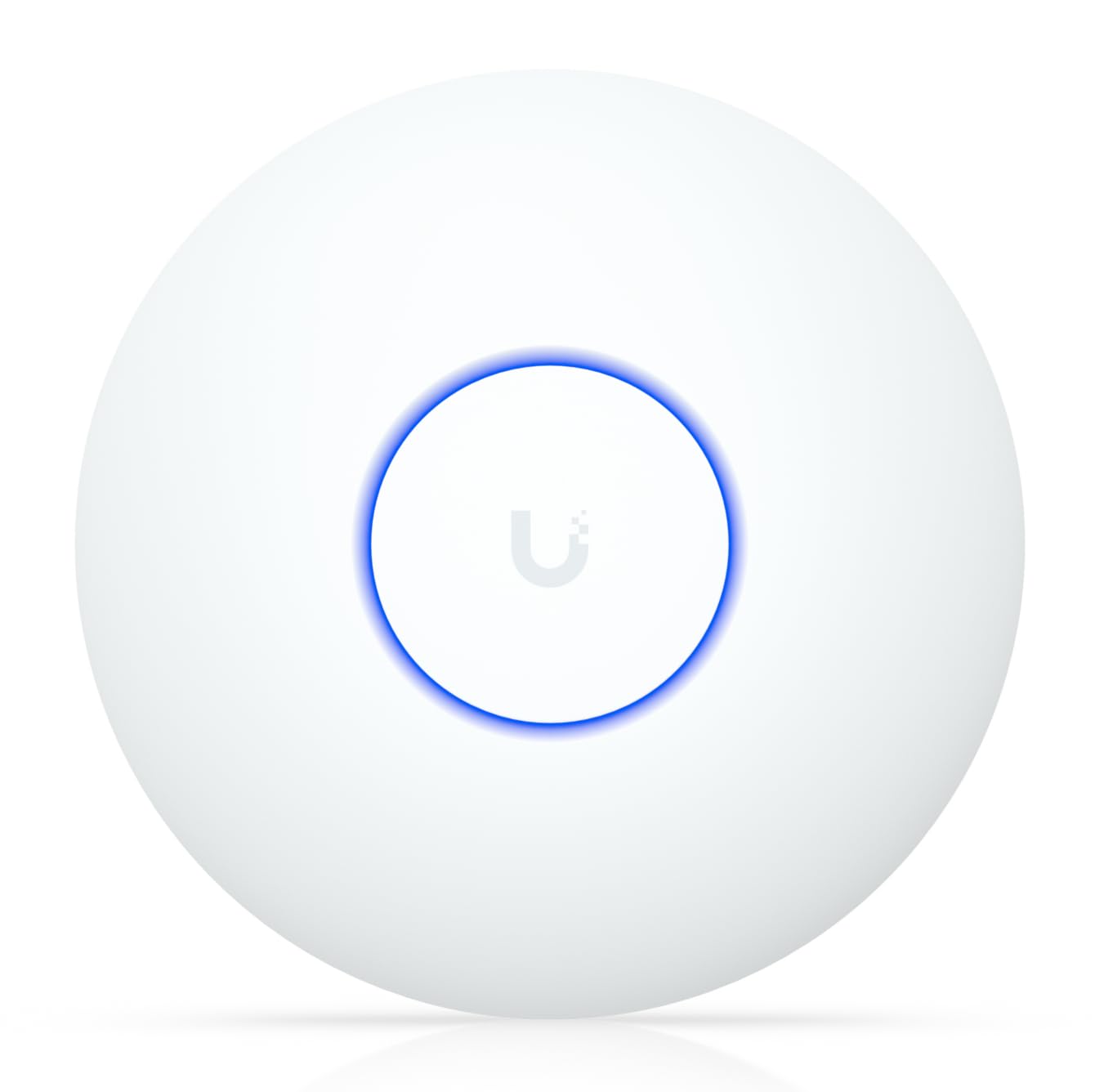
The defining number here is 4.3 Gbps on the 5 GHz band. That is the Wi-Fi 7 ceiling the U7-Lite can push, and it is why this compact disc earns the top slot over everything else in this list. Wi-Fi 7 is the newest wireless standard, and it gives you headroom for years rather than months.
Wi-Fi 7 also means there is a whole ecosystem here — UniFi. If you run other Ubiquiti gear, this drops straight in. If you do not, you are buying into the simplest version of it. The 2.5 GbE port (2.5 Gigabit Ethernet, the wired uplink cable that feeds the unit) keeps pace with fast internet plans. PoE powers it all through that single cable, so the ceiling mount needs no outlet nearby. Coverage is rated up to 1,250 ft² for 200+ clients — enough for a busy family home or a small shop floor.
What wins people over is raw performance: the speed and reliability at work are the things most regularly praised. Where the picture splits is setup. Some find it straightforward, others find it is not for the faint of heart — UniFi expects you to understand what a controller is before you start. It is not plug-and-play like a supermarket router. It still takes first place because once UniFi is configured, the network runs unattended. Want a Ubiquiti AP that reaches farther into a large open space? The U7 Long-Range further down answers that call.
What tips it to the top
- Wi-Fi 7 with up to 4.3 Gbps on 5 GHz
- 2.5 GbE uplink so the wired feed is not the bottleneck
- PoE-powered single-cable install, ceiling or wall
- Handles up to 200+ clients with band steering and guest mode
The honest trade
- Setup expects UniFi familiarity — not for a first-timer expecting a wizard app
- Wi-Fi 7 speed is only as good as the 2.5G switch feeding it
Buy this if: you want Wi-Fi 7 headroom and are willing to spend an evening learning UniFi.
Think twice if: you need a setup that works from the start with zero controller knowledge.
2. NETGEAR 1.8 Gbps WiFi 6 Wireless Access Point (WAX210)
The reliable ceiling disc that keeps a small shop online without asking for a controller.
Where the U7-Lite pushes 4.3 Gbps on 5 GHz, this NETGEAR tops out at 1,800 Mbps — and it makes no apology for it. That 1800 megabits per second covers 2.4 GHz and 5 GHz combined, and reliability is the thing owners count on. It is a business AP for a small office, retail store, or professional space, and it wants an existing router or gateway plus a wired Ethernet run.
What buyers value most here is reliability — a network that just keeps working. Signal strength and a compact, unobtrusive white housing round out the praise. It handles 128 registered client devices, with up to 30 active at once, and uses 802.3af PoE to pull power from your switch so no wall outlet is needed up top. The 1,500 sq. ft. indoor rating fits one floor of a small storefront. Setup runs through a browser at aplogin.net — a modern, unusual but workable choice that skips the app entirely.
The catch is twofold. First, no power adapter ships in the box, and it will not act as a repeater, extender, or mesh node — this is a dedicated wired AP only. Second, the browser-based setup throws a certificate warning during configuration, which is expected behavior but alarms first-timers. A few found the value proposition thin for what it does. If you need a mesh node or a repeater, this is the wrong tool. If you need a wired disc that stays up, it fits.
The real draw: rock-solid uptime on a rock-bottom budget, with 1,500 sq. ft. of coverage and 4 separate SSIDs for keeping staff and guest networks apart.
Stick to wired: no repeater or mesh duty here — this AP needs a router and a cable to do its job.
Reach for it when: a small office needs one dependable wired disc on a budget.
Move on if: you need mesh or extender duty, or want the box to include a power adapter.
3. Omada AX3000 Wireless Access Point EAP650
Real-world speed and a dead-simple cloud app, with the power brick included.
The number to keep in view is 2976 Mbps — the dual-band Wi-Fi 6 ceiling the EAP650 reaches with 1024-QAM and 160 MHz channels. On the verified side, the EAP650 delivers 3000 megabits per second of data transfer, matching the 3000 Mbps the Zyxel NWA50AXPRO claims. That puts both comfortably ahead of the NETGEAR WAX210’s 1800 Mbps, so multi-device households will feel the difference in a crowded evening stream.
What actually makes this the easiest pick to live with is the free Omada Essentials cloud management — scan the serial number in the app and you are running, no hardware controller needed. Coverage is wide, and buyers report signal holding strong up to 70 feet away with more than 400 Mbps downloads through a house. That is real-world throughput, not a spec sheet. The package includes a DC power adapter, so you can skip PoE entirely if your switch does not offer it.
The honest caution: heat is a recurring gripe, and a slim ceiling disc pumping Wi-Fi 6 will run warm — give it airflow and it is fine. Beyond that, this is a workhorse access point that owners trust across years of use, and the five-year warranty backs the gamble. It is the pick for anyone who wants speed and simplicity in one box.
The trade-off: it runs warm under load, so mount it with breathing room rather than buried in a cabinet.
Best for: anyone who values a scan-and-go cloud app and 2976 Mbps of Wi-Fi 6.
Skip if: you need a 2.5G uplink — this one carries a standard 1G port.
4. Omada AX3000 Wireless Access Point EAP653

The AP that outlasts the router it replaced.
The EAP653 sells on uptime, not headline speed. The spec sheet reads almost identically to its sibling — 2976 Mbps dual-band Wi-Fi 6 with 1024-QAM and HE60 — but what owners notice is that it simply works, year after year, without babysitting. That durability is why it beats cheaper APs that fail within a year or two.
You can power it three ways: standard 802.3at PoE+ (the higher-power Power-over-Ethernet tier that sends power down the network cable), 48V Passive PoE, or a 12V/1.5A DC supply. No adapter is in the box, so powering it from your switch over PoE is the intended path. The advanced feature set gives you mesh Wi-Fi, WPA3 security (the newer, stronger Wi-Fi password standard), band steering (it pushes each device to the better of its two Wi-Fi bands), load balancing, airtime fairness (it shares Wi-Fi time evenly so one busy device can’t hog it), and beamforming (it aims the signal at your devices). Omada ecosystem support means you can build a multi-AP network with smooth roaming once you add an Omada controller. VLAN support (virtual network separation) keeps your camera traffic apart from the guest phone.
The gap to know about is the port: like the EAP650 above, this is a standard gigabit uplink, not 2.5G. That is the whole point of reaching for the Zyxel NWA50AXPRO or the Cudy AP3000 instead if your internet plan crosses 1 Gbps. But on a standard plan, the five-year warranty and proven track record make it hard to argue with.
Why owners keep it
- 2976 Mbps dual-band Wi-Fi 6 with OFDMA and beamforming
- Runs on PoE+ so no adapter is needed at all
- Owners mention years of uptime without babysitting
- VLAN, WPA3, and Omada meshing for a scalable network
What to plan around
- No DC adapter in the box — you need a PoE+ switch or buy the adapter separately
- Gigabit uplink caps the feed at 1 Gbps
Right for: the buyer building a network that must outlast three router upgrades.
Not for: multi-gig internet plans that would throttle on the 1G port.
5. Zyxel WiFi 6 Wireless Access Point NWA50AXPRO

The 2.5G uplink that keeps a multi-gig plan from stalling at 1 Gbps.
Here is the number that changes everything for a fast connection: 3000 Mbps of total throughput on top of a 2.5G Multi-Gig uplink. That uplink is the jack to watch. It gets around the 1 Gbps ceiling that caps the Omada pair above, and it runs on your existing Cat5e cable — no re-cabling needed. You get 160 MHz channels too, which widen the pipe for multiple devices at once.
The NWA50AXPRO is a reliable workhorse — owners run it with OpenWRT and love the home coverage. It reports consistent speeds, with downloads and uploads in the 840 MB range on a fast plan. Three high-gain internal antennas extend signal to hard-to-reach spots and across multiple floors, which is where a single beefy AP beats three cheap ones. NebulaFlex lets you switch between a standalone local web interface and cloud management with no extra license fee, so you are never locked in.
The one caveat is configuration. Some owners call the simple mode a breeze, while others find it lacking and want more depth. If you are the type who wants every checkbox exposed, budget time for it. For everyone else, this is the smart upgrade over a 1G AP when your internet plan is already outrunning the port.
Standout spec: a 2.5G Multi-Gig port plus 160 MHz channels — the pair that makes a multi-gig plan actually pay off.
Expect to tune: admin depth is limited in the easy mode, so advanced users will want to dig into the local interface.
Pick it if: your internet plan is faster than 1 Gbps and your old AP is the bottleneck.
Pass if: a standard plan and a basic setup are all you need.
6. Cudy AX3000 Wi-Fi 6 Access Point AP3000

Five modes in one disc, with a captive portal for guest Wi-Fi.
The headline capacity is 150 devices — the recommended connected-device count this AP3000 supports. That number matters in a hotel lobby or a classroom where dozens of phones and laptops fight for airtime. A 1.3 GHz dual-core processor and 512 MB of RAM keep that load moving, with OFDMA and MU-MIMO reducing congestion. Wi-Fi 6 speed runs up to 2402 Mbps on 5 GHz and 574 Mbps on 2.4 GHz across five internal antennas.
What makes this one stand apart from the Omada and Zyxel APs is flexibility. It runs as a straight access point, a router, a range extender, a WISP client, or a client bridge — so it can do duty in a pinch where the others only do AP work. The 2.5GbE PoE input accepts 802.3at/af, passive PoE, or 12V DC power, though the adapter is not included. Captive Portal lets you build a branded guest login screen, and WireGuard plus OpenVPN help if you work remotely.
The trade-off is that all that capability asks for some learning. Setup is described as easy by most, and the performance is genuinely fast, though a few find it faster than a home network needs. For guest-heavy spaces — a small hotel, a café, or a school lab — the captive portal is the feature you will actually use every day.
what separates it: one ceiling disc does the job of five devices. It runs five operating modes — access point, router, extender, WISP (a mode that connects to a wireless internet provider), and client — and adds a Captive Portal (a guest login page) for visitor Wi-Fi.
Worth noting: no power adapter ships in the box, so have a PoE source ready.
Best suited to: guest-heavy spaces needing a login page and 150-device headroom.
Overkill for: a one-room apartment that just needs Wi-Fi.
7. Tenda BE5010 WiFi 7 Wireless Access Point

Wi-Fi 7 on two bands with a headline speed that clears the Wi-Fi 6 crowd.
Read the 5010 Mbps first — that is the dual-band Wi-Fi 7 total this BE5010 claims, split as 4323 Mbps on 5 GHz plus 688 Mbps on 2.4 GHz using 4K-QAM and 160 MHz bandwidth. Against the Omada EAP650’s 2976 Mbps or the U7-Lite’s 4.3 Gbps 5 GHz figure, this is the fastest single number in the whole comparison. The MLO feature (Multi-Link Operation, which combines bands for a steadier connection) is what makes Wi-Fi 7 different from just a quicker number.
A 2.5G PoE+ uplink (a 2.5-gigabit port that also carries power) feeds it fast, and a separate 1G LAN port gives you a clean wired run downstream — so a 2-gig internet plan won’t choke at the access point. smooth roaming on 802.11k/v/r (the Wi-Fi standards that hand your device between access points) keeps calls from dropping as you walk the office. You can manage it three ways — the CloudFi app, the cloud platform, or the local web interface — and a VLAN mode keeps business traffic separate from guest traffic. An included PoE injector (a power-over-cable adapter) means you can power it over a single cable even without a PoE switch. A three-year warranty covers it for the long haul.
Where the honest caution lands: buyer reviews for this specific BE5010 are not yet on the record, so you are reading the spec sheet, not a decade of owner feedback. The other picks above have real-world track records. Treat this as the forward-looking choice — the one you buy for Wi-Fi 7 MLO speed today, understanding that the reliability story is still being written.
The draw: Wi-Fi 7 MLO, 5010 Mbps total, 2.5G PoE+ uplink, and a bundled injector — the whole modern feature stack in one box.
Be aware: this is the newest unit on the list and has the thinnest review history here.
Reach for it if: you want the fastest Wi-Fi 7 speeds and don’t mind being an early adopter.
Hold off if: proven, years-long reliability reviews matter more to you than freshest specs.
8. NETGEAR WiFi 6 Wireless Access Point WAX610

The cloud-managed AP you can fix from a hotel room across the country.
Two numbers define what you are buying here: up to 200 client devices and 2,500 sq. ft. of coverage. That is a larger ceiling than the NETGEAR WAX210’s 1,500 sq. ft. and a bigger client count than most homes need, which is the point. It also carries a 2.5G port for maximum wired speed plus PoE+ power, so the install is a single cable. The included one year of NETGEAR Insight gives you remote management from anywhere — that is the feature that earns this slot.
Owners praise the overall quality and the easy setup, and coverage reaches both floors of a two-story house without complaint. WPA3, network and client isolation, and rogue AP detection guard the network, and up to 8 SSIDs let you split staff, guest, and IoT traffic cleanly. Load balancing and assisted roaming spread devices across multiple APs once you add a second disc. For a rental property or a small business with no on-site IT, the Insight app really is the reason to pick this over a standalone AP.
Speed is where it sits closer to the WAX210 than the Wi-Fi 7 crowd — AX1800, which is Wi-Fi 6 territory rather than cutting edge. The Insight subscription runs free for one year, then renews, so factor that into your long-term plan. No PAV12V power adapter is included, meaning PoE+ is your default path.
Why pick it: 2,500 sq. ft. of coverage, 200 clients, and a cloud app that lets you troubleshoot from anywhere.
The fine print: the free Insight subscription is one year only, and no power adapter is in the box.
Made for: remote-managed properties and multi-AP networks you want to control from afar.
Look elsewhere if: you need Wi-Fi 7 speed or prefer to avoid an ongoing cloud subscription.
9. Ubiquiti U7 Long-Range WiFi 7 Access Point

For the open-plan space where one disc has to cover the whole floor.
Reach is the reason to look here, and the number is up to 150 feet indoors from a fixed antenna. That is a longer throw than a standard-coverage Wi-Fi 7 disc, which makes this the right AP for a long warehouse, a big open office, or a sprawling single-story home. It runs the same Wi-Fi 7 standard as the U7-Lite, so you get the newest wireless tech rather than the Wi-Fi 6 gear that dominates this list.
It is a Ubiquiti product, managed through the same app-and-controller ecosystem, with a 10-year spare-parts availability window per the spec sheet — a signal that the maker expects you to run it for a long time. Power comes over Ethernet, keeping the ceiling install to a single cable. Setup is a familiar story for UniFi users: straightforward once you understand the controller, and a learning curve for those who do not.
The one thing to weigh carefully is the mixed word on the U7’s Wi-Fi 7 support in early owner feedback — some report the reliability of the U7’s Wi-Fi 7 should be verified against your firmware plan. If your network relies on confirmed Wi-Fi 7 across every node, check the firmware notes for this exact model before committing. For long indoor reach with the newest standard, it stands at the top of this list.
The long-throw spec: up to 150 feet of indoor reach from a fixed antenna — the widest single-disc coverage in the comparison.
The caveat: Wi-Fi 7 behavior on early firmware is worth confirming for your exact deployment.
Choose it for: big open spaces where one AP must cover a long floor plan.
Choose differently if: you need proven, mature firmware out of the gate.
Know the Specs
Uplink port speed (1G vs 2.5G)
The uplink is the Ethernet jack feeding the AP. A 2.5G port carries more than twice what a 1G port does, so it stops your wired feed from becoming the bottleneck on a fast plan. Match the port to what you pay for. If your internet plan is a standard speed, a 1G port like the Omada EAP650 uses is honestly fine.
PoE tiers and power
PoE sends power and data over one cable. 802.3af is the lower tier, while 802.3at (PoE+) supplies more. A PoE+ AP on an af-only switch may come up short, so check what your switch provides. Some models ship a DC adapter as a backup, and others expect PoE from the network — read the box before you install.
Wi-Fi 6 vs Wi-Fi 7
Wi-Fi 6 handles today’s devices with speeds up to the 3000 Mbps class seen here. Wi-Fi 7 adds Multi-Link Operation and wider bandwidth for newer gear, with the fastest picks reaching the 5000 Mbps class. Buy Wi-Fi 7 for headroom, or Wi-Fi 6 if your devices are a few years old and cost matters.
Coverage and client counts
Coverage figures like 1,500 sq. ft. describe open indoor space. Walls, floors, and appliances cut into that, so size one disc per open area rather than per total house square footage. Client count is the second lever — a disc rated for 200 devices handles a busy family the same way one rated for 30 struggles in a crowded office.
Common Questions
Can a Wi-Fi AP Router replace my existing router?
Do I need a PoE switch for an access point to work?
How far will one access point cover in a real house?
Is Wi-Fi 7 worth it over Wi-Fi 6 today?
Can I run more than one access point on the same network?
What is the difference between 802.3af and 802.3at PoE?
Does an access point work as a mesh node or a repeater?
Will these setup through an app or only a web browser?
Can I keep my guest network separate from my business network?
What warranty comes with these access points?
The Bottom Line
For most buyers, the winner in this wi-fi ap router lineup is the Ubiquiti U7-Lite. It gives you Wi-Fi 7 (the newest Wi-Fi generation), a 2.5 GbE port (a 2.5-gigabit wired port), and PoE power (power over the network cable) at a value price. It rewards anyone willing to spend an evening with UniFi. If a single wired disc in a small office is all you need, the Omada EAP650 makes setup as simple as scanning a code in its free cloud app. And if your internet plan has already outgrown a 1G port, the Zyxel NWA50AXPRO 2.5G uplink is the upgrade that stops the bottleneck. My one nudge: the Ubiquiti U7-Lite holds the highest owner rating in this group while being the cheapest Wi-Fi 7 pick, so it is the sensible place to start unless your plan or property says otherwise.
How we choose
We do not accept paid placement. Every pick is matched to a real buyer and a real use-case; we do not hands-on test units.
Sources
Specifications: manufacturer listings and product documentation. Review insights: verified customer reviews, as of November 2026. Pricing: not shown on this page (it changes often); check the current price via the retailer link.
As an Amazon Associate, Tactical Gear Guy earns from qualifying purchases. This does not affect which products we feature.