Specs are compiled from manufacturer listings and verified buyer reviews and can change over time — please confirm the key details on the product page before buying.
A desktop PC with no Wi-Fi is a dead end for streaming, calls, and updates. The cheapest fix is not a new router and it is not running cable through a wall — it is a small USB dongle that adds a full wireless card to your computer in about two minutes. The pick that suits most people here is the WAVLINK BE6500: it carries the highest score in the group at 4.0+ stars across 300+ owners and it works on the newest three-band Wi-Fi 7 networks. Below you get nine USB adapters sorted by what they actually do well, from a tri-band speed monster to a tiny dongle you will forget is plugged in.
This guide is built by comparing the manufacturers’ published specifications and the patterns across verified customer reviews, so you get each pick’s real strengths and trade-offs instead of marketing spin.
Two things decide whether you end up happy or annoyed: the Wi-Fi standard your router speaks and the operating system on your PC. Match both and the adapter just works; get either wrong and you are troubleshooting drivers instead of browsing. This plain-spoken comparison of the best USB wireless card for desktop pairs was built to help you do exactly that.
Top Picks


How To Choose The Best USB Wireless Card for Desktop
Start with the truth most listings bury: a USB Wi-Fi adapter cannot make your internet faster than the plan coming into your house. What it can do is stop your PC from being the weak link — the machine that drops calls while the laptop in the next room streams fine. Choose on compatibility first, speed second, and physical size last.
Match the Wi-Fi generation to your router
A Wi-Fi 7 adapter on a Wi-Fi 5 router will simply fall back to older speeds. The money you spend on the newer chip is wasted until your router catches up. If your router is a few years old, a solid Wi-Fi 5 or Wi-Fi 6 dongle is the honest buy. If you already own a Wi-Fi 7 router, then a tri-band adapter is the one that will use it.
Check your operating system before anything else
Several strong performers in this list are Windows-only. The UGREEN AX1800 asks for Windows 10 or 11 and nothing else. The BrosTrend BE6500 leaves out macOS and Linux entirely. If you run Linux or a Mac, your shortlist shrinks fast — and the ALFA adapters are the ones that keep the door open.
Decide if you want range or invisibility
An external antenna setup like the ALFA AWUS036ACH reaches across a house but it sticks out of your PC like a small radio tower. A nano dongle such as the TP-Link Archer TX20U Nano sits almost flush and never snags a cable. Neither shape is better — pick the antenna if your desk is three rooms from the router, the nano if it is in the same room.
Side-by-Side Comparison
| Model | Best For | Max Speed | Interface | OS Support | Amazon |
|---|---|---|---|---|---|
| ALFA AWUS036ACH★ Best Overall | Long range and Linux users | 867 Mbps | USB 3.0 Type-C | Windows, Linux, macOS | Amazon |
| WAVLINK BE6500Also Great | Best overall for Wi-Fi 7 networks | 6452 Mbps | USB 3.0 | Windows 11/10 (64-bit) | Amazon |
| BrosTrend BE6500Gaming Pick | Competitive gaming on Wi-Fi 7 | 6500 Mbps | USB 3.0 | Windows 11/10 | Amazon |
| ALFA AWUS036AXML | Wi-Fi 6E with detachable antennas | 3000 Mbps | USB 3.0 | Windows, Linux | Amazon |
| TP-Link Archer TX10UB Nano | Wi-Fi plus Bluetooth in one port | 900 Mbps | USB 2.0 | Windows 11/10 | Amazon |
| TP-Link Archer TX20U Nano | A tiny stable Wi-Fi 6 dongle | 1201 Mbps | USB 3.0 | Windows 11/10 | Amazon |
| ASUS USB-AX55 Nano | Compact Wi-Fi 6, Windows or Linux | 1800 Mbps | USB | Windows 10, Linux | Amazon |
| NETGEAR A6150 | Budget-friendly name-brand Wi-Fi 5 | 1200 Mbps | USB 2.0 | Windows, macOS | Amazon |
| UGREEN AX1800 | Cheapest route to Wi-Fi 6 | 1775 Mbps | USB 3.0 | Windows 10/11 only | Amazon |
Detailed Reviews
1. ALFA AWUS036ACH AC1200 WiFi 5 USB Adapter
Our pick — 4.0+★ from 900+ verified ratings; the strongest balance of quality and price.
Two screw-on antennas and a Linux-friendly driver for the PC that sits far from the router.
Where the WAVLINK below chases raw bandwidth, this one chases reach. Two detachable dual-band high-gain antennas screw onto the body and pull in a signal from rooms away, which is the job for a basement office or a shed-turned-workshop. Speeds land at up to 867 Mbps on 5 GHz and up to 300 Mbps on 2.4 GHz, and the USB-C connection includes a cable so you can angle it toward the strongest corner.
The honest catch is the driver story. It covers a long list of Windows versions and Linux kernel 4.19 or later, but there is no driver for macOS beyond 10.15 and none for M1 or M2 Macs. If you are running a modern Mac, this is the wrong pick — the spec sheet says so plainly. The 4.0+ star standing across 900+ owners suggests the people who match its driver list are pleased with what they get.
Reach over raw speed: two high-gain antennas are the reason this one holds a signal in a weak corner, and Linux users finally get a card that behaves.
The fine print: it runs the Wi-Fi 5 standard (802.11ac) rather than the newer Wi-Fi 6 or 7, so it tops out at that 867 Mbps figure even on the fastest router.
Reach for this if: you are on Windows or Linux, the router is far away, and you want a card that will hold the link.
Look elsewhere if: you run an M1 or M2 Mac — the driver support does not reach that far.
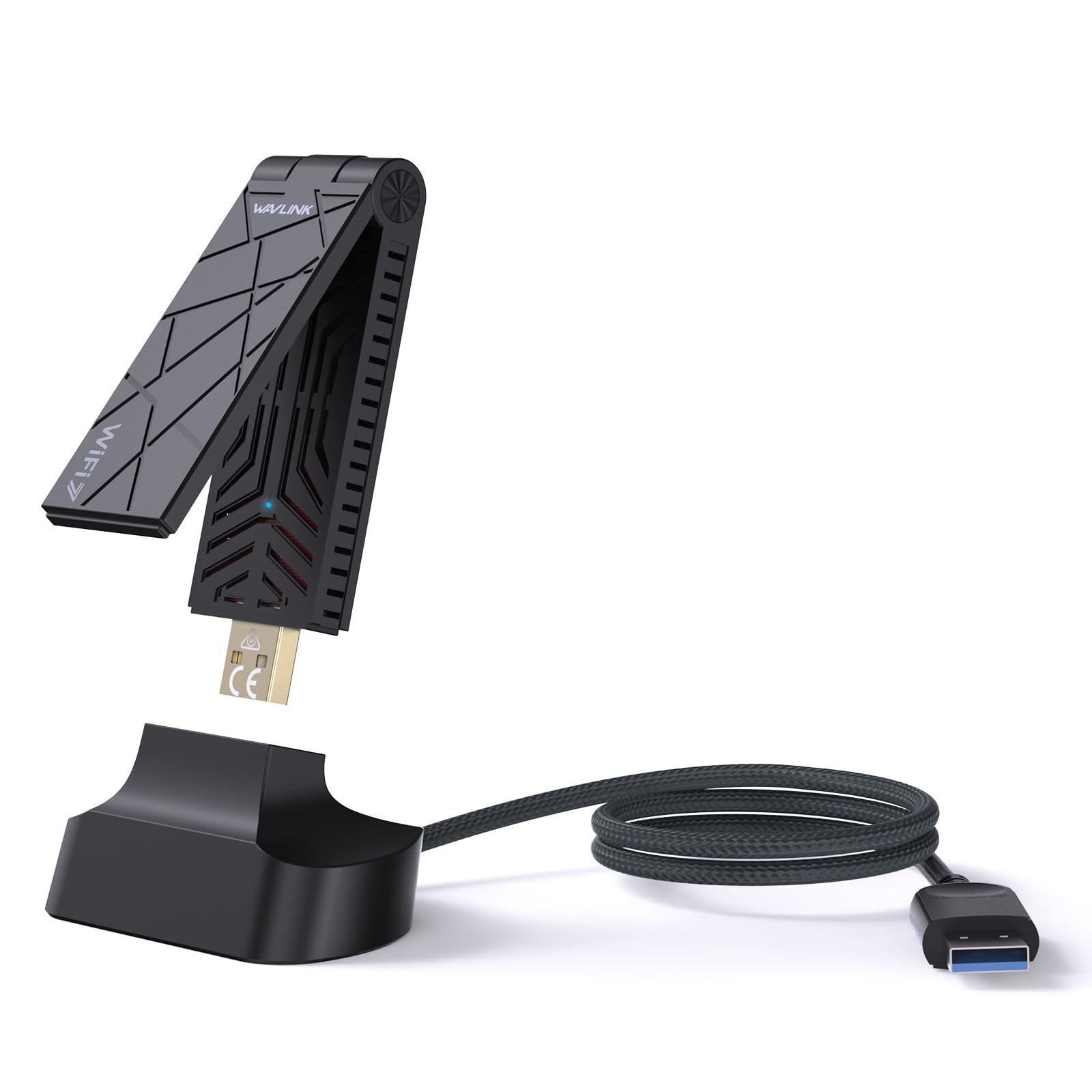
2. WAVLINK BE6500 USB WiFi 7 Adapter for Desktop PC
A three-band card that drags your desktop onto the newest Wi-Fi network without opening the case.
The number that matters here is 6452 Mbps — the combined top speed across three bands, with 2882 Mbps on both 6 GHz and 5 GHz and 688 Mbps on 2.4 GHz. That is far more than any home broadband plan delivers, which is the point: the adapter never becomes the bottleneck during a 4K stream and a big download at once. The 6 GHz band is the quiet lane here, and it needs Windows 11 version 21H2 or later to open up it.
Owners single out connection stability above every other trait, which is what you want from a card that has to hold a link all day. It also earns the top score of the group at 4.0+ stars across 300+ owners, which matters when a couple of rivals sit a notch lower. Two small antennas (rated 3dBi, a measure of signal boost) fold flat for travel, and a USB 3.0 port is the right home for it. Plug it into an older USB 2.0 port and you throttle your own speed.
What earns it the top spot
- Full Wi-Fi 7 tri-band coverage up to 6452 Mbps, with the 6 GHz band ready when your router supports it
- Highest owner score in this group at 4.0+ stars
- Built-in driver support for Windows 10 and 11, so no disc hunt on day one
- Soft-AP mode lets you share your PC’s wired connection as a hotspot
- Two-year warranty and free technical support from the maker
Where it asks something of you
- 6 GHz needs Windows 11 version 21H2 or later — Windows 10 owners only get the 5 GHz and 2.4 GHz bands
- Windows only; no macOS, Linux, or Bluetooth here
- Paired with a Wi-Fi 6 or 6E router, it will fall back and leave performance on the table
Buy this one if: you already run a Wi-Fi 7 router on Windows 11 and want your desktop to use every band it broadcasts.
Hold off if: your router is older or your PC is on Windows 10 — the 6 GHz band stays locked away.
3. BrosTrend BE6500 USB WiFi 7 Adapter for Desktop PC
A tri-band Wi-Fi 7 card built to keep a competitive game smooth through a crowded house.
It shares the BE6500 name with the WAVLINK and lands at the same 6.5 Gbps ceiling, then adds two external antennas of its own. Beamforming — a trick where the card aims its signal back at the router — is the reason it holds up through walls where a flat dongle would stumble. Speed is what owners mention first, and the band split backs it up: 2882 Mbps on 6 GHz, 2882 Mbps on 5 GHz, 688 Mbps on 2.4 GHz.
Speed and setup earn the praise here, but compatibility is the split point. Some owners find their PC never negotiates the 802.11be protocol the card is built for, which caps it to older bands. The panel of 700+ owners settles at 4.0+ stars, a little below the leaders. It is a fair score for a card that shines on the right network and disappoints on the wrong one.
The fast-lane case
- Up to 6.5 Gbps across 6 GHz, 5 GHz, and 2.4 GHz bands
- Dual external antennas with beamforming for a stronger hold through walls
- Pre-loaded driver — plug in, no CD or download
What to know before you click
- Windows 11 is required to reach the 6 GHz band; Windows 10 gets only 5 GHz and 2.4 GHz
- No macOS, Linux, or Bluetooth support
- Some setups never negotiate 802.11be, so the newest protocol can stay out of reach
Pair it with: a Wi-Fi 7 router and Windows 11, where the tri-band speeds and beamforming actually get used.
skip it if: your PC runs Windows 10 alone — you lose the 6 GHz band that is half the reason to buy it.
4. ALFA NETWORK AWUS036AXML AXE3000 WiFi 6E USB Adapter

The 6 GHz shortcut for a PC that needs a clean, uncrowded lane without jumping to Wi-Fi 7.
Wi-Fi 6E adds a fresh 6 GHz band that most neighbours’ routers do not touch yet, which is why it feels fast even on modest internet plans. This card delivers up to 3000 Mbps combined across 2.4 GHz, 5 GHz, and that 6 GHz band, run by the MediaTek MT7921AU chipset — a known, widely supported processor for wireless cards. Two 5dBi detachable antennas extend range and are handy when you need to swap them later.
At 4.0+ stars across 400+ owners it holds up well. Windows and Linux are both officially supported, so it is one of the few true cross-platform options here — and unlike the ALFA AWUS036ACH above, it brings the newer 6 GHz band to the party. If you run Linux and want 6 GHz, this is a natural fit.
The cross-platform angle: Windows and Linux both supported, with a detachable-antenna design and a documented MediaTek MT7921AU chipset underneath.
What to weigh: reliability gets mixed reports, so if you need a card that never drops, buy from a seller with an easy return window and test it early.
Worth a close look if: you have a 6E router, run Linux, and want detachable antennas you can reposition.
Think twice if: rock-solid uptime is your only priority — reliability is the piece that splits opinion.
5. TP-Link Archer TX10UB Nano AX900
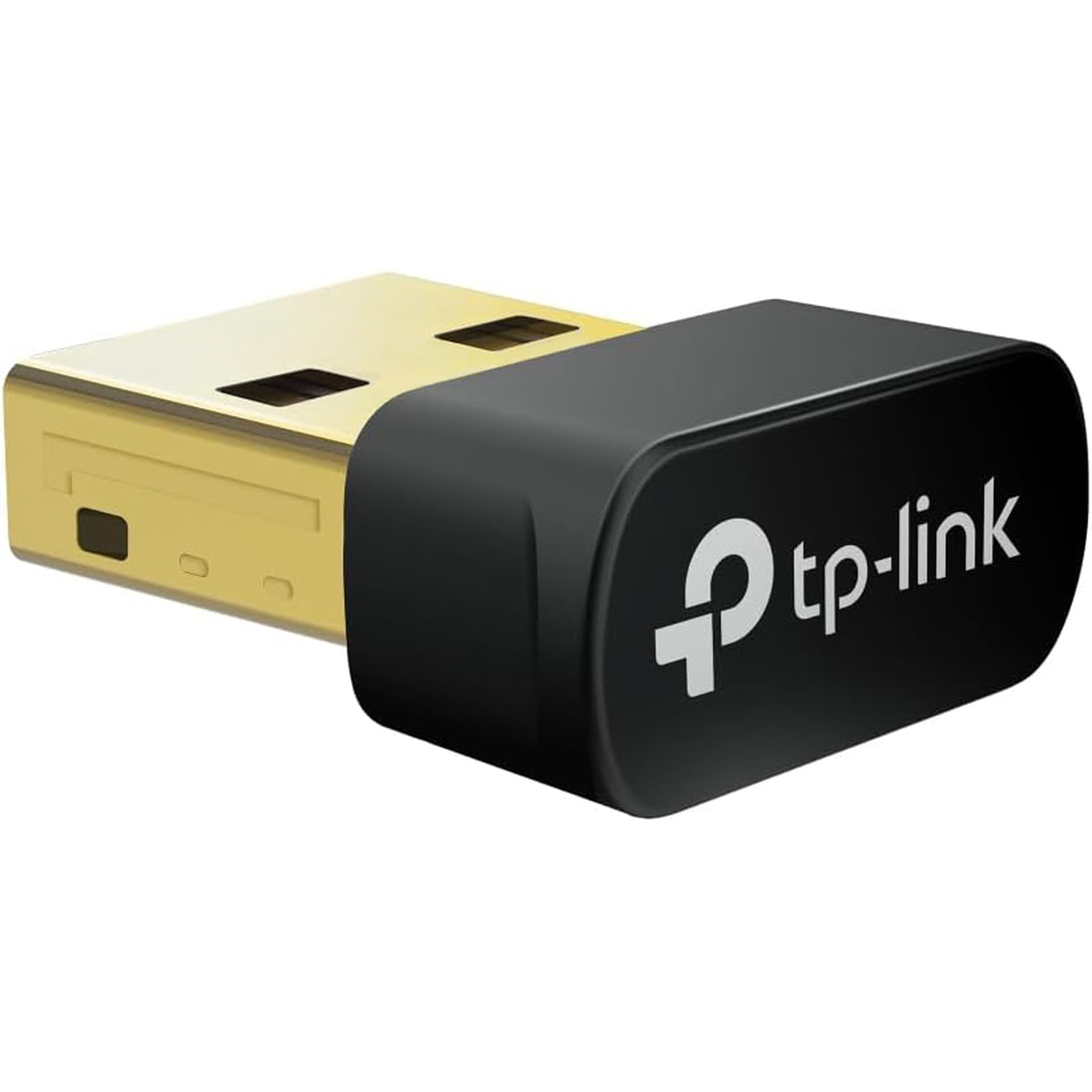
One tiny black-and-gold dongle that adds both Wi-Fi and Bluetooth to a desktop missing both.
Most adapters on this list do one job. This one does two: Wi-Fi 6 up to 900 Mbps combined (287 Mbps on 2.4 GHz, 600 Mbps on 5 GHz) plus Bluetooth 5.3 for controllers, headphones, and keyboards. Performance is the trait owners praise most, and it holds 4.0+ stars across 500+ owners — level with the group leaders. The Bluetooth side is for PC use only, so you cannot plug it straight into a console.
Speeds sit below the big tri-band cards — 900 Mbps versus the 6452 Mbps on the WAVLINK — which is the price of a nano body. Connection quality is the part that splits opinion, with some owners reporting rock-solid links and others dropping off. There is one housekeeping note worth reading twice: if your PC already has built-in Wi-Fi or Bluetooth, you may need to switch those off in settings to avoid a clash.
Why it earns a place
- Wi-Fi 6 and Bluetooth 5.3 in a single small adapter
- Plug-and-play setup with pre-loaded drivers on Windows 11/10
- Nearly invisible once plugged in — no cable to snag
Trade-offs to expect
- 900 Mbps total is modest next to the tri-band picks
- You may need to disable built-in Wi-Fi or Bluetooth to avoid conflicts
- Windows only; the Bluetooth side does not support Mac, Linux, TV, or older Windows
Go here when: your desktop lacks both Wi-Fi and Bluetooth and you want to solve both with one small plug-in gadget.
The caveat: if raw download speed is what you chase, a tri-band adapter will beat it, and this one stops at 900 Mbps.
6. TP-Link Archer TX20U Nano AX1800 USB Wi-Fi 6 Adapter

At just over four grams, this is the Wi-Fi 6 dongle you will forget is even there.
Barely bigger than the USB plug itself at 4.54 g, this is the pick for a laptop or mini-PC where a dongle hanging off the side feels wrong. It still does Wi-Fi 6 at 1201 Mbps on 5 GHz and 574 Mbps on 2.4 GHz, with MU-MIMO and OFDMA to keep speeds up when other devices are on the network too. The pre-loaded driver means it should show up as soon as you plug it in.
Ease of use is the thing owners appreciate first — plug and play is the phrase that keeps coming back. It sits at 4.0+ stars across 700+ owners. Reliability is the piece with mixed reviews, and it is the largest single theme in the whole product block, so it deserves a straight mention. Some units keep going for months, some report slowing down over time. For the size and the price of entry it is still an easy call for a stable, small setup.
The size sell: 4.54 g and roughly the footprint of a fingernail, packing AX1800 Wi-Fi 6 and WPA3 in a body that stays out of the way.
The reliability watch: the biggest chunk of feedback is about staying power, so keep the return window handy and give it a few days of testing.
A smart match for: mini-PCs, laptops, and desks where a big antenna would get in the way of everything.
The one risk: reliability is variable across units, so buy from a seller that handles returns easily.
7. ASUS USB-AX55 Nano AX1800 Dual Band Wi-Fi 6 Adapter

A thumb-sized adapter that quietly hands out 1800 Mbps and does not mind Linux.
Here is the number to keep in your head when comparing sizes: this one measures 1″L x 0.63″W x 0.35″H. That is a tiny footprint for a Wi-Fi 6 card that reaches 1800 Mbps — the highest figure of any nano dongle in this group. On a crowded network, OFDMA and MU-MIMO keep the tiny card from being crowded out, and WPA3 handles the security end.
Installation is where it earns goodwill — straightforward and light on fuss. Compatibility is the honest caveat. Some PCs match up fine, others do not, so check the Windows 10 or Linux requirement against your machine before you buy. At 4.0+ stars across 400+ owners it settles just below the best, which fits a card that is genuinely easy but not universally smooth.
The tiny-but-capable case
- Up to 1800 Mbps on a footprint barely bigger than the USB plug
- Windows 10 and Linux both supported
- WPA3 security, OFDMA, and MU-MIMO built in
Where it can go wrong
- Some computers will not recognize it — test early
- No macOS listed among supported systems
- Compatibility is the part that splits opinion most
The fit: a Linux or Windows 10 desktop that needs a nearly invisible 1800 Mbps upgrade.
The miss: Mac users are out of luck, and occasionally the driver simply will not talk to an older PC.
8. NETGEAR A6150 USB WiFi Adapter, AC1200 Dual-Band
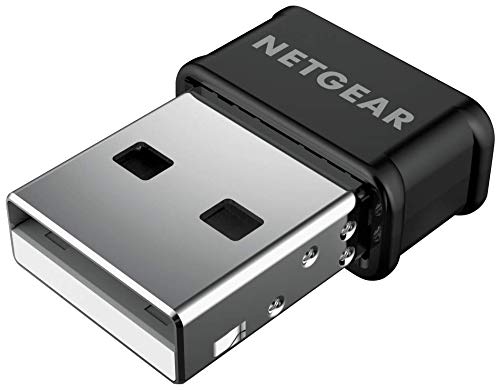
The name-brand standby for a small, dependable Wi-Fi 5 upgrade on a tight budget.
You get smooth HD calls and streaming without blocking the ports next to it, thanks to AC1200 dual-band speeds (a combined speed rating of up to 867 Mbps on 5 GHz and 300 Mbps on 2.4 GHz) packed into a nano dongle (a tiny plug-in adapter that barely sticks out). The 867 Mbps on 5 GHz is the band for HD calls and streaming, while 300 Mbps on 2.4 GHz covers everyday browsing. Beamforming+ (a feature that aims the signal at your PC) points the connection your way, and MU-MIMO (which serves several devices at once) keeps speeds up when the rest of the household is online too. It fits any router, mesh system, or ISP setup, and works backward with older 802.11 a/b/g/n networks (older Wi-Fi standards).
Quality is the trait that earns the most goodwill — buyers treat it as a solid little piece of hardware rather than a compromise. The 4.0+ star score across 700+ owners backs that up. The pressure points are honest: connectivity and speed split opinion, and the Mac OS driver situation is the weakest link in the whole listing. If you have a MacBook or a current Mac desktop, ask yourself whether this is the right match before you buy.
Where it earns its keep: a plug-and-play nano body that fits virtually any router and stays out of the way of other ports.
The honest limits: Wi-Fi 5, not 6 or 7, and the MAC OS driver story is thin — it suits a Windows desktop far better than an Apple one.
Best fit: a Windows desktop on an older router where dependable basics matter more than top speed.
Not for: a Mac in the house that needs current macOS driver support.
9. UGREEN AX1800 WiFi 6 Adapter for Desktop PC

The cheapest route into Wi-Fi 6, with the biggest headline number in the entry-level tier.
At AX1800 speeds — 1201 Mbps on 5 GHz and 574 Mbps on 2.4 GHz — this packs more raw capability than its neighbors in this tier. Its 1775 Mbps transfer figure is better than the 900 Mbps on the TP-Link TX10UB Nano, and it costs less than almost anything else in the group. WPA3-SAE encryption is on the menu, and back ventilation holes keep it cool during long sessions.
The trade-off is on the driver side, and it is not subtle. It works with Windows 10 and 11 only and shuts out macOS, Linux, and older Windows versions like 7, 8, and 8.1. Owners are divided on the fundamentals — reliability and consistency earn the most discussion, and value opinion splits down the middle. At 4.0+ stars across 700+ owners it is the lowest score in the group, but the entry-level cost is what makes it worth a close look.
Where the value shows: Wi-Fi 6, USB 3.0, WPA3-SAE, and AP mode for turning your PC’s wired link into a hotspot, all at a budget-tier cost.
What to plan for: a Windows-only life with a mixed reliability record, so test it hard the first week you own it.
Pick it up if: you have a Windows 10 or 11 PC, a strict budget, and want the newest standard at the lowest entry.
Pass if: you need a Mac, Linux, or a card you can trust without testing — the mixed reports here are worth heeding.
Know the Specs
Wi-Fi standards: 802.11ac, ax, and be
Those codes are just version labels. 802.11ac is Wi-Fi 5, 802.11ax covers Wi-Fi 6 and 6E, and 802.11be is Wi-Fi 7. A newer standard usually means a wider lane, more devices served at once, and a cleaner connection on a crowded block. Older routers will still talk to a newer adapter, but only at the older router’s speed.
The Mbps number on the box
That headline figure is a theoretical ceiling across all bands combined, not the speed your internet plan delivers. A card rated at 6452 Mbps is not promising a 6.4 Gbps download — it is giving your PC the headroom to use whatever your router and plan can push. Treat it as a top-end capacity, not a guaranteed speed.
Antenna gain in dBi
dBi measures how much an antenna boosts signal in a focused direction. Higher numbers generally mean more reach, and a detachable antenna lets you swap or re-aim later. Two antennas do a better job than one when your router is a room or two away, but an antenna setup also sticks out and needs a clear line to the router.
MU-MIMO and OFDMA
Both are efficiency tricks. MU-MIMO lets the router serve several devices at once rather than one at a time. OFDMA slices a channel into smaller pieces so multiple devices share it in the same instant. On a busy household network, these two features are why a card stays smooth while everyone else is streaming.
Common Questions
Will a USB Wi-Fi adapter work on my desktop without opening the case?
Do I need a Wi-Fi 7 router to use a Wi-Fi 7 adapter?
Why do some of these adapters only work on Windows?
Can a USB Wi-Fi card boost my internet speed above my plan?
What is the difference between Wi-Fi 6 and Wi-Fi 6E?
Do I have to disable my PC’s built-in Wi-Fi before using a USB adapter?
Will a high-gain antenna adapter reach a router two rooms away?
Do these USB adapters support Bluetooth as well as Wi-Fi?
Is it worth paying more for a tri-band Wi-Fi 7 adapter over a Wi-Fi 5 card?
Can I use a Wi-Fi 7 adapter with a Wi-Fi 6E router?
The Bottom Line
The strongest buy in the group is the WAVLINK BE6500. It holds the top score at 4.0+ stars, brings Wi-Fi 7 tri-band coverage the older cards simply do not have, and includes a two-year warranty. If long range and Linux support matter more than the newest band, the ALFA AWUS036ACH is the one to reach for. And if your desktop is missing Bluetooth as well as Wi-Fi, the TP-Link Archer TX10UB Nano solves both in one small plug-in. Before you decide, check the operating system line on every pick — that single detail narrows the shortlist faster than any speed number on the box.
How we choose
We do not accept paid placement. Every pick is matched to a real buyer and a real use-case; we do not hands-on test units.
Sources
Specifications: manufacturer listings and product documentation. Review insights: verified customer reviews, as of November 2026. Pricing: not shown on this page (it changes often); check the current price via the retailer link.
As an Amazon Associate, Tactical Gear Guy earns from qualifying purchases. This does not affect which products we feature.