Specs are compiled from manufacturer listings and verified buyer reviews and can change over time — please confirm the key details on the product page before buying.
You want to switch a lamp off from the couch, put the coffee maker on a timer, and stop crawling behind the desk to unplug things. A WiFi power strip does all of that from your phone or your voice — but only if the app stays connected and the outlets can be controlled one at a time. The short answer: buy a strip with individually controlled outlets, a real amp rating printed in the specs, and an app that matches the voice assistant you already own. Everything below is sorted by exactly those things.
This guide is built by comparing the manufacturers’ published specifications and the patterns across verified customer reviews, so you get each pick’s real strengths and trade-offs instead of marketing spin.
Outlet count, amp rating, and app support vary widely across this market, so reading the best WiFi Power Strip options carefully saves you a return label later.
Top Picks


How To Choose The Best WiFi Power Strip
The trap most first-time buyers fall into is counting outlets and ignoring everything else. A six-outlet strip that can only be switched on and off as one block is barely smarter than the plain strip you already own. What you actually want is per-outlet control, an amp rating high enough for what you plan to plug in, and an app that speaks to the assistant already sitting in your kitchen.
Individually controlled outlets versus grouped ones
A strip with individual control lets you flip one socket without killing power to the router, the lamp, or the fish tank heater beside it. Some strips in this category mix both: a set of smart outlets you can address one by one, plus always-on sockets that stay live no matter what the app says. That mix is genuinely useful, because your modem and your phone charger should never be switched off by a routine you set months ago.
Amp rating and what you can safely plug in
The amp rating tells you how much current the strip is built to carry in total, and it is the number that decides whether you can run a space heater or only small electronics. Higher is more forgiving, but every strip here has a ceiling, and the honest approach is to check the rating against the appliances you actually own rather than the ones you might buy someday.
The app and the assistant have to match your house
One strip in this list works only with Alexa, while others support Alexa and Google Assistant together, and the Matter-certified option reaches Siri and SmartThings too. If your household runs on Apple HomeKit, that compatibility question moves to the top of the list. Assistant mismatch is the single most common reason a smart strip gets returned.
Side-by-Side Comparison
| Model | Best For | Smart Outlets | Max Current | USB Ports | Amazon |
|---|---|---|---|---|---|
| Kasa Smart Plug Power Strip KP303★ Best Overall | Simple voice-controlled plug-in strip | 3 | 15 A | 2 | Amazon |
| meross Smart Plug Power StripApple Home Pick | HomeKit households needing 8 sockets | 4 | 15 A | 4 | Amazon |
| Amazon Basics Smart Plug Power StripAlexa Budget Pick | Alexa-only homes wanting six sockets | 6 | 15 A | 3 | Amazon |
| Geeni Surge Ultra Smart 8-Outlet | Most outlets and highest joule rating | 6 smart + 2 always-on | 15 A | — | Amazon |
| Geeni Smart Plug Power Strip 6-Outlet | Six smart outlets with two USB chargers | 6 | 15 A | 2 (USB-A & USB-C) | Amazon |
| Kasa Smart Plug Power Strip HS300 | Energy monitoring with six outlets | 6 | 15 A | 3 | Amazon |
| GHome Smart Plug Power Strip | Fast USB-C charging plus monitoring | 6 | 15 A | 3 (2A1C, 30W) | Amazon |
| Tapo Smart Wi-Fi Power Strip P316M | Matter-certified multi-platform control | 6 | 15 A | 3 (always-on) | Amazon |
Detailed Reviews
1. kasa smart Plug Power Strip KP303
Our pick — 4.5+★ from 16,500+ verified ratings; the strongest balance of quality and price.
Three sockets you can name and switch one at a time, from your phone or across the room.
The KP303 is built for the person who wants a lamp, a fan, and a phone charger behaving differently without a pile of separate smart plugs. You get 3 individually controlled smart outlets plus 2 USB ports that stay always-on, so your tablet keeps charging even when the app switches the lamp off. Each outlet takes a name in the Kasa app, and you can put any of them on a schedule or a countdown timer.
What wins people over is how little friction there is on day one. Setup is the runaway favorite in the app, and that matters because the other half of the story — compatibility — lands in mixed territory, with WiFi connection trouble reported by some households. If your router sits at the far end of the house, expect to pair the strip in the same room first. It works with Alexa and Google Assistant, and hands-free switching of a single lamp is exactly the kind of small win that makes the whole thing feel worth having.
You get a safety listing you can check: the surge protection is ETL-certified (a third-party safety listing that confirms the protection circuit does what the box claims). The numbers to know: 15 A maximum current, with 10.5 A on the strip itself. The body measures 10.24 inches by 2.5 inches, so it fits behind a desk without covering the wall plate. At 1.1 pounds it stays put when you yank a cord out. Compare it with the Amazon Basics six-outlet strip below: that one carries 6 smart outlets to the KP303’s 3. If socket count is your priority, the Basics wins on capacity, while this one wins on a cleaner app experience.
Where it earns its place
- 3 individually controllable outlets plus 2 always-on USB ports for phones and tablets
- ETL-certified surge protection for the electronics you plug in
- Schedules and timers per outlet, so the lamp and the fan keep different hours
- Works with both Alexa and Google Assistant with no hub needed
What to plan around
- WiFi pairing can be fussy in weaker signal corners of the house
- Three smart outlets is fewer than the six-outlet options further down this list
- The USB ports cannot be switched off by the app or by voice
The cleanest starting point: A desk, a bedside table, or a living room corner where you want three devices on separate timers without buying three separate smart plugs.
The number to respect: 15 A total — a couple of lamps and a charger is comfortable, a space heater plus a microwave on the same strip is not.
2. meross Smart Plug Power Strip PD 20W
Eight sockets on one flat bar, with Siri in the loop and a 20W USB-C port for your phone.
This is the strip to think about if your house already runs on Apple. It supports HomeKit alongside Siri, Alexa, Google Home and SmartThings, which puts it well ahead of the Kasa KP303 above — that one stops at Alexa and Google, with no Siri and no HomeKit. Eight sockets in total is the second big draw: 4 individually controlled outlets and 4 grouped USB ports, so the phone chargers share one switch while the four AC outlets stay independent.
The PD 20W USB-C port is the fast-charging socket, and it means one charger in the bar handles your phone instead of you hunting for a wall block. The 6-foot cord gives you room to reach the outlet behind the couch. There is a 15 A ceiling and a flame-retardant PC body carrying ETL and FCC listings, so a home office load is within reach.
Know the weak spot before you buy: reliability and connectivity are the two things this strip gets marked down for most. Buyers report dropped connections and units that quit after a few days. “Others mention it stops working after 4 days and frequently disconnects from HomeKit.” That is not every unit — it holds 4.0+ stars across hundreds of owners. But if you need rock-solid uptime for a server rack or a medical device, buy the Kasa HS300 or the Tapo instead. For a bedside setup where a dropped night of scheduling costs you nothing, the HomeKit support and eight sockets are hard to argue with.
For the Apple-first household: HomeKit, Siri, 4 independent AC outlets and 4 USB ports at 20W PD is a genuinely useful combination, and it is the only pick here that speaks Siri without needing a separate matter cert.
The caveat that matters: Connectivity is the most-discussed weakness in its own reviews — pair it close to the router and keep the firmware current rather than assuming it will just hold.
Reach for this if: You are inside the Apple ecosystem, want one bar to cover a whole desk, and value the fast-charging USB-C port.
Look elsewhere if: You need a strip you can trust to stay online for months without babysitting — the Tapo P316M below is the more reliable platform.
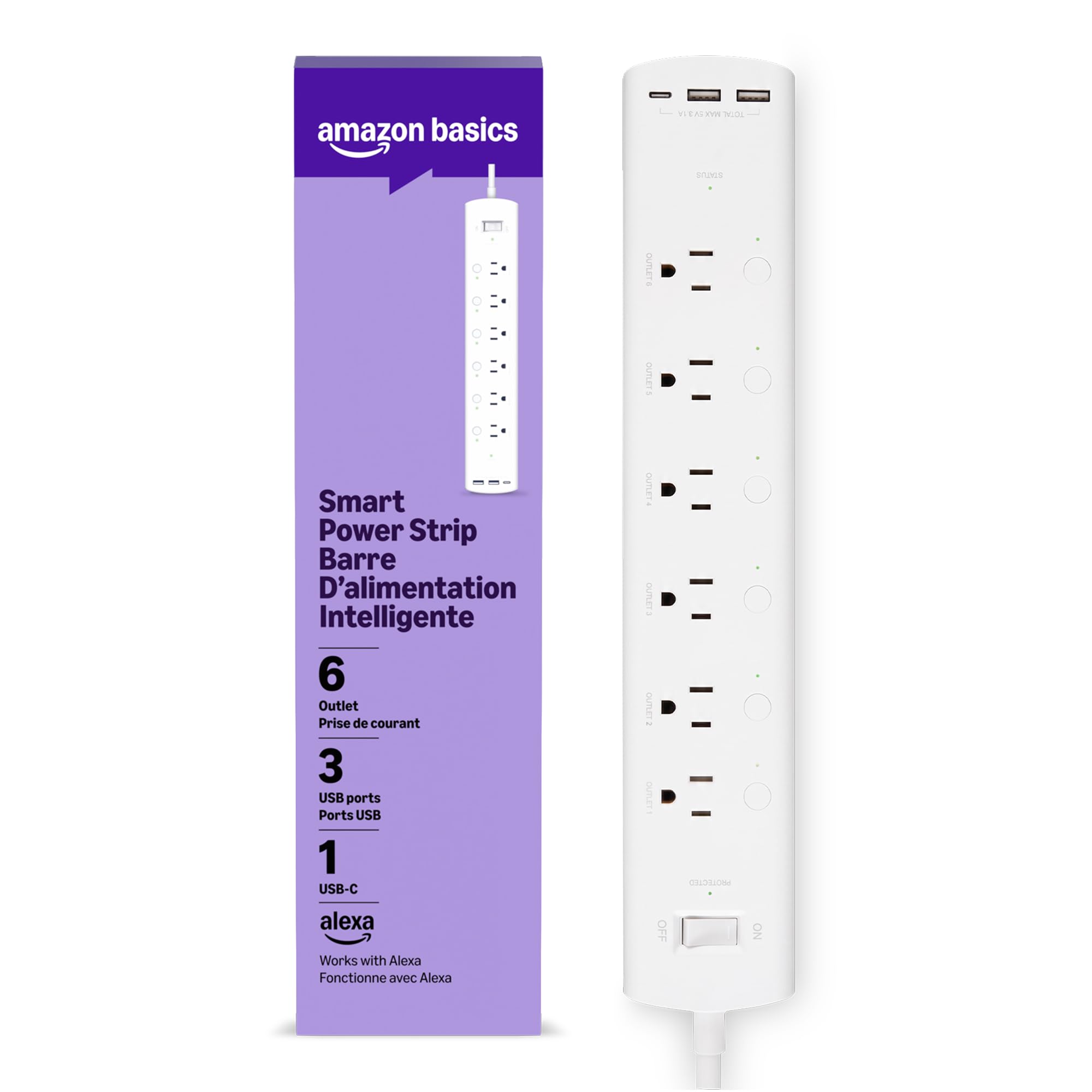
3. Amazon Basics Smart Plug Power Strip 6 Outlets
Six sockets you can name one by one, set up straight from the Alexa app you may already have.
Six individually controlled outlets is the headline, and the Geeni Surge Ultra below hits the same count with two extra always-on sockets, so the difference is really about the app you live in. This strip pairs through the Alexa app in minutes and lets you name and control each plug separately — both lamps, the humidifier, whatever is in the room. The three USB ports (2 USB-A and 1 USB-C) cover your phone and watch without extra blocks in the wall.
For the money, the quality is the thing owners keep coming back to, followed by the sheer number of power options on one bar. Grouping is flexible too: control all six together for a room-wide off, or keep them apart for a real routine. It is built on a polycarbonate body rated at 15 A, with surge protection built in.
The trade-off is the one on the box: it works with Alexa only, so a Google or HomeKit household is out of luck. Connectivity and port reliability both draw mixed marks, so treat the USB sockets as convenient rather than critical — put anything essential on the AC outlets. If your home lives in the Alexa app and you want a lot of sockets on a modest outlay, this is the value leader of the group.
Why the price-to-socket ratio works
- 6 independently named outlets, groupable for whole-room control
- 3 USB ports (2 USB-A, 1 USB-C) built in
- Setup through the Alexa app without a hub
- Polycarbonate housing rated to 15 A with surge protection
What it will not do
- Alexa only — no Google, HomeKit, or SmartThings support
- USB port reliability gets flagged, so lean on the AC outlets for essentials
- No energy monitoring, unlike the Kasa HS300 and GHome picks
Best for: A household already talking to an Echo every day and wanting six sockets managed from that same app.
Skip the USB if it matters: The three ports are handy, but plan your critical devices around the AC outlets instead.
4. Geeni Surge Ultra Smart 8-Outlet Surge Protector

Eight outlets split six smart and two always-on, with the highest joule rating on this list.
The Surge Ultra gives you a split that most strips in this category do not offer cleanly: 6 smart outlets you control one by one, and 2 always-on outlets for the things that must never lose power. That is the ethernet modem, the cordless phone base, the alarm panel. It sits alongside the Amazon Basics six-outlet strip above with more total sockets — 8 to 6, a 33% larger count — while the Basics keeps every outlet smart.
Your gear gets the most surge headroom in this group: surge protection is rated at 1200 joules (joules measure how much energy the protection circuit can absorb before it gives up). That 1200 is generous for a desk full of gear. The 6-foot cord lets you place it away from the wall, and the mountable body means it can live on a wall or under a bench rather than on the floor.
Setup is the aspect owners praise the most on this one, and the app pairing holds up to that reputation. There is no energy monitoring here, and no USB ports at all, so this is a pure AC-outlet strip. The Geeni app handles schedules and voice goes through Alexa or Google Assistant, no hub either way. If you want outlets for lamps, chargers, and small appliances with a couple of always-on slots reserved for the essentials, this is the strip that is built for it.
The outlet arithmetic: Two extra always-on sockets on top of six smart ones is the real differentiator, and 1200 joules is the most surge headroom here.
The catch: No USB ports and no electricity tracking — you are buying outlets and protection, nothing else.
The natural fit: A wall behind a TV or a home office shelf that needs more outlets, plus a couple that stay on regardless of the app.
Look past it if: You want USB charging or energy readouts — the Tapo and GHome picks cover both.
5. Geeni Smart Plug Power Strip 6 Outlets

Six smart sockets and both USB flavors on a body that fits the space behind a desk.
This Geeni fills a gap the Surge Ultra above leaves open: six app-controlled outlets plus a USB-A and a USB-C port in one bar, so your phone charges on the same strip that runs the lamps. The Geeni app controls each outlet individually, sets schedules, and hands voice duty to either Alexa or Google Assistant with no hub needed. Surge protection sits at 1200 joules, matching its bigger sibling.
Pick this one if you want built-in phone charging: it has 6 smart outlets and 2 USB ports, while the Geeni Surge Ultra has 8 total outlets and no USB. Choose based on if you need more wall sockets or USB charging. The 15 A rating matches the rest of the mid-range group, and the 6-foot cord gives you reach.
Reliability is the honest question here, and it is the most-discussed topic in its own feedback — some owners mention a strip that stopped working after two months. At 4.0+ stars across this many owners it is not a reliability disaster, but register the warranty and do not bury it behind sealed cabinetry. If you want to plug it in and forget it somewhere inaccessible, the Tapo P316M or Kasa HS300 are the safer choices.
Where the design lands
- 6 smart outlets and both USB-A and USB-C in one bar
- 1200-joule surge protection, matching the top Geeni
- Geeni app schedules and Alexa/Google voice, no hub
- 15 A rating with a 6-foot cord for placement freedom
What you should weigh
- Reliability is a recurring theme in its own feedback
- No energy monitoring, unlike the Kasa HS300 and GHome
- Connectivity draws mixed marks, so pair near the router first
Reach for this if: You want six smart sockets and USB charging together on a slim bar behind a desk or TV stand.
Keep the receipt handy if: Reliability is a concern for you — the Kasa HS300 below is the more battle-tested choice.
6. Kasa Smart Plug Power Strip HS300

Six outlets, three USB ports, and a dashboard that tells you what each one costs to run.
The HS300 is the pick for the person who wants to know where the electricity is going. Each of the 6 smart outlets reports its own energy use in the Kasa app, so you can see that the space heater in the corner is the expensive one and the lamp is not. That is a genuinely different feature from the KP303 above, which manages outlets without ever telling you what they draw. Three USB ports round it out at 5V/2.4A each.
The build is the other reason it is here: an aluminum enclosure, a 702-gram weight that keeps it planted, and a 14.17-inch length that spreads sockets across a desk or a shelf instead of crowding them. Power handling is 100-125V, 60Hz, 15A in and 15A 1875W maximum load in total, with ETL-certified surge protection and a 500V clamping figure on the spec sheet. Voice control covers Alexa, Google Assistant, and Microsoft Cortana.
Setup and individual outlet control are the two things this one does best, and the whole point of the panel is scheduling. Set the office lights to go off at a set time, put the holiday string on a daily routine, and switch anything from your phone while you are out. It is the most established strip on this list, which is why it earns a premium placement rather than a value one.
The differentiator: Real per-outlet energy monitoring is rare in this category, and it pairs with 6 smart outlets, 3 USB ports, and an aluminum shell.
What you give up: No Matter certification and no Siri or HomeKit — the Tapo P316M below covers those if you need them.
The fit: A home office or media cabinet where you want to cut the bill, not just switch things off.
Not for you if: You need Apple HomeKit control, which this strip does not offer.
7. GHome Smart Plug Power Strip 6 Smart Outlets
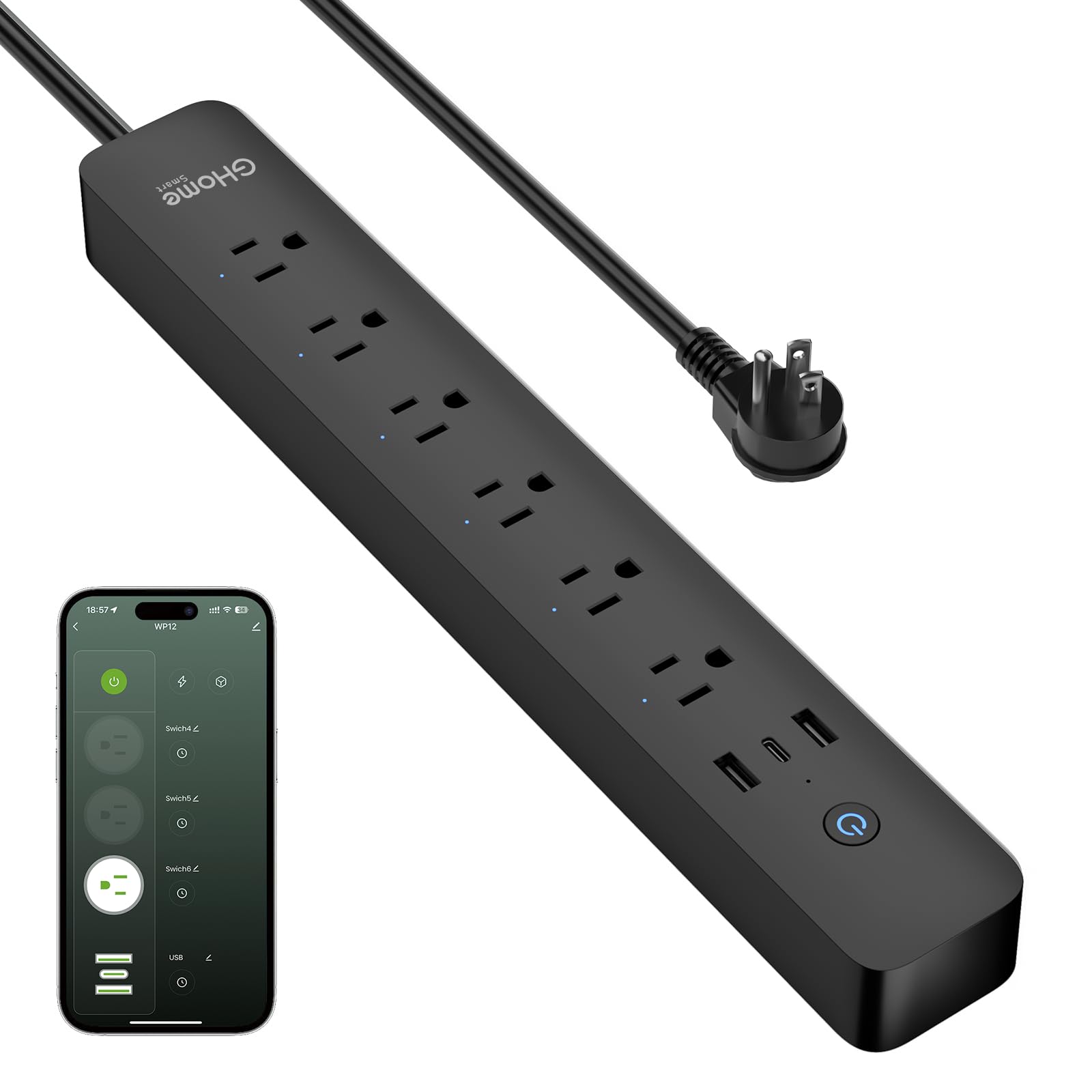
Six outlets, a 30W USB-C port for fast charging, and a power-use readout in one black bar.
The GHome targets the desk that charges everything: 6 smart outlets each rated to 15A and 1800W max, plus 2 USB-A and 1 USB-C port where the USB-C handles 30W fast charging. That 30W is the highest USB-C output on this list, enough to fast-charge a phone or laptop from the same strip that runs the monitor and the lamp. Energy monitoring in the app tracks what each device uses, matching the Kasa HS300 above on that feature while adding the faster USB-C port.
Scheduling is the heart of it: sunrise and sunset triggers, per-outlet timers, and grouping so you can flip a whole scene with one command. The makers even pitch it as useful for someone who cannot easily reach a wall socket. Total length runs 7.18 feet from plug to cord end, the extra reach meaning you can route it under a desk. It works with Alexa and Google Assistant, no hub, on 2.4GHz WiFi only.
Safety is covered by an FCC listing plus V0-rated fire-resistant housing, UV resistance, overload protection, and short-circuit protection, so a desk full of gear has real layers of defense. The honest limit: 2.4GHz-only WiFi means it will not join a 5GHz-only network, and setup is the one thing this strip does best, which speaks to a clean first install rather than a proven long-term record.
Where this beats the pack
- 30W USB-C fast charging alongside 2 USB-A ports
- 6 smart outlets at 15A, 1800W max, with energy monitoring
- Sunrise and sunset scheduling plus per-outlet grouping
- 7.18 feet of total reach from plug to cord end
What to watch
- 2.4GHz WiFi only — a 5GHz-only router will not work
- No Matter or HomeKit, so multi-platform homes are out
- No long track record yet compared to the Kasa picks
Best for: A charging-heavy desk where the USB-C port is doing the heavy lifting and you want to track the bill.
Think twice if: Your network is 5GHz-only or your house runs on Apple Home — this strip speaks neither.
8. Tapo Smart Wi-Fi Power Strip P316M
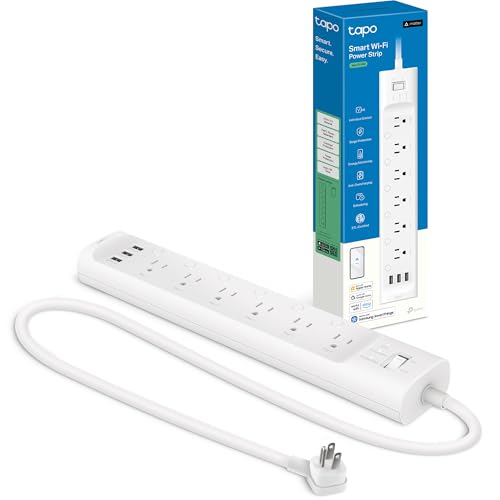
One strip that speaks to Alexa, Google, Siri, Bixby, and Home Assistant without a translator.
The P316M solves the compatibility problem that the whole list circles around. It is Matter-certified, the cross-brand standard that lets one device talk to most major smart home platforms, and here that means Alexa, Google Home, Apple HomeKit, and Samsung SmartThings. Nothing else on this list reaches HomeKit and SmartThings while also supporting Siri, Alexa, Bixby, and Google Assistant voice commands. It is also the only strip here with local control: the Tapo app manages outlets over your own network even when the internet drops.
You get 6 individually controlled smart AC outlets and 3 always-on USB ports at 5V 2.4A, plus per-outlet energy monitoring with a full consumption readout. Overcharge prevention cuts an outlet once a device is topped up, sparing the battery. The flush-fitting plug sits tight to the wall for placing it behind a couch, and a 3-foot cord keeps the whole thing tucked away.
Quality is the top thing buyers praise, and individual control and compatibility sit right behind it. The mixed aspect is energy monitoring and USB ports, which are convenient but not the reason to buy — the reason is the Matter certification. Schedule each AC outlet separately and forget the label on the box: this one was designed to work across platforms, and it does.
The compatibility trump card: Matter certification plus local control means Alexa, Google, Siri, Bixby, and SmartThings all work, and the tap app functions without internet.
The trade-off: 3-foot cord is the shortest reach here, and USB ports are always-on rather than switched, so plan their placement around the couch, not the far wall.
The natural home: A mixed-brand smart home where Alexa, Google, and Apple devices all need to see the same power strip.
Consider the reach: The 3-foot cord means it lives close to the outlet, so pick a spot near seating or furniture, not across the room.
Know the Specs
Individually controlled outlets
This means each smart socket has its own switch in the app, so you can turn one on without touching the others. A strip with individual control lets you run a lamp and a router on the same bar and schedule only the lamp. Grouped or always-on sockets are the opposite — they stay live or move together as a block. When shopping, count how many sockets are individually controlled versus grouped, because that count determines how much automation you actually get.
Joule rating on surge protection
The joule rating measures how much energy a surge protector can absorb before the protection fails. A higher number is headroom for more valuable or more power-hungry gear. In this group the Geeni models list a 1200-joule rating, the Kasa HS300 lists a 500V clamping figure, and the Kasa KP303 lists ETL certification for its surge circuit. ETL is a third-party safety listing verifying the protection works as claimed. Match the rating to what you plug in, and remember the protection degrades over time with every big surge it absorbs.
Amp rating and total load
Amps tell you how much current the strip is built to carry across all its outlets together. The strips here list a maximum current of 15 A, with the Kasa KP303 listing 10.5 A on the strip itself. Think of a 15 A strip as your whole-home allowance for that one bar — a couple of lamps, a monitor, and chargers are comfortable, while a space heater plus a microwave together is not. Check the appliance label if you are planning anything that heats.
Matter and hub-free control
Matter is a cross-brand standard that lets a smart device talk to several ecosystems at once, so a Matter-certified strip can appear in Alexa, Google, Apple, and SmartThings without a separate bridge. Hub-free means the strip joins your WiFi directly, no extra box required. The trade-off is WiFi band: some strips are 2.4GHz only, others support dual-band. Check the listing against your router before you buy, because a 5GHz-only network will leave a 2.4GHz strip stuck at setup.
Common Questions
Do I need a hub for a WiFi power strip?
Will a WiFi power strip work with Google Home or Apple HomeKit?
Can I plug a space heater into a WiFi power strip?
What is the difference between individually controlled outlets and grouped outlets?
How many amps can a smart power strip handle?
What does a joule rating mean on a surge protector power strip?
Will a 2.4GHz WiFi power strip work on a 5GHz router?
Can a smart power strip track how much electricity each device uses?
Do the USB ports on a WiFi power strip turn off with the app?
Which WiFi power strip works with the most smart home platforms?
The Bottom Line
For most people, the best wifi power strip is the Kasa KP303. It gives you three individually controlled outlets, two always-on USB ports, and an app that is easy enough to set up on the first try. It comes from the brand that also made the top energy-monitoring pick. If Apple HomeKit is your world, grab the meross Smart Plug Power Strip for Siri and eight total sockets. And for a whole-house mix of Alexa, Google, Siri, and SmartThings, the Tapo P316M is the one strip that speaks all of them, with local control when the internet drops.
How we choose
We do not accept paid placement. Every pick is matched to a real buyer and a real use-case; we do not hands-on test units.
Sources
Specifications: manufacturer listings and product documentation. Review insights: verified customer reviews, as of November 2026. Pricing: not shown on this page (it changes often); check the current price via the retailer link.
As an Amazon Associate, Tactical Gear Guy earns from qualifying purchases. This does not affect which products we feature.