Specs are compiled from manufacturer listings and verified buyer reviews and can change over time — please confirm the key details on the product page before buying.
You want the far bedroom, the garage, or that one dead corner of the kitchen to finally hold a signal — and you want to know which box does it without wrecking the speed you already pay for. That is the whole job here. A room Wi-Fi extender catches your router’s existing signal and rebroadcasts it closer to where you actually sit, so your phone stops hunting for bars. The catch most first-time buyers miss: an extender improves coverage, not speed, and a badly placed one can cut the throughput at the far end. This shortlist helps you pick the right extender for a single room and place it where it actually works.
This guide is built by comparing the manufacturers’ published specifications and the patterns across verified customer reviews, so you get each pick’s real strengths and trade-offs instead of marketing spin.
Below you will find nine room-focused extenders sorted by what they actually do best, from a quiet dual-band workhorse to a WiFi 7 unit that keeps one network name across the whole house.
Top Picks


How To Choose The Best Wi-Fi Extender for Room
The hardest part of buying a room extender is not the spec sheet — it’s the placement. A unit stuffed into the dead room itself has nothing strong to repeat, so it broadcasts a weak signal twice. The rule that saves you: put the extender roughly halfway between your router and the room you want to fix, at a spot where your phone still shows one or two bars. Every product below helps you find that spot with a signal indicator light or app, and that one habit matters more than any bandwidth number.
Judge the coverage claim against the room, not the house
Manufacturers list big square-footage numbers because that is what sells. For a single bedroom, a home office, or a basement corner, you need enough reach to pass through one or two walls — not to flood a whole property. A modest dual-band unit can handle a room fine. Where the bigger claims help is when the extender sits far from the router and has to push through floors. Read the claim as a rough ceiling, then place the unit well.
Know that extenders repeat, they don’t create speed
Every wireless extender here takes your router’s signal and rebroadcasts it, and doing that wirelessly costs you throughput — a halved speed at the extended end is normal. The fix is a wired path: a Gigabit Ethernet port on the extender lets you run a cable from the unit to a smart TV, console, or PC and skip the Wi-Fi penalty entirely. If you cannot run a cable, keep the extender’s air path clear and accept that range is the win, not raw speed.
Side-by-Side Comparison
Three specs make or break a room pick: the band class (dual-band or quad-band), the top data transfer rate the maker publishes, and the stated coverage. Compare the rows below at a glance, then read the full review for the one that fits your room.
| Model | Best For | Band Class | Top Rate | Coverage | Amazon |
|---|---|---|---|---|---|
| 2026 WiFi Extender Signal Booster (AERVY)★ Best Overall | One-room dead zone, easy WPS fix | Dual-band (2.4 GHz processor) | — | 16,899 sq.ft (claimed) | Amazon |
| TP-Link AC1200 RE315Budget Workhorse | Budget bedroom coverage for many devices | Dual-band (2.4 + 5 GHz) | 1200 Mbps | 1,500 sq.ft | Amazon |
| Tenda AX3000Fastest Upgrade | Fast WiFi 6 room upgrade with wired port | Dual-band (WiFi 6) | 2976 Mbps | 1,800 sq.ft | Amazon |
| TP-Link RE515X AX1500 | Whole-home WiFi 6 with Beamforming | Dual-band (WiFi 6) | 1500 Mbps | 1800 sq.ft | Amazon |
| Cyseed WiFi Extender Booster | Whole-house reach on a 2.4 GHz link | 2.4 GHz single band | — | 10000 sq.ft | Amazon |
| FLBI New WiFi Extender Booster | Sleek unit for a whole property | Quad-band antennas | — | 16000 sq.ft | Amazon |
| CINAMON AX3000 WiFi 6 | Big coverage plus gigabit wired | Dual-band (WiFi 6) | 1.8 Gbps | 12000 sq.ft | Amazon |
| NETGEAR Nighthawk EXS27 | WiFi 7 future-proof addition | Dual-band (WiFi 7, BE5000) | 5 Gbps | 1,500 sq.ft | Amazon |
| NETGEAR Nighthawk EAX17 | WiFi 6 with one network name | Dual-band (WiFi 6, AX3000) | 3 Gbps | 1,500 sq.ft | Amazon |
Detailed Reviews
1. 2026 WiFi Extender Signal Booster (AERVY)
Our pick — 4.0+★ from 80+ verified ratings; the strongest balance of quality and price.
The set-and-forget box for the one room that never held a signal.
If your problem is a single bedroom, a home office at the back, or a child’s room that keeps dropping video calls, this is the pick to start with. It pairs to your existing router by pressing the WPS button on both, and setup finishes in under a minute — three minutes at most if you go through the web browser on your phone. No app, no account, no tech background.
The hardware calls itself a 2.4 GHz ultra-core processor with two high-gain antennas, which in plain terms means one strong, stable radio pushing through walls rather than a lot of raw speed. The maker lists coverage up to 16,899 sq.ft. That figure is far beyond any single room, which is exactly why it has headroom to punch through a wall or two. What wins people over is the build quality — it earns the most praise in the review pages, with the one-press WPS setup right behind it.
The honest limit: this is a 2.4 GHz design, so a 5 GHz 4K stream on the far side of the house is not its job. Pair it with a wired device through the Ethernet port and you sidestep that. Owners also praise its ability to hold multiple devices at once, including a smart TV in a far bedroom, and it carries FCC and IEEE802.11b/g/n compliance with WPA/WPA2 protection.
Where this one earns its keep
- WPS pairing finishes in under a minute — no app or account required
- Two high-gain antennas do the wall-punching, so a room just off the router gets a solid bar count
- Works with any ISP router, so you keep the setup you already have
- Ethernet port gives a wired device a stable path at the far end
What to weigh before you buy
- 2.4 GHz only — not the pick if the room needs a 5 GHz high-speed stream
- Network change is the real trade-off: the extender broadcasts its own signal, so expect a second network name unless you mesh it
Reach for this if: you want the fastest possible fix for one stubborn room with zero app learning curve.
Pass on it if: the room’s problem is slow throughput rather than missing bars — this unit is built for coverage, not speed.
2. TP-Link AC1200 WiFi Extender Dual Band (RE315)
The cheap, proven dual-band fix for a dozen devices in one room.
Here is the value play: this unit splits its signal across two lanes, giving 867 Mbps on the less-crowded 5 GHz band and 300 Mbps on the longer-reaching 2.4 GHz band, for a 1200 Mbps total. That first number is slower than the Tenda AX3000’s 2976 Mbps — the Tenda’s data transfer rate is roughly 2.5x the RE315’s. But for a bedroom TV or a laptop in the spare room, 867 Mbps on 5 GHz covers most streaming with room to spare.
It has two adjustable external antennas and is rated for up to 32 devices and 1,500 sq.ft of coverage. That is plenty for one room and the hall outside it. What wins the crowd here is raw performance — it carries the biggest slice of positive feedback in its review pages, with setup close behind. The Tether app (Android, iOS) guides placement via an intelligent signal indicator, so you are not guessing where to plug it in.
Expect the speed at the far end to drop by as much as half from your router’s original — that is normal for a wireless extender. If your router is not EasyMesh (a standard that lets mesh devices share one network name), the extender creates its own separate network name, and you pick it by hand. The wired path is smoother: the Ethernet port gives a smart TV or console a direct cable link. Pair it with an EasyMesh router and you get one unified network with smooth roaming.
The value read: you get room-filling coverage at a low cost — a 1,500 sq.ft coverage rating, dual-band output of 867 Mbps (5 GHz) plus 300 Mbps (2.4 GHz), and room for up to 32 connected devices, a class-leading count. For a single room, that combination is tough to top on value.
If you’re watching cost: this is the pick for a single room with several devices to cover.
The catch: expect the speeds at the far end to be lower than your router’s, and plan around a separate network name unless you mesh it.
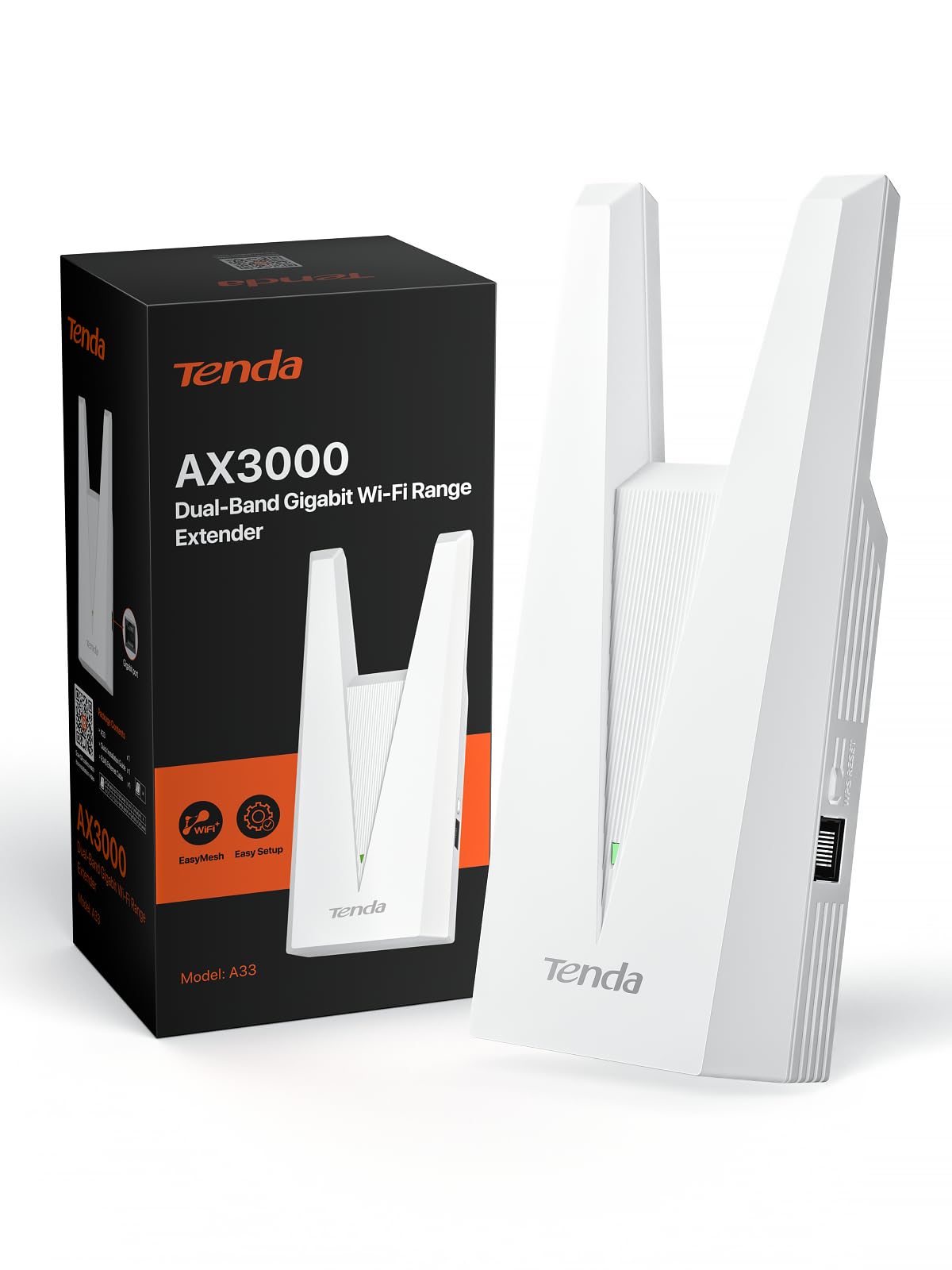
3. Tenda AX3000 WiFi 6 Dual-Band WiFi Range Extender
WiFi 6 speed that finally feels like the router, in the room that needed it.
If your router already runs WiFi 6 and you want the far room to get the same fast, modern stream, this is the unit that keeps pace. It publishes 2976 Mbps total — 2402 Mbps on 5 GHz and 574 Mbps on 2.4 GHz — which is why it has the headroom for 4K or 8K video, online gaming, and heavy remote work. It supports up to 32 devices at once with a 1.2 GHz dual-core processor doing the thinking.
The wired angle is what makes it a genuine room pick: a Gigabit Ethernet port lets you plug a smart TV, a console, or a PC straight into the extender instead of relying on Wi-Fi. At 254 g it sits lightly on the shelf next to the seam of the Tenda’s tall 7.7-inch body. The whole-home coverage rating is 1,800 sq.ft, which is generous for one room. It ships with WPA3 encryption, flame-retardant materials, and a smart LED indicator for placement.
The one limitation worth checking is mesh compatibility. This is an EasyMesh unit, so it plays neatly with an EasyMesh router but not with proprietary mesh systems like Deco. If you already run Deco or another locked mesh, look elsewhere; if you have a standard router, this extends it cleanly. It also runs AP mode (access point), turning a wired connection into a new Wi-Fi hotspot when you have ethernet on hand.
The WiFi 6 case: 2976 Mbps total bandwidth, a 1.2 GHz dual-core processor, and a Gigabit Ethernet port make this the fastest-listed room upgrade — a fit for anyone whose router has already moved to WiFi 6.
Worth it if: you want the fastest possible room connection and your router is WiFi 6.
Check first: it will not join a proprietary mesh system such as Deco, so a locked-mesh household should choose a matching unit instead.
4. TP-Link RE515X AX1500 WiFi 6 Range Extender
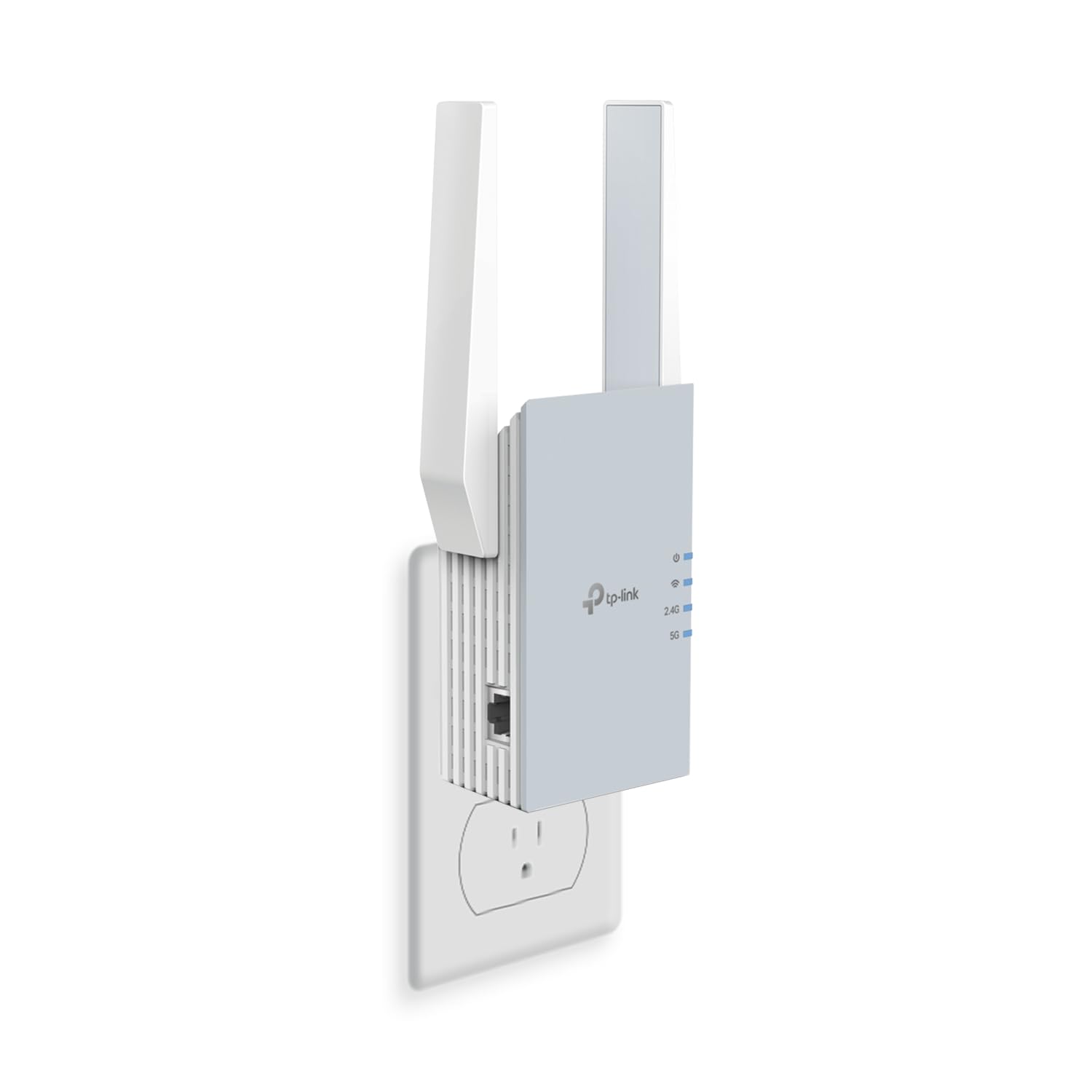
Device-farm coverage on WiFi 6, built for the busiest rooms.
This one is for the room where everybody’s phone, tablet, and console pile on at once. It handles up to 64 devices across two high-gain directional antennas with Beamforming — a feature that focuses the signal toward where your devices actually sit rather than spraying it in every direction. Total bandwidth is 1,500 Mbps: 1201 Mbps on 5 GHz and 300 Mbps on 2.4 GHz. Coverage is rated at 1,800 sq.ft.
Setup gets the loudest cheers here — the Tether app and signal indicator make it the easiest of the list to align, and range is second in line. On the weigher’s side: reliability stories are mixed, with some units working great and others going quiet, so treat it as a good match if your router signal reaches the spot you plan to plug it into. The smart adaptive roaming feature is worth knowing about only if you mesh it — otherwise it’s a separate network name when paired with a non-EasyMesh router.
You get more flexibility than the AC1200 above: a Gigabit Ethernet port (1,000 Mbps wired) can feed a wired device, and AP mode (access point mode) turns a wired connection into a Wi-Fi hotspot. Against the RE315, weigh cost against bandwidth — this one’s 1,500 Mbps total beats the RE315’s 1,200 Mbps and leaves more device headroom. But its known reliability question is real for a room where everything must stay up.
The capacity pitch: 64-device support, Beamforming antennas, and a Gigabit Ethernet port make this the pick for the living room where the whole family connects at once.
Best when: a crowded room needs a wide WiFi 6 net and you can place the unit where the router signal still reaches.
The watch-out: reliability reports are mixed, so keep the extender near enough to your router that it has a clean source signal.
5. Cyseed WiFi Extender Internet Booster
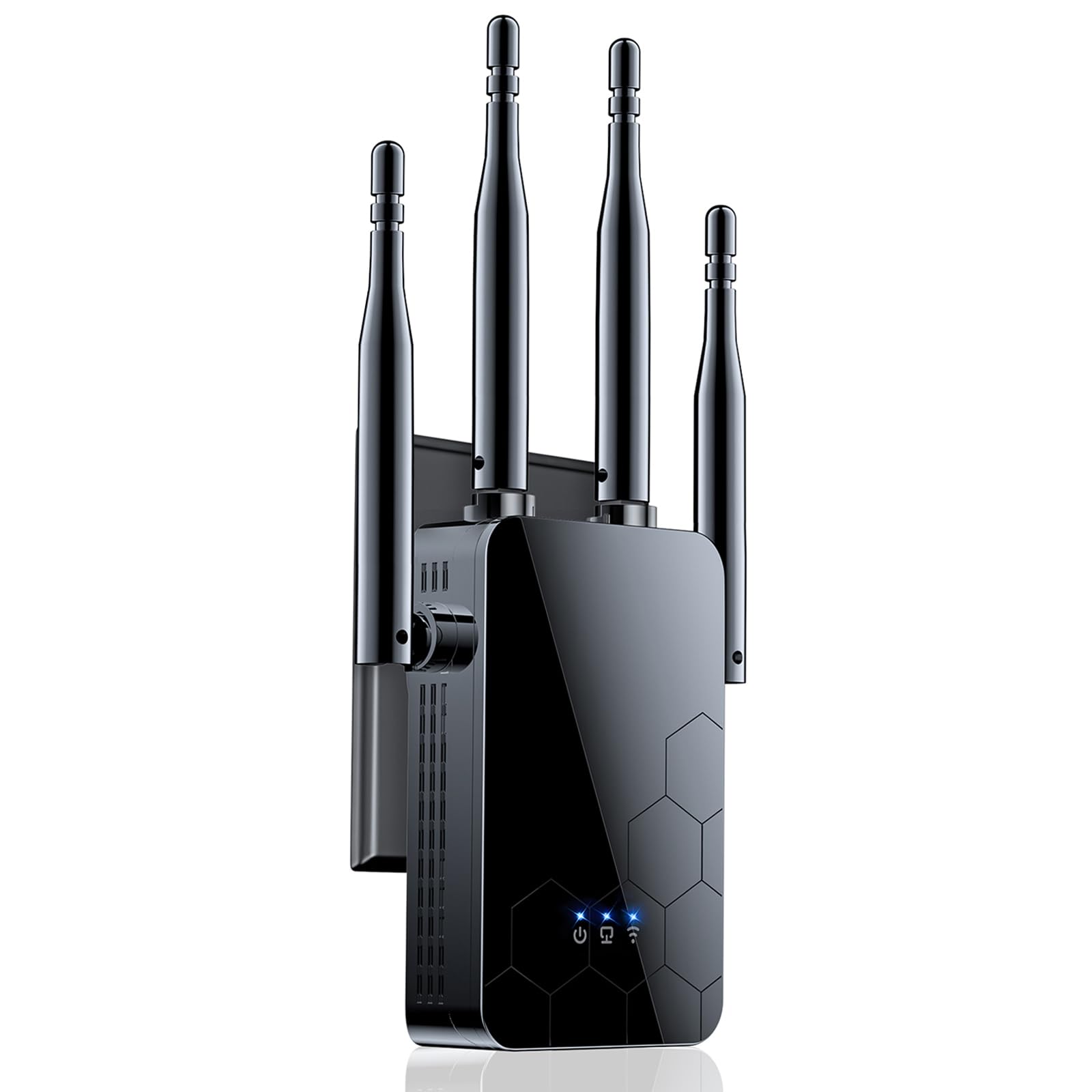
Four antennas, five modes, and a one-tap setup for a stubborn far room.
Four external antennas prop this one up around a claimed 10,000 sq.ft of coverage, pushing signal through more walls than a two-antenna unit can manage. It runs on 2.4 GHz, which is the band with the longer reach, so it is aimed at far rooms rather than fast streams. For a basement room or a garage that sits well away from the router, that reach is the point.
The one-tap WPS setup is the standout in the review pages — it’s the most-praised feature by a wide margin, with signal strength the runner-up. Press the WPS button on your router and on the extender, and it pairs in seconds. It also carries five smart modes (Repeater, Client, AP, Bridge, and Router) and an Ethernet port, so it can act as an access point or wired bridge if you have a cable.
Two trade-offs to weigh. It is 2.4 GHz only, so the pick is not for a room that needs the faster 5 GHz lane. And the 10,000 sq.ft claim is a broad ceiling rather than a guarantee for every wall. The smart IC chip and CPU handle up to 65+ devices, which is more than enough for a family room. WPA/WPA2 protocols guard the connection, and the whole package is one compact black unit that clips into a wall outlet.
Where it wins: four external antennas and 10,000 sq.ft of claimed reach for the far room that needs the deeper punch.
Pick this one if: the room is far from the router and reach matters more than a fast 5 GHz lane.
The limit: 2.4 GHz only means it covers distance, not a high-speed 5 GHz stream.
6. FLBI New WiFi Extender Signal Booster

The unit that doesn’t look like a router — and doesn’t drop out either.
Design is the quiet edge here: the sleek black body blends into a shelf or side table instead of shouting “networking gear” from across the room. Behind that shell sit four high-performance external antennas and a claimed 16,000 sq.ft coverage ceiling, aimed at blanketing a house or property in one go. The band class is listed as quad-band with four high-gain external antennas, and the whole unit is rated for the whole-home and long-distance job.
The thing reviewers tend to bring up is reliability — it’s the top aspect in the review pages, with signal quality close behind. That fits the pitch: it’s built to hold a signal over long distances, with a bionic-chip core processor reducing buffering and a 1-Tap WPS setup that gets you connected in seconds. It supports up to 99+ devices, so a full house of phones, cameras, and consoles can stay on.
The bigger picture fits it for a whole property rather than a single room: WPA/WPA2 encryption with real-time risk monitoring, five smart modes, and a 20-month warranty back it up. If you only need to fix one bedroom on a modest router, the simpler units in this list are lighter work and more predictable in placement. If you want to cover a wide property from a single point and keep the device looking tidy, this holds together well.
Design and warranty taken together: 16,000 sq.ft of claimed coverage, 99+ device support, and a 20-month warranty make this a whole-property pick that hides in plain sight.
Good fit if: you want whole-property coverage from a unit you would leave in plain view.
Think twice if: a single room is your only problem — you are buying more reach than the job needs.
7. CINAMON AX3000 WiFi 6 Extender
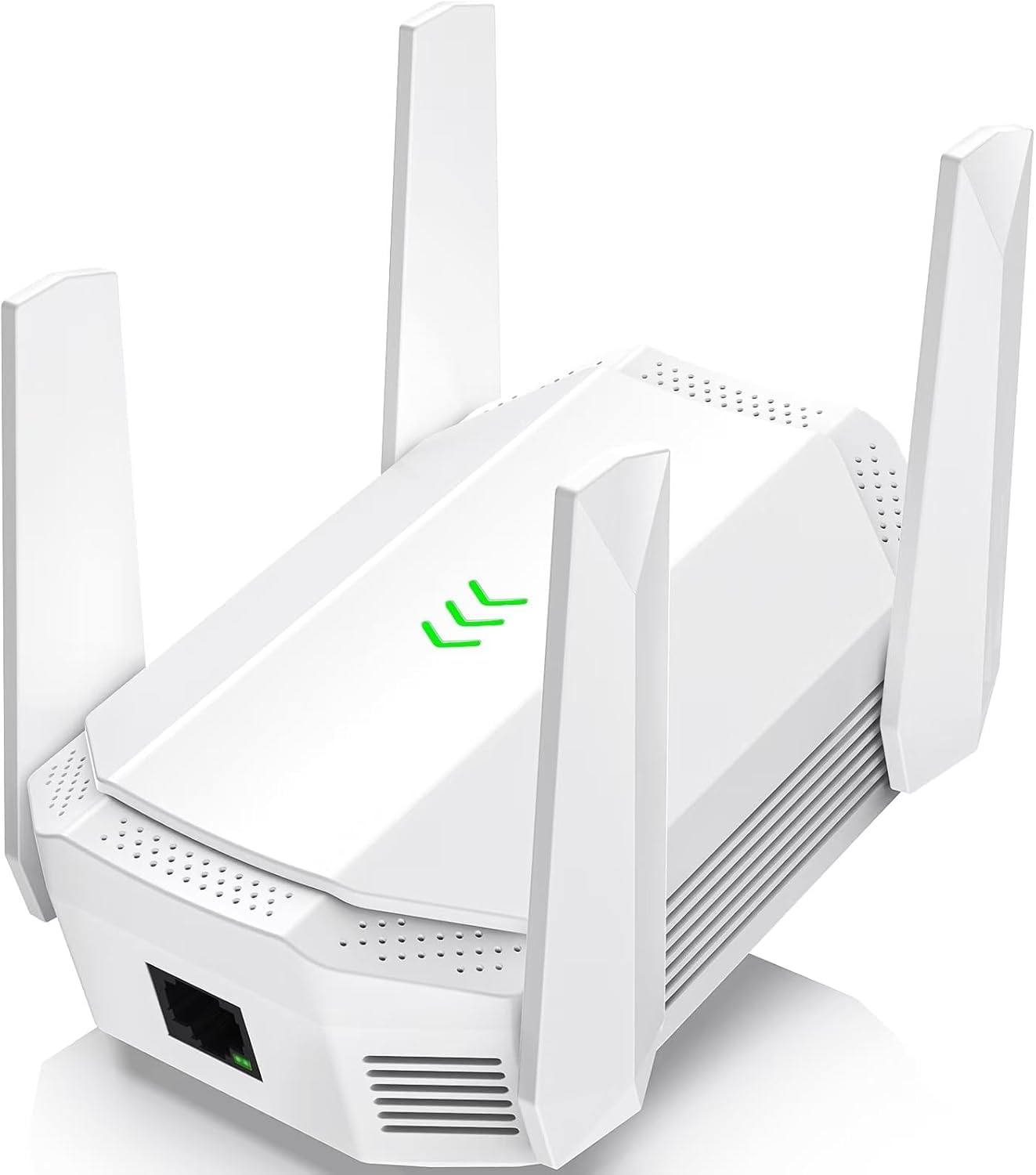
Big claims, bigger coverage, and a wired port for the room’s TV.
You get fast throughput plus long reach: 1.8 Gbps across its AX3000 WiFi 6 platform (the newer Wi-Fi standard), a claimed 12,000 sq.ft of range, and four external high-gain antennas pushing through walls, floors, and ceilings. It runs 4K and 8K streaming, gaming consoles, and smart-home devices at the same time. MU-MIMO (multi-user, multi-input, so several devices share the signal at once) and OFDMA (a traffic-management trick that packs more devices into a single transmission) help cut buffering.
What wins people over here is signal quality — it’s the top positive aspect in the review pages, with setup second. The built-in LED signal indicator makes placement intuitive: you watch it and move the unit until you get the strongest reading, then leave it. A Gigabit Ethernet port lets you run a wire to a smart TV, PlayStation, or Xbox for a stable connection. WPA3 encryption and a built-in firewall add a layer of security, and the guest-network setting keeps your main network separate when friends and family connect.
The honest tension: at this reach you are paying for more coverage than a single room needs. If the room’s issue is simply distance from the router, the simpler four-antenna units above will do the job with less fuss. This pick earns its price when you’re covering a large home or a small outdoor space from one point, and want the flexibility of a guest network and access controls.
The security angle: WPA3 encryption, a built-in firewall, and guest-network support put this among the most controlled connections in the list.
Chosen for: a large home or small outdoor corner where reach and security controls both matter.
What you give up: this is more reach than a single-room fix calls for.
8. NETGEAR Nighthawk WiFi 7 Extender EXS27
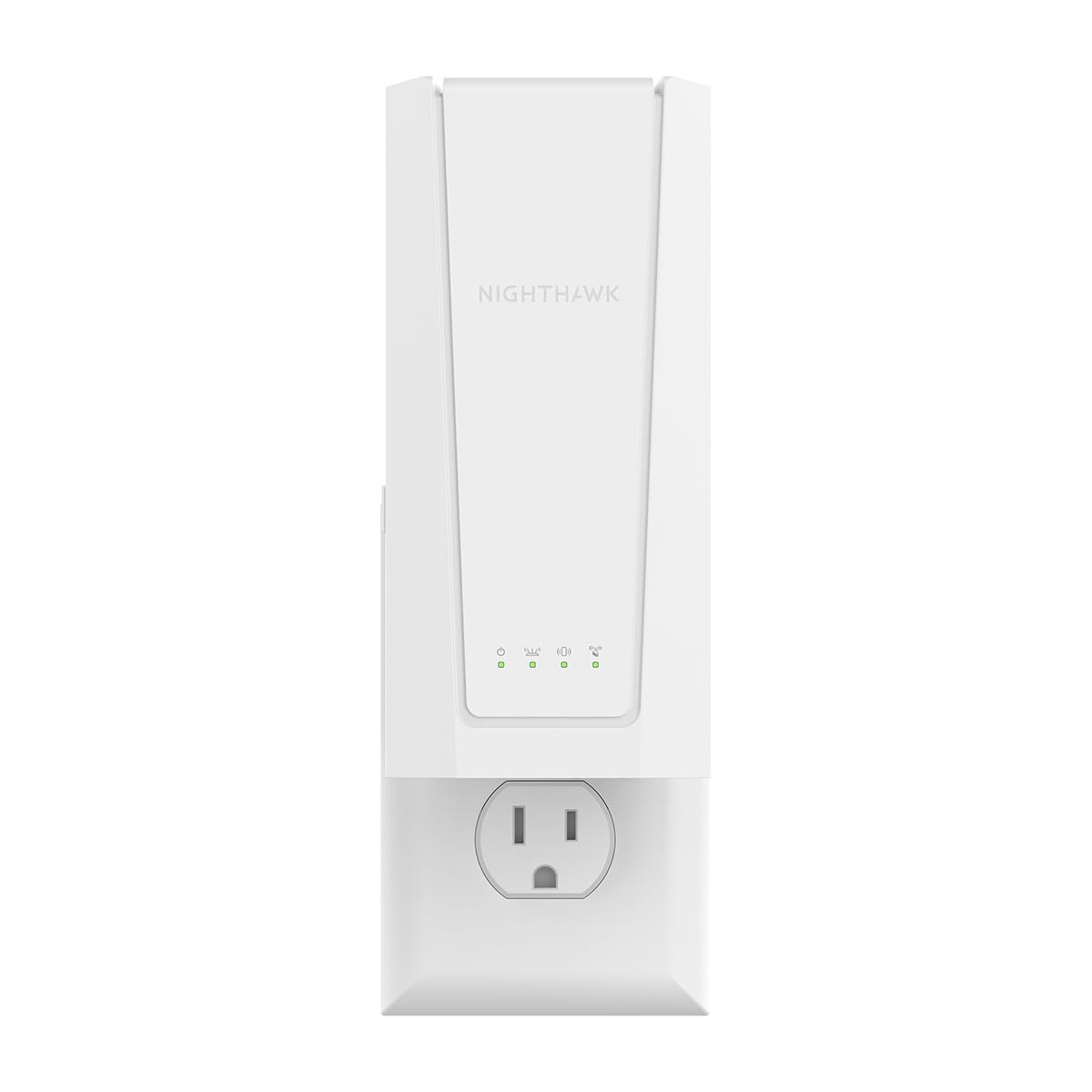
Bring WiFi 7 to the bedroom, the garage, or the backyard from a wall outlet.
The standout number here is up to 5 Gbps (BE5000) of data transfer through the WiFi 7 standard — the fastest figure on this list, and enough headroom for a houseful of devices. Coverage is 1,500 sq.ft for up to 45 devices from any wall outlet, with a 2.5 Gigabit Ethernet port for a wired device when you want one. Its weight sits at 1.1 pounds — heavier than the 6-ounce AERVY by a noticeable margin, which is the difference between a featherweight clip-in and a unit that needs a firm outlet.
Smart Roaming keeps your existing network name and moves each device to the strongest signal automatically, so nobody in the house is manually swapping SSIDs. Range gets the positive feedback in its review pages. On the weigher’s side: functionality, setup, and speed reports are mixed, with some units working extremely well and others stopping within six months. That is a real reason to buy from a seller you can go back to if the unit fails.
Price-to-performance is the question you have to answer for yourself. This is the priciest pick in the list, and it makes sense only if your router has already moved to WiFi 7 — otherwise the 5 Gbps ceiling is wasted on a slower source. If your router is older, the EAX17 below reaches the same 1,500 sq.ft for less, or the Tenda AX3000 matches a WiFi 6 setup for a fraction. This one is for the future-forward household with the router to match.
Future-proof, honestly framed: 5 Gbps WiFi 7, 45 devices, and a 2.5G Ethernet port are the highest ceiling in the list — matched only by a WiFi 7 router on the other end.
The right buyer: a WiFi 7 household that wants the highest speed ceiling in the list.
Don’t bother if: your router is older than WiFi 7 — the ceiling goes unused.
9. NETGEAR Nighthawk WiFi Extender EAX17
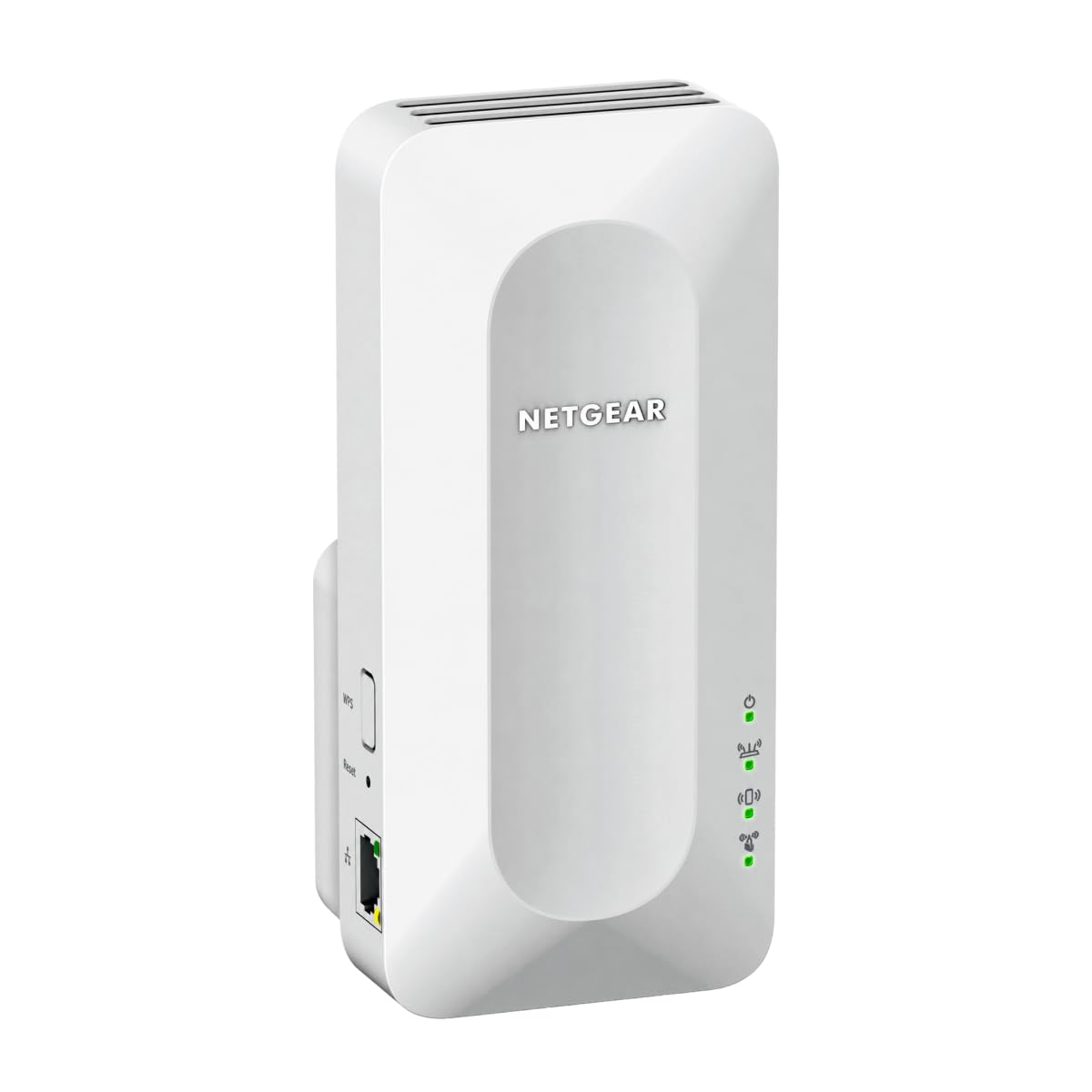
One network name across the house, so nobody switches Wi-Fi by hand again.
For homes that hate seeing two network names in the phone’s list, this is the pick. Smart Roaming keeps your existing network name and moves each device to the strongest signal automatically — no manual switching and no dropped calls as you move from kitchen to bedroom. Coverage is 1,500 sq.ft for up to 20 devices from any wall outlet, with a Gigabit Ethernet port for a wired device.
The hardware is WiFi 6 with up to 3.0 Gbps (AX3000), so it keeps pace with a modern router. It reaches 1,500 sq.ft — the same coverage figure as the WiFi 7 EXS27 above, but with 3 Gbps instead of 5 Gbps and support for 20 devices instead of 45. If your router is WiFi 6, the AX3000 speed here is a strong match, and you save the premium the WiFi 7 unit adds. It works with any router from Xfinity, Spectrum, AT&T, Cox, or Verizon and rebroadcasts its signal; it does not replace your router.
The honest note is setup. Reports on setup are mixed, with some finding it fairly easy and others finding it a chore — the NETGEAR Nighthawk app walks you through it, but plan to spend a bit of time there. Range gets the positive feedback in the review pages, with a basement as a common success story. Security is handled by WPA3, and the unit is FCC Certified for use in the United States.
The single-network advantage: Smart Roaming keeps your existing network name across 1,500 sq.ft and 20 devices, with WPA3 on every connection.
Suits you if: a WiFi 6 router and one network name are the priorities.
Go elsewhere if: a guided setup you would rather skip is a deal-maker — this one asks for a few minutes with the app.
Know the Specs
Band Class (Dual vs Quad)
Band class is the set of radio lanes your extender can use. Dual-band means 2.4 GHz and 5 GHz — 2.4 GHz travels farther through walls, while 5 GHz carries more speed over a shorter distance. Quad-band antennas, as on the FLBI unit, push the reach further. For one room, a dual-band unit that splits the 5 GHz speed with the 2.4 GHz reach usually fits. A room far from the router might do better with a 2.4 GHz-only design like the Cyseed. Pick the lane your room actually needs.
Total Bandwidth and the 50% Rule
The Mbps figure is the total data rate the extender can broadcast. The key thing to understand: all wireless extenders repeat the signal and shrink the speed at the far end — speeds of 50% or less than the original are normal, as TP-Link says directly. A higher Mbps number gives you more headroom before that cut bites. That is why the WiFi 6 units (2976 Mbps on the Tenda, 1500 Mbps on the RE515X) hold faster far-end performance than a 1200 Mbps AC unit. Use the Ethernet port to sidestep the wireless cut entirely.
Coverage Claim vs Real Room
The sq.ft figure is a published ceiling, not a guarantee. A 16,899 sq.ft claim on the AERVY is far beyond any single room, and the 1,500 sq.ft claim on the TP-Link RE315 is plenty for one room and the hall. Read the claim as a sense of how hard the unit can push through walls, then place it right. The bigger claims matter when the unit sits far from the router.
Ethernet Port and Placement
A Gigabit Ethernet port on the extender lets you run a cable from the unit to a smart TV, console, or PC, and skip the wireless speed penalty altogether. That makes an extender with a port more flexible than a bare repeater. Placement matters just as much: put the unit halfway between the router and the room, where your phone still shows one or two bars, and let the signal indicator guide you to the strongest spot.
Common Questions
Will a Wi-Fi extender slow down my internet in the room?
Do I need a WiFi 6 router for a WiFi 6 extender to work?
Where should I put a Wi-Fi extender in a bedroom?
Will the extender give my room a second Wi-Fi network name?
Can I connect a TV or game console with a cable to the extender?
What’s the difference between WiFi 6 and WiFi 7 extenders for a room?
Does an extender work with any internet provider?
How do I set up a Wi-Fi extender without an app?
Will an extender help if my room has weak signal but fast internet?
The Bottom Line
For most rooms, the wi-fi extender for room winner is the AERVY 2026 WiFi Extender Signal Booster. Its WPS pairing (a push-button setup) finishes in under a minute, two high-gain antennas push through walls, and the Ethernet port gives a wired device a stable path — no app and no tech background needed. If you want the fastest WiFi 6 stream for a room, the Tenda AX3000 leads on 2976 Mbps. For whole-house reach from one unit, the NETGEAR EXS27 carries the highest speed ceiling on the list. Whichever way you go, placement decides it: put the extender halfway between your router and the room that needs it. Get that right and the lowest-cost pick will beat a top-tier unit shoved into the dead corner.
How we choose
We do not accept paid placement. Every pick is matched to a real buyer and a real use-case; we do not hands-on test units.
Sources
Specifications: manufacturer listings and product documentation. Review insights: verified customer reviews, as of November 2026. Pricing: not shown on this page (it changes often); check the current price via the retailer link.
As an Amazon Associate, Tactical Gear Guy earns from qualifying purchases. This does not affect which products we feature.