Specs are compiled from manufacturer listings and verified buyer reviews and can change over time — please confirm the key details on the product page before buying.
If you want the shortest possible answer: buy the tower if you edit video or run heavy software, buy the mini PC if you want a fast little box that hides behind your monitor, and buy the all-in-one if you hate cables. Everything below is about which Windows 11 machine actually fits your desk and your daily work — not which one has the biggest number on the box.
This guide is built by comparing the manufacturers’ published specifications and the patterns across verified customer reviews, so you get each pick’s real strengths and trade-offs instead of marketing spin.
Here is how to pick the windows 11 computer that genuinely fits your desk and your daily workload.
Top Picks


How To Choose The Best Windows 11 Computer
The biggest mistake buyers make here is shopping by processor name alone. A machine can have a fast chip and still feel sluggish every morning, because the storage is the part that loads Windows and your apps. So start with the shape of the machine, then the storage, then the memory, and only then the processor.
Pick your shape first
An all-in-one puts the screen, the computer and the speakers in one frame, so your desk gets one power cord instead of a tower plus a monitor plus speakers. A mini PC is a box about the size of a paperback that sits behind or beside your monitor and needs a screen you already own. A tower gives you room to add parts later. A laptop is the only one of the four you can carry to another room. Decide how much desk space and how much moving around you need before you read a single spec.
Storage: SSD over everything else
An SSD (solid state drive — storage with no moving parts) is the single upgrade that makes a machine feel new. Windows boots from it in seconds, and programs open without that grinding wait. A 128GB drive fills up fast once Windows itself takes its share, so 256GB is a comfortable floor and 512GB gives you real breathing room for photos and documents.
Memory: how much RAM is enough
RAM is the short-term workspace your open apps live in. With 8GB you can run a browser, a spreadsheet and a video call at once, but the day you leave twenty tabs open you will feel it. At 16GB the same day feels normal, and at 32GB you can edit photos or run several heavy programs without closing anything first.
Home versus Pro, in plain terms
Windows 11 Home is the everyday version. Windows 11 Pro adds tools a business tends to want, such as joining a company network domain, remote management and BitLocker-style device control. If you work for yourself at a kitchen table, Home is fine. If an IT person asks you to connect to a company system, look for Pro.
Side-by-Side Comparison
| Model | Best For | Processor | Memory & Storage | Screen | Amazon |
|---|---|---|---|---|---|
| Dell 23.8″ All-in-One★ Best Overall | Cable-free home desk | Intel Core 3 100U, up to 4.7 GHz | — / — | 23.8″ FHD 1920×1080 | Amazon |
| ASUS Vivobook Go 15.6″Best for Students | Light student carry | Intel Celeron N4500, up to 2.8 GHz | 4GB / 128GB | 15.6″ FHD 1920×1080 | Amazon |
| KAMRUI Pinova P1 Mini PCMost Compact | Hidden behind a monitor | AMD Ryzen 3 Pro 7330U, up to 4.3 GHz | 8GB / 256GB | Up to 3840×2160 | Amazon |
| ACEMAGIC Mini PC | Upgrading later | AMD Ryzen PRO 7330U, up to 4.3 GHz | 8GB / 256GB | Up to 3840×2160 | Amazon |
| HP ProDesk 600G4 Tower (Renewed) | Photo and video editing | Intel i7-8700, up to 4.6 GHz | 32GB / 1TB SSD | Up to 3840×2160 output | Amazon |
| Lenovo IdeaCentre AIO | Study and reception desks | Intel N100, up to 3.4 GHz | 8GB / 512GB | 23.8″ FHD IPS | Amazon |
| Lenovo V15 Laptop | All-day office laptop | AMD Ryzen 5 5500U, up to 4.0 GHz | 16GB / 512GB | 15.6″ FHD 1920×1080 | Amazon |
| HP Business Tower Desktop | Heavy multitasking at a desk | Intel Core i5-10400, up to 4.3 GHz | 32GB / 1TB SSD | — | Amazon |
| Microsoft Surface Laptop | Travel with a touchscreen | Snapdragon X2 Elite, 12 Core | 16GB / 512GB | 13.8″ 2880×1920 touch | Amazon |
| Dell Tower Desktop | Heavy creative and AI work | Intel Core Ultra 7-265, up to 5.3 GHz | 32GB / — | Up to 3840×2160 output | Amazon |
Detailed Reviews
1. Dell 23.8″ All-in-One Desktop
Our pick — 4.5+★ from 250+ verified ratings; the strongest balance of quality and price.
One screen, one power cord, and a desk that finally looks like a desk again.
This is the one to buy if your computer lives in a kitchen corner, a spare bedroom or a reception counter and you are tired of a tower, a monitor, speakers and a webcam each needing their own space. The whole machine is a single 23.8-inch panel with the computer built into the frame. The screen runs at 1920×1080 pixels (full HD — sharp enough that text and spreadsheets stay crisp) and covers 99% sRGB, which is the colour range a screen can show, so photos look natural rather than tinted. Dell also fits HDR to the 5MP+IR camera and builds in ComfortView Plus, a blue-light reduction mode for long sessions, plus a refresh rate the maker describes as 66% higher than the previous generation.
The processor is an Intel Core 3 100U running up to 4.7 GHz, and that 4.7 GHz figure is what puts it ahead of the ASUS Vivobook Go here, which tops out at 2.8 GHz. In everyday terms, that is the difference between a machine that opens a dozen browser tabs and a video call without complaint and one that makes you wait. The resolution gap matters too: this screen’s 1920×1080 pixels sit well above the 3840×2160 output a mini PC can push to a separate monitor, so if you want a big picture you buy a monitor as well. Here the picture and the computer arrive together, with dual Bluetooth speakers and Dolby Atmos spatial sound built into the same frame.
Owner reviews keep landing on the same note: it does everyday work without complaint. Day-to-day work, browsing, streaming, a bit of photo sorting — it handles the lot without drama, and it sets up fast enough that you are working the same afternoon. Both a Dell Pro keyboard and mouse come in the box, along with a year of onsite service where Dell sends a technician to you if a hardware fault cannot be fixed remotely. Six months of Dell Migrate covers moving your old files across. What it will not do is heavy video editing or serious gaming, and there is no fingerprint reader, so you type a password instead of tapping a sensor.
What sells it
- Single-frame build kills the cable tangle and frees the whole desk
- 99% sRGB panel keeps photos and video looking true to life
- 5MP+IR camera with HDR means you look right in a dim room
- Keyboard, mouse and a year of onsite service included
Where it holds you back
- No fingerprint reader, so no one-touch sign-in
- Integrated graphics make it a poor fit for rendering or gaming
Reach for this if: you want a complete desk in one box and your work is documents, calls, streaming and light photo work.
Look elsewhere if: your day includes 4K video editing — the integrated graphics will make you wait.
2. ASUS 15.6″ Vivobook Go Laptop
A big screen and a battery that gets you through a lecture block, at the low end of the price ladder.
Picture a student who needs a 15.6-inch screen for reading slides and writing essays, and who carries the machine in a backpack most days. The display is 1920×1080 at 60Hz with 220 nits of brightness — nits being a measure of how bright the screen gets — so it is comfortable indoors and gets washed out if you sit facing a bright window. The battery is 42Wh with Fast-Charge, which ASUS says brings it to 60% in 49 minutes through the USB-C Easy port. Rated battery life is 8 hours, enough for a morning of classes before you look for an outlet.
Every trade-off here comes back to the 4GB of DDR4 memory and the Intel Celeron N4500 running up to 2.8 GHz. That is a fine combination for word processing, web research and a video call. It is not a combination for twenty browser tabs or photo editing — and this is the honest catch with this pick. Buyers split sharply on it: plenty find it perfectly usable for coursework, while a portion run into freezing when several tasks pile up at once. If your degree involves design software or heavy spreadsheets, this is the wrong laptop. If it involves essays and lecture slides, it does the job.
The keyboard and privacy shutter are better than the price suggests. You get a backlit chiclet keyboard (keys lit from underneath so you can see them in a dark room), a 720p camera with a physical shutter for privacy, and SonicMaster speakers the maker claims are twice as loud as standard ones. Wi-Fi 5 and Bluetooth 5.1 keep the connection simple. Storage is 128GB of eMMC — flash memory soldered in, rather than a swappable SSD — so plan on cloud storage or a memory card for your files.
The sizing read: a 15.6-inch panel in a laptop this affordable is the real reason to buy it; the screen is what your eyes spend four years looking at.
The part to accept: 4GB of memory is the ceiling on this machine, and Windows 11 will remind you of that whenever you leave a lot open.
Fits best: a high-school or college student whose work is writing, reading and video lectures.
Wrong tool for: anyone running a design suite or editing video — the 4GB and Celeron chip will freeze.
3. KAMRUI Pinova P1 Mini PC
A whole desktop that hides on the back of your monitor and drives three 4K screens.
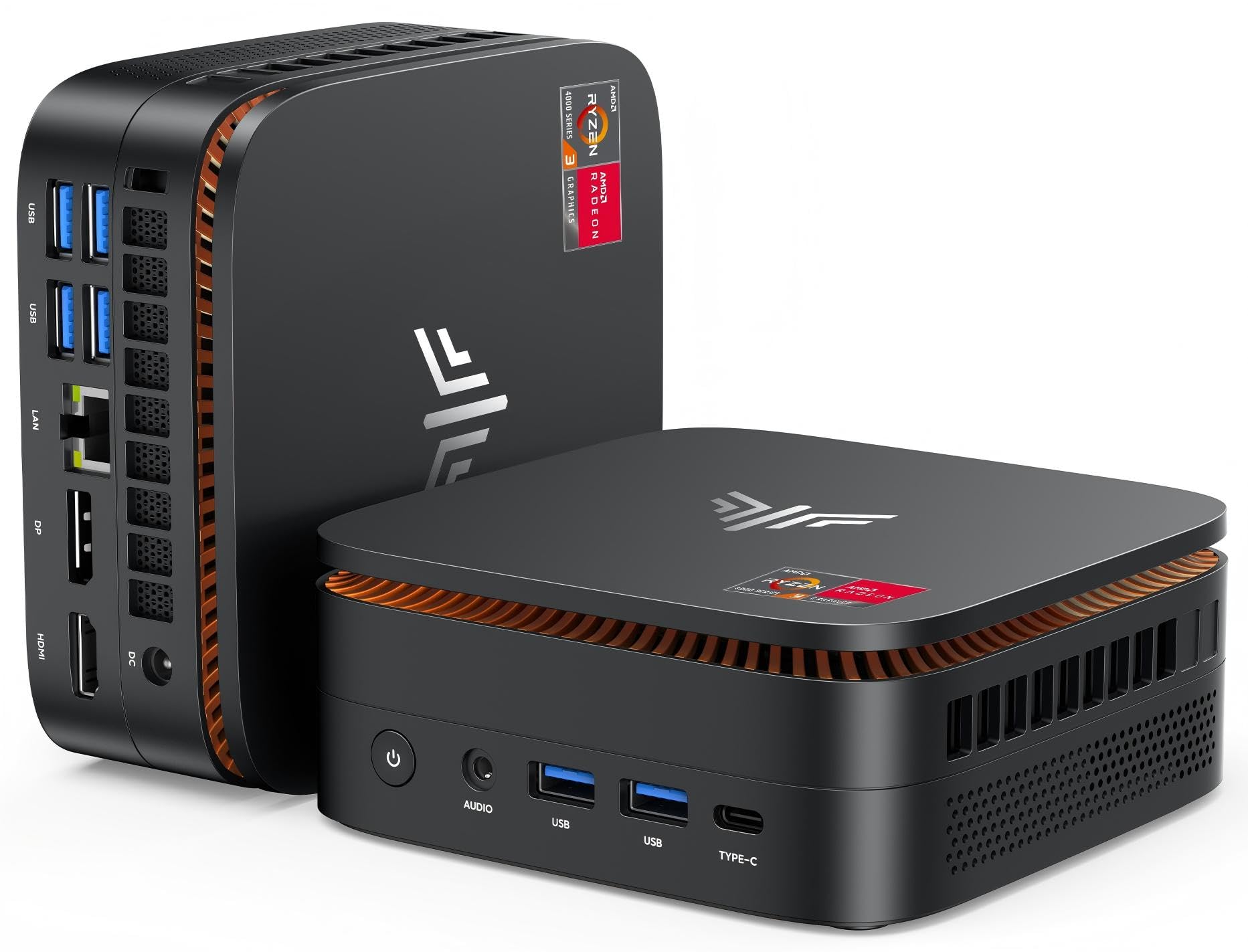
If your desk is really a corner of the kitchen table, this is the shape to buy. The KAMRUI P1 measures 5.06 x 5.06 x 2.01 inches and ships with a VESA bracket, which is the standard hole pattern on the back of most monitors — so you bolt the computer out of sight and suddenly you have one screen and one cable instead of a tower on the floor. The maker rates it at 60% less space than its AK1PLUS model, and that space saving is the entire point of the category.
The processor is an AMD Ryzen 3 Pro 7330U running up to 4.3 GHz, paired with 8GB of RAM and a 256GB M.2 SSD. For display output you get 4K at 60Hz across HDMI, DisplayPort and USB-C — 3840×2160 pixels, four times the pixel count of a standard full-HD screen — so you can run a big monitor plus a second and third screen for spreadsheets and reference windows. Wi-Fi is dual-band 2.4GHz and 5GHz with Gigabit Ethernet, and Bluetooth 4.2 handles your mouse and keyboard.
Windows 11 Pro comes preloaded, alongside support for Wake On LAN (waking the machine over the network) and Auto Power On, which means it can boot itself when power returns — useful if you run it as a small office server or a signage player. Ports are generous for the size: four USB 3.2, one RJ45 Ethernet, HDMI, DisplayPort and an audio jack. A blue light glows when it is on. Fans keep it cool, so under a long load you will hear a soft hum rather than silence.
Why it earns a spot
- Hides behind the screen with the included VESA bracket
- Three display outputs, 4K at 60Hz, so multi-monitor setups work
- Windows 11 Pro preloaded, no separate licence to sort
What to expect
- Fan cooled, so it is audible under sustained load
- 8GB of RAM is a working ceiling for heavy multitaskers
- Bluetooth 4.2 is an older standard than the newest laptops
Built for: small desks, reception counters and hidden multi-screen office setups.
Think twice if: you plan to run virtual machines or edit large video files — 8GB will fill.
4. ACEMAGIC Mini PC, Ryzen PRO 7330U, 8GB RAM, 256GB SSD, 28W
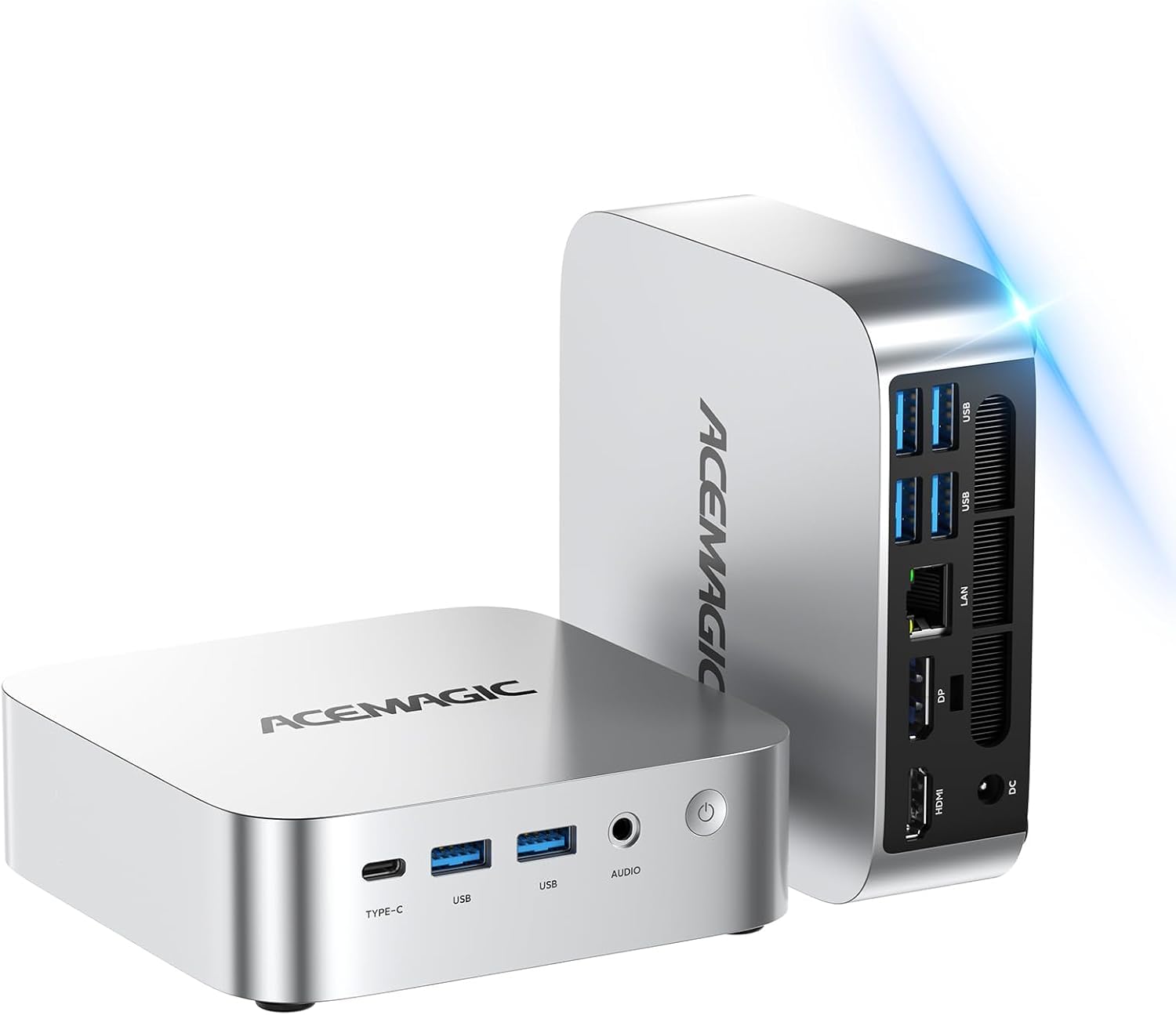
The tiny box you can open up and grow — two memory slots and two drive bays inside.
Most mini PCs are sealed for life. This one is not, and that is the reason to choose it over the KAMRUI above. Inside are two memory slots and two storage bays — an M.2 SATA slot and an NVMe PCIe 3.0 x4 slot — with the maker rating the total storage ceiling at up to 4TB. In practical terms, you can buy this with 8GB and 256GB today and add memory or a second drive in two years instead of replacing the whole machine. For a buyer who keeps a computer a long time, that flexibility is worth more than any single spec.
The processor is the same AMD Ryzen PRO 7330U, four cores and eight threads, base 2.3GHz and up to 4.3GHz, drawing a rated 28W. ACEMAGIC states its benchmark score sits 12% above the 5400U and 31% above the 5300U — both older chips — so the point is that a low-wattage part like this keeps the machine cool and quiet while still handling office work. Display output comes through USB-C with DP1.4, plus HDMI 2.0 and DP1.4, for three-screen 4K. Gigabit Ethernet, Wi-Fi 5 and Bluetooth 4.2 cover networking.
Cooling is given real attention: a high thermal conductivity aluminium chassis, an 80mm fan and a dual-exhaust design, sized to keep the 28W chip steady under sustained loads like a long home-theatre stream. The whole unit is 128.2 x 128.2 x 41mm, so it slots beside a monitor or under a TV. Windows 11 Pro is preloaded and the box includes the power adapter, HDMI cable, wall mount and screws. It carries FCC, ROHS and CE certification and a 12-month coverage window.
The upgrade math: two slots and two bays up to 4TB total means this machine ages far slower than its sealed rivals.
Worth flagging: you still start at 8GB and 256GB, so factor an upgrade in later rather than expecting it from the start.
Right for: the buyer who wants a compact office PC and intends to add memory and storage as needs grow.
Better elsewhere if: you want a machine you never open — a sealed model is simpler.
5. HP ProDesk 600G4 Tower Desktop
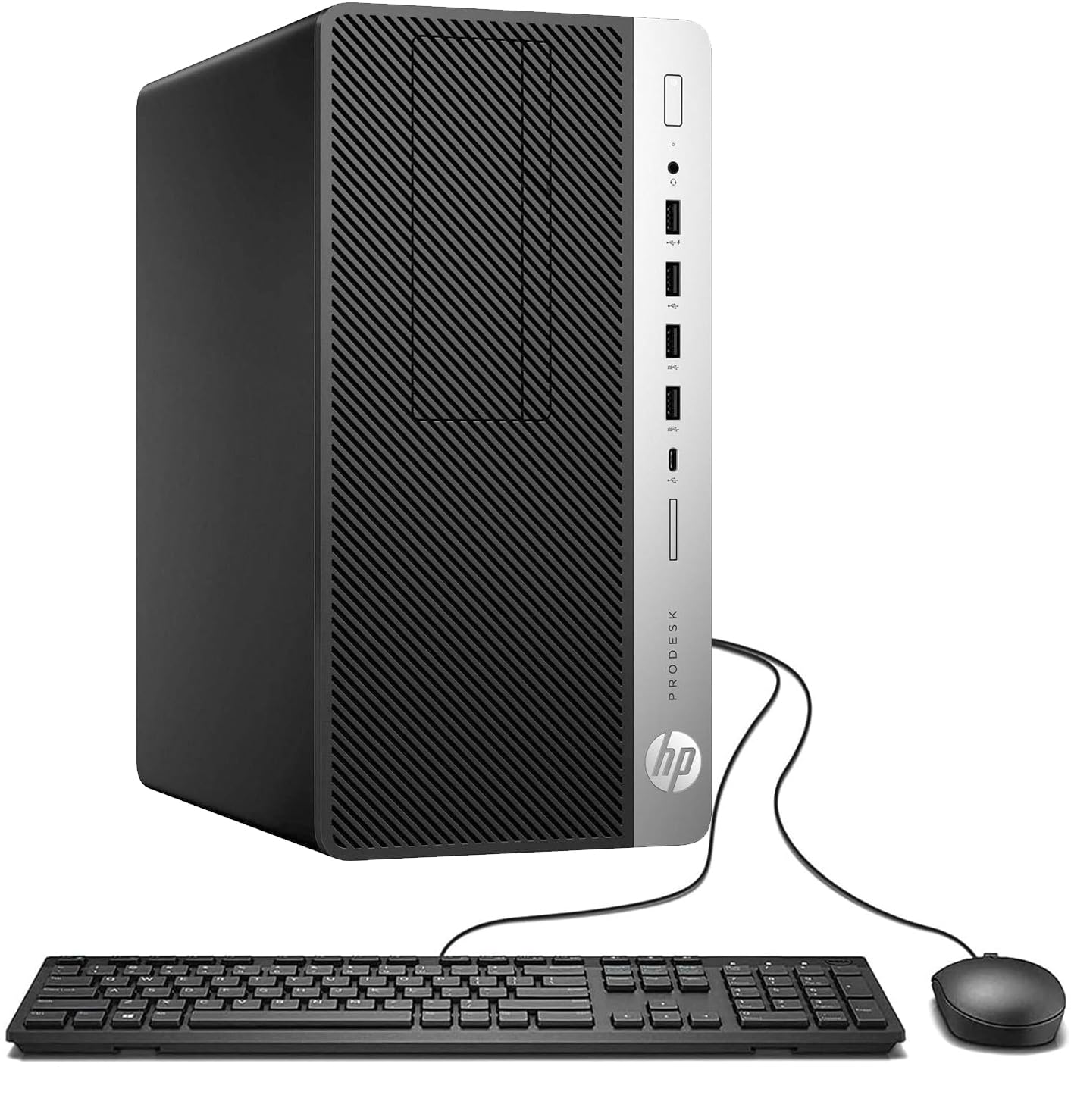
Thirty-two gigabytes of memory and a full terabyte of SSD speed for photo and video work.
This is the tower for the person whose files are big. A hexa-core 8th-generation Intel i7-8700 running up to 4.6 GHz sits alongside 32GB of DDR4 memory and a 1TB solid state drive. That combination is aimed straight at content creation — photo editing, video rendering, large spreadsheets — and the drive setup matters as much as the chip, because both booting Windows and loading a project file come off the SSD rather than a spinning disk. If you have ever waited on a laptop while a video exports, this is the machine that ends that.
The port list is unusually complete for the class: six USB 3.0, four USB 2.0, a USB Type-C, two DisplayPort outputs with 4K support, audio in and out, RJ45 Ethernet, and four internal SATA connections if you want to add more drives. Built-in Wi-Fi handles the wireless side. Since it is a tower rather than a laptop or an all-in-one, you can swap parts and add storage later, which is the long-term argument for the shape.
It arrives renewed, which is the honest caveat: someone owned this before you. Buyers consistently describe the unit as arriving in like-new condition and the setup as quick, with the speed of it being the thing that surprises people — programs open without a pause. It ships with a DVD drive and additional expansion room. Do check it thoroughly in the return window, because you are relying on the refurbisher’s quality check rather than a factory seal.
Sells itself on
- 32GB of RAM removes the ceiling on photo and video work
- 1TB SSD for fast boot plus room for big project files
- Two DisplayPort outputs and 4K support for dual screens
- Four internal SATA connections for adding storage
Know before you buy
- Renewed stock, so condition depends on the refurbisher’s check
- It is a big tower — this needs floor or deep-desk space
Choose this for: photo and video editing at a desk, where memory and storage decide your day.
Pick something smaller if: desk space is tight — this is a full-size tower, not a compact box.
6. Lenovo IdeaCentre All-in-One Desktop
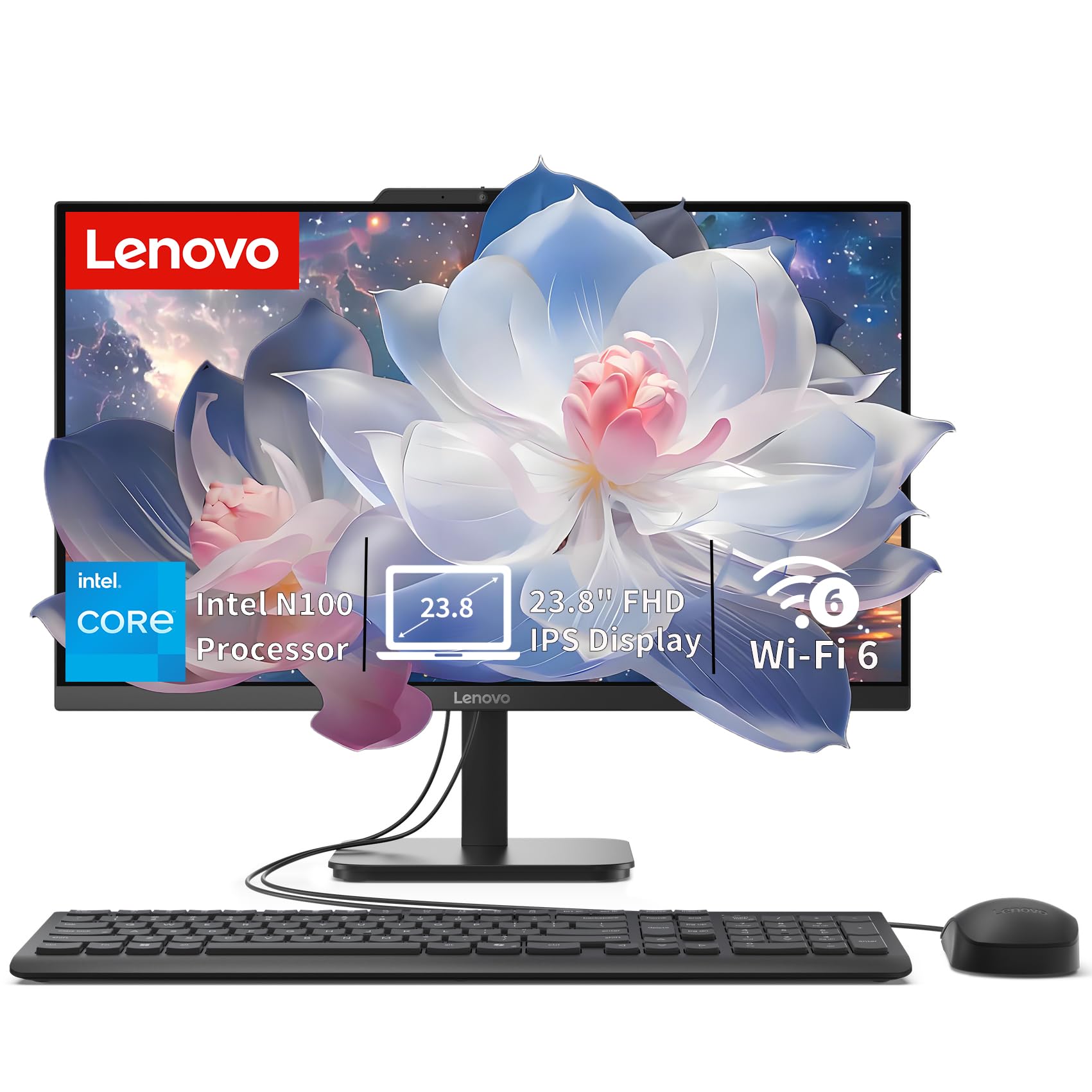
A big anti-glare screen and half a terabyte of fast storage in a single tidy frame.
For a study desk or a reception counter, the appeal here is the screen: 23.8 inches of full-HD IPS at 1920×1080 with 250 nits and 99% sRGB, finished in anti-glare so a window behind you does not turn the display into a mirror. IPS means the picture stays consistent when you view it from an angle, which matters on a shared desk. Two 2W speakers and a mono microphone with an HD camera cover video calls without extra hardware. It also ships with a USB Calliope keyboard.
Inside is an Intel N100 — four cores, four threads, up to 3.4GHz turbo with 6MB cache — backed by 8GB of DDR5 memory and a 512GB PCIe SSD. DDR5 is the newer, faster generation of memory. That 512GB drive is double what the KAMRUI mini PC gives you, and it is the reason this pick suits someone who keeps a big photo library or a lot of documents locally. The system will accept up to 32GB of memory if you decide to add more later, so the upgrade path is not closed.
Connectivity is where this scores over older all-in-ones: Wi-Fi 6 AX203 and Bluetooth 5.2 alongside Gigabit Ethernet, plus one USB-C at 10Gbps, two USB-A 2.0 and two USB-A 10Gbps, HDMI-out and a headset jack. You can run a second screen off the HDMI port, which gives you two displays in total including the built-in one. With no optical drive and a slim frame, it is built to look right on a desk rather than to be upgraded constantly. The N100 is the honest limiter — it is excellent for office work, browsing and video, and modest for anything heavier.
Where the money went: a 23.8-inch anti-glare IPS panel and a 512GB SSD, two things you will notice every single day.
The honest limit: the N100 processor is built for everyday work, so heavy editing will feel slow.
Best suited to: students, reception desks and home-office setups that want one clean, spacious screen.
Step up if: you run design software — the N100 chip is not built for it.
7. Lenovo V15 Laptop
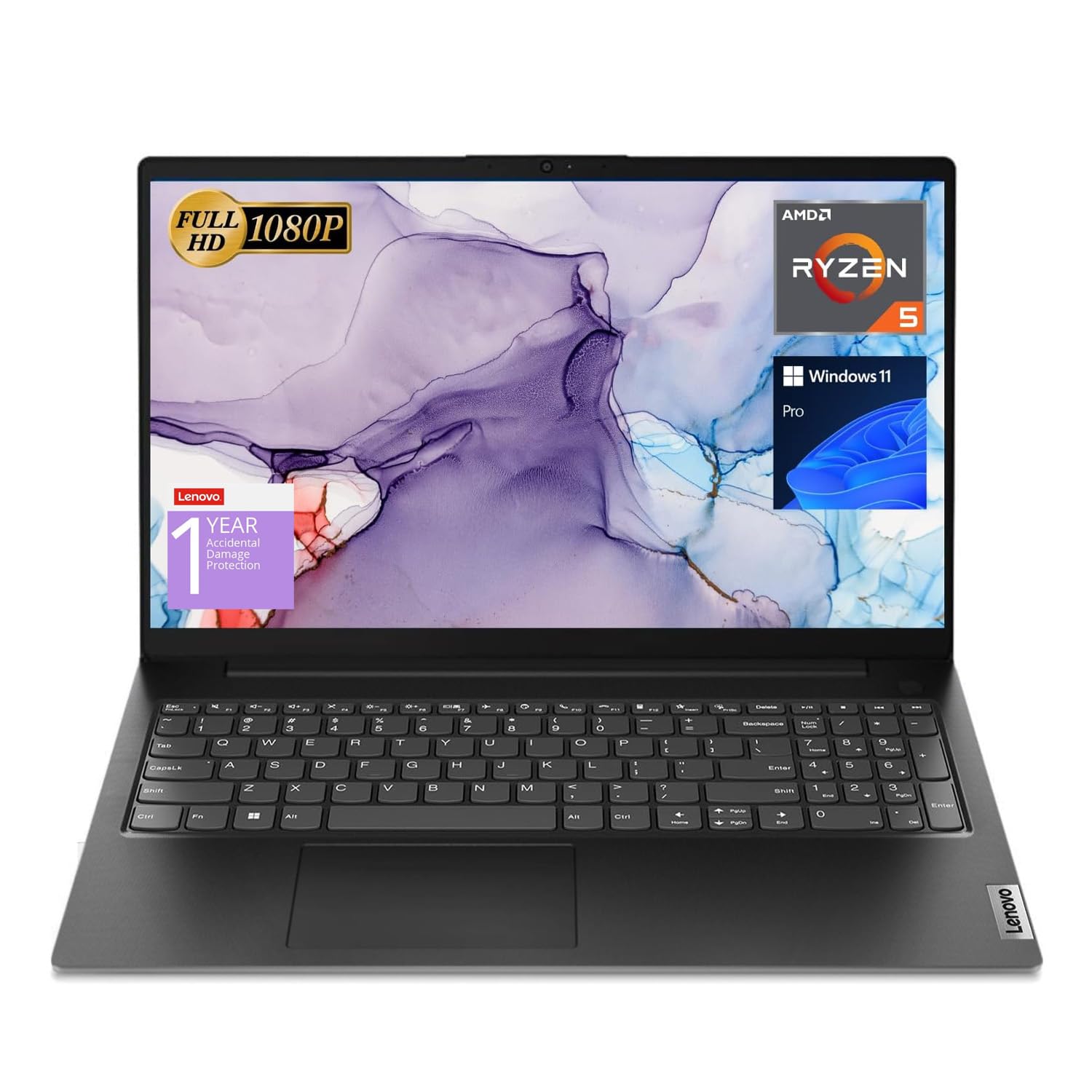
Six cores, sixteen gigabytes and half a terabyte — the laptop that stops making you wait.
If you are moving up from an entry laptop because everything got slow, this is the step. The AMD Ryzen 5 5500U is a six-core, twelve-thread chip with 8MB of L3 cache (fast memory built into the processor), running from 2.1GHz up to 4.0GHz turbo. Lenovo positions it above the Intel i7-1065G7, an older premium chip. Paired with 16GB of high-bandwidth memory and a 512GB PCIe NVMe M.2 SSD — the fastest common storage type — it opens programs quickly and keeps a pile of browser tabs and apps running without the machine giving up.
The screen is 15.6 inches at 1920×1080, a size that suits a spreadsheet or two side by side. Around the edges you get one USB 3.0 Type-A, one USB 2.0 Type-A, one USB-C, HDMI, an RJ45 Ethernet port and a headphone/mic combo — and crucially a numeric keypad, which is the quiet hero for anyone entering figures all day. Wi-Fi and Bluetooth 5.3 cover wireless, and the webcam handles calls.
Windows 11 Pro is the OS, so you also get device management, Group Policy, Assigned Access, Kiosk mode, Windows Update for Business, and Active Directory or Azure AD join. That list matters if this laptop will live on a company network; for home use it is simply extra headroom. What people actually comment on is speed and the screen size, alongside sound quality that holds up for calls and video. It is a plastic-bodied business laptop rather than a sleek consumer one, and the plain build is the price of the internals you get.
The case for it
- Six-core chip plus 16GB of RAM keeps heavy multitasking smooth
- Numeric keypad on a 15.6-inch body for data entry
- Windows 11 Pro with full business management tools
The honest trade
- Plain plastic build, not a premium-feeling laptop
- Bulky next to thin-and-light portables at this size
Go for this if: you need a fast office laptop with a number pad and a full set of business ports.
Skip the Pro tools if: you only browse and email at home — you will pay for management features you will not use.
8. HP Business Tower Desktop
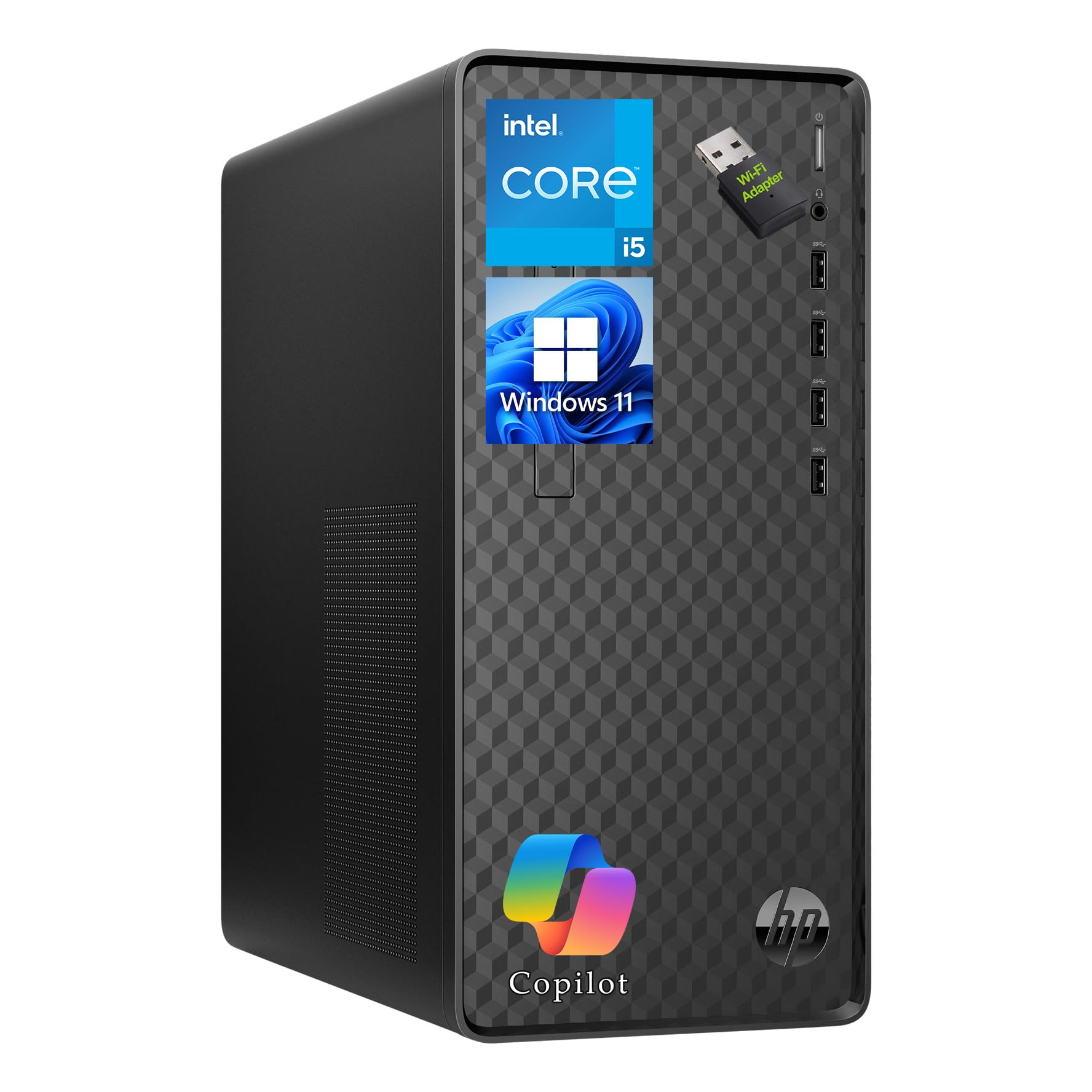
Two big numbers, 32GB and 1TB, aimed at the person who never closes an app.
Work out whether memory is your bottleneck before anything else. If your browser regularly shows a dozen-plus tabs, a spreadsheet, a chat window and a video call all at once, then 32GB of RAM answers the exact problem you have — you can leave everything open instead of managing tabs like a budget. The 1TB SSD backs that up with room for business files, project folders and presentations, and it is the drive Windows and your software boot from. This one comes with an English keyboard and mouse in the box, ready to plug in and work.
The processor is an Intel Core i5-10400 with 12MB of cache running up to 4.3 GHz, and Windows 11 Home is the operating system, with Copilot AI available for drafting, research and routine tasks. Networking gives you Gigabit Ethernet for a stable wired connection plus a USB Wi-Fi adapter for wireless. For plugging things in, there are four front USB 3.2 Gen 2 Type-A ports and four more Type-A ports on the back — enough for storage devices, printers and peripherals without a hub. The black tower measures 13.2 x 11.9 x 6.1 inches and weighs 9.26 lbs.
Two business details matter here: a security lock slot so the tower cannot walk off, and a 180W power supply that limits any dedicated graphics card you might add later. This is the pick if your bottleneck is memory, not raw processing power. If you are editing 4K video, the Core Ultra or i7 towers will finish sooner.
Why it fits the desk: 32GB of memory and eight USB Type-A ports let you run a busy office without a single adapter.
Check your plans: the 180W supply constrains any future graphics card, so buying for heavy creative work means looking up a tier.
Good match for: a small office or home worker who lives in dozens of tabs and documents every day.
Not ideal if: you plan on adding a powerful graphics card later — the 180W supply limits you.
9. Microsoft Surface Laptop
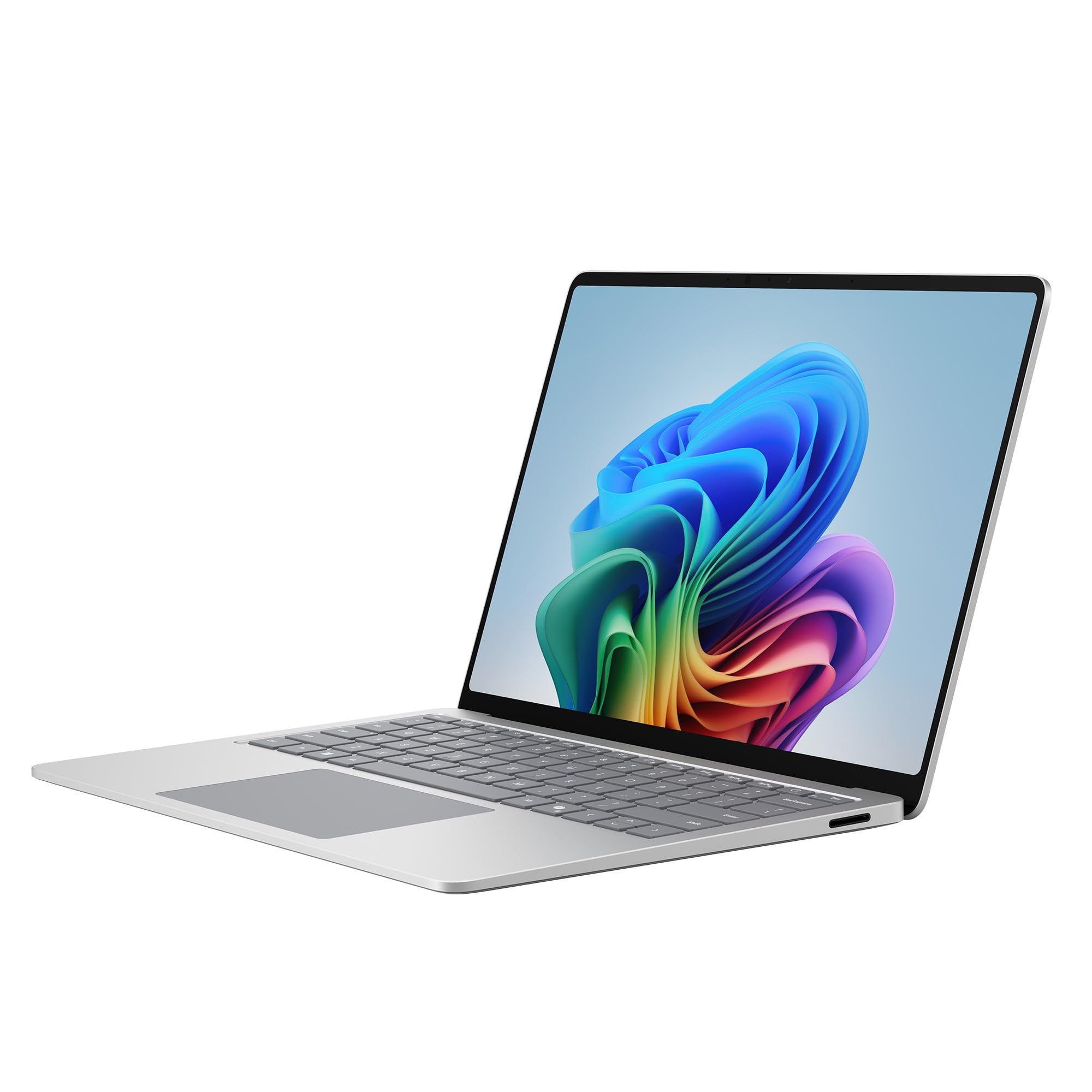
A 2880×1920 touchscreen, recycled aluminium, and a day of battery you can take anywhere.
This is the pick for someone who travels and wants the screen to be the best part of the machine. The 13.8-inch PixelSense touch display runs at 2880×1920 pixels — sharper than the 1920×1080 panels on the Dell all-in-one and the Lenovo V15 here — with an LCD panel Microsoft tunes for bright whites, deep blacks and rich saturation. At 13.8 inches it still slips easily into a bag. The chassis is a premium aluminium build made with 100% recycled aluminium alloy, so it does not flex when you lift one corner.
Inside is a Qualcomm Snapdragon X2 Elite, a 12-core processor built around AI acceleration, with 16GB of RAM and 512GB of storage. Battery is rated at 20 hours, which is the figure that changes how you use a laptop — you stop carrying a charger on day trips. Two USB-C / USB4 ports handle charging, fast data transfer and a desktop setup when you plug in a monitor. This is also a Copilot+ PC with Copilot built into Windows 11 for drafting and research help. Bluetooth 5.4 is the wireless standard here.
The aluminium chassis is the first thing buyers mention. Buyers put it in the same league as a Mac for how solid it feels, and describe everyday performance as fast and efficient. This is the newest machine on this list and, unsurprisingly, the thinnest traffic of the group in opinion volume — less crowd wisdom to lean on, which is worth knowing before you commit to a very new chip platform. Check that your essential software runs on the Snapdragon platform, since it is not the same architecture as an Intel chip, before you make it your only computer.
What stands out
- 2880×1920 touchscreen, the sharpest in this lineup
- 20-hour rated battery for a full day off the charger
- Aluminium chassis in 100% recycled alloy
- Two USB-C / USB4 ports for charging and displays
Weigh before buying
- ARM-based Snapdragon chip, so check your software compatibility
- A young platform with the least owner history of the group
The right call for: frequent travellers who want a beautiful touchscreen and a full day of battery.
Hold off if: you rely on specialist Intel-only software — verify it runs on Snapdragon first.
10. Dell Tower Desktop

The fastest chip on this list, in a tower you can open without a screwdriver.
Start with the number that separates it from everything above: an Intel Core Ultra 7-265 running up to 5.3 GHz, the highest clock speed in this entire lineup. That is the processor for someone whose work does not fit in a browser — compiling code, running local AI models, rendering, or moving very large data sets. The chip is built with AI acceleration in mind, which in practice means a growing set of Windows 11 tasks can be handed to dedicated hardware instead of the main cores. Windows 11 Home is the OS, with a hardware TPM security chip alongside it.
The rest of the machine is built to match. You get 32GB of RAM, a memory card reader, and a tool-less entry with a removable side panel — meaning you pop the case open and reach the internals without hunting for a screwdriver, so adding a drive later is a two-minute job instead of a project. Display output reaches four full-HD monitors through DisplayPort and daisy chaining, or two 4K displays through the HDMI 2.1 port and DisplayPort. The chassis is built from recycled materials, and a built-in lock slot or padlock loop lets you secure it if it sits in a shared office.
Owners describe it as working perfectly from the moment it is switched on, with speed and quiet running both coming up regularly, and the value argument landing hard: the parts inside would be awkward to buy and assemble yourself for the same money. The honest caveat is the USB layout, the most criticized detail on this machine — check that your peripherals fit rather than assuming eight ports means eight convenient ports. Connectivity in general gets a mixed read. A year of onsite service is included, so Dell sends a technician to you if a covered hardware fault cannot be fixed remotely.
The headline specs
- Core Ultra 7-265 at up to 5.3 GHz, the fastest here
- Tool-less entry so upgrades take minutes, not an afternoon
- Four FHD monitors or two 4K displays supported
- Runs quietly under load and includes a year of onsite service
Set expectations
- No display included — you supply the monitor
- USB port layout draws the most complaints of any feature here
- No fingerprint reader, so sign-in is by password or PIN
Made for: heavy creative, development or AI-assisted work where 5.3 GHz and 32GB of memory both get used.
Overkill if: you browse, email and stream — a mini PC or all-in-one covers that for far less.
Know the Specs
Processor speed and cores
The GHz figure (gigahertz — how many cycles the chip runs per second) is the number printed biggest on the box, and it is only half the story. Cores are the separate work streams inside one chip; more cores means more programs can run at once without taking turns. A six-core or twelve-thread chip like the Ryzen 5 in the Lenovo V15 handles a busy desk better than a two-core entry chip, even when the entry chip’s GHz number looks competitive. Read the two together, never one alone.
SSD versus eMMC storage
An SSD is storage with no moving parts, and a PCIe NVMe SSD is the fastest common type, reading files many times quicker than an older spinning drive. eMMC is flash memory soldered to the board: cheaper, slower, and not upgradable. Both feel fine on day one and diverge sharply in year two, because Windows updates and grows. If you plan to keep the machine for years and open big files daily, prioritize an SSD at 512GB or more and treat 128GB of eMMC as short-term storage only.
Common Questions
Can a mini PC run two or three monitors at once?
Is a renewed Windows 11 computer as good as a new one?
How much RAM do I need for Windows 11?
What is the difference between Windows 11 Home and Windows 11 Pro?
Will an all-in-one desktop let me upgrade the memory or storage?
Do I need a graphics card for photo and video editing?
Can I add more storage to a mini PC later?
Is a laptop with a Snapdragon chip a real Windows 11 computer?
Will a touchscreen laptop replace a desktop for office work?
How many USB ports should a Windows 11 desktop have?
The Bottom Line
For most buyers, the windows 11 computer that gets the balance right is the Dell 23.8″ All-in-One, because it hands you the screen, the computer, the speakers and the camera in one frame along with a keyboard, a mouse and a year of onsite service. If you would rather spend your money on raw capability, the Dell Tower with the Core Ultra 7-265 at up to 5.3 GHz is the fastest thing here, and the HP ProDesk 600G4 is the creator’s route with 32GB and a 1TB SSD. And for a desk that has no room for a tower at all, the KAMRUI Pinova P1 disappears behind your monitor and still drives three 4K screens. The one nudge worth giving: this all-in-one draws the most consistent owner praise of the group, and the gap to the cheaper entry options shows up in daily use rather than on the spec sheet.
How we choose
We do not accept paid placement. Every pick is matched to a real buyer and a real use-case; we do not hands-on test units.
Sources
Specifications: manufacturer listings and product documentation. Review insights: verified customer reviews, as of November 2026. Pricing: not shown on this page (it changes often); check the current price via the retailer link.
As an Amazon Associate, Tactical Gear Guy earns from qualifying purchases. This does not affect which products we feature.