Specs are compiled from manufacturer listings and verified buyer reviews and can change over time — please confirm the key details on the product page before buying.
You do not need to spend big — you need a router that holds a steady 5GHz signal through walls and keeps every phone, TV and console connected at once. That is what a good dual-band Wi-Fi router does, and this list covers the ones that deliver it, including the crowd favorite rated 4.5+ stars across 300+ owner reviews. Below you get the real differences that matter — speed on the 5GHz band, how much square footage it truly covers, how many devices it juggles, and the honest catch on each one.
This guide is built by comparing the manufacturers’ published specifications and the patterns across verified customer reviews, so you get each pick’s real strengths and trade-offs instead of marketing spin.
Every pick here runs both the 2.4GHz band for distance and the 5GHz band for speed. That split is the whole point of a dual-band router, and it decides whether your video calls stutter. Read on for the best dual band wi-fi router picks, matched to your home’s square footage and device count.
Top Picks


How To Choose The Best Dual Band Wi-Fi Router
Start with the range-versus-speed split. A dual-band router broadcasts on two lanes at once: 2.4GHz (a slower lane that pushes through walls and reaches far) and 5GHz (a faster lane that carries more data but fades sooner). Your devices pick the best lane for the job, so a well-tuned pair keeps a doorbell camera working out back and a 4K stream running smooth in the living room.
Coverage in square feet beats a big speed number
A router rated for 1,400 square feet is sized for a compact home or apartment. One rated at 2,000 to 2,500 square feet is built for a house with interior walls. Match this figure to your floor plan first, because a fast router that cannot reach your office is still a dead zone. Beamforming — a feature that steers the signal toward your devices instead of spraying it evenly — helps, but square footage is the honest starting point.
Count your devices, not just your people
Every phone, laptop, smart TV, console, thermostat and security camera holds a connection at once. A router rated for 20 devices can feel tight in a busy home, while one rated for 25, 60 or even 200 has headroom for the next gadget you bring home. This headroom is why two routers with similar speeds can feel very different on a Friday night.
Wi-Fi 6, Wi-Fi 7, and the ports that feed them
Wi-Fi 6 (the 802.11ax standard) is mature, widely supported, and plenty for streaming and gaming today. Wi-Fi 7 (802.11be) is the newer standard and only pays off if your phones and laptops support it. Also check the WAN port — the one the modem plugs into. A 2.5G WAN port can feed faster internet plans, while a 1G port caps you at gigabit speeds.
Do you want app control or open firmware?
Some routers set up in minutes through a phone app, which suits most homes. Others run OpenWrt — a free, open router operating system that lets you install thousands of add-ons and VPN tools if you like to tinker. Neither is better overall; they suit different owners.
Side-by-Side Comparison
| Model | Best For | Speed Rating | Coverage | Device Limit | Amazon |
|---|---|---|---|---|---|
| Cudy AX3000 WR3000S★ Best Overall | Open firmware on a budget | AX3000 (2402 Mbps 5GHz) | 1,400 sq. ft. | 200 devices | Amazon |
| NETGEAR Nighthawk RAX30Budget Champion | Simple setup, modest homes | AX2400 (2.4 Gbps) | 2,000 sq. ft. | 20 devices | Amazon |
| GL.iNet Beryl AX (GL-MT3000)Travel Pick | Travel and VPN | AX3000 (2402 Mbps 5GHz) | Compact travel unit | — | Amazon |
| NETGEAR Nighthawk RAX36 | Big houses, many devices | AX3000 (3 Gbps) | 2,000 sq. ft. | 25 devices | Amazon |
| TP-Link Archer AX73 | High-throughput streaming | AX5400 (5378 Mbps) | 2,000 sq. ft. | — | Amazon |
| TP-Link Archer BE220 | Entry Wi-Fi 7 setups | BE3600 (3.6 Gbps) | 1,800 sq. ft. | 60 devices | Amazon |
| ASUS RT-BE82U | Mesh-ready Wi-Fi 7 homes | BE6500 (6500 Mbps) | Extended coverage | — | Amazon |
| Synology WRX560 | Network security and control | Wi-Fi 6 (2.5G Ethernet) | Extended coverage | — | Amazon |
Detailed Reviews
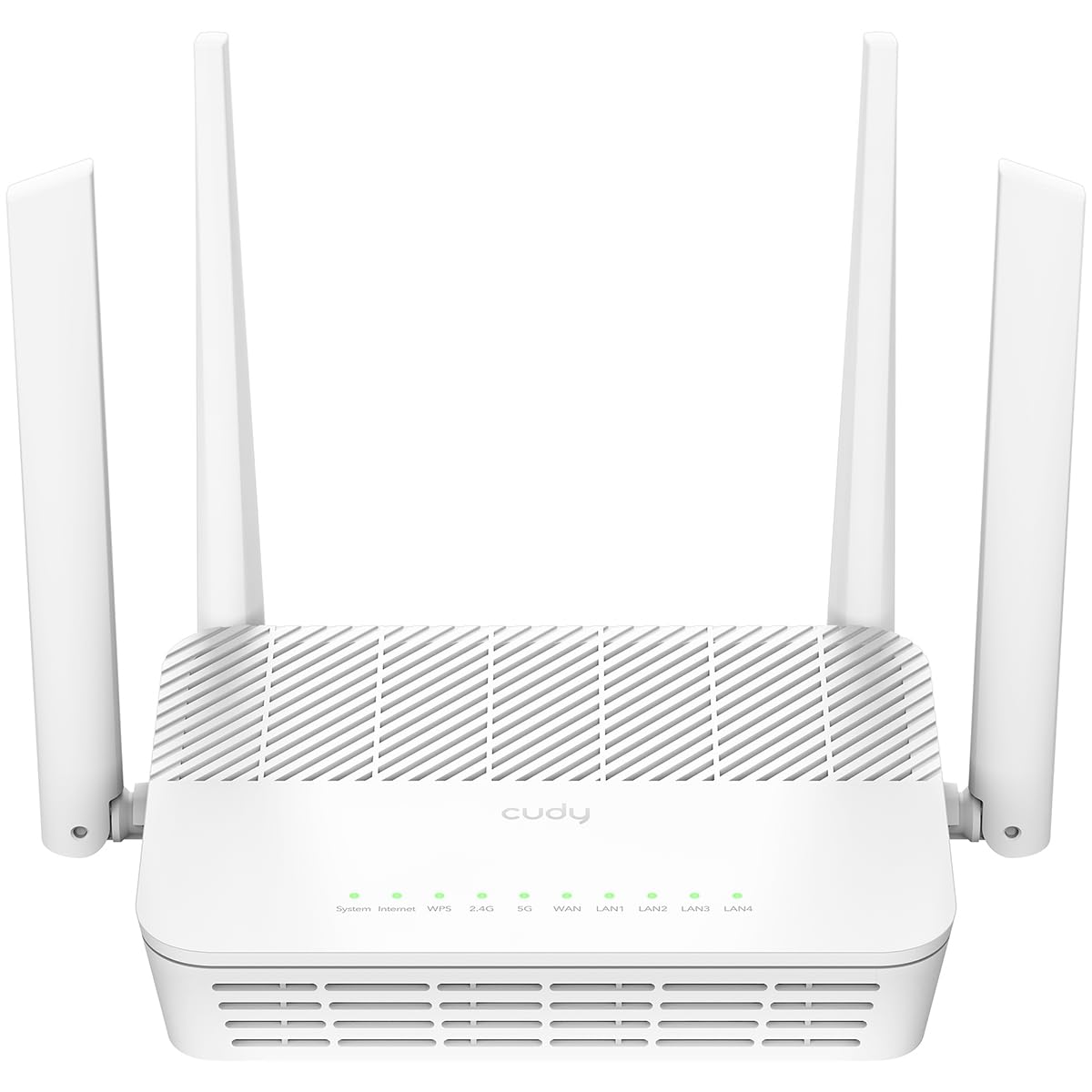
1. Cudy AX3000 WR3000S Wi-Fi 6 Router
Our pick — 4.5+★ from 300+ verified ratings; the strongest balance of quality and price.
The tinkerer’s router that quietly undercuts far pricier boxes on speed and ports.
If your home is a compact house or apartment — the kind where 1,400 square feet covers everything — this is the dual-band router to beat. It pushes 2402 Mbps on the 5GHz band (the fast lane that carries your 4K streams) and 574 Mbps on 2.4GHz (the long-reach lane for your doorbell and garage camera). For a 1,400-square-foot home, 2402 Mbps on 5GHz outruns most internet plans anyway.
The wired side is where it punches hardest. You get 1 Gigabit WAN port and 4 Gigabit LAN ports — five 1G ports total — so your desktop, console, TV and NAS can all run on cable instead of fighting over the air. A 1.3GHz dual-core CPU (the router’s brain) handles the load, and the spec sheet rates it for up to 200 recommended devices with a maximum capacity of 512. Three efficiency tricks — OFDMA, MU-MIMO and BSS Color — let it serve many devices at once without bogging down. In plain terms, the family phone, the kids’ tablets and the streaming stick all get served at once instead of taking turns. Compare that reach to the NETGEAR RS200’s 2,500 sq. ft. and you can see which one a large spread-out house should choose.
OpenWrt support is the headline for anyone who likes control: you can flash Cudy’s firmware and run OpenWrt, adding packages and VPN tools on your terms. Cudy Mesh expands coverage later with wired or wireless backhaul, and it doubles as an access point, range extender, WISP or client if your setup changes. Setup runs through the Cudy app and cloud control, with WireGuard, OpenVPN, IPsec, ZeroTier, PPTP and L2TP VPN support plus WPA3 security. The catch worth knowing: the coverage rating is the smallest on this list, so a long, multi-floor home is a stretch without adding a mesh node.
Where It Wins
- Five 1G ports (1 WAN plus 4 LAN) for wired gaming and work
- OpenWrt-ready for plug-in and VPN customization
- Rated for up to 200 devices with a 512 ceiling
- 1.3GHz dual-core CPU handles multitasking
What To Weigh
- 1,400 sq. ft. coverage suits compact homes, not sprawling layouts
- Fixed antennas mean no repositioning the signal
Built for: the smaller home or apartment owner who wants fast dual-band Wi-Fi plus wired ports and OpenWrt flexibility in one box.
Think twice: if your house runs past 1,400 square feet, plan on a Cudy mesh node to fill the edges.
2. NETGEAR Nighthawk RAX30 AX2400
A familiar black tower that trades raw speed for a simple, cheap way onto Wi-Fi 6.
For an apartment or a small two-bedroom, the RAX30 sets the value bar. It delivers AX2400 speeds up to 2.4 Gbps across a coverage rating of 2,000 square feet, and it pairs that with 4 x 1G Ethernet ports for anything you would rather wire. Its transfer rate of 2400 Mbps trails the 3000 Mbps on the Nighthawk RAX36 above it, so if you want the faster lane, that is the step up.
Setup is the usual NETGEAR Nighthawk experience — plug it into your modem, follow the app, and you are online. Speed tests bear out the wired performance: it hardwired at 300 mbps, and the 5GHz band reached about 200Mbps. The router also ships with automatic firmware updates and Advanced Router Protection built in, so it maintains itself without you hunting for patches.
The honest catch is the device count. It is rated for 20 devices, which is comfortable for a couple with a TV, a laptop and a couple of phones, but tight once smart plugs and cameras pile on. A few owners have also noted devices that will not join the network — a reminder that older gadgets sometimes need a 2.4GHz-only setup. If your home is groaning with connected gear, jump to the RAX36 and its 25-device limit instead.
Fair for the size: 2,000 square feet of dual-band Wi-Fi 6 with built-in firmware updates is a lot of signal for a modest setup.
The limit to know: 20 devices is the real ceiling — count your plugs, cameras and consoles before you commit.
Your pick if: you live in a smaller place, want set-and-go Wi-Fi 6, and are not yet stacking dozens of smart gadgets.
Look elsewhere if: you are already past the 20-device mark — the RAX36 gives you five more slots.
3. GL.iNet Beryl AX (GL-MT3000) Travel Router
A pocket-sized dual-band router that keeps your traffic encrypted from any hotel room.
This is the dual-band router you pack, not the one that lives on your shelf. The Beryl AX runs 574Mbps on 2.4GHz and 2402Mbps on 5GHz, and it slips into a bag at roughly the size of a thick paperback. It is the travel-first choice here, and unlike the home routers on this list it is built for a nightstand in a rental or a desk in an office you do not trust.
Its real talent is VPN. OpenVPN and WireGuard come pre-installed, it works with 30+ VPN providers (active subscription required), and it can encrypt every device on the network the moment you log in. Measured throughput lands at 200 to 300 Mbit per second, and the VPN itself tops out at 150 Mbps over OpenVPN and 300 Mbps over WireGuard — enough for smooth streaming and video calls. It can even run a VPN server and client at once, so you can reach a printer back home while browsing through a tunnel. The 2.5G WAN port and 1G LAN port keep the wired side quick.
You also get OpenWrt 21.02 firmware with access to more than 5,000 ready-made plug-ins, plus a physical toggle you can set to fire up AdGuard Home or a VPN with one flick. Security is covered with WPA3, DNS over HTTPS and DNS over TLS. The trade-off is range: this is a pocket unit, not a whole-home broadcaster, so treat it as your travel and VPN router and keep a dedicated home box for the house.
The Reason To Pack It
- 2,402 Mbps on 5GHz in a genuinely portable body
- Pre-installed OpenVPN and WireGuard for encrypted travel Wi-Fi
- 2.5G WAN plus 1G LAN and USB 3.0 port
- Physical switch for AdGuard or VPN at a moment’s notice
The Honest Trade
- VPN speed caps at 150 Mbps (OpenVPN) / 300 Mbps (WireGuard)
- VPN providers need an active subscription
- Range suits a room, not a whole house
Great match for: frequent travelers and remote workers who want encrypted Wi-Fi anywhere they land.
Less ideal for: someone replacing a living-room router for a large home with no mesh plans.
4. NETGEAR Nighthawk RAX36 AX3000

The steady, boring-in-a-good-way pick for a busy 2,000-square-foot house that needs signal in every room.
The RAX36 wins the reliability argument outright, and owners confirm it keeps pushing signal to the far corners of a large home. It runs AX3000 speeds up to 3 Gbps with WiFi 6, covers up to 2,000 square feet, and supports up to 25 devices. Against its smaller sibling, the RAX30, that is 3000 Mbps versus 2400 Mbps and 25 devices versus 20 — a clear step up on both counts for a busier home.
It also carries a stronger signal profile than its little brother on paper. The coverage figure matches the RAX30’s 2,000 square feet, but the extra device headroom and the higher 3000 Mbps transfer rate make it the better fit once several streaming sticks, consoles and cameras are competing. It works with any internet provider up to 1Gbps, and it plugs straight into your existing cable, satellite, fiber or DSL modem — just note it does not include the modem itself.
The one wrinkle owners run into is that occasional stubborn device that will not link up, usually a smart-home gadget that prefers a separate 2.4GHz lane. It is a small snag, and the reliability record around it is strong. Ideal if you want one router that stays online without fuss across 25 devices.
The standout: 3 Gbps and 25 devices with a 2,000 square-foot reach is a tidy balance of speed and capacity.
The catch: some older smart devices may need a 2.4GHz-specific setup before they join.
Buy this when: your household has 15 to 25 devices and you want one rock-solid dual-band router with no mesh complexity.
Consider the step up when: you have already maxed out 20 devices — this gives you five more, but the Wi-Fi 7 options add far more headroom.
5. TP-Link Archer AX73 AX5400

The throughput heavyweight for homes that stream 4K on several TVs and game online at once.
For raw dual-band throughput, the Archer AX73 towers over the rest of this list. It is rated AX5400, with a transfer rate listed at 5378 Mbps and up to 5400 Mbps of total Wi-Fi speed for simultaneous browsing, streaming, gaming and downloads. Compare that to the RAX30’s 2400 Mbps and the gap is obvious — this is the pick for a house that never stops competing for bandwidth.
The 5GHz band gets the star treatment here: 4T4R (four streams in, four streams out) and HE160 technology push the 5GHz lane toward a max of 4.8 Gbps. Six antennas, high-power FEM (front-end modules that boost the signal) and beamforming combine to cover up to 2,000 square feet, concentrating strength on your devices instead of losing it. MU-MIMO and OFDMA let it serve many devices at once, and improved vents help it run cooler under load.
There is a USB 3.0 port for shared media and private cloud storage, plus TP-Link HomeShield for security scans, IoT device identification, basic parental controls and QoS. Setup runs on the app and reviewers consistently call the interface simple to navigate. The caveat is support: the HomeShield free tier is basic, and the richer protections sit behind a subscription.
Where it shines: 5378 Mbps of dual-band Wi-Fi 6 with a 4T4R, HE160 5GHz setup and six antennas for 2,000 square feet of coverage.
What to plan for: the free HomeShield protections are the basics — premium features need a subscription.
Matches best with: heavy-streaming, heavy-gaming homes that want maximum Wi-Fi 6 throughput and a USB share drive.
Probably not for: someone who only needs to keep a few devices online — simpler picks cover that comfortably.
6. TP-Link Archer BE220 BE3600
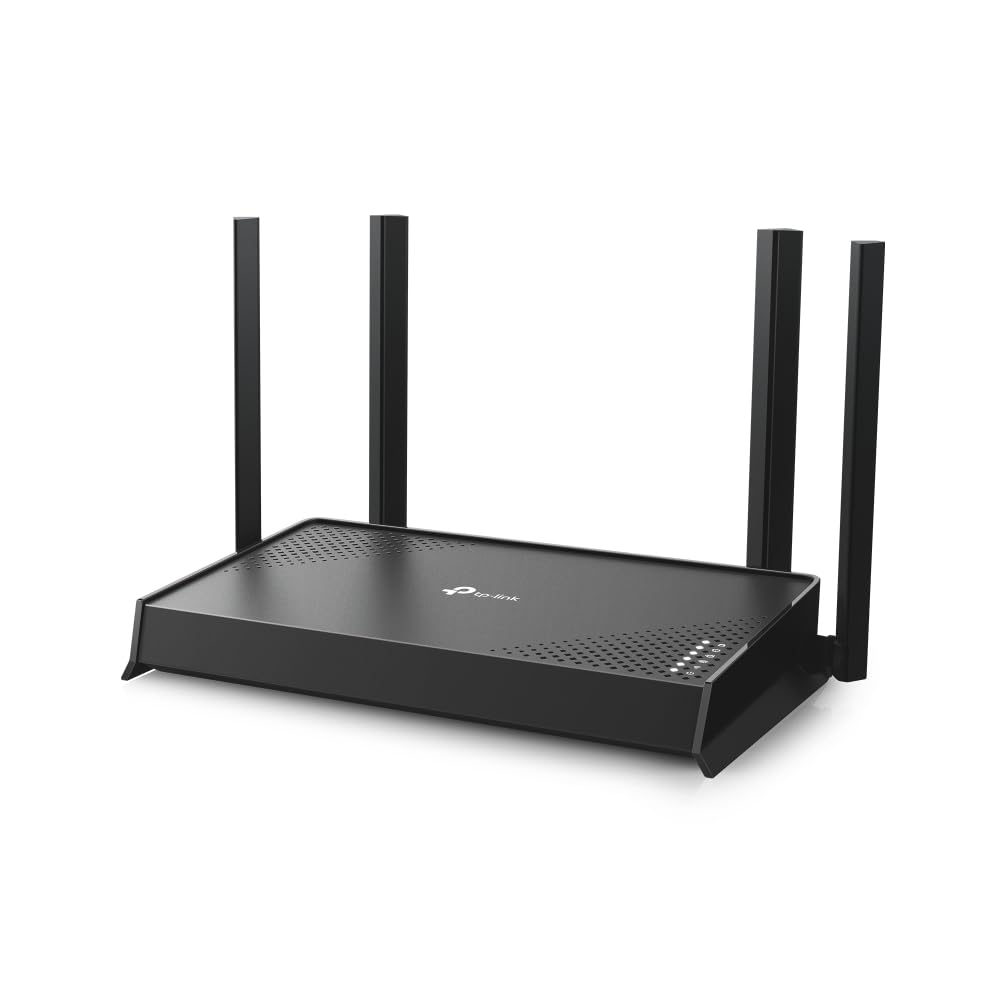
Your first Wi-Fi 7 router without the steep entry fee — and a 60-device budget.
If you want onto the Wi-Fi 7 standard without paying flagship money, the BE220 is the sensible first step. It delivers 3.6 Gbps of total bandwidth, split as 2,882 Mbps on the 5GHz band and 688 Mbps on 2.4GHz. Note the trade: dual-band Wi-Fi 7 skips the 6GHz band entirely, so you are getting the newer standard’s efficiency without that extra lane.
Where it earns its place is device count. It covers up to 1,800 square feet for up to 60 devices at a time — a big jump over the 20 to 25 device limits of the older Nighthawk boxes above. Four external antennas and beamforming steer the signal toward hard-to-reach corners, and the 1 Gbps WAN/LAN port plus four 1 Gbps LAN ports feed PCs, consoles and switches. Multi-link operation uses multiple bands at once for a steadier connection, and it is tuned for Wi-Fi 7 laptops and phones.
Setup and management run through the Tether app, and it is EasyMesh-compatible — though not with Deco systems — so you can expand later. TP-Link HomeShield adds network protection and parental controls, and TP-Link’s CISA Secure-by-Design pledge signals a security-first design approach. The limit to keep in mind is speed versus the top-end picks: at 3.6 Gbps total it is a value Wi-Fi 7 unit, not the fastest on the page.
Why It Fits
- Wi-Fi 7 standard with 3.6 Gbps total bandwidth
- Rated for 60 devices across 1,800 sq. ft.
- Five 1 Gbps ports (1 WAN/LAN plus 4 LAN)
- EasyMesh-compatible for later expansion
Read This First
- No 6GHz band — dual-band Wi-Fi 7 only
- Not compatible with TP-Link Deco mesh systems
- 3.6 Gbps trails the premium Wi-Fi 7 picks here
Good fit for: a busy family home with lots of phones and TVs that wants Wi-Fi 7 headroom without a big outlay.
Better to look on if: you need maximum throughput or the 6GHz band — the higher-end picks deliver more.
7. ASUS RT-BE82U Wi-Fi 7 Router
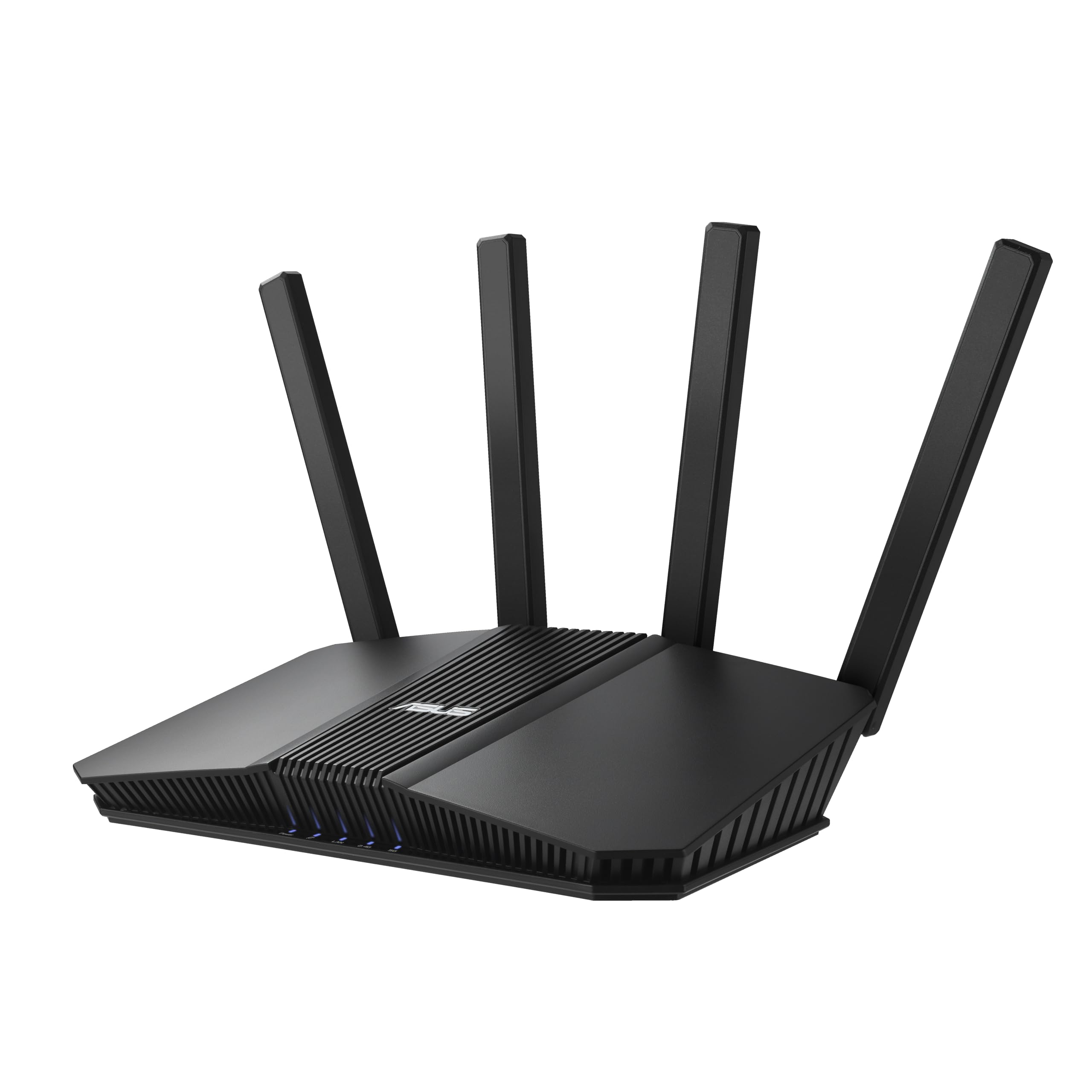
A five-port wired beast that grows into a mesh network when one router is not enough.
For wired-dense setups, the RT-BE82U leads with ports no one else here matches: five 2.5GbE ports that prioritize traffic and speed up every wired connection — desktop, NAS, console, whatever you can plug in. On top of that it is a Wi-Fi 7 dual-band router rated up to 6500 Mbps, with 4096-QAM boosting transmission speed on a single band. That wired flexibility is the reason to pick it over the TP-Link BE220 and its 1G ports.
Setup works from the start. The review pages make the point that a network reconfiguration can take under 20 minutes, and the signal strength is strong enough to clear up buffering problems in the home. When you want more reach, AiMesh lets you add ASUS extendable routers for whole-home roaming with advanced features carried across the network.
Security runs through AiProtection Pro, powered by Trend Micro, with a one-tap security scan and Safe Browsing. The trade to weigh: this is the most wired-capable pick here, but with a 4.0+ rating it is not the highest-scored, and the premium price mostly buys you those 2.5GbE ports and the mesh path. If your home is already one router’s worth of coverage, the simpler options cover you for less.
The Case For It
- Five 2.5GbE ports — the most wired flexibility on this list
- Wi-Fi 7 up to 6500 Mbps with 4096-QAM
- AiMesh extendable for whole-home coverage later
- AiProtection Pro with Trend Micro and a one-tap scan
Worth Knowing
- Premium-priced, so the value is in the 2.5GbE ports
- Coverage is listed as extended, not a specific square footage
Reach for this if: you wire up desktops and a NAS, want Wi-Fi 7 speed, and plan to add mesh nodes over time.
Step back if: you need a single-room router on a simpler budget — the extra ports go unused.
8. Synology WRX560 Wi-Fi 6 Router

The control-minded router that treats your home network like a small office.
If security and separation matter more to you than raw speed, the WRX560 is the pick. It is a dual-band Wi-Fi 6 router with a configurable WAN/LAN 2.5GbE port for fast wired and wireless transfers, plus a whole stack of network-security tools: Threat Prevention, VLAN segmentation (which keeps different devices on separate virtual networks so a smart plug cannot touch your laptop), and WPA3. That security stack is far deeper than the app-first picks above.
It also stands alone as a security-and-filtering hub. Parental controls and web filtering keep the family side managed, and the DS router app walks you through setup and ongoing management from your phone. It can run as a standalone router or fold into a mesh system for whole-home coverage, so it meets you where your setup is.
The rough patch is connectivity. While throughput is strong for many owners, a share of them report trouble getting devices to connect, and the overall score sits lower than the crowd favorites here. If you want bleeding-fast gaming throughput first, this is not that router. If you want to segment devices, filter the web and run threat protection, its tools are the most capable of the group.
Strongest talent: VLAN segmentation, Threat Prevention and WPA3 give you real network separation most home routers skip.
The catch to own: device-connection trouble hits some buyers, so test every gadget at setup before you rely on it.
Fits you if: you value security controls, device separation and parental filtering over peak gaming speed.
Skip the fit if: your priority is maximum throughput for gaming — the high-speed picks serve that better.
Know the Specs
AX, BE and the speed rating
The letters tell you the Wi-Fi generation. AX means Wi-Fi 6, the mature standard that covers streaming and gaming comfortably today. BE means Wi-Fi 7, the newer standard that adds speed and efficiency features, but only pays off if your phones and laptops support it. The number after it (AX3000, BE6500) is the combined speed rating across bands — treat it as a potential ceiling, since your real speed depends on your internet plan and distance.
2.4GHz vs 5GHz on a dual-band router
A dual-band router runs two lanes. The 2.4GHz band is slower but reaches farther and pushes through walls, which suits smart-home gadgets and outdoor cameras. The 5GHz band is much faster but fades sooner, so it suits devices close to the router — a 4K TV, a gaming console, a work laptop. Your router helps each device pick a lane, which is why both bands together beat a single-band router for a mixed home.
Coverage in square feet and device limits
These are the two specs that predict whether your back room stays connected. A coverage figure of 1,400 square feet fits a compact home; 2,000 to 2,500 square feet suits a house with interior walls. The device limit tells you how many phones, TVs, cameras and plugs the router is rated to handle at once. More devices and more square footage mean less buffering when everyone is home at the same time.
The WAN port and your internet plan
The WAN port is the socket your modem plugs into, and it caps the internet speed the router can accept. A 1G port works perfectly with a gigabit plan. A 2.5G port allows faster multi-gig plans — if your modem and plan support them. Match this port to your plan, because paying for multi-gig through a 1G port wastes both the plan and the router.
Common Questions
Will a dual-band router work with my existing cable modem?
Do I lose the 6GHz band by choosing a dual-band router?
What is OpenWrt and should I care about it?
How many devices can each router really handle?
Is Wi-Fi 7 worth it over Wi-Fi 6 right now?
What is a 2.5G WAN port and do I need one?
Can I add a second unit to extend coverage later?
What is a VPN router and why do travelers pack one?
Does more antennas or higher speed always mean better Wi-Fi?
What do VLAN segmentation and Threat Prevention do on a home router?
The Bottom Line
For most homes, the dual band wi-fi router winner is the Cudy AX3000 WR3000S because it pairs 2402 Mbps on the 5GHz band with five Gigabit ports and OpenWrt flexibility in one compact box. If your house runs bigger or busier, grab the NETGEAR Nighthawk RAX36 — its 3 Gbps speed and 25-device headroom keep a larger home covered. And for travel, the GL.iNet Beryl AX puts encrypted Wi-Fi in your pocket.
One honest nudge: the Cudy is the strongest combination of speed, ports and OpenWrt support at the entry tier, and it is the one to start with if your home fits 1,400 square feet. If it does not, the RAX36 is the safer reach for a busy family house.
How we choose
We do not accept paid placement. Every pick is matched to a real buyer and a real use-case; we do not hands-on test units.
Sources
Specifications: manufacturer listings and product documentation. Review insights: verified customer reviews, as of July 2026. Pricing: not shown on this page (it changes often); check the current price via the retailer link.
As an Amazon Associate, Tactical Gear Guy earns from qualifying purchases. This does not affect which products we feature.