Specs are compiled from manufacturer listings and verified buyer reviews and can change over time — please confirm the key details on the product page before buying.
If your video call freezes in the back bedroom and the garage door camera drops every other night, a Wi-Fi 7 router is the upgrade that actually fixes it. Wi-Fi 7 (also called 802.11be) is the newest wireless standard, and it adds a third lane of airspace plus a trick called Multi-Link Operation that lets a device talk on two bands at once. In practice that means fewer video-call freezes, more devices connected at once, and a home network that stops being the slow part. Below are nine routers that genuinely deliver it, sorted by what each one is actually good at.
This guide is built by comparing the manufacturers’ published specifications and the patterns across verified customer reviews, so you get each pick’s real strengths and trade-offs instead of marketing spin.
Some of these are pocket-sized boxes for hotel rooms, others are quad-band monsters for a house full of gamers. Match the router to your square footage, your internet plan, and your device count instead. Here is the honest breakdown of the best Wi-Fi 7 Routers, including where each one makes you compromise.
Top Picks


How To Choose The Best Wi-Fi 7 Routers
The first thing to get straight: a Wi-Fi 7 router cannot make your internet faster than the plan you pay for. What it can do is stop your own network from being the slow part — spreading signal further, handling more devices without choking, and cutting the lag that shows up as stutter in games. Buy for your floor plan and device load, not the biggest speed number on the box.
Start with your walls, not the speed rating
Coverage figures like 2,500 or 4,000 square feet are measured in open conditions. Drywall eats some signal, brick and plaster eat a lot more. A single router rated for 2,750 square feet often covers a compact home well. For a long house or multiple floors, a mesh two-pack that shares one network name will usually beat one very strong router in the far corners.
Understand what the bands do for you
Wi-Fi 7 routers use 2.4 GHz for range through walls, 5 GHz for everyday speed, and — on tri-band and quad-band models — a 6 GHz band that is cleaner because fewer older devices sit on it. Multi-Link Operation lets a compatible phone or laptop use more than one band at once, which is what keeps a connection steady as you walk around. Older devices still connect fine; they just do not get the new benefits.
Match the wired ports to your internet plan
A 2.5G or 10G port (a wired jack that moves data far faster than the old 1G standard) only earns its keep if your internet plan or your NAS is faster than 1G. If your plan tops out below that, the fast ports are future-proofing rather than a daily benefit.
Side-by-Side Comparison
| Model | Best For | Rated Speed | Coverage | Band Class | Amazon |
|---|---|---|---|---|---|
| GL.iNet GL-BE3600 Slate 7★ Best Overall | Travel and hotel rooms | 2882 Mbps (5 GHz) | Up to 120+ devices | Dual-Band | Amazon |
| GL.iNet GL-BE6500 Flint 3eVPN Specialist | VPN-heavy home use | 6.5 Gbps | 2,500 sq ft | Dual-Band | Amazon |
| NETGEAR Orbi 360 Series (2 Pack)Mesh Coverage Pick | Whole-home mesh coverage | Up to 5 Gbps | 4,000 sq ft | Dual-Band | Amazon |
| ASUS RT-BE86U | Wired 10G backbone | 6800 Mbps | 2,750 sq ft | Dual-Band | Amazon |
| TP-Link Archer BE600 | Big-home tri-band value | 9.7 Gbps | 2,600 sq ft | Tri-Band | Amazon |
| TP-Link Deco 7 Pro BE63 | Very large homes, 200+ devices | BE10000 (10 Gbps port) | 5,800 sq ft | Tri-Band | Amazon |
| ASUS ROG Rapture GT-BE98 Pro | Competitive gaming | 30 Gbps | 3,500 sq ft | Quad-Band | Amazon |
Detailed Reviews
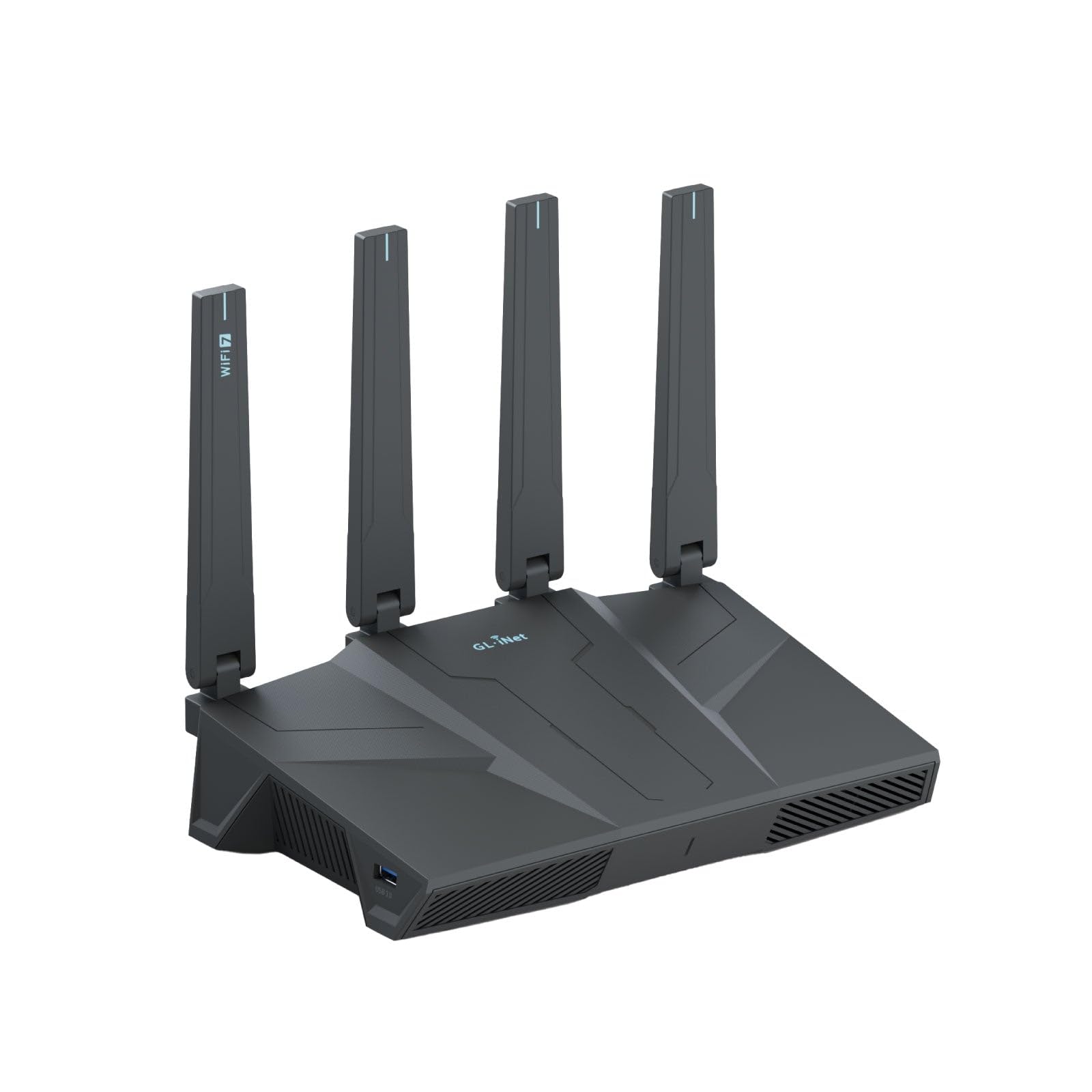
1. GL.iNet GL-BE3600 Slate 7 Router
Our pick — 4.5+★ from 1,500+ verified ratings; the strongest balance of quality and price.
A pocket router with a real screen — the one that turns hostile hotel Wi-Fi into your own private network.
This is the most useful router here for anyone who travels, and that is exactly why it takes the top spot. It is a dual-band Wi-Fi 7 unit with 688 Mbps on the 2.4 GHz band and 2882 Mbps on the 5 GHz band — the second number is what your laptop actually feels in a hotel room. It also has dual 2.5G Ethernet ports, one WAN and one LAN, so when the hotel wall jack is good you can hardwire in at full speed instead of trusting their wireless.
What wins people over is the touchscreen. You scan a QR code to log into a hotel or cruise-ship captive portal, watch live throughput, and flip your VPN on or off, all on the little display without opening a laptop. The travel-friendly design is the second thing owners talk about most — retractable antennas, a dark gray body, and a set of US, UK, EU and AU plug adapters in the box so it works on any trip. Under the hood sits OpenWrt 23.05 firmware with 512 MB of storage, which means you can install plug-ins and shape the network however you like.
VPN is the other reason this thing exists. OpenVPN and WireGuard come pre-installed and it works with 30+ VPN providers on your existing account, running at a max of 100 Mbps over OpenVPN or 540 Mbps over WireGuard. It can even act as client and server at once, so you can reach a printer back home while routing everything else out through your VPN. The honest limit: 100 Mbps over OpenVPN is not fast enough to saturate a gigabit connection, and the 5 GHz max of 2882 Mbps trails the bigger home routers here — the ASUS RT-BE86U is rated at 6800 Mbps by comparison. Buy this for travel and security, not to replace a whole-home router.
What earns its place
- Touchscreen handles captive portals, VPN toggles and live speed without a laptop
- Dual 2.5G ports plus USB 3.0 give you wired options most travel routers skip
- OpenWrt 23.05 with 512 MB storage lets you install plug-ins
- US, UK, EU and AU plugs included — one device for any country
Where it stops
- OpenVPN tops out at 100 Mbps, so heavy VPN use is capped
- 2882 Mbps on 5 GHz is modest next to full-size home routers
- Some touchscreen toggles ship with no function assigned until you set them
Reach for this if: you are on the road constantly and want your own encrypted network in any hotel or rental.
Look elsewhere if: you need to blanket a whole house in signal — this is a travel tool, not a coverage champion.
2. GL.iNet GL-BE6500 Flint 3e Router
Open-source firmware and a network-wide ad blocker, in a router that reaches 6.5 Gbps.
For a house where privacy and tinkering matter more than raw coverage, the Flint 3e is the interesting one. It is a dual-band Wi-Fi 7 router rated up to 6.5 Gbps, and that number outruns the Orbi 360 mesh system’s 5 Gbps rating — a real edge if your internet plan is on the faster side. AdGuard Home runs on the router itself, blocking trackers and ads for every device on the network without installing anything on each phone or laptop. Parental controls built around the Bark monitoring tool let you filter sites, force safe search, and cap screen time in one place.
The hardware leans toward DIY users: DDR4 memory with 1 GB of it, and enough headroom to install extra plug-ins on top of the stock firmware. Wi-Fi 7 tricks like Multi-Link Operation, 4K-QAM (a denser encoding scheme that packs more data into the same signal) and preamble puncturing are all on the list, aimed squarely at lower latency in crowded neighborhoods. Coverage is rated for 2,500 square feet, which is a comfortable apartment or a compact single-floor house — noticeably less ground than the Orbi 360’s 4,000 square feet.
The catch worth knowing: connectivity is the mixed note in owner feedback, with some setups reporting drops where others describe strong signal into far corners of the house. That pattern usually points to placement and firmware rather than a dead unit, but it is a router that rewards a little patience with settings. If you want a plug-in-and-forget box, the TP-Link Archer BE600 needs less tuning. If you want to shape your own network, this is the pick.
Standout feature: AdGuard Home living on the router means every device in the house gets ad and tracker blocking the moment it joins the network.
Fair warning: 2,500 square feet of rated coverage is the smallest home footprint on this list outside the travel router.
Suits you if: you want built-in filtering and love tweaking firmware.
Think twice if: your house sprawls past a compact single floor.
3. NETGEAR Orbi 360 Series Mesh System, 2 Pack
Two boxes, one network name, and a backyard that finally gets a signal.
If the dead zone is a specific room rather than your whole house, a mesh two-pack solves it more reliably than a single beefy router. This kit pairs an Orbi WiFi 7 router (RBE361) with one satellite (RBE360) and covers up to 4,000 square feet with a single login — front door to backyard, basement to rooftop. That is the widest spread of any single-purchase setup here apart from the TP-Link Deco, and it handles up to 70 devices at once on one network.
Speeds run up to 5 Gbps, which the maker frames as 2.4X faster than Wi-Fi 6 — worth knowing that the real-world number depends on your internet plan and how many devices are pulling at once. Dual-band with Enhanced Backhaul is the engine here: the satellite talks to the router on a dedicated path so the backhaul does not eat into the bandwidth your devices see. There is a 2.5 Gig port for plans up to 2.5 Gbps, and it works with any cable or fiber provider — just connect it to your existing modem.
Setup goes through the Orbi app with guided steps, and you can add another Orbi 360 satellite later for up to 2,000 square feet more per unit. Security ships on by default, and NETGEAR Armor comes as a 30-day trial before it turns into a separate subscription. The honest trade-off: at up to 5 Gbps this is the slower of the mesh systems on this list — the TP-Link Deco 7 Pro is rated BE10000 — and make sure you are buying the US version, since this model is made for use in the US only.
Why it earns a spot
- Router plus satellite covers 4,000 sq ft under one network name
- Enhanced Backhaul keeps the satellite link from stealing device bandwidth
- Expandable with extra satellites, up to 2,000 sq ft each
- Works with any cable or fiber ISP and existing modem
What to know first
- Up to 5 Gbps is slower than the tri-band and quad-band picks here
- NETGEAR Armor is a 30-day trial, then a separate subscription
- Made for use in the US only
Best fit: a two-story or long house where one router leaves cold spots at the far end.
Pass on it if: speed is your priority over spread — the tri-band routers below go faster.
4. ASUS RT-BE86U Gaming Router

The router that treats its wired ports as seriously as its Wi-Fi.
Most homes buy a router for wireless and never touch the jacks on the back. This one rewards you for touching them. It carries a single 10G WAN/LAN port that pushes wired capacity up to 20G, plus a 2.5G port alongside. If you run a NAS (a network-attached storage box), a gaming PC, or a fiber plan above gigabit, that 10G jack is the reason to pick this model over nearly anything else here. The quad-core 2.6 GHz 64-bit CPU is there to keep up when Wi-Fi 7 and 10 Gigabit traffic hit at once.
On the wireless side it is rated up to 6800 Mbps across dual-band with Multi-Link Operation and 4096-QAM, and it reaches 2,750 square feet. That 6800 Mbps figure beats the Slate 7 travel router’s 2882 Mbps with room to spare, which tells you which of the two is the home workhorse. Beyond the speeds, the practical stuff is well covered: AI WAN detection picks your internet source automatically, and a USB port accepts 4G LTE or 5G tethering as a backup when the main line drops. Guest Network Pro carves out up to five SSIDs (separate network names), which is genuinely useful for walling off smart-home gadgets from your laptop.
The trade-off is philosophical more than physical. This is a dual-band router — there is no 6 GHz band on board — so the clean high-frequency airspace that the tri-band options offer is not part of the deal. You get a superb wired spine and strong dual-band wireless instead. For a wired-heavy home office this is the smart call; for a wireless-gaming household, a tri-band unit makes more sense.
The wired argument: one 10G port and a 2.5G port give you real headroom for a NAS or a gaming rig.
The wireless caveat: dual-band only — no 6 GHz channel for the cleanest, least-crowded band.
Pick it for: a wired desk setup that needs a fast backbone and a strong wireless fallback.
Skip the shortlist check if: you specifically want a 6 GHz band, which this model leaves out.
5. TP-Link Tri-Band BE9700 WiFi 7 Router (Archer BE600)

Three bands, a 10 Gbps port, and the easiest setup on this list.
Here is the value play for a big household that wants the 6 GHz band without jumping into the premium tier. This is a tri-band BE9700 router, which means its speeds split across three lanes: up to 5,765 Mbps on the 6 GHz band, 2,882 Mbps on 5 GHz, and 1,032 Mbps on 2.4 GHz. That 6 GHz lane is the clean airspace, and it is the reason to choose this over the dual-band ASUS RT-BE86U even though both sit in a similar range. It covers up to 2,600 square feet for up to 120 devices at once, with six antennas and Beamforming (which aims the signal toward hard-to-reach rooms) doing the heavy lifting.
The port loadout is generous for the price tier: one 10 Gbps WAN/LAN port, one 2.5 Gbps WAN/LAN port, and three 2.5 Gbps LAN ports. Wire in a multi-gig modem and you get gig-plus speeds to a desktop or console without a separate switch. TP-Link HomeShield handles parental controls and real-time IoT (smart device) security, and VPN client and server support let your home devices reach a remote VPN without installing software on each one. Setup is the piece owners single out most — the Tether app gets it running in minutes, and there is a web interface if you prefer clicking around a browser.
What to keep in mind: at 2,600 square feet of rated coverage, this is a strong mid-size solution, not a sprawling-house one — the TP-Link Deco mesh covers 5,800 square feet by comparison. And the “up to 9.7 Gbps” figure is the combined rating across all bands, not the speed any single device sees. Neither of those is a defect; they are just what tri-band single-router life looks like. For a home that fits inside its footprint, this is among the most sensible picks on the page.
Value read: tri-band 6 GHz performance with a 10 Gbps port and a setup that takes minutes, without the premium tag.
Know the numbers: 9.7 Gbps is the combined rating, and the 2,600 square feet is a mid-size footprint.
Choose this if: you want the 6 GHz band and fast ports in a normal-sized home.
Keep shopping if: your house runs long or multi-floor, where mesh wins.
6. ASUS RT-BE92U Router
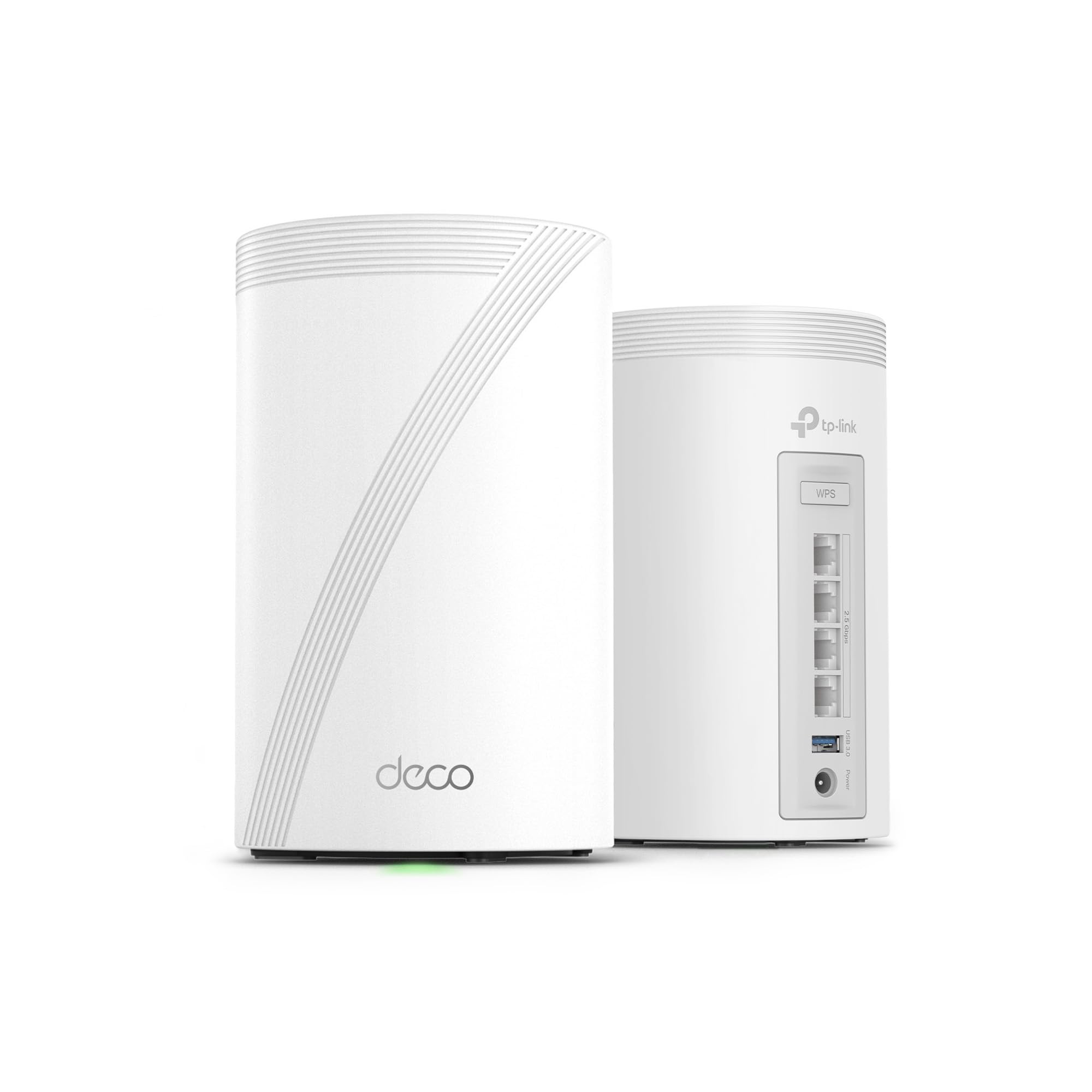
A two-pack that covers 5,800 square feet and keeps 200+ devices humming.
For a large home — or one packed with smart-home gear, consoles, phones and cameras — this is the coverage answer. The two Deco BE63 units blanket up to 5,800 square feet and support over 200 devices at once. That is the widest coverage on this list, and it beats the NETGEAR Orbi 360’s 4,000 square feet by a wide margin, which matters if your current router taps out at the far wall. A single network name with AI-Roaming keeps you connected as you walk from the kitchen to the bedroom without a manual rejoin.
Speeds split across three bands: up to 5,188 Mbps on 6 GHz, 4,324 Mbps on 5 GHz, and 574 Mbps on 2.4 GHz, for a combined BE10000 rating. Wired connection runs through four 2.5G WAN/LAN ports plus a USB 3.0 port, which is more fast ports than most mesh systems bother to include. HomeShield brings parental controls and real-time IoT security, and VPN client and server support means your home devices can reach a remote VPN without software on each one. Setup and management go through the Deco app in minutes.
The trade-off is about how fast each band actually is versus the premium single routers. A tri-band router like the Archer BE600 runs 5,765 Mbps on 6 GHz, slightly ahead of this Deco’s 5,188 Mbps, so on a single device close to the router the standalone may edge it. What you gain in return is coverage on a scale no single router here matches. For a big house full of devices, that is the deal worth making.
Coverage lead: 5,800 square feet and 200+ devices, the widest spread on the page.
The trade: per-band speed runs slightly behind the best single routers, so you are buying reach over peak.
Here for: a large or multi-floor home packed with connected devices.
Not here for: a single-room setup where per-device top speed beats coverage.
7. ASUS ROG Rapture GT-BE98 Pro Gaming Router

Four bands, a 30 Gbps ceiling, and gaming traffic prioritized end to end.
This is the top of the mountain in this lineup, and the numbers say it plainly. Quad-band Wi-Fi 7 with new 320 MHz channels in the 6 GHz band and 4096-QAM gives it a rated ceiling of up to 30 Gbps — the highest figure on the whole page. Dual 10G ports and quad 2.5G ports mean you can wire a gaming PC, a console and a NAS without a single adapter. External dual-feeding antennas are the maker’s answer to signal strength, built to push coverage across a rated 3,500 square feet.
The feature that earns this its gaming badge is Triple-Level Game Acceleration, which speeds up PC gaming traffic at every stage from the gaming port on the router all the way to the game server. Speed and network compatibility are the notes owners tend to circle back to: fast throughput, and support for handling multiple internet connections plus a large number of separate networks. The app setup keeps it out of the “needs an IT department” category despite all the hardware under the hood.
Now the honest part. At this premium tier, reliability and value are the mixed notes in owner feedback — some homes see everything it promises, others hit connection quirks that tend to trace back to firmware or settings. If you are a competitive gamer who wants every millisecond accounted for, this is the flagship. If you just want a strong home network, a tri-band pick delivers more of what you use for less complexity.
Peak performance: 30 Gbps rated ceiling, quad-band, dual 10G and quad 2.5G ports — the biggest hardware sheet here.
Reality check: the most complex network to run, and its benefits are clearest for serious gamers.
Made for: competitive gamers and power users who want the absolute ceiling and will tune it.
Overkill for: a casual household that wants Wi-Fi to just work.
Know the Specs
Rated Speed (Mbps and Gbps)
The big number on the box is usually the combined speed across all bands, not what one device gets. A router rated 9.7 Gbps might deliver 5,188 Mbps on 6 GHz, 4,324 Mbps on 5 GHz and 574 Mbps on 2.4 GHz if you add it up. Treat the top figure as a ceiling for the whole network, and look at the per-band numbers to see what an individual laptop or console can actually pull.
Coverage Square Footage
These figures assume open space. Walls, floors and appliances cut them down, so a router rated 2,750 square feet covers a compact home well and a long house poorly. A mesh two-pack that shares one network name usually beats a single strong router in the far corners. If the dead zone is one specific room, mesh is the more reliable fix.
Multi-Link Operation (MLO)
MLO lets a compatible device use more than one band at once, so if one lane gets congested the connection keeps moving. In practice this shows up as steadier video calls and less stutter during games when you walk between rooms. Older phones and laptops still connect fine — they just do not get the benefit until you upgrade them.
2.5G and 10G Ports
A 2.5G or 10G port moves wired data far faster than the old 1G standard. It earns its keep if your internet plan or your NAS is faster than 1G; if not, it is future-proofing rather than a daily win. Worth having for future-proofing, but not a reason to upgrade on its own.
Common Questions
Do I need a Wi-Fi 7 router if my devices are still Wi-Fi 6?
Will a Wi-Fi 7 router make my internet faster?
What is the difference between dual-band, tri-band and quad-band?
Is a mesh system better than a single router?
Can I use a travel router like the Slate 7 as my main home router?
What does the 6 GHz band actually do for me?
Do I need a 10G port if my internet plan is 1 Gbps?
How many devices can a Wi-Fi 7 router handle at once?
How long does a Wi-Fi 7 router last before I need a new one?
Does the touchscreen on the Slate 7 replace the app?
The Bottom Line
For most people chasing the best Wi-Fi 7 Routers, the GL.iNet GL-BE3600 Slate 7 is the pick that earns the top spot — not because it is the fastest box here, but because its touchscreen, dual 2.5G ports and built-in VPN tools solve the real problem for anyone who works or travels away from home. If your dead zone is a specific room in a normal-sized house, grab the TP-Link Deco 7 Pro BE63, whose 5,800 square feet of mesh coverage and support for over 200 devices outspread everything else on this page. And if you want the cleanest 6 GHz airspace without a recurring security bill, the ASUS RT-BE92U delivers tri-band speed with subscription-free AiProtection Pro. Buy sooner rather than later: Wi-Fi 7 phones and laptops are arriving fast, and a router with 6 GHz and multi-gig ports stays useful long after the devices you own today get replaced.
How we choose
We do not accept paid placement. Every pick is matched to a real buyer and a real use-case; we do not hands-on test units.
Sources
Specifications: manufacturer listings and product documentation. Review insights: verified customer reviews, as of November 2026. Pricing: not shown on this page (it changes often); check the current price via the retailer link.
As an Amazon Associate, Tactical Gear Guy earns from qualifying purchases. This does not affect which products we feature.