Specs are compiled from manufacturer listings and verified buyer reviews and can change over time — please confirm the key details on the product page before buying.
You want your Xbox pad to talk to your PC, handheld, or console without a cable dragging across the desk — and without a drop-out mid-match. The catch is that these little dongles look identical and behave nothing alike. Some pair in seconds and hold a clean signal for hours. Others connect, then cut out after ten minutes and leave you staring at a frozen screen. This guide separates the dongles that hold a connection for hours from the ones that drop after ten minutes.
This guide is built by comparing the manufacturers’ published specifications and the patterns across verified customer reviews, so you get each pick’s real strengths and trade-offs instead of marketing spin.
Latency is the number that decides whether a dongle feels invisible or laggy, and the top pick here states its figure openly at 2.95ms. That single measurement is why the xbox controller bluetooth adapter shortlist below puts speed and pairing stability ahead of brand names.
Top Picks

How To Choose The Best Xbox Controller Bluetooth Adapter
The first thing to settle is what you are actually connecting. An Xbox controller can reach your PC two ways: over Bluetooth, or over the proprietary Xbox wireless radio that a receiver dongle provides. Those are not the same thing, and a dongle built for one will not do the other. Read the compatibility list on any adapter before you buy it, not after.
Latency is the spec you will feel first
Latency is the delay between pressing a button and seeing the result on screen, measured in milliseconds. A dongle that quotes a low figure and actually holds it feels wired. A dongle that drops frames or reconnects mid-match will cost you a firefight. When a maker publishes a latency number, treat it as the headline spec — the top pick here lists 2.95ms, and the maker also claims it cuts input delay by up to 50%, which is worth knowing but is their claim, not a lab result.
Controller generation decides compatibility
Not every Xbox controller works with every adapter. Xbox One controllers released between 2013 and 2015 use an older radio and are often excluded outright. Xbox 360 pads are almost never supported. Bluetooth-capable Xbox One and Series X|S controllers are the modern baseline most dongles aim at. If you are unsure which pad you own, check whether it has the small pairing button on top near the USB port — that button marks a Bluetooth-capable model.
Count your players before you count ports
Some adapters hold a single controller; others hold up to eight at once. If you only ever play solo, one connection is plenty. If friends crowd around a couch co-op session on your PC, the multi-controller ceiling is the number that matters. Several receivers here also carry chat headset support — up to 4 chat headsets or 2 stereo headsets — which is a real feature to check if you talk while you play.
Side-by-Side Comparison
| Model | Best For | Latency / Speed | Controller Support | Ports | Amazon |
|---|---|---|---|---|---|
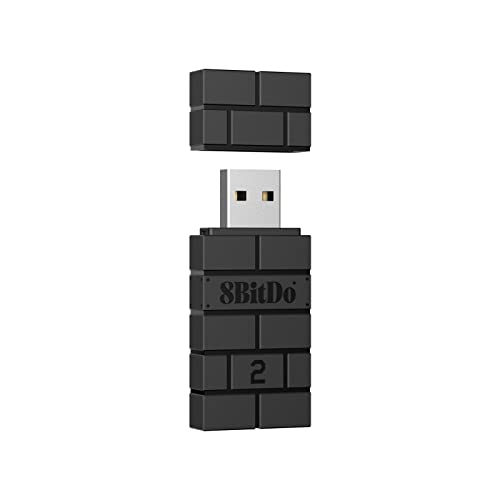
| 8BitDo Wireless USB Adapter 2★ Best Overall | Mixed console and PC setups | — | Xbox Series X/S, Xbox One Bluetooth, PS5/PS4/PS3, Switch Pro, 8BitDo | — | Amazon |
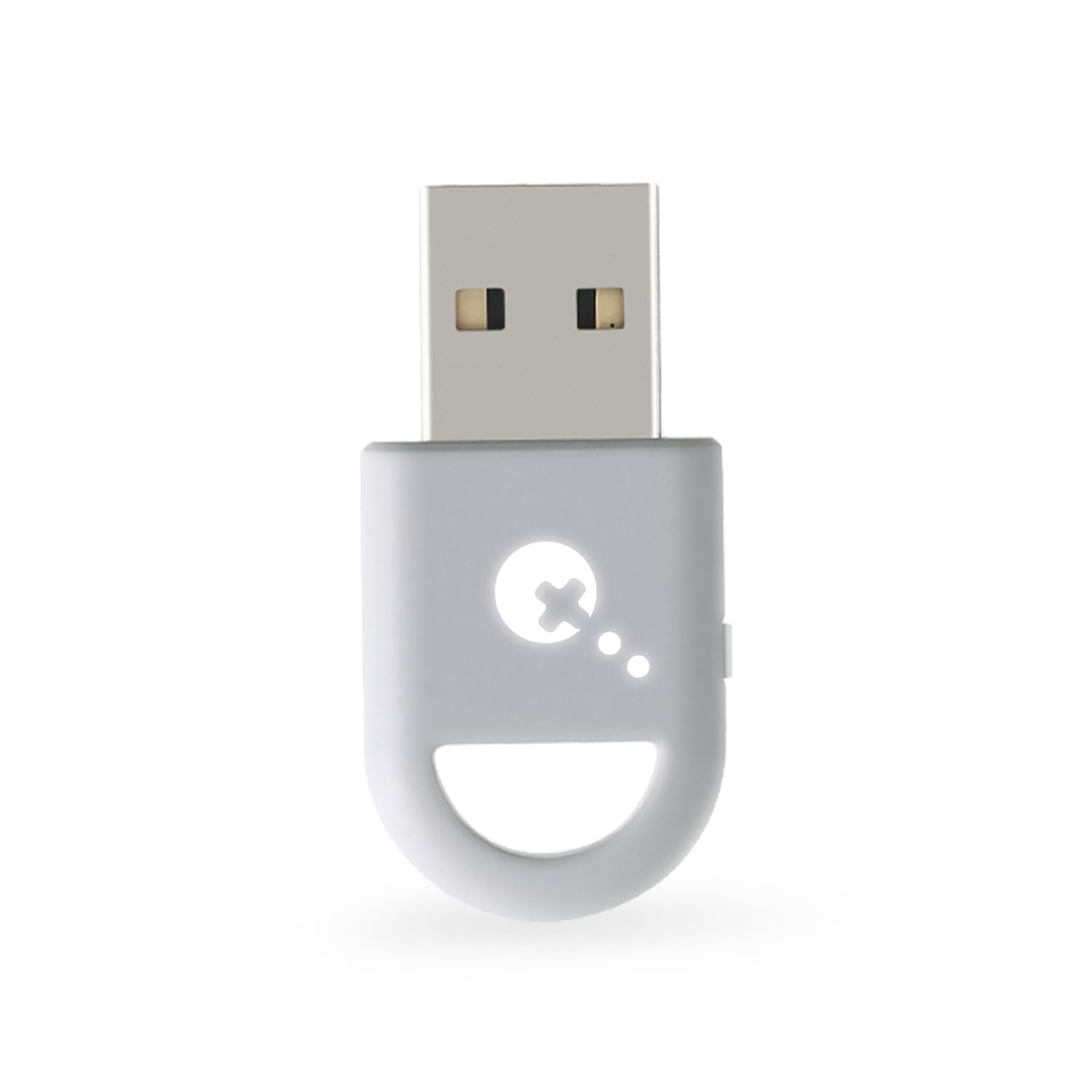
| GuliKit Hyperlink 2Also Great | Fast-paced play with the lowest delay | 2.95ms ultra-low latency | Xbox Series, Elite Series 2, Xbox One Bluetooth, PS5, PS4, Switch Pro | 2 | Amazon |
| Mayflash Magic-S PRO 2Tuning Pick | Tinkerers who want adjustable vibration | Lag free (maker claim) | Xbox Series X/S Bluetooth, Xbox One Bluetooth, PS5, PS4, Switch Pro | — | Amazon |
| Brook Wingman XB 3 | Modern Xbox consoles plus remap | No noticeable input lag (buyer consensus) | XB Series X/S, XB One, Elite Series 2, PS5/PS4/PS3, Switch Pro | 1 | Amazon |
| Brook Wingman XB 2 | Retro Xbox 360 and Original consoles | — | XB Series X/S/One/Elite 2, PS5/PS4/PS3, Switch Pro (wireless) | 1 | Amazon |
| Wireless Adapter with Original IC Chip (Rzkipdy) | Multi-pad PC sessions | — | Xbox Wireless Controller on Windows PCs, laptops, tablets | 1 | Amazon |
| XB2 Wireless Adapter (Smlau) | Wide Windows version spread | — | Xbox One & Xbox Series X controllers | 1 | Amazon |
| KOOWOD Wireless Adapter Dongle | Compact receiver on Windows 10/11 | No noticeable lag (buyer consensus) | Xbox Wireless Controller on Windows PCs, laptops, tablets | — | Amazon |
| ELUTENG Xbox Adapter | Budget plug-and-play on PC | — | Xbox One, Elite series, Xbox One X, Xbox One S | — | Amazon |
Detailed Reviews
1. 8BitDo Wireless USB Adapter 2
Our pick — 4.0+★ from 6,000+ verified ratings; the strongest balance of quality and price.
A 20g dongle that pairs Xbox, PlayStation, Switch and 8BitDo controllers with Switch, PC, Mac and Raspberry Pi.
The appeal here is breadth. It pairs Xbox Series X and S controllers, Xbox One Bluetooth pads, PS5, PS4 and PS3, Switch Pro, Wii Mote, Wii U Pro, and every 8BitDo Bluetooth controller and arcade stick. On the system side it covers Switch, Windows, macOS, Steam Deck and Raspberry Pi, and it now officially supports Steam Deck. At 20g it is light enough to leave plugged into a handheld without dragging on the port.
The deeper draw is the Ultimate Software. You can remap buttons, adjust stick and trigger sensitivity, tune vibration, and build macros from any button combination. On Switch it supports 6-axis motion, and it passes vibration through in X-input mode. That software layer is what separates it from a plain receiver — you are buying a small tools suite, not just a radio link. Owners describe setup as quick and painless, and most report no disconnections during play. The recurring honesty note is connectivity, which splits opinion: some sessions hold clean for hours, others cut out.
The catch is that connection stability is not a guarantee across every PC and every controller combination. That is the trade-off for supporting so many pads at once, and it is why the occasional buyer comes away frustrated. Update the firmware to the latest version before you judge it — the maker says this directly, and it resolves a good share of early pairing complaints. If you want one dongle that handles a mixed shelf of controllers across several systems, this is the flexible choice that does not lock you to Xbox hardware.
What it brings to the desk: Controller support that spans Xbox, PlayStation, Switch and 8BitDo hardware, plus button remapping, sensitivity tuning and macro building through the Ultimate Software.
The honest caveat: Connectivity is the split point — some setups run clean for hours while others drop. Firmware updates are the first thing to try before calling it faulty.
Go this route when: you own a mix of controllers and systems and want one small dongle to rule them.
Think twice if: rock-solid single-console Xbox play is your only goal — a dedicated receiver leans simpler.
2. GuliKit Hyperlink 2 Wireless Adapter
The dongle that publishes its latency figure instead of asking you to take its word.
Most adapters in this category are coy about how fast they actually are. GuliKit states it plainly: 2.95ms. That is the delay between your thumb hitting a button and the game registering it, and it is the figure that decides whether a twitch shot lands or misses. The maker also claims up to 50% less input delay than a standard wireless connection, so you get a stated target rather than vague talk. For competitive shooters and fighting games where a few milliseconds show up as a lost exchange, this is the pick that leads on the one spec that matters.
It is also the only pick here that lists two ports, which puts it ahead of the singly-ported Original IC Chip unit on that count. One controller connects at a time, so the extra port is not a couch co-op multiplier — it is more about form factor and a spare connection point than about hosting eight pads. What you do get is very wide controller support: Xbox Series, Xbox Elite Series 2, Bluetooth Xbox One, PS5 DualSense and DualSense Edge, PS4 DualShock, and Switch Pro. An Xbox pad needs its firmware updated before it will pair, and that step catches people out if they skip it.
On platforms, it runs on Windows 7 and up, Switch and Switch 2, Android 9.0 and up, and SteamOS 3.4 and up, which covers Steam Deck, ROG Ally and Ally X, and AYANEO handhelds. Connecting to a Switch Lite or a handheld takes an OTG cable or adapter, so budget for that accessory. It is explicitly not compatible with Xbox or PlayStation consoles, 2013–2015 Xbox One controllers, non-Bluetooth Elite pads, Xbox 360, or Xbox headsets. Buyers consistently point to the low latency as the reason it earns its place, and the honest trade-off is that setup rewards patience — update firmware, enable Wired Pro Controller Connection on Switch, and it behaves.
Why players reach for it
- Lowest stated latency in the lineup at 2.95ms
- Two ports versus the single-port Original IC Chip model
- Pairs Xbox Series, Elite Series 2, PS5, PS4 and Switch Pro controllers
- Runs across Windows, Switch 2, Android and SteamOS handhelds
Where it asks more of you
- One controller at a time, so no big couch sessions
- Needs an OTG cable for Switch Lite and handhelds
- No Xbox or PlayStation console support, and no Xbox headset pairing
- Skipping the firmware update is the usual reason pairing fails
Reach for this if: you play fast games on PC or a handheld and want the smallest delay the category offers.
Look elsewhere if: you need four friends on one screen or you want a drop-in receiver for an Xbox console.
3. Mayflash Magic-S PRO 2 USB Adapter
For the player who wants to dial in rumble strength and dead zone, not just connect.
This one is for tinkerers. Vibration intensity and dead zone — the small stick movement that gets ignored before input registers — both adjust across 7 levels. Buttons A, B, X and Y can be swapped, which matters if you jump between a Switch layout and an Xbox layout in the same week. It supports 6-axis motion on PS4 and Switch, rumble on PS4, Switch, X-input and PS3, and Bluetooth headsets in PS4 mode and Switch mode. The custom USB Type-C cable in the box is a thoughtful touch, and firmware is upgradable through the MayFlash site.
Functionality is the headline strength — it delivers the features it lists, and it works with Xbox Series X/S games, Xbox One Bluetooth pads, PS5, PS4 and Switch Pro controllers. The compact body measures in at a pocketable size that travels well. Compatibility is where the honest fit note sits: it works well with a PS4 in many cases, but it is not universal — it does not work with a MayFlash F300 Elite, and Switch 2 controllers and Switch 2 Pro controllers are both unsupported, though the Switch 2 console itself is. If your gear is on the supported list, it is a flexible little tool.
LED indicators show which working mode you are in, which saves you guessing during setup. For a player who wants to tune feel and remap without buying a whole new controller, this offers more knobs than a plain receiver. Just verify your exact controller against the compatibility list before you commit — that list is the one thing that decides whether this is your adapter or someone else’s.
The adjustability story
- Vibration intensity and dead zone tune across 7 levels
- Swap A, B, X and Y to match your preferred layout
- Motion, rumble and Bluetooth headset support across modes
- Firmware upgradable with a Type-C cable in the box
Check before you buy
- Not compatible with MayFlash F300 Elite or Switch 2 controllers
- Compatibility splits between controllers — verify your exact pad
Best fit for: players who want to shape rumble and dead zone rather than accept default feel.
Not the one for: anyone running a MayFlash F300 Elite or a Switch 2 Pro controller.
4. Brook Wingman XB 3 Converter

The premium converter that lets top pads play wirelessly on Xbox consoles and PC.
Where most adapters here aim at PC, this one targets consoles first. It works on Xbox Series X/S, Xbox One and PC, and it pairs an Xbox Series X/S, Xbox One, Elite Series 2, PS5, PS4, PS3 or Switch Pro controller wirelessly. Wired, you can run an Xbox Series X/S or Xbox One pad, including Elite 1 and 2, over USB. That is a rare reach — it means you can bring a PlayStation controller onto an Xbox, or an Elite pad onto another console. The headline features are remapping and turbo, with 5 levels of adjustable turbo to fire buttons repeatedly at a set rate.
At 13.34g it barely registers in the hand, and the 3.03 x 0.79 x 0.52 inch body slips into a pocket or a bag pocket without fuss. On performance, the broad finding is that it works with Xbox Series X and with almost any controller, setup is simple, and input lag is not noticeable in normal play. The package includes the converter, a user guide, and a Brook keychain. What everyone raves about is functionality — it does what the feature list claims, and that consistency is why people pay the premium here.
The catch is reliability. Connectivity is the mixed zone: some sessions connect fast and hold, others disconnect frequently, and a slice of owners find the adapter unreliable over time. That is the trade-off you weigh against the remap and turbo toolset and the cross-console reach. If you want the most feature-rich converter for an Xbox setup and you are willing to keep an eye on connection behavior, this is the premium choice. If stability is your only priority, a simpler receiver may suit you better.
The premium case: Cross-console and cross-brand controller support, remap and 5-level turbo, in a 13.34g body that fits anywhere.
The reliability caveat: Connection behavior splits — fast and steady for many, frequent drops for some. Weigh that against the toolset before you spend at this tier.
Worth it for: players who want PS5 or Elite pads running on an Xbox plus remap and turbo control.
Pass if: you only need a bare wireless link and want the simplest, most stable path.
5. Brook Wingman XB 2 Converter with Keychain

The one that still talks to an Xbox 360 and an Original Xbox console.
This is the pick for old hardware. It supports an Xbox 360, Xbox Original and PC console over USB wired, which almost nothing else here does. Wirelessly it pairs Xbox Series X/S, Xbox One, Elite 2, PS5, PS4, PS3 and Switch Pro controllers. For an Original Xbox you need an original controller to female USB cable, so factor that into setup. Note the direction of support: the Xbox Series X/S and Xbox One consoles themselves are no longer supported for the XB 2, so this is a converter for retro and PC play, not for plugging into a modern Xbox.
Turbo adjusts across 5, 10, 15, 20 and 25 clicks per second, so you can set a fire rate rather than mash. Buttons remap to your taste. At 13.34g and 3.03 x 0.79 x 0.51 inches it is the same pocketable footprint as its newer sibling. Setup takes one firmware update through the Brook website plus a USB connection to register the device — each converter pairs one device at a time. Build quality earns strong marks, and the plug-and-play feel after that first registration is what keeps people happy with it.
The honest limit is connection consistency. Fast, clean connections are the norm for many, but a portion of owners hit constant disconnecting. If you are reviving an Xbox 360 or an Original Xbox and want modern controllers on it, this is close to your only good option, and the keychain in the box is a small bonus. If you are on a modern console and just want a clean link, the newer sibling above is the better call.
Made for: reviving an Xbox 360 or Original Xbox with a modern controller, with turbo and remap on top.
Skip the detour if: you need a modern Xbox console connection — this converter deliberately no longer supports those.
6. Wireless Adapter Original IC Chip

A single small receiver built to host eight pads and a headset on a Windows machine.
The pitch here is capacity. It connects up to eight controllers at once, plus up to 4 chat headsets or 2 stereo headsets, and it does so with a design the maker calls 66% smaller than before. It uses an original IC chip — the controller chip from the same family as the official receiver — and it produces in-game chat and high-quality stereo audio just like sitting at an Xbox One. That headset count is the real differentiator: one dongle, a full couch, and everyone talking.
It plays with your Xbox Wireless Controller on Windows PCs, laptops, tablets and desktops, and it works with PC games and Xbox One games streamed to Windows 10. It is not compatible with Xbox 360 controllers, so leave the old pads off the list. Setup is the strong suit — it pairs without fuss and latency stays low enough that lag does not show up in play. For a group of friends on one PC, the eight-pad ceiling and the headset support are why this earns a place.
The trade-off is quality consistency. Connectivity is the most-discussed point and it splits — some units connect and hold flawlessly, others lose the link. That is the thing to keep in mind: with eight pads on one receiver, a single drop is more disruptive than with one. Buy it for the multi-pad and headset capacity, in the knowledge that stability is mostly solid but not a guarantee on every unit.
Pick this when: several pads and chat headsets need to share one Windows PC.
Hold off if: you need one rock-solid solo connection above all — that is a simpler job for a simpler receiver.
7. XB2 Wireless Adapter Compatible with Xbox One Controller

Runs on Windows 7 through 11 — a broad version spread for older rigs.
If your gaming PC is a few Windows versions behind, this is the adapter that meets you where you are. It works with PCs and tablets running Windows 11, 10, 8.1, 8 or 7, and it pairs Xbox One, Xbox Series X and Xbox One wireless controllers. It uses the original chip, and it supports wireless stereo and up to 8 controllers on one receiver. Setup is the celebrated part — minutes from plugging in to playing, with a strong signal once connected. For a mix of older laptops and modern consoles, the version coverage is the reason to look here.
The limits are specific and worth reading before you buy. It is not compatible with Xbox 360 controllers, third-party controllers, or third-party wireless headsets. So keep to first-party Xbox pads and first-party headsets. It comes with a 12-month warranty, and there is no software project here — it is a plug-and-play dongle first and a tuner never.
The split point is connection stability. Many sessions hold a great link between controller and PC, while some struggle to maintain a steady connection over time. For a budget-friendly way to get an Xbox pad onto an older Windows machine without driver hunting, this does the job cleanly. Go in expecting the occasional drop and you will be set.
Why older-rig owners take it
- Runs on Windows 11, 10, 8.1, 8 and 7
- Pairs Xbox One and Xbox Series X controllers
- Up to 8 controllers on one receiver
- One-minute setup on Windows 7 through 11
The lines it will not cross
- No Xbox 360 pads, no third-party controllers
- Third-party wireless headsets are out too
- Stability is not guaranteed on every unit
Suits you if: your gaming machine is on an older Windows version and you want a quick, plug-in fix.
Keep looking if: you run a third-party controller or a third-party headset — neither will pair.
8. KOOWOD Wireless Adapter Dongle with Official IC Chip

A tiny official-chip receiver that brings the full Xbox One experience to Windows.
This dongle targets a clean, console-like feel on a Windows PC. Bind it to your Xbox Wireless Controller and you get the same experience as on an Xbox One — including in-game chat and high-quality stereo audio. It carries the official IC chip, and the body is a stated 66% smaller design, so it stays subtle in a laptop or tablet port. Unlike the Mayflash above, it does not chase remapping or tuning; it is a straight receiver that does chat and stereo audio well.
It supports up to eight controllers at once, plus up to 4 chat headsets or 2 stereo headsets — the same capacity profile as the multi-pad pick. It plays PC games and Xbox One games streamed to Windows 10, and it needs Windows 10 or 11 at minimum. Setup is the part that carries it: buyers find it simple and report no noticeable lag in play. For a Windows 10 or 11 machine and a single first-party pad, it is a compact, straightforward choice.
The honest caveat is connectivity. It splits — some sessions run flawlessly, others lose the link, and a slice of buyers express disappointment. That is the trade against its simple setup and compact size. If you are on Windows 10 or 11 and want a small official-chip receiver for casual and streamed play, it fits the bill. Just keep expectations realistic on long sessions.
Fits well for: a Windows 10 or 11 setup where a compact official-chip receiver is all you need.
Not ideal for: marathon sessions where a single drop would ruin the run.
9. ELUTENG Xbox Adapter for PC

Plug-and-play on a budget, with eight-controller capacity and a long warranty.
This is the entry-level option, and it brings a couple of surprises. It uses Bluetooth 5.0 — the wireless version of the radio standard — and it is compatible with Xbox One controllers including the Elite series, Xbox One X and Xbox One S, on a PC, laptop or tablet. It connects up to 8 controllers at once, plus up to 4 chat headsets or 2 stereo headsets. It is a non-OEM product, meaning it is a third-party build rather than an official Microsoft one, and it needs Windows 7 or above. Older Windows versions ask for a driver download from Microsoft first, which is the main setup wrinkle.
The pairing routine is straightforward: plug in the receiver and let Windows detect it, put batteries in the pad, hold the pairing button on the controller until the Xbox button flashes fast, then hold the pairing button on the side of the receiver until its light flashes too. Wait for the handshake and you are in. Support is a genuine plus — a 30-day refund policy, a 365-day replacement warranty and round-the-clock email help back the hardware. You also get a 12-month warranty noted on the spec sheet for the adapter itself.
The practical limit is connection durability. Some setups work well on gaming PCs, while others report a connection that holds for around 10-15 minutes before losing it. That is the trade-off for the low entry point and the wide controller list. If you want a budget-friendly dongle to get a couch pad onto a PC and you can return it if it misbehaves, the warranty makes it a low-risk first try.
What you get at entry level: Bluetooth 5.0, support for Xbox One and Elite pads, eight-controller capacity, and a 365-day replacement warranty.
The real downside: Connection stability is inconsistent — some units hold for hours, others barely 10-15 minutes. Lean on the return window if yours misbehaves.
A sensible first try if: you want a budget-friendly Xbox One pad connection on PC with strong return protection.
Look upward if: you need a link that is certain to hold for long sessions — a stated-latency pick is safer.
Know the Specs
Latency (measured in milliseconds)
Latency is how long your button press takes to reach the game, measured in ms. Lower is better and more responsive. The GuliKit states 2.95ms, which is the kind of figure you notice in fast games. Most other picks do not publish a number and instead rely on buyer impressions of lag. If a maker gives a figure, treat it as the spec to compare; if they do not, go on the reported feel from the review pages.
Controller generation and chip
An “original IC chip” means the receiver uses a controller chip from the same family as the official receiver. It matters because it drives how cleanly chat and stereo audio come through. Controller generation matters more — Xbox One pads from 2013 to 2015 and Xbox 360 pads are often excluded, while Bluetooth-capable Xbox One and Series X|S pads are the modern target. Check your pad’s pairing button to confirm it is Bluetooth-capable.
Multi-controller capacity and headsets
Several receivers here hold up to eight controllers and up to 4 chat headsets or 2 stereo headsets. That capacity is what separates a solo dongle from a couch-session receiver. If you play alone, one connection is enough. If you share a PC with friends, the eight-controller ceiling is the number that decides whether everyone can join. Note that third-party wireless headsets are usually excluded.
Bluetooth versus proprietary wireless
An Xbox controller can reach a PC over Bluetooth or over the proprietary Xbox wireless radio. An adapter built for one will not do the other without the right support. Bluetooth dongles like the ELUTENG use Bluetooth 5.0, while receivers with an original IC chip use the Xbox radio. Knowing which your pad uses saves you buying the wrong dongle and wondering why it will not pair.
Common Questions
Will an Xbox One controller from an older console work with these adapters?
Do these adapters work with Xbox consoles or only PC?
How many controllers can one adapter hold at once?
Can I use a PS5 or Switch Pro controller instead of an Xbox one?
Do these dongles support in-game chat and headsets?
What is the difference between the Brook Wingman XB 2 and XB 3?
Do I need to update firmware before these adapters work?
Why does my adapter keep disconnecting after a few minutes?
Do I need an extra cable to use these on a handheld or Switch Lite?
Can I remap buttons or add turbo with these adapters?
The Bottom Line
For most players chasing the xbox controller bluetooth adapter goal — a fast, clean link between pad and screen — the answer is the GuliKit Hyperlink 2. It is the only pick here that publishes a latency figure, 2.95ms, and it is the one to reach for when milliseconds decide the round.
If you own a mixed shelf of controllers and systems, grab the 8BitDo Wireless USB Adapter 2 for its broad support and Ultimate Software. And for bringing a modern pad onto an Xbox, the Brook Wingman XB 3 is the premium route with remap and turbo.
How we choose
We do not accept paid placement. Every pick is matched to a real buyer and a real use-case; we do not hands-on test units.
Sources
Specifications: manufacturer listings and product documentation. Review insights: verified customer reviews, as of November 2026. Pricing: not shown on this page (it changes often); check the current price via the retailer link.
As an Amazon Associate, Tactical Gear Guy earns from qualifying purchases. This does not affect which products we feature.