Specs are compiled from manufacturer listings and verified buyer reviews and can change over time — please confirm the key details on the product page before buying.
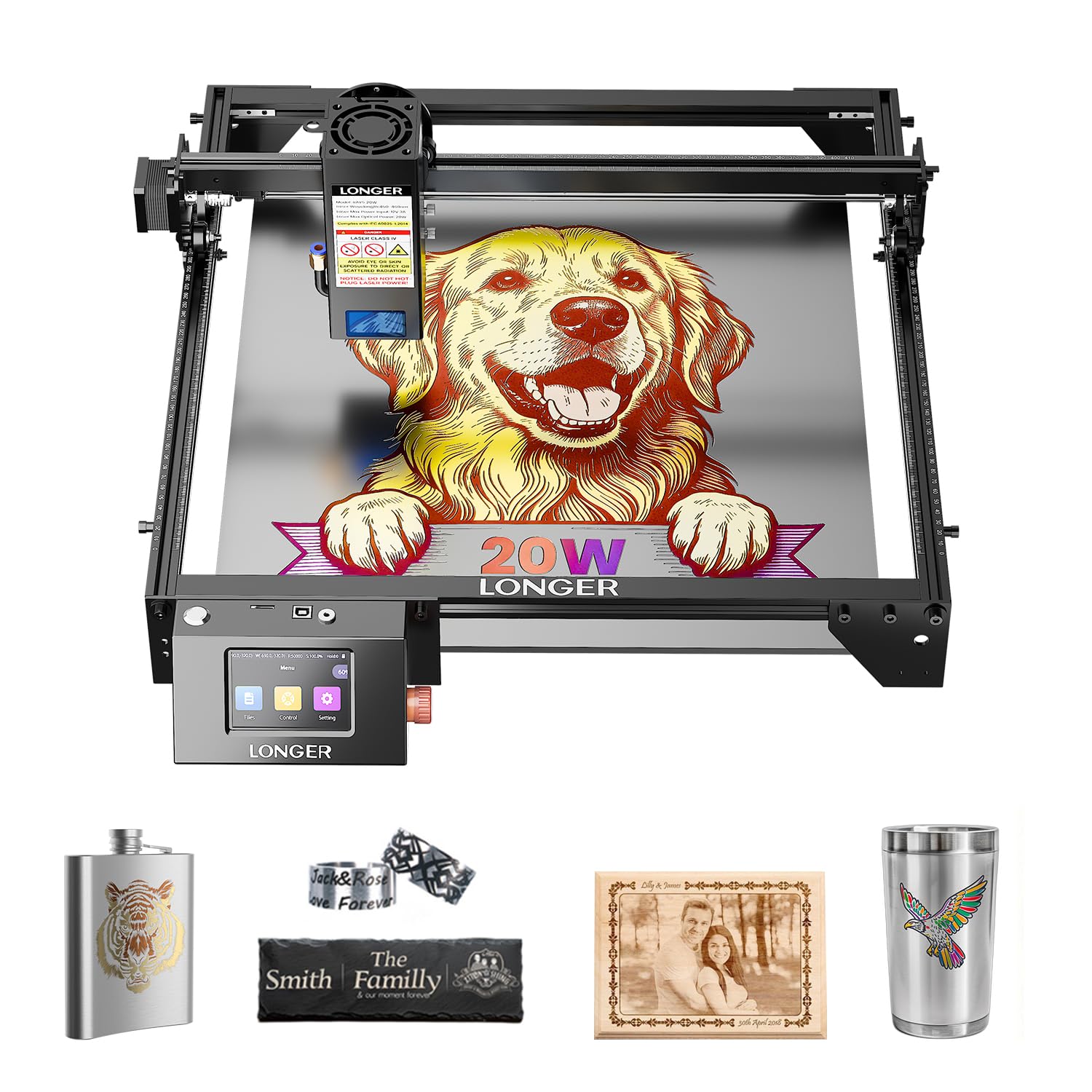
You want dark, crisp engraving on real wood — not a pale scratch that disappears under varnish. The nine machines below earn their bench space, sorted by what they cut, how big they cut, and how much setup they demand before your first project. For a small shop or garage, the Longer RAY5 20W is the safest bet: its 20W beam (a 20-watt laser) cuts 25mm wood — thick enough for signage and box lids — and a 3.5-inch touchscreen runs it without a computer.
This guide is built by comparing the manufacturers’ published specifications and the patterns across verified customer reviews, so you get each pick’s real strengths and trade-offs instead of marketing spin.
Some of these are diode lasers that burn wood and leather, and a couple are CNC routers that mill it away with a spinning bit. Knowing which one you need before you spend is the whole game. Here is what to expect from wood engraving equipment.
Top Picks

How To Choose The Best Wood Engraving Equipment
Your first decision is not brand or budget — it is if you want to burn wood or mill it. A laser engraver focuses a light beam to char and vaporize the surface, so you get dark lettering, logos, and photo shading. A CNC router (a computer-controlled cutting machine) spins a cutting bit and removes material, so you can carve relief signs, cut joints, and shape 3D forms. Buy the wrong type and you will spend months fighting the machine instead of finishing projects.
Optical Power Sets Your Cutting Ceiling
Optical power, measured in watts, decides how thick a board you can cut and how many passes it takes. A 20W diode like the Longer RAY5 will slice through 25mm wood, while a 5.5W unit like the LE400PRO handles 8mm. If you mostly engrave flat panels and only occasionally cut thin stock, lower power is fine. If you plan to cut signs and box parts daily, aim high — every extra pass costs time and leaves more char on the edge.
Working Area And Real-World Sheet Size
Working area is the box the machine can reach, quoted in millimeters or inches. A 400x400mm bed fits most cutting boards and medium signs but not a full cabinet door. The Twotrees TTS-20 Pro gives you 418x418mm, and the FoxAlien XE-Ultra stretches to 33×33 inches for furniture-scale panels. Measure the biggest thing you realistically want to make, then buy a bed that clears it.
Spot Size And Focus Method
Spot size is the width of the laser beam where it touches the wood. A 0.08mm square spot like the RAY5 carves fine detail without fat, blurry lines. Fixed-focus heads with a knob, as on the LE400PRO, let you set height by hand without tools. Auto-focus and limit switches, seen on the Twotrees TTS-20 Pro and ATOMSTACK A20 Pro V2, cut the guesswork and keep repeated jobs aligned.
Enclosure And Eye Safety
A diode laser is bright enough to damage your eyes, so the enclosure matters as much as the wattage. Open-frame machines ship with goggles and expect you to use them. Enclosed models like the xTool M2 and xTool F1 Ultra block the beam inside a Class 1 housing, which is the version you want if kids or customers are nearby. Look for a UV-filtering cover or window, plus a smoke path out of the room.
Side-by-Side Comparison
| Model | Best For | Type | Optical Power | Working Area | Amazon |
|---|---|---|---|---|---|
| Longer RAY5 20W★ Best Overall | All-around wood cutting and engraving | Diode laser | 20W | 400x365mm | Amazon |
| Creality Falcon 10WBest Value | Budget wood and acrylic craft | Diode laser | 10W | 15.7″ × 16.3″ | Amazon |
| LE400PRO 50WBest for Beginners | First-time laser owners | Diode laser | 5.5W (Class 1 output 5500mW) | 400x400mm | Amazon |
| ATOMSTACK A20 Pro V2 | Fast personalized gifts | Diode laser | 20000mW | Not stated | Amazon |
| Twotrees TTS-20 Pro | Large-format DIY crafts | Diode laser | 20W (≥19.5W optical) | 418x418mm | Amazon |
| xTool M2 10W | Home crafters wanting an enclosure | Enclosed diode laser | 10W | Not stated | Amazon |
| Twotrees TTC450 Pro | CNC carving and relief work | CNC router | 775 brushed spindle | 460 x 460 x 80 mm | Amazon |
| FoxAlien XE-Ultra 8080 | Furniture-scale CNC projects | CNC router | Spindle not included | 33x33x4.72 in | Amazon |
| xTool F1 Ultra | Metal plus wood, high volume | Fiber + diode dual laser | 20W fiber and 20W diode | 220mm x 220mm | Amazon |
Detailed Reviews
1. Longer RAY5 20W Laser Engraver
Our pick — 4.5+★ from 100+ verified ratings; the strongest balance of quality and price.
The one that cuts 25mm wood and still carves razor-fine lettering
If you want one machine that handles both engraving and serious cutting, start here. Its 20W beam cuts 25mm wood and 35mm acrylic in one pass, versus 8mm wood on the 5.5W LE400PRO. That thickness is what lets you cut real box lids and sign backs instead of just decorating thin blanks.
Precision holds up too. The 0.08×0.1mm compressed beam head rides precise rails and hits a maximum processing speed of 10000mm/min, so fine text and detailed logos come out clean rather than smeared. On top of that sits a built-in 3.5-inch color touchscreen where you watch progress and tweak speed mid-job, plus four ways in: USB, TF card, WiFi, and an app. It reads LaserGRBL and LightBurn files, so the software you already know still works.
What wins people over is the overall build and cut quality — it is the most-praised thing about this machine by a wide margin, ahead of how easy it is to run. Owners describe it as a capable, simple-to-operate cutter that engraves flawlessly across multiple surfaces. The nudge of honesty: a few units have stopped working after three months, so buy from a seller with a clean return path and lean on the 1-year warranty. Assembly is straightforward and every tool ships in the box.
What earns the top spot
- 20W beam cuts 25mm wood and 35mm acrylic in one pass
- 0.08×0.1mm spot for crisp small lettering
- 3.5-inch touchscreen plus USB, TF, WiFi, and app control
- Handles stainless steel at 0.05mm along with leather, glass, and paper
Where it asks more of you
- Durability feedback is split — a few units failed within months
- Air pump is not included and the maker recommends one for cleaner cuts
Reach for this if: you want thick wood cuts and fine engraving from a single open-frame machine with real screen controls.
Think twice if: you need an enclosed Class 1 housing for a home with kids or pets — this one is open-frame.
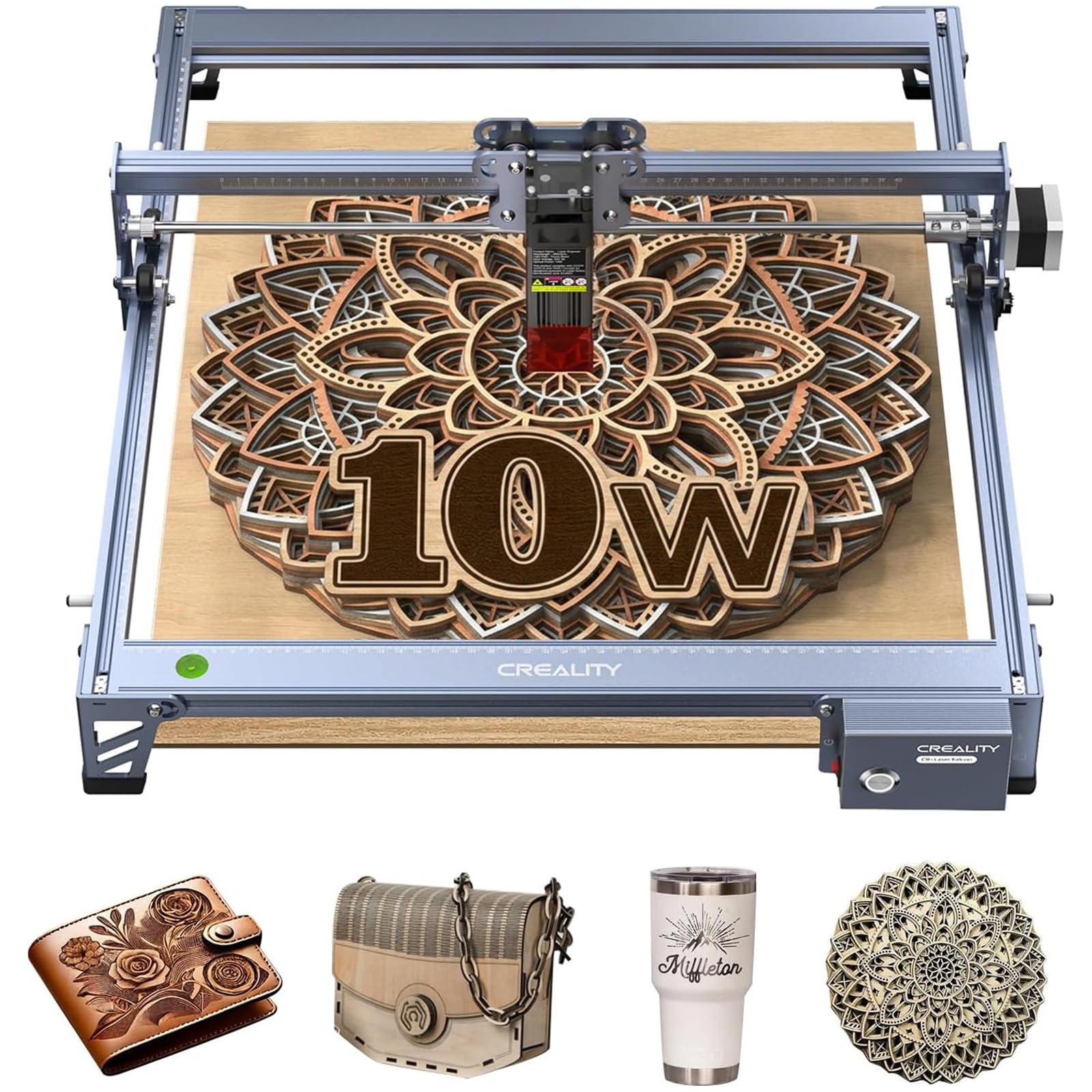
2. Creality Falcon 10W Laser Engraver
Ten watts that punch well above their weight on thin stock
Here is the agility story: at 10,000mm/min this Falcon outruns the LE400PRO’s 6000mm/min, and that speed gap is why it finishes light craft jobs quicker. At 7.05 pounds it is the lightest machine on this list, versus the LE400PRO’s 14.02 pounds, so you can lift it onto a table and pack it away.
The 0.06 × 0.06mm compressed spot keeps fine patterns and clean edges sharp. A 15.7″ × 16.3″ working area gives you room for larger designs or several small pieces at once. The aluminum alloy frame, steel shaft guide rails, and belt tension system hold everything steady through a long run. A filter in the laser module blocks 97% of UV rays, and goggles ship in the box. It reads LightBurn and LaserGRBL and can run from an SD card without a computer attached.
Buyers report it is fun to use with good build and cutting performance — it will work through 1/4″ birch plywood in a few passes rather than one. That is the honest trade: more passes on thicker wood than the 20W machines require. Assembly feedback splits, with some finding it simple and others confused, so set aside a calm afternoon and follow the guide closely.
Why it stays in the shortlist: 10,000mm/min speed, a 7.05-pound body, and SD-card offline mode make it an easy first laser for small wood projects.
The everyday catch: 10W means plywood and thicker hardwood need multiple passes, so budget extra time versus the high-power picks.
Good match for: renters and small-space makers who want a lighter, quicker laser for thin wood and acrylic.
Not the one for: daily production cutting of thick boards.
3. KENTOKTOOL LE400PRO 50W Laser Engraving Machine
The patient starter machine that gets your first project done the same day
Ignore the “50W” in the name — the actual laser output is 5.5W, listed as Class 1 output 5500mW. That is a modest beam, but it is honest about it, and it suits the buyer who wants to learn before spending big. The 0.08mm square ultra-fine focus reaches high-precision engraving, and with the high-energy cutting mode it can directly mark stainless steel, ceramics, and glass. On plain wood it cuts up to 8mm and 5mm black acrylic across a 400x400mm area.
Two details make it unusually friendly. First, a magnetic cover blocks 97% of UV rays and lifts off without tools. Second, a knob focus design lets you set height by hand with no tools, which is more stable than non-fixed focus heads. The all-metal frame holds the gantry steady, and both X and Y axes carry tick marks so you line up material fast. Setup takes 10-20 minutes, and it runs GRBL and LightBurn on Windows or Mac with NC, BMP, JPG, PNG, and DXF files.
What people talk about most is compatibility — it works cleanly with Two-trees engraver software and the usual toolchain, which spares beginners a lot of setup grief. Ease of use and build quality follow close behind. Its 15000-hour rated service life is the longest here, versus up to 10000 hours on the ATOMSTACK A20 Pro V2. One catch: at 14.02 pounds, versus the Falcon’s 7.05 pounds, it stays put once assembled.
Why beginners take to it
- 15000-hour rated service life, the longest in this lineup
- Tool-free knob focus and magnetic UV-blocking cover
- 10-20 minute assembly with tick-marked axes
- Engraves stainless, ceramic, and glass directly
Set your expectations
- 5.5W real output caps wood cutting at 8mm
- Slower 6000mm/min top speed than the faster diode units
Worth it when: you are brand new and want a forgiving machine that engraves a wide spread of materials without a steep learning curve.
Pass on it if: you need to cut thick hardwood panels at volume.
4. ATOMSTACK A20 Pro V2 20W Laser Engraver
Built for gift runs and business cards where every card has to line up
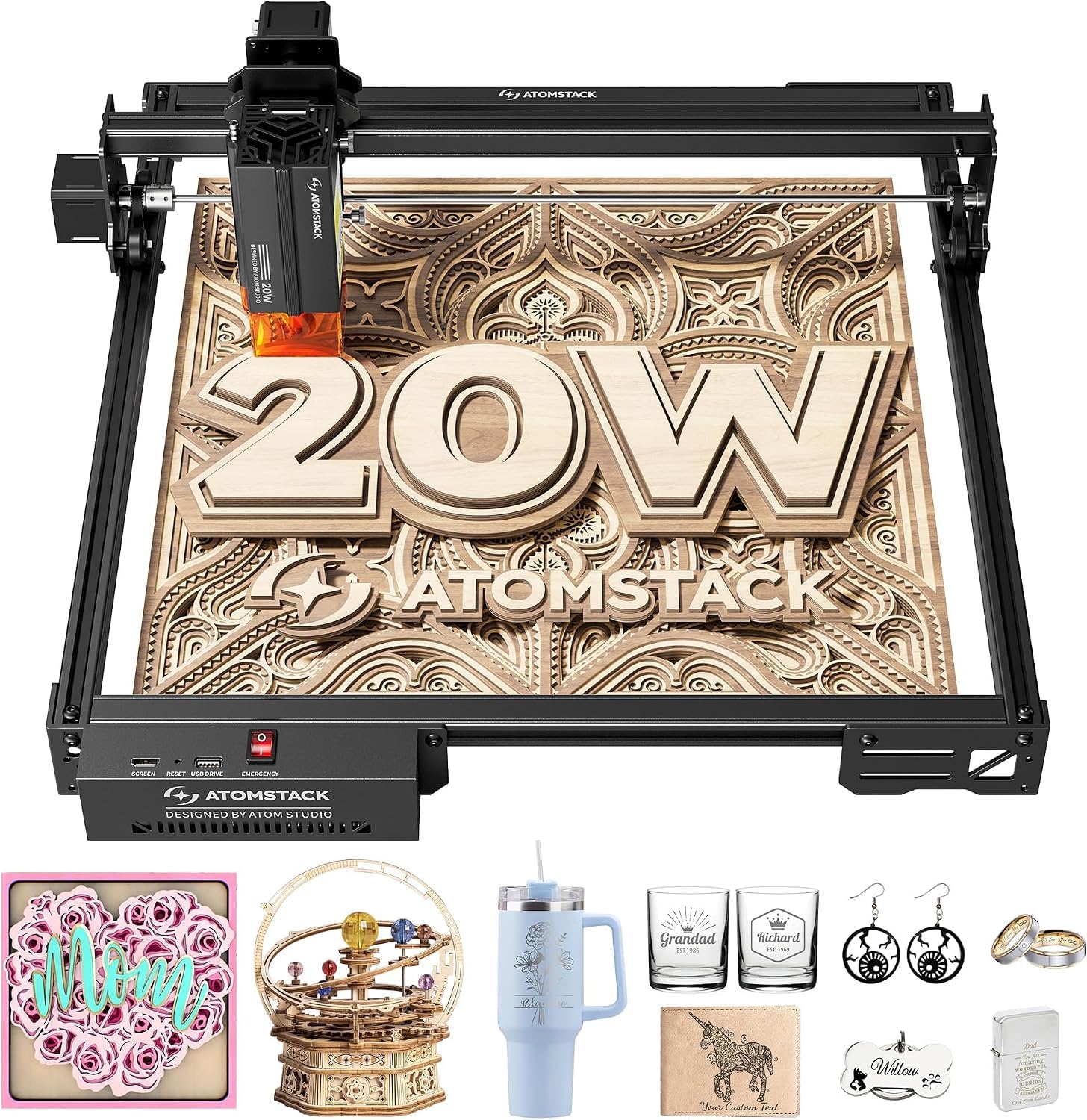
If you are engraving one-off gifts or batches of business cards, this machine is aimed right at you. The 20000mW output laser drives high-energy cutting and precise engraving, and the head travels up to 400mm/s. That speed matters when you have a table full of tumblers or tags to mark before a market opens.
Precision is the selling point — 0.01mm engraving accuracy, held steady by an integrated linear guide motion structure. The built-in limit switches and cross-line light help you position each blank consistently. The aluminum alloy frame and modular design are meant to keep the machine stable for years, and the maker rates the laser module for up to 10000 hours. You control it over Type-C or a USB stick, or through the ATOMSTACK app, LightBurn, and LaserGRBL on a PC.
Safety gets real attention here: a removable magnetic protective cover, safety glasses in the box, and a tilt-angle safety beep that sounds if the machine tilts past 15°. That tilt sensor is a thoughtful touch for a machine you might carry between rooms. Service runs 24/7 with lifetime technical support and free replacements for faulty parts. If a diode laser is your route into metal-and-wood marking, this is the fast, accurate one to weigh against the RAY5.
The accuracy argument: 0.01mm positioning plus limit switches and a cross-line light is what makes repeat gift engraving feel controlled, not hand-guessed.
Say it plainly: no working area is published for this unit, so confirm the bed size before you commit to large sign projects.
The fit: small-batch gift and card production where speed and per-piece alignment both count.
Check first: whether the bed suits your largest planned design — the workspace size is not stated.
5. Twotrees TTS-20 Pro Laser Engraver

An extra-large craft desk with a beam fast enough to keep up with it
Start with the number that matters for big projects: a 418x418mm working area, the largest engraving space among the diode lasers here. That extra room over the 400x400mm beds means full cutting boards and multi-piece batches fit without repositioning. A sturdy aluminum alloy frame and GT2-6mm belt keep the gantry tracking true at a max speed of 30000mm/min with 0.1mm positioning accuracy.
The 20W head delivers stable ≥19.5W optical power from a 450±5nm blue diode laser, forming a compact rectangular spot so energy lands evenly. On wood, leather, bamboo, acrylic, MDF, coated stainless and plastic, that is more than enough for daily engraving and light cutting. X/Y limit homing recalibrates the origin before every job, which is the detail that keeps a batch of thirty tags consistent. TMC2209 silent drivers and 42 stepper motors cut the noise while you work.
Offline runs are genuinely convenient — drop LBRN, JPG, PNG, or GCODE files on the 4GB TF card and start from the machine with no laptop attached. The head auto-returns to origin after each task, ready for the next piece. It speaks LightBurn and LaserGRBL on Windows, MacOS, and Linux in a multi-language UI. Two honest notes: assembly feedback splits between easy and difficult, and motor power gets mixed marks. Size and functionality are what owners like best by a clear margin.
Choose it when: your projects are bigger than a coaster, or you run multi-piece craft batches and want the largest diode work area in the lineup.
Be ready for: an assembly session that some find simple and others find fiddly, with mixed feedback on motor power.
6. xTool M2 10W Laser Engraver
The enclosed laser that lives happily in a busy home
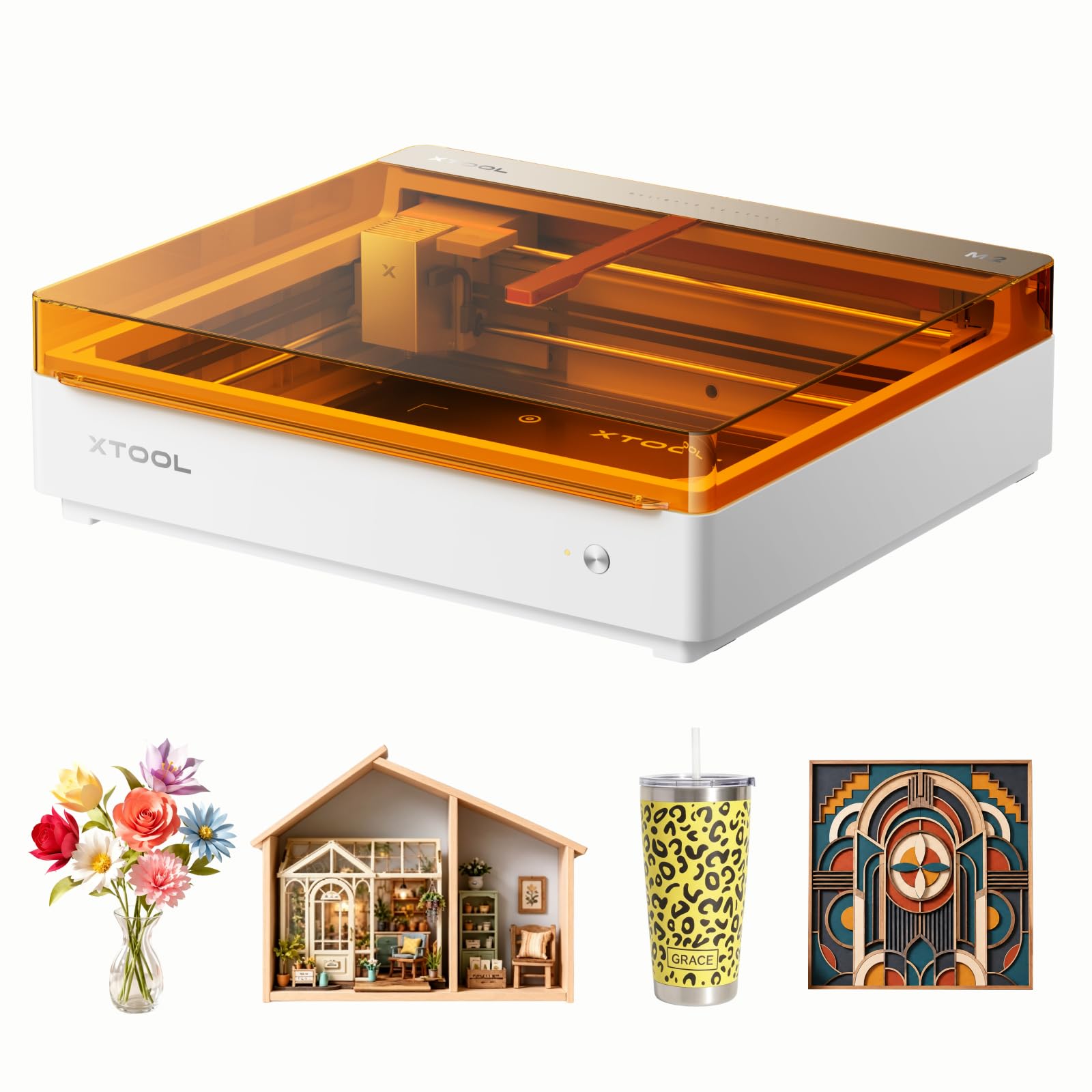
Most lasers on this list are open frames, which means the beam is out in the room while you work. The M2 is different — a fully enclosed Class 1 design with real-time monitoring, and the maker pitches it for home crafters and DIY makers worried about family safety. That framing is the whole reason to pick it over a cheaper open machine.
Inside, a 10,000mW laser output (10 watts) cuts cardstock, felt, leather, wood, and more. Two built-in cameras give a live preview of your workspace, and the ACS system (xTool’s camera-and-motion setup) pairs that view with motion control for what xTool calls a “Place & Go” experience — you set the material where you can see it, the machine maps it, and guesswork shrinks. The enclosed body also keeps smoke and stray light contained better than an open gantry (an exposed frame that moves the laser).
The software is where beginners feel at home: xTool Studio offers hundreds of templates and an AI image generator, so you can move from a text idea to a finished gift quickly. Note what is not in the box — the CMYK inkjet module and the 3W IR laser are add-ons sold separately, and the color printing and metal work depend on them. At 36.2 pounds this is a bench machine, not a portable one. What people praise most is plain quality, with ease of use close behind.
Why the enclosure sells it: Class 1 housing with live camera preview lets you run a laser where people live — something the open-frame picks cannot promise.
Read the fine print: full-color printing and metal engraving need the separately sold CMYK and IR modules, so budget for add-ons if those are on your list.
Right for you if: safety and a tidy home setup matter more than maximum cutting thickness.
Look elsewhere if: you mainly want to cut thick wood — 10W and an enclosure favor engraving over deep cutting.
7. Twotrees TTC450 Pro All-Metal CNC Router
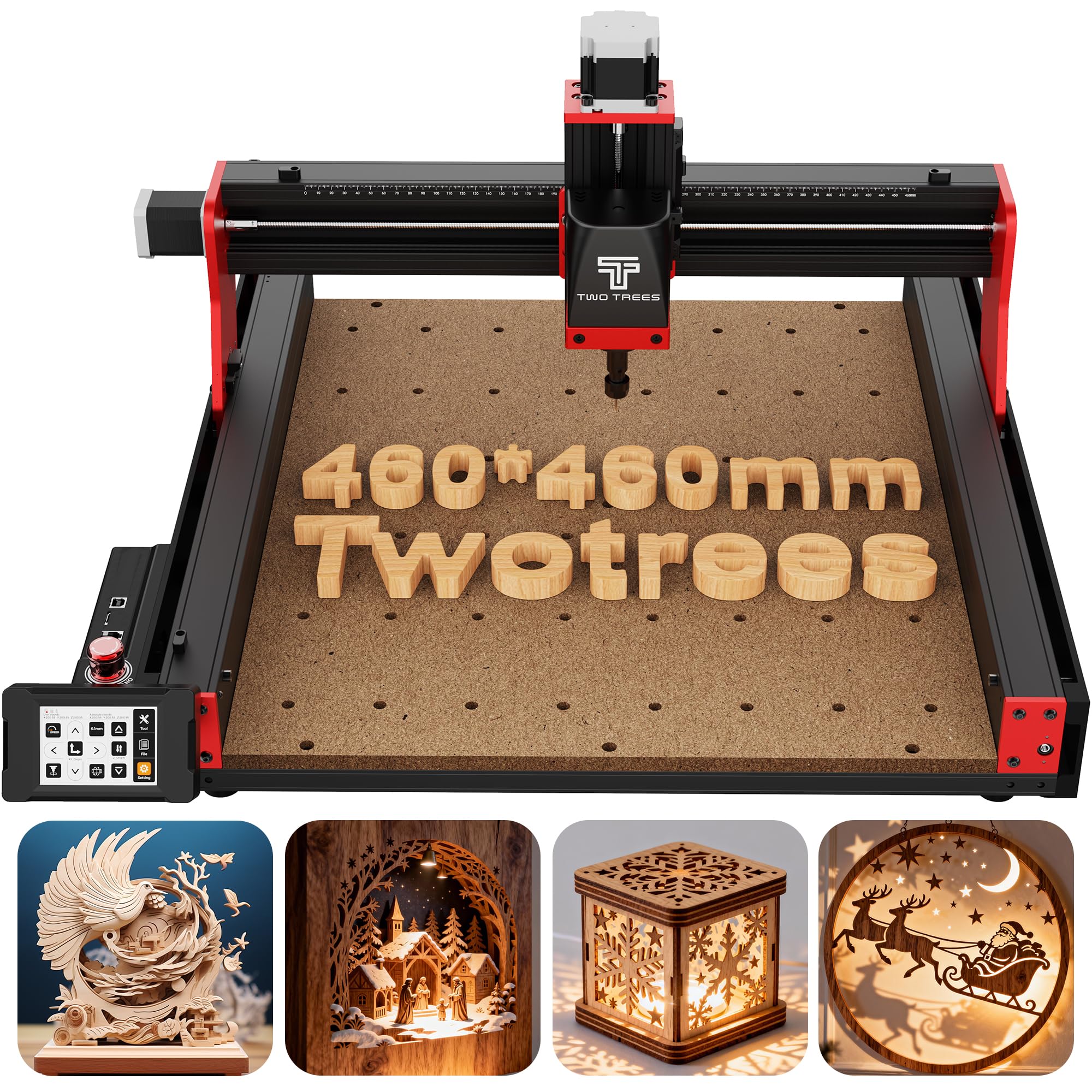
A router that mills the wood instead of burning it
Here is the fork in the road: everything above burns a beam into the surface, but this one spins a cutting bit and removes wood. That gives you relief carving, joints, and 3D shaping a laser cannot do. The working area is 18.1 inches (460 x 460 x 80 mm), sized for furniture panels, large signage, and batch runs.
The heart of it is the Z-axis, driven by a 57 stepping motor with positioning accuracy up to 0.0025mm — that tiny increment is what gives you controlled depth on multi-layer engraving and intricate relief. A 3.5-inch IPS capacitive touch screen handles control, and the box carries a 4th-axis rotation port, laser module port, and 500W spindle speed control port for upgrades. It runs the open-source GRBL system and reads ArtCam, Fusion 360, Easel, and Carveco Maker on Windows, MacOS, and Linux.
Build-wise it pairs aluminum alloy with stainless steel, and dual TM-1618D limit switches sit on the XYZ axes. A 775 brushed spindle motor heads the accessory set, which also includes 10 cutting tools, 6 clamping plates, and test material. Two things to know before you buy. First, Windows 11 users must install the CH341 driver from the WCH site, since CH340 is not fully compatible. Second, quality control is the most-praised trait by far, but functionality and value draw split opinions, so test it thoroughly on arrival.
The CNC case: a 0.0025mm Z-axis and a 460 x 460 x 80 mm envelope give you real depth carving and joint cutting that no diode laser on this list can match.
The learning curve is real: driver setup (especially CH341 on Windows 11) and split functionality feedback mean this is a tool for someone ready to tinker.
Pick this if: you want to carve and mill wood, not just engrave it, and you are comfortable with software setup.
skip it if: you want a plug-and-play engraver that needs no driver work.
8. FoxAlien XE-Ultra 8080 CNC Router Machine
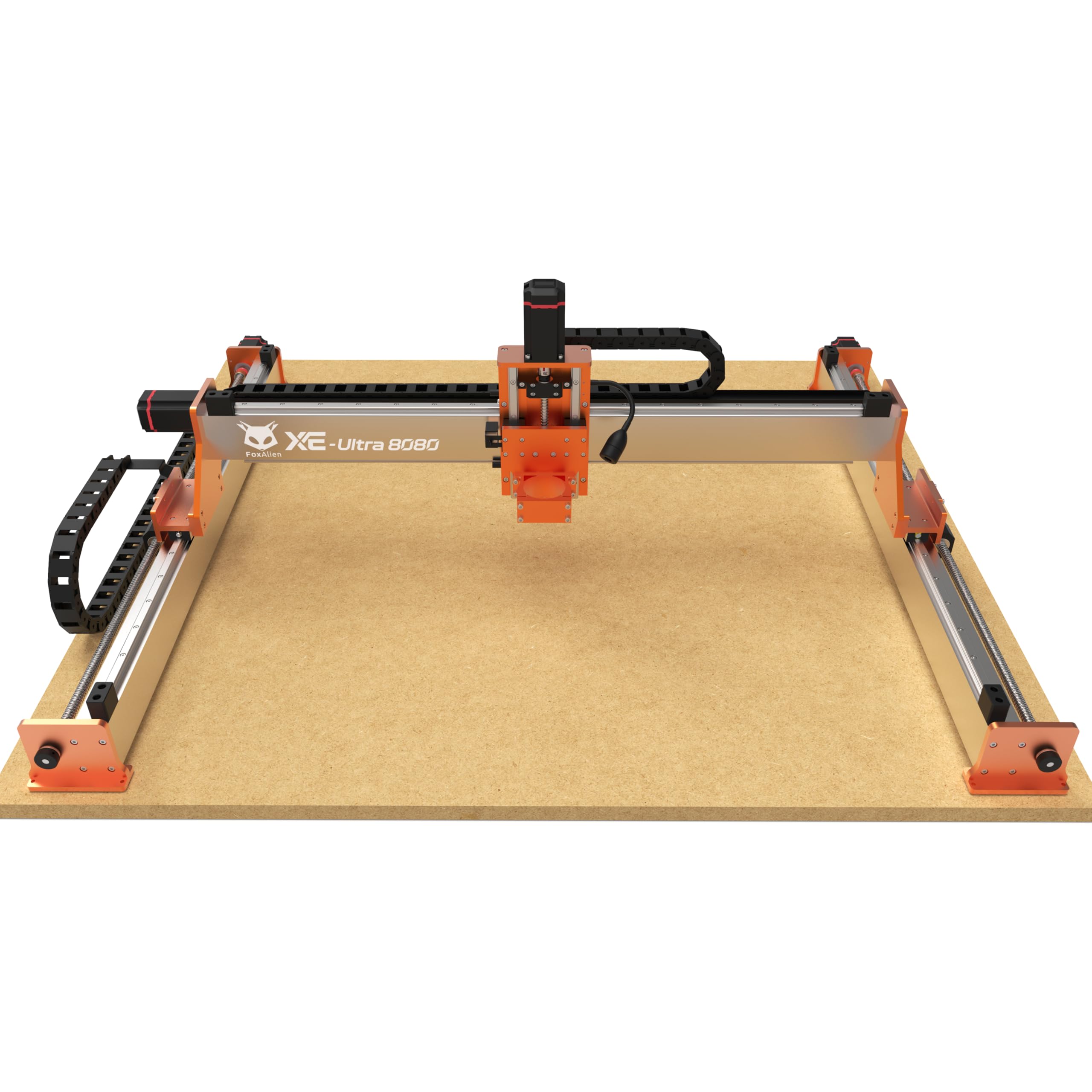
Furniture-scale routing for the shop that outgrew a small bed
When a cutting-board sized bed is not enough, this is the machine that steps up. The workspace is a 33x33x4.72in XYZ area with a 5.3″ pass height, built to handle large materials and complex designs in one setup. Where the TTC450 Pro tops out around 18 inches, this one reaches 33 inches, which is the difference between a sign and a cabinet panel.
Rigidity explains the price. It uses 16mm ball screws on XY and 12mm on Z, paired with HG-15 linear rails on all axes, inside a heavy-duty 46×80mm aluminum frame meant for long-term stability. The 60-86mm closed-loop stepper motors deliver 2.6Nm torque with intelligent step-loss protection, holding precision at speeds up to 5,000mm/min. Industrial inductive limit switches respond in 0.5ms with anti-interference performance for dual-layer collision protection. A 32-bit control box adds real-time stepper diagnostics via malfunction indicator lights.
The spindle ecosystem is open on purpose — you can fit 65mm routers, a FoxAlien 1.5kW VFD spindle, or FA20W/40W/80W engraving modules. The 65mm clamp ships, but the spindle itself does not, so factor that into your plan. Performance is the trait people praise most, with build quality next, and the machine earns its keep for steady, well-built output. The setup has a learning curve that some buyers feel sharply, so a free weekend helps.
Where it pulls ahead
- 33x33x4.72in workspace plus 5.3″ pass height for large panels
- Ball screws and HG-15 rails on all axes
- 2.6Nm closed-loop steppers with step-loss protection
- Open spindle ecosystem with a reserved 4th-axis port
What to plan around
- Spindle and router are not included — you choose and buy separately
- Setup has a genuine learning curve for first-time CNC users
Built for you if: you cut furniture parts or large signs and need industrial rigidity in a benchtop footprint.
Not for you if: you want a spindle included and a five-minute first cut.
9. xTool F1 Ultra 20W Fiber & Diode Dual Laser Engraver

Two lasers in one box — metal in seconds, wood in the same session
This is the one for the maker who needs both worlds. A 20W fiber laser marks gold, silver, copper, stainless steel, brass, and titanium in seconds, while a 20W diode laser handles wood, acrylic, leather, glass, rubber, and fabric. Both put out 20W, and speeds reach 10,000mm/s — the fastest here, well beyond the millimetre-per-minute machines. The diode cuts up to 15mm wood and 12mm black acrylic; the fiber handles thin stainless (0.3mm), brass (0.4mm), and aluminum (0.2mm).
Depth work is where the dual setup shows off: 3D embossing and deep engraving on metal, wood, and rock. The working area is 220mm x 220mm, expandable to 220mm x 500mm with the auto conveyor (sold separately), with HD photo engraving intact across that space. A 16MP camera maps shapes on the conveyor, and Auto Streamline Production fills patterns on each piece nonstop for batch runs. Safety is built for storefront use — a fully enclosed cover, smoke extraction, a fire alarm, and an emergency stop.
What people praise most is the build quality, with ease of use — the XCS software especially — right behind. Versatility and power round out the positives. The honest split: value for money and engraving performance draw mixed views, and some find the learning curve steep, so this rewards a patient operator. It is also a Class 4 laser, so treat the safety features as essential, not optional.
The case for it: a fiber and diode laser in one enclosed machine means metal tags and wood signs without a second purchase, at 10,000mm/s.
The honest catch: the auto conveyor and IR work are add-on territory, and the price plus learning curve suit a business plan more than a weekend hobby.
The one for: shop and market sellers doing on-the-spot metal and wood customization at volume.
Weigh it carefully if: you only engrave wood — a single 20W diode covers that for far less.
Know the Specs
Optical Power (Watts)
This is the laser energy that actually reaches the wood, and it sets your cutting depth and speed. A 20W beam like the RAY5 cuts 25mm wood, a 5.5W unit like the LE400PRO cuts 8mm, and a 10W like the Falcon does 5mm basswood in one pass. The number in a model name is not always the real output — the “50W” LE400PRO is honestly listed as 5.5W output. Always read the optical or output watts, not the marketing number.
Working Area (mm)
The bed size decides what fits in one run. A 400x400mm bed handles most signs and cutting boards. Larger beds like the TTS-20 Pro’s 418x418mm or the FoxAlien’s 33×33 inches fit bigger panels but take more bench space. Measure your biggest planned project first, then pick a bed that clears it with a little room to clamp.
Spot Size And Focus
Spot size is how wide the beam lands — smaller means finer detail. A 0.08mm or 0.06mm spot carves small lettering cleanly. Fixed-focus heads with lockable knobs stay stable through a job, while auto homing and limit switches keep repeated pieces aligned. For photo engraving and fine text, a tighter spot and steady focus matter more than raw speed.
Diode Laser vs CNC Router
A diode laser burns the surface, which is ideal for dark logos, lettering, and photo shading on flat wood. A CNC router, like the TTC450 Pro or XE-Ultra, spins a bit and removes material — the right tool for relief carving, joints, and 3D shaping. Some routers accept a laser module too, so you can add engraving later. Pick the process first, then the machine.
Common Questions
Can a 10W laser engrave wood deeply enough to cut through it?
Do I need an enclosure for a wood engraving laser?
What is the difference between a diode laser and a CNC router for wood?
Can these machines engrave metal as well as wood?
How large a sign can I engrave in one pass?
Do I need special software to run a wood engraver?
Can I run an engraver without a computer attached?
How long do these laser machines last?
Does engraving wood create harmful smoke indoors?
Is a 20W laser better than a 10W for cutting wood?
The Bottom Line
For most people, the winner in this lineup of wood engraving equipment is the Longer RAY5 20W. It pairs a 20W beam that cuts 25mm wood with a touchscreen, four connection modes, and a 0.08×0.1mm spot (the laser dot size) that keeps fine lettering sharp. If metal and wood both matter and speed drives your day, the xTool F1 Ultra brings a fiber and diode laser in one enclosed machine. And if you want to carve and mill instead of burn, the Twotrees TTC450 Pro is the router to start with. Choose the beam for the wood you actually cut, and the rest follows.
How we choose
We do not accept paid placement. Every pick is matched to a real buyer and a real use-case; we do not hands-on test units.
Sources
Specifications: manufacturer listings and product documentation. Review insights: verified customer reviews, as of November 2026. Pricing: not shown on this page (it changes often); check the current price via the retailer link.
As an Amazon Associate, Tactical Gear Guy earns from qualifying purchases. This does not affect which products we feature.